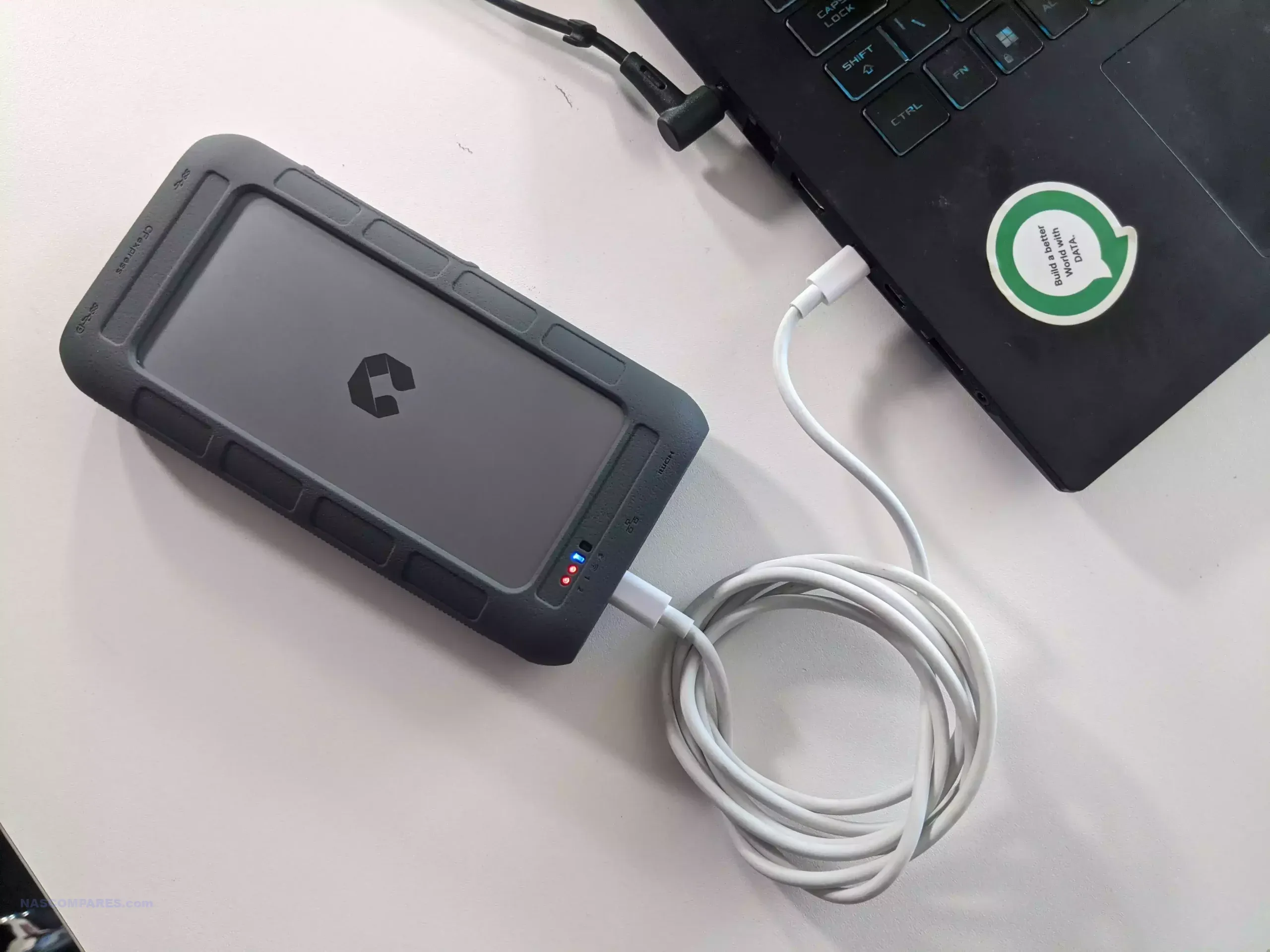
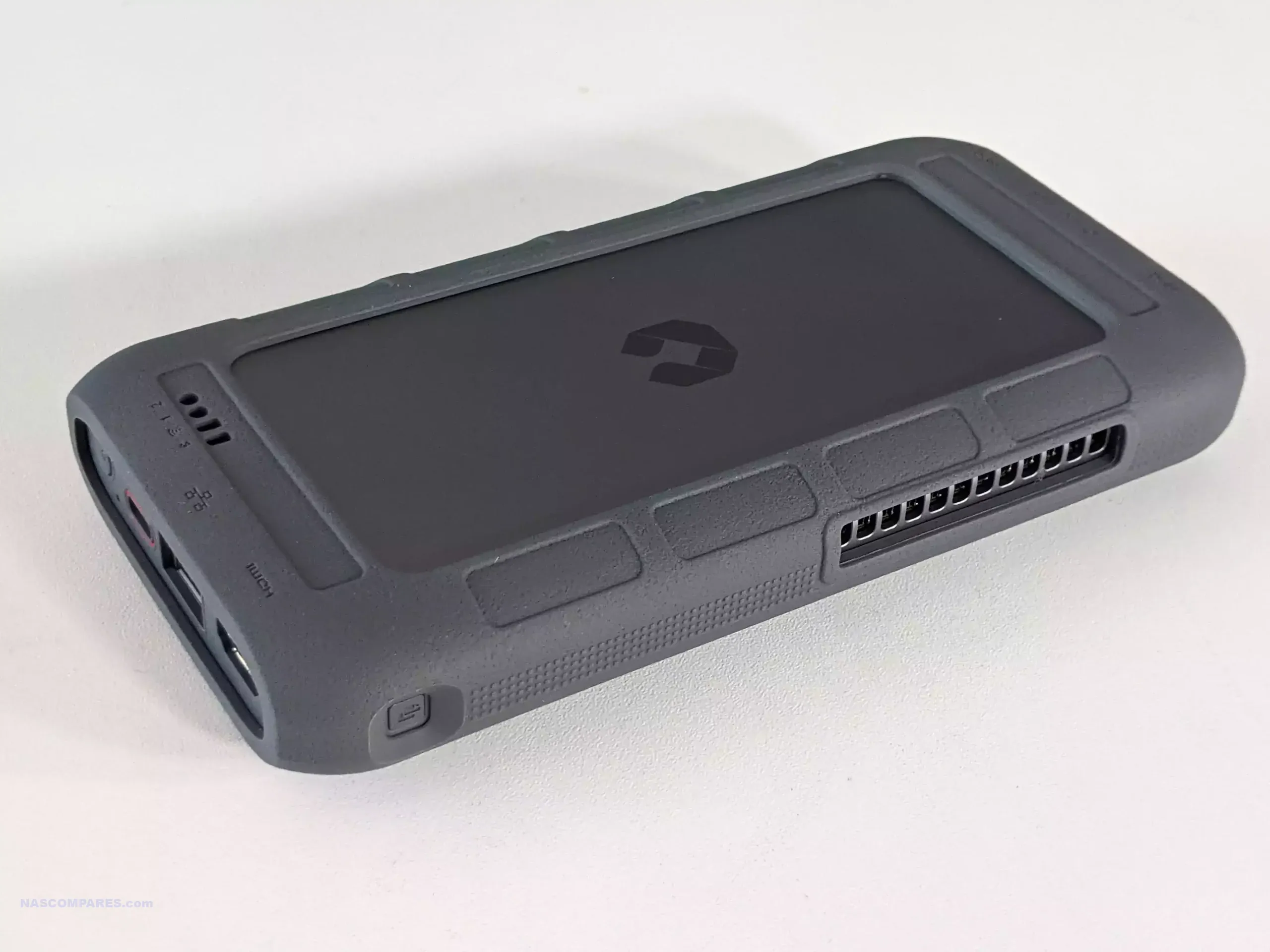
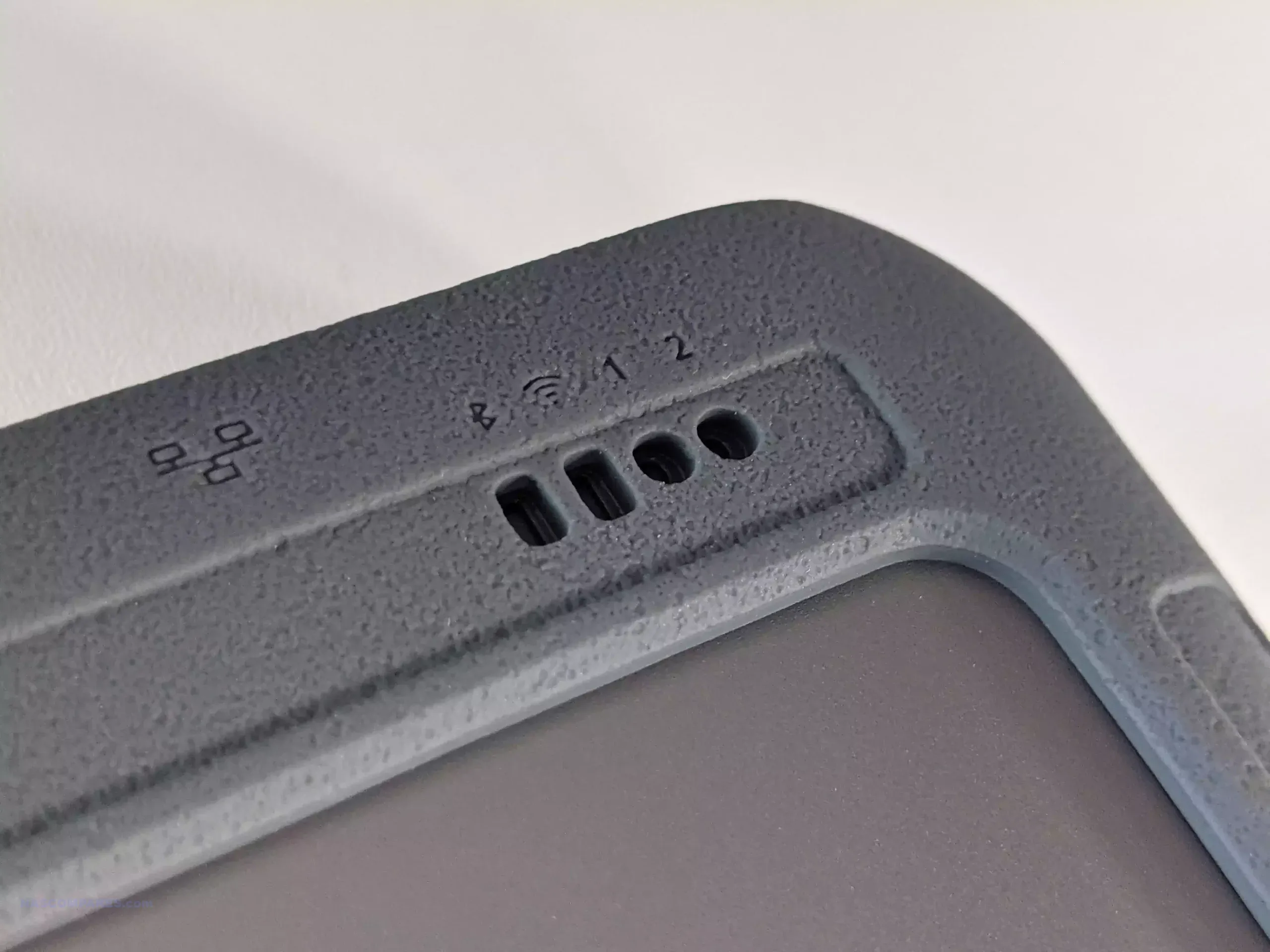
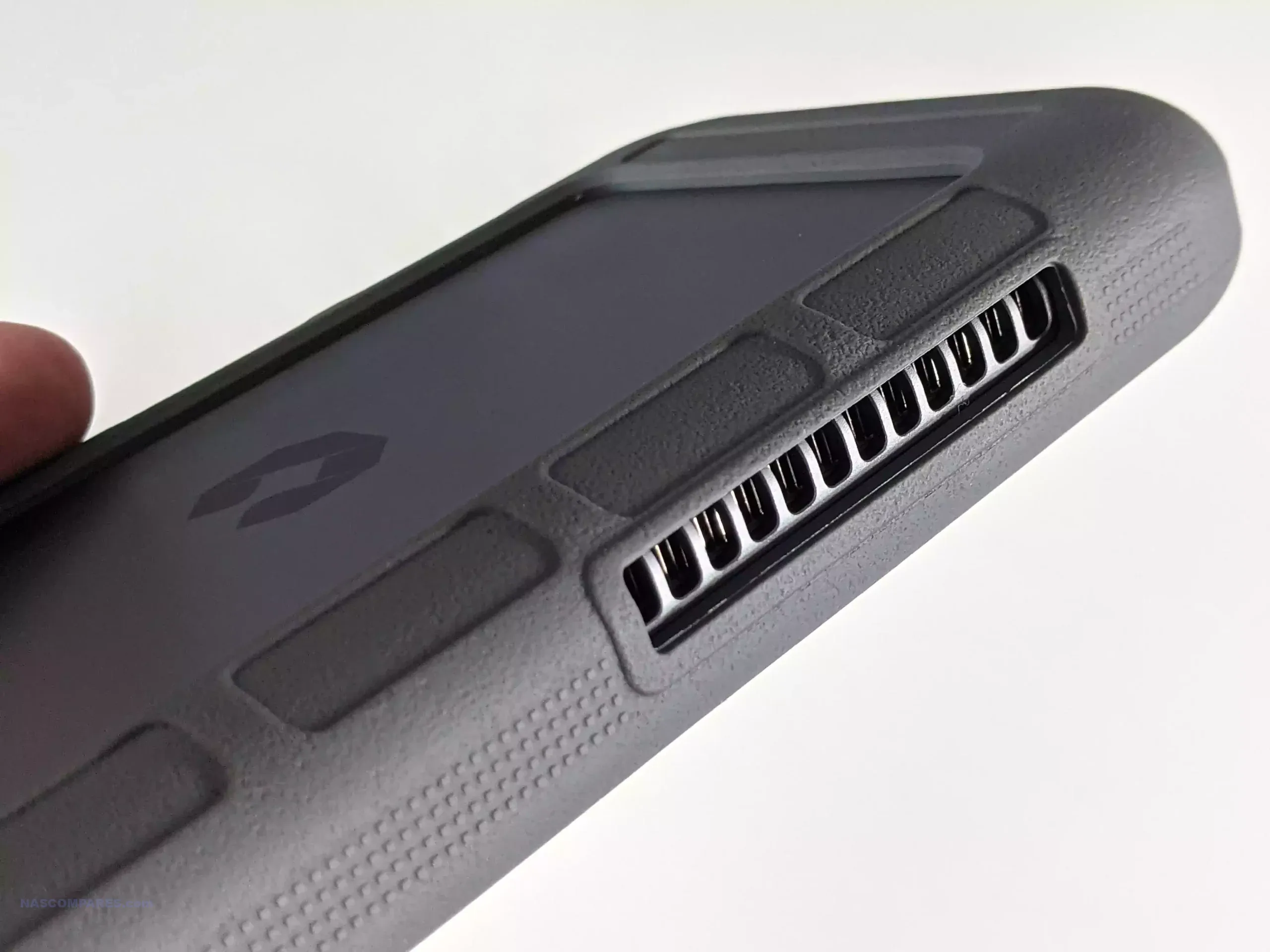
The Synology BeeStation BST151-4T is a 4 TB single drive personal cloud device that sits somewhere between an external hard drive and a traditional NAS, targeting users who want centralized storage, photo backup, file syncing, and remote access without dealing with a conventional multi bay server setup. It follows the original BST150-4T BeeStation, first released in February 2024, and appears to be a light refresh of that earlier model rather than a full redesign. As with the first version, the focus is on quick deployment, simple management, and a more consumer friendly software experience, using Synology’s BeeStation platform instead of the broader and more configurable DSM system found on the company’s standard NAS lineup.
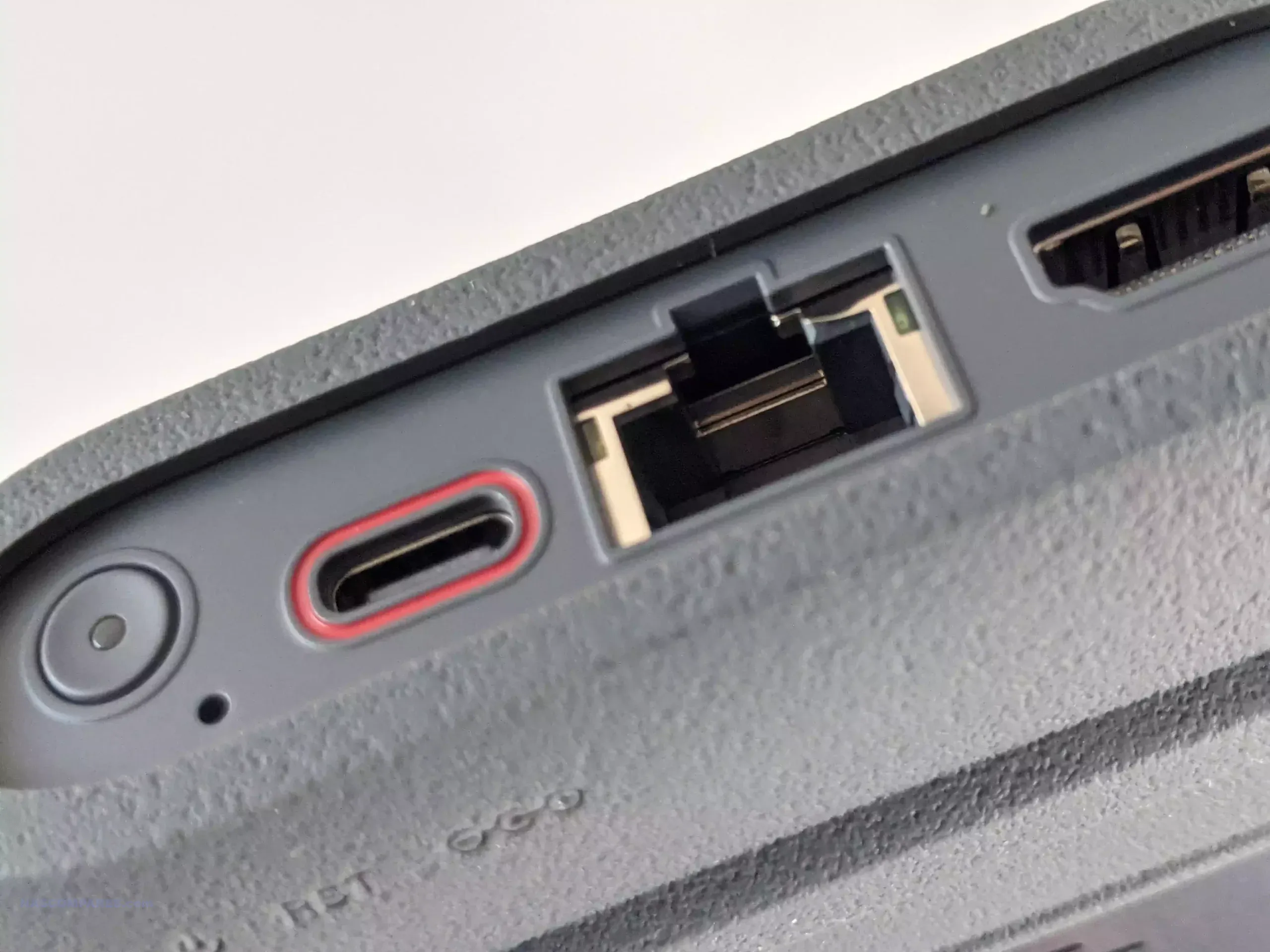
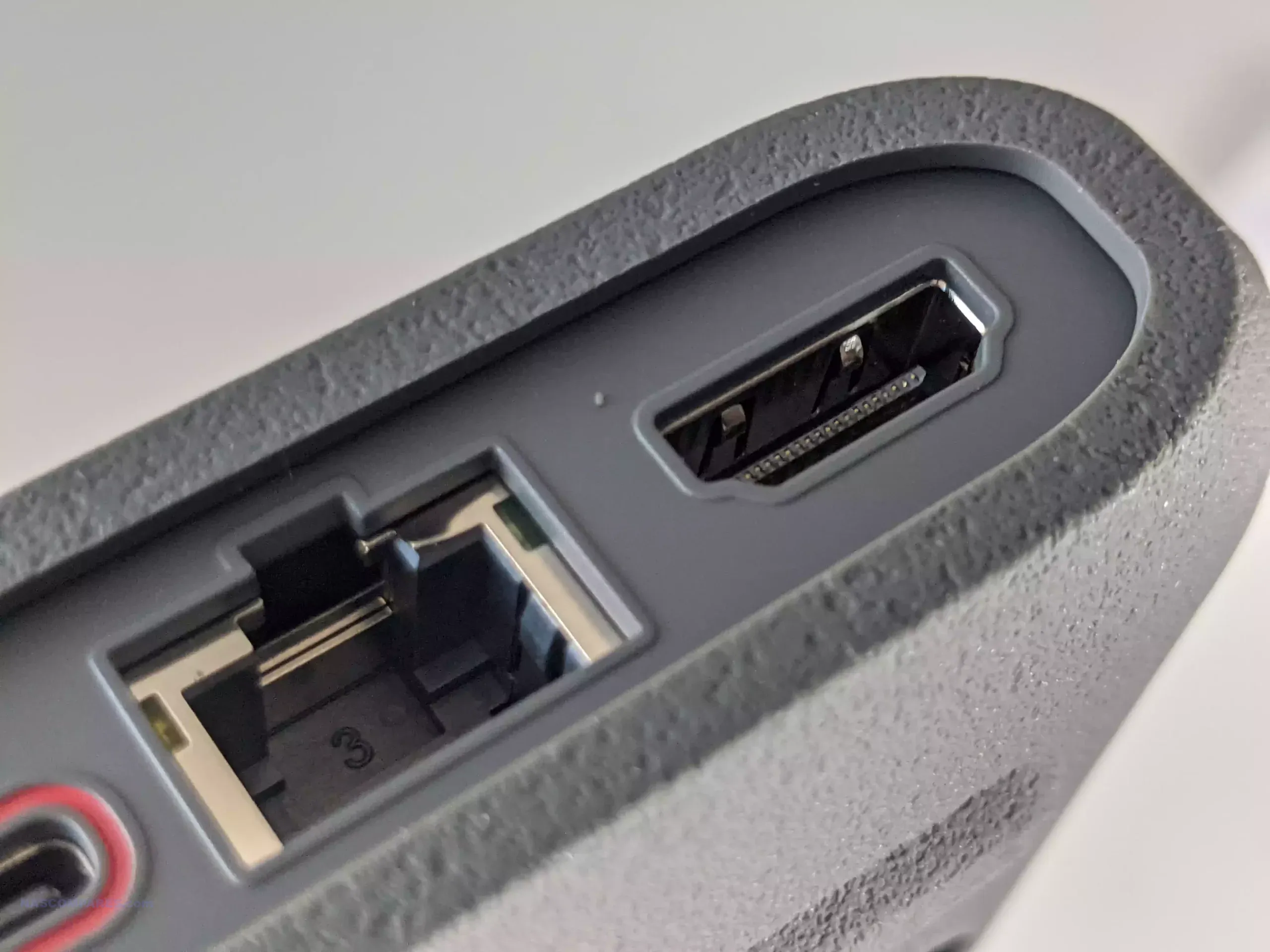
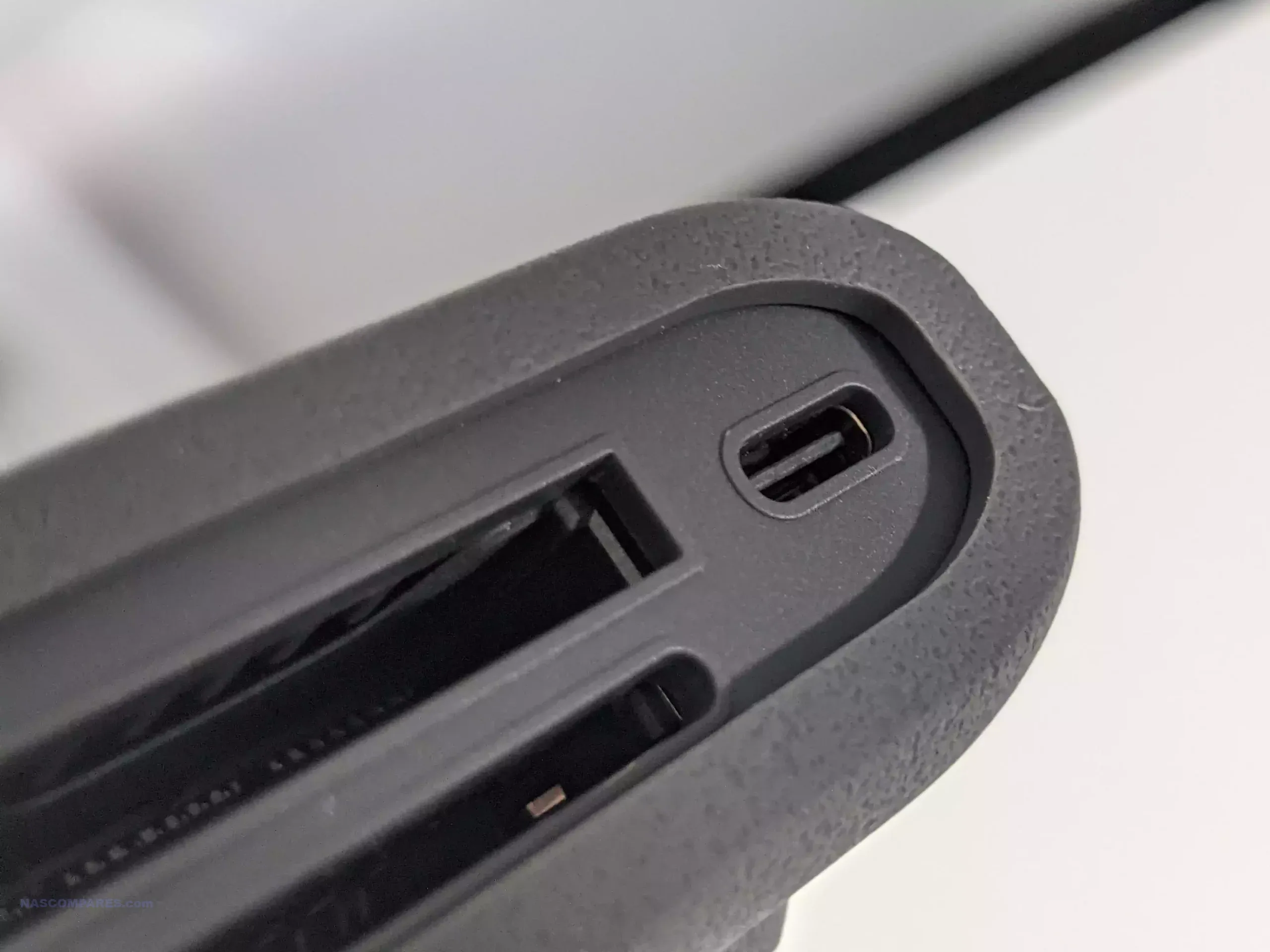
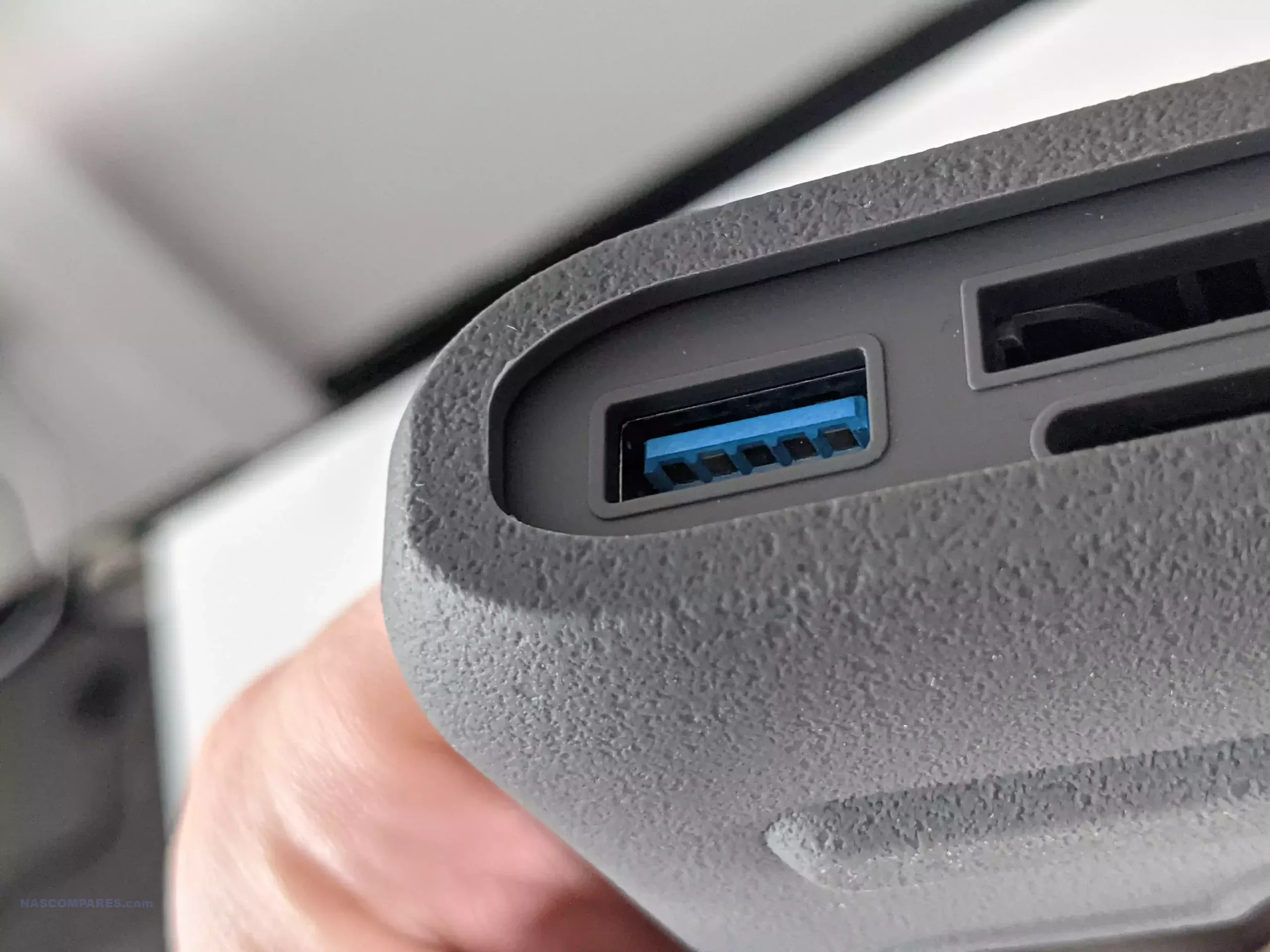
At a hardware level, the BST151-4T remains a very compact single bay network storage appliance with a fixed 4 TB hard drive, built around the Realtek RTD1619B platform and a 1GbE network connection. Physical connectivity is unchanged from the earlier BeeStation, with 1 x USB-A 3.2 Gen 1 port, 1 x USB-C 3.2 Gen 1 port, and 1 x RJ-45 LAN port, all housed in the same 148.0 x 62.6 x 196.3 mm enclosure weighing 820 g.
That hardware profile makes clear where the BeeStation sits in Synology’s lineup. This is not a flexible NAS chassis with room for drive upgrades, SSD cache, multi bay expansion, or faster networking. The internal disk is part of the appliance design, so there is no meaningful path to RAID redundancy, easier drive level recovery, or long term capacity scaling in the way there is on a conventional 2 bay or 4 bay NAS.
Power and thermals are also modest, which is consistent with a low power, always on personal cloud device. Synology lists power consumption at about 7.85 W during access and 1.65 W in HDD hibernation, with a 36 W external power adapter. The system continues to use a single HAT3300-4T drive, and Synology’s current 4 TB HAT3300 model is a 5400 RPM class disk rather than a faster 7200 RPM unit.
The one specification that requires care is memory. Synology’s March 30, 2026 product specification PDF and the current BeeStation comparison page both list the BST151-4T with 1 GB DDR4, but Synology’s newer BST151-4T datasheet, published later in March 2026 and mirrored across multiple regional versions, lists 2 GB DDR4 instead. On balance, the later datasheet appears to reflect the intended refresh specification, but Synology’s own published material is not yet fully consistent. (UPDATE – RAM on the BST151-4T is CONFIRMED as 2GB)
Assuming the 2 GB figure in the later datasheet is the correct final spec, the BST151-4T is best understood as a minimal revision of the BST150-4T rather than a new hardware generation. The enclosure, CPU, ports, networking, and drive class are effectively the same, while the main change is the move from the predecessor’s 1 GB memory configuration to 2 GB. That could simply reflect practical component economics as much as performance tuning, since lower density memory packages can become less cost effective over time as supply shifts. In either case, this still appears to be fixed onboard memory, not a user upgradeable SO-DIMM arrangement, so the platform remains closed in the same way as the original model.
Specification
Synology BeeStation BST151-4T
Capacity
4 TB
Drive type
Synology HAT3300-4T
Processor
Realtek RTD1619B
Memory
2 GB DDR4 listed in the newer datasheet; 1 GB DDR4 still appears on some Synology product spec pages
LAN
1 x 1GbE RJ-45
USB
1 x USB-A 3.2 Gen 1, 1 x USB-C 3.2 Gen 1
Dimensions
148.0 x 62.6 x 196.3 mm
Weight
820 g
Power adapter
36 W
Power consumption
7.85 W access, 1.65 W HDD hibernation
Operating temperature
0°C to 35°C
Warranty
3 years
Synology BeeStation in 2026 – What can it do?
In 2026, the BeeStation platform is no longer limited to basic remote file access. Synology positions it as a consumer focused private cloud for storing, syncing, and sharing files and photos, with web, desktop, and mobile access, support for sign in via Google Account, Apple ID, or Synology Account, and shared access for up to 8 users on a single device. It is designed to pull together data from phones, computers, external drives, and selected cloud services into one managed location rather than acting only as a simple networked hard drive.
Photo handling is one of the more developed parts of the platform. Synology states that BeeStation can back up mobile photos, import content from sources such as Google Photos and iCloud Photos, and organize images with local AI based recognition for people, subjects, and places. The software also supports timeline and map based browsing, album creation, and controlled photo sharing, which places the BST151-4T closer to a private cloud photo hub than to a basic USB backup box.
Its data protection features have also expanded since launch. BeeStation now supports internal restore points based on snapshots, backups to BeeProtect, Synology NAS, and external drives, plus a 3 year Acronis True Image Essentials license for 1 computer. BeeStation OS 1.5 also added BeeCamera support, but Synology limits that feature to BeeStation Plus models rather than the standard 4 TB unit, so the BST151-4T does not currently gain the surveillance role that the higher tier model has started to take on.
Where the BeeStation still differs from a DSM based NAS such as the DS124 or DS223 is in breadth and flexibility. Synology’s DS124 and DS223 product pages explicitly advertise broader DSM functions including Synology Drive based private cloud workflows, Btrfs snapshot features, ShareSync between Synology systems, full Surveillance Station support, and the wider DSM application platform. By contrast, BeeStation remains a curated appliance with a narrower software stack, no general DSM Package Center environment, no broad package driven expansion path, and on the standard 4 TB model no BeeCamera surveillance support either. In other words, it can cover the main personal cloud tasks, but it still does not replace the wider role of even Synology’s entry level DSM NAS systems.
The BST151-4T looks like a modest revision of the original BeeStation rather than a substantially new product. Its appeal remains the same: a preconfigured, low friction private cloud for users who want basic file storage, photo backup, syncing, sharing, and remote access without moving into a full DSM based NAS environment. The hardware envelope is still narrow, with a fixed internal 4 TB drive, 1GbE networking, and no real upgrade path for storage expansion or RAID style redundancy, but that is consistent with its role as an entry level turnkey appliance rather than a general purpose NAS. Synology’s own later datasheet points to 2 GB of RAM on the new model, which would make the BST151-4T a small but practical refresh of the BST150-4T rather than a platform shift. Pricing is the main unknown at the time of writing. Synology’s support status page already lists the BST151-4T as generally available, but public retail pricing is still not clearly established. On that basis, the safest expectation is that it will land close to the earlier 4 TB BeeStation, which launched around $199 in the US and about £209 in the UK, while more recent BST150-4T retail listings have also appeared higher depending on seller and region, sat around $309 without TAX. That likely places the BST151-4T will land in excess of $300 and maybe closer to $350 when factoring the RAM increase.
This description contains links to Amazon. These links will take you to some of the products mentioned in today's content. As an Amazon Associate, I earn from qualifying purchases. Visit the NASCompares Deal Finder to find the best place to buy this device in your region, based on Service, Support and Reputation - Just Search for your NAS Drive in the Box Below
Need Advice on Data Storage from an Expert?
Finally, for free advice about your setup, just leave a message in the comments below here at NASCompares.com and we will get back to you.Need Help?
Where possible (and where appropriate) please provide as much information about your requirements, as then I can arrange the best answer and solution to your needs. Do not worry about your e-mail address being required, it will NOT be used in a mailing list and will NOT be used in any way other than to respond to your enquiry.
[contact-form-7]
TRY CHAT Terms and Conditions
If you like this service, please consider supporting us.
We use affiliate links on the blog allowing NAScompares information and advice service to be free of charge to you.Anything you purchase on the day you click on our links will generate a small commission which isused to run the website. Here is a link for Amazon and B&H.You can also get me a Ko-fi or old school Paypal. Thanks!To find out more about how to support this advice service checkHEREIf you need to fix or configure a NAS, check FiverHave you thought about helping others with your knowledge? Find Instructions Here
Or support us by using our affiliate links on Amazon UK and Amazon US
Alternatively, why not ask me on the ASK NASCompares forum, by clicking the button below. This is a community hub that serves as a place that I can answer your question, chew the fat, share new release information and even get corrections posted. I will always get around to answering ALL queries, but as a one-man operation, I cannot promise speed! So by sharing your query in the ASK NASCompares section below, you can get a better range of solutions and suggestions, alongside my own.
The Synology RS1626xs+ is a 1U 4 bay rackmount NAS aimed at business and enterprise environments that need high performance in a short-depth footprint. It succeeds the RS1619xs+ after a notably long refresh gap and introduces a more modern hardware platform, including a newer Intel Xeon D processor, 16 GB of ECC memory as standard, dual 10GbE networking, integrated M.2 NVMe slots, and PCIe Gen4 expansion. On paper, this is a more substantial update than some recent Synology refreshes, particularly in areas that affect throughput, caching, and expansion flexibility. At the same time, the RS1626xs+ arrives within the current Synology enterprise strategy, which places tighter control around validated components and supported media. That means the hardware changes need to be considered alongside platform restrictions, expected pricing movement, and the wider value proposition of DSM in the business rackmount market. As a result, the RS1626xs+ looks positioned as a compact but capable SMB and enterprise rack NAS, though its appeal will likely depend as much on Synology’s ecosystem policies as on the hardware itself.
Synology RS1626xs+ Hardware Specifications
At the core of the RS1626xs+ is an Intel Xeon D-1726 processor, a 6-core, 12-thread CPU with a 2.9 GHz base clock and up to 3.5 GHz turbo. This is a clear step up from the previous generation Xeon D-1527 found in the RS1619xs+, increasing both core count and clock speed. Although it is not the newest server CPU architecture available in 2026, it is a more current platform than its predecessor and brings PCIe Gen4 support, which has a direct effect on overall system bandwidth for expansions and attached components.
Memory has also been increased, with the RS1626xs+ arriving with 16 GB of DDR4 ECC RDIMM as standard across 4 memory slots, with support for up to 64 GB total. That doubles the default memory provision of the older model and should better align with virtualization, backup indexing, active collaboration workloads, and larger multi-service deployments in DSM. Synology continues to recommend its own validated memory for upgrades, and as with other current business systems in its portfolio, warranty and support are tied closely to approved components.
In terms of storage, the system retains a 4 bay SATA drive architecture and supports expansion up to 16 total bays through the RX1225RP expansion unit. Alongside the main bays, Synology has included 2 internal M.2 2280 NVMe slots for SSD caching without consuming the PCIe expansion slot or front storage bays. This allows the RS1626xs+ to support flash-assisted performance acceleration out of the box, while preserving the rear PCIe slot for network or storage upgrades. Official support covers 3.5-inch SATA HDDs, 2.5-inch SATA SSDs, and M.2 NVMe SSDs, though deployment flexibility will still depend on Synology’s compatibility policies.
Networking is one of the more significant changes in this generation. The RS1626xs+ includes 2 built-in 10GbE RJ-45 ports, compared with the 4 x 1GbE arrangement of the RS1619xs+. There is also a dedicated out-of-band management port, 2 USB 3.2 Gen 1 ports, and a Mini-SAS HD expansion connector for the external shelf. For additional connectivity, the system includes 1 PCIe Gen4 x8 slot that can be used for 10GbE, 25GbE, or Fibre Channel upgrades, giving it more flexibility for storage networks and higher-bandwidth business environments than the previous model’s Gen3 slot.
Physically, the RS1626xs+ remains a 1U rack system but is notably deeper and heavier than the older unit, measuring 44 x 481.9 x 668.5 mm and weighing 9.5 kg. It also moves to a 250 W redundant power design, compared with the earlier 150 W arrangement, which reflects the higher performance profile and expanded integrated feature set. Synology rates the unit at 97.59 W during access and 56.19 W during HDD hibernation, with a quoted noise level of 52.6 dB(A). Cooling is handled by 4 x 40 mm fans, and the system includes standard enterprise features such as dual hot-swappable PSUs, scheduled power controls, auto-restart after power loss, and a 5-year warranty.
Synology RS1626xs+ Software Specifications
On the software side, the RS1626xs+ is positioned as a full DSM business platform rather than a storage-only rackmount. It supports up to 32 storage pools, a maximum single volume size of 108 TB by default, 200 TB with at least 32 GB of memory, and up to 1 PB in specific RAID 6 configurations with 64 GB of memory. Supported RAID modes include Basic, JBOD, RAID 0, RAID 1, RAID 5, RAID 6, RAID 10, and RAID F1, with SSD read/write cache and SSD TRIM also supported. File system support includes Btrfs internally, with a broad range of external file systems and network protocols including SMB, NFS, FTP, WebDAV, Rsync, iSCSI, and Fibre Channel.
DSM on this platform is also designed to support heavier service consolidation. Synology rates the RS1626xs+ for up to 1,900 SMB connections, 2,048 local user accounts, 512 shared folders, and 12 shared folder sync tasks. In application terms, the system is listed with support for up to 3,100 Synology Drive users, 3,000 Synology Office users, 3,600 MailPlus users, and 400 Synology Chat users, depending on memory configuration and workload type. Virtualization support includes VMware vSphere, Microsoft Hyper-V, Citrix XenServer, and OpenStack, while Virtual Machine Manager is rated for 12 virtual machines and 12 Virtual DSM instances.
Beyond file serving, the RS1626xs+ includes Synology’s wider business software stack for backup, surveillance, synchronization, and centralized administration. It supports Synology High Availability, Hyper Backup, Active Backup workloads, Snapshot Replication with up to 4,096 system snapshots, SAN Manager with up to 256 iSCSI targets and 512 LUNs, and Surveillance Station with 2 camera licenses included and support for up to 75 IP cameras at 1080p. Synology also positions the platform for hybrid cloud workflows, centralized fleet management through CMS and Active Insight, and newer AI-assisted functions within its collaboration suite, making the RS1626xs+ a software-heavy platform where DSM remains a major part of the system’s overall value.
Category
Specification
OS
DSM
Max Volume Size
108 TB, 200 TB with 32 GB RAM, up to 1 PB with 64 GB RAM and RAID 6
Max Storage Pools / Volumes
32
RAID Support
Basic, JBOD, RAID 0, 1, 5, 6, 10, F1
SSD Features
Read/write cache, TRIM
Internal File System
Btrfs
External File Systems
Btrfs, ext4, ext3, FAT32, NTFS, HFS+, exFAT
File Protocols
SMB, AFP, NFS, FTP, WebDAV, Rsync
Max SMB Connections
1,900
User / Folder Limits
2,048 users, 512 groups, 512 shared folders
Shared Folder Sync Tasks
12
Hybrid Share Folder Limit
15
High Availability
Yes
Hyper Backup
Yes
Snapshot Replication
256 snapshots per shared folder, 64 per LUN, 4,096 per system
Third-party AI model integration, de-identification up to 1,700 words
Synology RS1626xs+ vs RS1619xs+ NAS
Compared with the RS1619xs+, the RS1626xs+ is a more substantial hardware refresh than the model gap alone might suggest. The older system used an Intel Xeon D-1527, a 4-core, 8-thread processor running at 2.2 GHz base and 2.7 GHz turbo, whereas the RS1626xs+ moves to a Xeon D-1726 with 6 cores, 12 threads, 2.9 GHz base, and 3.5 GHz turbo. The newer model also doubles the default memory from 8 GB DDR4 ECC UDIMM to 16 GB DDR4 ECC RDIMM, while retaining the same 64 GB maximum ceiling across 4 slots. At the platform level, the move from PCIe Gen3 x8 to PCIe Gen4 x8 is also relevant, as it increases available expansion bandwidth for modern network or storage upgrades.
The networking and storage configuration also show a clearer shift in priorities. The RS1619xs+ arrived with 4 x 1GbE ports and required expansion for faster networking, whereas the RS1626xs+ includes 2 x 10GbE RJ-45 ports as standard, alongside a dedicated management port. Both systems support expansion to 16 bays with a 1 unit expansion shelf and both include 2 M.2 slots, but the RS1626xs+ is more focused on NVMe caching with integrated flash support alongside newer expansion options such as 10GbE, 25GbE, and Fibre Channel via the Gen4 slot. In practical terms, the newer system is much better aligned with modern high-throughput business environments straight out of the box.
That said, the RS1626xs+ is not an across-the-board improvement in every operational metric. It is larger, deeper, heavier, and significantly noisier on paper, moving from 518.6 mm depth and 39.3 dB(A) on the RS1619xs+ to 668.5 mm depth and 52.6 dB(A) on the newer model. Power consumption is also higher, rising from 68.68 W active usage on the older unit to 97.59 W on the newer platform. So while the RS1626xs+ is clearly the more capable and modern system in CPU, networking, memory, and expansion, it also reflects a more demanding enterprise profile in acoustics, power draw, and likely total deployment cost.
Category
Synology RS1626xs+
Synology RS1619xs+
CPU
Intel Xeon D-1726
Intel Xeon D-1527
CPU Cores / Threads
6 cores / 12 threads
4 cores / 8 threads
CPU Clock Speed
2.9 GHz base / 3.5 GHz turbo
2.2 GHz base / 2.7 GHz turbo
Architecture
64-bit
64-bit
Hardware Encryption
Yes
Yes
Default Memory
16 GB DDR4 ECC RDIMM
8 GB DDR4 ECC UDIMM
Memory Slots
4
4
Maximum Memory
64 GB
64 GB
Drive Bays
4
4
Maximum Bays with Expansion
16
16
Expansion Unit
RX1225RP
RX1217 / RX1217RP
M.2 Slots
2 x NVMe
2 x NVMe / SATA
Supported Drives
3.5″ SATA HDD, 2.5″ SATA SSD, M.2 NVMe SSD
3.5″ SATA HDD, 2.5″ SATA HDD, 2.5″ SATA SSD, M.2 NVMe / SATA SSD
Hot Swap Support
Yes
Yes
Built-in Network Ports
2 x 10GbE RJ-45
4 x 1GbE RJ-45
Management Port
1 x out-of-band management port
No dedicated management port listed
USB Ports
2 x USB 3.2 Gen 1
2 x USB 3.2 Gen 1
Expansion Port
1 x Mini-SAS HD
1 x Infiniband
PCIe Slot
1 x PCIe Gen4 x8
1 x PCIe Gen3 x8
Form Factor
1U rackmount
1U rackmount
Dimensions
44 x 481.9 x 668.5 mm
44 x 480 x 518.6 mm
Weight
9.5 kg
8.16 kg
System Fans
4 x 40 mm
2 x 40 mm
Fan Modes
Full speed, low temperature, silent
Full-speed, cool, quiet
Noise Level
52.6 dB(A)
39.3 dB(A)
Power Supply
250 W
150 W
Redundant PSU
Yes
Yes
Power Consumption
97.59 W access / 56.19 W hibernation
68.68 W access / 34.78 W hibernation
Operating Temperature
5°C to 35°C
5°C to 35°C
Warranty
5 years
5 years
Synology RS1626xs+ Price and Release
At the time of writing, Synology has revealed the RS1626xs+ on regional product pages, but wider global availability still appears to be pending. The system has already appeared in official marketing materials and product specification pages, indicating that the hardware and software position are now largely defined, even if retail rollout is not yet universal across all regions. Based on that, the RS1626xs+ should be treated as officially revealed, but not yet fully launched in every market. Release timing is notable because the RS1626xs+ arrives after a long gap following the RS1619xs+, which was introduced in the 2018 to 2019 period. That makes this a delayed but more meaningful refresh than some of Synology’s shorter product cycles, particularly given the changes to CPU generation, default memory, built-in networking, PCIe bandwidth, and integrated NVMe support. It is therefore not simply a minor refresh of the previous 1U 4 bay platform, even if the overall product class remains the same.
Pricing has not yet been formally confirmed in the materials provided, so any figure at this stage remains estimate rather than specification. The earlier RS1619xs+ was commonly seen around the $2,400 range earlier in its lifecycle, but later pricing in some regions moved closer to or above $3,000. Given the RS1626xs+ includes 16 GB ECC memory as standard, dual 10GbE onboard, a newer Xeon D platform, PCIe Gen4, and redundant 250 W power supplies, it would be reasonable to expect a higher launch price than its predecessor rather than price parity. The main issue for buyers will likely be total platform cost rather than base chassis cost alone. This system is aimed at business and enterprise deployment, and that means the final spend may also include validated Synology drives, NVMe media, memory upgrades, rail kits, network cards, and the RX1225RP expansion shelf where needed. Until Synology confirms full regional rollout and channel pricing, the RS1626xs+ should be viewed as a higher-tier compact rackmount NAS with an expected premium position in the current RackStation portfolio.
This description contains links to Amazon. These links will take you to some of the products mentioned in today's content. As an Amazon Associate, I earn from qualifying purchases. Visit the NASCompares Deal Finder to find the best place to buy this device in your region, based on Service, Support and Reputation - Just Search for your NAS Drive in the Box Below
Need Advice on Data Storage from an Expert?
Finally, for free advice about your setup, just leave a message in the comments below here at NASCompares.com and we will get back to you.Need Help?
Where possible (and where appropriate) please provide as much information about your requirements, as then I can arrange the best answer and solution to your needs. Do not worry about your e-mail address being required, it will NOT be used in a mailing list and will NOT be used in any way other than to respond to your enquiry.
[contact-form-7]
TRY CHAT Terms and Conditions
If you like this service, please consider supporting us.
We use affiliate links on the blog allowing NAScompares information and advice service to be free of charge to you.Anything you purchase on the day you click on our links will generate a small commission which isused to run the website. Here is a link for Amazon and B&H.You can also get me a Ko-fi or old school Paypal. Thanks!To find out more about how to support this advice service checkHEREIf you need to fix or configure a NAS, check FiverHave you thought about helping others with your knowledge? Find Instructions Here
Or support us by using our affiliate links on Amazon UK and Amazon US
Alternatively, why not ask me on the ASK NASCompares forum, by clicking the button below. This is a community hub that serves as a place that I can answer your question, chew the fat, share new release information and even get corrections posted. I will always get around to answering ALL queries, but as a one-man operation, I cannot promise speed! So by sharing your query in the ASK NASCompares section below, you can get a better range of solutions and suggestions, alongside my own.
Synology FS200T NAS is STILL A THING! But Is It Too Late?
The Synology FlashStation FS200T is a compact 6 bay 2.5 inch NAS that has followed an unusually drawn out and fragmented path to visibility. The device first appeared through semi official leaks in Q1 2025, before being shown more openly at Computex during May and June, giving attendees a first real look at the hardware. After that appearance, public information largely dried up, leading many to assume the system had been delayed indefinitely or quietly cancelled. Interest resurfaced later in 2025 as more complete documentation began to circulate, culminating in a leaked datasheet dated October 16, 2025 that outlined specifications, software capabilities, and Synology’s intended positioning for the device. Despite the lack of an official launch announcement, demand has remained present at a low but steady level, particularly among users who value small, quiet systems and are already invested in the DSM ecosystem. Online discussion has continued across forums and social platforms, with recurring questions around release timing and justification for the product’s existence in a rapidly changing NAS market. The FS200T appears designed to serve a specific niche rather than a broad audience, focusing on an all flash configuration, low acoustic output, and minimal physical footprint. Rather than competing on raw performance or expandability, its purpose is to deliver a responsive, self contained storage platform that runs the full Synology software stack in environments where noise, size, and power consumption matter more than upgrade paths or maximum throughput.
Synology FS200T NAS – Hardware Specifications
At the heart of the Synology FS200T is the Intel Celeron J4125, a 4 core, 64 bit processor with a 2.0 GHz base clock and a 2.7 GHz turbo ceiling. This is a chip originally released in the 2019 to 2020 timeframe and has been widely deployed across several generations of entry and mid range NAS systems. While it remains serviceable for basic DSM workloads, file services, and light container use, it is increasingly dated by current standards. Intel has since retired this naming convention entirely, shifting its low power roadmap toward newer N series Alder Lake and Twin Lake processors that offer improved efficiency, IPC gains, and more modern media and virtualization capabilities. In that context, the J4125 feels more like a holdover from an earlier design cycle than a deliberate forward looking choice, particularly for a flash focused system introduced in 2026.
The CPU does include a hardware encryption engine, which aligns well with DSM features such as encrypted shared folders, secure snapshots, and HTTPS services. However, expectations around virtualization, AI assisted services, and sustained multi task workloads should remain conservative. Compared with newer low power CPUs, the J4125 lacks the architectural refinements and efficiency improvements that would better justify pairing it with an all flash storage configuration. This choice reinforces the impression that the FS200T is designed around stability and familiarity rather than performance progression.
Memory configuration consists of 4 GB of DDR4 non ECC SODIMM installed by default. The system provides 2 memory slots with an official maximum capacity of 8 GB using 4 GB modules. While sufficient for basic DSM services, backup tasks, and light multi user access, this ceiling quickly becomes restrictive when enabling heavier applications such as Virtual Machine Manager, Synology Drive for multiple users, or container based services. Synology also notes that optimal compatibility and warranty support depend on using official Synology memory, further narrowing flexibility for users who might otherwise attempt more aggressive tuning.
Storage is where the FS200T makes its clearest statement, and also draws its most obvious criticism. The system supports 6 x 2.5 inch SATA SSDs with hot swap capability, and no other internal storage options are listed. There are no M.2 NVMe slots, no cache bays, and no PCIe expansion. In a market where even compact NAS systems increasingly rely on NVMe for primary or cache storage, the exclusive reliance on SATA SSDs feels increasingly out of step. SATA bandwidth limitations mean that even in optimal RAID configurations, the storage subsystem will be constrained long before the SSDs themselves are saturated, particularly when paired with the available network interfaces. This design choice prioritizes compatibility and thermals over performance scalability, but it also places a hard ceiling on what the platform can deliver.
Networking is limited to 2 Ethernet ports, consisting of 1 x 2.5GbE and 1 x 1GbE with failover support. While the inclusion of 2.5GbE is a welcome baseline upgrade over legacy 1GbE only systems, the absence of additional multi gig ports or 10GbE options further compounds the performance bottleneck created by the SATA only storage design. External connectivity is handled via 2 x USB 3.2 Gen 1 ports, suitable for backups or peripheral devices, but there is no mention of USB based expansion units or higher bandwidth options.
Physically, the FS200T maintains a compact and understated design. The chassis measures 121 mm x 151 mm x 175 mm and weighs 1.4 kg, making it easy to place in home or small office environments. Cooling is managed by a single 80 mm fan, and the lack of mechanical drives supports Synology’s positioning of the system as quiet during operation. Power input is rated from 100V to 240V AC at 50/60 Hz, with operating conditions specified between 0°C and 40°C and 8 percent to 80 percent relative humidity. These characteristics reinforce the system’s focus on low noise, low power operation rather than sustained high performance workloads.
The Synology FS200T is clearly aimed at a narrow segment of users who value compact size, quiet operation, and access to the DSM software ecosystem over raw performance or hardware flexibility. This includes home users, enthusiasts, and small office environments where space and noise are limiting factors and where workloads are largely centered around file storage, backups, photo management, and light collaboration services. Users already familiar with DSM who want an always on, low maintenance system for everyday data tasks may find the FS200T fits neatly into that role, particularly if power efficiency and physical footprint are higher priorities than throughput.
At the same time, the FS200T is less well suited to users expecting strong virtualization performance, heavy multi user access, or storage scalability over time. The combination of an older processor, a modest memory ceiling, SATA only storage, and limited network bandwidth means it is not designed to grow alongside more demanding workloads. Power users, media professionals, and those comparing against newer M.2 based NAS platforms may find the system restrictive. In practice, the FS200T makes the most sense for users who want a quiet, self contained DSM appliance and are comfortable accepting its fixed performance envelope from day one.
Has the Synology FS200T NAS Arrived Too Little, Too Late?
The FS200T enters a NAS market that has evolved significantly since its first appearance in early 2025. In that time, compact and enthusiast focused systems have increasingly shifted toward M.2 NVMe as primary storage, often paired with faster multi gig or 10GbE networking as a baseline rather than an upgrade. Against those expectations, a 6 bay, SATA only flash system built around an older Celeron platform feels cautious and, in some respects, behind the curve. Even where SSD responsiveness is present, the combination of SATA bandwidth limits, modest CPU capability, and a single 2.5GbE port constrains how much of that performance can realistically be delivered to connected clients.
These limitations are more pronounced when the FS200T is compared directly with consumer and prosumer alternatives released over the last 12 to 24 months. Many competing systems, including small form factor DIY and appliance style NAS solutions, now offer newer Alder Lake or Twin Lake based processors, higher memory ceilings, and NVMe storage that can scale well beyond SATA constraints. While those platforms may lack DSM and its tightly integrated services, they often deliver noticeably higher throughput, better virtualization headroom, and more flexibility for future expansion at similar or lower price points. In that context, the FS200T’s hardware profile risks appearing static rather than intentionally restrained.
Whether the FS200T is ultimately “too late” depends on how much weight is placed on software versus hardware. For users who specifically want DSM in a very small, quiet enclosure and are comfortable with a fixed performance envelope, the system still fills a clear niche. However, its weaknesses become harder to overlook in a consumer market that increasingly expects NVMe storage, modern CPUs, and faster networking as standard. If pricing and SSD compatibility further narrow its appeal, the FS200T may struggle to justify its position against consumer focused alternatives that offer stronger hardware fundamentals, even if they require compromises on software maturity and ecosystem integration.
This description contains links to Amazon. These links will take you to some of the products mentioned in today's content. As an Amazon Associate, I earn from qualifying purchases. Visit the NASCompares Deal Finder to find the best place to buy this device in your region, based on Service, Support and Reputation - Just Search for your NAS Drive in the Box Below
Need Advice on Data Storage from an Expert?
Finally, for free advice about your setup, just leave a message in the comments below here at NASCompares.com and we will get back to you.Need Help?
Where possible (and where appropriate) please provide as much information about your requirements, as then I can arrange the best answer and solution to your needs. Do not worry about your e-mail address being required, it will NOT be used in a mailing list and will NOT be used in any way other than to respond to your enquiry.
[contact-form-7]
TRY CHAT Terms and Conditions
If you like this service, please consider supporting us.
We use affiliate links on the blog allowing NAScompares information and advice service to be free of charge to you.Anything you purchase on the day you click on our links will generate a small commission which isused to run the website. Here is a link for Amazon and B&H.You can also get me a Ko-fi or old school Paypal. Thanks!To find out more about how to support this advice service checkHEREIf you need to fix or configure a NAS, check FiverHave you thought about helping others with your knowledge? Find Instructions Here
Or support us by using our affiliate links on Amazon UK and Amazon US
Alternatively, why not ask me on the ASK NASCompares forum, by clicking the button below. This is a community hub that serves as a place that I can answer your question, chew the fat, share new release information and even get corrections posted. I will always get around to answering ALL queries, but as a one-man operation, I cannot promise speed! So by sharing your query in the ASK NASCompares section below, you can get a better range of solutions and suggestions, alongside my own.
Best NAS You Can Buy Right Now for Under $499 at the end of 2025
By late 2025, the under 499 dollar NAS segment has become far more crowded, with multiple vendors offering systems that combine capable hardware, established operating systems, and multi bay storage at a relatively accessible price. Home users, prosumers, and small workgroups now have access to devices that can centralise files, manage routine backups, and handle local media streaming at performance levels that were previously limited to higher priced units. The range of available designs has also grown, with everything from compact solid state based units to entry level rackmount models appearing in this category. This guide looks at five (technically 6!) turnkey NAS platforms that can be purchased for 499 dollars or less. Each one focuses on a different balance of features, whether that is throughput, virtualisation, containers, or ease of use, yet all provide a practical path toward reliable self hosted storage without pushing the budget too far.
Important Disclaimer and Notes Before You Buy
Every NAS in this bracket is sold without drives, so users must provide their own storage, whether that is 3.5 inch HDDs, 2.5 inch SSDs, or M.2 NVMe modules for all flash builds. This directly influences total cost, particularly for NVMe based systems. Some models include small flash or eMMC for the operating system, but these are not suitable for general data storage. Buyers should account for drive costs, planned RAID layouts, and any needed accessories such as cables, heatsinks, or extra cooling. Software support also varies, with many devices using vendor platforms like DSM, TOS, or UGOS, while others permit alternatives such as TrueNAS or Unraid without affecting hardware support. Systems with less mature software may require more setup work for Plex, Docker, or SMB services, making these NAS units better suited to users who are comfortable handling basic network configuration or are willing to learn more advanced features over time.
UniFi UNAS Pro 7-Bay NAS
$499 – ARM Cortex-A57 – 8GB – 7x 3.5″ SATA – 1x 10GbE SFP+, 1x 1GbE – UniFi OS – BUY HERE
The UniFi UNAS Pro is a two unit rackmount NAS that focuses on high throughput storage rather than general purpose application hosting. It includes seven hot swappable SATA bays for either 2.5 inch or 3.5 inch drives and is built on a quad core ARM Cortex A57 processor at 1.7GHz with 8GB of DDR4 memory. The platform is intended for straightforward file storage and does not provide container services, multimedia features, or virtualisation. Network connectivity consists of one 10GbE SFP plus port and one 1GbE RJ45 port, which makes the system well suited to central backups, shared project storage, and high volume file transfers inside a UniFi managed network.
Management is handled through the Drive application within UniFi OS, with support for RAID zero, one, five, and six. Power redundancy is enabled through an internal 200 watt AC and DC power supply and optional USP RPS failover. A 1.3 inch front panel touchscreen provides system information and basic diagnostics. Although the feature set is narrower than that of a typical multimedia or container focused NAS, the system integrates cleanly with UniFi infrastructure or can operate on its own as a dedicated storage target.
Here are all the current UniFi NAS Solutions & Prices:
Since launching the original UNAS models in 2024, UniFi has expanded the range with new desktop units, including the UNAS two bay at 199 dollars and the UNAS four bay at 349 dollars, along with Pro series models in four bay and eight bay configurations at 499 dollars and 799 dollars. The UNAS Pro sits at the entry point of the Pro line and offers a hardware driven approach suited to users who want reliable multi bay storage with 10GbE connectivity and do not require wider software extensibility.
Component
Specification
CPU
Quad-Core ARM Cortex-A57 @ 1.7GHz
Memory
8GB DDR4
Drive Bays
7x 2.5″/3.5″ SATA HDD/SSD
Networking
1x 10GbE SFP+, 1x 1GbE
Power
200W internal PSU + USP-RPS redundancy
OS
UniFi OS / Drive App
Display
1.3″ touchscreen
Form Factor
2U Rackmount
Dimensions
442 x 325 x 87 mm
Weight
9.5 kg with brackets
UGREEN NASync DXP4800 NAS
$499– Intel N100 – 8GB – 4x 3.5″ SATA + 2x M.2 NVMe – 2x 2.5GbE – UGOS Pro – BUY HERE
The UGREEN NASync DXP4800 is a four bay desktop NAS that combines hybrid storage options with a growing set of software features. It uses an Intel N100 quad core processor from the twelfth generation Alder Lake N series and includes 8GB of DDR5 memory along with 32GB of onboard eMMC for the operating system. The system provides four SATA bays for hard drives or SSDs and two M.2 NVMe slots that can be used for caching or for creating faster all flash volumes. Network connectivity consists of two 2.5GbE ports with support for link aggregation to improve throughput or provide failover. Front and rear USB 3.2 ports, a USB C connector, and an SD 3.0 card reader add convenience for users who work with external media.
UGOS Pro serves as the software platform and offers RAID zero, one, five, six, and ten, along with Docker, Plex support, cloud sync tools, snapshots, and standard file sharing services. Although UGOS Pro is not as established as DSM or TrueNAS, it has gained stability and functionality over repeated updates and provides a straightforward browser based interface for managing storage and services. For users who want hybrid storage flexibility and a graphical setup process, the DXP4800 fits comfortably in the under 499 dollar category, particularly during sales.
UGREEN also sells a more cost effective alternative called the DH4300 Plus. That model uses an ARM processor with fixed memory and provides only a single 2.5GbE connection. It is suitable for simpler workloads, but users who want stronger performance and broader feature support will likely prefer the DXP4800.
Component
Specification
CPU
Intel N100 (4 cores, up to 3.4GHz)
Memory
8GB DDR5 (upgradable to 16GB)
Drive Bays
4x SATA (3.5″/2.5″) + 2x M.2 NVMe
Networking
2x 2.5GbE LAN
Ports
1x USB-C (10Gbps), 2x USB-A, SD Card Reader
Video Output
1x HDMI (4K)
OS
UGOS Pro
Power Consumption
35.18W (access), 15.43W (hibernation)
Dimensions
257 x 178 x 178 mm (approx.)
LincStation N2 NAS
$399 – Intel N100 – 16GB – 2x 2.5″ SATA + 4x M.2 NVMe – 1x 10GbE – Unraid OS – BUY HERE
The LincStation N2 is a compact solid state NAS that offers higher performance than most systems in this price tier. It uses an Intel N100 processor with 16GB of LPDDR5 memory and supports two 2.5 inch SATA SSDs alongside four M.2 2280 NVMe drives. This six bay layout is aimed at users who want higher IOPS, quieter operation, and lower power consumption than a hard drive based configuration. Network connectivity is provided through a single 10GbE RJ45 port, which is uncommon at this price level and useful for workstation links or scenarios involving multiple simultaneous clients.
The unit includes an Unraid Starter license, giving users access to Docker containers, virtual machines, hardware passthrough, and flexible storage management. Unraid requires some familiarity to use effectively, but it offers greater adaptability than fixed vendor operating systems. The N2 also includes HDMI output, USB C, USB 3.2, and several USB 2.0 ports, which allows it to function as a lightweight home server or media oriented workstation in addition to its NAS role. For users who place priority on SSD storage, 10GbE connectivity, and virtualisation features, the LincStation N2 provides a level of capability that is not common in the sub 499 dollar category.
Component
Specification
CPU
Intel N100 (4 cores, up to 3.4GHz)
Memory
16GB LPDDR5 (non-upgradable)
Drive Bays
2x 2.5″ SATA + 4x M.2 NVMe
Networking
1x 10GbE LAN
Ports
1x USB-C (10Gbps), 1x USB 3.2, 2x USB 2.0
Video/Audio
HDMI 2.0, 3.5mm audio out
OS
Unraid (Starter license included)
Dimensions
210 x 152 x 39.8 mm
Weight
800g
TerraMaster F4 SSD NAS
$399 – Intel N95 – 8GB – 4x M.2 NVMe – 1x 5GbE – TOS (TerraMaster OS) – BUY HERE
The TerraMaster F4 SSD is a four bay solid state NAS designed for users who want faster access speeds and quieter operation than traditional hard drive systems. It uses an Intel N95 processor from the Alder Lake N family together with 8GB of DDR5 memory in a single SODIMM slot. Storage is provided through four M.2 NVMe positions, with two operating at PCIe 3.0 x2 and two at PCIe 3.0 x1. The system is intended for SSDs only and does not support SATA based drives. Network connectivity is handled through one 5GbE port, which allows higher single link performance than dual 2.5GbE designs and can attach to 10GbE networks at reduced speed.
The device runs the TOS platform, which offers multimedia tools, photo management with local AI tagging, cloud sync, user account controls, and a range of backup options. The system supports Btrfs, TRAID for flexible capacity planning, remote access, and mobile applications for file sync and photo uploads. HDMI output, two USB A ports, one USB C port, and quiet fan operation make the F4 SSD suited to home environments that need a compact all flash NAS with minimal configuration.
Users who want more performance can step up to the F8 SSD Plus for roughly 200 to 250 dollars more. That model offers eight M.2 NVMe slots, an eight core N305 i3 class processor, 16GB of memory, and 10GbE networking. The F4 SSD remains the more cost conscious option, while the F8 SSD Plus targets workloads that need considerably more CPU and network headroom.
The Synology DS425 Plus is a four bay NAS positioned as an accessible way to enter the DSM ecosystem while still offering capable hardware for home and small office use. It is built on the Intel Celeron J4125, a quad core processor with a 2.0GHz base frequency and up to 2.7GHz under load. The system includes 2GB of DDR4 memory that can be expanded to 6GB and supports both 3.5 inch and 2.5 inch SATA drives. Two M.2 NVMe slots are available for cache use or for creating faster solid state storage volumes. Network connectivity consists of one 2.5GbE port and one 1GbE port, which gives users some flexibility depending on the switches in their setup.
DSM remains one of the more complete NAS operating systems, with integrated tools for file management, media serving, backup and sync, surveillance, and virtualisation. Synology Hybrid RAID is supported for flexible capacity planning, and the use of Btrfs provides access to snapshots and integrity checks. A notable change in late 2025 is Synology’s updated stance on drive compatibility. The Plus series no longer restricts or warns against the use of third party hard drives or SSDs, meaning users can now deploy Seagate, WD, and other manufacturers without any prompts or reduced functionality. This removes a previous concern for buyers who wanted to reuse existing disks or avoid Synology branded media. For users who want long term software support, a stable operating system, and a straightforward four bay design within the 499 dollar range, the DS425 Plus remains a practical option, now with fewer limitations on drive choice.
Component
Specification
CPU
Intel Celeron J4125 (4 cores, up to 2.7GHz)
Memory
2GB DDR4 (expandable to 6GB)
Drive Bays
4x 3.5″/2.5″ SATA + 2x M.2 NVMe
Networking
1x 2.5GbE LAN, 1x 1GbE LAN
Ports
2x USB 3.2 Gen 1
OS
Synology DSM 7.x
File System
Btrfs, EXT4
Dimensions
166 x 199 x 223 mm
Weight
2.18 kg
UnifyDrive UT2 Mobile NAS Drive
$399 –RK3588 8GB, LPDDR4X 1, 2.5GbE, 6TOPS NPU, 4K HDMI 2.1, WiFi 6 + AP Mode, DAS Mode, 2 Hour Mobile Battery – BUY HERE ( Get a further 5% OFF with this code: NASCOMPARES )
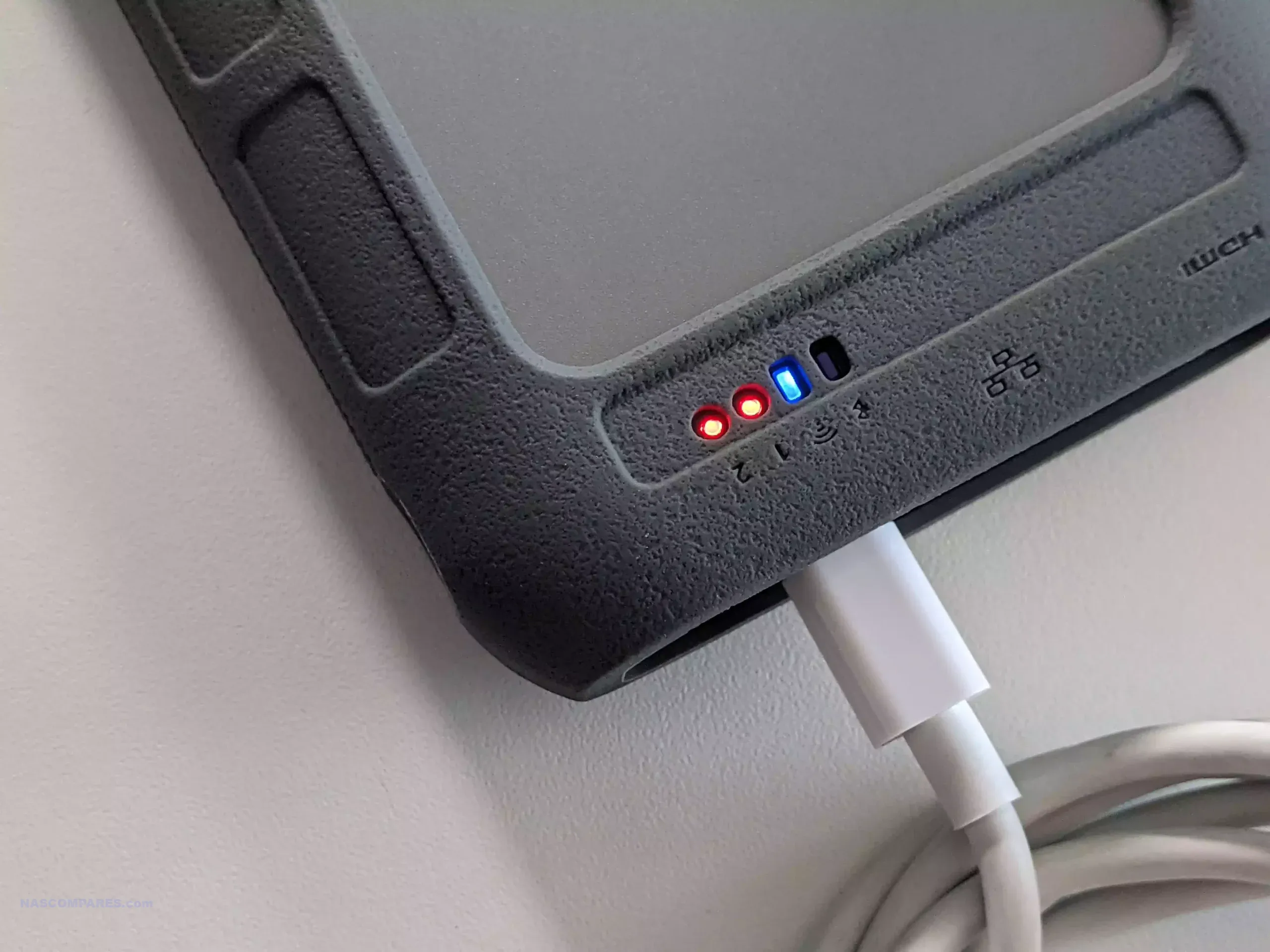
The UnifyDrive UT2 Portable NAS is now a fully released product rather than a crowdfunding prototype, and its design reflects a complete, ready to ship package. The system is compact, roughly the size of a thick smartphone, and weighs around 350g with its protective rubber sleeve. It includes a 32GB eMMC module for the operating system, two M.2 NVMe SSD slots for storage, active cooling, WiFi 6, Bluetooth, a 2.5GbE port, HDMI output, and an internal battery that provides around 30 to 60 minutes of runtime and basic UPS functionality. The retail kit includes multiple USB cables, a power adapter, a remote control for HDMI use, SD and CFe card backup support, and printed quick start materials. Although the fan is audible under load, overall noise levels remain low for a compact ARM based system, and the design allows users to run the NAS handheld, placed on a desk, or carried in a bag without difficulty.
Connectivity is one of the UT2’s strongest aspects. Alongside its dual 5Gb USB ports, users can switch the device between network attached storage mode and direct attached storage mode. The two SD card slots support automated or one touch backups, and the 2.5GbE port gives the unit higher wired throughput than many portable or entry level NAS devices. HDMI output supports up to 4K60 and 8K playback, and media can be controlled either through the mobile application or the included remote. Internally, the UT2 uses a Rockchip RK3588C CPU with ARM Mali G610 graphics and 8GB of LPDDR4X memory. The two NVMe slots appear to operate at PCIe Gen 3 x1 speeds, which is adequate for saturating the wired and wireless interfaces. The memory is soldered and non upgradable, so users who intend to run more demanding workloads will need to account for that limit. Wireless access works through both client mode and the device’s own WiFi access point, enabling file sharing or backup without a pre existing network.
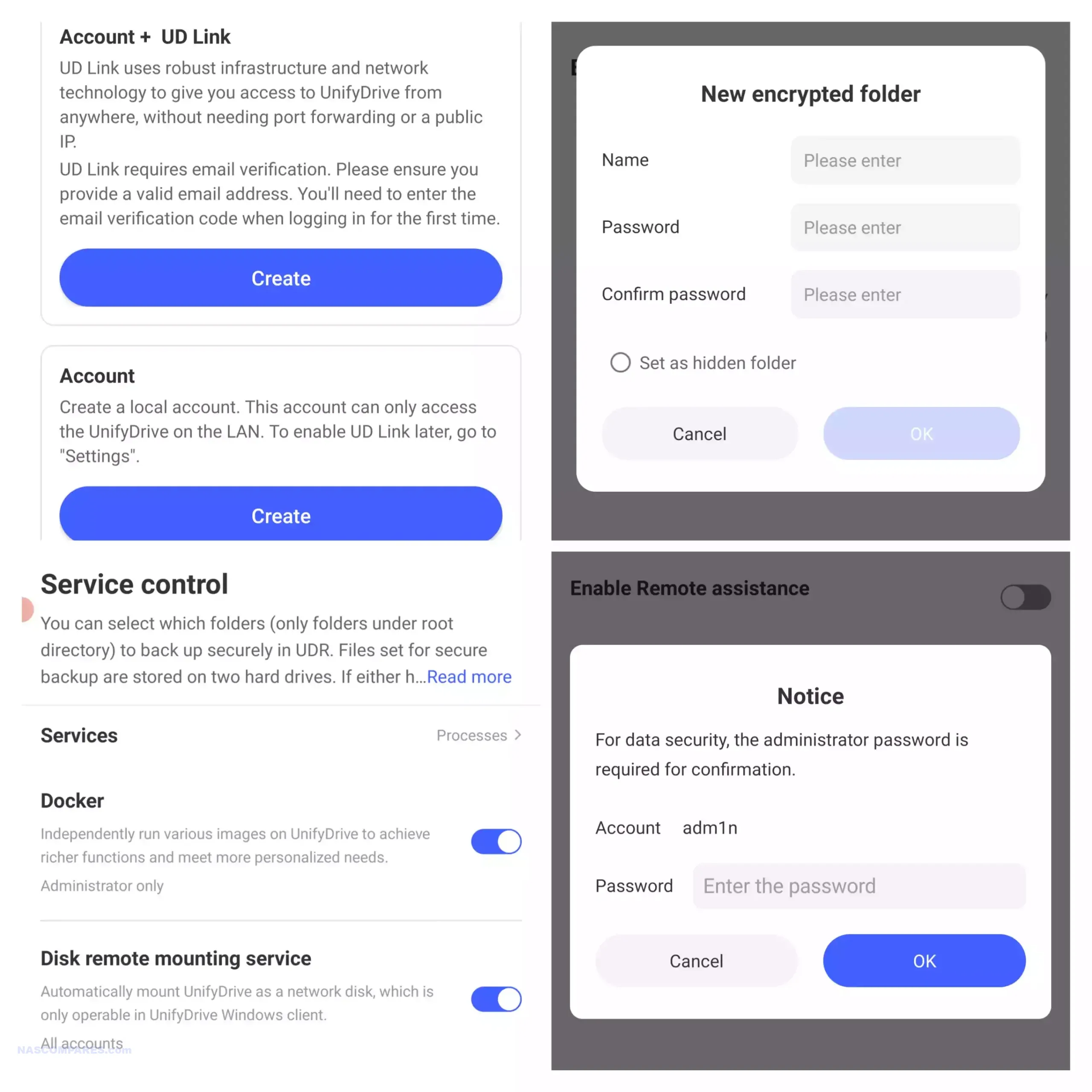
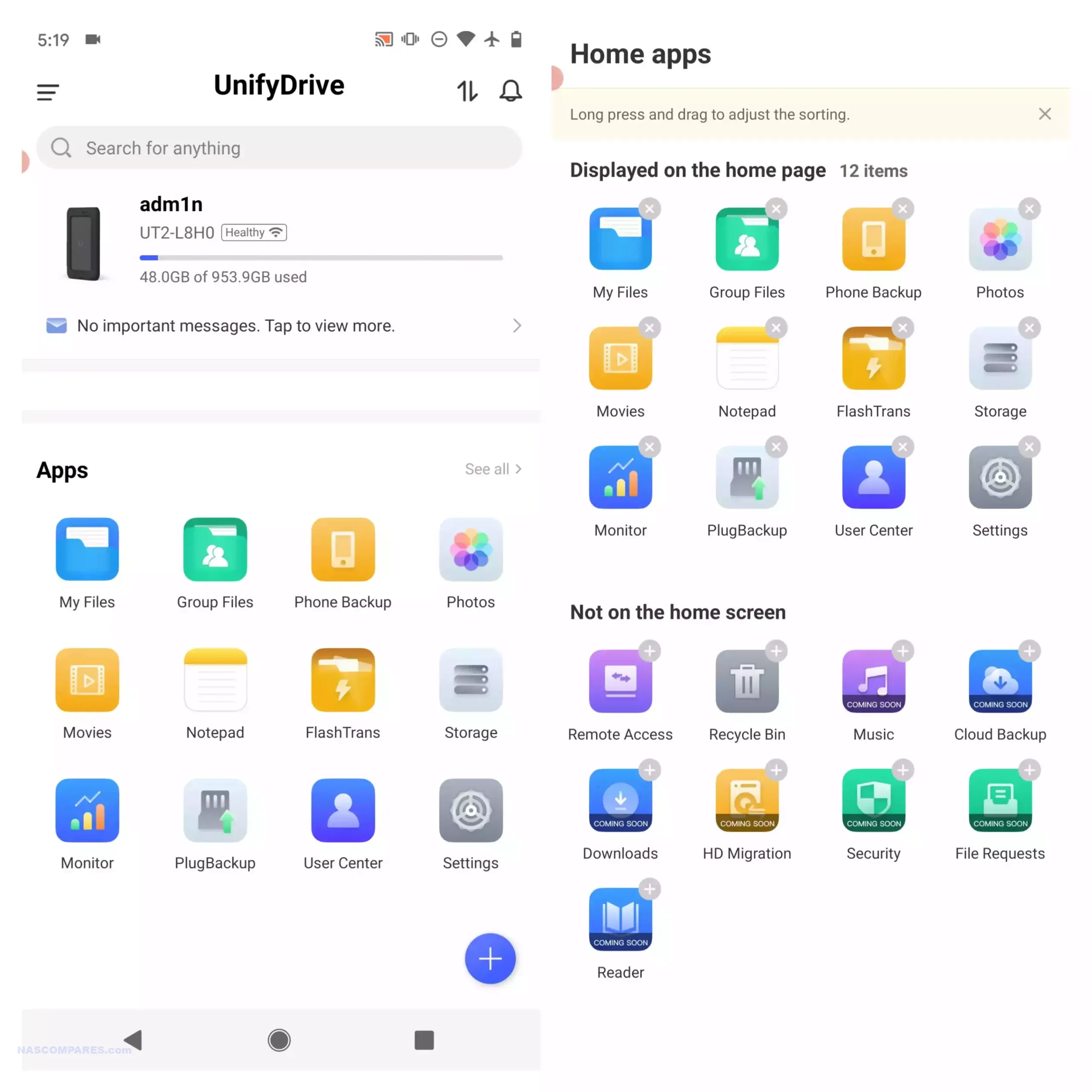
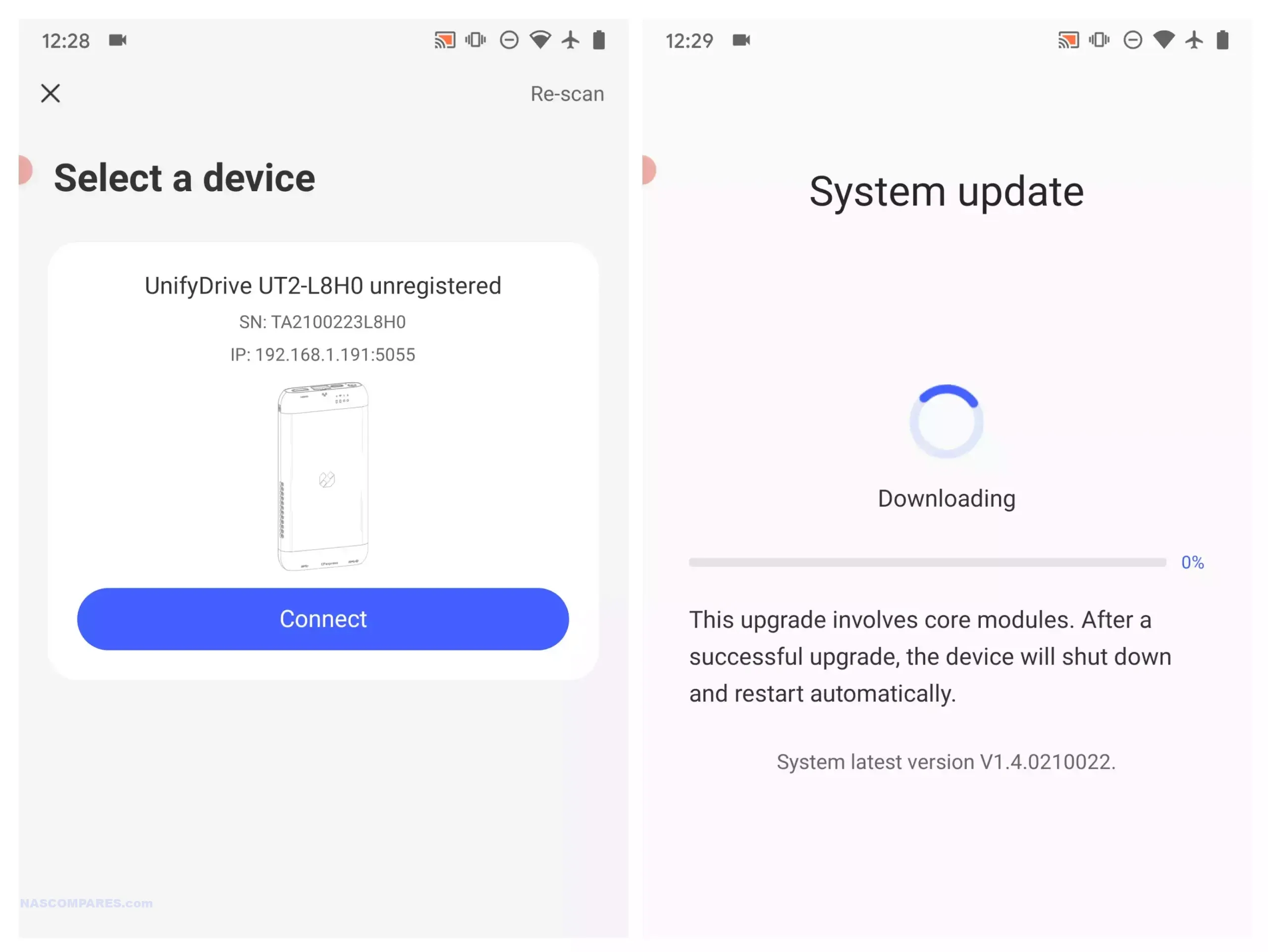
Software management centres on the UnifyDrive mobile application, which has expanded since the product first appeared and now includes RAID pool creation, the selective UDR RAID mode, SMB and FTP services, DLNA media streaming, direct HDMI output control, cloud sync, real time sharing, and device monitoring. Setup can be completed over LAN, WiFi, or Bluetooth, and firmware is updated over the air. The app provides tools for backups, encrypted folders, AI driven photo recognition, scheduled power controls, and general file management. Some advanced features such as additional downloader tools and container support remain under development, but the current software offers more control than most mobile focused NAS interfaces. Remote access is available through an integrated relay service, though support for third party VPN solutions is not yet included. With its combination of portability, NVMe storage, multi mode connectivity, and a growing software stack, the UT2 occupies a niche for users who want a personal cloud device that can be carried between locations while still supporting standard NAS workflows at its 399 to 599 dollar price point.
Use the LINK below + Get a further 5% OFF with this code: NASCOMPARES
The sub 499 dollar NAS segment in late 2025 offers a wide range of systems aimed at different performance levels and storage priorities. Buyers can choose between high capacity RAID focused platforms, SSD oriented designs, or systems built around established software ecosystems. The UniFi UNAS Pro remains a hardware driven storage appliance with 10GbE connectivity and seven bays, making it suitable for backup or archival workloads that require consistent throughput. The UGREEN DXP4800 and the LincStation N2 provide hybrid and all flash configurations, and both include support for containers, virtualisation, and the option to run alternative operating systems if required. Users who prefer a mature software stack with long term updates may gravitate toward the Synology DS425 Plus, which now supports third party drives without warnings or restrictions following Synology’s policy change in October 2025. The TerraMaster F4 SSD serves those who want a compact solid state platform with 5GbE networking and access to the expanding feature set of TOS, including local AI photo tools and multimedia functions. All of these NAS units require user supplied storage and may involve some degree of configuration depending on the software environment. The most suitable choice depends on whether you prioritise performance, software refinement, expansion options, or direct control over how the system is deployed within this price conscious category.
This description contains links to Amazon. These links will take you to some of the products mentioned in today's content. As an Amazon Associate, I earn from qualifying purchases. Visit the NASCompares Deal Finder to find the best place to buy this device in your region, based on Service, Support and Reputation - Just Search for your NAS Drive in the Box Below
Need Advice on Data Storage from an Expert?
Finally, for free advice about your setup, just leave a message in the comments below here at NASCompares.com and we will get back to you.Need Help?
Where possible (and where appropriate) please provide as much information about your requirements, as then I can arrange the best answer and solution to your needs. Do not worry about your e-mail address being required, it will NOT be used in a mailing list and will NOT be used in any way other than to respond to your enquiry.
[contact-form-7]
TRY CHAT Terms and Conditions
If you like this service, please consider supporting us.
We use affiliate links on the blog allowing NAScompares information and advice service to be free of charge to you.Anything you purchase on the day you click on our links will generate a small commission which isused to run the website. Here is a link for Amazon and B&H.You can also get me a Ko-fi or old school Paypal. Thanks!To find out more about how to support this advice service checkHEREIf you need to fix or configure a NAS, check FiverHave you thought about helping others with your knowledge? Find Instructions Here
Or support us by using our affiliate links on Amazon UK and Amazon US
Alternatively, why not ask me on the ASK NASCompares forum, by clicking the button below. This is a community hub that serves as a place that I can answer your question, chew the fat, share new release information and even get corrections posted. I will always get around to answering ALL queries, but as a one-man operation, I cannot promise speed! So by sharing your query in the ASK NASCompares section below, you can get a better range of solutions and suggestions, alongside my own.

 Connexion