Hugh Jeffreys
, le YouTuber australien qui démonte tout ce qu'il trouve, s'est attaqué cette fois à une GoPro Hero 10 achetée 100 dollars avec un message d'erreur "no camera input".
Traduction : la caméra ne reçoit plus l'image du capteur. Sur
Hackaday
, le récit complet est savoureux pour qui aime la réparation board-level (la réparation au niveau de la carte, avec fer à souder et microscope, plutôt que le simple swap de pièces).
Pour ne pas y aller à l'aveugle, il achète une seconde GoPro Hero 10 HS à 40 dollars, censée donner ses pièces. Premier souci : le démontage.
La GoPro Hero 10 a un écran tactile collé au châssis avec une telle quantité d'adhésif que le retirer sans le briser tient du miracle. Hugh y arrive après plusieurs essais avec un sèche-cheveux et beaucoup de patience, mais c'est clair que GoPro n'a pas pensé à la réparabilité une seconde.
Vient ensuite le swap du module caméra, l'élément suspecté sur la première unité. Démontage, montage, reset usine, mise à jour firmware, rien n'y fait. Le message d'erreur revient. Hugh teste plusieurs combinaisons, sans plus de succès, et finit par admettre qu'il manque cruellement de schémas électroniques pour aller plus loin.
Sans la documentation interne que GoPro garde évidemment fermée, impossible de tracer le signal du capteur jusqu'à la puce de traitement.
Twist final : la seconde GoPro, présentée comme HS pour dégât des eaux, s'avère réparable après un bon nettoyage à l'isopropanol et un séchage soigneux.
Elle redémarre, capture des images, et fonctionne comme neuve. Hugh termine donc avec une GoPro qui marche pour 40 dollars, et une autre qui finit en boîte à pièces de rechange.
La leçon est simple. Sans schémas et sans accès au programmateur officiel de GoPro, la réparation board-level d'une caméra moderne tient parfois plus de la loterie que du diagnostic, surtout quand le constructeur fait tout pour décourager l'ouverture.
Et pendant que les marques serrent la vis sur la documentation technique, des gens comme Hugh tentent encore de prouver que ces appareils peuvent vivre une seconde vie.
Franchement, GoPro pourrait offrir un peu plus de prise aux réparateurs indépendants. On peut toujours rêver.
Terramaster D1 Buyers Guide – D1 SSD vs D1 SSD PLUS vs D1 SSD Pro
TerraMaster is a storage hardware brand best known for NAS, DAS, and direct-attached expansion products aimed at home users, content creators, small offices, and prosumer workloads. While NAS devices remain the better choice for shared network storage, remote access, multi-user collaboration, and always-on services, DAS products are often the more practical option when the priority is direct speed, portability, simplicity, and lower setup complexity. An M.2 NVMe SSD enclosure such as the TerraMaster D1 range is designed to connect directly to a host system over USB or Thunderbolt, making it more suitable for fast local transfers, field backup, editing work, boot drives, and quick storage expansion without the overhead of network configuration. The D1 range is currently split across 3 tiers: the D1 SSD, D1 SSD Plus, and D1 SSD Pro. All 3 are diskless single-slot M.2 2280 NVMe SSD enclosures supporting up to 8TB drives, but they differ significantly in interface bandwidth, chassis design, target workload, and price. The standard D1 SSD is the rugged USB 10Gbps option, the D1 SSD Plus moves to USB4 40Gbps for higher transfer speeds, and the D1 SSD Pro is the Thunderbolt 5 / USB 80Gbps model aimed at the fastest single-drive workflows.
Specification
TerraMaster D1 SSD
TerraMaster D1 SSD Plus
TerraMaster D1 SSD Pro
Interface
USB 10Gbps
USB4 40Gbps
USB 80Gbps / Thunderbolt 5 class
Claimed Max Read
1020MB/s
3641MB/s specification, 3853MB/s listed in testing
7061MB/s
Claimed Max Write
1010MB/s
3498MB/s specification, 3707MB/s listed in testing
6816MB/s
SSD Support
PCIe 3.0/4.0/5.0 M.2 2280 NVMe
PCIe 3.0/4.0/5.0 M.2 2280 NVMe
PCIe 3.0/4.0/5.0 M.2 2280 NVMe
Max Capacity
8TB
8TB
8TB
Cooling
Fanless aluminum passive cooling
Fanless aluminum passive cooling
Fanless aluminum body with finned passive cooling
Protection / Build
IP67, dustproof, waterproof, crush-resistant up to 1.2 tons
All-metal unibody chassis, short circuit, surge, and ESD protection
All-aluminum dual-fin design, smart status indicator, short circuit, surge, and ESD protection
The TerraMaster D1 SSD is the entry-level model in the D1 range, using a single M.2 2280 NVMe SSD slot and a USB 10Gbps interface. This places it in a different category from the Plus and Pro models, as it is not intended to chase the highest possible external SSD speeds. Instead, it is aimed more at users who need a compact, portable NVMe enclosure for everyday transfers, local backups, field storage, and general-purpose expansion.
TerraMaster lists maximum sequential performance at up to 1020MB/s read and 1010MB/s write when tested with a Samsung 990 Pro 4TB SSD, which is close to the expected practical limit of USB 3.2 Gen 2 storage.
The main point of difference with this model is the enclosure design. The D1 SSD uses a unibody aerospace-grade aluminum alloy shell and is rated at IP67 for dust and water resistance. TerraMaster also states that the enclosure can withstand up to 1.2 tons of pressure, which gives it a more rugged profile than a typical low-cost NVMe USB enclosure.
That makes it better suited to users who regularly move drives between locations, carry storage in a work bag, or need something for outdoor shoots, site work, travel, or emergency backups. It is still a single-drive enclosure, so it should not be treated as a complete backup strategy on its own, but the physical protection is clearly one of its main selling points.
Cooling is handled passively, with the metal body functioning as the heatsink rather than relying on a small internal fan. TerraMaster describes the design as offering 2.5x the usual heat dissipation area, and the lack of a fan also means there is no operating noise from the enclosure itself. The D1 SSD supports PCIe 3.0, 4.0, and 5.0 M.2 2280 NVMe SSDs up to 8TB, although the external USB 10Gbps connection will cap performance long before a modern high-end NVMe SSD reaches its own internal limits. File system support includes NTFS, APFS, Mac OS, FAT32, EXT4, and exFAT, while official operating system support is listed for Windows, macOS, and Linux.
Buy from Terramaster Official Site:
Buy from Your Local Amazon:
Specification
TerraMaster D1 SSD
Drive Bays
1
Supported SSD Type
PCIe 3.0/4.0/5.0 M.2 2280 NVMe SSD
Maximum Capacity
8TB
Interface
USB 10Gbps
Max Read Speed
1020MB/s
Max Write Speed
1010MB/s
File Systems
NTFS, APFS, Mac OS, FAT32, EXT4, exFAT
Supported OS
Windows, macOS, Linux
Ingress Protection
IP67
Cooling
Fanless passive cooling
Noise Level
Noiseless
Power Consumption
3.2W read/write, 0.2W hibernation
Dimensions
113.6 x 45.0 x 21.0mm
Net Weight
146g
Warranty
2 years
TerraMaster D1 SSD Plus – The Perfect Middle!
The TerraMaster D1 SSD Plus is the middle option in the D1 range, moving from the USB 10Gbps connection of the standard D1 SSD to a USB4 40Gbps interface. This makes it a more suitable choice for users who want a compact single-drive NVMe enclosure but need substantially higher transfer speeds for larger files. TerraMaster positions this model around portable creative workflows, Mac mini storage expansion, macOS boot drive use, Windows workstation cache storage, and general high-speed external storage.
The company lists tested speeds of up to 3853MB/s read and 3707MB/s write, though the formal specification table gives 3641MB/s read and 3498MB/s write with a Samsung 990 Pro 4TB SSD.
The D1 SSD Plus keeps the same basic single-drive structure as the rest of the range, supporting 1 M.2 2280 NVMe SSD with PCIe 3.0, 4.0, or 5.0 compatibility and a maximum internal raw capacity of 8TB. The higher-speed USB4 connection makes a more obvious difference when working with large video files, project folders, image libraries, and other data sets where USB 10Gbps can become a bottleneck.
It is also compatible with Thunderbolt 5, Thunderbolt 4, Thunderbolt 3, USB4, USB 3.2, USB 3.1, and USB 3.0, although real-world performance will depend heavily on the host port, cable, SSD, file system, and operating system. TerraMaster notes that some Windows computers with Thunderbolt 3 may have incomplete USB4 support, which can lead to recognition problems or reduced speeds.
The enclosure uses a fanless aluminum alloy chassis, with TerraMaster claiming 3x the typical heat dissipation area for passive cooling. This means the drive remains silent in use, while the metal body handles heat transfer from the installed NVMe SSD. At 246g, it is heavier than the standard D1 SSD, but still portable enough for laptop bags, travel kits, and desk-to-desk workflows. Unlike the rugged standard D1 SSD, the Plus model is not presented around IP67 protection or crush resistance, with the emphasis instead placed on speed, broad protocol compatibility, quiet cooling, and electrical protection against short circuits, voltage surges, and electrostatic discharge.
Buy from Terramaster Official Site:
Buy from Your Local Amazon:
Specification
TerraMaster D1 SSD Plus
Drive Bays
1
Supported SSD Type
PCIe 3.0/4.0/5.0 M.2 2280 NVMe SSD
Maximum Capacity
8TB
Interface
USB4 40Gbps
Max Read Speed
3641MB/s specification, 3853MB/s listed in testing
Max Write Speed
3498MB/s specification, 3707MB/s listed in testing
Supported Protocols
Thunderbolt 5/4/3, USB4, USB 3.2, USB 3.1, USB 3.0
File Systems
NTFS, APFS, Mac OS, FAT32, EXT4, exFAT
Supported OS
macOS, Windows 11 24H2 or later
RAID Support
Single disk
Cooling
Fanless passive cooling
Noise Level
Noiseless
Power Supply
USB 5V
Power Consumption
7.5W read/write, 5.5W hibernation
Dimensions
112.5 x 60.0 x 33.0mm
Net Weight
246g
Warranty
2 years
TerraMaster D1 SSD Pro – The INSANE one
The TerraMaster D1 SSD Pro is the highest-end model in the D1 range, moving the enclosure platform up to USB 80Gbps and Thunderbolt 5 class connectivity. This places it well above the D1 SSD Plus in available interface bandwidth and makes it the model most clearly aimed at professional creative workloads rather than general portable storage.
TerraMaster positions the D1 SSD Pro for 8K video editing, large project transfers, direct-edit external workflows, and users who want the fastest option in the range for a single M.2 NVMe drive. The listed performance reaches up to 7061MB/s read and 6816MB/s write when tested with a Samsung 990 Pro 4TB SSD on a Mac M4 Pro system using AJA System Test.
Although the D1 SSD Pro supports PCIe 3.0, 4.0, and 5.0 M.2 2280 NVMe SSDs up to 8TB, the specification notes a single PCIe 4.0 x4 M.2 slot. This means the enclosure can physically and logically accept a wide range of modern NVMe drives, including examples such as the Samsung 990 Pro and WD SN850X, but performance will still depend on the SSD installed, the host system, and the connection used.
It is compatible with Thunderbolt 5, Thunderbolt 4, Thunderbolt 3, USB4, and USB 3.2/3.1/3.0, so it can step down for broader system support. TerraMaster also includes a color-coded connection indicator, using white for Thunderbolt or USB4 high-speed connections and orange for USB 3.2 or lower, which helps identify when the enclosure is not running at its intended performance level.
The chassis is built around an all-aluminum dual-fin passive cooling design rather than active cooling. TerraMaster describes the cooling system as using a built-in thermal pad, 38 fins, and a full aluminum-alloy shell to help control temperatures during sustained transfers or editing workloads. The enclosure remains fanless and silent, which may matter in audio-sensitive editing rooms or recording environments.
It also includes hardware protection against short circuits, voltage surges, and electrostatic discharge, along with a supplied protective case for travel. At 300g and 121 x 58 x 37mm, it is the largest and heaviest of the 3 models, but that size is tied to the higher-speed interface and more substantial passive heatsink design.
Buy from Terramaster Official Site:
Buy from Your Local Amazon:
Specification
TerraMaster D1 SSD Pro
Drive Bays
1
Internal Interface
PCIe 4.0 x4
Supported SSD Type
PCIe 3.0/4.0/5.0 M.2 2280 NVMe SSD
Maximum Capacity
8TB
External Interface
USB 80Gbps
Max Read Speed
7061MB/s
Max Write Speed
6816MB/s
Supported Protocols
Thunderbolt 5/4/3, USB4, USB 3.2, USB 3.1, USB 3.0
File Systems
NTFS, APFS, Mac OS, FAT32, EXT4, exFAT
Supported OS
macOS, Windows 11 24H2 or later, Linux
RAID Support
Single disk
Cooling
Fanless aluminum passive cooling with finned heatsink design
Noise Level
Noiseless
Power Supply
USB 5V
Power Consumption
8.1W read/write, 3.4W hibernation
Dimensions
121 x 58 x 37mm
Net Weight
300g
Warranty
2 years
Backupper Software for PC/Mac/Mobile
TerraMaster’s D1 SSD range is also tied into the company’s backup software ecosystem, although the specific tools vary by platform. On Windows, the main utility is TPC Backupper, a free backup and synchronization tool for personal use. It can be used to back up a full operating system, entire disks, selected partitions, individual folders, application data, settings, and Microsoft Outlook emails. It supports full, incremental, and differential backup methods, along with file synchronization and disk or partition cloning. Backup destinations can include local disks, external USB storage, network shares, NAS systems, and cloud storage, which allows it to fit into a wider 3-2-1 backup routine rather than only working with TerraMaster hardware.
For mobile use, TerraMaster refers to the TDAS App for iOS and Android, allowing users to back up photos, videos, and other phone files to the connected private drive instead of relying only on cloud storage. The D1 SSD is listed as compatible with iOS 15.6 or later and Android 11 or later for this function. The D1 SSD Plus and D1 SSD Pro are also supplied with software-led backup features in their product positioning, though the clearest desktop backup support is on Windows through TPC Backupper. TerraMaster does not present the D1 range as a replacement for a NAS-based backup system, but the combination of portable NVMe storage and simple backup utilities gives the enclosures a role in local copies, travel backups, temporary project protection, and fast restores when connected directly to a host device.
Terramaster D1 SSD vs D1 SSD PLUS vs D1 SSD PRO – Which Is Best For You?
The TerraMaster D1 SSD is the most suitable option for users who want a low-cost, compact, and physically protected NVMe enclosure rather than the fastest possible external SSD. Its USB 10Gbps interface is enough for general file transfers, local backups, document libraries, photo collections, and moving data between systems, while the IP67-rated casing and crush-resistant design give it a stronger focus on travel, outdoor use, site work, and less controlled environments. For users who mainly need durable portable storage and do not work with very large media files every day, this is the most practical model in the range.
The TerraMaster D1 SSD Plus is the better fit for users who want a noticeable performance step up without moving to the cost of the Pro model. Its USB4 40Gbps interface makes more sense for content creators, photographers, video editors, Mac mini users, and laptop owners who regularly move large files or want fast external project storage. It lacks the rugged IP67 focus of the standard D1 SSD and the 80Gbps ceiling of the Pro, but it sits in the middle as the more balanced option for users who need high-speed storage in a portable, fanless enclosure.
The TerraMaster D1 SSD Pro is the model aimed at users with the most demanding workflows and the right host hardware to support it. Its USB 80Gbps and Thunderbolt 5 class positioning makes it the obvious choice for 8K video work, very large project files, high-speed scratch storage, and users who want the fastest enclosure in the D1 family. It is also the most expensive, largest, and heaviest of the 3, so it makes the most sense when the available bandwidth can actually be used. For everyday backup or standard portable storage, the lower models are easier to justify, but for performance-led creative work, the D1 SSD Pro is the clear top-tier option.
This description contains links to Amazon. These links will take you to some of the products mentioned in today's content. As an Amazon Associate, I earn from qualifying purchases. Visit the NASCompares Deal Finder to find the best place to buy this device in your region, based on Service, Support and Reputation - Just Search for your NAS Drive in the Box Below
Need Advice on Data Storage from an Expert?
Finally, for free advice about your setup, just leave a message in the comments below here at NASCompares.com and we will get back to you.Need Help?
Where possible (and where appropriate) please provide as much information about your requirements, as then I can arrange the best answer and solution to your needs. Do not worry about your e-mail address being required, it will NOT be used in a mailing list and will NOT be used in any way other than to respond to your enquiry.
[contact-form-7]
TRY CHAT Terms and Conditions
If you like this service, please consider supporting us.
We use affiliate links on the blog allowing NAScompares information and advice service to be free of charge to you.Anything you purchase on the day you click on our links will generate a small commission which isused to run the website. Here is a link for Amazon and B&H.You can also get me a Ko-fi or old school Paypal. Thanks!To find out more about how to support this advice service checkHEREIf you need to fix or configure a NAS, check FiverHave you thought about helping others with your knowledge? Find Instructions Here
Or support us by using our affiliate links on Amazon UK and Amazon US
Alternatively, why not ask me on the ASK NASCompares forum, by clicking the button below. This is a community hub that serves as a place that I can answer your question, chew the fat, share new release information and even get corrections posted. I will always get around to answering ALL queries, but as a one-man operation, I cannot promise speed! So by sharing your query in the ASK NASCompares section below, you can get a better range of solutions and suggestions, alongside my own.
Difficile de faire marche arrière après des années d'habitudes sur iPhone. Son système d'exploitation, iOS, reste aujourd'hui diaboliquement intuitif… mais cela ressemble parfois à une prison dorée. Cependant, choisir son nouvel iPhone n'a rien d'évident avec la quantité de modèles et les générations plus anciennes qui s'empilent. Numerama a fait le tri dans l'écosystème d'Apple pour vous donner uniquement les meilleurs iPhone à acheter en 2026.
Quel iPhone reconditionné acheter en 2026 et sur quelle plateforme ? Entre l'iPhone 13 à prix cassé et l'iPhone 16 prêt pour l'IA, nous avons passé au crible les offres d'Apple, Amazon, Fnac et Boulanger. Voici le guide ultime pour choisir le bon modèle d'iPhone reconditionné.
UGREEN NASync Celebrates 2 Years – But Is UGREEN Ready for the Big Leagues?
Two years ago, the popular battery and PC accessory company UGREEN, launched their Kickstarter campaign for the NASync personal NAS series of devices. The brand already had a steadily growing foothold in China with their DX series of NAS devices, but were still a huge outsider in the world of NAS globally. Fast forward two years, a $6 Million crowdfunding campaign, 6 new NAS releases, a new NAS kickstarter in progress (the IDX6011 AI NAS) and generally undermining long-time players who have been in the NAS market for more than a decade – UGREEN is looking like quite a beast in the world of NAS! But two years, UGREEN now finds that along with an increased market position also comes increased demand, scrutiny and expectation. I went to Shenzhen, China, to speak directly with the teams who direct and create their NASync division to ask them them questions about the development of this series, lessons that were learnt, where they are going and what they still need to do to further establish their position in the turnkey NAS market.
Full Disclosure – this Q&A has NOT been sponsored, subsidised or creatively controlled by UGREEN. These questions are my own, submitted to UGREEN 48 hours prior to the interview, and the answers provided were directly from their team.
UGREEN was already a well-established company in its own right before it expanded into NAS systems. So, currently, what is the scale of the teams and resources that your company has allocated to this? R&D, Design, Development, Technical Support, etc?
UGREEN put together its NAS team back in 2018, released its first NAS product in China in 2021, and went global for the first time in 2024, bringing its NAS products to markets around the world. NAS is one of the company’s key strategic product lines, with a team of several hundred people working on it—including product, R&D, design, testing, security, and more. This doesn’t count shared support teams like industrial design, legal, or finance; we’re only talking about people directly focused on NAS. In this whole building, every floor is filled with NAS team members—except for the third floor, which is just the cafeteria.
What has been the biggest challenge in the continued development of your NASync/UGOS services in these last 2 years?
One challenge is resource allocation. We need to support international users at the same time, which means balancing different priorities and expectations. Another challenge is localization. It’s not just about language, but also understanding different user behaviors and usage scenarios. So we had to spend a lot more time to research and validate what users actually need in each region. Based on that, we’ve been continuously adjusting our product direction and improving UGOS to better fit a global audience. It’s definitely an ongoing process, but it’s helped us build a much clearer understanding of the market.
Two years on from your initial crowdfunding, your position in the ‘turnkey NAS market’ from comparative obscurity has catapulted to effectively being in the top 5 (if not top 3) – What do you think UGREEN have brought to the market (or change in the market as a whole) that caused this?
There are a few key things behind that.
Hardware DNA, Built for AI
UGREEN is a hardware company at heart. With our NAS products, we insist on solid hardware—high-performance CPUs, ample memory, high-performance CPUs and ample memory—not just for reliability, but for computing power. AI NAS demands serious performance. Without a strong hardware foundation, AI is nothing more than a concept. Our hardware is designed to make AI run stable and fast.
User-Centric, Not Just a Slogan
We’ve always put ourselves in our users’ shoes. We listen to every voice—on social media, in forums, through user interviews. Many of our features, like snapshots and SAN Manager, came directly from users telling us, “I need this.” Our products aren’t built in a vacuum; they’re shaped together with you.
R&D Investment, Bringing NAS to Everyone
We established our software R&D team, including an AI pre-research team, early on. User feedback has driven us to keep investing, with one goal in mind: to shorten the learning curve. NAS shouldn’t be just a toy for tech enthusiasts. We believe the future of NAS is for everyone—simple, smart, and accessible. This is the path we’re on, and it’s one we want to walk together with you.
The UGREEN IDX6011 AI NAS series has been in development for a long time, and will be headed to its own crowdfunding campaign shortly. What was the biggest challenge you faced in its development and/or lesson that you learned about this new profile of solution?
The biggest challenge was finding the right balance between AI capabilities and real user value. It’s relatively easy to add AI features from a technical perspective, but making them actually useful, stable, and well-integrated into everyday workflows is much harder. Especially on a NAS, NAS is essentially a local storage product, everything runs locally, so for us, it was important that AI features also run locally. But hardware resources and compute power are limited. So the question is, how do we build useful and stable AI features without affecting NAS core functionality like storage, backup and overall system performance? That’s very difficult.
And from product design perspective,it’s also challenging to define the right AI use cases. It’s not about adding more AI features, but making sure they are scenario-driven and actually solve real problems, like better file organization, smarter search, easier intraction… We need to keep the experience simple. Many users are still new to AI on a NAS, so we wanna make things natural and do not add extra complexity. So right now, we’re still in the process of refining and validating these ideas, and making sure we deliver something that’s both practical and reliable for users.
I think it would be fair to say that UGREEN has chiefly focused on Desktop NAS server ownership in their portfolio of solutions to date. But have you explored rackmount solutions, and/or is this something that could happen in the near future?
Actually we’ve done some internal research on rackmount solutions, it’s quite different from desktop NAS in terms of target audience, hardware, software and sales. So it’s not just an extension of what we’re doing now, it requires a different product strategy. For now, our focus is still on improving and expanding our desktop NAS lineup, in the short term, we don’t have a concrete plan for rackmount products, but it’s something we’ll continue to evaluate over time.
Now that UGREEN is a largely established player in the turnkey NAS market, there is a lot more scrutiny on the extent to which your brand preemptively prepares against cyber security threats. What is UGREEN doing to address (in terms of foundations on this platform and broader services) this to avoid a potential slow moving snowballing security incident?
Security is something we take very seriously. At the product level, we provide a range of built-in security features. For example, users can enable DoS protection to defend against network attacks, automatically block IP addresses after multiple failed login attempts, and set up firewall rules to control access from specific IP addresses and built-in Security app to scan for suspicious files We also have a dedicated internal security team and a well-established vulnerability handling process, so critical issues can be identified and resolved quickly. We also provide a vulnerability reporting channel on our official website. If users discover any potential security issues, they can report them to us, and we will assess and respond accordingly.
(Below is a snippet of the Security Disclosure page from UGREEN, available HERE)
At CES 2026, UGREEN unveiled its surveillance platform and edge AI cameras. At that time, your team was kind enough to allow me to see the early development of your NAS surveillance application that will allow full management, direct control and storage of these new Surveillance services. Is development still continuing on this and will this be a service that existing NASync owners will have access to in the future
Yes, development is still ongoing. The surveillance platform you saw at CES is actually a part we are exploring, and is still under active development. From what I understand, AIOT is a broad ecosystem that is going to feature ai NAS, ai-based home security cameras, and many more AI-empowered hardware devices for a smarter lifestyle. On the NAS side, we’re also building our own surveillance application for NASync. We plan to launch it within this year. In terms of compatibility, we aim to support both UGREEN cameras and third-party cameras, so users have more flexibility to build their setup. So overall, both sides are moving forward, but they are different products within the UGREEN ecosystem.
In the last year, UGREEN released two ARM RK chip-powered NAS solutions in the DH2300 and DH4300 – How easy/hard was scaling UGOS onto this more modest hardware base, and were there any useful lessons learned that have benefited your NAS development as a whole?
DH series is our entry-level lineup, designed mainly for NAS beginners and users with simpler needs. From a technical perspective, running UGOS on an ARM-based platform is definitely more constrained compared to x86, especially in terms of performance and resource availability. A lot of things can’t just be directly carried over, we need to re-adapt them for the ARM architecture, including the kernel, system services, and many core features. So we had to be more selective and thoughtful about which features to include and how to optimize them. And from a product perspective, it actually helped us become more focused. With the DXP series, we already emphasized user-friendliness, but with the DH series, we really wanted to take that further and make it as simple as possible, essentially positioning it as a user’s first NAS.
So in practice, we streamlined certain features based on the hardware and target users. For example, we simplified or did not include things like virtual machines and some AI capabilities, and instead focused on delivering a smooth and reliable core experience. One key lesson we learned is that not every product needs to do everything. It’s more important to match the right experience to the right user group. And that thinking has also helped us better define our overall NAS product lineup.
I canvased a large group of UGREEN NAS users (many of whom were part of your original Kickstarter campaign) who are still using their NASync systems to this day, and have followed you on your journey so far. I asked them which features or improvements they would like to see in future updates and revisions to UGOS. Are you able to share if these are features that are on the roadmap, or have been explored?
Full Volume Encryption
WORM support
A mixed drive RAID storage system (comparable to Synology Hybrid RAID or Terramaster TRAID)
A tiered storage system (unlike the copy system of ‘caching’, but a SSD+HDD composite pool that intelligently moves ‘hot’, ‘warm’ and ‘cold’ data to appropriate storage areas)
ZFS as a file system choice
A native Plex Media Server Application
A local client application for Mac/Windows for file pinning, streaming, intelligent 30-day deletion (see Synology Drive, QNAP Qsync, etc)
A more comprehensive security scanner (eg scanning for unsecure open ports, SSH being open, weak passwords, admin accounts, auto blocks disabled, etc)
We’ve actually seen many of these requests from our users as well, these are very valuable suggestions and we’ve already had internal discussions around most of them. But many of these features, like full volume encryption, hybrid RAID, or tiered storage are quite complex, they take time to design, develop and validate, especially we wanted to make them stable and reliable.
So at this stage, we don’t have a specific timeline we can share yet. But these are definitely things we take seriously, and we’ll plan them carefully based on user demand and overall product direction. If we see strong demand from users, we’ll absolutely prioritize them accordingly.
Thank you to the team at UGREEN for their time in this interview. As mentioned, the answers about were provided in their entirety and without prejudice. This will be a video soon that covers this, the tour of the facilities, as well as further discussion around the IDX6011 NAS Kickstarter and how this has been managed.
Want to Support the work me and Eddie do at NASCompares? If you found this article helpful and are going to buy a UGREEN NAS from the brand’s official site or from Amazon, use the links below. Using these links will result in a small commission coming to us (which costs you nothing extra) and it allows us to keep doing what we do! Thank you for keeping the internet a fair and sustainable place!
This description contains links to Amazon. These links will take you to some of the products mentioned in today's content. As an Amazon Associate, I earn from qualifying purchases. Visit the NASCompares Deal Finder to find the best place to buy this device in your region, based on Service, Support and Reputation - Just Search for your NAS Drive in the Box Below
Need Advice on Data Storage from an Expert?
Finally, for free advice about your setup, just leave a message in the comments below here at NASCompares.com and we will get back to you.Need Help?
Where possible (and where appropriate) please provide as much information about your requirements, as then I can arrange the best answer and solution to your needs. Do not worry about your e-mail address being required, it will NOT be used in a mailing list and will NOT be used in any way other than to respond to your enquiry.
[contact-form-7]
TRY CHAT Terms and Conditions
If you like this service, please consider supporting us.
We use affiliate links on the blog allowing NAScompares information and advice service to be free of charge to you.Anything you purchase on the day you click on our links will generate a small commission which isused to run the website. Here is a link for Amazon and B&H.You can also get me a Ko-fi or old school Paypal. Thanks!To find out more about how to support this advice service checkHEREIf you need to fix or configure a NAS, check FiverHave you thought about helping others with your knowledge? Find Instructions Here
Or support us by using our affiliate links on Amazon UK and Amazon US
Alternatively, why not ask me on the ASK NASCompares forum, by clicking the button below. This is a community hub that serves as a place that I can answer your question, chew the fat, share new release information and even get corrections posted. I will always get around to answering ALL queries, but as a one-man operation, I cannot promise speed! So by sharing your query in the ASK NASCompares section below, you can get a better range of solutions and suggestions, alongside my own.
Les tablettes d'Apple sont aujourd'hui les références sur ce marché. Cependant, il ne suffit pas de « prendre un iPad » : Apple a complexifié sa gamme au fil des années. Dès lors, 4 modèles sont disponibles en 2026 sans compter les déclinaisons de taille et les anciens modèles. iPad classique, Air, mini ou Pro ? Ce guide comparatif vous aide à choisir le modèle fait pour vous.
Vous cherchez quel téléphone acheter pour remplacer votre ancien modèle ? En 2026, il est rare de trouver un mauvais smartphone à proprement parler. Cependant, certains méritent plus votre argent que d'autres. Que vous cherchiez le meilleur smartphone en photo, celui avec le plus d'autonomie ou le meilleur rapport qualité/prix : ce guide dédié aux meilleurs téléphones du marché est fait pour vous.
Sharge Go Back to the Drawing Board, with the Disk Pro 2
The Sharge Disk Pro 2 is an upcoming portable storage and connectivity device that combines the functionality of a USB hub with external SSD support in a compact, credit card-sized form factor. Developed by Sharge, the device is designed to address the increasing demand for high-speed data access, external storage expansion, and multi-port connectivity across mobile and desktop platforms. Unlike conventional USB-C hubs or portable SSDs, the Disk Pro 2 merges both roles into a single unit, while also incorporating active cooling to maintain consistent performance under sustained workloads. At launch, it will be available in two variants, Lite and Ultra, which differ in display capability and power efficiency, introducing a tiered approach not seen in the previous model.
Positioned as a follow-up to the earlier Sharge Disk Pro, this new iteration shifts away from fixed internal storage and instead introduces support for user-installed SSDs in multiple M.2 form factors. Alongside this change, the device retains key characteristics such as 10Gbps data throughput, integrated power delivery, and video output capabilities, while adding refinements including magnetic attachment and a lanyard-style data cable. The Lite version features HDMI 2.0 and a higher power draw of around 4W, while the Ultra version includes HDMI 2.1 and operates at approximately 1W, providing a more efficient option with expanded display support. The Disk Pro 2 is scheduled to launch via Kickstarter, continuing the company’s established approach of introducing new hardware through crowdfunding platforms.
Sharge Disk Pro 2 – Design & Storage
The Sharge Disk Pro 2 maintains a compact footprint, measuring approximately 90 × 61 × 11 mm, aligning closely with the dimensions of a standard credit card. This size places it firmly in the category of ultra-portable accessories, designed to be carried alongside a smartphone or laptop without requiring additional space typically associated with external drives or docking stations. The chassis follows a flat, rectangular layout with integrated components distributed to maximize internal efficiency while preserving a slim profile. A defining aspect of the design is its transparent enclosure, which exposes internal components in a style often associated with “cyberpunk” aesthetics. This approach is not purely cosmetic, as it also highlights the inclusion of active cooling hardware within a device of this size. The visible fan and internal layout reinforce the product’s positioning as a performance-oriented device rather than a passive accessory, distinguishing it from more conventional sealed USB hubs. The external design remains consistent across both Lite and Ultra variants, with no physical differentiation beyond internal configuration.
The Disk Pro 2 introduces a magnetic mounting system intended for direct attachment to compatible devices. This includes native support for MagSafe-enabled smartphones, as well as the option to use included magnetic rings for broader compatibility with non-MagSafe hardware. The goal is to reduce cable strain and improve portability by allowing the hub and connected device to function as a single unit during use, particularly in mobile workflows such as handheld video capture or on-the-go file transfers. Another physical design element is the inclusion of a detachable lanyard-style cable that supports both data and power delivery. This integrated approach removes the need for users to carry separate cables for connectivity, while also doubling as a carrying mechanism. The included cable is specified as a 24-pin pure copper design, supporting up to 10Gbps data transfer, power delivery, and DisplayPort signal passthrough.
In terms of storage, the Disk Pro 2 departs from the fixed-capacity approach of the earlier Sharge Disk Pro. Instead of pre-installed flash memory, it supports user-installed M.2 SSDs in 2230, 2242, and 2280 form factors, with a maximum supported capacity of up to 8TB. This change introduces flexibility in both capacity selection and potential future upgrades, allowing users to tailor storage based on their requirements rather than being limited to predefined configurations. The choice between Lite and Ultra models does not affect storage compatibility, with both versions offering the same SSD support and expansion capabilities.
Sharge Disk Pro 2 – Internal Hardware
At the core of the Sharge Disk Pro 2 is a multi-controller architecture described as an independent 4-chip control system. Each major function, including storage access, USB expansion, video output, and power delivery, is handled by a dedicated controller. This separation is intended to improve stability and reduce bandwidth contention when multiple ports are in use simultaneously, particularly under sustained workloads such as file transfers while outputting video and supplying power. A central feature of the internal design is the active cooling system, referred to as the “Ice-storm” fan. Operating at speeds of up to 10,000 RPM, the fan is designed to maintain consistent thermal conditions during extended data transfers. The system includes three operational modes: OFF, Auto, and Turbo. In Auto mode, fan speed adjusts based on internal temperatures, while Turbo maintains maximum cooling performance. This approach addresses a common limitation in compact hubs and SSD enclosures, where passive cooling can lead to thermal throttling under load. The cooling system is consistent across both Lite and Ultra variants, with no differentiation in thermal hardware between the two models.
The storage interface supports M.2 NVMe SSDs across multiple physical formats, with a maximum capacity of up to 8TB. Data transfer is handled over a 10Gbps USB interface, setting an upper limit on throughput but aligning with typical USB 3.2 Gen 2 performance expectations. The combination of active cooling and dedicated controllers is intended to sustain transfer speeds closer to this ceiling over longer periods, rather than allowing performance to degrade as temperatures increase. Differences between the Lite and Ultra versions are not related to storage or controller design, but instead focus on power efficiency and display output, meaning internal data handling performance should remain consistent regardless of variant selection.
Sharge Disk Pro 2 – Ports & Connections
The Sharge Disk Pro 2 integrates a total of 6 ports, combining data transfer, display output, and power delivery within a single device. These include 2 USB-C ports, 1 USB-A port, 1 HDMI output, and dual card reader slots for SD and microSD media. This configuration positions the device as a compact alternative to larger desktop docking stations, while maintaining compatibility with a wide range of peripherals and storage formats. The primary USB-C interface (USB-C1) supports 10Gbps data transfer alongside up to 100W power input, allowing the connected host device to be charged while the hub is in use. A secondary USB-C port (USB-C2) provides up to 80W power output, enabling downstream charging for connected devices. The inclusion of both input and output power delivery allows the hub to function as an intermediary between a power source and multiple connected devices without interrupting data throughput. This overall port layout remains consistent across both Lite and Ultra variants.
Video output capabilities differ between the two versions. The Ultra model includes HDMI 2.1, supporting resolutions up to 4K at 144Hz or 8K at 30Hz, depending on the host system and display compatibility. In contrast, the Lite version is equipped with HDMI 2.0, which reduces maximum output capabilities accordingly. Outside of this distinction, additional connectivity is provided through a USB-A 3.0 port operating at up to 5Gbps, alongside SD and microSD card slots with rated read speeds up to 180MB/s and write speeds up to 120MB/s. The included lanyard cable also functions as a full-featured USB-C connection, supporting 10Gbps data transfer, up to 100W power input, and DisplayPort signal transmission, reducing reliance on separate cables during use.
Sharge Disk Pro vs Sharge Disk Pro 2
The transition from the original Sharge Disk Pro to the Sharge Disk Pro 2 represents a shift in both hardware architecture and product segmentation. The Disk Pro is fundamentally an all-in-one device, combining fixed internal NVMe storage with a compact multi-port hub and active cooling, positioned as a self-contained solution for users who want storage and connectivity without additional components. It integrates storage capacities up to 4TB and was originally sold in tiered pricing depending on capacity . In contrast, the Disk Pro 2 removes onboard storage entirely and instead supports user-installed M.2 SSDs up to 8TB, changing the device into a modular enclosure and hub hybrid rather than a pre-configured storage product. This also alters the pricing structure significantly, as the Disk Pro 2 is sold as a standalone unit starting at $49 for the Lite version and $69 for the Ultra version, separating the cost of storage from the hardware itself.
Beyond storage, the Disk Pro 2 introduces clearer product tiering with Lite and Ultra variants, something not present in the original model. The Lite version reduces cost by using HDMI 2.0 and operating at a higher power draw of around 4W, while the Ultra version includes HDMI 2.1 and lowers power consumption to approximately 1W. Both retain the same core concept of combining data transfer, display output, and power delivery into a compact device, but the newer model expands connectivity with additional ports, including SD and microSD slots. Both generations maintain active cooling as a central feature, designed to prevent thermal throttling during sustained transfers, a capability that has been demonstrated in testing of the original device where performance remained stable under load . Physically, both devices share a similar credit card-sized footprint and transparent design, but the Disk Pro 2 refines usability with a detachable lanyard cable and broader magnetic compatibility. Overall, the original model prioritizes simplicity and integration, while the newer version emphasizes flexibility, lower entry cost, and configurable storage.
Attribute
Sharge Disk Pro
Sharge Disk Pro 2
Storage Type
Built-in NVMe SSD
User-installed M.2 NVMe SSD
Max Capacity
Up to 4TB
Up to 8TB
Upgradeable Storage
No
Yes (2230/2242/2280)
Interface
USB 3.2 Gen2 (10Gbps)
USB 3.2 Gen2 (10Gbps)
Cooling System
Active cooling fan
Active cooling fan
Ports
5-in-1 hub
6 ports (adds SD + microSD)
HDMI Version
HDMI 2.1
HDMI 2.0 (Lite) / 2.1 (Ultra)
Power Consumption
—
~4W (Lite) / ~1W (Ultra)
Power Delivery
Up to 100W input / 80W output
Up to 100W input / 80W output
Cable Design
Integrated USB-C cable
Detachable lanyard USB-C cable
Magnetic Mounting
Yes
Yes (expanded compatibility)
Launch Pricing
From ~$189 with storage
$49 (Lite) / $69 (Ultra)
Product Approach
All-in-one storage + hub
Modular hub + enclosure
Sharge Disk Pro 2 – Launch Date and Price?
The Sharge Disk Pro 2 is scheduled to launch via a crowdfunding campaign on Kickstarter, with the campaign planned to go live on June 9. As with previous releases from Sharge, this approach places the product in an early-access phase prior to wider retail availability, meaning final specifications and delivery timelines may still be subject to change. The device will be offered in two distinct variants, allowing users to choose between different feature sets and efficiency profiles at launch. The entry-level Lite version is priced at $49 and features HDMI 2.0 output with a higher reported power consumption of around 4W. The higher-tier Ultra version is priced at $69 and includes HDMI 2.1 support, alongside a lower power draw of approximately 1W. Both versions are expected to ship with a 24-pin pure copper lanyard-style cable that supports data transfer, charging, and DisplayPort signal transmission. This tiered pricing structure introduces a lower entry point compared to earlier expectations, while still separating features such as display capability and power efficiency between the two models.
This description contains links to Amazon. These links will take you to some of the products mentioned in today's content. As an Amazon Associate, I earn from qualifying purchases. Visit the NASCompares Deal Finder to find the best place to buy this device in your region, based on Service, Support and Reputation - Just Search for your NAS Drive in the Box Below
Need Advice on Data Storage from an Expert?
Finally, for free advice about your setup, just leave a message in the comments below here at NASCompares.com and we will get back to you.Need Help?
Where possible (and where appropriate) please provide as much information about your requirements, as then I can arrange the best answer and solution to your needs. Do not worry about your e-mail address being required, it will NOT be used in a mailing list and will NOT be used in any way other than to respond to your enquiry.
[contact-form-7]
TRY CHAT Terms and Conditions
If you like this service, please consider supporting us.
We use affiliate links on the blog allowing NAScompares information and advice service to be free of charge to you.Anything you purchase on the day you click on our links will generate a small commission which isused to run the website. Here is a link for Amazon and B&H.You can also get me a Ko-fi or old school Paypal. Thanks!To find out more about how to support this advice service checkHEREIf you need to fix or configure a NAS, check FiverHave you thought about helping others with your knowledge? Find Instructions Here
Or support us by using our affiliate links on Amazon UK and Amazon US
Alternatively, why not ask me on the ASK NASCompares forum, by clicking the button below. This is a community hub that serves as a place that I can answer your question, chew the fat, share new release information and even get corrections posted. I will always get around to answering ALL queries, but as a one-man operation, I cannot promise speed! So by sharing your query in the ASK NASCompares section below, you can get a better range of solutions and suggestions, alongside my own.
Onze ans après une première tentative très clivante, Valve retente l’expérience. Ce lundi 4 mai 2026, sort le Steam Controller : une manette de seconde génération pensée aussi pour accompagner la future Steam Machine.
Should You Upgrade to the UniFi Dream Machine Beast?
The UniFi Dream Machine Beast arrives as a more serious entry in the Dream Machine range, and that immediately raises the main question: who is it actually for? Existing UniFi users may look at it as a possible upgrade from a UDM Pro, UDM SE, or UDM Pro Max, while new buyers may see it as a way to start with a more capable console from day 1. On paper, it is clearly built for larger and busier networks, but that does not automatically make it the right choice for every UniFi setup. Whether the Dream Machine Beast makes sense depends less on the headline specification and more on the network around it. For some users, it may offer useful headroom for faster internet, heavier security processing, larger Protect installations, or wider UniFi management. For others, it may be more hardware than the deployment can realistically use, especially once the cost of switches, cabling, cameras, access points, and redundancy are taken into account. This article looks at where the Beast is a practical upgrade, where it may be excessive, and what trade-offs should be considered before buying.
UniFi Dream Machine Beast – Should You Buy? (The tl;dr)
The UniFi Dream Machine Beast is best viewed as a higher-capacity UniFi OS console for larger UniFi networks, rather than a default upgrade for every Dream Machine user. Its main advantages are the 8-core Arm v9 processor, 16GB of memory, 10GbE RJ45 ports, 10G SFP+ connectivity, 25G SFP28 support, 25Gbps-class IDS/IPS throughput, support for 750+ managed UniFi devices, 7,500+ concurrent clients, and 2 3.5-inch NVR bays for larger UniFi Protect deployments. These upgrades make it a more suitable option for businesses, multi-site networks, heavier camera installations, faster WAN environments, and users who are starting to outgrow the UDM Pro, UDM SE, or UDM Pro Max. It also makes sense where security inspection, VPN use, traffic analysis, and UniFi application hosting are all expected to run at a larger scale on the same appliance. However, the Beast is not a simple plug-in upgrade for every setup. The $1,499 price, lack of PoE, internal non-removable PSU, and dependency on wider 25GbE infrastructure all make the total cost higher than the unit alone suggests. Users with mostly 1GbE, 2.5GbE, or 10GbE networks may not see enough practical benefit to justify the move, especially if their existing Dream Machine is not close to its limits. In many smaller UniFi deployments, the better use of budget may be a UDM Pro, UDM SE, or UDM Pro Max combined with stronger switches, more access points, improved camera coverage, larger storage, or backup power. The Dream Machine Beast is therefore a strong option for larger and more demanding UniFi environments, but it should be bought with a clear network plan rather than as an automatic upgrade.
BUILD QUALITY - 10/10
HARDWARE - 9/10
PERFORMANCE - 9/10
PRICE - 7/10
VALUE - 8/10
8.6
PROS
8-core Arm v9 processor: Gives the Beast more headroom for routing, firewall rules, VPNs, IDS/IPS, DPI, SD-WAN, and UniFi application hosting. 25Gbps-class IDS/IPS throughput: A major step up from earlier Dream Machine models, making it better suited to high-speed networks with security inspection enabled. 25G SFP28 connectivity: Provides a faster uplink path for aggregation switches, high-speed WAN, NAS systems, and larger network cores. 10GbE RJ45 ports as standard: Makes the device more practical for users with existing 10GBASE-T equipment, without relying entirely on SFP modules or adapters. 16GB of system memory: Helps the appliance manage heavier UniFi workloads when Network, Protect, VPNs, traffic analysis, and security services are active at the same time. Higher UniFi device and client capacity: Supports 750+ managed UniFi devices and 7,500+ concurrent clients, making it more suitable for larger sites and busy business networks. Larger UniFi Protect capability: Supports up to 100 HD cameras, 60 2K cameras, or 40 4K cameras. Dual 3.5-inch NVR drive bays: Gives Protect users more flexibility for recording capacity or redundancy than a single-drive Dream Machine.
CONS
High price compared with other Dream Machines: At $1,499, it costs far more than the UDM Pro, UDM SE, and UDM Pro Max. No built-in PoE: Cameras, access points, phones, and other powered UniFi devices require separate PoE switches or injectors. 25GbE can make the wider upgrade expensive: To properly benefit from the Beast’s 25GbE capability, users may also need 25GbE switches, SFP28 modules, DACs, faster servers, or upgraded aggregation links.
Where to Buy
UniFi Dream Machine BEAST (UDM-Beast) – $1499 HERE
Infrastructure-Class CPU for Heavier Routing and Security Workloads
A key hardware change in the UniFi Dream Machine Beast is its move to an 8-core Arm v9 processor running at 2.1GHz. This is a notable step up from the older Dream Machine models, such as the UDM SE, which uses a quad-core Arm Cortex-A57 at 1.7GHz with 4GB of memory. The Beast is built around Arm Neoverse N2 architecture, which Arm describes as its 1st Arm v9 infrastructure CPU, designed for cloud-to-edge workloads with improved performance per watt and a claimed 40% scalar performance uplift over Neoverse N1.
In practical terms, the CPU matters because the gateway is not just passing traffic from 1 port to another. It may also be handling firewall rules, IDS/IPS inspection, VPN traffic, DPI, policy routing, SD-WAN, VLANs, and UniFi application management at the same time. The supplied specification lists IDS/IPS throughput at 24.9Gbps, which is far beyond the 3.5Gbps figure associated with the UDM Pro class. That does not mean every user will need this level of processing headroom, but for larger networks it reduces the chance that security features or encrypted traffic become the main limit before the ports themselves do.
25GbE Uplinks and 10GbE Copper as Standard
The Dream Machine Beast makes a clear jump in physical connectivity compared with the smaller Dream Machine models. Instead of treating 10GbE as the higher-end connection, it uses 10GbE RJ45 as the baseline for its main LAN ports, alongside 10G SFP+ and 25G SFP28 connectivity. This matters because it gives the unit enough port flexibility to sit between faster WAN services, high-speed switches, NAS systems, and larger UniFi deployments without immediately forcing everything through a single 10GbE bottleneck.
The 25G SFP28 port is the more significant part of the design, as it gives the Beast room to aggregate traffic from larger networks rather than simply serve a handful of local devices. For users with multi-gig internet, large camera deployments, heavy internal routing, or multiple downstream switches, this creates a more capable central gateway than the UDM Pro Max. However, the benefit depends heavily on the rest of the network. A 25GbE port only becomes useful when switches, cabling, transceivers, and connected systems can also take advantage of it.
16GB of Memory for Larger UniFi Workloads
The Dream Machine Beast also increases system memory to 16GB, which is a practical upgrade when compared with smaller Dream Machine models. RAM is not as visible as the ports on the front of the unit, but it matters when the console is managing routing, firewall rules, VPNs, IDS/IPS, traffic identification, UniFi Network, UniFi Protect, and other UniFi applications at the same time. More memory gives the system more room to handle these services without the same pressure on resources as deployments grow.
In real terms, this is reflected in the stated management limits. The Beast is rated for 750+ managed UniFi devices and 7,500+ simultaneous connected users, while also supporting larger Protect deployments of up to 100 HD cameras, 60 2K cameras, or 40 4K cameras. Those figures put it in a different class from a typical small office or prosumer Dream Machine setup. The benefit is not just that the Beast can run faster, but that it is better equipped to keep multiple UniFi workloads active at once without becoming constrained as quickly.
Dual Drive Bays Give Protect More Room to Scale
The Dream Machine Beast includes 2 3.5-inch NVR HDD bays, which makes storage a more serious part of the appliance rather than a minor add-on. This is most relevant for UniFi Protect users, because camera recording is where local storage capacity has the biggest day-to-day impact. With support for up to 100 HD cameras, 60 2K cameras, or 40 4K cameras, the Beast is clearly intended to handle larger surveillance deployments than a basic Dream Machine setup.
The 2-bay design also gives users more flexibility than a single-drive console. It allows for higher total recording capacity or a redundant storage configuration, depending on how the system is deployed. The built-in 128GB SSD is separate from this and is used to keep the UniFi OS experience responsive rather than acting as the main video archive. This does not turn the Beast into a dedicated high-bay NVR, but it does make it more practical for sites that want gateway, management, and Protect recording in 1 rackmount device.
The Price Gap Against Other Dream Machines
The main drawback with the Dream Machine Beast is the price. At the quoted $1,499 figure from the launch material, it sits well above the rest of the Dream Machine range. For comparison, the UDM Pro is listed by Ubiquiti’s UK store at £300 before VAT, while the UDM SE is listed at £395 before VAT and the UDM Pro Max at £475 before VAT. Those models are clearly lower in throughput and capacity, but the difference still matters because the Beast is not a small step up in cost.
That makes the buying decision less about whether the Beast is technically better, and more about whether the network will actually use what it offers. A UDM Pro Max already provides 5Gbps IPS routing, 2,000+ client support, 200+ UniFi device support, and 2 NVR drive bays, which is still enough for many UniFi deployments. The Beast makes more sense when the extra routing capacity, larger client count, 25GbE connectivity, and higher Protect ceiling are genuinely required. For smaller sites, the money saved by choosing a lower Dream Machine could be more useful if spent on switches, access points, cameras, or backup power instead.
No PoE Limits Its Use as a Self-Contained Console
The Dream Machine Beast does not include PoE ports, which is a noticeable omission for a device at this price and scale. This does not affect its role as a gateway, firewall, UniFi OS console, or NVR, but it does mean that access points, cameras, door access hardware, phones, and smaller UniFi devices will need power from a separate PoE switch, injector, or other power source. For larger deployments this may not be a major issue, because a dedicated PoE switch would usually be part of the design anyway.
The drawback is more obvious for users upgrading from a Dream Machine model that already includes PoE, such as the UDM SE. Even a small number of PoE ports can be useful for directly powering a nearby access point, test device, camera, or compact downstream switch. On the Beast, the lack of PoE reinforces the idea that it is not intended to be a self-contained all-in-one network box. It is better understood as the central gateway and controller for a wider UniFi installation, rather than a device that can power much of that installation on its own.
Internal Power Supply Makes Hardware Servicing Less Convenient
The Dream Machine Beast uses an internal AC/DC power supply rather than a removable PSU module. It does support DC power backup through UniFi’s RPS system, which gives it a path for power failover when used with the required external hardware. However, this is not the same as having a hot-swappable or easily replaceable PSU built into the unit itself. If the internal supply fails, servicing is likely to be less convenient than it would be on a rackmount device with a standard removable power module.
This matters more because the Beast is aimed at larger and more business-critical UniFi environments. At this level, some buyers may expect either dual onboard PSUs or at least a removable single PSU design for easier replacement and reduced maintenance time. The RPS option helps with continuity, but it also adds another device to the rack and another cost to the overall setup. For users planning around uptime, this is an area where the Beast is functional, but not as service-friendly as some enterprise-style rack hardware.
Be Aware – 25GbE Can Push the Rest of the Network Into a Costly Upgrade Path
The Dream Machine Beast’s 25GbE capability is useful, but it can also change the scale of the upgrade. To take proper advantage of a 25GbE gateway, the rest of the network needs to be able to feed it and receive traffic from it at similar speeds. That usually means 25GbE-capable switches, suitable SFP28 modules or DAC cables, and potentially faster links to servers, NAS systems, or aggregation switches. Without that supporting hardware, the 25GbE port may end up being useful mainly as future headroom rather than something the network benefits from immediately.
This is where the Beast can become more expensive than it first appears. A network built around 2.5GbE or 10GbE copper may not need to move to 25GbE yet, especially if most endpoints are access points, cameras, desktops, or smaller servers. In those cases, a lower-cost Dream Machine paired with better 2.5GbE or 10GbE switching may be the more balanced upgrade. The Beast makes more sense when the wider network is already moving toward 25GbE, or when there is a clear plan to scale into it, rather than when the 25GbE port is the only part of the setup ready for that speed.
Verdict: Highly Capable Hardware, High Scalability, But Not a Universal Upgrade for All
The UniFi Dream Machine Beast is a stronger fit for users who have already reached the limits of the existing Dream Machine models, or who can clearly see those limits approaching. Its faster processor, 16GB of memory, 25GbE connectivity, high IDS/IPS throughput, larger UniFi management capacity, and 2 NVR drive bays all point toward larger networks with heavier traffic, more cameras, more clients, or more demanding security features. In that context, it is not simply a faster UDM Pro Max. It is a more substantial gateway and UniFi OS console for deployments that need more headroom.
For everyone else, the value is less clear. The higher price, lack of PoE, internal non-removable PSU, and likely need for wider 25GbE infrastructure all make it a device that should be bought with a specific network plan in mind. Users running smaller UniFi systems, mostly 1GbE to 10GbE networks, or modest Protect installations may get better value from a UDM Pro, UDM SE, or UDM Pro Max with money left for switches, access points, storage, or backup power. The Beast is best judged as a targeted upgrade for larger UniFi environments, not as the default Dream Machine for every buyer.
Where to Buy
UniFi Dream Machine BEAST (UDM-Beast) – $1499 HERE
This description contains links to Amazon. These links will take you to some of the products mentioned in today's content. As an Amazon Associate, I earn from qualifying purchases. Visit the NASCompares Deal Finder to find the best place to buy this device in your region, based on Service, Support and Reputation - Just Search for your NAS Drive in the Box Below
Need Advice on Data Storage from an Expert?
Finally, for free advice about your setup, just leave a message in the comments below here at NASCompares.com and we will get back to you.Need Help?
Where possible (and where appropriate) please provide as much information about your requirements, as then I can arrange the best answer and solution to your needs. Do not worry about your e-mail address being required, it will NOT be used in a mailing list and will NOT be used in any way other than to respond to your enquiry.
[contact-form-7]
TRY CHAT Terms and Conditions
If you like this service, please consider supporting us.
We use affiliate links on the blog allowing NAScompares information and advice service to be free of charge to you.Anything you purchase on the day you click on our links will generate a small commission which isused to run the website. Here is a link for Amazon and B&H.You can also get me a Ko-fi or old school Paypal. Thanks!To find out more about how to support this advice service checkHEREIf you need to fix or configure a NAS, check FiverHave you thought about helping others with your knowledge? Find Instructions Here
Or support us by using our affiliate links on Amazon UK and Amazon US
Alternatively, why not ask me on the ASK NASCompares forum, by clicking the button below. This is a community hub that serves as a place that I can answer your question, chew the fat, share new release information and even get corrections posted. I will always get around to answering ALL queries, but as a one-man operation, I cannot promise speed! So by sharing your query in the ASK NASCompares section below, you can get a better range of solutions and suggestions, alongside my own.
Dans un article paru le 29 avril 2026, MacRumors affirme avoir appris qu'Apple a abandonné son casque de réalité mixte. La marque préfèrerait se concentrer sur des lunettes et ne croirait plus au potentiel du Vision Pro. Mais attention aux conclusions hâtives.
April 28, 2026 | The Professional storage brand TerraMaster today officially introduces the all-new rugged portable SSD enclosure — D1 SSD. Designed for users who demand both data security and high-speed performance, the D1 SSD features an aircraft-grade all-metal chassis, IP67 water and dust resistance, and 1.2-ton crush resistance. Combined with high-speed data transfer, silent cooling, and broad platform compatibility, it becomes an ideal storage companion for photographers, outdoor professionals, and mobile workers.
Buy from Terramaster Official Site:
Buy from Your Local Amazon:
Specification
TerraMaster D1 SSD
Drive Bays
1
Supported SSD Type
PCIe 3.0/4.0/5.0 M.2 2280 NVMe SSD
Maximum Capacity
8TB
Interface
USB 10Gbps
Max Read Speed
1020MB/s
Max Write Speed
1010MB/s
File Systems
NTFS, APFS, Mac OS, FAT32, EXT4, exFAT
Supported OS
Windows, macOS, Linux
Ingress Protection
IP67
Cooling
Fanless passive cooling
Noise Level
Noiseless
Power Consumption
3.2W read/write, 0.2W hibernation
Dimensions
113.6 x 45.0 x 21.0mm
Net Weight
146g
Warranty
2 years
Three Layers of Protection Build an Unbreakable Data Shield:
Solid All-Metal Chassis for High-Intensity Work Environments
The D1 SSD adopts a unibody aircraft-grade aluminum alloy construction. The full-metal enclosure offers excellent scratch resistance and corrosion protection, making it well-suited for long-term, heavy-duty usage. Whether facing extreme temperature differences outdoors or constant wear from mobile work, the enclosure ensures stable operation, extended lifespan, and reliable storage performance for professional users.
IP67 Water & Dust Resistance for Harsh Conditions
Equipped with precision silicone sealing rings, the D1 SSD meets IP67 certification standards. It can withstand submersion in up to 1 meter of water for 30 minutes and is fully protected against dust and splashes. From rainy outdoor shoots and desert environments to construction sites, the enclosure safeguards both the SSD and your data. Protection performance is verified by internationally recognized testing organizations such as SGS.
1.2-Ton Crush Resistance with Shock & Drop Protection
The aircraft-grade aluminum unibody structure enables the enclosure to withstand up to 1.2 tons of vehicle-level pressure. Its dedicated shock-resistant internal design absorbs impacts from drops and collisions during daily use. Even under extreme external force, internal drives and data remain fully protected—eliminating the fragility issues of ordinary enclosures.
High-Speed Performance with Silent Operation and Broad Compatibility
The D1 SSD features a USB 3.2 Gen2 interface, supports UASP protocol and TRIM optimization, and delivers real-world sequential read/write speeds of up to 1020 MB/s. Transferring a 1GB file takes just seconds, making it ideal for 4K video editing and large photo backups. The all-metal housing provides 2.5× larger heat dissipation area, while the fanless passive cooling design ensures completely silent operation.
The enclosure supports up to 8TB single-drive capacity and is compatible with M.2 2280 NVMe SSDs based on PCIe 3.0 / 4.0 / 5.0 standards. It can store up to 2.79 million high-resolution photos or 5,400 HD movies. Compatible with Windows, macOS, and Linux, it also connects to computers, TVs, and OTG-enabled smartphones for true plug-and-play use.
Additionally, the D1 SSD supports one-touch photo backup via the TerraMaster TDAS mobile app. Once connected, photos are automatically synchronized from your smartphone, with data stored locally to prevent privacy leakage and enable efficient cross-device file management.
Designed for Multiple Usage Scenarios:
Photographers & Outdoor Professionals
Rugged protection handles complex environments, enabling fast backups and eliminating data loss risks. Ideal for field exploration, construction sites, and harsh outdoor conditions.
Mobile Professionals & Students
Ultra-lightweight at only 146g, pocket-sized design, and instant file transfer create a portable “light office” anywhere.
General Users & Mac Professionals
Perfect as an external expansion drive or boot drive—quiet, stable, and plug-and-play.
Availability & Service
The TerraMaster D1 SSD is now officially available through the TerraMaster website (https://www.terra-master.com/) and authorized global channels. Customers who purchase within the first two weeks of launch can enjoy a 15% discount. The product is backed by a two-year global warranty and lifetime technical support for a worry-free user experience.
Interested in the D1 SSD, or want to know more about the rest of the D1 SSD Range, below are the specs and prices for the D1 SSD (10Gb/s), D1 SSD PLUS (40Gb/s) and D1 SSD Pro (80Gb/s):
Specification
TerraMaster D1 SSD
TerraMaster D1 SSD Plus
TerraMaster D1 SSD Pro
Interface
USB 10Gbps
USB4 40Gbps
USB 80Gbps / Thunderbolt 5 class
Claimed Max Read
1020MB/s
3641MB/s specification, 3853MB/s listed in testing
7061MB/s
Claimed Max Write
1010MB/s
3498MB/s specification, 3707MB/s listed in testing
6816MB/s
SSD Support
PCIe 3.0/4.0/5.0 M.2 2280 NVMe
PCIe 3.0/4.0/5.0 M.2 2280 NVMe
PCIe 3.0/4.0/5.0 M.2 2280 NVMe
Max Capacity
8TB
8TB
8TB
Cooling
Fanless aluminum passive cooling
Fanless aluminum passive cooling
Fanless aluminum body with finned passive cooling
Protection / Build
IP67, dustproof, waterproof, crush-resistant up to 1.2 tons
All-metal unibody chassis, short circuit, surge, and ESD protection
All-aluminum dual-fin design, smart status indicator, short circuit, surge, and ESD protection
This description contains links to Amazon. These links will take you to some of the products mentioned in today's content. As an Amazon Associate, I earn from qualifying purchases. Visit the NASCompares Deal Finder to find the best place to buy this device in your region, based on Service, Support and Reputation - Just Search for your NAS Drive in the Box Below
Need Advice on Data Storage from an Expert?
Finally, for free advice about your setup, just leave a message in the comments below here at NASCompares.com and we will get back to you.Need Help?
Where possible (and where appropriate) please provide as much information about your requirements, as then I can arrange the best answer and solution to your needs. Do not worry about your e-mail address being required, it will NOT be used in a mailing list and will NOT be used in any way other than to respond to your enquiry.
[contact-form-7]
TRY CHAT Terms and Conditions
If you like this service, please consider supporting us.
We use affiliate links on the blog allowing NAScompares information and advice service to be free of charge to you.Anything you purchase on the day you click on our links will generate a small commission which isused to run the website. Here is a link for Amazon and B&H.You can also get me a Ko-fi or old school Paypal. Thanks!To find out more about how to support this advice service checkHEREIf you need to fix or configure a NAS, check FiverHave you thought about helping others with your knowledge? Find Instructions Here
Or support us by using our affiliate links on Amazon UK and Amazon US
Alternatively, why not ask me on the ASK NASCompares forum, by clicking the button below. This is a community hub that serves as a place that I can answer your question, chew the fat, share new release information and even get corrections posted. I will always get around to answering ALL queries, but as a one-man operation, I cannot promise speed! So by sharing your query in the ASK NASCompares section below, you can get a better range of solutions and suggestions, alongside my own.
Alors qu'une nouvelle politique controversée de Sony menace l'accès aux jeux dématérialisés, le support physique n'a jamais été aussi important. Le lecteur de disque pour PS5 et PS5 Pro est actuellement en stock à un prix abordable, mais la situation pourrait très vite basculer vers une nouvelle pénurie si cette nouvelle mesure se confirme.
D'après une découverte de 9to5mac, certains iPhone 17 et iPhone Air peuvent refuser de redémarrer si leur batterie est tombée à 0 %. L'écran reste noir même avec un câble USB-C branché. La solution est en réalité toute simple : il faut utiliser un chargeur sans-fil pendant plusieurs minutes.
La mise à jour tant attendue d’ARC Raiders va enfin avoir lieu avec l'arrivée d'une toute nouvelle carte. Si vous attendiez ce moment pour relancer l’extraction shooter d’Embark Studios, voici tout ce qu’il faut savoir sur son contenu et son heure de sortie en France.
Lancée en octobre 2025, la Razer Raiju V3 Pro affiche une promesse claire : être une manette taillée pour la compétition, conçue en collaboration avec des pros de l'e-sport. Après des années à ne jurer que par le combo clavier/souris, j'ai voulu vérifier par moi-même si cette manette premium pouvait me réconcilier avec le format (et me rendre meilleur au passage).
Grosse exclusivité PS5 de cette année 2026, Saros ne déçoit pas, bien au contraire. Il est la version 2.0 de Returnal, soit une expérience toujours exigeante mais bien plus aboutie et accueillante dans absolument tous les domaines. Dans le genre action, c'est une masterclass. Notre test.
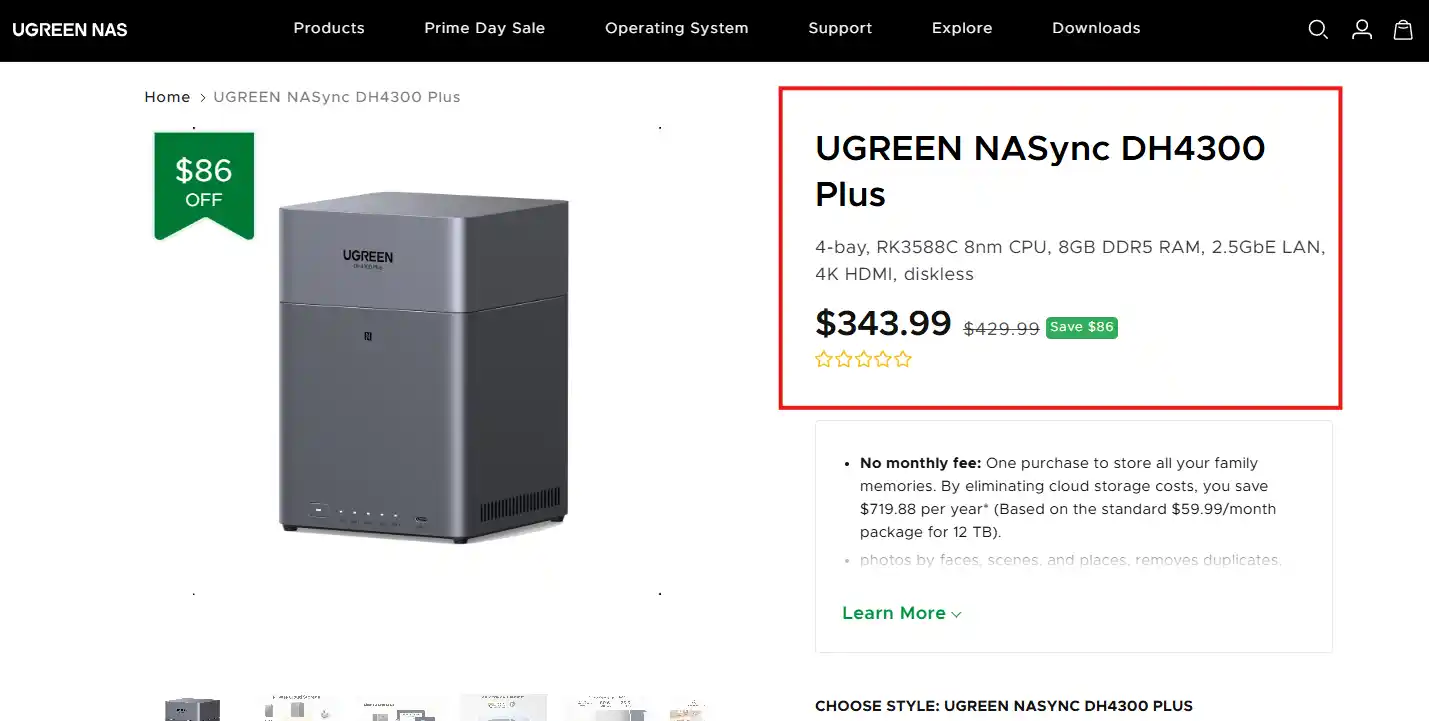
UGREEN DH4300 PLUS vs UniFi UNAS 4 – Which Should You Buy?
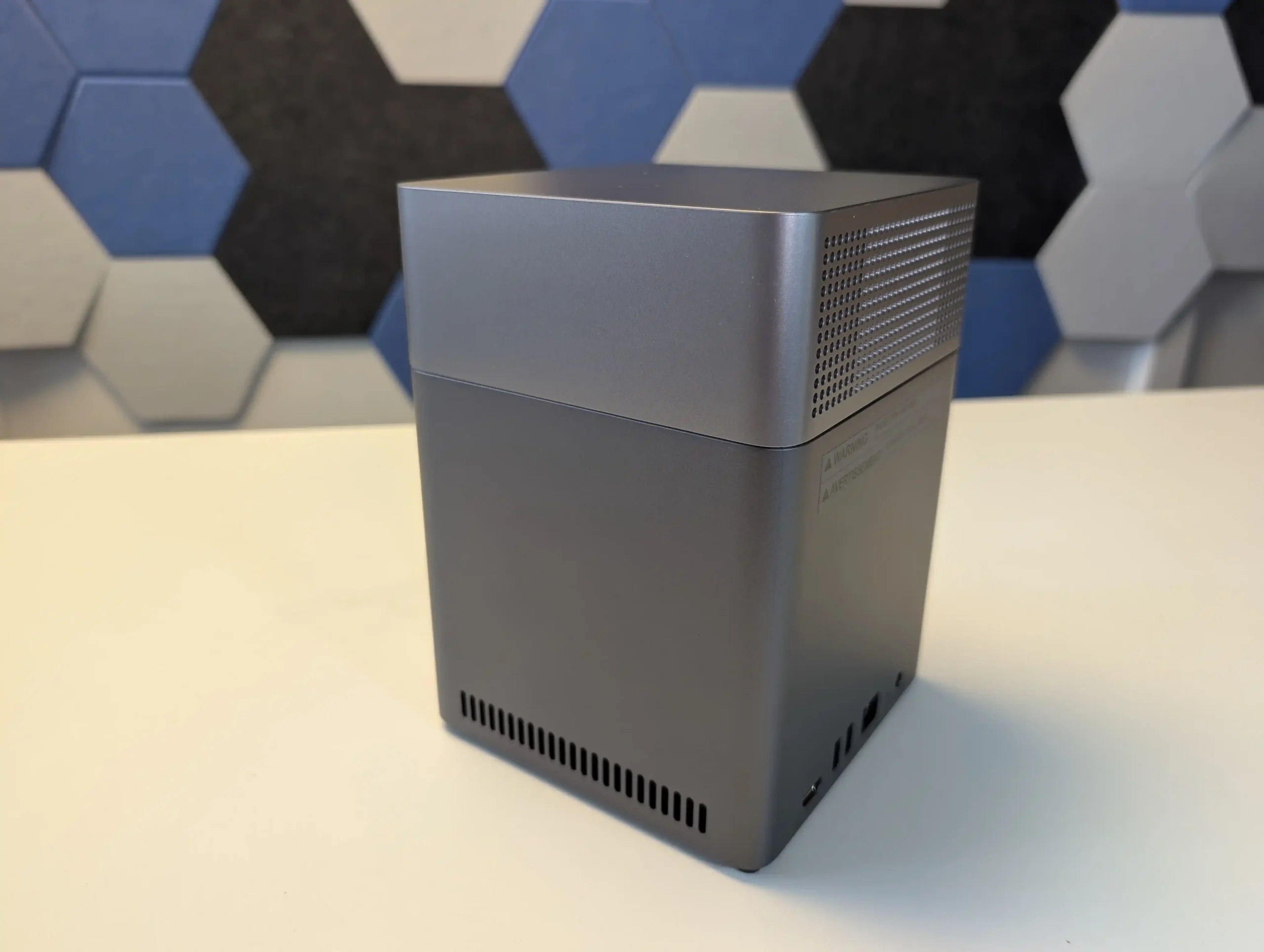
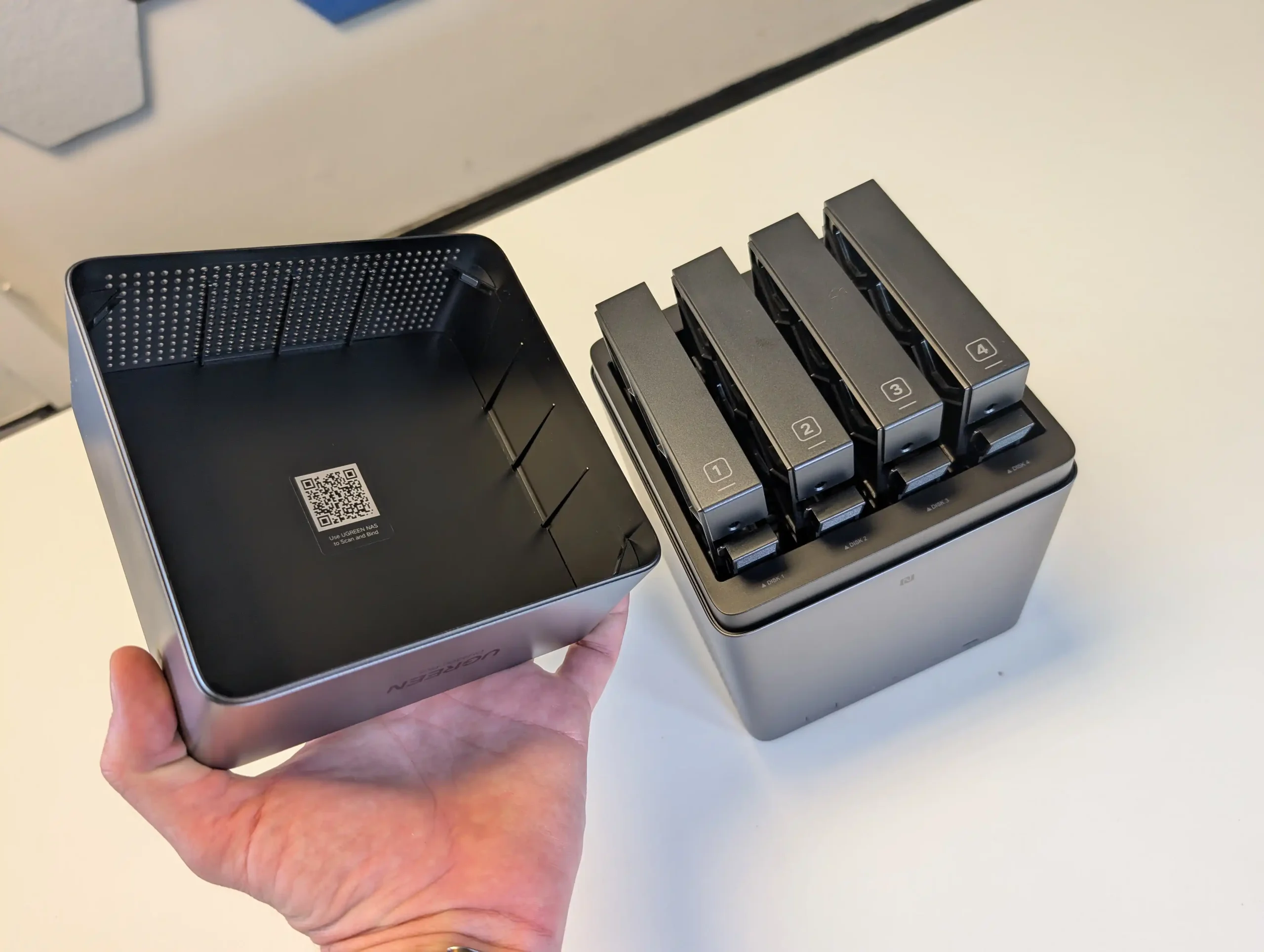
The UniFi UNAS 4 and the UGREEN DH4300 Plus are being compared because they currently occupy a very similar part of the 4-bay NAS market, with both systems targeting buyers who want a relatively affordable turnkey storage solution with 2.5GbE connectivity, modern desktop design, and a lower entry price than many traditional NAS brands. On paper, they are close enough in price to be direct alternatives, but in practice they approach NAS deployment very differently. The UniFi UNAS 4 is built around tight integration with the wider UniFi ecosystem and focuses primarily on straightforward storage, backup, and remote file access, whereas the UGREEN DH4300 Plus is designed as a broader standalone NAS platform with more memory, a more powerful ARM processor, HDMI output, and a wider range of applications and services. That makes this comparison relevant not just because of the hardware and price overlap, but because each system reflects a different idea of what an entry to mid-range 4-bay NAS should be in 2026.
UniFi vs UGREEN NAS – Brand vs Brand
Before I dig into which of the DH4300 or UNAS 4 is best for you, it is worth highlighting again that these are two comparatively new players in the NAS scene (compared with long time multi-decade vetrans such as Synology, QNAP, Asustor and Terramaster), so let’s talk about their priorities and focus at a brand level. Both UGREEN and UniFi have entered the NAS sector from distinct starting points and continue to move in different directions, each targeting a particular type of user. UniFi’s UNAS series delivers consistency, predictable performance, and dependable integration with the broader UniFi ecosystem. Its software is stable, lightweight, and well-suited to users who prioritize straightforward storage management, reliable data handling, and unified control across routers, switches, and surveillance systems. While the hardware is limited to fixed ARM configurations and non-expandable memory, it is efficient, quiet, and designed for continuous operation with minimal maintenance. For organizations already invested in UniFi infrastructure, the UNAS systems provide a logical expansion that keeps management centralized and operational risk low. However, their value depends heavily on ecosystem synergy; outside of that environment, the systems remain competent but relatively inflexible standalone NAS options.
UGREEN’s NASync platform, on the other hand, appeals to users seeking broader performance capability and independence. Its x86-based models, upgradable memory, and open software environment allow it to serve as a hybrid between NAS and compact server, capable of running applications, containers, and virtual machines alongside storage tasks. The design language is more suited to individual or small business use than datacenter deployment, but the hardware range—from ARM to Core i5—covers a far wider performance spectrum than UniFi’s. Software maturity continues to evolve quickly, with new features added frequently, and the systems provide extensive compatibility with third-party clients and backup services. The trade-off is that long-term reliability and enterprise-level security validation are still developing.
Ultimately, UniFi NAS suits users who already rely on UniFi’s networking ecosystem and value simplicity, predictability, and centralized management, while UGREEN NAS caters to those prioritizing flexibility, compute power, and open software capability. Both brands have lowered the entry barrier into reliable NAS ownership, but they embody opposing philosophies: UniFi focuses on integration and control, whereas UGREEN emphasizes capability and independence.
Why Buy UniFi NAS?
Why Buy UGREEN NAS?
Ecosystem Integration: Seamlessly integrates with UniFi Network, Protect, and Access systems, allowing unified management through a single controller interface.
Centralized Management: Designed for administrators managing multiple UniFi sites or devices, providing consistent firmware, remote access, and monitoring from one dashboard.
Reliable, Efficient Design: ARM-based architecture ensures low power draw, cool operation, and stable long-term performance with minimal maintenance.
Enterprise-Grade Networking: Equipped with up to dual 10G SFP+ and 10GBase-T ports, plus USP-RPS redundancy for professional deployments.
Proven Security Framework: Benefits from Ubiquiti’s mature network security infrastructure, signed firmware updates, and NDAA-compliant hardware.
Superior Hardware Performance: Offers a full range from ARM to Intel Core i5 CPUs, with upgradable RAM, NVMe storage pools, and optional PCIe expansion.
Versatile Software (UGOS Pro): Supports Docker, virtual machines, AI photo indexing, and multi-platform backups out of the box.
All-in-One Standalone System: Functions independently without relying on an external ecosystem, ideal for users wanting a complete server in one unit.
Advanced Connectivity: Includes 2.5 GbE and 10 GbE networking, USB 4/Thunderbolt 4, and support for direct-attached workflows like video editing or large-file transfer.
Rapid Development and Updates: Frequent firmware releases continually add new features, broader hardware support, and improved backup and security options.
Want to support us NASCompares? Use the links/buttons below, and anything you purchase results in a small commission coming to me and Eddie @NASCompares. It really is just the two of us doing everything, and purchasing things via these links will allow you to passively support creators like us (as well as allow us to keep making videos, providing support, running the forum, making tutorials and more) at no extra cost to yourself!
UGREEN DH4300 vs UniFi UNAS 4 – Design and Storage
From a physical design perspective, these 2 NAS systems take very different approaches. The UniFi UNAS 4 has a taller, narrower chassis with a more vertical layout, while the UGREEN DH4300 Plus uses a more cubic desktop design that will look more familiar to buyers coming from Synology, QNAP, or Asustor hardware. The UniFi system is also available in black or white, which gives it a more deliberate visual identity within the wider UniFi product range, whereas the UGREEN keeps to a more conventional single-finish enclosure. In both cases, the chassis material is primarily plastic, so neither is especially premium in material terms, but each is clearly trying to prioritize compactness and low manufacturing cost rather than metal construction.
The drive arrangement is also notably different. The UniFi UNAS 4 places its 4 SATA bays in the base of the chassis, with the drives inserted from underneath, while the UGREEN DH4300 Plus uses a top-loaded vertical bay arrangement hidden under a removable outer shell. Neither system uses a particularly enterprise-focused tray design, and neither is really built around frequent hot-swap use in the same way as more expensive rackmount or prosumer NAS systems. That said, the UniFi trays are easier to describe as straightforward click-in drive carriers, while the UGREEN trays feel more budget-oriented in construction and do not leave the same impression of robustness as more established NAS brands.
In storage flexibility, the UniFi has the more ambitious configuration. Alongside its 4 SATA bays, it also includes 2 dedicated M.2 NVMe slots for SSD cache. That gives it an advantage in hybrid storage architecture, since the hard drives can be used for capacity while the NVMe media handles read and write cache duties. The UGREEN DH4300 Plus does not include M.2 storage slots, so any SSD deployment has to consume one or more of the main SATA bays, which reduces total storage capacity. At the same time, UniFi currently limits those NVMe bays to cache use rather than general storage pools, so the practical advantage is still narrower than the raw hardware layout suggests.
The 2 brands also differ in RAID and storage management philosophy. The UGREEN supports a broader list of RAID modes, including JBOD, Basic, RAID 0, RAID 1, RAID 5, RAID 6, and RAID 10, which gives it more deployment flexibility for different user priorities around performance, redundancy, or simple linear storage. The UniFi platform supports RAID 5, RAID 6, and RAID 10, but its overall storage structure is more controlled and less flexible, with a stronger focus on a simplified single storage pool approach. For buyers who want fewer decisions and a cleaner setup process, that may be acceptable, but for users who want more granular control over how storage is arranged, the UGREEN is less restrictive.
In pure storage potential, the UGREEN is also easier to quantify because it officially supports up to 128TB across 4 bays using 32TB drives, whereas UniFi focuses more on supported drive compatibility and cache pairing than on headline raw capacity figures. The UniFi does have the practical advantage of SSD caching built in, which can improve responsiveness in repeated access and write-heavy workloads, but the UGREEN has the simpler storage proposition overall and does not tie part of its internal design to optional accessories such as UniFi’s separate M.2 tray approach. As a result, the UniFi has the more distinctive and technically layered storage design, while the UGREEN has the more conventional and broadly flexible one.
Internally, the UGREEN DH4300 Plus has the stronger hardware specification. It uses an 8-core Rockchip ARM processor based on Cortex-A76 and Cortex-A55 cores running at up to 2.0GHz, alongside 8GB of LPDDR4X memory and 32GB of eMMC for the system. By comparison, the UniFi UNAS 4 uses a quad-core ARM Cortex-A55 processor at 1.7GHz with 4GB of memory. Both systems are clearly built around low-power ARM architecture rather than x86 processing, but the UGREEN has the more capable platform on paper and offers more headroom for multitasking, background services, and broader software functionality.
The UniFi system does, however, counter with a more unusual internal layout. In addition to its 4 SATA bays, it includes 2 M.2 NVMe slots dedicated to SSD cache, which gives it a storage acceleration feature that the UGREEN does not match natively. For users dealing with repeated file access, background synchronization, or burst-heavy write activity, that cache support has practical value. The UGREEN relies entirely on its 4 SATA bays for storage media, so although its CPU and memory are stronger, its internal storage architecture is less advanced in terms of tiered storage.
External connectivity is broader on the UGREEN. It includes 1x 2.5GbE LAN port, HDMI output at up to 4K 60Hz, 1x front USB 3.2 Gen 1 port at 5Gb/s, and 2 additional USB-A 5Gb/s ports. The UniFi UNAS 4 is much more limited, offering 1x 2.5GbE RJ45 port and 1x 5Gb/s USB-C port. This narrower I/O profile reflects the fact that UniFi has positioned the UNAS 4 as a focused network storage appliance rather than a multi-role NAS for media output, peripheral attachment, or application expansion. In direct hardware terms, the UGREEN is better equipped for users who expect more than basic file serving.
Power and deployment also separate these 2 systems. The UniFi UNAS 4 supports PoE+++ and includes a 90W PoE adapter, which allows both power and network connectivity over a single cable in supported environments. That is unusual in this part of the NAS market and makes it particularly relevant for users already invested in UniFi switching infrastructure or those deploying hardware in locations where simplified cabling matters. The UGREEN uses a more conventional external power arrangement, which is less distinctive but also less dependent on network infrastructure choices. Therefore, the UGREEN has the stronger internal compute hardware and broader physical connectivity, while the UniFi has the more specialized deployment advantage.
UGREEN DH4300 vs UniFi UNAS 4 – Software & Services
The biggest difference between these 2 NAS systems is not the chassis or the processor, but the software scope. The UniFi UNAS 4 runs UniFi Drive and is clearly built around a narrower storage-first brief, with support for SMB, NFS, snapshots, file encryption, Time Machine, share links, user groups, remote backup, cloud backup targets, and client apps. It covers the main NAS fundamentals expected by home users and small offices, but it does so within a more controlled environment that places simplicity and consistency ahead of feature breadth. The UGREEN DH4300 Plus, running UGOS Pro, aims much wider and includes not only file serving and backup tools, but also multimedia applications, container support, HDMI-based media playback, AI-assisted photo features, and broader service depth overall.
For pure storage management, UniFi Drive is cleaner and more focused, particularly for users who want the NAS to act primarily as private cloud storage, backup target, and centralized file repository. Its interface is built to align with the broader UniFi platform, and that gives it an advantage for users already running UniFi networking equipment and remote management tools. However, that same focus also means the UNAS 4 is less flexible as a general-purpose NAS. The UGREEN platform does not have the same ecosystem tie-in, but it operates more independently and gives the user more scope to use the system for different workloads beyond file storage.
Application support is where the gap becomes more obvious. The UGREEN DH4300 Plus supports Docker and has a noticeably broader service layer for media, backup, and user applications. That creates options for running third-party software, home media tools, and more customized services that simply are not part of the UniFi approach. The UniFi UNAS 4 does not currently try to compete in that area and instead presents itself as a dedicated NAS platform rather than an application host. For some users that will be a limitation, while for others it will be a benefit, because it reduces complexity and keeps the system centered on storage tasks rather than mixed workload experimentation.
In practical terms, the software decision comes down to whether the buyer values depth or focus. The UGREEN DH4300 Plus offers the broader NAS software experience and is better suited to users who want more features, more applications, and more ways to extend the system over time. The UniFi UNAS 4 offers the more controlled and storage-specific platform, with the clearest advantage appearing when it is deployed inside an existing UniFi environment. As a result, the UGREEN software stack is more versatile, while the UniFi software stack is more specialized.
UniFi UNAS 4 vs UGREEN DH4300 NAS – Conclusion & Verdict
Taken as a whole, these 2 systems are aimed at a similar buyer in price terms, but they are not trying to solve the same problem in the same way. The UniFi UNAS 4 is a more specialized NAS that focuses on storage, backup, remote access, and integration within the UniFi ecosystem. The UGREEN DH4300 Plus is a broader standalone NAS that gives the user more hardware resources, more software flexibility, and a wider overall role in the network. That difference matters more than the relatively small gap in price, because in day to day use they will appeal to different priorities. The UniFi UNAS 4 makes more sense for buyers who already use UniFi switches, gateways, and management tools, or for those who specifically want a NAS that stays focused on file storage instead of trying to become a media server or container host. Its built in NVMe cache support and PoE+++ deployment give it some useful differentiators, and its simpler software scope will suit users who want a more controlled experience. However, outside of the UniFi ecosystem, some of its strengths become less important, while its limitations in application support, connectivity, and hardware power become harder to ignore.
The UGREEN DH4300 Plus is the better fit for users who want a more traditional all-round NAS. It has the stronger CPU, more memory, broader external connectivity, more RAID options, HDMI output, Docker support, and a software platform with more room to scale into multimedia, backup variety, and third party services. It is the more capable choice for mixed home and small business use, particularly for buyers who are not tied to any specific network brand and want their NAS to handle more than just centralized storage. It is also the easier system to recommend to users comparing it against other established 4-bay NAS platforms in the same price bracket. So, in direct usage terms, the UniFi UNAS 4 is better for UniFi-centric deployments, cleaner storage-first use, and buyers who value NVMe caching and PoE-based installation. The UGREEN DH4300 Plus is better for users who want stronger hardware, more software features, better connectivity, and a wider long term usage profile. If the question is which is the better pure value NAS for the largest number of users, the UGREEN DH4300 Plus is the stronger overall option. If the question is which fits better into a UniFi-led network and a simpler storage-focused role, the UniFi UNAS 4 is the more appropriate choice.
This description contains links to Amazon. These links will take you to some of the products mentioned in today's content. As an Amazon Associate, I earn from qualifying purchases. Visit the NASCompares Deal Finder to find the best place to buy this device in your region, based on Service, Support and Reputation - Just Search for your NAS Drive in the Box Below
Need Advice on Data Storage from an Expert?
Finally, for free advice about your setup, just leave a message in the comments below here at NASCompares.com and we will get back to you.Need Help?
Where possible (and where appropriate) please provide as much information about your requirements, as then I can arrange the best answer and solution to your needs. Do not worry about your e-mail address being required, it will NOT be used in a mailing list and will NOT be used in any way other than to respond to your enquiry.
[contact-form-7]
TRY CHAT Terms and Conditions
If you like this service, please consider supporting us.
We use affiliate links on the blog allowing NAScompares information and advice service to be free of charge to you.Anything you purchase on the day you click on our links will generate a small commission which isused to run the website. Here is a link for Amazon and B&H.You can also get me a Ko-fi or old school Paypal. Thanks!To find out more about how to support this advice service checkHEREIf you need to fix or configure a NAS, check FiverHave you thought about helping others with your knowledge? Find Instructions Here
Or support us by using our affiliate links on Amazon UK and Amazon US
Alternatively, why not ask me on the ASK NASCompares forum, by clicking the button below. This is a community hub that serves as a place that I can answer your question, chew the fat, share new release information and even get corrections posted. I will always get around to answering ALL queries, but as a one-man operation, I cannot promise speed! So by sharing your query in the ASK NASCompares section below, you can get a better range of solutions and suggestions, alongside my own.
FINALLY, A REAL WiFI 7 Travel Router? Is the Gl.iNet Slate 7 Pro for you?
The Slate 7 Pro (GL-BE10000) is the latest travel router from GL.iNet, and it exists largely because the original Slate 7 (GL-BE3600) did not go quite far enough. The earlier model carried Wi Fi 7 branding but lacked 6GHz support, which for many users felt like a limitation rather than a stepping stone. The Slate 7 Pro corrects that by moving to full tri band Wi Fi 7, adding a dedicated 6GHz radio, expanding wireless bandwidth, and upgrading the touchscreen. It keeps the dual 2.5GbE ports and USB C powered design, but pushes the hardware and feature set further into premium territory.
I have reviewed and evaluated ALOT of travel routers over the years, and today I want to focus specifically on the pros and cons of the Slate 7 Pro (full detailed review still in progress, but this article will serve as the main focus good and bad bits). Rather than listing specifications alone, it looks at what those changes actually mean day to day, especially for travelers, remote workers, and users who rely heavily on VPN, captive portal access, and flexible networking. Some areas are clear improvements over the previous model, while others remain imperfect or introduce new trade offs. The goal here is to outline both sides clearly, without overselling what the device does well or ignoring where it still falls short.
Buy the Gl.iNet Slate 7 Pro Here for 169 (Early Bird Price) – HERE
The Slate 7 Pro (GL-BE10000) is a full tri band Wi Fi 7 travel router from GL.iNet that corrects the biggest limitation of the earlier Slate 7 by adding dedicated 6GHz support and 320MHz channel capability, delivering combined theoretical wireless bandwidth of 688Mbps on 2.4GHz, 2882Mbps on 5GHz, and 5764Mbps on 6GHz. It pairs this with dual 2.5GbE ports, high speed VPN performance up to 1100Mbps via WireGuard, integrated Deep Packet Inspection, a larger 2.8 inch touchscreen for on device management, and an optional active cooling system that engages only when thermals demand it. The OpenWrt based firmware remains one of the most flexible in the travel router space, supporting multi WAN failover, advanced traffic rules, plugin expansion, and remote management. However, it draws more power than the previous model, retains only 1 USB C data port with unreliable hub expansion, cannot handle captive portal login pages directly on the touchscreen, and implements single radio MLO rather than full multi radio aggregation. For users who want full spectrum Wi Fi 7 in a portable form, stronger VPN throughput, and granular network control while traveling or working remotely, it is a technically stronger and more complete option than the non 6GHz Slate 7, but it comes with higher power demands and a price premium that may not suit those who only need basic travel connectivity.
SOFTWARE - 10/10
HARDWARE - 9/10
PERFORMANCE - 9/10
PRICE - 7/10
VALUE - 8/10
8.6
PROS
Full tri band Wi Fi 7 with dedicated 6GHz support and 320MHz channel capability Combined theoretical wireless bandwidth of 688Mbps (2.4GHz), 2882Mbps (5GHz), and 5764Mbps (6GHz) Dual 2.5GbE ports with configurable WAN/LAN and multi WAN failover support High speed VPN performance up to 1100Mbps via WireGuard and 1000Mbps via OpenVPN DCO 2.8 inch color touchscreen for direct device level control and monitoring Integrated Deep Packet Inspection for advanced traffic visibility and filtering Active cooling system that engages only when required OpenWrt based firmware with full customization, plugin support, and remote management
CONS
Touchscreen cannot handle captive portal login pages directly Higher baseline power consumption compared to the earlier Slate 7 Only 1 USB C data port for storage or tethering USB hub expansion remains unreliable for multi device use MLO implementation is single radio coordination rather than full multi radio aggregation
Buy the Gl.iNet Slate 7 Pro Here for 169 (Early Bird Price) – HERE
Buy the Gl.iNet Slate 7 Pro from the Official Store Below:
6GHz Support Finally Brings Full Tri Band Wi Fi 7 to the Slate 7 Pro
One of the most significant changes in the Slate 7 Pro compared with the earlier Slate 7 is the addition of a dedicated 6GHz band. The previous model operated only on 2.4GHz and 5GHz, which meant it technically supported Wi Fi 7 features but did not deliver the full tri band experience many users associate with the standard. By adding 6GHz, the Slate 7 Pro increases total theoretical wireless throughput to 688Mbps on 2.4GHz, 2882Mbps on 5GHz, and 5764Mbps on 6GHz. More importantly, it allows access to wider 320MHz channels, which are not available on 5GHz in most regulatory regions.
In practical terms, 6GHz provides a cleaner spectrum with less congestion, particularly in dense environments such as hotels, conferences, or apartment buildings. When combined with Multi Link Operation, the router can distribute traffic more effectively across three bands rather than two. This does not automatically guarantee higher real world speeds for every client, but it does increase headroom and flexibility for multiple active devices. For users who dismissed the original Slate 7 due to its lack of 6GHz, this update addresses that limitation directly and aligns the Pro model more closely with what most would consider a complete Wi Fi 7 implementation.
Active Cooling in a Travel Router, but Only When It Is Needed
One of the more unusual additions in the Slate 7 Pro is the inclusion of an internal cooling fan. Most travel routers rely entirely on passive cooling due to their compact size and relatively low power processors. Under moderate use this is usually sufficient, but in warmer climates or during sustained high load activity such as heavy VPN use, multi device streaming, or extended 6GHz operation, temperatures can rise enough to cause throttling or instability. The Slate 7 Pro addresses this by integrating active cooling, which is not common in this category.
Importantly, the fan does not run continuously. It can be configured to activate only once the CPU reaches a defined temperature threshold. In standard operation, the device remains silent. The fan engages only when sustained workload or environmental conditions demand additional cooling. This approach attempts to balance reliability and acoustics, reducing the risk of heat related slowdowns without introducing constant background noise. For users who travel to high humidity or high temperature regions, this is a practical addition, though it also reflects the higher performance hardware and increased power demands of the Pro model.
Strong Wired and Physical Connectivity Without Additional Accessories
The Slate 7 Pro continues to offer dual 2.5GbE ports, with 1 configurable WAN and 1 LAN port, providing multi gig wired connectivity in a compact travel router form factor. This allows users to connect to high speed wired internet sources where available, while also supporting local high bandwidth transfers across a wired network. The ports can be reassigned depending on deployment needs, and multi WAN failover remains supported through combinations of wired, wireless repeater, and tethered connections. For users who frequently move between hotel networks, offices, or temporary workspaces, this flexibility remains one of the defining strengths of the device.
In addition to Ethernet, the Slate 7 Pro replaces the previous USB Type A data port with a USB C 3.0 data port, aligning it more closely with modern devices and accessories. This port supports storage devices and USB tethering, while power is delivered through a separate USB C PD input. The programmable hardware toggle button is retained for quick VPN or feature switching, and the reset button remains accessible. Overall, the physical connectivity is broad for a travel router, and the Pro model maintains compatibility with high speed wired networks while modernizing the data interface.
The Larger 2.8 Inch Touchscreen Adds Real Practical Control
The Slate 7 Pro includes a 2.8 inch color touchscreen on the front panel, replacing the smaller and more limited display found on the earlier Slate 7. While the previous model did introduce touchscreen control to the travel router category, the Pro version expands both the size and usability of the interface.
From the screen, users can view network status, generate QR codes for Wi Fi sharing, toggle VPN connections, monitor connection modes, and manage basic wireless settings without needing to open a browser or mobile app.
For short term or ad hoc setups, this makes a noticeable difference. When arriving at a new location, it is possible to power on the router, assign a Wi Fi password, enable or disable a VPN, and confirm connectivity directly from the device itself. It also provides real time visibility of WAN, repeater, tethering, and LAN states through clear indicators. The screen does not replace the full web interface for advanced configuration, but for quick adjustments and monitoring, it reduces reliance on a secondary device and simplifies routine tasks.
The OpenWrt Based Software Platform Remains One of the Strongest in This Category
The Slate 7 Pro continues to run the customized OpenWrt based firmware developed by GL.iNet, and this remains one of the defining advantages of the platform. The interface provides a structured and accessible front end for everyday tasks such as WAN configuration, repeater mode, VPN management, and client monitoring, while still allowing full access to the underlying OpenWrt environment for advanced users. This dual layer approach means the device can operate as a simple travel router for casual users, or as a highly configurable networking tool for those comfortable with deeper control.
Beyond standard routing functions, the firmware includes integrated VPN client and server options, multi WAN failover, traffic rules per SSID, and application support through an app center. The Pro model also introduces built in Deep Packet Inspection, adding another layer of visibility and filtering capability.
Users can assign the physical toggle button to trigger specific actions, switch to raw OpenWrt if desired, and manage the device remotely through GoodCloud. In terms of flexibility and feature depth within a travel form factor, the software stack remains one of the most complete available.
The Touchscreen Still Cannot Handle Captive Portal Logins
While the 2.8 inch touchscreen adds useful control and monitoring features, it does not eliminate the need for a secondary device when dealing with captive portals. In environments such as hotels, cafés, airports, or in flight Wi Fi systems, users often encounter web based login pages that must be completed before internet access is granted. The Slate 7 Pro cannot display or interact with these login portals directly on its screen. As a result, a phone, tablet, or laptop is still required to complete the authentication process.
This limitation reduces some of the independence that the touchscreen otherwise provides. In scenarios where the goal is to connect once and share access with multiple devices through the router, the expectation might be that everything could be handled directly on the unit itself. Instead, the workflow still requires connecting a client device to trigger and complete the portal login. Given that the hardware includes a capable display and processing power, the absence of even a basic embedded browser feels like a missed opportunity rather than a technical constraint.
Increased Power Consumption Compared to the Previous Model
The Slate 7 Pro draws more power than the earlier Slate 7, which is not unexpected given the addition of 6GHz, a larger LCD, integrated DPI processing, and an active cooling system. Even under light usage with a single wireless client connected and no wired WAN active, the Pro model typically operates above 5W. By comparison, the earlier Slate 7 generally sat between 3W and 4W under similar conditions. While these figures are not high in absolute terms, they are noticeably different when measured side by side.
For most users powering the router from a standard USB C PD adapter, this increase will not present an issue. However, in travel scenarios where power is sourced from lower output USB ports on buses, trains, aircraft seats, or compact power banks, the higher baseline draw could matter.
It also reflects the broader shift in the Pro model toward higher performance hardware. The device remains portable and reasonably efficient, but it is less power conservative than its predecessor.
Single USB Port Continues to Limit Expansion and Hub Compatibility
Despite moving to a USB C 3.0 data port, the Slate 7 Pro still provides only 1 USB data interface for peripherals. This means users must choose between connecting external storage, tethering a smartphone, or attaching another USB based device. In practical travel use, it is common to want both tethering and storage active at the same time, particularly when using the router as a small file sharing hub or media server. With only a single port, that flexibility remains constrained.
Attempts to expand the port using USB hubs continue to produce inconsistent results. While some powered hubs may partially function, stable multi device operation is not guaranteed. This mirrors behavior seen in earlier models and suggests that the limitation is architectural rather than cosmetic. For users who rely heavily on USB expansion, especially for simultaneous tethering and storage, this remains a practical restriction rather than a minor inconvenience.
MediaTek Platform Instead of Qualcomm Hardware
The Slate 7 Pro is powered by a MediaTek quad core processor running at 2.0GHz, rather than a Qualcomm chipset. In previous generations, Qualcomm based platforms were often associated with stronger power efficiency and broader upstream driver maturity within certain networking ecosystems. The move to MediaTek is not uncommon in this segment, but it does represent a shift in hardware positioning compared with devices that have relied on Qualcomm silicon.
From a performance perspective, the 2.0GHz MediaTek CPU provides the necessary headroom for tri band Wi Fi 7, high throughput VPN, and DPI processing. However, MediaTek platforms are generally viewed as slightly less power efficient than comparable Qualcomm solutions, which ties back to the higher baseline power draw observed in the Pro model. For most users, the practical difference will center on efficiency rather than raw capability, but it remains a consideration for those who closely follow chipset selection in networking hardware.
Multi Link Operation Is Present, but Not Full Multi Radio Aggregation
The Slate 7 Pro supports Wi Fi 7 Multi Link Operation across its 2.4GHz, 5GHz, and 6GHz bands, allowing compatible clients to establish links over multiple frequencies. In practice, this improves connection stability and can help balance traffic dynamically between bands. However, it is important to clarify that this implementation follows the more common single radio MLO model, where traffic is coordinated across bands rather than fully aggregated simultaneously through independent radio chains.
This means the router does not deliver true parallel multi radio throughput in the way some marketing descriptions of Wi Fi 7 may imply. Instead, it prioritizes stability, latency reduction, and intelligent band switching. At present, very few consumer or travel routers implement full multi radio MLO aggregation, and the Slate 7 Pro is not an exception to that wider market reality. For most users, the benefit will be smoother performance under load rather than a simple multiplication of peak speeds.
Should You Buy the Gl.iNet Slate 7 Pro Travel Router? Conclusion and Verdict
The Slate 7 Pro builds directly on the foundation of the earlier Slate 7 by addressing its most discussed limitation, namely the absence of 6GHz. With full tri band Wi Fi 7 support, dual 2.5GbE ports, a larger 2.8 inch touchscreen, integrated DPI, high throughput VPN capabilities up to 1100Mbps via WireGuard, and optional active cooling, it positions itself as a more complete and performance oriented travel router. For users who were hesitant about the original model due to clipped wireless capability, the Pro version resolves that concern and expands overall functionality in a meaningful way.
That said, it is not without compromises. Power draw is higher than before, USB expansion remains limited to a single port with inconsistent hub support, the touchscreen cannot handle captive portal logins directly, and its MLO implementation reflects the broader limitations of current consumer Wi Fi 7 hardware rather than a fully parallel multi radio design. The MediaTek platform delivers the required performance, but it does not prioritize efficiency to the same degree as some Qualcomm based alternatives. For buyers deciding between the Slate 7 and the Slate 7 Pro, the Pro model is the technically stronger device, provided the increased price and power requirements align with their intended use case.
Buy the Gl.iNet Slate 7 Pro Here for 169 (Early Bird Price) – HERE
This description contains links to Amazon. These links will take you to some of the products mentioned in today's content. As an Amazon Associate, I earn from qualifying purchases. Visit the NASCompares Deal Finder to find the best place to buy this device in your region, based on Service, Support and Reputation - Just Search for your NAS Drive in the Box Below
Need Advice on Data Storage from an Expert?
Finally, for free advice about your setup, just leave a message in the comments below here at NASCompares.com and we will get back to you.Need Help?
Where possible (and where appropriate) please provide as much information about your requirements, as then I can arrange the best answer and solution to your needs. Do not worry about your e-mail address being required, it will NOT be used in a mailing list and will NOT be used in any way other than to respond to your enquiry.
[contact-form-7]
TRY CHAT Terms and Conditions
If you like this service, please consider supporting us.
We use affiliate links on the blog allowing NAScompares information and advice service to be free of charge to you.Anything you purchase on the day you click on our links will generate a small commission which isused to run the website. Here is a link for Amazon and B&H.You can also get me a Ko-fi or old school Paypal. Thanks!To find out more about how to support this advice service checkHEREIf you need to fix or configure a NAS, check FiverHave you thought about helping others with your knowledge? Find Instructions Here
Or support us by using our affiliate links on Amazon UK and Amazon US
Alternatively, why not ask me on the ASK NASCompares forum, by clicking the button below. This is a community hub that serves as a place that I can answer your question, chew the fat, share new release information and even get corrections posted. I will always get around to answering ALL queries, but as a one-man operation, I cannot promise speed! So by sharing your query in the ASK NASCompares section below, you can get a better range of solutions and suggestions, alongside my own.

 Connexion





 SUBSCRIBE TO OUR NEWSLETTER


 TRY CHAT










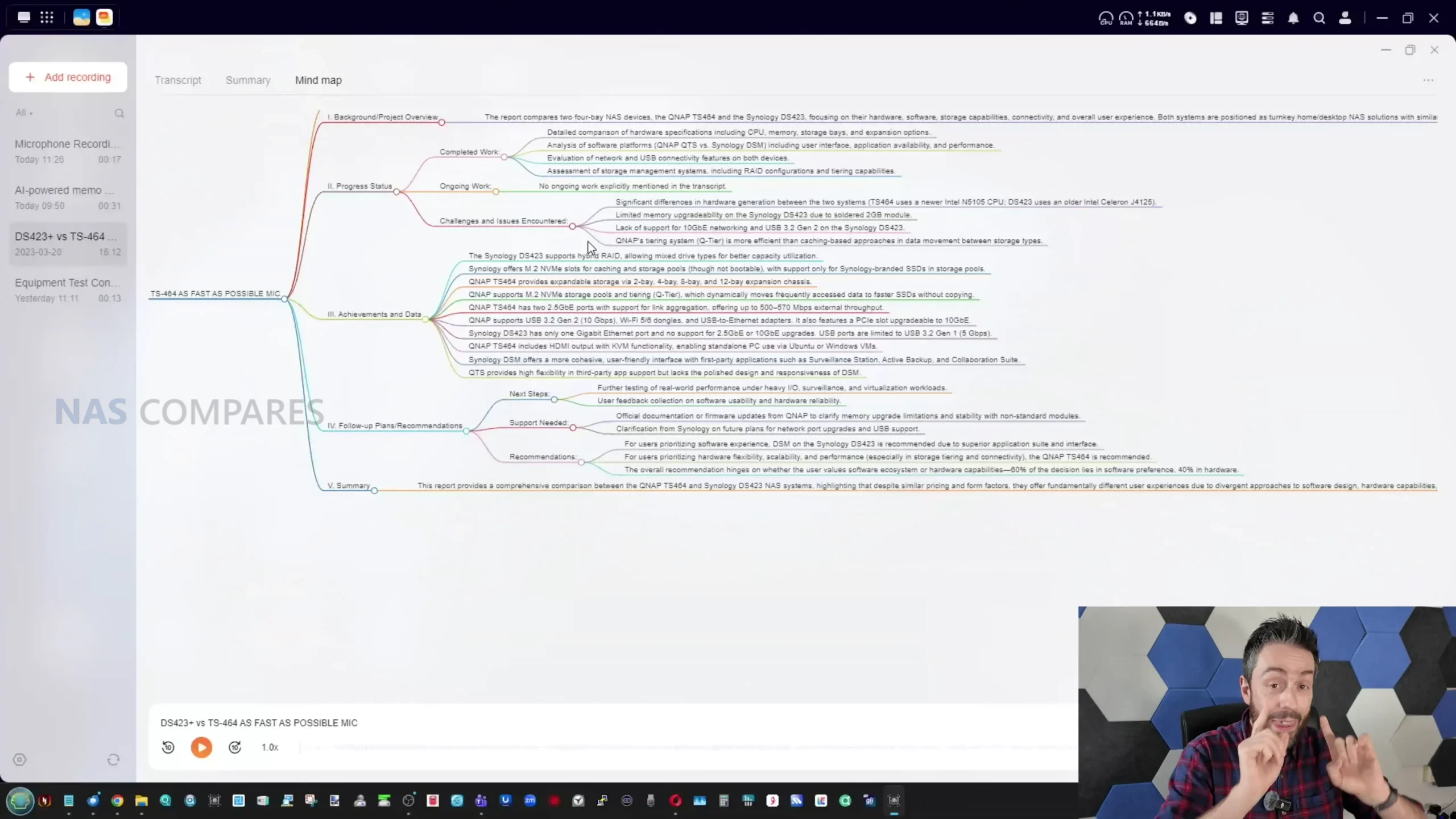
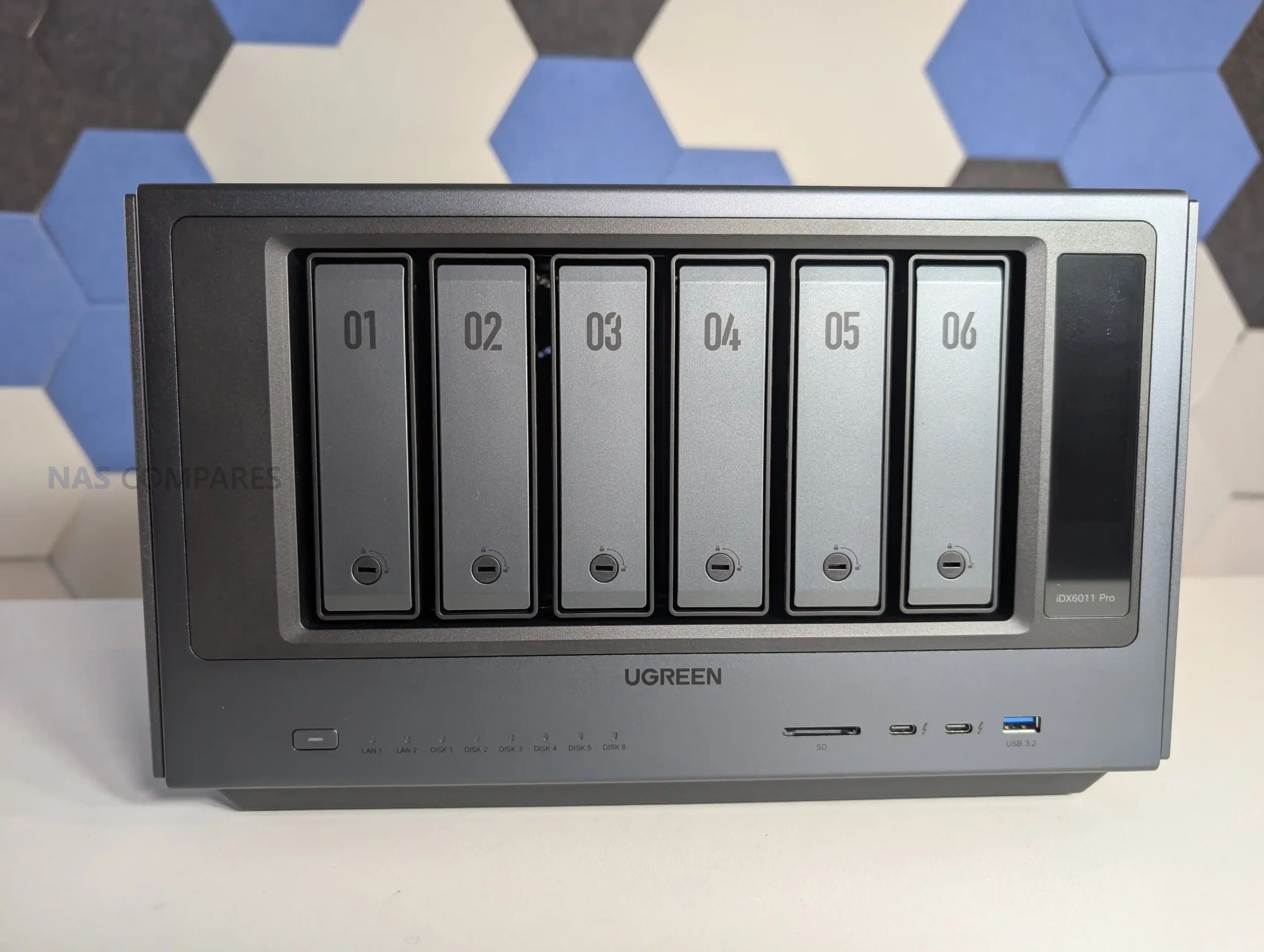









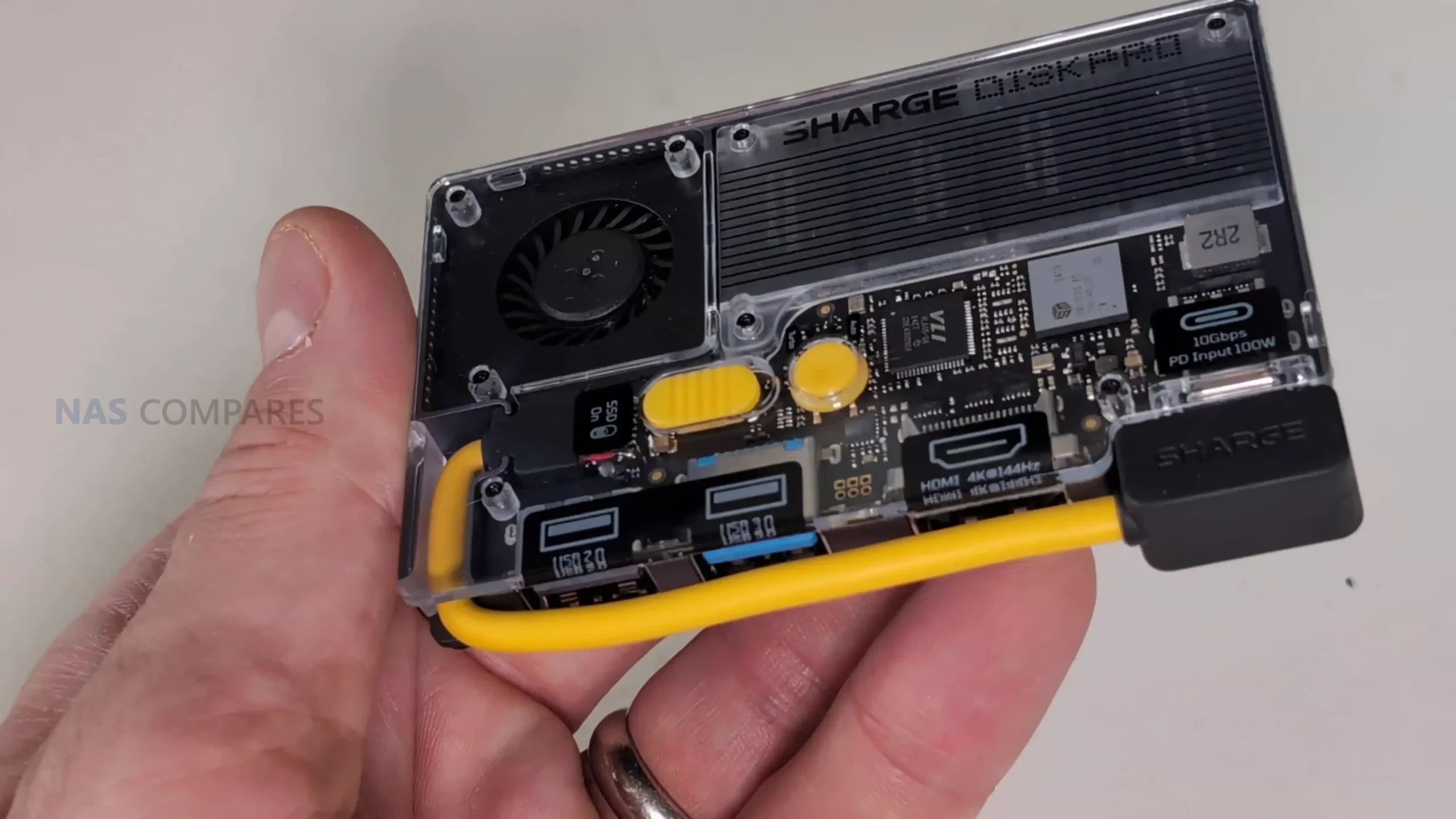
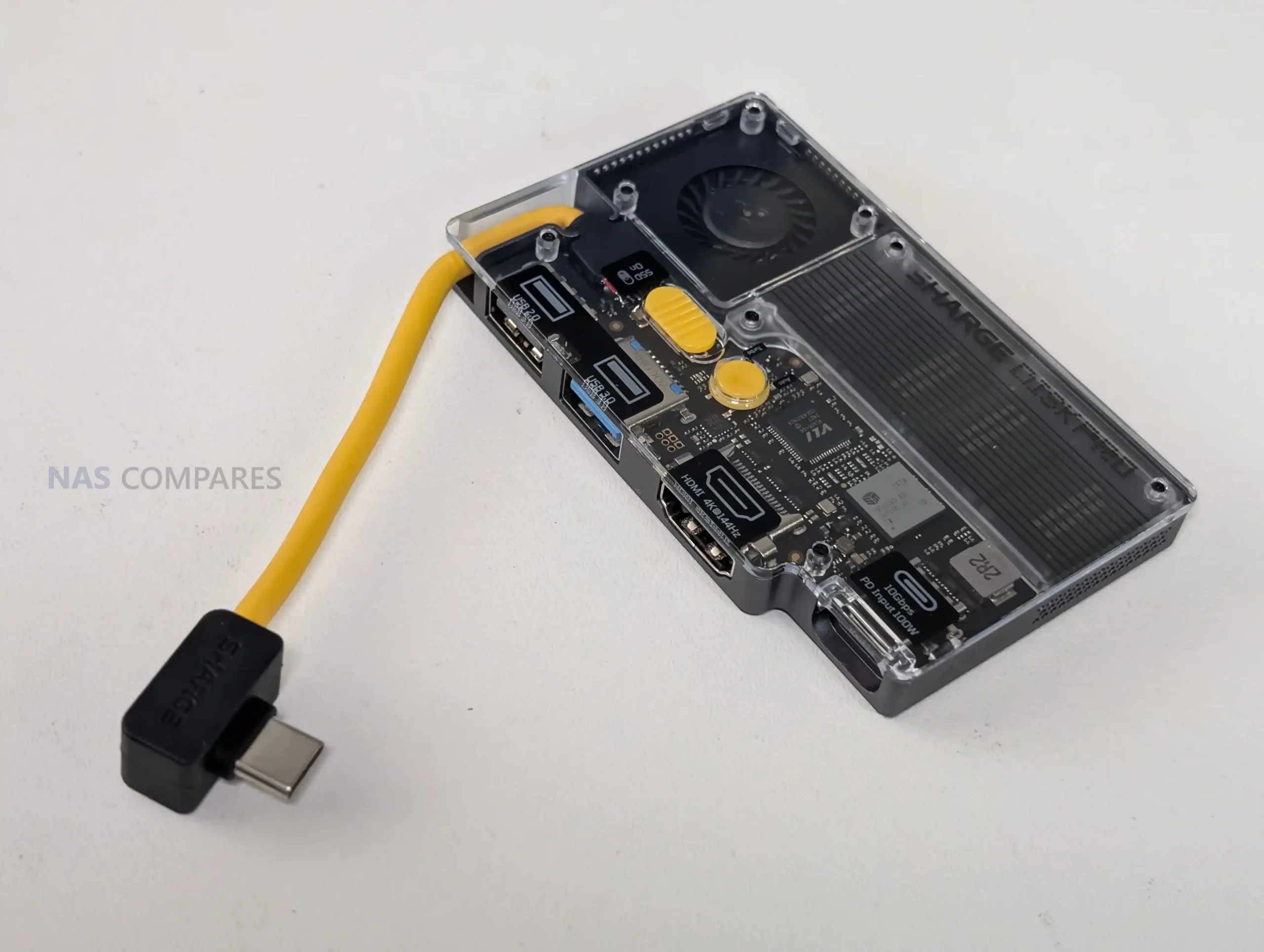

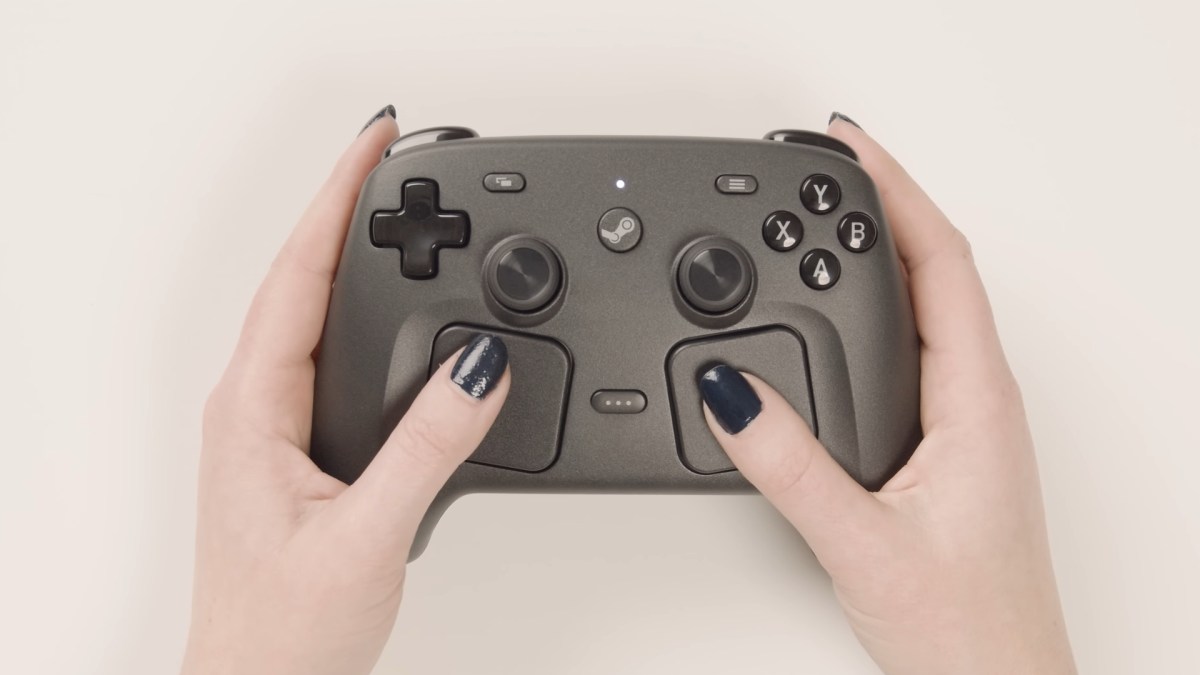



 8-core Arm v9 processor: Gives the Beast more headroom for routing, firewall rules, VPNs, IDS/IPS, DPI, SD-WAN, and UniFi application hosting.
 High price compared with other Dream Machines: At $1,499, it costs far more than the UDM Pro, UDM SE, and UDM Pro Max.