Connexion
Microsoft 365 Backup: Restore individual files and folders with granular restore
.webp)

.webp)
Vous synchronisez 4 ou 5 dossiers vers plusieurs serveurs avec rsync ? Alors vous connaissez ce sketch quand un job mouline pendant que les autres font la queue, parce que rsync de base c'est mono-thread et ça avance en file indienne.
Hé bien y'a un petit utilitaire Python qui dégoupille tout ça, pondu par overflowy. Ça s'appelle parallel-rsync et le nom annonce la couleur !
L'idée c'est de pouvoir empiler plusieurs jobs rsync en parallèle, avec une config YAML pour piloter le tout. Vous décrivez vos sources et destinations dans sync.yml, vous lancez parallel-rsync -c sync.yml --workers 4 --max-per-host 2, et hop, ça parallélise.
Le bougre tourne sur un ThreadPoolExecutor Python 3 qui spawn N processus rsync système avec un cap global et un cap par hôte. Et pendant ce temps, des barres de progression vous affichent l'avancement de chaque transfert sans que la console parte en sucette.

La dernière fois, je vous parlais de rsyncy qui collait juste une barre de progression à un rsync solo mais là, on monte clairement d'un cran avec une orchestration multi-cibles.
--workers cap c'est donc le nombre total de processus rsync simultanés (4 par défaut). --max-per-host limite la concurrence par destination (2 par défaut, histoire de ne pas saturer un seul serveur, parce que oui, balancer 8 rsync sur la même machine c'est juste se tirer une balle dans le pied côté I/O).
--timeout met une laisse à chaque rsync, --dry-run ajoute le flag à toutes les commandes pour tester avant de tirer, et --no-progress débraye les barres si vous voulez juste les logs. Côté logging, --log-file et --log-level font également le job.
Par contre y'a pas de retry automatique donc si une session SSH coupe en plein transfert, faudra relancer à la main. C'est logique mais un peu dommage.
Sur un homelab, ce genre de config YAML permet de résoudre le problème des synchros récurrentes avec un seul fichier centralisé au lieu de 8 scripts shell.
Notez aussi que le repo build un binaire universel via cosmofy , qui empaquette le tout en un exécutable cross-platform Windows, macOS et Linux d'un coup. Du coup, pas besoin d'installer Python sur la machine cible. Carrément pratique pour distribuer sur des serveurs où vous n'avez pas envie de gérer un environnement Python complet avec pip et un venv.
Petit point d'attention quand même : rsync lui-même doit être installé sur la machine qui lance le binaire, ce qui est natif sous macOS et Linux mais nécessite WSL ou Cygwin sous Windows.
Y'avait déjà
msrsync
qui découpe les transferts en buckets,
parsyncfp
qui s'appuie sur fpart pour grouper par taille, et la classique combine find . -type f | parallel -j10 rsync que tout sysadmin a bricolée un jour pour gratter de la bande passante. De son côté, overflowy se place plutôt sur le créneau "config déclarative" pour orchestrer plusieurs rsync entre sources et cibles.
Le code est sous licence MIT et tout se passe sur le repo GitHub . À tester si vous orchestrez régulièrement plusieurs rsync à la main.

Si vous étiez abonné à un magazine de jeux PC dans les années 90 et 2000, vous vous souvenez forcément des CD fournis avec chaque numéro de votre petit journal.
Démos jouables de jeux en cours de dev, mods, patchs, bonus, cartes supplémentaires pour les Doom et autres Quake de l'époque : les cover discs étaient un peu la seule façon de tester un jeu avant achat quand le téléchargement à 56k ne permettait pas grand-chose.
L'Internet Archive vient d'intégrer à sa collection 758 des disques du magazine PC Gamer, soit environ 1,2 To de contenu. La préservation a été orchestrée par Jason Scott (déjà à l'origine de pas mal de sauvetages numériques sur le site) avec une flopée de contributeurs bénévoles.
Chaque CD est dispo en image complète, téléchargeable directement depuis archive.org, sans compte ni inscription. Vous pouvez aussi les lancer dans un émulateur DOS ou Windows vintage si vous voulez l'expérience d'époque.
Dans le lot, il y a quelques pépites. Le disque Quake-O-Rama d'octobre 1997 contient une pelletée de maps Quake et surtout le premier speedrun démo de Quake Done Quick, document historique pour qui s'intéresse à l'histoire du competitive gaming.
Un autre disque de mars 2008 contient un épisode complet de la série Sam & Max de Telltale et une bande-annonce de Duke Nukem Forever.
Au-delà du plaisir de nostalgie, cette collection a une vraie valeur archéologique. Pas mal de ces démos contiennent des versions de jeux qui n'ont jamais été finis, des builds beta qui n'ont pas circulé ailleurs, des mods dont les auteurs ont depuis longtemps laissé leurs sites web mourir.
Bref, de la matière qu'on ne retrouverait nulle part sans ce boulot de numérisation. Jason Scott fait ça depuis plus de vingt ans sur l'Internet Archive, et c'est exactement le genre de travail que personne d'autre ne fait.
Si vous voulez farfouiller, la collection est dispo sur archive.org sous le nom " PC Gamer Demo Disc Collection ". Prévoyez un peu d'espace disque. Et surtout du temps. 758 CD-ROM, ça fait un sacré paquet d'heures à redécouvrir.
Une piqûre de rappel bienvenue sur le fait que les magazines papier étaient, quand même, un sacré vecteur de diffusion culturelle.
Source et visuel : Techspot

.webp)
.png)

J’utilise depuis un peu plus de dix-huit mois la solution Proxmox Backupspace, éditée par Layer7.net. Ce service repose sur une instance de Proxmox Backup Server (PBS) aux fonctionnalités volontairement limitées, conçue pour externaliser les sauvegardes (VM et conteneurs LXC) de mes serveurs PVE.
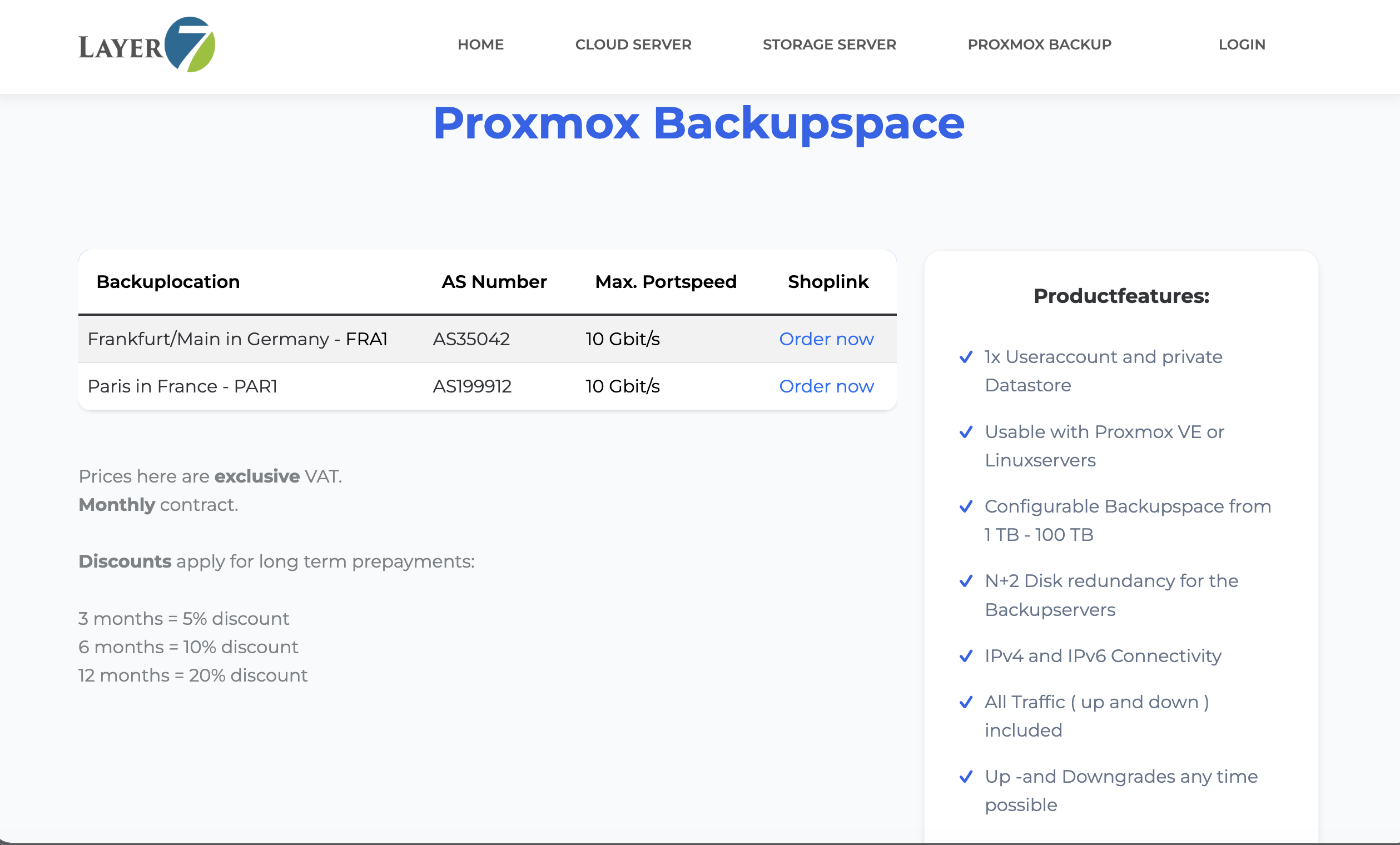
Faute de retours d’expérience disponibles lors de ma souscription, j’ai décidé de rédiger ce guide. Nous aborderons ensemble la mise en place, l’utilisation au quotidien, mais aussi les contraintes techniques inhérentes à cette offre, afin de vous donner une vision complète du produit.

Avant d’entrer dans le concret, un rappel rapide s’impose. Si vous gérez un NAS ou un homelab, vous connaissez probablement la règle 3-2-1 :
C’est ce dernier point qui est souvent négligé. Avoir un NAS qui fonctionne à côté de son serveur Proxmox, c’est bien, et c’est même indispensable pour restaurer une VM rapidement après une fausse manip (encore faut-il réaliser cette sauvegarde  ). Mais si votre maison ou votre baie de brassage subit un dégât des eaux, un incendie ou un cambriolage… vos sauvegardes locales partent en fumée en même temps que vos données sources.
C’est là que le besoin d’un stockage distant intervient. Proxmox Backup Server (PBS) est un outil génial pour ça, car il gère nativement la déduplication et les sauvegardes incrémentielles. Mais tout le monde n’a pas forcément un deuxième serveur chez un ami ou un parent pour y installer un PBS.
L’idée de prendre un service « clés en main » comme celui de Layer7, c’est d’avoir la puissance de PBS sans la gestion de la machine physique distante (hardware, stockage). On envoie ses backups dans le cloud, et on dort sur ses deux oreilles.
Maintenant qu’on est d’accord sur l’intérêt d’externaliser ses sauvegardes, pourquoi choisir Layer7.net ? C’est l’une des rares offres « clés en main » basées sur PBS que l’on trouve facilement.
Ce qui m’a attiré chez eux, c’est la simplicité de l’offre. Pas de calculs compliqués de CPU ou de RAM : on achète avant tout du stockage. Depuis fin 2024, les tarifs ont un peu augmenté. Lorsque j’ai souscrit en 2024, j’ai choisi de payer pour 3 mois, me disant que c’était un bon compromis pour profiter d’un tarif réduit (oui, plus on prend une durée longue, moins c’est cher). À l’époque, j’en avais pour 20,45 € TTC. Maintenant, en 2026, les tarifs ont grimpé un peu, mais restent très accessibles pour un usage « homelab » ou petite PME :
L’un des gros points positifs, c’est qu’il n’y a pas de frais de trafic cachés. Vous payez votre espace, et vous envoyez autant de données que vous voulez, tant que ça rentre dans votre quota. Il y a cependant des frais de mise en service d’environ 10 € TTC, à payer une seule fois à la commande uniquement.
La souscription se fait directement sur leur site. C’est du classique : on choisit son volume, son échéancier de paiement, on crée son compte et on passe à la caisse.
Une petite chose à savoir : l’activation n’est pas forcément instantanée. Dans mon cas, il a fallu attendre un petit moment avant de recevoir le mail contenant les accès à l’interface PBS. Rien de dramatique, mais ne prévoyez pas de lancer votre première sauvegarde de 500 Go dans les deux minutes après avoir sorti la carte bancaire !
Une fois le mail reçu, vous avez accès à une URL personnalisée qui vous mène vers l’interface de Proxmox Backup Server. On est en terrain connu, mais comme nous allons le voir juste après, tout n’est pas accessible.
Maintenant que le décor est planté, voyons comment mettre tout cela en place. L’idée est de lier notre PVE au service de Layer7. Mais avant de se lancer dans les explications de configuration, il faut d’abord préparer le terrain côté Layer7.
Une fois connecté à l’interface PBS fournie par Layer7, on remarque vite les premières limitations. Par exemple, impossible de récupérer le Fingerprint de manière classique : le bouton est grisé. Pour contourner cela et sécuriser la connexion, il faut passer par la création d’un API Token.
Voici la marche à suivre :
C’est ici que la magie opère. Côté Proxmox Virtual Environment (PVE), l’ajout se fait très naturellement puisque le support de PBS est natif.
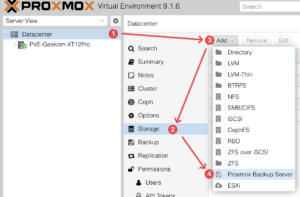
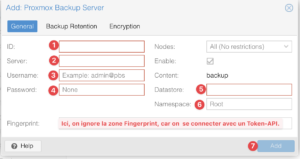
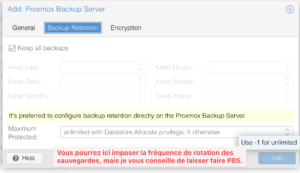
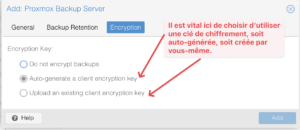
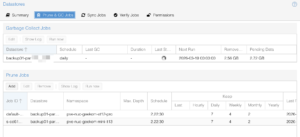
Si tout est correct, votre stockage « Cloud » s’affiche instantanément dans votre liste de ressources à gauche. Il ne vous reste plus qu’à créer un Backup Job (ou à modifier l’existant) pour envoyer vos VM et conteneurs vers ce nouveau point de chute. Personnellement, j’ai programmé mes sauvegardes Layer7 la nuit pour ne pas saturer mon upload, même si, comme on le verra, la déduplication de PBS limite énormément le volume de données réellement envoyé.
Comme je vous le disais en introduction, ce service est un Proxmox Backup Server (PBS) un peu « castré ». D’ailleurs, c’est assez logique quand on y regarde de plus près, l’offre ne s’intitule pas « Proxmox Backup Server », mais bien « Proxmox BackupSpace« . C’est un espace de stockage avant tout.
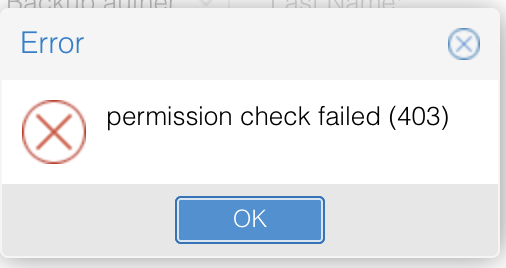
Le point le plus évident, c’est l’absence totale d’accès SSH. C’est assez limitant si vous avez l’habitude de surveiller l’OS de près. Dans la même lignée, n’espérez pas gérer les mises à jour système ou d’autres tâches administratives : tout cela est verrouillé.


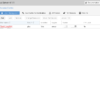
Plus agaçant au quotidien :
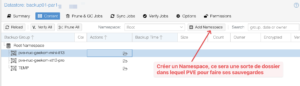
Malgré ces restrictions, les Namespaces sont bien présents. J’ai pu en créer deux distincts pour dissocier proprement les sauvegardes de mes deux instances PVE. C’est indispensable pour ne pas tout mélanger. Concernant les performances, même si on ne choisit pas son type de disque, le débit de 10 Gbits annoncé laisse supposer du matériel performant (probablement du NVMe).
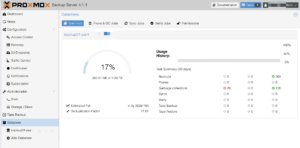
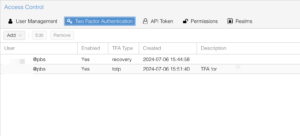
J’ai eu l’occasion d’échanger plusieurs fois avec le support de Layer7. Premier point important : tout se fait en anglais. Oubliez le français ici.
Globalement, ils sont très réactifs, même le week-end. Cependant, le ton est… direct. On est sur une communication « brute », parfois un peu brusque. J’ai même failli me désabonner après avoir demandé comment configurer mon propre SMTP pour les notifications e-mails. La réponse (traduite dans notre langue de Molière ici) a été claire :
« Voulez-vous un compte de sauvegarde pas cher ou un Proxmox Backup Server complet ? Vous n’aurez pas 100% des fonctions, c’est la différence entre un système partagé et un système dédié. »
Pour autant, tout n’est pas à jeter, loin de là. Récemment, alors que la version 4.0 de PBS était sortie mais pas encore déployée sur mon instance, je les ai contactés pour demander la mise à jour vers la 4.1.1.
La réponse a été typique de leur style : un mélange de « on fait ça quand on a le temps car ça n’apporte rien aux clients » et d’une efficacité redoutable. Le technicien a lancé la mise à jour dans la foulée (« backup01 n’avait pas encore reçu cet amour« , m’a-t-il dit (traduction littérale)) et 40 minutes plus tard, c’était réglé.
On est donc sur un support qui ne s’encombre pas de fioritures commerciales, mais qui, techniquement, assure le suivi quand on le demande poliment. Aujourd’hui, je tourne sur la 4.1.1, en attendant de les relancer pour la 4.1.4 (ou la 4.2 !).
Alors, est-ce que je recommande le Proxmox BackupSpace de chez Layer7.net ?
La réponse est oui, mais avec une nuance importante : il faut savoir ce que l’on achète. Si vous cherchez un Proxmox Backup Server complet, avec les droits root, des notifications personnalisées par email et une interface parfaitement propre, passez votre chemin. Vous seriez déçus par le côté « bridé » du service et le ton parfois sec du support.
En revanche, si votre objectif est simplement de respecter la règle du 3-2-1 avec un stockage distant ultra-stable, performant et surtout à un prix défiant toute concurrence pour un homelab ou une petite structure, c’est une excellente pioche.
Après 18 mois d’utilisation quotidienne pour mes deux instances PVE, le service n’a jamais failli. Les sauvegardes partent chaque nuit, la déduplication fait son travail, et même si l’interface me rappelle à chaque connexion que je n’ai pas de « souscription valide », l’essentiel est là : mes données sont à l’abri hors de chez moi.
Bref, c’est du « Low Cost » au sens noble du terme : on retire le superflu pour se concentrer sur l’efficacité brute. Et pour environ 27 € TTC par trimestre pour 2 To, c’est un rapport qualité/prix qu’il est difficile d’ignorer en 2026.
.png)
.png)
Multi bay NAS units in the 4,5 and 6 bay bracket have become the default choice for users who want a single chassis that can handle RAID 5 or larger arrays, mix HDD and NVMe storage and still fit under a desk or on a shelf. This roundup looks at systems released in 2025 that sit in that space, from compact ARM based 4 bay boxes up to more expandable x86 platforms with additional M.2 slots and higher network bandwidth. The focus is on how each unit balances raw storage capacity across SATA and NVMe, the type of RAID and pool layouts it can realistically support, and the power, noise and feature overhead that comes with those choices, so readers can match a chassis to their plans for backup, media, virtualisation or general home lab use without stepping up to larger, more complex rack or 8 bay solutions.
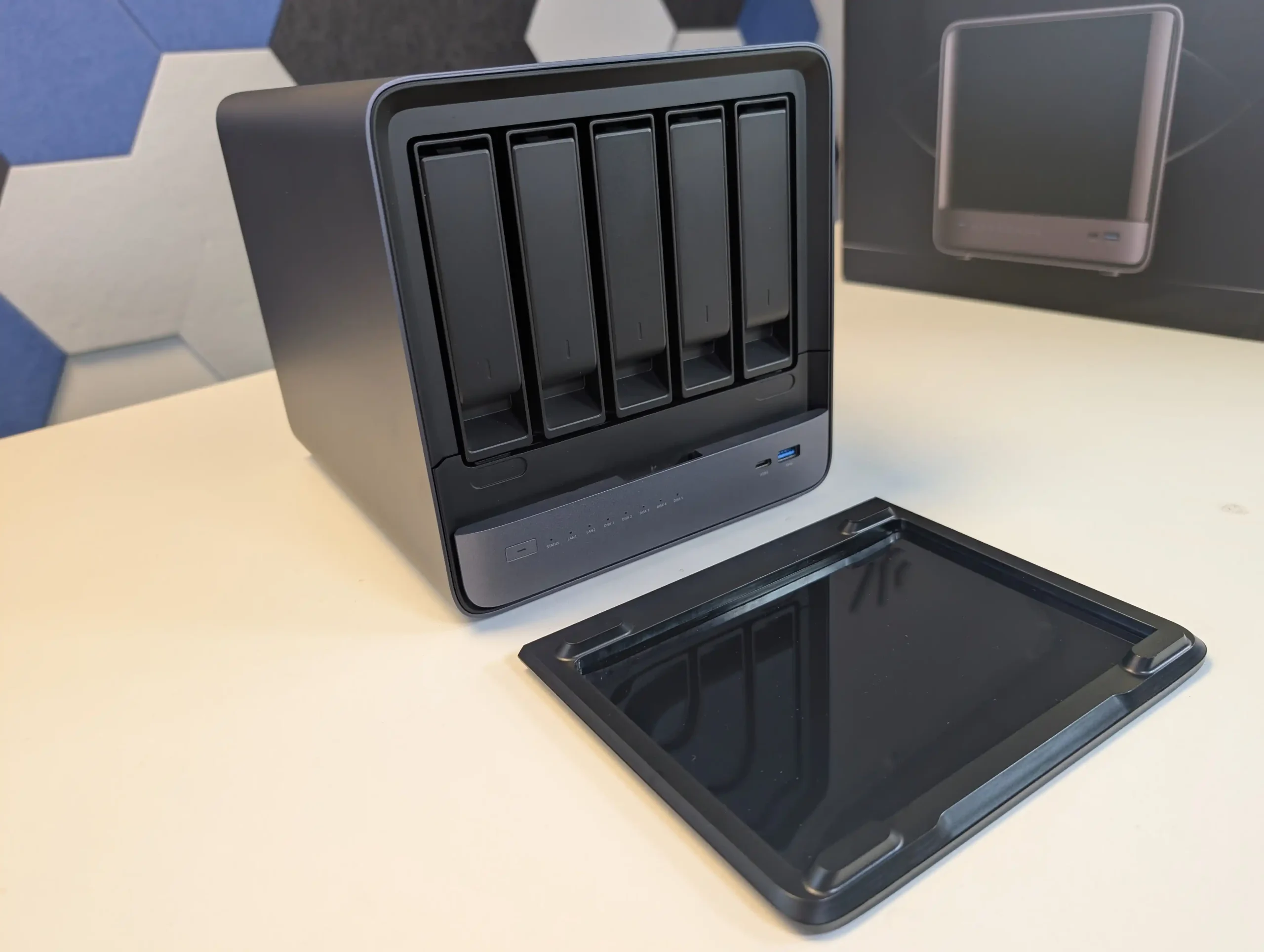
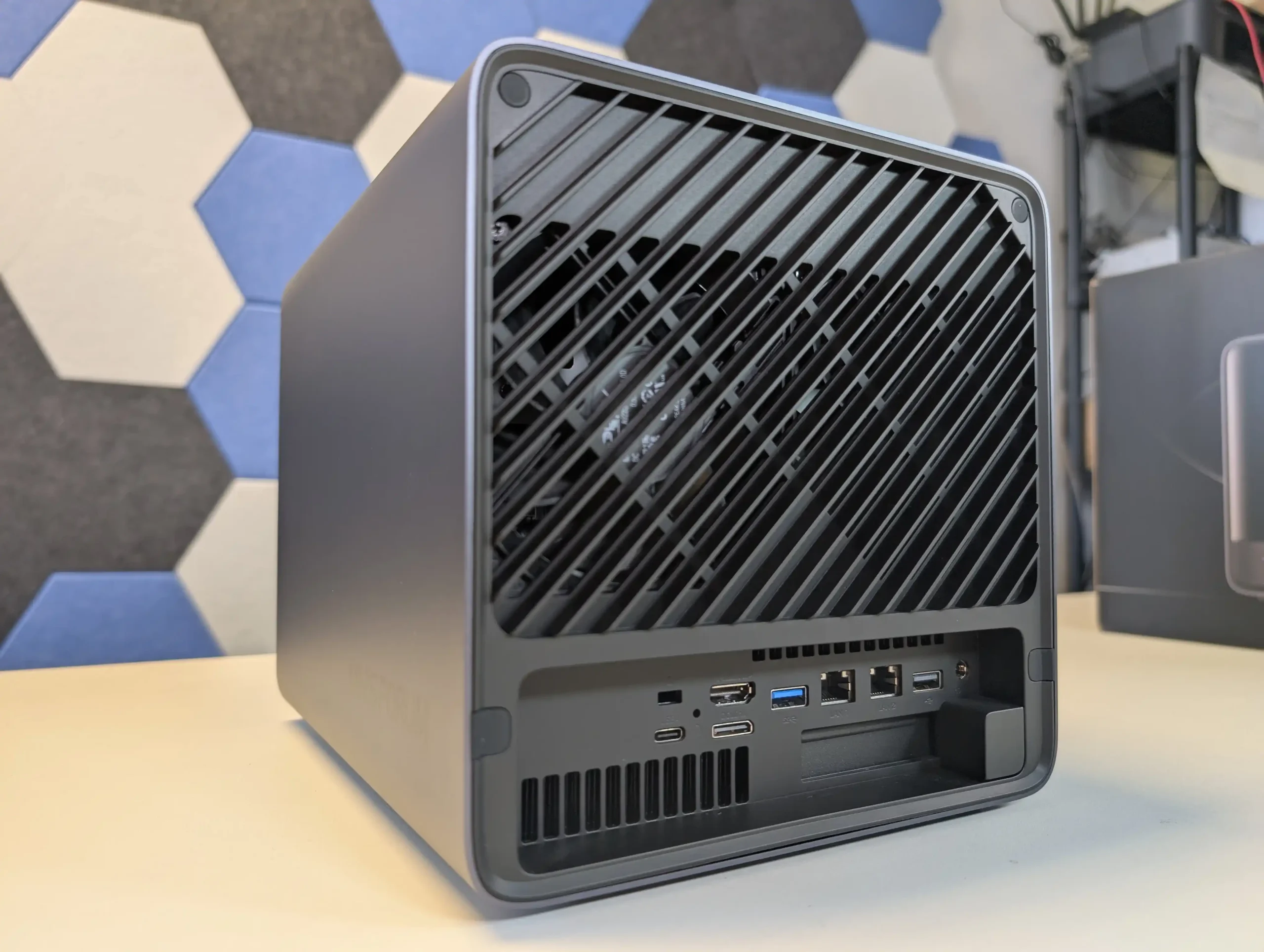
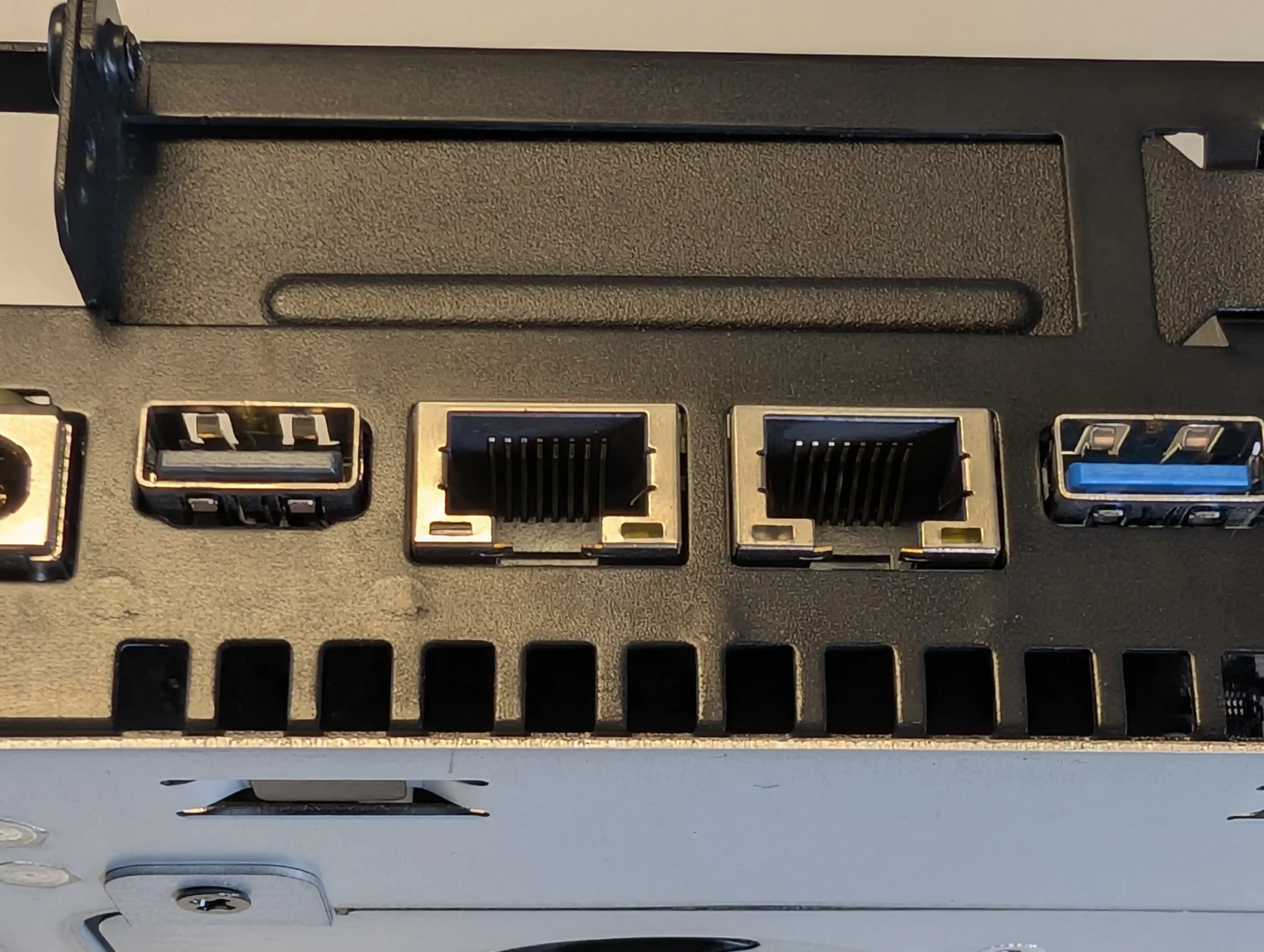
SPECS: AMD Ryzen 7 255 8 core 16 thread up to 4.9 GHz – up to 96 GB DDR5 via 2 SODIMM slots – 5 x 3.5″/2.5″ SATA bays – 1 x 10 GbE RJ45 / 1 x 5 GbE RJ45 – 3 x M.2 NVMe or U.2 SSD slots (PCIe 4.0, mixed x1 and x2 lanes) plus 128 GB OS storage.
With 5 SATA bays rated for up to 22 TB per disk and 3 PCIe 4.0 NVMe or U.2 positions, the N5 can be configured as a hybrid array where high capacity RAID 5 or RAID 6 sits on HDDs while SSDs are used for fast pools or tiered storage. MinisCloud OS exposes ZFS style RAID options including RAID 0, 1, 5 and 6, snapshots and compression, so the storage layout can be tuned for sequential workloads, mixed containers or heavier virtualisation without replacing the base system. The Ryzen 7 255 and Radeon 780M iGPU give it enough compute and PCIe bandwidth for multi gig throughput over the combined 10 GbE and 5 GbE interfaces, but they also raise power use and thermal output compared with simpler ARM or low end x86 models. In a 4 or 5 bay context it therefore suits users who expect to keep expanding with higher density drives and multiple NVMe pools over several years, rather than those who just need a small RAID 5 and basic apps.
 |
 |
What we said in our July ’25 Review HERE:
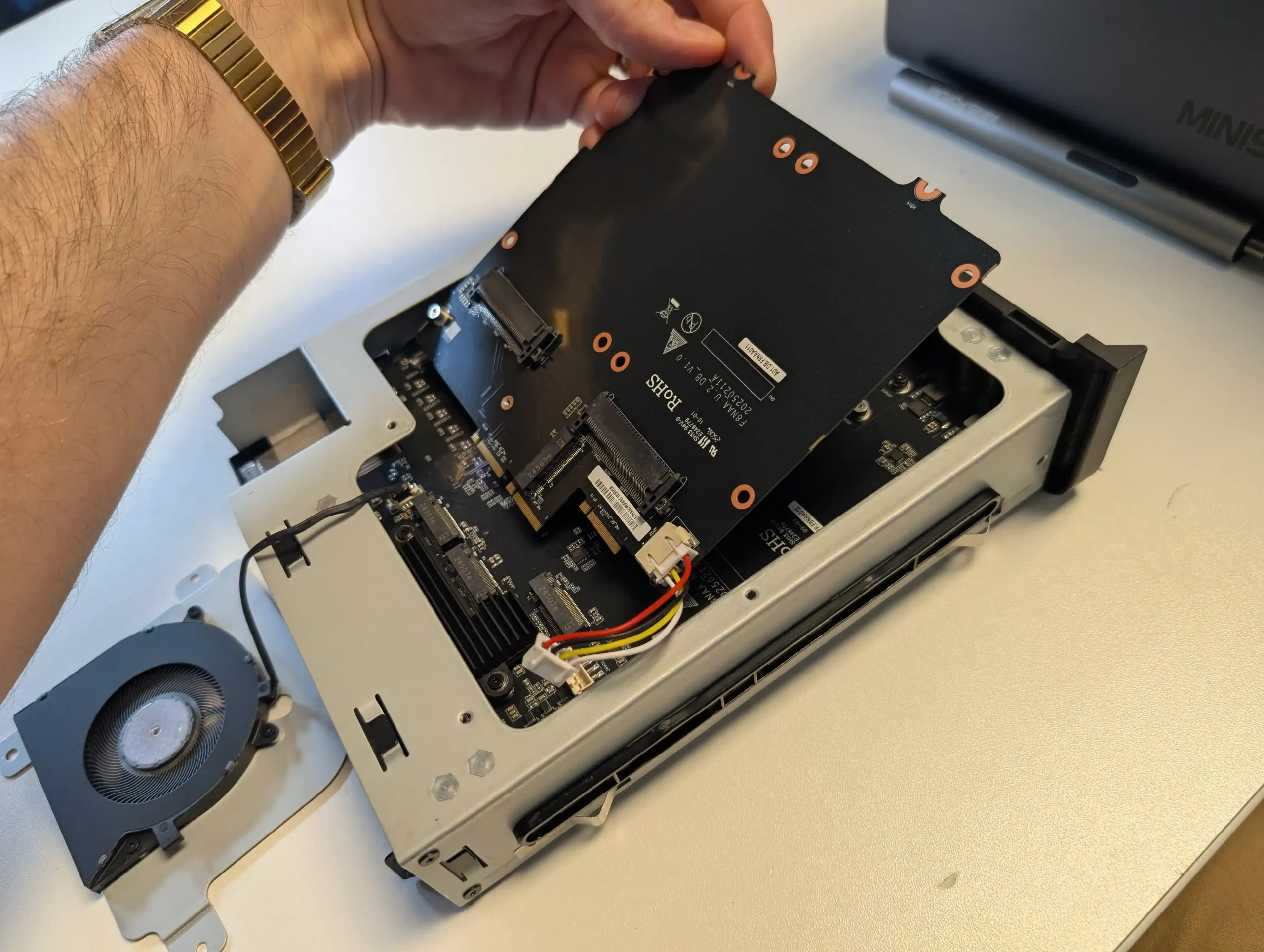
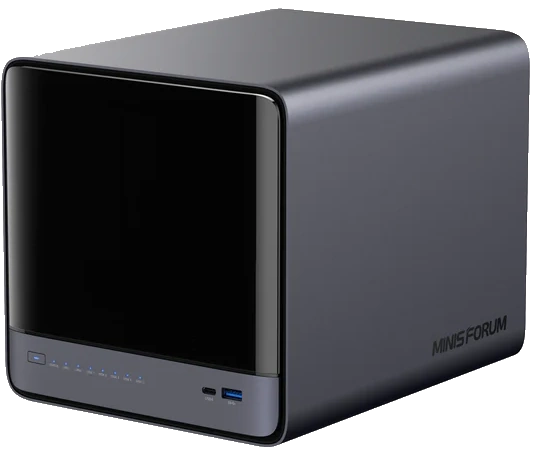
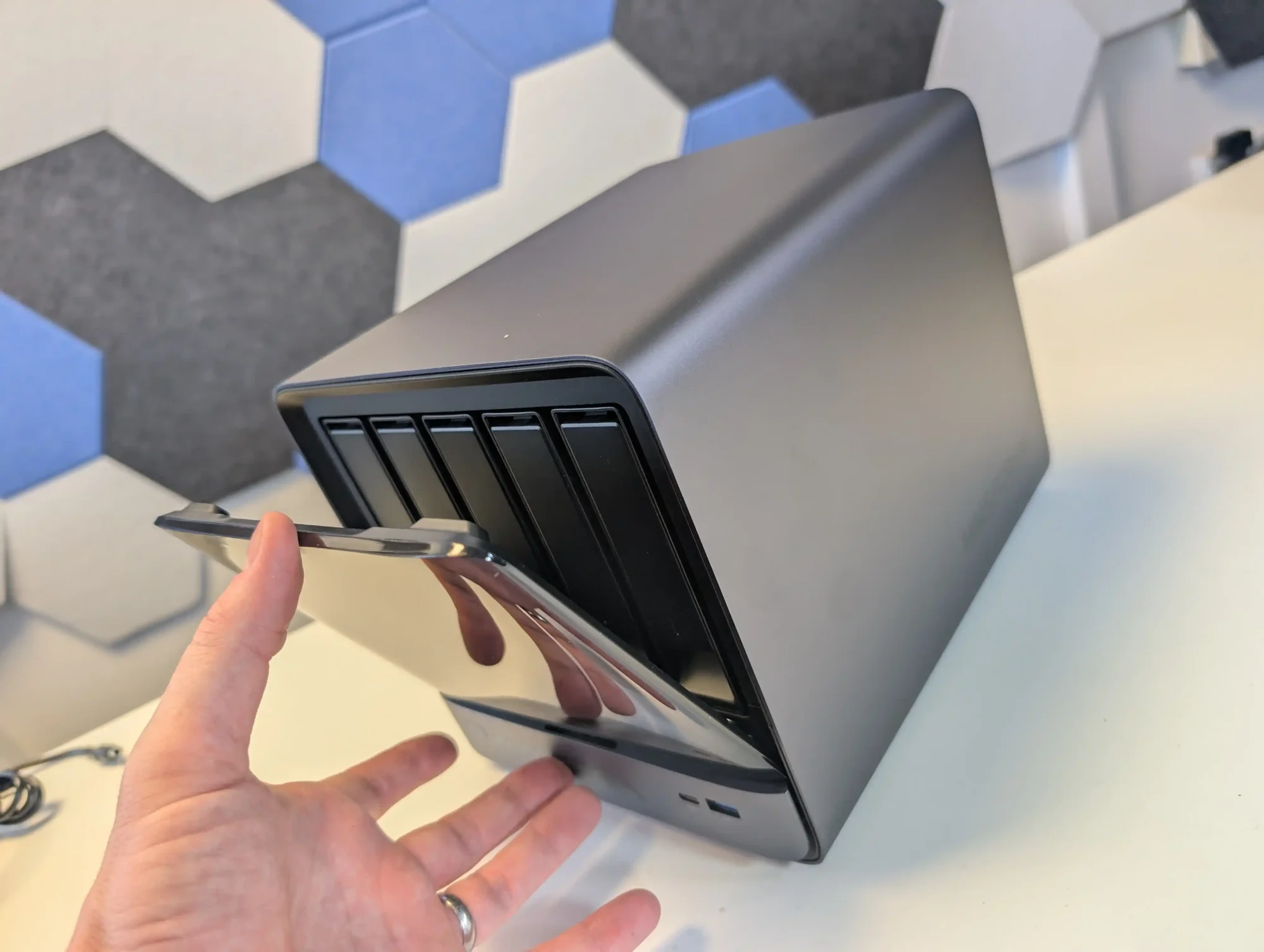
The Minisforum N5 Pro is an impressive and highly versatile NAS platform that successfully combines the core strengths of a storage appliance with the capabilities of a compact, workstation-class server, making it suitable for demanding and varied use cases. Its defining features include a 12-core Ryzen AI 9 HX PRO 370 CPU with 24 threads and onboard AI acceleration up to 50 TOPS, support for up to 96GB of ECC-capable DDR5 memory for data integrity, and a hybrid storage architecture offering up to 144TB total capacity through a mix of five SATA bays and three NVMe/U.2 slots. Additional highlights such as ZFS file system support with snapshots, inline compression, and self-healing, along with high-speed networking via dual 10GbE and 5GbE ports, and expansion through PCIe Gen 4 ×16 and OCuLink interfaces, position it well beyond the capabilities of typical consumer NAS systems. The compact, fully metal chassis is easy to service and efficiently cooled, enabling continuous operation even under sustained virtual machine, AI, or media workloads.
 |
 |
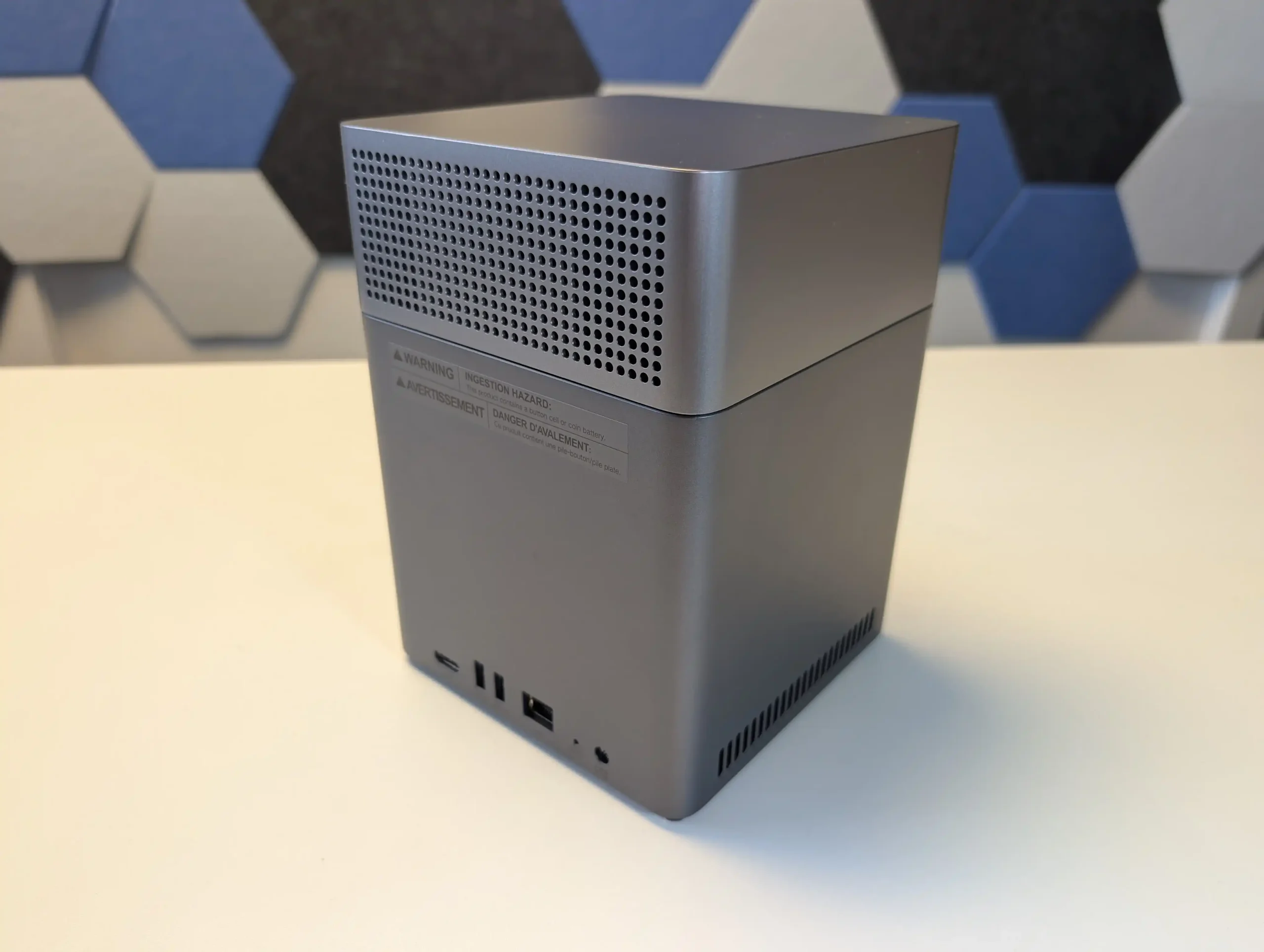
At the same time, the bundled MinisCloud OS, while feature-rich with AI photo indexing, Docker support, and mobile integration, remains a work in progress, lacking some enterprise-grade polish, robust localization, and more advanced tools expected in mature NAS ecosystems. Minor drawbacks such as the external PSU, the thermally challenged pre-installed OS SSD, and the higher cost of the Pro variant relative to the standard N5 are important to weigh, particularly for users who may not fully utilize the Pro’s ECC and AI-specific advantages. For advanced users, homelab builders, and technical teams who require high compute density, flexible storage, and full control over their software stack, the N5 Pro delivers workstation-level performance and configurability in NAS form—offering one of the most forward-thinking and adaptable solutions available today in this segment.
The is now available to buy: |
 BUILD QUALITY - 10/10
HARDWARE - 9/10PERFORMANCE - 9/10PRICE - 7/10VALUE - 8/10
BUILD QUALITY - 10/10
HARDWARE - 9/10PERFORMANCE - 9/10PRICE - 7/10VALUE - 8/10

8.6
PROS
 High-performance AMD Ryzen
 AI 9 HX PRO 370 CPU with 12 cores, 24 threads, and AI acceleration (50 TOPS NPU) is INCREDIBLE for a compact desktop purchaseSupport for up to 96GB DDR5 memory with ECC, ensuring data integrity and stability in critical environmentsZFS-ready storage with numerous ZFS and TRADITIONAL RAID configurations, snapshots, and inline compressionHybrid storage support: five 3.5\\\"/2.5\\\" SATA bays plus three NVMe/U.2 SSD slots, with up to 144TB total capacityVersatile expansion options including PCIe Gen 4 ×16 slot (×4 electrical) and OCuLink port for GPUs or NVMe cagesDual high-speed networking: 10GbE and 5GbE RJ45 ports with link aggregation support + (using the inclusive MinisCloud OS) the use of the USB4 ports for direct PC/Mac connection!Fully metal, compact, and serviceable chassis with thoughtful cooling and accessible internal layout - makes maintenance, upgrades and troubleshooting a complete breeze!Compatibility with third-party OSes (TrueNAS, Unraid, Linux) without voiding warranty, offering flexibility for advanced users
CONS
AI 9 HX PRO 370 CPU with 12 cores, 24 threads, and AI acceleration (50 TOPS NPU) is INCREDIBLE for a compact desktop purchaseSupport for up to 96GB DDR5 memory with ECC, ensuring data integrity and stability in critical environmentsZFS-ready storage with numerous ZFS and TRADITIONAL RAID configurations, snapshots, and inline compressionHybrid storage support: five 3.5\\\"/2.5\\\" SATA bays plus three NVMe/U.2 SSD slots, with up to 144TB total capacityVersatile expansion options including PCIe Gen 4 ×16 slot (×4 electrical) and OCuLink port for GPUs or NVMe cagesDual high-speed networking: 10GbE and 5GbE RJ45 ports with link aggregation support + (using the inclusive MinisCloud OS) the use of the USB4 ports for direct PC/Mac connection!Fully metal, compact, and serviceable chassis with thoughtful cooling and accessible internal layout - makes maintenance, upgrades and troubleshooting a complete breeze!Compatibility with third-party OSes (TrueNAS, Unraid, Linux) without voiding warranty, offering flexibility for advanced users
CONS
 MinisCloud OS is functional but immature, with unfinished localisation and limited advanced enterprise features - lacks MFA, iSCSI, Security Scanner and More. Nails several key fundamentals, but still feels unfinished at this time.Despite External PSU design (will already annoy some users), it generates a lot of additional heat and may not appeal to all users overallPreinstalled 64GB OS SSD runs hot under sustained use and lacks dedicated cooling. Plus, losing one of the 3 m.2 slots to it will not please everyone (most brands manage to find a way to apply an eMMC into the board more directly, or use a USB bootloader option as a gateway for their OSPremium $1000+ pricing may be hard to justify for users who don’t need ECC memory or AI capabilities compared to the standard N5 at $500+
SPECS: Rockchip RK3588 8 core ARM up to 2.0 GHz – 8 GB LPDDR4X – 4 x 3.5″/2.5″ SATA bays – 1 x 2.5 GbE RJ45 – no internal M.2 SSD slots.
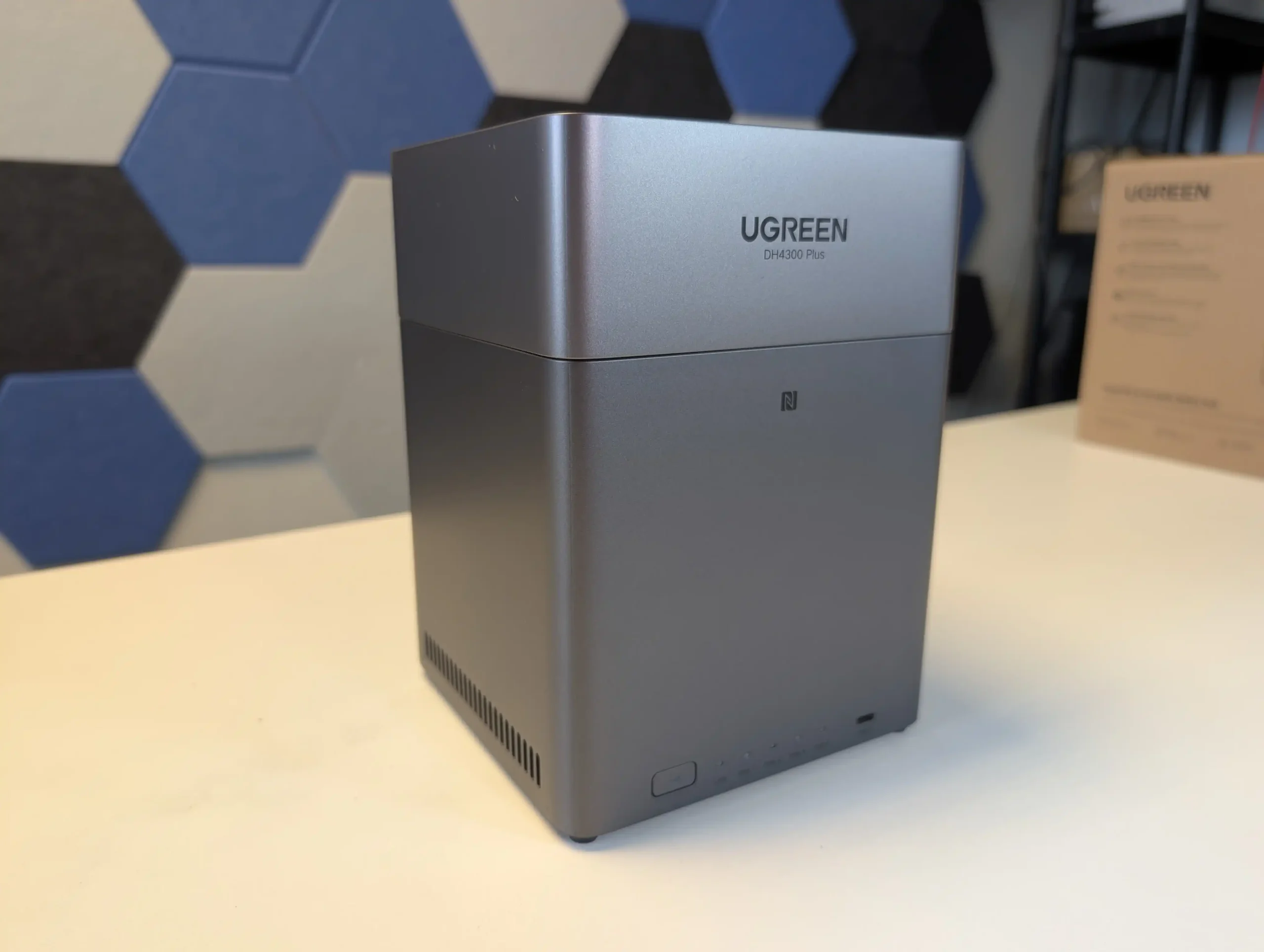
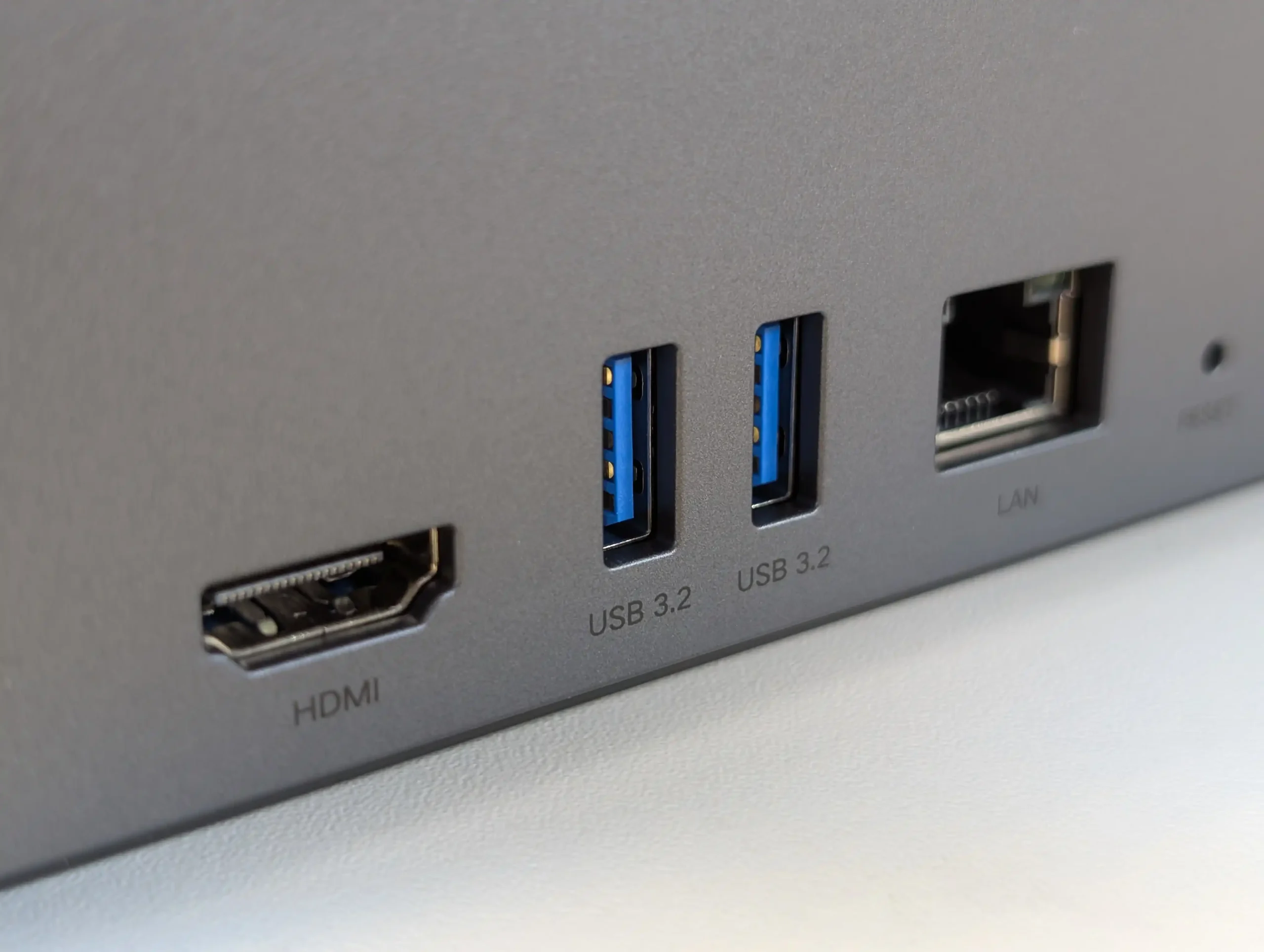
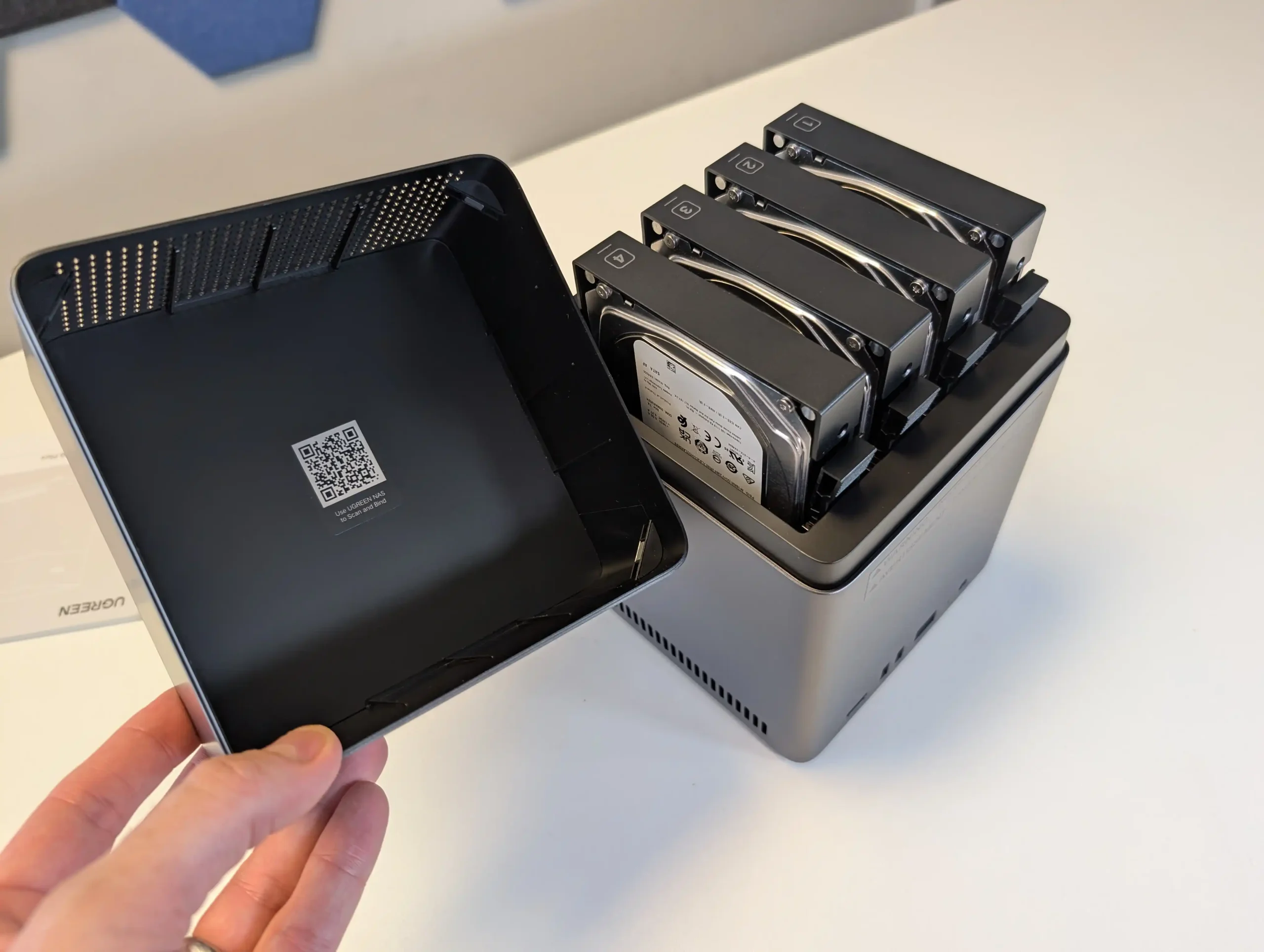
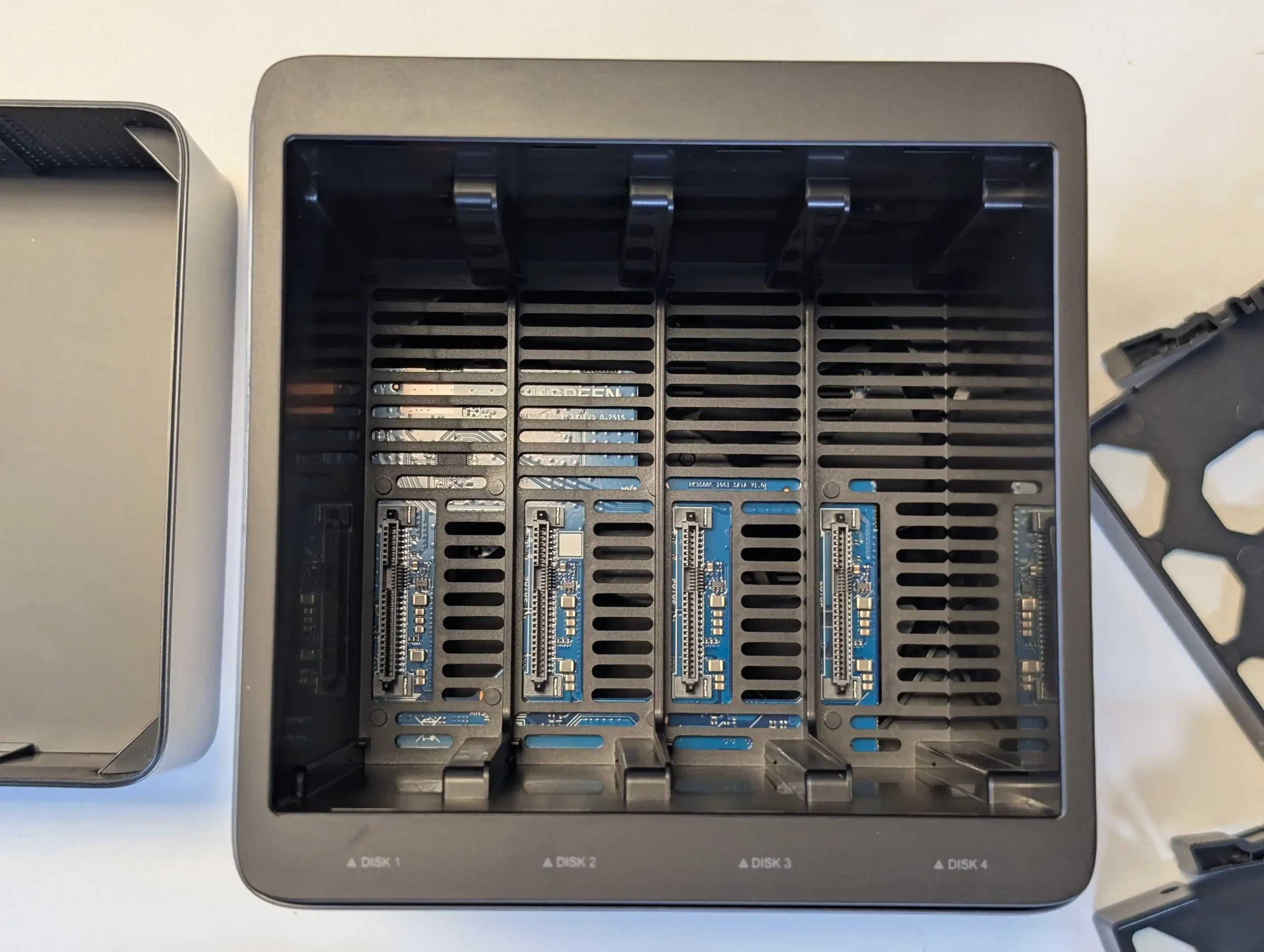
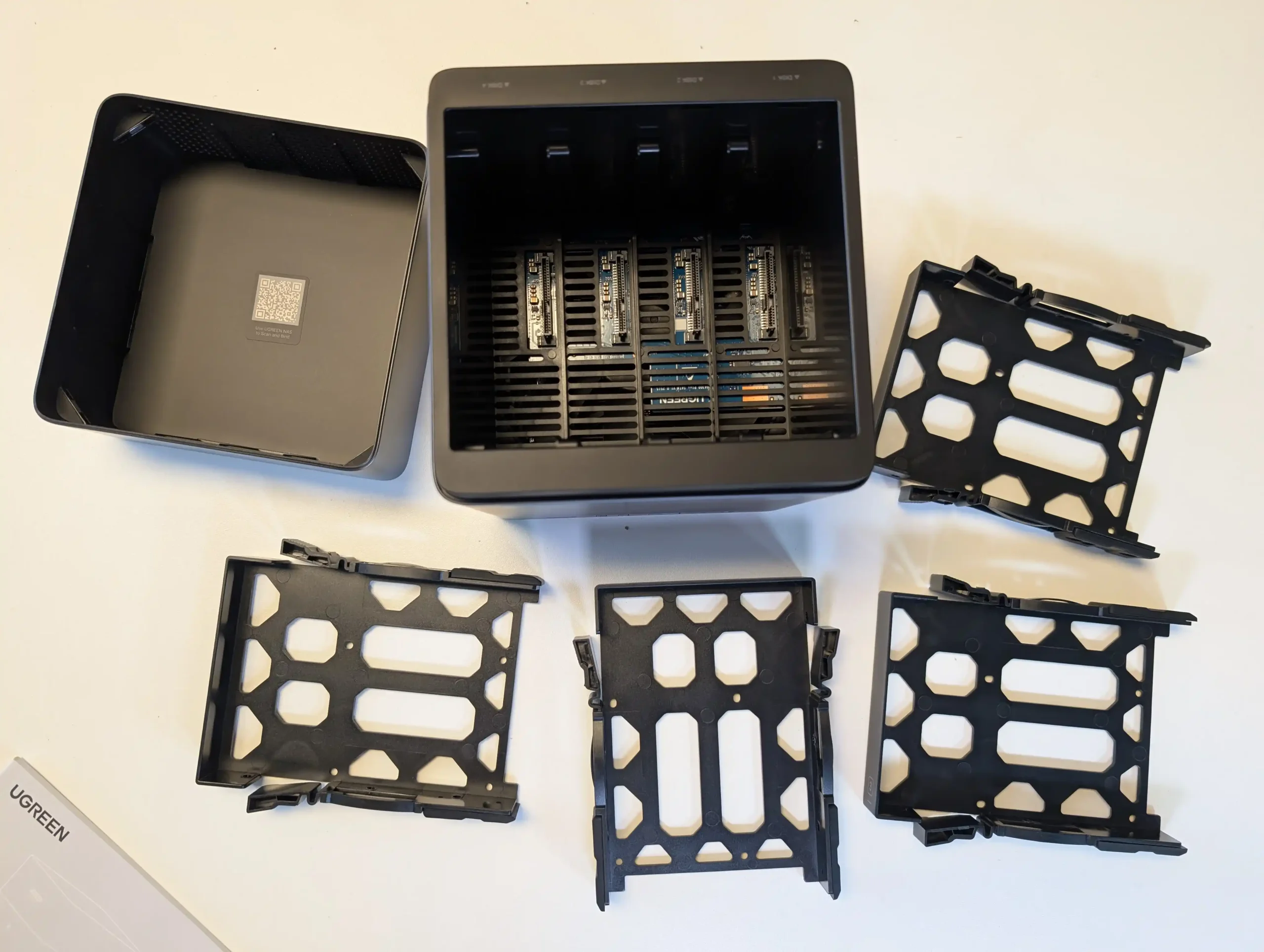
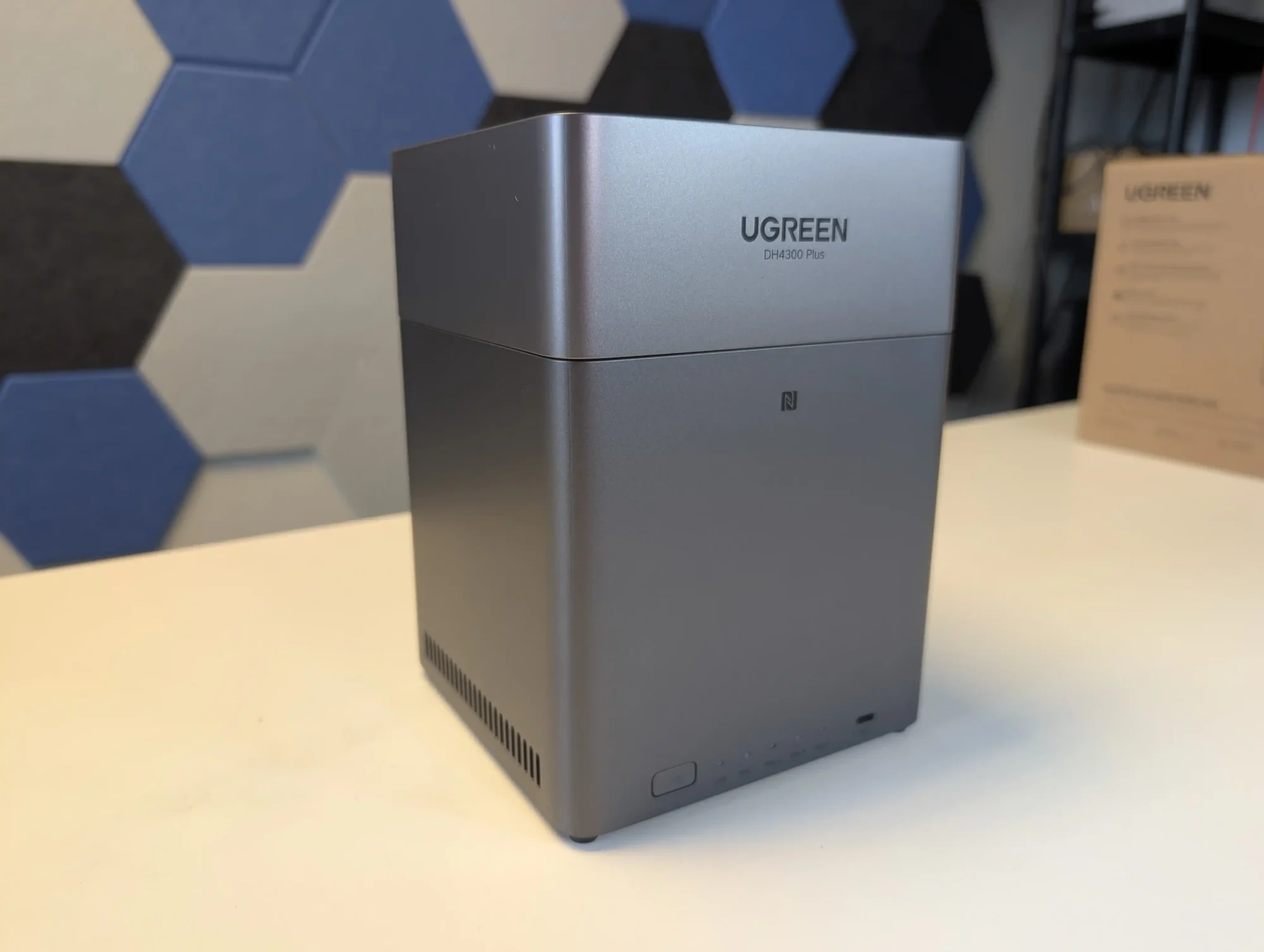
The DH4300 Plus concentrates all of its storage on 4 SATA bays with support for RAID 0, 1, 5, 6 and 10, up to a stated 120 TB raw using 30 TB disks, which makes it a straightforward choice for traditional RAID 5 capacity rather than mixed media architectures. The absence of M.2 slots means there is no internal SSD cache tier, although SSDs can still be used in the main bays if lower latency is required, at the cost of capacity per bay. In return, the RK3588 SoC and LPDDR4X memory keep power consumption relatively low, with quoted figures under 25 W under load, and the 2.5 GbE interface is enough to saturate what 4 mechanical drives in RAID 5 or RAID 6 can usually deliver. UGreen’s UGOS Pro platform adds a container system, snapshot capable file services and consumer facing features such as AI photo indexing, so for a 4 bay RAID 5 appliance the trade off is clear: a fixed, HDD focused storage layout with no internal NVMe, in exchange for low complexity, modest power draw and a simple upgrade path based mainly on higher capacity disks.
 |
 |
What we said in our July 2025 Review:
The UGREEN DH4300 Plus carves out a unique niche in the budget NAS landscape by delivering hardware typically reserved for higher-tier systems at a much lower price point. Its RK3588 processor, 8GB of RAM, and support for 2.5GbE networking place it well ahead of most similarly priced competitors in terms of raw specifications. Additionally, features such as HDMI output, 10Gbps USB ports, and local AI-powered photo indexing are rare to find in entry-level NAS systems. Despite its plastic-heavy internal design and lack of expansion options like PCIe or M.2, the device delivers stable performance for file sharing, media access, and low-intensity AI workloads. It is not suited for power users demanding virtual machines or advanced snapshot automation, but within its class, the DH4300 Plus presents an appealing balance between cost and capability.
 |
 |
That said, the software experience is still a work in progress. UGOS Pro covers the essentials and offers a visually accessible UI, but lacks the advanced features and ecosystem integration found in more mature platforms like Synology DSM or QNAP QTS. Docker and snapshot support add welcome flexibility, but the absence of native Jellyfin, iSCSI, and VM functionality limits its use in more complex environments. Still, for home users, media collectors, or small office setups looking for reliable backup, modest AI-enhanced photo sorting, and smooth 4K playback, the DH4300 Plus delivers value well beyond its price tag. While it won’t replace high-end NAS appliances, it serves as a capable, efficient, and quietly innovative option in a saturated entry-level NAS market.
 |
 |
| Buy the UGREEN DH4300 on Amazon @409 | Buy the UGREEN DH4300 on UGREEN.COM | Buy the UGREEN DH4300 on B&H |
 |

|
 |
 SOFTWARE - 6/10
HARDWARE - 7/10PERFORMANCE - 6/10PRICE - 9/10VALUE - 10/10
SOFTWARE - 6/10
HARDWARE - 7/10PERFORMANCE - 6/10PRICE - 9/10VALUE - 10/10

7.6
PROS
Powerful ARM CPU: Equipped with the RK3588 SoC, offering 8 cores, integrated GPU, and NPU for AI workloads.Generous (but fixed!) Memory: 8GB LPDDR4X RAM, rare in budget NAS systems, supports multitasking and Docker use.2.5GbE Network Port: Provides faster-than-Gigabit throughput for backups, media streaming, and multi-user access.HDMI 2.1 Output: Rare on ARM powered turnkey NAS, and enables direct media playback or NAS control at up to 4K 60Hz, uncommon in value-tier NAS units.USB 10Gbps Ports: Dual USB-A 10Gbps and one USB-C 5Gbps allow for high-speed backups or external storage expansion.AI Photo Management: Built-in NPU supports facial recognition and scene detection for local, private media organization.Low Power Consumption: Efficient under load (~30W) and idle (~5W without drives), suitable for 24/7 operation.
CONS
No PCIe or M.2 Expansion: Lacks future scalability for NVMe caching, 10GbE, or other upgrades.Single LAN Port: Only one 2.5GbE port, with no failover or link aggregation support.Limited Software Ecosystem: UGOS Pro lacks iSCSI, VM support, and native Jellyfin, trailing behind DSM/QTS in maturity.
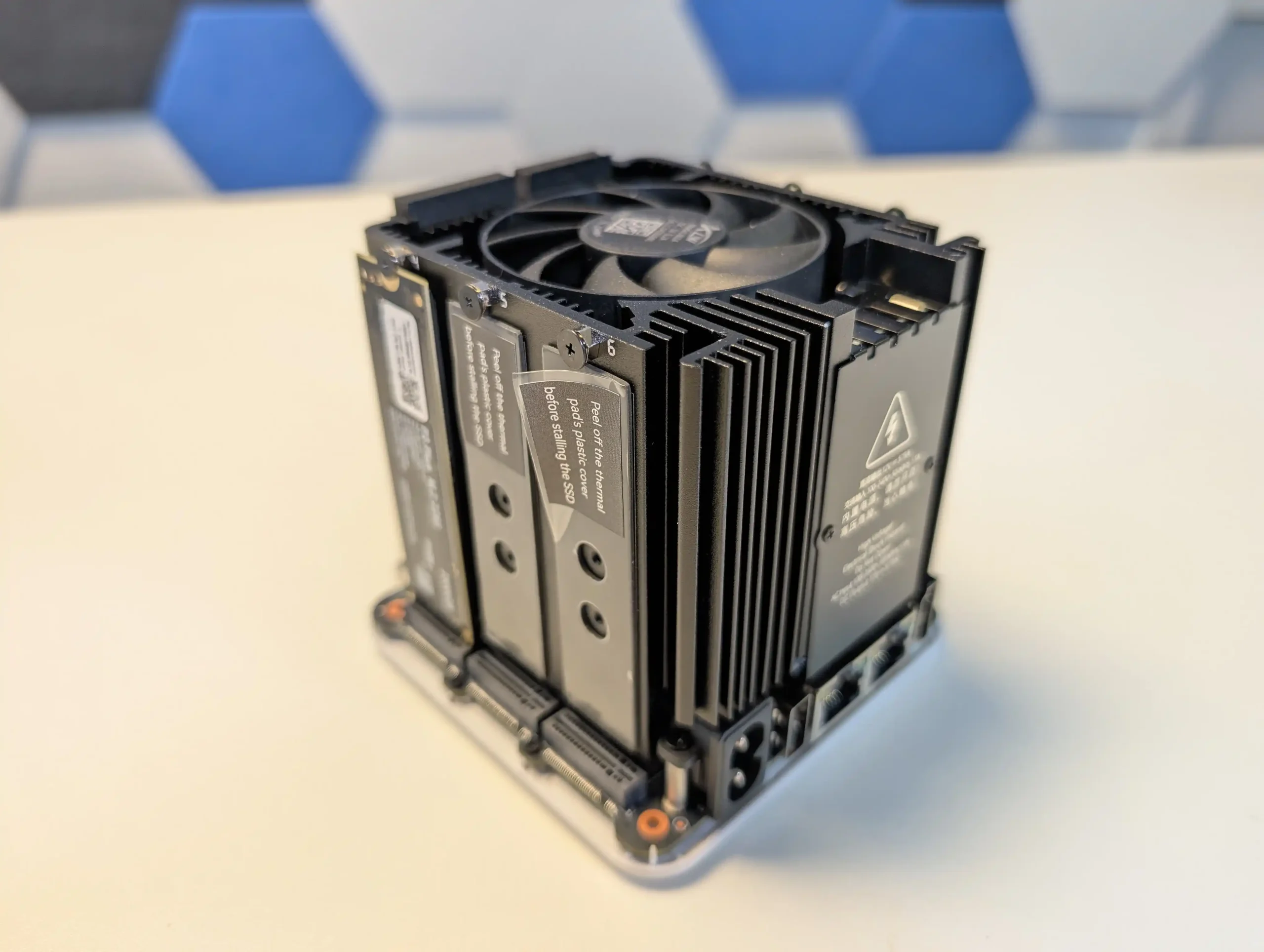
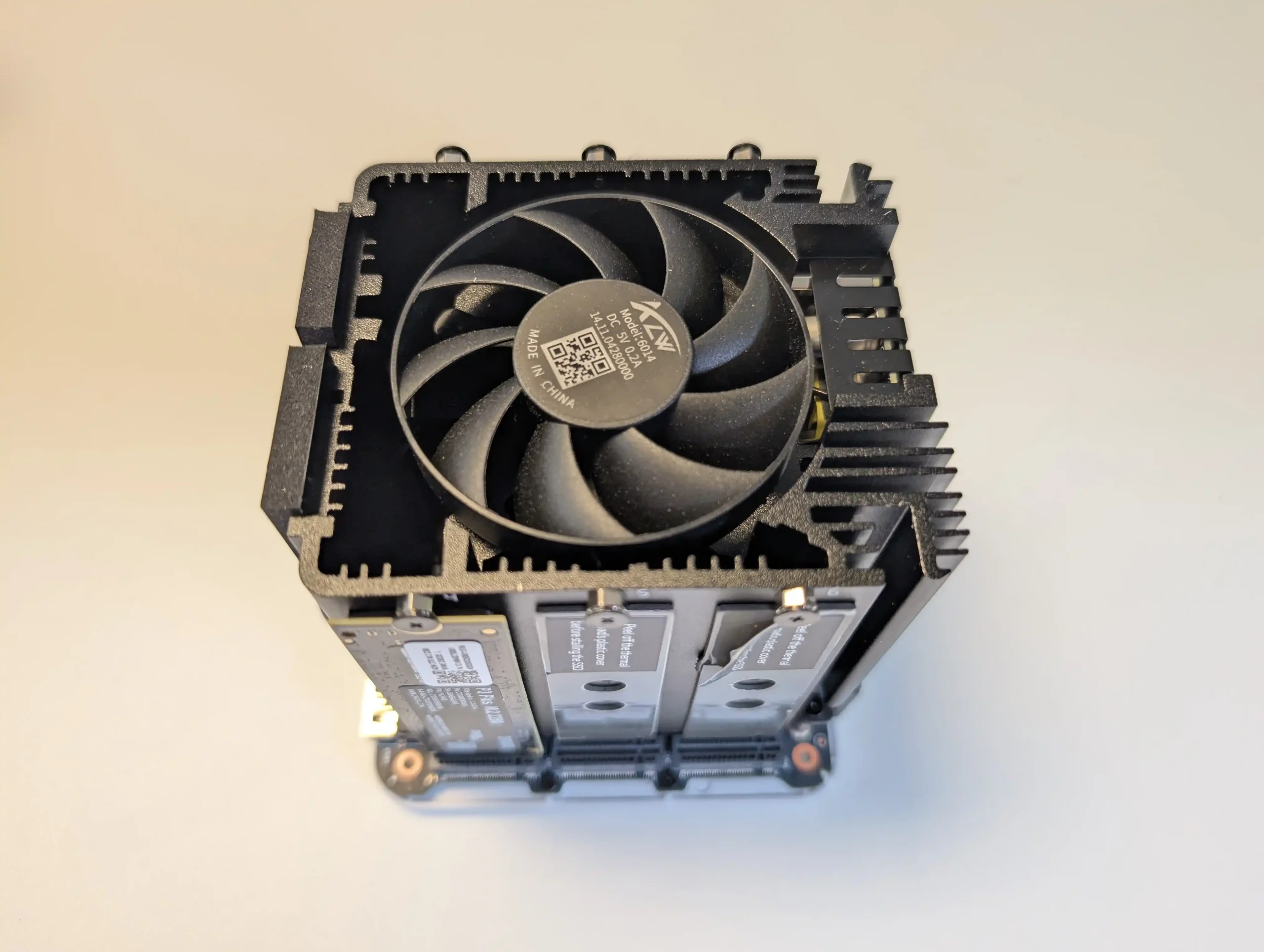
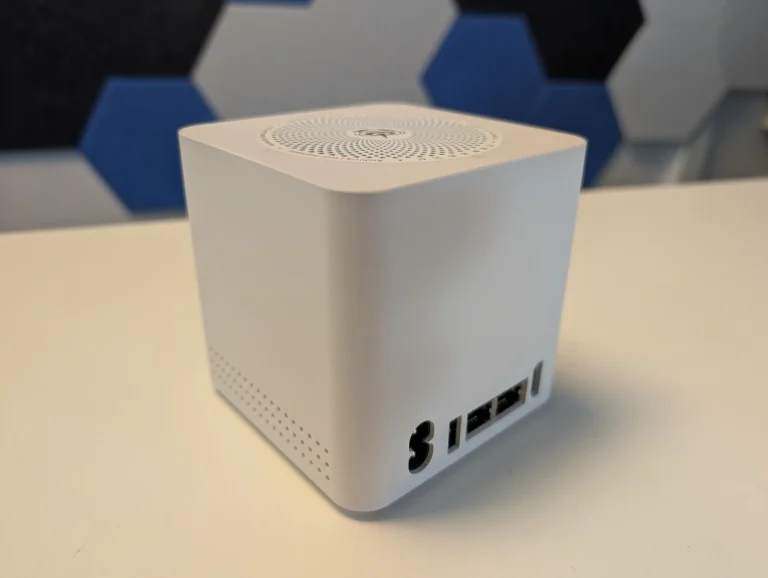
SPECS: Intel N150 quad core up to 3.6 GHz – 12 GB LPDDR5 (16 GB variants available) – 6 x M.2 SSD slots (1 preinstalled 2 TB PCIe 3.0 x2, 5 user accessible PCIe 3.0 x1) plus 64 GB eMMC – dual 2.5 GbE RJ45.
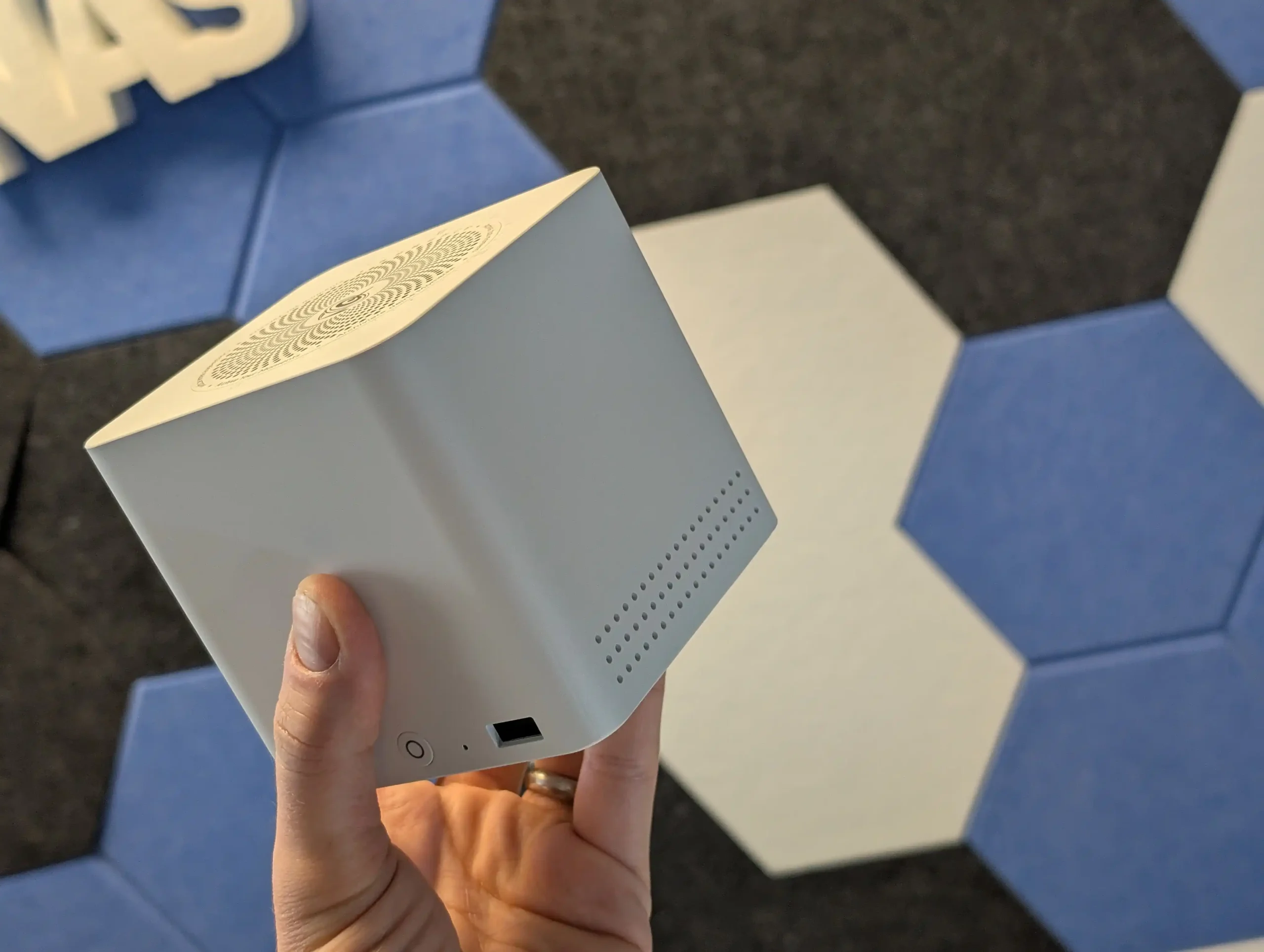
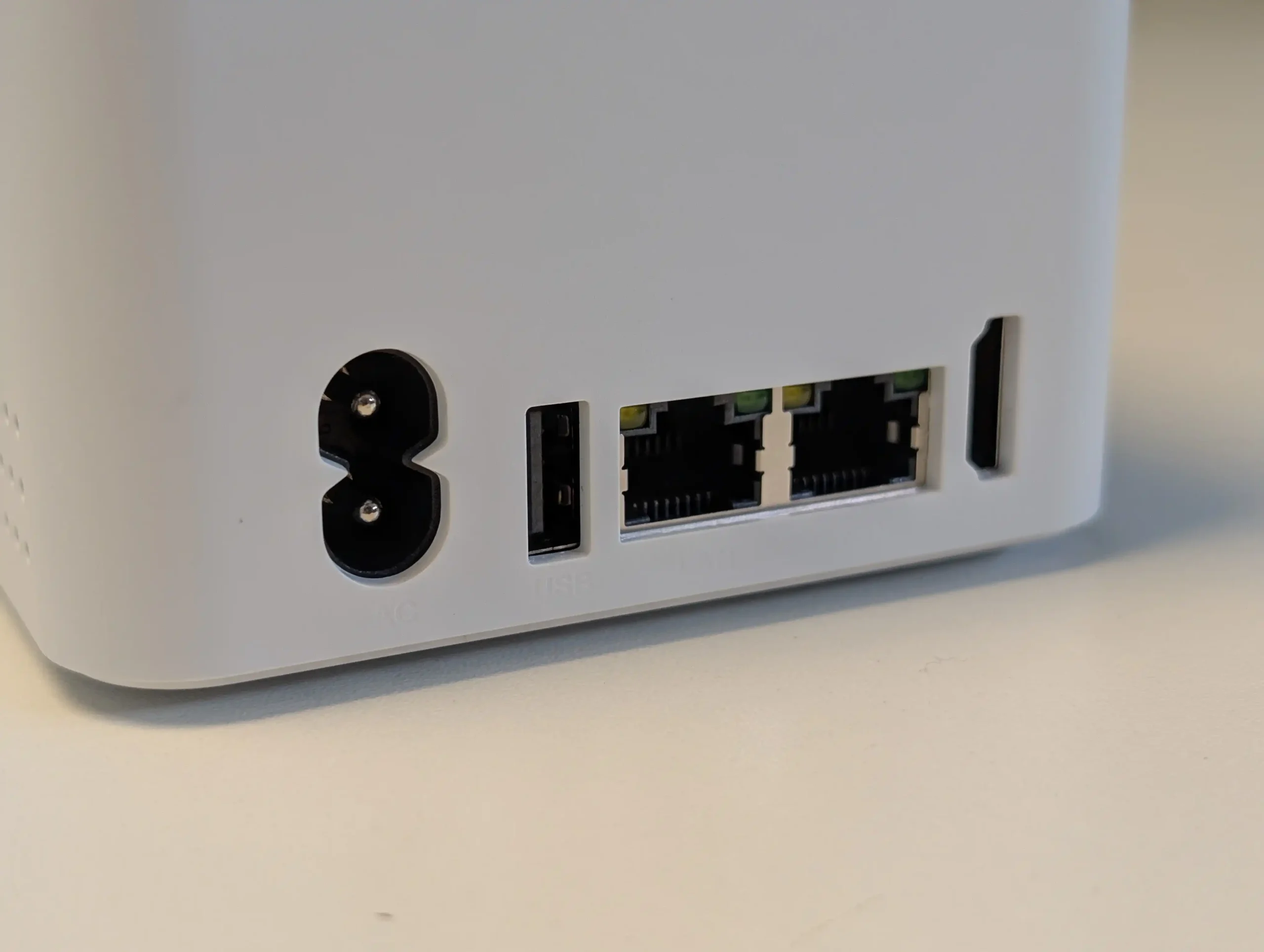
The ME Mini replaces conventional 3.5″ or 2.5″ bays with 6 M.2 sockets, one wired as a PCIe 3.0 x2 system drive and 5 as PCIe 3.0 x1, giving up to 24 TB of all flash capacity in a 99 mm cube chassis when populated with current 4 TB modules. Because there is no SATA backplane, any RAID is provided by the chosen OS or software layer, whether that is a Linux distribution, ZFS based platform or a dedicated NAS operating system installed in place of the default Windows image. From a power and thermal standpoint, the combination of an 8 to 10 W class Intel N150 and low voltage NVMe SSDs keeps system draw relatively low compared with multi bay HDD units, while still allowing the dual 2.5 GbE ports to be used effectively for small sequential workloads and many concurrent small reads. In practical terms this makes the ME Mini a compact all flash alternative to 4 or 5 bay HDD chassis for users willing to handle their own OS choice, trading spinning disk capacity and native RAID controls for high IOPS, small physical footprint and lower acoustic impact.
 |
 |
What we said in our June ’25 Review HERE:
The Beelink ME Mini NAS delivers an uncommon blend of size, functionality, and efficiency in a market segment often dominated by larger, louder, and less integrated alternatives. It is not designed to compete with traditional enterprise-grade NAS devices or modular, scalable solutions for prosumers. Instead, its strengths lie in targeting the needs of home users who want a quiet, energy-efficient storage solution that is easy to deploy, aesthetically unobtrusive, and capable of handling daily tasks such as media streaming, file backup, or soft routing. The inclusion of six M.2 NVMe SSD slots—paired with a Gen 3 x2 system slot—offers a rare level of expansion in such a small enclosure. The integration of an internal PSU, silent fan-assisted cooling, and a surprisingly effective thermal design are thoughtful touches that differentiate it from the majority of DIY NAS mini PCs.
 |
 |
That said, it is not without limitations. The memory is non-upgradable, thermal accumulation at the base suggests room for improvement, and bandwidth ceilings imposed by Gen 3 x1 lanes will constrain users who demand high parallel throughput. Still, for its price point—particularly when pre-order discounts are applied—the ME Mini offers significant value, especially when compared to ARM-based NAS solutions with similar or lower specifications. With bundled Crucial SSD options and support for a wide range of NAS operating systems, it positions itself as a ready-to-go platform for tech-savvy users wanting to avoid the assembly of a fully DIY system. Overall, while not a product for every use case, the Beelink ME Mini succeeds in its aim to be a compact, stylish, and capable home NAS.
 BUILD QUALITY - 9/10
HARDWARE - 8/10PERFORMANCE - 8/10PRICE - 9/10VALUE - 10/10
BUILD QUALITY - 9/10
HARDWARE - 8/10PERFORMANCE - 8/10PRICE - 9/10VALUE - 10/10
8.8
PROS
Compact cube design (99x99x99mm) ideal for discreet home deploymentSupports up to 6x M.2 NVMe SSDs with total capacity up to 24TBIntegrated PSU eliminates bulky external power adaptersDual 2.5GbE LAN ports with link aggregation supportWi-Fi 6 and UnRAID7 Support means not limited to 2x2.5GLow power consumption (as low as 6.9W idle, ~30W peak with full load)Silent fan and effective internal thermal management via large heatsinkIncludes Crucial-branded SSDs in pre-configured options for reliability
CONS
Five of the six SSD slots are limited to PCIe Gen 3 x1 bandwidthMemory is soldered and non-upgradableNot 10GbE Upgradable (maybe m.2 adapter - messy)Bottom panel retains heat due to lack of active ventilation
|
Check Amazon in Your Region for the Beelink ME Mini NAS ($329 4/6)
|
Check AliExpress for the Beelink ME Mini NAS ($344 4/6)
|
Check the Official Beelink Site for the ME Mini NAS ($209 4/6)
|
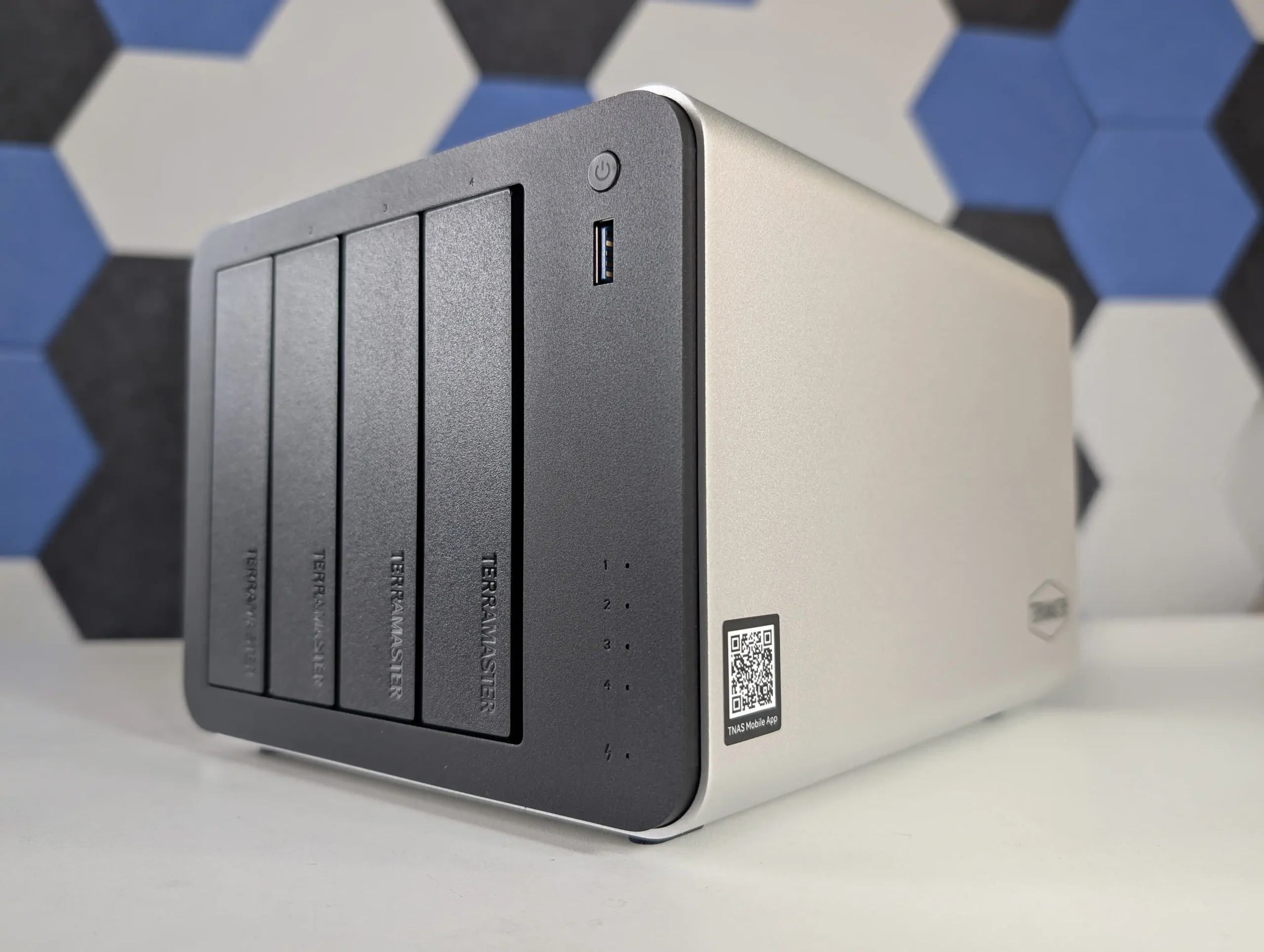
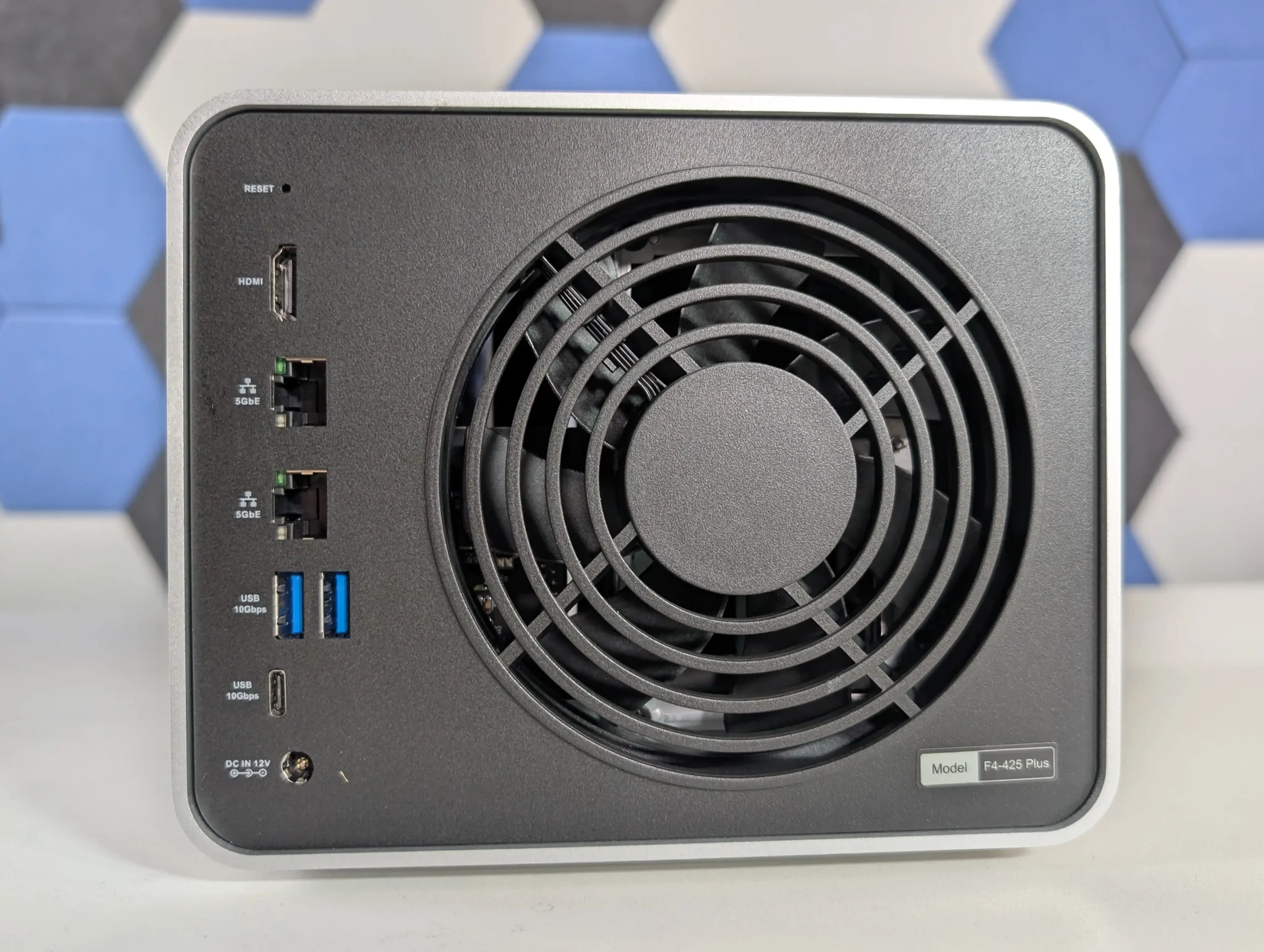
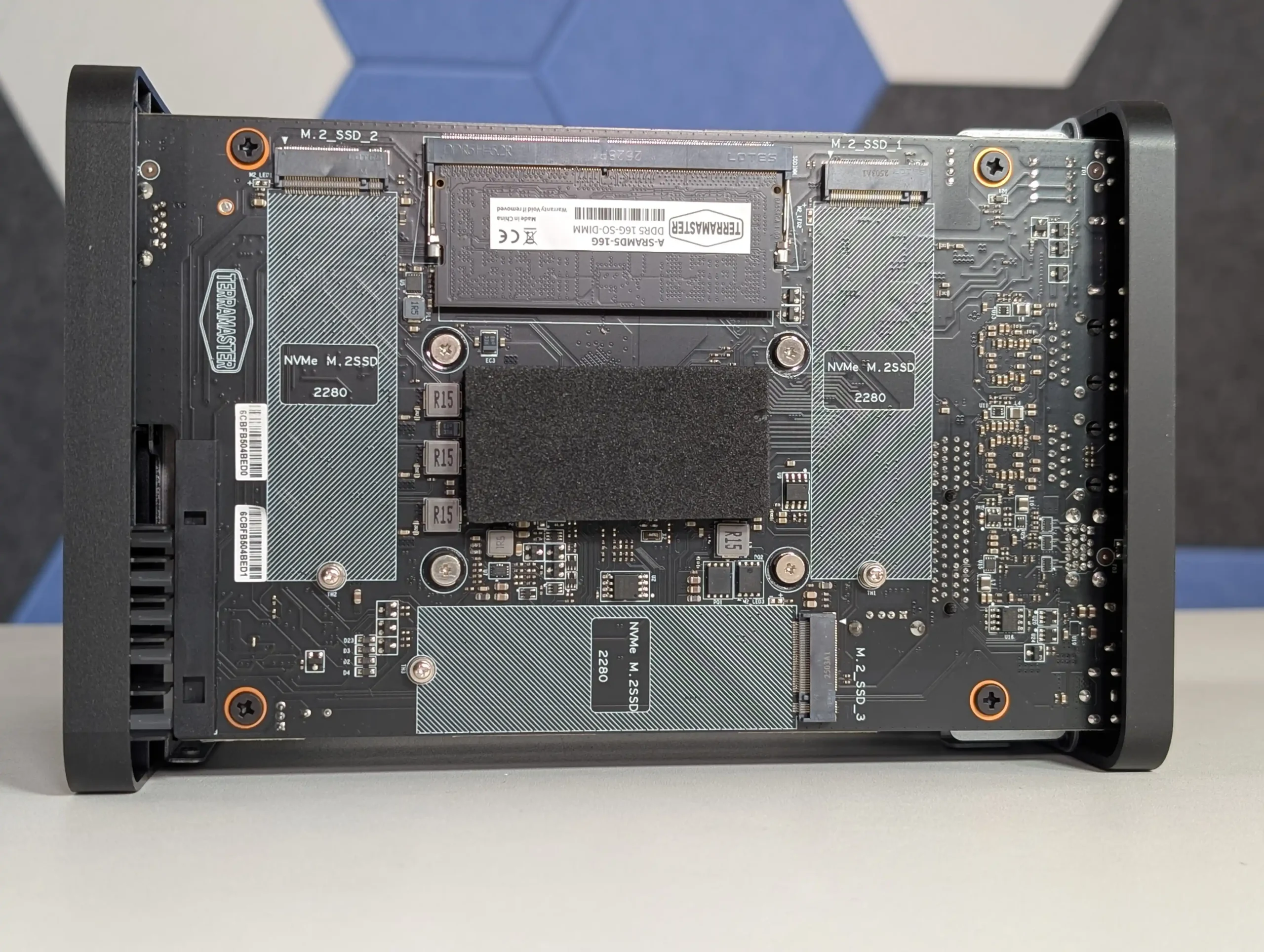
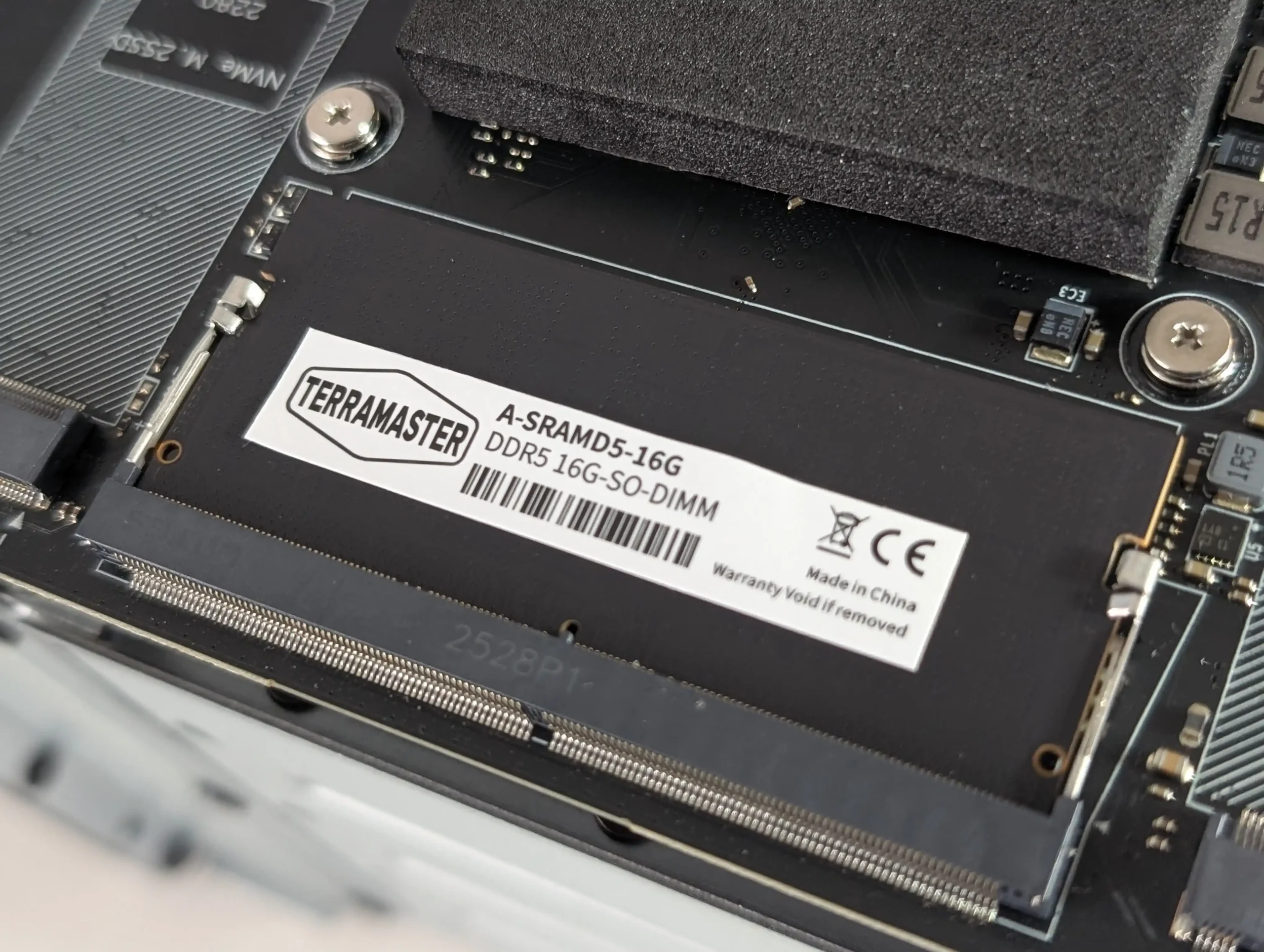
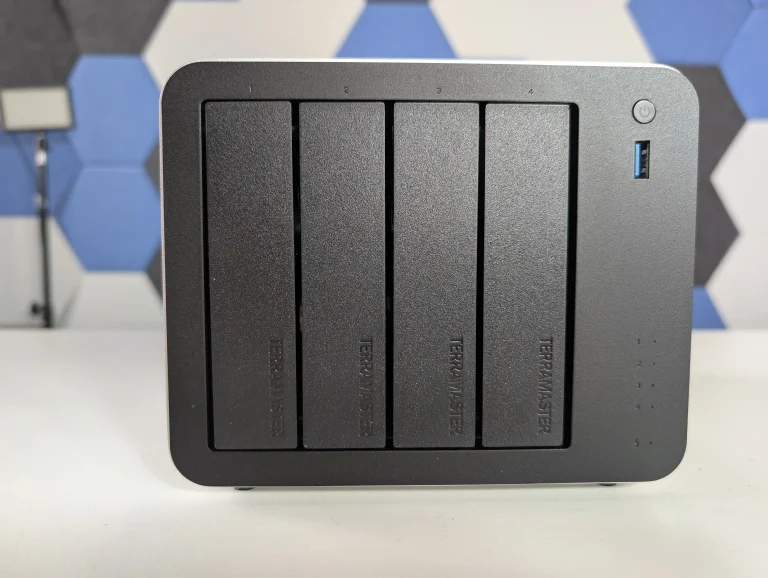
SPECS: Intel N150 quad core up to 3.6 GHz – 16 GB DDR5 (1 slot, up to 32 GB) – 4 x 3.5″/2.5″ SATA bays – 2 x 5 GbE RJ45 – 3 x M.2 2280 NVMe PCIe 3.0 x1 slots.
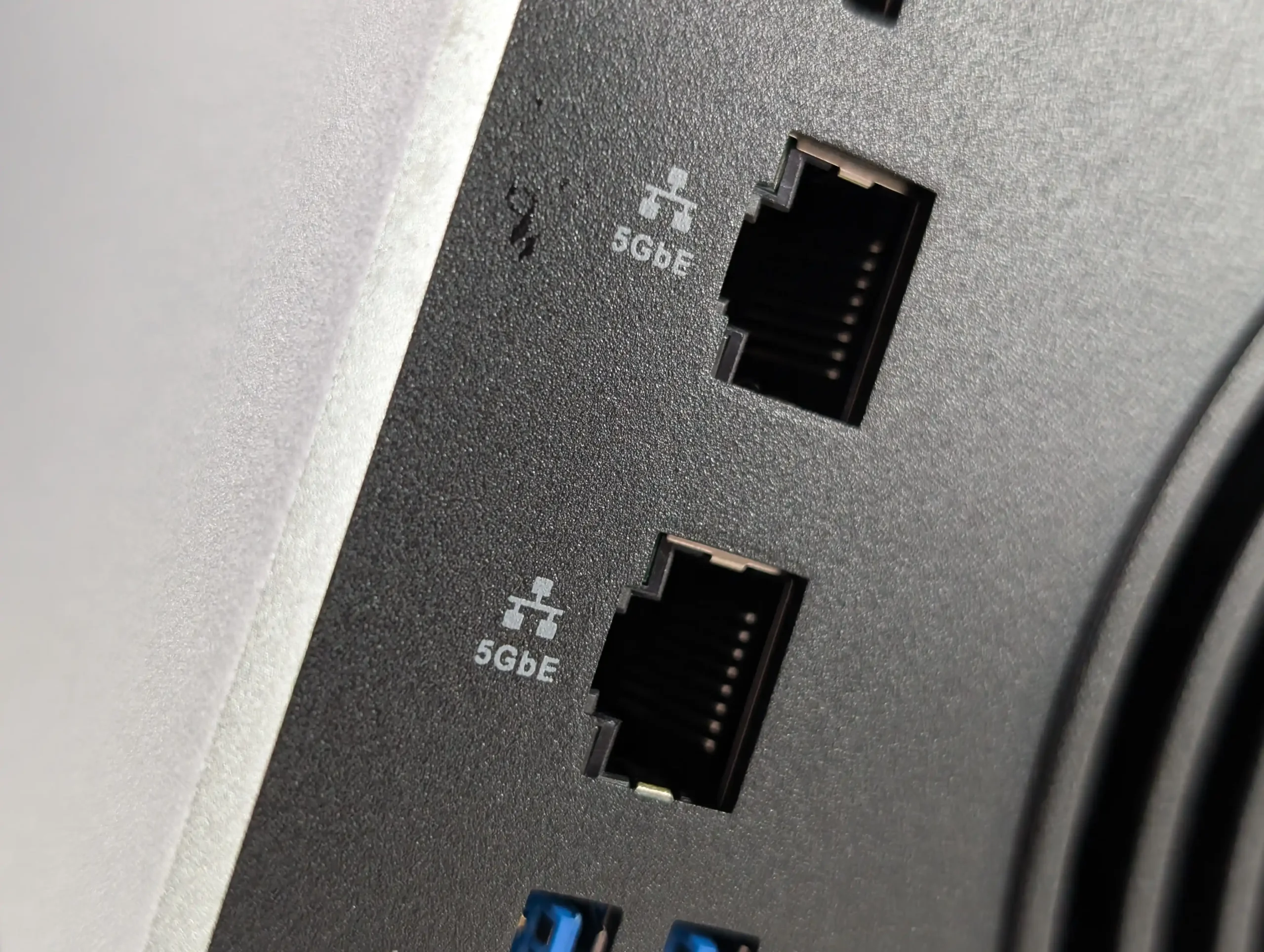
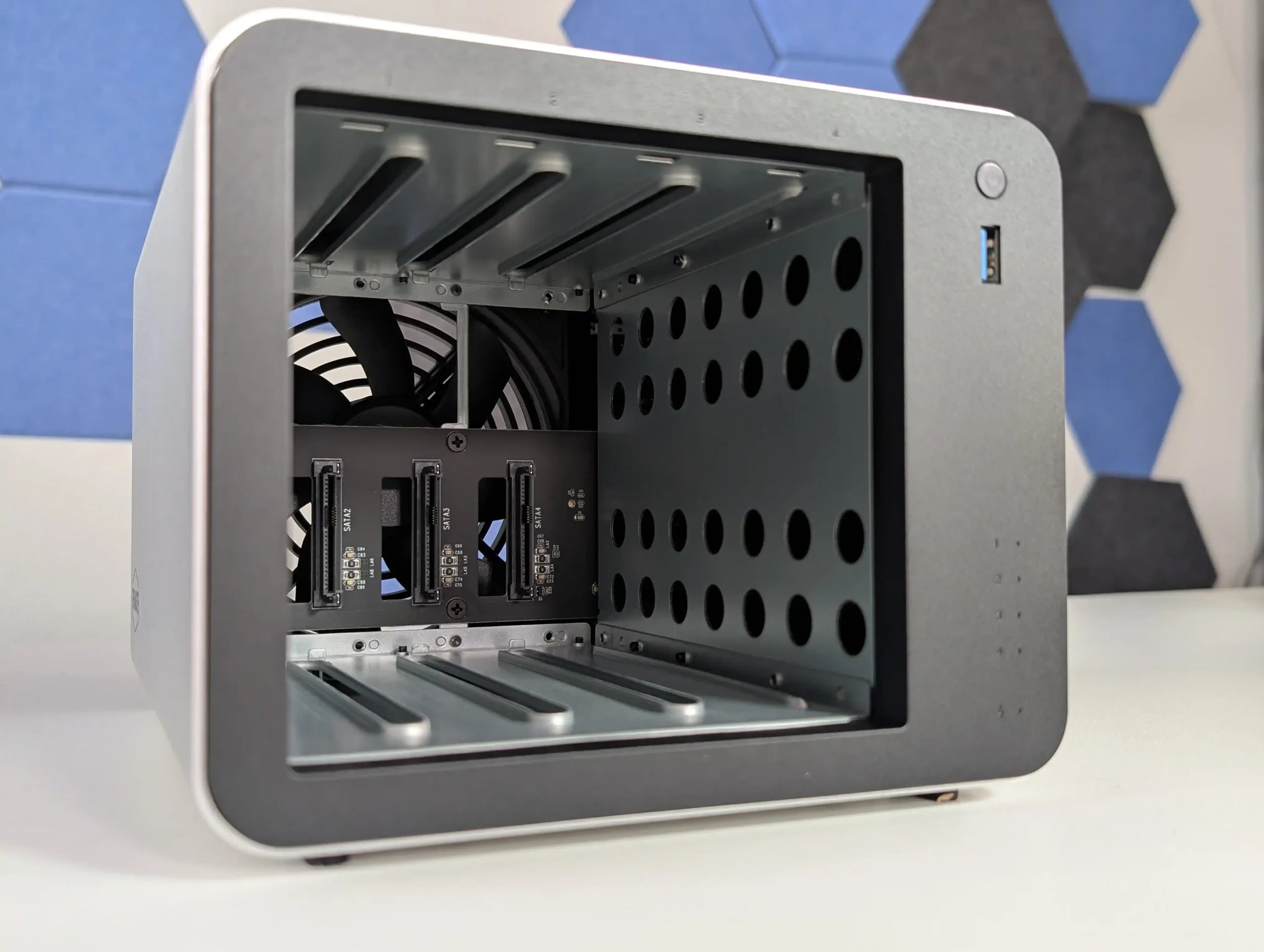
The F4-425 Plus is built as a hybrid 4 bay chassis with 3 additional M.2 NVMe slots, allowing a mixed layout where HDDs hold bulk data in conventional RAID while SSDs are used for cache or as separate RAID 5 or RAID 1 pools. TerraMaster quotes support for up to 120 TB on the 4 SATA bays plus up to 24 TB across the 3 M.2 sockets, and TOS 6 can treat the SSDs as either acceleration for HDD arrays or discrete volumes for latency sensitive workloads. The dual 5 GbE ports give a potential aggregated 10 Gb link that better aligns with SSD capable throughput than 1 GbE or single 2.5 GbE designs, while the N150 CPU and 16 GB DDR5 memory are sized for small office backup, virtualisation light use and multi user file serving rather than heavy compute tasks. From a RAID planning perspective the device suits scenarios where a 4 disk RAID 5 or RAID 6 on large SATA drives is combined with SSD based scratch or application volumes, without moving to a physically larger 6 or 8 bay enclosure.
 |
 |
What we said in our October 2025 Review:
The TerraMaster F4-425 Plus demonstrates how far the company’s mid-range NAS lineup has progressed in terms of hardware refinement and real-world usability. By combining Intel’s efficient N150 processor with 16GB of DDR5 memory, dual 5GbE connectivity, and triple M.2 NVMe slots, it provides a specification normally reserved for higher-priced units. The build quality, centered around a full-metal chassis and quiet cooling design, contributes to consistent thermals and low power usage even under multi-day workloads. While the design omits premium touches like drive locks or redundant fans, the emphasis on practicality and efficient cooling makes it a dependable solution for continuous operation. From a user experience perspective, the integration of TOS 6 represents TerraMaster’s most stable and capable operating system to date, offering improved security features, cloud synchronization tools, snapshot management, and flexible storage configurations that appeal to both home and small office users.
 |
 |
From a value standpoint, the F4-425 Plus stands out as one of the most competitively priced NAS units in its category. At $569.99, or $484.99 during the initial discount period, it delivers strong network and storage performance that aligns closely with rivals from Synology and QNAP while retaining open installation flexibility for third-party platforms such as Unraid or TrueNAS. Its combination of high-speed connectivity, compact design, and mature software environment makes it an appealing option for anyone seeking a 4-bay system capable of multitasking across media streaming, data backup, and light virtualization. Although it cannot fully match the polish of Synology DSM or the plugin ecosystem of QNAP QTS, TerraMaster has successfully positioned this device as a bridge between affordability and professional performance, solidifying its place as one of the more balanced NAS releases of 2025.
 |
 |
| Amazon in Your Region for the Terramaster F4-425 plus NAS @ $569 ($489.99 till 19th Nov) | Terramaster F4-425 PLUS – $569 | B&H for the Terramaster F4-425 plus NAS @ $569.99 |
|
 |
|
 SOFTWARE - 7/10
HARDWARE - 9/10PERFORMANCE - 8/10PRICE - 9/10VALUE - 10/10
SOFTWARE - 7/10
HARDWARE - 9/10PERFORMANCE - 8/10PRICE - 9/10VALUE - 10/10
8.6
PROS
• Dual 5GbE network ports with full independent bandwidth for high-speed transfers + lots of USB-to-5GbE $30 upgrades in the market now• Three PCIe 3.0 x1 M.2 NVMe slots supporting cache or storage pool configurations• Intel N150 processor with integrated graphics enabling 4K hardware decoding and AES-NI encryption• 16GB DDR5 memory (expandable to 32GB) offering improved bandwidth and multitasking performance• Full-metal chassis with efficient thermals, low noise levels, and minimal vibration• Comprehensive RAID and storage management through TOS 6 with snapshot and HyperLock-WORM protection• Supports Docker, virtual machines, Plex, Emby, and Jellyfin natively within TOS 6• Competitive pricing with strong value relative to Synology and QNAP alternatives
CONS
• Cheaper N150 NAS Systems have arrived earlier in 2025• 5GbE adoption is low, so only larger 10GbE ready groups (via auto-negotiation) will enjoy the benefits of 5GbE• TOS 6 interface and app ecosystem remain less polished than top-tier NAS platforms
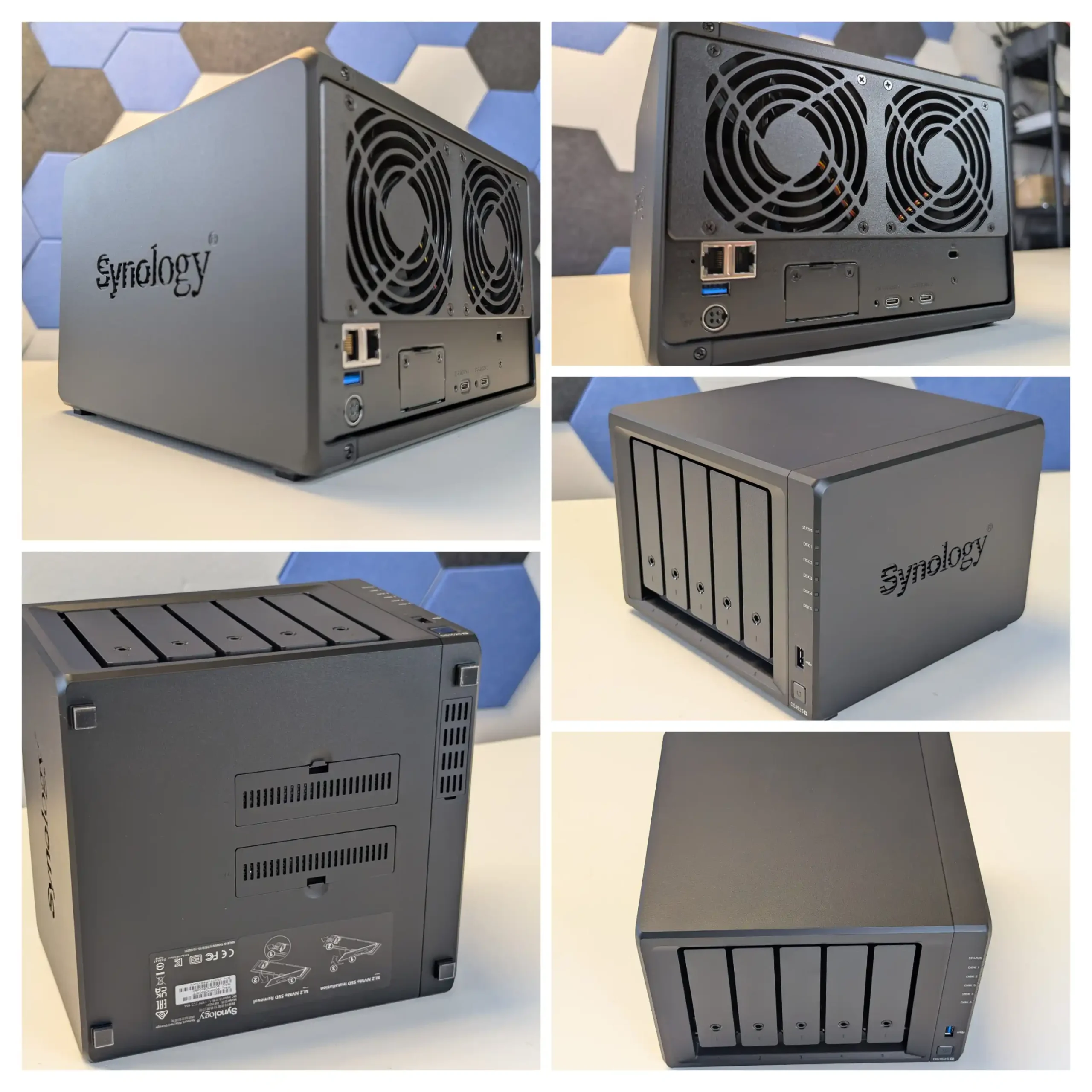
SPECS: AMD Ryzen V1500B quad core 2.2 GHz – 8 GB DDR4 ECC (2 slots, up to 32 GB) – 5 x 3.5″/2.5″ SATA bays – 2 x 2.5 GbE RJ45 – 2 x M.2 2280 NVMe slots plus 1 x PCIe 3.0 x2 expansion slot.
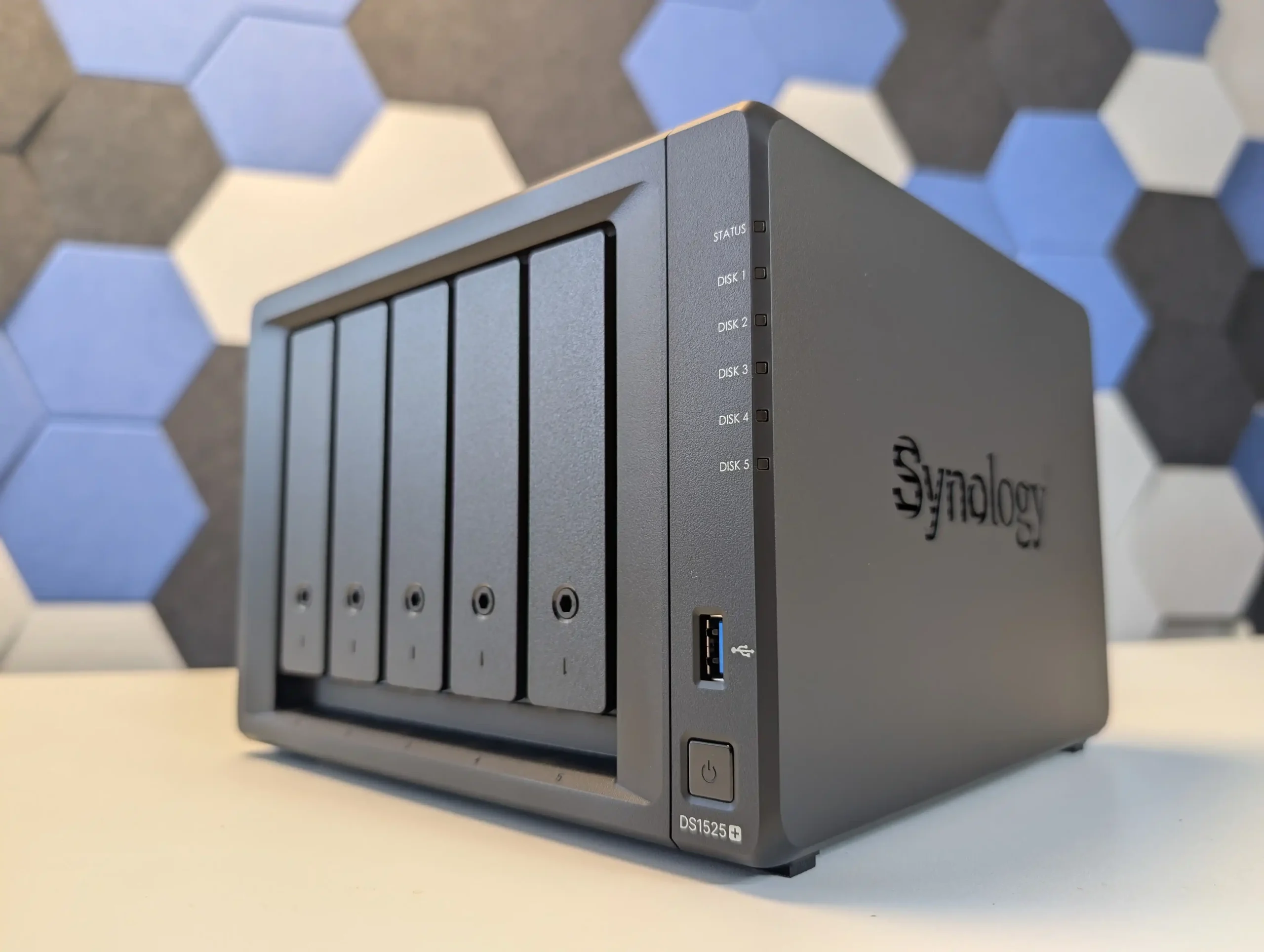
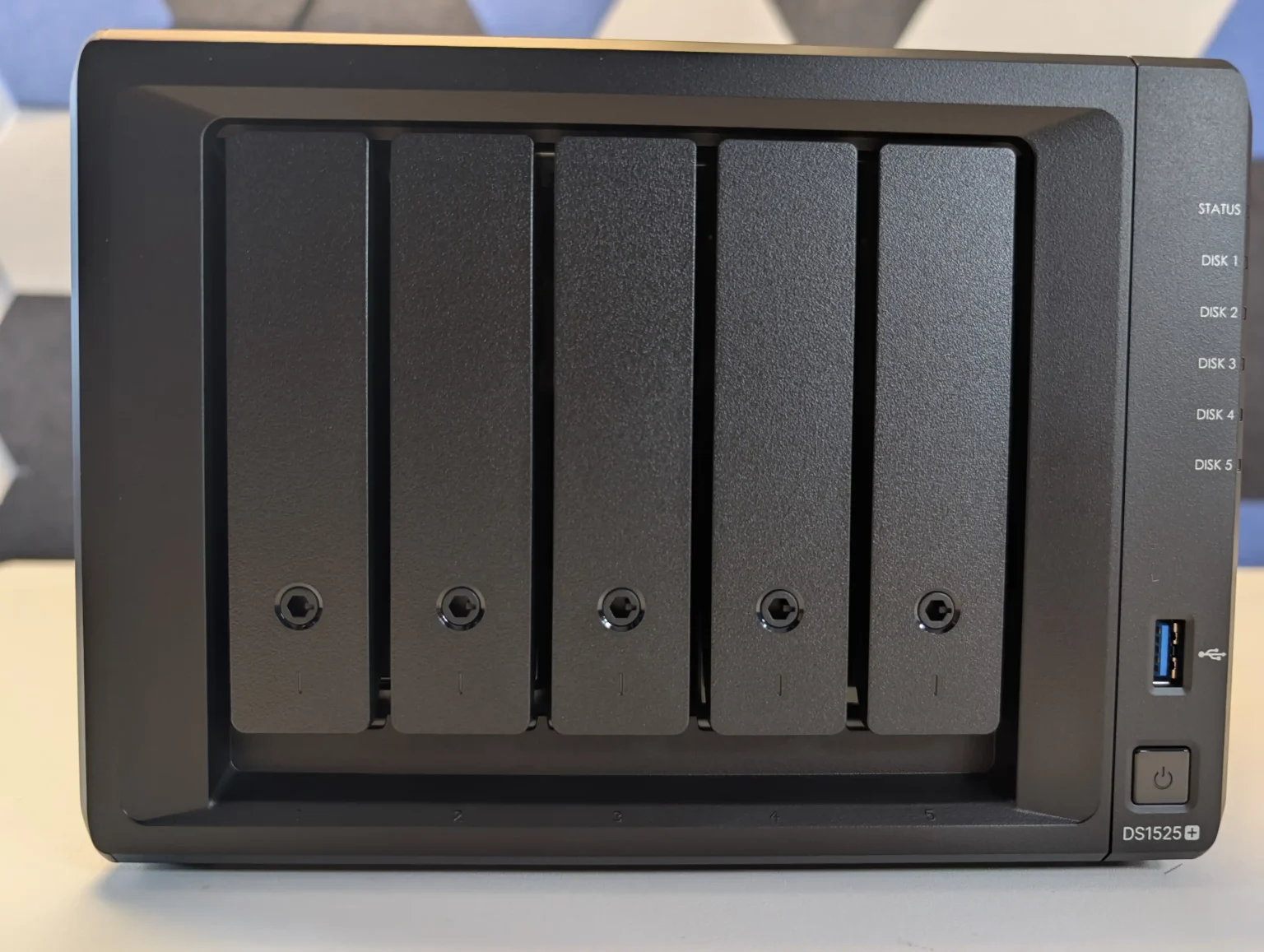
The DS1525+ follows Synology’s typical pattern of putting all primary capacity on 5 hot swap SATA bays while reserving 2 internal M.2 slots for NVMe SSDs used as cache or, in some scenarios, as separate pools under DSM. Raw capacity on the main bays is specified around 100 TB, and with 2 supported DX525 expansion units the platform can scale to 15 drives and roughly 300 TB, giving it more growth headroom than most standalone 4 or 5 bay devices. DSM prefers Synology certified NVMe modules for cache, and the typical deployment is therefore a RAID 5 or RAID 6 array on the 5 SATA disks with SSD cache accelerating small random access workloads such as virtual machines, databases or heavy Synology Drive usage. The Ryzen V1500B and ECC memory are adequate for that role and integrate with DSM features like Btrfs snapshots, Active Backup Suite and Virtual Machine Manager, but they do not drive NVMe storage as a primary all flash tier in the way more other NAS brands do (i.e you can only use them for caching, or limited ‘synology only SSD’ use for pools to comparatively lower performance than most). The result is a system where the storage design is conservative but predictable, emphasising SATA RAID resilience and cache-assisted responsiveness rather than radical hybrid layouts, backed by a mature software stack.
What we said in our July 2025 Review:
The Synology DS1525+ is a capable and well built NAS that continues the company’s focus on dependable performance, solid build quality and very tight integration with DSM, which is the main justification for choosing this platform over more open hardware from other vendors. Its compact 5 bay design, quiet operation and scalable storage make it suitable for small offices, creative studios and prosumers who want a single system to handle file serving, backup and light virtualisation. The inclusion of a server grade Ryzen V1500B CPU and ECC memory support provides predictable performance for DSM services such as Synology Drive, Synology Office, Virtual Machine Manager and Surveillance Station, while the dual M.2 slots and PCIe expansion give enough headroom for cache and 10 GbE upgrades. DSM itself remains the central strength: Btrfs based volumes with snapshots, Active Backup Suite for Windows, Linux and SaaS workloads, integrated directory and access control, and relatively polished mobile and web clients mean that much of the day to day administration, recovery and user management can be handled inside a single, consistent interface rather than across multiple third party tools.
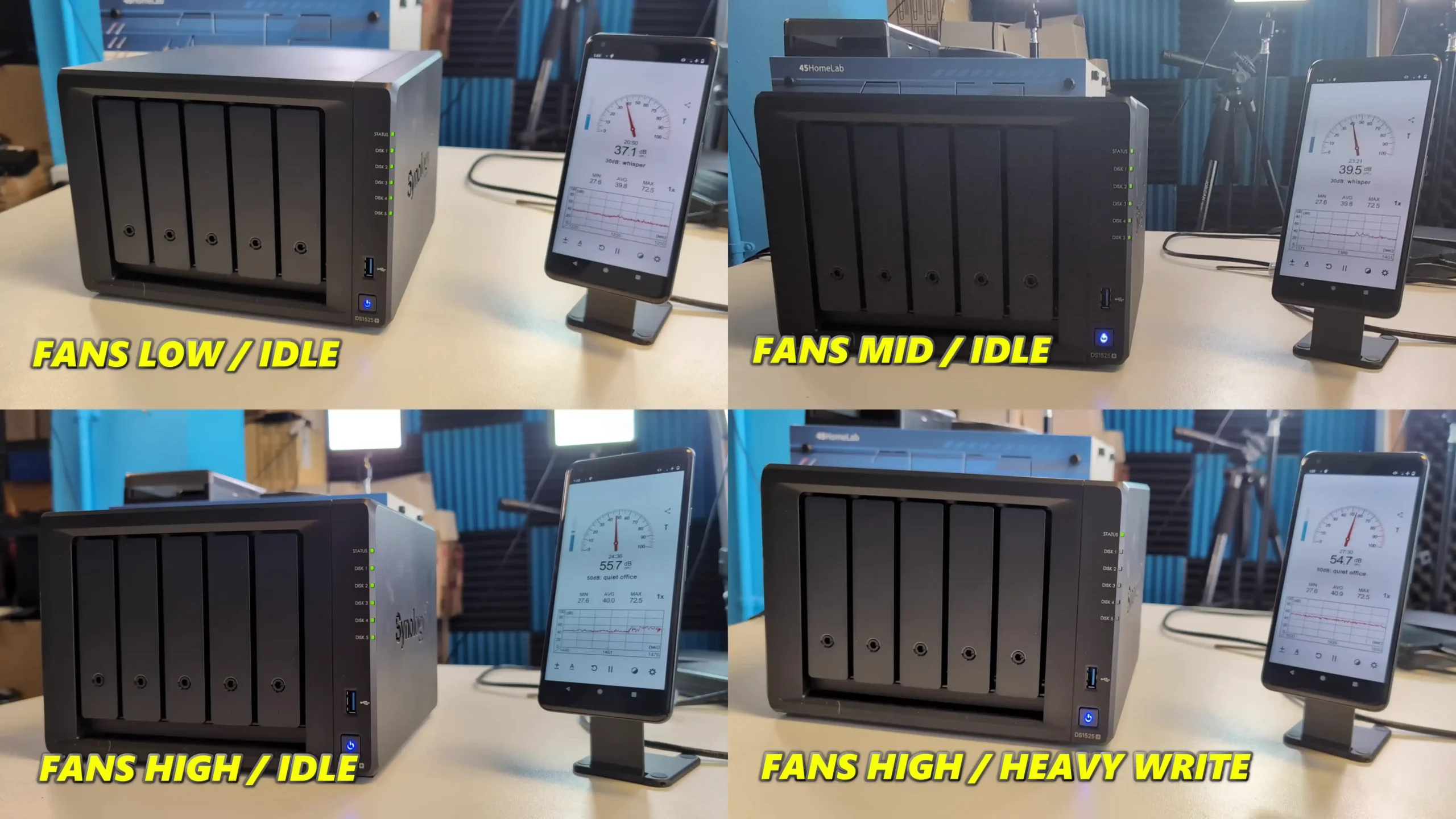
More importantly for many buyers, Synology’s 2025 Plus series, including the DS1525+, now fully supports third party hard drives without on screen warnings or functional restrictions, which removes a major concern from earlier policies and restores flexibility for users reusing existing disks or mixing capacities and brands under DSM’s storage manager. By contrast, M.2 SSD support remains locked to Synology’s own validated modules, so NVMe upgrades for DSM cache or SSD pools still carry a vendor premium and limit hardware choice. The switch from four 1 GbE ports to two 2.5 GbE ports trades some port level redundancy for higher per port bandwidth and may require compatible switches to realise the benefit, but DSM can aggregate links, shape traffic and expose detailed monitoring from within its own interface.
In practice the DS1525+ suits users who prioritise DSM’s software maturity, integrated backup and collaboration stack and the relative simplicity of a managed ecosystem over maximum hardware openness; for those who want unrestricted NVMe choices or the highest raw performance per dollar, more generic x86 systems with looser SSD validation may be a better fit.
|
Amazon in Your Region for the Synology DS1525+ NAS @ $799
|
B&H for the Synology DS1525+ NAS @ $1149.99
|
 SOFTWARE - 10/10
HARDWARE - 6/10PERFORMANCE - 7/10PRICE - 7/10VALUE - 6/10
SOFTWARE - 10/10
HARDWARE - 6/10PERFORMANCE - 7/10PRICE - 7/10VALUE - 6/10

7.2
PROS
Compact and quiet 5-bay design with support for 15 drives totalDual 2.5GbE ports with aggregation and optional 10GbE upgradeECC memory support with upgradable capacity up to 32 GBHot-swappable drive bays and tool-free tray designIntegrated M.2 NVMe slots for caching or storage pools are easy to access, tooless and uncomplicated to deployExcellent DSM software suite with extensive featuresStable performance under multi-user and virtualized workloadsEfficient cooling with low noise levels in office environments
CONS
Huge limitations on the choice of HDD and SSD Media you can use on this systemUSB ports limited to basic storage/UPS functionalityM.2 NVMe performance has limited scope in current configuration and support
Taken together, the Minisforum N5, UGREEN DH4300 Plus, Beelink ME Mini, TerraMaster F4-425 Plus and Synology DS1525+ outline the main paths available in the 4,5 and 6 bay segment in 2025: high core count x86 with mixed SATA and NVMe for heavier workloads, low power ARM with straightforward 4 bay RAID for cost sensitive deployments, compact all flash designs where capacity scales through M.2 rather than 3.5 inch bays, hybrid chassis that combine 4 bay RAID with several SSD slots, and software led platforms where DSM’s feature set is the primary reason to buy. None of them is universally better than the others; the practical choice depends on whether the priority is raw HDD capacity in RAID 5 or RAID 6, a larger number of NVMe slots, lower power use, or tighter integration of backup, collaboration and virtualisation tools. For buyers who understand how they intend to balance SATA and NVMe storage over the next few years, these units set a useful reference point for what can realistically be expected from a modern 4,5 or 6 bay NAS without moving to larger rackmount or 8 bay hardware.
 SUBSCRIBE TO OUR NEWSLETTER
[contact-form-7]
 Join Inner Circle
Subscribe
This description contains links to Amazon. These links will take you to some of the products mentioned in today's content. As an Amazon Associate, I earn from qualifying purchases. Visit the NASCompares Deal Finder to find the best place to buy this device in your region, based on Service, Support and Reputation - Just Search for your NAS Drive in the Box Below
 Need Help?
Where possible (and where appropriate) please provide as much information about your requirements, as then I can arrange the best answer and solution to your needs. Do not worry about your e-mail address being required, it will NOT be used in a mailing list and will NOT be used in any way other than to respond to your enquiry.
[contact-form-7]
Need Help?
Where possible (and where appropriate) please provide as much information about your requirements, as then I can arrange the best answer and solution to your needs. Do not worry about your e-mail address being required, it will NOT be used in a mailing list and will NOT be used in any way other than to respond to your enquiry.
[contact-form-7]
 TRY CHAT
Terms and Conditions
TRY CHAT
Terms and Conditions
 Ko-fi or old school Paypal. Thanks!To find out more about how to support this advice service check HEREIf you need to fix or configure a NAS, check Fiver
Have you thought about helping others with your knowledge? Find Instructions Here
Ko-fi or old school Paypal. Thanks!To find out more about how to support this advice service check HEREIf you need to fix or configure a NAS, check Fiver
Have you thought about helping others with your knowledge? Find Instructions Here





|
 |