Vue lecture

Il y a de nouveaux articles disponibles, cliquez pour rafraîchir la page.

Gli.Net Comet 5G Review – The ‘ALL-IN’ KVM?

Gl.iNet Comet 5G Review – The ULTIMATE ALL-ACCESS KVM?

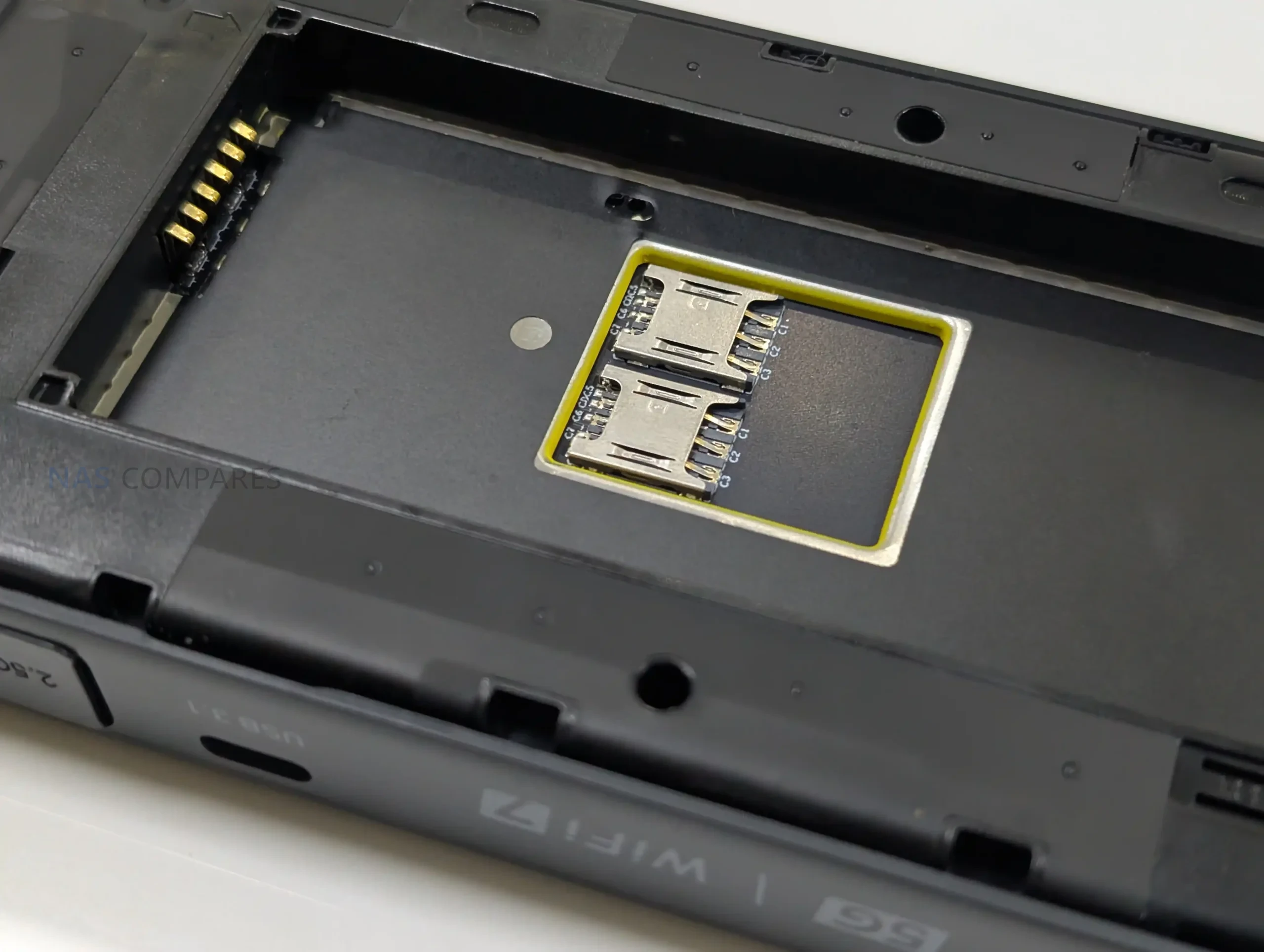
The GL.iNet Comet 5G is a remote KVM built to provide keyboard, video, and mouse control of a connected computer from power on through BIOS, rather than relying on a working operating system like traditional remote desktop tools. It accepts HDMI input from the host and offers HDMI passthrough so a local display can remain connected, with support up to 4K at 30 fps or 1080p at 60 fps, plus 2 way audio. Connectivity is where the Comet 5G differentiates itself most clearly in this product line: it can be managed over Gigabit Ethernet and Wi-Fi 6, but it also includes a nano SIM slot for 5G RedCap with 4G LTE fallback, intended for out of band access when the site network is down, segmented, or simply not trusted. It also supports a local AP mode that broadcasts its own wireless network for nearby management sessions without joining the surrounding LAN. In day to day use, the device is mainly aimed at remote maintenance tasks such as OS installs, recovery and imaging, BIOS changes, and support work on machines that lack built in management like iDRAC or iLO. Compared with the Comet Pro, it keeps the same general platform and interface approach, but adds the cellular path, the AP mode, a larger 3.69 in touchscreen, and 64 GB of eMMC storage for ISO and file staging. The key questions for a review are less about raw compute, since the core platform is similar to the Comet Pro, and more about whether the extra connectivity options, storage capacity, and on device usability justify its higher price for the way it will actually be deployed.

Gli.Net Comet 5G KVM Review – Quick Conclusion

The GL.iNet Comet 5G is essentially the Comet Pro style KVM experience with a stronger connectivity toolkit rather than a major jump in raw performance: you still get reliable BIOS level access, HDMI passthrough so a local screen can stay connected, and flexible access from a browser across different operating systems, but the main reason to choose it is the extra ways it can be reached when the local network is unavailable or not trusted. The nano SIM support (5G RedCap with 4G LTE fallback) gives an out of band route that can keep access available even when Ethernet or Wi-Fi are misconfigured, and the AP mode adds a direct nearby connection for quick point to point management without joining the site LAN, which can be genuinely useful in field work, segmented networks, or recovery situations. It also doubles the internal storage to 64 GB, which makes it easier to keep several ISO images and tools ready to mount remotely, and the larger 3.69 in touchscreen makes local setup and status checks less cramped. The trade offs are mostly about expectations: storage speeds remain modest, so uploading and copying large files is not fast; USB based storage expansion exists but is limited by USB 2.0, can require reboots, and drive compatibility is not always consistent; and while the device supports multiple paths and is marketed around failover, the current interface does not expose deep, router style controls for tuning how those paths behave. If you mostly run KVM over a stable wired or Wi-Fi network, the Comet Pro will usually cover the same core tasks for less money, but if you want a small KVM that gives you more options to regain access when networks are awkward or failing, the Comet 5G is the more complete tool as long as you accept the storage and configuration limitations.


SOFTWARE - 9/10
HARDWARE - 9/10
PERFORMANCE - 8/10
PRICE - 8/10
VALUE - 8/10


8.4
PROS
👍🏻Cellular out of band access via nano SIM (5G RedCap with 4G LTE fallback) adds a separate path when the site LAN is down or misconfigured
👍🏻Nearby Control via AP mode enables direct point to point access without joining the surrounding network, useful for local BIOS work and isolated environments
👍🏻HDMI passthrough plus capture keeps a local monitor active while still providing remote KVM access (up to 4K 30 fps, 1080p 60 fps)
👍🏻Browser based management and access works across Windows, macOS, and Linux without requiring a dedicated client
👍🏻64 GB eMMC provides more room for ISO images and utility files than the 32 GB model, reducing how often media needs to be rotated
👍🏻3.69 in touchscreen makes on device setup and status checks less cramped than smaller panel implementations
👍🏻Multiple remote access approaches are available (LAN, relay, and VPN style options like Tailscale and ZeroTier), allowing different trust and routing models
👍🏻Low complexity deployment with passive cooling and a small footprint makes it viable as a 24/7 appliance when powered independently
CONS
👎🏻Storage performance is modest, and remains closer to mid range eMMC speeds than fast removable storage
👎🏻External storage expansion has caveats, including USB 2.0 limits, possible reboots, and inconsistent compatibility depending on the USB drive and power draw
👎🏻Failover and cellular controls are not deeply tunable in the current UI, so users expecting router grade policy controls may find configuration limited

Buy the Gl.iNet KVM 5G from Amazon Below: Buy the Gl.iNet Comet KVM ($219) from the Official Store Below:

Gli.Net Comet 5G KVM Review – Design & Storage

The Comet 5G follows the same general design language as the Comet Pro, but it is physically larger and more deployment focused. It measures 128 × 93 × 33 mm and weighs 285 g, which makes it more of a bag sized tool than something that disappears behind a monitor without planning. The casing relies on passive ventilation rather than active cooling, and in normal use it is intended to be left running continuously, provided it is powered independently rather than from the host machine.

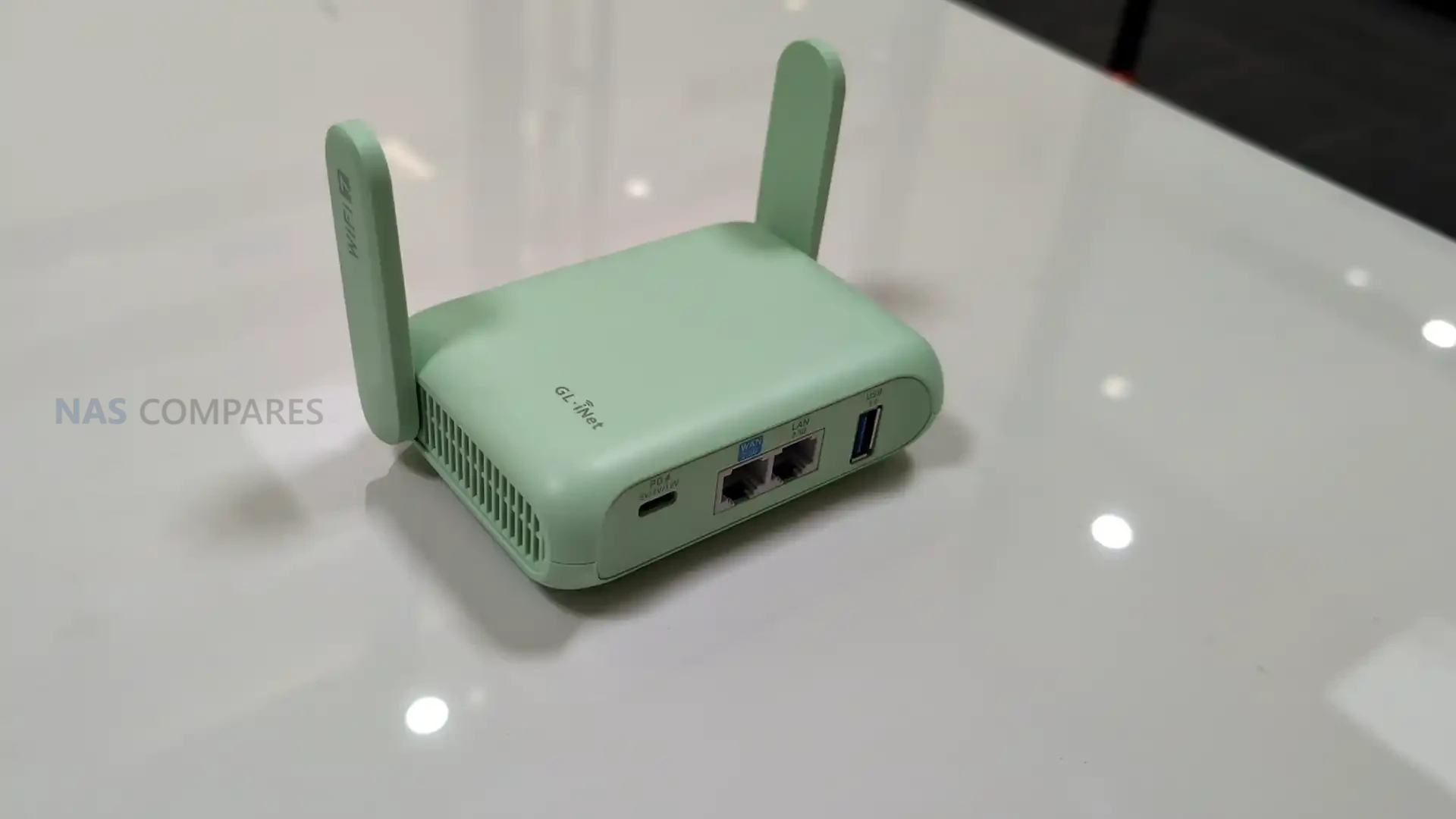
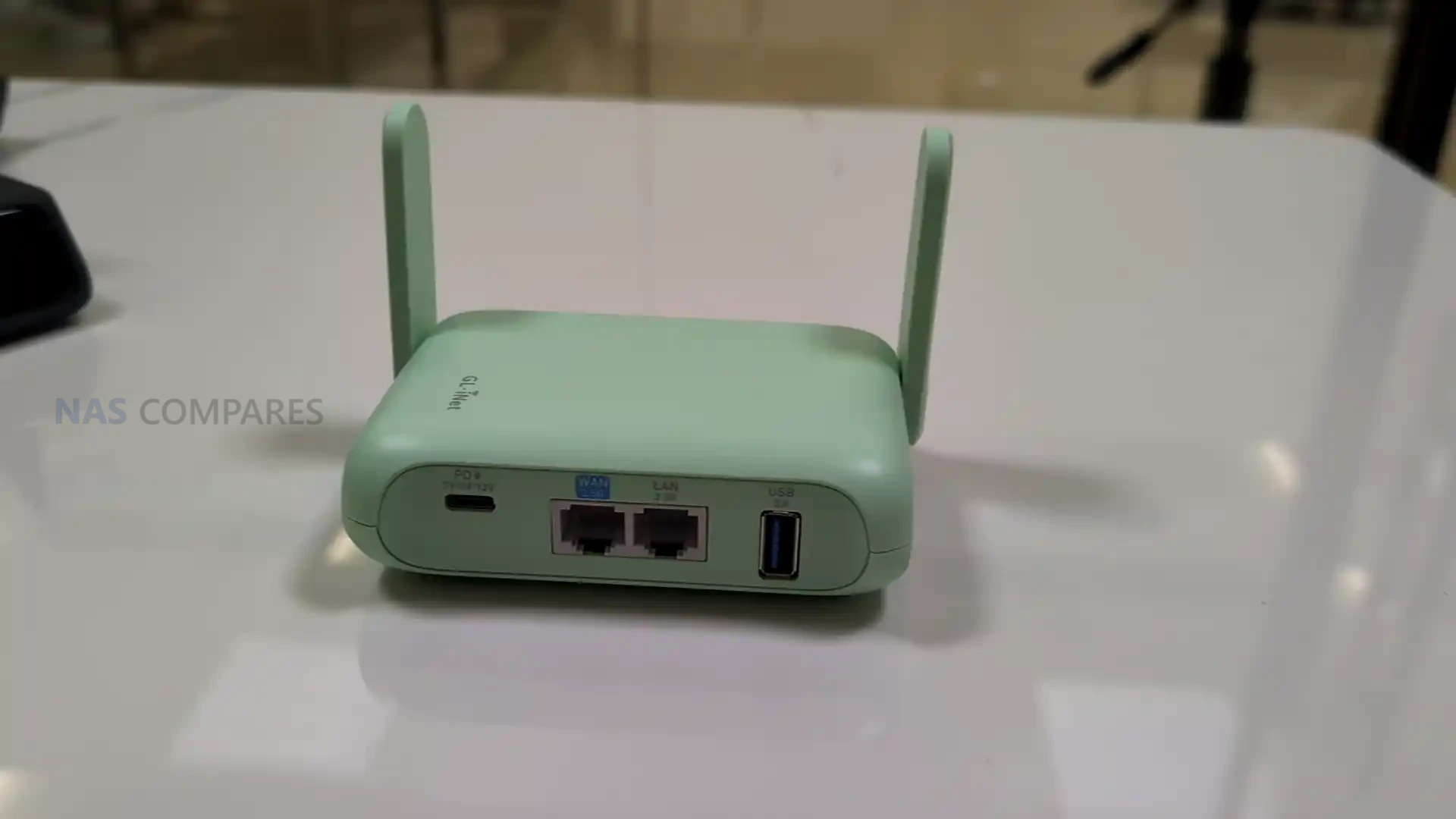
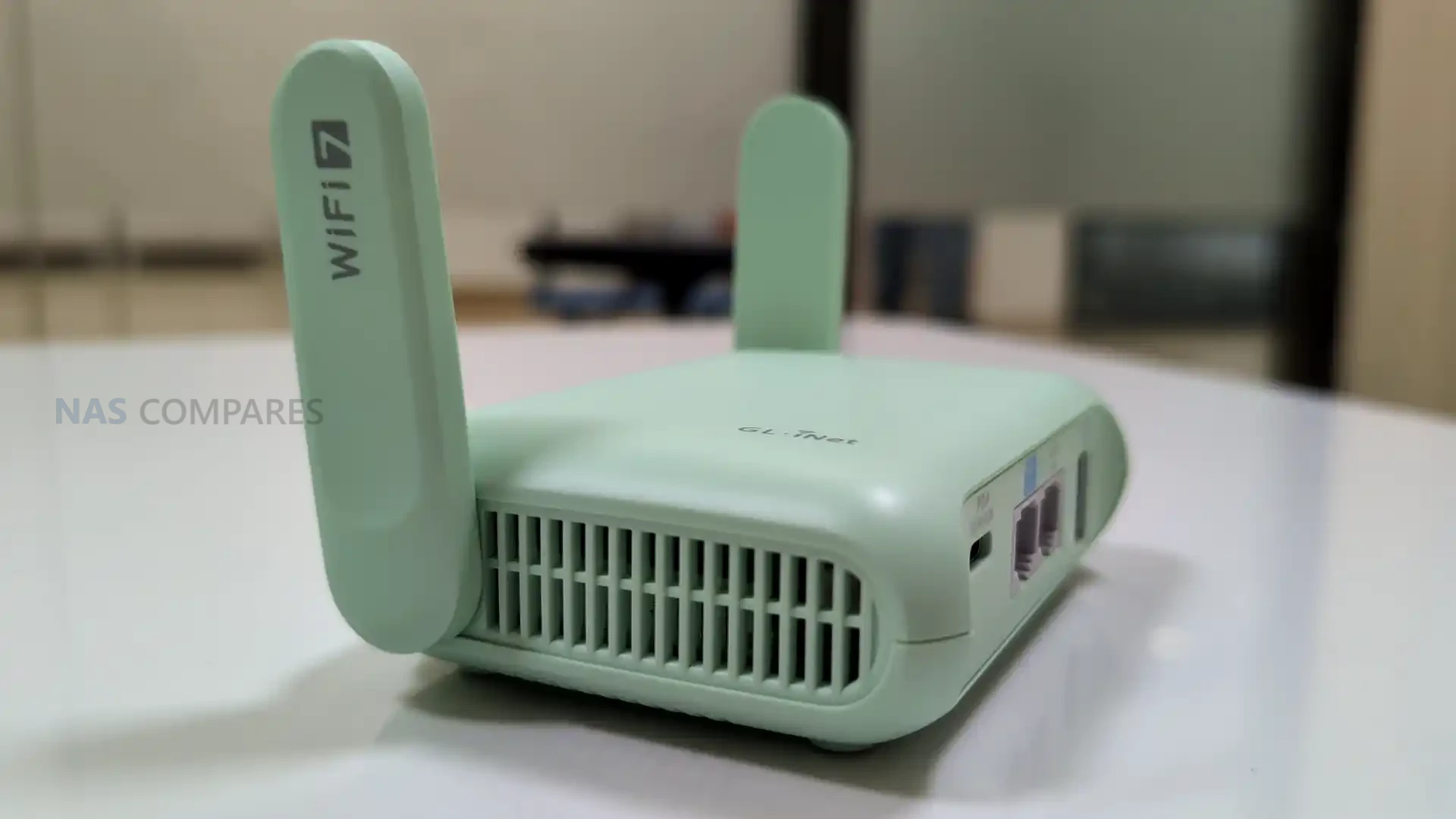
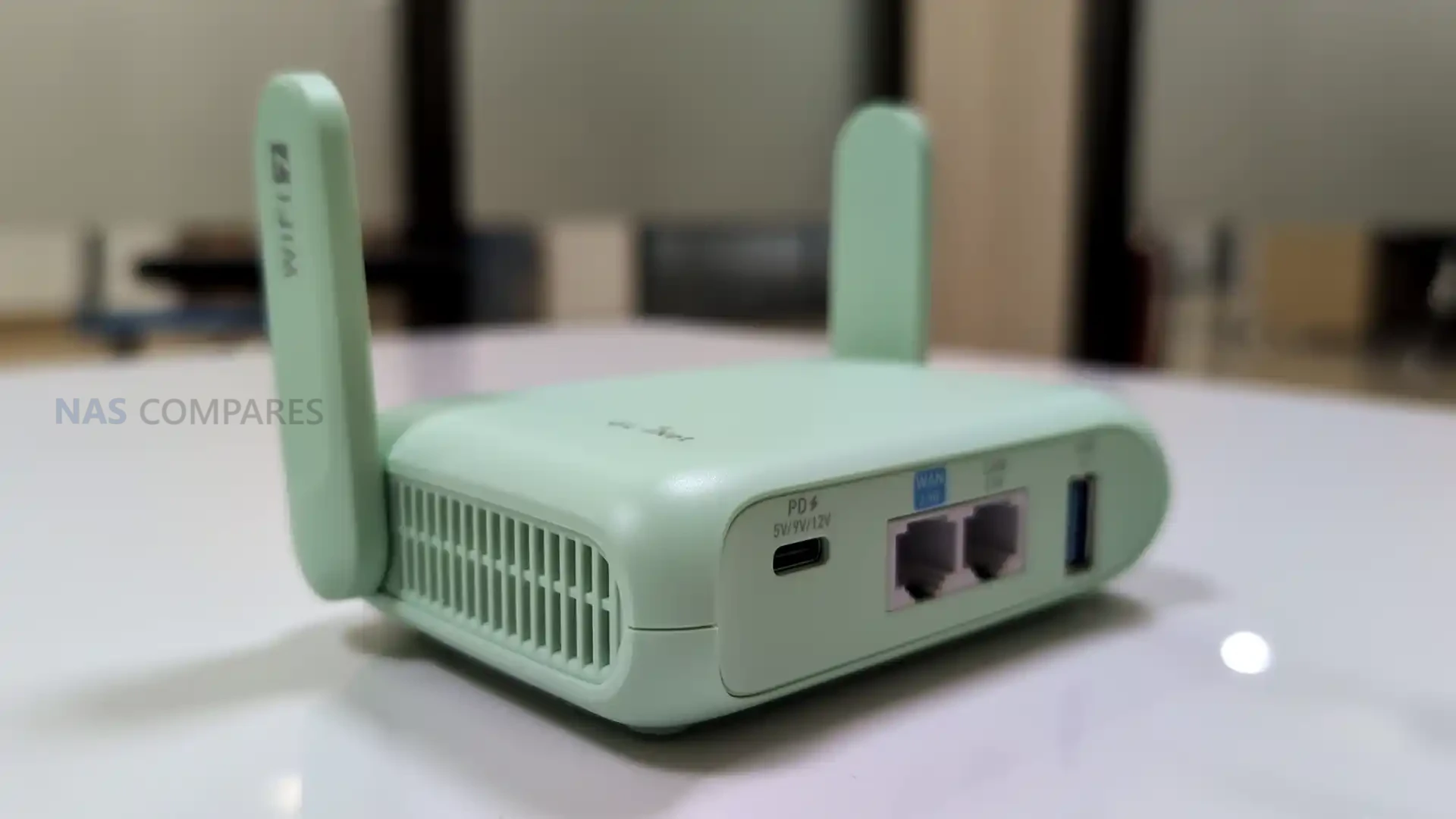
A practical difference in the Comet 5G design is the addition of external antennas to support its wireless roles.

This includes cellular and Wi-Fi antennas, and the unit is clearly built around the expectation that it may be used away from a stable wired network, whether that is via the SIM slot or via a direct nearby wireless connection. In a fixed desk setup the antennas can feel like overkill, but for temporary installs and field support they suit the intended use case.

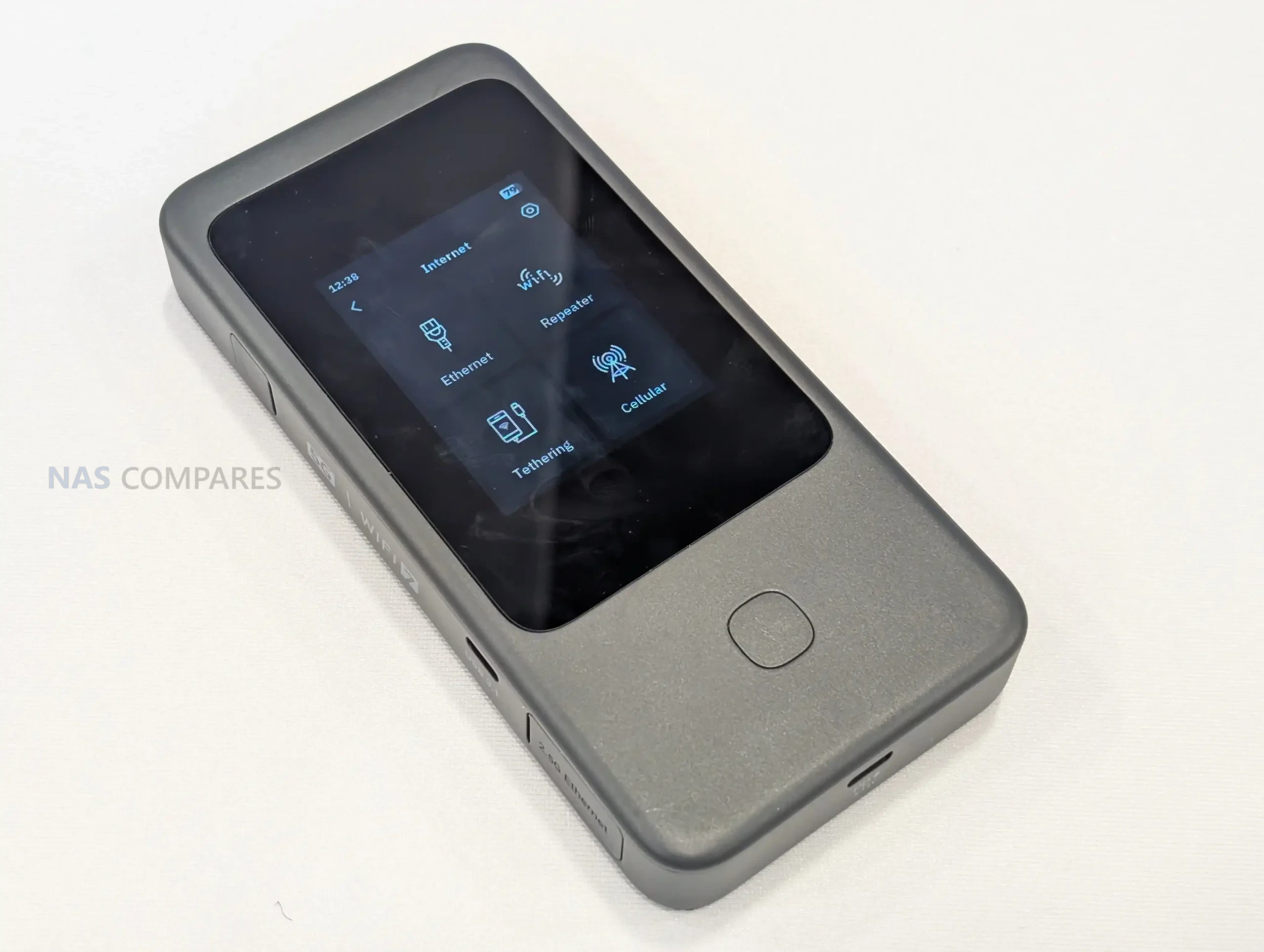
On the front, the Comet 5G uses a 3.69 in touchscreen, which is notably larger than the Comet Pro’s 2.22 in panel. In practice, that extra size does not materially change the experience of mirroring the host display on the device itself, since you remain limited by the source resolution and scaling.

Where it does help is in the local management interface, where menus and status screens have more room and are less cramped, particularly during setup or when checking network state and service toggles directly on the unit.

Storage is expanded to 64 GB eMMC, and the main advantage is capacity rather than speed. In use, the internal storage is primarily for keeping ISO images, recovery media, and utility files that can be mounted remotely as virtual media or exposed to the host as a remote drive.

File transfers to and from the internal storage typically sit in the same general performance range as the Comet Pro, which means it is functional for staging installers and smaller toolsets, but slow for moving large data sets.

A newer software feature available across the platform also allows external storage via a USB drive, but it comes with constraints that affect how usable it is in practice. Adding a drive can require a reboot, compatibility varies between drives, and the management interface tends to treat partitions individually rather than offering straightforward full disk handling.

Because the port involved is USB 2.0, external storage is more about adding space for additional ISOs than achieving a meaningful improvement in transfer speeds.

Gli.Net Comet 5G KVM Review – Connectivity

The Comet 5G keeps its I/O layout simple, with the core KVM connections built around full sized HDMI input and HDMI output for passthrough. This avoids adapter reliance and makes it easier to drop into existing setups where monitors and capture paths already use standard HDMI cabling. In a permanent install, passthrough is the more important part of that arrangement, since it allows a local user to keep working on the attached screen while remote access remains available in the background.

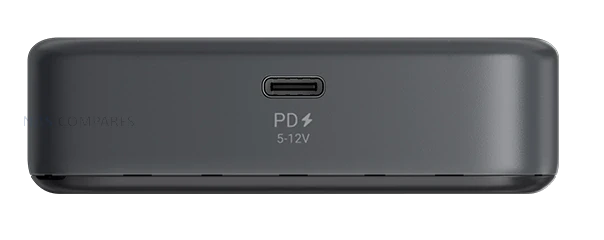
For host control, the unit presents USB based keyboard and mouse emulation over its USB-C connection, while power is also supplied via USB-C at 5V/3A with PD compatibility.

In practical terms, powering it from an independent adapter is the safer approach, because drawing power from the host machine can remove KVM access when the host is powered off, rebooting, or in a state where USB power is unstable.

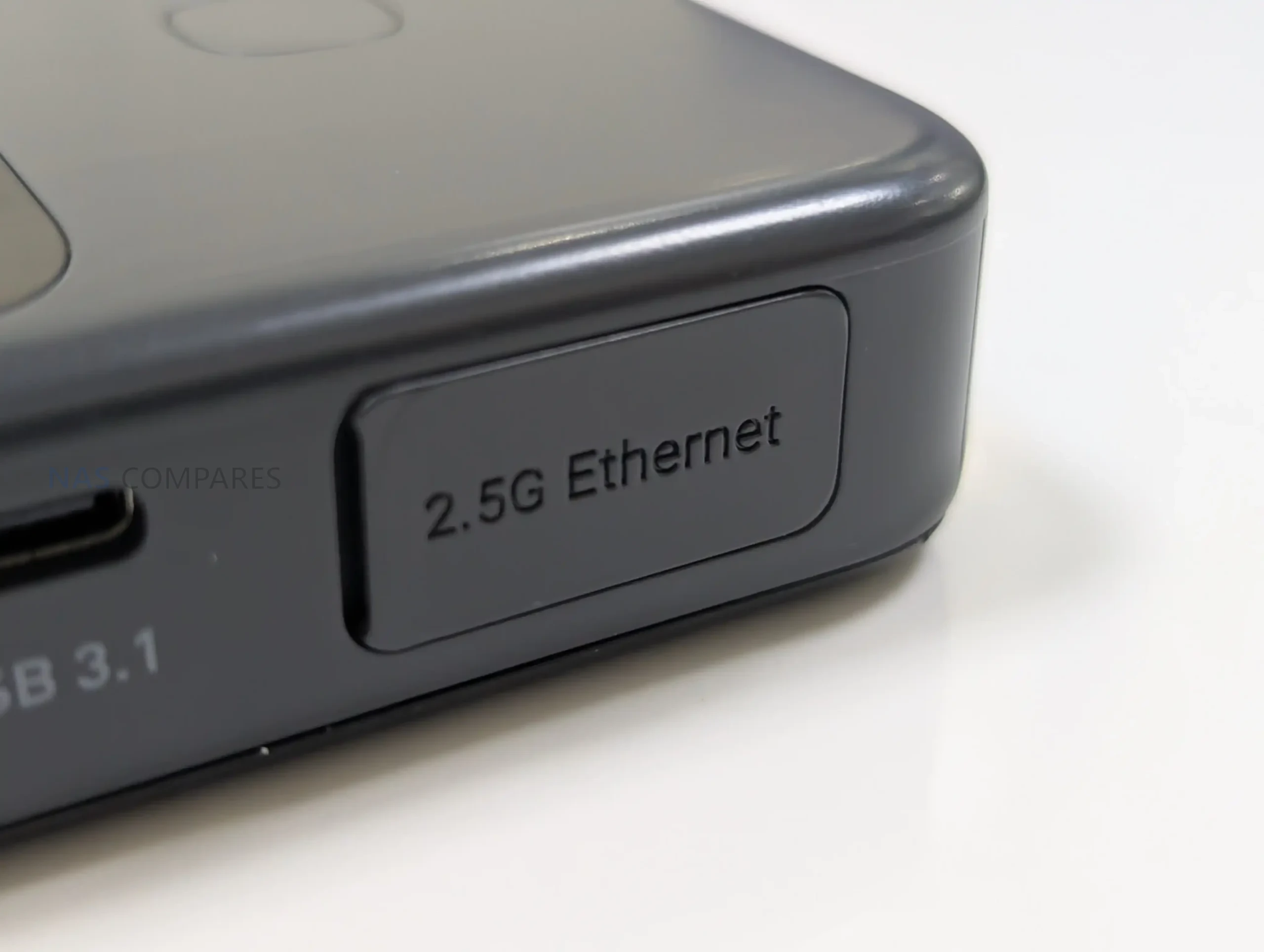
Wired networking is provided by a 1 GbE RJ45 port, which is the most consistent option for image quality and responsiveness when the site network is stable. Alongside this, the Comet 5G supports Wi-Fi 6 on both 2.4 GHz and 5 GHz, and it also includes an AP mode that allows a direct nearby wireless connection without joining the surrounding LAN.

That AP mode is best understood as a local management path rather than a general purpose hotspot, and it is primarily useful when you want a quick point to point session for BIOS work or initial configuration.

The main connectivity addition over the Comet Pro is the nano SIM slot for cellular access, supporting 5G RedCap with 4G LTE fallback. This is positioned as an out of band route that can keep the management channel available when Ethernet and Wi-Fi are unavailable or misconfigured, and it also reduces dependence on VLAN routing rules and other site side constraints.

In the current software experience, the cellular side is exposed through its own configuration section, but it does not offer the same depth of policy and failover tuning found on GL.iNet’s router products.

Gli.Net Comet 5G KVM Review – Internal Hardware

Internally, the Comet 5G is built around a quad core ARM Cortex-A53 SoC paired with 1 GB of DDR3L memory, which is broadly the same class of platform used by the Comet Pro. In review terms, this means the Comet 5G is not trying to win on raw compute, but on connectivity and deployment options, because the core processing headroom is similar. The A53 class CPU is adequate for running the management services, handling multiple control sessions, and keeping the on device UI responsive, but it is not aimed at heavier workloads outside the core KVM functions. The OS is Linux 6.1, and the device behaves like a small embedded appliance rather than a general purpose system you would extend with additional packages and services.

The video path is designed around HDMI ingest and H.264 hardware encoding, with the remote stream adapting to available bandwidth and quality settings in the client interface. Support is listed up to 4K at 30 fps and 1080p at 60 fps, with HDMI passthrough keeping a local monitor active while the unit captures the same signal for remote viewing.

Audio is supported in 2 directions, but the device itself is not treated as a standalone audio endpoint, so the practical experience depends on how the host exposes audio over HDMI or USB and how the client session is configured. Input is handled via USB based HID emulation, which is why copy and paste and keystroke injection can sometimes behave differently between applications depending on how they interpret simulated typing versus clipboard shortcuts.

The storage subsystem uses 64 GB eMMC soldered to the board, and in practice it is tuned for predictable, mid range throughput rather than high performance. Real world transfer rates observed during ISO uploads and mounted storage tests typically sit around the mid 20s to mid 30s MB/s range, which aligns with the Comet Pro experience and reflects the limits of the flash and controller rather than a network bottleneck.

That makes it usable for staging installers, recovery media, and driver packs, but not ideal for repeated large image transfers or heavy file shuttling. Expansion is possible via a USB drive using the USB 2.0 Type-A port, but that is primarily a capacity extension, because USB 2.0 limits both bandwidth and available bus power, and drive compatibility can vary depending on the enclosure controller and power draw.

Gli.Net Comet 5G KVM Review – Software, Services & Performance

The Comet 5G uses the same GLKVM software family as the earlier Comet devices, with access provided through a browser interface, a desktop client, and a mobile app. In testing, the browser UI is the most straightforward for configuration and for working across different operating systems, and it also exposes most of the device settings without needing to install anything locally.

Firmware maturity differed slightly between units during side by side use, with the Comet Pro running a stable 1.8 release build while the Comet 5G was still presented as beta, though the overall layout and feature set were close enough that the differences felt tied to hardware options rather than a separate software branch.

#

Account and session security options are built into the platform, including 2 factor authentication and passkey support at the account level, plus the ability to apply an additional password gate per device before entering a remote session. Remote access can be handled locally over LAN, through GL.iNet’s relay service, or through peer to peer options. Tailscale support is part of the platform, and newer software revisions have also introduced ZeroTier support, which addresses earlier feedback around relying on a single remote access option.

For users who prefer not to use relay services, these VPN style paths can provide remote reachability without opening ports or depending on the vendor’s cloud beyond account management.

Where the Comet 5G differs in day to day software behavior is how cellular and nearby access are exposed. Cellular configuration appears as a dedicated section for SIM based connectivity, while the Wi-Fi settings include an AP mode that allows direct nearby connections without joining the site WLAN. In practice, these features improve the chances of reaching the device when the surrounding network is misconfigured or inaccessible, but the management interface does not currently provide the same depth of routing, policy control, or visible failover logic that GL.iNet includes in its router products. Multi path behavior is present at a feature level, but there is limited opportunity to tune it beyond selecting the available connection modes.

Performance during remote control sessions depends mainly on the network path and the host workload rather than differences between the Comet 5G and Comet Pro hardware. Video quality controls and stream settings allow the session to be made more stable on weaker links, and the general desktop experience remains usable for BIOS work, OS installs, and troubleshooting.

A copy and paste stress test with a large block of text showed both devices could transfer long input sequences, but the Comet 5G produced fewer odd spacing issues in the final pasted document during that run. On mobile, both devices provide touch mode and cursor mode plus access to a software keyboard, and external Bluetooth keyboards and mice can be used, but fluidity and compression artifacts were more noticeable when the phone was on cellular data compared with a local Wi-Fi or wired path.

Gli.Net Comet 5G KVM Review – Verdict & Conclusion

The Comet 5G works as a continuation of the Comet Pro platform rather than a clean break. The remote session experience, general interface layout, and core feature set remain familiar, because the underlying compute and encoding approach is broadly the same, and both devices are aimed at the same type of work: BIOS access, OS installs, recovery tasks, and remote troubleshooting where standard remote desktop tools are not enough. The areas that do change the day to day ownership experience are mostly around how you can reach the device when things go wrong. The SIM based 5G RedCap and 4G LTE fallback adds a separate management path, and the AP mode provides a direct nearby connection that avoids relying on the site LAN. The larger 3.69 in screen also makes the on device menus easier to use, even if it does not transform the usefulness of live video mirroring on the panel itself.

On the positive side, the Comet 5G is more adaptable in awkward environments, such as networks with strict VLAN boundaries, unreliable Wi-Fi, or unknown cabling, and it gives you more ways to regain access without a site visit. The 64 GB eMMC storage is also easier to live with if you keep multiple ISO images or toolkits available, although transfer speed remains limited and does not materially improve over the 32 GB model. On the less positive side, the cellular and multi path story is currently presented more as a capability than as a deeply configurable system, so users expecting router style failover policies and detailed controls may find the options relatively basic. The external storage expansion feature helps with capacity, but it is constrained by USB 2.0, requires reboots in some situations, and drive compatibility can be inconsistent, which limits how predictable it is as a long term workflow.

Overall, the Comet 5G is easier to justify when you expect to use the cellular connection or the nearby AP mode regularly, because those are the main reasons it exists and the main differences you will notice. If the device will live on a stable wired network most of the time and you only need a straightforward remote KVM for routine maintenance, the Comet Pro will usually cover the same core tasks for less money. If your priority is having multiple ways to reach the box when the local network is down or not trusted, the Comet 5G is the more complete tool, but its value depends on those deployment realities rather than any large jump in raw performance.

Buy the Gl.iNet KVM 5G from Amazon Below: Buy the Gl.iNet Comet KVM ($219) from the Official Store Below:

Gl.iNet Comet 5G KVM Pros Gl.iNet Comet 5G KVM CONs
  • Cellular out of band access via nano SIM (5G RedCap with 4G LTE fallback) adds a separate path when the site LAN is down or misconfigured

  • Nearby Control via AP mode enables direct point to point access without joining the surrounding network, useful for local BIOS work and isolated environments

  • HDMI passthrough plus capture keeps a local monitor active while still providing remote KVM access (up to 4K 30 fps, 1080p 60 fps)

  • Browser based management and access works across Windows, macOS, and Linux without requiring a dedicated client

  • 64 GB eMMC provides more room for ISO images and utility files than the 32 GB model, reducing how often media needs to be rotated

  • 3.69 in touchscreen makes on device setup and status checks less cramped than smaller panel implementations

  • Multiple remote access approaches are available (LAN, relay, and VPN style options like Tailscale and ZeroTier), allowing different trust and routing models

  • Low complexity deployment with passive cooling and a small footprint makes it viable as a 24/7 appliance when powered independently

  • Storage performance is modest, and remains closer to mid range eMMC speeds than fast removable storage

  • External storage expansion has caveats, including USB 2.0 limits, possible reboots, and inconsistent compatibility depending on the USB drive and power draw

  • Failover and cellular controls are not deeply tunable in the current UI, so users expecting router grade policy controls may find configuration limited


📧 SUBSCRIBE TO OUR NEWSLETTER 🔔
[contact-form-7]
🔒 Join Inner Circle

Get an alert every time something gets added to this specific article!


Want to follow specific category? 📧 Subscribe

This description contains links to Amazon. These links will take you to some of the products mentioned in today's content. As an Amazon Associate, I earn from qualifying purchases. Visit the NASCompares Deal Finder to find the best place to buy this device in your region, based on Service, Support and Reputation - Just Search for your NAS Drive in the Box Below

Need Advice on Data Storage from an Expert?

Finally, for free advice about your setup, just leave a message in the comments below here at NASCompares.com and we will get back to you. Need Help? Where possible (and where appropriate) please provide as much information about your requirements, as then I can arrange the best answer and solution to your needs. Do not worry about your e-mail address being required, it will NOT be used in a mailing list and will NOT be used in any way other than to respond to your enquiry. [contact-form-7] TRY CHAT Terms and Conditions

If you like this service, please consider supporting us. We use affiliate links on the blog allowing NAScompares information and advice service to be free of charge to you.Anything you purchase on the day you click on our links will generate a small commission which isused to run the website. Here is a link for Amazon and B&H.You can also get me a ☕ Ko-fi or old school Paypal. Thanks!To find out more about how to support this advice service check HEREIf you need to fix or configure a NAS, check Fiver Have you thought about helping others with your knowledge? Find Instructions Here  

 
Or support us by using our affiliate links on Amazon UK and Amazon US
    
 
Alternatively, why not ask me on the ASK NASCompares forum, by clicking the button below. This is a community hub that serves as a place that I can answer your question, chew the fat, share new release information and even get corrections posted. I will always get around to answering ALL queries, but as a one-man operation, I cannot promise speed! So by sharing your query in the ASK NASCompares section below, you can get a better range of solutions and suggestions, alongside my own.

☕ WE LOVE COFFEE ☕


Gl.iNet Beryl 7 WiFi 7 Travel Router Revealed

The Beryl 7 from Gl.iNet Finally Revealed

On January 6, 2026, day 1 of CES 2026, Gl.iNet is highlighting the Beryl 7 (GL-MT3600BE) as an upcoming travel router positioned below the company’s more premium Slate 7 in the same Wi-Fi 7 travel category. The device is being presented as a successor direction to the earlier Beryl AX generation, with Gl.iNet focusing its messaging on VPN throughput, portable use, and the practical ports and power features that matter when the router is used on the road. Pricing and a firm release date have not been included in the information shared so far.

In its CES materials, Gl.iNet describes Beryl 7 as a compact, dual-band Wi-Fi 7 model aimed at users who want higher encrypted throughput without stepping up to a larger, more feature-heavy travel router. Key claims include up to 1100Mbps on OpenVPN-DCO and WireGuard, dual 2.5G Ethernet capability, and support for 120+ connected devices, alongside USB Power Delivery compatibility and a 5V/2A power output intended to integrate cleanly with uFi and MiFi devices for primary or backup WAN use.

Item Detail
Product name Gl.iNet Beryl 7
Model GL-MT3600BE
Wi-Fi Dual-band Wi-Fi 7
Frequency 2.4GHz, 5GHz
Wi-Fi speeds 688Mbps (2.4GHz), 2882Mbps (5GHz)
Wireless protocols 802.11a/b/g/n/ac/ax/be
CPU MediaTek, quad-core @ 2.0GHz
Memory 512MB DDR4
Flash 512MB NAND
VPN performance claim Up to 1100Mbps on OpenVPN-DCO and WireGuard
Ethernet 1x WAN, 1x LAN
Ethernet speed 100/1000/2500Mbps
USB 1x USB 3.0
Power input USB PD 5V/3A, 9V/3A, 12V/2.5A
Power consumption <12W
Power output 5V/2A
Dimensions / weight 120 x 83 x 34mm / 205g
Operating temperature 0C to 40C
Built-in battery None (USB-C powered)
SIM / eSIM None (no SIM or eSIM Support)

Gl.iNet Beryl 7 Travel Router – Design & Portability

The Beryl 7 measures at 120 x 83 x 34mm and 205 grams, placing it in the small-router class rather than the pocket-hotspot style. Compared with battery-powered travel routers, the added thickness is consistent with a design that prioritizes full-size ports and airflow while still staying compact enough for a backpack or a small tech pouch. Gl.iNet also lists an operating temperature range of 0C to 40C, which sets basic expectations for typical indoor and travel use, even though performance under sustained load will still depend on ventilation and ambient conditions.

Unlike cellular travel routers, the Beryl 7 is designed to be powered externally rather than running from an internal battery, so it is closer in use to a small plug-in router than a self-contained hotspot. It takes USB-C power via USB Power Delivery and is specified for 5V/3A, 9V/3A, or 12V/2.5A input, which keeps powering simple with common phone and laptop adapters and most power banks that support PD. Gl.iNet also lists a 5V/2A power output, intended to pair with uFi and MiFi devices when you want the router to sit in front of a separate upstream connection and keep that upstream device powered from the same setup.

Gl.iNet Beryl 7 Travel Router – Connectivity

The Beryl 7 is a dual-band Wi-Fi travel router rather than a cellular router. It does not include a SIM slot or eSIM support, which means it is not designed to connect directly to a carrier network on its own. In practice, internet access is expected to come from an upstream source such as a wired connection, USB tethering, or an external hotspot or modem that provides the WAN link. This approach matches travel setups where the router’s job is to manage your local network and security policies, while a separate device handles mobile connectivity when needed.

On the wireless side, the Beryl 7 supports 802.11a/b/g/n/ac/ax/be and operates on 2.4GHz and 5GHz. The published maximum rates are 688Mbps on 2.4GHz and 2882Mbps on 5GHz, which sets its theoretical peak figures for those bands. Because there is no 6GHz band listed, it will not have access to the cleaner spectrum that some tri-band Wi-Fi 7 routers use to reduce congestion in dense environments. Real-world performance will still depend heavily on client device capability, channel conditions, and how crowded the local RF environment is, especially in hotels, apartments, or event venues.

For wired networking, the Beryl 7 includes 1x WAN and 1x LAN, with both ports rated at 100/1000/2500Mbps. Having 2.5Gbps capability on both sides can matter if you are connecting to faster-than-gigabit service, or if you want to avoid bottlenecking a wired client such as a laptop dock, mini PC, or NAS while the router is also handling wireless clients. The dedicated WAN and LAN labeling also suggests a straightforward topology for travel use, where the router can sit between a wired uplink and your personal devices without requiring additional switches. Specific options like port re-assignment or multi-WAN behavior are still dependent on the final firmware feature set.

For tethering and peripherals, the router includes 1 USB 3.0 port. Gl.iNet’s positioning also references pairing it with uFi and MiFi devices for primary or backup WAN use, which aligns with common travel workflows where a hotspot provides the upstream connection and the router distributes it to multiple devices. Depending on software support, USB can also be relevant for other functions such as attaching storage for basic file sharing, but those capabilities are not confirmed solely by the presence of the port. The practical takeaway is that the Beryl 7’s connectivity design focuses on managing and distributing an external internet source rather than replacing that source with built-in cellular hardware.

Gl.iNet Beryl 7 Travel Router – Internal Hardware

The Beryl 7 is specified with a MediaTek quad-core CPU clocked at 2.0GHz. Gl.iNet has not stated the exact chipset model in the material provided, so it is difficult to compare directly against specific MediaTek families used in other routers, but the listed clock speed and core count indicate it is intended to handle routing and VPN workloads beyond basic hotspot sharing. How that translates in practice will depend on the final firmware feature mix and how much processing overhead is added by enabled services. Memory is listed as 512MB of DDR4. That capacity is typically sufficient for a travel router doing standard routing, firewalling, and VPN duties, but it can become a limiting factor if heavy logging, multiple concurrent services, or more advanced packages are enabled. In practical use, headroom will depend on how Gl.iNet tunes the stock firmware and whether the router is expected to run additional features beyond its default configuration. Storage is specified as 512MB of NAND flash. This is a smaller onboard footprint than some higher-end travel routers that use multi-gigabyte eMMC, and it generally implies a tighter space budget for the base firmware image, installed packages, and retained logs. It also means features that rely on persistent local storage may be more constrained unless Gl.iNet provides options to offload data to external storage via USB.

Gl.iNet Beryl 7 Travel Router – Software & Services

Gl.iNet is presenting the Beryl 7 as part of its travel router lineup, which typically uses the company’s GL.iNet firmware with a web-based management interface. That software approach tends to balance simplified setup for common tasks with access to more detailed configuration when needed, which is relevant for travel scenarios where you may want quick changes without digging through advanced menus.

For this model in particular, VPN is the main emphasis in Gl.iNet’s CES messaging. The company is making a specific performance claim of up to 1100Mbps on OpenVPN-DCO and WireGuard, positioning encrypted throughput as a headline reason to choose the Beryl 7 over older Beryl models or lower-end travel routers. Actual results will still depend on factors such as upstream bandwidth, server performance, encryption settings, and network conditions.

Gl.iNet also highlights Amnezia VPN support as part of the Beryl 7’s privacy and censorship-bypass positioning. That places the router within the company’s broader direction of expanding VPN tooling and privacy-related options across its travel lineup, though the exact implementation details for the Beryl 7 will come down to the shipping firmware and how features are exposed in the final interface.

Beyond VPN-related claims, Gl.iNet has not published a complete, model-specific list of software functions for the Beryl 7. Features that appear across other Gl.iNet travel routers, such as traffic controls, DNS and filtering options, remote access services, and package-style add-ons, may be present, but they are not confirmed by the hardware spec sheet alone. For ownership considerations, the missing pieces remain the update cadence, support window, and any limitations imposed by the device’s relatively small flash storage.

Gl.iNet Beryl 7 Travel Router – Conclusion

As presented on day 1 of CES 2026, the Beryl 7 (GL-MT3600BE) is positioned as a more affordable Wi-Fi 7 travel router option that sits below the Slate 7 in capability and likely in price, while serving as the next step after the Beryl AX generation. Its core proposition is a compact, USB-C powered router that focuses on high VPN throughput, dual-band Wi-Fi, and practical wired networking for travel setups. The specification sheet outlines a MediaTek quad-core 2.0GHz platform with 512MB DDR4 and 512MB NAND, paired with 2.5Gbps-capable WAN and LAN ports, plus a USB 3.0 port. It does not include an internal battery and it has no SIM or eSIM support, which means it is designed to sit behind an external internet source such as hotel Ethernet, phone tethering, or a dedicated hotspot. Power is handled through USB Power Delivery, and Gl.iNet also lists a 5V/2A output intended to keep an upstream mobile device powered in a single-cable travel arrangement.

The remaining unknowns are mostly around launch details and how the final firmware is packaged for a device with limited flash storage. Gl.iNet has not published pricing or a release date, and it has not provided a full, model-specific breakdown of software features beyond its VPN and privacy positioning. Those details will likely matter most to buyers deciding between the Beryl 7 and higher-end travel routers, especially if they plan to rely on add-on services, extensive logging, or other features that place more demand on storage and memory.


📧 SUBSCRIBE TO OUR NEWSLETTER 🔔
[contact-form-7]
🔒 Join Inner Circle


Get an alert every time something gets added to this specific article!


Want to follow specific category? 📧 Subscribe

This description contains links to Amazon. These links will take you to some of the products mentioned in today's content. As an Amazon Associate, I earn from qualifying purchases. Visit the NASCompares Deal Finder to find the best place to buy this device in your region, based on Service, Support and Reputation - Just Search for your NAS Drive in the Box Below

Need Advice on Data Storage from an Expert?

Finally, for free advice about your setup, just leave a message in the comments below here at NASCompares.com and we will get back to you. Need Help? Where possible (and where appropriate) please provide as much information about your requirements, as then I can arrange the best answer and solution to your needs. Do not worry about your e-mail address being required, it will NOT be used in a mailing list and will NOT be used in any way other than to respond to your enquiry. [contact-form-7] TRY CHAT Terms and Conditions
If you like this service, please consider supporting us. We use affiliate links on the blog allowing NAScompares information and advice service to be free of charge to you.Anything you purchase on the day you click on our links will generate a small commission which isused to run the website. Here is a link for Amazon and B&H.You can also get me a ☕ Ko-fi or old school Paypal. Thanks!To find out more about how to support this advice service check HEREIf you need to fix or configure a NAS, check Fiver Have you thought about helping others with your knowledge? Find Instructions Here  

 
Or support us by using our affiliate links on Amazon UK and Amazon US
    
 
Alternatively, why not ask me on the ASK NASCompares forum, by clicking the button below. This is a community hub that serves as a place that I can answer your question, chew the fat, share new release information and even get corrections posted. I will always get around to answering ALL queries, but as a one-man operation, I cannot promise speed! So by sharing your query in the ASK NASCompares section below, you can get a better range of solutions and suggestions, alongside my own.

☕ WE LOVE COFFEE ☕


Where to Buy a Product
amzamexmaestrovisamaster 24Hfree delreturn VISIT RETAILER ➤ 
amzamexmaestrovisamaster 24Hfree delreturn VISIT RETAILER ➤

If you like this service, please consider supporting us.
We use affiliate links on the blog allowing NAScompares information and advice service to be free of charge to you. Anything you purchase on the day you click on our links will generate a small commission which is used to run the website. Here is a link for Amazon and B&H. You can also get me a ☕ Ko-fi or old school Paypal. Thanks! To find out more about how to support this advice service check HERE    

☕ WE LOVE COFFEE ☕

Or support us by using our affiliate links on Amazon UK and Amazon US
     

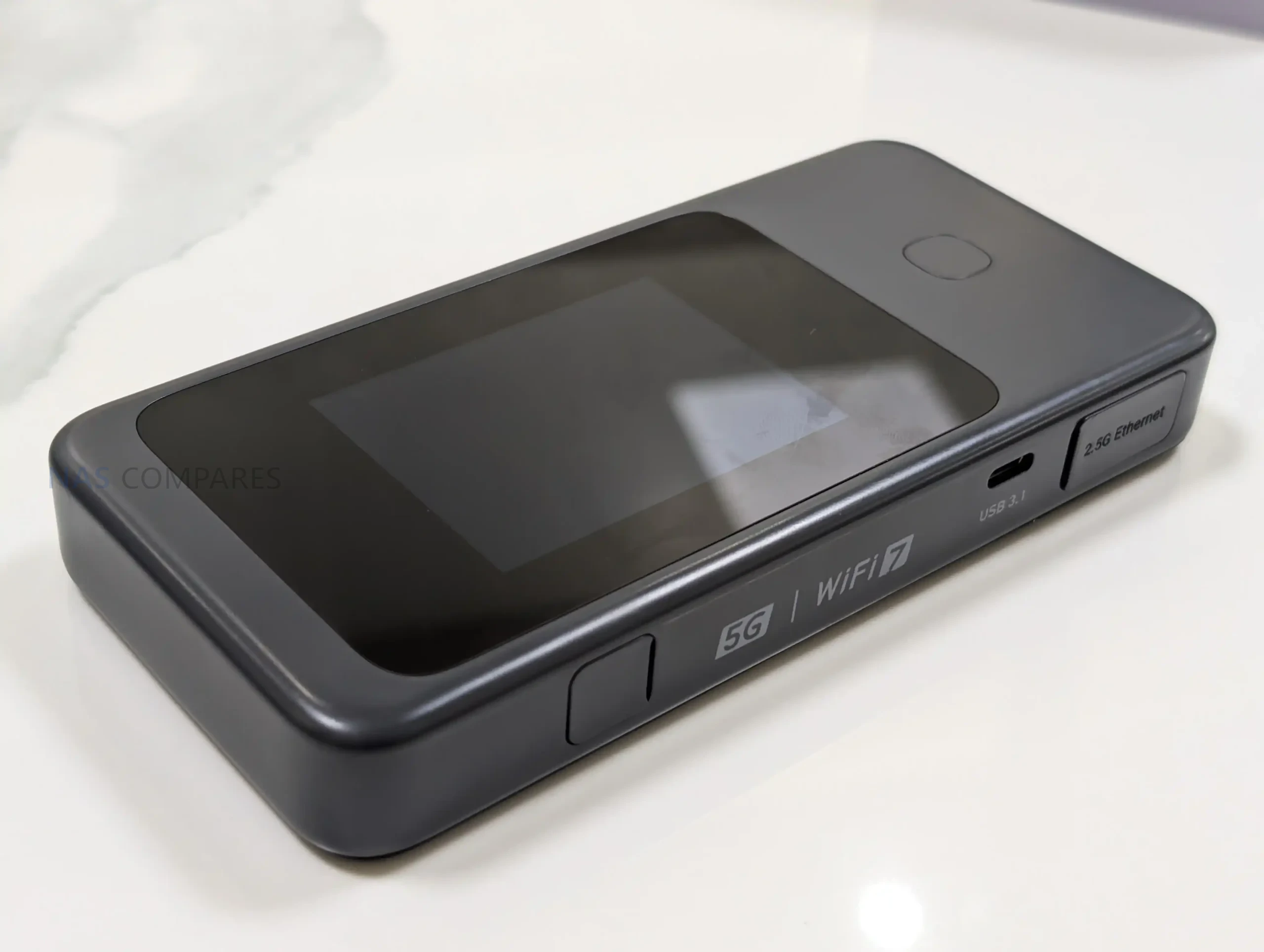
Gl.iNet Mudi 7 Revealed – Dual 5G SIM, eSIM, WiFi 7, 2.5GbE – YES, YES, YES!

New Gl.iNet Mudi 7 INSANE Travel Router Revealed

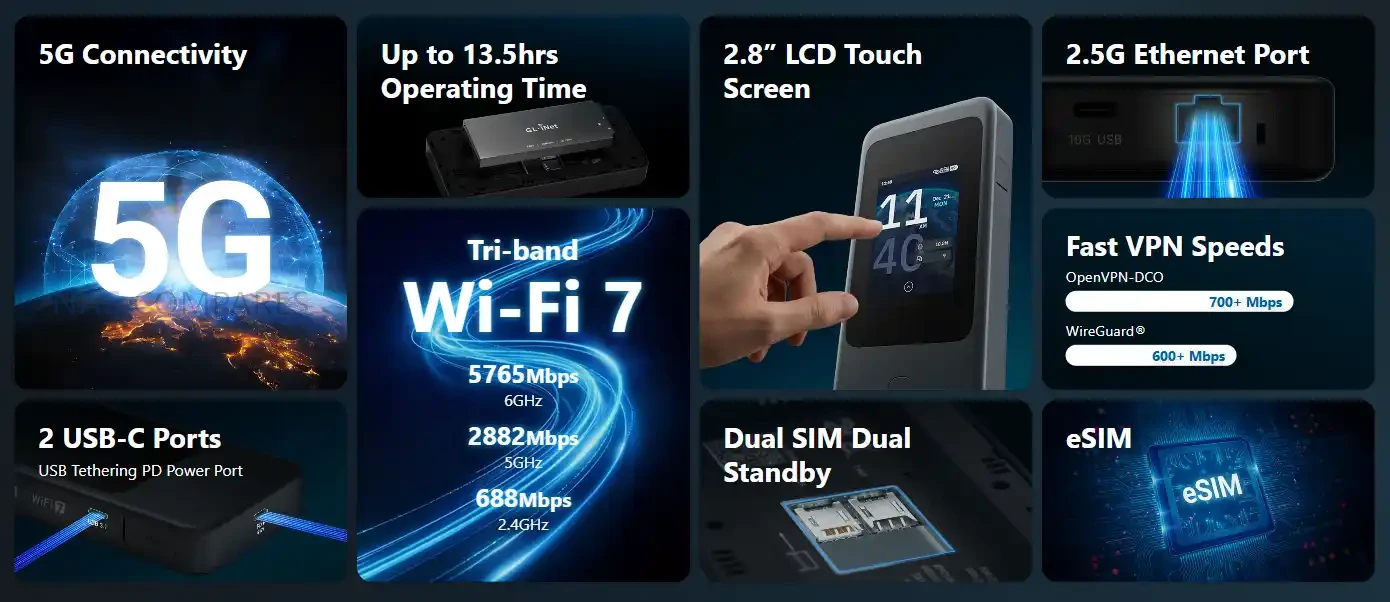
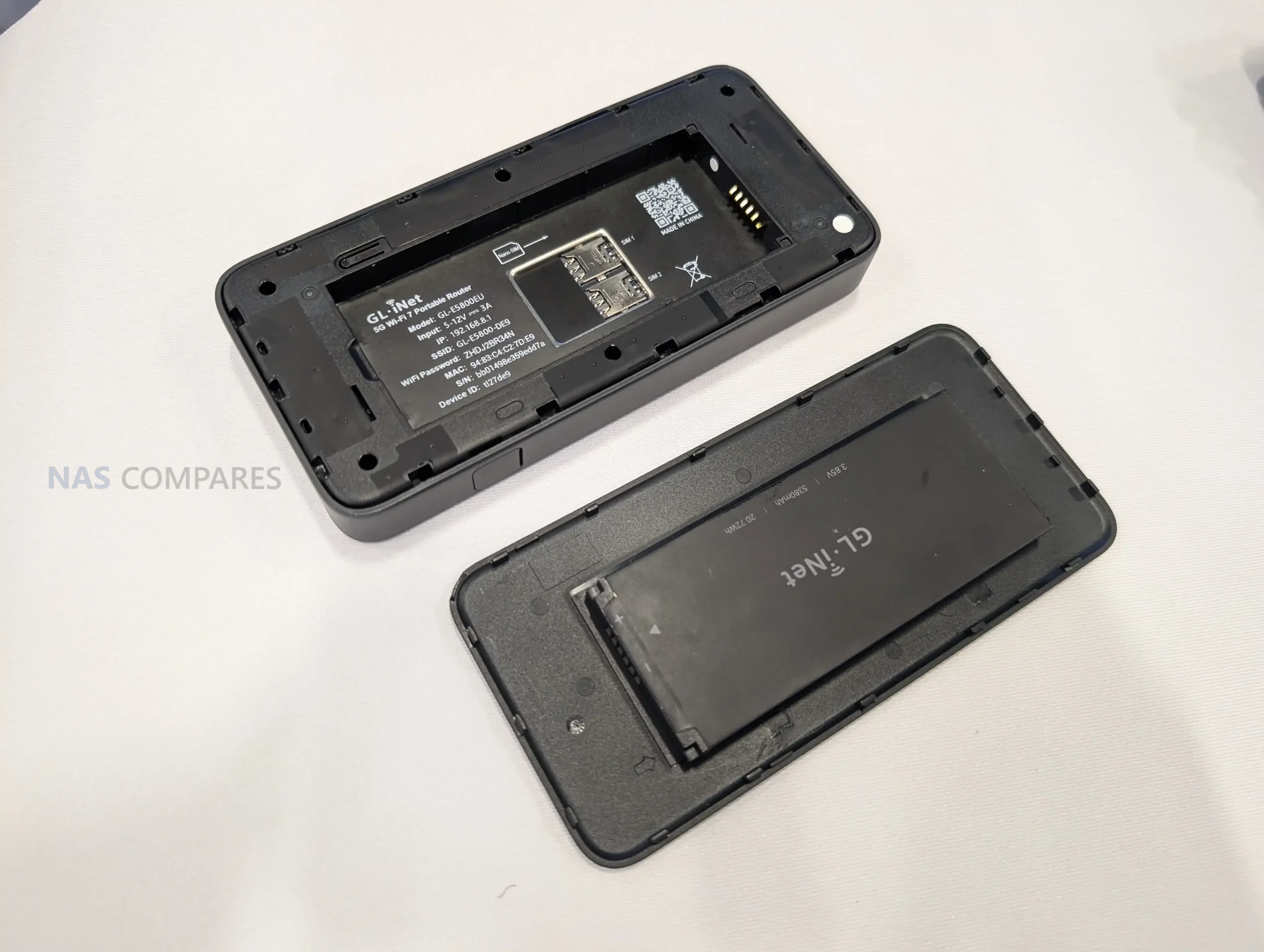
Gl.iNet is using day 1 of CES 2026 to spotlight the Mudi 7 travel router, with 2 listed variants: GL-E5800NA and GL-E5800EU. While the company is now formally presenting the device at the show and directing attention to its travel-focused positioning, it still has not published pricing or a confirmed retail release date in the materials available today. That leaves the Mudi 7’s market placement and availability timeline unresolved, even as the hardware is being discussed publicly at CES. Alongside the CES reveal, Gl.iNet has shared a full specification sheet that clarifies the Mudi 7’s core platform and feature set. It is based on a Qualcomm quad-core 2.2GHz design with 2GB LPDDR4X and 8GB eMMC, and it combines 5G NR with tri-band Wi-Fi 7-class networking, dual SIM dual standby plus eSIM, and a built-in touchscreen for on-device management. I previously saw an early prototype during a visit to Gl.iNet’s Shenzhen offices in October 2025, and the CES-era specification release fills in the internal details that were not available at the time, making it easier to assess what Gl.iNet intends to ship in the NA and EU variants.


Item Detail
Product name Gl.iNet Mudi 7 (Link to Official Page)
Models GL-E5800NA, GL-E5800EU
CPU Qualcomm, quad-core @ 2.2GHz
Memory 2GB LPDDR4X
Flash 8GB eMMC
Wireless protocol 802.11a/b/g/n/ac/ax/be
Bands 2.4GHz, 5GHz, 6GHz
Wi-Fi speeds 688Mbps (2.4GHz), 2882Mbps (5GHz), 5764Mbps (6GHz)
Cellular 5G NR NSA/SA; 4G LTE Cat 20 (DL)
SIM Dual SIM dual standby + eSIM
Ethernet 1x WAN/LAN, 100/1000/2500Mbps
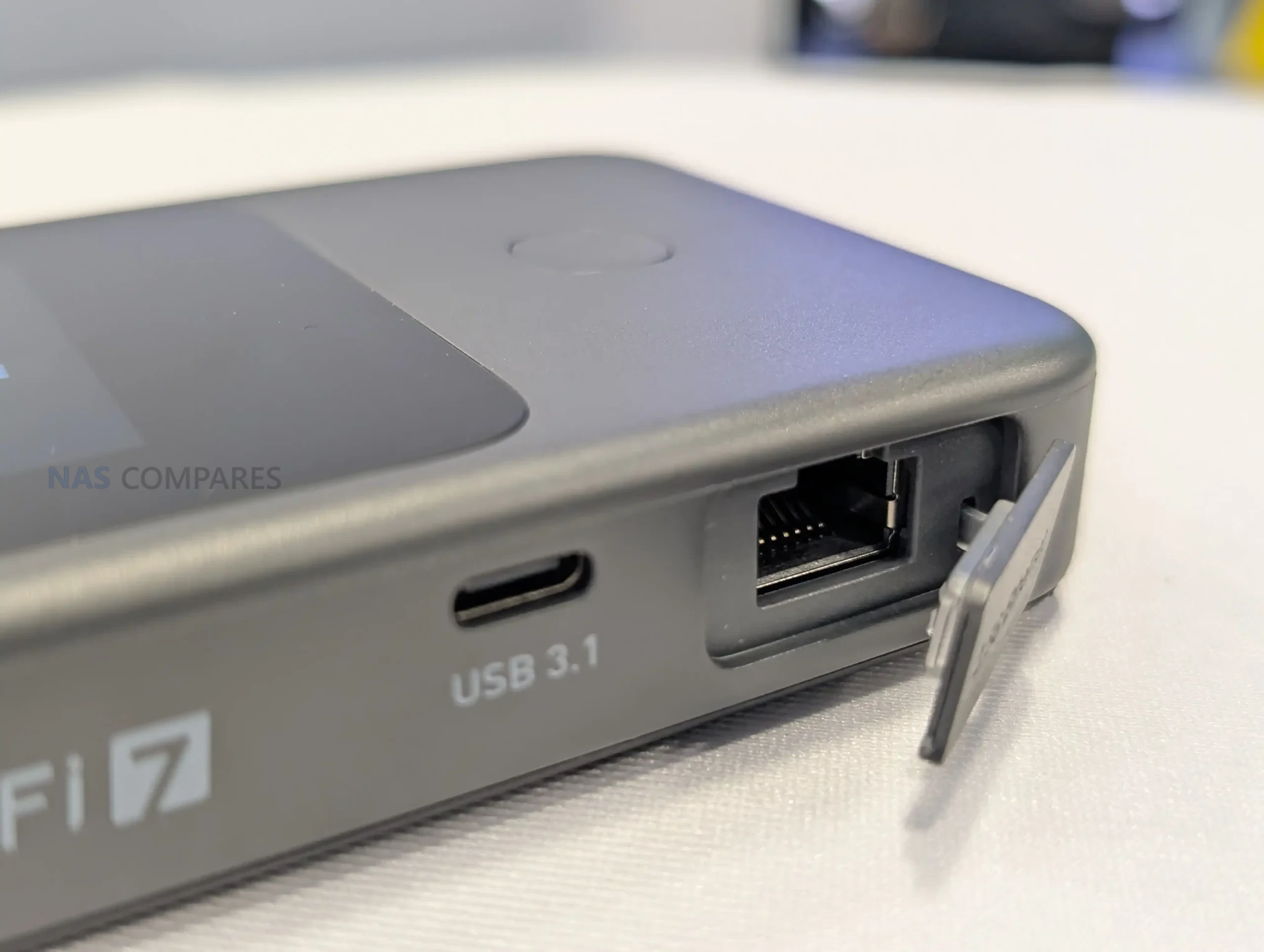
USB 1x USB 3.1
External antenna Supported; 2x TS-9 (cellular)
Screen 2.8-inch touchscreen
Power input USB PD/PPS 5-12V, 30W max
Power consumption <30W
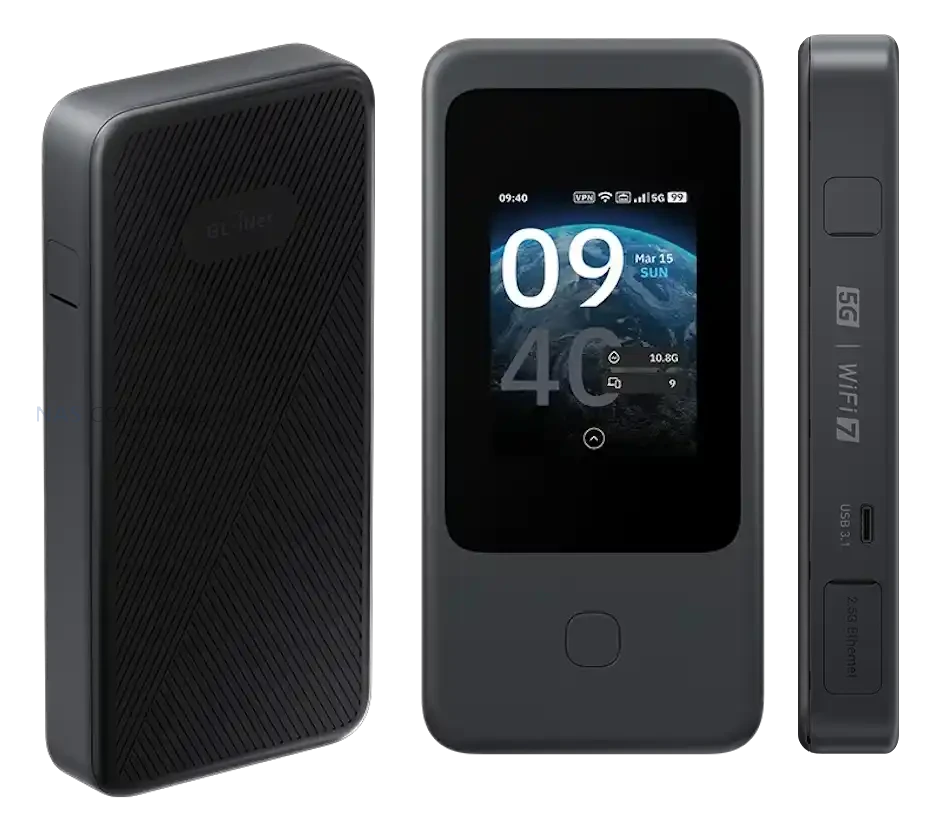
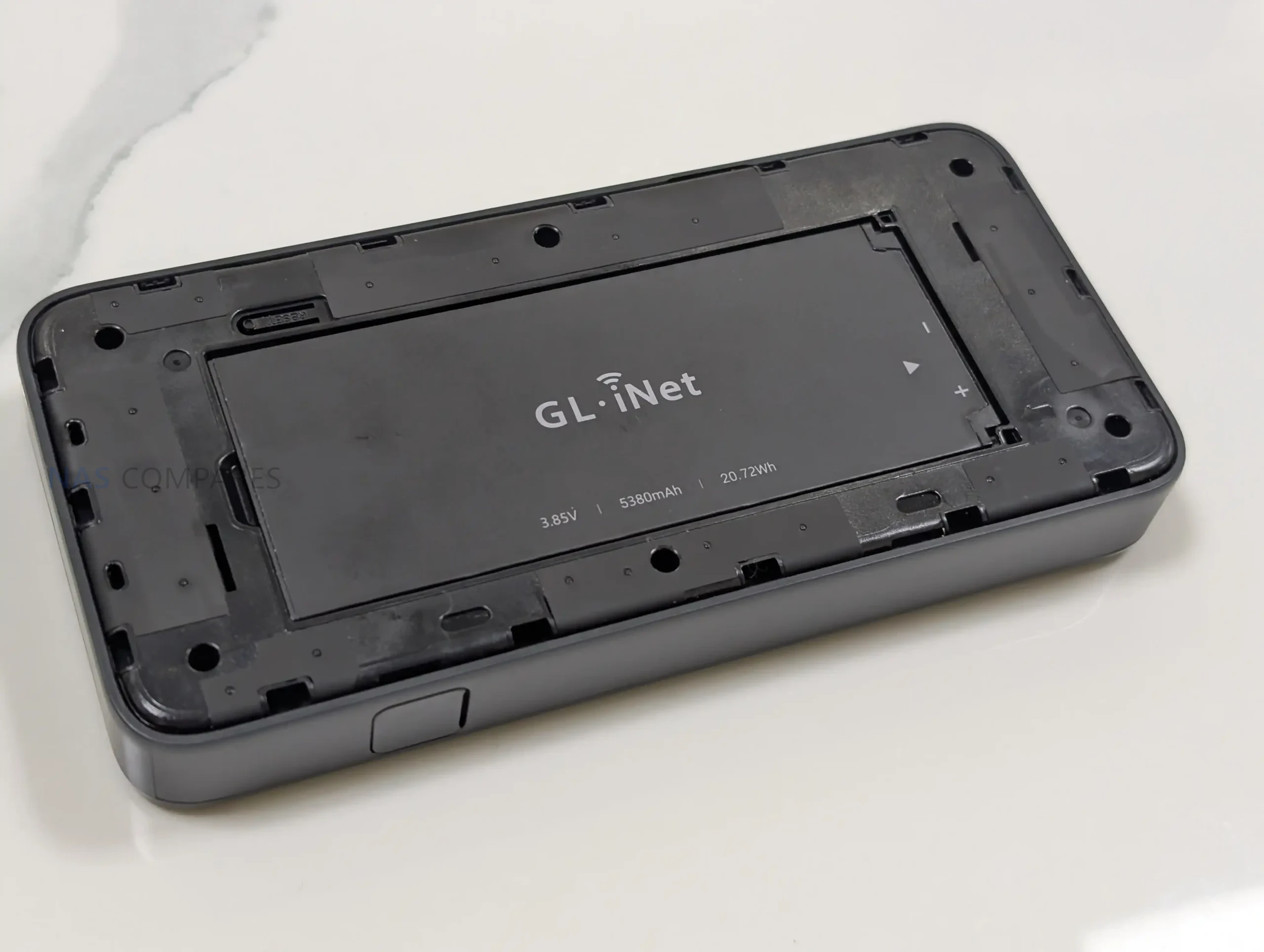
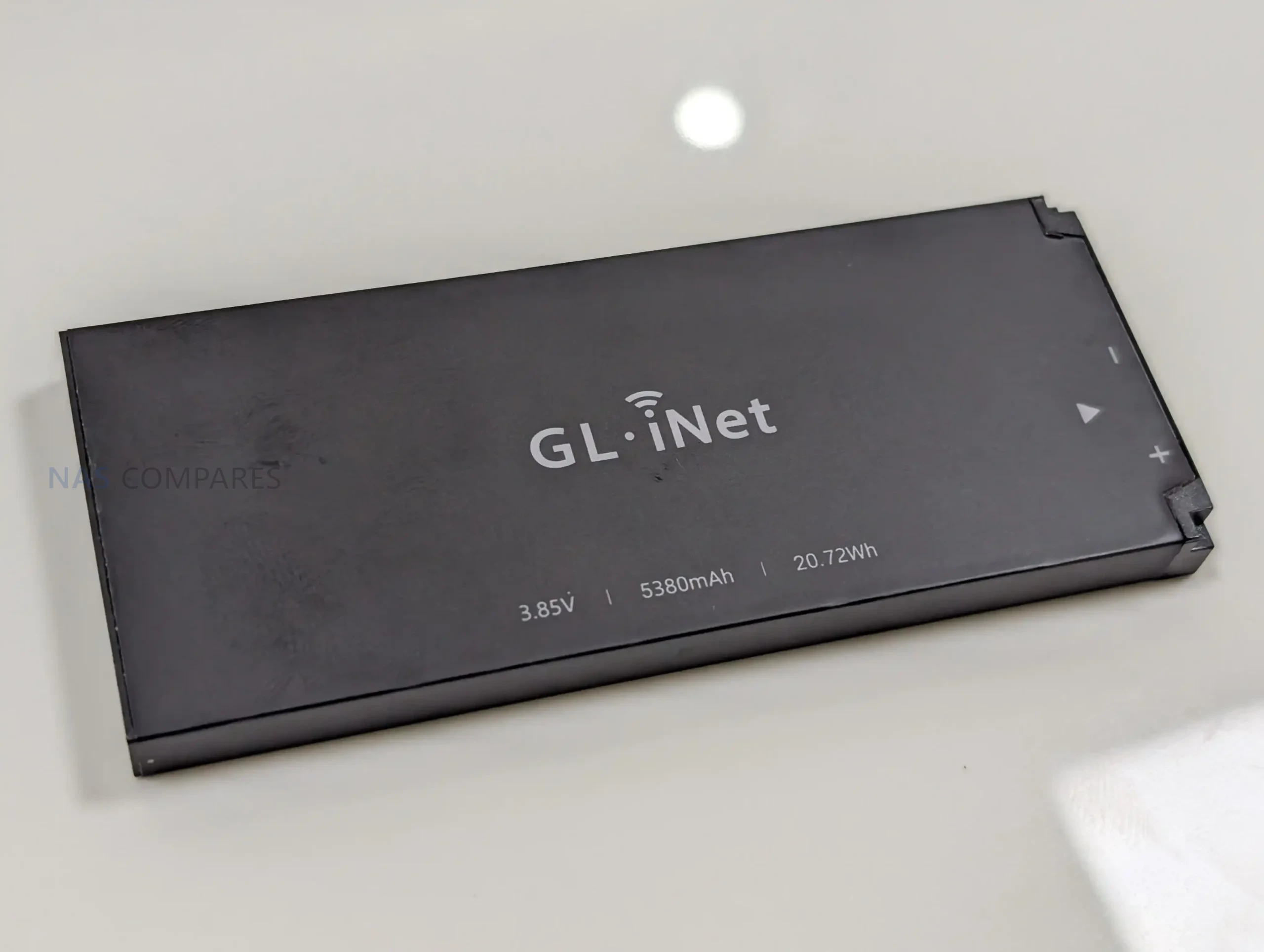
Battery 3.85V, 5380mAh, 20.72Wh
Dimensions / weight 157 x 75 x 22.8mm / 300g
Operating temperature 0C to 40C

Gl.iNet Mudi 7 Router – Design and Portability

With the full specifications now available, the Mudi 7 is confirmed as a compact, battery-powered travel router measuring 157 x 75 x 22.8mm and weighing 300g. That footprint places it closer to a portable hotspot than a small desktop router, with enough thickness to accommodate a touchscreen, battery, and internal antennas.

Gl.iNet lists a 2.8-inch touchscreen as the primary on-device interface. In practical terms, this design choice supports situations where you need to check status or adjust basic settings without relying on a separate phone or laptop, which can be useful when moving between locations or sharing access with other devices.

Power is handled through a built-in 3.85V, 5380mAh battery rated at 20.72Wh, and charging is specified as USB PD/PPS from 5V to 12V with up to 30W input. Gl.iNet also lists power consumption below 30W, which provides a ceiling for expected draw under load, though real battery life will still depend on cellular conditions, connected devices, and the mix of Wi-Fi and wired usage.

Gl.iNet Mudi 7 Router – Connectivity

Cellular is the main uplink option on the Mudi 7, with support listed for 5G NR in both NSA and SA modes. For fallback coverage, it also supports 4G LTE with Cat 20 download capability, which becomes relevant when 5G coverage is weak, when indoor signal conditions push the modem back to LTE, or when a roaming profile limits access to certain 5G services. Gl.iNet still has not published a band list in the specifications you shared, so region-by-region compatibility will depend on the exact supported bands of the NA and EU variants.

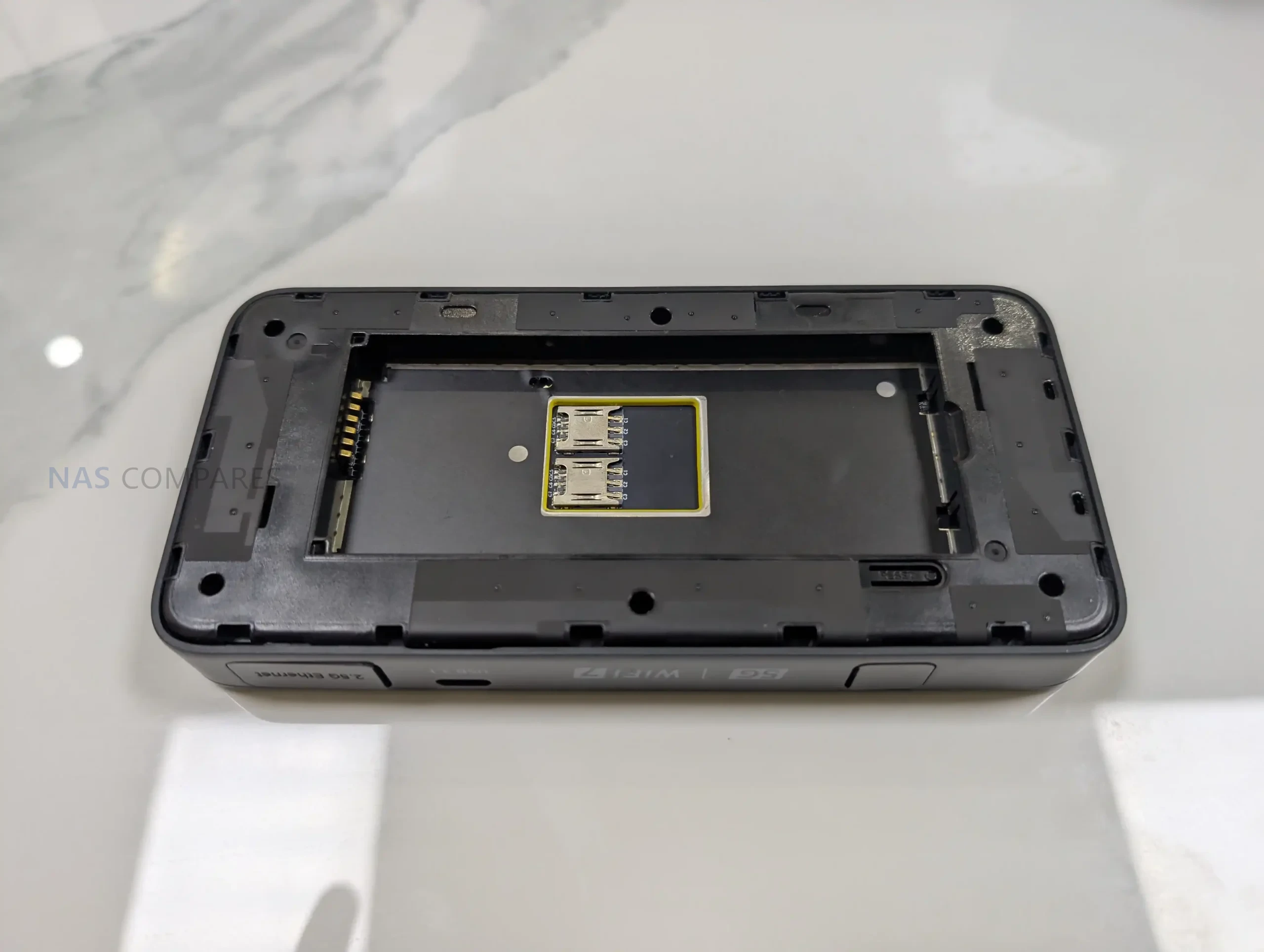
For SIM management, the router is specified with dual SIM dual standby and built-in eSIM support. In day-to-day use, that combination is intended to simplify switching between carriers, maintaining a backup line, or separating plans for different regions without having to physically swap cards as often. What remains unclear is how Gl.iNet handles priority rules, failover behavior, and eSIM provisioning in its interface, including whether switching can be automated based on signal or data limits.

On the local network side, the Mudi 7 supports 802.11a/b/g/n/ac/ax/be across 2.4GHz, 5GHz, and 6GHz. The published maximum Wi-Fi rates are 688Mbps on 2.4GHz, 2882Mbps on 5GHz, and 5764Mbps on 6GHz, which sets expectations for its theoretical peak throughput rather than typical sustained performance. Antenna information is also listed, including 2 internal Wi-Fi antennas covering 2.4GHz, 5GHz, and 6GHz, plus 6 internal cellular antennas for LTE and 5G NR, indicating an emphasis on maintaining link quality in variable travel environments.

For wired and tethered connectivity, the router includes a single WAN/LAN Ethernet port rated at 100/1000/2500Mbps, allowing it to slot into networks that offer faster-than-gigabit service while keeping the option for a basic wired LAN connection. It also lists 1 USB 3.1 port, which can be relevant for tethering or attaching compatible peripherals depending on firmware support, but Gl.iNet has not detailed the exact supported use cases yet. External antennas are supported for cellular via 2 TS-9 ports, while external Wi-Fi antenna support is not specified in the sheet, suggesting any range extension is primarily aimed at improving cellular reception.

Gl.iNet Mudi 7 Router – Internal Hardware

The Mudi 7 is based on a Qualcomm platform, listed with a quad-core CPU clocked at 2.2GHz. Gl.iNet does not specify the exact chipset model in the specification sheet, so it is not yet possible to compare its CPU class directly against other travel routers using named Snapdragon or IPQ-series parts. Even so, the stated clock speed and multi-core layout indicate it is designed to handle routing, Wi-Fi management, and cellular tasks concurrently rather than relying on a lower-power single-core design.

Memory is specified as 2GB of LPDDR4X. That capacity is typically relevant for sustaining multiple client connections, running VPN tunnels, and keeping the management interface responsive while traffic is flowing. In practice, how far 2GB goes will depend on the software stack, the number of enabled services, and whether features like traffic monitoring or advanced firewall rules are running continuously.

For onboard storage, the Mudi 7 includes 8GB of eMMC flash. This is generally used for the operating system image, configuration data, and any built-in packages or logs, though Gl.iNet has not detailed how much of that space is reserved versus user-accessible. The specification also does not clarify whether there is any storage expansion path, or how storage is managed over time for items like VPN profiles, connection history, and accumulated logs.

Gl.iNet Mudi 7 Router – Conclusion

On January 6, 2026, the opening day of CES 2026, Gl.iNet is drawing attention to the Mudi 7 as its next travel router, listed in 2 variants: GL-E5800NA and GL-E5800EU. The published specification sheet outlines a Qualcomm quad-core 2.2GHz platform with 2GB LPDDR4X and 8GB eMMC, paired with 5G NR (NSA and SA) and tri-band Wi-Fi across 2.4GHz, 5GHz, and 6GHz. The physical and power details are also clear at this stage. Gl.iNet lists the Mudi 7 at 157 x 75 x 22.8mm and 300g, with a 3.85V 5380mAh battery rated at 20.72Wh and USB PD/PPS input up to 30W. Interfaces include a single WAN/LAN Ethernet port rated up to 2500Mbps, 1 USB 3.1 port, and 2 TS-9 ports for external cellular antennas, while a 2.8-inch touchscreen is positioned as a central part of on-device control.

Even with those specifications confirmed, several practical release details remain open on day 1. Gl.iNet has not published pricing, a retail availability date, or a cellular band list for each regional variant, which will determine how well the NA and EU models align with specific carriers and travel use cases. The company has also not provided a complete, Mudi 7-specific breakdown of firmware features and long-term software support, leaving the final day-to-day picture dependent on what is shown during CES and what ships in the retail firmware.


📧 SUBSCRIBE TO OUR NEWSLETTER 🔔
[contact-form-7]
🔒 Join Inner Circle

Get an alert every time something gets added to this specific article!


Want to follow specific category? 📧 Subscribe

This description contains links to Amazon. These links will take you to some of the products mentioned in today's content. As an Amazon Associate, I earn from qualifying purchases. Visit the NASCompares Deal Finder to find the best place to buy this device in your region, based on Service, Support and Reputation - Just Search for your NAS Drive in the Box Below

Need Advice on Data Storage from an Expert?

Finally, for free advice about your setup, just leave a message in the comments below here at NASCompares.com and we will get back to you. Need Help? Where possible (and where appropriate) please provide as much information about your requirements, as then I can arrange the best answer and solution to your needs. Do not worry about your e-mail address being required, it will NOT be used in a mailing list and will NOT be used in any way other than to respond to your enquiry. [contact-form-7] TRY CHAT Terms and Conditions
If you like this service, please consider supporting us. We use affiliate links on the blog allowing NAScompares information and advice service to be free of charge to you.Anything you purchase on the day you click on our links will generate a small commission which isused to run the website. Here is a link for Amazon and B&H.You can also get me a ☕ Ko-fi or old school Paypal. Thanks!To find out more about how to support this advice service check HEREIf you need to fix or configure a NAS, check Fiver Have you thought about helping others with your knowledge? Find Instructions Here  
 
Or support us by using our affiliate links on Amazon UK and Amazon US
    
 
Alternatively, why not ask me on the ASK NASCompares forum, by clicking the button below. This is a community hub that serves as a place that I can answer your question, chew the fat, share new release information and even get corrections posted. I will always get around to answering ALL queries, but as a one-man operation, I cannot promise speed! So by sharing your query in the ASK NASCompares section below, you can get a better range of solutions and suggestions, alongside my own.

☕ WE LOVE COFFEE ☕

 
Where to Buy a Product
amzamexmaestrovisamaster 24Hfree delreturn VISIT RETAILER ➤ 
amzamexmaestrovisamaster 24Hfree delreturn VISIT RETAILER ➤

If you like this service, please consider supporting us.
We use affiliate links on the blog allowing NAScompares information and advice service to be free of charge to you. Anything you purchase on the day you click on our links will generate a small commission which is used to run the website. Here is a link for Amazon and B&H. You can also get me a ☕ Ko-fi or old school Paypal. Thanks! To find out more about how to support this advice service check HERE    

☕ WE LOVE COFFEE ☕

Or support us by using our affiliate links on Amazon UK and Amazon US
     

❌