Si vous cherchez une alternative à
Termius
qui ne vous coûte pas une petite couille, je crois que j'ai trouvé ce qu'il vous faut !
C'est vrai qu'il y a quelque chose de carrément agréable à pouvoir ouvrir un navigateur depuis n'importe quelle machine et retrouver tous ses serveurs, fichiers et tunnels au même endroit... Et Termius fait ça très bien, sauf que la fonctionnalité la plus utile, à savoir la synchro entre appareils, c'est payant !
Et c'est ça la raison d'être de
Termix
qui propose exactement ça mais en open source, en gratos et à héberger vous-même !
Termix, c'est donc une plateforme de gestion de serveurs accessible depuis le navigateur. On y retrouve un terminal SSH complet, de la gestion de fichiers distants, des tunnels SSH inversés, et depuis la v2.0 sortie en mars dernier, le support RDP, VNC et Telnet.
En clair, ça couvre à peu près tout ce dont on a besoin pour piloter une infra depuis un seul endroit. Petit détail à noter quand même, le RDP/VNC/Telnet n'est pas inclus par défaut, donc il faut ajouter un second conteneur guacd au compose. Rien de compliqué, mais à savoir avant de se lancer.
Le terminal SSH supporte jusqu'à 4 panels simultanés comme ça plutôt que de multiplier les sessions, vous regroupez au même endroit. Le gestionnaire de fichier est aussi très sympa avec du drag & drop dans les deux sens, la modification de fichiers distants directement dans le navigateur... Et y'a aussi une gestion des conteneurs Docker intégrée, un Network Graph pour visualiser les connexions entre hôtes, et un système de snippets de commandes pour éviter de retaper les mêmes commandes à longueur de journée.
Ce qui change par rapport aux autres alternatives web, c'est surtout sa dispo sur toutes les plateformes. L'accès web est évidemment central, mais il existe aussi des apps natives pour Windows, Linux, macOS (App Store, DMG ou Homebrew selon vos préférences), iOS/iPadOS et Android.
Tout se synchronise ensuite via le conteneur self-hosted comme ce que permet Termius, à la différence près que vous hébergez vous-même le système.
Côté sécurité et gestion d'équipe, Termix intègre du RBAC, de l'OIDC, du 2FA, et stocke les données dans une SQLite chiffrée.
Pour tester en local, le docker-compose de base ressemble à ça :
Attention à la config réseau avant tout puisque le port 8080 par défaut est souvent filtré ou déjà occupé donc changez ça dans le compose si besoin. Ajoutez ensuite le conteneur guacd si vous voulez le RDP/VNC/Telnet (je vous laisse aller lire la doc).
Après l'interface est fonctionnelle mais pas aussi léchée que Termius. Y'a pas de passkeys, et pas de support ed25519-sk pour les clés de sécurité hardware.
Pour une utilisation personnelle ou une petite équipe qui gère de l'infra linux, c'est largement suffisant, cela dit. Bref, si Termius c'est pas fait pour vous parce que c'est encore des sousous à sortir, sachez que Termix est là pour vous.
Vous avez confiance dans le nom qui est affiché à côté d'un commit GitHub ?
Bah vous pouvez arrêter tout de suite car le chercheur Shani Lavi a documenté il y a quelques années ce que les devs Git sérieux savent depuis longtemps : N'importe qui peut publier un commit avec n'importe quelle identité, et bien sûr, on peut systématiquement compter sur GitHub pour lier ce commit au profil correspondant sans broncher.
Allez, petite démonstration récente... Sur le repo
no-as-a-service
, il y a par exemple un commit signé "torvalds" qui ajoute un témoignage humoristique de Linus Torvalds dans le README. L'avatar de Linus s'affiche, et GitHub considère ça comme un commit parfaitement valide. Sauf que Linus n'a évidemment jamais touché ce projet humoristique qui est une petite API qui sort des excuses créatives pour dire "non".
Et ce qui est fou, c'est que vous pouvez faire pareil en dix secondes, et c'est ce qu'on va faire ensemble. Mais avant...
Pourquoi Git laisse passer ça
Git, à la base, c'est un système distribué. Quand vous faites un commit, votre client local prend alors deux infos dans votre config : user.name et user.email. Ces deux champs sont libres, et jamais validés côté client. Vous pouvez donc écrire ce que vous voulez dedans, et Git s'en fiche.
Côté GitHub, l'attribution se fait par l'email. Le service regarde alors l'email présent dans les métadonnées du commit, le compare aux emails enregistrés sur les comptes, et affiche le profil + l'avatar Gravatar correspondant. En fait, il n'y a aucune vérification que la personne qui a poussé le commit possède réellement cette adresse email.
Du coup, n'importe qui qui connaît votre email public (et il est public si vous avez déjà commit en clair sur un repo) peut publier des commits avec votre identité affichée.
Étape 1 : Reproduire le spoofing (à but pédagogique évidemment)
Avant de paniquer, faisons l'exercice nous-mêmes pour bien comprendre. Dans un repo de test que vous contrôlez :
# 1. Visualiser un commit cible pour récupérer name + email
git log --format='%an <%ae>' | head -3

# 2. Reconfigurer Git avec une fausse identité
git config --global --replace-all user.name "Linus Torvalds"
git config --global --replace-all user.email "[email protected]"

# 3. Vérifier la config
git config --global --list | grep user

# 4. Faire un commit normal
echo "Hello from Linus" >> README.md
git add README.md
git commit -m "Important kernel fix"

# 5. Pousser sur votre repo
git push origin main
Allez voir le commit sur GitHub. Vous verrez l'avatar de Linus, son nom cliquable qui mène vers son profil, et surtout aucun avertissement. Pas de mot de passe demandé ni de token compromis... non, non, non, c'est juste une config locale modifiée.
Et si quelqu'un fait un fork de votre repo, ou si un mainteneur peu attentif valide un PR sur cette base, l'illusion est complète.
Étape 2 : Repérer un commit douteux
Pour ça, le badge Verified reste l'indicateur le plus utile. À côté du SHA d'un commit, GitHub affiche surtout une étiquette verte "Verified" si le commit est cryptographiquement signé avec une clé GPG ou SSH enregistrée sur le compte de l'auteur. Sinon, y'a rien du tout (par défaut). Attention quand même, l'absence de badge ne veut pas dire qu'un commit est malveillant mais juste qu'on ne peut pas garantir qui l'a écrit.
Par exemple, si vous regardez le commit e6b4218 sur no-as-a-service, vous remarquerez l'absence totale de badge. C'est le signal mais il faut encore savoir le chercher car par défaut, GitHub n'affiche AUCUN avertissement pour les commits non signés. C'est surtout ça le problème...
Étape 3 : Signer vos commits avec SSH
Alors pour vous protéger de ça, ça commence chez vous. Plus simple que GPG, la signature SSH utilise une clé que vous avez probablement déjà. Générez une clé Ed25519 si ce n'est pas fait :
Dernière étape, ajoutez votre clé publique sur GitHub dans Settings → SSH and GPG keys (1), mais cette fois en sélectionnant le type Signing Key (pas Authentication Key, c'est différent) (2). Vos prochains commits afficheront le badge "Verified" en vert.
Si vous préférez GPG, le principe est identique avec gpg.format gpg et une clé GPG. Pour le détail GPG complet, j'avais déjà couvert le sujet dans
le tuto sur Thunderbird et GPG
.
Étape 4 : Activer Vigilant Mode
Là, on passe à l'offensive. Vigilant Mode (3) force GitHub à afficher un statut sur tous vos commits. Les signés deviennent "Verified", les non signés deviennent "Unverified" en gros et bien visible. Plus de zone grise comme ça.
Direction même endroit dans Settings → SSH and GPG keys → Vigilant mode → Flag unsigned commits as unverified. Cochez la case. À partir de là, n'importe quel commit que GitHub vous attribue (via votre email vérifié) sans signature sera affiché comme "Unverified", ce qui rend le spoofing beaucoup plus difficile à dissimuler. Petite limite par contre, ça ne protège que votre propre identité et pas celle des contributeurs qui n'ont pas activé le mode.
La position de GitHub (et pourquoi je trouve ça discutable)
GitHub considère ce comportement comme un non-bug. Sur leur page bug bounty, l'usurpation par email Git est explicitement listée comme ineligible. Leur argument c'est que ça ne donne pas accès aux repos ni de privilèges supplémentaires, donc ce n'est pas une faille au sens strict.
Sauf que dans la vraie vie, l'identité affichée influence les décisions. Par exemple, un mainteneur qui voit un PR signé d'un contributeur connu va l'examiner avec moins de paranoïa, un journaliste qui couvre un scandale va citer "le commit de tel développeur" sans vérifier la signature, et combiné à d'autres vecteurs, ça peut devenir redoutable ! Je pense surtout aux
attaques supply chain récentes type Shai-Hulud
où une fois le code piégé, l'attribution Git aide à le faire passer pour légitime.
Bref, dire "ce n'est pas un bug" parce qu'il faut un autre vecteur derrière, c'est un peu facile, je trouve. Voilà, donc ne comptez pas sur Github pour vous défendre et signez vos commits, activez Vigilant Mode, et apprenez à vos collègues et amis dev à vérifier le badge "Verified" avant de merger quoi que ce soit en venant d'un inconnu... même si c'est ce bon cher Linus qui propose de réécrire le kernel en Rust avec systemd intégré ^^.
UGREEN NASync Celebrates 2 Years – But Is UGREEN Ready for the Big Leagues?
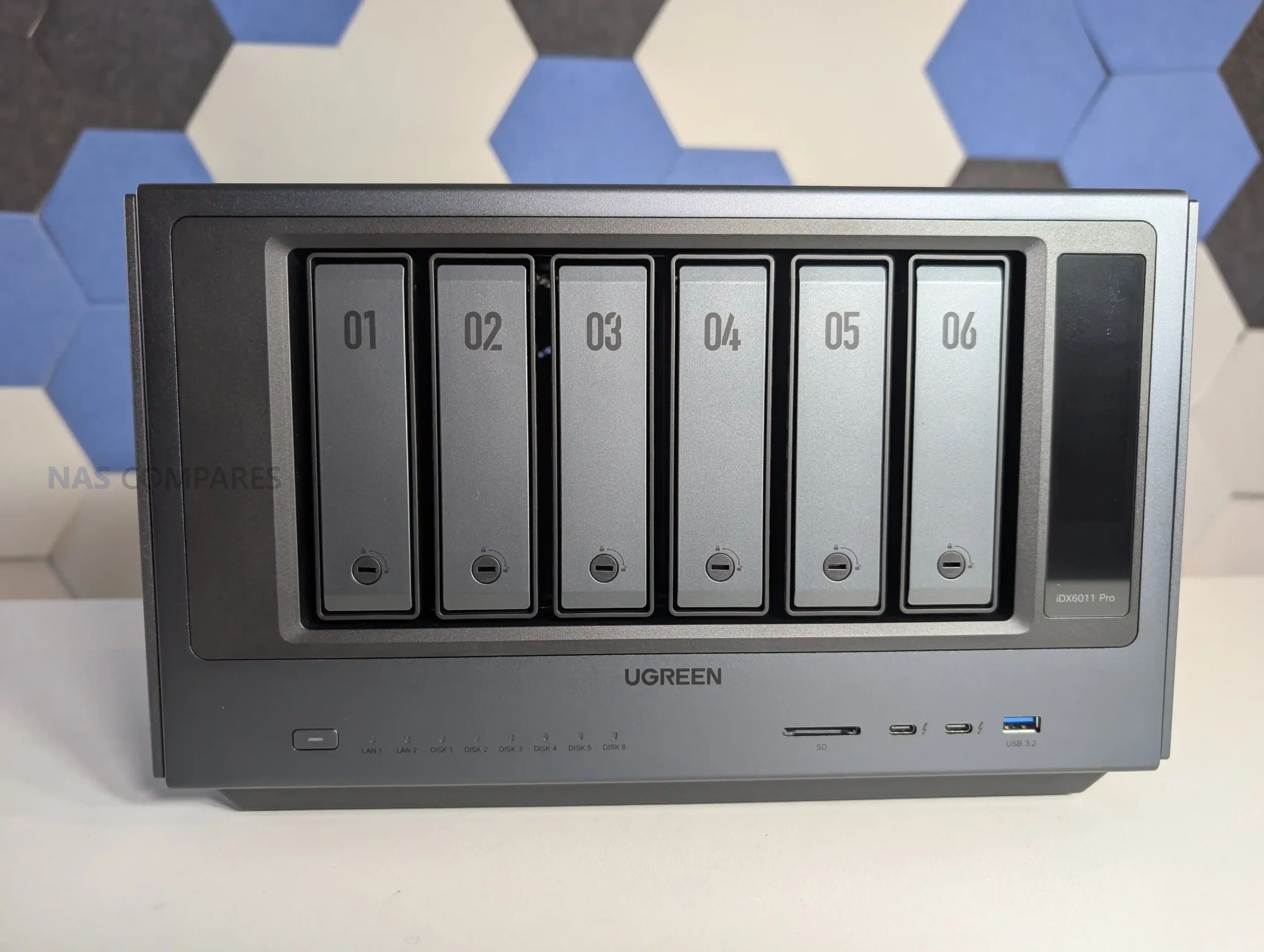
Two years ago, the popular battery and PC accessory company UGREEN, launched their Kickstarter campaign for the NASync personal NAS series of devices. The brand already had a steadily growing foothold in China with their DX series of NAS devices, but were still a huge outsider in the world of NAS globally. Fast forward two years, a $6 Million crowdfunding campaign, 6 new NAS releases, a new NAS kickstarter in progress (the IDX6011 AI NAS) and generally undermining long-time players who have been in the NAS market for more than a decade – UGREEN is looking like quite a beast in the world of NAS! But two years, UGREEN now finds that along with an increased market position also comes increased demand, scrutiny and expectation. I went to Shenzhen, China, to speak directly with the teams who direct and create their NASync division to ask them them questions about the development of this series, lessons that were learnt, where they are going and what they still need to do to further establish their position in the turnkey NAS market.
Full Disclosure – this Q&A has NOT been sponsored, subsidised or creatively controlled by UGREEN. These questions are my own, submitted to UGREEN 48 hours prior to the interview, and the answers provided were directly from their team.
UGREEN was already a well-established company in its own right before it expanded into NAS systems. So, currently, what is the scale of the teams and resources that your company has allocated to this? R&D, Design, Development, Technical Support, etc?
UGREEN put together its NAS team back in 2018, released its first NAS product in China in 2021, and went global for the first time in 2024, bringing its NAS products to markets around the world. NAS is one of the company’s key strategic product lines, with a team of several hundred people working on it—including product, R&D, design, testing, security, and more. This doesn’t count shared support teams like industrial design, legal, or finance; we’re only talking about people directly focused on NAS. In this whole building, every floor is filled with NAS team members—except for the third floor, which is just the cafeteria.
What has been the biggest challenge in the continued development of your NASync/UGOS services in these last 2 years?
One challenge is resource allocation. We need to support international users at the same time, which means balancing different priorities and expectations. Another challenge is localization. It’s not just about language, but also understanding different user behaviors and usage scenarios. So we had to spend a lot more time to research and validate what users actually need in each region. Based on that, we’ve been continuously adjusting our product direction and improving UGOS to better fit a global audience. It’s definitely an ongoing process, but it’s helped us build a much clearer understanding of the market.
Two years on from your initial crowdfunding, your position in the ‘turnkey NAS market’ from comparative obscurity has catapulted to effectively being in the top 5 (if not top 3) – What do you think UGREEN have brought to the market (or change in the market as a whole) that caused this?
There are a few key things behind that.
Hardware DNA, Built for AI
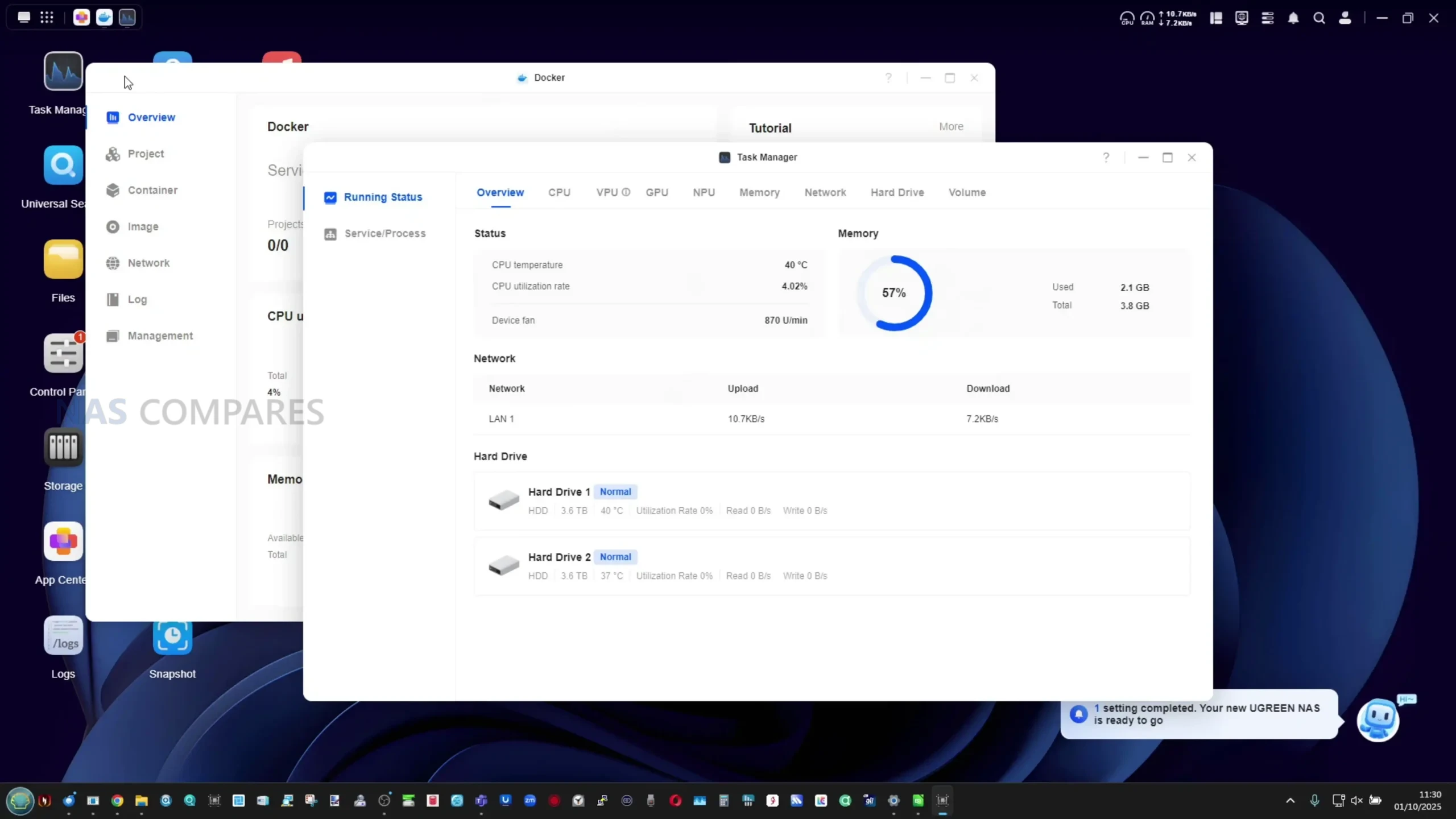
UGREEN is a hardware company at heart. With our NAS products, we insist on solid hardware—high-performance CPUs, ample memory, high-performance CPUs and ample memory—not just for reliability, but for computing power. AI NAS demands serious performance. Without a strong hardware foundation, AI is nothing more than a concept. Our hardware is designed to make AI run stable and fast.
User-Centric, Not Just a Slogan
We’ve always put ourselves in our users’ shoes. We listen to every voice—on social media, in forums, through user interviews. Many of our features, like snapshots and SAN Manager, came directly from users telling us, “I need this.” Our products aren’t built in a vacuum; they’re shaped together with you.
R&D Investment, Bringing NAS to Everyone
We established our software R&D team, including an AI pre-research team, early on. User feedback has driven us to keep investing, with one goal in mind: to shorten the learning curve. NAS shouldn’t be just a toy for tech enthusiasts. We believe the future of NAS is for everyone—simple, smart, and accessible. This is the path we’re on, and it’s one we want to walk together with you.
The UGREEN IDX6011 AI NAS series has been in development for a long time, and will be headed to its own crowdfunding campaign shortly. What was the biggest challenge you faced in its development and/or lesson that you learned about this new profile of solution?
The biggest challenge was finding the right balance between AI capabilities and real user value. It’s relatively easy to add AI features from a technical perspective, but making them actually useful, stable, and well-integrated into everyday workflows is much harder. Especially on a NAS, NAS is essentially a local storage product, everything runs locally, so for us, it was important that AI features also run locally. But hardware resources and compute power are limited. So the question is, how do we build useful and stable AI features without affecting NAS core functionality like storage, backup and overall system performance? That’s very difficult.
And from product design perspective,it’s also challenging to define the right AI use cases. It’s not about adding more AI features, but making sure they are scenario-driven and actually solve real problems, like better file organization, smarter search, easier intraction… We need to keep the experience simple. Many users are still new to AI on a NAS, so we wanna make things natural and do not add extra complexity. So right now, we’re still in the process of refining and validating these ideas, and making sure we deliver something that’s both practical and reliable for users.
I think it would be fair to say that UGREEN has chiefly focused on Desktop NAS server ownership in their portfolio of solutions to date. But have you explored rackmount solutions, and/or is this something that could happen in the near future?
Actually we’ve done some internal research on rackmount solutions, it’s quite different from desktop NAS in terms of target audience, hardware, software and sales. So it’s not just an extension of what we’re doing now, it requires a different product strategy. For now, our focus is still on improving and expanding our desktop NAS lineup, in the short term, we don’t have a concrete plan for rackmount products, but it’s something we’ll continue to evaluate over time.
Now that UGREEN is a largely established player in the turnkey NAS market, there is a lot more scrutiny on the extent to which your brand preemptively prepares against cyber security threats. What is UGREEN doing to address (in terms of foundations on this platform and broader services) this to avoid a potential slow moving snowballing security incident?
Security is something we take very seriously. At the product level, we provide a range of built-in security features. For example, users can enable DoS protection to defend against network attacks, automatically block IP addresses after multiple failed login attempts, and set up firewall rules to control access from specific IP addresses and built-in Security app to scan for suspicious files We also have a dedicated internal security team and a well-established vulnerability handling process, so critical issues can be identified and resolved quickly. We also provide a vulnerability reporting channel on our official website. If users discover any potential security issues, they can report them to us, and we will assess and respond accordingly.
(Below is a snippet of the Security Disclosure page from UGREEN, available HERE)
At CES 2026, UGREEN unveiled its surveillance platform and edge AI cameras. At that time, your team was kind enough to allow me to see the early development of your NAS surveillance application that will allow full management, direct control and storage of these new Surveillance services. Is development still continuing on this and will this be a service that existing NASync owners will have access to in the future
Yes, development is still ongoing. The surveillance platform you saw at CES is actually a part we are exploring, and is still under active development. From what I understand, AIOT is a broad ecosystem that is going to feature ai NAS, ai-based home security cameras, and many more AI-empowered hardware devices for a smarter lifestyle. On the NAS side, we’re also building our own surveillance application for NASync. We plan to launch it within this year. In terms of compatibility, we aim to support both UGREEN cameras and third-party cameras, so users have more flexibility to build their setup. So overall, both sides are moving forward, but they are different products within the UGREEN ecosystem.
In the last year, UGREEN released two ARM RK chip-powered NAS solutions in the DH2300 and DH4300 – How easy/hard was scaling UGOS onto this more modest hardware base, and were there any useful lessons learned that have benefited your NAS development as a whole?
DH series is our entry-level lineup, designed mainly for NAS beginners and users with simpler needs. From a technical perspective, running UGOS on an ARM-based platform is definitely more constrained compared to x86, especially in terms of performance and resource availability. A lot of things can’t just be directly carried over, we need to re-adapt them for the ARM architecture, including the kernel, system services, and many core features. So we had to be more selective and thoughtful about which features to include and how to optimize them. And from a product perspective, it actually helped us become more focused. With the DXP series, we already emphasized user-friendliness, but with the DH series, we really wanted to take that further and make it as simple as possible, essentially positioning it as a user’s first NAS.
So in practice, we streamlined certain features based on the hardware and target users. For example, we simplified or did not include things like virtual machines and some AI capabilities, and instead focused on delivering a smooth and reliable core experience. One key lesson we learned is that not every product needs to do everything. It’s more important to match the right experience to the right user group. And that thinking has also helped us better define our overall NAS product lineup.
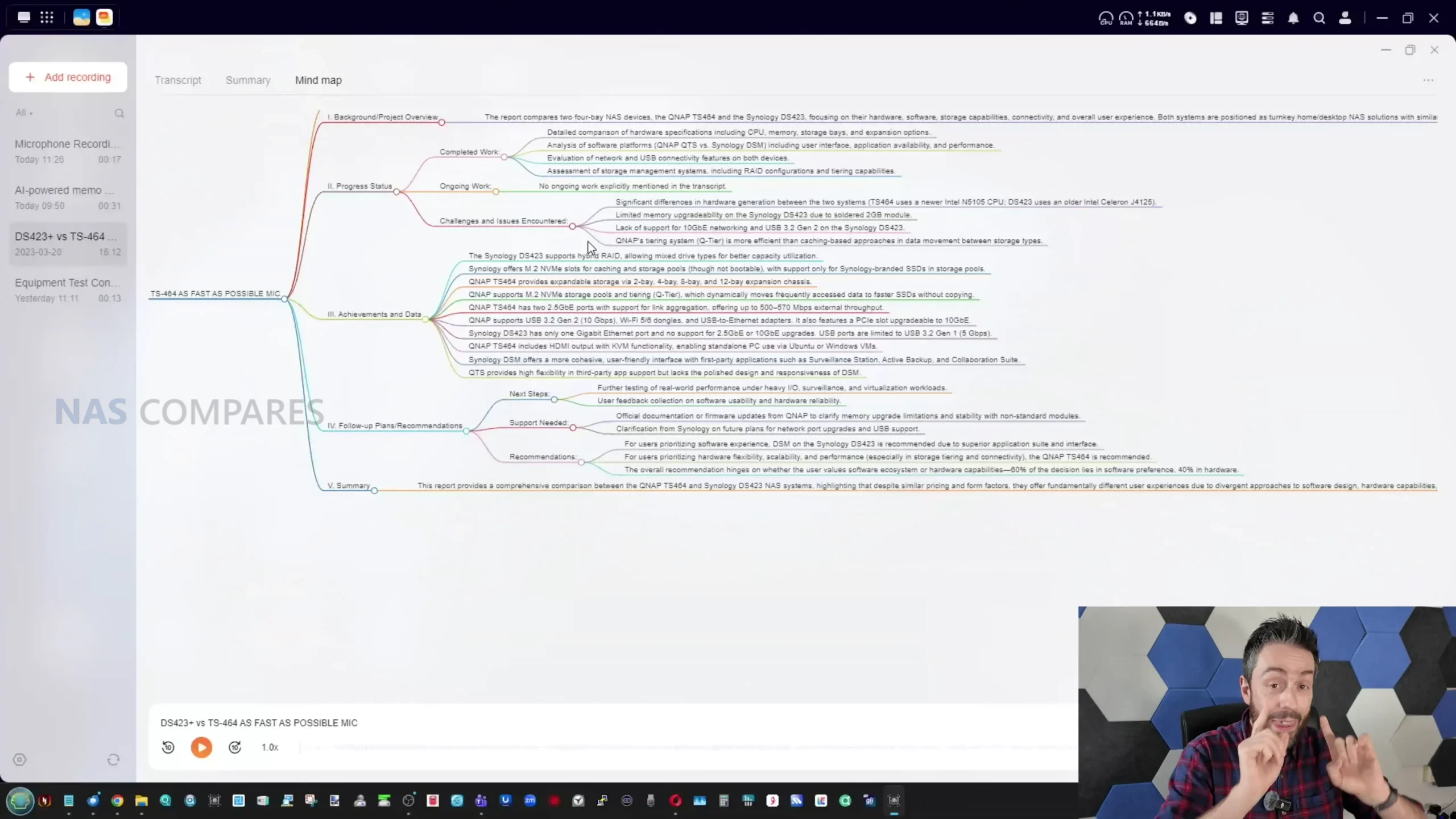
I canvased a large group of UGREEN NAS users (many of whom were part of your original Kickstarter campaign) who are still using their NASync systems to this day, and have followed you on your journey so far. I asked them which features or improvements they would like to see in future updates and revisions to UGOS. Are you able to share if these are features that are on the roadmap, or have been explored?
Full Volume Encryption
WORM support
A mixed drive RAID storage system (comparable to Synology Hybrid RAID or Terramaster TRAID)
A tiered storage system (unlike the copy system of ‘caching’, but a SSD+HDD composite pool that intelligently moves ‘hot’, ‘warm’ and ‘cold’ data to appropriate storage areas)
ZFS as a file system choice
A native Plex Media Server Application
A local client application for Mac/Windows for file pinning, streaming, intelligent 30-day deletion (see Synology Drive, QNAP Qsync, etc)
A more comprehensive security scanner (eg scanning for unsecure open ports, SSH being open, weak passwords, admin accounts, auto blocks disabled, etc)
We’ve actually seen many of these requests from our users as well, these are very valuable suggestions and we’ve already had internal discussions around most of them. But many of these features, like full volume encryption, hybrid RAID, or tiered storage are quite complex, they take time to design, develop and validate, especially we wanted to make them stable and reliable.
So at this stage, we don’t have a specific timeline we can share yet. But these are definitely things we take seriously, and we’ll plan them carefully based on user demand and overall product direction. If we see strong demand from users, we’ll absolutely prioritize them accordingly.
Thank you to the team at UGREEN for their time in this interview. As mentioned, the answers about were provided in their entirety and without prejudice. This will be a video soon that covers this, the tour of the facilities, as well as further discussion around the IDX6011 NAS Kickstarter and how this has been managed.
Want to Support the work me and Eddie do at NASCompares? If you found this article helpful and are going to buy a UGREEN NAS from the brand’s official site or from Amazon, use the links below. Using these links will result in a small commission coming to us (which costs you nothing extra) and it allows us to keep doing what we do! Thank you for keeping the internet a fair and sustainable place!
This description contains links to Amazon. These links will take you to some of the products mentioned in today's content. As an Amazon Associate, I earn from qualifying purchases. Visit the NASCompares Deal Finder to find the best place to buy this device in your region, based on Service, Support and Reputation - Just Search for your NAS Drive in the Box Below
Need Advice on Data Storage from an Expert?
Finally, for free advice about your setup, just leave a message in the comments below here at NASCompares.com and we will get back to you.Need Help?
Where possible (and where appropriate) please provide as much information about your requirements, as then I can arrange the best answer and solution to your needs. Do not worry about your e-mail address being required, it will NOT be used in a mailing list and will NOT be used in any way other than to respond to your enquiry.
[contact-form-7]
TRY CHAT Terms and Conditions
If you like this service, please consider supporting us.
We use affiliate links on the blog allowing NAScompares information and advice service to be free of charge to you.Anything you purchase on the day you click on our links will generate a small commission which isused to run the website. Here is a link for Amazon and B&H.You can also get me a Ko-fi or old school Paypal. Thanks!To find out more about how to support this advice service checkHEREIf you need to fix or configure a NAS, check FiverHave you thought about helping others with your knowledge? Find Instructions Here
Or support us by using our affiliate links on Amazon UK and Amazon US
Alternatively, why not ask me on the ASK NASCompares forum, by clicking the button below. This is a community hub that serves as a place that I can answer your question, chew the fat, share new release information and even get corrections posted. I will always get around to answering ALL queries, but as a one-man operation, I cannot promise speed! So by sharing your query in the ASK NASCompares section below, you can get a better range of solutions and suggestions, alongside my own.
Et si je vous disais qu'on pouvait faire tourner Firefox dans un terminal ? Et pas un navigateur en mode texte, hein. Non, le véritable Firefox, avec ses onglets, les images, la totale... Hé oui c'est possible et que ça fonctionne via SSH, donc depuis un serveur distant. Bienvenue dans le futur (ou le passé, j'sais plus trop) !
Term.everything
c'est un compositeur Wayland construit from scratch en Go qui, au lieu de balancer l'image sur votre écran, la convertit en caractères ANSI et l'affiche dans le terminal. Du coup, n'importe quelle app GUI Linux peut tourner là-dedans. Firefox, un gestionnaire de fichiers, un lecteur vidéo... et même Doom (parce que si ça peut pas faire tourner Doom, ça compte pas). Le binaire fait une poignée de Mo, c'est sous licence AGPL-3.0, et y'a zéro dépendance externe.
L'outil propose 2 modes d'affichage. Le mode basique qui convertit les pixels en blocs Unicode, et dont la qualité dépend du nombre de lignes et colonnes de votre terminal. Plus vous zoomez out (Ctrl+- sur Alacritty), plus c'est net... mais plus ça rame. Donc si votre terminal supporte le protocole image, genre Kitty ou iTerm2, l'autre mode, c'est du rendu pleine résolution et là non seulement c'est pas dégeu mais en plus ça marche bien !
Le truc vraiment dingue, c'est surtout le SSH parce que si vous avez un serveur Linux distant, vous vous connectez dessus en SSH, vous lancez term-everything firefox et hop, Firefox s'affiche dans votre terminal local. Pas de X11 forwarding relou à mettre en place ni de VNC / RDP zarbi.
Pour les admins sys qui gèrent des serveurs headless, c'est quand même sympa ! D'ailleurs si vous aimez
les outils SSH bien pensés
, celui-ci aussi va vous plaire.
Par contre, on est encore en bêta et certaines apps vont planter ou refuser de se lancer. C'est normal, c'est un compositeur Wayland complet écrit par un seul gars (chapeau l'artiste !). Ce n'est donc pas le genre de truc qu'on met en prod, mais pour du dépannage sur un serveur Debian distant ou juste pour la beauté du geste, ça envoie du pâté.
Le créateur de term.everything est d'ailleurs le même qui avait codé
Fontemon
, un jeu vidéo caché dans une police de caractères. On est donc clairement dans la catégorie "parce qu'on peut le faire et que c'est marrant".
Bref, si vous voulez épater vos collègues en lançant KDE dans un terminal par-dessus SSH, ou juste jouer à Doom dans tmux,
c'est par là que ça se passe.
Amusez-vous bien et merci à Lorenper pour l'info !
Hey ! Bonjour à toutes et à tous ! 🤙 Nous voilà de nouveau réunis pour cette fois-ci parler Ubiquiti et plus précisément comment mettre à jour UniFi Network Application via un accès SSH. Pour rappel, la dernière fois, nous avions vu comment mettre à jour un point d’accès via SSH. Introduction UniFi Network Application, …

 Connexion








 SUBSCRIBE TO OUR NEWSLETTER


 TRY CHAT