Connexion
100 Reasons Why Users Choose TrueNAS, Unraid, Proxmox, OMV or ZimaOS over Synology QNAP, Terramaster and More
100 Reasons DIY NAS (TrueNAS, UnRAID, Proxmox) are BETTER than Turnkey (Synology/QNAP/etc)
Plenty of people who start with Synology, QNAP or other turnkey NAS boxes will quietly admit that they keep hearing the siren call of DIY platforms like TrueNAS, Unraid, Proxmox, OpenMediaVault and ZimaOS. They see the videos, the benchmarks and the insane builds that squeeze every last drop out of consumer and ex-enterprise hardware. No one is pretending that turnkey systems are not convenient or polished, but more and more users are realising that the raw control, scalability and flexibility you get from rolling your own NAS can be worth the extra effort. In 2025 it is easier than ever to grab a used server, a pile of drives and a USB stick and end up with something that outperforms many branded appliances, both in speed and long term value. So, below are 100 reasons why users decide to jump ship from the safe, curated and sometimes expensive world of turnkey NAS, and instead join the more open, powerful and endlessly customisable world of DIY storage. Some points are very homelab focused, others are about cost and longevity, and some are specific to individual platforms such as TrueNAS ZFS, Unraid parity arrays or Proxmox clustering.
IMPORTANT DISCLAIMER – Different tools suit different tasks! I use both DIY and Turnkey Solutions in my own personal/work data storage environments (as well as a little bit of DAS and even some off site cloud!),. This article is not designed to ‘attack’ or ‘slag off’ one side of the home server market over another! It is to help understand why users might choose one over the other. Not disimilar in some ways to how some people prefer PC gaming vs Console gaming (or even exclusively mobile, though even struggle to wrap my head around that one!).
1. Full control over your hardware
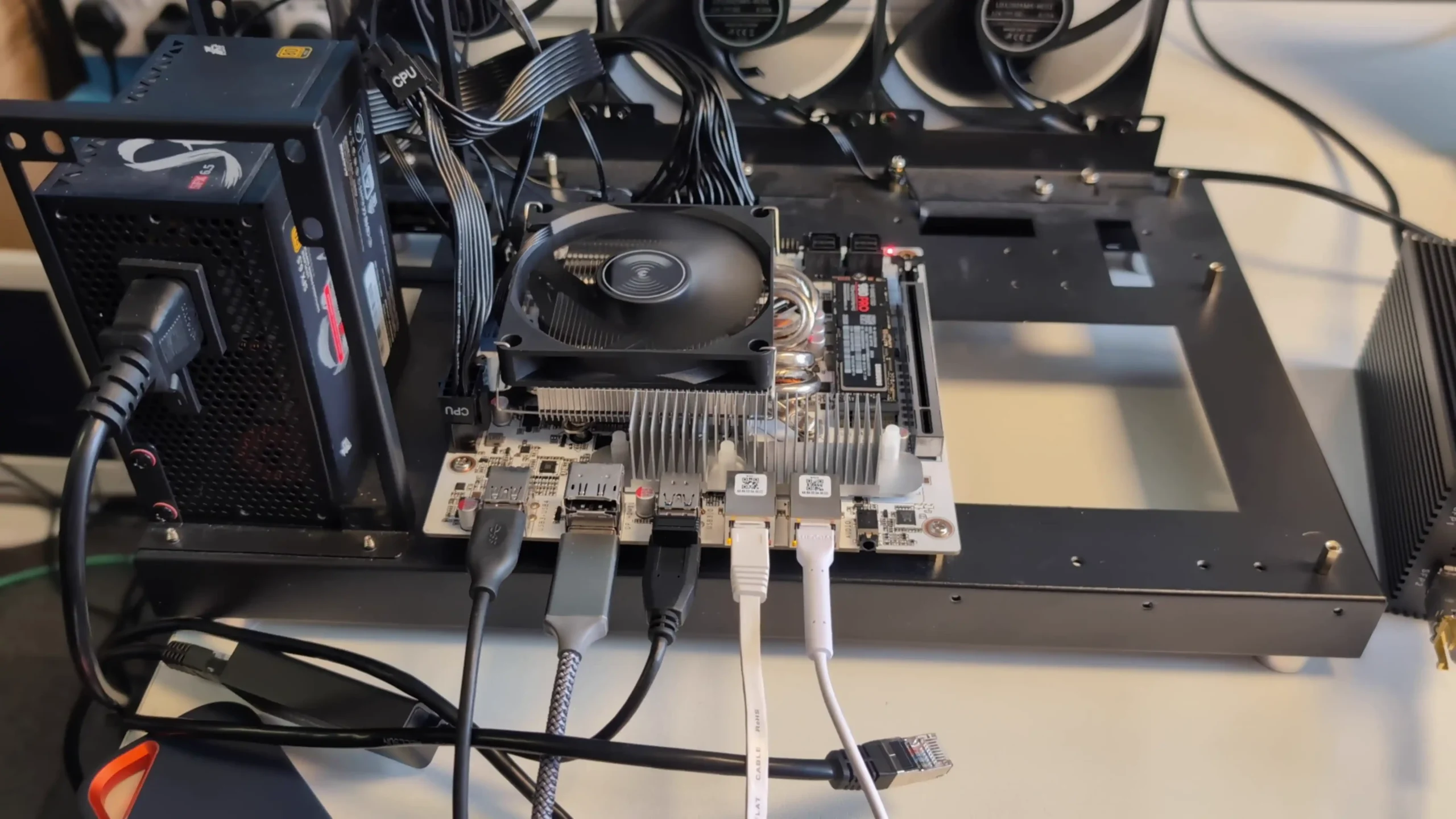
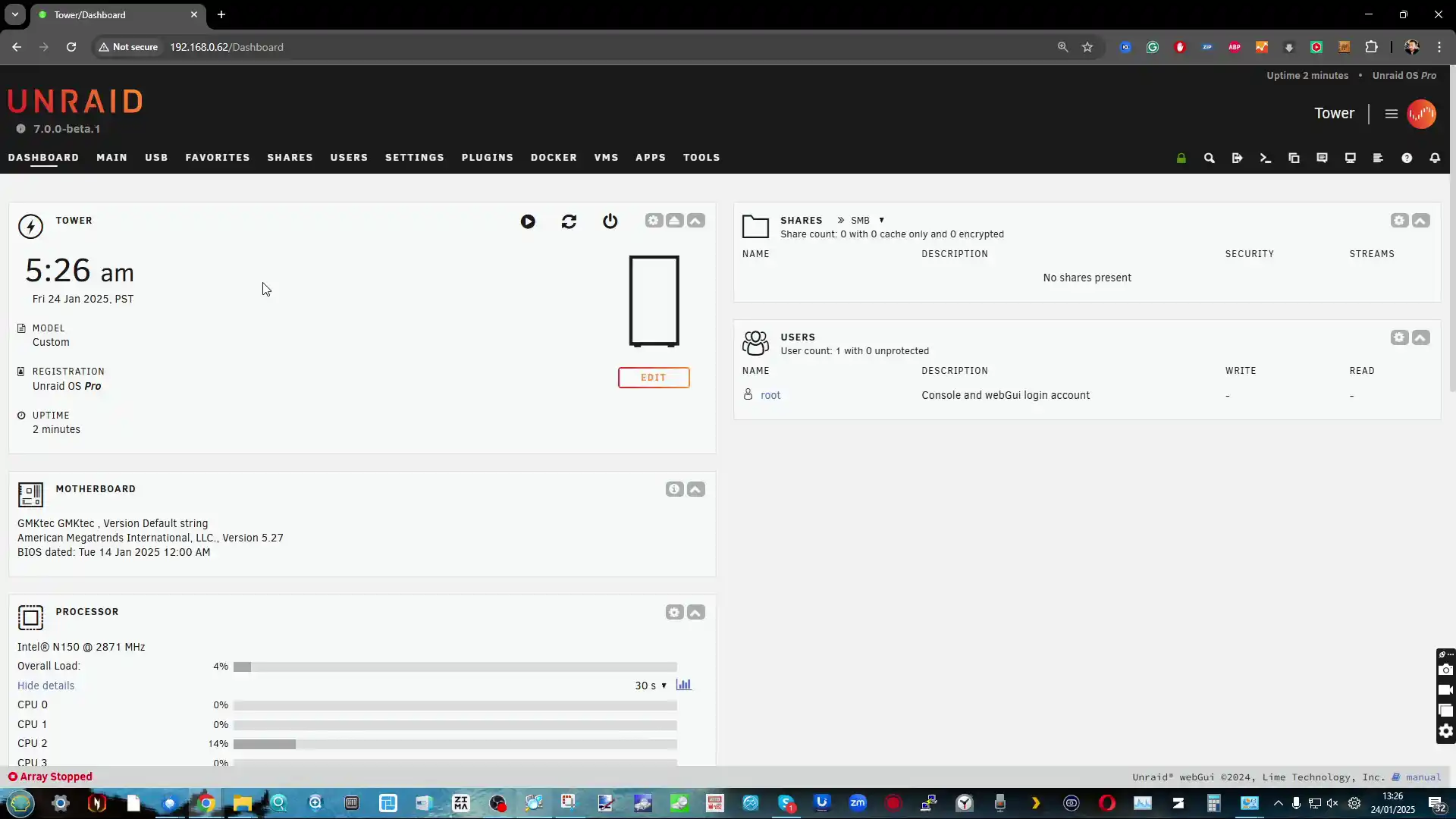
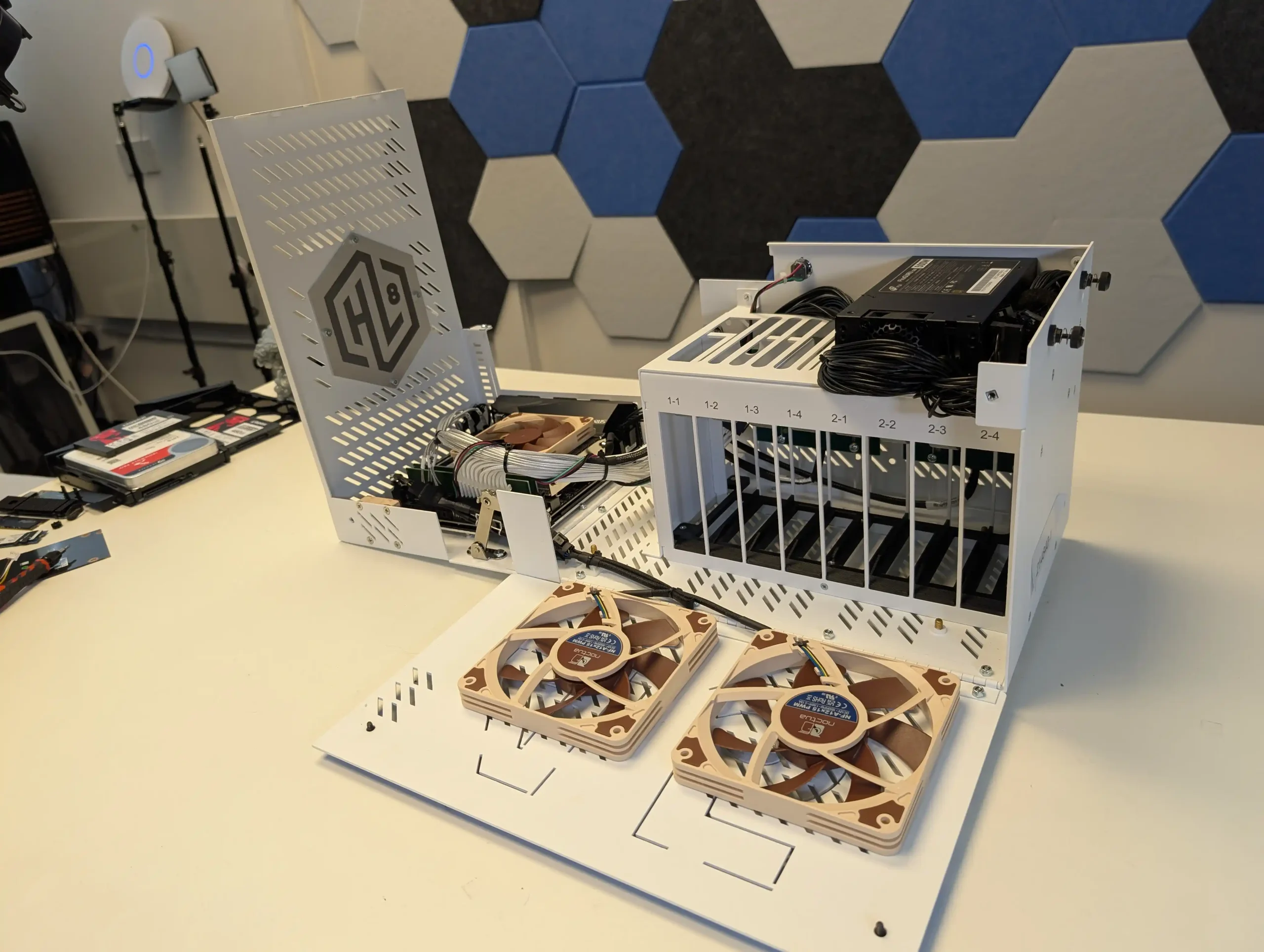
With TrueNAS, Unraid, ZimaOS, Proxmox or OMV you choose everything yourself, from CPU and RAM to motherboard, HBA, NIC, case and power supply. You are not restricted to a small list of approved chassis and expansion units, so you can build around quiet small form factor systems, big tower rigs, or used rack servers depending on your needs and budget.
2. No vendor lock on drives
DIY NAS platforms let you use almost any SATA or SAS drive you like, including shucked external drives and mixed brands. There are no vendor media lists, no compatibility warnings that nag you for using third party disks, and no artificial limits that push you toward expensive branded drives.
3. Advanced file system features
TrueNAS and some other DIY platforms give you direct access to ZFS features such as copy on write integrity, end to end checksums, compression, snapshots, clones and send or receive replication. You can design datasets and snapshot schedules exactly as you want rather than relying on simplified abstractions.
4. Flexible storage layouts and mixed disk sizes
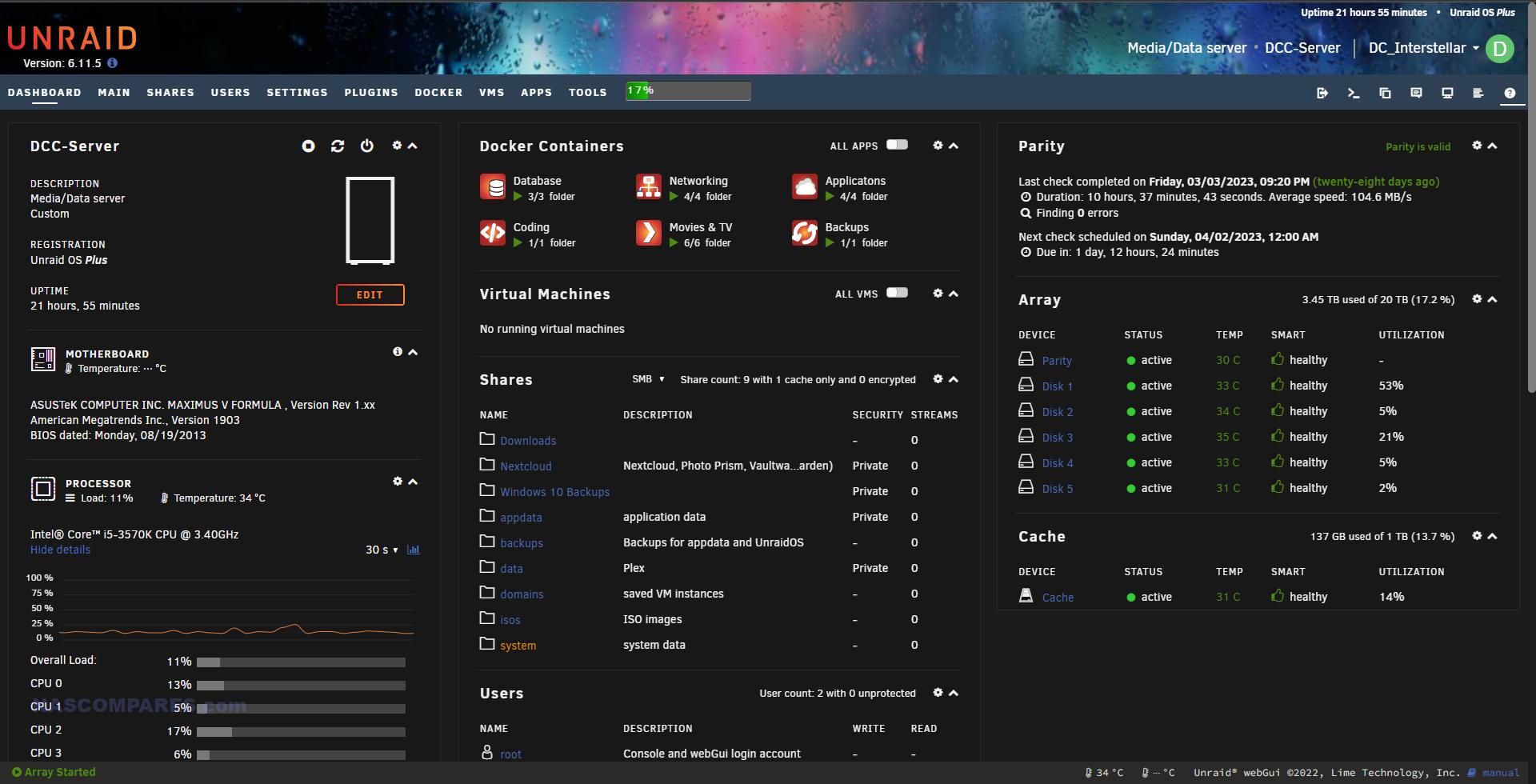
Unraid and ZFS based DIY stacks allow non traditional layouts, with mixed disk sizes, parity only arrays, mirror vdevs, striped vdevs and multiple pools. You can start small and grow over time without following the fixed bay patterns or limited RAID options of many turnkey systems.
5. Deep performance tuning
DIY NAS operating systems usually expose more dials for memory usage, cache behaviour, record sizes, sync policy, queue depths and network stack tuning. Power users can squeeze more throughput or lower latency from the same hardware by testing and adjusting these settings, something appliance firmware often hides.
6. Multi role server in one box
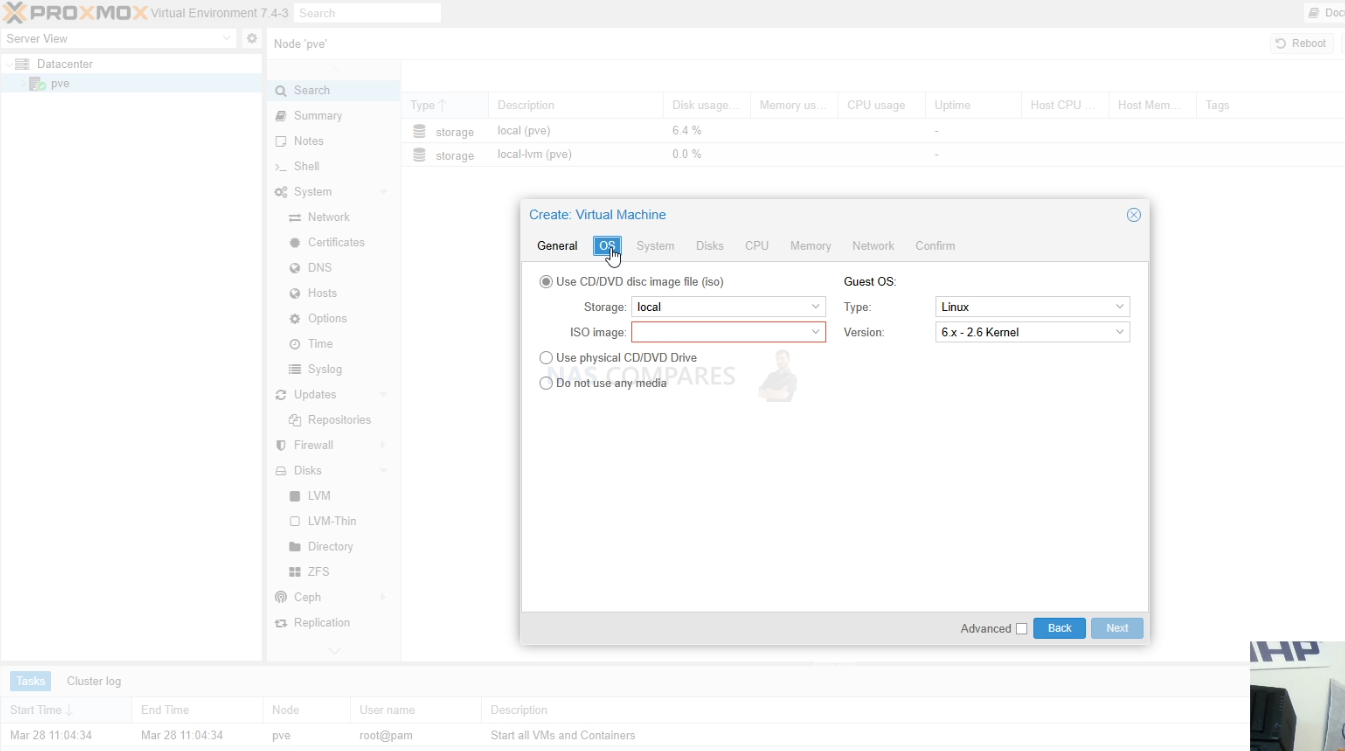
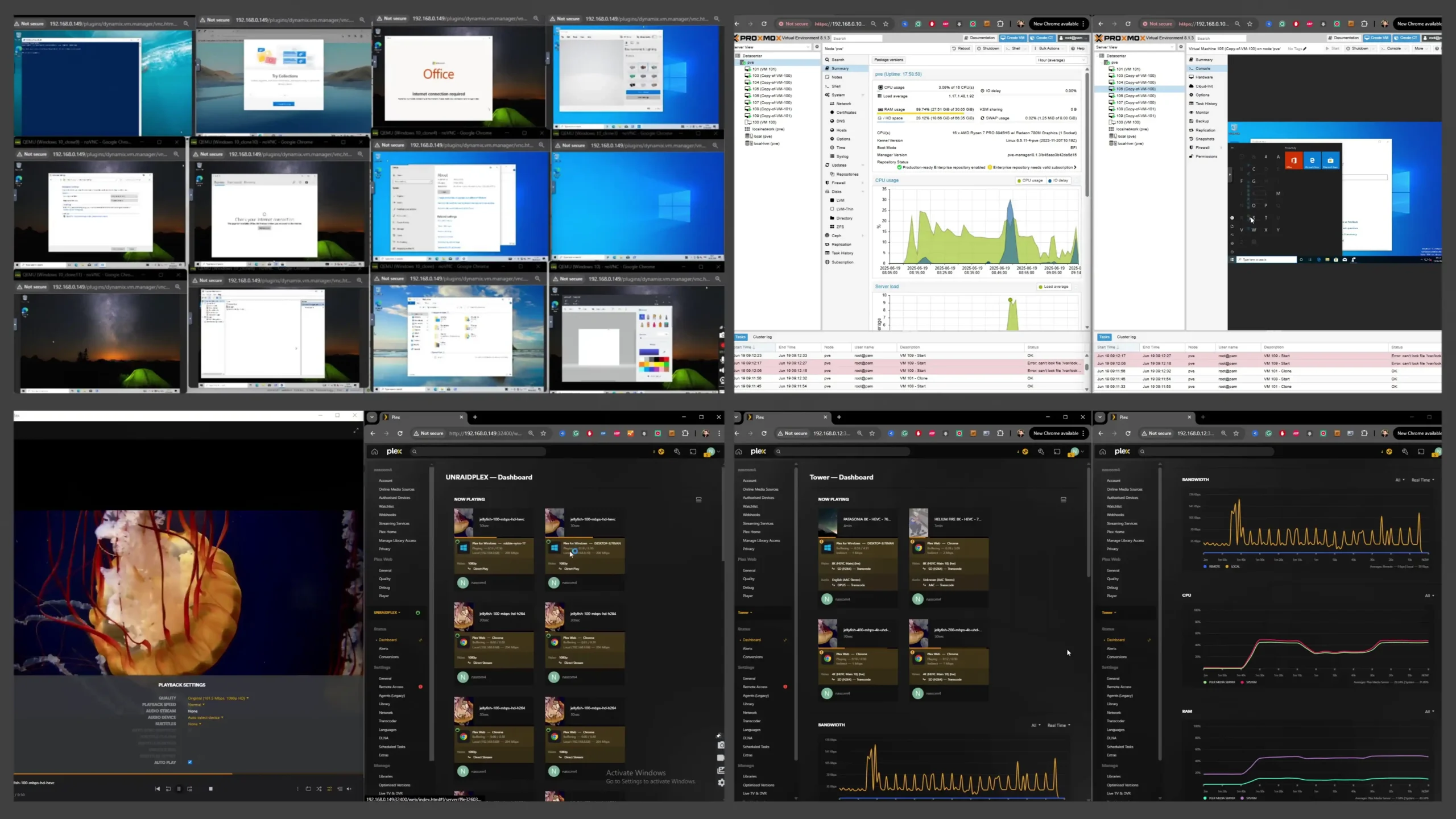
A DIY NAS can be more than just storage. With Proxmox, Unraid, ZimaOS or OMV plus a hypervisor you can run VMs, containers, network services and lab workloads on the same system. This suits homelab users who want their storage server to double as a general purpose compute node.
7. Better use of high end or unusual components
If you invest in many core CPUs, large amounts of RAM, enterprise NVMe or special purpose HBAs, DIY platforms can take full advantage of them. You are not limited by a turnkey vendor firmware that assumes mid range hardware and sometimes underuses powerful components.
8. Lower cost at large scale
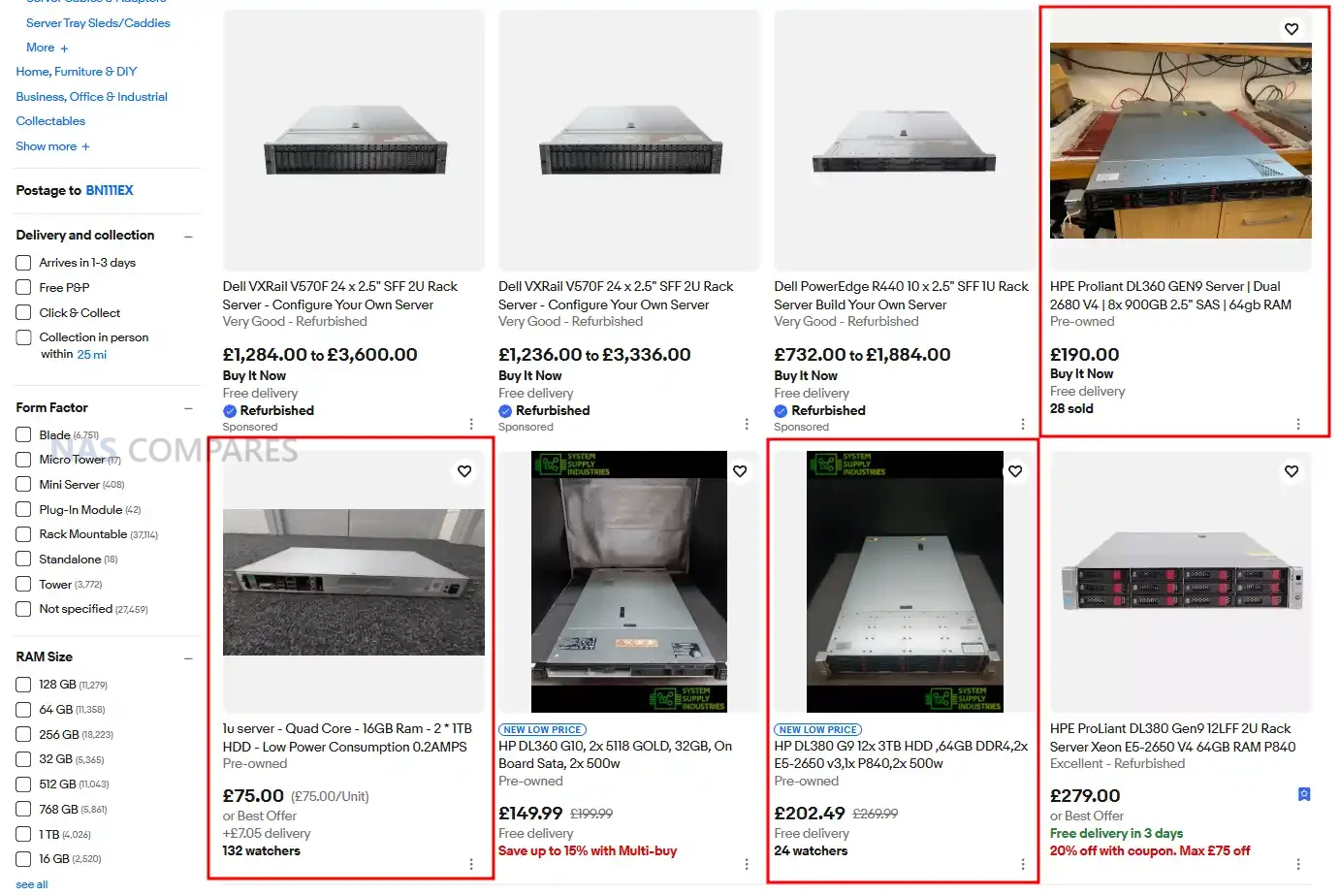
Once you move beyond a handful of bays, appliance NAS pricing climbs quickly. Building a DIY NAS with commodity parts or refurbished enterprise gear often gives you a much lower cost per bay and a cheaper upgrade path over five to ten years, especially for media servers and backup targets.
9. Reuse of existing hardware
Many people already have a spare gaming PC, workstation or decommissioned server. DIY NAS software lets you repurpose that hardware rather than buying a completely new appliance. You can then gradually replace parts over time without throwing the whole system away.
10. Independence from vendor roadmaps
With TrueNAS, Unraid, Proxmox or OMV you are not tied to one company product line or release schedule. If a vendor drops a feature, changes licensing, or stops making a class of device, your DIY stack keeps going and you can add or swap components as you see fit.
11. Open source transparency and auditability
Many DIY NAS platforms are open source or based on open distributions. You can inspect the code, follow public issue trackers, and see exactly how data path and management components behave. For organisations with strong security requirements this transparency can be more attractive than opaque appliance firmware.
12. Rich community plugin and container ecosystem
TrueNAS, Unraid, Proxmox and OMV all have active communities that publish templates, stacks and guides for a huge range of self hosted services. New applications usually appear first as containers or community charts, so you can experiment with cutting edge projects long before they arrive in any vendor app store.
13. Clean integration with existing homelab tools
If you already use tools such as Ansible, Terraform, Salt, Proxmox clusters, or Kubernetes, a DIY NAS fits into that world more naturally. It behaves like another Linux or BSD server, so you can reuse automation, monitoring, and configuration patterns that you already trust.
14. Freedom from feature based licensing
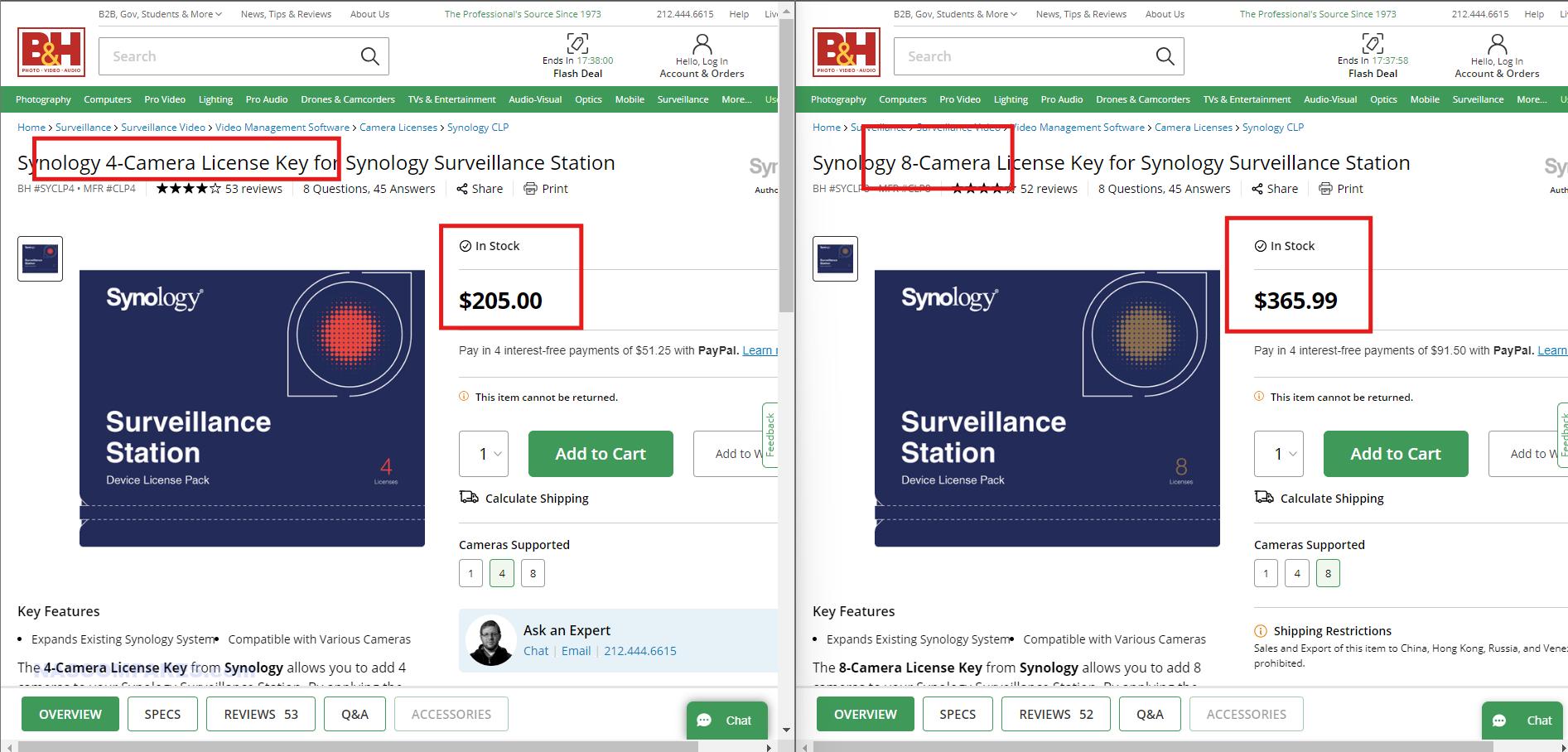
DIY platforms generally do not charge extra for adding more cameras, shares, users or applications. If your hardware can handle twenty containers or twenty camera streams, you can run them without buying more licences. That is very different from some turnkey systems where extra features are tightly controlled.
15. Strong privacy control and no enforced cloud accounts
TrueNAS, Unraid, ZimaOS, Proxmox and OMV can all run fully local with no requirement to create cloud accounts or sign in to a vendor portal. You choose if you want remote access and which VPN or reverse proxy you trust, so it is easier to keep storage isolated from external services.
16. Powerful scripting and automation options
Because DIY NAS software sits on standard Linux or BSD layers, you can use cron, systemd timers, full shell scripting and language runtimes such as Python or Go. Backup pipelines, integrity checks, archiving rules and housekeeping tasks can be scripted exactly as you need them.
17. Better fit for larger and denser builds
If you want twenty four, thirty six or more bays, DIY approaches scale more smoothly. You can use dedicated JBOD shelves, fibre or SAS expanders, and multiple HBAs, with TrueNAS or Proxmox managing pools across them. Many consumer appliances run out of official options long before that point.
18. Easier experimentation with new technologies
DIY platforms are ideal for lab work with new storage ideas, for example experimental ZFS features, new compression algorithms, alternative filesystems or clustered storage layers such as Ceph and Gluster. You can try these on real hardware without waiting for a turnkey vendor to embrace them.
19. Ability to virtualise the NAS itself
A DIY NAS stack can sit inside a virtual machine on top of Proxmox, VMware or another hypervisor. That makes it easier to move the entire storage system between hosts, snapshot the system disk, test upgrades in clones, or run multiple separate NAS instances on the same physical hardware.

21. Alignment with strict open source or compliance policies
Some companies and institutions prefer or require that core infrastructure runs on software with open licensing and source availability. DIY NAS stacks based on standard Linux or BSD distributions make it easier to satisfy those policies than closed vendor operating systems.
22. Efficient use of decommissioned enterprise hardware
The secondary market is full of cheap rack servers, HBAs and SAS shelves that are no longer wanted in data centres but are perfect for home or small business storage. TrueNAS, Proxmox and OMV can run happily on this hardware and give you enterprise level resilience for a fraction of the original cost.
23. Custom network roles on the same machine
A DIY NAS can also act as router, firewall, VPN concentrator or reverse proxy if you want to consolidate equipment. Proxmox or Unraid can host a firewall VM, DNS resolver and other network tools right next to your storage, which is not how most turnkey NAS devices are designed to be used.
24. Fine grained control of encryption and keys
DIY platforms usually let you decide exactly how encryption is applied, how keys are stored, how passphrases are entered and how this interacts with snapshots and replication. You can integrate with external key managers or strict manual processes rather than using a one size fits all wizard.
25. Easier avoidance of telemetry and phone home behaviour
If you want a storage stack that never connects to any remote service unless you deliberately configure it, DIY software is easier to keep quiet. You can review services, outgoing connections and packages yourself, instead of relying on a vendor to document what their appliance firmware does.
26. Flexible data retention and tiering schemes
Because you control the hierarchy of datasets, shares and pools, you can implement very detailed retention rules and archiving flows. Cold data can move to slower and cheaper disks, hot data can live on SSD pools, and you can enforce lifecycles with your own scripts instead of fixed vendor policies.
27. Shared skillset across storage and compute
When your storage servers and application servers all run similar bases, for example Debian or FreeBSD, the same administration knowledge applies everywhere. Teams do not need to learn a unique vendor interface for one box and a completely different approach for the rest of the estate.
28. Support for niche and emerging services
DIY NAS ecosystems often adopt new projects quickly, whether that is a young media server, a fresh photo tool, or an unusual database. Community templates for Unraid or Proxmox arrive much faster than official packages on proprietary platforms, so you can explore niche services early.
29. Long term reuse of hardware for other roles
If your storage needs change, a DIY NAS box can become a general server, a lab hypervisor or a test bench machine simply by reinstalling or repurposing the disks. You are not stuck with a chassis that only really makes sense as a proprietary NAS.
30. Lean installations without extra bloat
DIY stacks can be installed in a minimal way with only the services you actually need. There is no requirement to run vendor photo portals, cloud connectors or bundled office tools if you do not want them, which keeps resource use low and reduces the attack surface.
31. Granular control over updates and versions
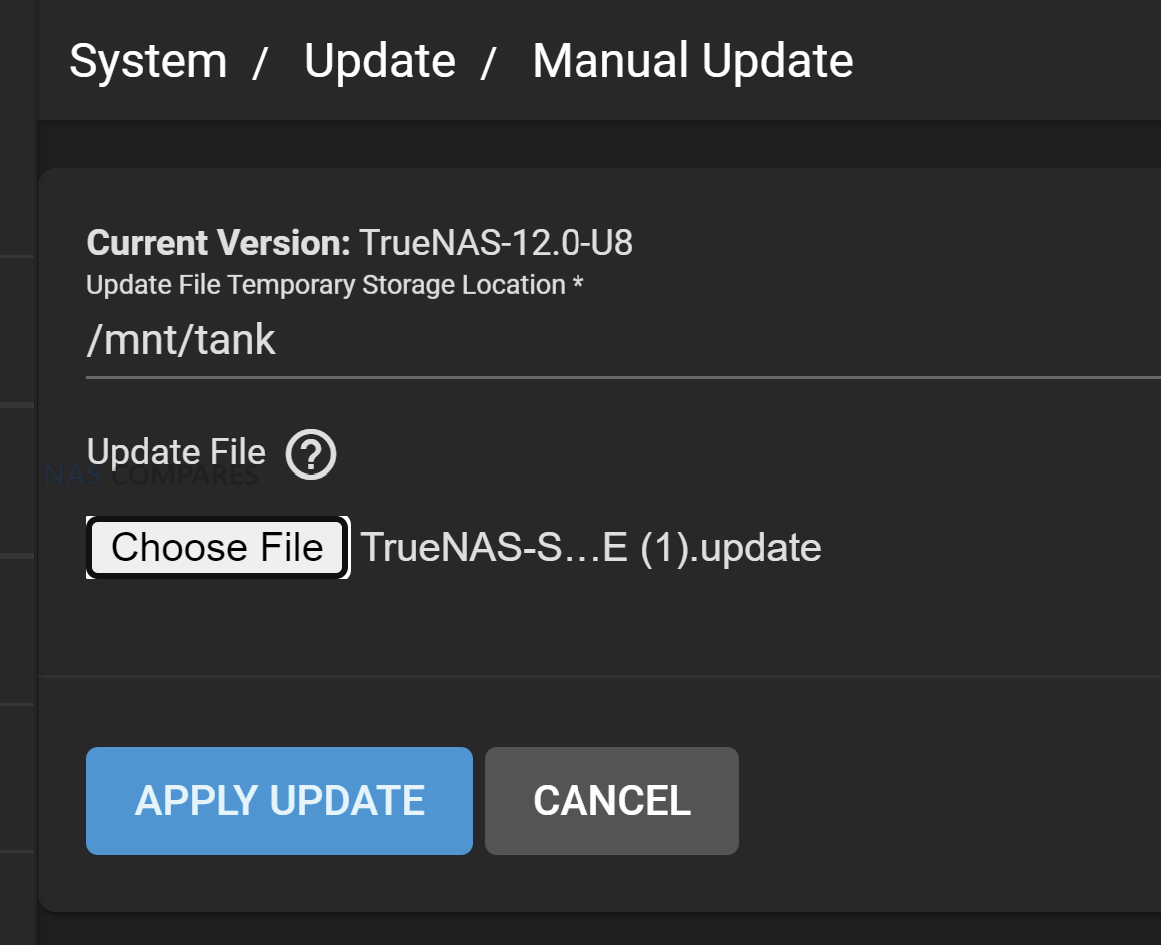
DIY NAS platforms usually let you decide exactly when to update the core system, plugins and containers. You can hold a known good version for months, run a newer kernel only on a test VM, or pin specific containers while the rest of the stack moves forward, instead of accepting a single vendor update cadence across everything.
32. Ability to run several NAS platforms on one machine
With Proxmox or similar hypervisors you can run TrueNAS in one VM, Unraid in another and maybe a plain Linux storage stack beside them, all on the same hardware. This lets you compare platforms, migrate gradually or dedicate different virtual NAS instances to different clients without buying multiple appliances.
33. Deep visibility for troubleshooting and performance analysis
DIY systems expose full system logs, kernel messages, packet captures and low level profiling tools. When you hit a strange performance issue or network glitch you can drill right down into iostat, tcpdump or perf, rather than relying only on a high level vendor dashboard that may not reveal the root cause.
34. Configuration managed like code in Git
Because most DIY NAS configurations live in text or structured files, you can store them in Git, review changes, roll back to older commits and clone the same setup onto another node. This aligns your storage servers with modern configuration management practices instead of keeping all changes on a single vendor GUI.
35. Option to extend or maintain abandoned components
If a plugin, driver or feature you rely on is dropped by its original maintainer, an open DIY stack at least gives you the option to fork and maintain it or hire someone to do so. With a closed appliance firmware, once the vendor removes or changes a feature you generally have no way to bring it back.
36. Freedom to fully rebrand or white label
Service providers that build solutions for clients can install TrueNAS, Proxmox or OMV on standard hardware and theme the interfaces, hostnames and portals to match their own brand. There is no prominent third party logo on the front of the GUI, which is often preferable when you are selling a complete solution.
37. Direct choice of monitoring and alerting stack
DIY NAS servers can run native agents for Prometheus, Zabbix, Checkmk, commercial monitoring suites and whatever log pipeline you already use. You do not have to rely on a vendor specific cloud portal or proprietary alert format, so storage monitoring fits seamlessly into the rest of your infrastructure.
38. Support for unusual hardware form factors
Because you can install DIY NAS software on almost anything that runs a suitable kernel, it is easier to use very compact systems, blade servers, dense JBOD trays or custom builds that no turnkey NAS vendor offers. This flexibility is valuable when you have physical constraints or leftover hardware that does not match appliance shapes.
39. Full control over repositories and software sources
On a DIY stack you decide which package repositories are trusted, whether you mirror them locally and which versions are allowed. This is useful in secure environments that need all software to come from internal mirrors and want to block any unapproved external package feeds.
40. Faster access to new kernel and protocol features
New SMB or NFS versions, fresh filesystems, driver updates and network features typically land on general purpose Linux or BSD first. DIY platforms that stay close to upstream can adopt these improvements long before a NAS vendor ships them in a future firmware for a specific appliance.
41. Stronger learning value and career skills
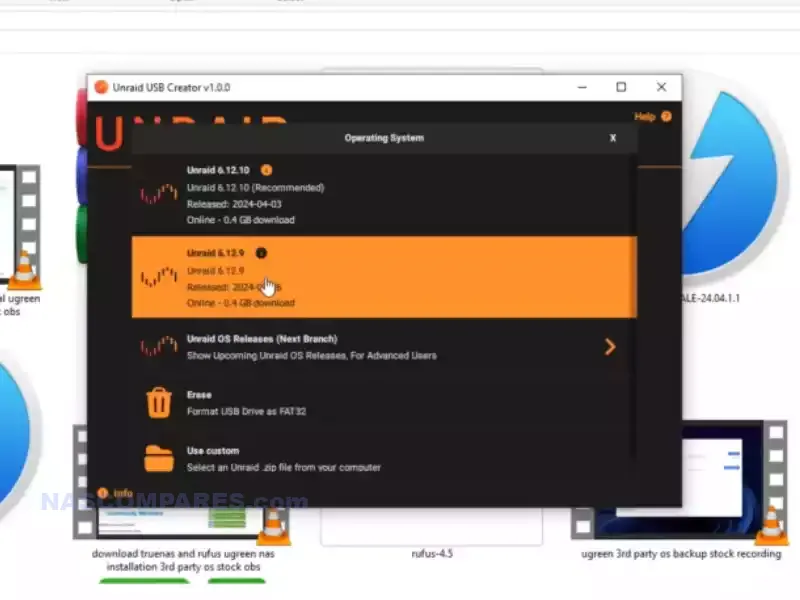
Running TrueNAS, Unraid, Proxmox or OMV teaches real storage, networking and operating system concepts. Many homelab users treat their DIY NAS as a training ground, and the knowledge they gain with ZFS, KVM, Docker and Linux often translates directly into professional roles in IT and DevOps.
42. Better use of GPUs and accelerators
DIY NAS systems can use almost any supported GPU or accelerator card for tasks such as Plex transcoding, AI workloads, video processing or scientific computing. You can pass devices through to VMs or containers and tune them as you like, instead of being restricted to a short list of vendor approved cards.
43. True multi tenant storage on a single chassis
With Proxmox or other hypervisors you can run several separate NAS VMs for different customers or departments on one physical box, each with its own web UI, users and policies. This multi tenant approach is attractive for managed service providers and is harder to implement cleanly on a single turnkey NAS.
44. Custom identity and multifactor authentication integration
DIY NAS environments can tie directly into whatever identity stack you prefer, from simple LDAP through to complex single sign on with custom multifactor rules. You can adopt advanced access controls or experiment with new identity providers without waiting for a NAS vendor to support them.
45. Alignment with strict internal security tooling
Organisations that already use SELinux, AppArmor, central audit frameworks or host based intrusion detection can apply the same policies to DIY storage nodes. A TrueNAS or Proxmox box that runs on a standard distribution can join existing security baselines, which is much harder with proprietary NAS firmware.
46. Support for exotic and high performance networking
DIY NAS stacks can use specialist network cards such as Infiniband, RoCE capable adapters or unusual fibre interfaces as long as the drivers exist. This allows you to experiment with very high throughput or low latency technologies that are rarely supported on commodity appliance NAS hardware.
47. Custom backup and replication pipelines
With tools like ZFS send and receive, rclone, Restic or Borg you can build very specific backup and replication flows. You can script encryption, throttling, snapshot selection and multiple targets in a way that fits your environment instead of being limited to the fixed policies of one vendor backup tool.
48. Colocation friendly and data center ready
DIY NAS builds can follow data center norms such as using standard rack servers, redundant power supplies, remote management controllers and IPv6 heavy networks. Colocation providers expect this type of hardware, and DIY software lets your storage blend into a standard server fleet rather than being an odd office appliance.
49. Fine grained admin delegation at operating system level
On a DIY NAS you can use normal user, group and sudo rules with SSH keys to control who can run which commands. One person can manage pools, another can manage virtual machines, another can handle monitoring agents, all with precise restrictions that go beyond the coarse admin or user split of many appliances.
50. Integration with dynamic energy and solar setups
Because DIY NAS software can talk to external APIs and home automation systems, you can schedule heavy tasks such as scrubs, backups or transcoding to run when solar output is high or electricity tariffs are low. This kind of energy aware behaviour is difficult to achieve with fixed vendor power schedules.
51. Deep home automation and MQTT integration
DIY storage nodes can publish events into MQTT, Node Red or Home Assistant whenever backups finish, disks fail or space runs low, and can also respond to automation signals from the rest of the house. This lets your NAS participate in a wider automation fabric rather than living as an isolated appliance.
52. Use of enterprise secrets management for keys and passwords
DIY NAS servers can fetch encryption keys, passwords and API tokens from systems such as HashiCorp Vault or other corporate secret stores. That allows central management and rotation of sensitive data instead of keeping secrets inside a proprietary NAS configuration database.
53. Network boot and golden image strategies
You can build a standard disk image or network boot environment for your DIY NAS with all tooling and configuration baked in. If the system disk fails or you want to spin up a second node, you simply redeploy the image and reattach the existing storage pools, which is a very different model from appliance firmware.
54. Validation of changes through continuous integration
When configuration lives in files managed in Git, you can run linting and simulation jobs in a CI pipeline before applying changes to your DIY NAS servers. This allows you to catch syntax errors or bad parameters automatically, which is impossible when all edits happen only through a click driven vendor interface.
55. Custom user interfaces and portals on top of APIs
DIY stacks expose command line tools and often REST APIs that allow you to build your own lightweight dashboards for particular users or teams. You can present a simplified view for media editors, a different one for backup operators, and keep the full complexity of the base system hidden in the background.
56. Tailored localisation and language choices
If the default language or terminology of the platform does not suit your users, you can adjust translation files or web templates on a DIY system. Community contributions in minority languages are also easier to ship and maintain than on a closed vendor NAS where only official translations exist.
57. Customised drive qualification and burn in workflows
You can design a strict process for testing new disks, for example running multi day read and write passes, specific SMART tests and temperature checks before a drive ever joins a pool. Scripts and reports can enforce this burn in policy across all your DIY NAS nodes, something turnkey platforms rarely expose in detail.
58. Robust behaviour in extreme or niche environments
In vehicles, ships, remote cabins or unstable power conditions you may need unusual behaviours such as aggressive throttling at certain temperatures, logging to serial consoles or special shutdown routines. DIY software gives you the hooks to script and tune these reactions in ways that appliance firmware does not anticipate.
59. Clean integration with formal change management processes
Organisations with strict change control can insist that all NAS configuration changes arrive through reviewed pull requests and automated deployment tools. A DIY NAS whose configuration is driven by code fits smoothly into this world, whereas an appliance managed only through a browser is harder to audit and control.
60. Easy experimentation with clustered storage technologies
If you want to explore scale out storage such as Ceph, Gluster or other distributed systems, DIY hardware and open platforms are the most practical route. You can repurpose existing nodes into a cluster, test resilience and performance characteristics, and later reuse those machines for other lab work if requirements change.
61. Easier long term data salvage and portability
With DIY platforms such as TrueNAS, Unraid, ZimaOS, Proxmox and OMV, the on disk formats and pool layouts are widely documented and used in many contexts. If a motherboard dies in several years, you can move the disks to new hardware, reinstall the same software and import the pools, instead of hunting for an identical appliance or vendor recovery tool.
62. Broader protocol support and deeper tuning
DIY NAS software lets you expose storage over SMB, NFS, iSCSI, rsync modules, sometimes NVMe over TCP and more, with detailed control of versions, encryption, timeouts and caching. You can tune each protocol for a specific workload instead of accepting whatever subset and presets a turnkey vendor offers.
63. Custom hooks on file and dataset operations
Because you control the base system, you can attach your own scripts when files are written, moved or deleted in particular locations. That allows automatic virus scanning, metadata extraction, indexing, transcoding or business workflows that trigger whenever content changes, rather than relying only on built in features.
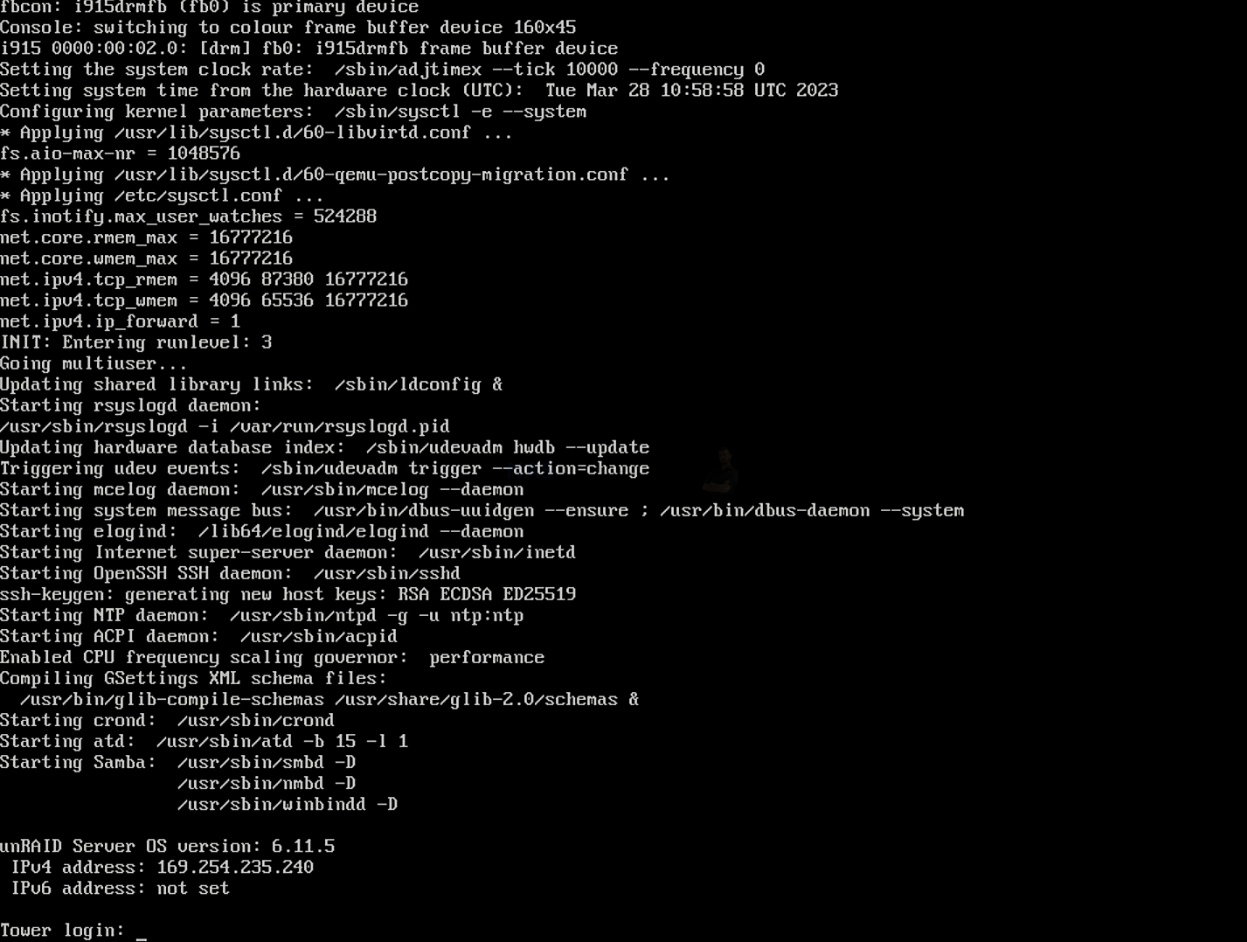
64. Comfortable operation with serial console and no local screen
DIY NAS platforms are happy on machines that have only serial console or out of band management with no HDMI or local keyboard. This matches how many server rooms and colocation racks actually work and lets you manage storage over low bandwidth links without any graphical tools if needed.
65. More compression and deduplication options per dataset
ZFS based DIY systems allow you to choose different compression algorithms and record sizes per dataset and to enable or disable deduplication only where it makes sense. You can optimise for databases, media archives or virtual machines individually rather than living with a single vendor setting for an entire volume.
66. Clear separation of storage and management planes
On a DIY NAS you can keep the storage node lean and run most of the management logic on other servers through SSH, APIs or orchestration tools. The storage device can behave as a focused data plane while the control plane lives elsewhere, which is attractive in environments that want very thin appliances.
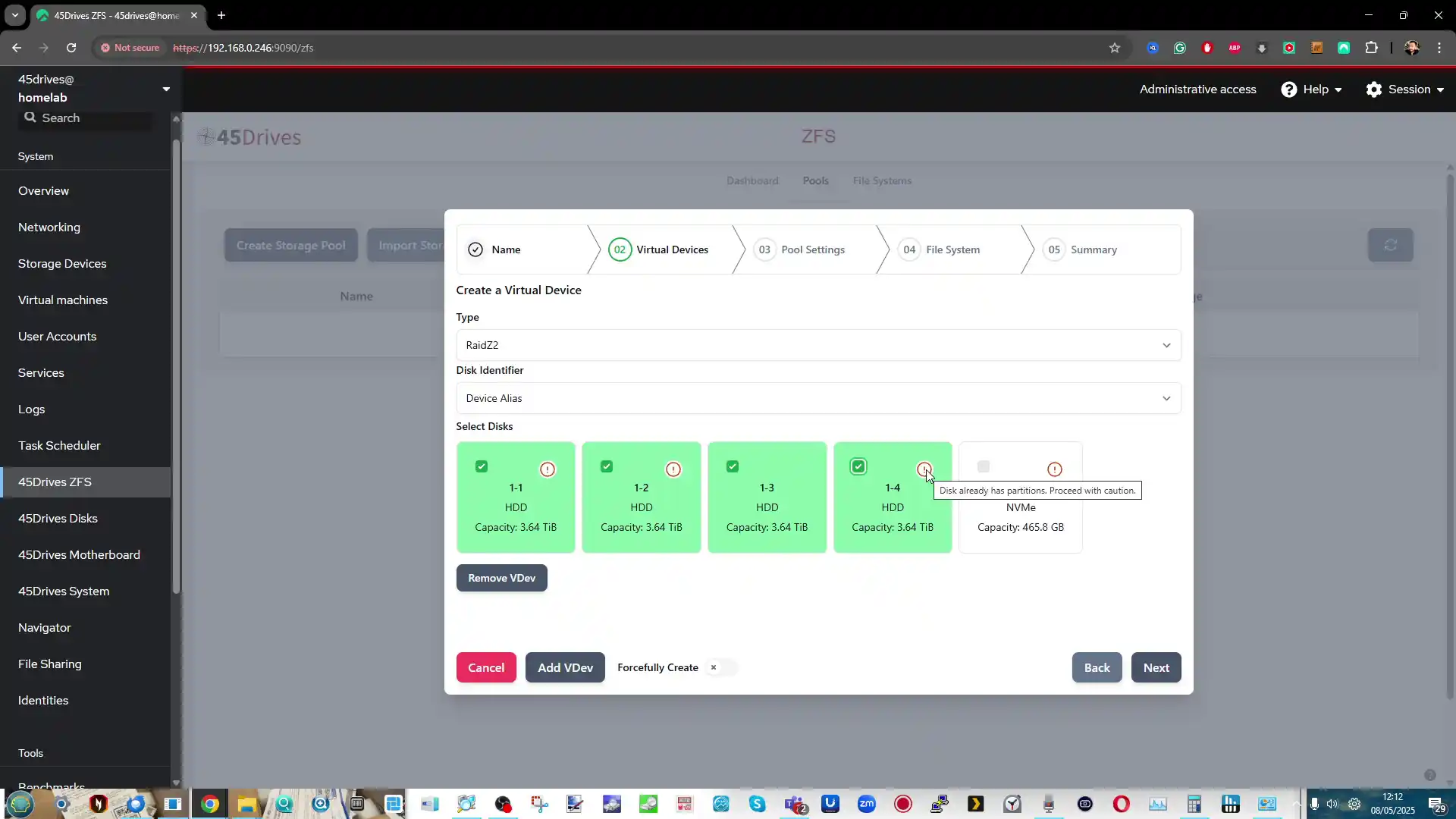
67. Community culture that embraces experimentation
The forums and communities around TrueNAS, Unraid, Proxmox and OMV are full of people who enjoy deep technical dives, benchmarks and off label use cases. For homelab users and engineers that culture can feel more welcoming than vendor moderated communities that discourage unsupported combinations.
68. Reuse of one reference design across home, lab and office
Once you settle on a particular DIY stack and layout, you can repeat the same design at home, at work and in test environments with only minor changes. Automation scripts, monitoring templates and backup strategies can be shared almost unchanged between all these machines.
69. Neutral target for testing third party backup strategies
A DIY NAS can act as a neutral storage target for many different backup products and appliances from other vendors. You can point various commercial systems at the same TrueNAS or Proxmox storage, then compare how they behave for restore, versioning and verification, something that is harder when your main storage is itself a fixed vendor appliance.
70. No hard limits on shares, datasets or exports
DIY platforms rarely impose artificial limits on the number of datasets, snapshots, exports or shares you can create. As long as the underlying system can handle it, you can build very granular layouts for different teams, applications and projects without hitting a model based cap.
71. Better fit for reproducible research environments
In academic or scientific work, it is often important that another team can rebuild the same stack years later. A DIY NAS with configuration stored in code and based on standard distributions can be recreated on any suitable hardware, which supports reproducible experiments and shared lab setups.
72. Combination of storage and high performance computing
In some labs and studios the same physical machines are used both for heavy compute work and for fast local storage. DIY NAS software can happily coexist with HPC toolchains and schedulers on the same hardware, allowing you to run compute workloads close to the data without separate appliances.
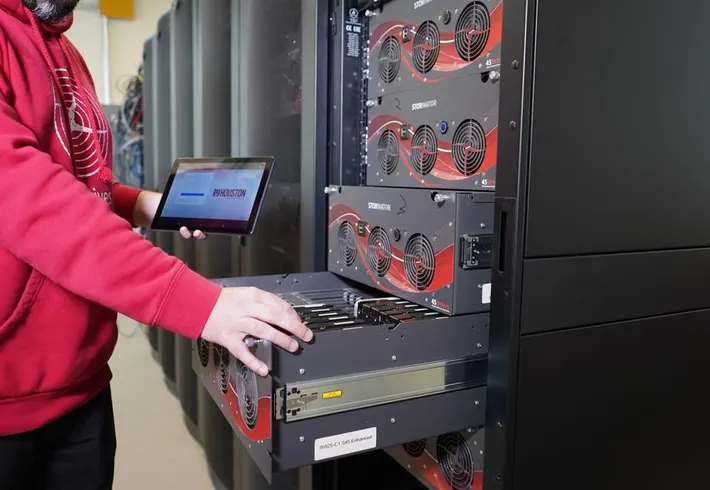
73. Precise control of time and clock integration
DIY platforms give full access to NTP, Precision Time Protocol and kernel timing controls. For environments where consistent timing is critical, such as finance, measurement systems or some industrial setups, the storage node can participate in the same strict time hierarchy as the rest of the infrastructure.
74. Better support for unusual backup and archival devices
If you need to attach tape libraries, optical jukeboxes or rare archival devices, a DIY NAS running a general purpose operating system is more likely to support them. You can install the required drivers and tools for these devices rather than waiting for a turnkey vendor to recognise them.
75. Ideal for storage that is a pure backend service
Some administrators want their storage nodes to be invisible to end users and to present only block or file protocols to other systems. DIY NAS installations can be trimmed down to offer only SMB, NFS, iSCSI or object storage with no media portals or user apps, which suits this backend only role very well.
76. Flexible data transformation and ingestion pipelines
Because you can run whatever tools and containers you like, a DIY NAS can also host data transformation jobs. For example, you can receive raw data, clean it, compress it, encrypt it and then push it to cloud storage or another site, all driven by your own scripts and schedules.
77. Reduced reliance on any single vendor decision
With DIY platforms you are not waiting for one company to decide which media codecs, hardware accelerators or remote access features are allowed. If a particular vendor chooses a direction you dislike, you can still adopt the tools and configurations that suit you within your own stack.
78. No forced hardware replacement at support end dates
When a commercial NAS model reaches the vendor end of support, users are often encouraged to buy a new box even if the hardware is still reliable. With DIY storage you can keep updating the operating system on the same machine for as long as the components remain healthy, decoupling software support from hardware marketing cycles.
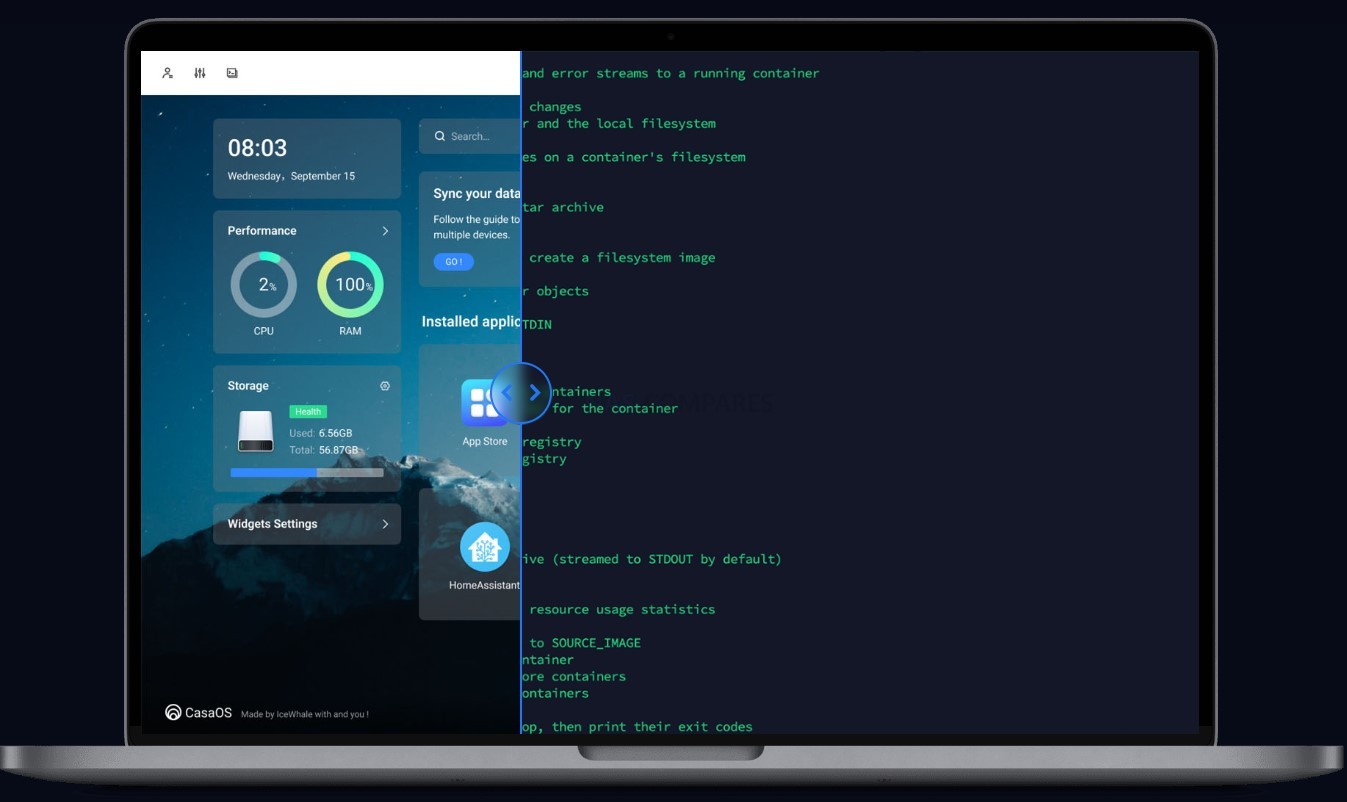
79. Good fit for very lean remote management
In remote or bandwidth constrained locations, being able to manage the NAS entirely with text tools and small configuration files is valuable. DIY platforms let you perform upgrades, configuration changes and even troubleshooting over slow links without relying on heavy web interfaces.
80. Custom quality of service tied to processes and containers
On DIY systems you can use native resource controllers to limit bandwidth, CPU time or IOPS per container, process group or user. This makes it possible to enforce complex quality of service rules that prioritise critical workloads while still allowing experimental services to run in the background.
81. Strong separation between data layout and hardware chassis
With pools and datasets defined at the software level, you can move storage from one chassis to another or rebalance between servers without changing how applications see their paths. This separation makes it easier to evolve the physical layer over time while keeping logical layout stable.
82. Use as a standard test bench for vendor devices
A DIY NAS environment can act as a standard reference platform when you test routers, backup appliances or other network gear. Because it is not tied to one brand, it is easier to observe how third party devices behave when they read and write to a known stable storage backend.
83. Ability to layer multiple security models
DIY stacks allow you to combine filesystem permissions, network firewalls, container isolation, mandatory access control frameworks and external identity providers in creative ways. You are not limited to the single security model that a turnkey NAS interface exposes, which allows more nuanced defence in depth.
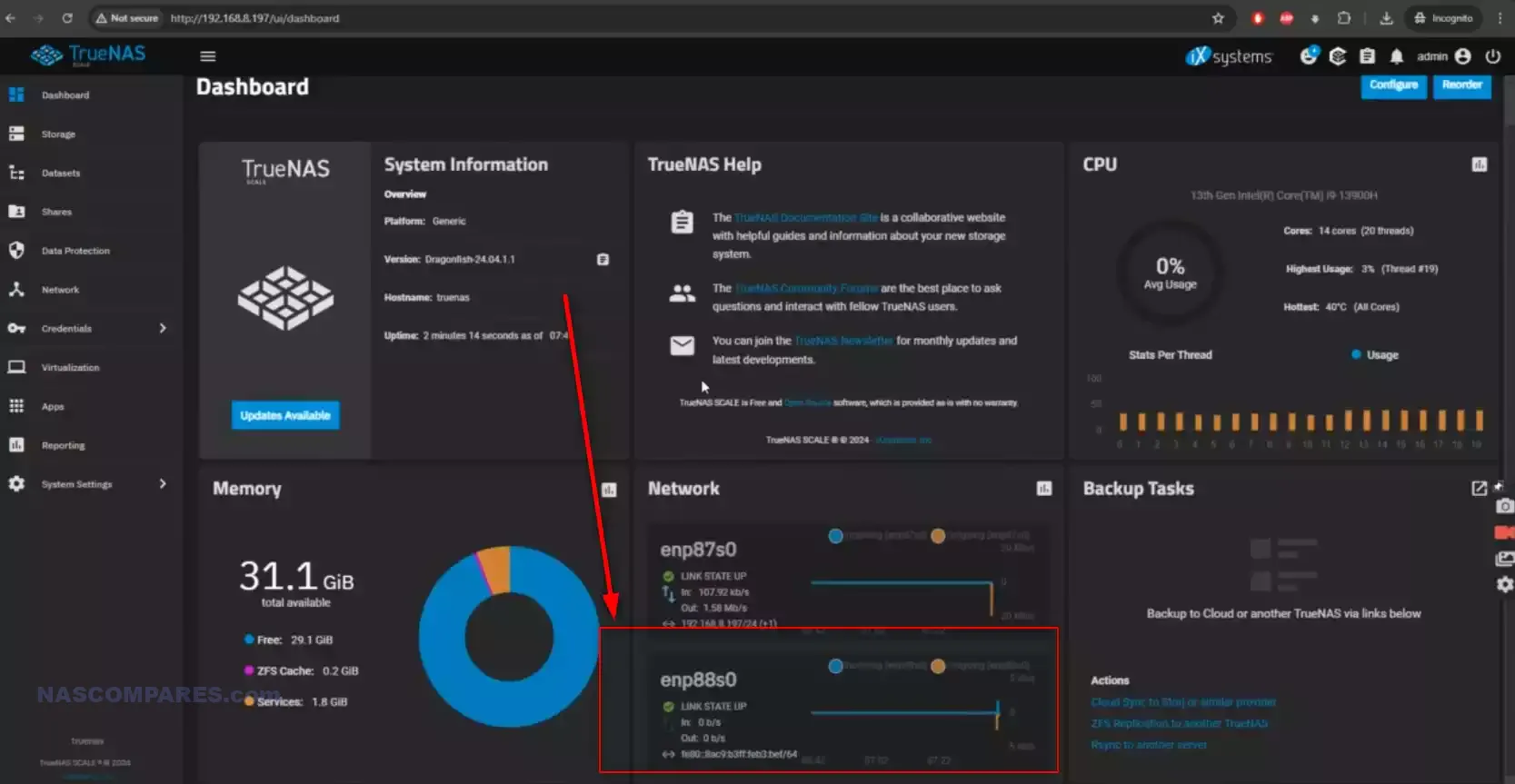
84. Fine control over logging and audit detail
You can configure exactly what is logged, where logs are stored and how long they are kept, from kernel messages to application events. Logs can be shipped to central collectors in formats that match your existing observability stack, making compliance and forensic analysis simpler.
85. Tailored behaviour for backup and disaster drills
DIY platforms can be wired into automated disaster simulations, where systems are repeatedly torn down and rebuilt to prove that recovery works. Storage configurations can be recreated from code, pools imported and test data restored on a schedule, instead of relying on manual wizard driven tests.
86. Ability to swap out components in the software stack over time
Over the lifetime of a DIY NAS, you can replace almost every layer: change the init system, switch to a different web interface, adopt a new container engine or even move from one DIY distribution to another while keeping the same pools. This modularity keeps the platform adaptable as tastes and technology change.
87. Better fit for organisations that avoid proprietary formats
Some organisations have policies against storing important data in formats that depend on closed code or single vendor tools. DIY NAS solutions using standard filesystems and open source utilities are easier to justify under these rules than appliances that use proprietary volume managers and configuration stores.
88. Helpful for education and training labs
Training providers and universities can deploy DIY NAS stacks inside virtual environments so that students can break, repair and rebuild storage systems without touching production gear. The same images can be reset between classes, giving learners realistic hands on experience at low cost.
89. Capacity to follow very specific legal or regulatory rules
In some jurisdictions or industries, unusual requirements appear, such as special retention schedules, local encryption standards or niche logging rules. DIY NAS environments can be scripted to satisfy these specific requirements even when no turnkey NAS vendor has considered them.
90. Natural choice when mixing many self hosted applications
If you already run a wide range of self hosted tools in containers or VMs, adding storage duties to that world with DIY software keeps everything consistent. The NAS simply becomes another service in the same orchestration fabric rather than a separate product with its own way of doing things.
91. Easier experimentation with new network filesystems
When new network filesystem projects appear, such as experimental user space protocols or research systems, they nearly always target Linux and BSD first. A DIY NAS gives you a platform to test these technologies for specific problems, long before any commercial vendor would consider supporting them.
92. Ability to enforce very conservative update policies
Some organisations prefer to update only once or twice a year after extensive internal testing. DIY NAS stacks allow you to freeze versions and postpone upgrades until you have validated them, instead of accepting automatic firmware updates that may change behaviour on the vendor schedule.
93. Better suitability for mixed licence environments
If you already pay for certain commercial tools but want the storage layer to stay licence free, DIY approaches give you that mix. You can run proprietary database or backup software while keeping the underlying storage platform open and under your control.
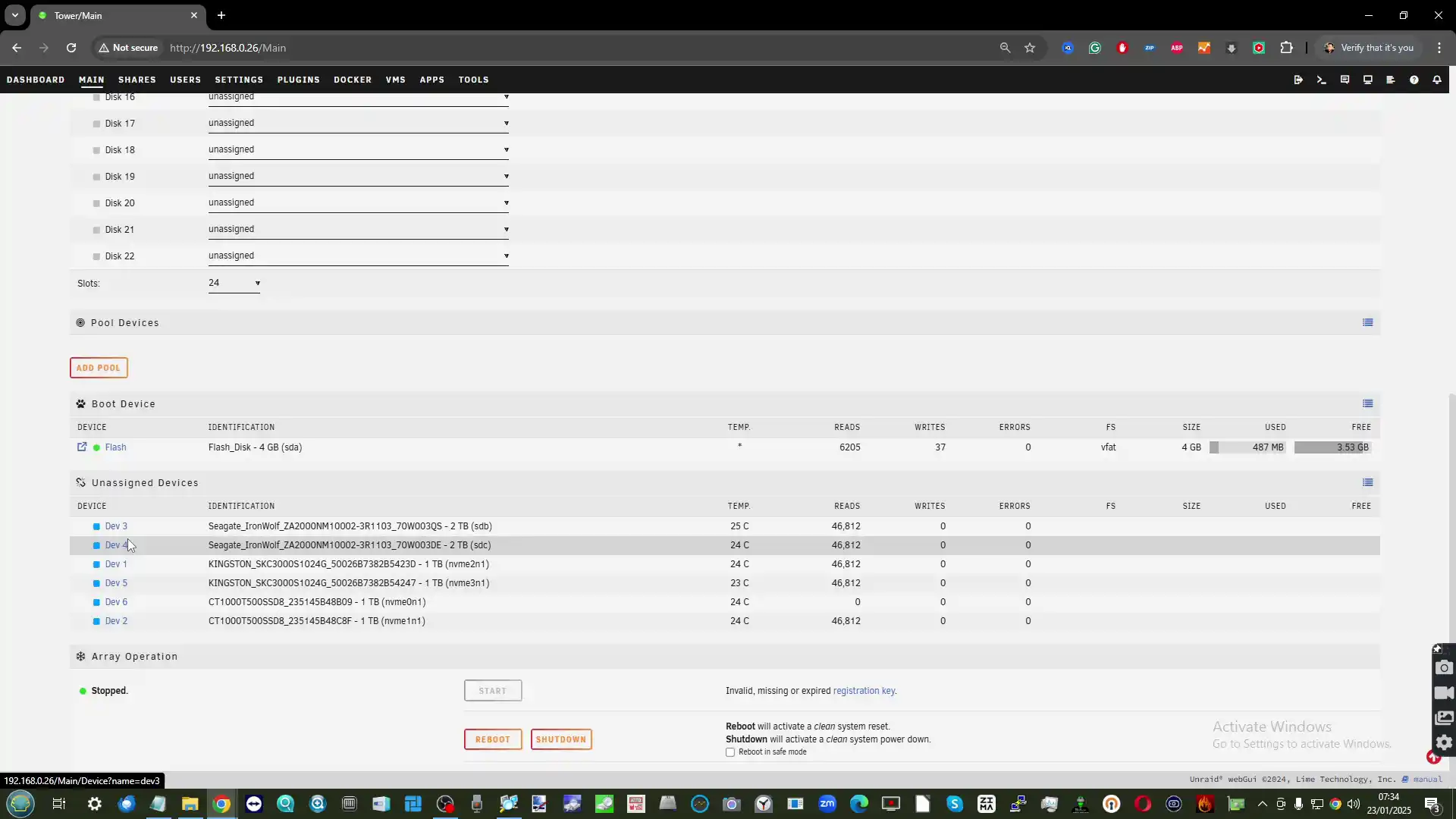
94. Simple way to expose standard development environments next to data
With Proxmox or similar platforms you can spin up development VMs or containers right next to the storage that holds source code and artefacts. Developers can work close to large repositories and test data without hauling everything over the network, using the NAS as both storage and dev host.
95. Easier to integrate with custom dashboards and reporting systems
Because DIY NAS boxes export metrics in standard ways or can run your own collectors, it is straightforward to feed storage statistics into company specific dashboards and reports. You can show exactly the charts and summaries that matter for your audience instead of relying on whatever reporting screens a vendor includes.
96. Straightforward reuse of disks in other systems if needed
If your plans change, you can remove disks from a DIY NAS, wipe or repurpose them in other servers without dealing with vendor specific metadata or compatibility warnings. The drives are just drives, not part of an opaque appliance ecosystem that expects to keep them forever.
97. Good platform for testing security tools and hardening guides
A DIY NAS can serve as a lab for experimenting with new security scanners, vulnerability assessment tools and hardening recommendations before you roll them out to production servers. You can observe how these changes affect a real storage workload and adjust accordingly.
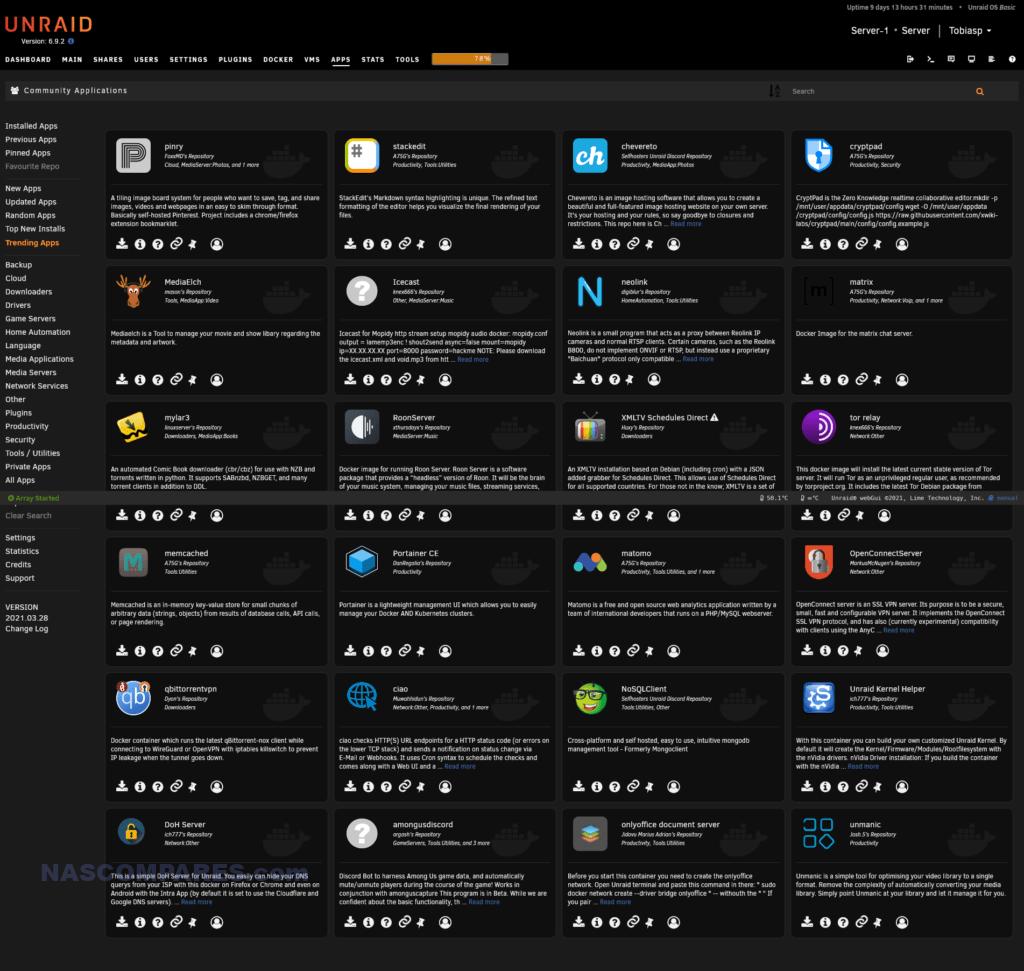
98. Realistic environment for practising incident response
Because you control every part of the stack, you can simulate failures, intrusions or misconfigurations on a DIY NAS and then practise your incident response procedure. This kind of training is harder with commercial appliances where you cannot fully control or inspect all layers.
99. Freedom to keep legacy protocols alive while you migrate
In some environments you still need to support older protocols for a while, for example legacy SMB dialects or older NFS versions. DIY NAS systems let you keep these services available during migration while still offering modern protocols to new clients, with careful isolation where needed.
100. Serves as a long lived foundation independent of brand trends
Vendors come and go, change direction or pivot to new markets, but the core technologies behind DIY NAS platforms have existed for decades and are used in many places beyond home storage. Building on that foundation means your data and workflows are less tied to the fashion of any particular hardware brand.
 SUBSCRIBE TO OUR NEWSLETTER
[contact-form-7]
 Join Inner Circle
 Get an alert every time something gets added to this specific article!
Subscribe
This description contains links to Amazon. These links will take you to some of the products mentioned in today's content. As an Amazon Associate, I earn from qualifying purchases. Visit the NASCompares Deal Finder to find the best place to buy this device in your region, based on Service, Support and Reputation - Just Search for your NAS Drive in the Box Below
Need Advice on Data Storage from an Expert?
Finally, for free advice about your setup, just leave a message in the comments below here at NASCompares.com and we will get back to you. Need Help?
Where possible (and where appropriate) please provide as much information about your requirements, as then I can arrange the best answer and solution to your needs. Do not worry about your e-mail address being required, it will NOT be used in a mailing list and will NOT be used in any way other than to respond to your enquiry.
[contact-form-7]
Need Help?
Where possible (and where appropriate) please provide as much information about your requirements, as then I can arrange the best answer and solution to your needs. Do not worry about your e-mail address being required, it will NOT be used in a mailing list and will NOT be used in any way other than to respond to your enquiry.
[contact-form-7]
 TRY CHAT
Terms and Conditions
TRY CHAT
Terms and Conditions
 Ko-fi or old school Paypal. Thanks!To find out more about how to support this advice service check HEREIf you need to fix or configure a NAS, check Fiver
Have you thought about helping others with your knowledge? Find Instructions Here
Ko-fi or old school Paypal. Thanks!To find out more about how to support this advice service check HEREIf you need to fix or configure a NAS, check Fiver
Have you thought about helping others with your knowledge? Find Instructions Here





|
 |