Action1 is a cloud-based autonomous endpoint management platform focused on patch management, vulnerability assessment, and software deployment. The December release significantly expanded the platform by introducing native Linux agent support and an enterprise-wide management view, thereby strengthening Action1’s suitability for organizations managing heterogeneous, distributed environments.
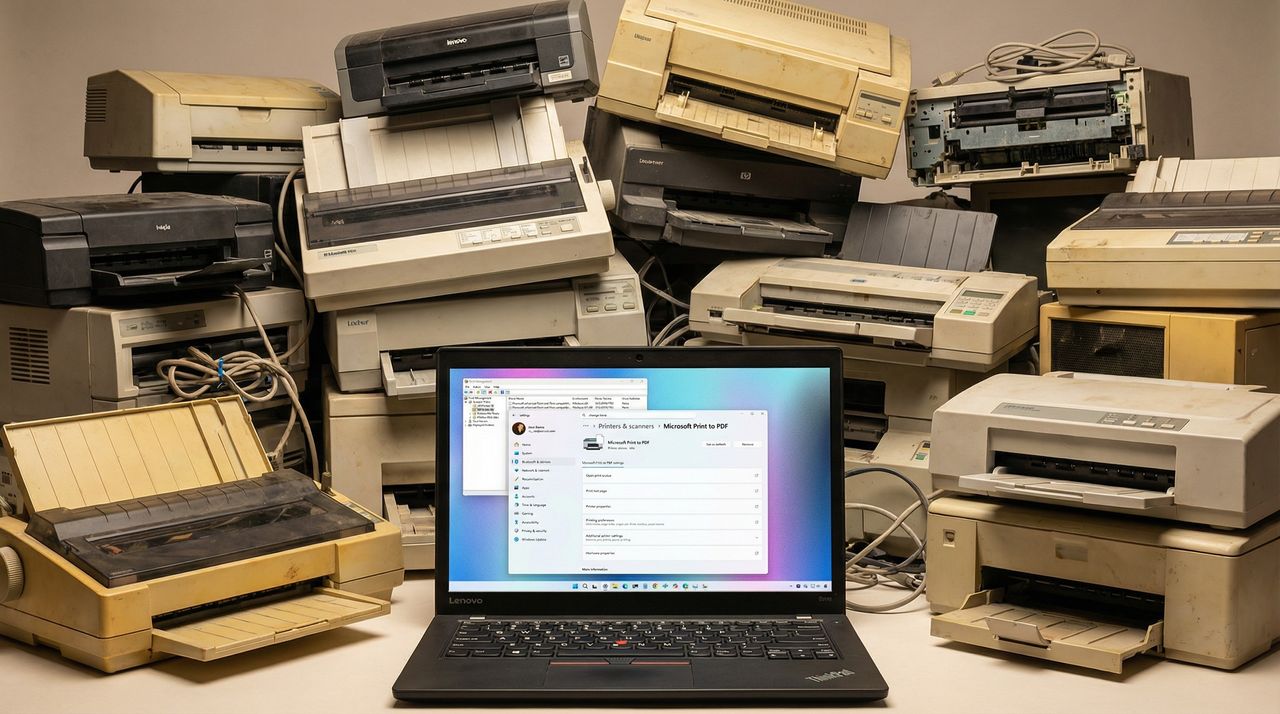
Microsoft is finally discontinuing legacy V3 and V4 printer driver support, starting with the non-security update KB5074105 released in January, changes that will roll out broadly in February 2026. This change could affect some printers from working correctly.
I recently lost the ability to open Notepad and other apps on my Windows 11 PC when Microsoft's servers suffered authentication issues. Has it gone too far?
Aujourd'hui, on va aller un peu plus loin que les simples bidouilles habituelles car je vais vous présenter Reinstall, un outil qui va peut-être vous changer la vie si vous gérez des serveurs distants.
Vous connaissez la chanson... vous avez un VPS sous Debian et vous voulez passer sous Arch pour faire votre malin. Sauf que pour opérer ce changement, c'est la galère assurée !! Faut passer par l'interface web de l'hébergeur, booter sur une ISO via une console VNC qui rame sa maman, et prier pour que le réseau revienne après le reboot.
Eh bien ça c'est terminé grâce à ce script Reinstall. Vous lui balancez une commande, le script s'occupe de tout, et hop, votre serveur redémarre sur le nouvel OS de votre choix. Pas besoin d'accès IPMI, pas besoin de supplier le support technique, ça marche tout seul.
Et ça supporte pas mal d'OS... Côté Linux, y'a 19 distributions majeures : Alpine, Debian (de 9 à 13), Ubuntu (de 16.04 à 25.10), toute la famille Red Hat (AlmaLinux, Rocky, Oracle), Fedora, Arch, Gentoo, NixOS... Bref, y'a tout ce qu'il faut.
Et le truc qui va plaire à ceux qui font du cloud, c'est également le support de Windows. En effet, le script permet d'installer Windows Vista, 7, 8.1, 10, 11 et même Windows Server 2025.
Et rassurez-vous, il n'utilise pas des images bricolées par on ne sait qui, mais les ISO officielles de chez Microsoft. Lui se content d'injecter automatiquement les drivers VirtIO pour que ça tourne comme un charme sur n'importe quel cloud (AWS, GCP, Oracle Cloud...).
Aussi, le point le plus chiant quand on réinstalle un serveur distant, c'est la config réseau. Si on se loupe, on perd l'accès SSH et c'est fini. Reinstall gère ça intelligemment puisqu'il détecte votre IP (statique ou dynamique), gère l'IPv6, les passerelles exotiques et même les serveurs ARM.
Ce qu'il vous faut avant de tout casser
RAM : 256 Mo pour Alpine/Debian, 1 Go pour Windows.
Disque : 1 Go pour Linux, 25 Go minimum pour Windows.
Accès : Un accès root/admin sur la machine actuelle.
Temps estimé : Environ 5 à 15 minutes selon la vitesse de connexion de votre serveur.
Un petit avertissement quand même... Ce script ne gère pas les conteneurs type OpenVZ ou LXC. Faut que ce soit une vraie VM (KVM, VMware, Hyper-V) ou un serveur bare-metal.
Le tuto ! Le tuto !
C'est là que ça devient drôle. Pour installer un nouveau Linux (disons Debian 13) depuis votre système actuel, il suffit de faire un petit :
# Télécharger le script
curl -O https://raw.githubusercontent.com/bin456789/reinstall/main/reinstall.sh

# Lancer la réinstallation
bash reinstall.sh debian 13 --password "VotreMotDePasse"
Le script tourne même depuis Windows (via un .bat) si vous voulez faire l'inverse et repasser sous Linux.
Perso, je trouve ça quand même génial pour tester des trucs sans passer des plombes à configurer des ISO. Ça dépanne grave quand on veut repartir on une base saine en un clin d'œil. D'ailleurs, si vous avez besoin de sécuriser vos serveurs après l'install, j'avais parlé de
Fail2Ban
il y a quelques temps, et c'est toujours une bonne idée. Et si vous avez peur de perdre vos données, jetez un œil à
Restic
pour vos backups.
Bref, si vous gérez des VPS et que vous en avez marre des consoles web préhistoriques, foncez tester ce truc (sur une machine de test d'abord, hein, venez pas pleurer après).
Bon, je vous laisse… Je vais aller me faire un petit café !
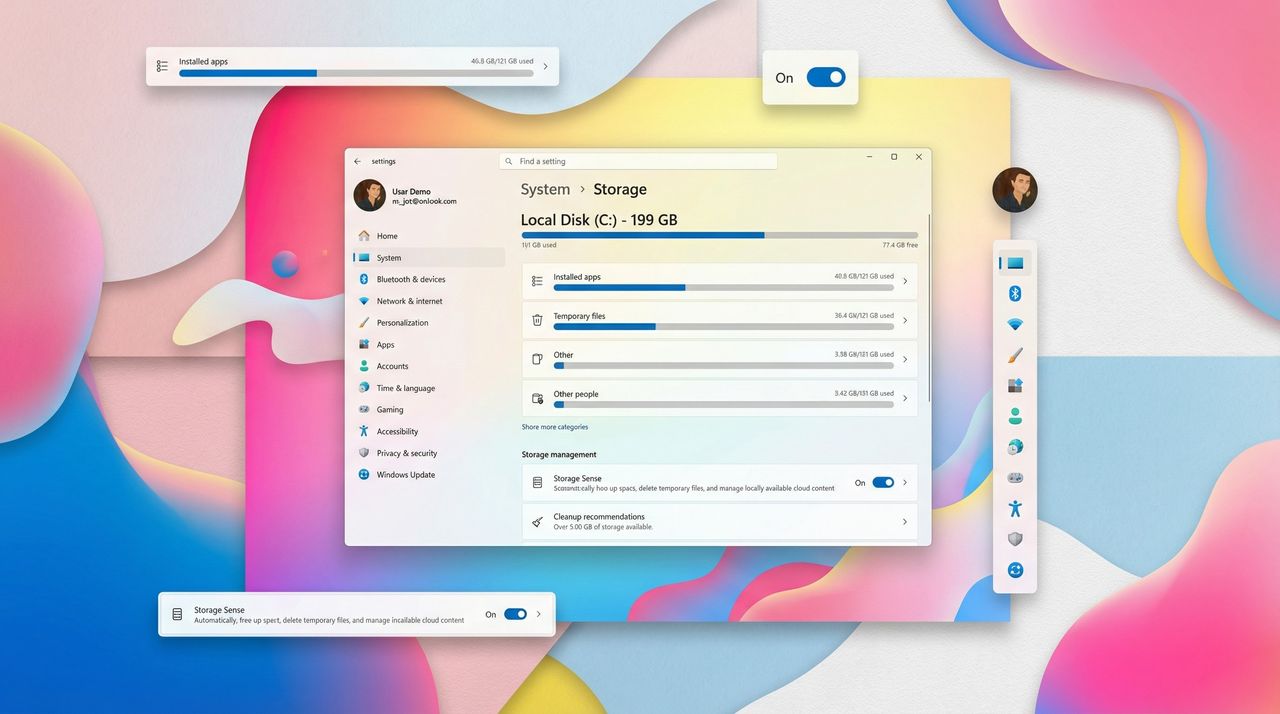
Accessing the Storage settings on Windows 11 now triggers a UAC prompt, giving admins an extra layer of security over system files and device security.
The NexPhone runs Windows 11, Android, and Linux. With a Q3 2026 launch and a $549 price tag, it's a bold attempt to revive the "PC in your pocket" dream.
Même si Windows 11 est régulièrement décrié, il intègre néanmoins de nombreuses innovations et des fonctionnalités astucieuses qui peuvent vraiment vous simplifier la vie au quotidien. Encore faut-il savoir comment les trouver.
Si vous êtes gamer sous Windows 11 avec une carte Nvidia, lisez bien ce qui suit avant de cliquer sur "Mettre à jour".
Parce que la mise à jour de janvier 2026 (KB5074109) est en train de foutre un bordel monstre sur les PC gaming équipés de GPU Nvidia. Chutes de framerate de 15 à 20 FPS, artefacts visuels qui apparaissent en plein milieu de vos parties, écrans noirs... bref, le package complet pour ruiner votre soirée gaming. Et apparemment, le problème est suffisamment répandu pour que Nvidia réagisse officiellement.
En effet, un représentant Nvidia a confirmé sur les forums GeForce que l'équipe était au courant. Sa recommandation est claire : Il faut désinstaller KB5074109 en attendant un correctif. Bon après, vous pourriez tenter de juste mettre à jour vos drivers Nvidia plutôt que de désinstaller le patch... sauf que non, j'ai regardé, ça change rien. Le problème vient bien du côté Windows, pas des drivers GPU.
Les symptômes sont variés et touchent autant les configs modestes que les gros setups. Des joueurs rapportent des rectangles de couleur qui apparaissent dans Forza Horizon 5, d'autres voient leur bureau se réinitialiser ou leur explorateur Windows planter en boucle. Du coup, même en dehors des jeux, c'est la fête. Pour info, le patch concerne Windows 11 en versions 25H2 et 24H2 (builds 26200.7623 et 26100.7623).
Pour désinstaller cette MAJ et retrouver vos performances, direction Paramètres > Windows Update > Historique des mises à jour. Tout en bas, vous avez "Désinstaller des mises à jour". Cherchez KB5074109 dans la liste, cliquez sur Désinstaller, et redémarrez. Attention par contre, si vous avez Windows Update configuré en mode automatique (et c'est le cas par défaut hein...), pensez à mettre en pause les MAJ pendant 7 jours histoire que le patch se réinstalle pas dans votre dos. Après ça, vos FPS devraient revenir à la normale direct.
Microsoft a sorti un patch optionnel (KB5074105) qui corrige les écrans noirs dans certains cas. Sauf que pour les artefacts en jeu et les chutes de performances, ça ne fonctionne toujours pas. Et si vous avez activé
la planification GPU matérielle
, essayez de la désactiver temporairement. C'est pas garanti, mais certains utilisateurs disent que ça réduit les artefacts... au prix d'un poil de latence en plus. À vous de voir si le compromis vaut le coup en attendant le vrai fix.
Et voilà comment en 2026, Microsoft continue de balancer des mises à jour de sécurité yolo qui font tout pêter ! On avait déjà eu
le coup de la NVIDIA App qui faisait chuter les perfs jusqu'à 15%
y'a pas si longtemps, et maintenant c'est carrément Windows Update qui s'y met.
Bref, si vous êtes touché, désinstallez le patch pour profiter pleine balle de vos jeux en attendant que Microsoft et Nvidia règlent leurs affaires. Par contre si tout roule chez vous, gardez-le... c'est quand même un patch de sécuritén, hein ^^.
Nvidia a officiellement pointé du doigt des mises à jour récentes de Windows 11 comme cause probable de problèmes de performances et d’affichage dans les jeux PC sur les systèmes équipés de cartes graphiques GeForce. Selon la firme, certains patchs cumulés publiés par Microsoft ont engendré des chutes de framerate, des artefacts visuels et d’autres dysfonctionnements qui nuisent à l’expérience de jeu pour une partie des utilisateurs.
Mise à jour problématique identifiée
Les premiers rapports font état de problèmes survenant après l’installation de patchs Windows 11 dont le correctif KB5074109, publié dans le cadre des mises à jour de janvier 2026. Ces patchs, qui visent à corriger des failles de sécurité et améliorer la stabilité du système, semblent avoir des effets indésirables sur la manière dont Windows interagit avec les pilotes graphiques Nvidia. Les utilisateurs concernés constatent des pertes de fluidité en jeu, des artefacts graphiques voire des écrans noirs lors de sessions de jeu ou au démarrage du PC.
Selon des témoignages publiés sur des forums et réseaux sociaux, certains joueurs ont observé une nette dégradation des performances après la mise à jour, tandis que d’autres ont attribué les problèmes à un mélange de la mise à jour Windows et d’un pilote Nvidia mal adapté. La situation a poussé Nvidia à prendre officiellement en compte ces rapports pour enclencher une investigation approfondie.
Comment Nvidia réagit
Nvidia a confirmé qu’elle examine activement les interactions entre les mises à jour Windows et ses pilotes graphiques. La société n’a pas fourni de liste exhaustive des jeux ou des configurations affectés, mais son implication indique que les anomalies sont suffisamment fréquentes pour nécessiter une réponse technique. Dans certains cas, des techniciens suggèrent de désinstaller temporairement les mises à jour en question pour revenir à des performances plus conformes aux attentes, ce qui constitue une solution de contournement plutôt qu’un correctif définitif.
Plusieurs plateformes spécialisées dans le matériel PC confirment que ces problèmes sont bien perceptibles dans des titres exigeants graphiquement. Les symptômes incluent notamment des baisses importantes de FPS et des artefacts visuels dans certains jeux récents, rendant l’expérience de jeu nettement moins fluide sur des configurations pourtant performantes.
Un problème déjà vu avec Windows 11
Ce n’est pas la première fois que des mises à jour de Windows 11 et des pilotes Nvidia entrent en conflit et provoquent des régressions de performances en jeu. À l’automne 2025, après le déploiement des mises à jour cumulatives d’octobre et novembre (incluant notamment KB5066835), Nvidia avait déjà reconnu qu’une version de Windows 11 (builds 24H2 et 25H2) pouvait entraîner des pertes de FPS dans certaines applications et jeux, affectant négativement la fluidité générale.
À cette époque, Nvidia avait réagi en publiant un pilote hotfix (version 581.94) destiné à atténuer ces pertes de performances, montrant que les interactions entre les mises à jour système et les pilotes graphiques peuvent parfois générer des effets secondaires perceptibles pour les joueurs.
Pour les joueurs rencontrant ces problèmes, plusieurs pistes sont disponibles en attendant une réponse définitive de Microsoft ou de Nvidia :
Vérifier si la mise à jour Windows suspecte est installée via les paramètres du système.
Tester la désinstallation temporaire de ces mises à jour pour déterminer si elles sont la source des problèmes.
Mettre à jour ou rétrograder le pilote Nvidia, notamment en testant des versions alternatives fournies par Nvidia.
Surveiller les annonces officielles de correctifs ou de pilotes optimisés émanant de Nvidia ou Microsoft.
Les utilisateurs étant invités à rester prudents avant de désinstaller des correctifs de sécurité importants, car cela peut exposer le système à des risques autres que les problèmes de performances.
Perspectives et attentes
Microsoft et Nvidia collaborent habituellement pour assurer une compatibilité optimale entre le système d’exploitation et les pilotes matériels. Dans ce cas, les équipes sont encore en train d’identifier précisément les causes profondes des problèmes signalés. Une mise à jour corrective de Windows ou un nouveau pilote Nvidia optimisé pourrait être publié une fois les tests approfondis achevés.
Cet épisode illustre une nouvelle fois la fragilité potentielle des interactions entre mises à jour du système et composants matériels hautes performances, surtout dans des domaines sensibles comme les jeux vidéo, où la moindre régression de performances est immédiatement perceptible par les utilisateurs exigeants.
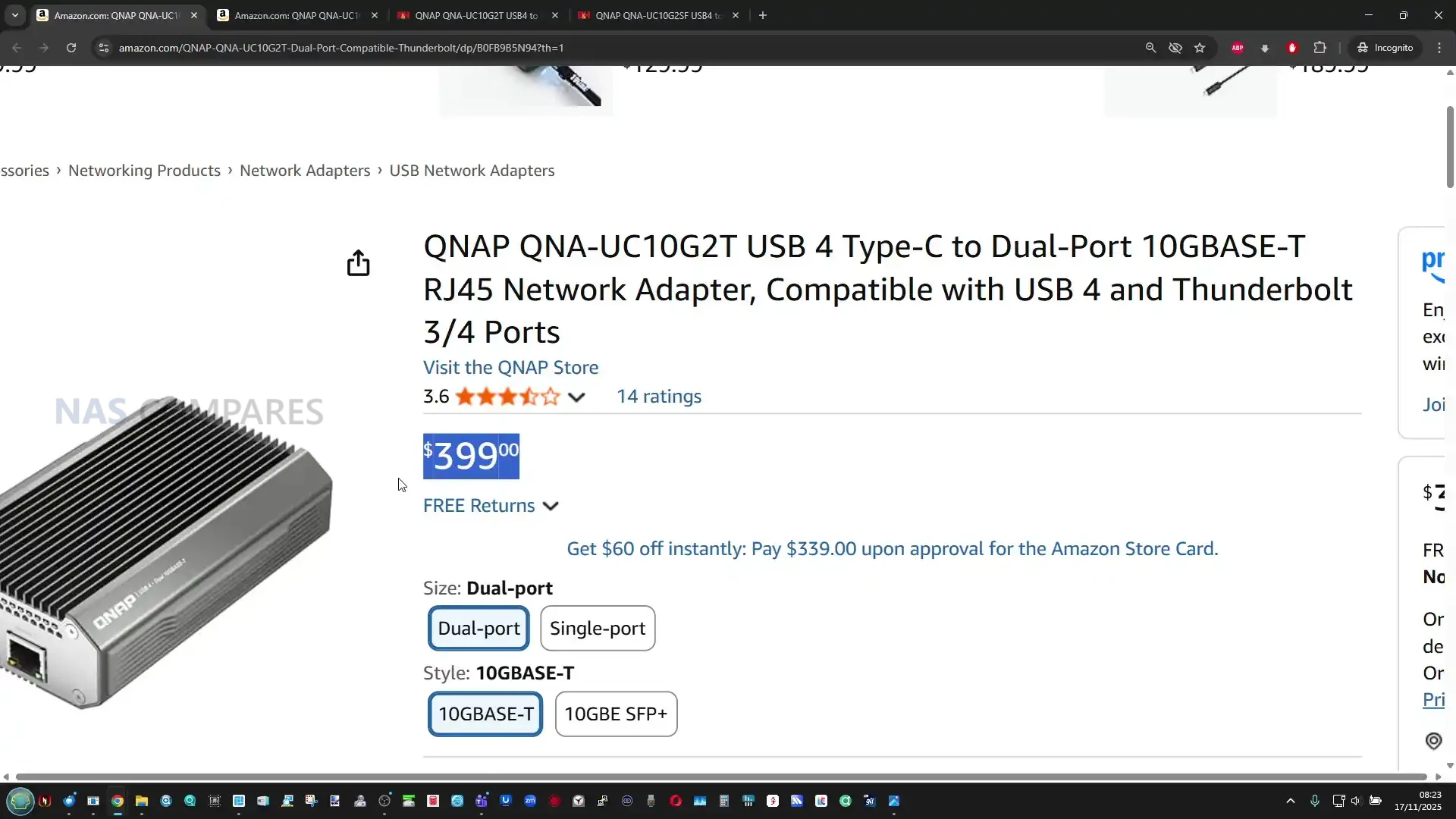
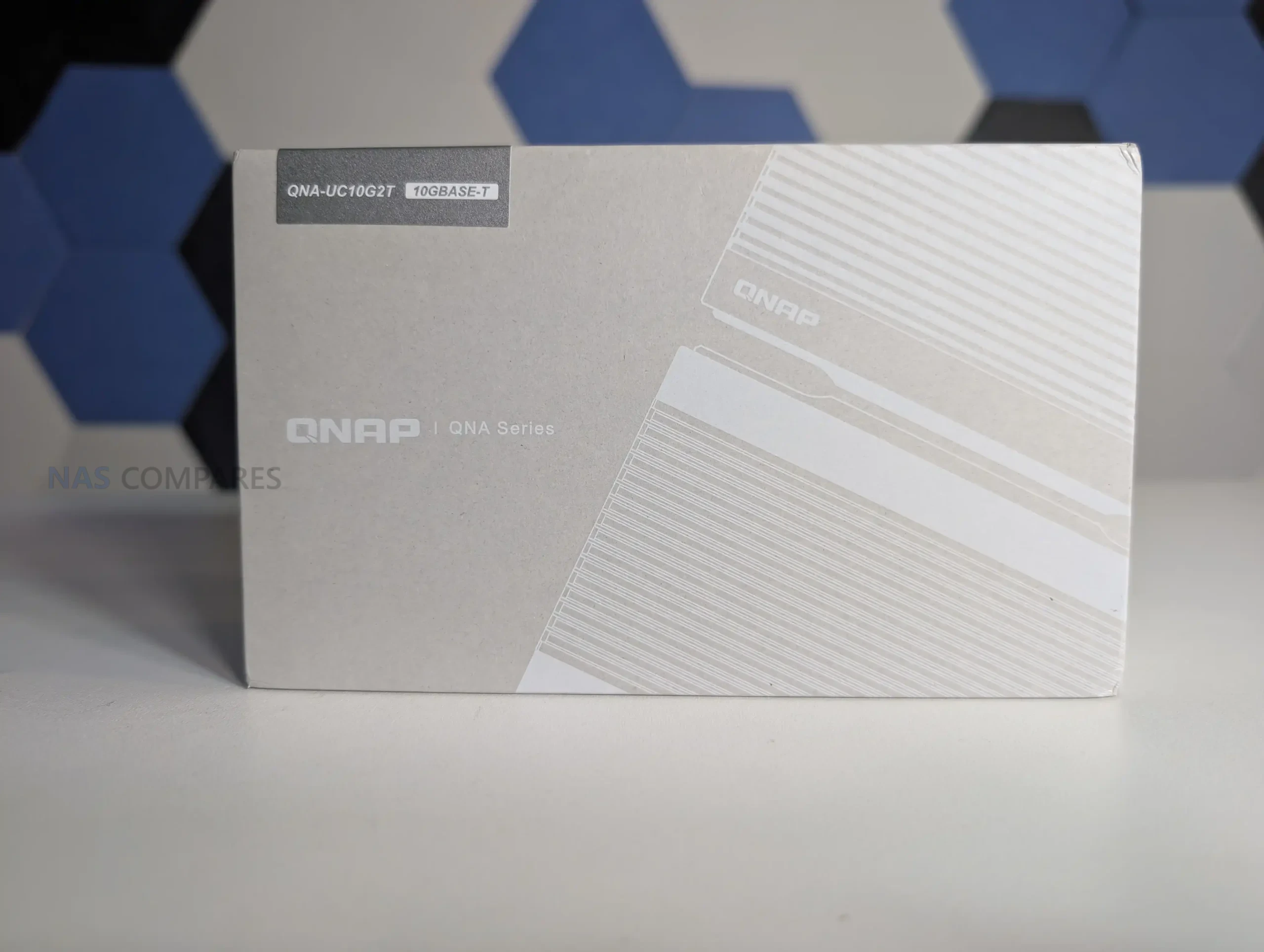
USB4 to 2x 10GbE Adapter – Genius, or Too Little Too Late? (QNA-UC10G2T Review)
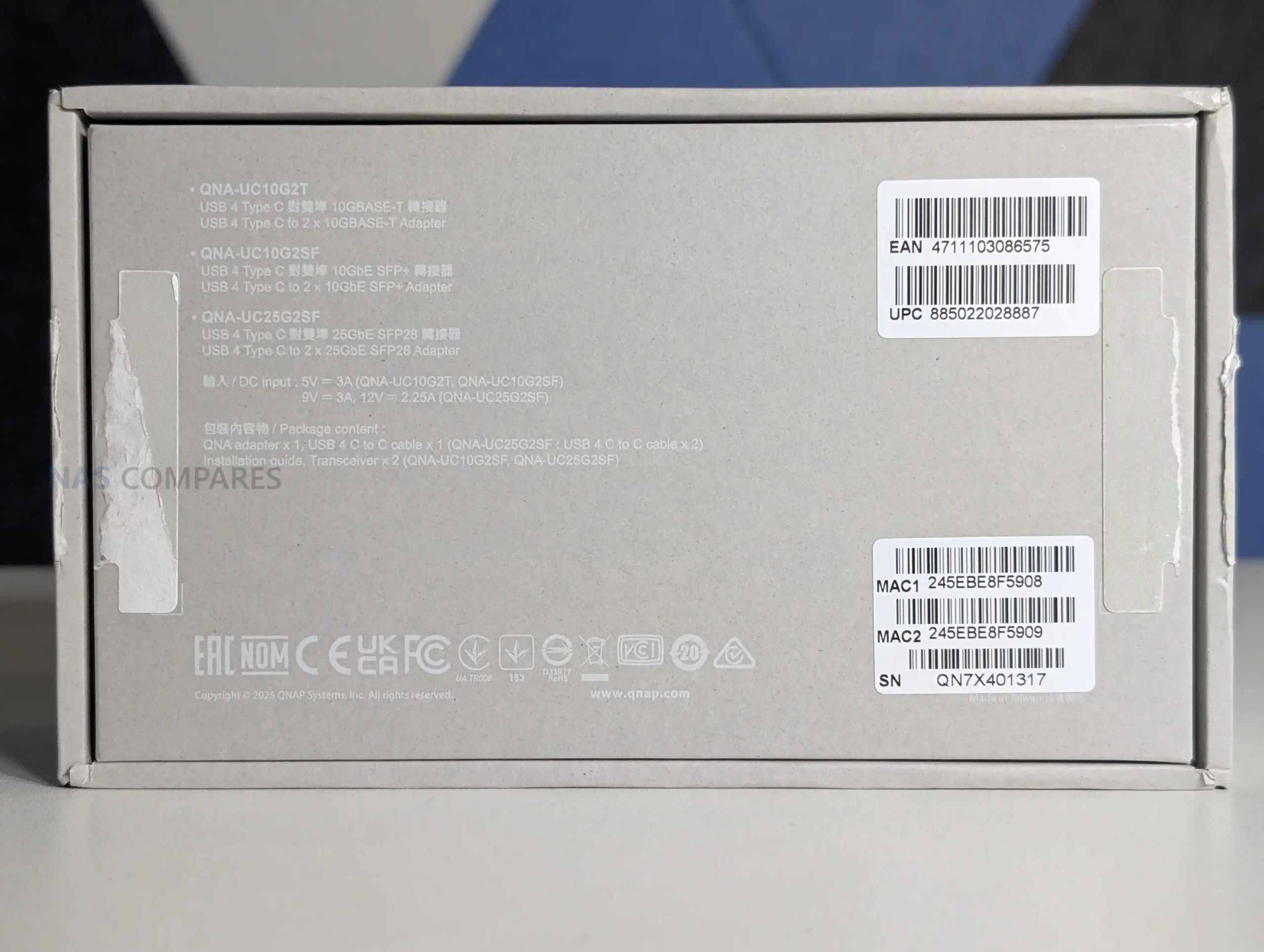
The QNAP QNA-UC10G2T is a USB 4 to dual 10GbE adapter built for systems that lack native high-speed network expansion and need dependable multi-gig connectivity through a single Type C port. It provides 2 x 10GBASE-T copper ports, supports multi-speed operation from 10Gbps down to 100Mbps, and includes full driver support for Windows 11, macOS 12.7 to 15.4, and Ubuntu 22.04. Internally it uses dedicated AQC113 controllers for each port, allowing the OS to treat the adapter as two distinct NICs and enabling features such as SMB Multi Channel for aggregated bandwidth. The enclosure is a passive full-metal heatsink that spreads thermal load through a multi stage cooling structure, which your testing confirmed remained below typical thermal expectations even during 24-hour sustained transfers. As a premium module priced significantly higher than generic USB 4 adapters, it is designed for users who require stable long-duration performance, predictable throughput, and compatibility with modern USB 4 or Thunderbolt 3 and 4 hosts rather than the improvised multi controller designs seen in low cost alternatives.
QNAP QNA-UC10G2T Review – Quick Conclusion
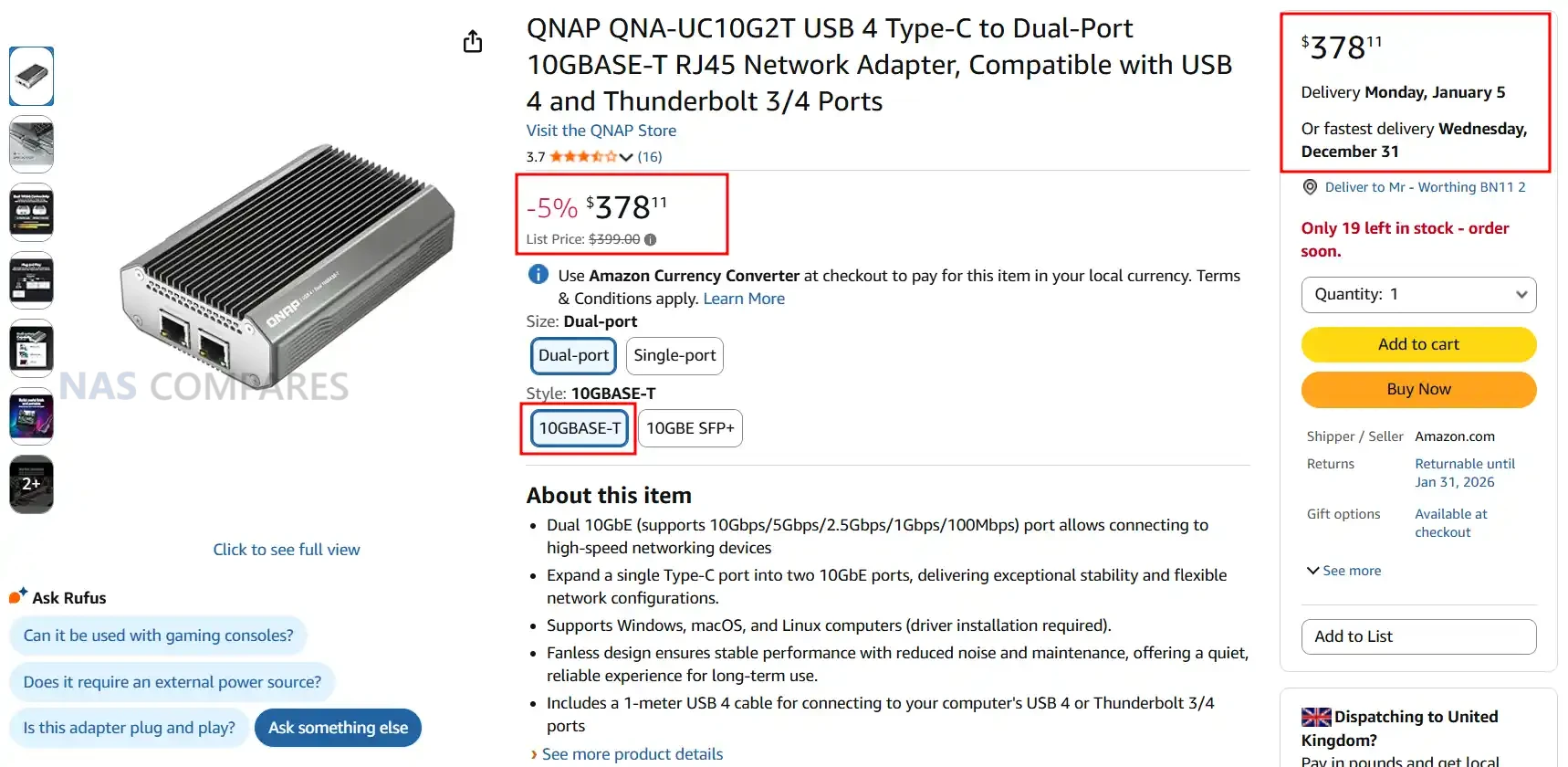
The QNAP QNA-UC10G2T is a premium dual-port 10GbE adapter built around USB 4, designed for users who need stable, sustained multi gigabit performance rather than the inconsistent behaviour often seen in low cost USB network adapters. Its dual AQC113 controllers provide two discrete interfaces that operate independently at full speed, which allows for reliable SMB Multi Channel operation and predictable multi stream transfers. The all metal chassis functions as a multi stage passive heatsink, keeping temperatures stable during long workloads and preventing throttling even after hours of continuous access. Performance closely matches QNAP’s published figures, with both ports maintaining high throughput when paired with capable NVMe based systems. Driver installation is required on all supported platforms, and the adapter is not currently usable when plugged directly into most NAS operating systems, which limits flexibility. The price is considerably higher than generic USB 4 network adapters, but for professionals who rely on consistent 10GbE throughput on laptops, workstations, or compact systems without PCIe expansion, the QNA-UC10G2T offers a stable, well engineered solution that prioritises long term reliability over entry level cost.
QNAP QNA-UC10G2T Review – Design & Cooling
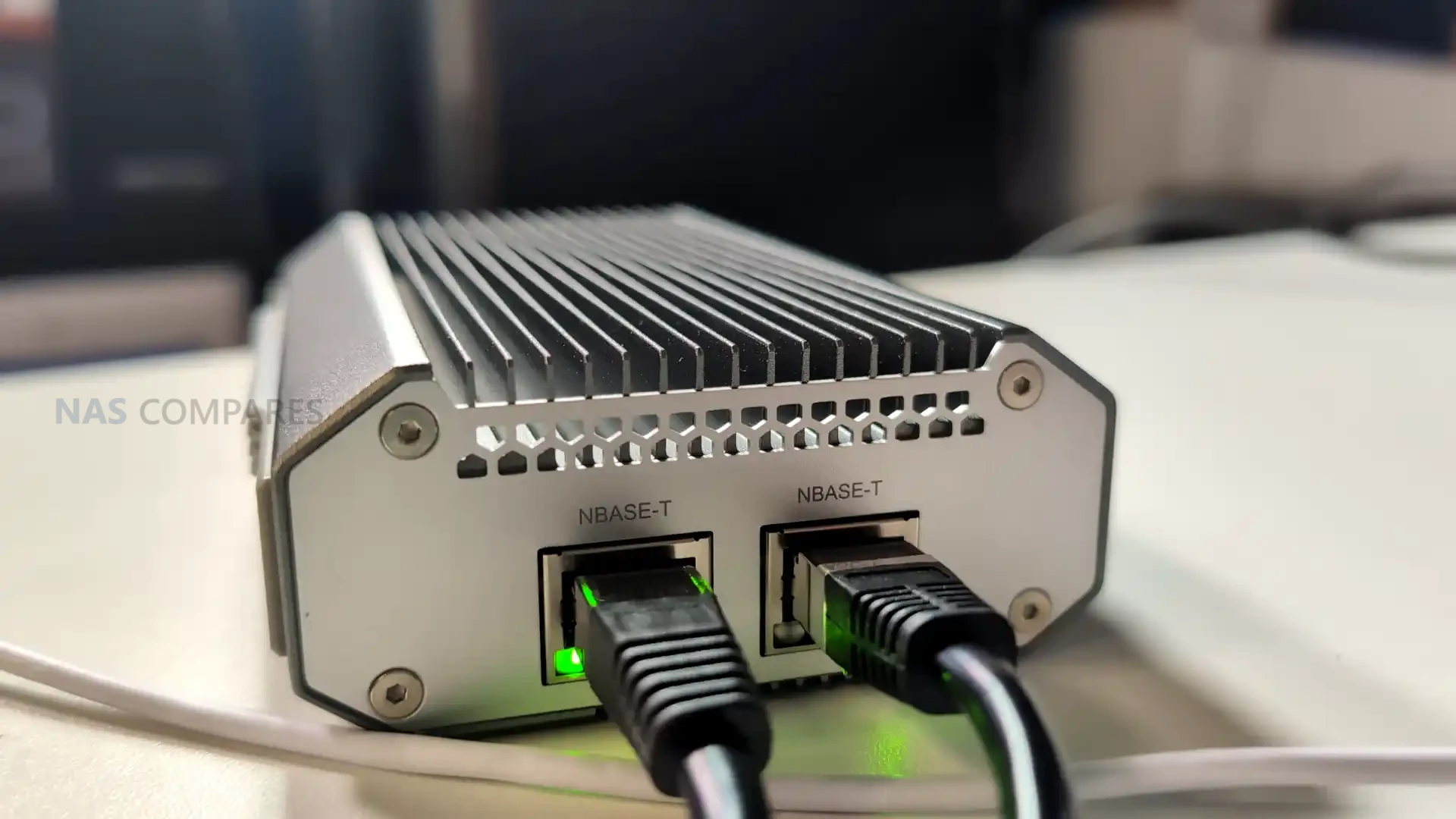
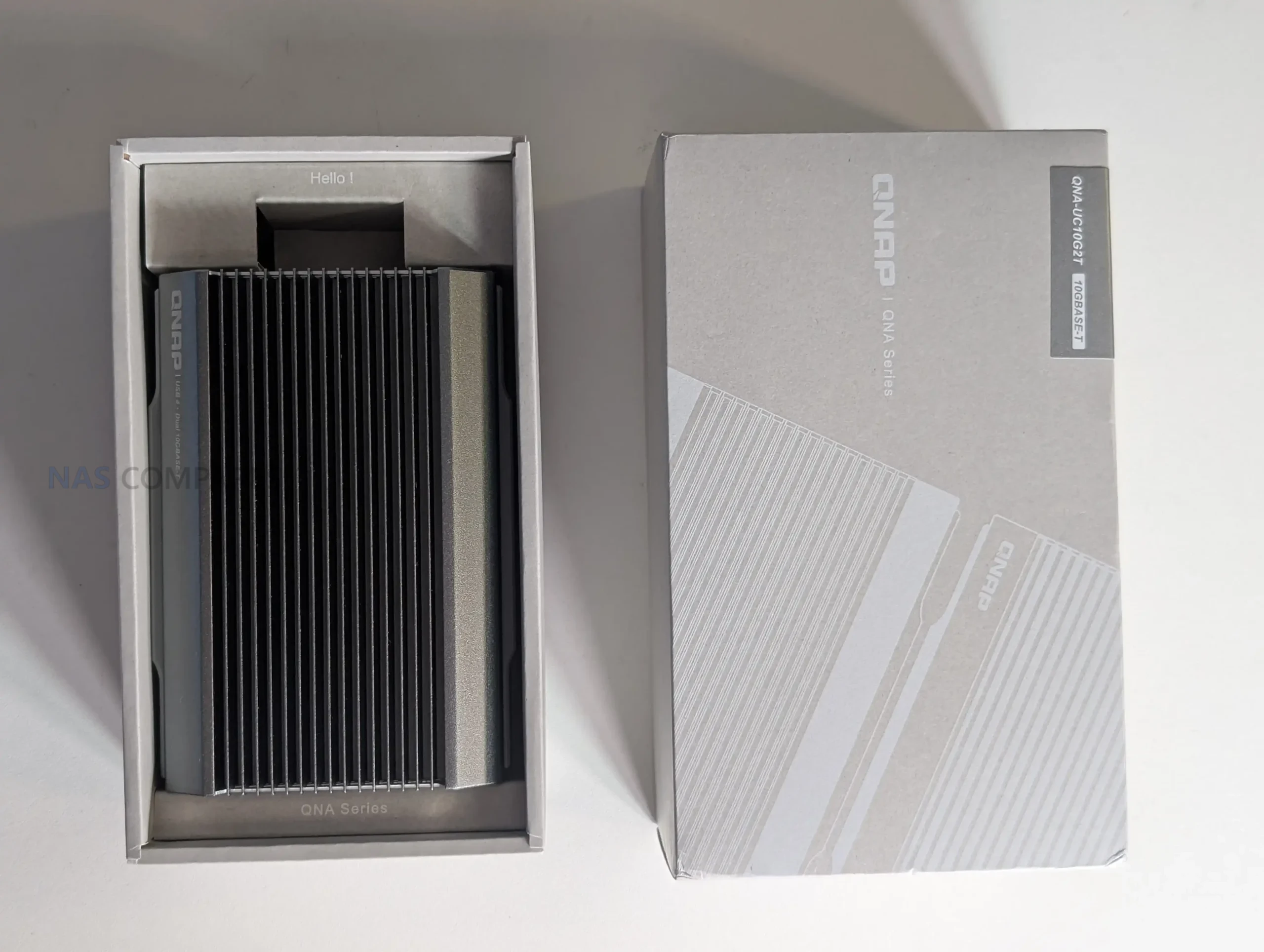
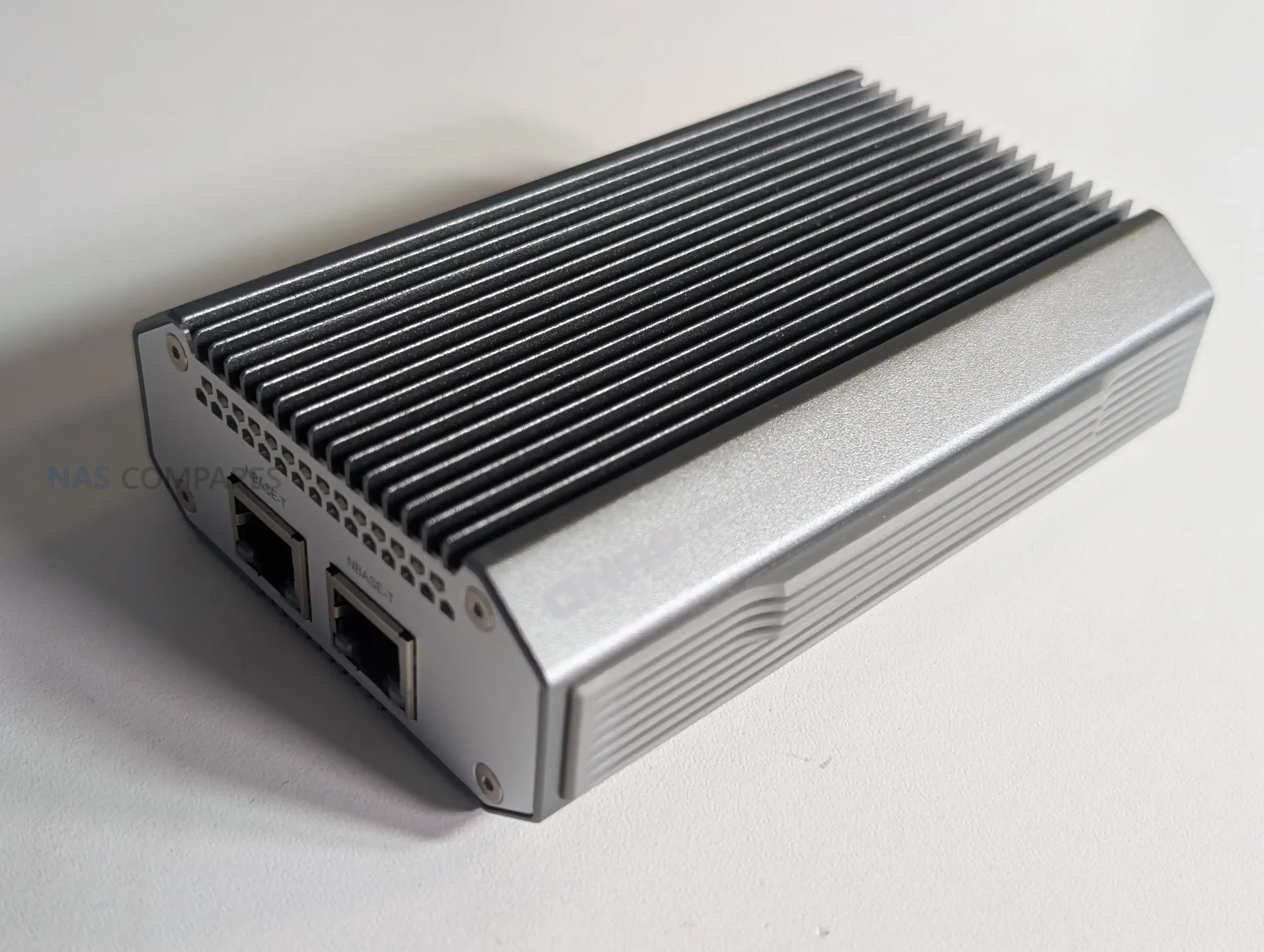
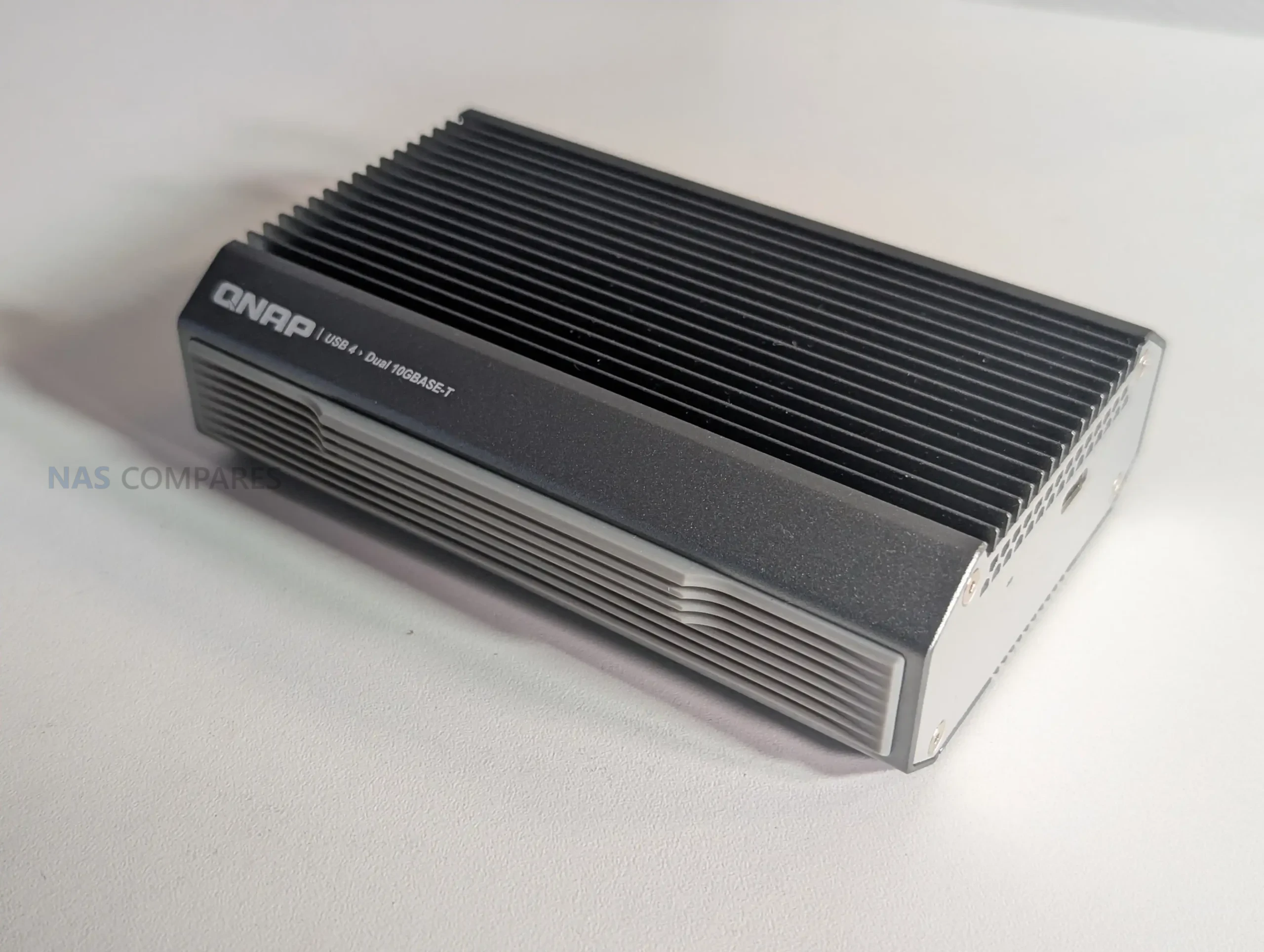
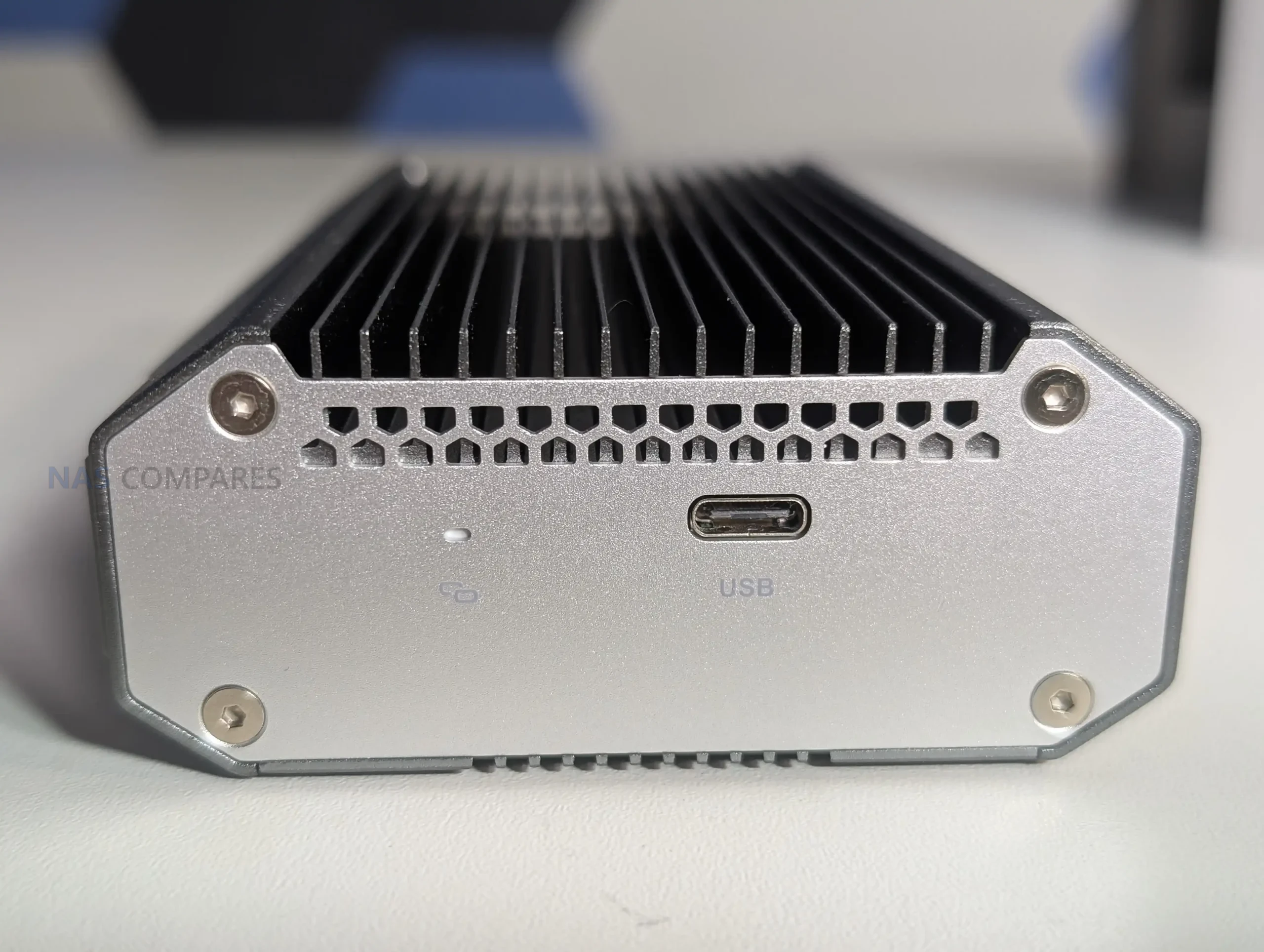
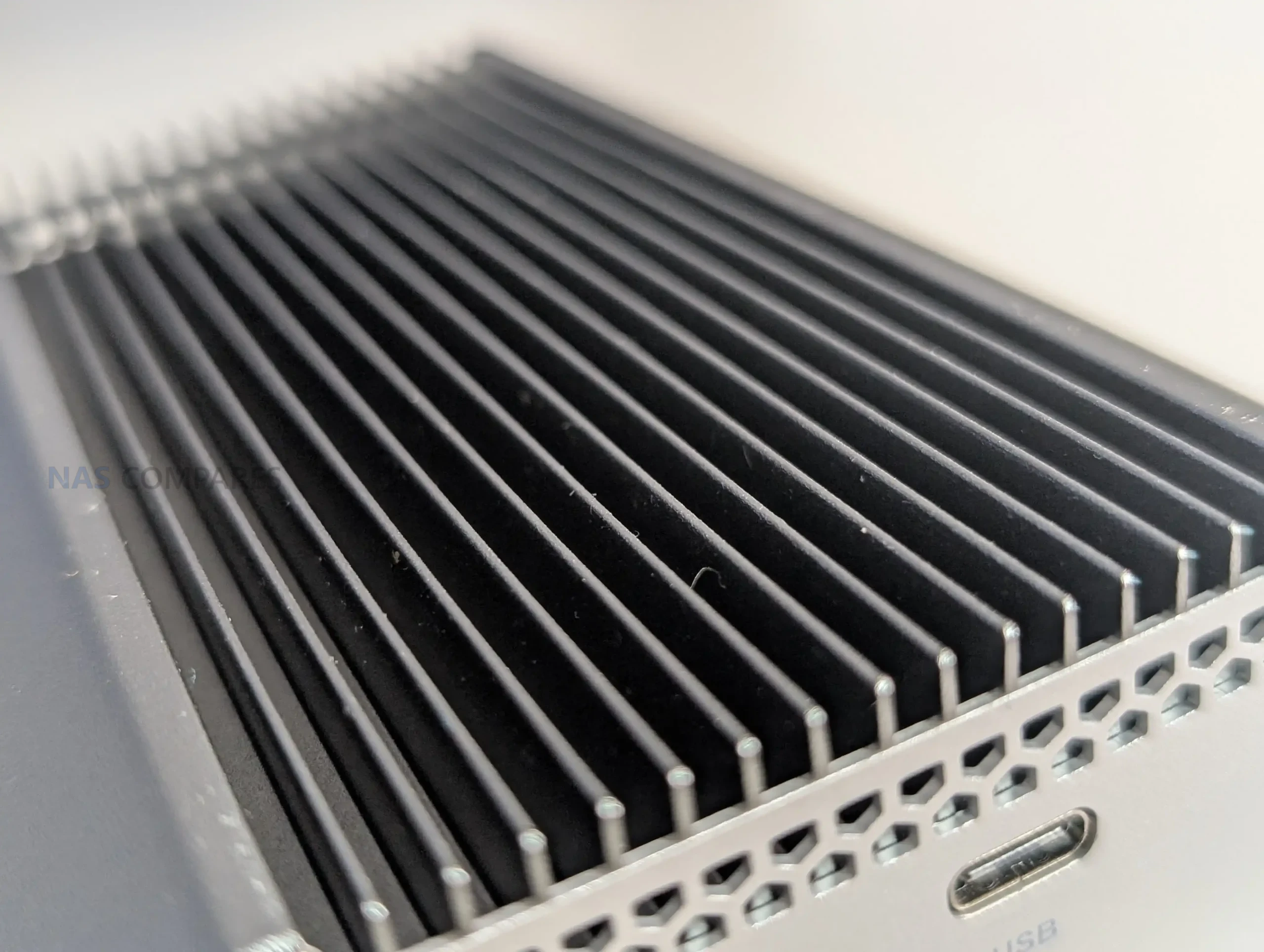
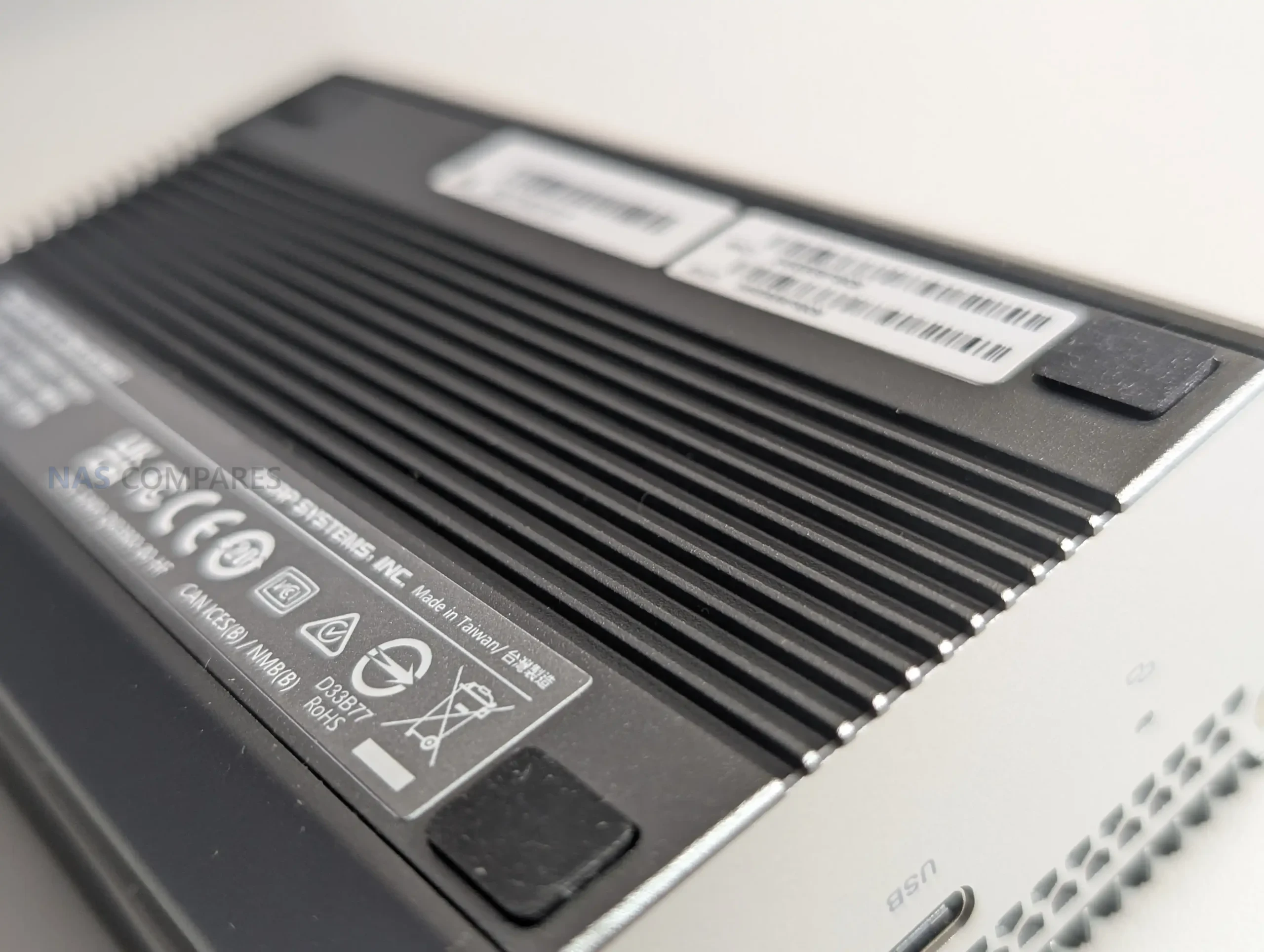
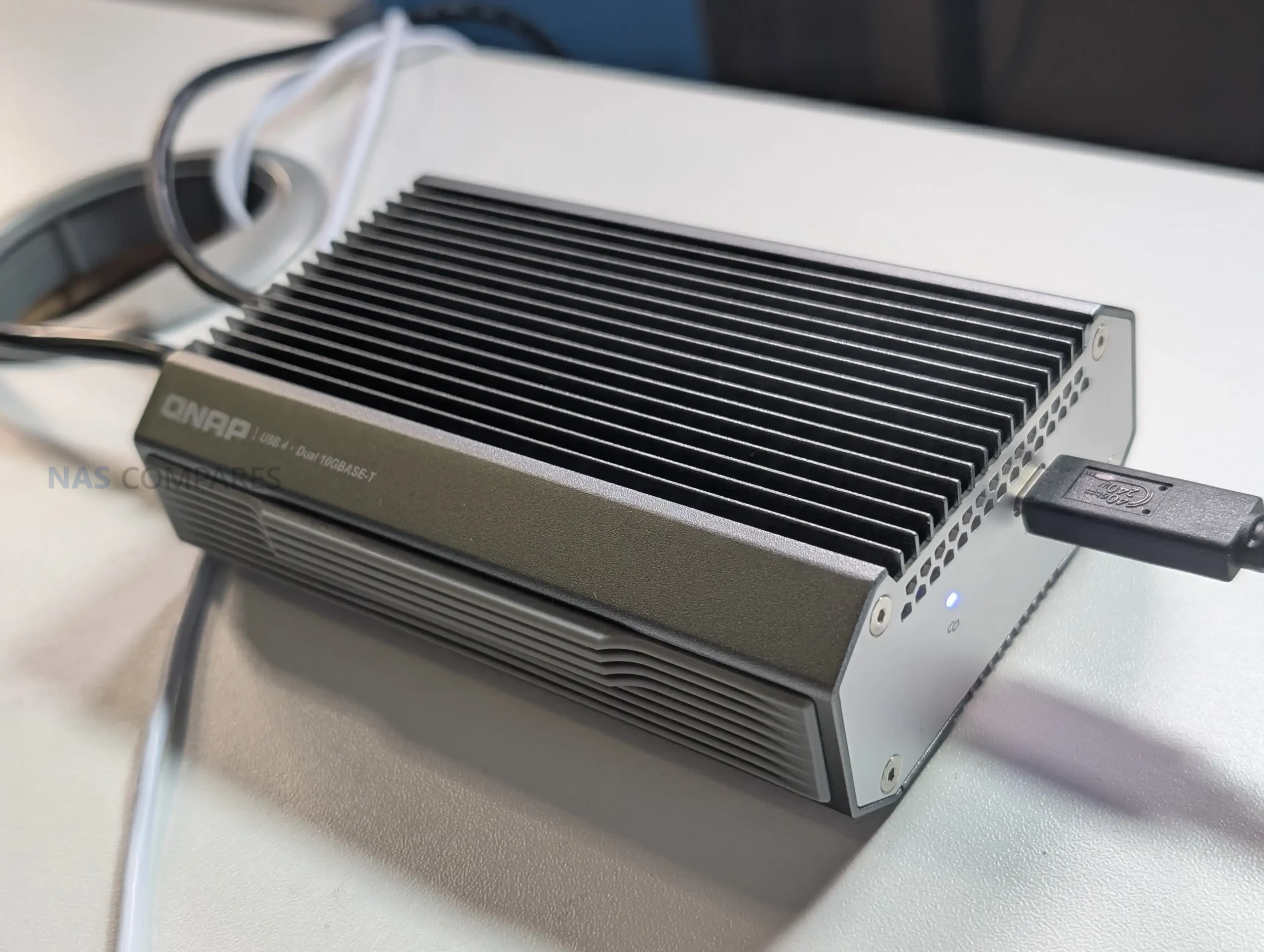
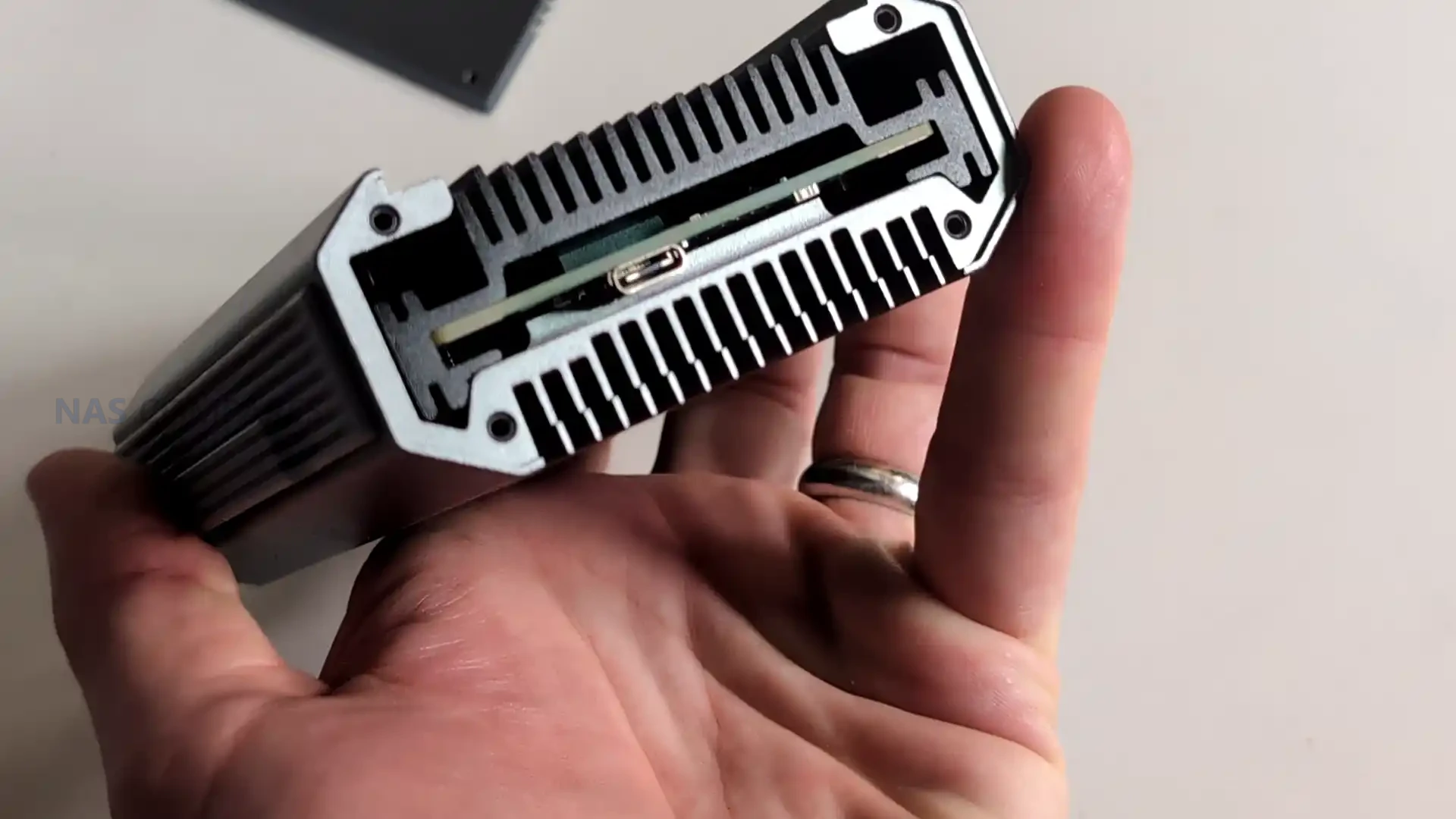
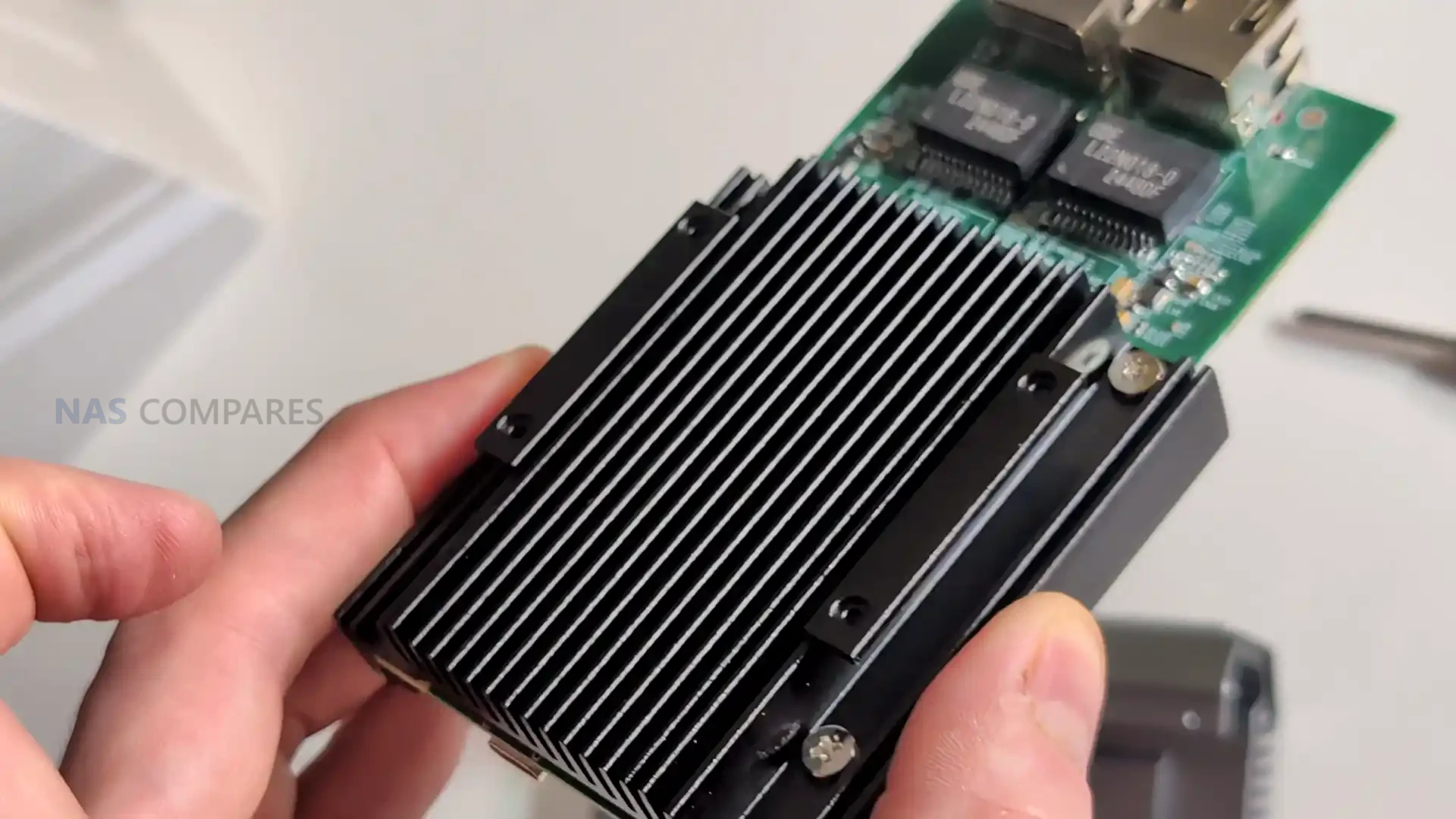
The QNA-UC10G2T uses a solid metal chassis that functions as a structural shell and a primary thermal dissipation surface, giving it a distinctive weight and density compared with typical USB network dongles. The outer enclosure is machined with large surface area ridges that extend across the top panel, while the base remains flat to maintain direct thermal contact with the internal controllers. This physical design is not decorative but exists to distribute heat from the AQC113 chips into the enclosure walls and then outward into the surrounding airflow. Its appearance is closer to a purpose built passive heatsink than a consumer accessory, which mirrors the product’s emphasis on maintaining stability during sustained high throughput workloads.
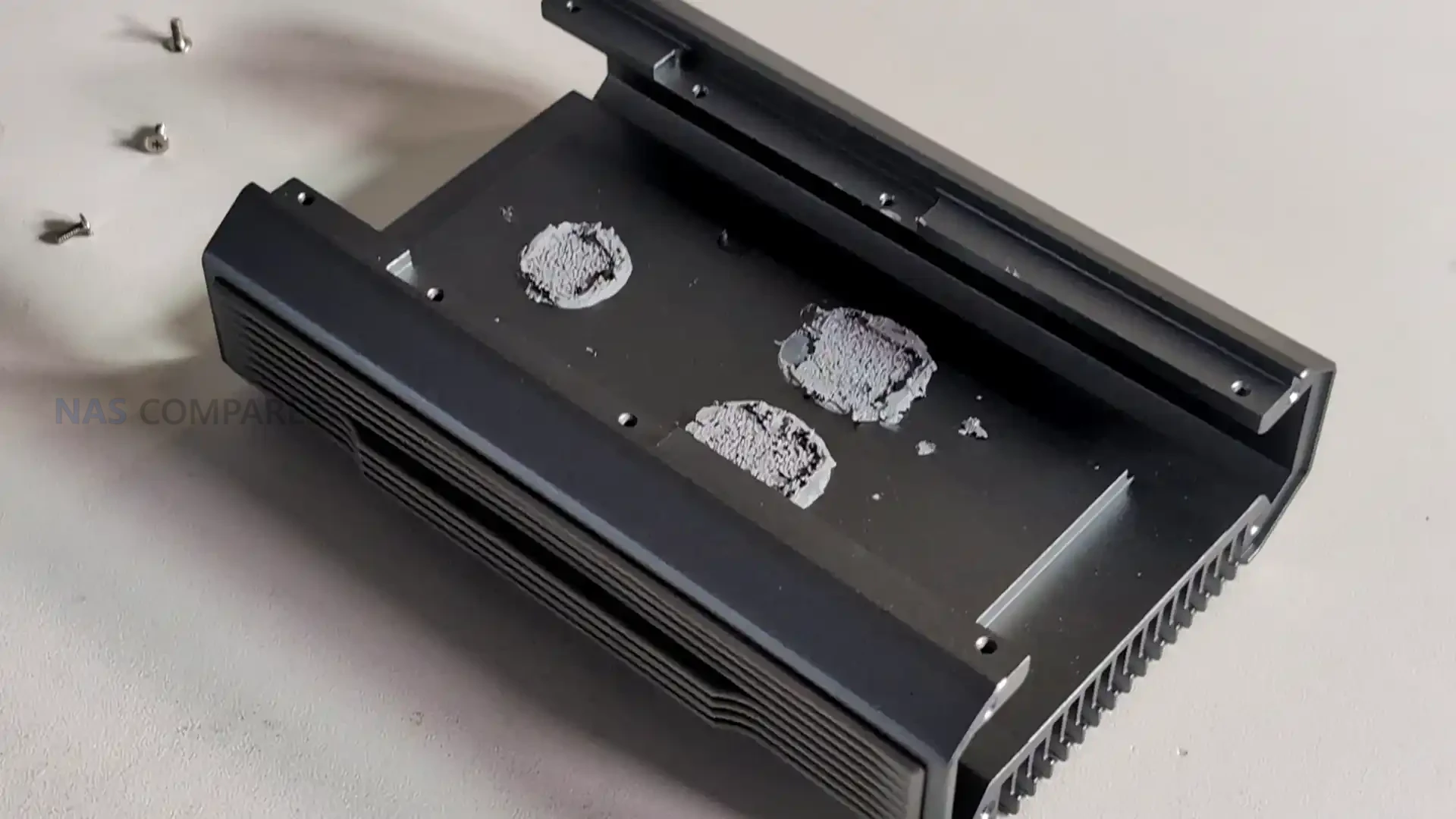
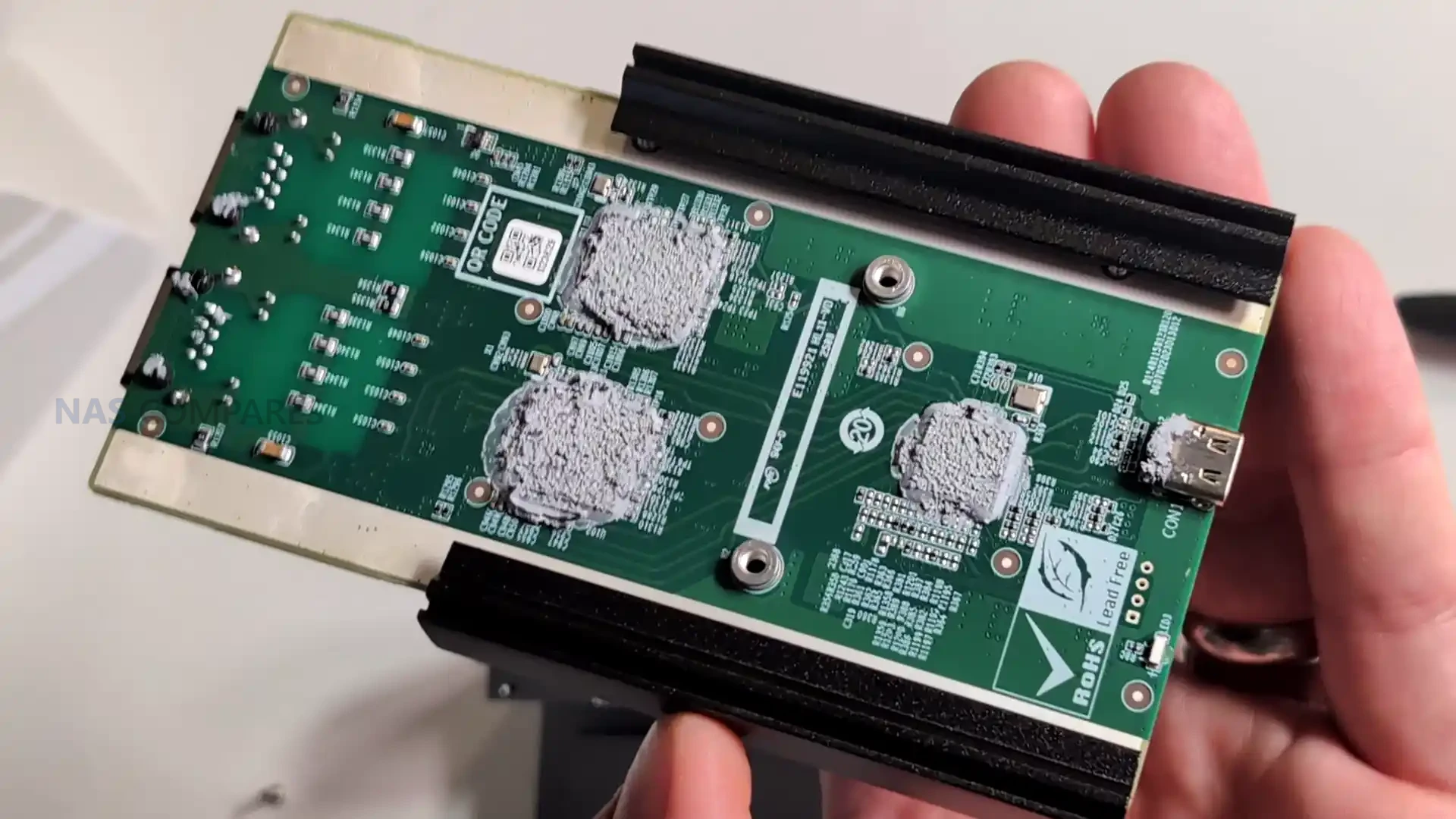
Internally the design is organized around a single board layout that places both controllers on the lower PCB surface, pressed directly against the internal heat spreader via thermal pads and paste. This arrangement ensures that the highest heat generating components transfer their thermal output into the metal layers with minimal resistance. Above this, the chassis integrates a second stage aluminium heat spreader that covers the width of the unit, supported by an additional top panel that completes the third passive cooling stage. This layered thermal design reflects a more methodical architecture than the mixed component assemblies found in low cost USB 4 to network adapters, which commonly rely on bridging older interfaces and produce unpredictable heat patterns under load.
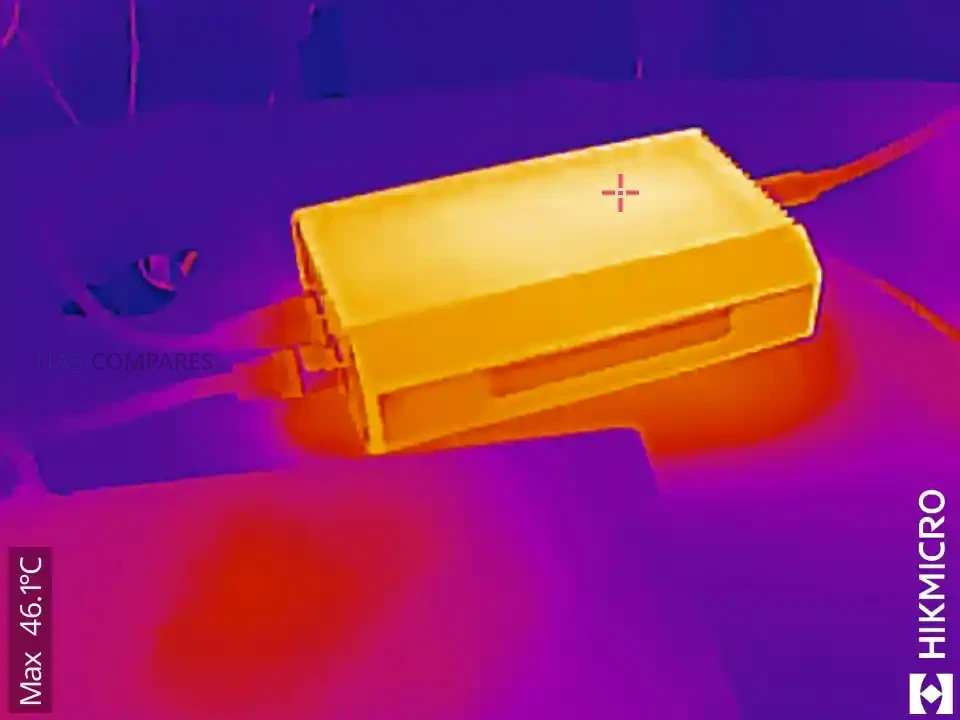
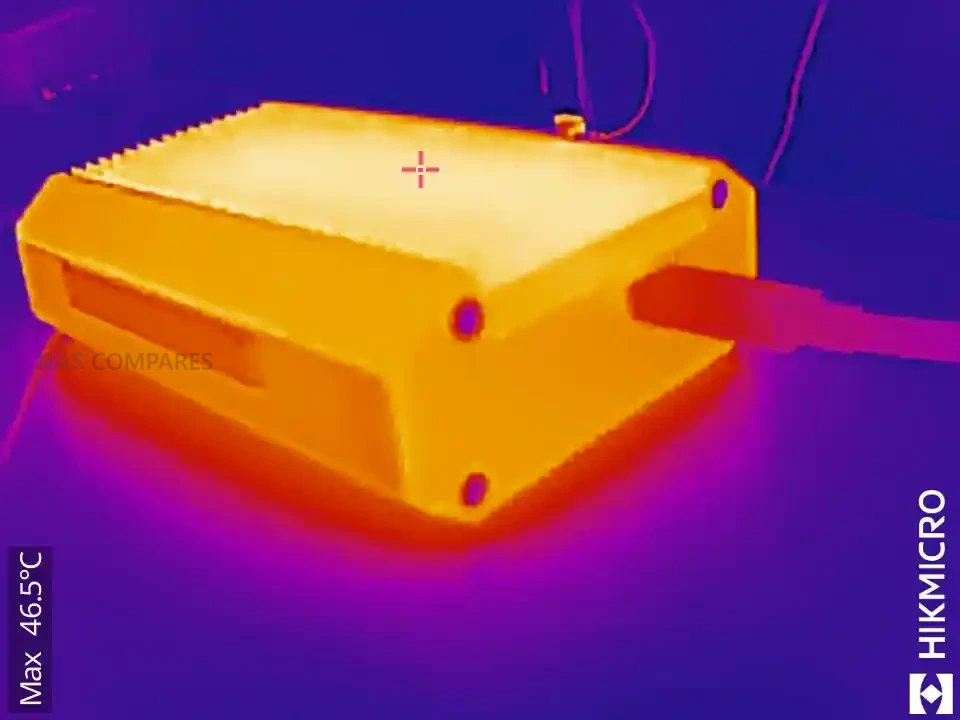
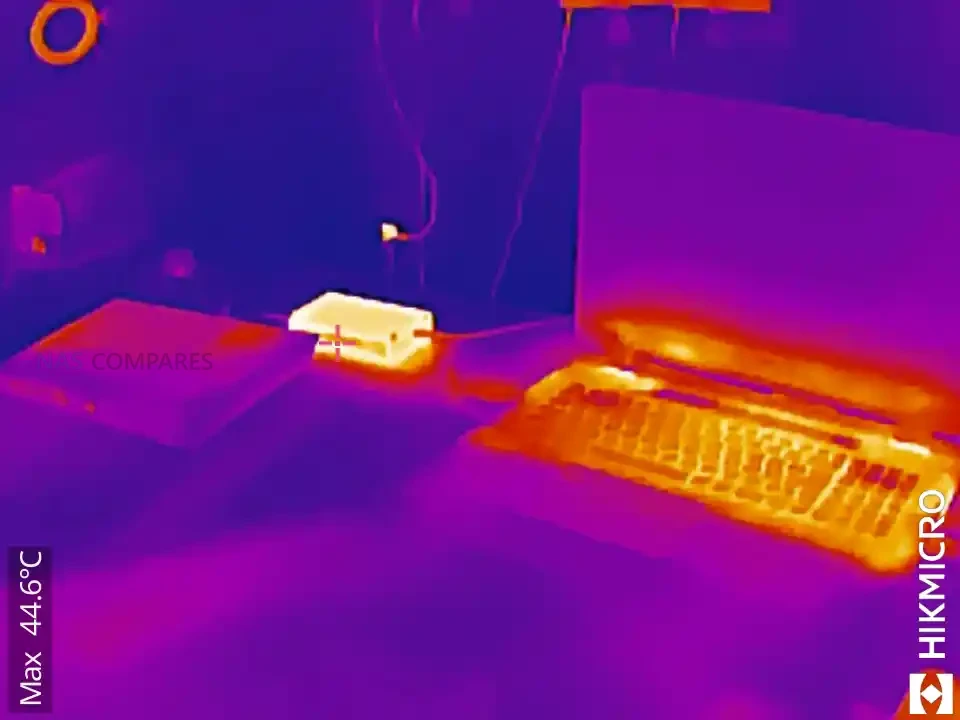
The fanless approach is a key design choice, giving the adapter completely silent operation during heavy transfers. In your testing, the enclosure maintained stable temperatures even after several minutes of saturation, typically remaining in the 47 to 51 degree range depending on activity and ambient levels. This thermal profile suggests that the shell’s passive system prevents hot spots and avoids the typical thermal throttling behaviour found in cheaper adapters, especially those built around multiple controllers stacked on different interconnected PCB modules. The predictable cooling also assists long term reliability for users who expect constant 10GbE connectivity during file editing, remote rendering, or multi channel transfers.
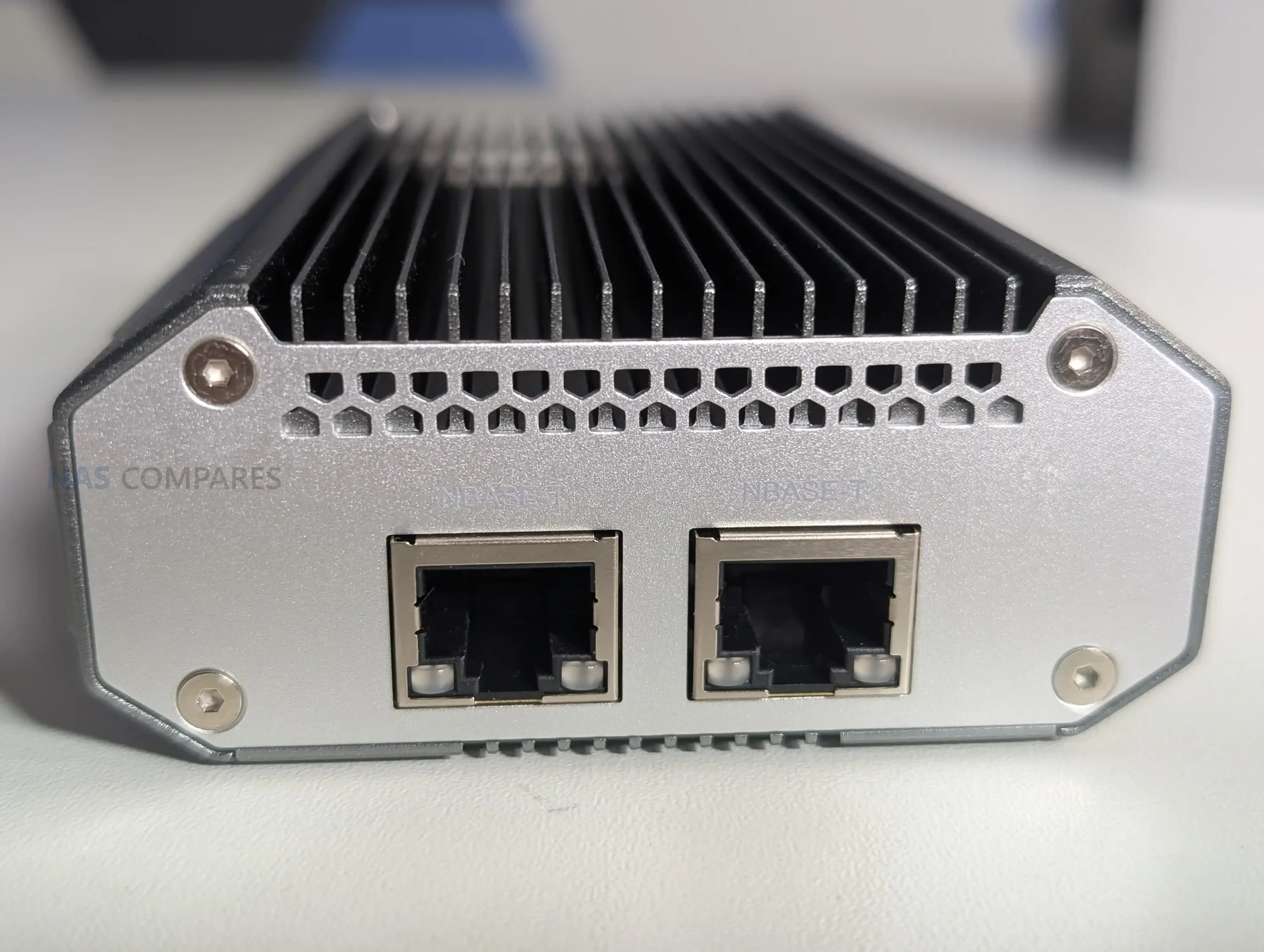
The physical I/O layout consists of a single USB 4 Type C port on one end and 2 x 10GBASE T ports on the opposite face, keeping cable paths separated to prevent mechanical strain or excess heat mingling between connectors. The RJ45 ports support Cat 6a cabling as recommended by QNAP and can operate across 10Gbps, 5Gbps, 2.5Gbps, 1Gbps, and 100Mbps speeds depending on the switch or device connected. While minimalistic, this separation aligns with the use case of the adapter as a mobile or desktop expansion tool where the position of cables may influence airflow and heat shedding around the chassis.
The cooling strategy also reflects QNAP’s intention for the adapter to be used in long-running, high-intensity environments rather than short bursts. During your extended 24 hour tests, the chassis maintained consistent thermal readings, with the USB side remaining cooler than the network interface side. The overall thermal balance avoided thermal spikes, which is essential for dual port operation where simultaneous read and write tasks across two 10GbE channels can push less optimized adapters into throttling. By spreading heat evenly across the frame, the device sustains performance in ways that improvised USB 4 adapters often fail to achieve during multi hour workloads.
QNAP QNA-UC10G2T Review – Internal Hardware and Connectivity
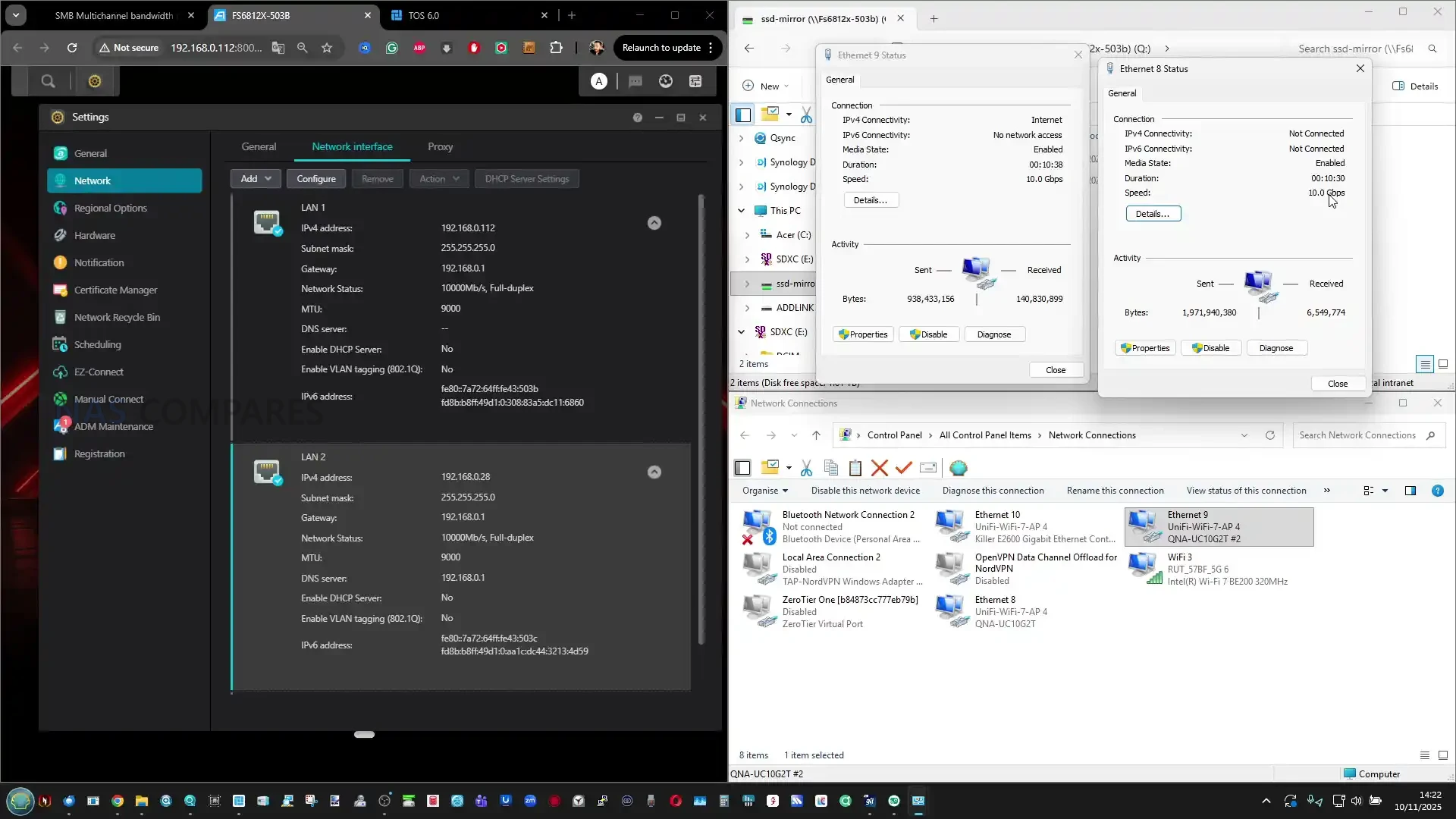
Inside the QNA-UC10G2T, the hardware is centred around two AQC113 controllers, each dedicated to one 10GbE port. This avoids the shared bandwidth and internal bottlenecks that occur in budget adapters that route multiple ports through a single controller or bridge older chipsets together. Each controller appears to have a direct path to the USB 4 interface, allowing the host operating system to detect two independent network interfaces. This structure is essential for features such as SMB Multi Channel, NIC bonding, and network segmentation, since it ensures that both ports operate with consistent throughput rather than competing for limited controller resources. The hardware layout intentionally avoids stacked modules or mixed technology bridges, creating a predictable and uniform architecture.
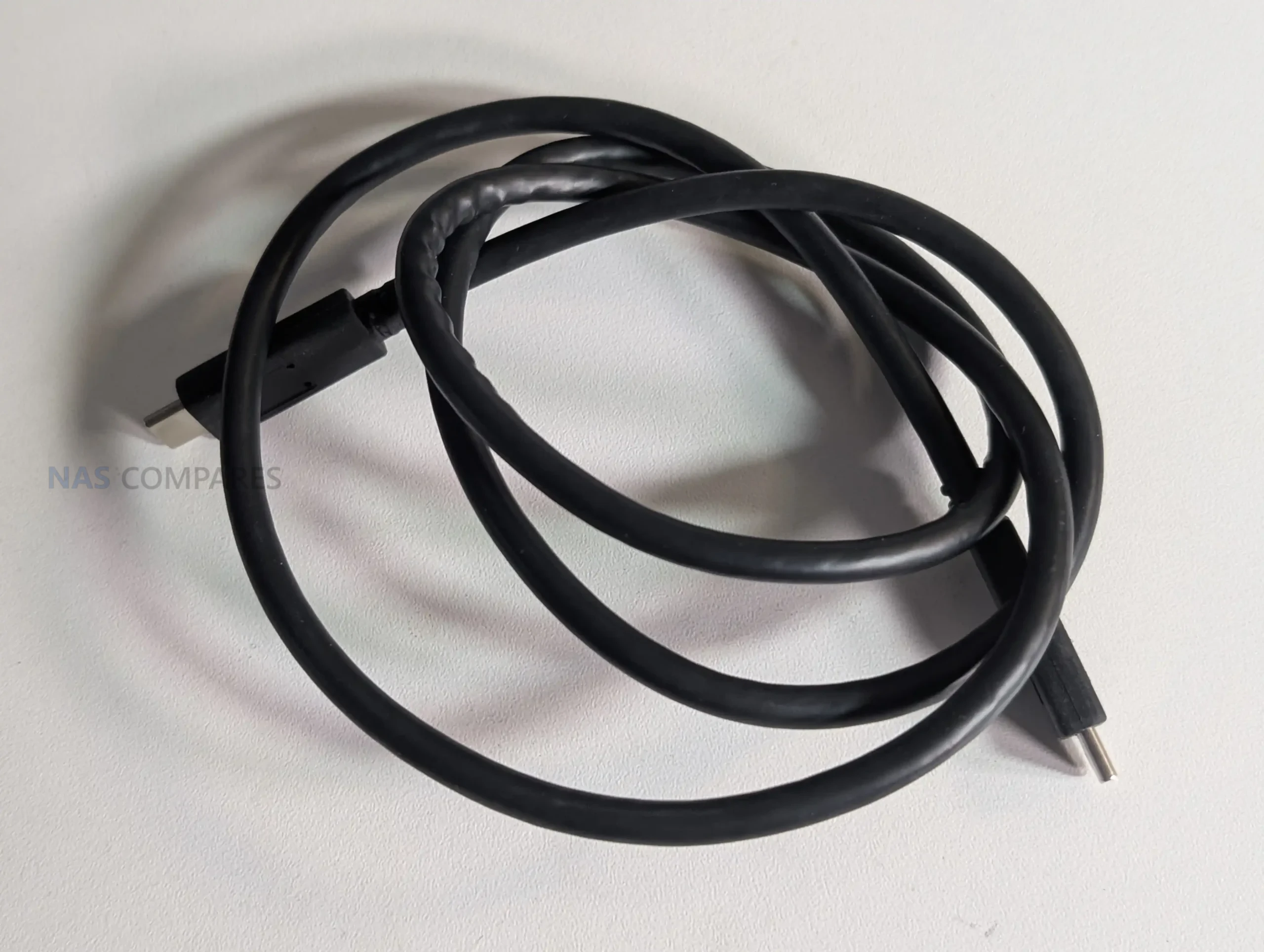
Connectivity through the USB 4 Type C interface is built to support both USB 4 and Thunderbolt 3 and 4 on most systems. QNAP includes a 1m USB 4 certified cable in the package to ensure full bandwidth without relying on third party cables that may deliver reduced link speeds. Host compatibility extends to Windows 11, macOS 12.7 to 15.4, and Ubuntu 22.04, although all require installation of the Marvell AQtion driver to enable proper operation. This software dependency reflects the adapter’s use of high performance controllers that are not handled by generic drivers. The device is not compatible with ARM based Windows systems, which limits use with some compact laptops and tablets but aligns with the adapter’s focus on fully featured desktop and workstation class hardware.
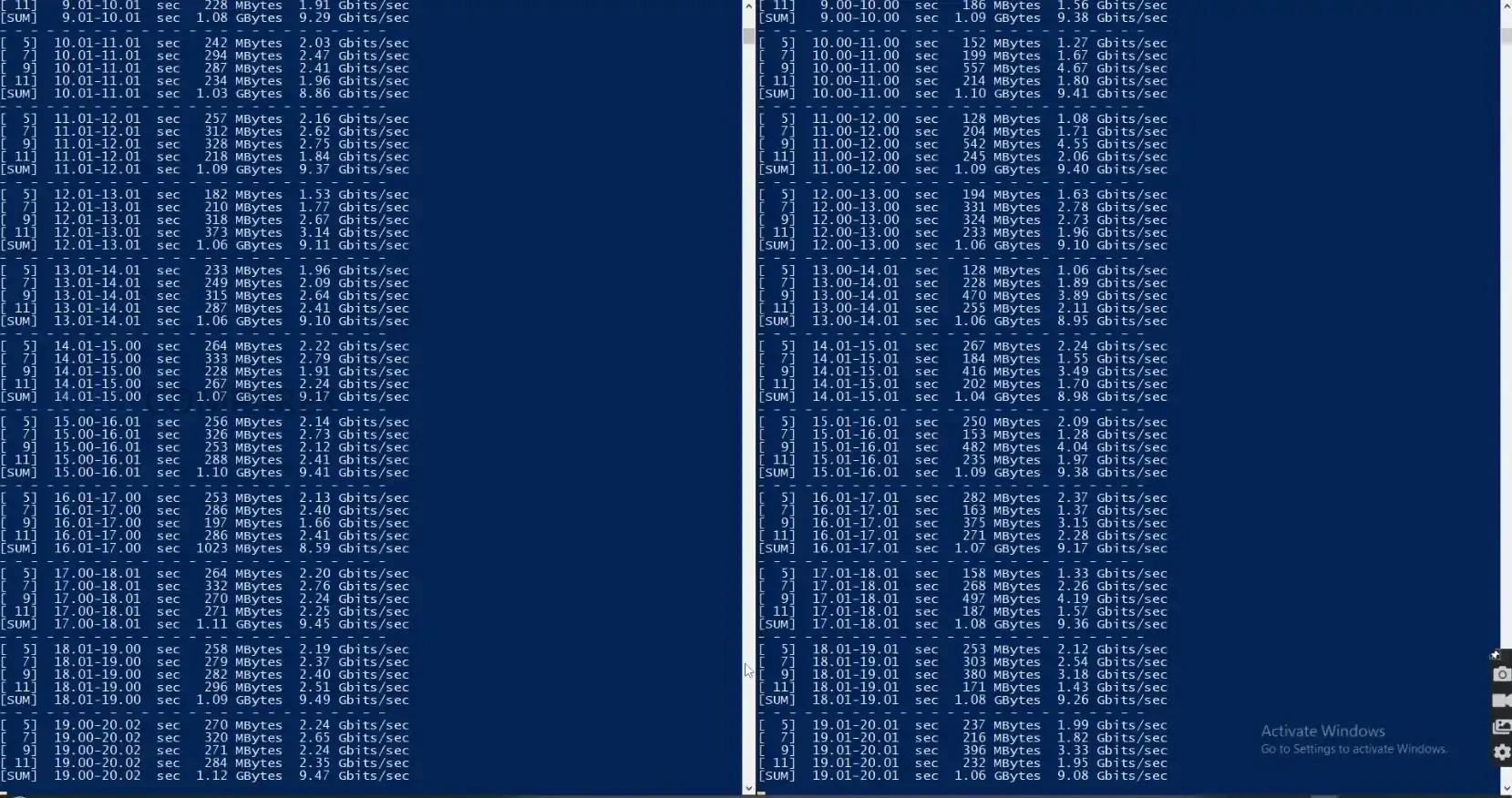
The dual 10GBASE T ports support 10Gbps, 5Gbps, 2.5Gbps, 1Gbps, and 100Mbps operation and auto negotiate based on the connected switch or device. This makes the adapter usable in mixed infrastructure where not all devices run at 10GbE rates. The reliance on RJ45 also gives it broad physical compatibility, making it suitable for direct PC to NAS connections, multi port NAS access, or integration with 10GbE switches. Your testing confirmed that the independent controllers allowed each port to reach close to saturation independently and operate simultaneously with sustained transfer rates across both links.
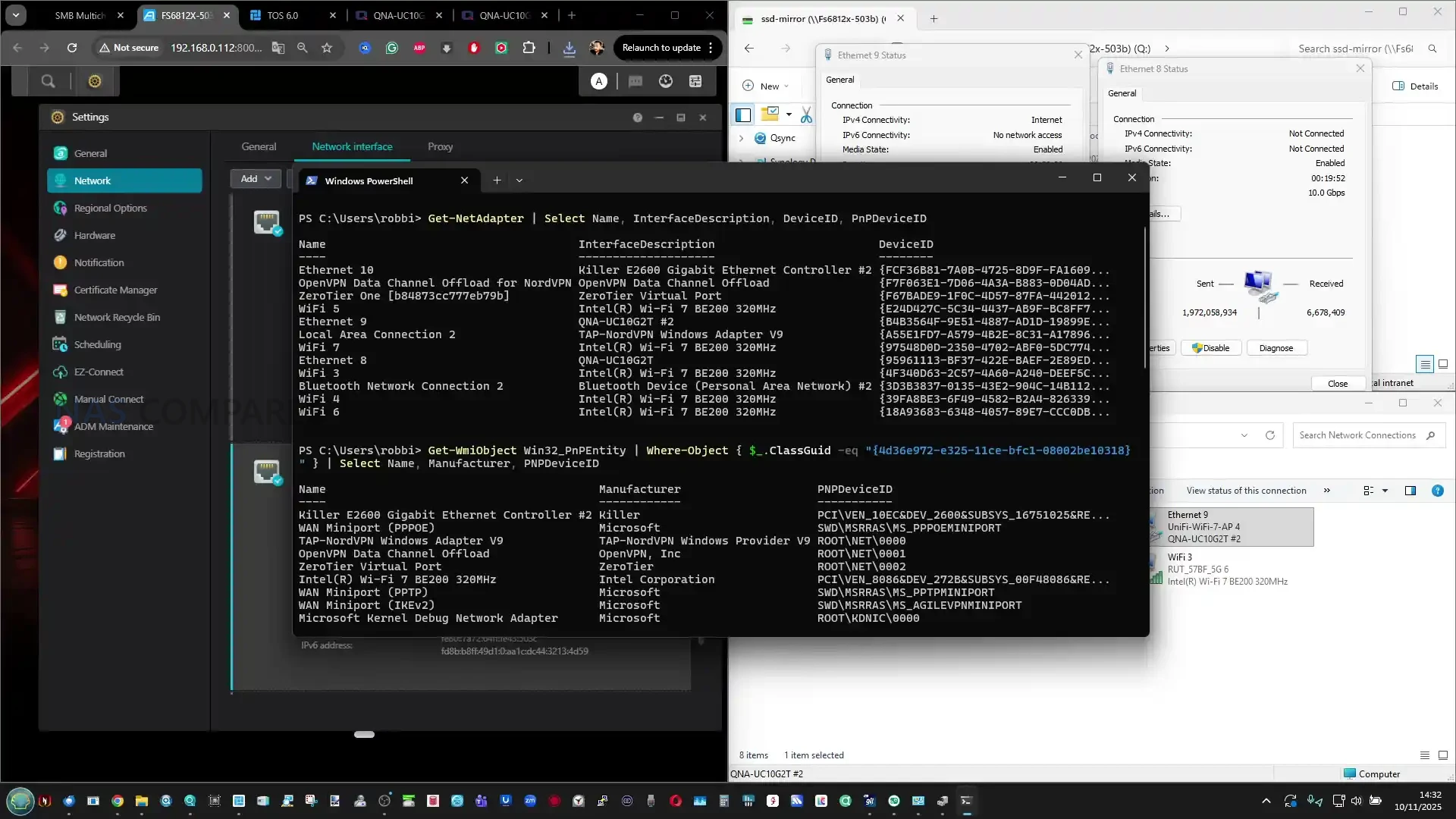
The internal hardware layout also supports clear network identification through the OS. When connected, the adapter exposes two discrete interfaces, each carrying its own MAC address, speed negotiation, and jumbo frame support. This allows users to create dedicated VLANs, segment traffic, or assign separate subnets without the limitations seen in single controller USB adapters that present only one interface for both ports. The device is therefore capable of acting as a genuine dual port NIC rather than a multi port breakout filtered through a single internal path. In testing, each interface responded consistently when used with tools such as iperf and CrystalDisk, confirming symmetric behaviour between both controllers.
While the adapter is designed primarily for client devices, your testing highlighted that direct USB 4 to 10GbE connectivity on NAS platforms remains limited. Most NAS operating systems lack mature USB 4 drivers or Thunderbolt over IP integration, which prevented the adapter from functioning when connected directly to TrueNAS or Unraid. This reflects current software gaps rather than a hardware limitation, and future NAS platforms with USB 4 or Thunderbolt support may unlock additional use cases. For now, the hardware is best suited to upgrading laptops, mini PCs, and workstations where USB 4 is available and supported through platform level drivers.
QNAP QNA-UC10G2T Review – Performance
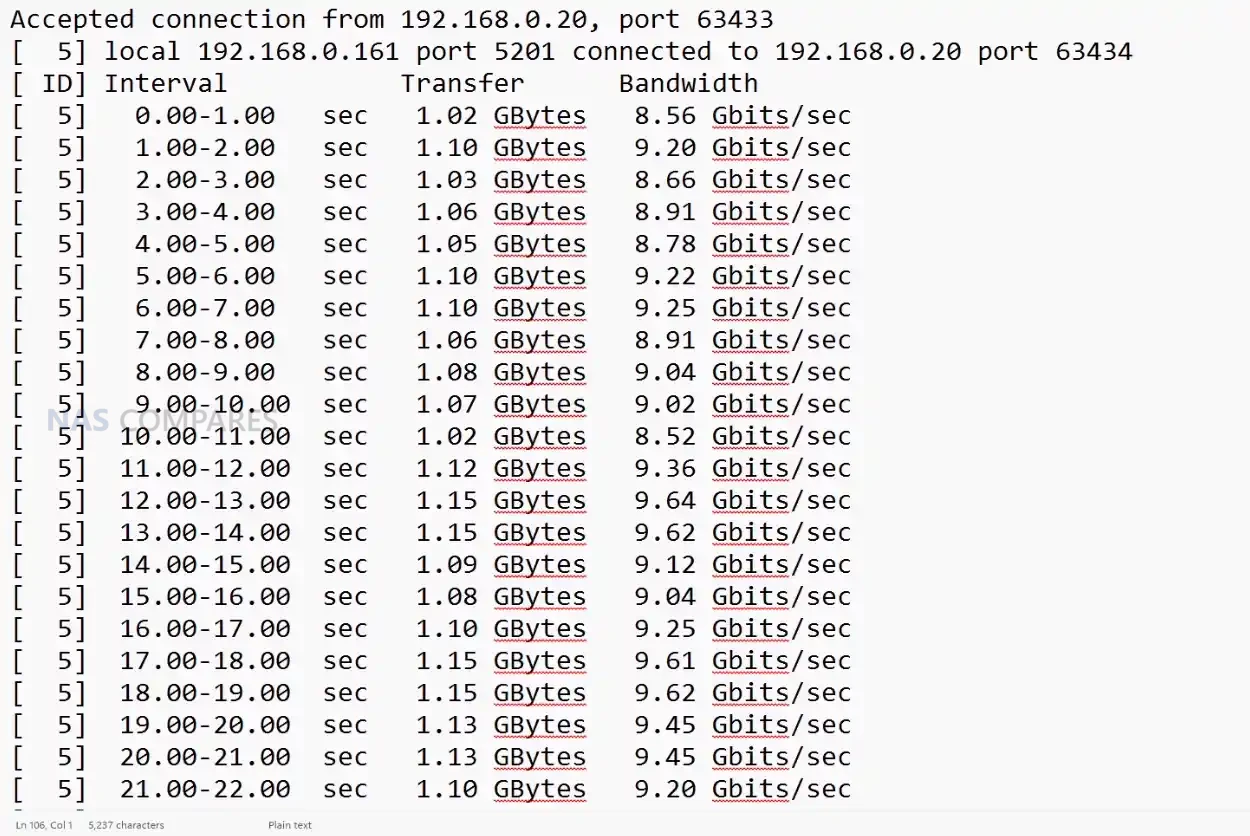
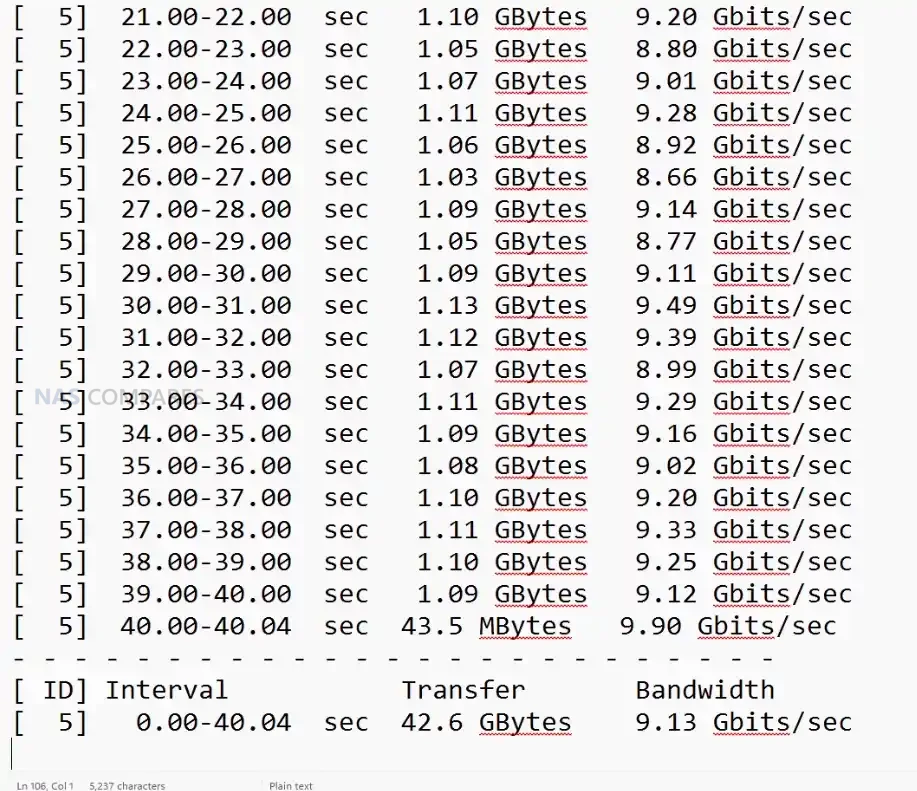
In practical testing, the QNA-UC10G2T delivered sustained throughput that closely aligned with QNAP’s published figures, with both ports maintaining stable operation during long running transfers. When used with IP based benchmarking tools, each 10GbE connection reached near saturation independently, confirming that the internal controllers can deliver full bandwidth without cross interference. During concurrent testing where two separate sessions targeted different devices, both ports maintained consistent performance levels, which demonstrated the benefit of having two discrete AQC113 controllers rather than a single shared architecture that would introduce contention under load.
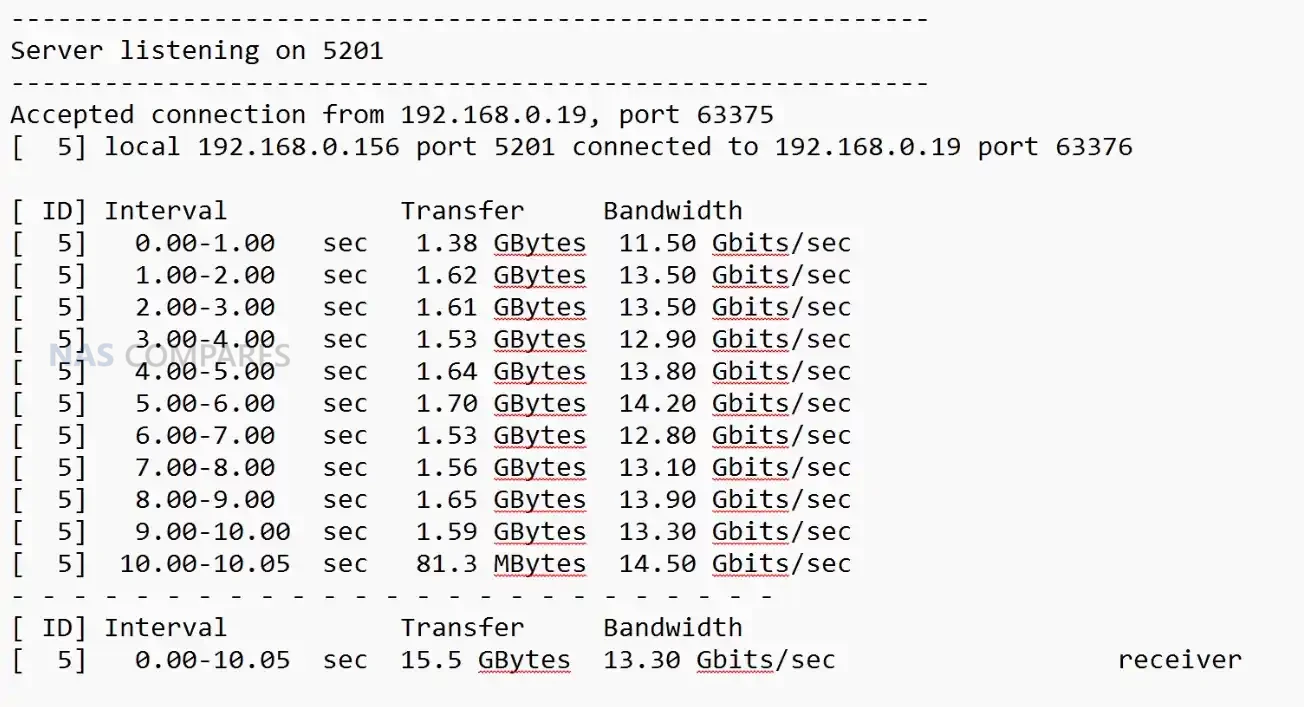
The adapter also showed strong results during SMB based file transfers, which typically stress both network performance and host storage. Using high speed NVMe backed devices such as the Minisforum MSS1 Max and the Asustor Flashstor Gen 2, throughput regularly approached the upper limits of a single 10GbE link and in some cases exceeded 13 to 14 Gbps combined when SMB Multi Channel was enabled. This reflected not only raw link speed but the ability of the device to maintain a stable, predictable data path without drops or thermal throttling. The performance was also consistent during repeated transfers, confirming sustained operation rather than peak only figures.
Thermal stability had a direct impact on performance, and the adapter’s multi stage passive cooling structure prevented heat buildup during heavy access. After several minutes of continuous transfer, external surface readings typically ranged from 47 to 51 degrees depending on the measurement point, with the USB interface side remaining cooler than the network side. Even after 24 hours of operation, temperatures remained within a narrow range, and throughput did not degrade. This behaviour contrasts with budget adapters built from stacked controller layers, which often throttle or lose throughput when thermals rise beyond the enclosure’s capacity to dissipate heat.
The adapter performed best when paired with systems that support jumbo frames, high performance modes, and direct NVMe based storage, since these environments can fully exploit dual 10GbE bandwidth. On platforms that lack USB 4 optimisation or rely on generic drivers, performance may vary, and your testing confirmed that most NAS operating systems were unable to recognise the adapter due to limited Thunderbolt or USB 4 networking support. For desktop and mobile clients, however, the performance remained consistent and aligned closely with QNAP’s internal lab measurements, provided that the user installed the appropriate drivers and used the supplied USB 4 certified cable.
QNAP QNA-UC10G2T Review – Verdict & Conclusion
The QNA-UC10G2T positions itself as a specialised tool for users who require reliable dual 10GbE connectivity through a single USB 4 port and are prepared to invest in a more robust architecture than the improvised solutions found in low cost adapters. Its metal chassis, multi stage passive cooling design, and independent AQC113 controllers result in predictable behaviour during long duration workloads, with sustained throughput that remains close to full 10GbE saturation on both ports. The requirement for platform specific drivers and the lack of NAS side support limits its flexibility in certain environments, yet for desktop systems, laptops, and compact workstations, the adapter provides one of the most stable USB based 10GbE implementations currently available.
Although priced well above many alternatives, the hardware and performance characteristics position it for users who prioritise reliability over entry level cost. Photographers, editors, engineers, and remote teams who depend on consistent multi gig file transfers may find the premium justified, especially when mobility or small form factor systems prevent installation of PCIe cards. For users simply seeking an inexpensive path to 10GbE, the high cost will be difficult to justify, but for those needing dependable, long term dual port connectivity in a portable form, the QNA-UC10G2T delivers a focused and technically capable solution.
QNAP QNA-UC10G2T Adapter PROs
QNAP QNA-UC10G2T Adapter CONs
• Dual AQC113 controllers provide two fully independent 10GbE interfaces • Sustained throughput remains close to line speed on both ports during long transfers • Multi stage passive cooling design maintains stable thermals without throttling • Full metal chassis acts as a large heat spreader for consistent performance • Broad client OS compatibility with Windows 11, macOS 12.7 to 15.4, and Ubuntu 22.04 • Supports SMB Multi Channel for aggregated bandwidth beyond a single 10GbE link • USB 4 architecture avoids the bandwidth contention common in low cost adapters
• High purchase price compared with consumer grade USB to 10GbE adapters • Requires manual driver installation on all supported platforms • Limited or no support when connected directly to most NAS operating systems at the moment
This description contains links to Amazon. These links will take you to some of the products mentioned in today's content. As an Amazon Associate, I earn from qualifying purchases. Visit the NASCompares Deal Finder to find the best place to buy this device in your region, based on Service, Support and Reputation - Just Search for your NAS Drive in the Box Below
Need Advice on Data Storage from an Expert?
Finally, for free advice about your setup, just leave a message in the comments below here at NASCompares.com and we will get back to you.Need Help?
Where possible (and where appropriate) please provide as much information about your requirements, as then I can arrange the best answer and solution to your needs. Do not worry about your e-mail address being required, it will NOT be used in a mailing list and will NOT be used in any way other than to respond to your enquiry.
[contact-form-7]
TRY CHAT Terms and Conditions
If you like this service, please consider supporting us.
We use affiliate links on the blog allowing NAScompares information and advice service to be free of charge to you.Anything you purchase on the day you click on our links will generate a small commission which isused to run the website. Here is a link for Amazon and B&H.You can also get me a Ko-fi or old school Paypal. Thanks!To find out more about how to support this advice service checkHEREIf you need to fix or configure a NAS, check FiverHave you thought about helping others with your knowledge? Find Instructions Here
Or support us by using our affiliate links on Amazon UK and Amazon US
Alternatively, why not ask me on the ASK NASCompares forum, by clicking the button below. This is a community hub that serves as a place that I can answer your question, chew the fat, share new release information and even get corrections posted. I will always get around to answering ALL queries, but as a one-man operation, I cannot promise speed! So by sharing your query in the ASK NASCompares section below, you can get a better range of solutions and suggestions, alongside my own.
NVIDIA is investigating widespread PC gaming issues that appear to be linked to a January Windows update. Users report performance drops and graphical problems, with uninstalling KB5074109 offering temporary relief.

 Connexion







 L’actualité de Novembre 2025 :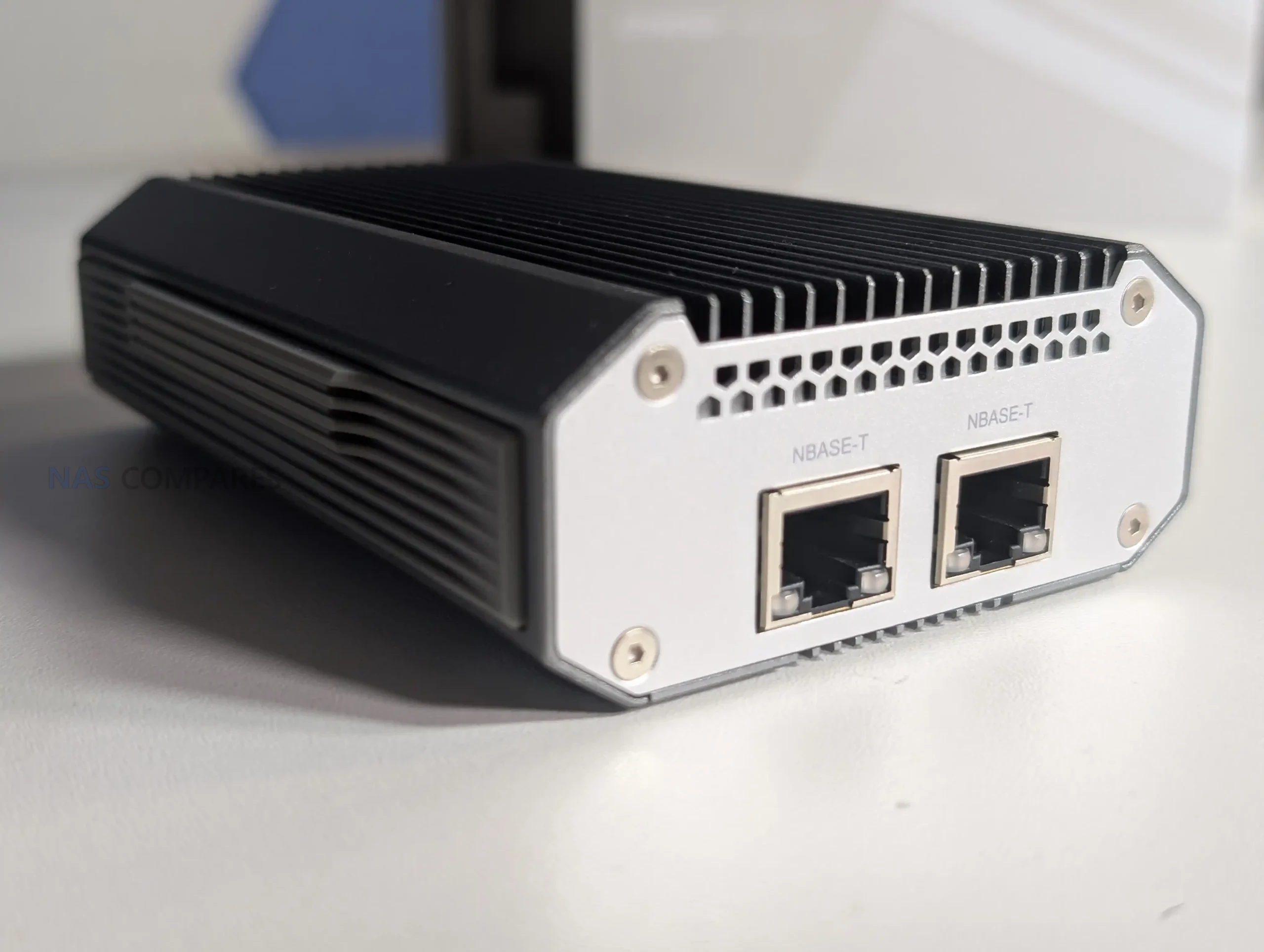



 SUBSCRIBE TO OUR NEWSLETTER


 TRY CHAT