Vue lecture

Il y a de nouveaux articles disponibles, cliquez pour rafraîchir la page.

Microsoft Purview Data Security Investigations: AI-powered threat detection for Microsoft 365

Using AI Search in Microsoft Purview (image Microsoft)
Microsoft Purview Data Security Investigations became generally available in January, providing data security teams with AI-powered tools to identify, investigate, and mitigate sensitive data risks across Microsoft 365 environments. The solution addresses the challenge of managing 220 zettabytes of organizational data while facing over 12,000 confirmed breaches annually by streamlining investigations that previously took weeks or months into hours.

Source

Microsoft Teams licensing updates

Virtual events elevated with Teams town hall (image Microsoft)
Microsoft announced significant changes to its Teams licensing structure, effective April 1, 2026. The updates move several advanced capabilities from Teams Premium into core Teams Enterprise licenses, expand access to Microsoft Places features, and introduce new attendee capacity options for large-scale events. These changes aim to simplify licensing and provide broader access to powerful collaboration tools across organizations.

Source

Trust Through Certification (TAC) for Microsoft Teams: Apps to consider allowing, compliance filter, Microsoft certified apps collections

Dedicated collections of certified apps (image Microsoft)
Microsoft has introduced trust-based enhancements to the Teams Admin Center (TAC), designed to simplify app security and compliance management for IT administrators. These updates, known as Trust Through Certification, enable you to quickly identify trusted applications, enforce organizational standards, and streamline governance workflows through features such as "apps to consider allowing," security compliance filters, and Microsoft-certified app collections. The enhancements build on existing foundational features while adding dedicated trust indicators that consolidate security signals in a centralized dashboard. You can now evaluate apps based on industry-standard certifications without leaving the Teams Admin Center, reducing the time spent on manual reviews and cross-checking vendor documentation.

Source

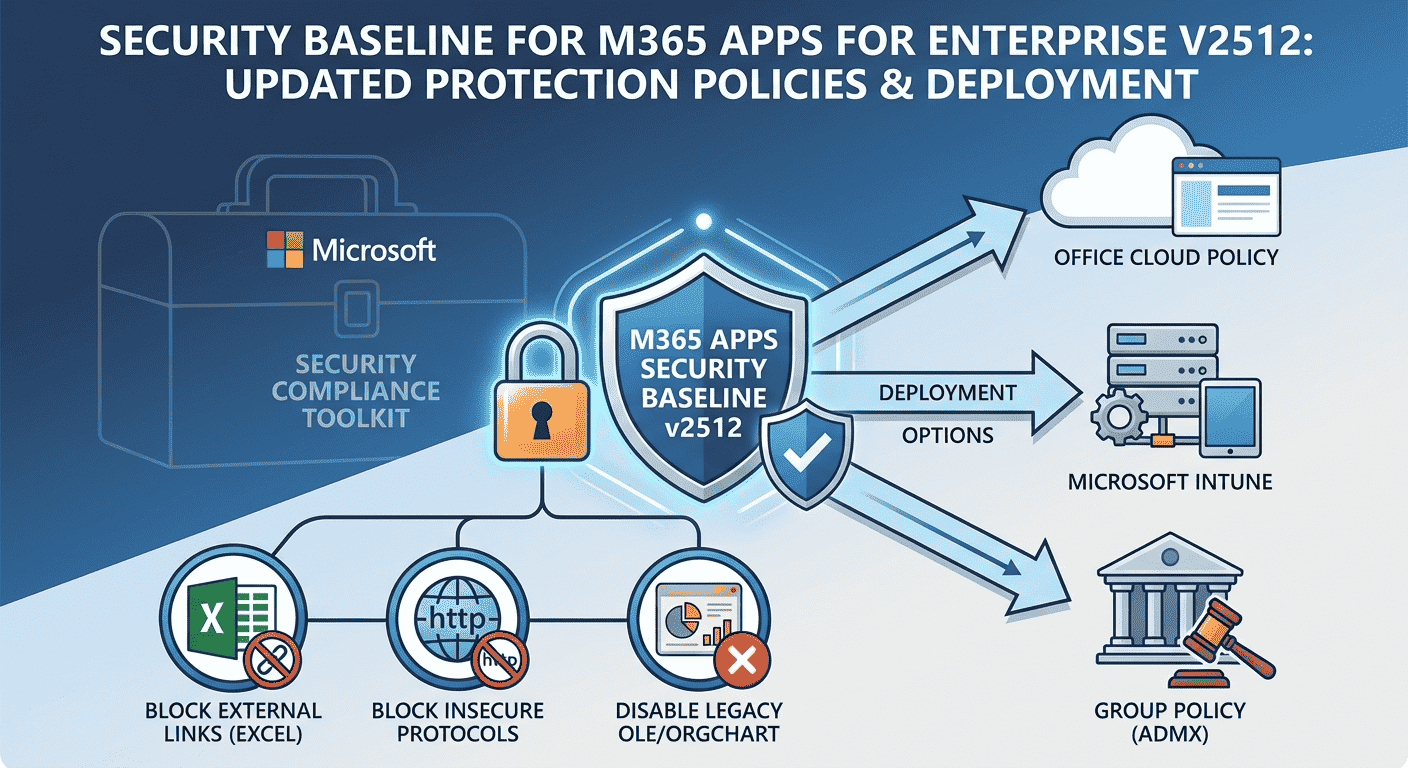
Security Baseline for Microsoft 365 Apps for enterprise v2512: Intune and Group Policy deployment

Security Baseline for M365 Apps for enterprise v2512
Microsoft just announced the Security Baseline for Microsoft 365 Apps for enterprise version 2512 ( (v2512, December 2025) as part of the Microsoft Security Compliance Toolkit. This security configuration package aligns with Administrative Templates released in version 5516 and introduces updated policies designed to strengthen protections in Excel, PowerPoint, and core Microsoft 365 Apps components. You can deploy these Microsoft-recommended security configurations through multiple methods including Office cloud policies, Microsoft Intune, or Group Policy to reduce configuration drift and ensure consistent protection across enterprise environments.

Source

Move Microsoft 365 users from tenant to tenant with migration orchestrator

Moving Microsoft 365 users from one tenant to another
Microsoft has launched a native migration orchestrator in public preview that enables you to move user data between Microsoft 365 tenants during mergers, acquisitions, divestitures, and organizational restructurings. This cloud-based solution consolidates Exchange mailboxes, OneDrive files, and Teams chats and meetings into a single migration workflow, eliminating the need for multiple third-party tools and reducing administrative complexity.

Source

Block external users in Microsoft Teams from Defender for Office 365

Block specific users from communicating with people in my organization (image Microsoft)
Microsoft integrates Teams with Defender for Office 365, enabling security admins to block external users directly from the Microsoft Defender portal using the Tenant Allow/Block List. This centralized security management feature rolls out in January 2026, supporting up to 4,000 domains and 200 email addresses with automatic blocking across chats, meetings, channels, and calls.

Source

What is Microsoft Copilot Studio? Automate with natural language in Microsoft 365 and Microsoft Teams

Testing an agent in microsoft copilot studio (image microsoft)
Microsoft Copilot Studio is a low-code platform that lets you build, customize, and manage AI agents without extensive programming knowledge. The platform provides a graphical interface for creating intelligent agents in natural language that handle conversations and automate tasks across Microsoft Teams, Microsoft 365 Copilot, websites, mobile apps, and third-party platforms such as Facebook or Slack. To ground agents, you can integrate your organization's data sources. Recent updates have introduced enhanced AI models, improved authoring experiences, and new governance capabilities, making the platform more accessible and secure.

Source

No bulk email sending limit for Exchange Online

Bulk email sending limit canceled
Microsoft has indefinitely canceled the planned limit on bulk email sending in Exchange Online following significant customer feedback about operational challenges. However, Microsoft advises using Azure Communication Services for Email for organizations that require sending large volumes of email to external recipients. 

Source

Exchange Online to block legacy ActiveSync clients in 2026

Microsoft announced that Exchange Online will block devices using Exchange ActiveSync protocol versions earlier than 16.1 from connecting to its services starting March 1, 2026. This change affects organizations using mobile devices with native email applications to access Exchange Online mailboxes and aims to strengthen security and reliability across the platform. Clients using basic authentication for an affected protocol will be unable to connect to Exchange Online and will receive an HTTP 401 error stating "bad username or password."

Source

Difference between Office 2024 and Microsoft 365

Microsoft has clarified the key differences between its one-time purchase Office 2024 and the subscription-based Microsoft 365 suite in an official support document. The comparison helps users understand the trade-offs between a single upfront payment for static software and ongoing subscription fees for continuously updated services.

Source

New Intune features for Microsoft 365 E3/E5 subscribers

Microsoft announced that advanced Intune Suite capabilities will be included in Microsoft 365 E3 and E5 subscriptions at no additional cost, expanding endpoint management and security features to more organizations. The changes take effect in 2026 and aim to help IT teams manage devices at scale while strengthening Zero Trust security.

Source

Microsoft’s new Baseline Security Mode for Microsoft 365

Microsoft announced Baseline Security Mode at Ignite 2025, a new security capability that provides an opt-in security baseline for Microsoft 365 tenants. The feature shifts critical protections from optional configurations to a secure-by-default model that administrators can choose to enable, helping organizations meet minimum security standards when they opt into the feature.

Source

Microsoft 365 price increase: New AI features, improved security, and expanded Intune capabilities

Microsoft announced price increases for Microsoft 365 and Office 365 commercial subscriptions. The new list prices will go into effect on July 1, 2026, though existing customers will generally not pay the higher rates until their next renewal after that date. The company justifies the changes by pointing to more than 1,100 new features added across the platform, particularly AI-powered capabilities, security enhancements, and device management tools.

Source

❌