 Connexion
ESET Research: Sandworm behind cyberattack on Poland’s power grid in late 2025
The attack involved data-wiping malware that ESET researchers have now analyzed and named DynoWiper



L'autre jour, je m'amusais à regarder ce qu'une petite application Android que j'avais installée envoyait comme infos à ses serveurs , et j'ai encore galéré avec une tripotée d'outils différents. Entre ADB pour récupérer le fichier, Apktool pour le désassembler, Jadx pour lire le code et les scripts de signature à rallonge, y'a de quoi se taper la tête contre les murs. On est en 2026, et le reverse engineering Android ressemble encore parfois à de la spéléologie sans lumière dans une grotte remplie de goudron.
Puis c'est là que je suis tombé sur apk.sh, et ça m'a sauvé ma soirée. C'est un script Bash tout simple, mais qui joue le petit chef d'orchestre pour automatiser toutes les tâches les plus chiantes : le pull, le décodage, la reconstruction, le patching et le renommage d'APK. Ça vous mâche le travail sur toute la partie technique pour que vous n'ayez plus qu'à faire un petit adb install à la fin... et voilà ! (Sans les "Trenti anni di qualità", évidemment ^^)
Le truc cool, c'est qu'il ne se contente pas de faire du "pull" et du "decode". Il gère également nativement l'injection de gadgets Frida pour faire de l'instrumentation dynamique, et ça, c'est vraiment le pied pour ceux qui veulent voir ce qui se passe en mémoire sans s'arracher les cheveux. Il peut même patcher automatiquement la configuration de sécurité réseau pour vous permettre d'intercepter le trafic HTTPS plus facilement. Par contre attention, si l'appli utilise du certificate pinning bien costaud, ça servira à QUE DALLE.
Si vous avez déjà essayé de
décompiler un APK et de le recompiler
, vous savez que la moindre erreur de signature ou d'alignement et c'est le drame. Ici, l'outil s'occupe de tout avec apksigner et zipalign de manière transparente. Et pour les plus barbus d'entre vous, il permet même de modifier directement le bytecode DEX via les fichiers smali pour éviter les bugs de décompilation Java qui font parfois pleurer un admin sys.
Pas besoin d'être root pour la plupart des fonctions, et il gère même les fameux bundles (AAB) que Google Play impose désormais et qui se transforment en "split APKs" une fois sur votre téléphone. En gros, vous faites un pull pour récupérer et fusionner tout ça en un seul APK, puis un decode pour obtenir un dossier tout prêt à être exploré.
C'est typiquement le genre d'outil que j'aurais aimé avoir à l'époque où je vous parlais d'Androguard pour
analyser des malwares Android
. On gagne un temps de fou malade et on peut se concentrer sur ce qui nous intéresse vraiment dans la vie, c'est à dire le fromage à raclette et la sieste comprendre comment ces applis nous pompent nos données ou juste changer la couleur d'un bouton pour le plaisir (ou des trucs qui vous enverront en zonzon ^^).
Bref, si vous aimez mettre les mains dans le cambouis Android, allez jeter un œil à ce projet pour vos prochaines sessions de reverse.

Si vous bidouillez un peu avec des modèles CoreML sur votre Mac Silicon, vous savez que c'est vite la croix et la misère comme je dis souvent... Car dès qu'il s'agit de tester un truc rapide, faut ouvrir Xcode, pisser du Swift, ou se battre avec des scripts Python... Bref, l'usine à gaz juste pour vérifier une prédiction vite fait.
Hé bien bonne nouvelle les amis, un petit outil en ligne de commande vient de sortir pour nous éviter de trop galérer.
Ça s'appelle coreml-cli et comme son nom l'indique, c'est une interface pour inspecter et lancer vos modèles depuis le terminal. L'objectif c'est de pouvoir manipuler vos fichiers .mlmodel sans jamais avoir besoin de lancer l'IDE d'Apple.
Si vous êtes chaud bouillant, ça s'installe hyper facilement via Homebrew :
brew tap schappim/coreml-cli
brew install coreml-cli
Et une fois que c'est là, vous pouvez TOUT faire. Genre vous voulez voir ce qu'il y a dans un modèle ? Hop, un petit coreml inspect MobileNetV2.mlmodel et vous avez toute la structure, les entrées et les sorties qui s'affichent.
Et pour lancer des prédictions, c'est également très simple plus simple. Par exemple, avec le modèle MobileNet qui détecte les objets présents dans une image, vous lui donnez une image, et avec l'option --json, il vous sort le résultat proprement.
coreml predict MobileNetV2.mlmodel --input photo.jpg --json
Et pour ceux qui veulent automatiser des traitements, le mode "batch" permet de traiter tout un dossier d'images d'un coup. C'est quand même plus rapide que de le faire à la main un par un, comme le ferait un ingé de Perpignan nourri aux graines de chia.

Le développeur a même intégré un outil de benchmark pour mesurer la latence. Ça vous permet de lancer des tests sur le CPU, le GPU ou le fameux Neural Engine d'Apple pour comparer les perfs. C'est le top pour optimiser vos apps avant de les déployer.
Du coup, si vous bossez avec de l'IA locale sur Mac, un peu comme ce qu'on a déjà testé par le passé avec MocoLlamma ou sur de gros clusters Mac Studio comme ce furieux, ce petit binaire risque de vite devenir indispensable dans vos scripts CI/CD.
Amusez-vous bien !

Vous connaissez Sonic Pi, ce logiciel génial pour coder de la musique que je vous ai déjà présenté ? Hé bien Sam Aaron, son créateur, remet le couvert avec son nouveau projet baptisé Tau5.
Si vous avez déjà testé le live coding, vous savez comme moi que c'est une joie totale de pouvoir balancer des boucles en tapant quelques lignes de code, mais là Sam pousse le délire beaucoup plus loin. Ce nouveau joujou, c'est un peu le grand frère de Sonic Pi, pensé dès le départ pour la collaboration, mais aussi la sécurité et la compatibilité web.

Sam Aaron lors de sa keynote GOTO 2025
L'ambition de Tau5 c'est que l'outil puisse à terme intégrer des agents IA via le protocole MCP. Bien sûr, l'objectif n'est pas de remplacer le musicien (ouf !), mais de lui offrir un partenaire d'improvisation qui pourrait l'aider à crafter des boucles ou ajuster des paramètres. C'est en tout cas la vision que Sam a partagée lors de sa keynote au GOTO 2025.
Sous le capot, le système repose sur la machine virtuelle Erlang (BEAM), sur laquelle tourne aussi Elixir. C'est une architecture connue pour sa tolérance aux pannes, comme ça même si vous faites une erreur de syntaxe en plein set, le système encaisse sans que tout s'effondre et vous colle la honte avec des gens qui viendront vous dire à la fin de votre concert : "Hahaha, c'est nul t'es trucs d'IA, ça marche pas, tu vois bien que l'humain n'est pas prêt d'être remplacé ! Hahaha, loser"
Pour ceux qui se demandent ce que ça change par rapport à Sonic Pi, c'est surtout la dimension collaborative qui est mise en avant pour le futur. Avec cette nouvelle mouture, l'objectif c'est de permettre à plusieurs personnes de coder ensemble, potentiellement assistées par une IA. Je trouve que c'est une évolution de la création musicale par ordi plutôt logique vers quelque chose de plus connecté.
Si le sujet vous branche, je vous remets le lien vers mon article sur la découverte de Sonic Pi , histoire de voir d'où on part. Bref, tout ça reste trèss fidèle à la philosophie de Sam qui est depuis le début de rendre le code accessible et créatif à tous.
Bref, si vous aimez la musique, le code, ou juste voir des gens brillants repousser les limites, jetez un œil à sa présentation ou au dépôt GitHub .

Qui n'a jamais eu envie de savoir si "KikouLolDu93" avait aussi un compte sur un site de rencontre ou un forum obscur de haxx0rs ? C'est humain, c'est de la curiosité... ou de l'OSINT (Open Source Intelligence) si vous voulez faire genre vous êtes un pro. Et pour ça, j'ai l'outil qu'il vous faut : Social Analyzer .
Ce script est un détective privé numérique qui va frapper à la porte de plusieurs centaines de sites (Facebook, X (ex-Twitter), Instagram, Tinder, et des trucs bien plus niches) pour vérifier la présence d'un pseudo.

Développé par qeeqbox, Social Analyzer ne se contente pas de tester une URL. Il analyse les pages, vérifie les métadonnées, et vous sort un score de confiance de 0 à 100. Notez qu'un score de 100 n'est pas une preuve d'identité absolue (on n'est pas à la police scientifique), mais une forte probabilité basée sur les signaux trouvés. À l'inverse, un score de 0 peut signifier que c'est un homonyme, ou simplement que le site a bloqué la requête. Ça évite en tout cas de stalker la mauvaise personne trop vite.
L'outil est codé en JavaScript et Python, et vous pouvez l'utiliser en ligne de commande ou via une interface web plutôt propre si le terminal vous donne de l'urticaire.
Vous avez plusieurs options, mais la plus simple si vous avez Python 3 d'installé, c'est via pip (vérifiez bien que c'est le paquet officiel) :
pip3 install social-analyzer
Et hop, c'est réglé. Ensuite pour lancer une recherche rapide, c'est aussi simple que :
social-analyzer --username "le_pseudo_a_chercher"
Si vous êtes plus team NodeJS, vous pouvez aussi cloner le dépôt GitHub et lancer ça à la main :
git clone https://github.com/qeeqbox/social-analyzer.git
cd social-analyzer
npm install
npm start
Ça lancera l'interface web sur votre machine (généralement sur le port 9005), et vous pourrez faire vos recherches tranquillement en cliquant sur des boutons.

Franchement, oui. C'est même assez bluffant de voir tout ce qui ressort. Il peut même tenter d'extraire des infos supplémentaires comme la bio ou l'avatar si les sites ne sont pas trop protégés contre le scraping.
Par contre, petit disclaimer habituel : ce genre d'outil, c'est pour de l'investigation légitime. Genre vérifier vos propres traces numériques pour faire du nettoyage, ou pour des enquêtes de sécu. Ne commencez pas à l'utiliser pour harceler les gens, le web n'a pas besoin de ça.
D'ailleurs, si le sujet de l'OSINT vous branche, jetez un œil à mon article sur Blackbird qui fait un boulot similaire, ou apprenez à analyser un profil GitHub comme un chef.
Bref, Social Analyzer c'est puissant, c'est open source, et ça fait le café. À utiliser avec intelligence évidemment !
Merci à Lorenper !


La mission Artémis II autour de la Lune est un voyage d'environ dix jours, avec quatre astronautes à bord de la capsule Orion. La Nasa a détaillé les grandes étapes de cette odyssée.

Gmail est un service de courrier électronique extrêmement répandu, y compris en France. Pourtant, il existe des webmails alternatifs, dont certains sont européens, qui n'ont pas à rougir. Envie de sauter le pas ? Voilà deux solutions à considérer.

Netflix diffuse dans la nuit du 24 au 25 janvier 2026 un événement en direct sans précédent : Alex Honnold va escalader la tour Taipei 101, un des plus hauts gratte-ciel du monde, sans corde ni filet de sécurité. Horaires, plateforme, déroulement : voici tout ce qu'il faut savoir pour suivre cette ascension à haut risque.

La situation s'aggrave pour Luke Ross. Déjà en conflit avec CD Projekt Red pour son mod VR payant de Cyberpunk 2077, le moddeur a été rattrapé par une seconde plainte venant de l’éditeur 505 Games. Craignant un bannissement sur Patreon, il a préféré supprimer l’intégralité de ses créations plutôt que de céder sur la gratuité.

[Deal du jour] UGC profite des soldes pour réduire le prix de sa carte UGC Illimité, dédiée aux moins de 26 ans. Une petite ristourne toujours bonne à prendre pour les cinéphiles.
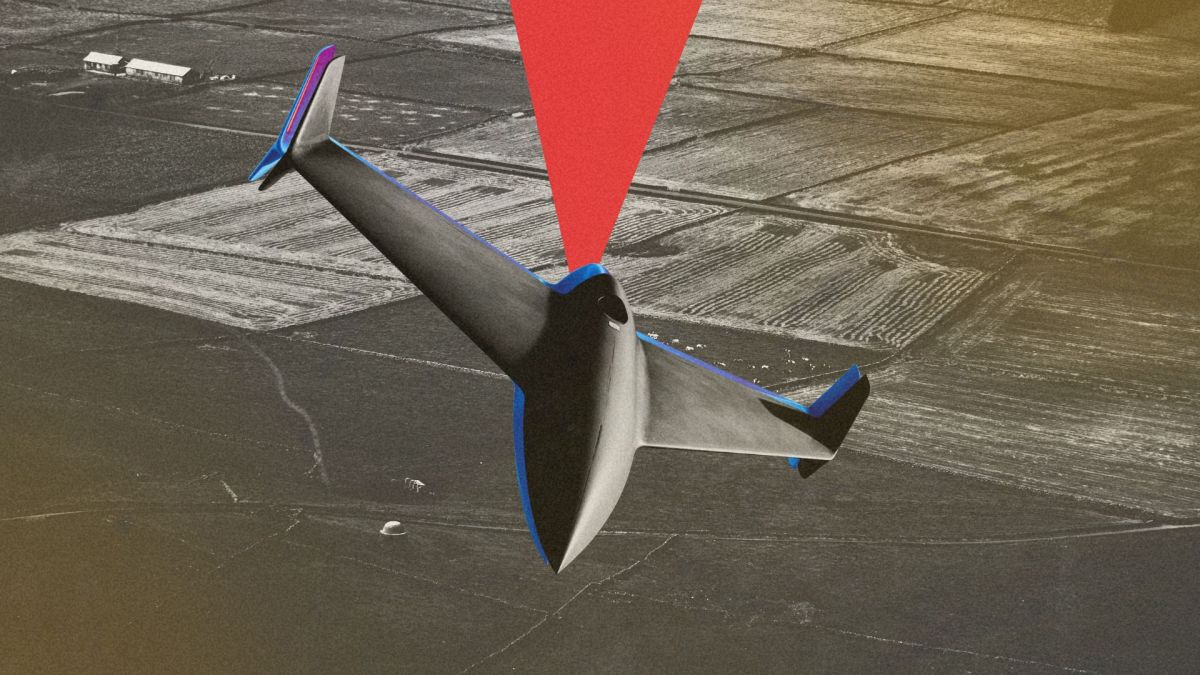
La Direction générale de l'armement (DGA) a officialisé la commande de ses premières munitions téléopérées à longue portée auprès du tandem industriel français MBDA et Aviation Design. Capable de frapper à plus de 500 kilomètres pour saturer les défenses adverses, ce « drone-missile » conçu pour être produit en masse sera livré aux forces armées dès la mi-2027.
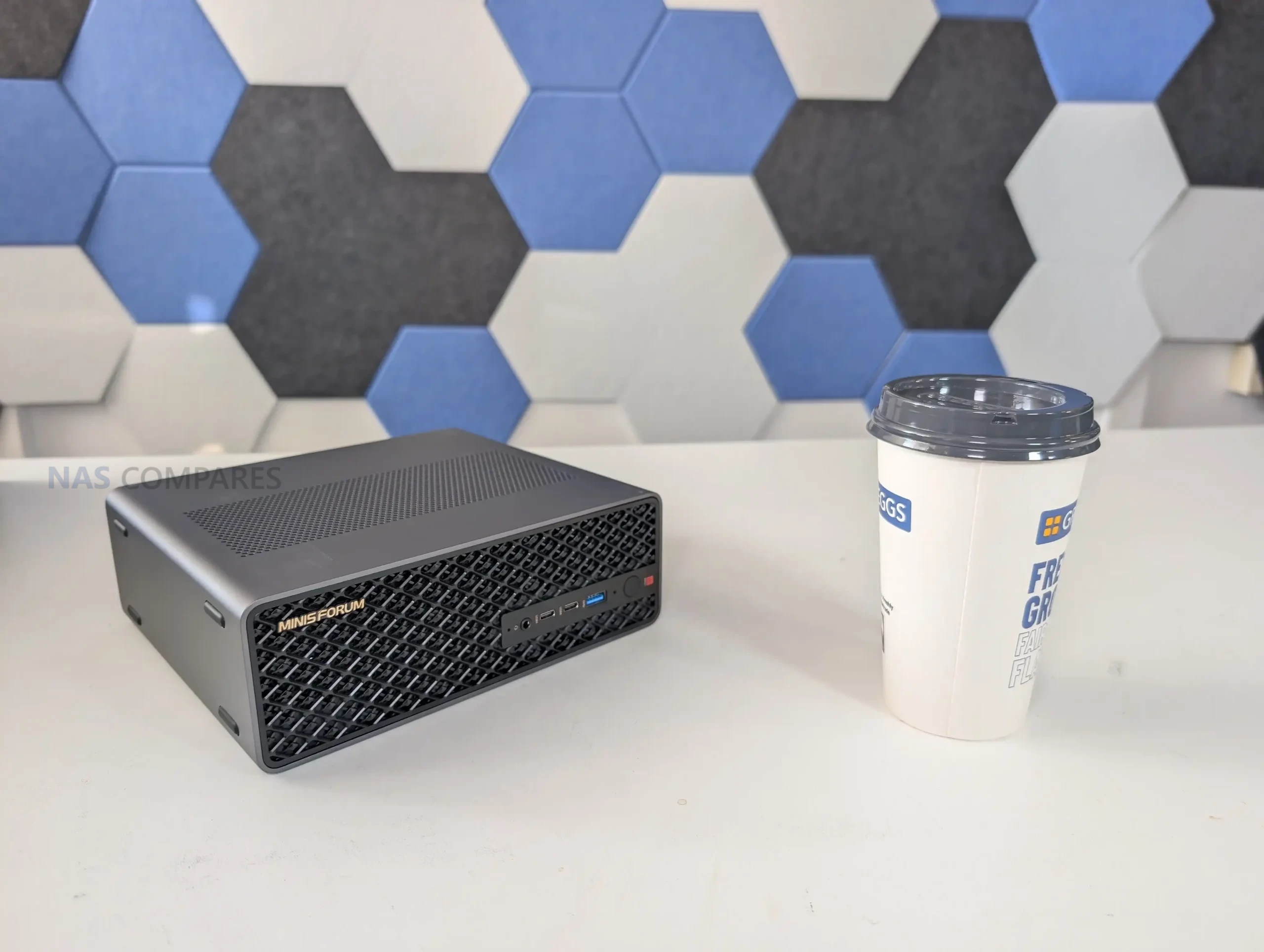
The Minisforum MS-S1 Max is one of those mini workstations that looks straightforward on paper, but starts to feel unusual once you look at how it is put together and who it seems to be aimed at. It is built around AMD’s Ryzen AI Max+ 395, pairing a 16C/32T CPU with Radeon 8060S integrated graphics and an NPU that contributes to a quoted platform total of up to 126 TOPS. The big differentiator is the memory design: 128GB of LPDDR5x-8000 UMA, shared between the CPU and GPU, which changes the usual limits you hit on iGPU systems where VRAM is the first bottleneck. Minisforum also leans into “serious deployment” features here, including dual 10GbE, WiFi 7, USB4 v2, a slide-out chassis for maintenance, and even references to clustering and 2U rack mounting. The result is a machine that can make sense for creators, power users, and AI-focused workloads, but it also comes with a price level that forces the obvious question: what are you actually getting for that money beyond raw specs.
| Spec | Details |
|---|---|
| Model | MS-S1 Max (128GB + 2TB bundle) |
| Price (USD) | $2,639 |
| CPU | AMD Ryzen AI Max+ 395 (16C/32T, up to 5.1GHz) |
| GPU | AMD Radeon 8060S (40 CUs, up to 2900MHz) |
| AI performance | NPU up to 50 TOPS; total up to 126 TOPS |
| Memory | 128GB LPDDR5x-8000, 256-bit UMA (shared CPU/GPU) |
| Storage included | 2TB SSD (bundle listing) |
| M.2 expansion | 2x M.2 2280 (1x PCIe 4.0 x4 up to 8TB, 1x PCIe 4.0 x1 up to 8TB) |
| PCIe expansion | PCIe x16 physical slot (PCIe 4.0 x4 electrical) |
| Wired networking | 2x 10GbE RJ45 (Realtek RTL8127) |
| Wireless | WiFi 7, Bluetooth 5.4 |
| Front I/O | 2x USB4 (40Gbps, DP Alt Mode, 15W PD), 1x USB 3.2 Gen2 (10Gbps), 1x 3.5mm TRRS combo, 2x DMIC, power button (LED) |
| Rear I/O | 2x USB4 v2 (80Gbps, DP Alt Mode, 15W PD), 2x USB 3.2 Gen2 (10Gbps), 2x USB 2.0, 2x 10GbE RJ45, 1x HDMI 2.1 FRL, BIOS reset hole |
| Video output | HDMI 2.1 FRL (up to 8K@60Hz / 4K@120Hz), DP Alt Mode over USB4/USB4 v2 |
| Cooling | 6 heat pipes + phase change material, dual turbine fans (max 3600 RPM) |
| Power | Internal PSU, 320W max (100-240V ~6A 50-60Hz) |
| TDP modes | Performance: 130W, Balanced: 95W, Quiet: 60W |
| Dimensions | 222.1 x 206.3 x 77.1 mm |
| Weight | 2.8 kg |
| OS support | Windows 11 Pro; Windows 11 24H2 Pro/Home |
The Minisforum MS-S1 Max is best understood as a compact Strix Halo workstation rather than a conventional mini PC, because its value is tied to the Ryzen AI Max+ 395 APU, the Radeon 8060S iGPU, and especially the 128GB LPDDR5x-8000 UMA memory pool that helps avoid the usual iGPU VRAM ceiling in creation, GPU-accelerated work, and local AI experimentation. It pairs that core platform with unusually strong external connectivity for its size, including dual 10GbE RJ45, WiFi 7, and a mix of USB4 and USB4 v2 ports that make high-bandwidth docks and storage setups practical, while the internal 320W PSU and heavy cooling stack are clearly built for sustained loads rather than short bursts. In testing, the system’s behavior has a few quirks that matter in daily use, particularly the way the chassis can feel hot to the touch in idle until the fan profile becomes more reactive under load, and the fact that noise ramps into the low 50 dBA range once the cooling really gets going, even if idle acoustics are more modest. Expandability is also a mixed bag: the slide-out design is convenient, but the storage layout includes a PCIe 4.0 x4 M.2 slot alongside a second M.2 limited to PCIe 4.0 x1, and the PCIe x16 slot is PCIe 4.0 x4 electrically, so it rewards buyers who already know what they plan to add. The price is the real gatekeeper here, because it only makes sense if you will actually use the UMA memory capacity, the iGPU performance, and the high-speed networking and USB bandwidth, but for that narrower audience, it offers a rare combination of compact form factor, strong APU compute, and connectivity that is difficult to match without moving to a much larger desktop or adding a discrete GPU.
 BUILD QUALITY - 10/10
HARDWARE - 10/10PERFORMANCE - 9/10PRICE - 6/10VALUE - 7/10
BUILD QUALITY - 10/10
HARDWARE - 10/10PERFORMANCE - 9/10PRICE - 6/10VALUE - 7/10

8.4
PROS
 Ryzen AI Max+ 395 (16C/32T) delivers workstation-class CPU performance in a compact chassisRadeon 8060S (40 CUs) iGPU is capable enough for 1080p gaming and GPU-accelerated workloads without a dGPU128GB LPDDR5x-8000 UMA reduces typical iGPU VRAM limitations for creation and local AI tasksStrong idle efficiency with power draw observed around 13 to 16W in light desktop useDual 10GbE RJ45 enables high-throughput workflows without needing add-in NICsWiFi 7 and Bluetooth 5.4 provide fast wireless connectivity for setups where wired is not practical4 total USB4-class ports (2x USB4 40Gbps + 2x USB4 v2 80Gbps) support high-speed docks and storageSlide-out chassis design improves serviceability compared with many compact desktopsMultiple power and fan modes (Performance/Balanced/Quiet/Rack) allow tuning for noise vs sustained load
CONS
Ryzen AI Max+ 395 (16C/32T) delivers workstation-class CPU performance in a compact chassisRadeon 8060S (40 CUs) iGPU is capable enough for 1080p gaming and GPU-accelerated workloads without a dGPU128GB LPDDR5x-8000 UMA reduces typical iGPU VRAM limitations for creation and local AI tasksStrong idle efficiency with power draw observed around 13 to 16W in light desktop useDual 10GbE RJ45 enables high-throughput workflows without needing add-in NICsWiFi 7 and Bluetooth 5.4 provide fast wireless connectivity for setups where wired is not practical4 total USB4-class ports (2x USB4 40Gbps + 2x USB4 v2 80Gbps) support high-speed docks and storageSlide-out chassis design improves serviceability compared with many compact desktopsMultiple power and fan modes (Performance/Balanced/Quiet/Rack) allow tuning for noise vs sustained load
CONS
 High price puts it outside typical mini PC value expectationsStorage expansion is uneven (1x M.2 PCIe 4.0 x4 + 1x M.2 PCIe 4.0 x1), limiting the second slot for high-performance SSD useExterior can feel very hot at idle, with fan response seeming less aggressive until load beginsPCIe x16 slot is PCIe 4.0 x4 electrically, and physical space constraints limit card choices
Where to Buy a Product



VISIT RETAILER ➤

VISIT RETAILER ➤
|
Check Amazon in Your Region for the Minisforum MS-S1 Max
|
Check AliExpress or the Minisforum MS-S1 Max
|
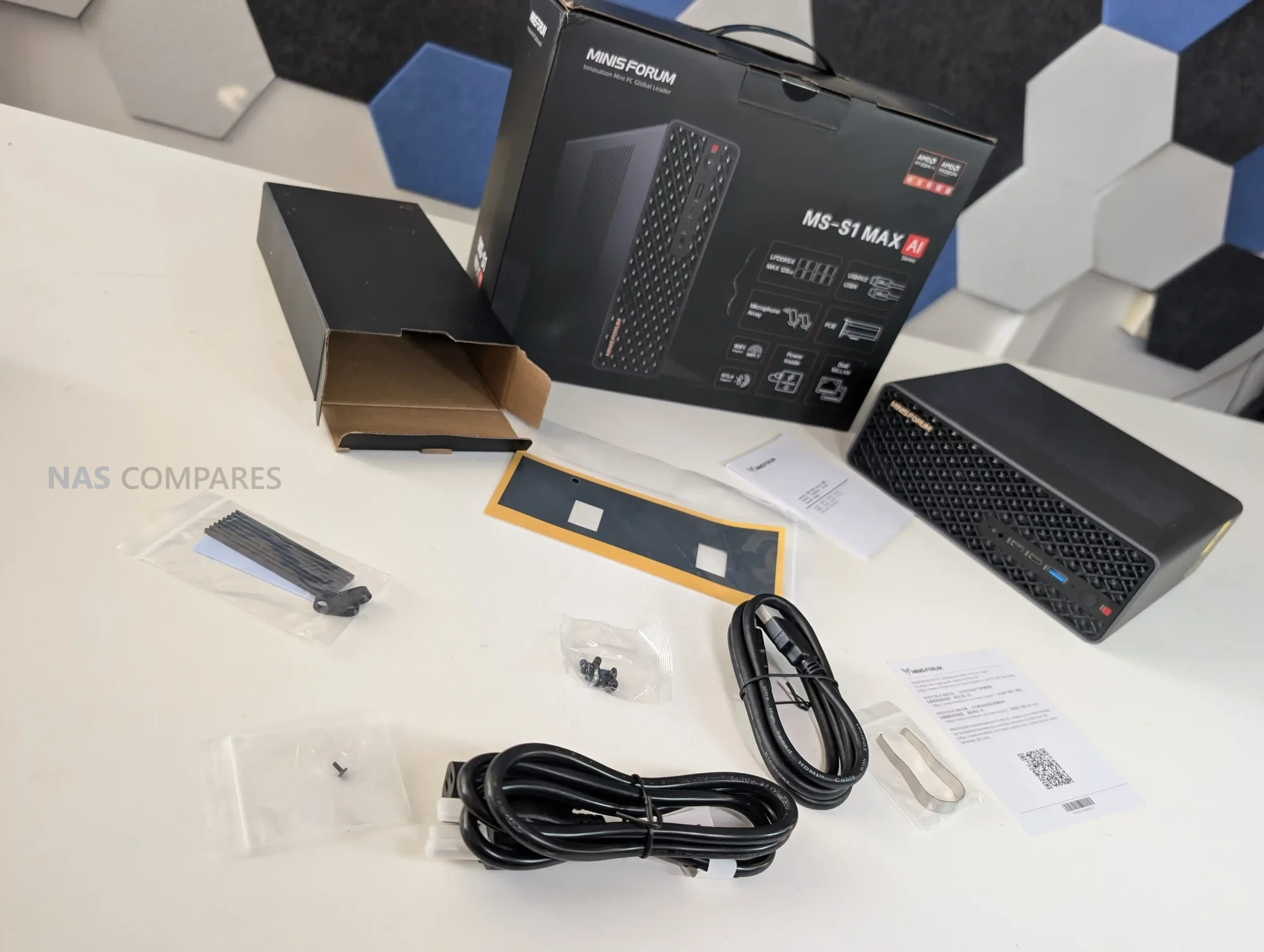
The MS-S1 Max feels like Minisforum took the general “mini workstation” idea and then built a thicker, more industrial version of it to cope with the Strix Halo platform. The chassis is metal and noticeably more substantial than the smaller MS-series boxes, with ventilation cut across multiple sides rather than relying on a single intake and exhaust path. It can be used vertically or horizontally thanks to feet on more than one face, which makes sense given how much of the marketing leans toward desk use one day and rack or shelf use the next.
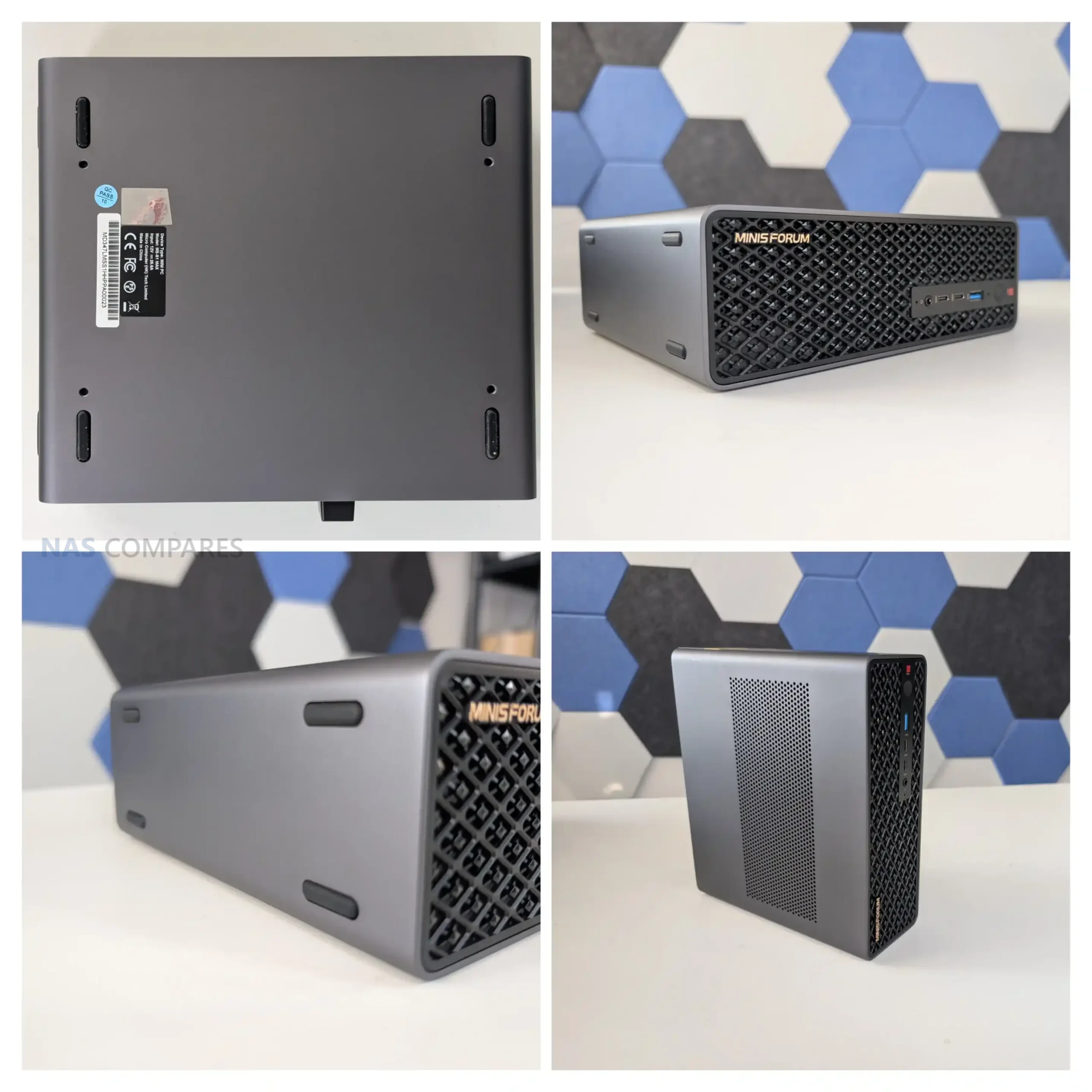
Minisforum also keeps the slide-out structure here, and it is clearly intended to make maintenance less annoying than a traditional small desktop. In practice, it is still a compact, dense build, but you are not dismantling the entire enclosure just to access the main service areas. The system also has a couple of physical touches that make it feel more “deployment aware” than most mini PCs, like the mounting points underneath and the general emphasis on stacking, shelving, or grouping more than 1 unit together.
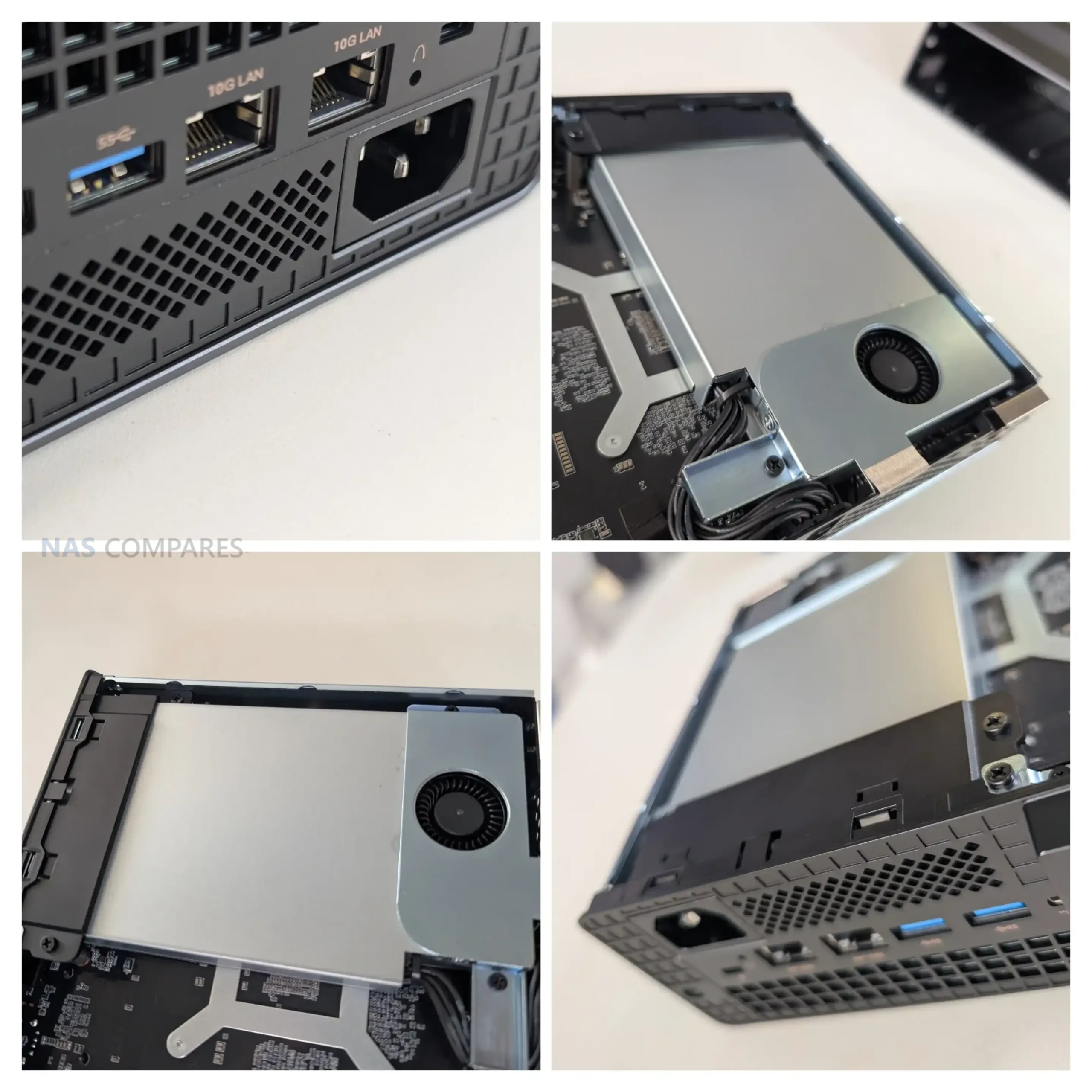
Storage is one of the areas where the MS-S1 Max shows both its strengths and its compromises. You get 2 internal M.2 2280 slots, but they are not equal: 1 is PCIe 4.0 x4 and the other is PCIe 4.0 x1. That means you can have a fast primary NVMe for OS and active work, but the second slot is better treated as capacity storage, warm data, or a secondary pool where peak throughput matters less. Minisforum ships the reviewed configuration with a 2TB Gen 4 SSD, so you can start testing immediately, but once you begin planning expansion, that lane split becomes a real consideration.
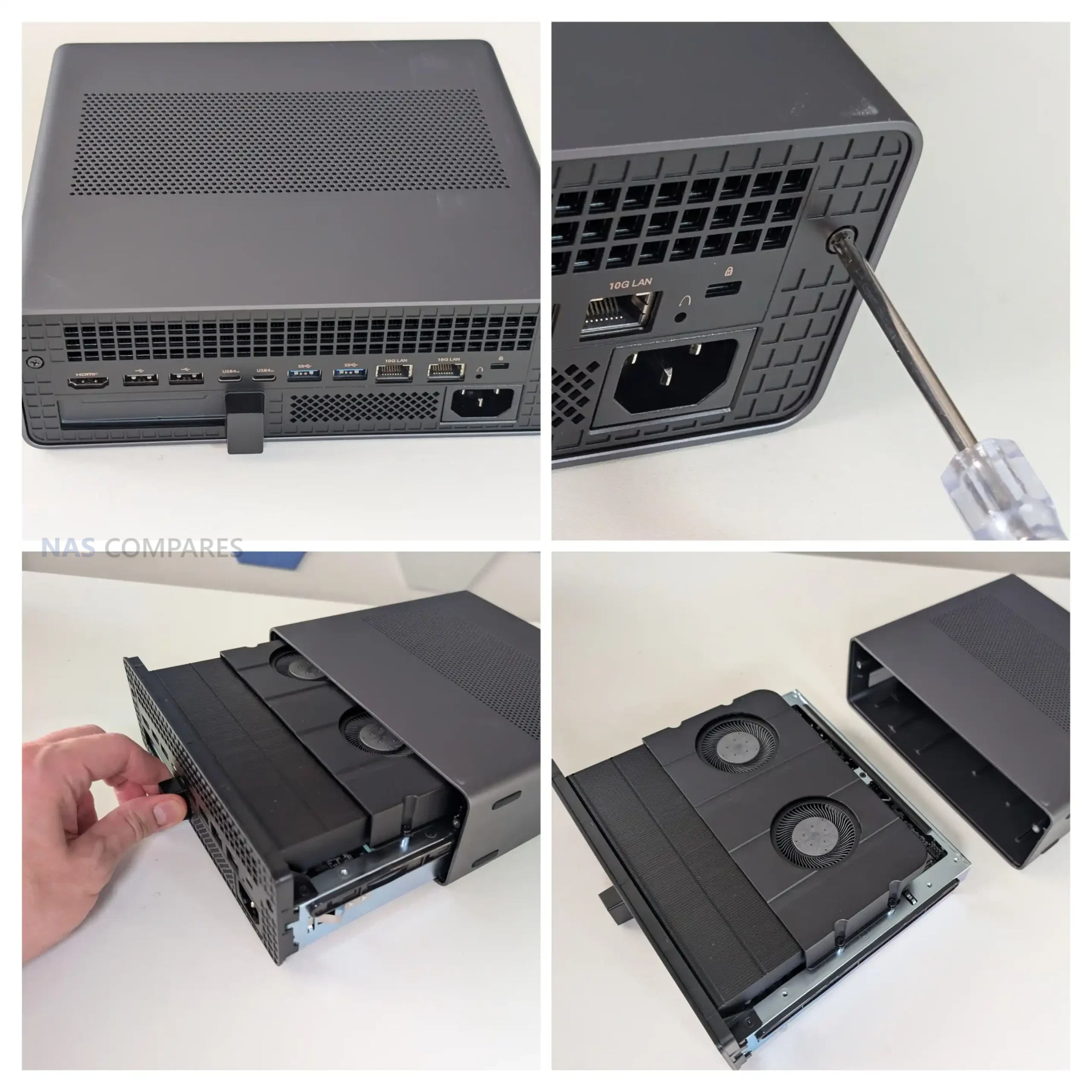
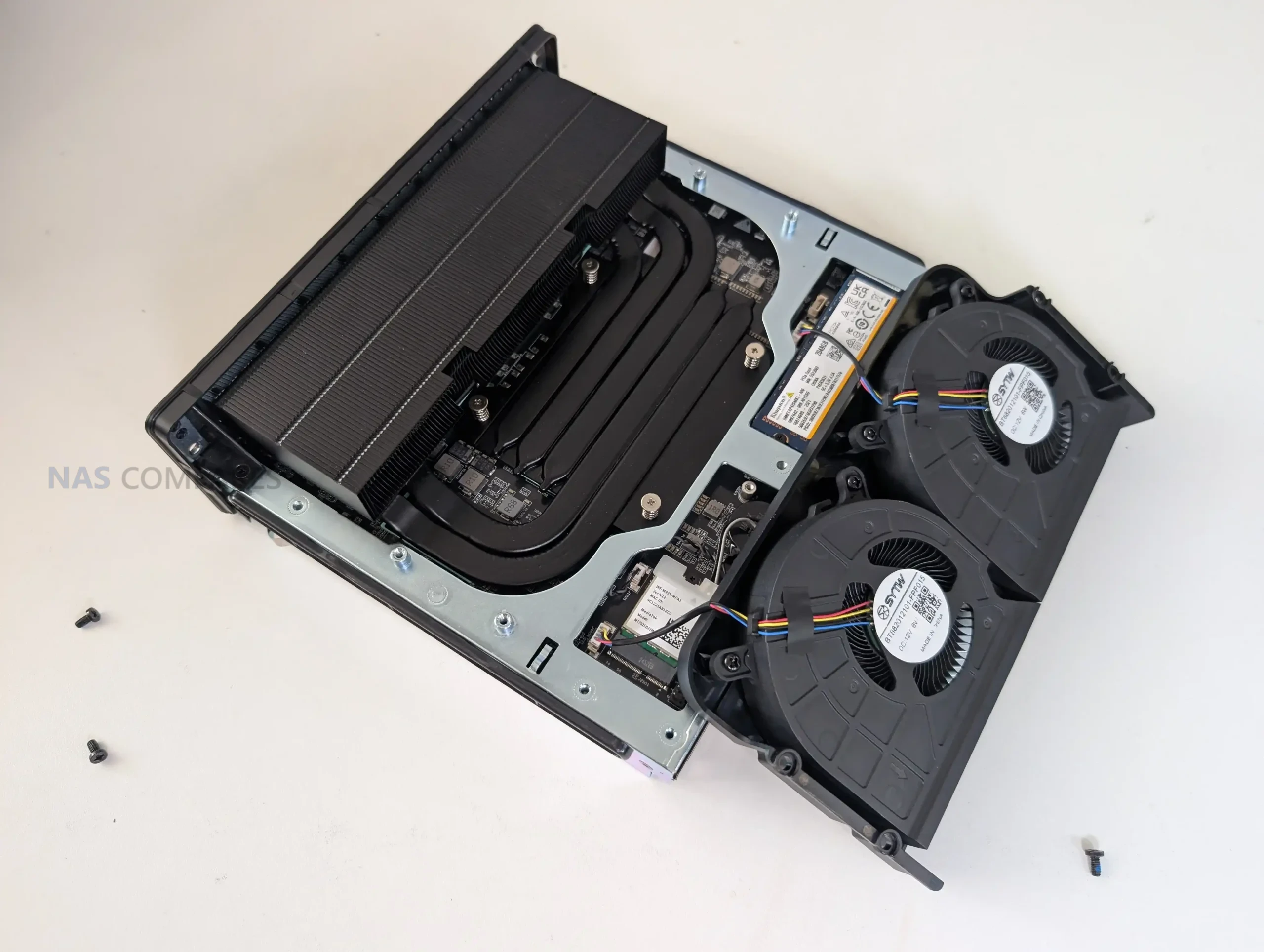
Physically, the M.2 placement is functional but not especially convenient. The slots sit low in the chassis near the base and tucked behind a lot of the cooling hardware, which makes upgrades feel more fiddly than they need to be. There is airflow down there, but it is not the kind of open, easy-access layout you get in a larger desktop. It also does not really encourage tall, pre-fitted heatsinks on SSDs, since clearance is limited and the space around the cooling assembly is tight. If you plan to run heavy sustained writes, you will probably end up choosing low-profile drives or slim heatsinks simply because it is the easiest fit.
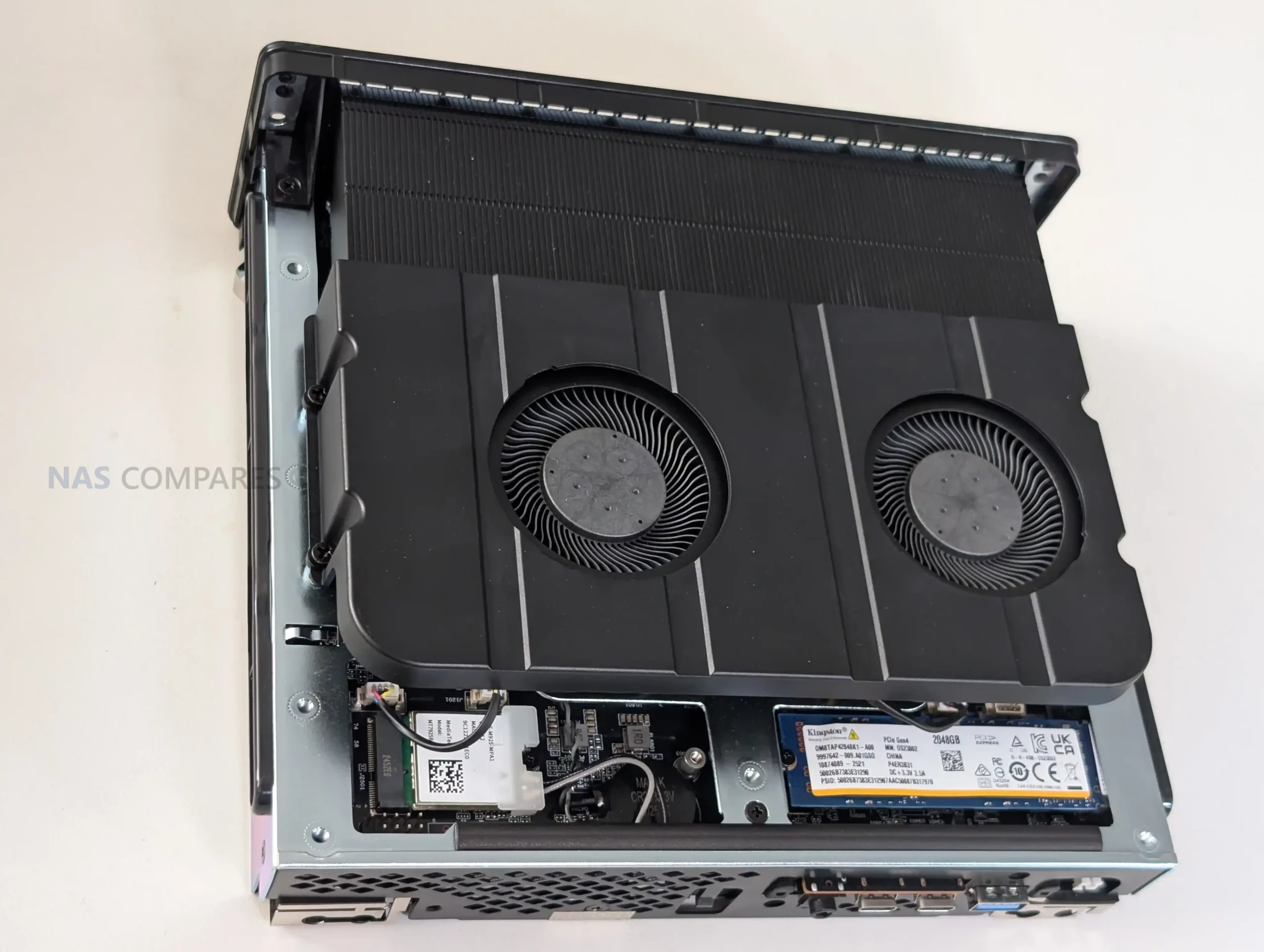
On the expansion side, the MS-S1 Max includes a full-length PCIe x16 physical slot, but it is PCIe 4.0 x4 electrically, and that matters if you are buying cards based on the x16 shape alone. The form factor also pushes you toward half-height, half-length cards in most practical installs, and even then it can get cramped depending on cabling and where the PSU wiring runs.
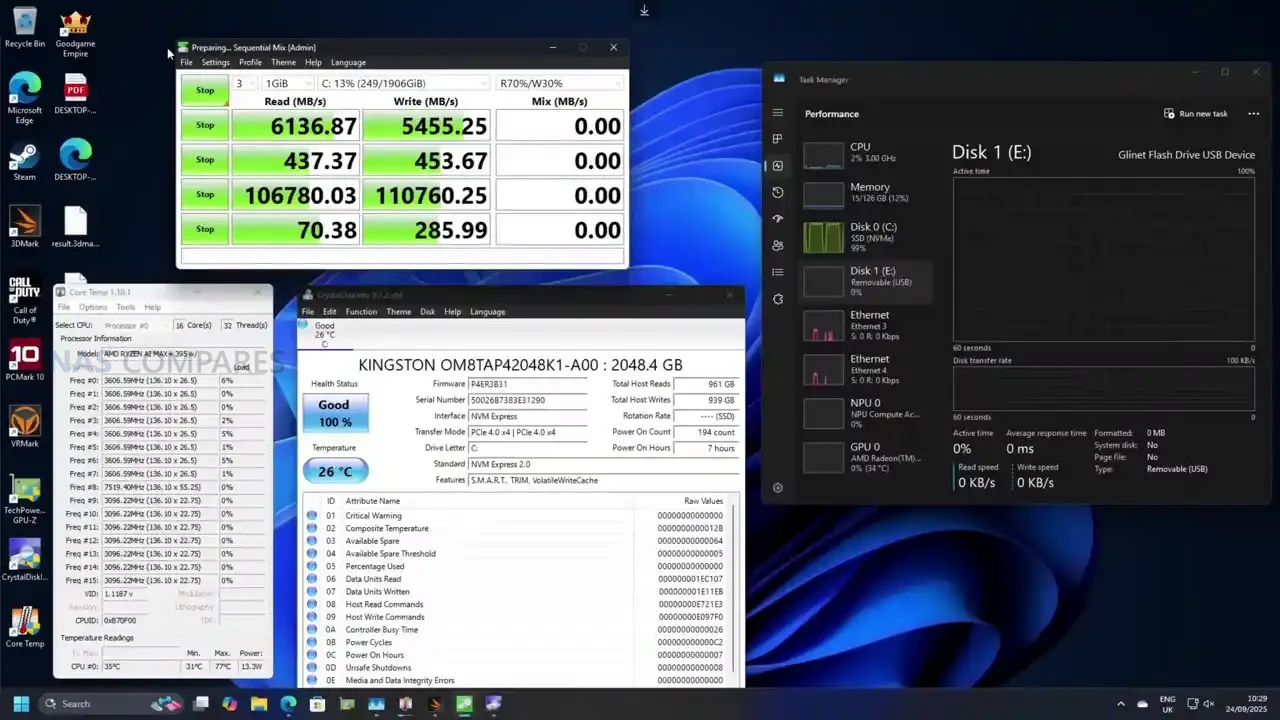
In other words, the slot is useful for NICs, storage adapters, capture cards, and some compact accelerators, but it is not a “drop in any x16 card” situation, and the system rewards planning ahead before you buy hardware for it.
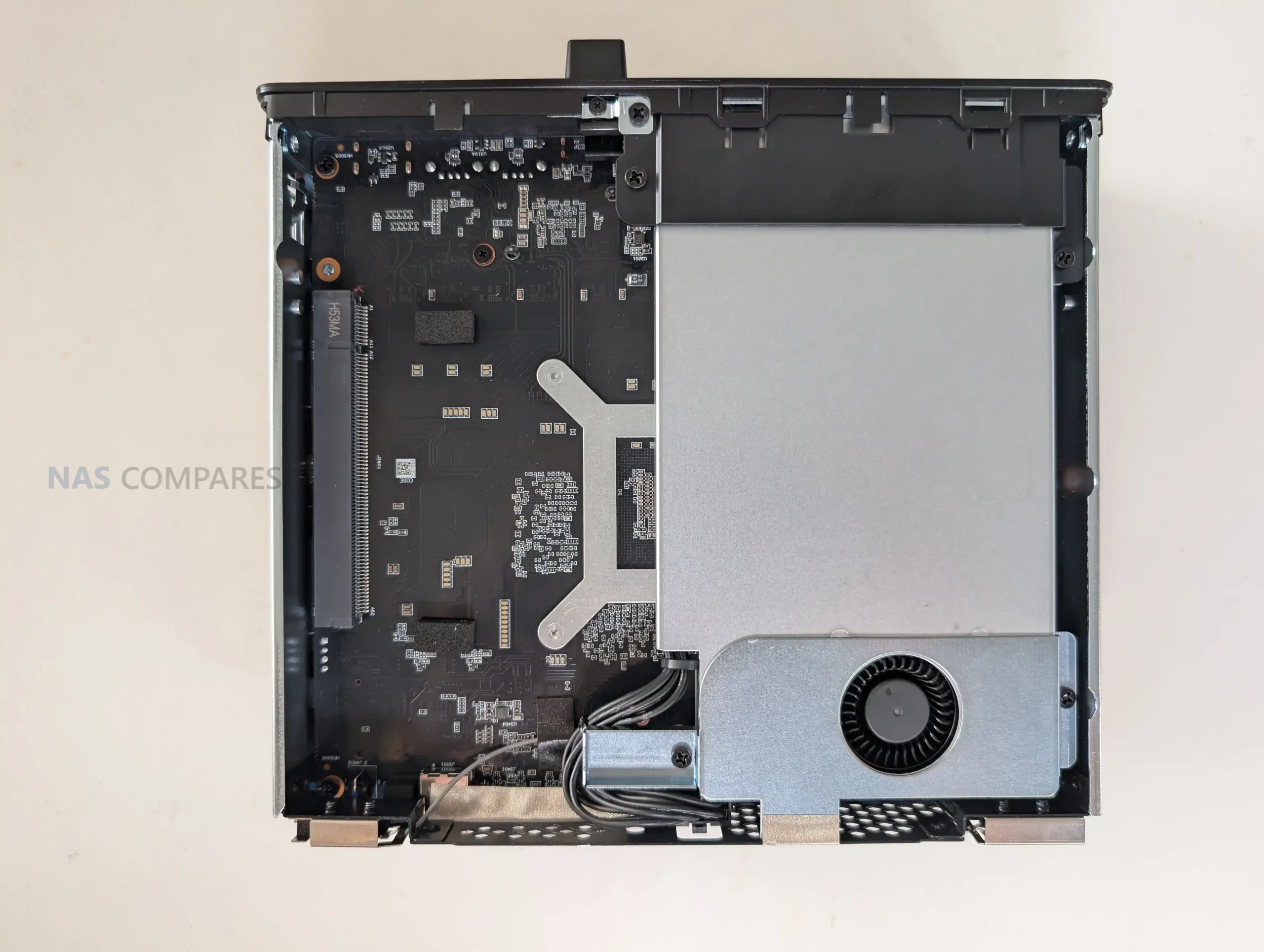
At the heart of the MS-S1 Max is AMD’s Ryzen AI Max+ 395, and the main thing to understand is that it is an APU platform built to behave more like a compact workstation than a typical integrated-graphics mini PC. You are getting a 16C/32T Zen 5 CPU with boost up to 5.1GHz, paired with an on-die Radeon 8060S GPU with 40 CUs and up to 2900MHz. In real use, that combination shifts the expectations around what “no discrete GPU” actually means, because the compute and graphics capability are designed to scale together rather than feeling like a strong CPU with an afterthought iGPU.
The most defining hardware choice is memory, because you do not get SODIMM slots here at all. The system uses up to 128GB LPDDR5x-8000 on a 256-bit bus, and it is shared between CPU and GPU via UMA. That has practical implications in workloads that normally hit VRAM limits first, like GPU-accelerated creative work or local AI inference, where the ability to allocate a much larger pool to the GPU can matter more than raw shader count. It also means your “upgrade path” is basically decided at purchase, so the value proposition depends heavily on whether 128GB UMA is something you will genuinely use, rather than just admire on a spec sheet.
On the AI side, the platform is marketed around a combined figure of up to 126 TOPS, with the NPU itself rated up to 50 TOPS. In day-to-day terms, that does not automatically translate into every app running faster, because it depends on whether your software actually targets the NPU, the GPU, or the CPU. What is clear from the positioning, and from how similar Strix Halo systems are being used, is that this design is meant to handle local model work without immediately forcing you into a discrete GPU purchase. That also explains why Minisforum leans into “run large models locally” messaging more than it usually does on its mainstream mini PCs.
 |
 |
 |
 |
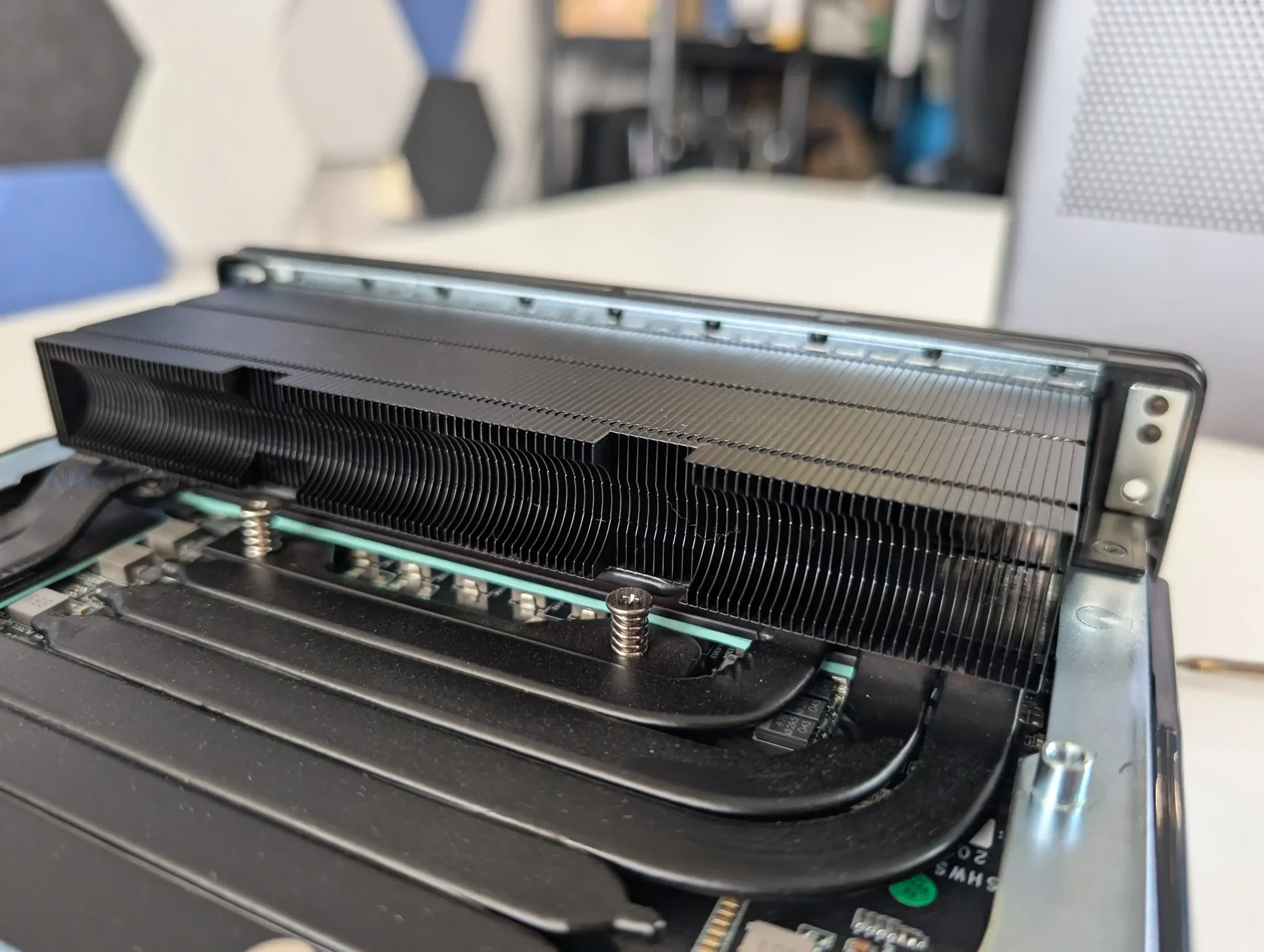
Cooling and power delivery are tightly linked to the internal hardware decisions. Minisforum rates the system at 130W in Performance mode, 95W in Balanced, and 60W in Quiet, and the cooling stack is built around a copper base, 6 heat pipes, phase change material, and dual turbine fans, with a max fan speed of 3600 RPM. The PSU is internal and rated up to 320W, which helps explain why the chassis is thicker than many of Minisforum’s earlier workstations. In practice, that internal PSU choice also supports the idea that this box is expected to hold higher sustained loads than a typical mini PC without relying on a large external power brick.
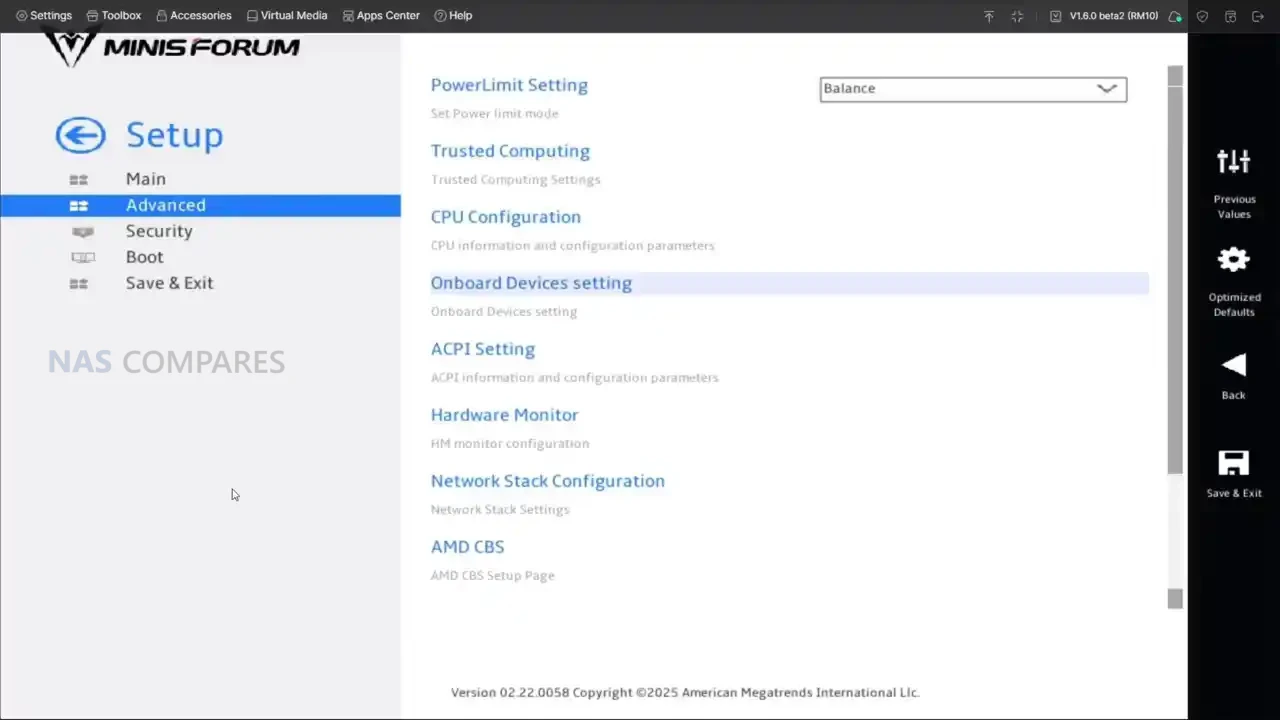
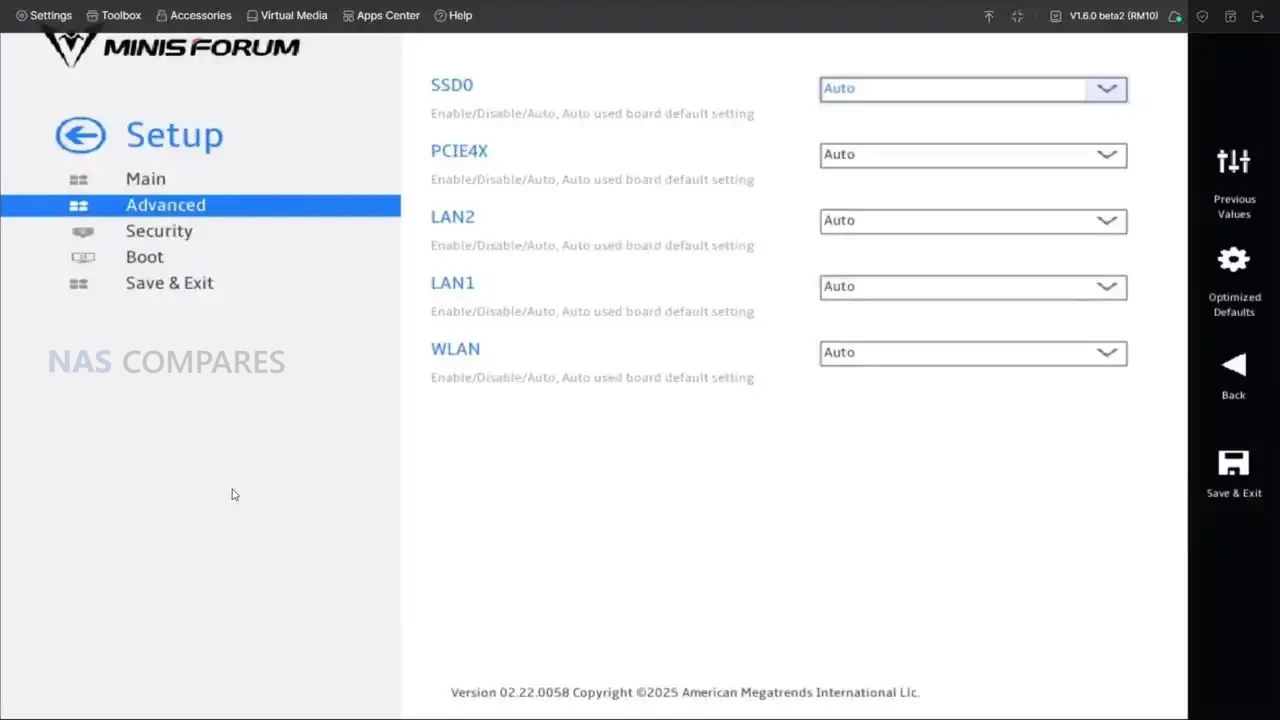
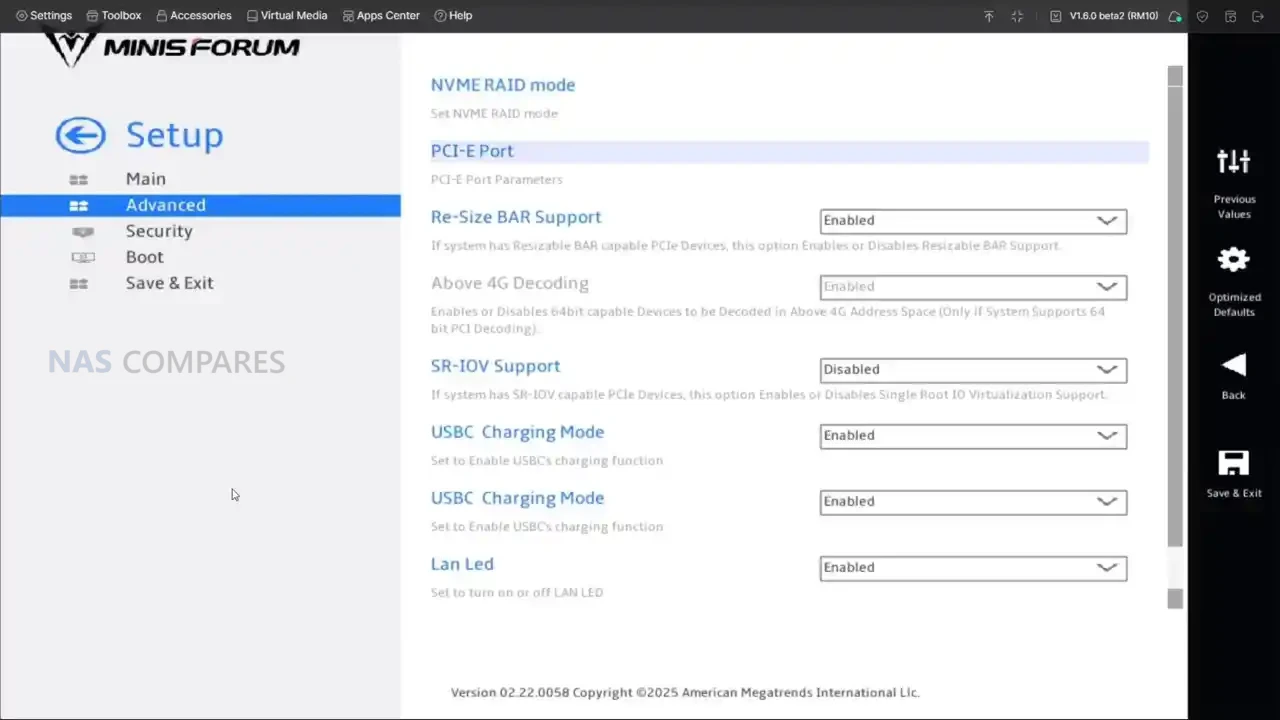
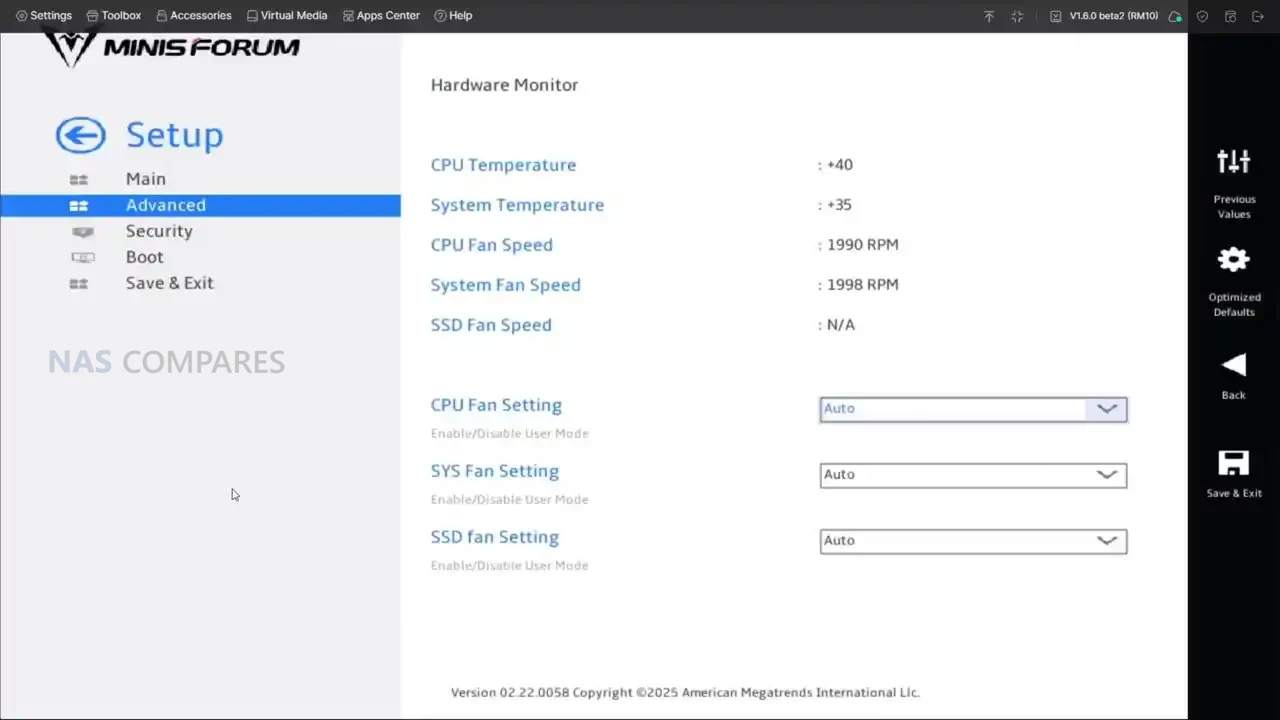
There are also a few platform-level details that shape how “workstation-like” it feels. The system supports Windows 11 Pro and Windows 11 24H2 Pro/Home, and the BIOS is positioned as feature-rich, with fan monitoring and tuning options plus platform toggles that matter to power users. This is relevant because the MS-S1 Max is not just built for one narrow purpose, it is built for people who will switch between modes, tweak profiles, and repurpose it across different roles over time. If you treat it like a sealed appliance, you will still get high performance, but you are leaving a lot of what the platform is trying to offer on the table.
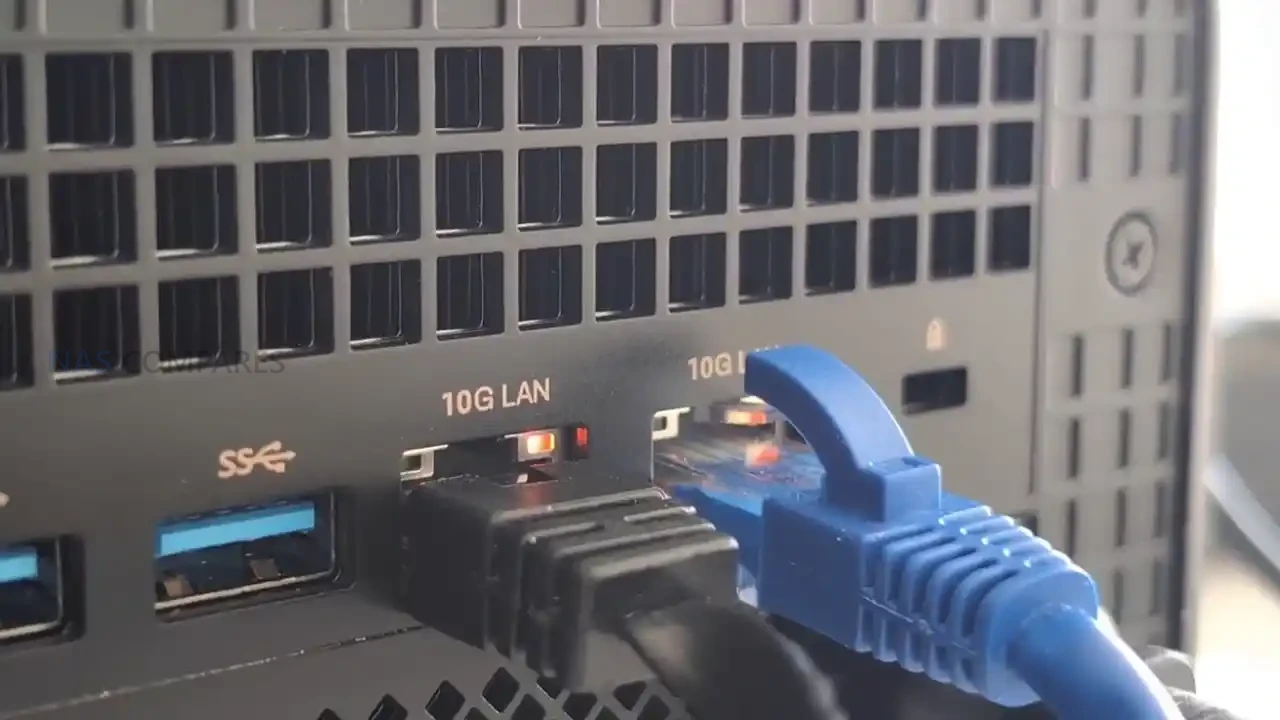
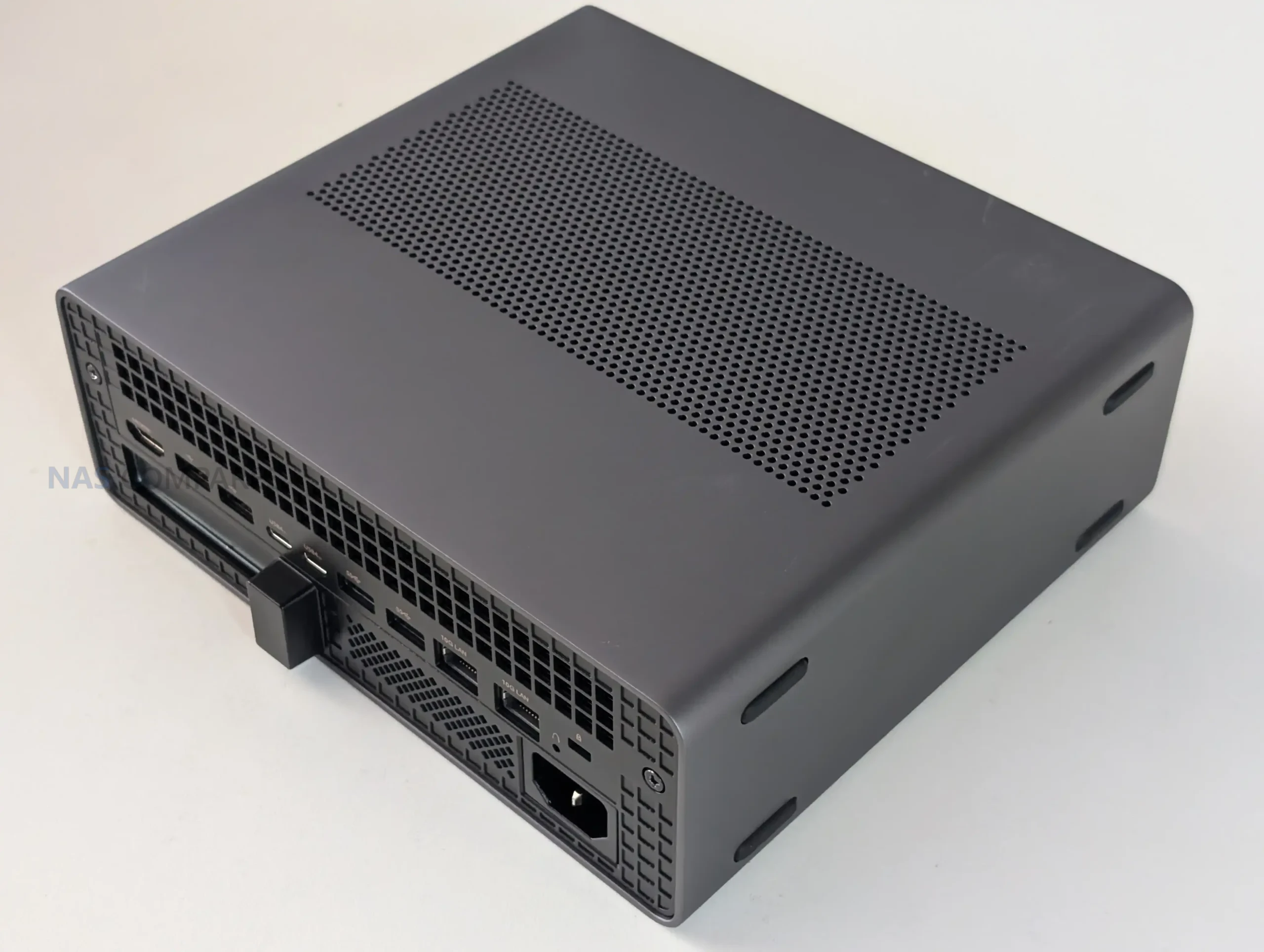
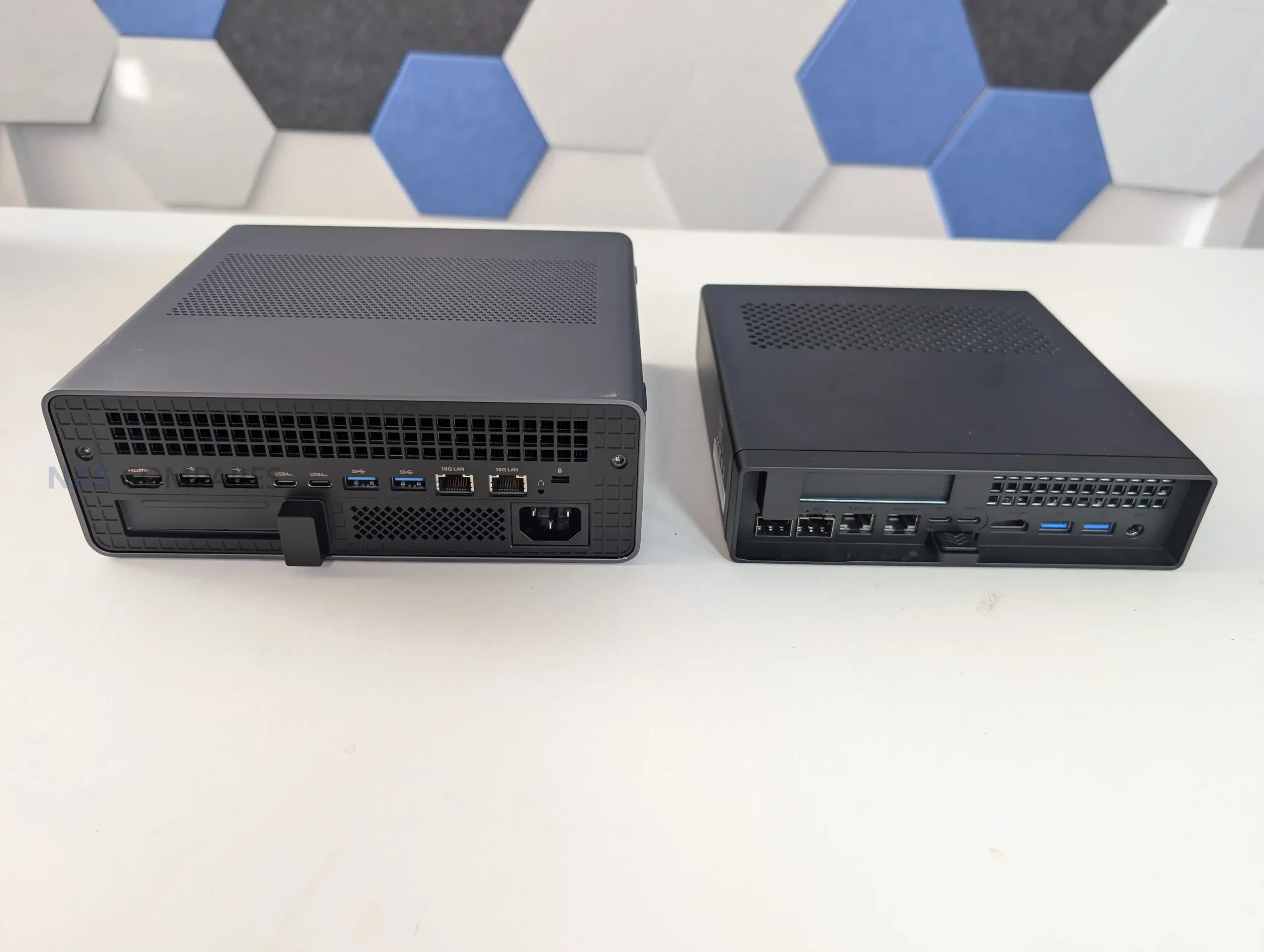
The MS-S1 Max is one of the more connectivity-heavy systems Minisforum has put out, and it is clearly designed around the assumption that it will sit in a workstation or lab environment rather than acting as a living-room mini PC. On the front, you get 2 USB4 ports at 40Gbps, a USB 3.2 Gen2 Type-A at 10Gbps, and a 3.5mm TRRS combo jack, plus 2 built-in DMIC mics that are pitched for voice and AI-assisted capture use. In practice, that front layout feels aimed at day-to-day convenience: fast external storage, a dock or capture device, and simple headset or mic options without needing to reach around the back.
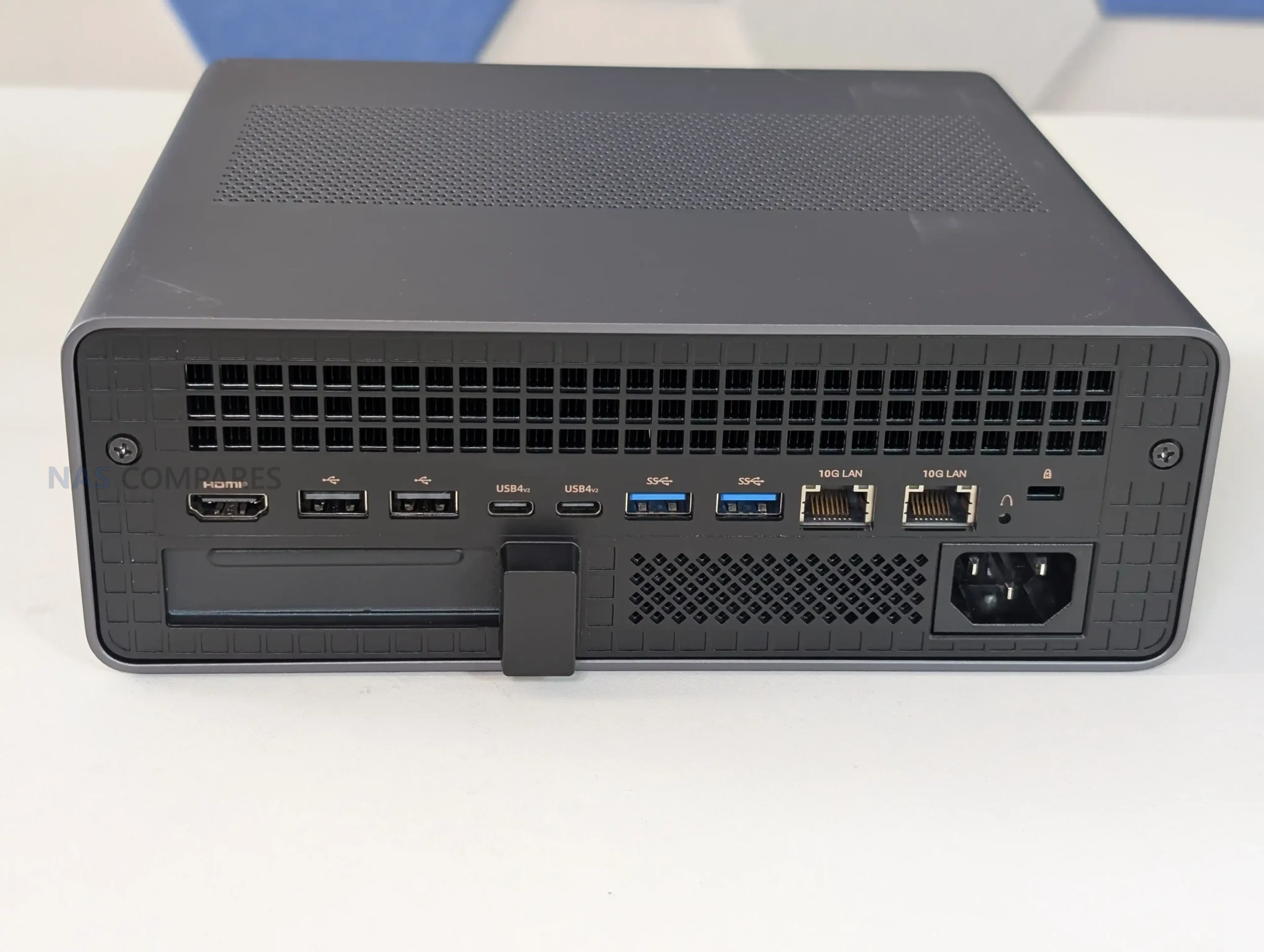
On the rear, Minisforum doubles down on bandwidth. There are 2 USB4 v2 ports at 80Gbps, which is the kind of future-proofing that only really makes sense if you plan to use high-speed docks, external storage, or potentially GPU enclosures over time. The review experience lines up with that idea: the ports work as normal USB4 for most peripherals, but the value is really in the headroom, because 80Gbps devices and adapters are still not common in most studios. Alongside those, you get 2 USB 3.2 Gen2 ports at 10Gbps and 2 USB 2.0 ports, which is a more practical mix than it sounds, because it means you are not “wasting” high-speed ports on low-speed peripherals like keyboards, UPS management cables, or dongles.
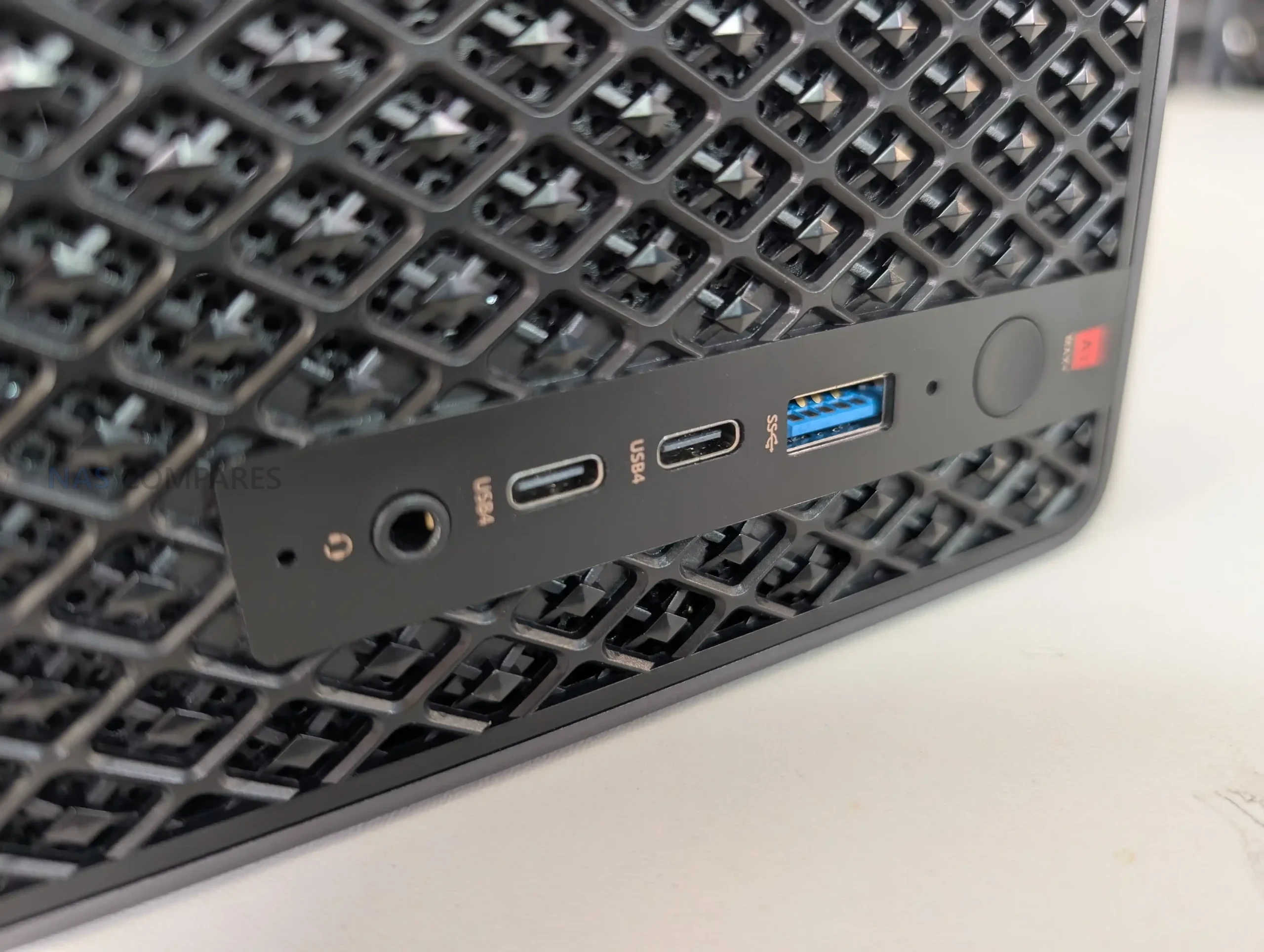
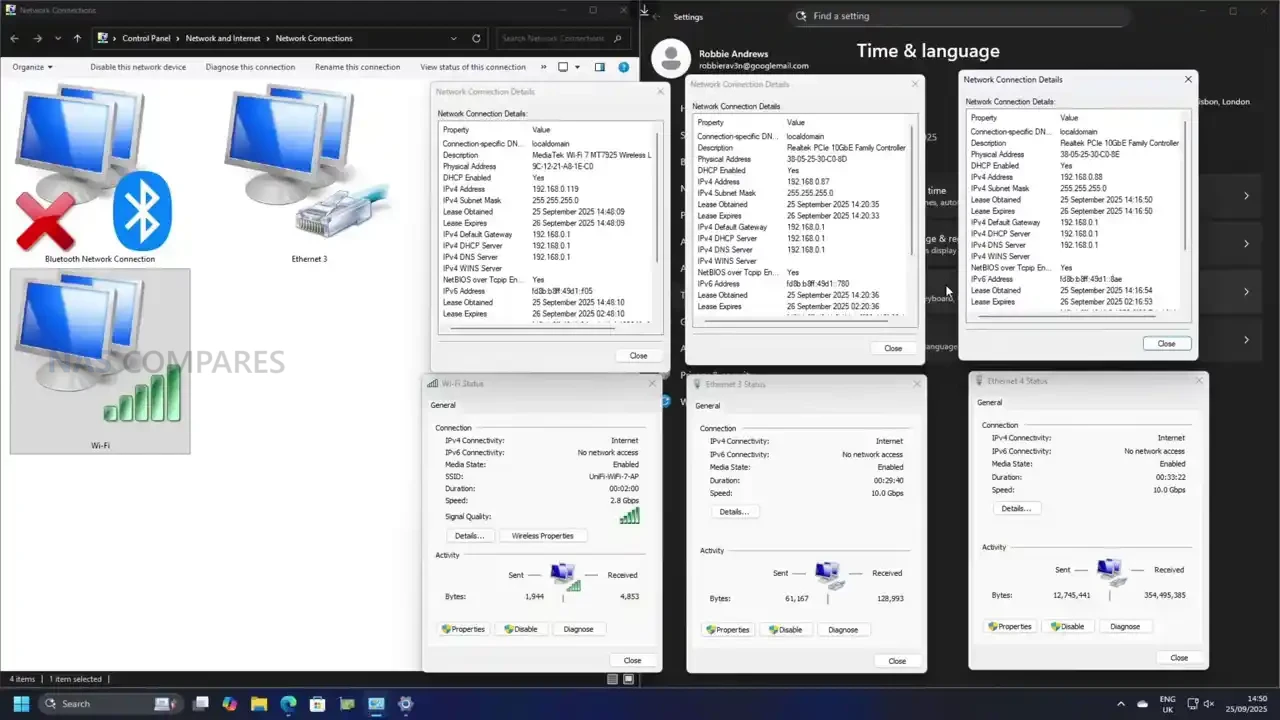
Networking is a major selling point here, but it is also a slightly divisive one depending on your setup. The MS-S1 Max provides 2 10GbE RJ45 ports, both using Realtek RTL8127 controllers, and it also includes WiFi 7 and Bluetooth 5.4. In use, the wired ports are straightforward and do what you would expect in a compact workstation, including saturating 10GbE when paired with storage that can keep up.
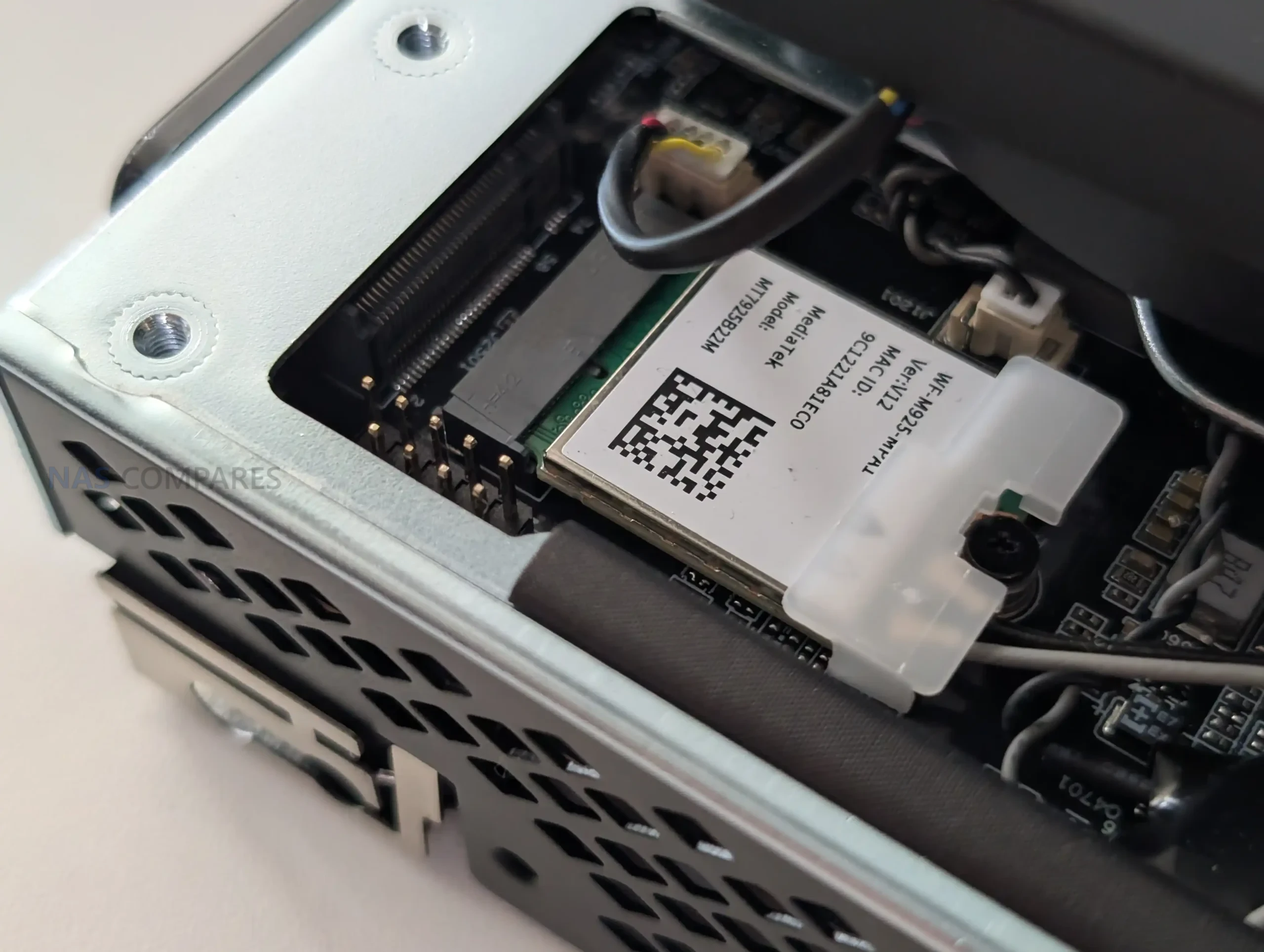
WiFi 7 is also immediately usable, and the practical takeaway is that you can get multi-gig wireless performance without much effort if you already have a WiFi 7 router, but it is still not a replacement for wired 10GbE if you are treating this as part of a storage or production workflow.
Video output is handled through 1 HDMI 2.1 FRL port plus DisplayPort Alt Mode over USB4 and USB4 v2, which makes multi-display setups easy without any additional hardware. Minisforum rates these outputs up to 8K@60Hz and 4K@120Hz, and in the real world that means you can run high-refresh 4K displays or multiple monitors with less compromise than most iGPU-based mini PCs. The only real caveat is that the system leans heavily on USB4 for flexible display and peripheral expansion, so the people who get the most out of the port selection are the ones already planning to use docks, external storage, or high-bandwidth accessories, rather than just plugging in a keyboard and a single monitor.
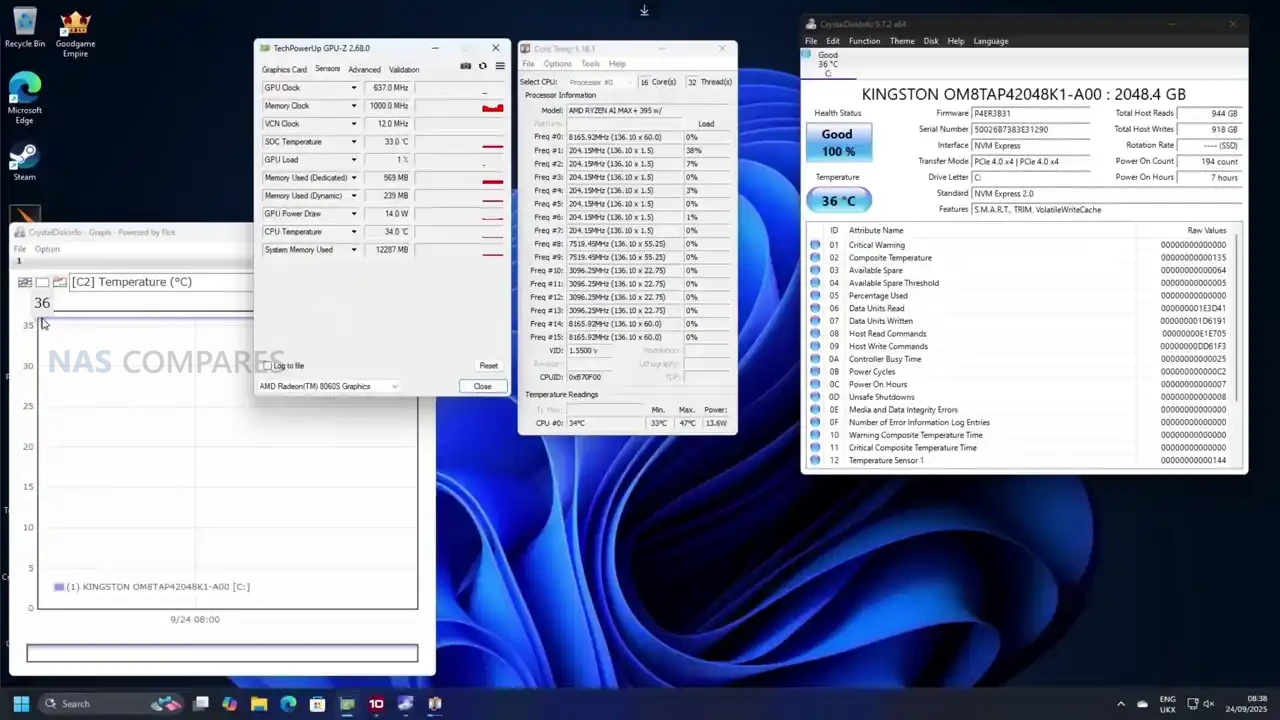
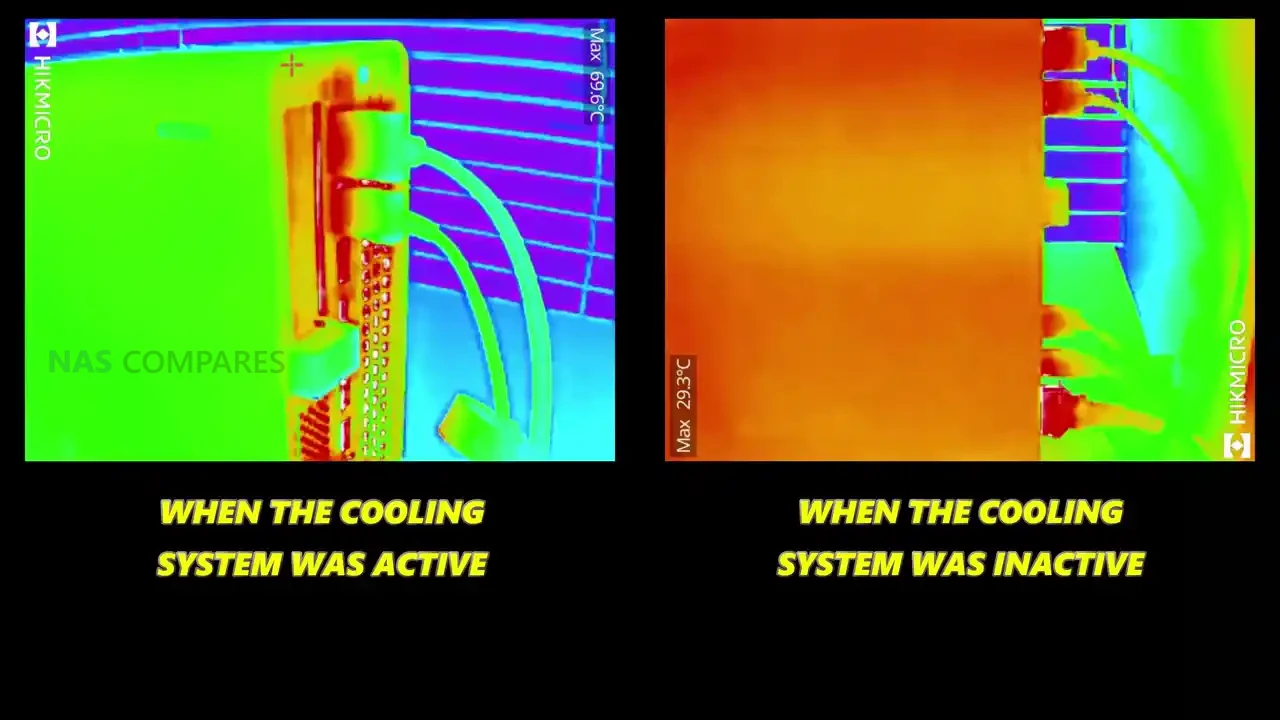
In day-to-day use, the MS-S1 Max feels less like a typical mini PC and more like a compact workstation that happens to have an iGPU. General desktop operation is consistently responsive, and the platform’s bandwidth-heavy design shows up most clearly when you start stacking tasks that normally push integrated graphics systems into obvious slowdown. One thing that stood out early is how “hot to the touch” the exterior can feel when the system is sitting idle, with thermal imaging showing roughly 55 to 60°C around sections of the chassis and vents in that state. At the same time, internal sensor readings were not presenting anything alarming, which suggests the metal body is doing what it is meant to do as part of heat dissipation, but the idle fan curve behavior did not feel especially reactive until a workload actually kicked in.
 |
 |
 |
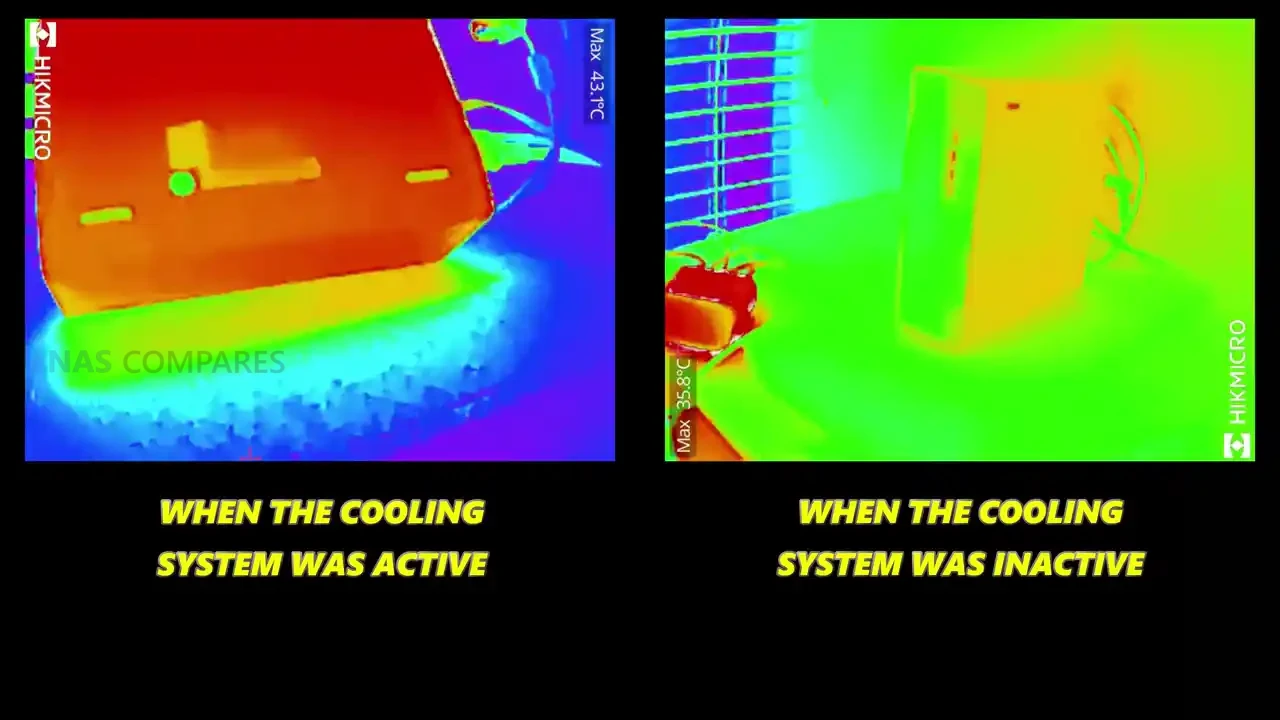 |
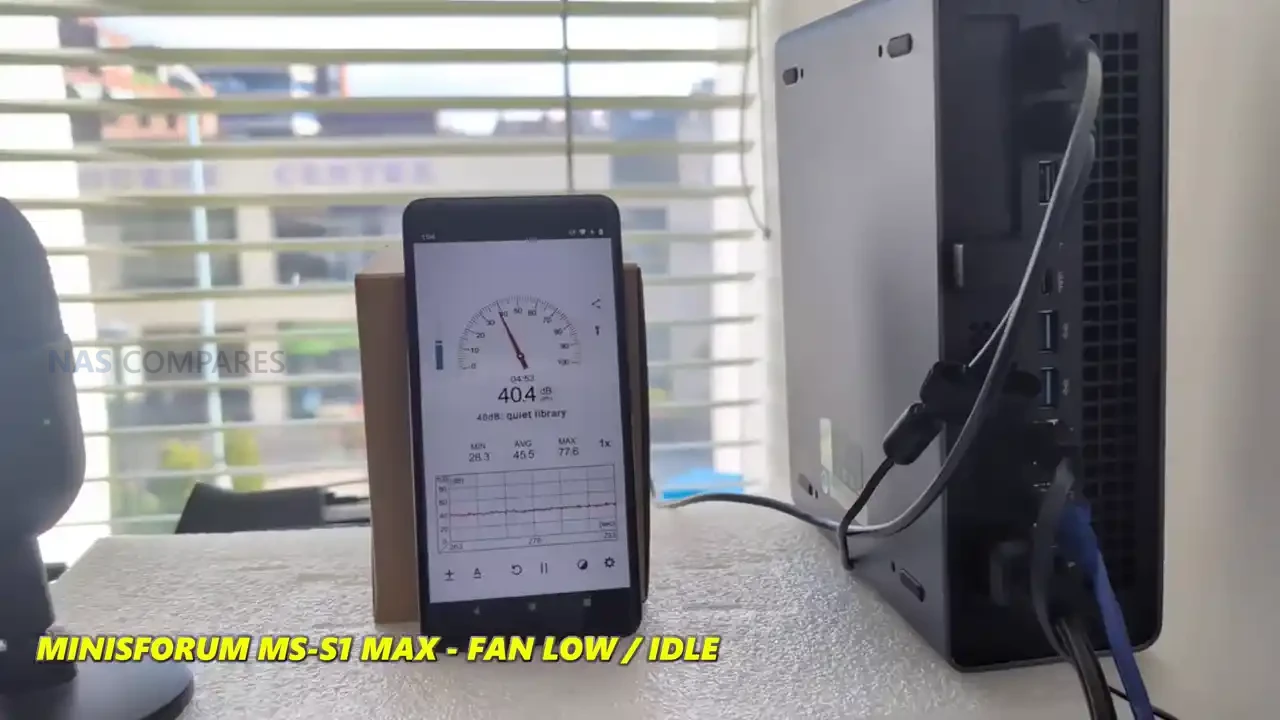
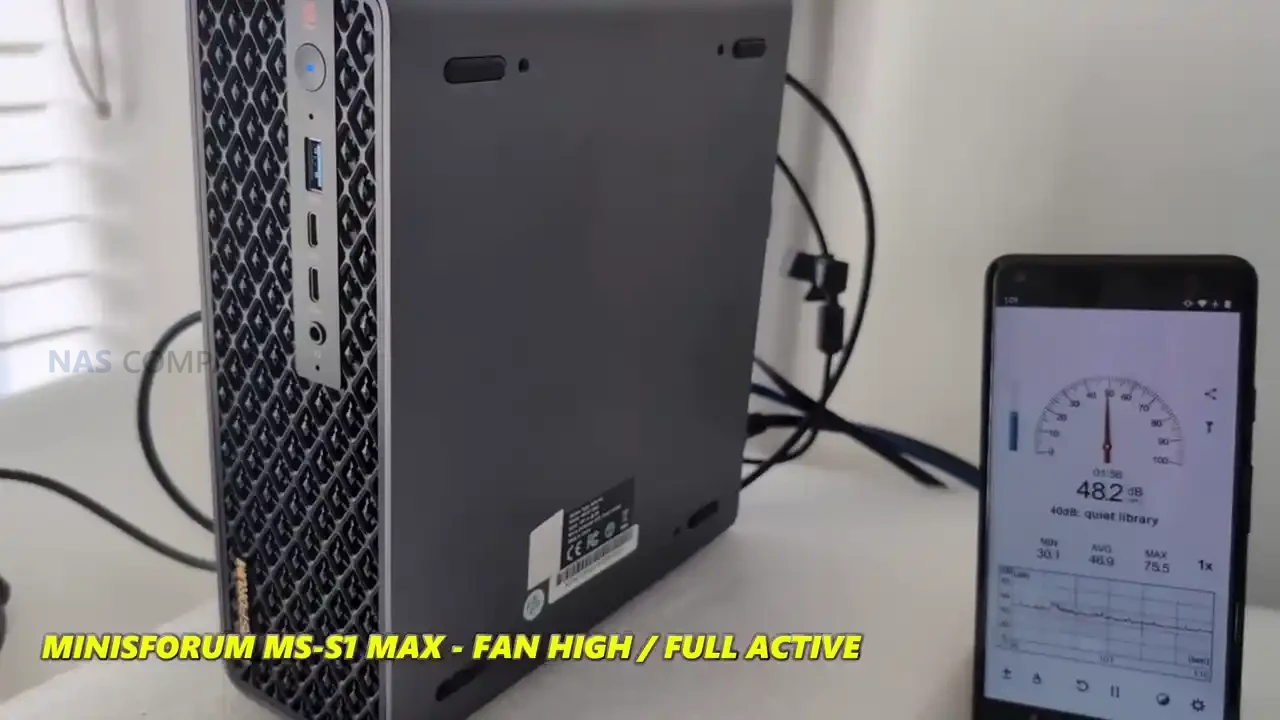
Once the system is put under load, the cooling behavior becomes easier to understand and, in practice, more reassuring. During active workloads, the external readings dropped notably in many areas, with measurements around 31 to 34°C being observed on parts of the casing once sustained tasks were running, and internal hot spots that had looked extreme during idle did not remain in that range once the fan profile ramped. Noise levels followed the same pattern: at idle the system sat around 39 to 41 dBA, but under heavier load it ramped to roughly 51 to 53 dBA. It is not silent, but it is also not unexpectedly loud for a high-power APU system with multiple fans and a chassis that is clearly built to move air.
 |
 |
 |
|
 |
 |
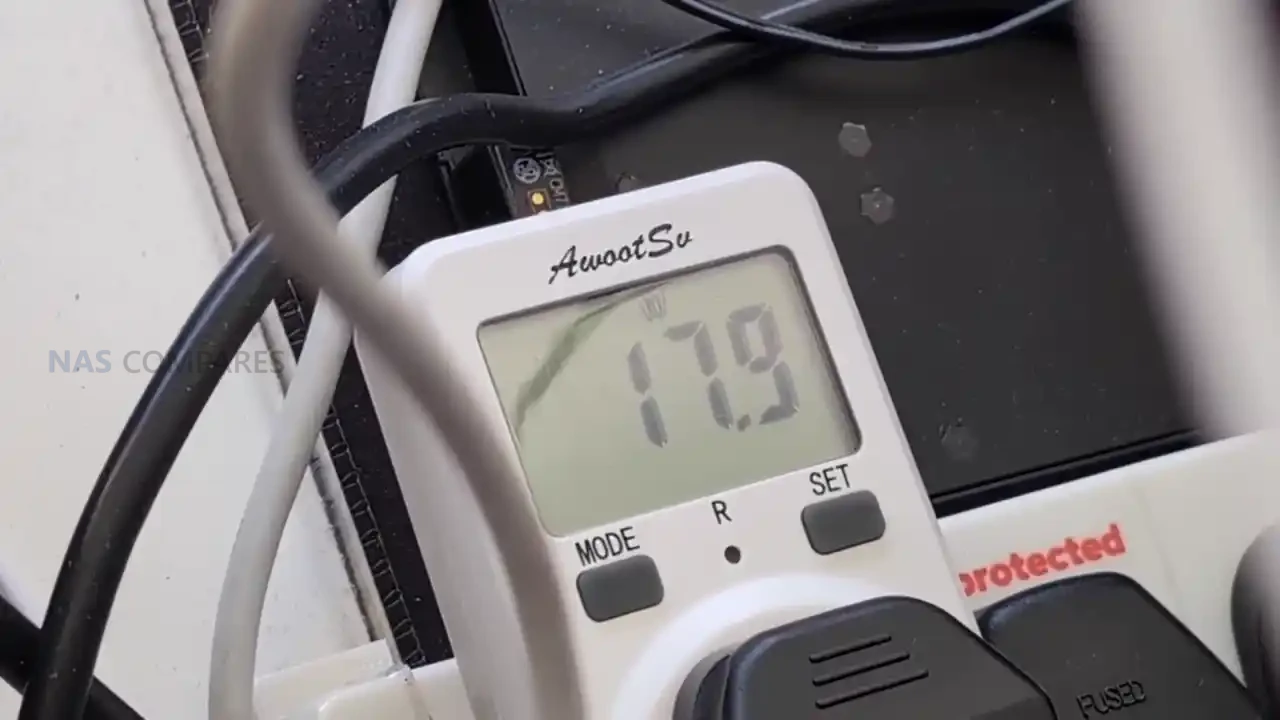
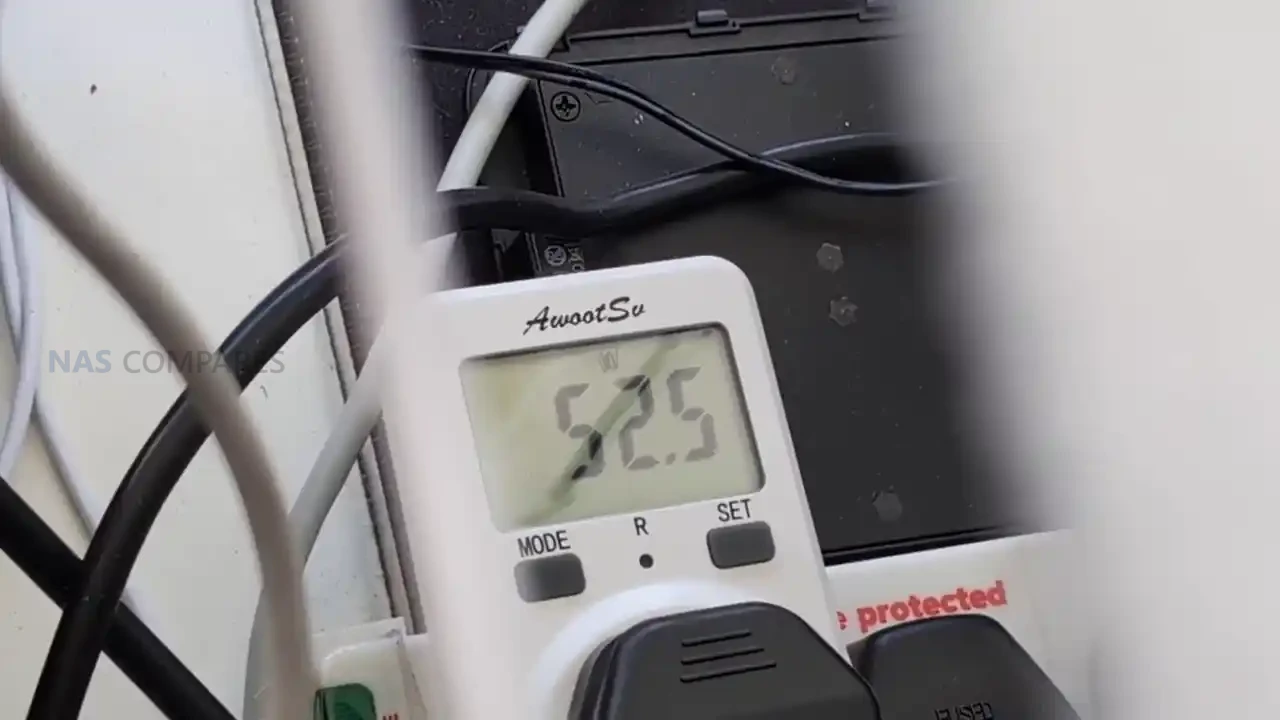
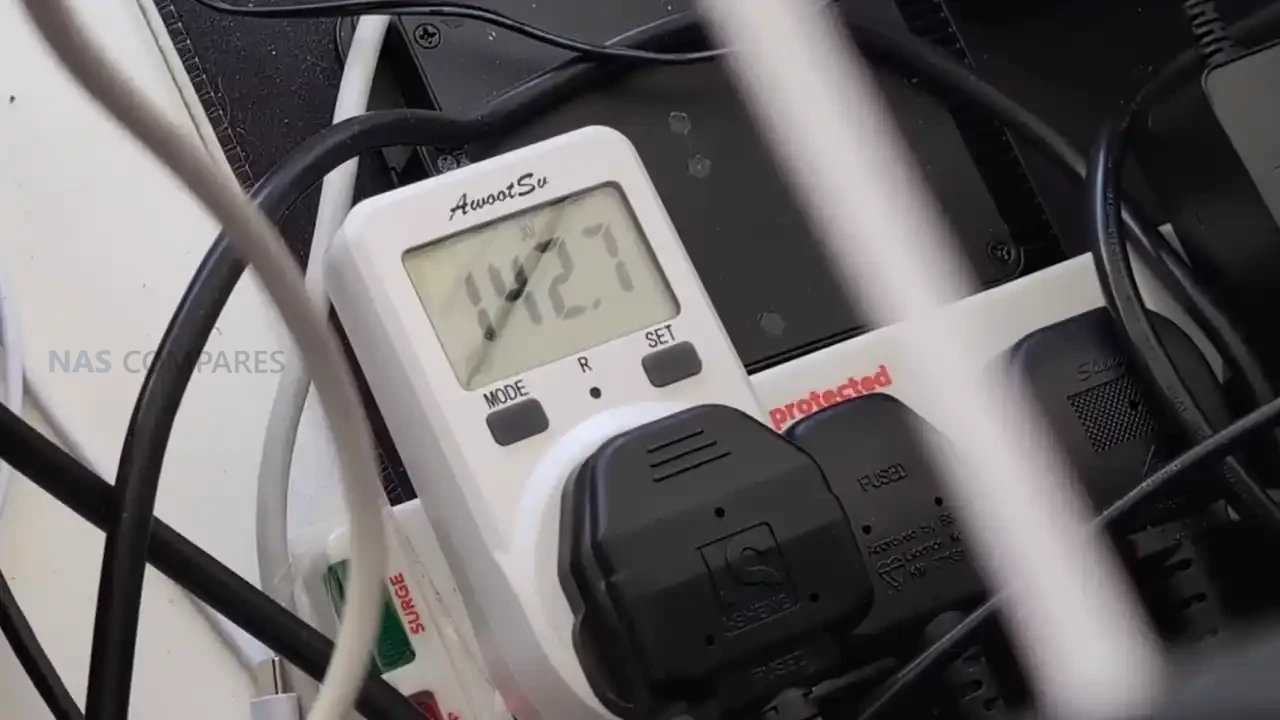
Power draw is one of the more interesting parts of the MS-S1 Max story because it is unusually low when the system is doing very little, then rises quickly once the GPU side is engaged. Idle consumption landed around 13 to 16 W, which is striking given the CPU, GPU, memory bandwidth, and overall positioning of the device. More moderate CPU-oriented workloads pushed consumption into roughly the 45 to 58 W range, with brief spikes into the 70 to 80 W area depending on thread behavior in the test. Once the Radeon 8060S was hit hard in GPU-heavy testing, total system power moved into triple digits, with figures around 141 to 158 W being recorded, which lines up with the idea that this chassis is designed to translate a lot of electrical budget into sustained APU performance rather than short bursts.
 |
 |
 |
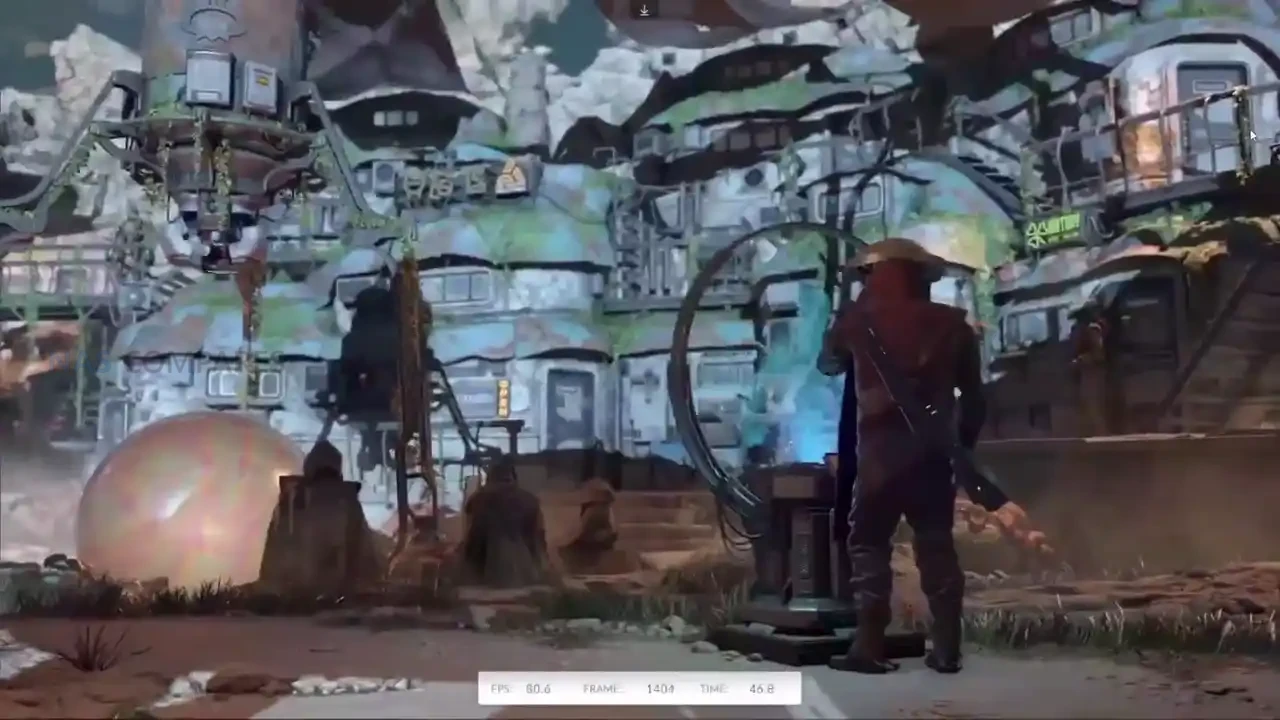 |
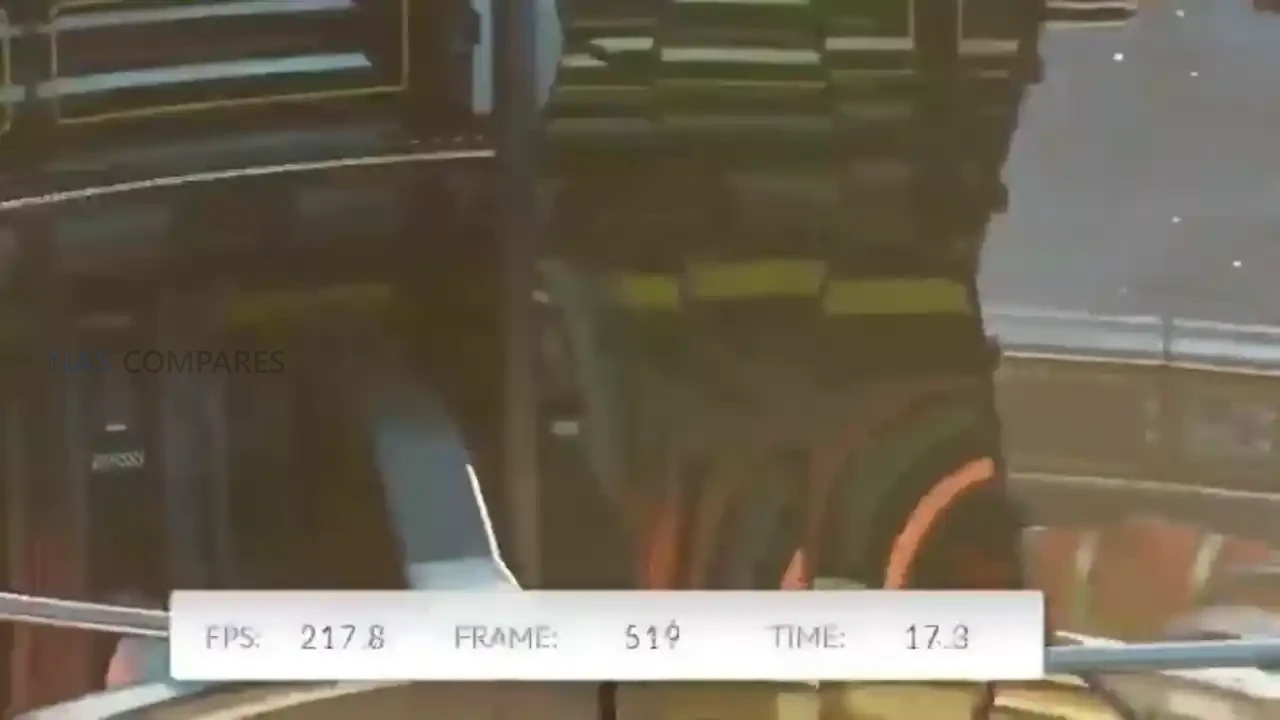
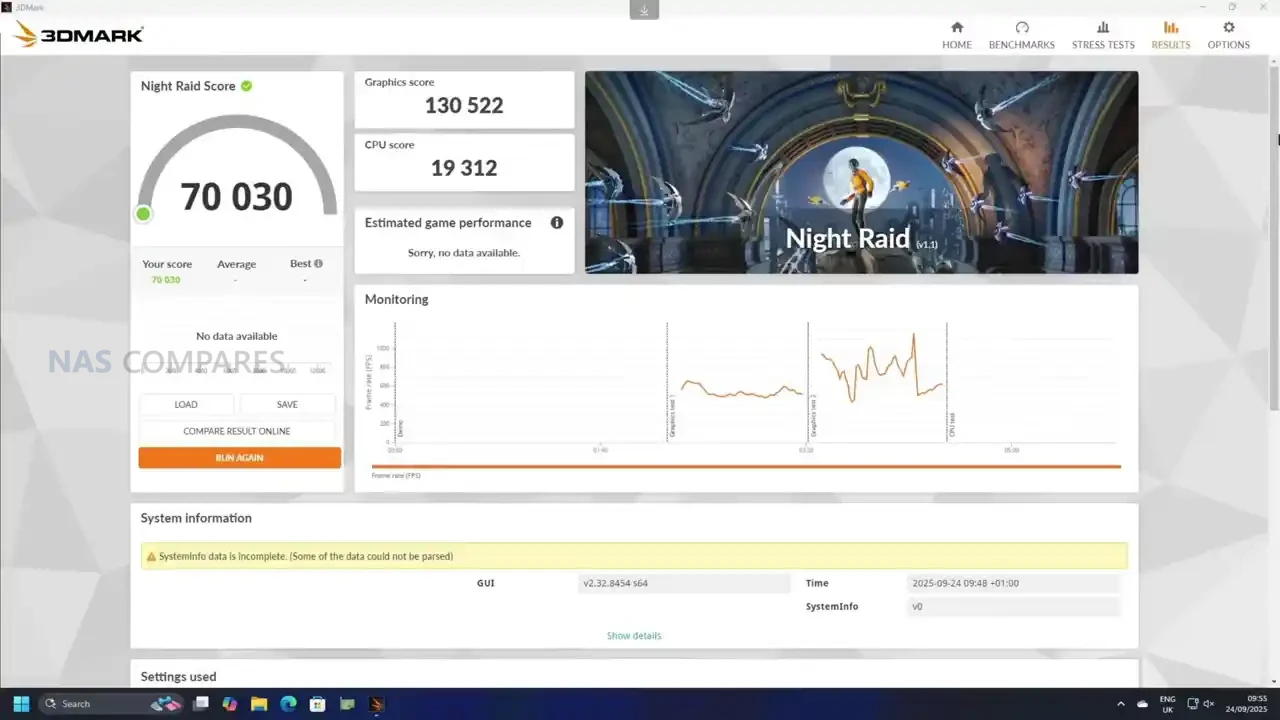
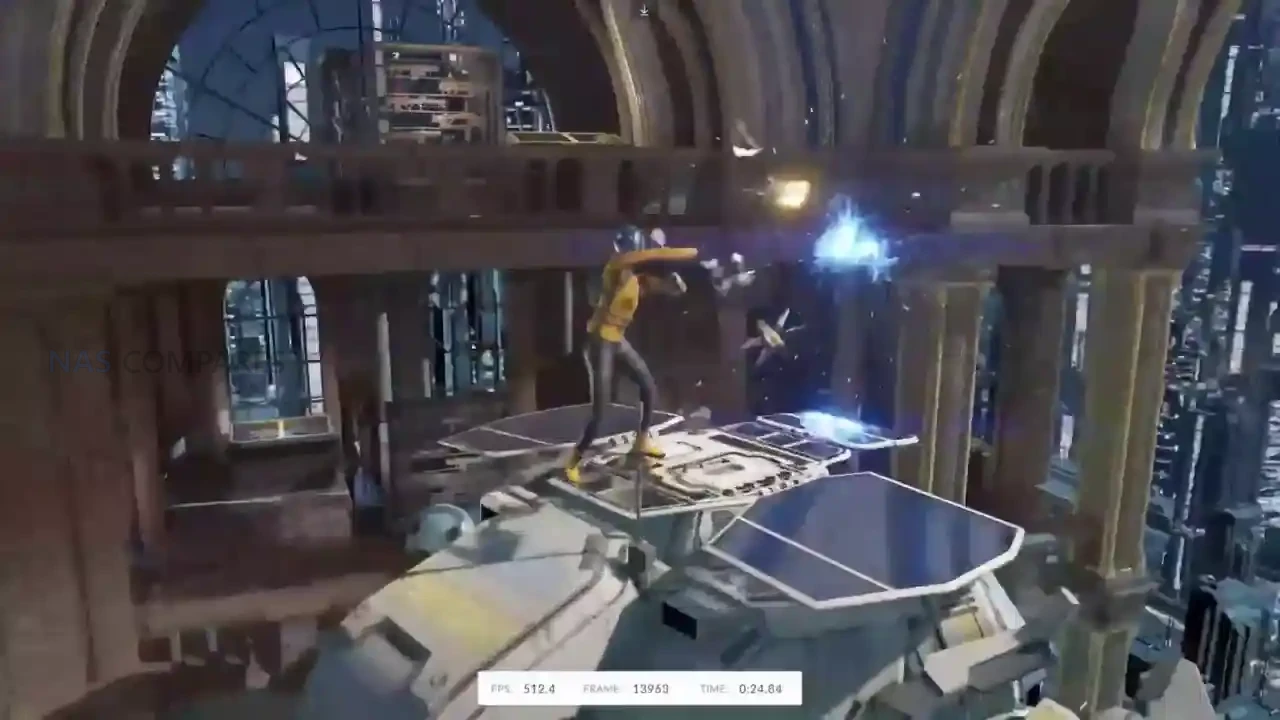
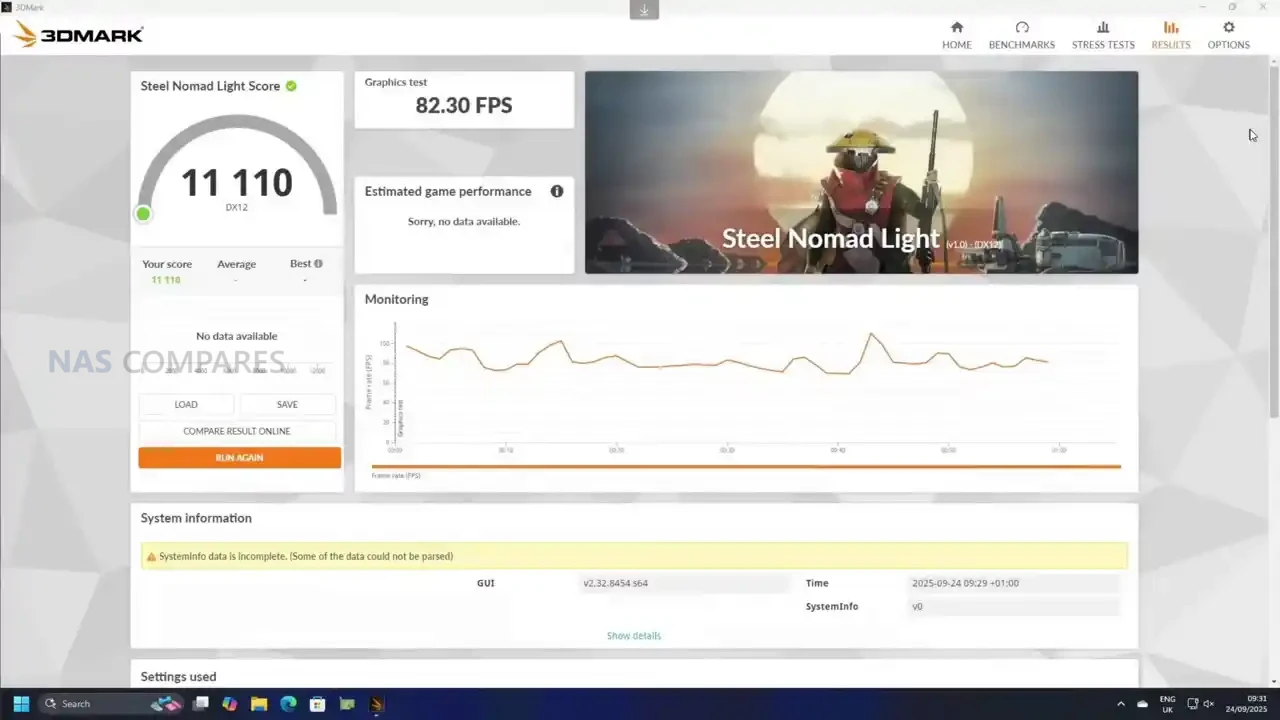
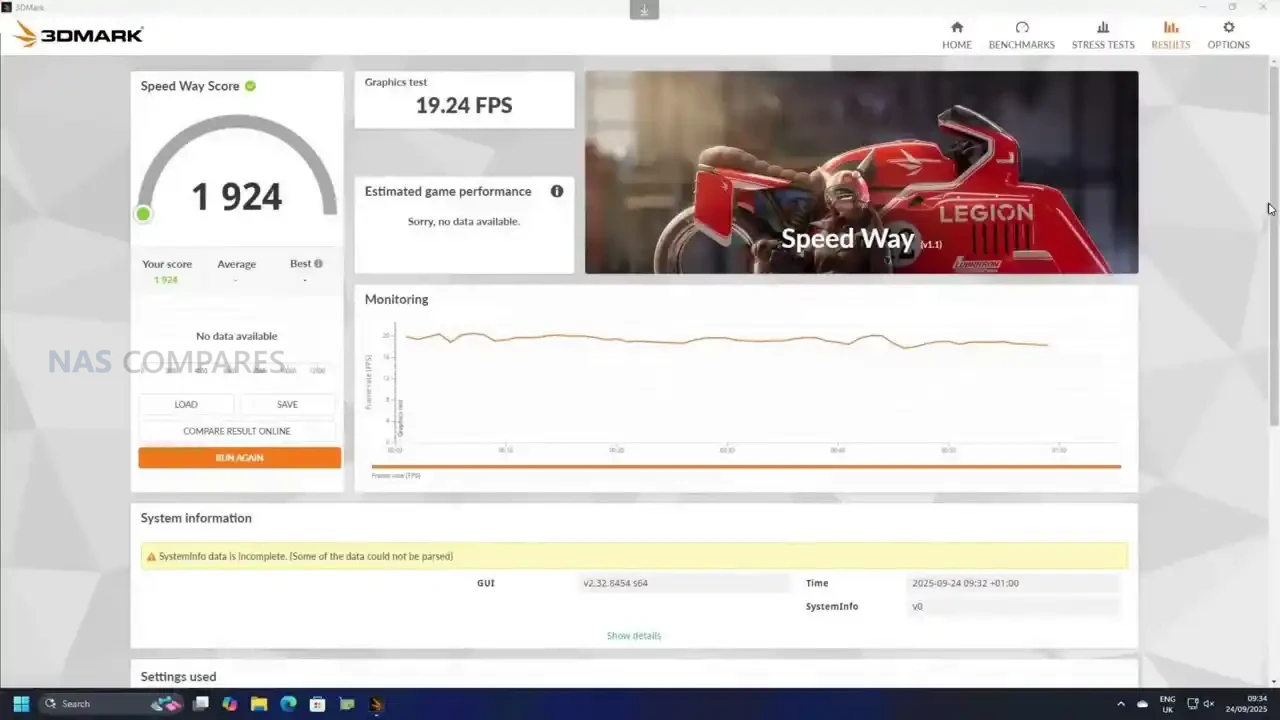
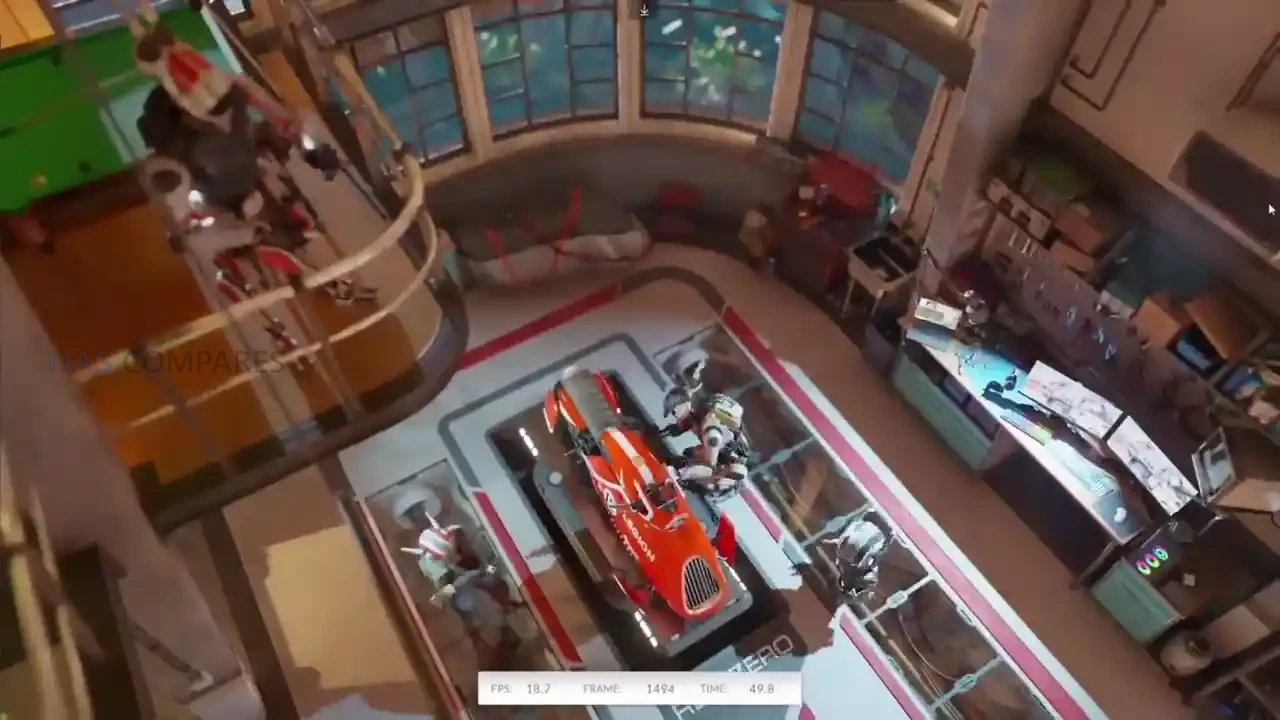
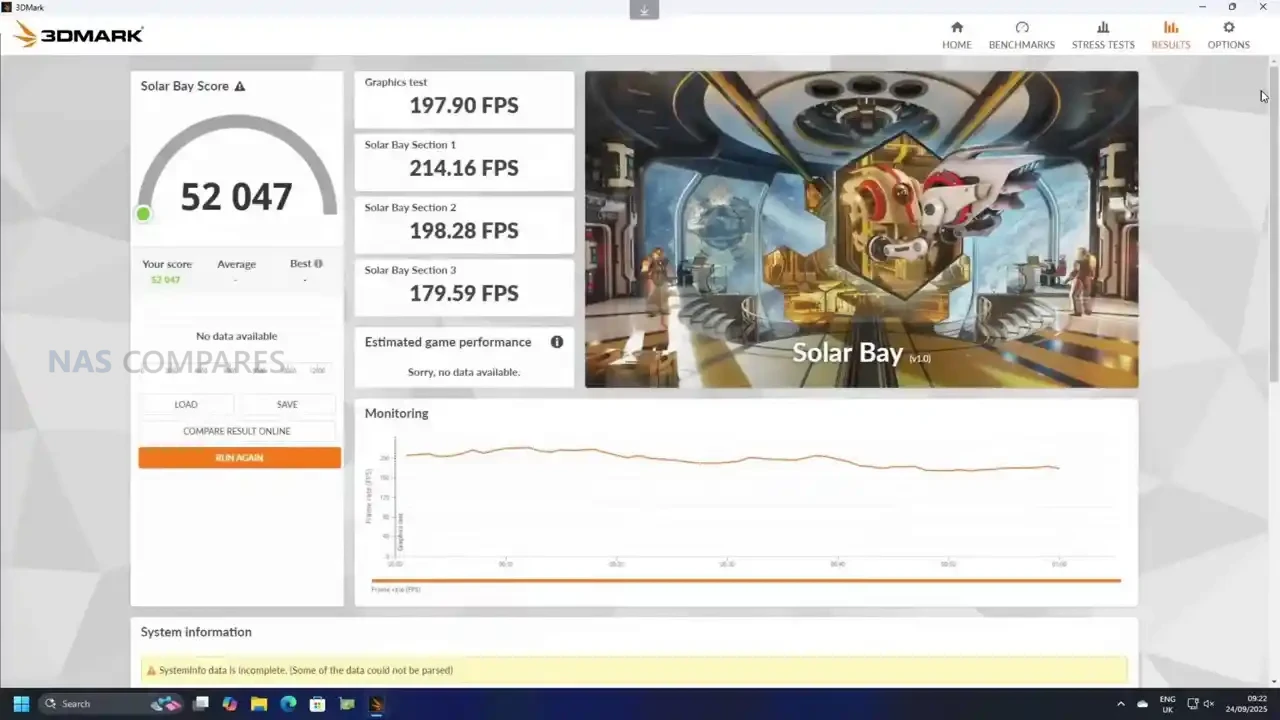
Benchmarking results were strong, but the platform’s newness made comparison data less useful than usual in several tools. PCMark produced a score of 8,353, and a run through 3DMark showed a wide spread depending on the test: Solar Bay scored 5,200, Speedway landed at 1,900 with frame rates around 18 to 19 FPS, and Steel Nomad Light cleared 11,000 with an average of 82.3 FPS. Night Raid, which is a better fit for integrated graphics platforms, came in at 70,000 overall, with a graphics score of 130,522 and a CPU score of 19,312. The practical takeaway from these results is that the MS-S1 Max can behave like a “real” gaming-capable APU system in the right workloads, but it also sits in a strange middle ground where some benchmark suites still struggle to place it cleanly against older mini PCs or discrete-GPU desktops.
 |
 |
 |
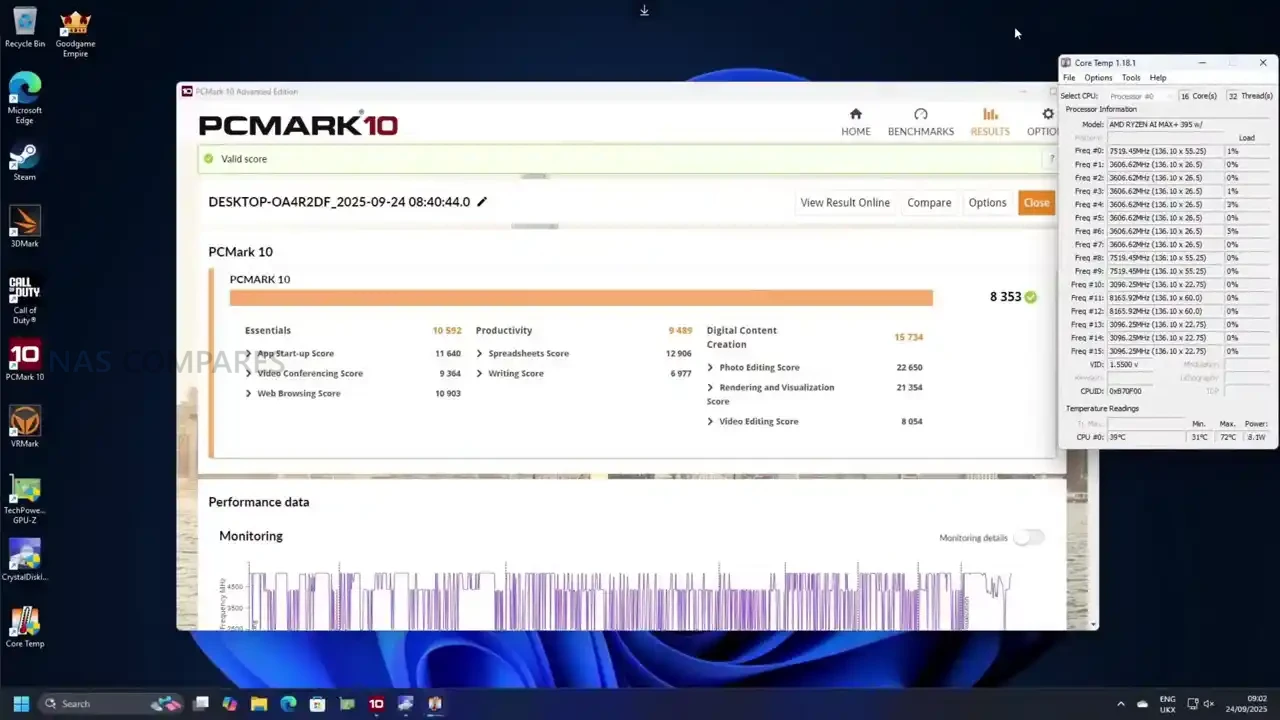 |
The MS-S1 Max is easier to understand once you stop thinking of it as a “mini PC with good specs” and instead treat it as a purpose-built Strix Halo workstation in a compact chassis. The big wins are the APU design and the 128GB UMA memory pool, because that combination changes what is practical on integrated graphics, especially for workloads that normally fall over due to VRAM limits. In use, it shows up as a system that can handle serious creative and compute tasks without immediately forcing you into a discrete GPU upgrade path, while still giving you enough connectivity to fit into faster workflows through dual 10GbE, WiFi 7, and USB4 v2. It is not flawless though: the system can feel surprisingly hot to the touch in idle despite internal sensors looking fine, and the fan behavior seems more tuned for “react under load” than “stay cool at rest,” which is a real-world usability detail you notice when it is sitting on a desk near you.
Where things get more complicated is the value discussion. At pricing around the mid/high $2,000 range depending on configuration, this is not competing with mainstream mini PCs at all, and it is not trying to. The audience is much narrower: people who want a high-bandwidth APU platform, who will actually use the memory capacity and fast external connectivity, and who are comfortable paying for that kind of compact engineering. If your workload is mostly general office, light creation, or basic homelab tasks, it is difficult to justify over more conventional systems, including Minisforum’s own smaller workstations. But if you are specifically chasing a compact workstation that can credibly do gaming, content work, and local AI experimentation without a discrete GPU, the MS-S1 Max is one of the few systems that makes that argument feel realistic, even if it comes with the usual early-platform quirks and a price tag that will still put off most buyers.
|
Check Amazon in Your Region for the Minisforum MS-S1 Max
|
Check AliExpress or the Minisforum MS-S1 Max
|
| Minisforum MS-S1 Max PROs | Minisforum MS-S1 Max CONs |
|
|
 SUBSCRIBE TO OUR NEWSLETTER
 Join Inner Circle Subscribe
This description contains links to Amazon. These links will take you to some of the products mentioned in today's content. As an Amazon Associate, I earn from qualifying purchases. Visit the NASCompares Deal Finder to find the best place to buy this device in your region, based on Service, Support and Reputation - Just Search for your NAS Drive in the Box Below
 Need Help?
Where possible (and where appropriate) please provide as much information about your requirements, as then I can arrange the best answer and solution to your needs. Do not worry about your e-mail address being required, it will NOT be used in a mailing list and will NOT be used in any way other than to respond to your enquiry.
[contact-form-7]
Need Help?
Where possible (and where appropriate) please provide as much information about your requirements, as then I can arrange the best answer and solution to your needs. Do not worry about your e-mail address being required, it will NOT be used in a mailing list and will NOT be used in any way other than to respond to your enquiry.
[contact-form-7]
 TRY CHAT
Terms and Conditions
TRY CHAT
Terms and Conditions
 Ko-fi or old school Paypal. Thanks!To find out more about how to support this advice service check HEREIf you need to fix or configure a NAS, check Fiver
Have you thought about helping others with your knowledge? Find Instructions Here
Ko-fi or old school Paypal. Thanks!To find out more about how to support this advice service check HEREIf you need to fix or configure a NAS, check Fiver
Have you thought about helping others with your knowledge? Find Instructions Here





|
 |
Focus sur Cerebras, les puces aussi grosses qu'un wafer, Windows 11 est définitivement un veau, les LLMs connaissent toujours presque tous leurs classiques en intégralité et les modèles IA de la semaine.
❤️ Me soutenir sur Patreon
📺 Me retrouver sur YouTube
💬 On discute ensemble sur Discord
Hébergé par Audiomeans. Visitez audiomeans.fr/politique-de-confidentialite pour plus d'informations.
Vous utilisez Claude Code et vous passez votre temps à copier-coller vos logs de terminal pour lui donner du contexte ? Du genre, vous lancez une commande, ça se plante comme une merde, et là faut expliquer à l'IA ce qui s'est passé en faisant des screenshots ou du copier-coller à la main.
C'est vite relou mais heureusement, c'est totalement le problème que résout Wake , un petit outil en Rust qui enregistre automatiquement tout ce qui se passe dans votre terminal et le donne en offrande sacrée à Claude Code via le protocole MCP. Du coup, plus besoin de jouer les secrétaires IA, puisque Claudo Code, euuh Claude Code peut interroger votre historique de commandes avec les sorties et le contexte git quand il en a besoin.
Au début, vous lancez wake shell et hop, vous êtes dans une session enregistrée. Ensuite toutes vos commandes, leurs sorties, et même les infos de votre repo git, tout est capturé et stocké localement dans une base SQLite bien planquée dans ~/.wake/. Puis quand vous posez une question à Claude Code, il peut aller piocher dans cet historique pour comprendre ce que vous avez fait.
L'installation se fait en une seule ligne (allez lire le script comme d'hab, hein) :
curl -sSf https://raw.githubusercontent.com/joemckenney/wake/main/install.sh | sh
Après faut ajouter l'init dans votre .zshrc ou .bashrc :
eval "$(wake init zsh)"
Et pour brancher ça sur Claude Code :
claude mcp add --transport stdio --scope user wake-mcp -- wake-mcp
Côté commandes, y'a wake log pour voir l'historique récent, wake search "machin truc" pour fouiller dedans, wake dump pour exporter en markdown et wake annotate "note" si vous voulez ajouter des petites marqueurs pour vous y retrouver plus tard. Le stockage reste en local sur votre machine, et les sorties sont limitées à 1 Mo par commande pour éviter de saturer la base.

Donc si vous êtes le genre de gaillard.e sans peur à laisser Claude piloter votre terminal ou à utiliser plusieurs agents en parallèle , c'est le genre d'outil qui peut vraiment vous faire gagner du temps car là où avant fallait tout expliquer à l'IA, maintenant elle voit directement ce que vous avez fait et pourquoi ça a merdé.
Le projet vient de sortir en v0.1.0, donc c'est encore tout frais. Ça supporte zsh et bash pour le moment. Par contre, fish c'est pas encore au programme.



