Vue lecture

Il y a de nouveaux articles disponibles, cliquez pour rafraîchir la page.

QNAP 2x 10GbE to USB4 Adapter Review

USB4 to 2x 10GbE Adapter – Genius, or Too Little Too Late? (QNA-UC10G2T Review)

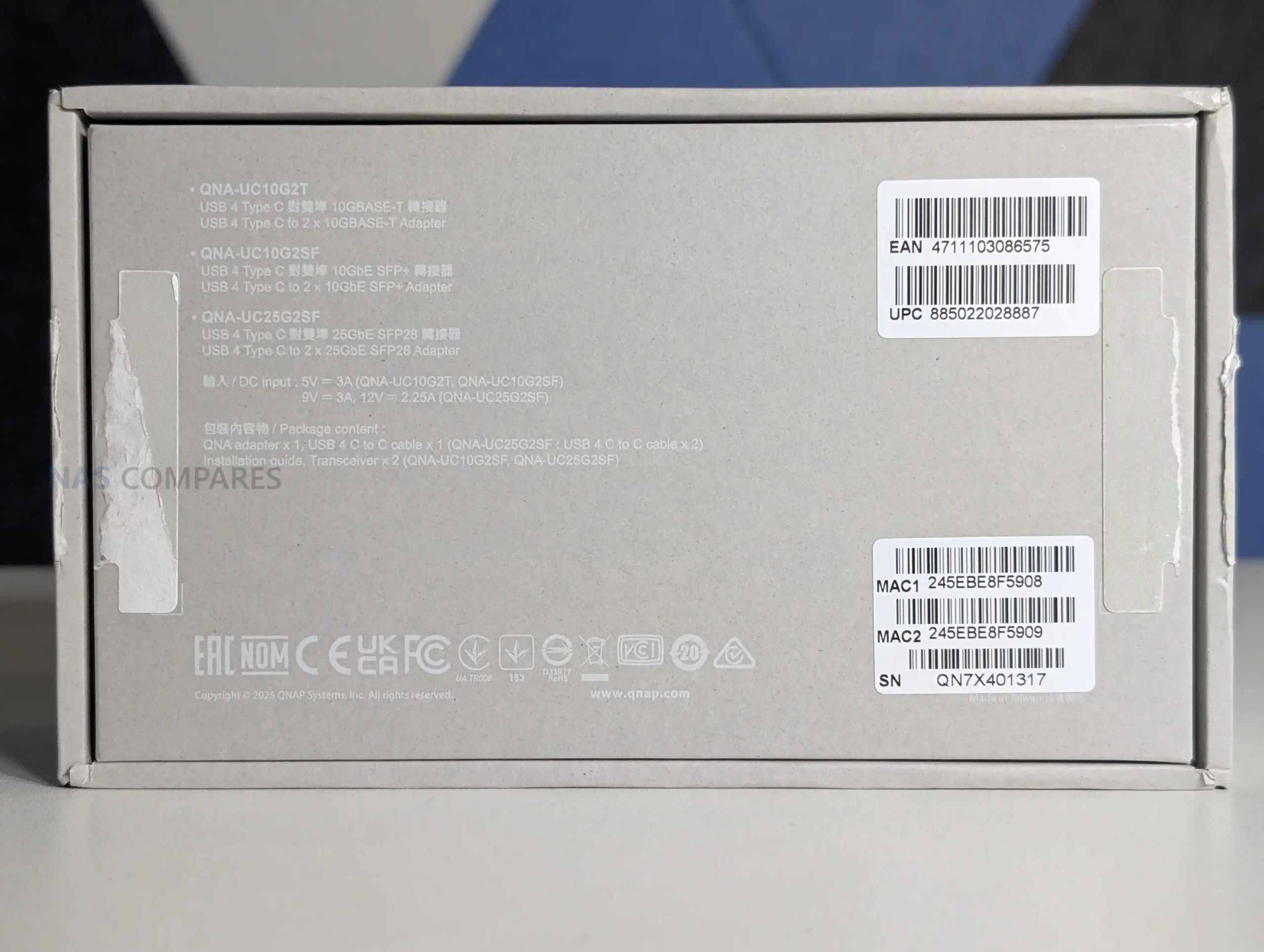
The QNAP QNA-UC10G2T is a USB 4 to dual 10GbE adapter built for systems that lack native high-speed network expansion and need dependable multi-gig connectivity through a single Type C port. It provides 2 x 10GBASE-T copper ports, supports multi-speed operation from 10Gbps down to 100Mbps, and includes full driver support for Windows 11, macOS 12.7 to 15.4, and Ubuntu 22.04. Internally it uses dedicated AQC113 controllers for each port, allowing the OS to treat the adapter as two distinct NICs and enabling features such as SMB Multi Channel for aggregated bandwidth. The enclosure is a passive full-metal heatsink that spreads thermal load through a multi stage cooling structure, which your testing confirmed remained below typical thermal expectations even during 24-hour sustained transfers. As a premium module priced significantly higher than generic USB 4 adapters, it is designed for users who require stable long-duration performance, predictable throughput, and compatibility with modern USB 4 or Thunderbolt 3 and 4 hosts rather than the improvised multi controller designs seen in low cost alternatives.
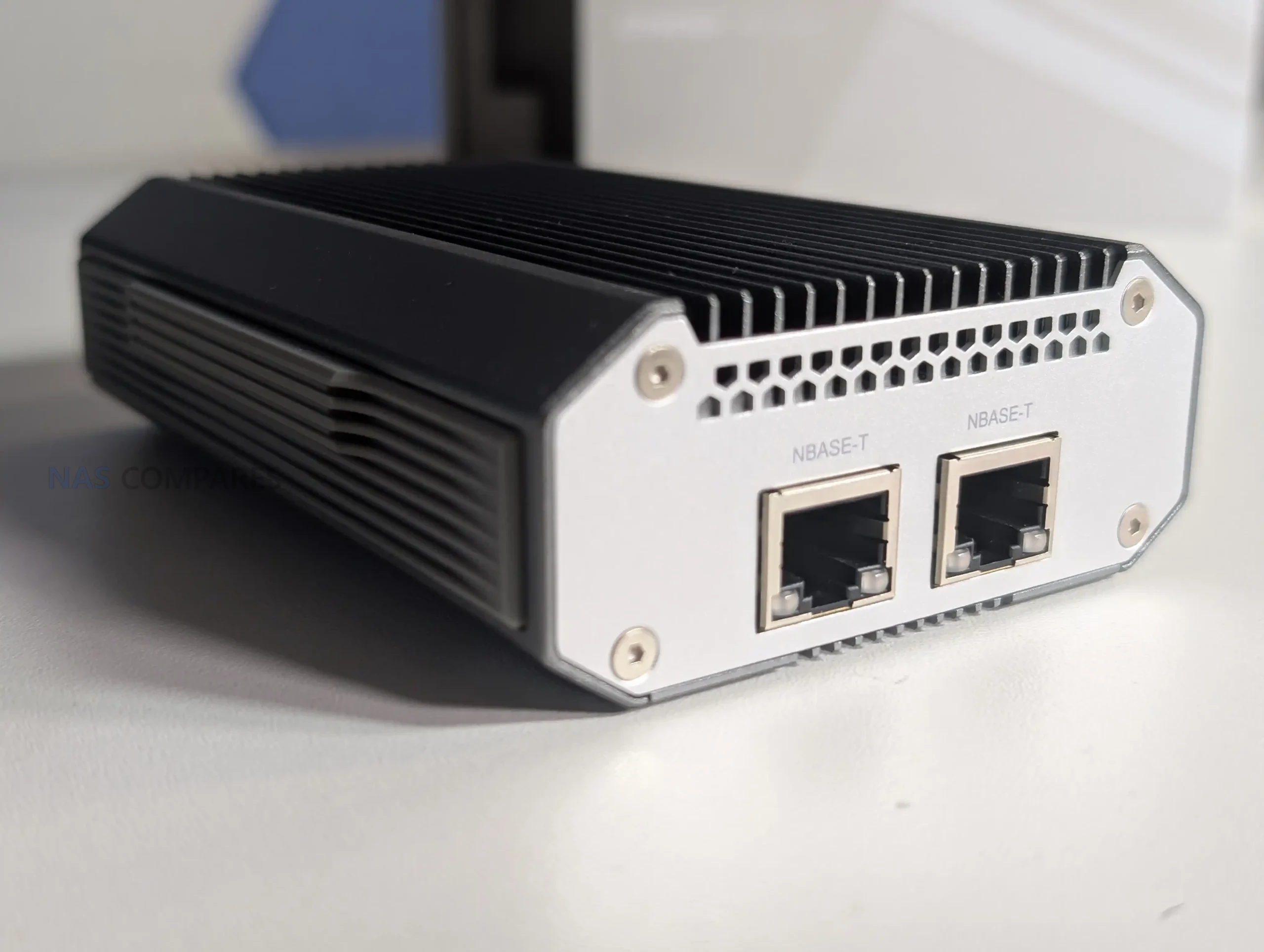
QNAP QNA-UC10G2T Review – Quick Conclusion
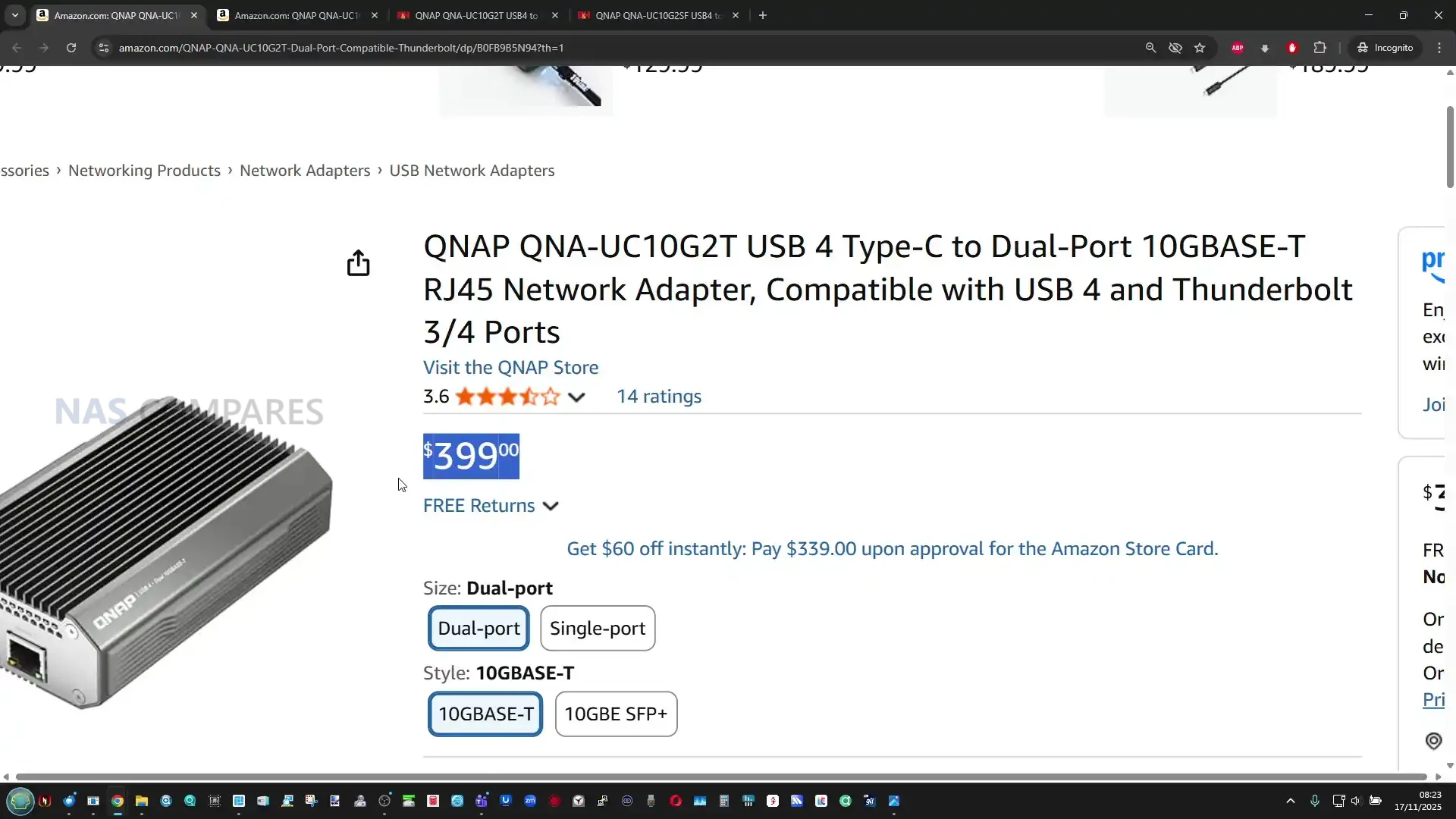
The QNAP QNA-UC10G2T is a premium dual-port 10GbE adapter built around USB 4, designed for users who need stable, sustained multi gigabit performance rather than the inconsistent behaviour often seen in low cost USB network adapters. Its dual AQC113 controllers provide two discrete interfaces that operate independently at full speed, which allows for reliable SMB Multi Channel operation and predictable multi stream transfers. The all metal chassis functions as a multi stage passive heatsink, keeping temperatures stable during long workloads and preventing throttling even after hours of continuous access. Performance closely matches QNAP’s published figures, with both ports maintaining high throughput when paired with capable NVMe based systems. Driver installation is required on all supported platforms, and the adapter is not currently usable when plugged directly into most NAS operating systems, which limits flexibility. The price is considerably higher than generic USB 4 network adapters, but for professionals who rely on consistent 10GbE throughput on laptops, workstations, or compact systems without PCIe expansion, the QNA-UC10G2T offers a stable, well engineered solution that prioritises long term reliability over entry level cost.
QNAP QNA-UC10G2T Review – Design & Cooling

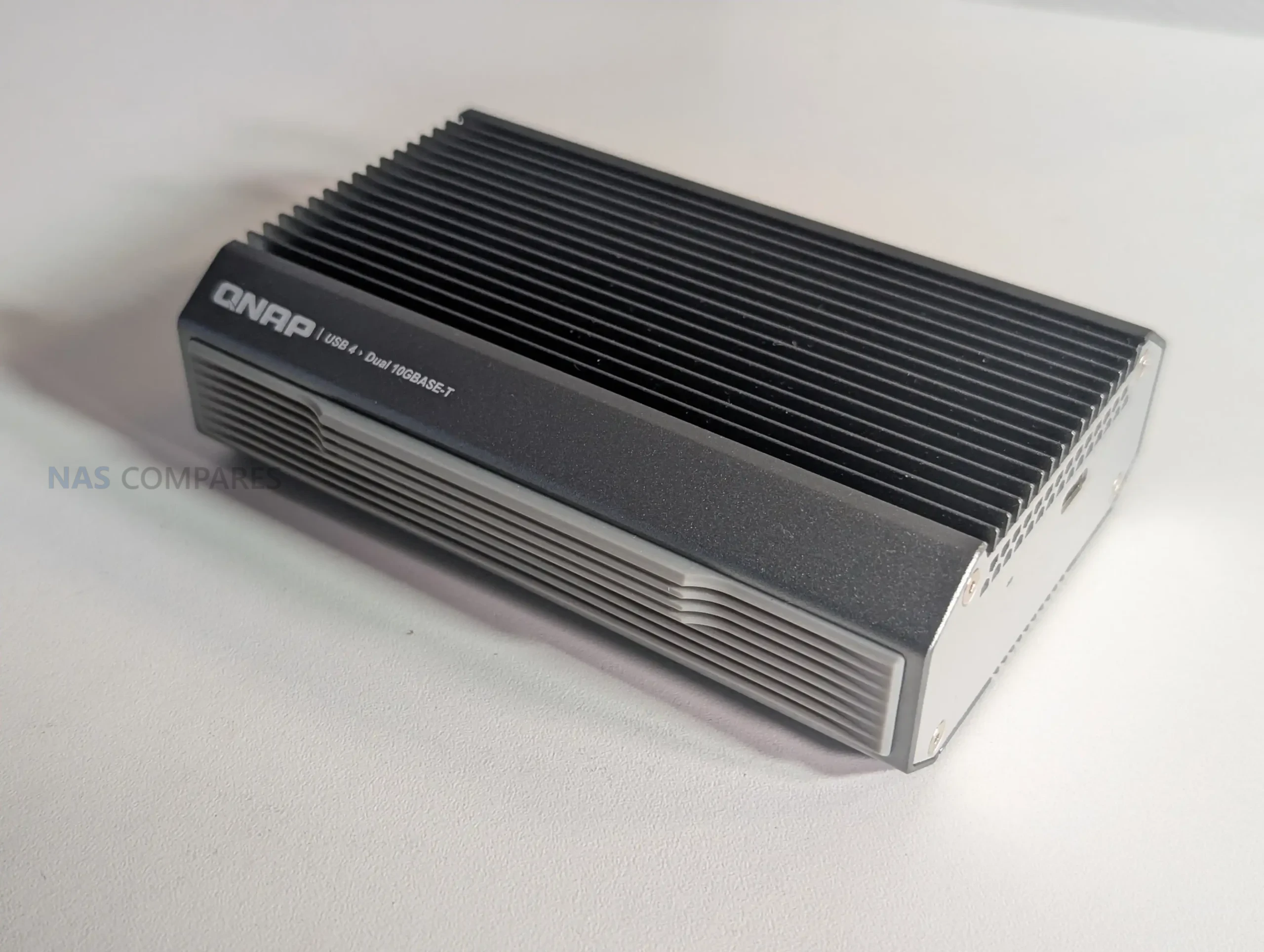
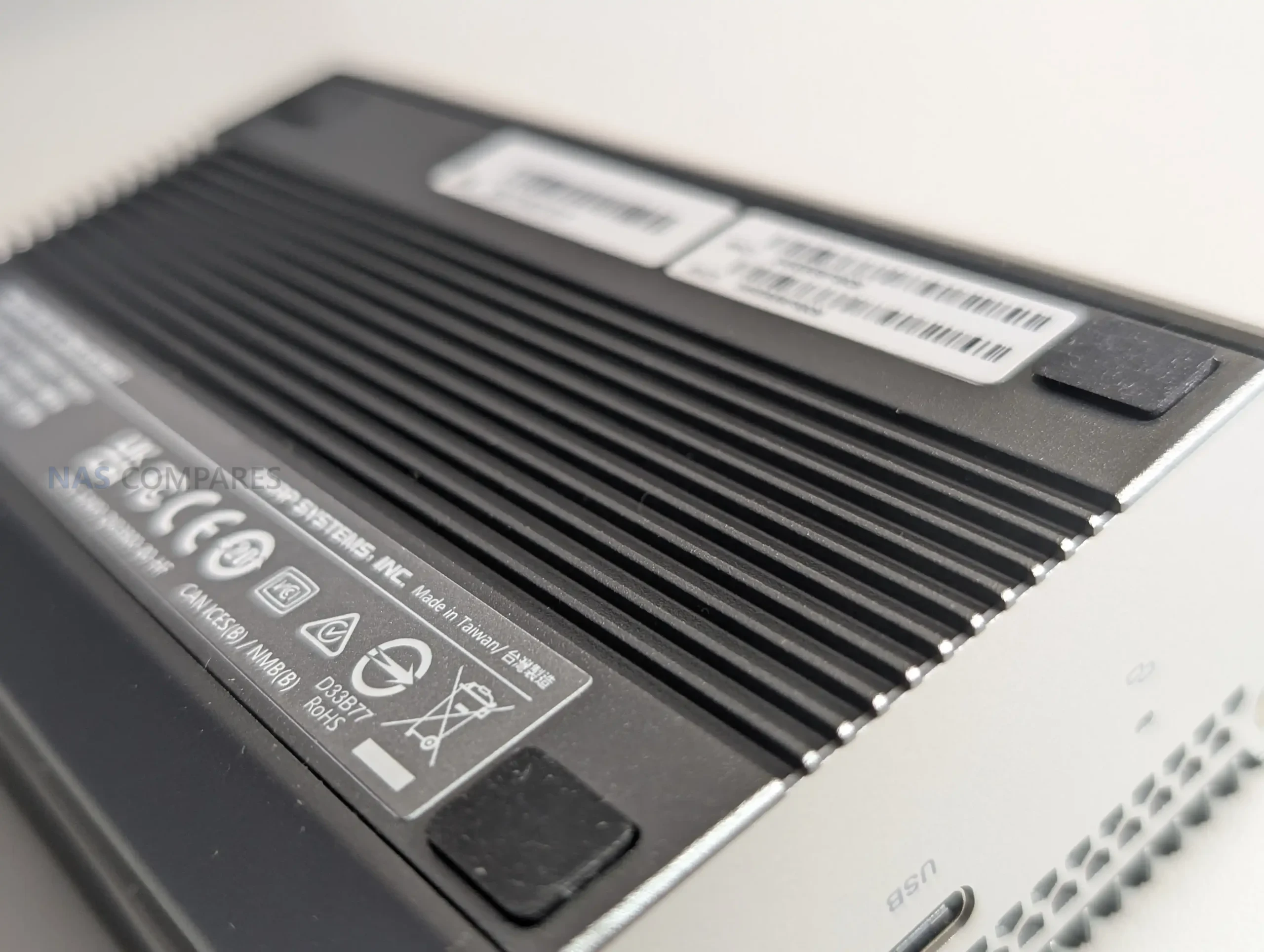
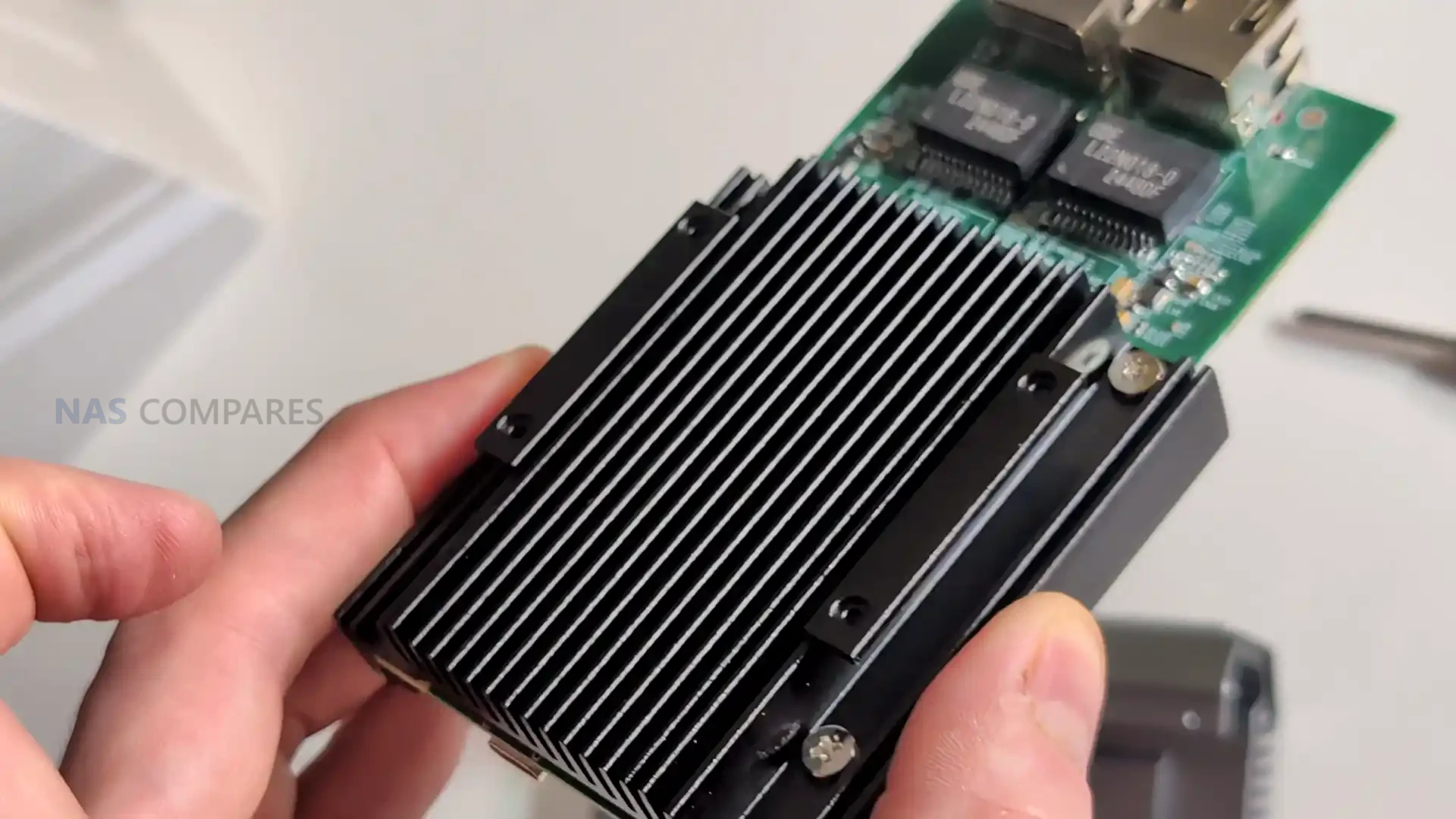
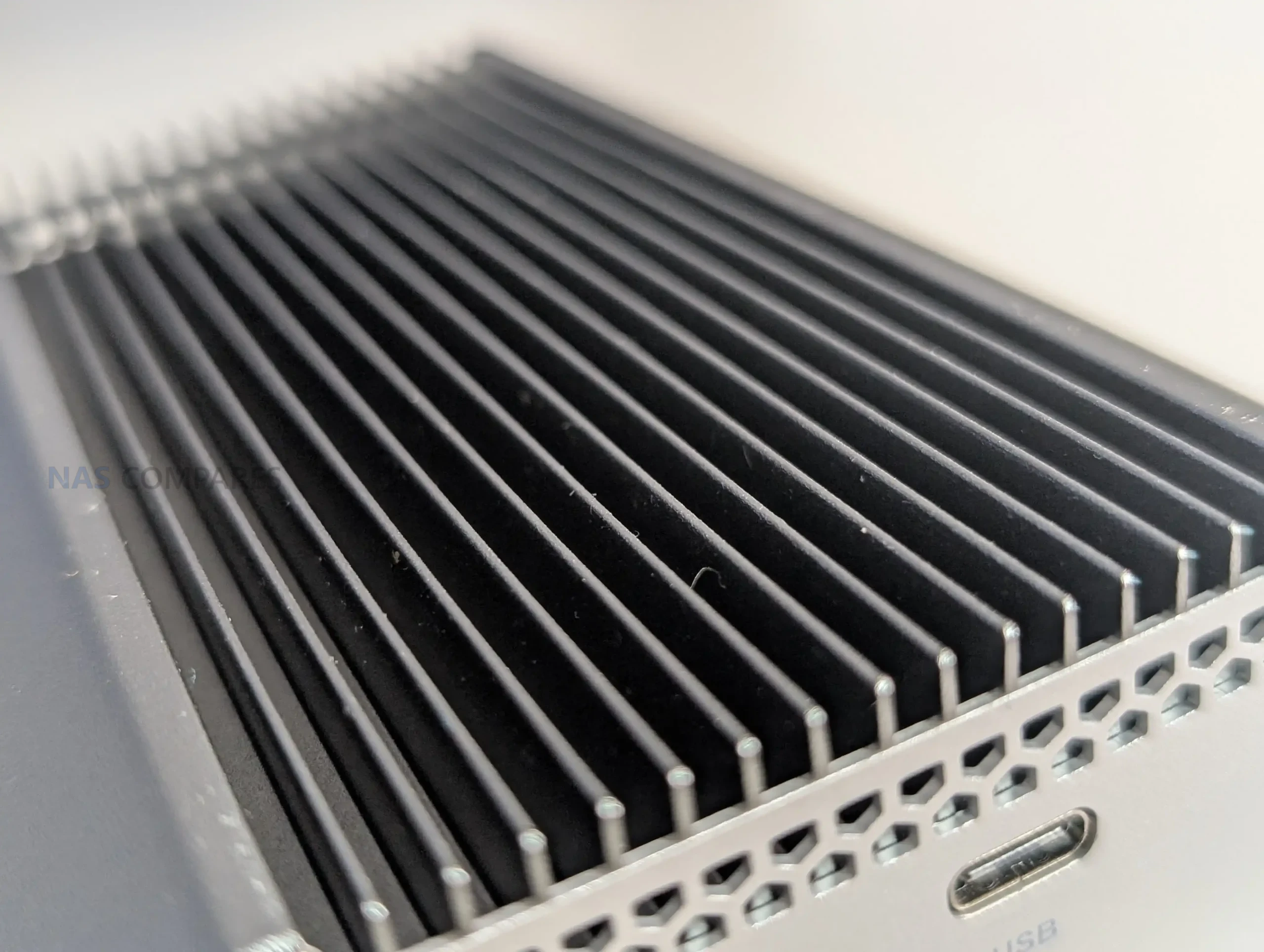
The QNA-UC10G2T uses a solid metal chassis that functions as a structural shell and a primary thermal dissipation surface, giving it a distinctive weight and density compared with typical USB network dongles. The outer enclosure is machined with large surface area ridges that extend across the top panel, while the base remains flat to maintain direct thermal contact with the internal controllers. This physical design is not decorative but exists to distribute heat from the AQC113 chips into the enclosure walls and then outward into the surrounding airflow. Its appearance is closer to a purpose built passive heatsink than a consumer accessory, which mirrors the product’s emphasis on maintaining stability during sustained high throughput workloads.
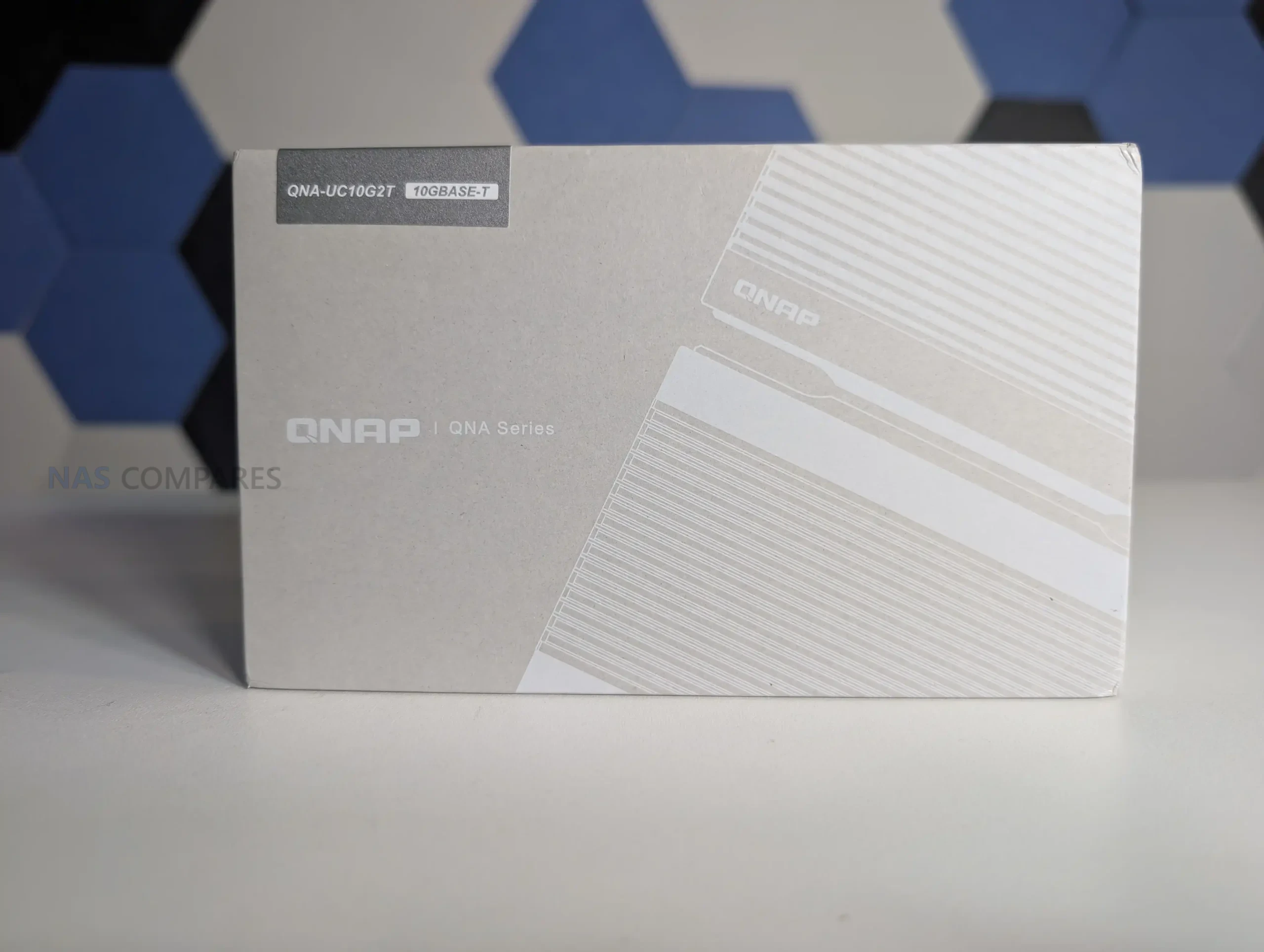
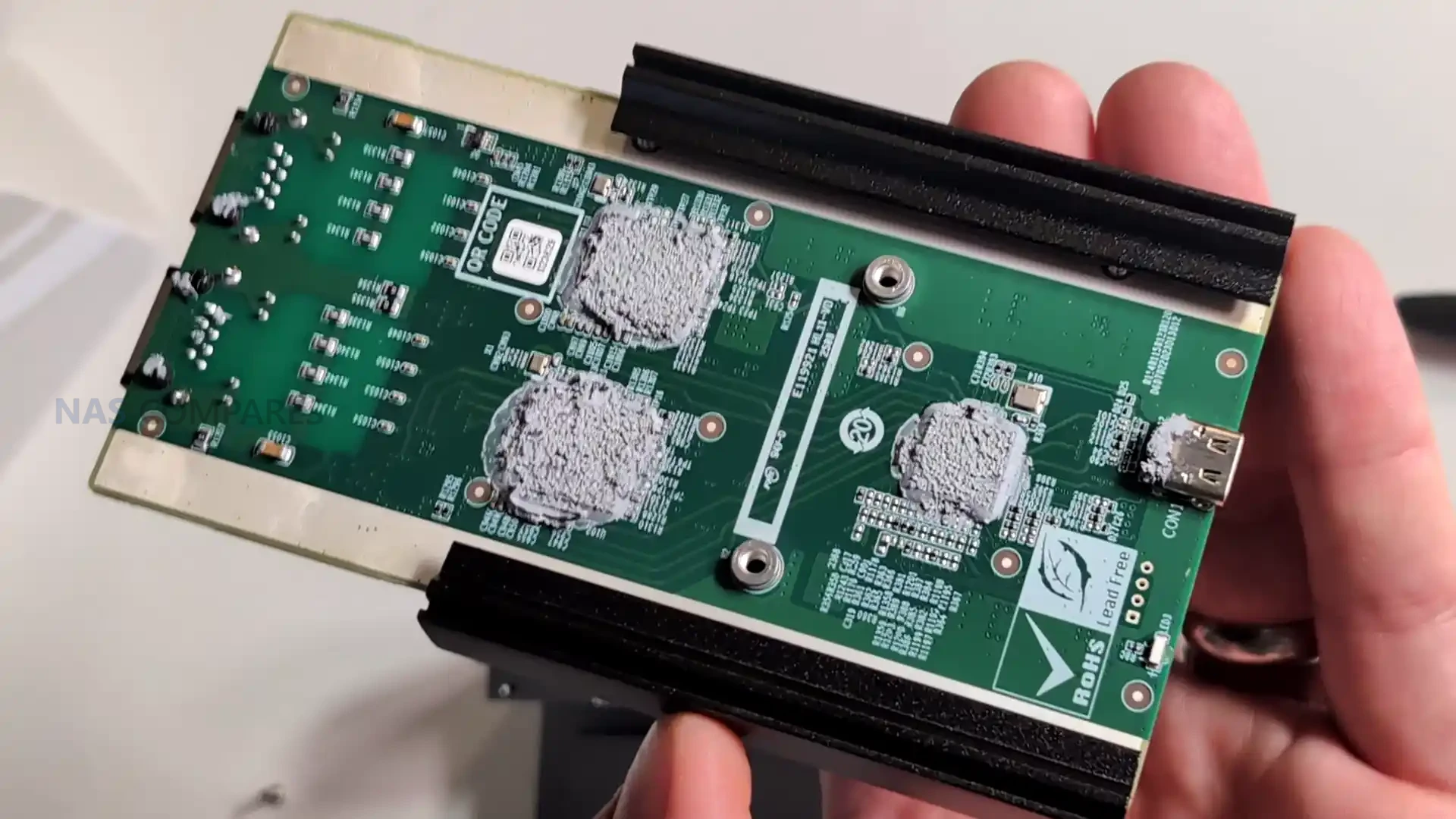
Internally the design is organized around a single board layout that places both controllers on the lower PCB surface, pressed directly against the internal heat spreader via thermal pads and paste. This arrangement ensures that the highest heat generating components transfer their thermal output into the metal layers with minimal resistance. Above this, the chassis integrates a second stage aluminium heat spreader that covers the width of the unit, supported by an additional top panel that completes the third passive cooling stage. This layered thermal design reflects a more methodical architecture than the mixed component assemblies found in low cost USB 4 to network adapters, which commonly rely on bridging older interfaces and produce unpredictable heat patterns under load.
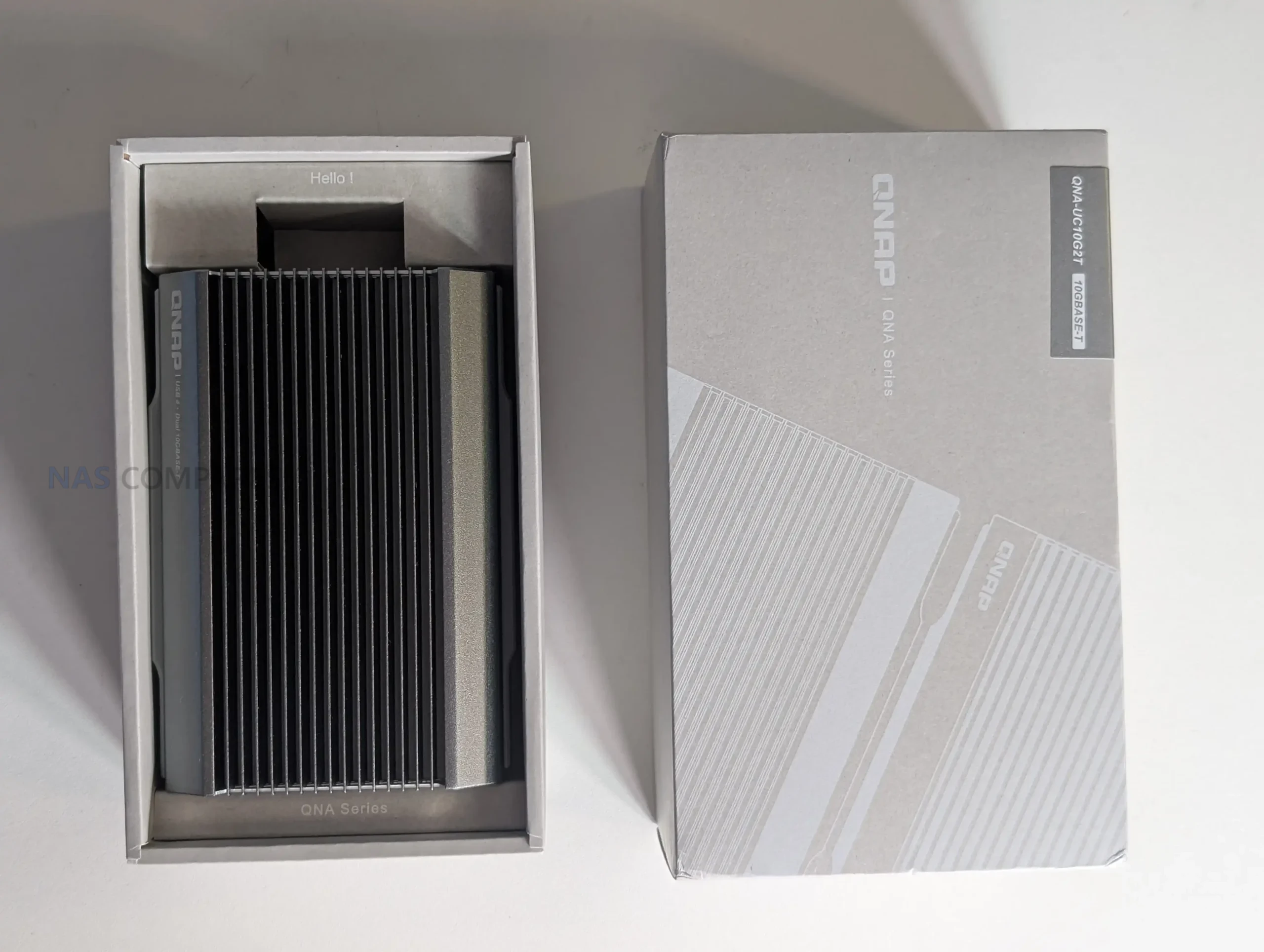
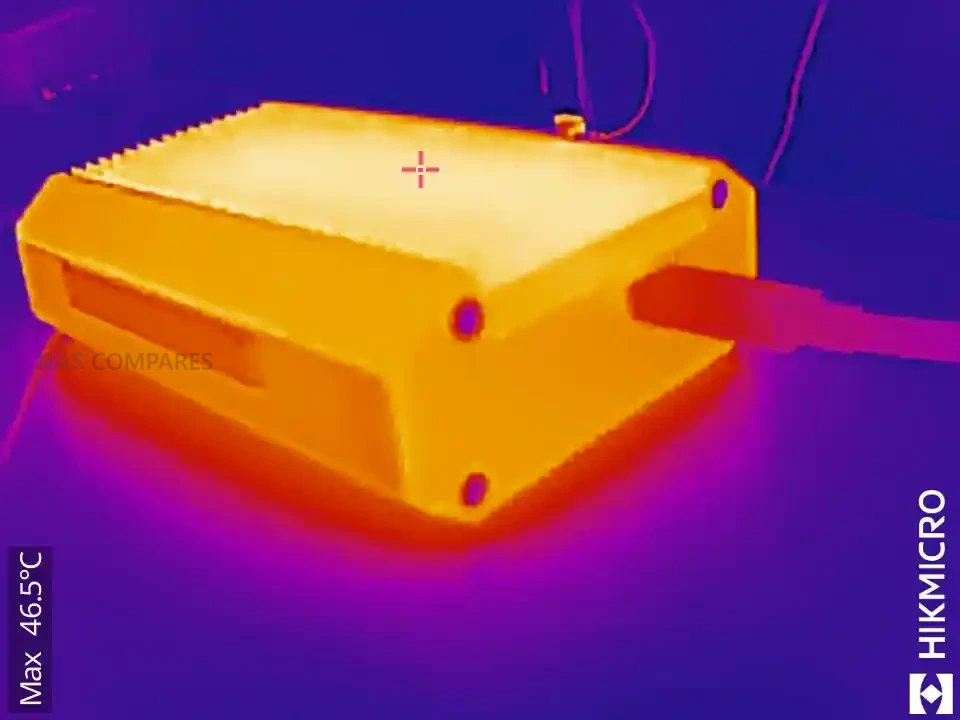
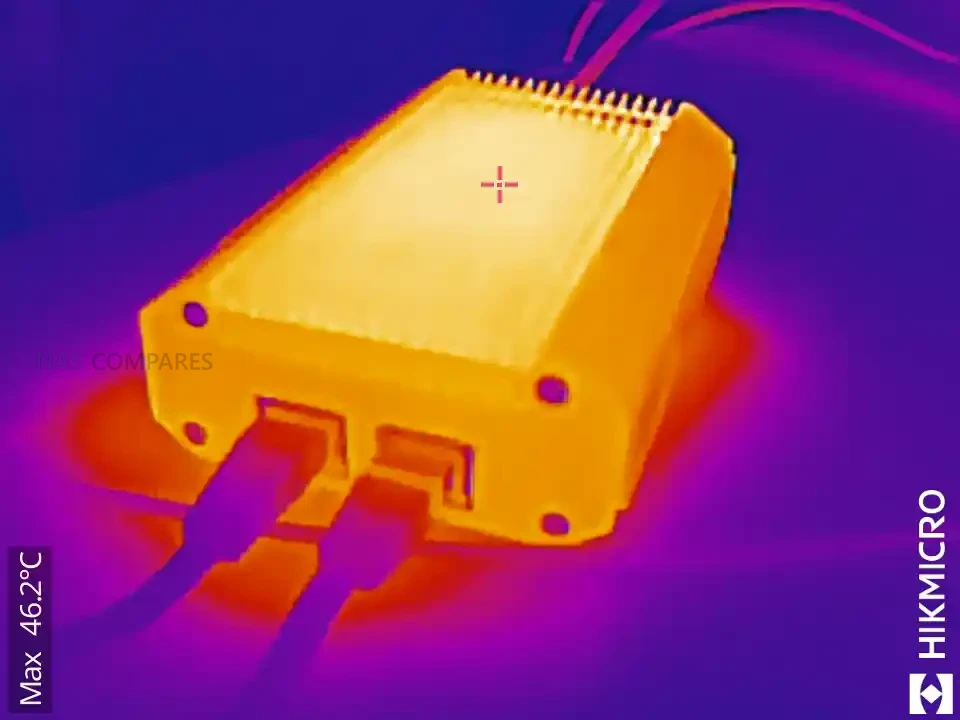
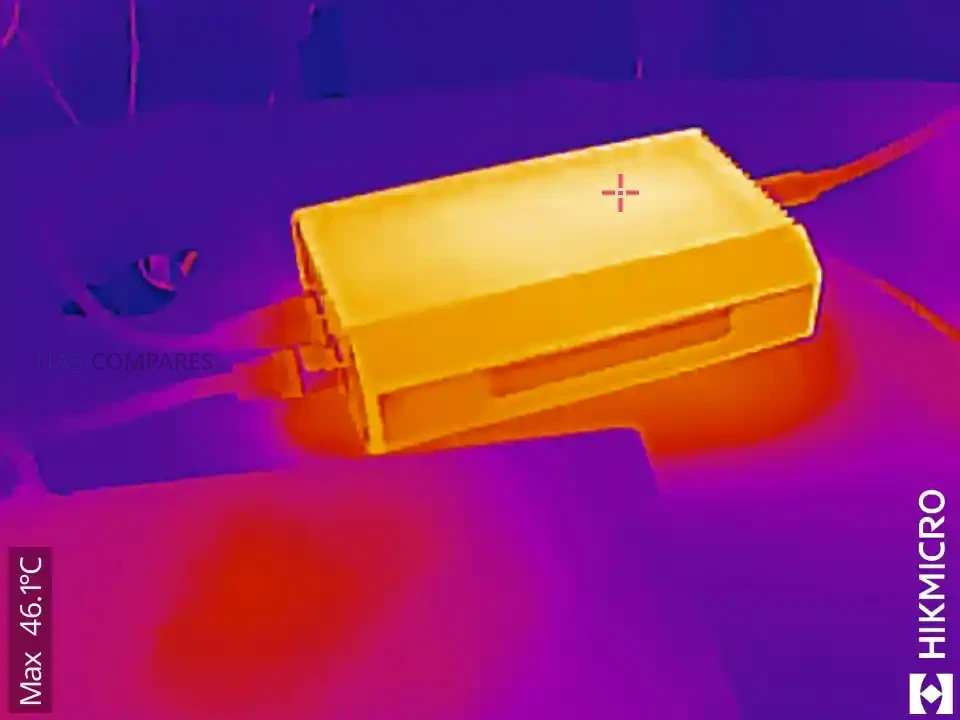
The fanless approach is a key design choice, giving the adapter completely silent operation during heavy transfers. In your testing, the enclosure maintained stable temperatures even after several minutes of saturation, typically remaining in the 47 to 51 degree range depending on activity and ambient levels. This thermal profile suggests that the shell’s passive system prevents hot spots and avoids the typical thermal throttling behaviour found in cheaper adapters, especially those built around multiple controllers stacked on different interconnected PCB modules. The predictable cooling also assists long term reliability for users who expect constant 10GbE connectivity during file editing, remote rendering, or multi channel transfers.
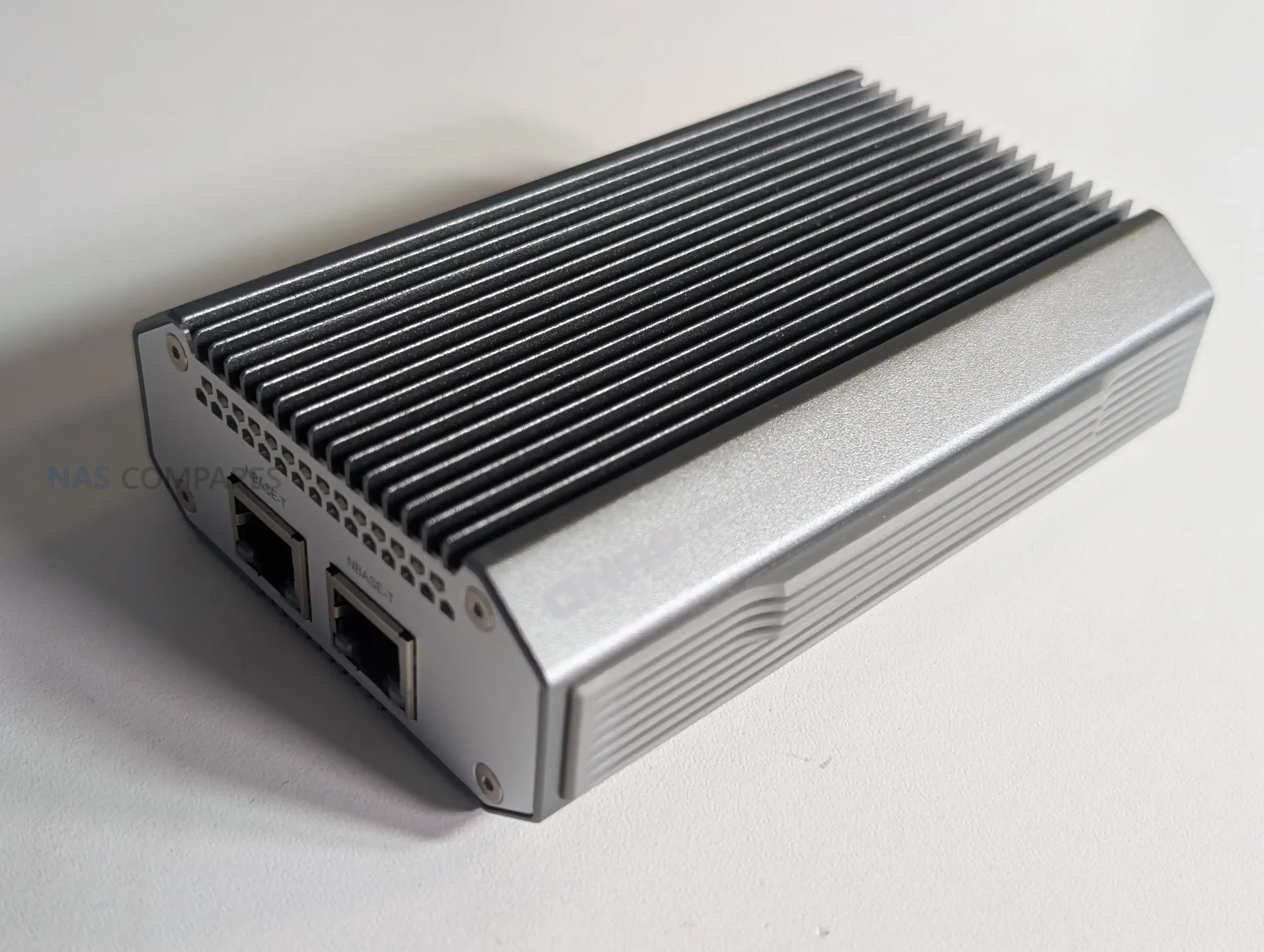
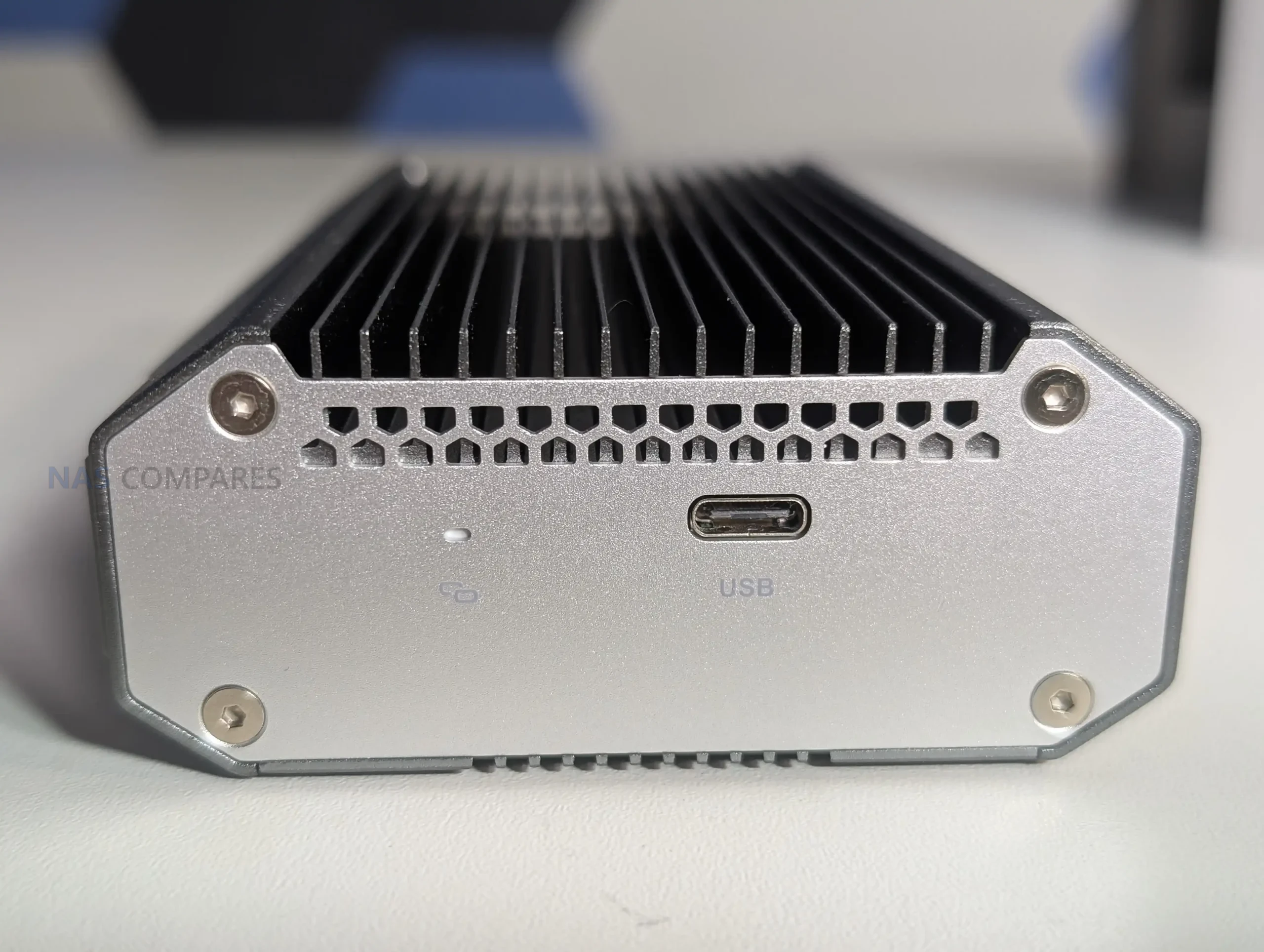
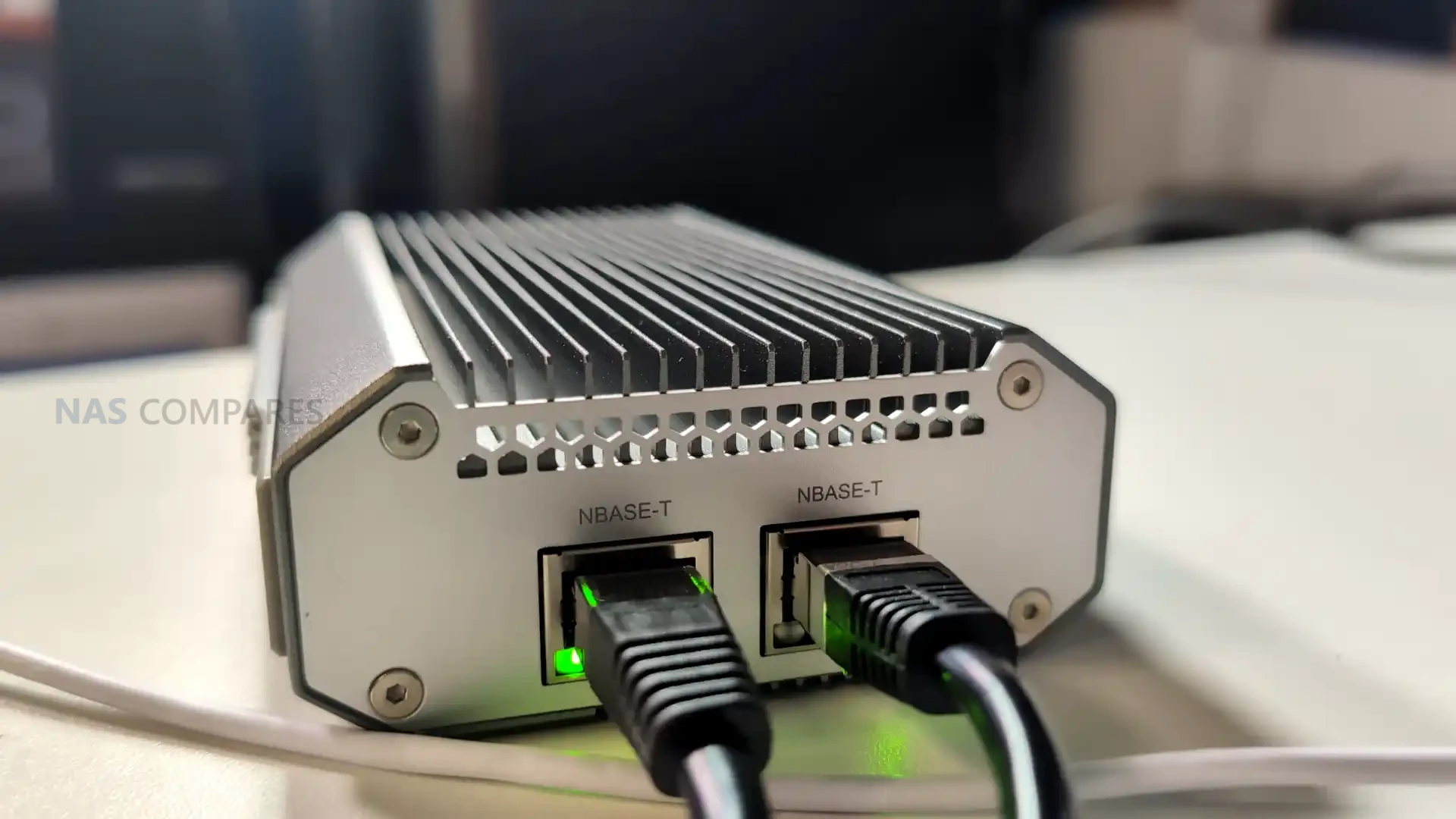
The physical I/O layout consists of a single USB 4 Type C port on one end and 2 x 10GBASE T ports on the opposite face, keeping cable paths separated to prevent mechanical strain or excess heat mingling between connectors. The RJ45 ports support Cat 6a cabling as recommended by QNAP and can operate across 10Gbps, 5Gbps, 2.5Gbps, 1Gbps, and 100Mbps speeds depending on the switch or device connected. While minimalistic, this separation aligns with the use case of the adapter as a mobile or desktop expansion tool where the position of cables may influence airflow and heat shedding around the chassis.
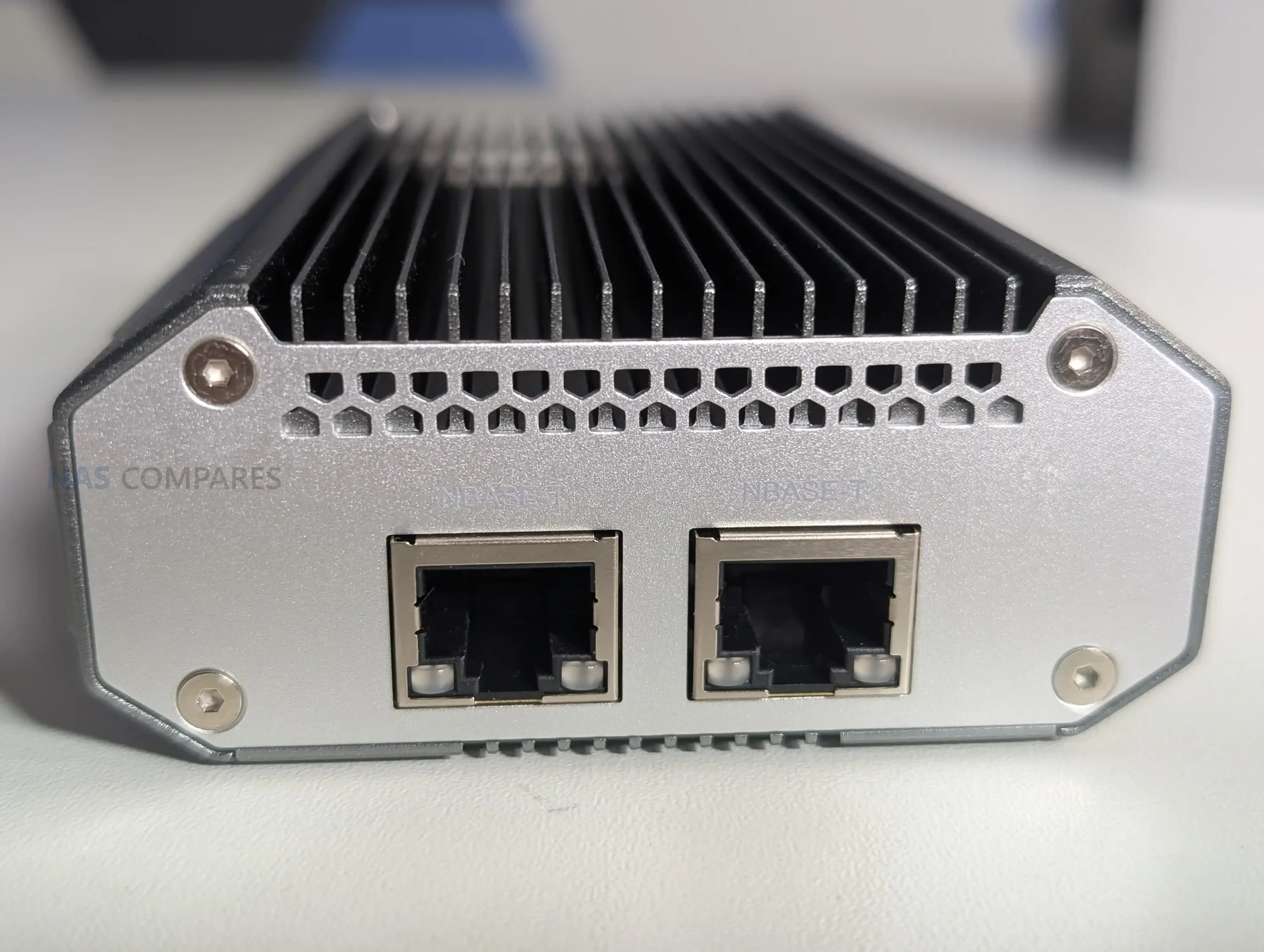
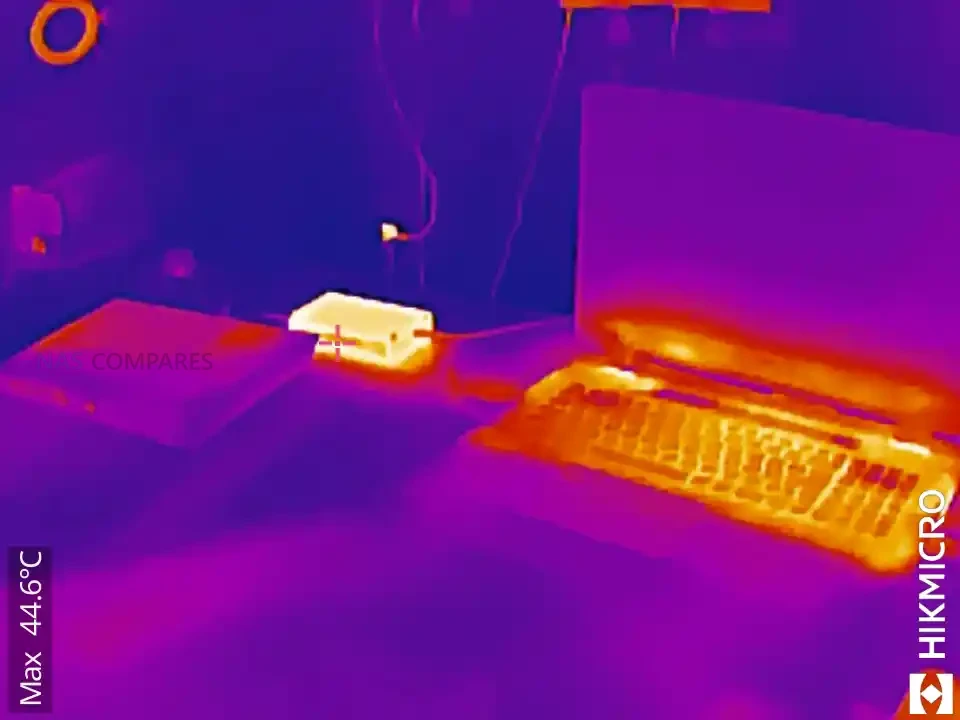
The cooling strategy also reflects QNAP’s intention for the adapter to be used in long-running, high-intensity environments rather than short bursts. During your extended 24 hour tests, the chassis maintained consistent thermal readings, with the USB side remaining cooler than the network interface side. The overall thermal balance avoided thermal spikes, which is essential for dual port operation where simultaneous read and write tasks across two 10GbE channels can push less optimized adapters into throttling. By spreading heat evenly across the frame, the device sustains performance in ways that improvised USB 4 adapters often fail to achieve during multi hour workloads.
QNAP QNA-UC10G2T Review – Internal Hardware and Connectivity

Inside the QNA-UC10G2T, the hardware is centred around two AQC113 controllers, each dedicated to one 10GbE port. This avoids the shared bandwidth and internal bottlenecks that occur in budget adapters that route multiple ports through a single controller or bridge older chipsets together. Each controller appears to have a direct path to the USB 4 interface, allowing the host operating system to detect two independent network interfaces. This structure is essential for features such as SMB Multi Channel, NIC bonding, and network segmentation, since it ensures that both ports operate with consistent throughput rather than competing for limited controller resources. The hardware layout intentionally avoids stacked modules or mixed technology bridges, creating a predictable and uniform architecture.
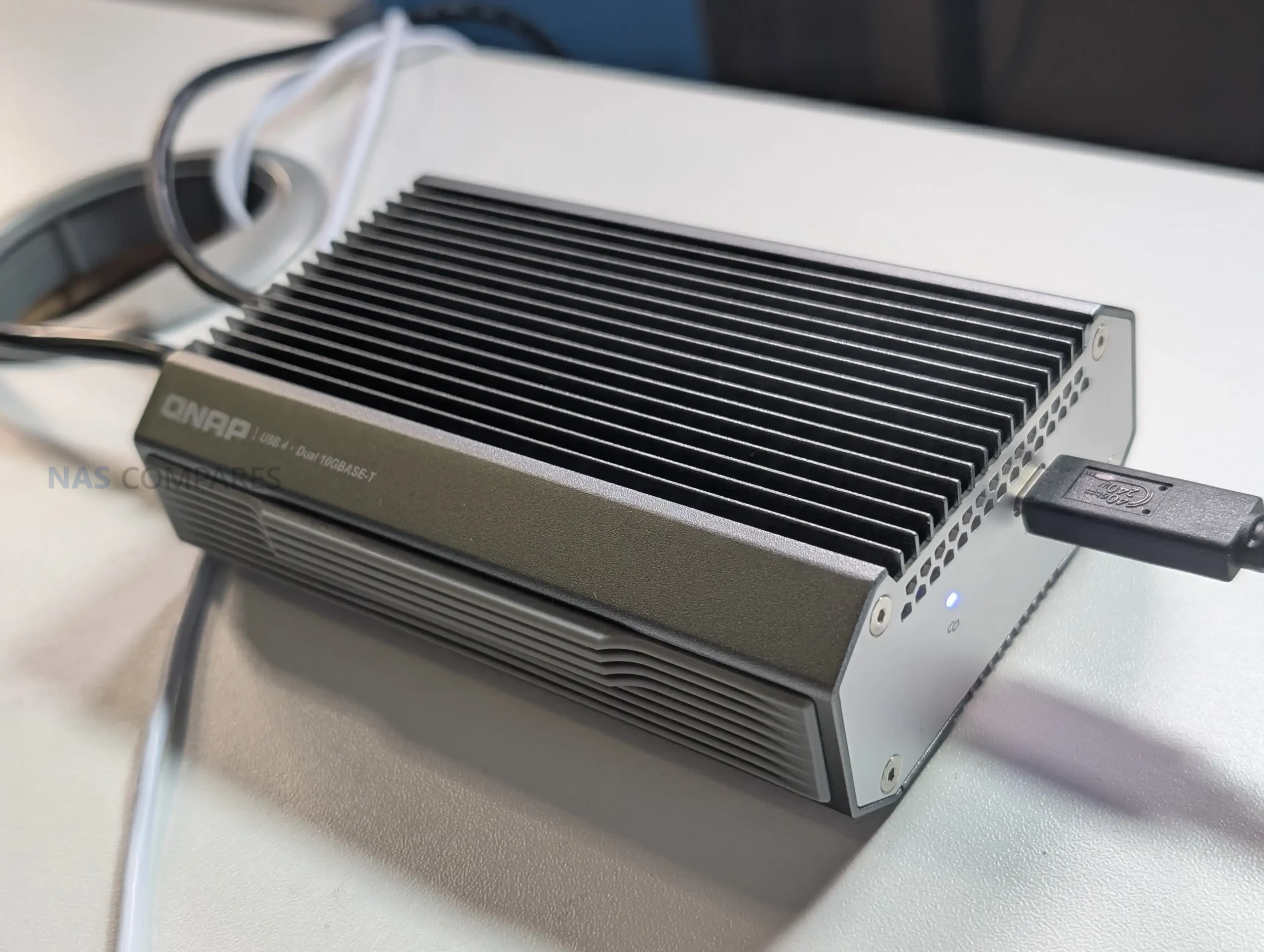
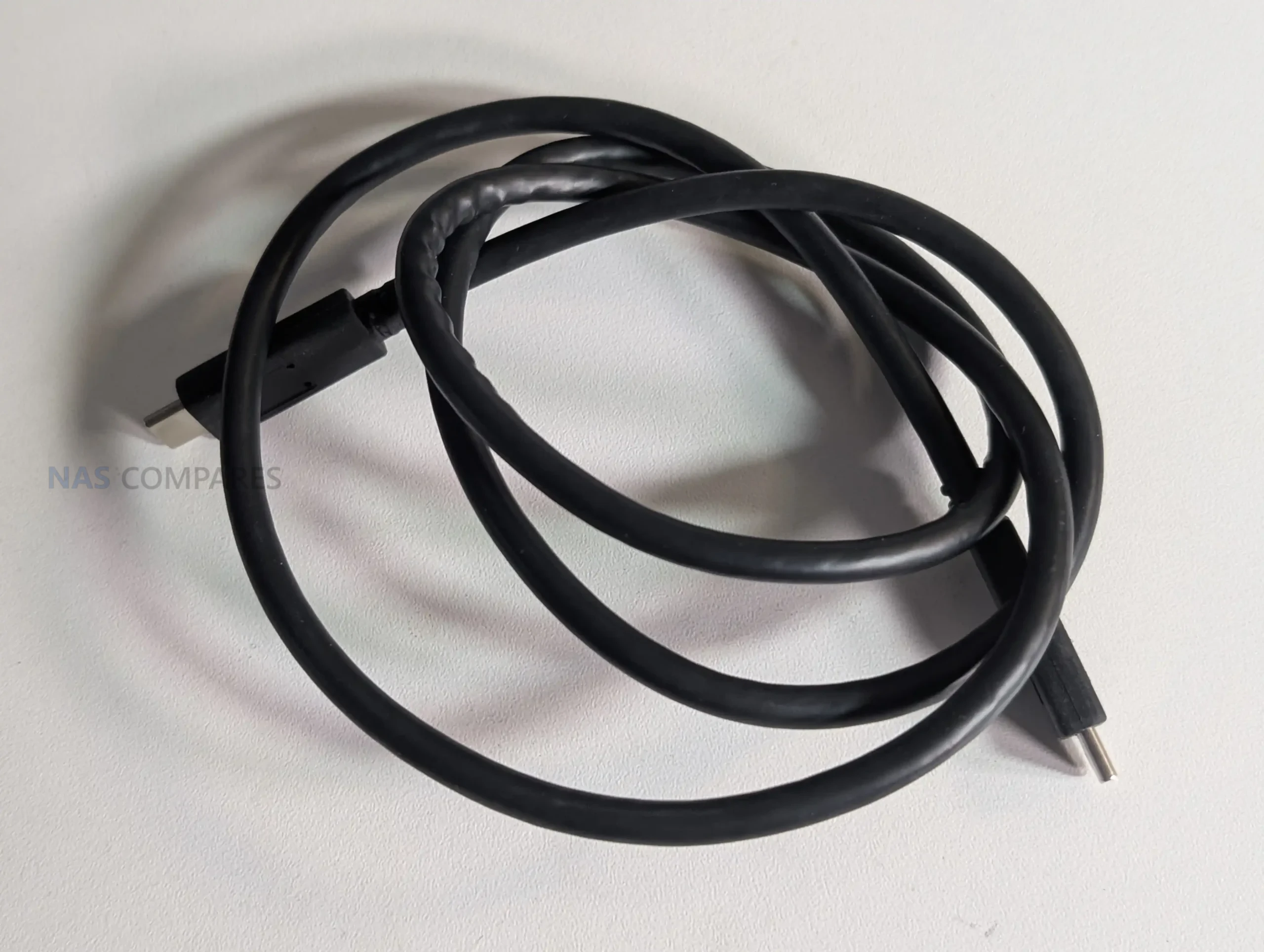
Connectivity through the USB 4 Type C interface is built to support both USB 4 and Thunderbolt 3 and 4 on most systems. QNAP includes a 1m USB 4 certified cable in the package to ensure full bandwidth without relying on third party cables that may deliver reduced link speeds. Host compatibility extends to Windows 11, macOS 12.7 to 15.4, and Ubuntu 22.04, although all require installation of the Marvell AQtion driver to enable proper operation. This software dependency reflects the adapter’s use of high performance controllers that are not handled by generic drivers. The device is not compatible with ARM based Windows systems, which limits use with some compact laptops and tablets but aligns with the adapter’s focus on fully featured desktop and workstation class hardware.
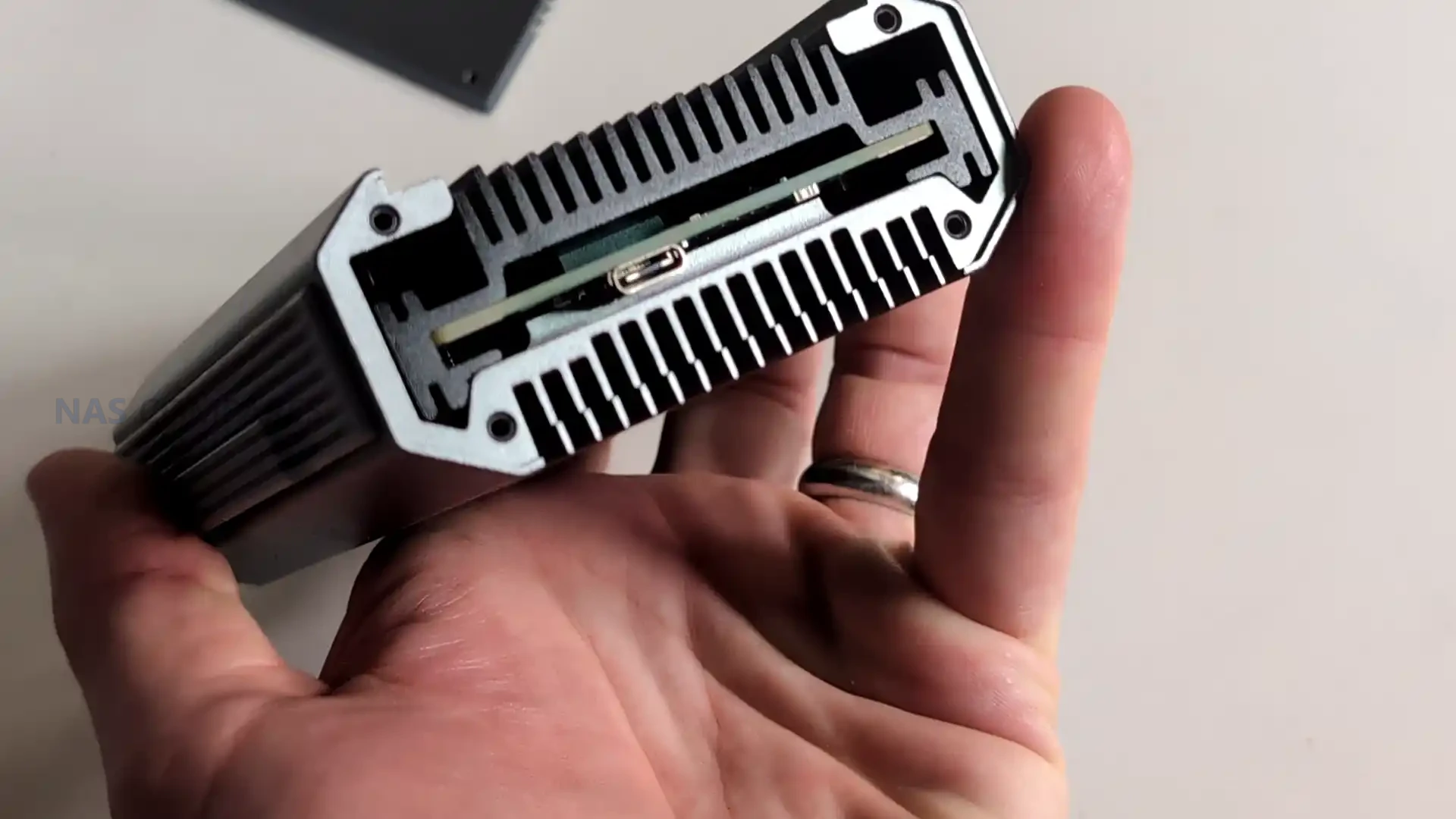
The dual 10GBASE T ports support 10Gbps, 5Gbps, 2.5Gbps, 1Gbps, and 100Mbps operation and auto negotiate based on the connected switch or device. This makes the adapter usable in mixed infrastructure where not all devices run at 10GbE rates. The reliance on RJ45 also gives it broad physical compatibility, making it suitable for direct PC to NAS connections, multi port NAS access, or integration with 10GbE switches. Your testing confirmed that the independent controllers allowed each port to reach close to saturation independently and operate simultaneously with sustained transfer rates across both links.
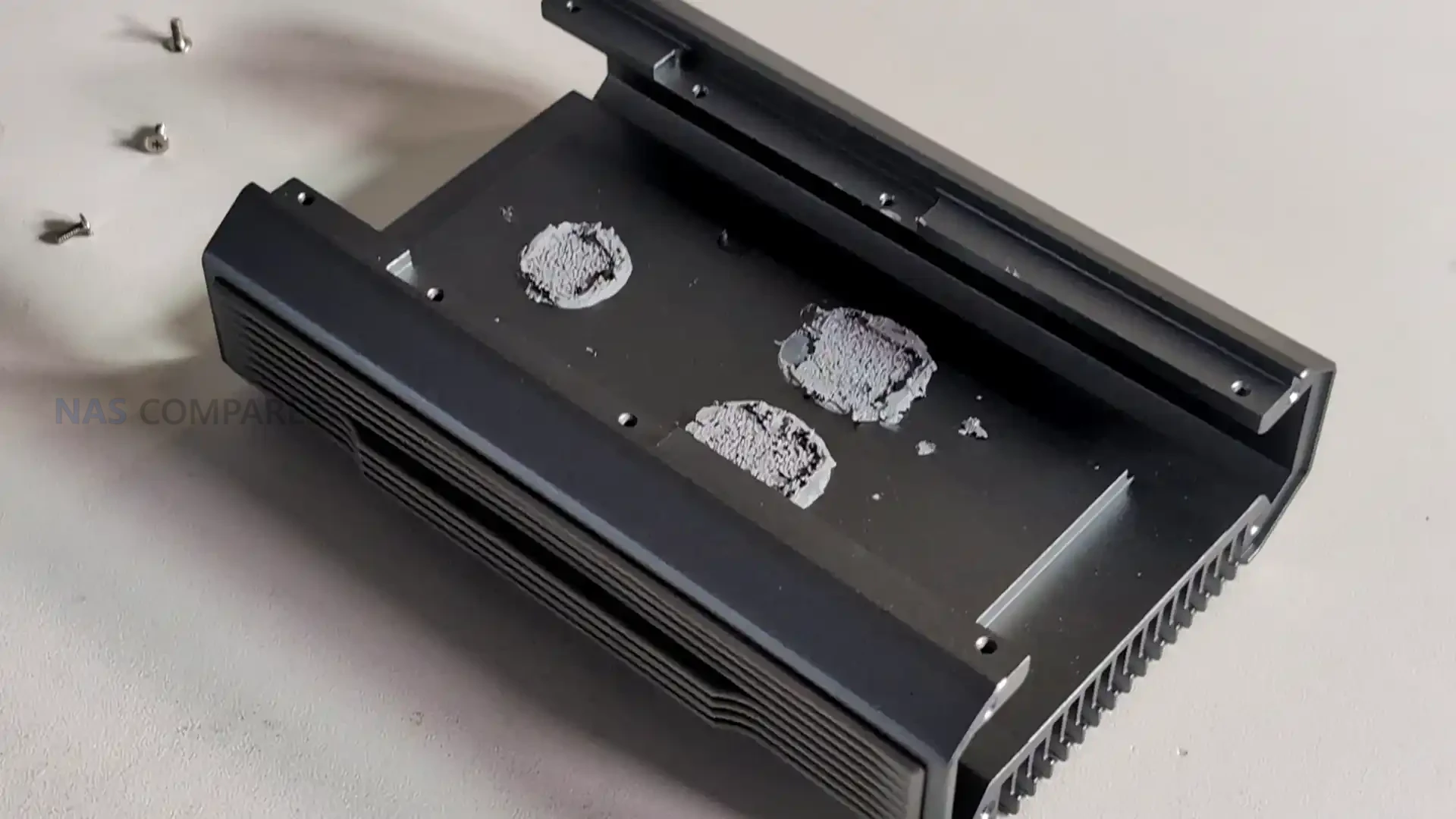
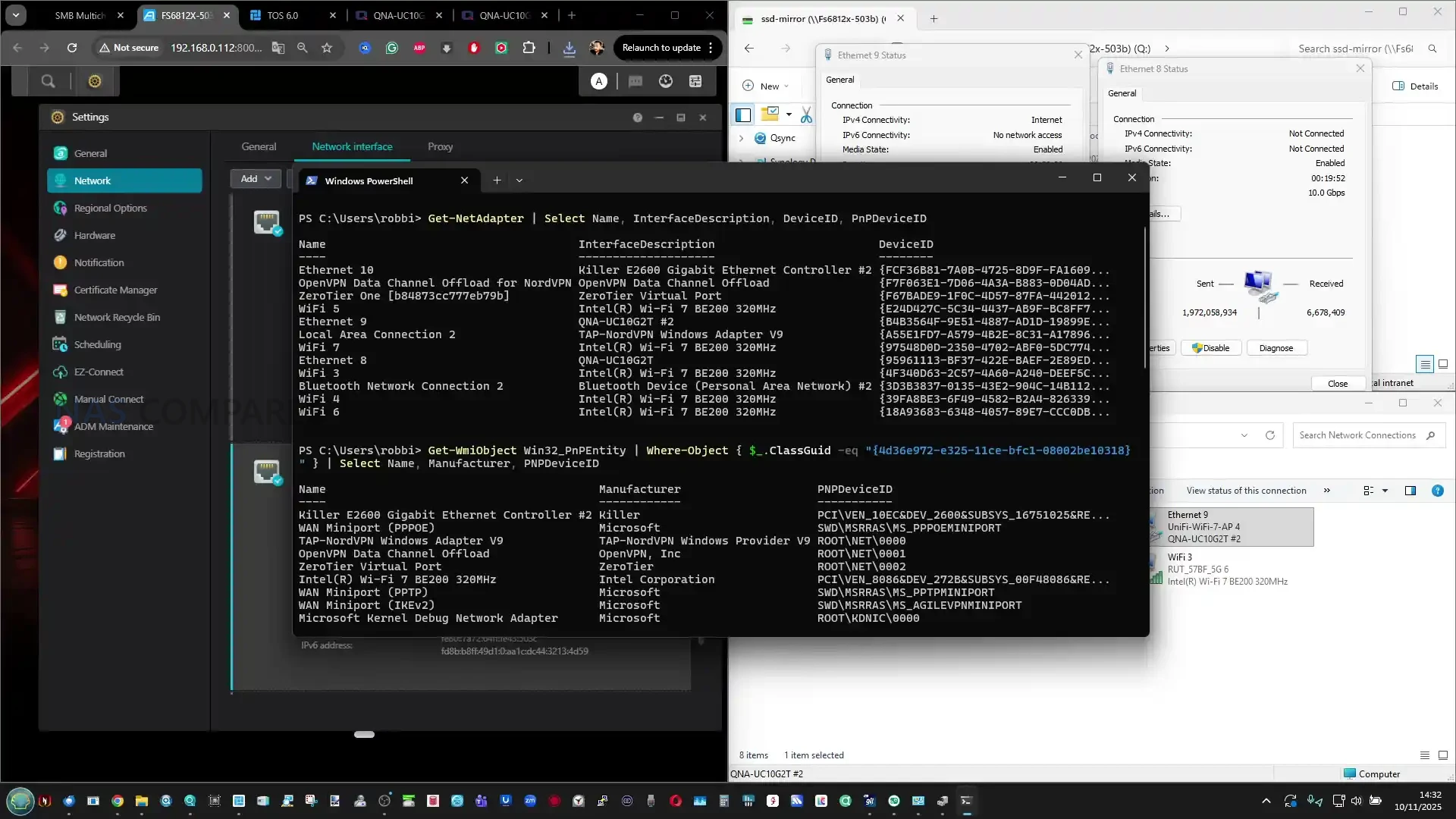
The internal hardware layout also supports clear network identification through the OS. When connected, the adapter exposes two discrete interfaces, each carrying its own MAC address, speed negotiation, and jumbo frame support. This allows users to create dedicated VLANs, segment traffic, or assign separate subnets without the limitations seen in single controller USB adapters that present only one interface for both ports. The device is therefore capable of acting as a genuine dual port NIC rather than a multi port breakout filtered through a single internal path. In testing, each interface responded consistently when used with tools such as iperf and CrystalDisk, confirming symmetric behaviour between both controllers.
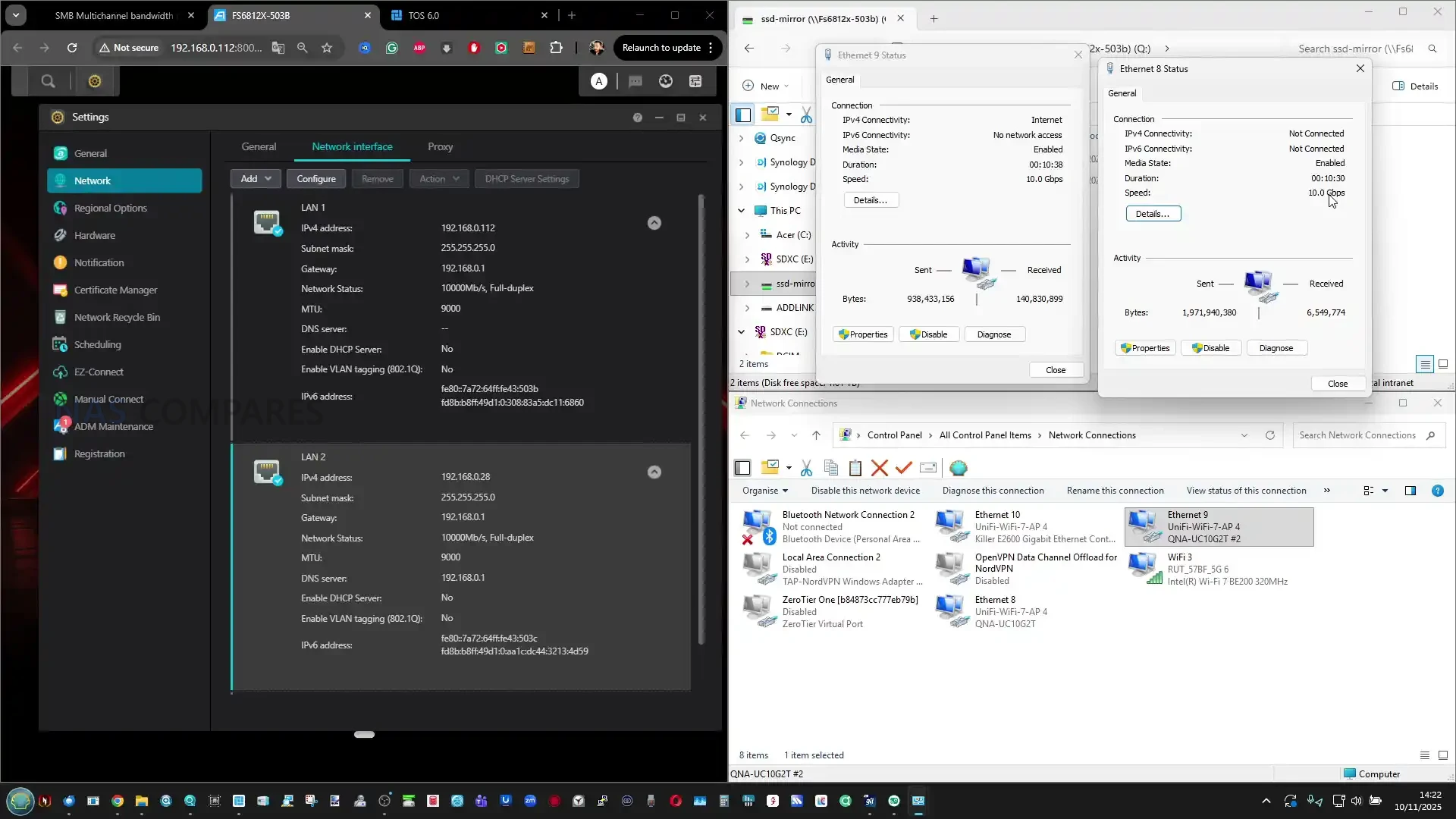
While the adapter is designed primarily for client devices, your testing highlighted that direct USB 4 to 10GbE connectivity on NAS platforms remains limited. Most NAS operating systems lack mature USB 4 drivers or Thunderbolt over IP integration, which prevented the adapter from functioning when connected directly to TrueNAS or Unraid. This reflects current software gaps rather than a hardware limitation, and future NAS platforms with USB 4 or Thunderbolt support may unlock additional use cases. For now, the hardware is best suited to upgrading laptops, mini PCs, and workstations where USB 4 is available and supported through platform level drivers.
QNAP QNA-UC10G2T Review – Performance

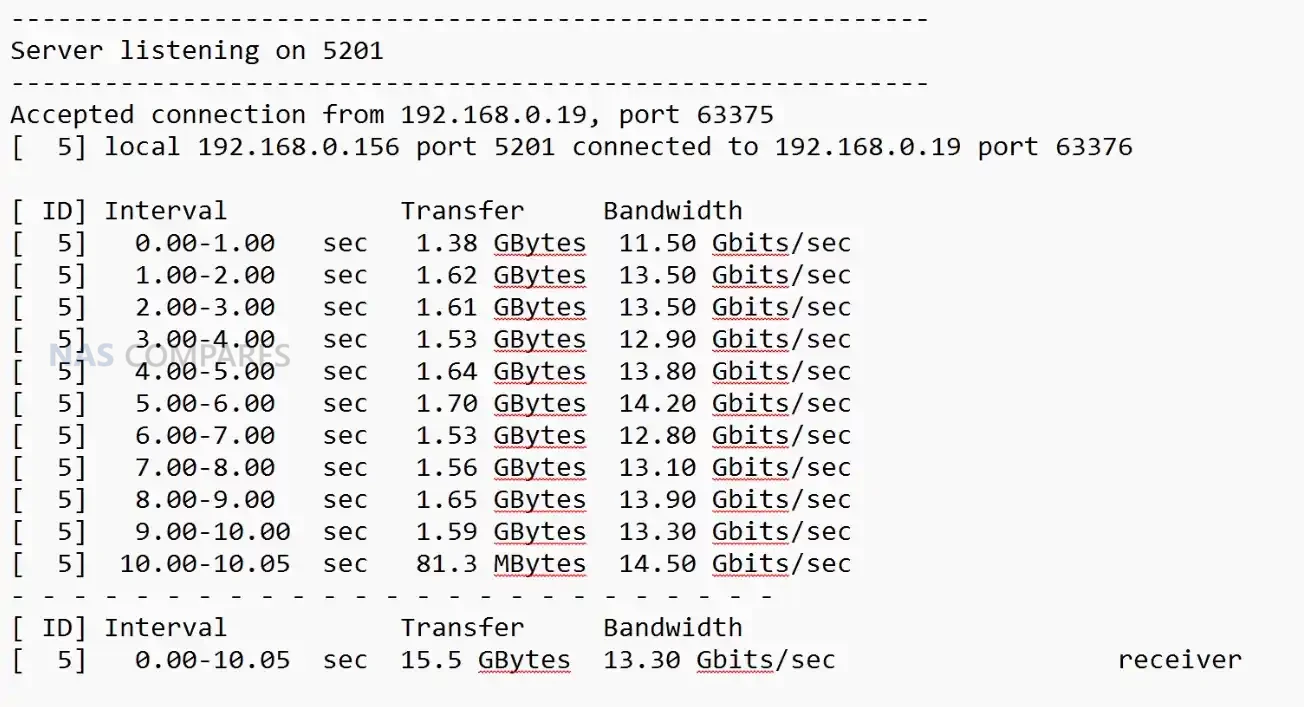
In practical testing, the QNA-UC10G2T delivered sustained throughput that closely aligned with QNAP’s published figures, with both ports maintaining stable operation during long running transfers. When used with IP based benchmarking tools, each 10GbE connection reached near saturation independently, confirming that the internal controllers can deliver full bandwidth without cross interference. During concurrent testing where two separate sessions targeted different devices, both ports maintained consistent performance levels, which demonstrated the benefit of having two discrete AQC113 controllers rather than a single shared architecture that would introduce contention under load.
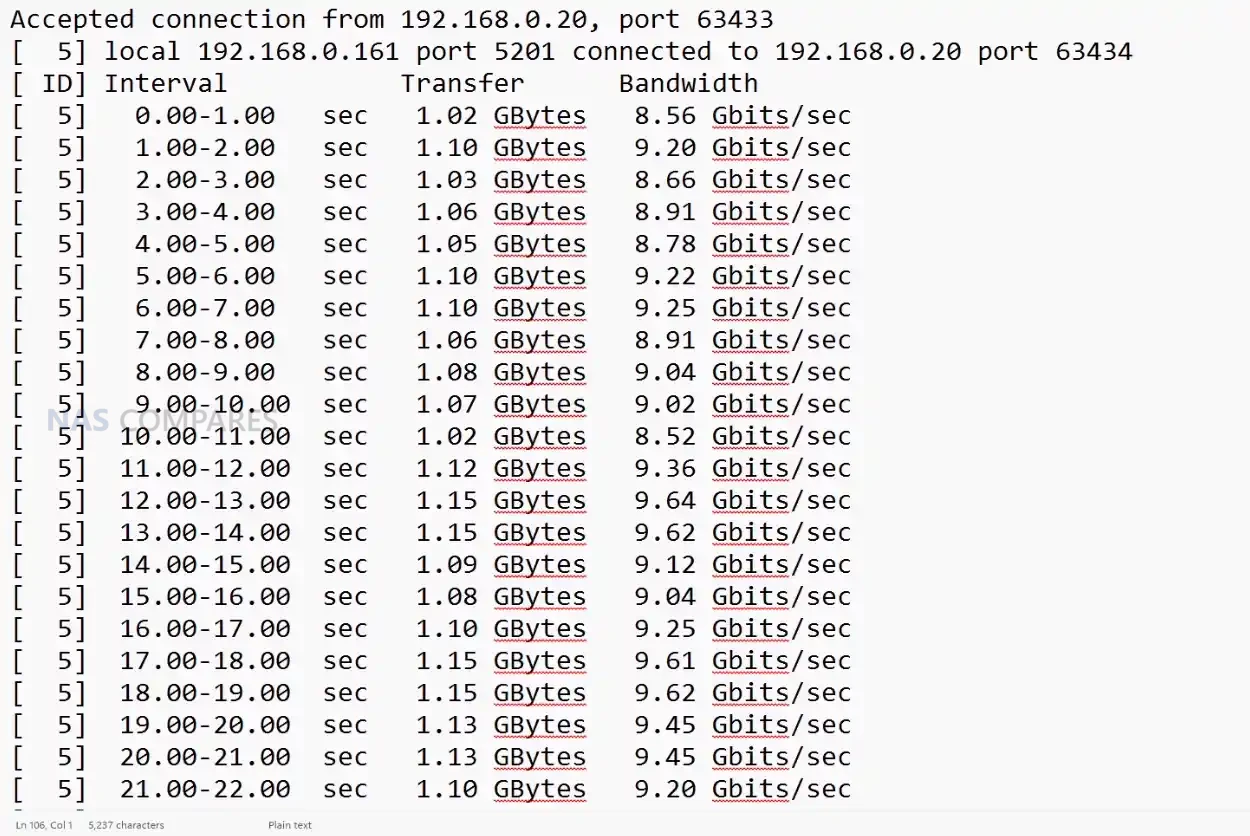
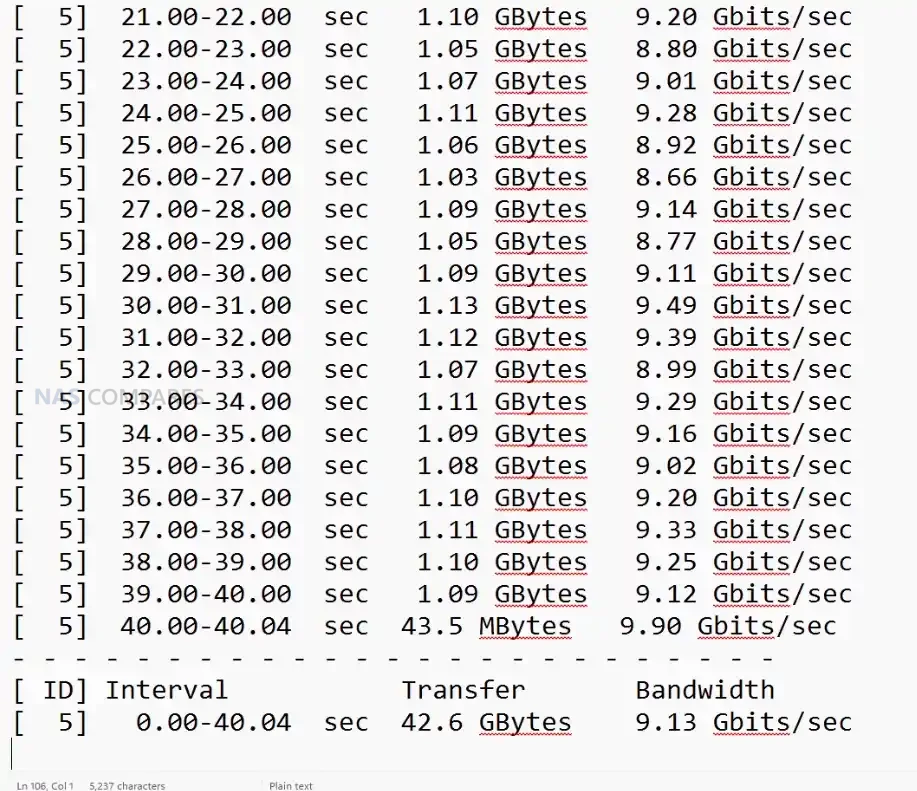
The adapter also showed strong results during SMB based file transfers, which typically stress both network performance and host storage. Using high speed NVMe backed devices such as the Minisforum MSS1 Max and the Asustor Flashstor Gen 2, throughput regularly approached the upper limits of a single 10GbE link and in some cases exceeded 13 to 14 Gbps combined when SMB Multi Channel was enabled. This reflected not only raw link speed but the ability of the device to maintain a stable, predictable data path without drops or thermal throttling. The performance was also consistent during repeated transfers, confirming sustained operation rather than peak only figures.
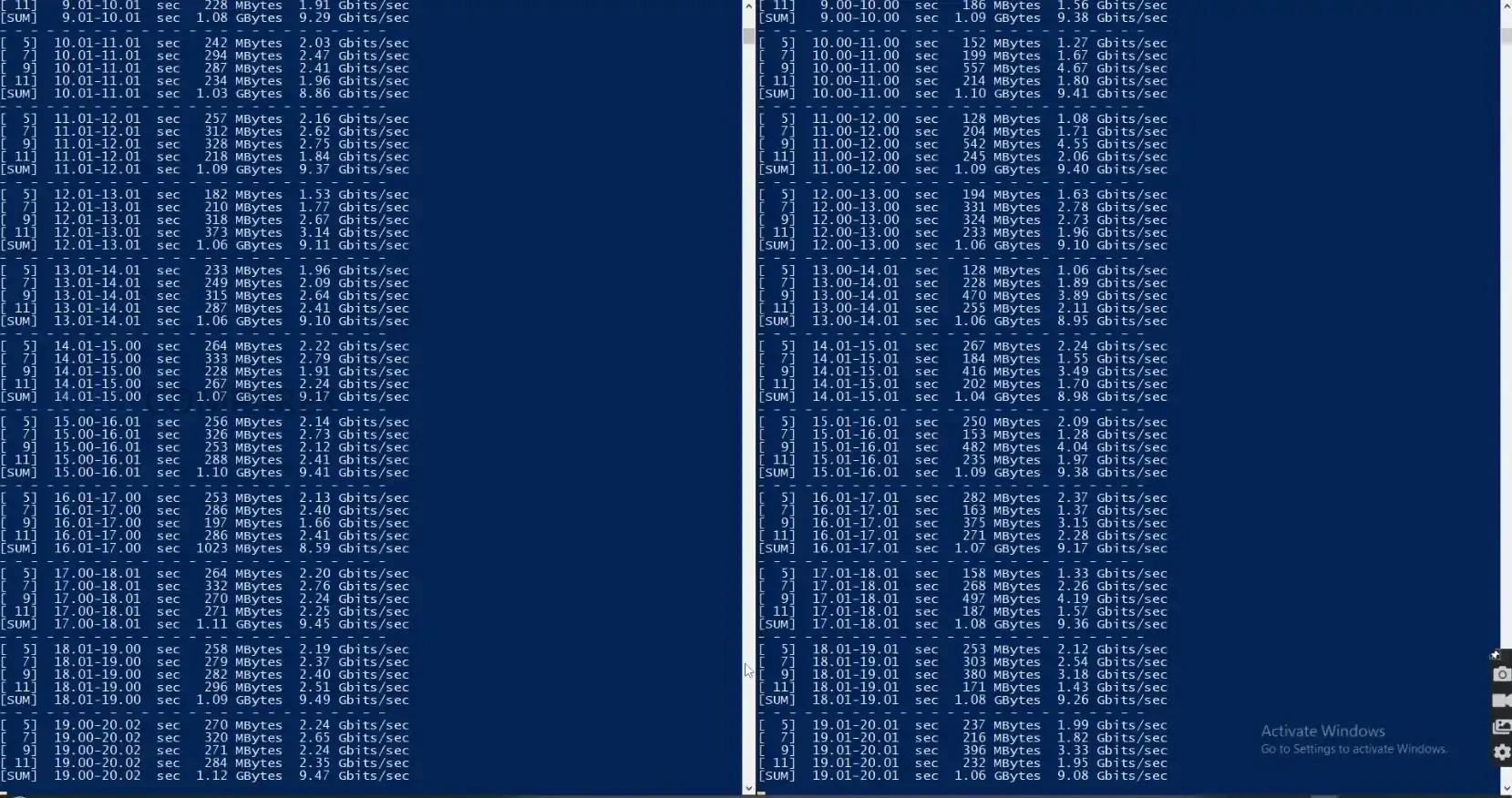
Thermal stability had a direct impact on performance, and the adapter’s multi stage passive cooling structure prevented heat buildup during heavy access. After several minutes of continuous transfer, external surface readings typically ranged from 47 to 51 degrees depending on the measurement point, with the USB interface side remaining cooler than the network side. Even after 24 hours of operation, temperatures remained within a narrow range, and throughput did not degrade. This behaviour contrasts with budget adapters built from stacked controller layers, which often throttle or lose throughput when thermals rise beyond the enclosure’s capacity to dissipate heat.
The adapter performed best when paired with systems that support jumbo frames, high performance modes, and direct NVMe based storage, since these environments can fully exploit dual 10GbE bandwidth. On platforms that lack USB 4 optimisation or rely on generic drivers, performance may vary, and your testing confirmed that most NAS operating systems were unable to recognise the adapter due to limited Thunderbolt or USB 4 networking support. For desktop and mobile clients, however, the performance remained consistent and aligned closely with QNAP’s internal lab measurements, provided that the user installed the appropriate drivers and used the supplied USB 4 certified cable.
QNAP QNA-UC10G2T Review – Verdict & Conclusion

The QNA-UC10G2T positions itself as a specialised tool for users who require reliable dual 10GbE connectivity through a single USB 4 port and are prepared to invest in a more robust architecture than the improvised solutions found in low cost adapters. Its metal chassis, multi stage passive cooling design, and independent AQC113 controllers result in predictable behaviour during long duration workloads, with sustained throughput that remains close to full 10GbE saturation on both ports. The requirement for platform specific drivers and the lack of NAS side support limits its flexibility in certain environments, yet for desktop systems, laptops, and compact workstations, the adapter provides one of the most stable USB based 10GbE implementations currently available.

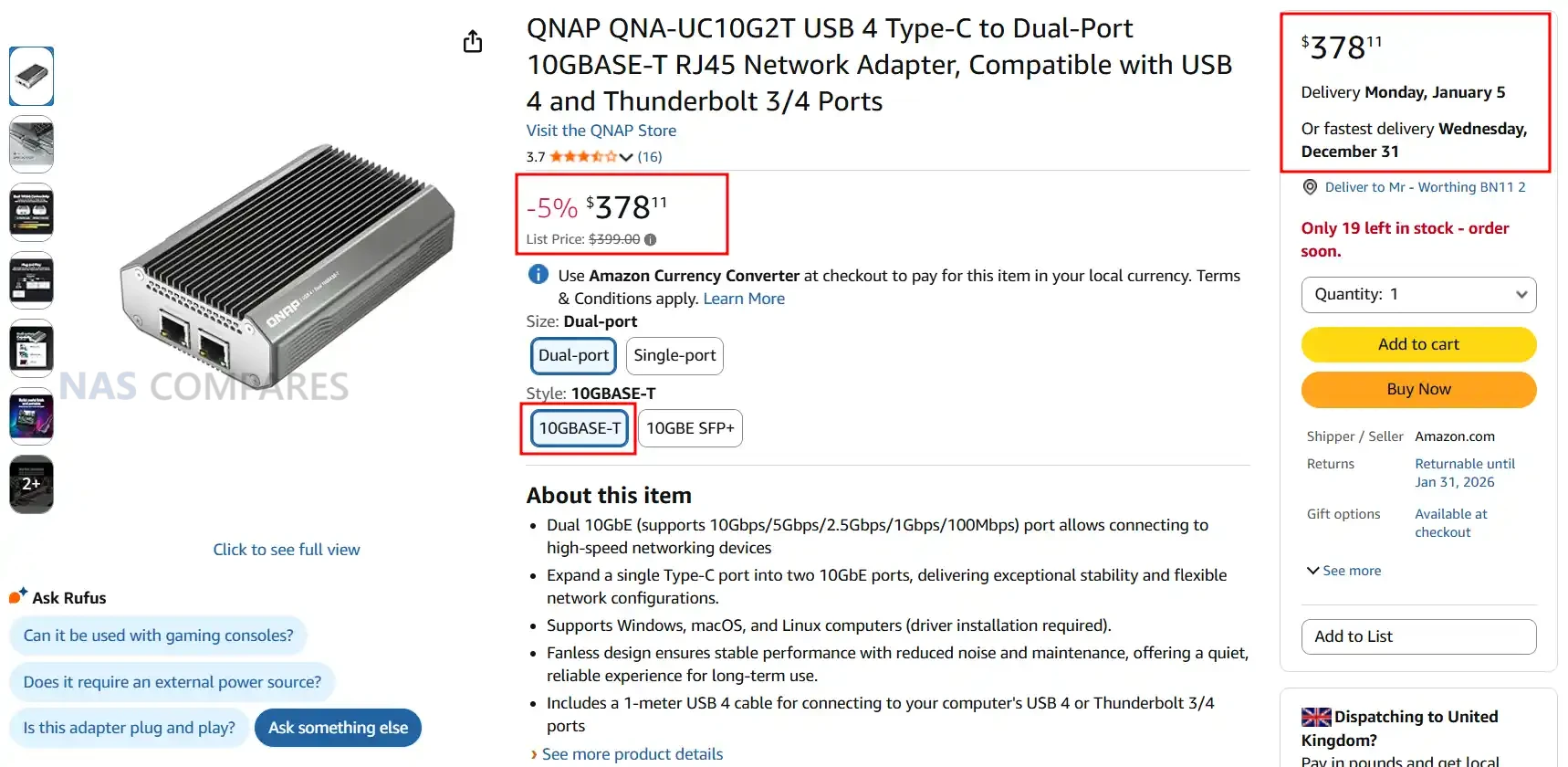
Although priced well above many alternatives, the hardware and performance characteristics position it for users who prioritise reliability over entry level cost. Photographers, editors, engineers, and remote teams who depend on consistent multi gig file transfers may find the premium justified, especially when mobility or small form factor systems prevent installation of PCIe cards. For users simply seeking an inexpensive path to 10GbE, the high cost will be difficult to justify, but for those needing dependable, long term dual port connectivity in a portable form, the QNA-UC10G2T delivers a focused and technically capable solution.
QNAP QNA-UC10G2T Adapter PROs QNAP QNA-UC10G2T Adapter CONs
• Dual AQC113 controllers provide two fully independent 10GbE interfaces
• Sustained throughput remains close to line speed on both ports during long transfers
• Multi stage passive cooling design maintains stable thermals without throttling
• Full metal chassis acts as a large heat spreader for consistent performance
• Broad client OS compatibility with Windows 11, macOS 12.7 to 15.4, and Ubuntu 22.04
• Supports SMB Multi Channel for aggregated bandwidth beyond a single 10GbE link
• USB 4 architecture avoids the bandwidth contention common in low cost adapters
• High purchase price compared with consumer grade USB to 10GbE adapters
• Requires manual driver installation on all supported platforms
• Limited or no support when connected directly to most NAS operating systems at the moment


📧 SUBSCRIBE TO OUR NEWSLETTER 🔔
[contact-form-7]
🔒 Join Inner Circle

Get an alert every time something gets added to this specific article!


Want to follow specific category? 📧 Subscribe

This description contains links to Amazon. These links will take you to some of the products mentioned in today's content. As an Amazon Associate, I earn from qualifying purchases. Visit the NASCompares Deal Finder to find the best place to buy this device in your region, based on Service, Support and Reputation - Just Search for your NAS Drive in the Box Below

Need Advice on Data Storage from an Expert?

Finally, for free advice about your setup, just leave a message in the comments below here at NASCompares.com and we will get back to you. Need Help? Where possible (and where appropriate) please provide as much information about your requirements, as then I can arrange the best answer and solution to your needs. Do not worry about your e-mail address being required, it will NOT be used in a mailing list and will NOT be used in any way other than to respond to your enquiry. [contact-form-7] TRY CHAT Terms and Conditions

If you like this service, please consider supporting us. We use affiliate links on the blog allowing NAScompares information and advice service to be free of charge to you.Anything you purchase on the day you click on our links will generate a small commission which isused to run the website. Here is a link for Amazon and B&H.You can also get me a ☕ Ko-fi or old school Paypal. Thanks!To find out more about how to support this advice service check HEREIf you need to fix or configure a NAS, check Fiver Have you thought about helping others with your knowledge? Find Instructions Here  

 
Or support us by using our affiliate links on Amazon UK and Amazon US
    
 
Alternatively, why not ask me on the ASK NASCompares forum, by clicking the button below. This is a community hub that serves as a place that I can answer your question, chew the fat, share new release information and even get corrections posted. I will always get around to answering ALL queries, but as a one-man operation, I cannot promise speed! So by sharing your query in the ASK NASCompares section below, you can get a better range of solutions and suggestions, alongside my own.

☕ WE LOVE COFFEE ☕


Configure RDP Shortpath with Group Policy and Intune to optimize connections to Azure Virtual Desktop and Windows 365

Enable the rdp shortpath listener for session hosts in intune (image microsoft)
Microsoft announced the general availability (GA) of centralized RDP Shortpath configuration using Intune and Group Policy (GPO). RDP Shortpath is a UDP-based direct transport protocol that establishes connections between Remote Desktop clients and session hosts, reducing latency and improving reliability for Azure Virtual Desktop and Windows 365 Cloud PCs. You can now centrally configure this feature using Group Policy and Microsoft Intune, eliminating the need for manual per-host configuration.

Source

Gl.iNet Reveal the Flint 4 WiFi 7 Router for the First Time

Gl.iNet Flint 4 WiFi7 Router Revealed at CES 2026

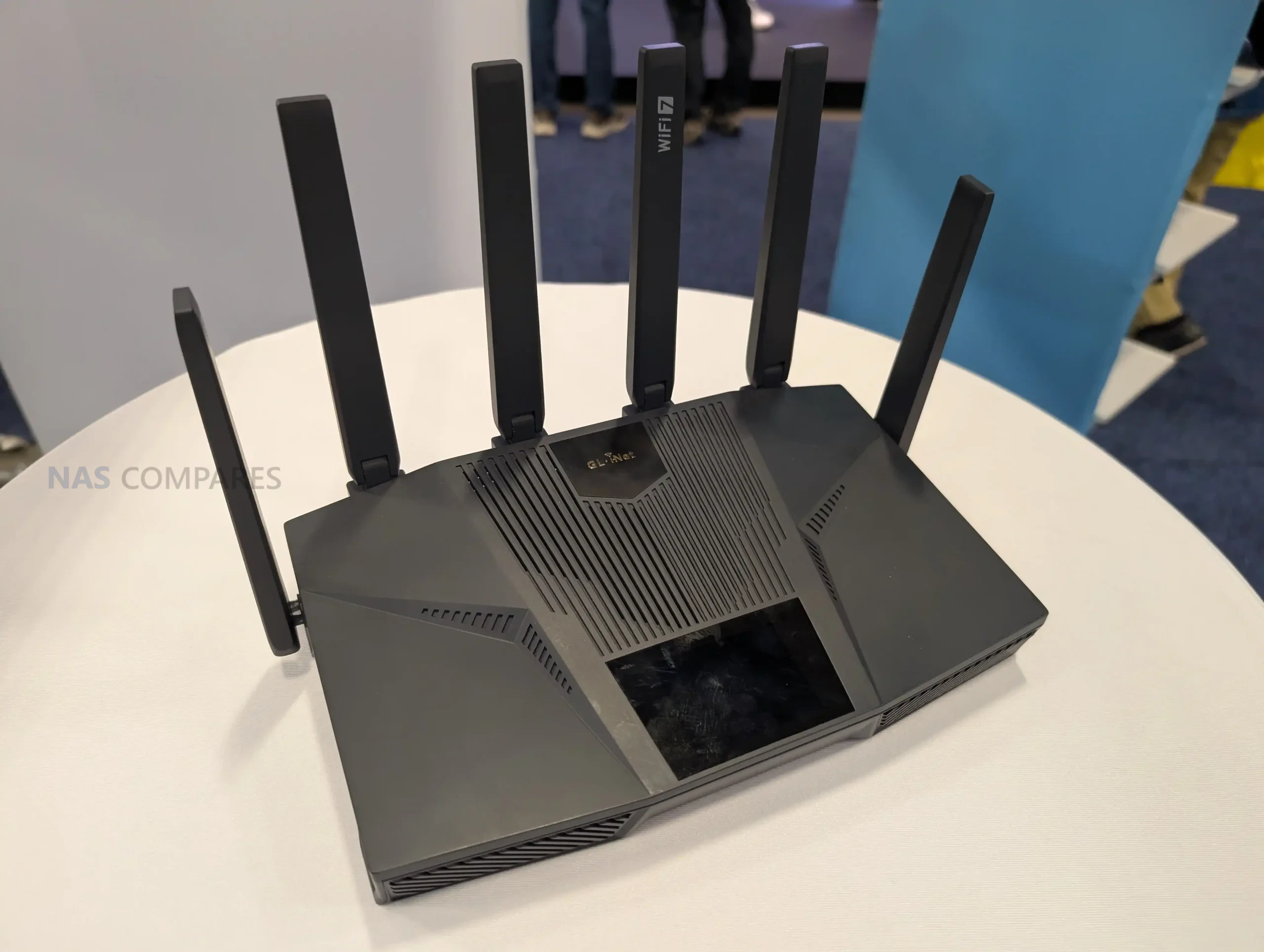
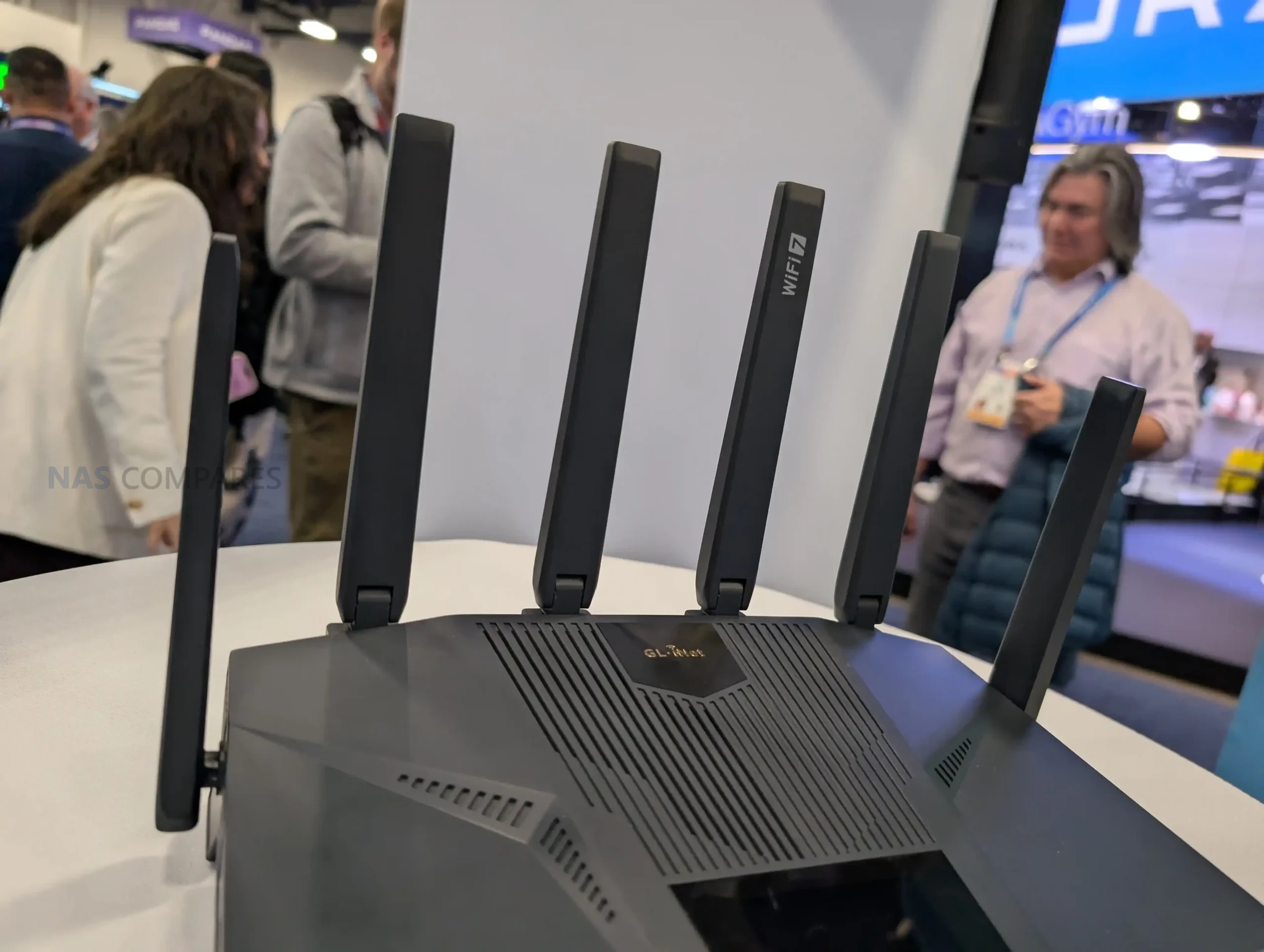
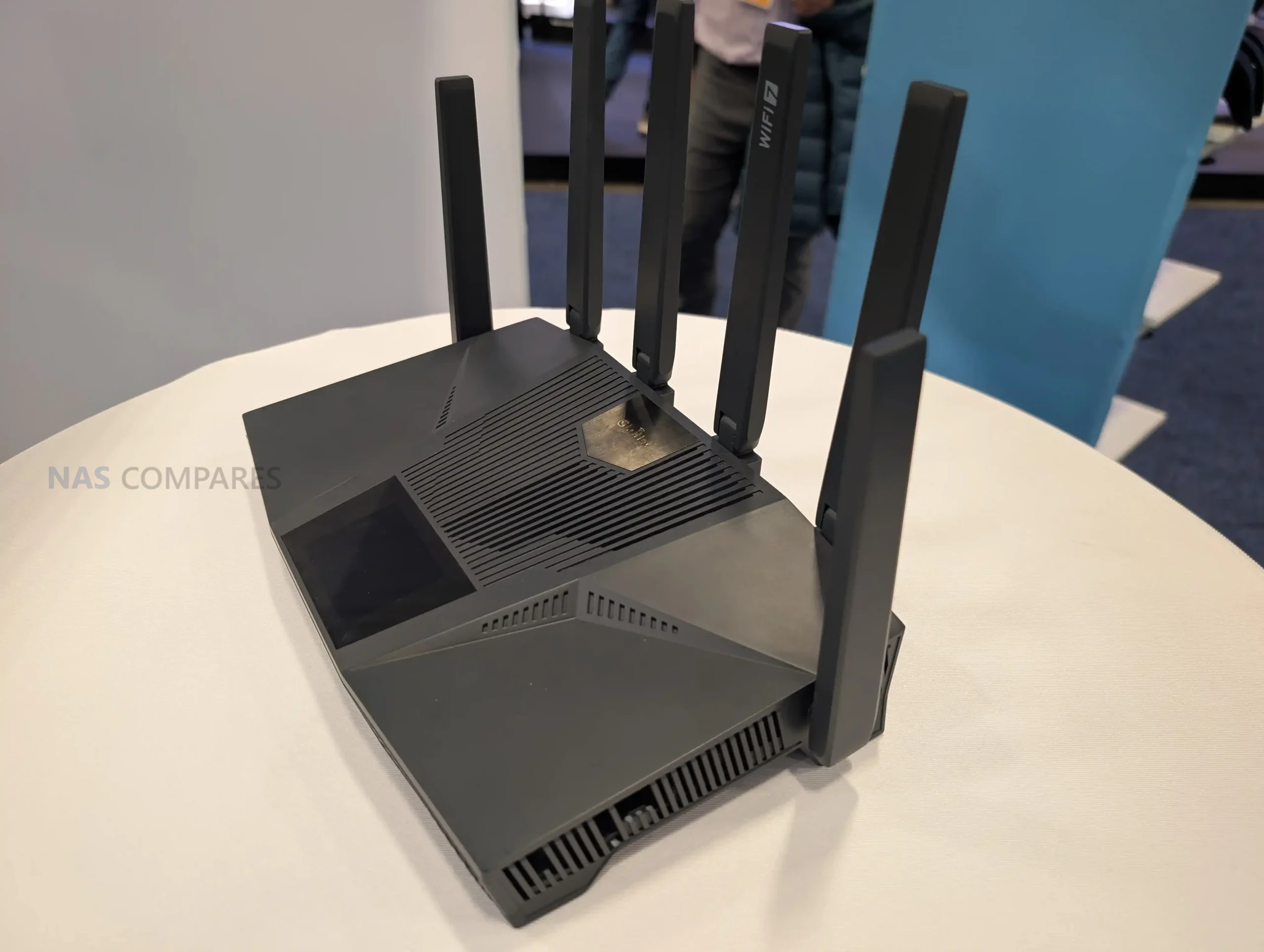
GL.iNet used CES 2026 to preview the Flint 4 as an in-development desktop router, and the prototype shown on the stand reads like a higher-tier extension of what the Flint line has been building toward. The unit on display pairs a more “feature-forward” exterior, including a top-mounted touchscreen, with a port layout aimed at users who want multiple wired speeds in a single device: a 10GbE option via a shared SFP or copper connection, several 2.5GbE ports, and additional 1GbE LAN ports. On the wireless side, it is presented as a Wi-Fi 7 platform expected to cover 2.4 GHz, 5 GHz, and 6 GHz, with 6 external movable antennas, but GL.iNet has not yet locked down details such as whether it stays strictly tri-band or adds a second 5 GHz radio. With RAM and storage still unconfirmed, the safest way to view Flint 4 at this stage is as a prototype focused on connectivity and interface direction rather than a finalized retail spec sheet.

Gl.iNet Flint 4 Router – Everything We Know

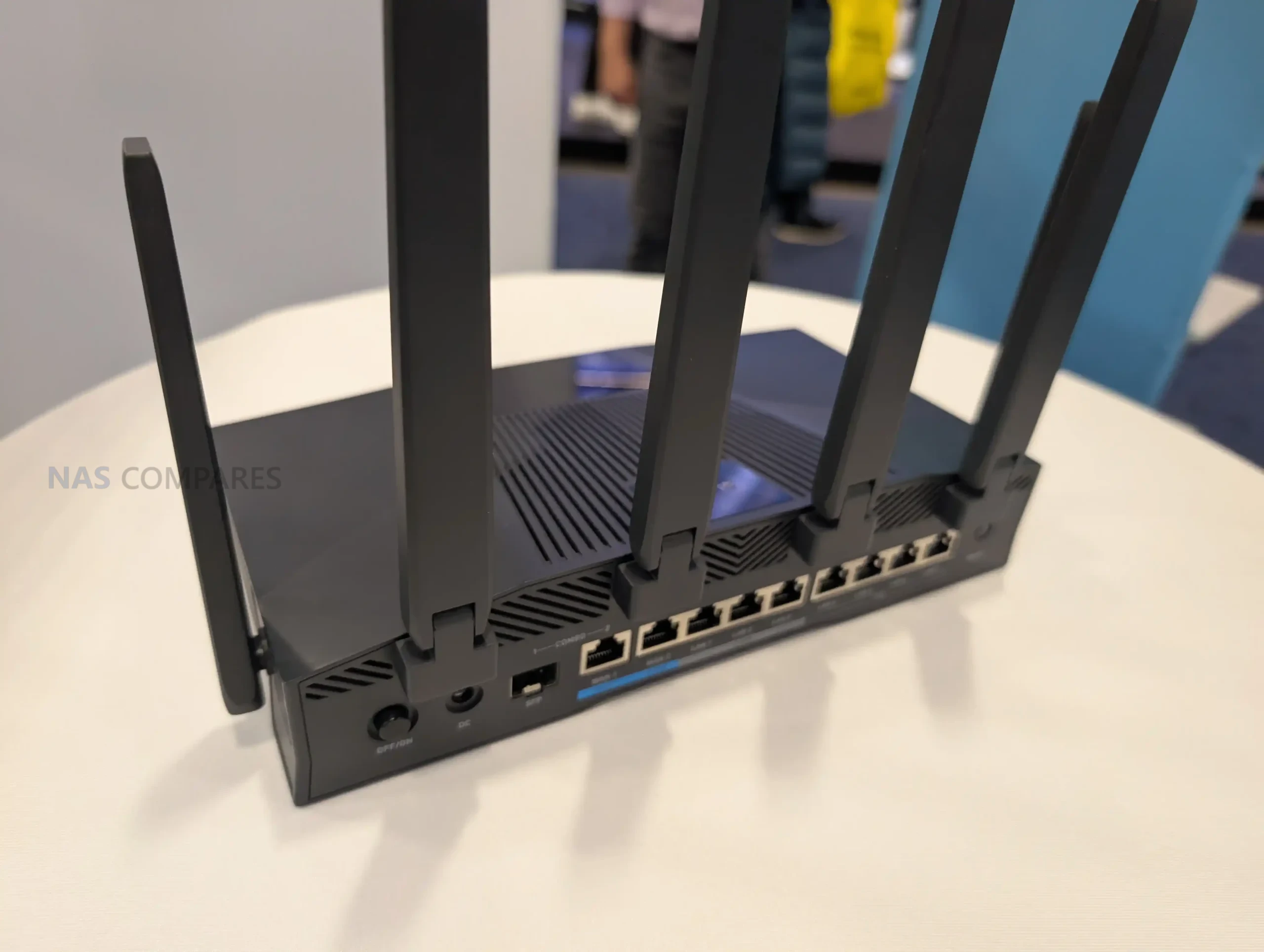
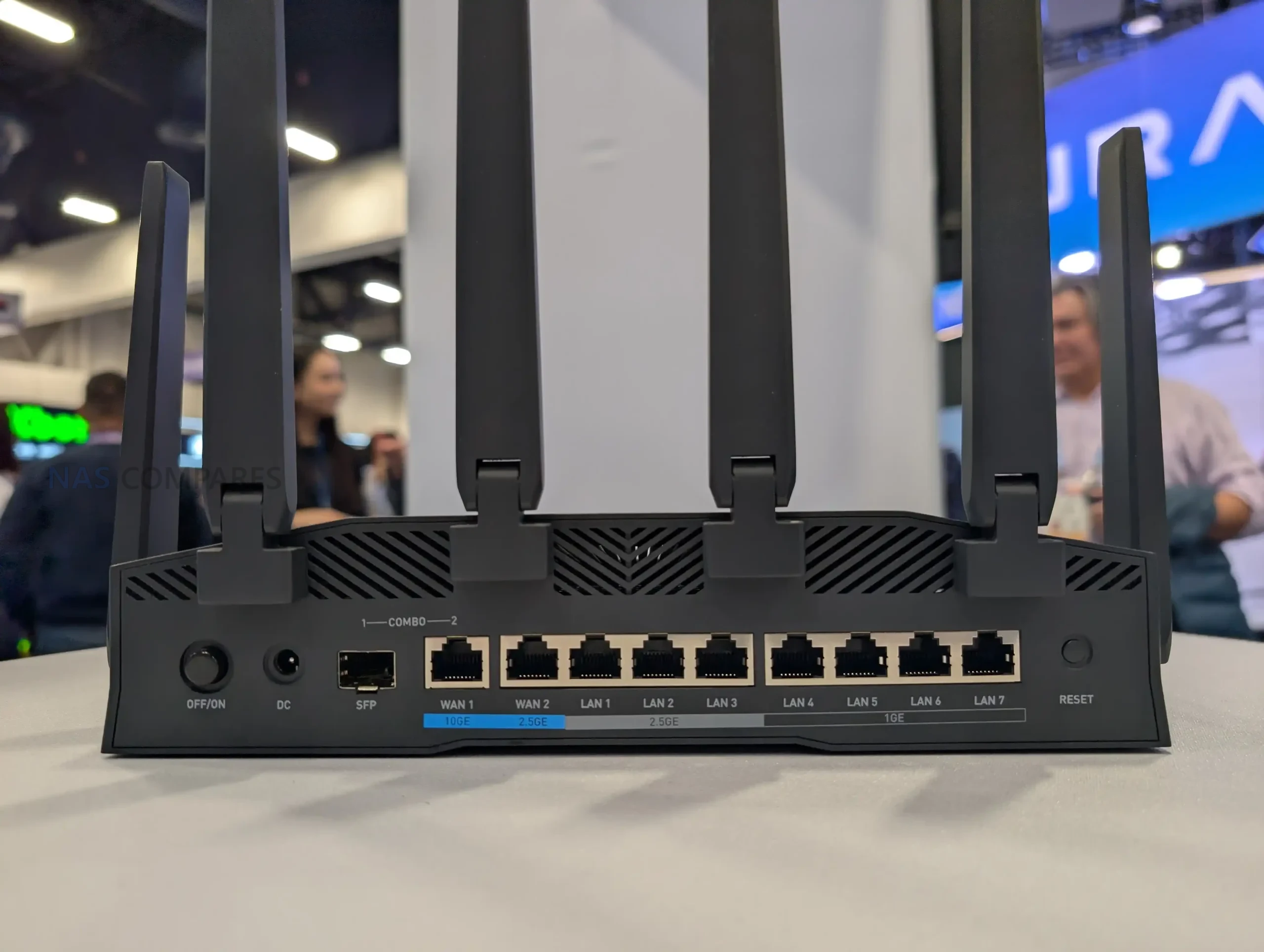
Flint 4 is centered on wired connectivity, combining multiple Ethernet speed tiers in a single chassis. The prototype shows a 10GbE combo arrangement with 1x SFP and 1x 10GBASE-T copper where only 1 of the 10GbE interfaces is intended to be active at a time, and that shared link can be assigned as WAN or LAN. Below that are 4x 2.5GbE ports presented as 1x WAN and 3x LAN, plus 4x 1GbE LAN ports for additional wired clients.

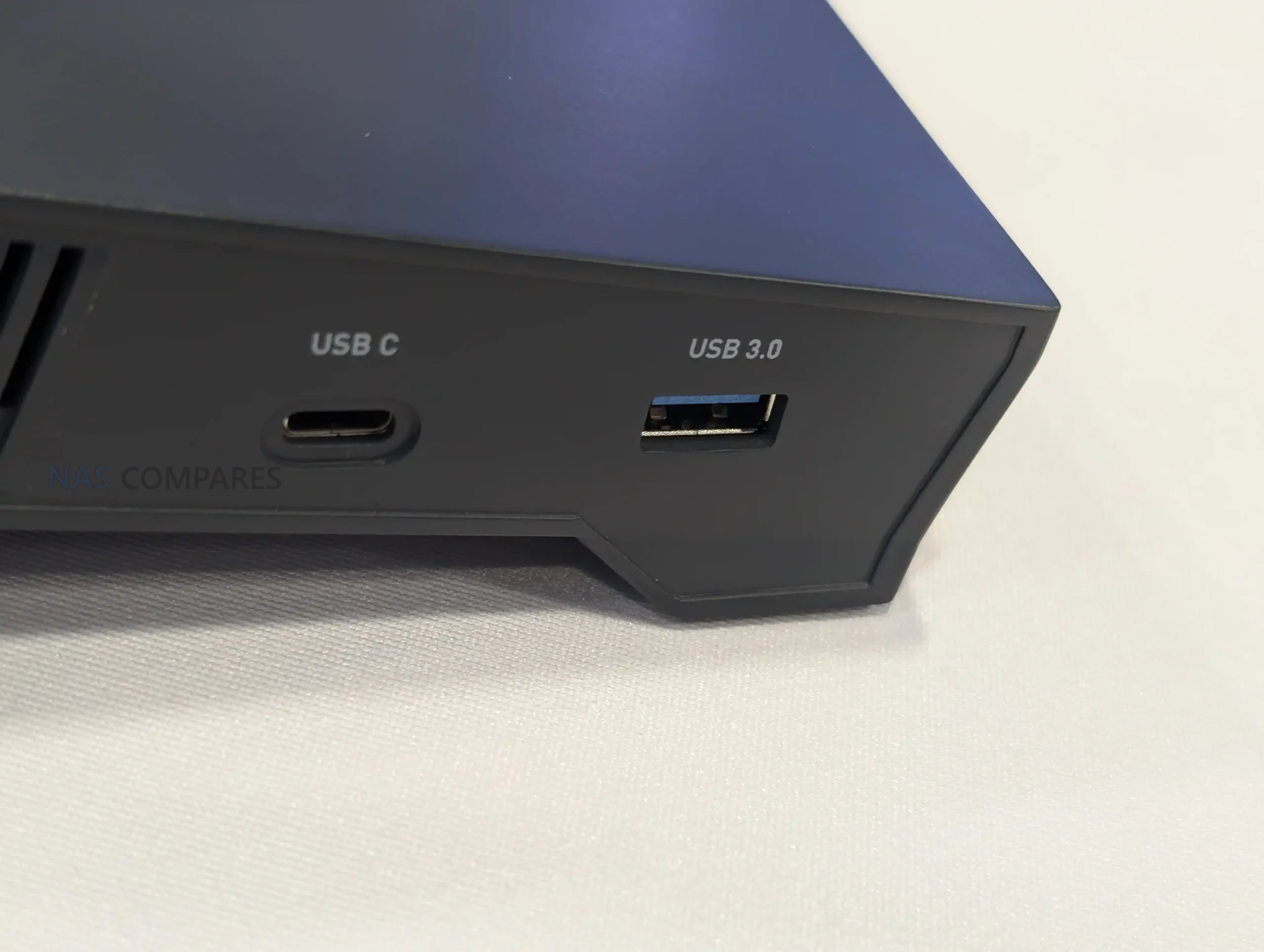
On the USB side, the unit shown includes 2 ports: 1x USB-C and 1x USB-A. Both are described as 5 Gb/s, which positions them for common router add-ons such as external storage, tethering, or peripheral connectivity, depending on how GL.iNet implements the final firmware support.

Wireless is described as Wi-Fi 7 with support spanning 2.4 GHz, 5 GHz, and 6 GHz, but the exact radio layout is not confirmed. In the CES prototype discussion, GL.iNet could not confirm whether the final design stays at 3 bands or adds a second 5 GHz radio, which would affect how it handles simultaneous clients, channel width choices, and multi-link operation in practice.

The antenna design is a visible part of the hardware approach, with 6 external movable antennas shown on the prototype. The intent is clearly desktop coverage rather than travel portability, and the final tuning and band distribution across those antennas is likely to depend on the confirmed radio configuration.

Processing is described as a quad-core MediaTek platform. No clock rate or specific model is provided in the details you shared, so performance expectations should be framed around the feature set implied by the port configuration and Wi-Fi 7 support rather than any confirmed throughput numbers.

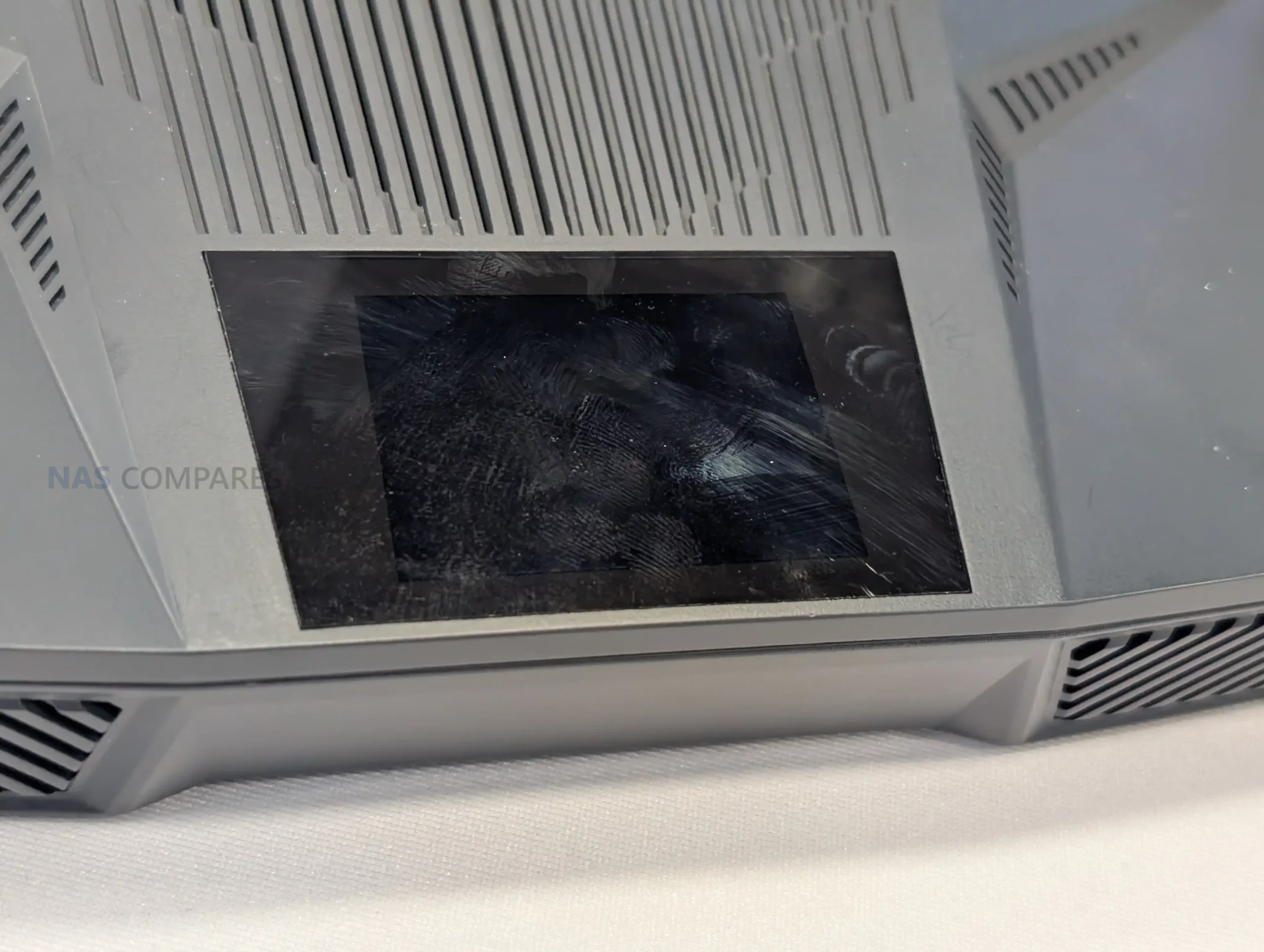
A top-mounted touchscreen display is built into the design, which is a change from the typical Flint-style front-panel indicators. GL.iNet has not stated what the interface will expose in retail firmware, but the inclusion suggests on-device visibility for status and basic controls rather than relying solely on a browser or app for routine checks.

Gl.iNet Flint 4 Router – Worth Waiting For?

Flint 4, as shown at CES 2026, is a prototype built around a connectivity-first spec, combining a 10GbE combo interface with additional 2.5GbE and 1GbE ports, dual 5 Gb/s USB, and a Wi-Fi 7 design that is expected to cover 2.4 GHz, 5 GHz, and 6 GHz. The addition of a top-mounted touchscreen and 6 external antennas further separates it from smaller GL.iNet products, indicating a desktop router intended for heavier home or small-office use rather than travel scenarios.

At the same time, several core details remain unresolved, including the final wireless radio configuration as well as RAM and storage. Because the unit is still in early development, the most accurate takeaway is the direction of the product rather than a final purchasing proposition: GL.iNet is exploring a Flint-series router with aggressive physical I/O and a more direct on-device interface, but the final performance and positioning will depend on the hardware choices that are still listed as TBC.

📧 SUBSCRIBE TO OUR NEWSLETTER 🔔
[contact-form-7]
🔒 Join Inner Circle

Get an alert every time something gets added to this specific article!


Want to follow specific category? 📧 Subscribe

This description contains links to Amazon. These links will take you to some of the products mentioned in today's content. As an Amazon Associate, I earn from qualifying purchases. Visit the NASCompares Deal Finder to find the best place to buy this device in your region, based on Service, Support and Reputation - Just Search for your NAS Drive in the Box Below

Need Advice on Data Storage from an Expert?

Finally, for free advice about your setup, just leave a message in the comments below here at NASCompares.com and we will get back to you. Need Help? Where possible (and where appropriate) please provide as much information about your requirements, as then I can arrange the best answer and solution to your needs. Do not worry about your e-mail address being required, it will NOT be used in a mailing list and will NOT be used in any way other than to respond to your enquiry. [contact-form-7] TRY CHAT Terms and Conditions
If you like this service, please consider supporting us. We use affiliate links on the blog allowing NAScompares information and advice service to be free of charge to you.Anything you purchase on the day you click on our links will generate a small commission which isused to run the website. Here is a link for Amazon and B&H.You can also get me a ☕ Ko-fi or old school Paypal. Thanks!To find out more about how to support this advice service check HEREIf you need to fix or configure a NAS, check Fiver Have you thought about helping others with your knowledge? Find Instructions Here  

 
Or support us by using our affiliate links on Amazon UK and Amazon US
    
 
Alternatively, why not ask me on the ASK NASCompares forum, by clicking the button below. This is a community hub that serves as a place that I can answer your question, chew the fat, share new release information and even get corrections posted. I will always get around to answering ALL queries, but as a one-man operation, I cannot promise speed! So by sharing your query in the ASK NASCompares section below, you can get a better range of solutions and suggestions, alongside my own.

☕ WE LOVE COFFEE ☕


Gl.iNet Beryl 7 WiFi 7 Travel Router Revealed

The Beryl 7 from Gl.iNet Finally Revealed

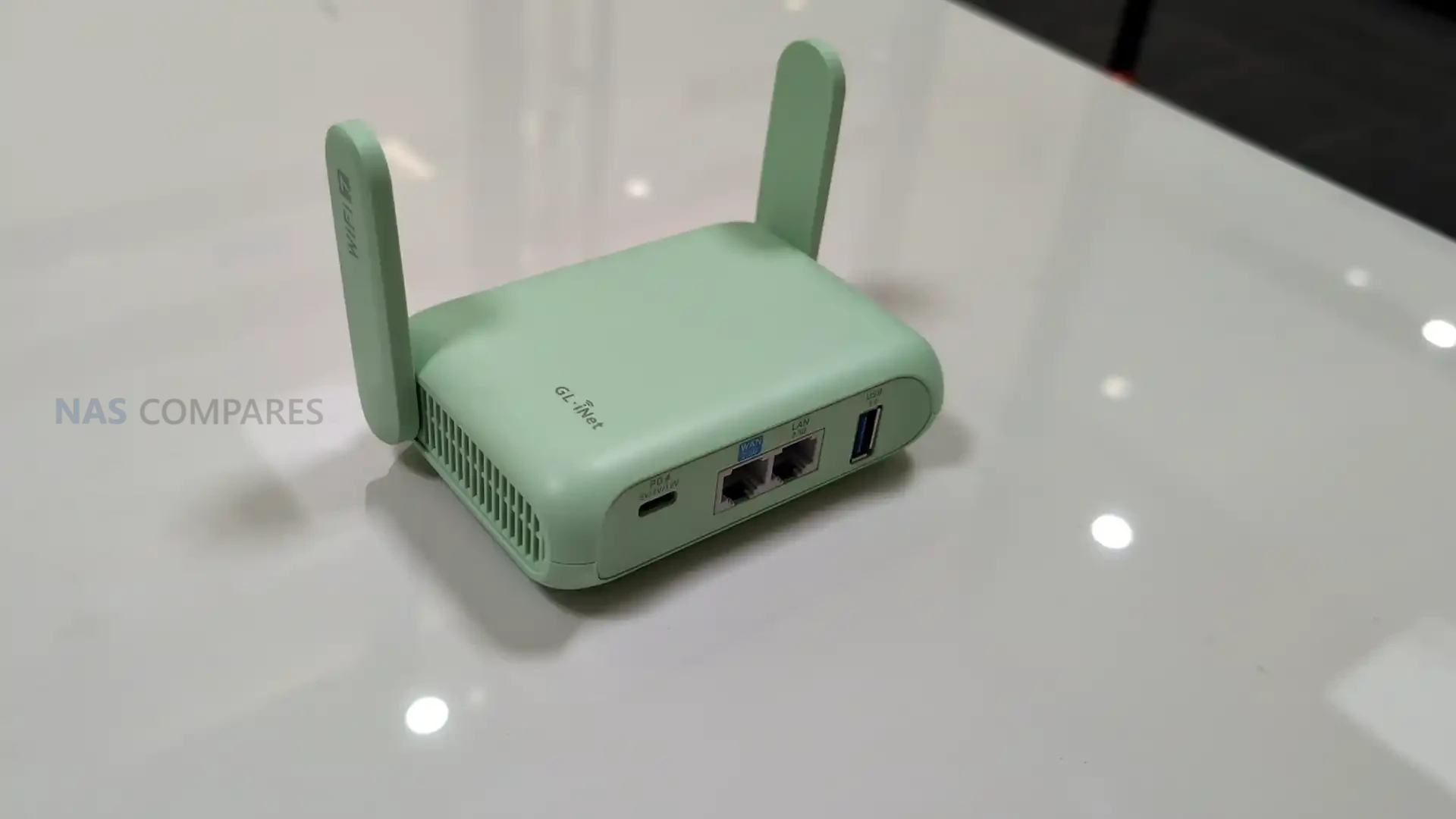
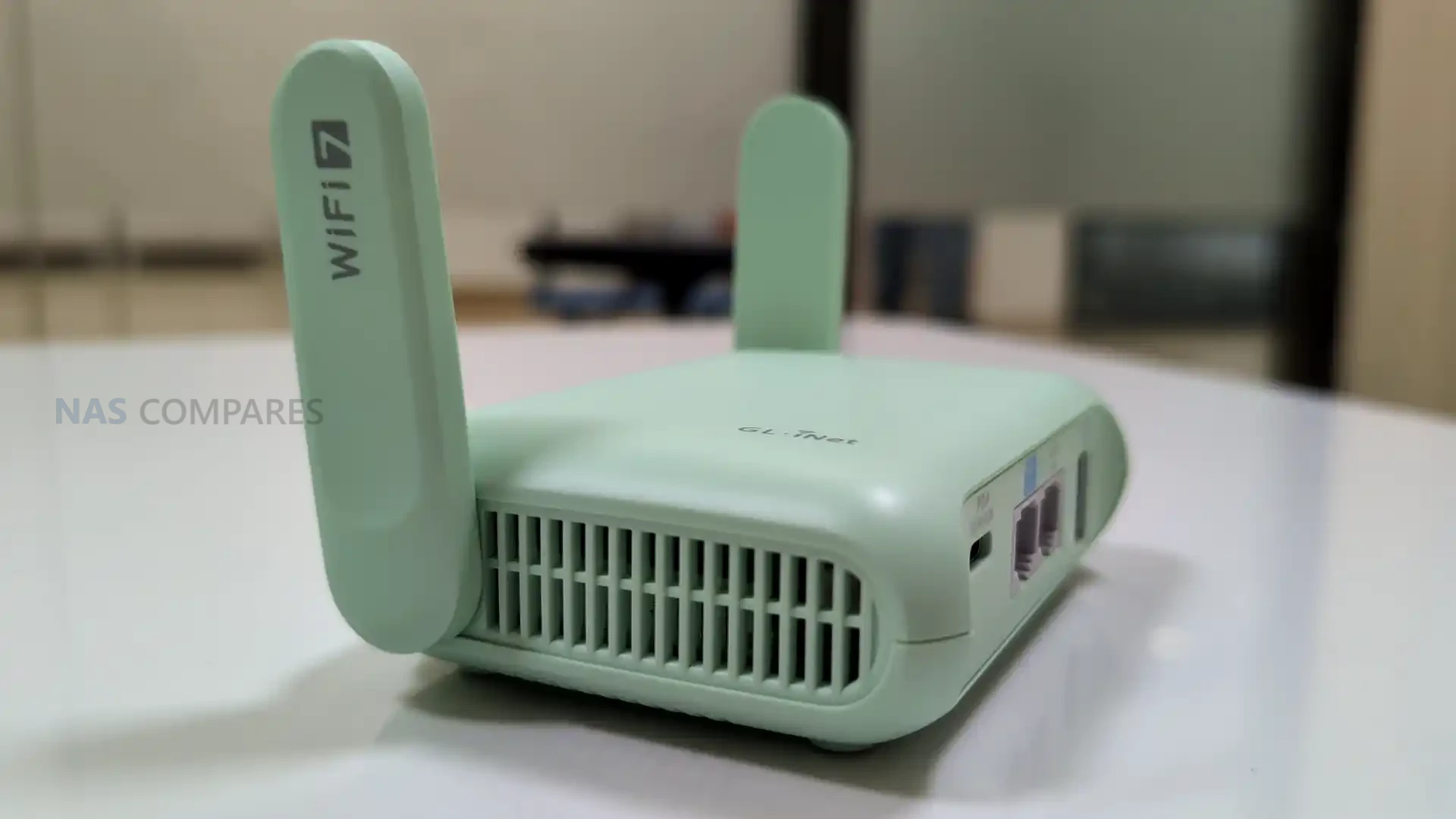
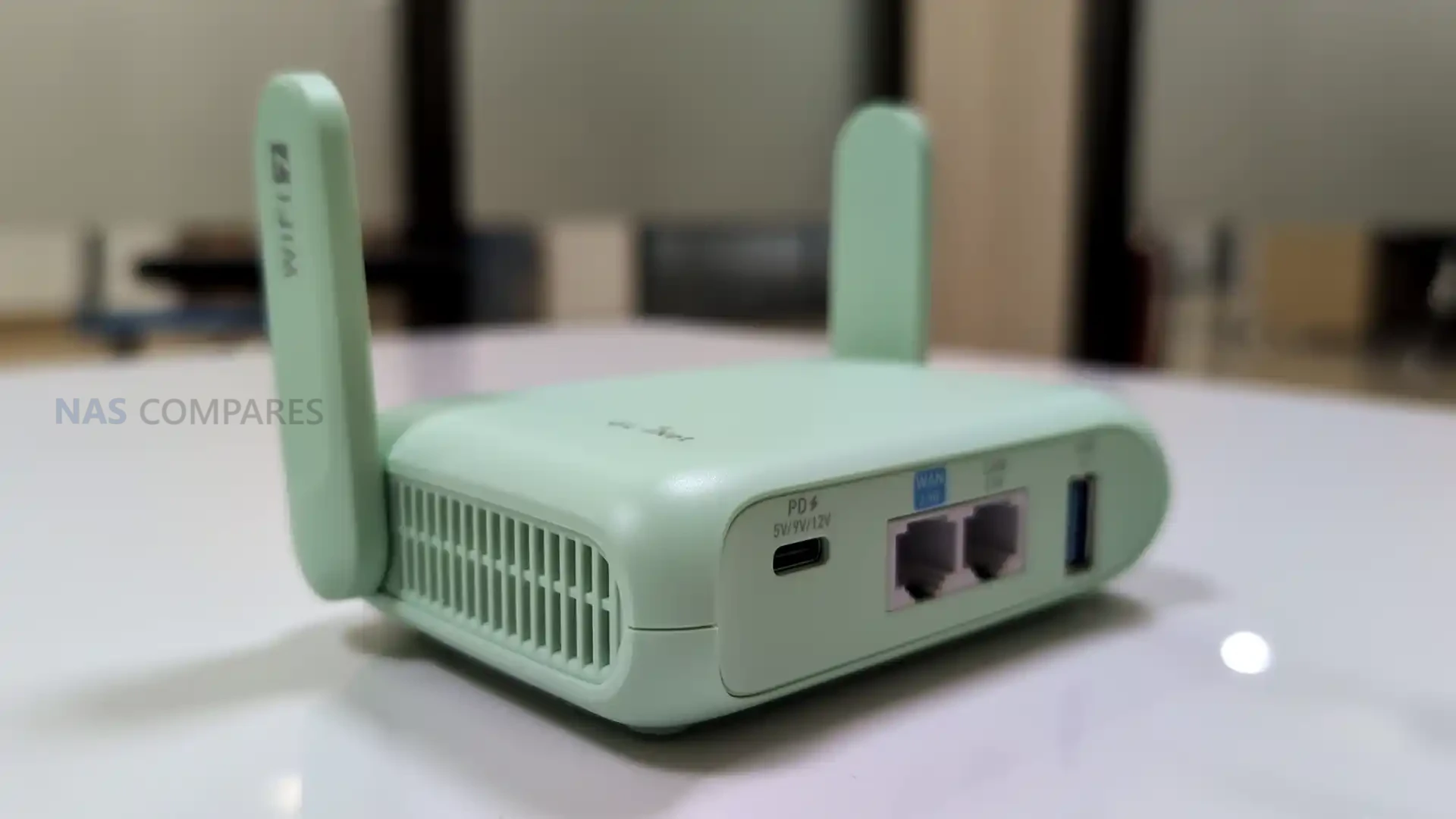
On January 6, 2026, day 1 of CES 2026, Gl.iNet is highlighting the Beryl 7 (GL-MT3600BE) as an upcoming travel router positioned below the company’s more premium Slate 7 in the same Wi-Fi 7 travel category. The device is being presented as a successor direction to the earlier Beryl AX generation, with Gl.iNet focusing its messaging on VPN throughput, portable use, and the practical ports and power features that matter when the router is used on the road. Pricing and a firm release date have not been included in the information shared so far.

In its CES materials, Gl.iNet describes Beryl 7 as a compact, dual-band Wi-Fi 7 model aimed at users who want higher encrypted throughput without stepping up to a larger, more feature-heavy travel router. Key claims include up to 1100Mbps on OpenVPN-DCO and WireGuard, dual 2.5G Ethernet capability, and support for 120+ connected devices, alongside USB Power Delivery compatibility and a 5V/2A power output intended to integrate cleanly with uFi and MiFi devices for primary or backup WAN use.

Item Detail
Product name Gl.iNet Beryl 7
Model GL-MT3600BE
Wi-Fi Dual-band Wi-Fi 7
Frequency 2.4GHz, 5GHz
Wi-Fi speeds 688Mbps (2.4GHz), 2882Mbps (5GHz)
Wireless protocols 802.11a/b/g/n/ac/ax/be
CPU MediaTek, quad-core @ 2.0GHz
Memory 512MB DDR4
Flash 512MB NAND
VPN performance claim Up to 1100Mbps on OpenVPN-DCO and WireGuard
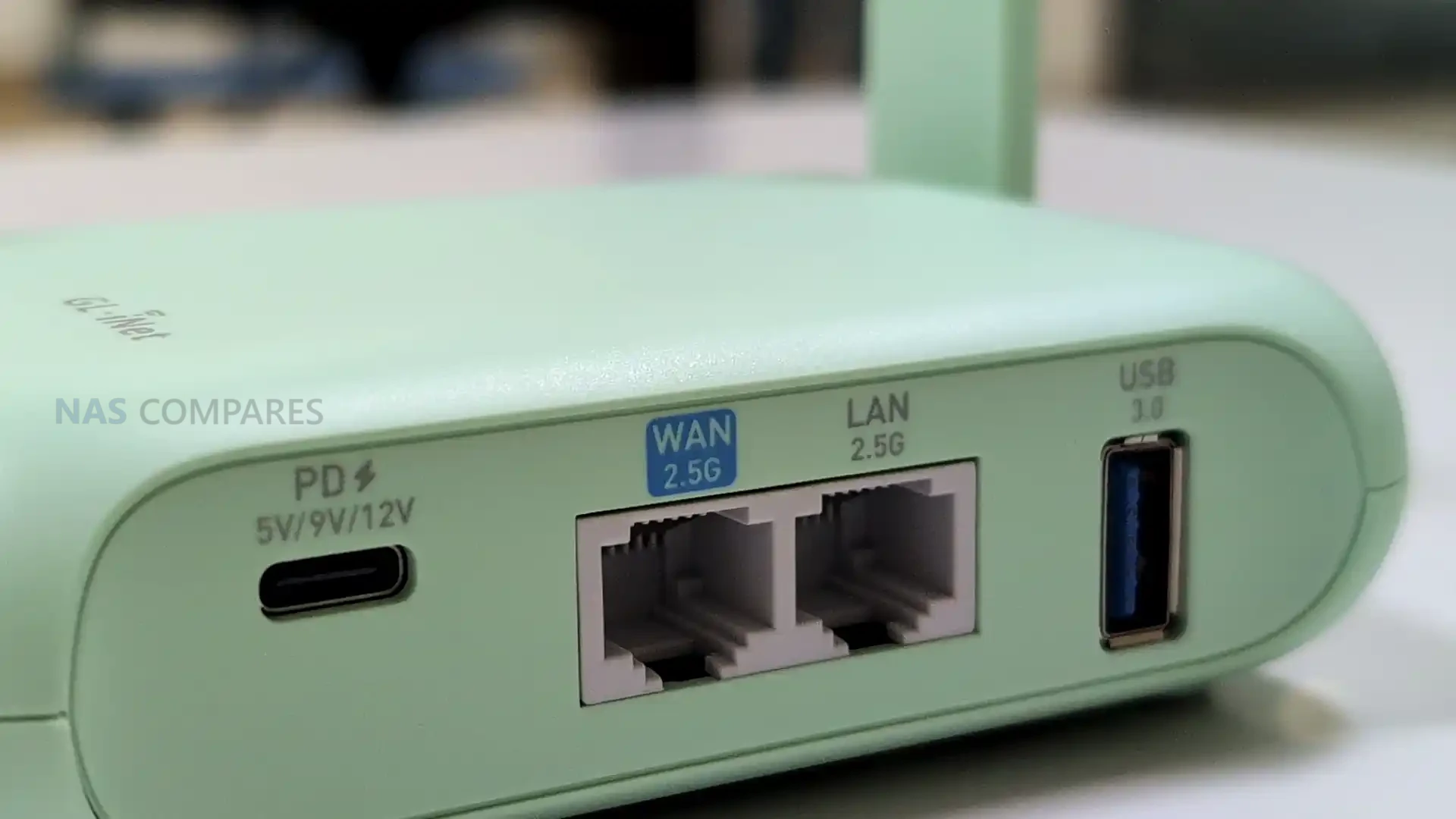
Ethernet 1x WAN, 1x LAN
Ethernet speed 100/1000/2500Mbps
USB 1x USB 3.0
Power input USB PD 5V/3A, 9V/3A, 12V/2.5A
Power consumption <12W
Power output 5V/2A
Dimensions / weight 120 x 83 x 34mm / 205g
Operating temperature 0C to 40C
Built-in battery None (USB-C powered)
SIM / eSIM None (no SIM or eSIM Support)

Gl.iNet Beryl 7 Travel Router – Design & Portability

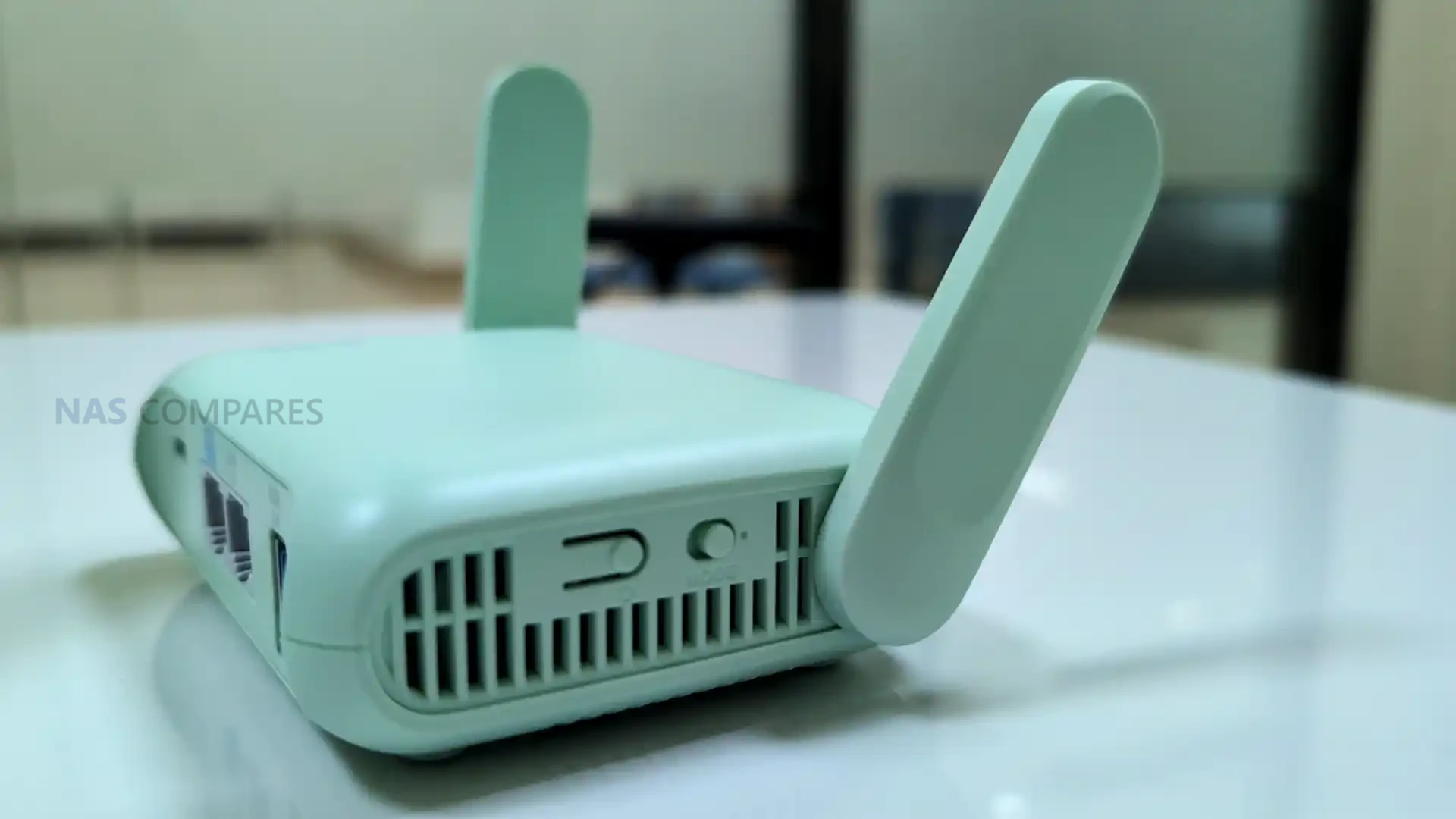
The Beryl 7 measures at 120 x 83 x 34mm and 205 grams, placing it in the small-router class rather than the pocket-hotspot style. Compared with battery-powered travel routers, the added thickness is consistent with a design that prioritizes full-size ports and airflow while still staying compact enough for a backpack or a small tech pouch. Gl.iNet also lists an operating temperature range of 0C to 40C, which sets basic expectations for typical indoor and travel use, even though performance under sustained load will still depend on ventilation and ambient conditions.

Unlike cellular travel routers, the Beryl 7 is designed to be powered externally rather than running from an internal battery, so it is closer in use to a small plug-in router than a self-contained hotspot. It takes USB-C power via USB Power Delivery and is specified for 5V/3A, 9V/3A, or 12V/2.5A input, which keeps powering simple with common phone and laptop adapters and most power banks that support PD. Gl.iNet also lists a 5V/2A power output, intended to pair with uFi and MiFi devices when you want the router to sit in front of a separate upstream connection and keep that upstream device powered from the same setup.

Gl.iNet Beryl 7 Travel Router – Connectivity

The Beryl 7 is a dual-band Wi-Fi travel router rather than a cellular router. It does not include a SIM slot or eSIM support, which means it is not designed to connect directly to a carrier network on its own. In practice, internet access is expected to come from an upstream source such as a wired connection, USB tethering, or an external hotspot or modem that provides the WAN link. This approach matches travel setups where the router’s job is to manage your local network and security policies, while a separate device handles mobile connectivity when needed.

On the wireless side, the Beryl 7 supports 802.11a/b/g/n/ac/ax/be and operates on 2.4GHz and 5GHz. The published maximum rates are 688Mbps on 2.4GHz and 2882Mbps on 5GHz, which sets its theoretical peak figures for those bands. Because there is no 6GHz band listed, it will not have access to the cleaner spectrum that some tri-band Wi-Fi 7 routers use to reduce congestion in dense environments. Real-world performance will still depend heavily on client device capability, channel conditions, and how crowded the local RF environment is, especially in hotels, apartments, or event venues.

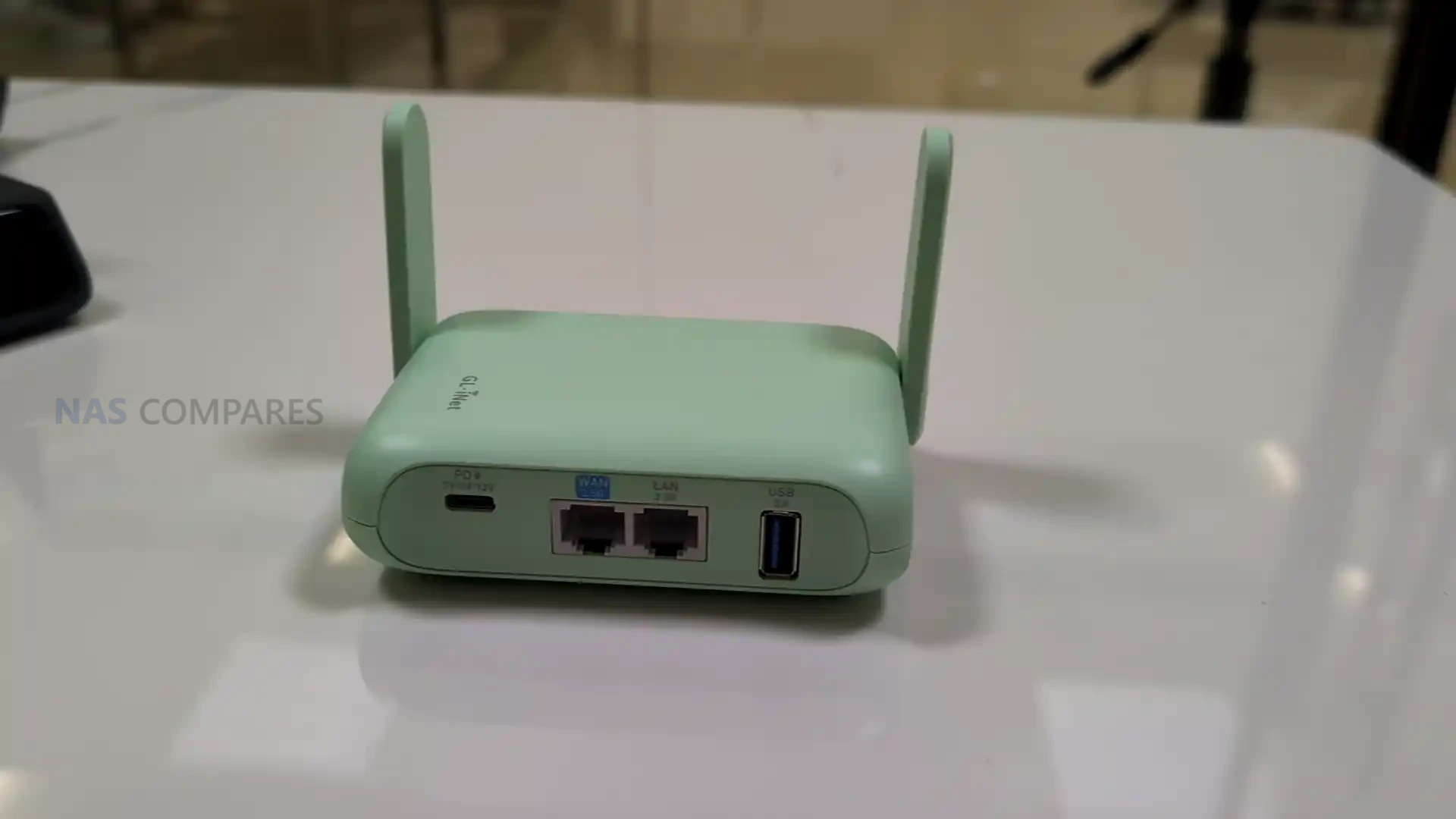
For wired networking, the Beryl 7 includes 1x WAN and 1x LAN, with both ports rated at 100/1000/2500Mbps. Having 2.5Gbps capability on both sides can matter if you are connecting to faster-than-gigabit service, or if you want to avoid bottlenecking a wired client such as a laptop dock, mini PC, or NAS while the router is also handling wireless clients. The dedicated WAN and LAN labeling also suggests a straightforward topology for travel use, where the router can sit between a wired uplink and your personal devices without requiring additional switches. Specific options like port re-assignment or multi-WAN behavior are still dependent on the final firmware feature set.

For tethering and peripherals, the router includes 1 USB 3.0 port. Gl.iNet’s positioning also references pairing it with uFi and MiFi devices for primary or backup WAN use, which aligns with common travel workflows where a hotspot provides the upstream connection and the router distributes it to multiple devices. Depending on software support, USB can also be relevant for other functions such as attaching storage for basic file sharing, but those capabilities are not confirmed solely by the presence of the port. The practical takeaway is that the Beryl 7’s connectivity design focuses on managing and distributing an external internet source rather than replacing that source with built-in cellular hardware.

Gl.iNet Beryl 7 Travel Router – Internal Hardware

The Beryl 7 is specified with a MediaTek quad-core CPU clocked at 2.0GHz. Gl.iNet has not stated the exact chipset model in the material provided, so it is difficult to compare directly against specific MediaTek families used in other routers, but the listed clock speed and core count indicate it is intended to handle routing and VPN workloads beyond basic hotspot sharing. How that translates in practice will depend on the final firmware feature mix and how much processing overhead is added by enabled services. Memory is listed as 512MB of DDR4. That capacity is typically sufficient for a travel router doing standard routing, firewalling, and VPN duties, but it can become a limiting factor if heavy logging, multiple concurrent services, or more advanced packages are enabled. In practical use, headroom will depend on how Gl.iNet tunes the stock firmware and whether the router is expected to run additional features beyond its default configuration. Storage is specified as 512MB of NAND flash. This is a smaller onboard footprint than some higher-end travel routers that use multi-gigabyte eMMC, and it generally implies a tighter space budget for the base firmware image, installed packages, and retained logs. It also means features that rely on persistent local storage may be more constrained unless Gl.iNet provides options to offload data to external storage via USB.

Gl.iNet Beryl 7 Travel Router – Software & Services

Gl.iNet is presenting the Beryl 7 as part of its travel router lineup, which typically uses the company’s GL.iNet firmware with a web-based management interface. That software approach tends to balance simplified setup for common tasks with access to more detailed configuration when needed, which is relevant for travel scenarios where you may want quick changes without digging through advanced menus.

For this model in particular, VPN is the main emphasis in Gl.iNet’s CES messaging. The company is making a specific performance claim of up to 1100Mbps on OpenVPN-DCO and WireGuard, positioning encrypted throughput as a headline reason to choose the Beryl 7 over older Beryl models or lower-end travel routers. Actual results will still depend on factors such as upstream bandwidth, server performance, encryption settings, and network conditions.

Gl.iNet also highlights Amnezia VPN support as part of the Beryl 7’s privacy and censorship-bypass positioning. That places the router within the company’s broader direction of expanding VPN tooling and privacy-related options across its travel lineup, though the exact implementation details for the Beryl 7 will come down to the shipping firmware and how features are exposed in the final interface.

Beyond VPN-related claims, Gl.iNet has not published a complete, model-specific list of software functions for the Beryl 7. Features that appear across other Gl.iNet travel routers, such as traffic controls, DNS and filtering options, remote access services, and package-style add-ons, may be present, but they are not confirmed by the hardware spec sheet alone. For ownership considerations, the missing pieces remain the update cadence, support window, and any limitations imposed by the device’s relatively small flash storage.

Gl.iNet Beryl 7 Travel Router – Conclusion

As presented on day 1 of CES 2026, the Beryl 7 (GL-MT3600BE) is positioned as a more affordable Wi-Fi 7 travel router option that sits below the Slate 7 in capability and likely in price, while serving as the next step after the Beryl AX generation. Its core proposition is a compact, USB-C powered router that focuses on high VPN throughput, dual-band Wi-Fi, and practical wired networking for travel setups. The specification sheet outlines a MediaTek quad-core 2.0GHz platform with 512MB DDR4 and 512MB NAND, paired with 2.5Gbps-capable WAN and LAN ports, plus a USB 3.0 port. It does not include an internal battery and it has no SIM or eSIM support, which means it is designed to sit behind an external internet source such as hotel Ethernet, phone tethering, or a dedicated hotspot. Power is handled through USB Power Delivery, and Gl.iNet also lists a 5V/2A output intended to keep an upstream mobile device powered in a single-cable travel arrangement.

The remaining unknowns are mostly around launch details and how the final firmware is packaged for a device with limited flash storage. Gl.iNet has not published pricing or a release date, and it has not provided a full, model-specific breakdown of software features beyond its VPN and privacy positioning. Those details will likely matter most to buyers deciding between the Beryl 7 and higher-end travel routers, especially if they plan to rely on add-on services, extensive logging, or other features that place more demand on storage and memory.


📧 SUBSCRIBE TO OUR NEWSLETTER 🔔
[contact-form-7]
🔒 Join Inner Circle


Get an alert every time something gets added to this specific article!


Want to follow specific category? 📧 Subscribe

This description contains links to Amazon. These links will take you to some of the products mentioned in today's content. As an Amazon Associate, I earn from qualifying purchases. Visit the NASCompares Deal Finder to find the best place to buy this device in your region, based on Service, Support and Reputation - Just Search for your NAS Drive in the Box Below

Need Advice on Data Storage from an Expert?

Finally, for free advice about your setup, just leave a message in the comments below here at NASCompares.com and we will get back to you. Need Help? Where possible (and where appropriate) please provide as much information about your requirements, as then I can arrange the best answer and solution to your needs. Do not worry about your e-mail address being required, it will NOT be used in a mailing list and will NOT be used in any way other than to respond to your enquiry. [contact-form-7] TRY CHAT Terms and Conditions
If you like this service, please consider supporting us. We use affiliate links on the blog allowing NAScompares information and advice service to be free of charge to you.Anything you purchase on the day you click on our links will generate a small commission which isused to run the website. Here is a link for Amazon and B&H.You can also get me a ☕ Ko-fi or old school Paypal. Thanks!To find out more about how to support this advice service check HEREIf you need to fix or configure a NAS, check Fiver Have you thought about helping others with your knowledge? Find Instructions Here  
 
Or support us by using our affiliate links on Amazon UK and Amazon US
    
 
Alternatively, why not ask me on the ASK NASCompares forum, by clicking the button below. This is a community hub that serves as a place that I can answer your question, chew the fat, share new release information and even get corrections posted. I will always get around to answering ALL queries, but as a one-man operation, I cannot promise speed! So by sharing your query in the ASK NASCompares section below, you can get a better range of solutions and suggestions, alongside my own.

☕ WE LOVE COFFEE ☕


Where to Buy a Product
amzamexmaestrovisamaster 24Hfree delreturn VISIT RETAILER ➤ 
amzamexmaestrovisamaster 24Hfree delreturn VISIT RETAILER ➤

If you like this service, please consider supporting us.
We use affiliate links on the blog allowing NAScompares information and advice service to be free of charge to you. Anything you purchase on the day you click on our links will generate a small commission which is used to run the website. Here is a link for Amazon and B&H. You can also get me a ☕ Ko-fi or old school Paypal. Thanks! To find out more about how to support this advice service check HERE    

☕ WE LOVE COFFEE ☕

Or support us by using our affiliate links on Amazon UK and Amazon US
     

Gl.iNet Mudi 7 Revealed – Dual 5G SIM, eSIM, WiFi 7, 2.5GbE – YES, YES, YES!

New Gl.iNet Mudi 7 INSANE Travel Router Revealed

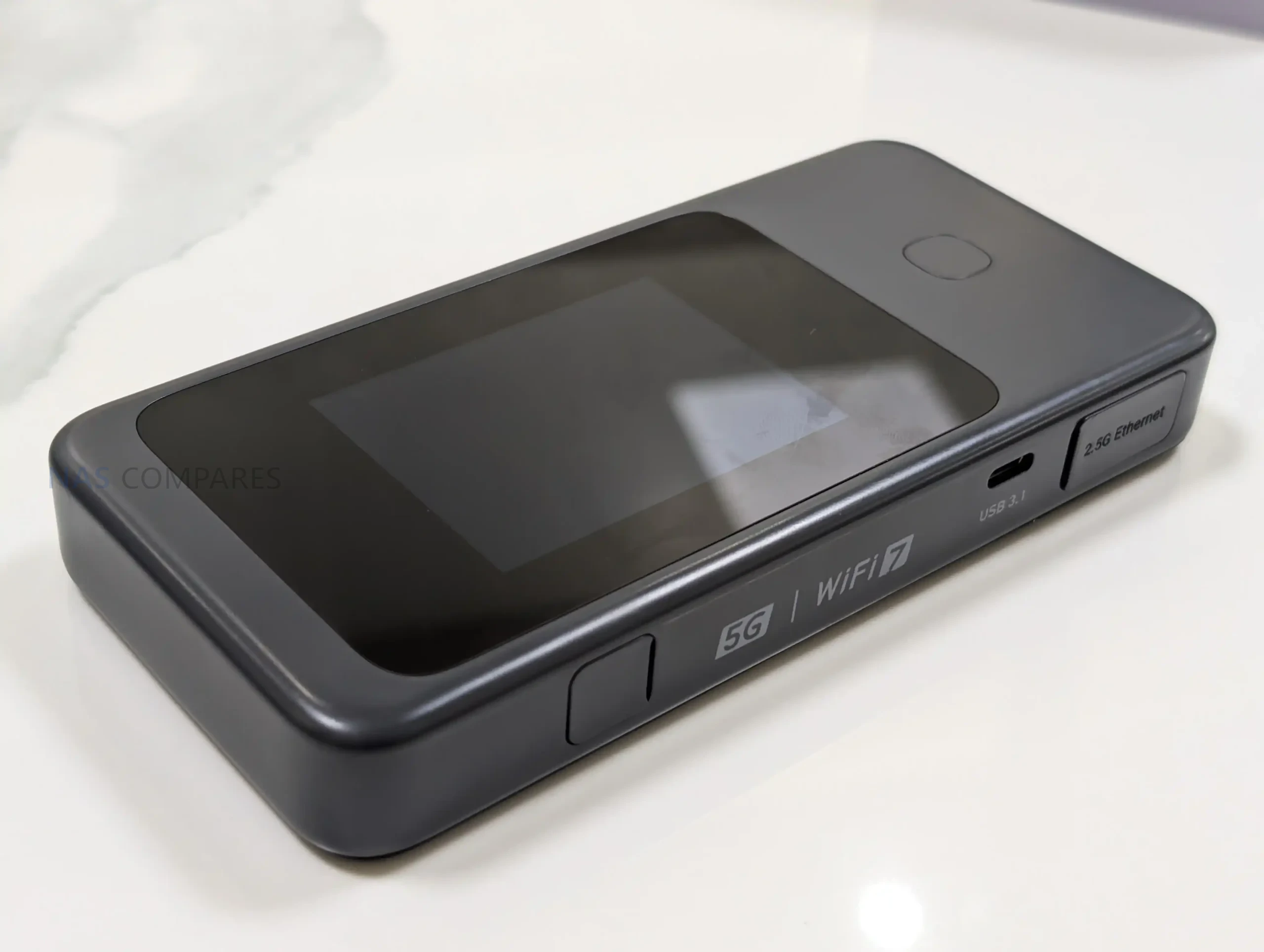
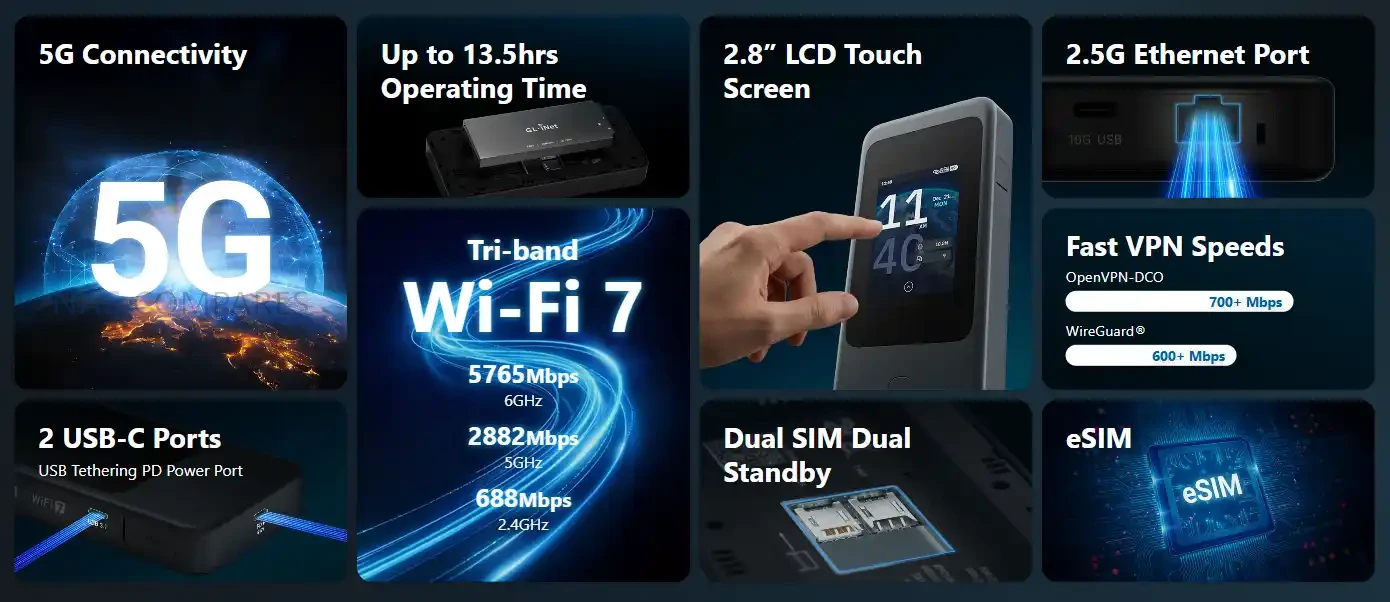
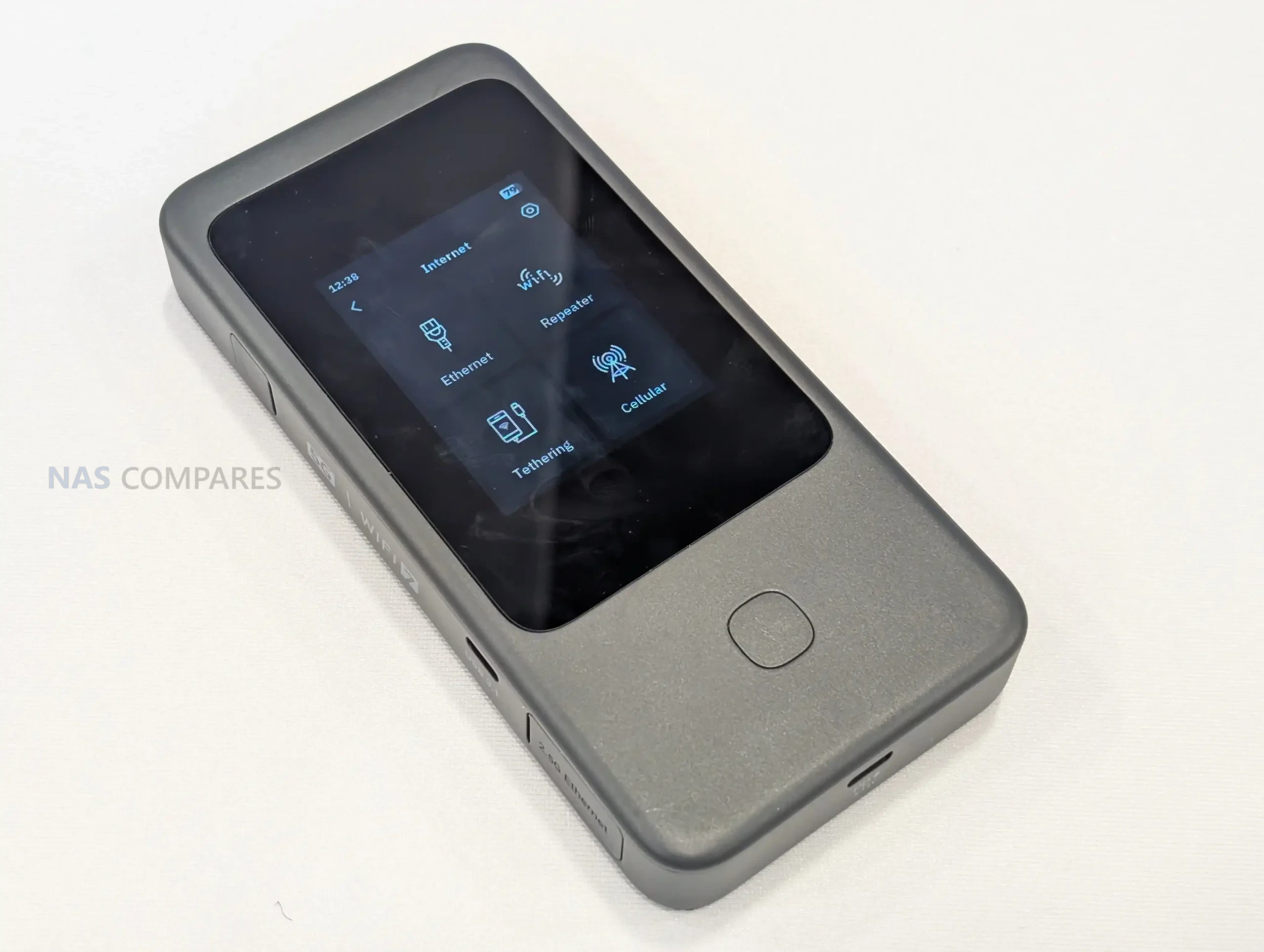
Gl.iNet is using day 1 of CES 2026 to spotlight the Mudi 7 travel router, with 2 listed variants: GL-E5800NA and GL-E5800EU. While the company is now formally presenting the device at the show and directing attention to its travel-focused positioning, it still has not published pricing or a confirmed retail release date in the materials available today. That leaves the Mudi 7’s market placement and availability timeline unresolved, even as the hardware is being discussed publicly at CES. Alongside the CES reveal, Gl.iNet has shared a full specification sheet that clarifies the Mudi 7’s core platform and feature set. It is based on a Qualcomm quad-core 2.2GHz design with 2GB LPDDR4X and 8GB eMMC, and it combines 5G NR with tri-band Wi-Fi 7-class networking, dual SIM dual standby plus eSIM, and a built-in touchscreen for on-device management. I previously saw an early prototype during a visit to Gl.iNet’s Shenzhen offices in October 2025, and the CES-era specification release fills in the internal details that were not available at the time, making it easier to assess what Gl.iNet intends to ship in the NA and EU variants.


Item Detail
Product name Gl.iNet Mudi 7 (Link to Official Page)
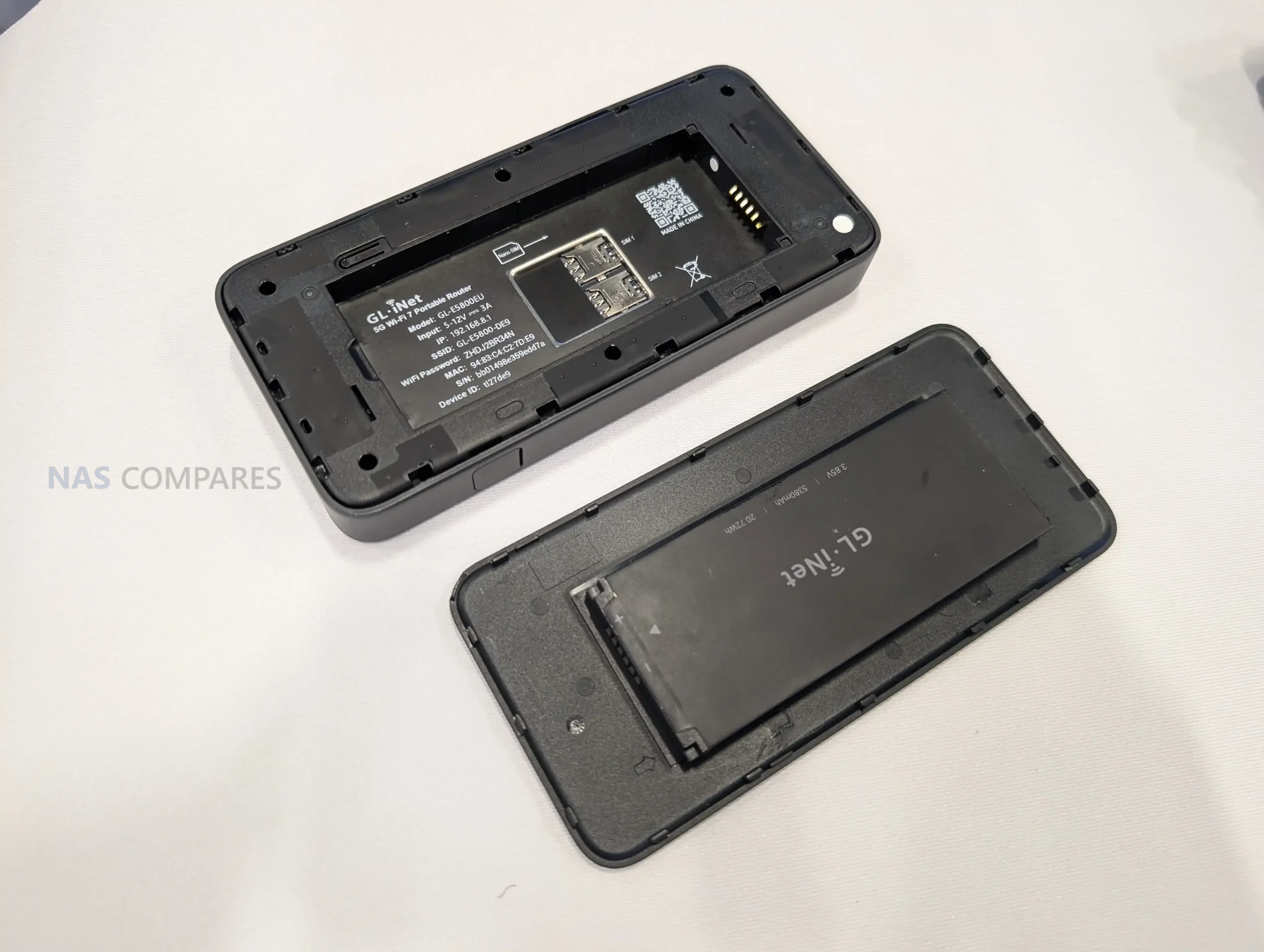
Models GL-E5800NA, GL-E5800EU
CPU Qualcomm, quad-core @ 2.2GHz
Memory 2GB LPDDR4X
Flash 8GB eMMC
Wireless protocol 802.11a/b/g/n/ac/ax/be
Bands 2.4GHz, 5GHz, 6GHz
Wi-Fi speeds 688Mbps (2.4GHz), 2882Mbps (5GHz), 5764Mbps (6GHz)
Cellular 5G NR NSA/SA; 4G LTE Cat 20 (DL)
SIM Dual SIM dual standby + eSIM
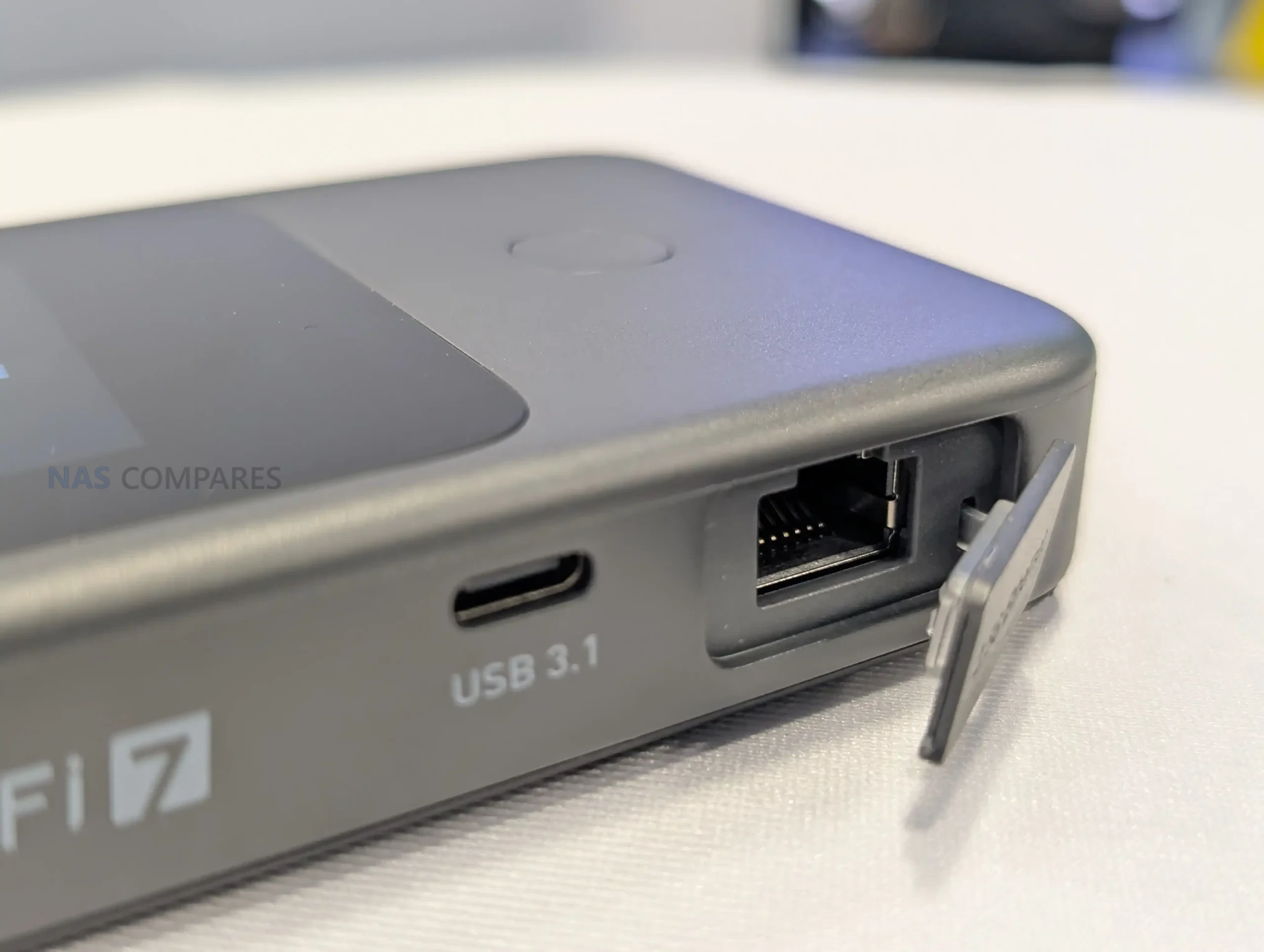
Ethernet 1x WAN/LAN, 100/1000/2500Mbps
USB 1x USB 3.1
External antenna Supported; 2x TS-9 (cellular)
Screen 2.8-inch touchscreen
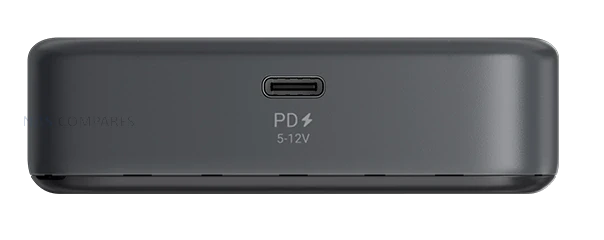
Power input USB PD/PPS 5-12V, 30W max
Power consumption <30W
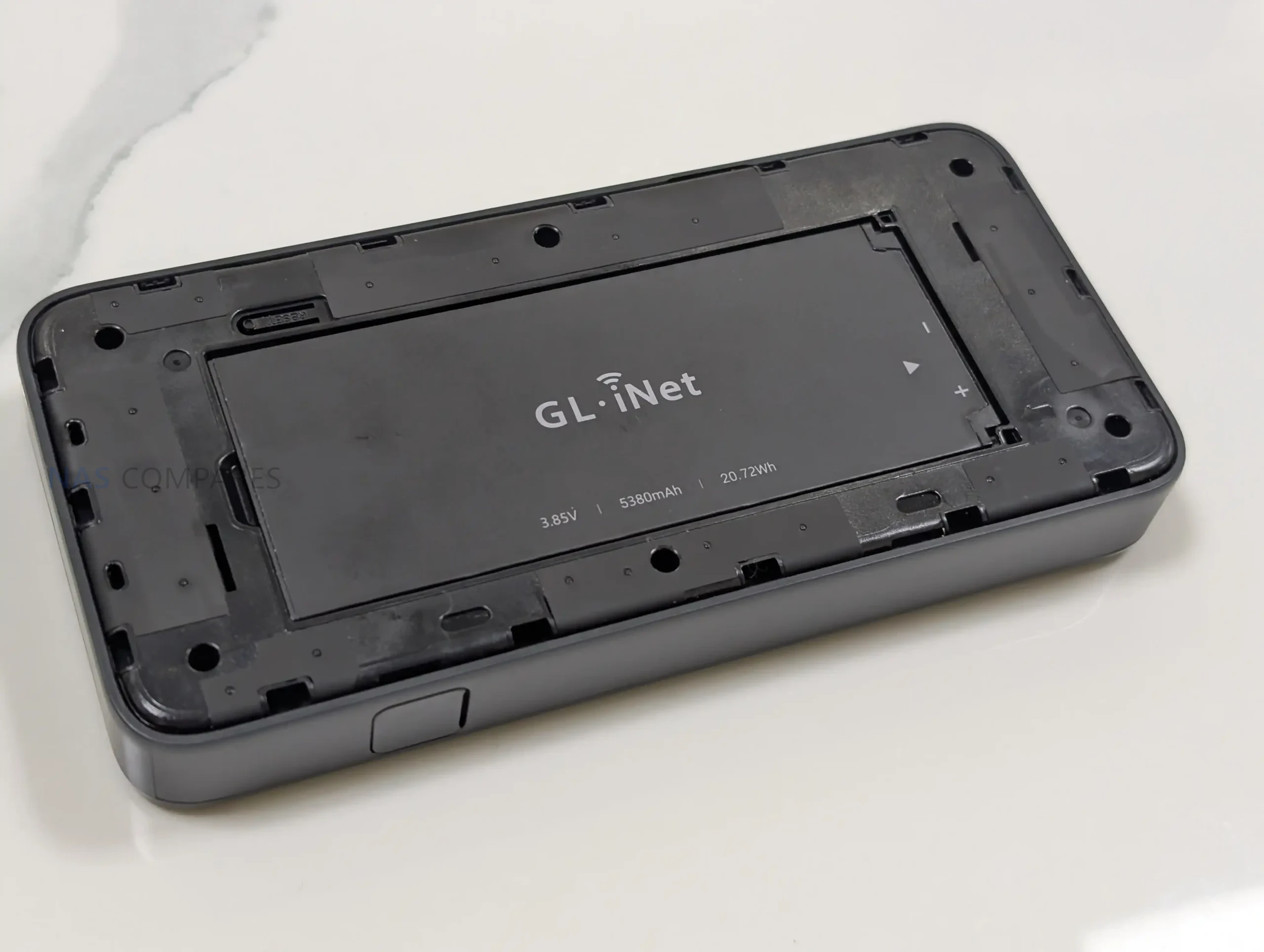
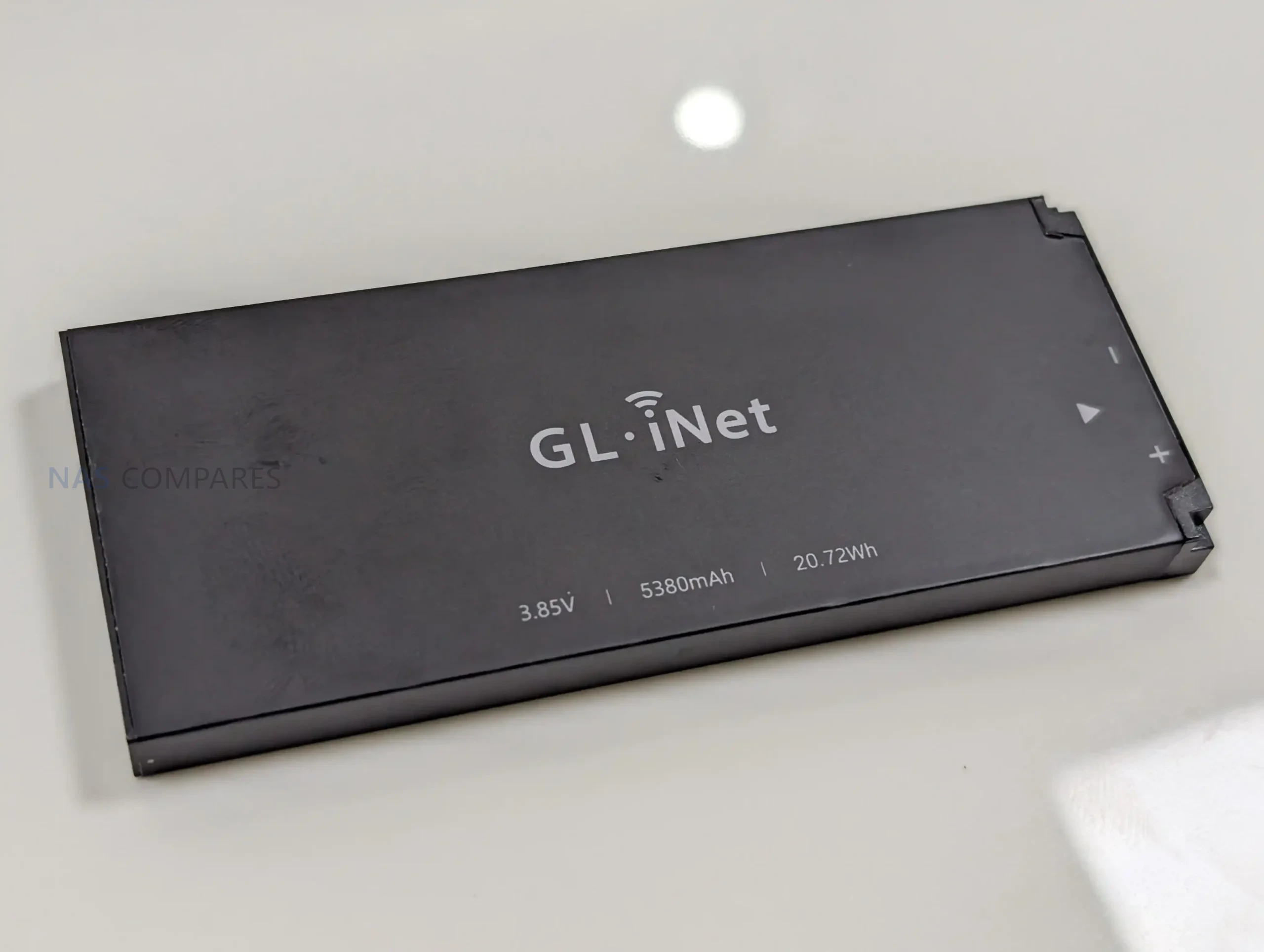
Battery 3.85V, 5380mAh, 20.72Wh
Dimensions / weight 157 x 75 x 22.8mm / 300g
Operating temperature 0C to 40C

Gl.iNet Mudi 7 Router – Design and Portability

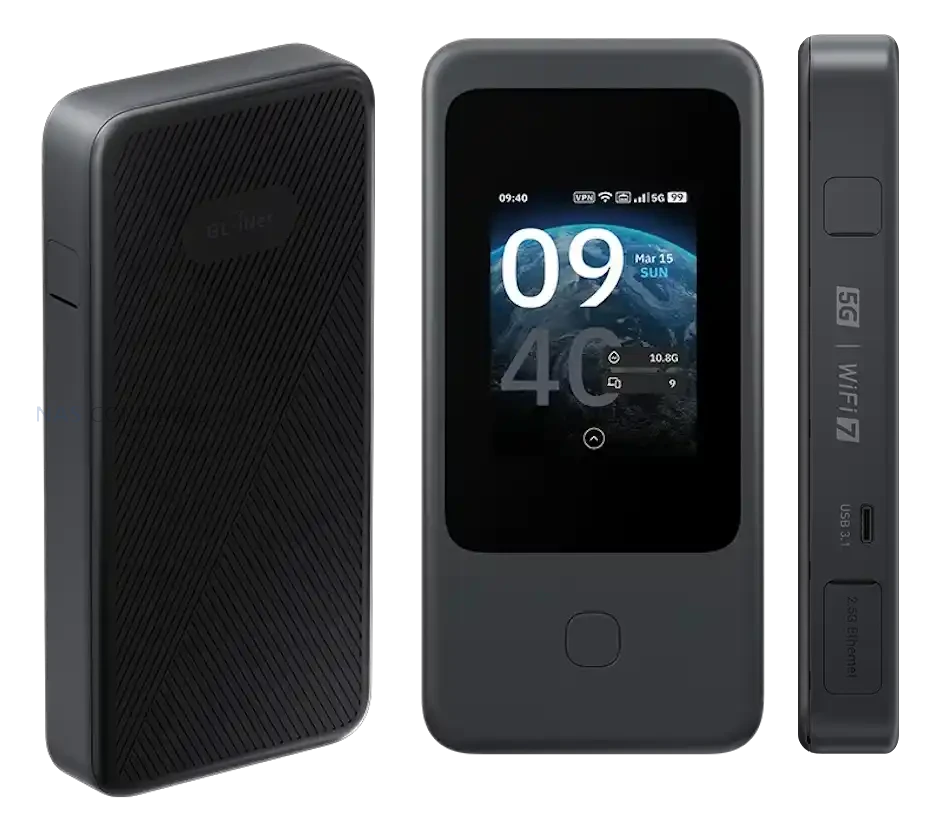
With the full specifications now available, the Mudi 7 is confirmed as a compact, battery-powered travel router measuring 157 x 75 x 22.8mm and weighing 300g. That footprint places it closer to a portable hotspot than a small desktop router, with enough thickness to accommodate a touchscreen, battery, and internal antennas.

Gl.iNet lists a 2.8-inch touchscreen as the primary on-device interface. In practical terms, this design choice supports situations where you need to check status or adjust basic settings without relying on a separate phone or laptop, which can be useful when moving between locations or sharing access with other devices.

Power is handled through a built-in 3.85V, 5380mAh battery rated at 20.72Wh, and charging is specified as USB PD/PPS from 5V to 12V with up to 30W input. Gl.iNet also lists power consumption below 30W, which provides a ceiling for expected draw under load, though real battery life will still depend on cellular conditions, connected devices, and the mix of Wi-Fi and wired usage.

Gl.iNet Mudi 7 Router – Connectivity

Cellular is the main uplink option on the Mudi 7, with support listed for 5G NR in both NSA and SA modes. For fallback coverage, it also supports 4G LTE with Cat 20 download capability, which becomes relevant when 5G coverage is weak, when indoor signal conditions push the modem back to LTE, or when a roaming profile limits access to certain 5G services. Gl.iNet still has not published a band list in the specifications you shared, so region-by-region compatibility will depend on the exact supported bands of the NA and EU variants.

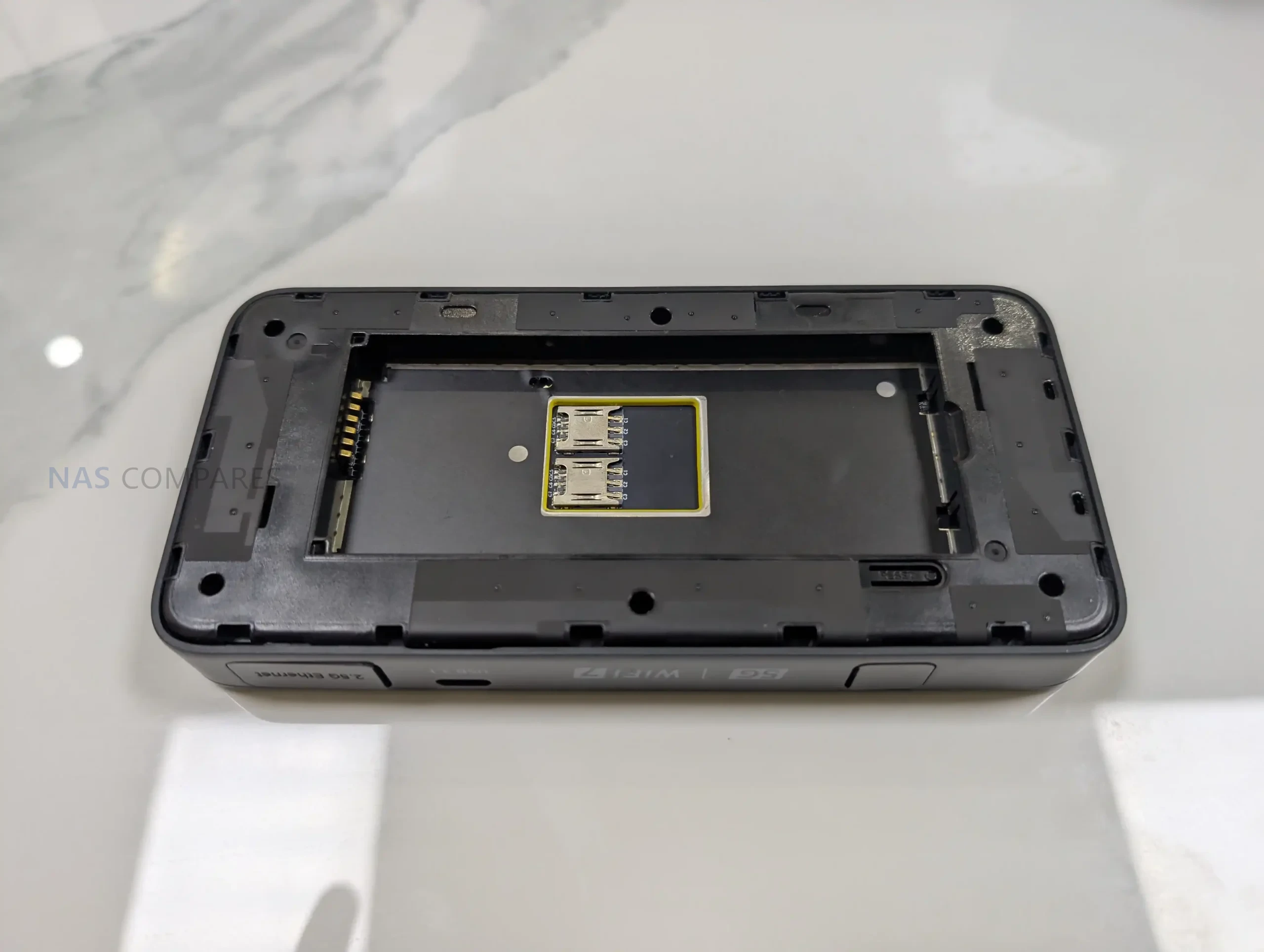
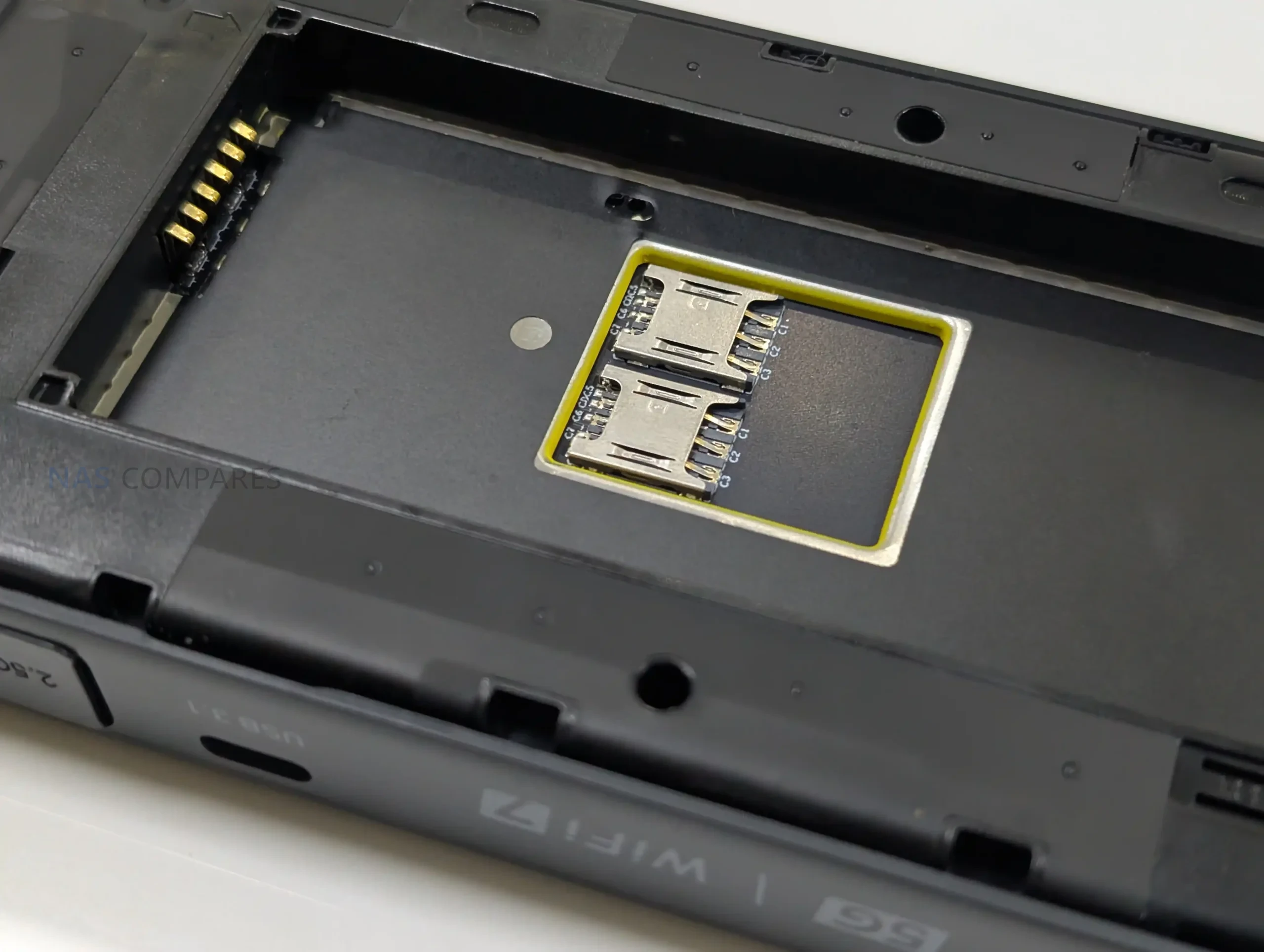
For SIM management, the router is specified with dual SIM dual standby and built-in eSIM support. In day-to-day use, that combination is intended to simplify switching between carriers, maintaining a backup line, or separating plans for different regions without having to physically swap cards as often. What remains unclear is how Gl.iNet handles priority rules, failover behavior, and eSIM provisioning in its interface, including whether switching can be automated based on signal or data limits.

On the local network side, the Mudi 7 supports 802.11a/b/g/n/ac/ax/be across 2.4GHz, 5GHz, and 6GHz. The published maximum Wi-Fi rates are 688Mbps on 2.4GHz, 2882Mbps on 5GHz, and 5764Mbps on 6GHz, which sets expectations for its theoretical peak throughput rather than typical sustained performance. Antenna information is also listed, including 2 internal Wi-Fi antennas covering 2.4GHz, 5GHz, and 6GHz, plus 6 internal cellular antennas for LTE and 5G NR, indicating an emphasis on maintaining link quality in variable travel environments.

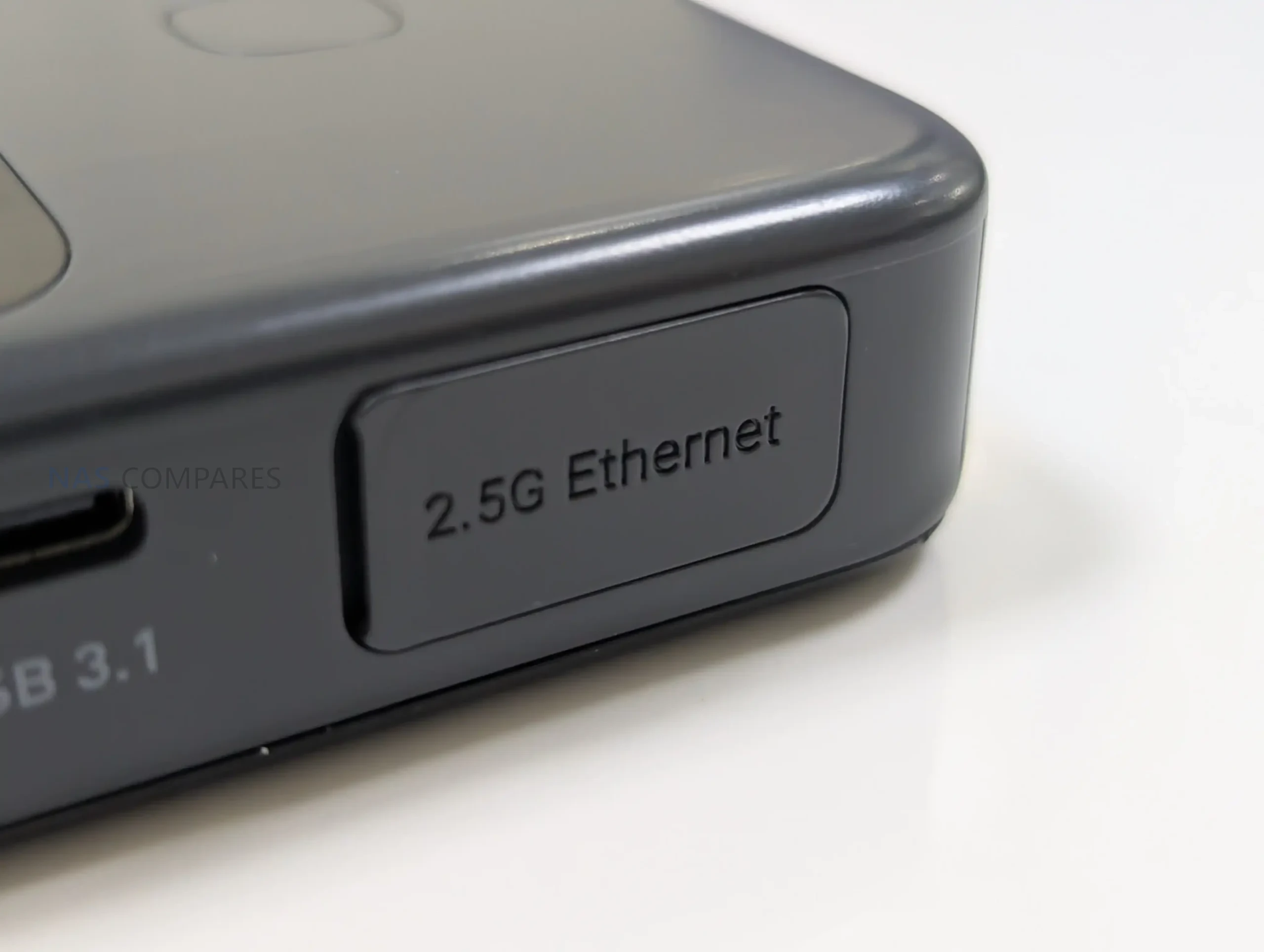
For wired and tethered connectivity, the router includes a single WAN/LAN Ethernet port rated at 100/1000/2500Mbps, allowing it to slot into networks that offer faster-than-gigabit service while keeping the option for a basic wired LAN connection. It also lists 1 USB 3.1 port, which can be relevant for tethering or attaching compatible peripherals depending on firmware support, but Gl.iNet has not detailed the exact supported use cases yet. External antennas are supported for cellular via 2 TS-9 ports, while external Wi-Fi antenna support is not specified in the sheet, suggesting any range extension is primarily aimed at improving cellular reception.

Gl.iNet Mudi 7 Router – Internal Hardware

The Mudi 7 is based on a Qualcomm platform, listed with a quad-core CPU clocked at 2.2GHz. Gl.iNet does not specify the exact chipset model in the specification sheet, so it is not yet possible to compare its CPU class directly against other travel routers using named Snapdragon or IPQ-series parts. Even so, the stated clock speed and multi-core layout indicate it is designed to handle routing, Wi-Fi management, and cellular tasks concurrently rather than relying on a lower-power single-core design.

Memory is specified as 2GB of LPDDR4X. That capacity is typically relevant for sustaining multiple client connections, running VPN tunnels, and keeping the management interface responsive while traffic is flowing. In practice, how far 2GB goes will depend on the software stack, the number of enabled services, and whether features like traffic monitoring or advanced firewall rules are running continuously.

For onboard storage, the Mudi 7 includes 8GB of eMMC flash. This is generally used for the operating system image, configuration data, and any built-in packages or logs, though Gl.iNet has not detailed how much of that space is reserved versus user-accessible. The specification also does not clarify whether there is any storage expansion path, or how storage is managed over time for items like VPN profiles, connection history, and accumulated logs.

Gl.iNet Mudi 7 Router – Conclusion

On January 6, 2026, the opening day of CES 2026, Gl.iNet is drawing attention to the Mudi 7 as its next travel router, listed in 2 variants: GL-E5800NA and GL-E5800EU. The published specification sheet outlines a Qualcomm quad-core 2.2GHz platform with 2GB LPDDR4X and 8GB eMMC, paired with 5G NR (NSA and SA) and tri-band Wi-Fi across 2.4GHz, 5GHz, and 6GHz. The physical and power details are also clear at this stage. Gl.iNet lists the Mudi 7 at 157 x 75 x 22.8mm and 300g, with a 3.85V 5380mAh battery rated at 20.72Wh and USB PD/PPS input up to 30W. Interfaces include a single WAN/LAN Ethernet port rated up to 2500Mbps, 1 USB 3.1 port, and 2 TS-9 ports for external cellular antennas, while a 2.8-inch touchscreen is positioned as a central part of on-device control.

Even with those specifications confirmed, several practical release details remain open on day 1. Gl.iNet has not published pricing, a retail availability date, or a cellular band list for each regional variant, which will determine how well the NA and EU models align with specific carriers and travel use cases. The company has also not provided a complete, Mudi 7-specific breakdown of firmware features and long-term software support, leaving the final day-to-day picture dependent on what is shown during CES and what ships in the retail firmware.


📧 SUBSCRIBE TO OUR NEWSLETTER 🔔
[contact-form-7]
🔒 Join Inner Circle

Get an alert every time something gets added to this specific article!


Want to follow specific category? 📧 Subscribe

This description contains links to Amazon. These links will take you to some of the products mentioned in today's content. As an Amazon Associate, I earn from qualifying purchases. Visit the NASCompares Deal Finder to find the best place to buy this device in your region, based on Service, Support and Reputation - Just Search for your NAS Drive in the Box Below

Need Advice on Data Storage from an Expert?

Finally, for free advice about your setup, just leave a message in the comments below here at NASCompares.com and we will get back to you. Need Help? Where possible (and where appropriate) please provide as much information about your requirements, as then I can arrange the best answer and solution to your needs. Do not worry about your e-mail address being required, it will NOT be used in a mailing list and will NOT be used in any way other than to respond to your enquiry. [contact-form-7] TRY CHAT Terms and Conditions
If you like this service, please consider supporting us. We use affiliate links on the blog allowing NAScompares information and advice service to be free of charge to you.Anything you purchase on the day you click on our links will generate a small commission which isused to run the website. Here is a link for Amazon and B&H.You can also get me a ☕ Ko-fi or old school Paypal. Thanks!To find out more about how to support this advice service check HEREIf you need to fix or configure a NAS, check Fiver Have you thought about helping others with your knowledge? Find Instructions Here  
 
Or support us by using our affiliate links on Amazon UK and Amazon US
    
 
Alternatively, why not ask me on the ASK NASCompares forum, by clicking the button below. This is a community hub that serves as a place that I can answer your question, chew the fat, share new release information and even get corrections posted. I will always get around to answering ALL queries, but as a one-man operation, I cannot promise speed! So by sharing your query in the ASK NASCompares section below, you can get a better range of solutions and suggestions, alongside my own.

☕ WE LOVE COFFEE ☕

 
Where to Buy a Product
amzamexmaestrovisamaster 24Hfree delreturn VISIT RETAILER ➤ 
amzamexmaestrovisamaster 24Hfree delreturn VISIT RETAILER ➤

If you like this service, please consider supporting us.
We use affiliate links on the blog allowing NAScompares information and advice service to be free of charge to you. Anything you purchase on the day you click on our links will generate a small commission which is used to run the website. Here is a link for Amazon and B&H. You can also get me a ☕ Ko-fi or old school Paypal. Thanks! To find out more about how to support this advice service check HERE    

☕ WE LOVE COFFEE ☕

Or support us by using our affiliate links on Amazon UK and Amazon US
     

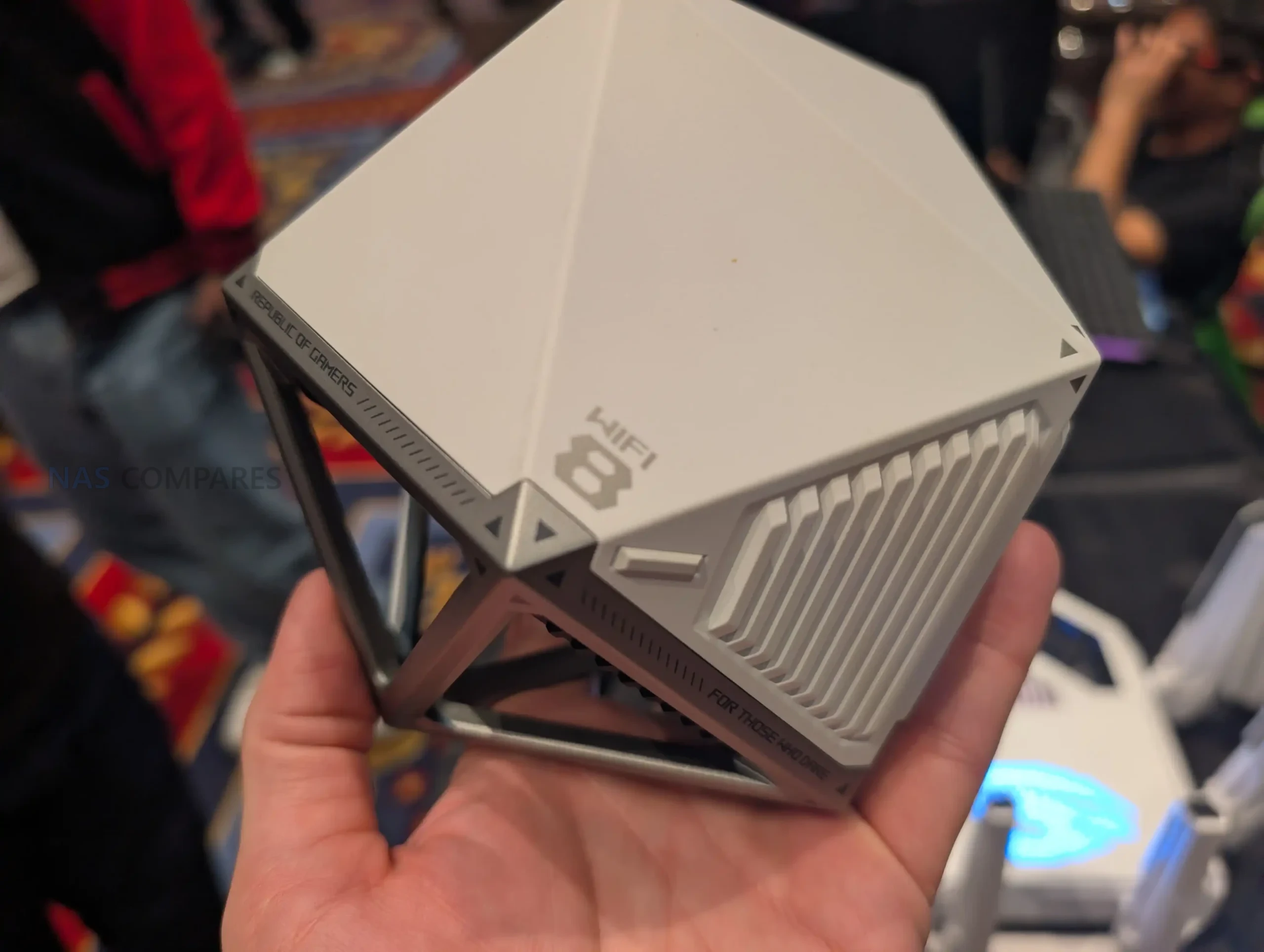
Asus Signals the Arrival of WiFi 8, But Should You Care?

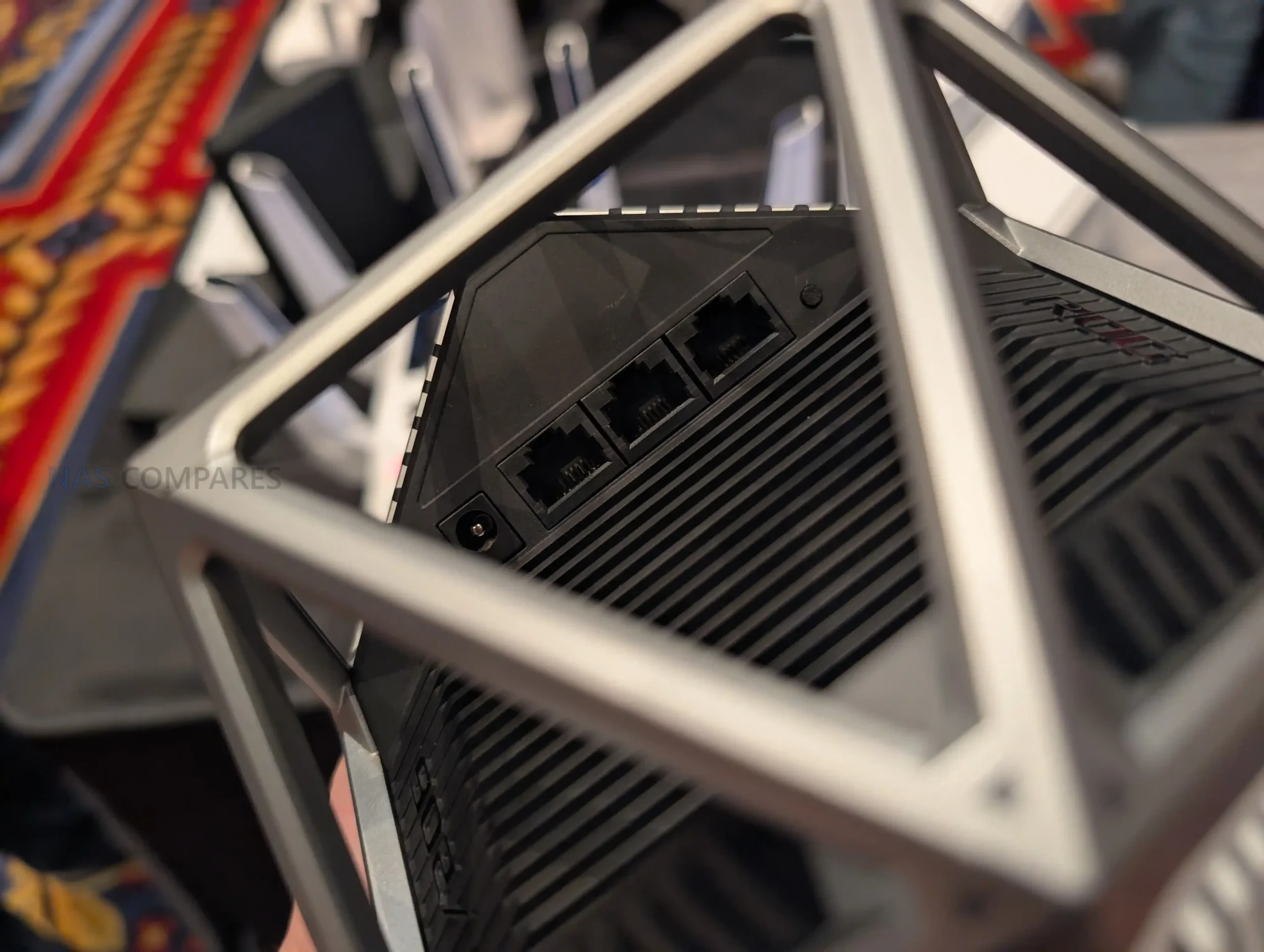
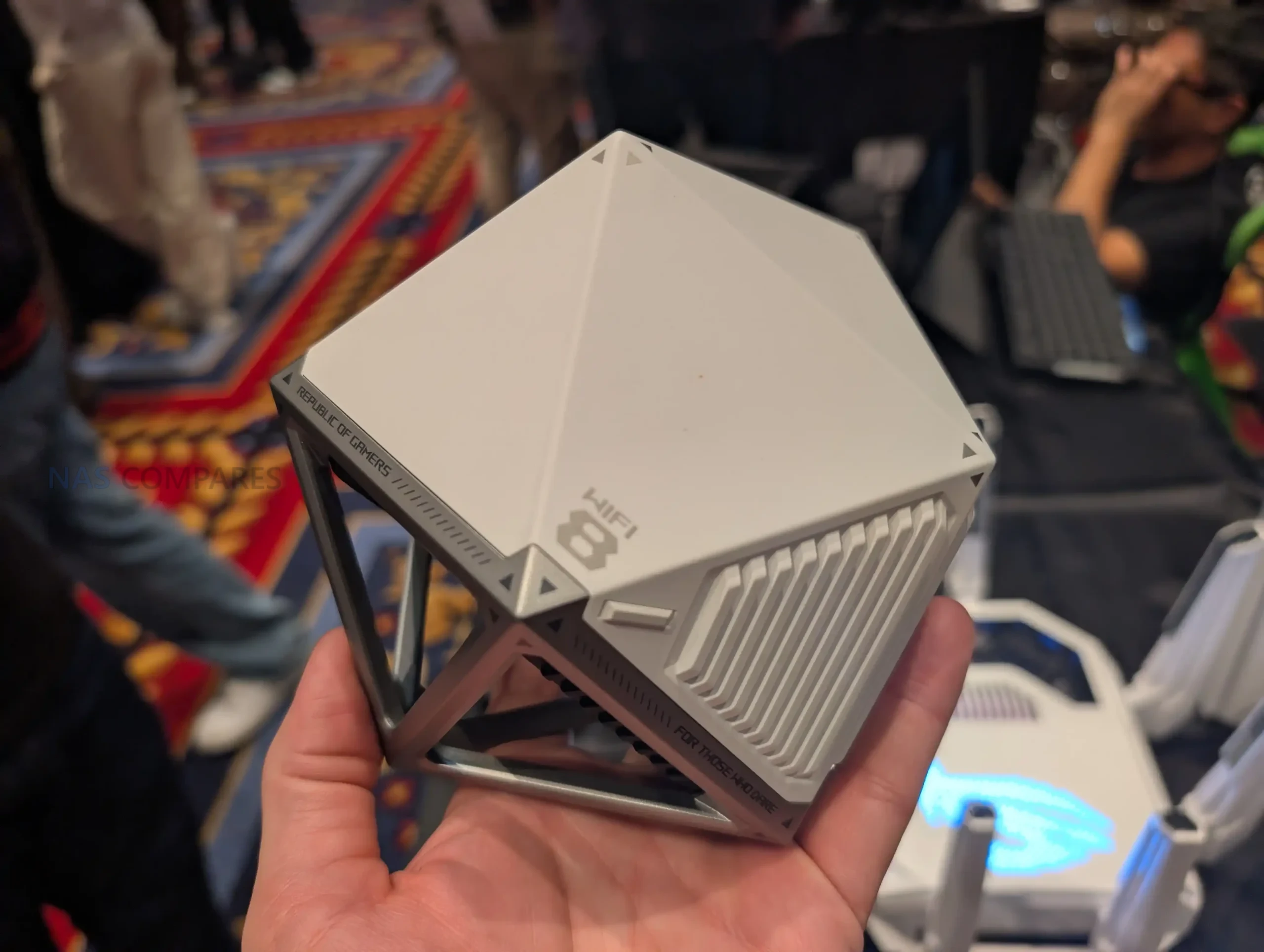
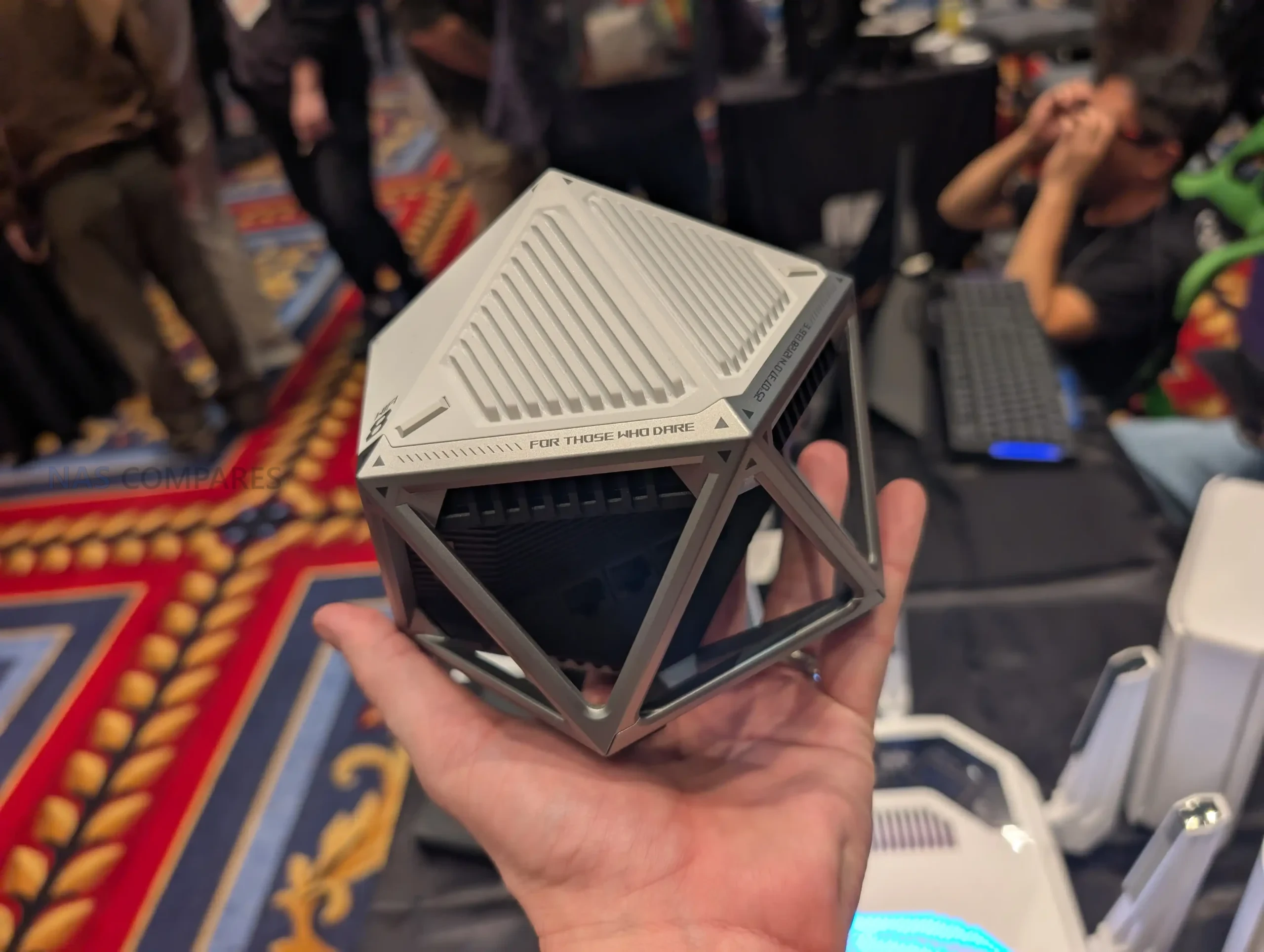
WiFi 8… is a THING! The Asus ROG NeoCore WiFi 8 Router

Yep, there is barely any dust on your WiFi 7 devices, and yet now the road is being paved towards the 8th generation of Wi-Fi. WiFi 8 refers to the upcoming IEEE 802.11bn generation, where the stated emphasis is improving reliability in difficult real-world conditions such as congestion, interference from neighboring networks, mobility between access points, and performance at the edges of coverage, rather than raising peak theoretical link rates. At CES 2026, ASUS presented the ROG NeoCore as a WiFi 8 concept router and used it to frame WiFi 8 as a shift toward more predictable everyday behavior, including steadier mid-range throughput, more dependable low power device connectivity, and reduced tail latency. ASUS also characterized the current stage as prototype and draft development, meaning performance figures and feature behavior should be treated as preliminary and dependent on implementation and environment.

Topic What is known so far
IEEE designation WiFi 8 is based on IEEE 802.11bn under an “Ultra High Reliability (UHR)” direction
Stated design priority Reliability in challenging conditions (congested, interference-prone, mobile, and edge-coverage scenarios)
Quantified UHR targets (scope-level) Up to 25% higher throughput in challenging signal conditions; up to 25% lower latency at the 95th percentile; up to 25% fewer dropped packets during transitions between access points
Key capability areas highlighted Seamless roaming, improved edge performance, and multi-access-point coordination
Early vendor positioning (ASUS) Draft-based claims versus WiFi 7: up to 2x higher mid-range throughput, 2x wider IoT coverage, up to 6x lower P99 latency via smarter multi-AP and multi-client operation
Early vendor test claim (ASUS) In a described real-world throughput test using a draft-spec WiFi 8 router versus an otherwise comparable WiFi 7 router, ASUS reports more than 10% throughput improvement without loss of data speed
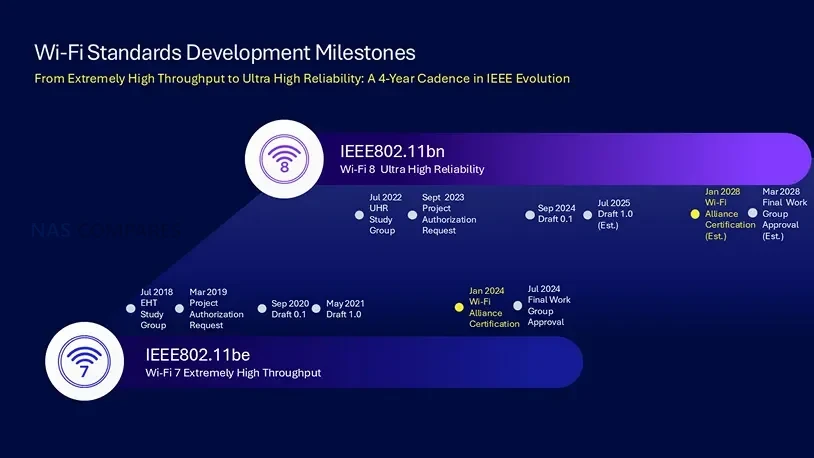
Standard timing (publicly stated) WiFi 8 is expected to be finalized in 2028, with multiple references indicating late 2028
Product availability signals ASUS states it plans its first lineup of WiFi 8 home routers and mesh systems in 2026 (plan, not a finalized standard milestone)

What is WiFi 8?

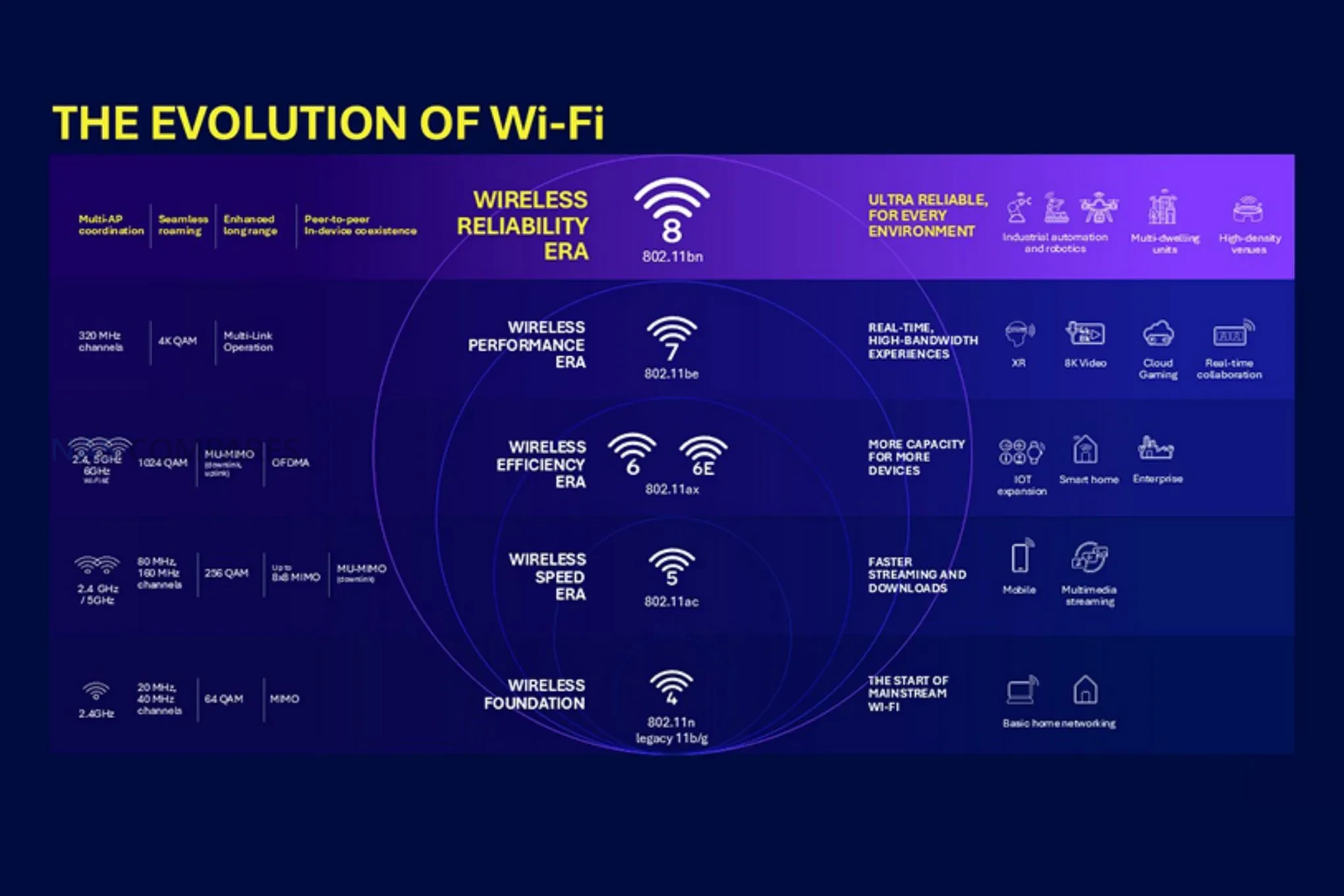
WiFi 8 is the next planned generation of WiFi under IEEE 802.11bn, positioned around “Ultra High Reliability” rather than a primary focus on raising maximum theoretical data rates. The intent is to make wireless performance more predictable in the conditions that typically cause instability, including long distances from the access point, heavy contention from many simultaneous devices, and interference from overlapping networks in dense housing or office environments.

A key theme associated with WiFi 8 is increased coordination across access points and connected clients. Instead of treating each access point as an isolated transmitter competing for airtime, WiFi 8 is described as enabling access points to cooperate more directly on scheduling and interference management. In practical terms, this is meant to reduce latency spikes, improve consistency when multiple devices are active at the same time, and reduce disruptions during roaming events as clients move between access points.

WiFi 8 is also discussed as addressing weaknesses that show up with low power or edge devices, where the uplink from device to router is often the limiting factor for stability. By improving how devices use available spectrum and how the network allocates airtime, WiFi 8 is framed as improving steady connectivity for IoT-class devices and “always on” endpoints in difficult placements. Vendor messaging also links this reliability profile to AI-driven environments, where repeated small delays, packet loss, or brief disconnects can be more disruptive than a lower peak throughput number.

WiFi 8 vs WiFi 7 vs WiFi 6/6E – What Has Changed?

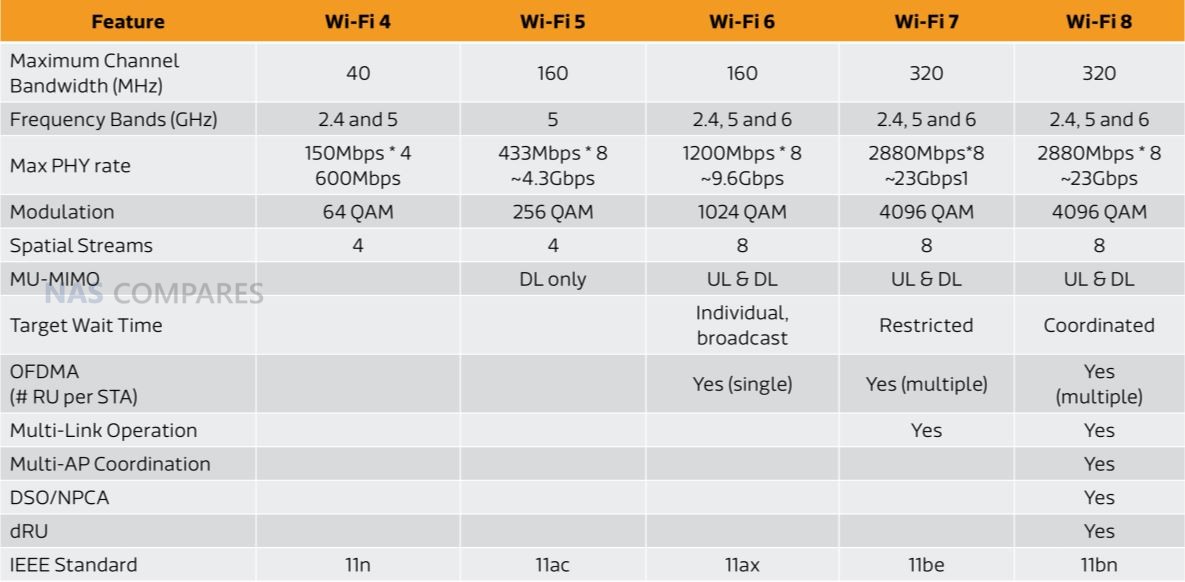
WiFi 6 and WiFi 6E are generally associated with capacity and efficiency improvements over earlier generations through features like OFDMA and expanded MU-MIMO, with WiFi 6E adding access to the 6 GHz band in supported regions. WiFi 7 shifted attention toward higher throughput and lower latency potential through wider channels (up to 320 MHz) and Multi-Link Operation (MLO), aiming to increase peak performance and improve responsiveness when devices and access points can use multiple links effectively. WiFi 8 keeps many of WiFi 7’s headline building blocks, but the stated emphasis changes toward more deterministic behavior under load, in dense radio environments, and during multi-access-point operation. In the provided material, WiFi 8 is positioned as adding coordination features that are not part of WiFi 7, with the goal of improving mid-range performance consistency and reducing tail latency metrics (for example, high-percentile latency behavior) rather than changing maximum theoretical data rates.

Category WiFi 8 WiFi 7 WiFi 6 / 6E
IEEE standard 802.11bn 802.11be 802.11ax
Max theoretical data rate 46 Gbps 46 Gbps 9.6 Gbps
Bands 2.4 GHz, 5 GHz, 6 GHz 2.4 GHz, 5 GHz, 6 GHz 2.4 GHz, 5 GHz (6 GHz in 6E)
Channel bandwidth Up to 320 MHz Up to 320 MHz Up to 160 MHz (plus 80+80 MHz support)
Modulation 4096-QAM 4096-QAM 1024-QAM
MU-MIMO 16×16 16×16 8×8
Resource units Multi-RUs Multi-RUs Single RU
Multi-Link Operation (MLO) Yes Yes No
Multi-AP coordination Yes No No
DSO / NPCA Yes No No
DRU Yes No No
Security WPA3 WPA3 WPA3

From an upgrade standpoint, the most direct “spec” differences between WiFi 8 and WiFi 7 are not listed as new bands or higher top-line channel width, but additional coordination and scheduling mechanisms that are intended to improve real-world outcomes in multi-router, multi-client environments. WiFi 6 and WiFi 6E remain relevant for environments that primarily need better capacity and efficiency for mixed-device networks, while WiFi 7 targets higher performance for compatible devices, and WiFi 8 is framed as refining how that performance holds up across tougher conditions.

What is the Asus ROG NeoCore Router?

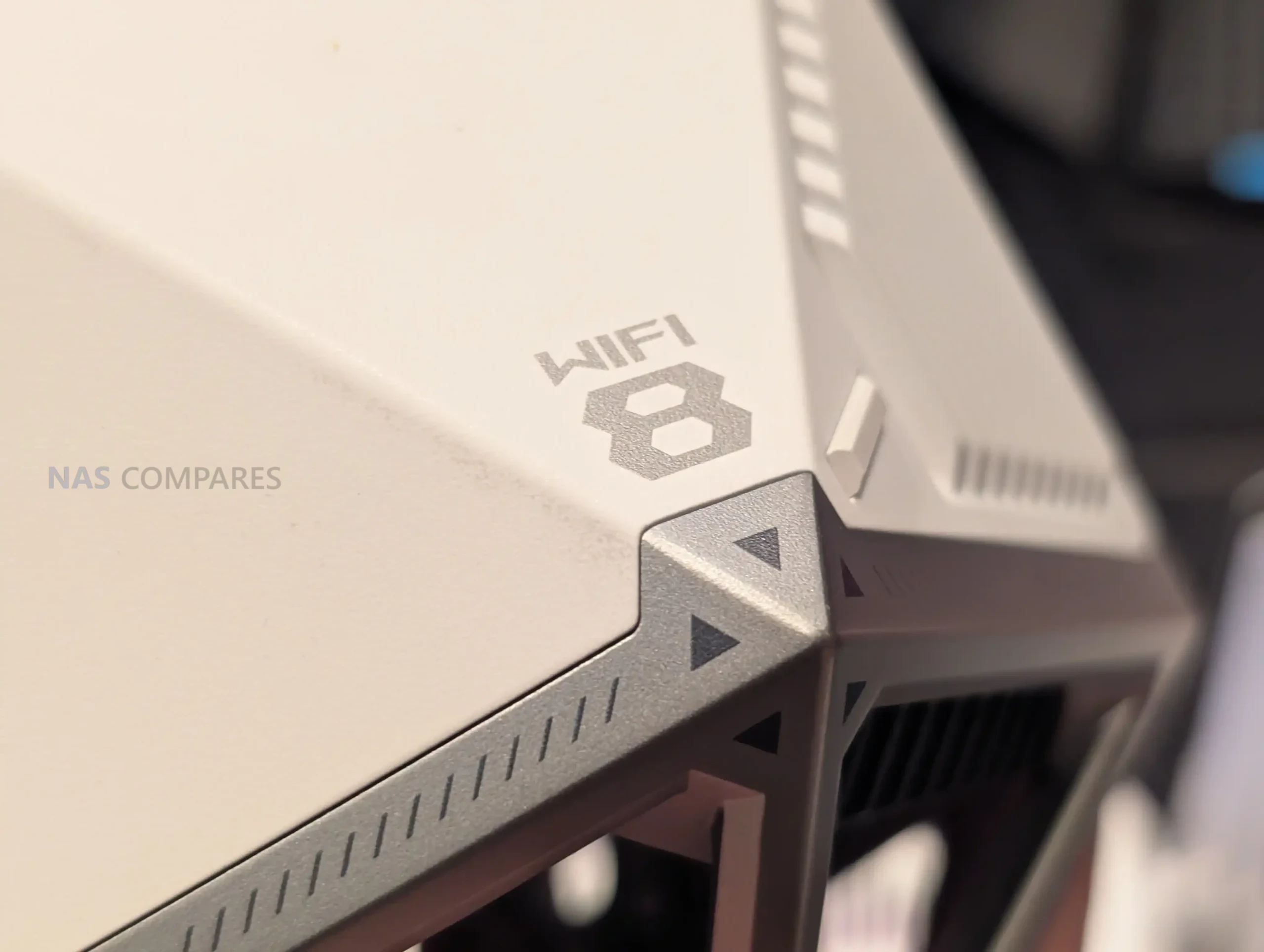
The ASUS ROG NeoCore is a WiFi 8 concept router shown publicly as a prototype demonstration unit. ASUS positions it as an early platform for demonstrating draft WiFi 8 capabilities in a real environment, rather than a finalized consumer product with locked specifications. In the video discussion, ASUS staff described NeoCore as a prototype name for the concept device and noted that detailed hardware specifications and confirmed configurations were not available at the time.

The concept is presented as part of the broader ASUS mesh and optimization stack. ASUS ties NeoCore to AiMesh, which is its approach to linking multiple access points into a coordinated system, and to an “AI Network Engine” described as monitoring traffic and adjusting resource allocation to manage throughput and latency. In this framing, the router is less about a single access point’s peak output and more about how multiple access points and clients can coordinate to reduce interference and contention.

NeoCore is also used to illustrate the practical motivation for WiFi 8 in dense and mixed-device environments. The device was discussed in the context of apartment-style “noisy” wireless conditions, long-distance or edge-of-property placement, and smart home endpoints that may have weaker uplink capability than the router itself. In the accompanying CES material, ASUS connects the concept device to early throughput testing and to draft-based claims about improved mid-range performance and reduced high-percentile latency, while stating that results and features depend on draft specifications and implementation details.

When is WiFi 8 Launching?

WiFi 8 (IEEE 802.11bn) is still in development, with public materials commonly pointing to standard finalization in 2028, often described as late 2028. Until ratification, feature definitions and mandatory versus optional elements can change, so any current demonstrations should be treated as draft implementations rather than a finalized reference for the standard. On the product side, ASUS has stated plans to introduce its first WiFi 8 home routers and mesh systems in 2026, and it has already shown prototype demo hardware at CES 2026. If WiFi 8 consumer products ship ahead of standard finalization, they are expected to rely on draft specifications, meaning real-world behavior can vary by vendor design, firmware maturity, and the availability of WiFi 8 client devices needed to access the full feature set.

  • What is WiFi 8, and when will it be available?

    WiFi 8 (IEEE 802.11bn) is new-generation wireless technology focused on Ultra-High Reliability (UHR) for better performance, smoother roaming, and smarter router and client coordination. WiFi 8 is still in development. ASUS is demonstrating prototypes and conducting real-world tests to validate the new technology.

  • What’s the difference between WiFi 8, WiFi 7, and WiFi 6/6E?

    The primary difference lies in the core focus of each wireless standard. WiFi 8 represents a strategic shift toward Ultra High Reliability (UHR) and deterministic low latency. In contrast, WiFi 7 prioritizes raw speed and throughput via technologies like MLO and 320MHz channels. WiFi 6/6E focused on efficiency and capacity improvements through OFDMA and MU-MIMO.

  • Is WiFi 8 faster than WiFi 7?

    Peak theoretical speeds are comparable. The essential difference is that WiFi 8 significantly improves real-world performance by focusing on Ultra High Reliability. It prioritizes stability and smarter spectrum use for advanced router and client coordination, making it a strategic evolution beyond previous standards like WiFi 7.

  • Will WiFi 8 be backward compatible? Can older devices benefit from WiFi 8?

    Yes, WiFi 8 will be fully backward compatible with all previous standards. While full features require WiFi 8 support on both the router and the devices that connect to it, older devices can still benefit from the network’s improved coordination and interference mitigation. WiFi 8 users will get more stable connections and fewer drops on legacy devices facing congestion and signal-strength issues.

  • Does WiFi 8 change the bands or add new bands?

    WiFi 8 continues to use the 2.4GHz, 5GHz, and 6GHz bands with up to 320MHz channels, focusing on smarter coordination and spectrum use.

  • What WiFi 8 features help in crowded Homes and Businesses?

    Multi-AP coordination, including Co-BF, Co-SR, Co-TDMA, NPCA, and improved seamless roaming, reduces interference and contention between overlapping networks.


📧 SUBSCRIBE TO OUR NEWSLETTER 🔔
[contact-form-7]
🔒 Join Inner Circle

Get an alert every time something gets added to this specific article!


Want to follow specific category? 📧 Subscribe

This description contains links to Amazon. These links will take you to some of the products mentioned in today's content. As an Amazon Associate, I earn from qualifying purchases. Visit the NASCompares Deal Finder to find the best place to buy this device in your region, based on Service, Support and Reputation - Just Search for your NAS Drive in the Box Below

Need Advice on Data Storage from an Expert?

Finally, for free advice about your setup, just leave a message in the comments below here at NASCompares.com and we will get back to you. Need Help? Where possible (and where appropriate) please provide as much information about your requirements, as then I can arrange the best answer and solution to your needs. Do not worry about your e-mail address being required, it will NOT be used in a mailing list and will NOT be used in any way other than to respond to your enquiry. [contact-form-7] TRY CHAT Terms and Conditions
If you like this service, please consider supporting us. We use affiliate links on the blog allowing NAScompares information and advice service to be free of charge to you.Anything you purchase on the day you click on our links will generate a small commission which isused to run the website. Here is a link for Amazon and B&H.You can also get me a ☕ Ko-fi or old school Paypal. Thanks!To find out more about how to support this advice service check HEREIf you need to fix or configure a NAS, check Fiver Have you thought about helping others with your knowledge? Find Instructions Here  
 
Or support us by using our affiliate links on Amazon UK and Amazon US
    
 
Alternatively, why not ask me on the ASK NASCompares forum, by clicking the button below. This is a community hub that serves as a place that I can answer your question, chew the fat, share new release information and even get corrections posted. I will always get around to answering ALL queries, but as a one-man operation, I cannot promise speed! So by sharing your query in the ASK NASCompares section below, you can get a better range of solutions and suggestions, alongside my own.

☕ WE LOVE COFFEE ☕


UniFi Travel Router Early Review

UniFi’s New Travel Router – Pocket-Sized Perfection?

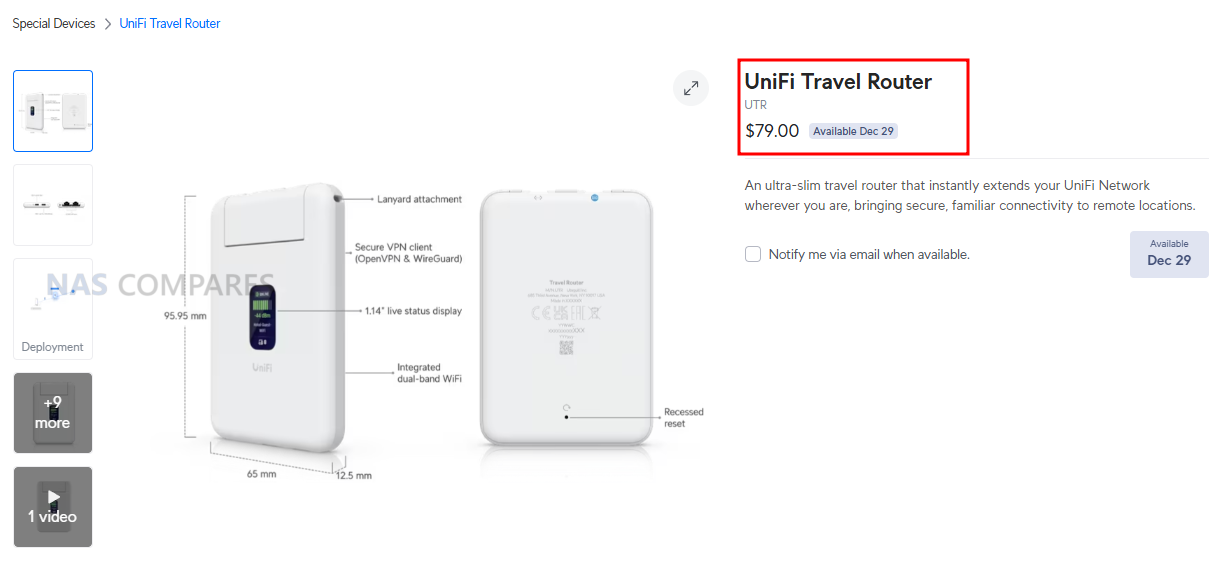
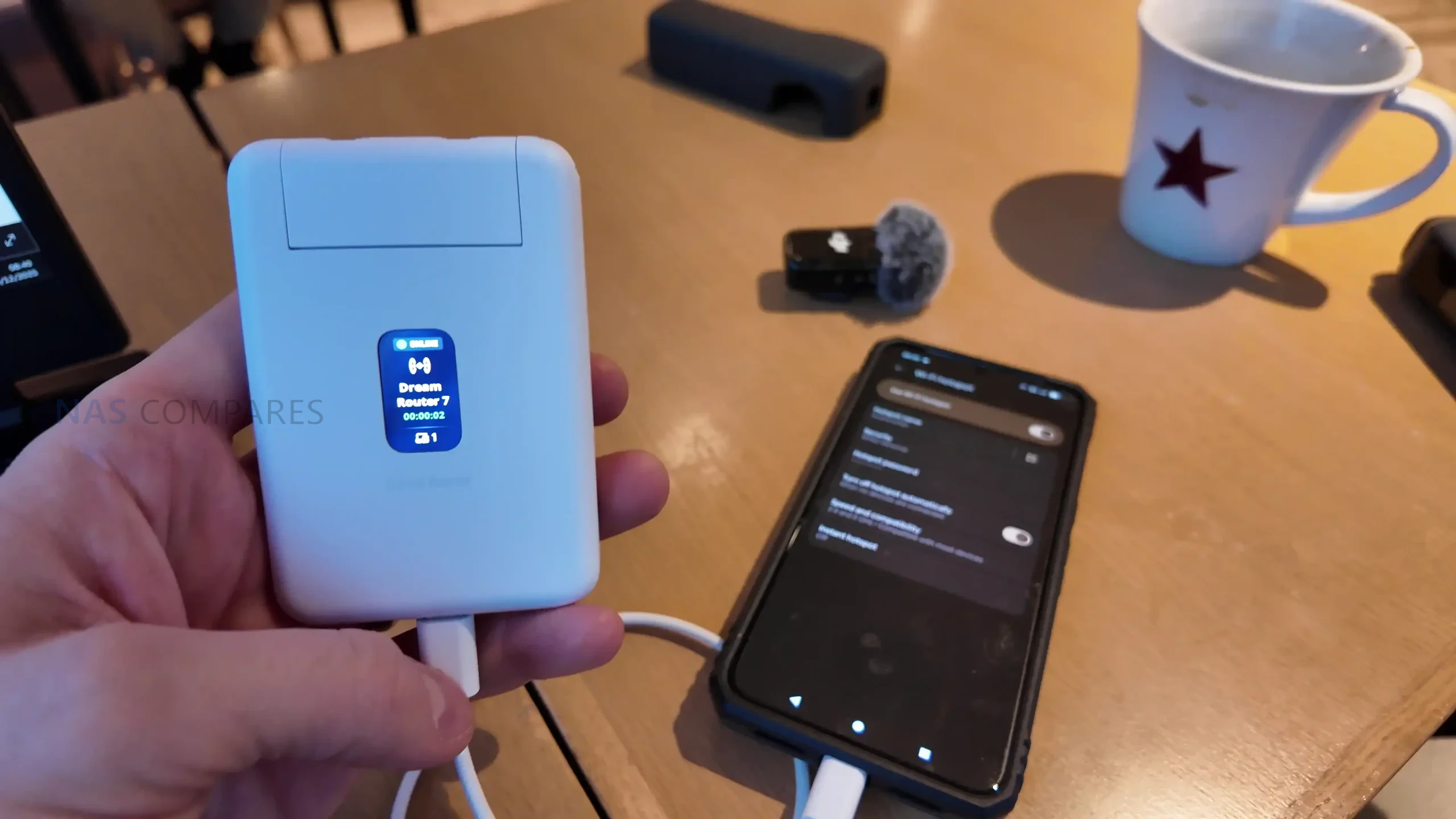
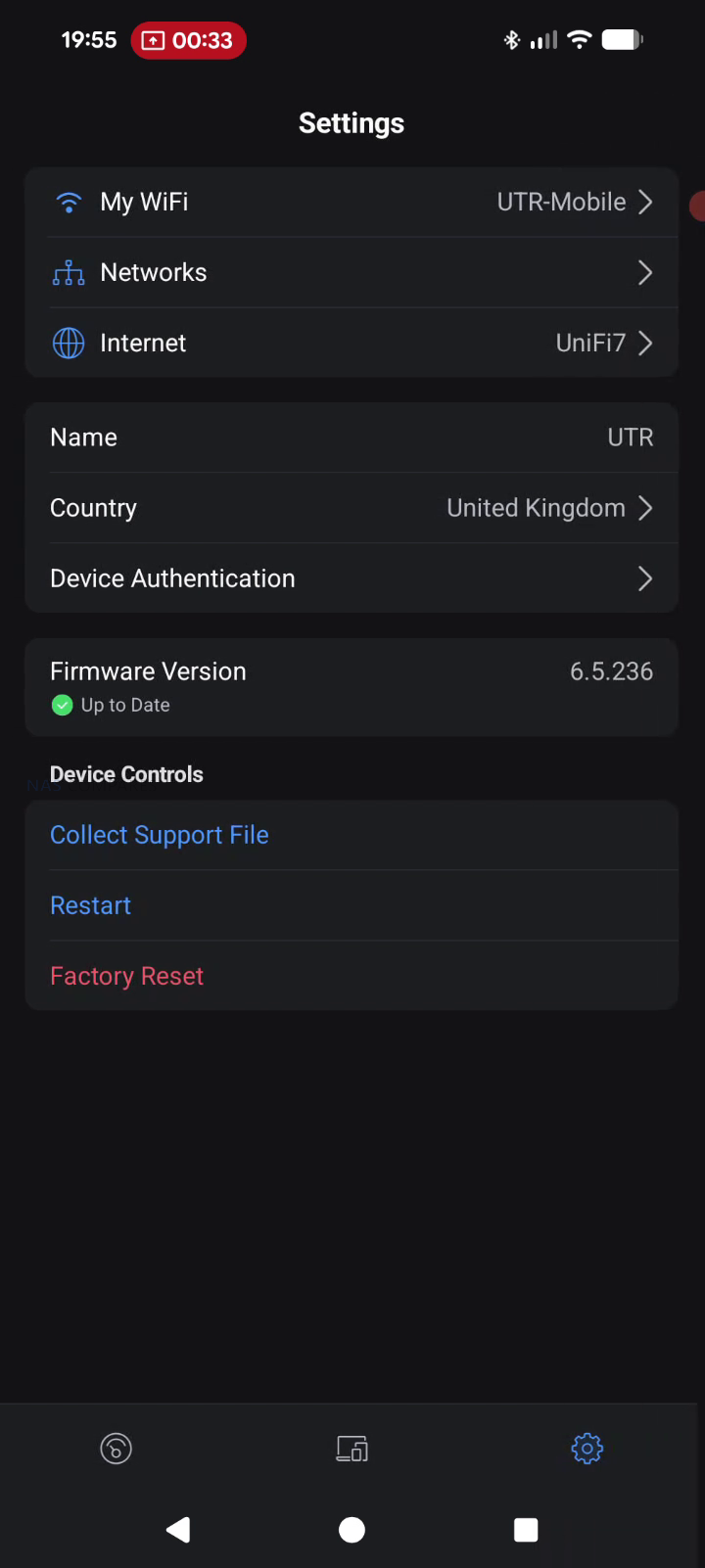
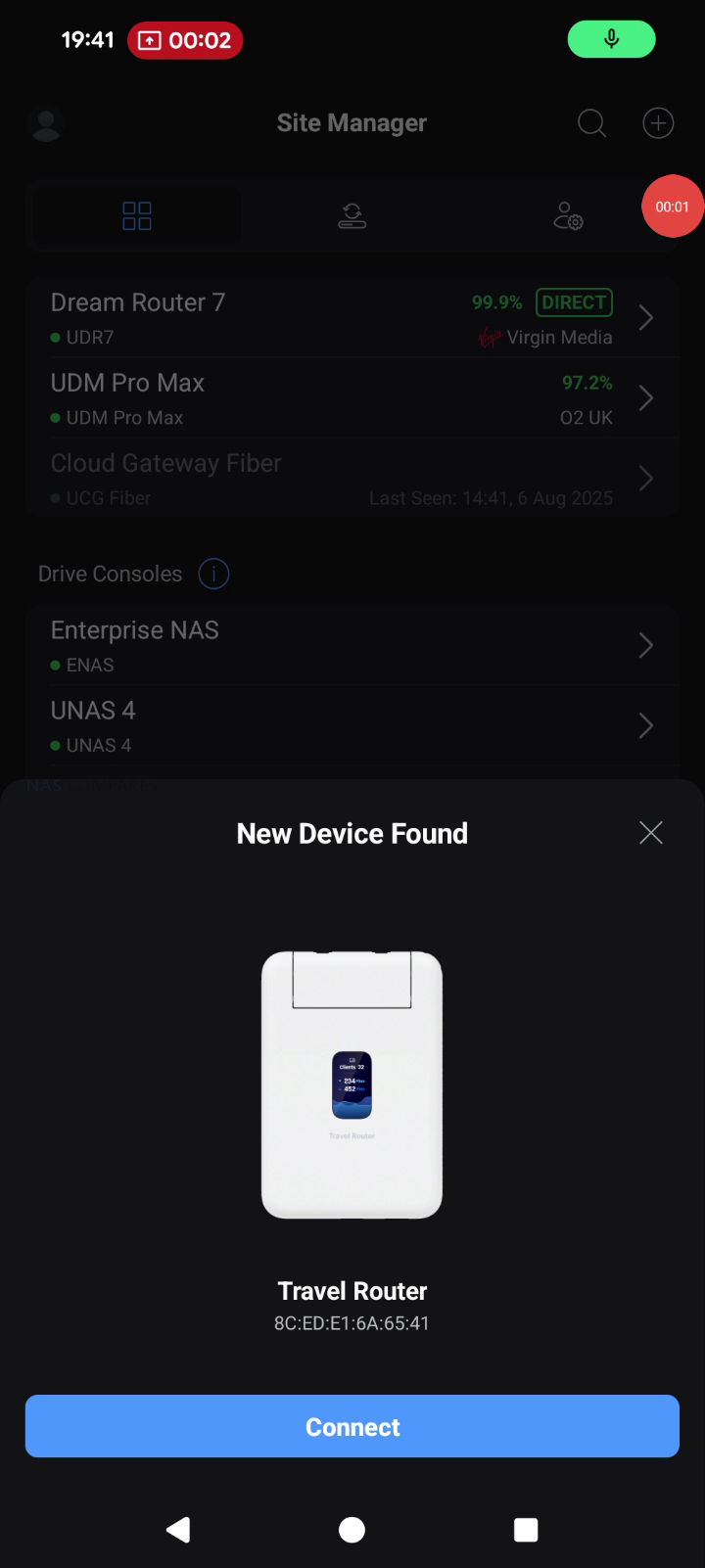
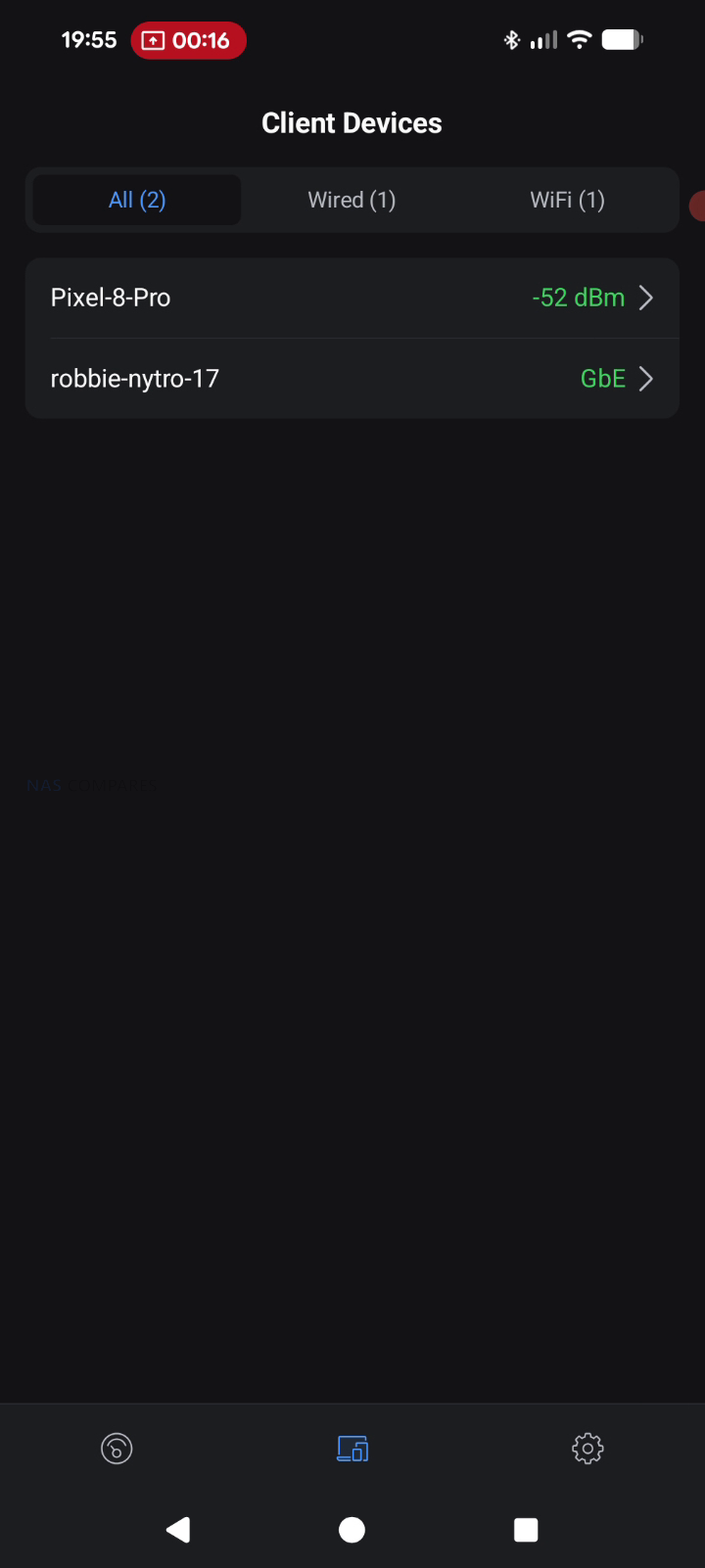
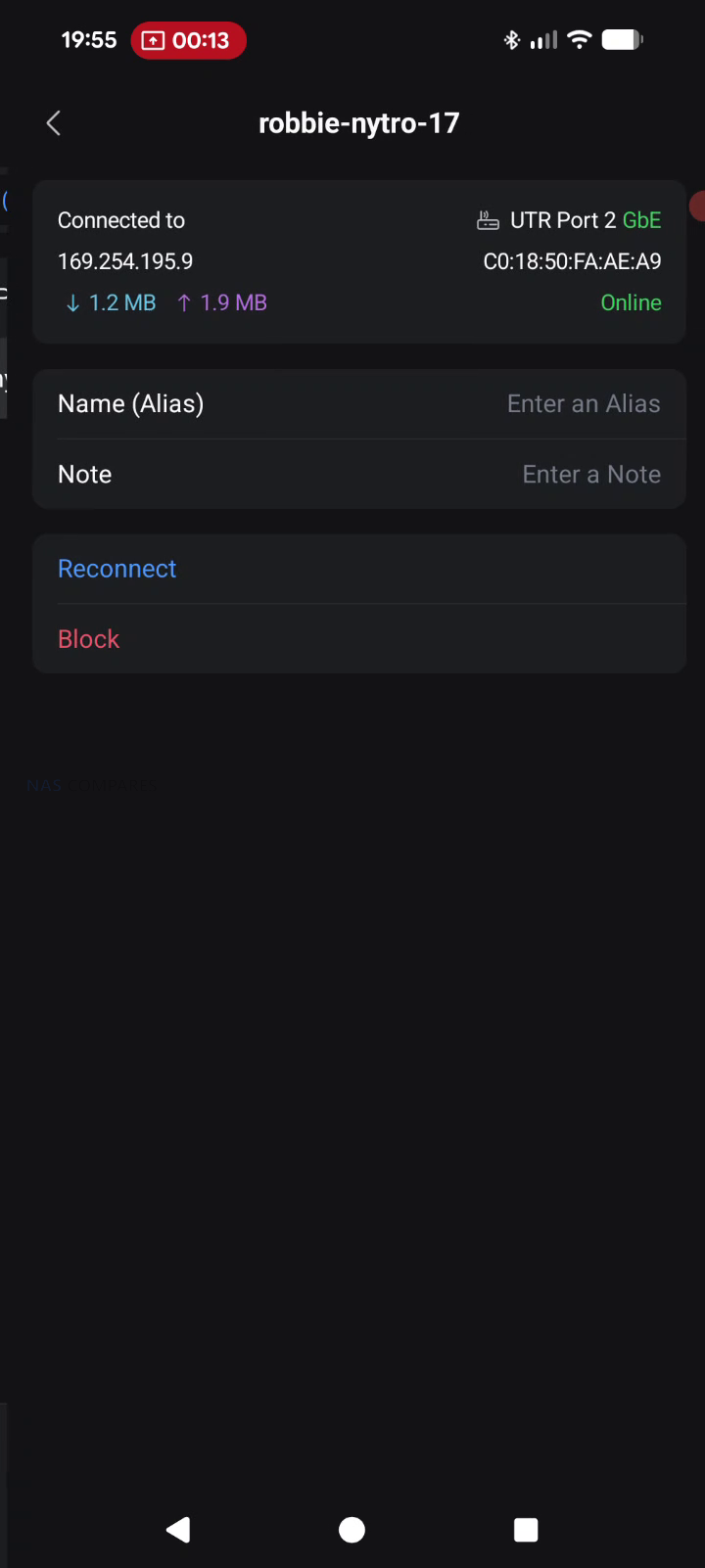
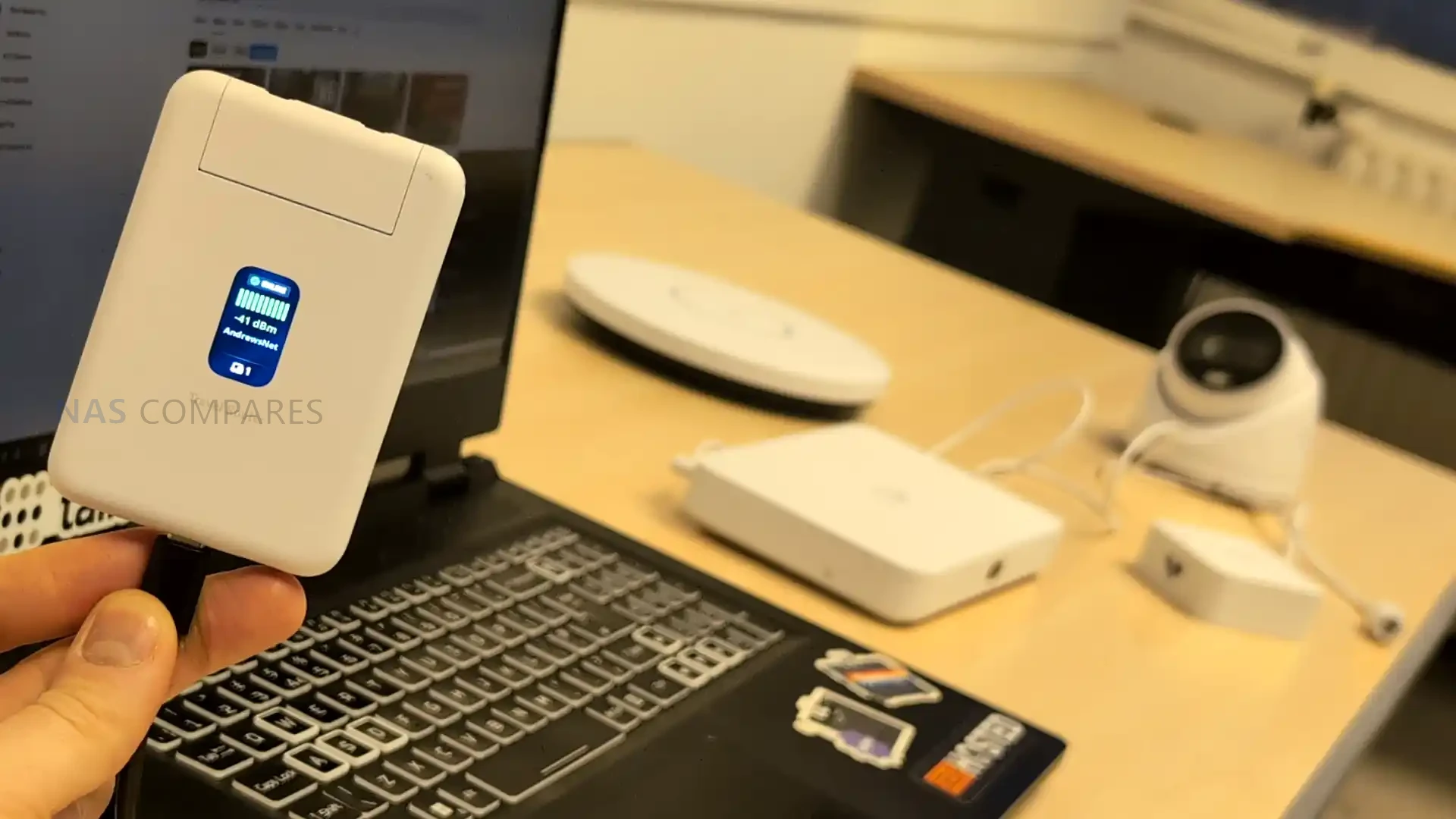
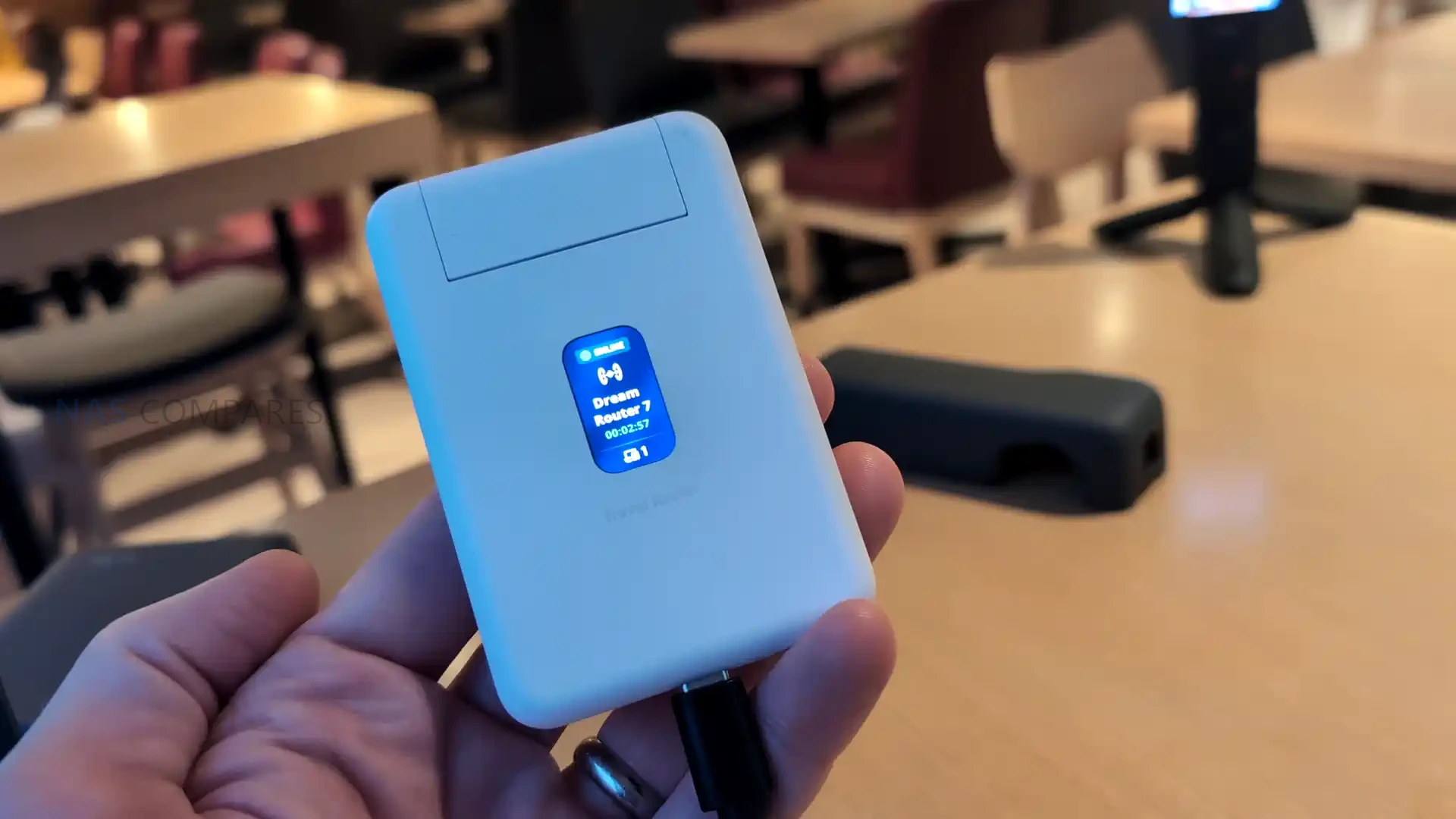
The UniFi Travel Router (UTR) is a compact router intended to extend an existing UniFi network to temporary locations such as hotels, offices, or public WiFi environments, with setup and changes handled through the UniFi Mobile App rather than on device controls. It is designed to bind to a UniFi site so that WiFi settings and Teleport can be applied automatically, allowing a familiar SSID and consistent LAN behavior to follow the user between locations without re adopting devices each time. In practical use, this positions it as a way to place multiple client devices behind a single controlled access point when working from shared networks, while still routing traffic through a VPN path back to a UniFi gateway if desired. The UTR also supports multiple uplink types, including Ethernet, WiFi, and USB tethering through a smartphone, with the ability to set uplink priority once an upstream connection has been established and any captive portal login has been completed via the phone.

Item Detail
Product UniFi Travel Router (UTR)
Price $79.00
Dimensions 95.95 x 65 x 12.5 mm
Weight 89 g
WiFi standard WiFi 5 (802.11ac)
Bands 2.4 GHz, 5 GHz
WiFi MIMO 2 x 2
Antennas 2 embedded WiFi antennas
Max TX power 2.4G: 13 dBm, 5G: 13 dBm
Ethernet ports 2 x GbE RJ45
VPN client support OpenVPN, WireGuard
Power method USB-C
Power input 5V / 2A (adapter not included)
Max power consumption 5W
Display 1.14″ status display
Button Factory reset
Certifications CE, FCC, IC
Compliance NDAA compliant
Not supported (per docs) WPA Enterprise, Passpoint

UniFi Travel Router Review – Quick Conclusion

The UniFi Travel Router looks like a genuinely handy tool for people already invested in UniFi: it gives you a small, light travel router with two gigabit ports (WAN and LAN), USB C power, separate USB tethering for using a phone as a 5G uplink, and a status screen that makes it easy to confirm what uplink you are using and whether Teleport is active, plus the big headline benefit that you can bind it to an existing UniFi setup and effectively carry your familiar SSID and behavior with you so your devices and even colleagues can connect without reconfiguring anything, while tunneling sensitive traffic back home through Teleport for safer use on hotel, office, or coffee shop networks and simplifying captive portal logins through the app. The tradeoffs are mostly about performance and features compared with newer rivals: it is WiFi 5 only with modest real world throughput expectations, the Ethernet ports are 1 GbE rather than 2.5 GbE, the screen is not touch so you still rely on the mobile app for changes, and there is no internal battery plus no built in SIM or eSIM option, which will disappoint anyone wanting an all in one, fully cellular travel router rather than a UniFi focused extender that leans on WiFi uplinks, wired WAN, or phone tethering.

BUILD QUALITY - 9/10
HARDWARE - 8/10
PERFORMANCE - 7/10
PRICE - 8/10
VALUE - 8/10


8.0
PROS
👍🏻Deep UniFi ecosystem fit, can bind to an existing UniFi site for a familiar setup on the go
👍🏻Teleport support enables secure remote access back to your UniFi network on public WiFi
👍🏻Can clone an existing SSID so your devices connect without reconfiguring
👍🏻Multi uplink flexibility: WiFi uplink, wired WAN via Ethernet, and USB tethering via smartphone
👍🏻Captive portal logins are handled through the mobile app, simplifying hotel and guest WiFi access
👍🏻Two gigabit ports (WAN and LAN) allow simple wired integration when available
👍🏻Separate USB C power and separate USB tethering is practical for travel scenarios
👍🏻Pocket sized, lightweight design with a helpful status display for quick connection checks
CONS
👎🏻WiFi 5 only, so performance and feature set trail newer WiFi 6 or WiFi 7 travel routers
👎🏻Ethernet is 1 GbE, not 2.5 GbE
👎🏻No internal battery and no built in SIM or eSIM option for standalone cellular use


UniFi Travel Router – Design

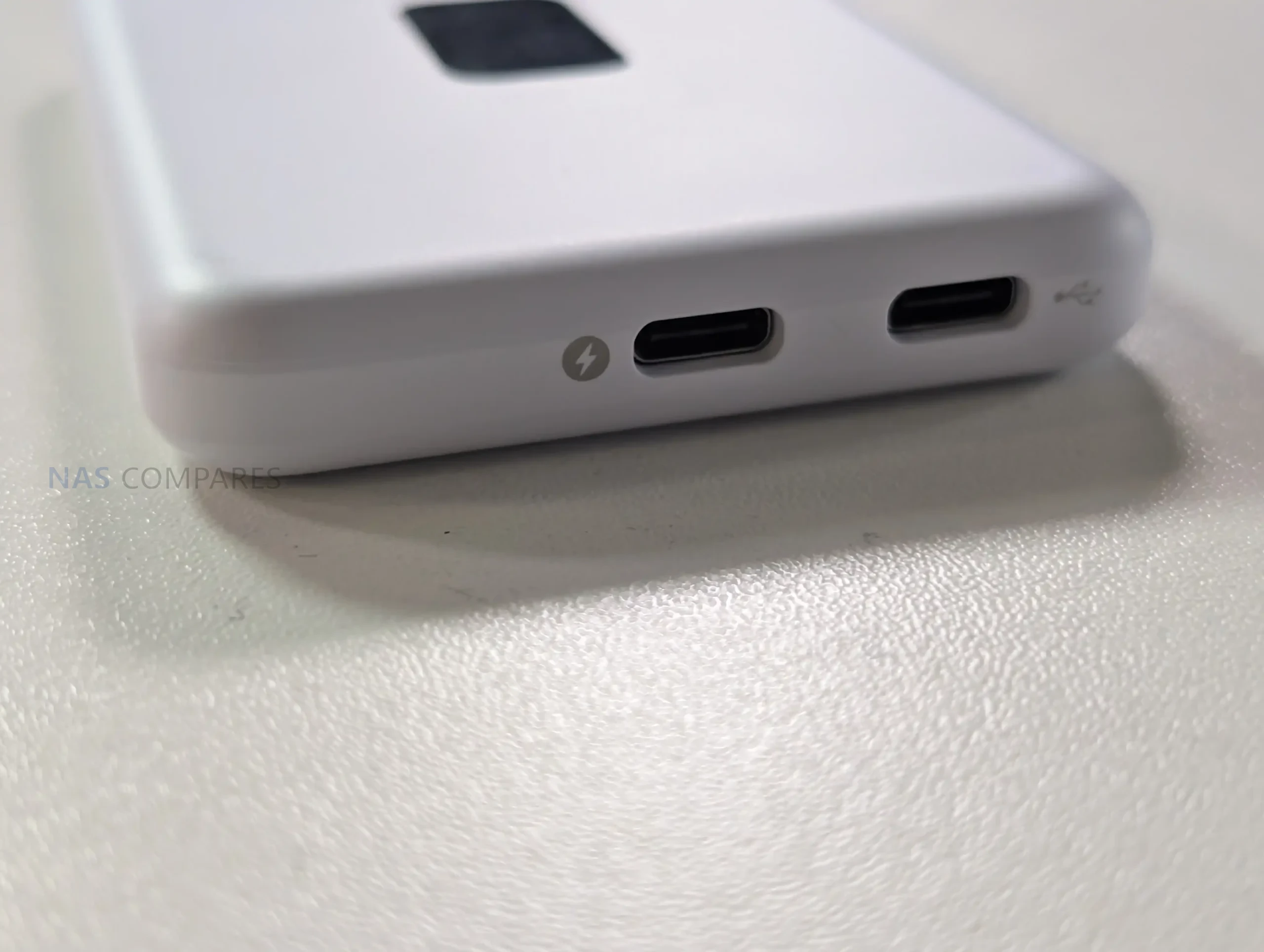
The UTR uses a slim, pocket oriented chassis that matches its intended role as a portable router rather than a fixed installation device. At 95.95 x 65 x 12.5 mm and 89 g, it is sized to carry alongside a phone, power bank, or small toolkit, and the enclosure is polycarbonate rather than metal. The design is built around external power, with no internal battery listed, so it is meant to be powered from common USB sources such as a charger, a power bank, or an available USB port in transit environments. UniFi specifies a USB-C 5V 2A input and up to 5W consumption, which places it within the output range of typical phone chargers and many shared USB outlets, but also means functionality depends on having a reliable external power source.

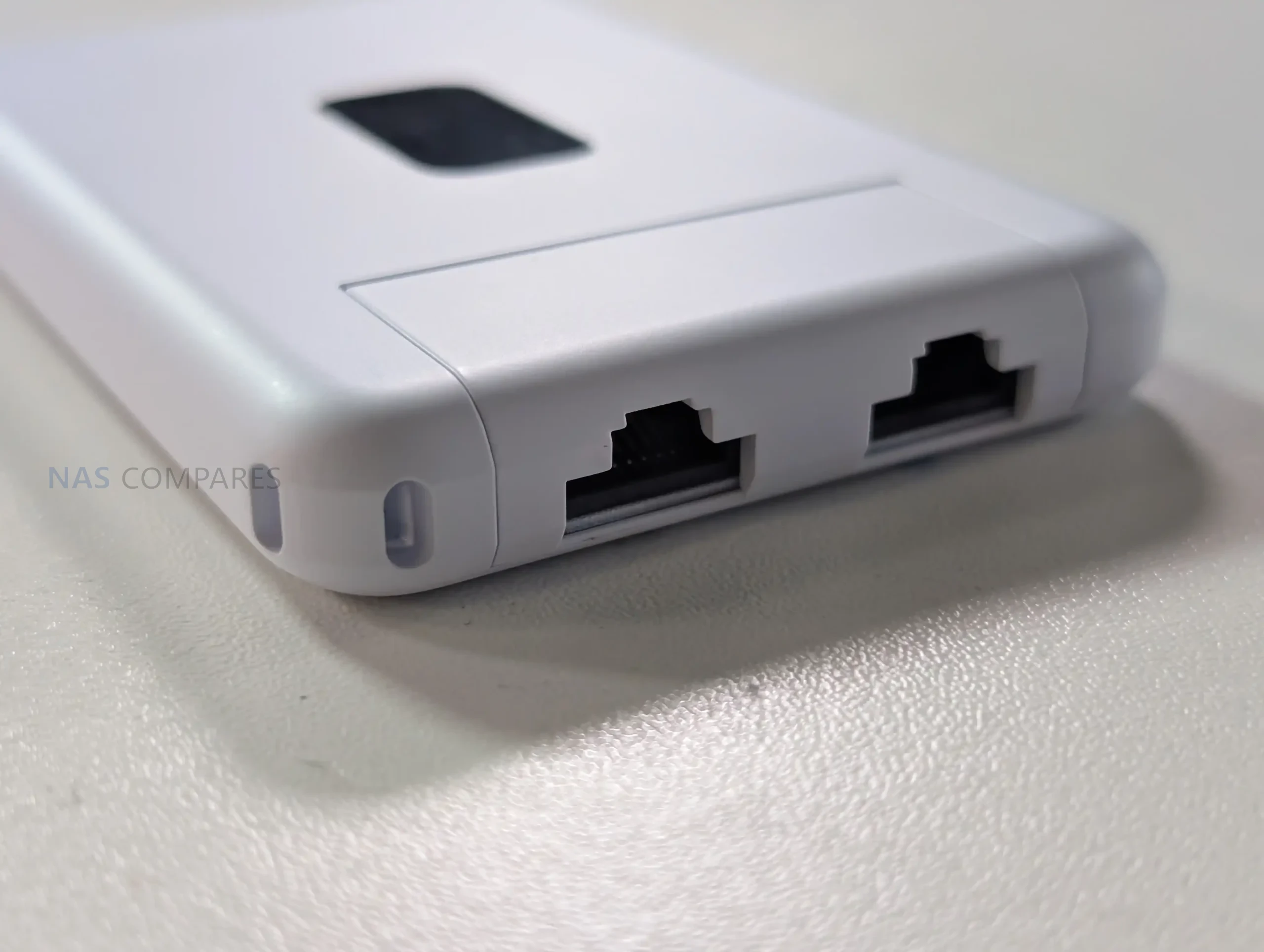
Physical I O is minimal and focused on travel use, with emphasis on flexibility rather than high port count. The unit provides 2 x GbE RJ45 ports for wired connectivity, typically used as WAN and LAN in practice, enabling either a wired upstream connection or a direct wired link to a local device when needed. It also includes a factory reset button but no other on device controls for configuration changes. In your usage notes, you highlighted that power and USB tethering are separated, allowing the device to stay powered from one source while using a different connection for phone tethering, which avoids the single port limitation found on some compact travel routers. You also noted that this layout suits scenarios where the most convenient power source might be a multi port power bank or a vehicle and public USB outlet, while the tether source remains the phone.

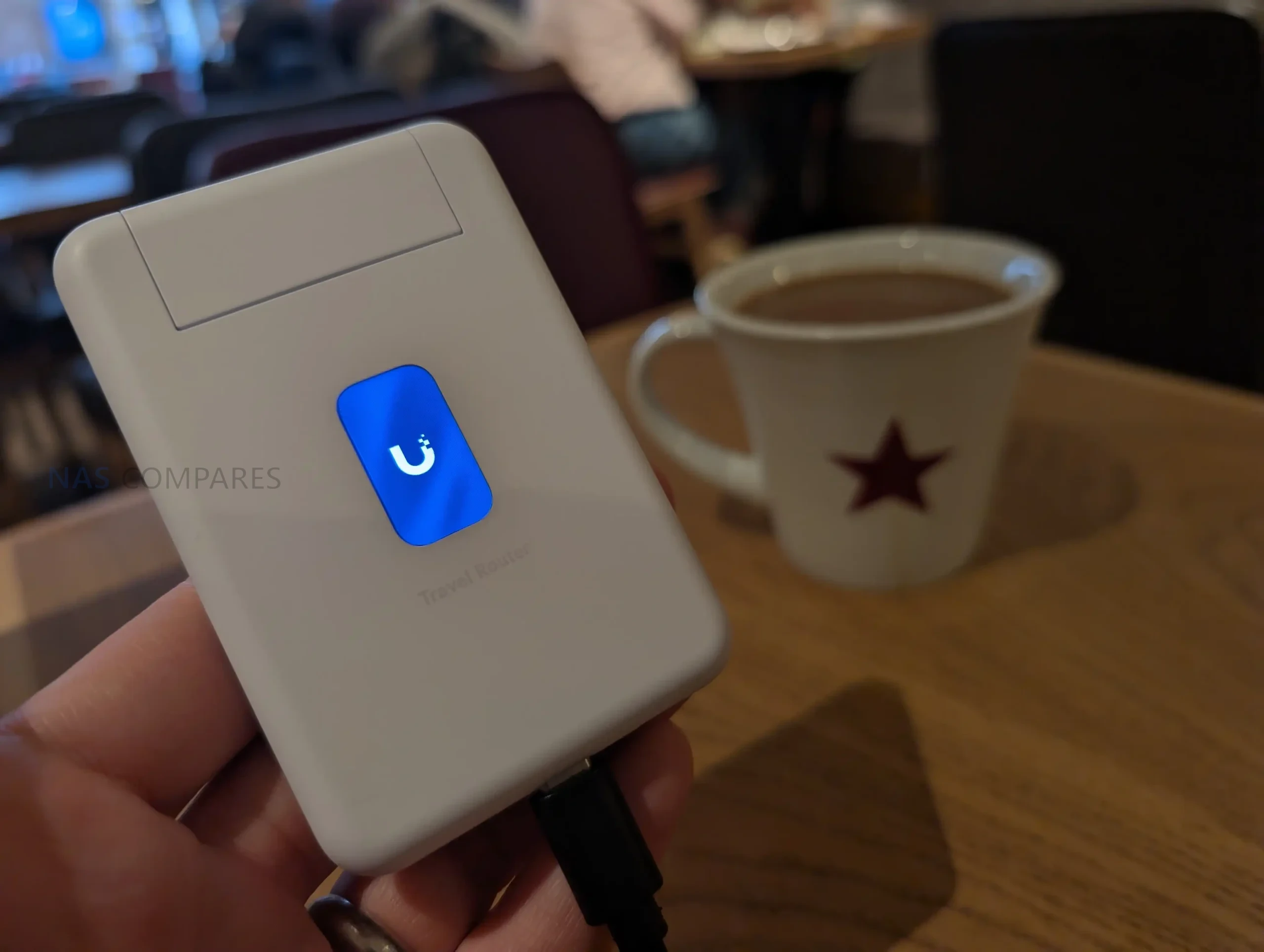
Status feedback is provided through a 1.14 inch display, but it is not a touchscreen, and configuration changes are handled in the UniFi Mobile App. This means the display functions as a quick reference for connection state and operational mode, such as whether it is using a particular uplink or whether Teleport is active, rather than a control surface for changing settings. Internally, WiFi is delivered via 2 embedded antennas with 2 x 2 MIMO and listed maximum transmit power of 13 dBm on both 2.4G and 5G, reflecting a design focused on compactness rather than external antenna placement. Operating limits are specified at -10 to 40 C and 5 to 95% noncondensing humidity, and the unit is listed as NDAA compliant with CE, FCC, and IC certifications, which may matter for users deploying it in regulated or corporate environments.

UniFi Travel Router – Connectivity

The UTR is built around 3 uplink paths: wired Ethernet, wireless WAN, and USB tethering through a smartphone, with the router acting as the single aggregation point for connected client devices. On the wired side, it provides 2 x GbE RJ45 ports, typically used as 1 WAN and 1 LAN, which allows a direct connection to an upstream network where a desk port or wall jack is available, while still offering a wired LAN handoff to a laptop, switch, or other local device. In your review, you also noted the practical advantage of using a wired uplink in temporary deployments, since it avoids relying entirely on building WiFi when you are on site for multiple days and want more predictable upstream stability.

For wireless connectivity, the UTR uses WiFi 5 (802.11ac) across 2.4 GHz and 5 GHz, with 2 x 2 MIMO and support for typical channel widths of 20, 40, and 80 MHz. UniFi lists a maximum 802.11ac data rate of up to 866.7 Mbps at VHT 80 and corresponding 802.11n rates up to 300 Mbps, with legacy 802.11a b g rates also supported for compatibility. In your video, you set expectations around real world throughput, noting that this class of WiFi 5 travel router can feel limited compared with newer WiFi 6 and WiFi 7 options, and you referenced typical observed uplink figures around 150 Mbps in the context of public WiFi and travel scenarios rather than sustained near gigabit speeds.

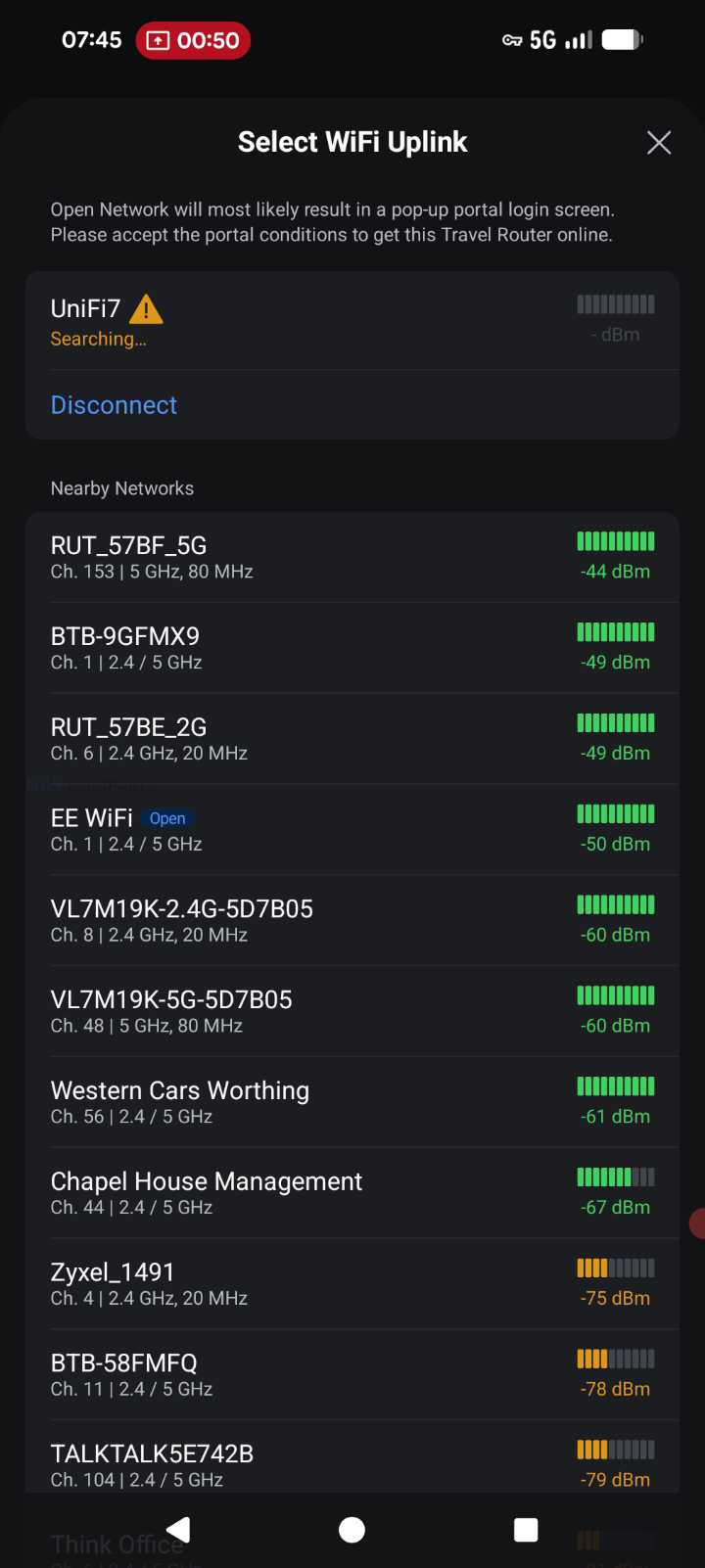
When connecting through hotel or venue WiFi, captive portal handling is part of the connectivity workflow rather than a separate feature layer. The documented process is to select the upstream network in the UniFi Mobile App, then complete any captive portal login on the phone when prompted, after which the router maintains that authenticated upstream session for the devices behind it. This approach can simplify group use, since multiple devices can share the same authenticated uplink without each device individually interacting with the portal. Connectivity limitations are also defined in the documentation, including lack of support for WPA Enterprise and Passpoint networks, which can affect compatibility in some corporate or managed public environments where those authentication methods are enforced.

UniFi Travel Router – Software & Services

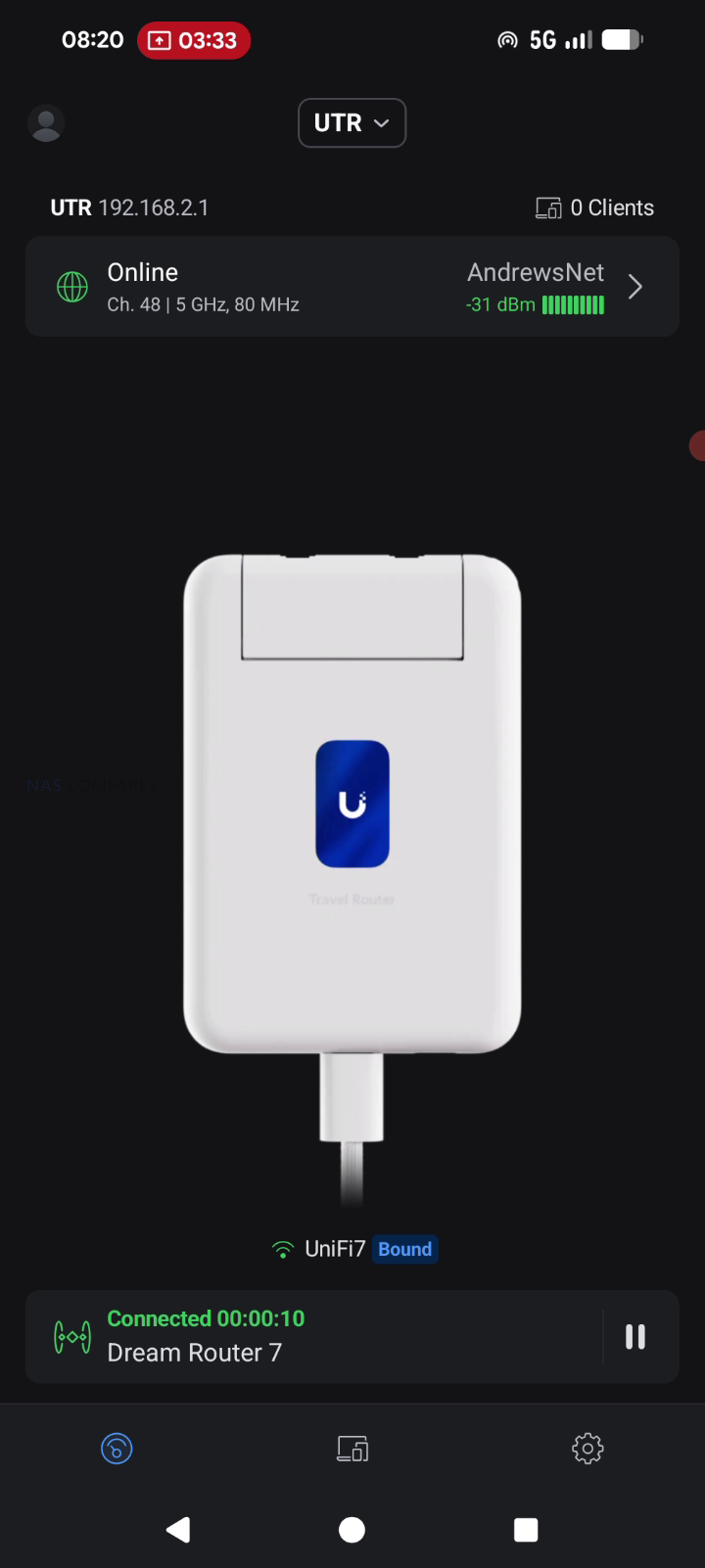
The UTR is designed to integrate into an existing UniFi deployment rather than operate as a standalone router with its own separate management model. Once it is bound to a UniFi site, it can automatically apply WiFi configuration and bring up the same network identity used elsewhere, including expected SSIDs and routing behavior. UniFi positions this as a continuity feature, where location aware policies and routing rules can activate when the router connects at a new site, reducing the amount of manual setup typically needed when moving between venues.

Teleport is the primary UniFi service feature tied to remote access on the UTR. The documented workflow is to complete initial setup, open the UniFi Mobile App, select an available UniFi gateway or console, and then connect using Teleport, creating a private path back to the user’s UniFi network. Alongside Teleport, the UTR lists VPN client support for OpenVPN and WireGuard, allowing VPN enforcement at the router level so connected devices use the same tunnel without requiring separate VPN configuration per device. In your review use case, this was framed around keeping work traffic routed through a known UniFi environment while operating on public or untrusted networks during multi day on site work.

Beyond remote access, the feature set includes core router functions such as firewall and port forwarding, with UniFi management intended to keep LAN behavior consistent across locations. UniFi also describes plug and play pairing with existing UniFi devices, aiming to reduce friction when traveling with preconfigured hardware that is expected to reappear on a familiar network. The documentation also references Auto Link in the context of keeping wireless cameras and devices online automatically, positioning it as a continuity mechanism rather than a separate setup workflow. Operationally, configuration and connection selection are handled through the UniFi Mobile App, including joining upstream WiFi and completing captive portal authentication when present, while enterprise style WiFi authentication methods like WPA Enterprise and Passpoint are listed as unsupported.

UniFi Travel Router – Conclusion

The UniFi Travel Router makes the most sense as a “UniFi extender you can pocket” rather than a generic travel router trying to win on raw specs. The real value is how quickly it drops you back into a familiar environment: bind it to your UniFi setup, carry over the SSID you already use, and your devices can reconnect without you rebuilding a network from scratch each time you land somewhere new. For people who work on site, bounce between coffee shops, or travel with a small team, that convenience adds up fast: one upstream connection, one captive portal login handled through the app, and everything behind the UTR can ride through a secure Teleport tunnel back to your home or office UniFi gateway. Add the practical hardware touches, like two gigabit ports for wired WAN or LAN use, separate USB C power and USB tethering for pulling in a phone connection, and a status display that helps you confirm what is actually happening at a glance, and it is easy to see why this little box is appealing if you already live in the UniFi ecosystem.

The drawbacks are largely about what it is not trying to be. If you want a bleeding edge travel router, the UTR’s WiFi 5 radio and 1 GbE ports will feel conservative next to WiFi 6E or WiFi 7 options, and your top end wireless throughput is simply going to be capped by the platform. The screen is useful, but it is not touch, so you are still leaning on the mobile app for most changes, and there is no internal battery to make it a truly self contained travel companion. Just as importantly, there is no integrated SIM or eSIM, so anyone hoping for an all in one cellular travel router will be looking elsewhere or relying on phone tethering. Taken together, the UniFi Travel Router is a strong niche product: it is not the fastest, but for existing UniFi users who care most about consistency, security, and getting online quickly in messy real world networks, it is a smart and affordable addition to the kit bag.

PROS of the UniFI Travel Router CONS of the UniFI Travel Router
  • Deep UniFi ecosystem fit, can bind to an existing UniFi site for a familiar setup on the go

  • Teleport support enables secure remote access back to your UniFi network on public WiFi

  • Can clone an existing SSID so your devices connect without reconfiguring

  • Multi uplink flexibility: WiFi uplink, wired WAN via Ethernet, and USB tethering via smartphone

  • Captive portal logins are handled through the mobile app, simplifying hotel and guest WiFi access

  • Two gigabit ports (WAN and LAN) allow simple wired integration when available

  • Separate USB C power and separate USB tethering is practical for travel scenarios

  • Pocket sized, lightweight design with a helpful status display for quick connection checks

  • WiFi 5 only, so performance and feature set trail newer WiFi 6 or WiFi 7 travel routers

  • Ethernet is 1 GbE, not 2.5 GbE

  • No internal battery and no built in SIM or eSIM option for standalone cellular use

📧 SUBSCRIBE TO OUR NEWSLETTER 🔔
[contact-form-7]
🔒 Join Inner Circle

Get an alert every time something gets added to this specific article!


Want to follow specific category? 📧 Subscribe

This description contains links to Amazon. These links will take you to some of the products mentioned in today's content. As an Amazon Associate, I earn from qualifying purchases. Visit the NASCompares Deal Finder to find the best place to buy this device in your region, based on Service, Support and Reputation - Just Search for your NAS Drive in the Box Below

Need Advice on Data Storage from an Expert?

Finally, for free advice about your setup, just leave a message in the comments below here at NASCompares.com and we will get back to you. Need Help? Where possible (and where appropriate) please provide as much information about your requirements, as then I can arrange the best answer and solution to your needs. Do not worry about your e-mail address being required, it will NOT be used in a mailing list and will NOT be used in any way other than to respond to your enquiry. [contact-form-7] TRY CHAT Terms and Conditions
If you like this service, please consider supporting us. We use affiliate links on the blog allowing NAScompares information and advice service to be free of charge to you.Anything you purchase on the day you click on our links will generate a small commission which isused to run the website. Here is a link for Amazon and B&H.You can also get me a ☕ Ko-fi or old school Paypal. Thanks!To find out more about how to support this advice service check HEREIf you need to fix or configure a NAS, check Fiver Have you thought about helping others with your knowledge? Find Instructions Here  
 
Or support us by using our affiliate links on Amazon UK and Amazon US
    
 
Alternatively, why not ask me on the ASK NASCompares forum, by clicking the button below. This is a community hub that serves as a place that I can answer your question, chew the fat, share new release information and even get corrections posted. I will always get around to answering ALL queries, but as a one-man operation, I cannot promise speed! So by sharing your query in the ASK NASCompares section below, you can get a better range of solutions and suggestions, alongside my own.

☕ WE LOVE COFFEE ☕


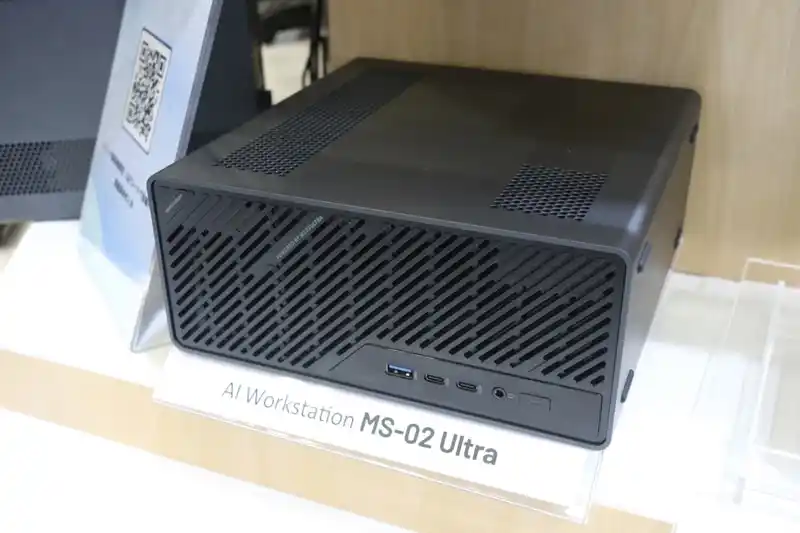
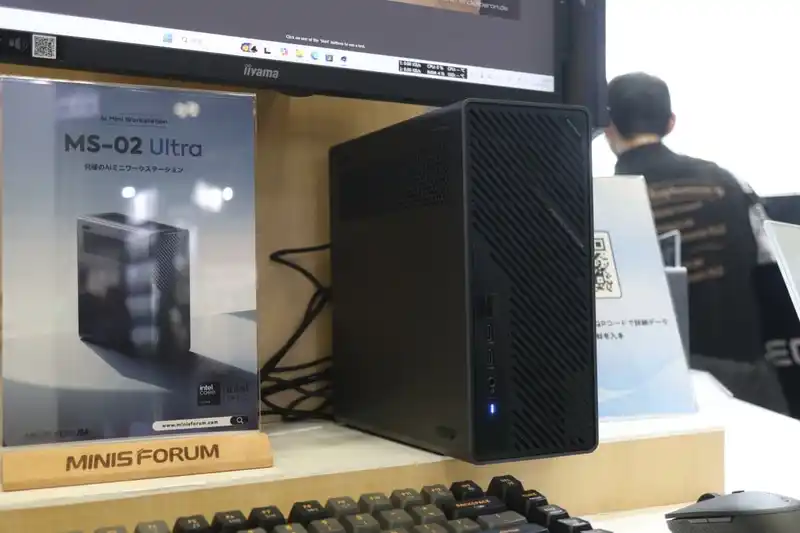
Minisforum MS-02 Ultra – Early Impressions (Quick Review)

The Minisforum MS-02 Ultra – The First 48 Hours

The MS-02 Ultra is the latest workstation from Minisforum, and is currently undergoing testing and review here at NASCompares. However, even after just 48 hours, a whole bunch of interesting design choices and unique qwerks to the arcitecture have emerged that I wanted to cover in the meantime before the full review is complete. The MS-02 Ultra essentially trying to recapture the magic and impact of the incredibly popular MS-01 – and it is attempting this by doubling, trippling and (in some cases) quadrupling the base specifications! The Minisforum MS-02 Ultra arrives as a compact workstation that incorporates a 24-core Intel Core Ultra 9 285HX processor, up to 256 GB of ECC DDR5 memory, internal 350 W power delivery, multiple PCIe expansion options, and a network configuration that includes dual 25GbE, 10GbE, and 2.5GbE. After 48 hours of initial testing, several hardware behaviors have emerged regarding thermals, acoustics, lane distribution, storage configuration, and chassis layout. The following sections outline these early observations, supported by confirmed specifications and hands-on inspection. Stay tuned for the full review, but at least for now, let’s discuss the early highlights and low lights!

Category Specification
CPU Intel Core Ultra 9 285HX, 24C/24T, up to 5.5 GHz
TDP 100 W PL1 and 140 W PL2 (without dGPU)
Memory 4x DDR5 SODIMM, up to 256 GB, ECC supported on 285HX
Storage 2x M.2 PCIe 4.0 x4 on board, 2x M.2 PCIe 3.0 x4 or 4.0 x4 on NIC combo card
Networking 2x 25GbE SFP+, 1x 10GbE RJ45, 1x 2.5GbE RJ45 (vPro)
Wireless WiFi 7 and Bluetooth 5.4
PCIe Slots 1x PCIe 5.0 x16, 1x PCIe 4.0 x16, 1x PCIe 4.0 x4
USB Ports 2x USB4 v2 Type-C, 1x USB4 Type-C, 3x USB-A 10Gbps
Video Output HDMI 2.1 and USB4 DP Alt Mode
Cooling Six heatpipe radiator with PCM and dual-fan chamber
Power Internal 350 W PSU
Dimensions 221.5 x 225 x 97 mm
Weight 3.45 kg

Design of the MS-02 Ultra

The internal design of the MS-02 Ultra differs considerably from earlier Minisforum workstation models and moves away from the layout used in the MS-S1 Max. Although the system retains a slide-out internal frame, the mechanism is less streamlined than the earlier S-series implementation because of how densely the components are arranged.

The interior resembles a compressed micro-tower layout, with the CPU cooling assembly, PSU, PCIe risers, and storage positions layered closely together. A dual-fan ventilation chamber spans the frontal section of the chassis, pulling air through a vented intake and directing it across the primary cooling hardware before forcing it out the rear. This arrangement appears to be a necessary response to the higher thermal output of the Ultra 9 285HX and the inclusion of multiple expansion slots, both of which require more directed airflow than Minisforum’s previous compact workstation designs.

The placement of internal components reflects the limited spatial tolerance of the 4.8-liter enclosure. The internal 350 W PSU occupies a significant section of the lower frame and includes additional power leads intended for low-profile GPU or accelerator cards, something rarely present in machines of this size. The motherboard runs across most of the horizontal section and positions the CPU vapor-chamber cooler toward the middle, while memory slots, NVMe connectors, and the PCIe riser for the combo NIC occupy the remaining pockets of available space.

Because cooling pipes and the ventilation housing sit directly above the CPU-side memory slots, Minisforum added a custom angled heatsink to ensure airflow reaches these modules. This results in a serviceable layout but one that requires more deliberate disassembly, as the compact structure prioritizes component density and thermal guidance over ease of access or open internal spacing.

Early Heat, Noise and Power Use of the MS-02 Ultra

Initial thermal behavior suggests the MS-02 Ultra is managing its compact layout with a cooling strategy built around a dual-fan chamber and a six-heatpipe radiator assisted by phase-change material. During the first setup period, surface temperatures around the chassis varied, with readings near the side ventilation panels and case edges settling around the low-to-mid 40s, while the front intake area measured lower due to the direct airflow path.

Early internal temperature checks, taken before any sustained workloads were applied, showed values consistent with a system that is heavily packed but actively cooled across multiple zones. These readings align with Minisforum’s stated 5000 RPM maximum fan speed and the intention to maintain a 100 W to 140 W CPU power envelope depending on configuration. However, because these measurements were taken during routine preparation rather than stress testing, they provide only a preliminary indication of how the system will manage long-duration loads.

Noise levels during this early period ranged from the low 30s dBA while performing software installations and background operations, with no significant fluctuations unless brief bursts of activity occurred. This behavior suggests fan control may be tied primarily to BIOS-level thermal triggers rather than granular OS-side control, something that will require further testing.

Power consumption during light activity remained in the 50 to 60 W range, which is consistent with a workstation-class system running the Ultra 9 285HX while idle or handling moderate foreground tasks. Removing the dual-25GbE combo card or disabling its slot reduced power draw by roughly 10 to 11 W, highlighting the overhead associated with multi-lane NICs and onboard controllers. These early figures provide a baseline for comparison against heavier benchmarks that will be performed in the full review.

The 25GbE, 10GbE and WiFi 7 Network Card in the MS-02 Ultra

The MS-02 Ultra’s networking implementation is centered around a PCIe-based combo card that integrates dual 25GbE SFP+ ports with two additional M.2 NVMe slots. This card is installed in the PCIe 4.0 x16 position rather than the PCIe 5.0 slot, and it includes a dedicated controller with active cooling and heatsinks that cover both the networking and storage components.

Early inspection shows the card draws a notable amount of power, which corresponds with the increased thermal and electrical requirements of Intel’s E810-class 25GbE controllers. Because of this, Minisforum’s inclusion of dedicated airflow and structural reinforcement around the card is necessary within the constrained 4.8-liter chassis. The presence of this dual-purpose add-in card also means the MS-02 Ultra’s total NVMe count depends on whether the system is configured with the 285HX version, as the lower-tier CPUs remove the combo module entirely.

Beyond the 25GbE configuration, the system includes onboard 10GbE and 2.5GbE RJ45 ports, the latter supported by Intel’s i226-LM with vPro capabilities, allowing BIOS-level remote management. The combination of high-speed SFP+, copper-based multi-gigabit ports, and embedded management options positions the system for lab, server, or virtualization roles rather than conventional desktop use.

Wireless capability is supplied via a WiFi 7 and Bluetooth 5.4 module connected through an M.2 E-Key slot, providing high-throughput wireless performance alongside its wired interfaces. Together, these connectivity features expand the system’s potential use cases, particularly for users planning to deploy virtualized environments or bandwidth-intensive tasks such as shared storage testing or multi-system clustering.

How m.2 Storage on the MS-02 Ultra is Done

The MS-02 Ultra distributes its four NVMe slots across two different locations, with two mounted on the mainboard and two integrated into the dual-25GbE combo card. The pair located on the system board are positioned on the underside, near the memory and CPU assembly, and both are listed as PCIe 4.0 x4 according to Minisforum’s documentation.

Early inspection suggests that one of these may have a PCIe 5.0 lane path available at the hardware level, though software restrictions or lane bifurcation rules may currently limit it to Gen 4 behavior. This is an area that requires further validation using a Gen 5 SSD, as the lane layout on the 285HX platform allows various allocation possibilities depending on how Minisforum assigned bandwidth between CPU, chipset, and expansion slots. These internal slots have modest vertical clearance, meaning SSDs with tall heatsinks cannot be used without removing or replacing the pre-fitted cooling structures.

The remaining two NVMe slots reside on the network combo card alongside the 25GbE controllers. These operate under different bandwidth rules depending on SSD capacity: drives up to 4 TB operate at PCIe 4.0 x4, while larger 8 TB models shift down to PCIe 3.0 x4. This behavior appears to be related to the card’s onboard controller and how its internal bifurcation splits resources between the NIC and storage lanes.

Physical space is also restricted on the card, requiring low-profile SSDs in certain positions to avoid obstruction of the cooling shroud and airflow channel. Minisforum includes an additional heatsink in the package for users installing their own drives, but using SSDs with taller factory heatsinks may be impractical. Altogether, storage layout on the MS-02 Ultra is functional and high-capacity, but with lane behaviors and physical constraints that require attention during configuration.

Memory on the MS-02 Ultra

The MS-02 Ultra provides four DDR5 SODIMM slots, but their distribution within the chassis is unconventional due to the system’s compact thermal layout. Two slots sit on the mainboard near the CPU-side M.2 positions, placed directly in the airflow path of the vapor-chamber cooler and its dual-fan assembly. Because of this, Minisforum has added a custom angled heatsink that draws air from the primary cooling channel across the modules and nearby components.

This arrangement is intended to compensate for the thermal density around the CPU area, where heat buildup would otherwise be more likely. These two slots support both ECC and non-ECC memory, though ECC functionality is active only on the 285HX model. Their placement suggests Minisforum prioritized consistent airflow over ease of access, making upgrades possible but less straightforward than on more open workstation layouts.

The remaining pair of SODIMM slots is located on the opposite side of the board, positioned away from the CPU cooling assembly and closer to the chassis frame. These modules have more breathing room but rely on passive airflow from the system’s general ventilation rather than a focused cooling path. All four slots support speeds up to 4800 MHz, with XMP profiles unavailable due to Minisforum’s implementation and Intel’s platform limitations.

During early testing, memory installation worked as expected, though the arrangement of these slots means users planning maximum 256 GB configurations will need to work within the physical constraints of the layout. Overall, the memory design reflects a tradeoff between supporting high-capacity ECC configurations and fitting the necessary cooling infrastructure into a small volume.

PCIe Card Support on the MS-02 Ultra

The MS-02 Ultra incorporates three PCIe slots arranged to maximize flexibility within its compact chassis: a PCIe 5.0 x16 slot, a PCIe 4.0 x16 slot, and a PCIe 4.0 x4 slot. The PCIe 5.0 slot is left unoccupied by default, allowing users to install a low-profile GPU or accelerator card that fits within the airflow and power constraints of the 350 W internal PSU.

Minisforum includes auxiliary power cables within the system, which is uncommon for small-form-factor workstations and indicates that the chassis is intended to support cards that require supplemental power. Because of the chassis height and width, only dual-slot, low-profile cards with modest cooling requirements are viable, but this still introduces options for compute or media workloads that benefit from hardware acceleration.

The PCIe 4.0 x16 slot is occupied in the 285HX configuration by the dual-25GbE plus dual-M.2 combo card, which introduces additional thermal and power considerations. This leaves the PCIe 4.0 x4 slot available for further expansion, provided the card used meets the system’s spatial limitations. The layout demonstrates Minisforum’s approach to balancing lane allocation between CPU, storage, and networking, especially given the 24 available PCIe lanes on the Ultra 9 platform.

Although the physical presence of three slots in such a compact volume is unusual, the arrangement is functional, and power delivery from the internal PSU supports moderate add-in card configurations. Users will need to consider airflow direction, card length, and slot occupation carefully to avoid restricting internal ventilation.

Conclusion and Verdict on the Minisforum MS-02 Ultra (So Far…)

The MS-02 Ultra presents a compact workstation design that integrates a high-core-count CPU, multiple NVMe storage options, high-speed networking, and an internal PSU within a tightly arranged chassis. Early testing indicates that the system’s thermal behavior, noise profile, and power draw are consistent with its component density, though the long-term performance of its cooling strategy requires extended benchmarking before reaching definitive conclusions. The design choices, such as the split placement of memory slots, the use of a large dual-fan cooling chamber, and the reliance on a densely packed internal layout, all reflect Minisforum’s effort to fit workstation-grade hardware into a constrained volume.

In terms of features, the dual-25GbE plus dual-M.2 combo card remains the most distinctive element, expanding the system’s potential for virtualized environments, NAS roles, and bandwidth-heavy workflows. PCIe allocation, memory configuration, and storage behavior introduce several considerations for users planning upgrades or specialized deployments. While these early observations indicate a capable and flexible platform, further testing is necessary to determine sustained thermal performance, PCIe stability under load, and real-world throughput of the networking and storage subsystems. The forthcoming full review will provide those extended results, but for now, the system presents a feature-rich design with several areas that merit deeper evaluation.

Where to Buy the Minisforum MS-02 Ultra?

Check Amazon in Your Region for the Minisforum MS-02 Ultra

Check AliExpress for the Minisforum MS-02 Ultra

Check the Official Site for the Minisforum MS-02 Ultra


📧 SUBSCRIBE TO OUR NEWSLETTER 🔔
[contact-form-7]
🔒 Join Inner Circle

Get an alert every time something gets added to this specific article!


Want to follow specific category? 📧 Subscribe

This description contains links to Amazon. These links will take you to some of the products mentioned in today's content. As an Amazon Associate, I earn from qualifying purchases. Visit the NASCompares Deal Finder to find the best place to buy this device in your region, based on Service, Support and Reputation - Just Search for your NAS Drive in the Box Below

Need Advice on Data Storage from an Expert?

Finally, for free advice about your setup, just leave a message in the comments below here at NASCompares.com and we will get back to you. Need Help? Where possible (and where appropriate) please provide as much information about your requirements, as then I can arrange the best answer and solution to your needs. Do not worry about your e-mail address being required, it will NOT be used in a mailing list and will NOT be used in any way other than to respond to your enquiry. [contact-form-7] TRY CHAT Terms and Conditions
If you like this service, please consider supporting us. We use affiliate links on the blog allowing NAScompares information and advice service to be free of charge to you.Anything you purchase on the day you click on our links will generate a small commission which isused to run the website. Here is a link for Amazon and B&H.You can also get me a ☕ Ko-fi or old school Paypal. Thanks!To find out more about how to support this advice service check HEREIf you need to fix or configure a NAS, check Fiver Have you thought about helping others with your knowledge? Find Instructions Here  
 
Or support us by using our affiliate links on Amazon UK and Amazon US
    
 
Alternatively, why not ask me on the ASK NASCompares forum, by clicking the button below. This is a community hub that serves as a place that I can answer your question, chew the fat, share new release information and even get corrections posted. I will always get around to answering ALL queries, but as a one-man operation, I cannot promise speed! So by sharing your query in the ASK NASCompares section below, you can get a better range of solutions and suggestions, alongside my own.

☕ WE LOVE COFFEE ☕


Running a DHCP Server on OPNsense with Kea

OPNsense firewalls can also function as DHCP servers. IP addresses are then assigned directly at the point where network separation and packet filtering take place. The firewall manages all active hosts, controls their assignment to VLANs and segmented networks, and documents each allocation in its own lease tables.

Source

Black Friday Deals on CPU+Motherboard NAS Combos

DIY NAS Mobo+CPU Combo Black Friday Deals

Black Friday 2025 has turned into an unexpectedly strong year for NAS-oriented CPU and motherboard combos, with some of the most capable low-power and mid-range processors finally dropping into impulse-buy pricing. Boards built around the Intel N150, N305, and even the Ryzen 7 8845HS are now appearing with deep discounts, and many of them pair surprisingly high-performance compute with dense SATA layouts, multiple NVMe slots, and 10GbE networking. These platforms slot neatly into the current wave of home lab operating systems, giving users a flexible foundation for TrueNAS, UnRAID, Proxmox, or ZimaOS, whether the goal is a compact all-flash array, a low-watt Plex server, or a fully virtualized workload host. This guide breaks down the best offers available today and highlights the combos that deliver the strongest performance per dollar.

Important – If you are considering purchasing from AliExpress via the links below, here is a list of promo codes thare are valid during Black Friday and Cyber Monday. Additionally, there are ‘red banner’ discounts on many of the pages that are located in red under the product price (I have highlighted the box in red):
    • $3 off orders over US 18 [USAFF03]
    • $4 off orders over US 26 [USAFF04]
    • $9 off orders over US 59 [9USAFF]
  • $15 off orders over US 89 [15USAFF]
  • $20 off orders over US 139 [USAFF20]
  • $30 off orders over US 209 [30USAFF]
  • $40 off orders over US 279 [40USAFF]
  • $50 off orders over US 329 [50USAFF]
  • $70 off orders over US 499 [70USAFF]

ALSO – Need UnRAID? UnRAID 25% Price Drop + $15 Voucher Included with ALL Orders – HERE


10G N150 NAS Motherboard / DDR5 6* SATA /  Intel I226 / 2.5G Mini ITX /  2* M.2 – $219.50 HERE

This Mini-ITX NAS-oriented board features an onboard Intel N150 processor paired with DDR5 memory support and a strong storage layout including six SATA 3.0 ports and two PCIe-based M.2 slots. It includes triple-NIC networking with dual Intel I226-V 2.5GbE ports and a 10GbE AQC113 controller, making it suitable for DIY NAS builds that require high-bandwidth local access. With PCIe 3.0 expansion, ATX 24+4-pin power, and full support for Windows and Linux, it offers excellent value at its discounted Black Friday price of $219.50.

Category Details
CPU Intel N150 onboard (Twin Lake SoC)
Motherboard Type Mini-ITX 170 x 170 mm
RAM Type / Maximum DDR5 SO-DIMM, 1 slot, up to 16GB
SATA Drive Support 6 x SATA 3.0
M.2 SSD Support 2 x M.2 M-Key (PCIe)
Network Connections 2 x Intel I226-V 2.5GbE, 1 x AQC113 10GbE
PSU Type 24-pin ATX + 4-pin CPU power
PCIe Slot Support 1 x PCIe 3.0 x4 slot

N150 NAS 2.5GbE x4 Motherboard / 6* SATA /  Mini ITX / 2x M.2 / 1x PCIE – $202.59 HERE

This Mini ITX NAS board uses an onboard Intel N150 or N100 processor and offers a flexible storage layout with 6 SATA ports and 2 M.2 NVMe slots, making it suitable for DIY NAS, Proxmox, and router builds. It provides strong networking options with either 4 Intel I226 2.5 GbE ports or a variant that includes a 10 GbE option, giving it more bandwidth than typical low power boards. With DDR5 memory support, PCIe expansion, ATX power input, and wide operating temperature tolerance, it delivers a balanced platform for homelab users at a competitive Black Friday price.

Category Details
CPU Intel N150 or Intel N100 onboard
Motherboard Type Mini ITX size one hundred seventy mm by one hundred seventy mm
RAM Type and Maximum DDR5 SO DIMM up to sixteen GB
SATA Drive Support Six SATA three ports
M2 SSD Support One M2 NVMe or NGFF and one M2 NVMe
Network Connections Four Intel I226 two point five gig ports or two two point five gig plus one ten gig (variant)
PSU Type Twenty four pin ATX plus four pin CPU
PCIe Slot Support One PCIe three point zero x one slot

i5-12450H / 6xNVMe / 6xSATA / PCI-E X4 / 4x Intel i226-V 2.5G / 2xDDR5 NAS Board $328.20 HERE

This Mini ITX NAS board features an onboard Intel Core i5-12450H processor and is built for high performance storage, virtualization, and workstation-grade workloads. It supports up to 64 GB of DDR5 across 2 slots, offers 6 NVMe capability through SFF-8643 expansion, includes 2 onboard M.2 NVMe slots, and provides flexible PCIe 4.0 expansion for NICs or GPUs. With 4 Intel I226-V 2.5 GbE ports, HDMI plus DP display support, RAID capability, and a PCIe 4.0 x4 slot, it delivers one of the most capable NAS motherboard platforms in the compact 170 x 170 mm form factor at its Black Friday price of $328.20.

Category Details
CPU Intel Core i5 12450H onboard
Motherboard Type Mini ITX size one hundred seventy mm by one hundred seventy mm
RAM Type and Maximum DDR5 dual channel up to sixty four GB, two slots
SATA Drive Support Two direct SATA ports plus five SATA via SFF eight six four three JMB585 controller
M2 SSD Support Two M two slots, one PCIe four point zero x four and one PCIe three point zero x one, plus four NVMe via SFF adaptor
Network Connections Four Intel I226 V two point five gig ports
PSU Type Twenty four pin ATX plus eight pin CPU power (standard ITX layout)
PCIe Slot Support One PCIe four point zero x four slot (compatible with x eight or x sixteen cards)

1x 10G / N100/N150/N305/N355 /  2x i266V 2.5G / 2x SFF-8643 for 8 SATA /  HDMI 2.0 / DP 1.4 NAS Mobo $303.95 HERE

This Mini ITX NAS motherboard uses Intel N100, N150, N305, or N355 processors and provides an unusually large storage layout with 8 SATA ports and 2 M.2 NVMe slots, making it well suited for heavy TrueNAS and UnRAID storage configurations. It includes a Marvell AQC113C 10GbE port alongside 2 Intel i226-V 2.5GbE ports, giving it strong multi-uplink support for advanced homelab networking or multi-subnet routing. With DDR5 up to 48GB, HDMI plus DP dual display, PCIe expansion, and extensive USB connectivity, it delivers a feature set normally found in higher priced platforms while sitting at a significant Black Friday discount.

Category Details
CPU Intel N100 or Intel N150 or Intel N305 or Intel N355 onboard
Motherboard Type Mini ITX size 170 x 170 mm
RAM Type and Maximum DDR5 SO DIMM up to 48 GB, 1 slot
SATA Drive Support 8 SATA three ports via two SFF 8643 connectors
M2 SSD Support 2 x M2 NVMe PCIe three point zero x1 slots, 2280 size
Network Connections 1 x ten gig AQC113C, 2 x Intel i226 V two point five gig
PSU Type 24 pin ATX plus 4 pin CPU
PCIe Slot Support 1 PCIe three point zero x1 breakout slot (compatible with x1 x4 x8 cards)

I5 14500HX NAS / 14th Gen & 14 CORE CPU / DDR5 RAM / 10G+2.5G Network / ATX MoBo – $599.06 HERE

This Micro ATX NAS motherboard features the Intel i5-14500HX processor and delivers strong multi-core performance for TrueNAS, UnRAID, Proxmox, and virtualised storage workloads. It includes dual 2.5GbE plus a 10GbE port, giving it significantly more throughput than most consumer ATX boards at this price point. With four DDR5 slots up to 128GB, four M.2 NVMe connectors, and PCIe 4.0 expansion, it provides a high-performance foundation for demanding NAS or homelab builds.

Category Details
CPU Intel i5-14500HX (onboard)
Motherboard Type Micro ATX (244 x 244 mm)
RAM Type / Maximum DDR5, up to 128GB, 4 slots
SATA Drive Support SATA ports supported (quantity not listed beyond “SATA” support)
M.2 SSD Support 4 x M.2 NVMe (1 x PCIe 3.0 x4, 3 x PCIe 4.0 x4)
Network Connections 2 x 2.5GbE, 1 x 10GbE
PSU Type ATX power supply
PCIe Slot Support 1 x PCIe 4.0 x16, 1 x PCIe 4.0 x4

UnRAID 25% Price Drop + $15 Voucher Included with ALL Orders – HERE

The Unraid Cyber Weekend Sale started on Wednesday November 26th, and will run through Cyber Monday, December 1st, 2025. They are discounting Starter and Unleashed licenses, plus all Unleashed upgrades (so, if you have a monthly or annual license, and want to upgrade to lifetime, you will get a discount of the partial upgrade cost too). Also, every license purchased will come with a $15 voucher good for the Unraid Merch Store included. Click below (or HERE) to get your UnRAID license at 25% off.


SUPER BUDGET N5105 NAS Mobo Combo / 4 Cores 4 Threads Low Power Use / 4×2.5G i225 / 2x M.2 Slot 6xSATA – $196.94 HERE

This budget Mini ITX NAS board uses the Intel N5105 processor and offers enough performance for Plex, Jellyfin, Docker containers, and lightweight TrueNAS or UnRAID builds. It includes 4 x 2.5GbE ports for multi-NIC routing or link-aggregation and pairs 6 SATA ports with 2 M.2 NVMe slots, making it suitable for large media libraries or mixed SSD cache setups. With DDR4 support up to 64GB, dual display outputs, low power consumption, and fan headers for stable 24/7 operation, it delivers strong value at its reduced Black Friday price.

Category Details
CPU Intel N5105 (4 cores, 4 threads, onboard)
Motherboard Type Mini ITX (Industrial style)
RAM Type / Maximum DDR4, up to 64GB, 2 slots
SATA Drive Support 6 x SATA 3.0
M.2 SSD Support 2 x M.2 NVMe (2280)
Network Connections 4 x 2.5GbE (Intel i225 or i226-V depending on board revision)
PSU Type 24-pin ATX
PCIe Slot Support None

Mini ITX 6 Bay NAS / J4125 NAS MoBo / 4x Intel i226-V 2.5G / 2x M.2 NVMe / 6x SATA + ASM1064 Chip / 2X DDR4 HDMI+ DP – $106.63 HERE

This ultra-compact 17 cm Mini ITX NAS board uses the Intel J4125 processor and is aimed at users who want a silent, fanless, sub-10W micro-NAS or a smart pfSense or OpenWrt router with storage. It delivers an impressive storage layout for its size with 6 SATA ports and 2 M.2 NVMe slots, backed by 4 x Intel i226-V 2.5GbE ports for multi-WAN routing, VLAN networks, or isolated NAS traffic. With passive cooling, DDR4 up to 32GB, dual display output, and a very low price point, it is ideal for compact Proxmox, TrueNAS SCALE (light usage), OpenMediaVault, or edge-router deployments.

Category Details
CPU Intel J4125 (onboard, Gemini Lake Refresh)
Motherboard Type Mini ITX, 17 x 17 cm
RAM Type / Maximum DDR4, up to 32GB, 2 slots
SATA Drive Support 6 x SATA (2 native + 4 via ASM1064)
M.2 SSD Support 2 x M.2 NVMe (one shares lane with LAN4)
Network Connections 4 x 2.5GbE (Intel i226-V)
PSU Type ATX 24-pin + 4-pin
PCIe Slot Support None

Mini ITX 17cm AMD Ryzen 7 8845HS NAS MoBo / 9 Bay SATA /  4X 2.5G / 2x M.2 / PCIE 16X / Dual DDR5 Channel Type-C HDMI DP 4K@60Hz – $635.66 HERE

This Mini ITX NAS platform uses the AMD Ryzen 7 8845HS processor and is aimed at high-performance NAS, Proxmox, and AI-assisted homelab builds, offering far more compute power than typical low-wattage NAS boards. It provides an extensive storage layout with 9 SATA ports and 2 M.2 NVMe connectors, combined with 4 x Intel i226-V 2.5GbE ports for multi-network routing and all-in-one server deployments. With PCIe 4.0 x16 expansion, DDR5 up to 64GB, triple-display output, and USB4 on the rear I/O, it delivers one of the most capable NAS+motherboard combos available at a steep Black Friday discount.

Category Details
CPU AMD Ryzen 7 8845HS (onboard, Zen 4)
Motherboard Type Mini ITX, 17 x 17 cm
RAM Type / Maximum DDR5, up to 64GB, 2 slots, ECC laptop RAM supported
SATA Drive Support 9 x SATA (via 2 x SFF-8643 breakout + native ports)
M.2 SSD Support 2 x M.2 NVMe (PCIe 4.0 x2, 2280)
Network Connections 4 x 2.5GbE (Intel i226-V)
PSU Type ATX 24-pin + 4-pin
PCIe Slot Support 1 x PCIe 4.0 x16 (wired x8)

Topton 2x 10GbE AMD 8845HS NAS Mobo Combo / USB4 / 8 SATA / 2x M.2 NVMe / PCIe x16 / 2x DDR5 SODIMM – $635.66 HERE

This high-end Mini ITX NAS motherboard combines the AMD Ryzen 7 8845HS processor with dual 10GbE ports, making it one of the most capable compact NAS and homelab platforms available in 2025. It supports 8 SATA drives through dual SFF-8643 connectors, 2 M.2 PCIe 4.0 x4 NVMe slots, DDR5 up to 96GB, USB4 at 40Gbps, and a PCIe 4.0 x16 slot for GPU or high-speed NIC expansion. With powerful integrated Radeon 780M graphics, triple-display output, and extensive onboard connectivity, it delivers workstation-class performance for TrueNAS, UnRAID, Proxmox, and high-throughput storage or media server workloads.

Category Details
CPU AMD Ryzen 7 8845HS (8 cores, 16 threads, Zen 4, up to 5.1GHz)
Motherboard Type Mini ITX, 17 x 17 cm
RAM Type / Maximum DDR5 SO-DIMM, up to 96GB (2 slots, 48GB per slot)
SATA Drive Support 8 x SATA (via 2 x SFF-8643 breakout through ASM1164)
M.2 SSD Support 2 x M.2 NVMe (PCIe 4.0 x4, 2280)
Network Connections 2 x 10GbE (AQC113-B1-C)
PSU Type ATX 24-pin + 4/8-pin CPU power
PCIe Slot Support 1 x PCIe 4.0 x16 (wired x8)

Intel N100 /  1x 10GbE / 2x i266V 2.5G / 8 SATA /  HDMI 2.0 / DP 1.4 NAS Mobo $168 (Down from $199) HERE

This Mini ITX NAS motherboard supports Intel N100, N150, N305, and N355 processors and offers an unusually large storage layout with 8 SATA ports fed from dual SFF-8643 connectors plus 2 M.2 NVMe slots, making it ideal for TrueNAS and UnRAID arrays that need high drive counts in a compact system. It features 1x 10GbE Marvell AQC113C port and 2x 2.5GbE Intel i226-V ports, which provides strong multi-uplink headroom for VLAN setups, multi-subnet routing, or bandwidth-heavy homelab services. With support for DDR5 up to 48GB, dual-display output over HDMI and DP, PCIe expansion, USB3, USB-C, and a full ATX power input, it delivers a premium feature set at a much lower Black Friday price than comparable NAS-class ITX boards.

Category Details
CPU Intel N100 or Intel N150 or Intel N305 or Intel N355 onboard
Motherboard Type Mini ITX size 170 x 170 mm
RAM Type and Maximum DDR5 SO DIMM up to 48 GB, 1 slot
SATA Drive Support 8 SATA three ports via two SFF 8643 connectors
M2 SSD Support 2 x M2 NVMe PCIe three point zero x1 slots, 2280 size
Network Connections 1 x ten gig AQC113C, 2 x Intel i226 V two point five gig
PSU Type 24 pin ATX plus 4 pin CPU
PCIe Slot Support 1 PCIe three point zero x1 breakout slot (compatible with x1 x4 x8 cards)

📧 SUBSCRIBE TO OUR NEWSLETTER 🔔
[contact-form-7]
🔒 Join Inner Circle


Get an alert every time something gets added to this specific article!


Want to follow specific category? 📧 Subscribe

This description contains links to Amazon. These links will take you to some of the products mentioned in today's content. As an Amazon Associate, I earn from qualifying purchases. Visit the NASCompares Deal Finder to find the best place to buy this device in your region, based on Service, Support and Reputation - Just Search for your NAS Drive in the Box Below

Need Advice on Data Storage from an Expert?

Finally, for free advice about your setup, just leave a message in the comments below here at NASCompares.com and we will get back to you. Need Help? Where possible (and where appropriate) please provide as much information about your requirements, as then I can arrange the best answer and solution to your needs. Do not worry about your e-mail address being required, it will NOT be used in a mailing list and will NOT be used in any way other than to respond to your enquiry. [contact-form-7] TRY CHAT Terms and Conditions
If you like this service, please consider supporting us. We use affiliate links on the blog allowing NAScompares information and advice service to be free of charge to you.Anything you purchase on the day you click on our links will generate a small commission which isused to run the website. Here is a link for Amazon and B&H.You can also get me a ☕ Ko-fi or old school Paypal. Thanks!To find out more about how to support this advice service check HEREIf you need to fix or configure a NAS, check Fiver Have you thought about helping others with your knowledge? Find Instructions Here  
 
Or support us by using our affiliate links on Amazon UK and Amazon US
    
 
Alternatively, why not ask me on the ASK NASCompares forum, by clicking the button below. This is a community hub that serves as a place that I can answer your question, chew the fat, share new release information and even get corrections posted. I will always get around to answering ALL queries, but as a one-man operation, I cannot promise speed! So by sharing your query in the ASK NASCompares section below, you can get a better range of solutions and suggestions, alongside my own.

☕ WE LOVE COFFEE ☕


UniFi Black Friday Deals – Switches, Gateways and Cameras

Black Friday 2025 UniFi Networking and Surveillance Deals

Black Friday 2025 has arrived and UniFi has rolled out some of its biggest price reductions in years across gateways, switches, access points, and cameras. Several flagship products have dropped far below their usual pricing, including the Dream Wall falling to $599, the Enterprise 48 PoE now $999, and the U6 Enterprise In Wall reduced to $199. Even the more affordable tiers see dramatic cuts, with models such as the FlexHD and nanoHD dropping to $69 and the G5 Pro camera slashed to $199. This year’s lineup mixes current generation hardware with discounted legacy units, giving buyers at every scale a clear upgrade path whether they are refreshing a home network or expanding a full UniFi deployment. The sections that follow break down each device category and highlight what you gain from the reduced pricing so you can decide which upgrades offer the strongest value during this short Black Friday window.


Best UniFi Black Friday Deals – The UniFi Dream Router 7 & Gateway Fiber

The Dream Router 7 and the Gateway Fiber stand out as UniFi’s strongest Black Friday 2025 offers, especially given their large price cuts. The Dream Router 7 drops to $229 from $279 and brings a full UniFi controller, WiFi 7, a 10G SFP+ WAN port, a 2.5GbE WAN port, four LAN ports with one PoE output, and integrated NVR storage via microSD. It supports the full UniFi application suite and can manage 30+ devices while handling 300+ clients on its 2.4GHz, 5GHz, and 6GHz radios. Security and routing features include a stateful firewall, L7 filtering, IDS and IPS with 20,000+ signatures through CyberSecure, advanced NAT, SD-WAN, and VPN support for WireGuard, Teleport, IPsec, and OpenVPN. With coverage up to 160 square metres and a compact desktop design, it offers a complete all in one gateway and controller at a much lower cost, making it an easy upgrade for homes or small offices moving to WiFi 7 or multigig internet.

UniFi WiFi 7 2.5G+10G Dream Router UniFi Gateway Fiber 10G/2.5G Gateway

Buyers who want a pure routing device with maximum throughput will find the Gateway Fiber especially strong at its reduced Black Friday price of $179, down from $279. It is an independent 10G gateway designed to be managed through a CloudKey, UniFi Hosting, or a self hosted UniFi Network Server and offers 5Gbps IDS and IPS performance through a quad core Cortex A73 CPU and 2GB of memory. The port layout includes a 10G SFP+ WAN, a 10GbE RJ45 WAN, a 10G SFP+ LAN, and a 4 port 2.5GbE switch with one PoE+ output, which suits multigig fiber setups and high speed switching. Its feature set includes SD-WAN, dynamic routing with OSPF, advanced QoS, mDNS, content filtering, ad blocking, and more than 55,000 CyberSecure signatures. With LTE failover support and a compact footprint, the Gateway Fiber delivers flagship routing at one of the most aggressive price reductions UniFi has offered, making it a strong fit for users who prefer to keep WiFi, switching, and routing as separate modules.


UniFi Cloud Gateway Black Friday Deals

The Cloud Gateway Max, Cloud Gateway Max NS, and Gateway Lite form the most affordable cluster of UniFi Black Friday gateway offers this year. The Cloud Gateway Max drops from $279 to $179 and delivers full UniFi application support with 2.3Gbps IDS and IPS, 2.5GbE WAN, five 2.5GbE LAN ports, and selectable NVMe NVR storage up to 2TB. The NS model follows the same hardware blueprint but arrives at a lower $159 price while retaining 2.3Gbps inspection performance and 30 plus device management. The Gateway Lite stands out as the entry level option at an aggressive $49, down from $129. It offers 1Gbps IDS and IPS, a compact footprint, full UniFi security features, USB C power, and a simple 1GbE WAN plus 1GbE LAN layout, making it ideal for small networks or for replacing an ageing USG.

Moving up the stack, the Gateway Fiber and Dream Router 7 provide the strongest mid tier performance jumps in this Black Friday cycle. The Gateway Fiber drops from $279 to $179 and offers 5Gbps IDS and IPS, 10G SFP+ and 10GbE WAN ports, a 10G SFP+ LAN, and a built in 4 port 2.5GbE switch with one PoE+ output. It supports SD WAN, WireGuard, Site Magic, Teleport VPN, OSPF, advanced QoS, and more than 55,000 CyberSecure signatures. The Dream Router 7 falls to $229 from $279 and combines a full UniFi controller with integrated WiFi 7, 10G SFP+ WAN, 2.5GbE WAN, four LAN ports with PoE, and microSD NVR storage. It can manage 30 plus UniFi devices, runs Protect, Access, Talk, and Connect, and handles more than 300 clients with high throughput across 2.4GHz, 5GHz, and 6GHz bands.

At the premium end, the Dream Wall delivers the largest discount with a drop from $999 to $599 and brings full UniFi application support, integrated WiFi 6, high power PoE switching, and 10G routing in a wall mounted design. It includes 17 1GbE ports, two 10G SFP+ ports, redundant hot swap PSUs, 420W PoE budget, and multiple layers of storage including a 128GB SSD and a 512GB microSD card for NVR use. With 3.5Gbps IDS and IPS, SD WAN, BGP, OSPF, WireGuard, Teleport VPN, and support for more than 100 UniFi devices, the Dream Wall is designed for larger deployments that want a single appliance to run switching, routing, WiFi, security, storage, and all UniFi apps. These six discounted models collectively cover every level of UniFi deployment and represent the strongest lineup of gateway price cuts UniFi has offered for Black Friday 2025.


UniFi WiFI APs for Mesh Black Friday Deals

The U6 Plus, FlexHD, and nanoHD form the most affordable set of UniFi access point offers this Black Friday and each one targets a different type of upgrade. The U6 Plus drops to $99 and brings dual band WiFi 6, 4 spatial streams, 2.4Gbps 5GHz throughput, and a 300 plus client capacity in a compact ceiling or wall mounted design. It suits homes and small businesses looking for a modern AP with strong roaming support, PPSK, captive portal options, and full UniFi WiFi management features. The FlexHD falls to $69 and remains one of the most versatile indoor or outdoor mesh units, offering WiFi 5 with 6 spatial streams, 1.7Gbps 5GHz performance, and multiple mounting options that make it easy to extend coverage. The nanoHD also lands at $69 and provides a compact ceiling mounted WiFi 5 solution with 4×4 MU MIMO on 5GHz, up to 1.7Gbps throughput, and a design that blends into most environments, making it ideal for small offices and meeting rooms.

For mid tier deployments, the AC Pro and AC HD both receive strong discounts and remain popular for larger offices or mixed environments. The AC Pro is reduced to $89 and offers dual band WiFi 5, 3×3 MIMO on both radios, 1.3Gbps 5GHz performance, and a proven design that handles 250 plus clients. It includes PoE power, two GbE ports, and full UniFi WiFi features such as fast roaming, band steering, PPSK, and captive portal support. The AC HD now sits at $89 and delivers higher density handling with 8 spatial streams, 4×4 MU MIMO on both bands, 1.7Gbps 5GHz throughput, and support for 500 plus clients. It suits high traffic office floors, learning environments, and large public areas where stable throughput under load matters more than peak bandwidth.

At the top of the lineup, the U6 Enterprise In Wall receives one of the most meaningful reductions with a new price of $199. This model offers WiFi 6E across the 6GHz, 5GHz, and 2.4GHz bands with 10 spatial streams, up to 4.8Gbps on both 6GHz and 5GHz, and support for more than 600 clients. Its built in 4 port GbE switch with PoE output makes it ideal for structured office installs where wall mounted APs double as room level network hubs for desks, phones, or small devices. Fast roaming, RRM, PPSK, RadSec, and advanced portal features place it firmly in the high density business category. Together, these six discounted APs span entry level to enterprise grade coverage and represent UniFi’s strongest Black Friday wireless lineup in several years.


UniFi Network Switch Black Friday Deals

The Enterprise 24 PoE, Enterprise 8 PoE, and Enterprise 48 PoE make up UniFi’s discounted Layer 3 switching lineup for Black Friday 2025 and each model targets a different level of deployment. The Enterprise 24 PoE drops from $799 to $599 and delivers twelve 1GbE PoE+ ports, twelve 2.5GbE PoE+ ports, two 10G SFP+ uplinks, 400W of PoE power, and a 124Gbps switching fabric in a 1U rack chassis. It includes DHCP server and relay, inter VLAN routing, advanced IGMP controls, MAC based ACLs, QoS, and a touchscreen panel with USP RPS backup support. The Enterprise 8 PoE falls to $329 from $479 and provides eight 2.5GbE PoE+ ports with two 10G SFP+ uplinks, 120W of PoE power, and 80Gbps switching performance in a compact desktop form factor. It retains the full Layer 3 feature set including LACP, RSTP, DHCP snooping, port isolation, jumbo frames, and MAC or IP based ACLs, making it suitable for small offices, edge rooms, or multigig AP clusters.

The largest reduction is on the Enterprise 48 PoE which now sits at $999 instead of $1,599 and offers forty eight 2.5GbE PoE+ ports, four 10G SFP+ uplinks, and a substantial 720W PoE budget built for dense AP and camera deployments. It supports a 160Gbps switching fabric, 238Mpps forwarding, LLDP MED, Pro AV profiles, advanced multicast handling, and large routing or MAC tables suitable for campus and high traffic networks. All three switches deliver strong value for Black Friday buyers upgrading to multigig infrastructure, although the two legacy models, the 24 port and 48 port versions, do not meet PoE++ requirements for the new U7 and E7 access points.


UniFi Cameras for Protect Black Friday Deals

The G5 Pro, AI 360, and G5 PTZ form the front end of UniFi’s discounted camera lineup for Black Friday 2025 and each model targets a different style of coverage. The G5 Pro drops from $379 to $199 and delivers 4K recording with a 3x optical zoom lens, strong daytime clarity, and IR night vision that reaches 25 m or up to 40 m with the Vision Enhancer. It offers people, vehicle, and animal detection, IP65 weather resistance, IK04 impact resistance, and flexible mounting for walls, ceilings, and poles. The AI 360 is reduced from $399 to $249 and provides full 360 degree coverage through a 2K fisheye sensor with pan tilt zoom control handled digitally inside UniFi Protect. It includes two way audio, smart detections, IPX4 weather resistance when covered, and IK08 tamper protection, making it suitable for wide indoor areas, retail spaces, or open office floors. The G5 PTZ falls to $229 from $299 and adds low latency mechanical pan tilt with a 2x optical zoom lens, 20 m IR night vision, and IP66 weather protection, which makes it an option for entry points, driveways, or perimeter paths.

The AI Pro and AI Dome represent the next tier with stronger AI capability and extended detection performance. The AI Pro is discounted from $499 to $359 and delivers 4K resolution, 3x optical zoom, face recognition, license plate recognition, advanced object detection, and up to 40 m IR performance with the Vision Enhancer. It includes two way audio, HDR processing, IP65 weather resistance, and a flexible mounting system for ceilings, walls, and poles. Its 1/1.8 inch 8MP sensor provides higher accuracy in mixed lighting, which makes it suitable for entrances, car parks, or areas requiring reliable plate and face capture. The AI Dome is now $299 instead of $399 and features a vandal resistant IK10 enclosure paired with 4K recording, long range IR up to 40 m, and the same AI recognition capabilities found in the AI Pro. Its dome design suits indoor or sheltered outdoor locations where tamper protection and a clean profile matter.

Across the lineup, every model supports PoE power, onboard image adjustment controls, UniFi smart detections, and full Protect integration with consistent 30 FPS recording. The G5 series offers strong value for users upgrading older 1080p or 2K cameras, while the AI series adds more precise analytics and improved low light performance. The combination of significant price cuts and a wide range of coverage types means this group forms one of the strongest Black Friday camera selections UniFi has presented, covering everything from broad area surveillance to focused zoom capture and high security environments.

📧 SUBSCRIBE TO OUR NEWSLETTER 🔔
[contact-form-7]
🔒 Join Inner Circle

Get an alert every time something gets added to this specific article!


Want to follow specific category? 📧 Subscribe

This description contains links to Amazon. These links will take you to some of the products mentioned in today's content. As an Amazon Associate, I earn from qualifying purchases. Visit the NASCompares Deal Finder to find the best place to buy this device in your region, based on Service, Support and Reputation - Just Search for your NAS Drive in the Box Below

Need Advice on Data Storage from an Expert?

Finally, for free advice about your setup, just leave a message in the comments below here at NASCompares.com and we will get back to you. Need Help? Where possible (and where appropriate) please provide as much information about your requirements, as then I can arrange the best answer and solution to your needs. Do not worry about your e-mail address being required, it will NOT be used in a mailing list and will NOT be used in any way other than to respond to your enquiry. [contact-form-7] TRY CHAT Terms and Conditions
If you like this service, please consider supporting us. We use affiliate links on the blog allowing NAScompares information and advice service to be free of charge to you.Anything you purchase on the day you click on our links will generate a small commission which isused to run the website. Here is a link for Amazon and B&H.You can also get me a ☕ Ko-fi or old school Paypal. Thanks!To find out more about how to support this advice service check HEREIf you need to fix or configure a NAS, check Fiver Have you thought about helping others with your knowledge? Find Instructions Here  
 
Or support us by using our affiliate links on Amazon UK and Amazon US
    
 
Alternatively, why not ask me on the ASK NASCompares forum, by clicking the button below. This is a community hub that serves as a place that I can answer your question, chew the fat, share new release information and even get corrections posted. I will always get around to answering ALL queries, but as a one-man operation, I cannot promise speed! So by sharing your query in the ASK NASCompares section below, you can get a better range of solutions and suggestions, alongside my own.

☕ WE LOVE COFFEE ☕


What is the Azure Network Security Hub?

Microsoft launched the new Azure Network Security Hub, providing a centralized interface for managing Azure Firewall, Web Application Firewall, and DDoS Protection services. The hub expands and rebrands Azure Firewall Manager to reflect broader network security capabilities.

Source

Minsforum MS-02 Revealed – 25GbE, Intel i9, ECC, 4x M.2, Gen5 PCIe

The Minisforum MS-02 Workstation – FINALLY A MS-01 KILLER?

Note – Massive thanks to PCWatch for their coverage of the Japan IT Week 2025 Event. They made an excellent article on the Minisforum MS-02 HERE and was the source for today’s article. Check them out!

The Minisforum MS-02 Ultra is a compact 4.8-liter workstation revealed at Japan IT Week Autumn 2025, marking a major upgrade over the earlier MS-01 model. Built around Intel’s 24-core Core Ultra 9 285HX processor, it merges high-end mobile CPU performance with features traditionally reserved for full-size desktops. The system includes support for up to 256 GB of ECC DDR5 memory, four PCIe 4.0 NVMe slots, and three PCIe expansion slots, one of which supports PCIe 5.0 ×16. Network connectivity options extend up to dual 25 GbE SFP28 ports, alongside 10 GbE and 2.5 GbE (vPro) Ethernet. Designed to serve as a workstation or mini-server, the MS-02 Ultra incorporates an internal 350 W Flex PSU, a slide-out chassis for maintenance, and advanced front-to-rear cooling architecture.

Credit to Liu Yao @ PC Watch
Category Brief Specification
Processor Intel Core Ultra 9 285HX (24 cores 8P + 16E, 36 MB cache, up to 5.5 GHz)
Memory 4 × DDR5 SO-DIMM slots (up to 256 GB 4800 MHz, ECC supported)
Storage 4 × M.2 2280 PCIe 4.0 ×4 slots (up to 16 TB total)
Expansion 1 × PCIe 5.0 ×16, 1 × PCIe 4.0 ×16 (25 GbE NIC installed by default), 1 × PCIe 4.0 ×4
Networking 2 × 25 GbE SFP28, 1 × 10 GbE RJ-45 (Realtek RTL8127), 1 × 2.5 GbE (vPro Intel i226-LM)
USB Ports 2 × USB4 v2 Type-C (80 Gbps), 1 × USB4 Type-C (40 Gbps), 3 × USB 3.2 Gen 2 Type-A (10 Gbps)
Display Output 1 × HDMI 2.1 (up to 8K 60 Hz / 4K 120 Hz support)
Audio 1 × 3.5 mm combo jack (TRRS)
Wireless M.2 2230 E-Key slot (Wi-Fi 7 and Bluetooth 5.4 support)
Power Supply 350 W internal Flex PSU (100–240 V AC input)
Dimensions 221.5 × 225 × 97 mm (≈ 4.8 liters)
Credit to Liu Yao @ PC Watch

Minisforum MS-02 – Internal Hardware

The Minisforum MS-02 Ultra is built around Intel’s Arrow Lake-HX platform, with the Core Ultra 9 285HX serving as its central processor. This 24-core CPU combines eight performance cores and sixteen efficiency cores, reaching up to 5.5 GHz while maintaining a 140 W thermal design power. It incorporates an integrated Intel Arc GPU with four Xe cores and an NPU capable of up to 13 TOPS for AI acceleration. The CPU provides 24 PCIe lanes in total, which are distributed among the system’s multiple expansion and storage options.

Credit to Liu Yao @ PC Watch

Memory capacity is one of the most notable upgrades over its predecessor. The MS-02 Ultra offers four DDR5 SO-DIMM slots, supporting up to 256 GB of 4800 MHz memory, with full ECC functionality for stability in continuous workloads. Two modules are located on the CPU side of the board, and two on the reverse, optimizing thermal spacing and service access. This capacity places it closer to entry-level server configurations than typical mini PCs, reinforcing its suitability for virtualization or compute-heavy tasks.

Credit to Liu Yao @ PC Watch

Storage expansion is handled through four M.2 2280 NVMe slots, each supporting PCIe 4.0 ×4 bandwidth. Combined, these slots can accommodate up to 16 TB of SSD storage. The system’s slide-out chassis design allows quick installation or replacement of drives, simplifying maintenance. Minisforum has also introduced a small debug LED and clear CMOS button on the board, indicating that the model is targeted toward users familiar with system-level configuration and troubleshooting.

Expansion flexibility extends far beyond most small form factor workstations. The system includes three PCIe slots: one PCIe 5.0 ×16, one PCIe 4.0 ×16 (often occupied by a 25 GbE NIC in standard configurations), and one PCIe 4.0 ×4. The top slot can host dual-slot desktop graphics cards, drawing up to 140 W through an included 8-pin auxiliary connector. This allows for the addition of mid-range GPUs such as the NVIDIA RTX 4000 SFF Ada or workstation accelerators, while still retaining physical compactness.

Credit to Liu Yao @ PC Watch

Power delivery is managed through a built-in 350 W Flex PSU that eliminates the need for an external brick. This internal supply was a deliberate shift from the MS-01’s external adapter and helps sustain higher CPU and GPU draw without additional clutter. The unit supports 100–240 V AC input, giving it universal deployment flexibility for both workstation and light server scenarios.


Credit to Liu Yao @ PC Watch

Minisforum MS-02 – Ports and Connections

The Minisforum MS-02 Ultra includes a broad range of connectivity options intended to support both workstation and server workloads. Front access is optimized for frequent use, featuring two USB4 Version 2.0 Type-C ports offering 80 Gbps bandwidth each, a 10 Gbps USB Type-A port, a 3.5 mm audio combo jack, and the system power button. These front USB4 v2 ports also support DisplayPort Alternate Mode and Power Delivery up to 15 W per port, making them suitable for high-speed data transfer or direct monitor output without additional adapters.

Credit to Liu Yao @ PC Watch

The rear I/O layout is designed for permanent peripheral and network connections. It includes a third USB4 Type-C port rated at 40 Gbps, three USB 3.2 Gen 2 Type-A ports at 10 Gbps each, and a single HDMI 2.1 output supporting up to 8K at 60 Hz or 4K at 120 Hz. For network communication, the MS-02 Ultra integrates four ports in total: two 25 GbE SFP28, one 10 GbE RJ-45, and one 2.5 GbE RJ-45. The 2.5 GbE interface uses Intel’s i226-LM controller and supports vPro remote management for BIOS-level administration, which is beneficial for enterprise or headless operation.

Credit to Liu Yao @ PC Watch

Wireless connectivity is provided by an M.2 2230 E-Key slot supporting Wi-Fi 7 and Bluetooth 5.4 modules, enabling flexible configuration for wireless networks or peripheral pairing. The combination of USB4 v2, multiple Ethernet options, and RDMA capability positions the MS-02 Ultra as a system ready for both high-performance workstation setups and compact server deployments. Its port layout, with both front and rear accessibility, ensures straightforward use in horizontal or vertical orientations.

Credit to Liu Yao @ PC Watch

Minisforum MS-02 – Cooling and Temperature Management

The cooling system of the Minisforum MS-02 Ultra is designed to manage sustained high thermal loads while maintaining compact dimensions. The chassis follows a front-intake and rear-exhaust airflow pattern, similar to rackmount servers. A six-heatpipe radiator combined with phase-change material (PCM) ensures efficient heat dissipation from both the CPU and expansion slots. This design enables the system to maintain stable operation at a 140 W CPU TDP, even when fully populated with PCIe cards and NVMe storage. Airflow direction also varies depending on the unit’s orientation, with side-mounted intakes feeding the expansion slots and rear vents handling exhaust when the unit is placed horizontally or vertically.

Credit to Liu Yao @ PC Watch

The internal layout is structured to prevent thermal overlap between major components. The CPU and memory modules are cooled through a direct-contact heat spreader, while GPU and add-in cards draw intake air from the left side and expel it from the right or top, depending on placement. The inclusion of an internal 350 W Flex PSU was balanced with this design, ensuring sufficient clearance and airflow. This approach allows the MS-02 Ultra to sustain continuous high-load performance without external cooling solutions or the noise levels typical of larger tower workstations.

Credit to Liu Yao @ PC Watch

Minisforum MS-02 Ultra Workstation – Worth waiting for?

The Minisforum MS-02 Ultra represents a substantial progression from the original MS-01 workstation, addressing nearly every limitation of its predecessor. The earlier model, released in 2023, gained attention for integrating desktop-class performance into a small form factor but was constrained by its single-slot PCIe design, limited memory capacity, and reliance on an external power brick. The MS-02 Ultra resolves these issues with four DDR5 SO-DIMM slots supporting up to 256 GB ECC memory, a dual-slot PCIe 5.0 ×16 slot for graphics or accelerator cards, and a fully internal 350 W Flex PSU. These refinements, along with the addition of 25 GbE networking and USB4 v2 connectivity, elevate the system into a new category that bridges high-end workstation and compact enterprise server design.

Credit to Liu Yao @ PC Watch

Performance and versatility are at the center of this system’s concept. The inclusion of a 24-core Intel Core Ultra 9 285HX CPU and up to four PCIe 4.0 NVMe drives positions it for continuous workloads such as virtualization, software development, or AI inference without the thermal or structural compromises typical of small PCs. Minisforum’s decision to adopt ECC memory and RDMA-capable networking also underlines a shift toward reliability and professional usage scenarios rather than enthusiast or gaming audiences.

Credit to Liu Yao @ PC Watch

In terms of market placement, pricing has yet to be confirmed, but early indications suggest the MS-02 Ultra will likely start around $1,500, with higher configurations approaching or exceeding $2,000 depending on memory, storage, and NIC options. This aligns it with compact workstations like the ASRock DeskMeet X600 and high-end mini servers from OEM integrators, though the Minisforum model’s density and component flexibility set it apart. Overall, the MS-02 Ultra shows how far the brand’s SFF engineering has advanced since the MS-01, turning a well-liked prototype concept into a fully realized professional-grade workstation built for sustained heavy use.

Note – Massive thanks to PCWatch for their coverage of the Japan IT Week 2025 Event. They made an excellent article on the Minisforum MS-02 HERE and was the source for today’s article. Check them out!

📧 SUBSCRIBE TO OUR NEWSLETTER 🔔
[contact-form-7]
🔒 Join Inner Circle

Get an alert every time something gets added to this specific article!


Want to follow specific category? 📧 Subscribe

This description contains links to Amazon. These links will take you to some of the products mentioned in today's content. As an Amazon Associate, I earn from qualifying purchases. Visit the NASCompares Deal Finder to find the best place to buy this device in your region, based on Service, Support and Reputation - Just Search for your NAS Drive in the Box Below

Need Advice on Data Storage from an Expert?

Finally, for free advice about your setup, just leave a message in the comments below here at NASCompares.com and we will get back to you. Need Help? Where possible (and where appropriate) please provide as much information about your requirements, as then I can arrange the best answer and solution to your needs. Do not worry about your e-mail address being required, it will NOT be used in a mailing list and will NOT be used in any way other than to respond to your enquiry. [contact-form-7] TRY CHAT Terms and Conditions
If you like this service, please consider supporting us. We use affiliate links on the blog allowing NAScompares information and advice service to be free of charge to you.Anything you purchase on the day you click on our links will generate a small commission which isused to run the website. Here is a link for Amazon and B&H.You can also get me a ☕ Ko-fi or old school Paypal. Thanks!To find out more about how to support this advice service check HEREIf you need to fix or configure a NAS, check Fiver Have you thought about helping others with your knowledge? Find Instructions Here  
 
Or support us by using our affiliate links on Amazon UK and Amazon US
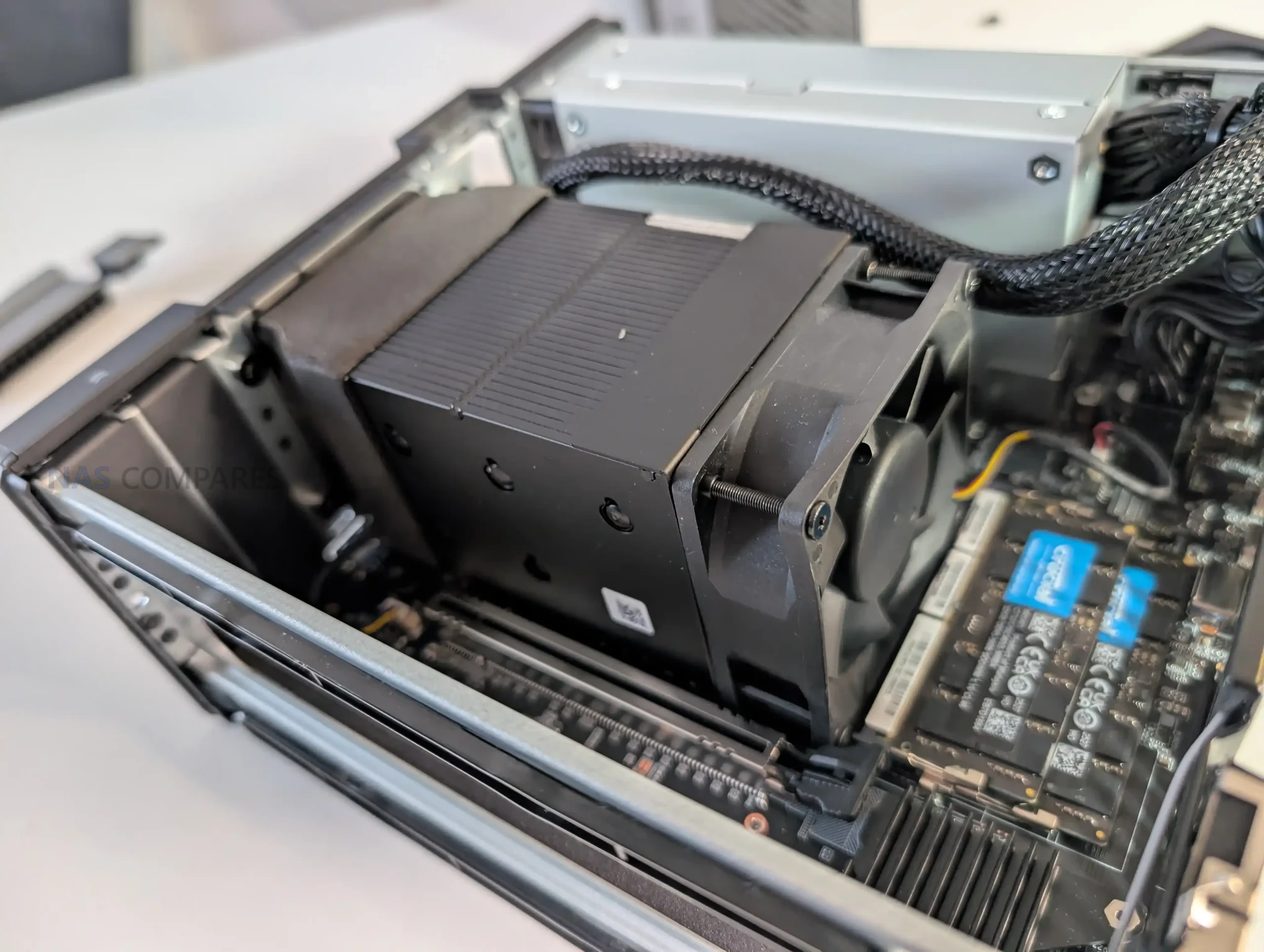
    
 
Alternatively, why not ask me on the ASK NASCompares forum, by clicking the button below. This is a community hub that serves as a place that I can answer your question, chew the fat, share new release information and even get corrections posted. I will always get around to answering ALL queries, but as a one-man operation, I cannot promise speed! So by sharing your query in the ASK NASCompares section below, you can get a better range of solutions and suggestions, alongside my own.

☕ WE LOVE COFFEE ☕


Enable NIC Teaming (LBFO) and Switch Embedded Teaming (SET) in Windows Server 2025

In Windows Server 2025, LBFO NIC Teaming is blocked for Hyper-V virtual switches, and Switch Embedded Teaming (SET) is the only supported teaming method for Hyper-V. However, LBFO remains available for non-virtualization use cases. In this article, I’ll show you how to enable and configure both LBFO and SET in Windows Server 2025 using the GUI and PowerShell.

Source

❌