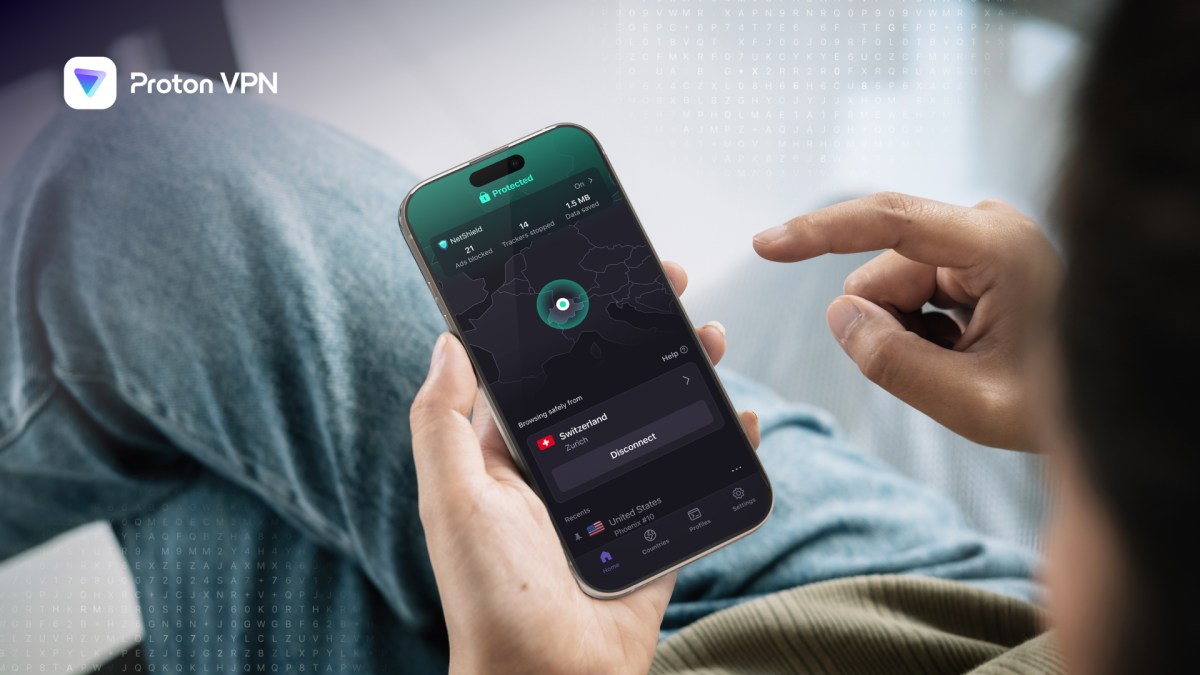
Alors que la coupure d’Internet se prolonge en Iran, le pouvoir promet un retour progressif à la normale. L’ONG Filterwatch alerte pourtant sur un plan visant à réserver l’accès au Web mondial à une minorité, tout en développant un Internet national sous contrôle.
Bon,
je vous en parlais déjà en mai dernier
, la justice française avait décidé de s'attaquer aux VPN pour lutter contre le piratage des matchs de foot. Et bien devinez quoi ? Ils ont remis le couvert, et cette fois c'est encore plus costaud !
Le 18 décembre dernier, le Tribunal judiciaire de Paris a rendu une nouvelle ordonnance à la demande de la Ligue de Football Professionnel et de sa branche commerciale. Du coup, les gros du secteur des tunnels chiffrés vont devoir obtempérer :
CyberGhost, ExpressVPN, NordVPN, ProtonVPN et Surfshark
sont tous dans le viseur. Hop, 5 services de confidentialité d'un coup qui se retrouvent obligés de jouer les censeurs !
Concrètement, ces fournisseurs doivent bloquer l'accès à 13 domaines pirates, parmi lesquels miztv.top, strikeout.im, qatarstreams.me ou encore prosmarterstv.com. Bref, les sites de streaming foot gratuit vont avoir la vie dure. Et le plus flippant dans l'histoire c'est que ce dispositif est "dynamique", ce qui signifie que l'ARCOM peut rajouter de nouvelles adresses à la liste quand bon lui semble, sans repasser devant un juge. Les blocages resteront donc actifs pour toute la saison 2025-2026.
L'argument massue du tribunal c'est que, je cite : "la neutralité technique n'équivaut pas à l'immunité juridique". En gros, ce n'est pas parce que un service de VPN promet de ne rien logger et de protéger la vie privée de ses utilisateurs que ces entreprises peuvent ignorer les injonctions des ayants droit. Les juges ont donc balayé d'un revers de main l'argument des obligations contractuelles envers les clients. Adios la promesse d'anonymat quand la LFP débarque avec ses avocats !
D'ailleurs, parlons un peu de mon partenaire NordVPN puisqu'ils font partie de la liste des concernés. Car même si cette décision cible le streaming de foot pirate, ça pose quand même des questions sur l'avenir de ces services...
En effet, ce qu'il y a de bien avec un service comme NordVPN, c'est qu'il permet de protéger sa vie privée, de sécuriser ses connexions Wi-Fi publiques et d'accéder à des contenus bloqués géographiquement de façon légitime. En plus de ça, avec leur politique no-log auditée et leurs serveurs présents dans plus de 110 pays, c'est quand même la référence pour ceux qui veulent surfer tranquilles. Et avec les promos actuelles, ça revient à quelques euros par mois pour protéger jusqu'à 10 appareils.
Jetez un œil à leurs offres
(lien affilié) si vous cherchez à sécuriser votre connexion, et pas juste pour mater du foot pirate, hein !
Bref, comme je le disais dans mon article précédent, toute cette histoire, c'est un peu comme essayer d'arrêter l'eau qui coule avec une passoire. Les pirates les plus motivés changeront simplement de service ou trouveront d'autres moyens de contournement. Et pendant ce temps, les utilisateurs lambda qui se servent d'un VPN pour des raisons parfaitement légitimes, genre protéger leurs données dans les McDo au Wi-Fi douteux, se retrouvent avec des services potentiellement bridés.
Voilà, reste à voir comment tout ça sera appliqué dans la vraie vie. Les questions techniques sont nombreuses et les fournisseurs basés hors de France pourraient très bien répondre "mdr" aux injonctions parisiennes. En attendant, surveillez de près les évolutions de votre service préféré dans les prochains mois...
[Deal du jour] NordVPN joue le jeu des soldes d'hiver et propose en exclusivité des promotions sur l’ensemble de ses abonnements ainsi qu'un mois offert.
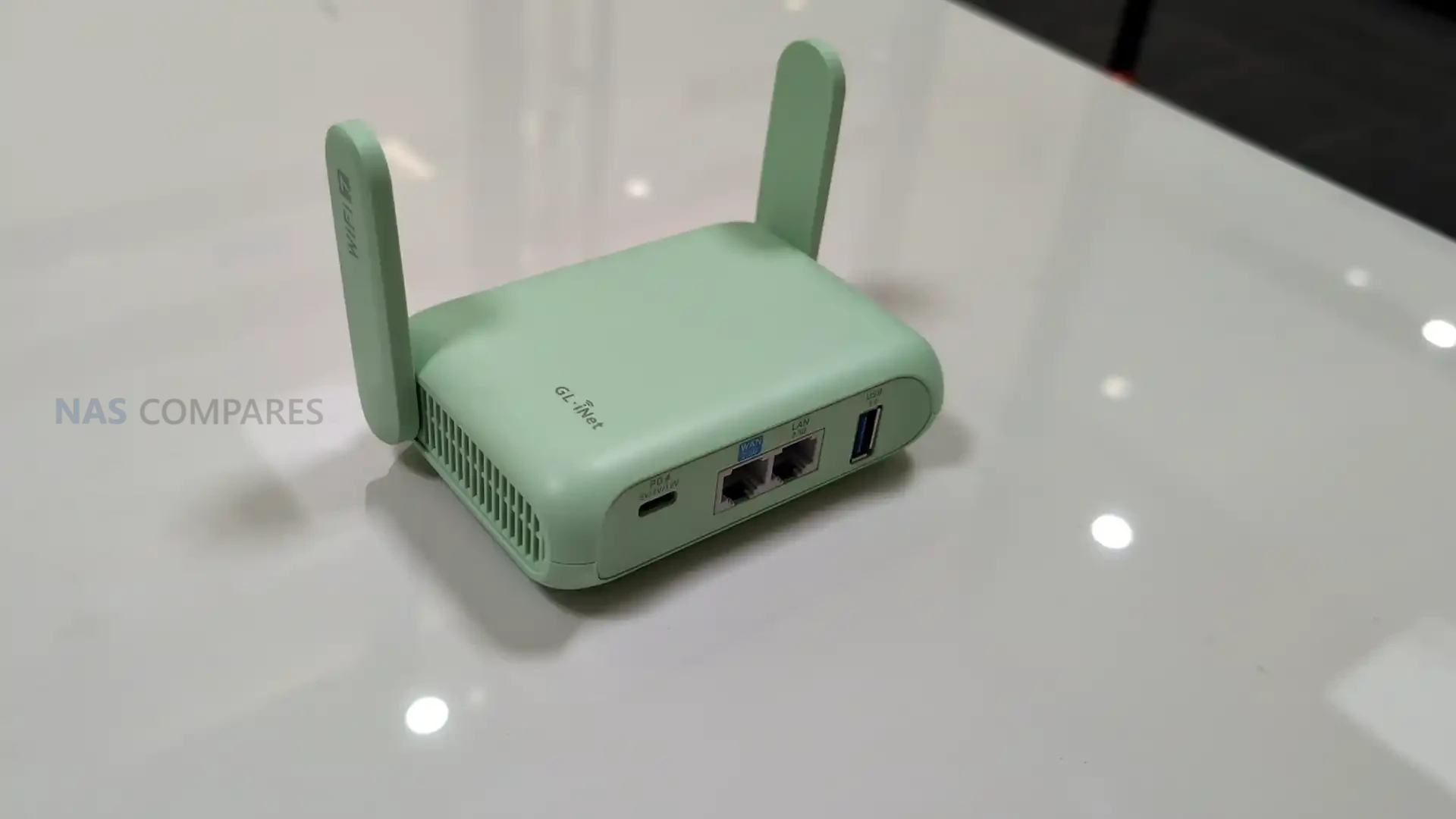
On January 6, 2026, day 1 of CES 2026, Gl.iNet is highlighting the Beryl 7 (GL-MT3600BE) as an upcoming travel router positioned below the company’s more premium Slate 7 in the same Wi-Fi 7 travel category. The device is being presented as a successor direction to the earlier Beryl AX generation, with Gl.iNet focusing its messaging on VPN throughput, portable use, and the practical ports and power features that matter when the router is used on the road. Pricing and a firm release date have not been included in the information shared so far.
In its CES materials, Gl.iNet describes Beryl 7 as a compact, dual-band Wi-Fi 7 model aimed at users who want higher encrypted throughput without stepping up to a larger, more feature-heavy travel router. Key claims include up to 1100Mbps on OpenVPN-DCO and WireGuard, dual 2.5G Ethernet capability, and support for 120+ connected devices, alongside USB Power Delivery compatibility and a 5V/2A power output intended to integrate cleanly with uFi and MiFi devices for primary or backup WAN use.
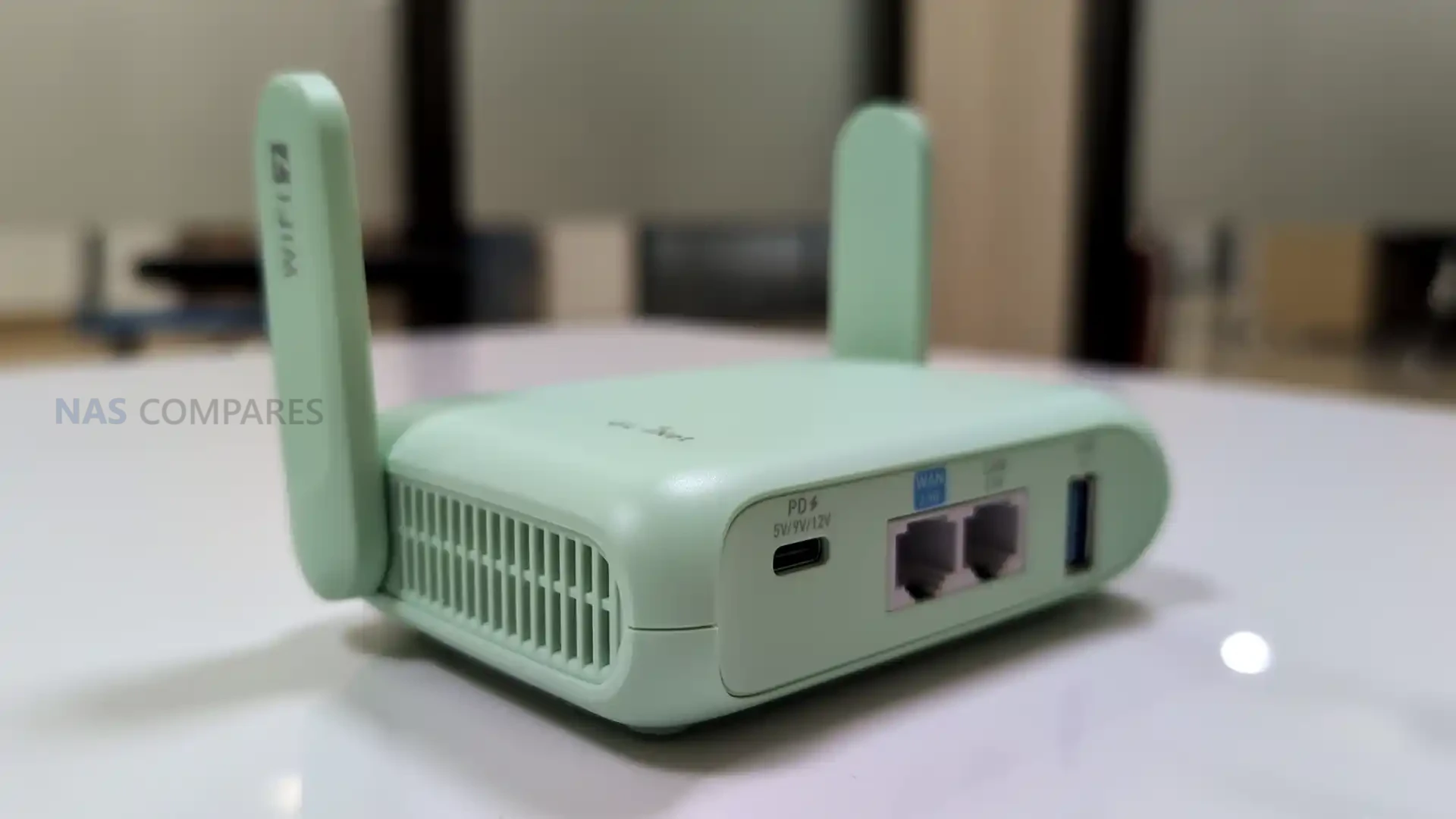
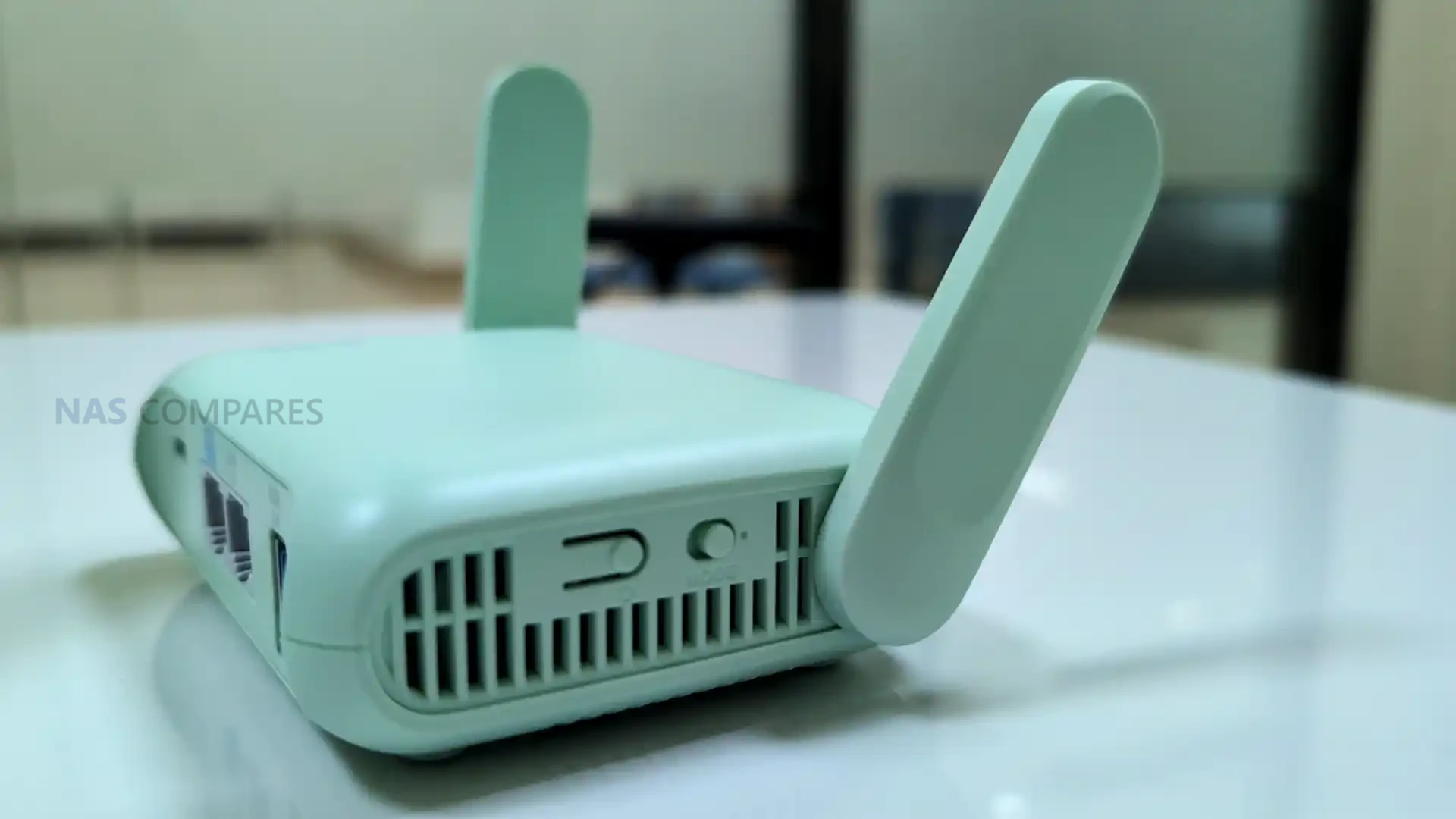
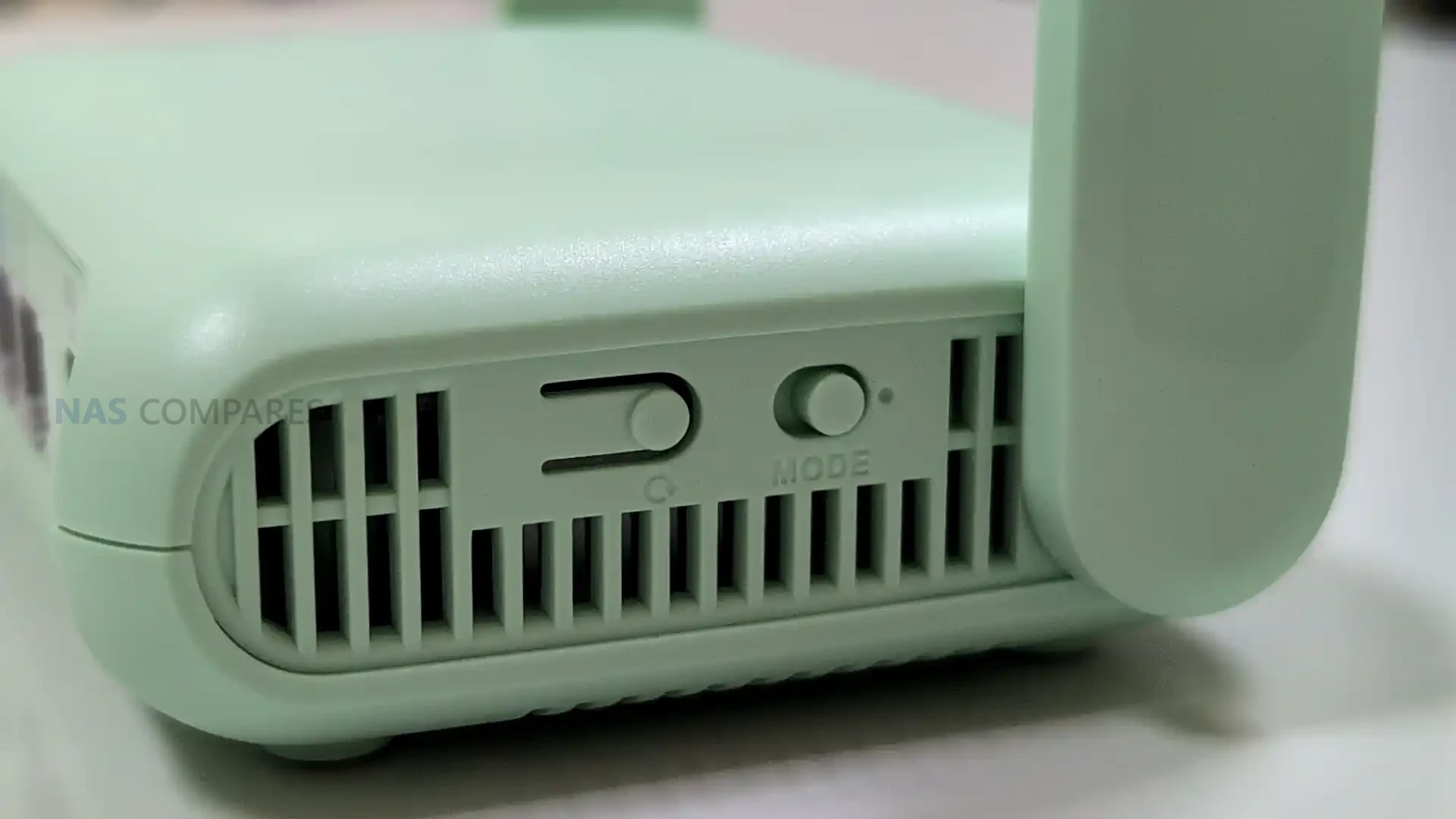
The Beryl 7 measures at 120 x 83 x 34mm and 205 grams, placing it in the small-router class rather than the pocket-hotspot style. Compared with battery-powered travel routers, the added thickness is consistent with a design that prioritizes full-size ports and airflow while still staying compact enough for a backpack or a small tech pouch. Gl.iNet also lists an operating temperature range of 0C to 40C, which sets basic expectations for typical indoor and travel use, even though performance under sustained load will still depend on ventilation and ambient conditions.
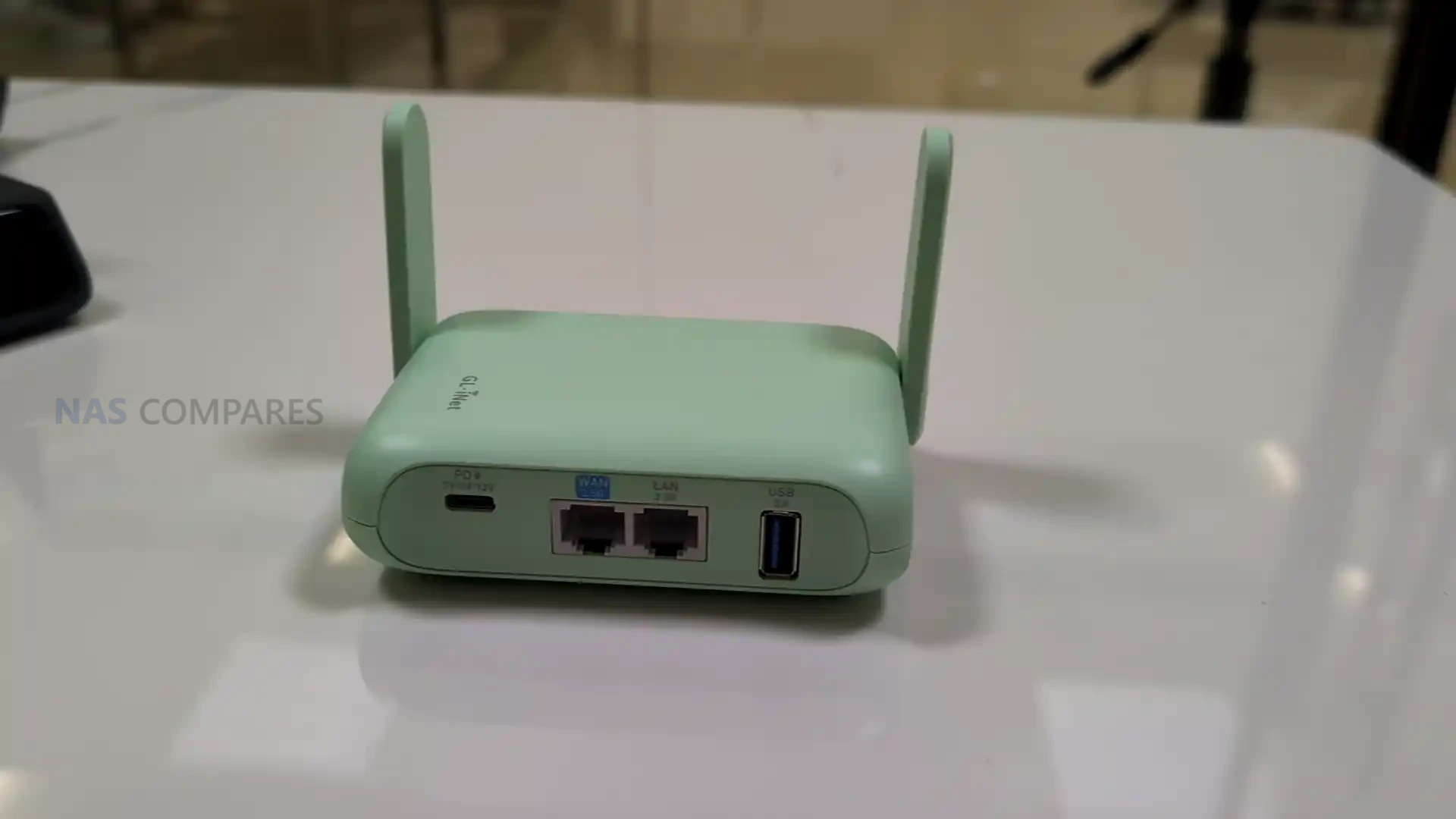
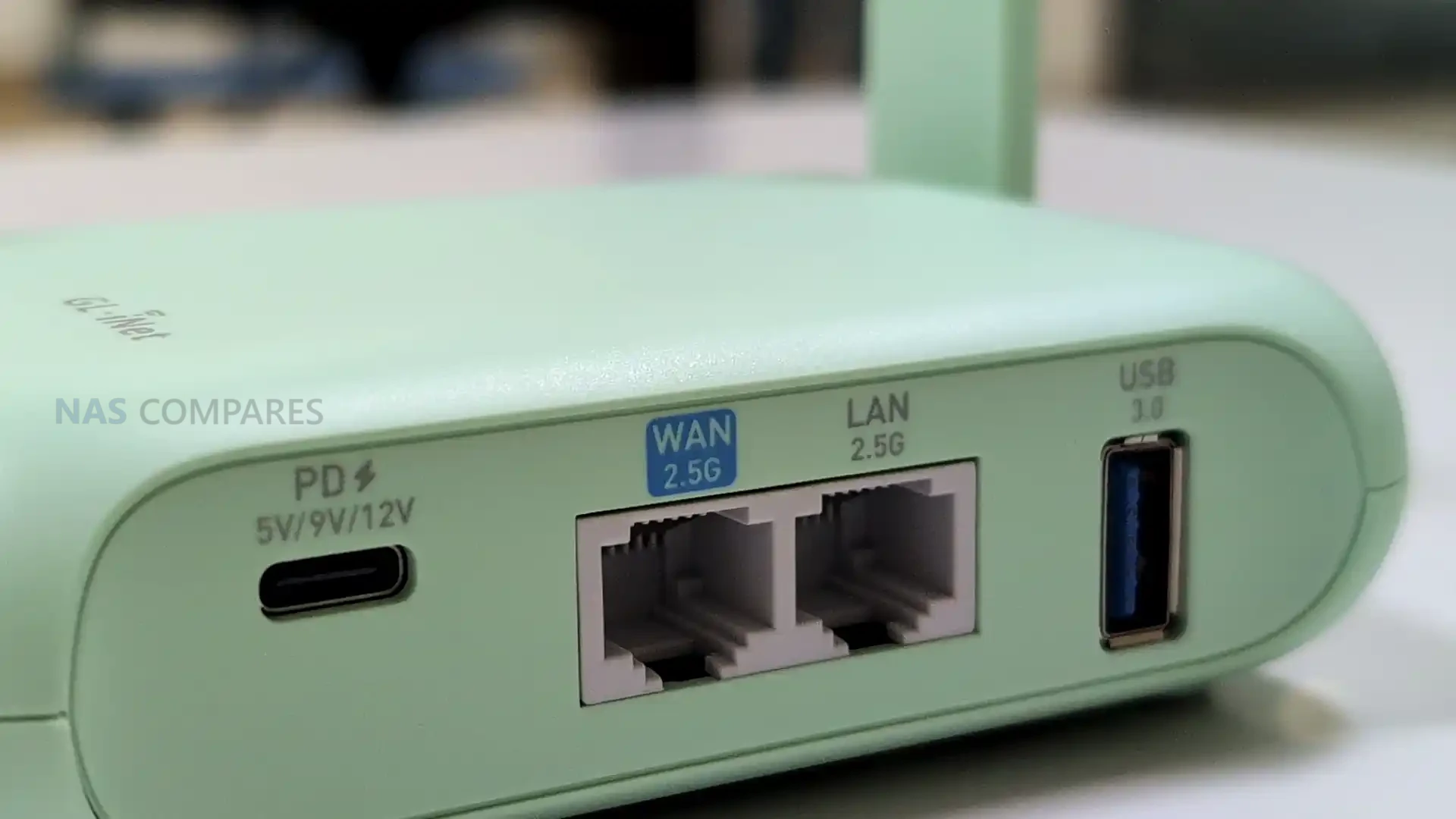
Unlike cellular travel routers, the Beryl 7 is designed to be powered externally rather than running from an internal battery, so it is closer in use to a small plug-in router than a self-contained hotspot. It takes USB-C power via USB Power Delivery and is specified for 5V/3A, 9V/3A, or 12V/2.5A input, which keeps powering simple with common phone and laptop adapters and most power banks that support PD. Gl.iNet also lists a 5V/2A power output, intended to pair with uFi and MiFi devices when you want the router to sit in front of a separate upstream connection and keep that upstream device powered from the same setup.
Gl.iNet Beryl 7 Travel Router – Connectivity
The Beryl 7 is a dual-band Wi-Fi travel router rather than a cellular router. It does not include a SIM slot or eSIM support, which means it is not designed to connect directly to a carrier network on its own. In practice, internet access is expected to come from an upstream source such as a wired connection, USB tethering, or an external hotspot or modem that provides the WAN link. This approach matches travel setups where the router’s job is to manage your local network and security policies, while a separate device handles mobile connectivity when needed.
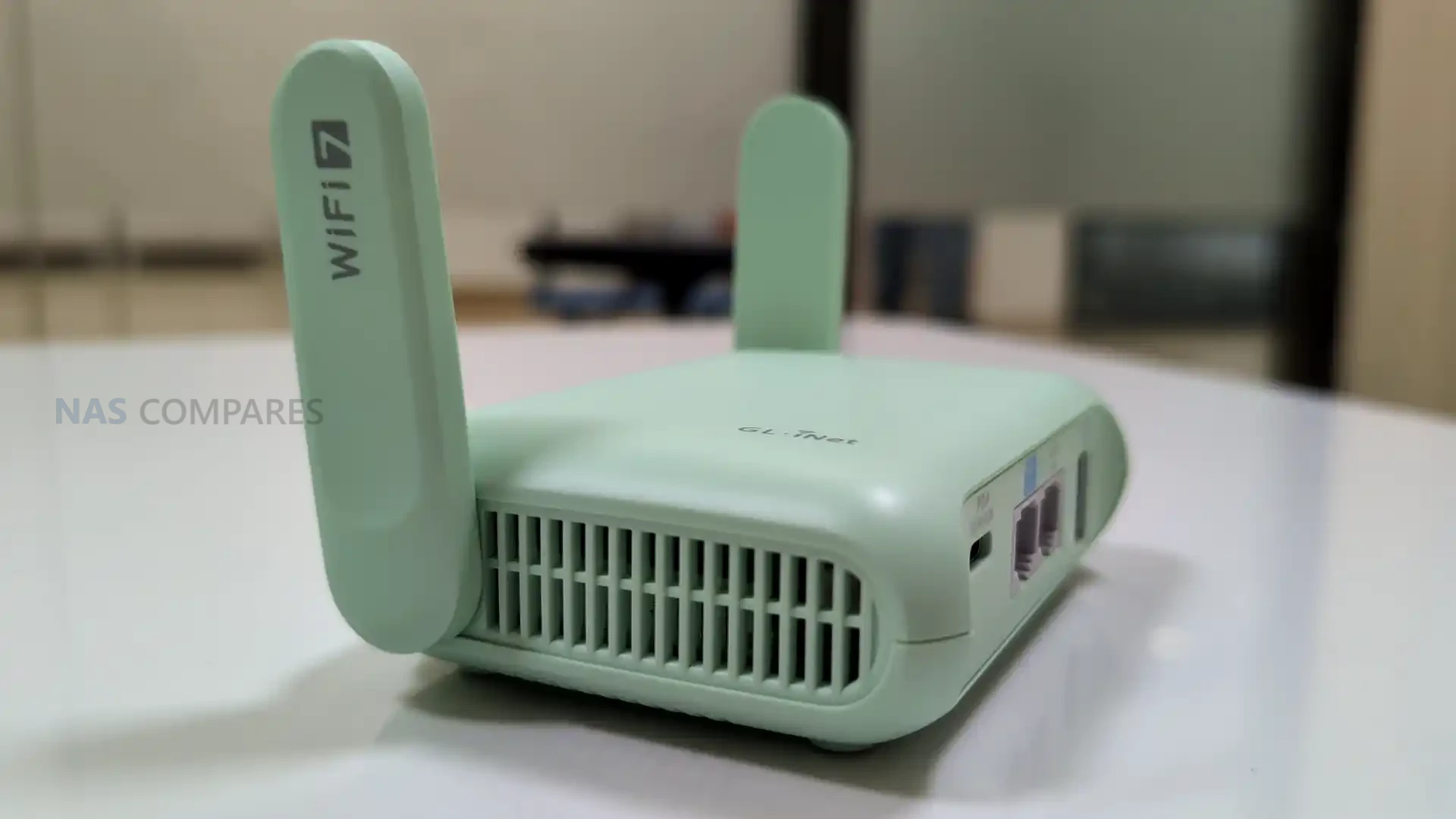
On the wireless side, the Beryl 7 supports 802.11a/b/g/n/ac/ax/be and operates on 2.4GHz and 5GHz. The published maximum rates are 688Mbps on 2.4GHz and 2882Mbps on 5GHz, which sets its theoretical peak figures for those bands. Because there is no 6GHz band listed, it will not have access to the cleaner spectrum that some tri-band Wi-Fi 7 routers use to reduce congestion in dense environments. Real-world performance will still depend heavily on client device capability, channel conditions, and how crowded the local RF environment is, especially in hotels, apartments, or event venues.
For wired networking, the Beryl 7 includes 1x WAN and 1x LAN, with both ports rated at 100/1000/2500Mbps. Having 2.5Gbps capability on both sides can matter if you are connecting to faster-than-gigabit service, or if you want to avoid bottlenecking a wired client such as a laptop dock, mini PC, or NAS while the router is also handling wireless clients. The dedicated WAN and LAN labeling also suggests a straightforward topology for travel use, where the router can sit between a wired uplink and your personal devices without requiring additional switches. Specific options like port re-assignment or multi-WAN behavior are still dependent on the final firmware feature set.
For tethering and peripherals, the router includes 1 USB 3.0 port. Gl.iNet’s positioning also references pairing it with uFi and MiFi devices for primary or backup WAN use, which aligns with common travel workflows where a hotspot provides the upstream connection and the router distributes it to multiple devices. Depending on software support, USB can also be relevant for other functions such as attaching storage for basic file sharing, but those capabilities are not confirmed solely by the presence of the port. The practical takeaway is that the Beryl 7’s connectivity design focuses on managing and distributing an external internet source rather than replacing that source with built-in cellular hardware.
Gl.iNet Beryl 7 Travel Router – Internal Hardware
The Beryl 7 is specified with a MediaTek quad-core CPU clocked at 2.0GHz. Gl.iNet has not stated the exact chipset model in the material provided, so it is difficult to compare directly against specific MediaTek families used in other routers, but the listed clock speed and core count indicate it is intended to handle routing and VPN workloads beyond basic hotspot sharing. How that translates in practice will depend on the final firmware feature mix and how much processing overhead is added by enabled services. Memory is listed as 512MB of DDR4. That capacity is typically sufficient for a travel router doing standard routing, firewalling, and VPN duties, but it can become a limiting factor if heavy logging, multiple concurrent services, or more advanced packages are enabled. In practical use, headroom will depend on how Gl.iNet tunes the stock firmware and whether the router is expected to run additional features beyond its default configuration. Storage is specified as 512MB of NAND flash. This is a smaller onboard footprint than some higher-end travel routers that use multi-gigabyte eMMC, and it generally implies a tighter space budget for the base firmware image, installed packages, and retained logs. It also means features that rely on persistent local storage may be more constrained unless Gl.iNet provides options to offload data to external storage via USB.
Gl.iNet is presenting the Beryl 7 as part of its travel router lineup, which typically uses the company’s GL.iNet firmware with a web-based management interface. That software approach tends to balance simplified setup for common tasks with access to more detailed configuration when needed, which is relevant for travel scenarios where you may want quick changes without digging through advanced menus.
For this model in particular, VPN is the main emphasis in Gl.iNet’s CES messaging. The company is making a specific performance claim of up to 1100Mbps on OpenVPN-DCO and WireGuard, positioning encrypted throughput as a headline reason to choose the Beryl 7 over older Beryl models or lower-end travel routers. Actual results will still depend on factors such as upstream bandwidth, server performance, encryption settings, and network conditions.
Gl.iNet also highlights Amnezia VPN support as part of the Beryl 7’s privacy and censorship-bypass positioning. That places the router within the company’s broader direction of expanding VPN tooling and privacy-related options across its travel lineup, though the exact implementation details for the Beryl 7 will come down to the shipping firmware and how features are exposed in the final interface.
Beyond VPN-related claims, Gl.iNet has not published a complete, model-specific list of software functions for the Beryl 7. Features that appear across other Gl.iNet travel routers, such as traffic controls, DNS and filtering options, remote access services, and package-style add-ons, may be present, but they are not confirmed by the hardware spec sheet alone. For ownership considerations, the missing pieces remain the update cadence, support window, and any limitations imposed by the device’s relatively small flash storage.
Gl.iNet Beryl 7 Travel Router – Conclusion
As presented on day 1 of CES 2026, the Beryl 7 (GL-MT3600BE) is positioned as a more affordable Wi-Fi 7 travel router option that sits below the Slate 7 in capability and likely in price, while serving as the next step after the Beryl AX generation. Its core proposition is a compact, USB-C powered router that focuses on high VPN throughput, dual-band Wi-Fi, and practical wired networking for travel setups. The specification sheet outlines a MediaTek quad-core 2.0GHz platform with 512MB DDR4 and 512MB NAND, paired with 2.5Gbps-capable WAN and LAN ports, plus a USB 3.0 port. It does not include an internal battery and it has no SIM or eSIM support, which means it is designed to sit behind an external internet source such as hotel Ethernet, phone tethering, or a dedicated hotspot. Power is handled through USB Power Delivery, and Gl.iNet also lists a 5V/2A output intended to keep an upstream mobile device powered in a single-cable travel arrangement.
The remaining unknowns are mostly around launch details and how the final firmware is packaged for a device with limited flash storage. Gl.iNet has not published pricing or a release date, and it has not provided a full, model-specific breakdown of software features beyond its VPN and privacy positioning. Those details will likely matter most to buyers deciding between the Beryl 7 and higher-end travel routers, especially if they plan to rely on add-on services, extensive logging, or other features that place more demand on storage and memory.
This description contains links to Amazon. These links will take you to some of the products mentioned in today's content. As an Amazon Associate, I earn from qualifying purchases. Visit the NASCompares Deal Finder to find the best place to buy this device in your region, based on Service, Support and Reputation - Just Search for your NAS Drive in the Box Below
Need Advice on Data Storage from an Expert?
Finally, for free advice about your setup, just leave a message in the comments below here at NASCompares.com and we will get back to you.Need Help?
Where possible (and where appropriate) please provide as much information about your requirements, as then I can arrange the best answer and solution to your needs. Do not worry about your e-mail address being required, it will NOT be used in a mailing list and will NOT be used in any way other than to respond to your enquiry.
[contact-form-7]
TRY CHAT Terms and Conditions
If you like this service, please consider supporting us.
We use affiliate links on the blog allowing NAScompares information and advice service to be free of charge to you.Anything you purchase on the day you click on our links will generate a small commission which isused to run the website. Here is a link for Amazon and B&H.You can also get me a Ko-fi or old school Paypal. Thanks!To find out more about how to support this advice service checkHEREIf you need to fix or configure a NAS, check FiverHave you thought about helping others with your knowledge? Find Instructions Here
Or support us by using our affiliate links on Amazon UK and Amazon US
Alternatively, why not ask me on the ASK NASCompares forum, by clicking the button below. This is a community hub that serves as a place that I can answer your question, chew the fat, share new release information and even get corrections posted. I will always get around to answering ALL queries, but as a one-man operation, I cannot promise speed! So by sharing your query in the ASK NASCompares section below, you can get a better range of solutions and suggestions, alongside my own.
If you like this service, please consider supporting us. We use affiliate links on the blog allowing NAScompares information and advice service to be free of charge to you.Anything you purchase on the day you click on our links will generate a small commission which isused to run the website. Here is a link for Amazon and B&H.You can also get me a Ko-fi or old school Paypal. Thanks!To find out more about how to support this advice service checkHERE
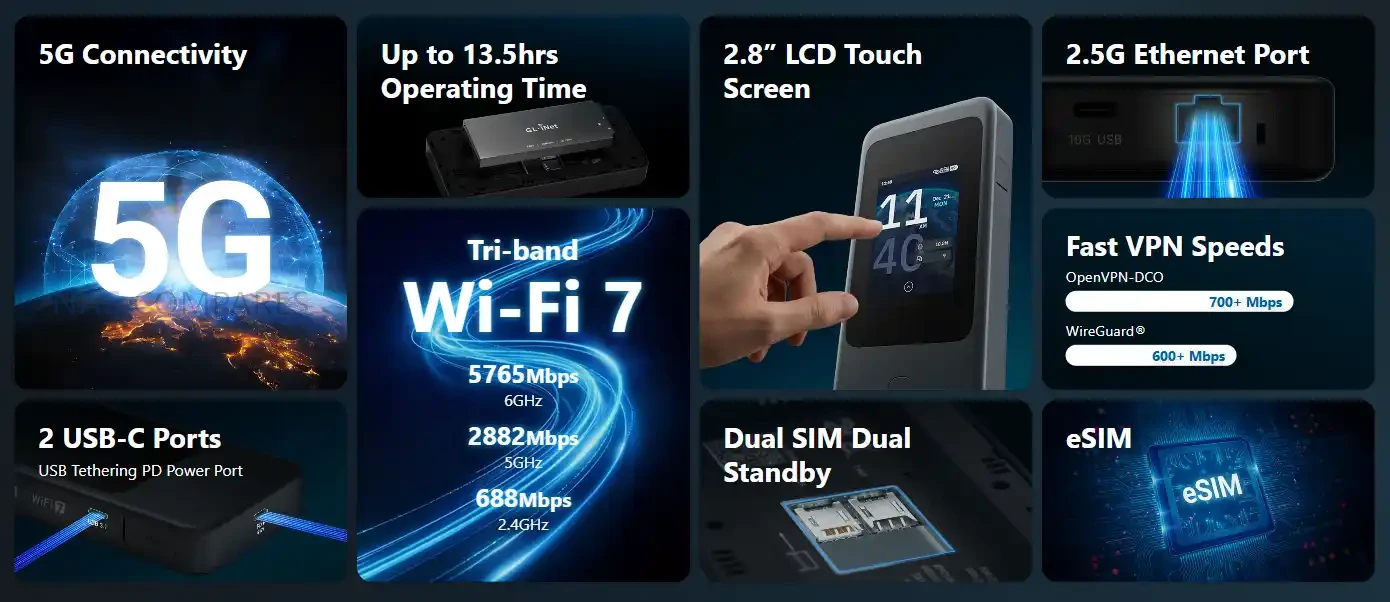
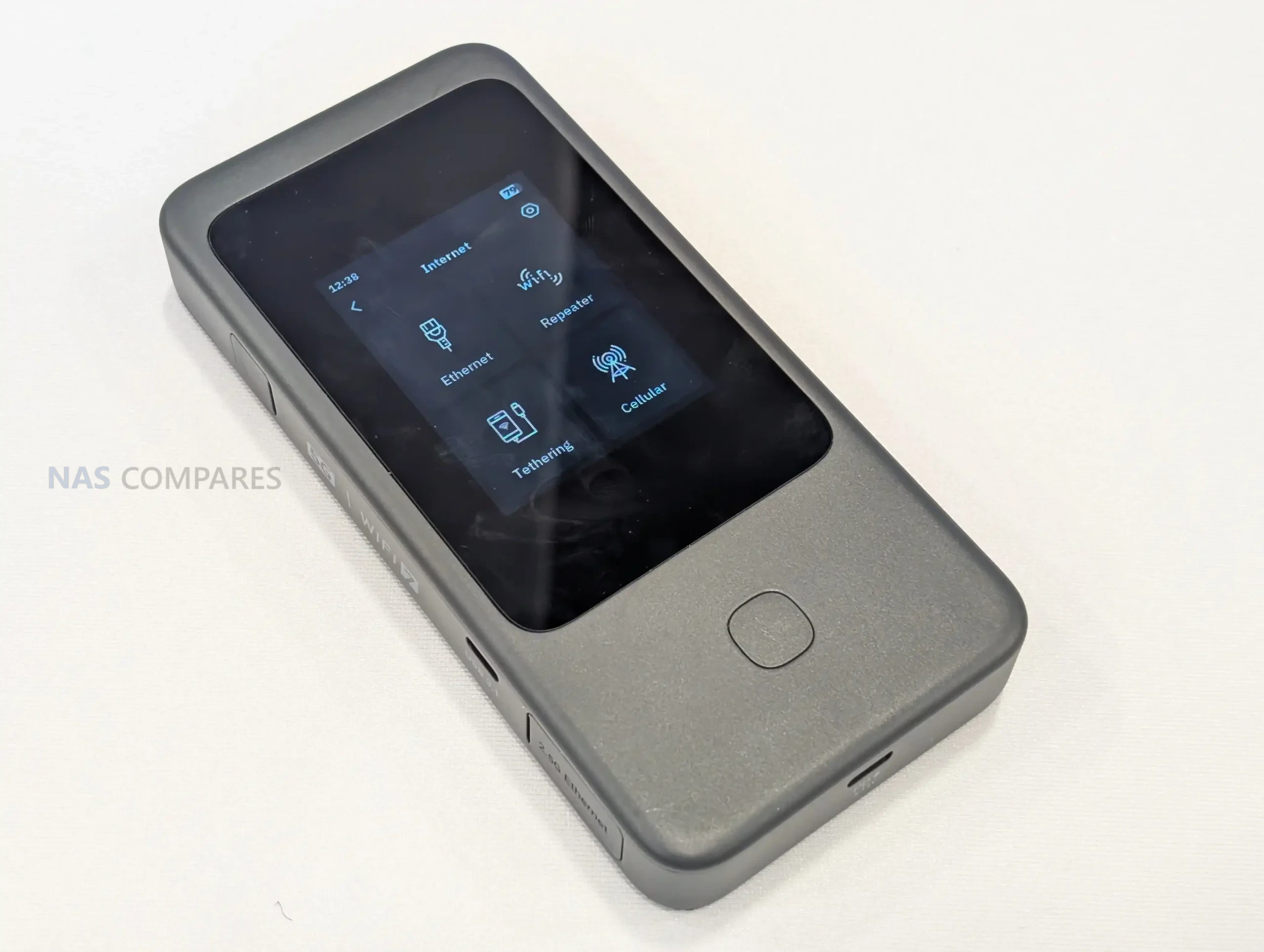
Gl.iNet is using day 1 of CES 2026 to spotlight the Mudi 7 travel router, with 2 listed variants: GL-E5800NA and GL-E5800EU. While the company is now formally presenting the device at the show and directing attention to its travel-focused positioning, it still has not published pricing or a confirmed retail release date in the materials available today. That leaves the Mudi 7’s market placement and availability timeline unresolved, even as the hardware is being discussed publicly at CES. Alongside the CES reveal, Gl.iNet has shared a full specification sheet that clarifies the Mudi 7’s core platform and feature set. It is based on a Qualcomm quad-core 2.2GHz design with 2GB LPDDR4X and 8GB eMMC, and it combines 5G NR with tri-band Wi-Fi 7-class networking, dual SIM dual standby plus eSIM, and a built-in touchscreen for on-device management. I previously saw an early prototype during a visit to Gl.iNet’s Shenzhen offices in October 2025, and the CES-era specification release fills in the internal details that were not available at the time, making it easier to assess what Gl.iNet intends to ship in the NA and EU variants.
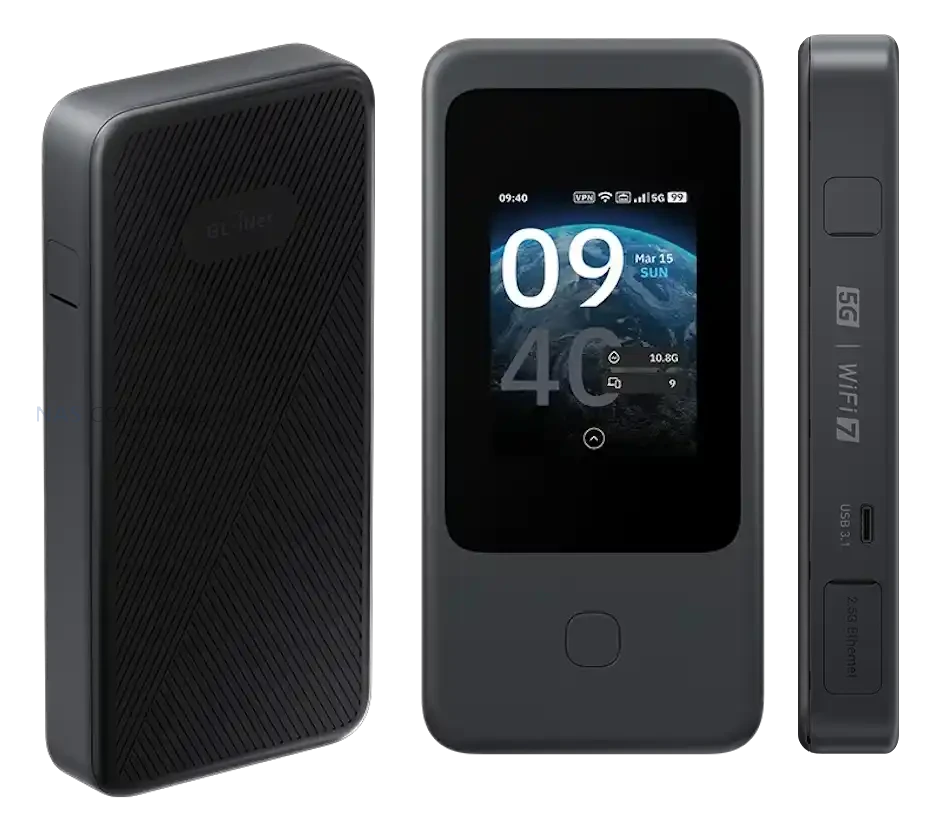
With the full specifications now available, the Mudi 7 is confirmed as a compact, battery-powered travel router measuring 157 x 75 x 22.8mm and weighing 300g. That footprint places it closer to a portable hotspot than a small desktop router, with enough thickness to accommodate a touchscreen, battery, and internal antennas.
Gl.iNet lists a 2.8-inch touchscreen as the primary on-device interface. In practical terms, this design choice supports situations where you need to check status or adjust basic settings without relying on a separate phone or laptop, which can be useful when moving between locations or sharing access with other devices.
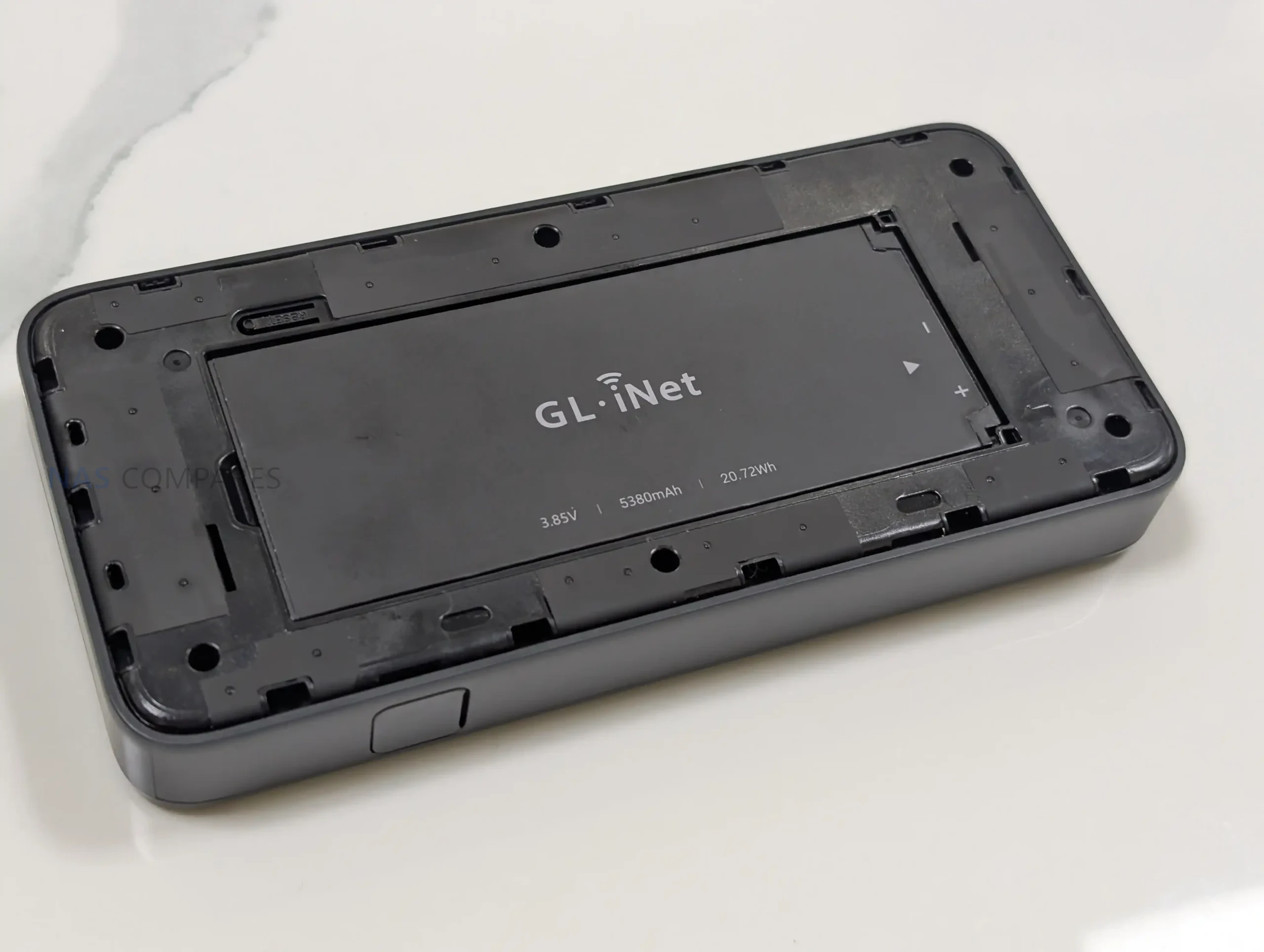
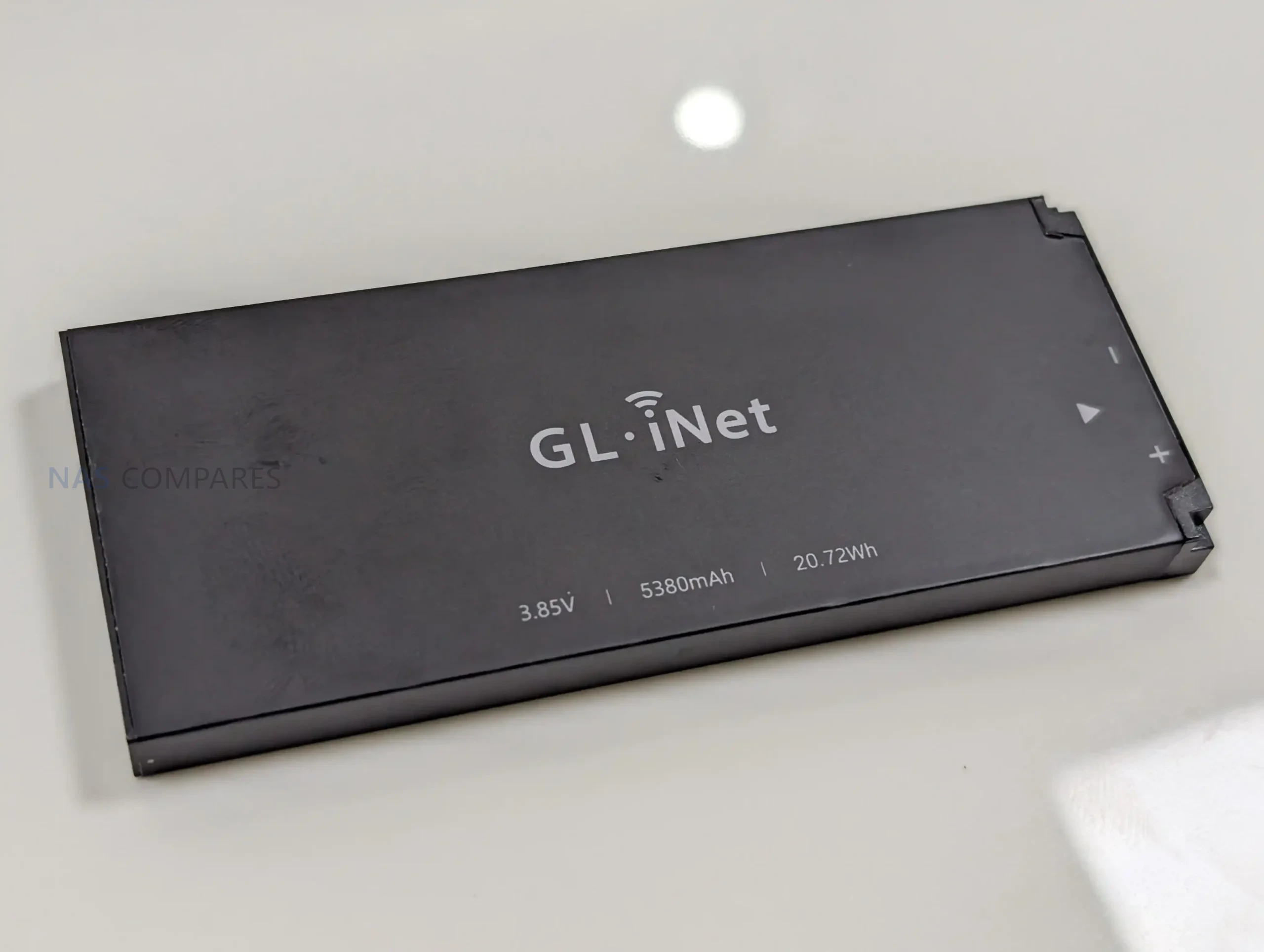
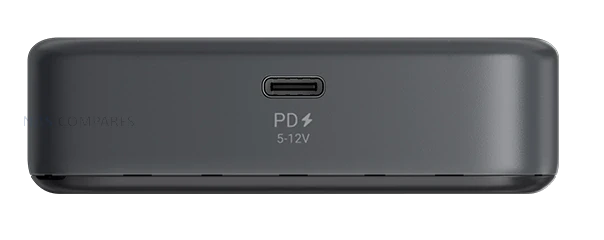
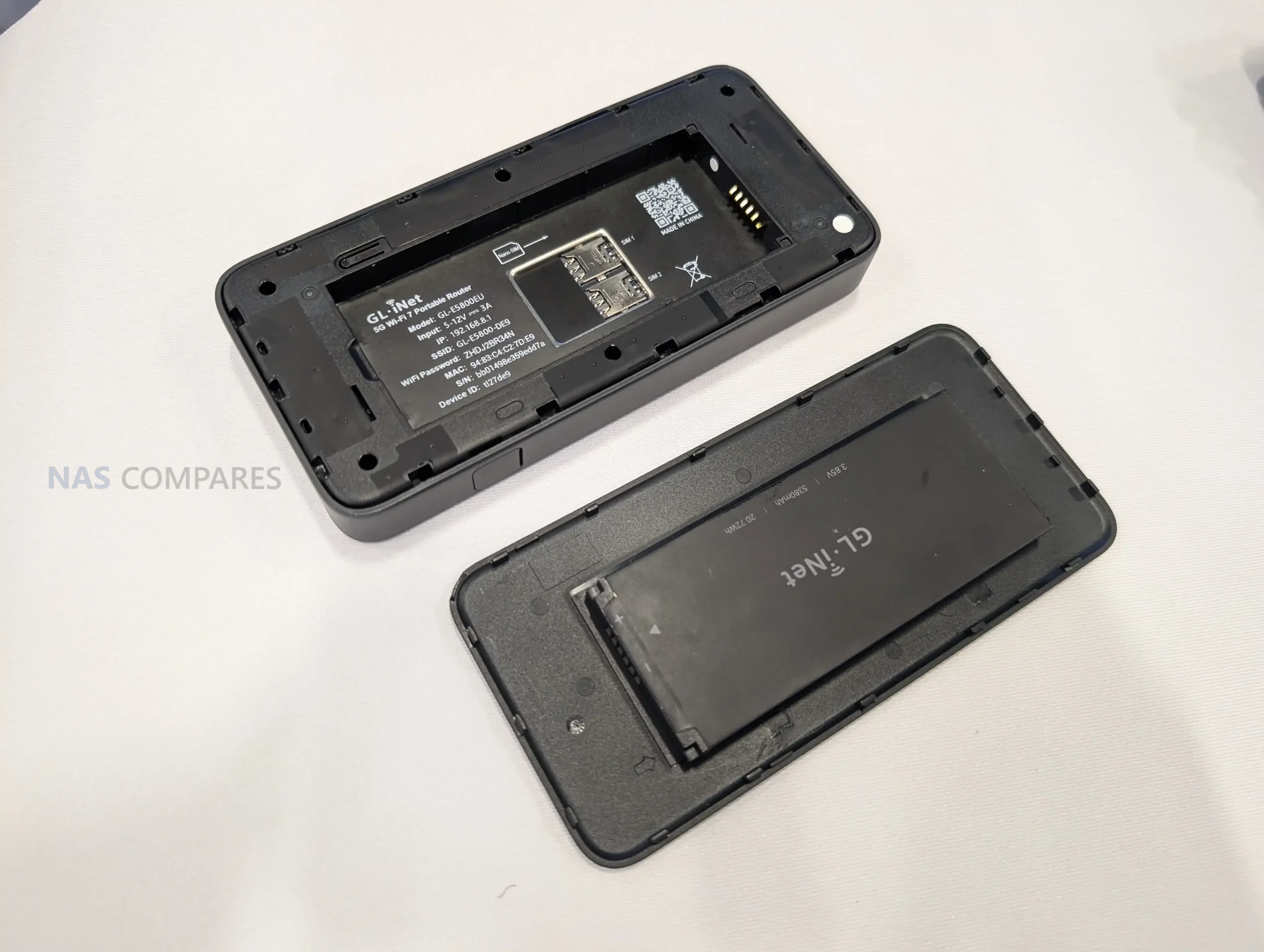
Power is handled through a built-in 3.85V, 5380mAh battery rated at 20.72Wh, and charging is specified as USB PD/PPS from 5V to 12V with up to 30W input. Gl.iNet also lists power consumption below 30W, which provides a ceiling for expected draw under load, though real battery life will still depend on cellular conditions, connected devices, and the mix of Wi-Fi and wired usage.
Gl.iNet Mudi 7 Router – Connectivity
Cellular is the main uplink option on the Mudi 7, with support listed for 5G NR in both NSA and SA modes. For fallback coverage, it also supports 4G LTE with Cat 20 download capability, which becomes relevant when 5G coverage is weak, when indoor signal conditions push the modem back to LTE, or when a roaming profile limits access to certain 5G services. Gl.iNet still has not published a band list in the specifications you shared, so region-by-region compatibility will depend on the exact supported bands of the NA and EU variants.
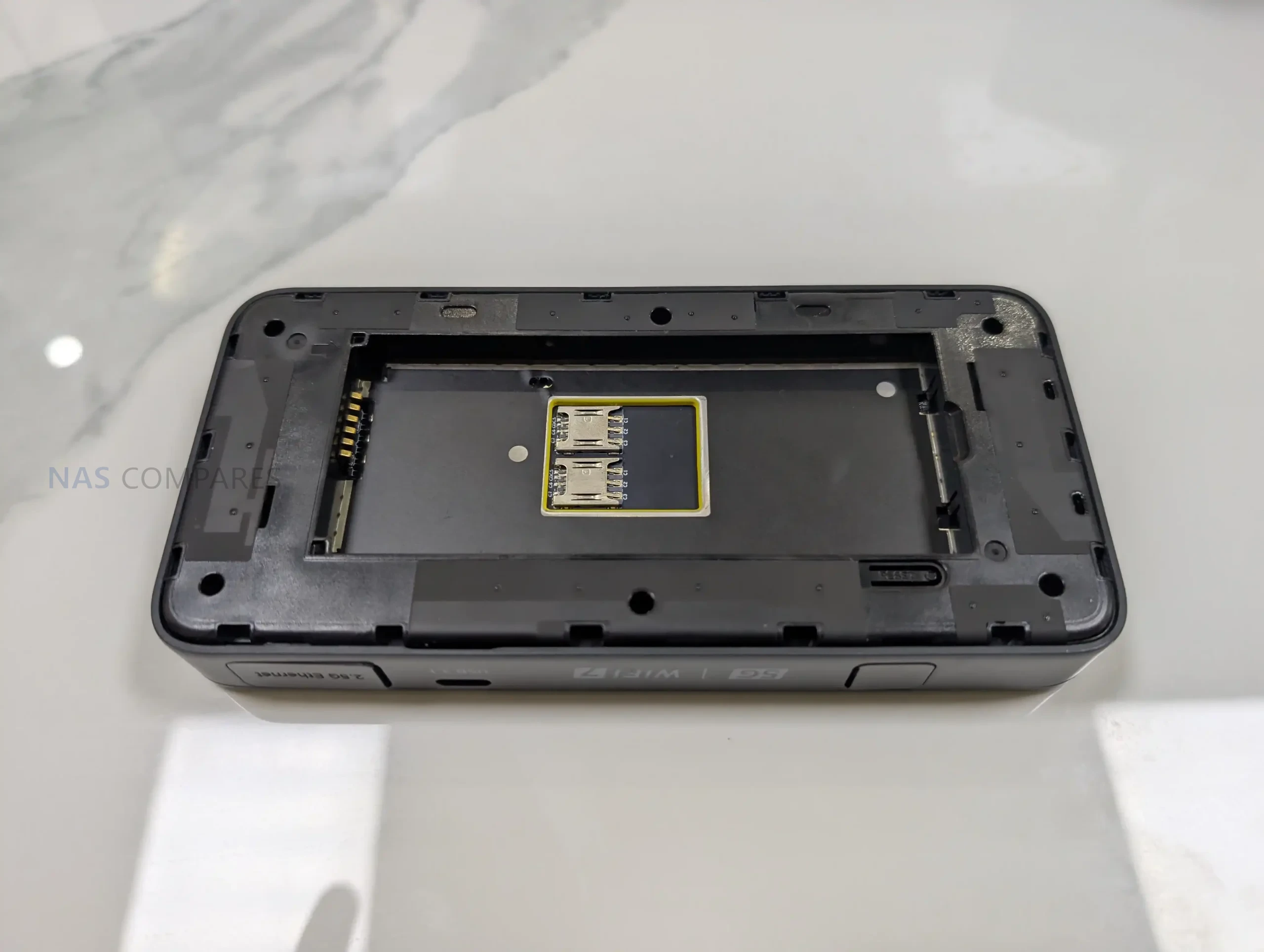
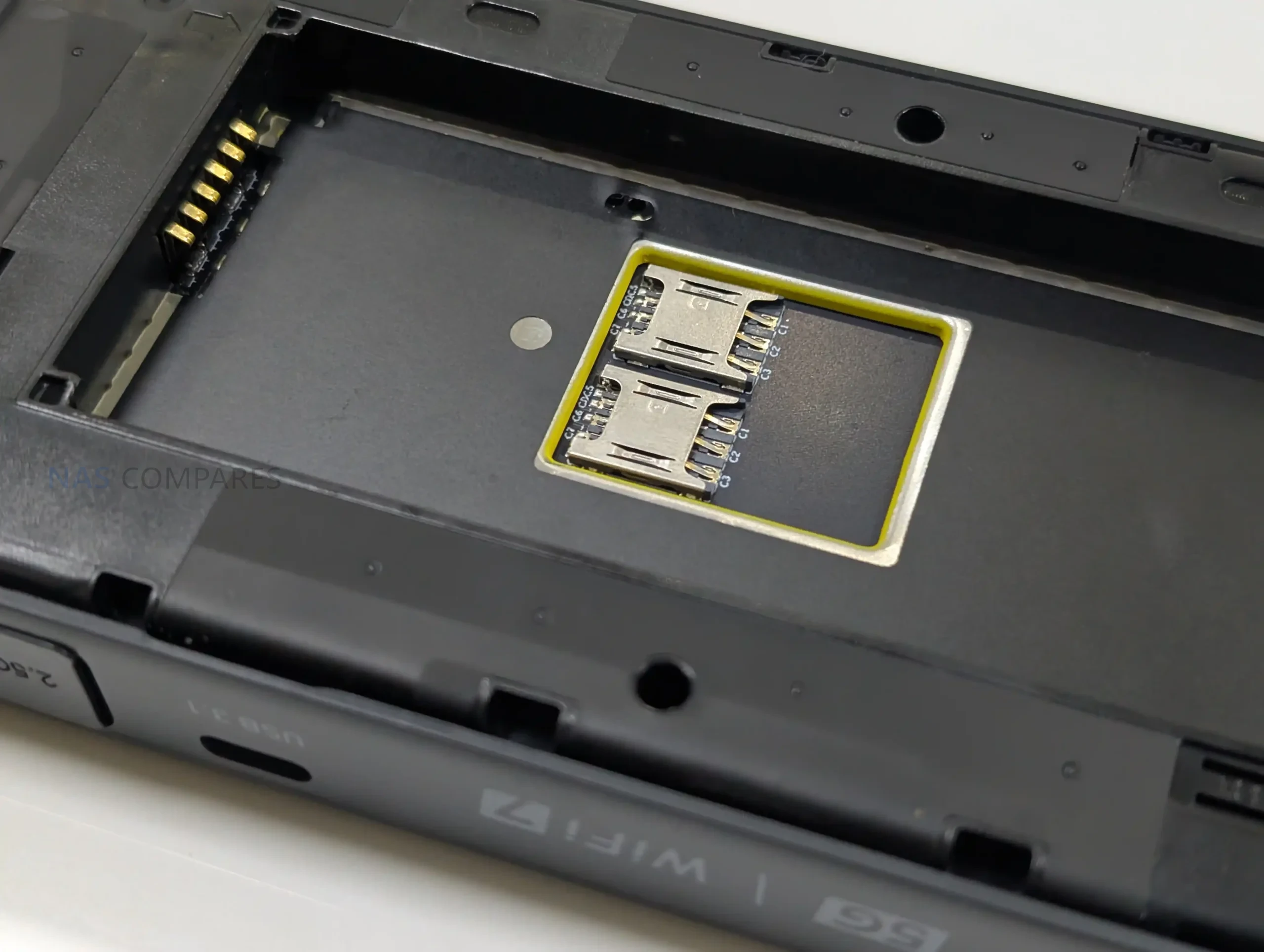
For SIM management, the router is specified with dual SIM dual standby and built-in eSIM support. In day-to-day use, that combination is intended to simplify switching between carriers, maintaining a backup line, or separating plans for different regions without having to physically swap cards as often. What remains unclear is how Gl.iNet handles priority rules, failover behavior, and eSIM provisioning in its interface, including whether switching can be automated based on signal or data limits.
On the local network side, the Mudi 7 supports 802.11a/b/g/n/ac/ax/be across 2.4GHz, 5GHz, and 6GHz. The published maximum Wi-Fi rates are 688Mbps on 2.4GHz, 2882Mbps on 5GHz, and 5764Mbps on 6GHz, which sets expectations for its theoretical peak throughput rather than typical sustained performance. Antenna information is also listed, including 2 internal Wi-Fi antennas covering 2.4GHz, 5GHz, and 6GHz, plus 6 internal cellular antennas for LTE and 5G NR, indicating an emphasis on maintaining link quality in variable travel environments.
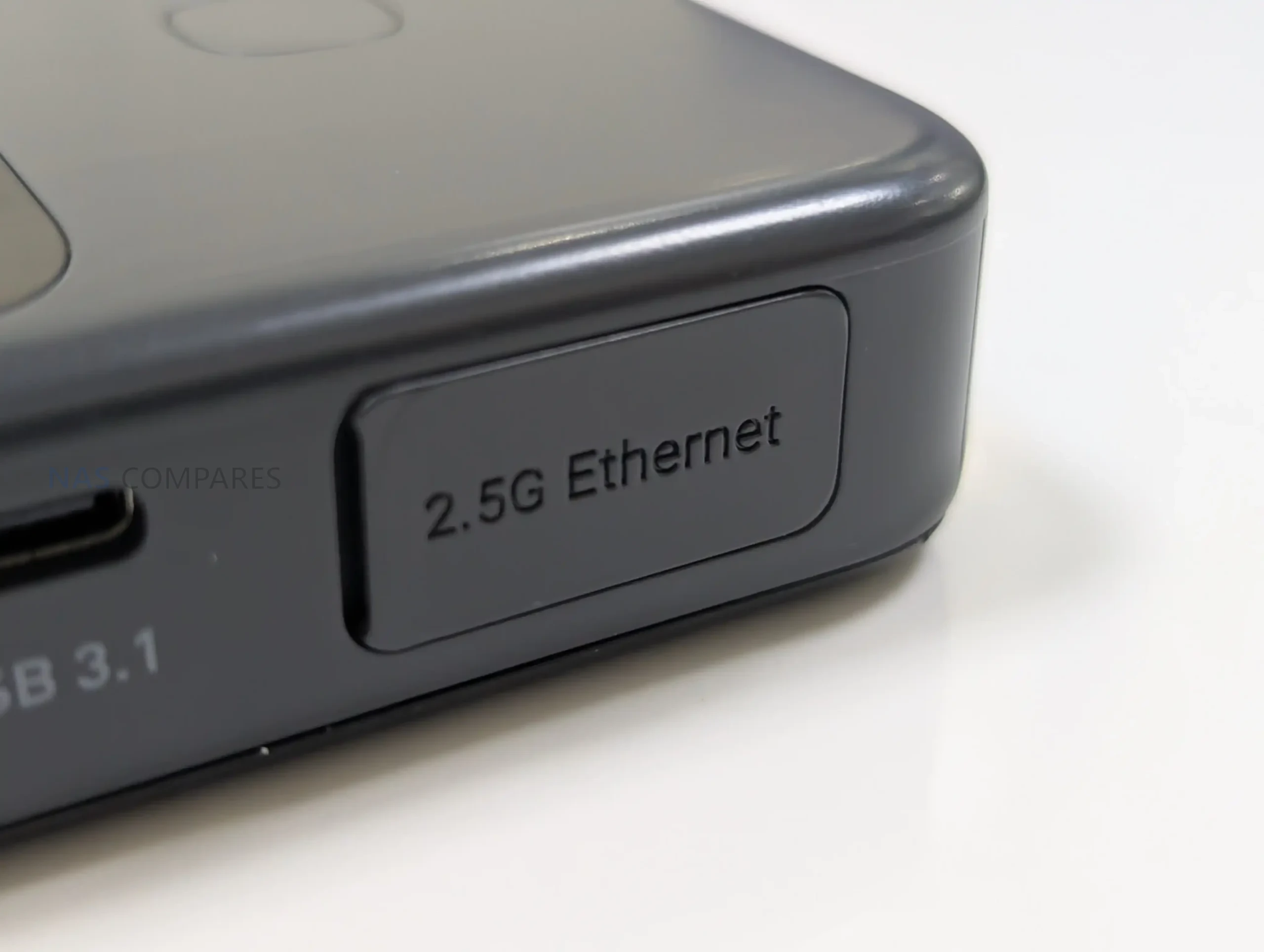
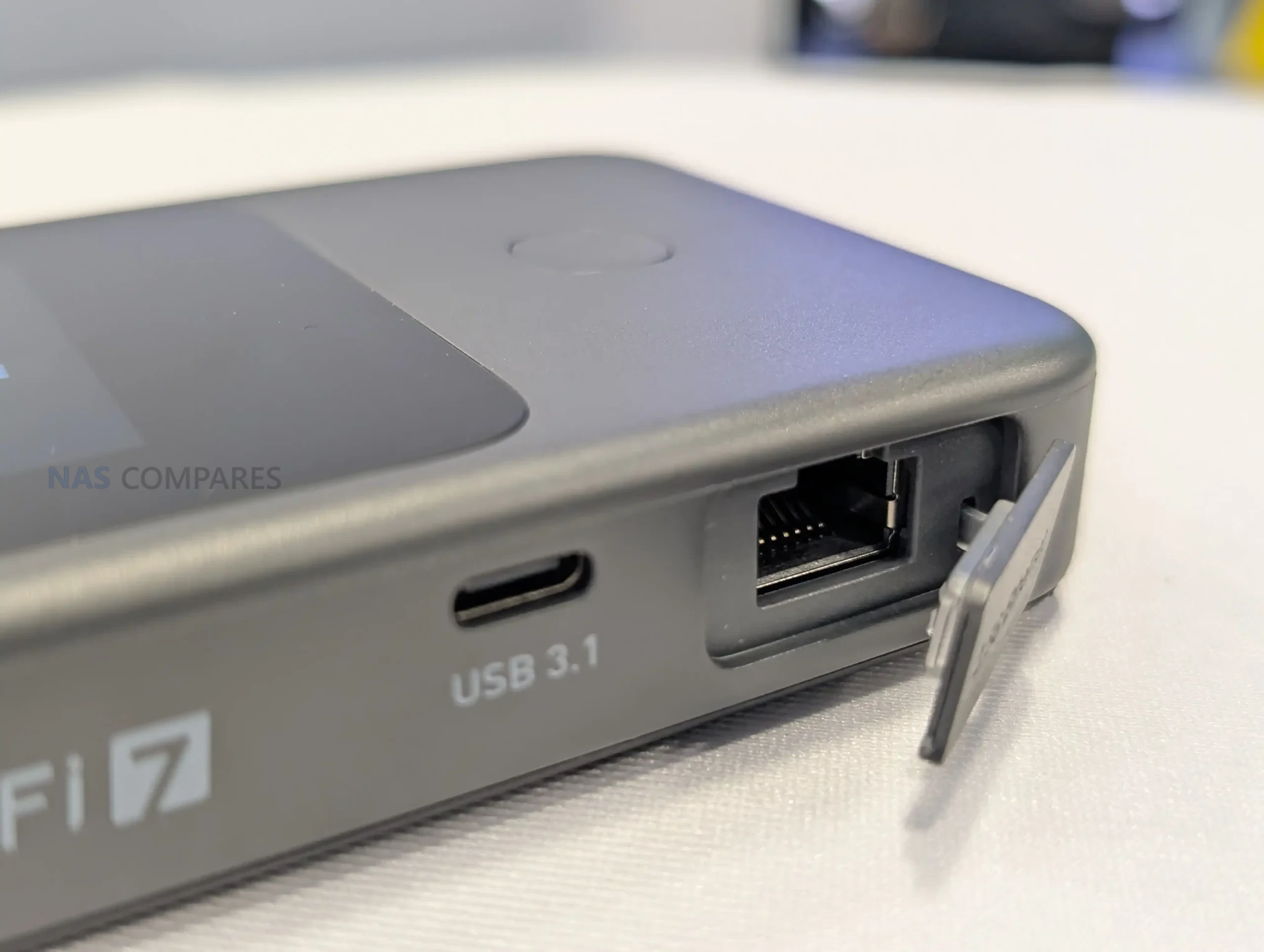
For wired and tethered connectivity, the router includes a single WAN/LAN Ethernet port rated at 100/1000/2500Mbps, allowing it to slot into networks that offer faster-than-gigabit service while keeping the option for a basic wired LAN connection. It also lists 1 USB 3.1 port, which can be relevant for tethering or attaching compatible peripherals depending on firmware support, but Gl.iNet has not detailed the exact supported use cases yet. External antennas are supported for cellular via 2 TS-9 ports, while external Wi-Fi antenna support is not specified in the sheet, suggesting any range extension is primarily aimed at improving cellular reception.
Gl.iNet Mudi 7 Router – Internal Hardware
The Mudi 7 is based on a Qualcomm platform, listed with a quad-core CPU clocked at 2.2GHz. Gl.iNet does not specify the exact chipset model in the specification sheet, so it is not yet possible to compare its CPU class directly against other travel routers using named Snapdragon or IPQ-series parts. Even so, the stated clock speed and multi-core layout indicate it is designed to handle routing, Wi-Fi management, and cellular tasks concurrently rather than relying on a lower-power single-core design.
Memory is specified as 2GB of LPDDR4X. That capacity is typically relevant for sustaining multiple client connections, running VPN tunnels, and keeping the management interface responsive while traffic is flowing. In practice, how far 2GB goes will depend on the software stack, the number of enabled services, and whether features like traffic monitoring or advanced firewall rules are running continuously.
For onboard storage, the Mudi 7 includes 8GB of eMMC flash. This is generally used for the operating system image, configuration data, and any built-in packages or logs, though Gl.iNet has not detailed how much of that space is reserved versus user-accessible. The specification also does not clarify whether there is any storage expansion path, or how storage is managed over time for items like VPN profiles, connection history, and accumulated logs.
Gl.iNet Mudi 7 Router – Conclusion
On January 6, 2026, the opening day of CES 2026, Gl.iNet is drawing attention to the Mudi 7as its next travel router, listed in 2 variants: GL-E5800NA and GL-E5800EU. The published specification sheet outlines a Qualcomm quad-core 2.2GHz platform with 2GB LPDDR4X and 8GB eMMC, paired with 5G NR (NSA and SA) and tri-band Wi-Fi across 2.4GHz, 5GHz, and 6GHz. The physical and power details are also clear at this stage. Gl.iNet lists the Mudi 7 at 157 x 75 x 22.8mm and 300g, with a 3.85V 5380mAh battery rated at 20.72Wh and USB PD/PPS input up to 30W. Interfaces include a single WAN/LAN Ethernet port rated up to 2500Mbps, 1 USB 3.1 port, and 2 TS-9 ports for external cellular antennas, while a 2.8-inch touchscreen is positioned as a central part of on-device control.
Even with those specifications confirmed, several practical release details remain open on day 1. Gl.iNet has not published pricing, a retail availability date, or a cellular band list for each regional variant, which will determine how well the NA and EU models align with specific carriers and travel use cases. The company has also not provided a complete, Mudi 7-specific breakdown of firmware features and long-term software support, leaving the final day-to-day picture dependent on what is shown during CES and what ships in the retail firmware.
This description contains links to Amazon. These links will take you to some of the products mentioned in today's content. As an Amazon Associate, I earn from qualifying purchases. Visit the NASCompares Deal Finder to find the best place to buy this device in your region, based on Service, Support and Reputation - Just Search for your NAS Drive in the Box Below
Need Advice on Data Storage from an Expert?
Finally, for free advice about your setup, just leave a message in the comments below here at NASCompares.com and we will get back to you.Need Help?
Where possible (and where appropriate) please provide as much information about your requirements, as then I can arrange the best answer and solution to your needs. Do not worry about your e-mail address being required, it will NOT be used in a mailing list and will NOT be used in any way other than to respond to your enquiry.
[contact-form-7]
TRY CHAT Terms and Conditions
If you like this service, please consider supporting us.
We use affiliate links on the blog allowing NAScompares information and advice service to be free of charge to you.Anything you purchase on the day you click on our links will generate a small commission which isused to run the website. Here is a link for Amazon and B&H.You can also get me a Ko-fi or old school Paypal. Thanks!To find out more about how to support this advice service checkHEREIf you need to fix or configure a NAS, check FiverHave you thought about helping others with your knowledge? Find Instructions Here
Or support us by using our affiliate links on Amazon UK and Amazon US
Alternatively, why not ask me on the ASK NASCompares forum, by clicking the button below. This is a community hub that serves as a place that I can answer your question, chew the fat, share new release information and even get corrections posted. I will always get around to answering ALL queries, but as a one-man operation, I cannot promise speed! So by sharing your query in the ASK NASCompares section below, you can get a better range of solutions and suggestions, alongside my own.
If you like this service, please consider supporting us. We use affiliate links on the blog allowing NAScompares information and advice service to be free of charge to you.Anything you purchase on the day you click on our links will generate a small commission which isused to run the website. Here is a link for Amazon and B&H.You can also get me a Ko-fi or old school Paypal. Thanks!To find out more about how to support this advice service checkHERE
Cet article a été réalisé en collaboration avec Bitdefender
Et si vous débutiez 2026 en disant stop aux arnaques en ligne ? Voici comment y parvenir facilement grâce à l’IA et à de bons outils (gratuits, pour certains).
Cet article a été réalisé en collaboration avec Bitdefender
Il s’agit d’un contenu créé par des rédacteurs indépendants au sein de l’entité Humanoid xp. L’équipe éditoriale de Numerama n’a pas participé à sa création. Nous nous engageons auprès de nos lecteurs pour que ces contenus soient intéressants, qualitatifs et correspondent à leurs intérêts.
Depuis le 4 janvier 2025, un hacker affirme sur un forum du dark web détenir des données sensibles appartenant au géant des fournisseurs de réseaux privés virtuels, NordVPN. Contactée par Numerama, l’entreprise dément formellement toute intrusion et dévoile les conclusions de son enquête.
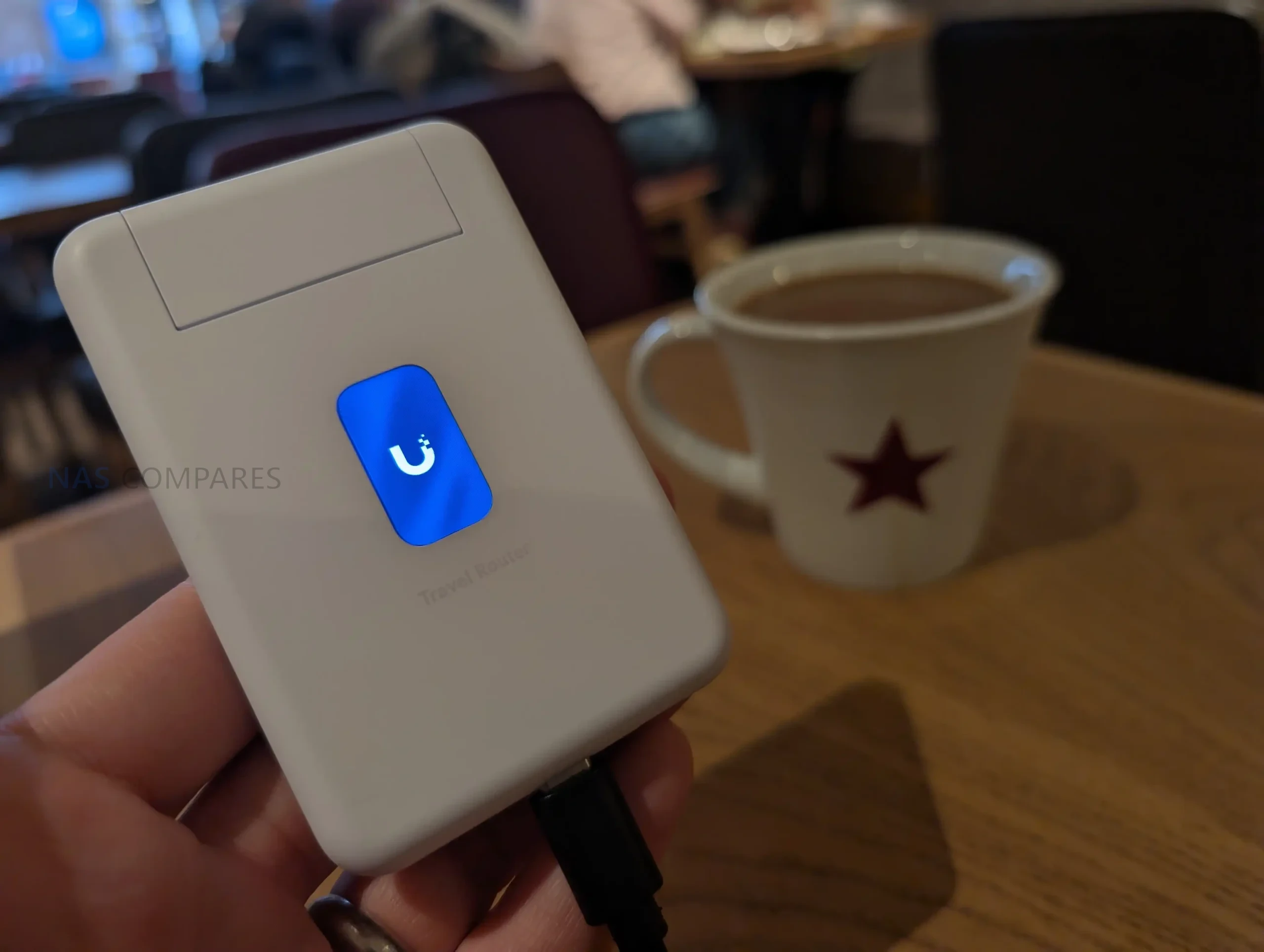
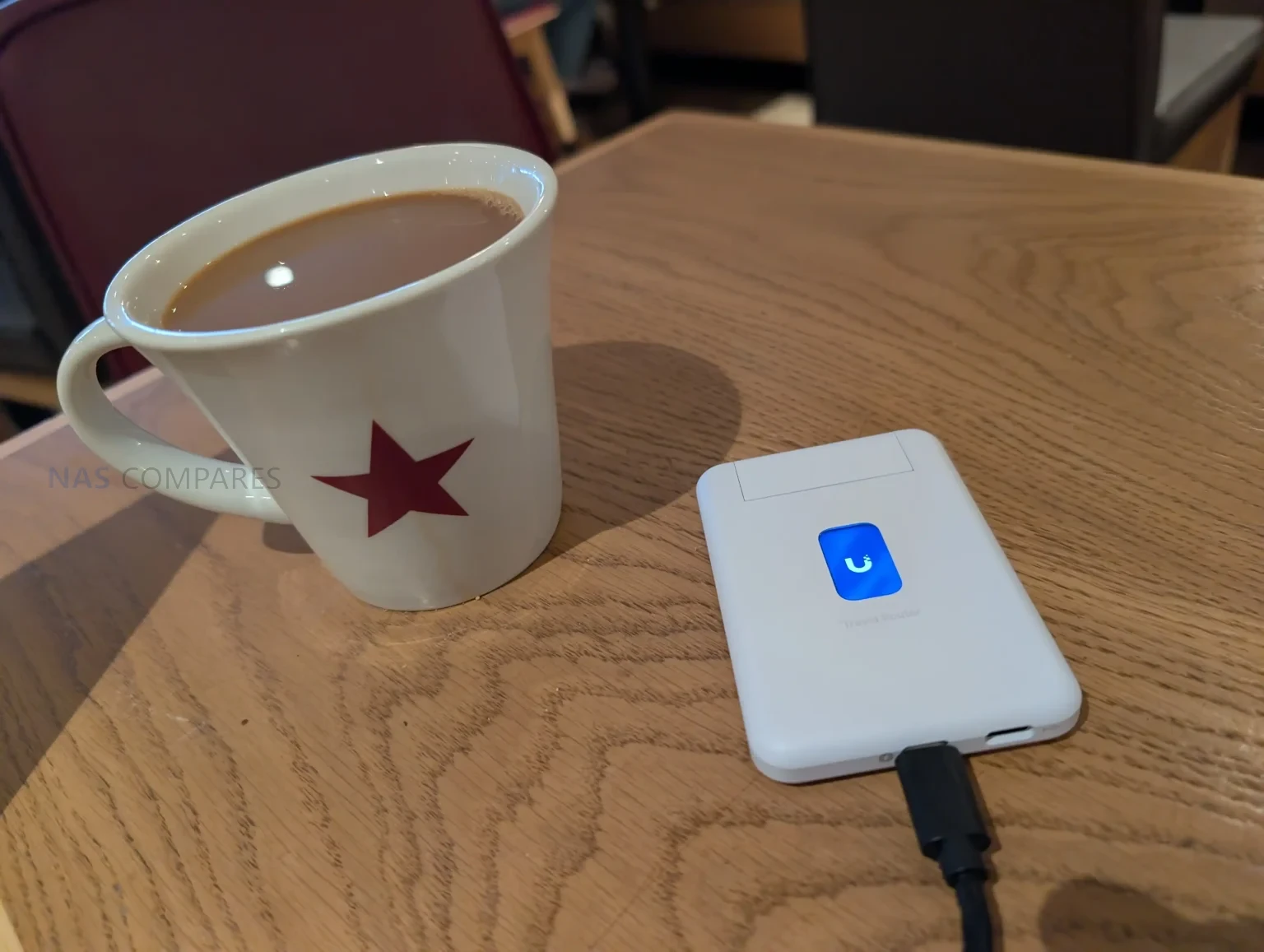
UniFi’s New Travel Router – Pocket-Sized Perfection?
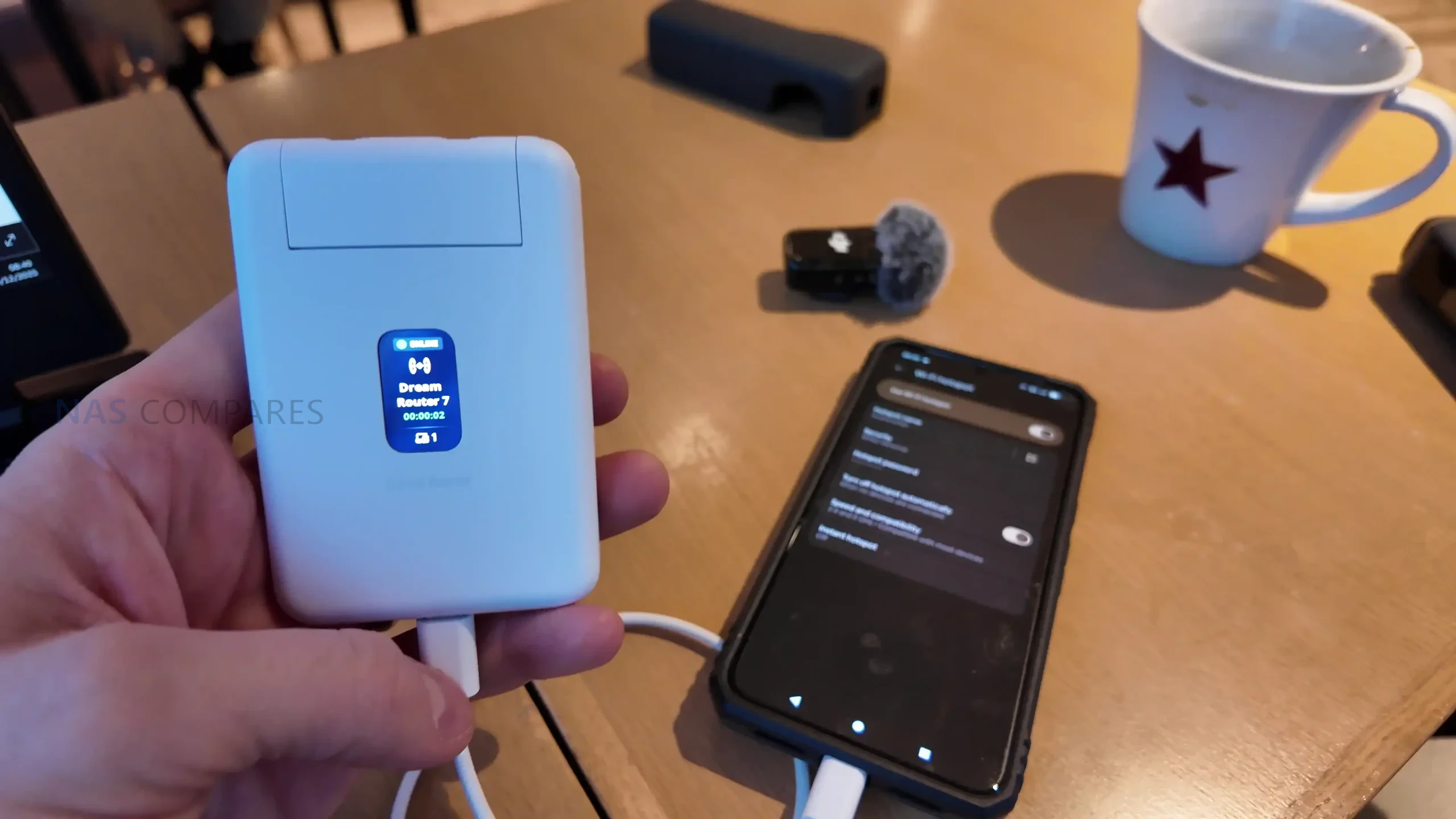
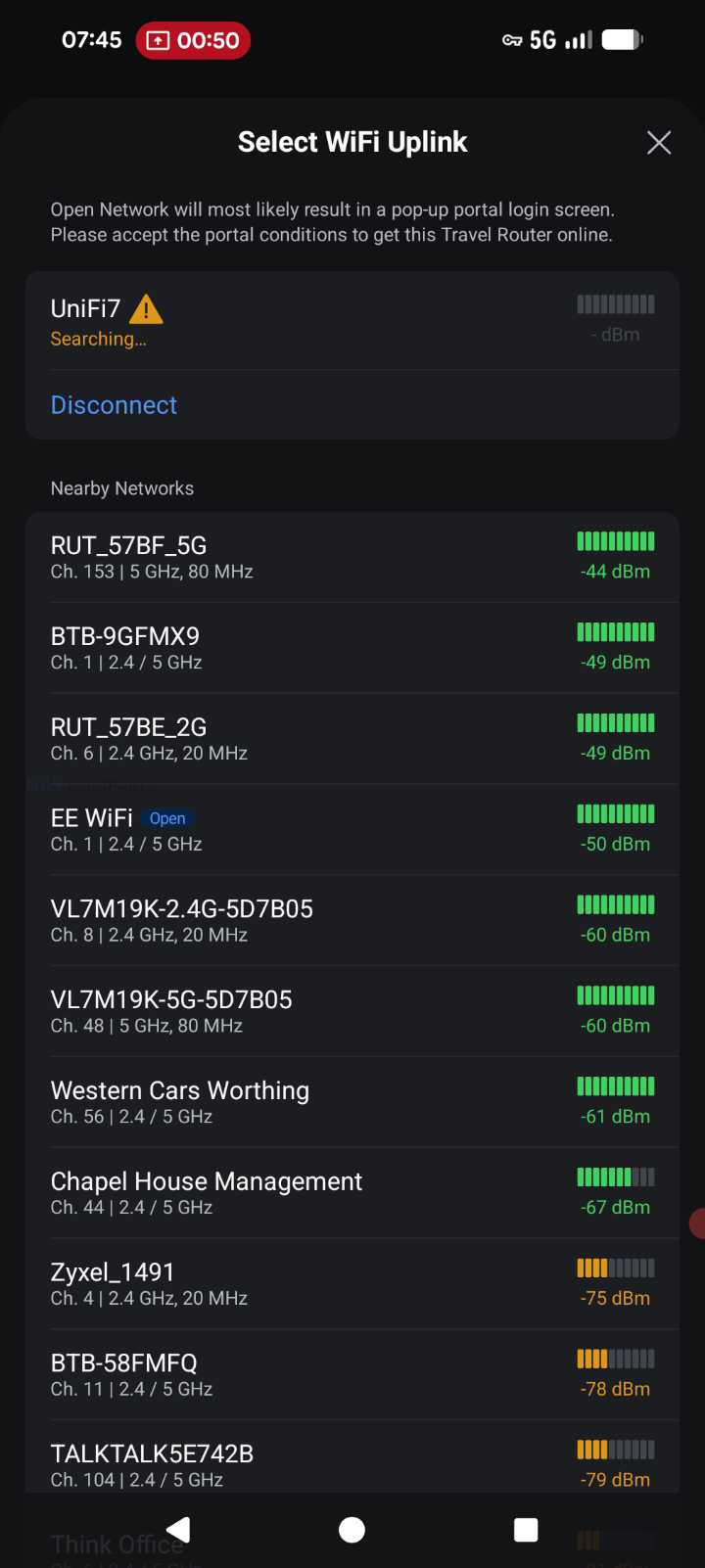
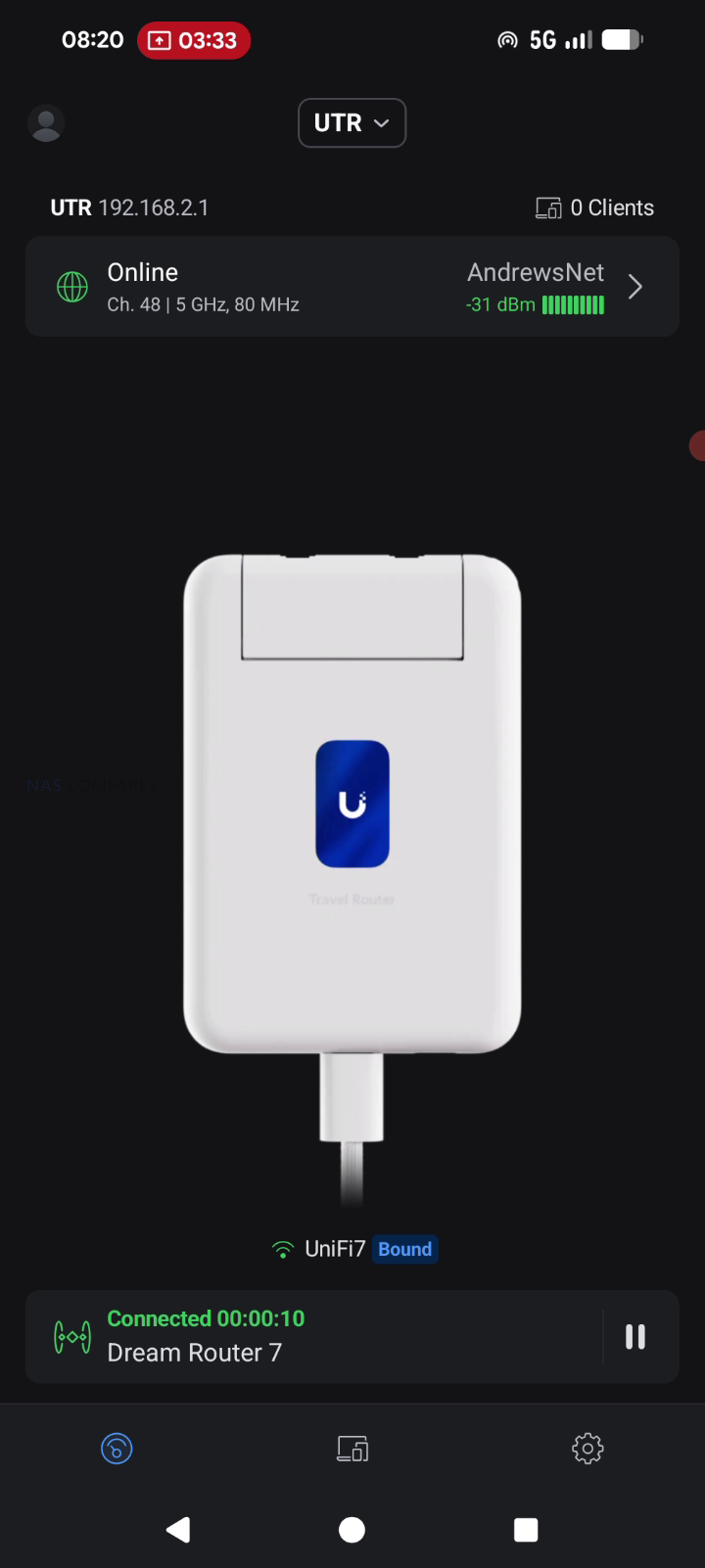
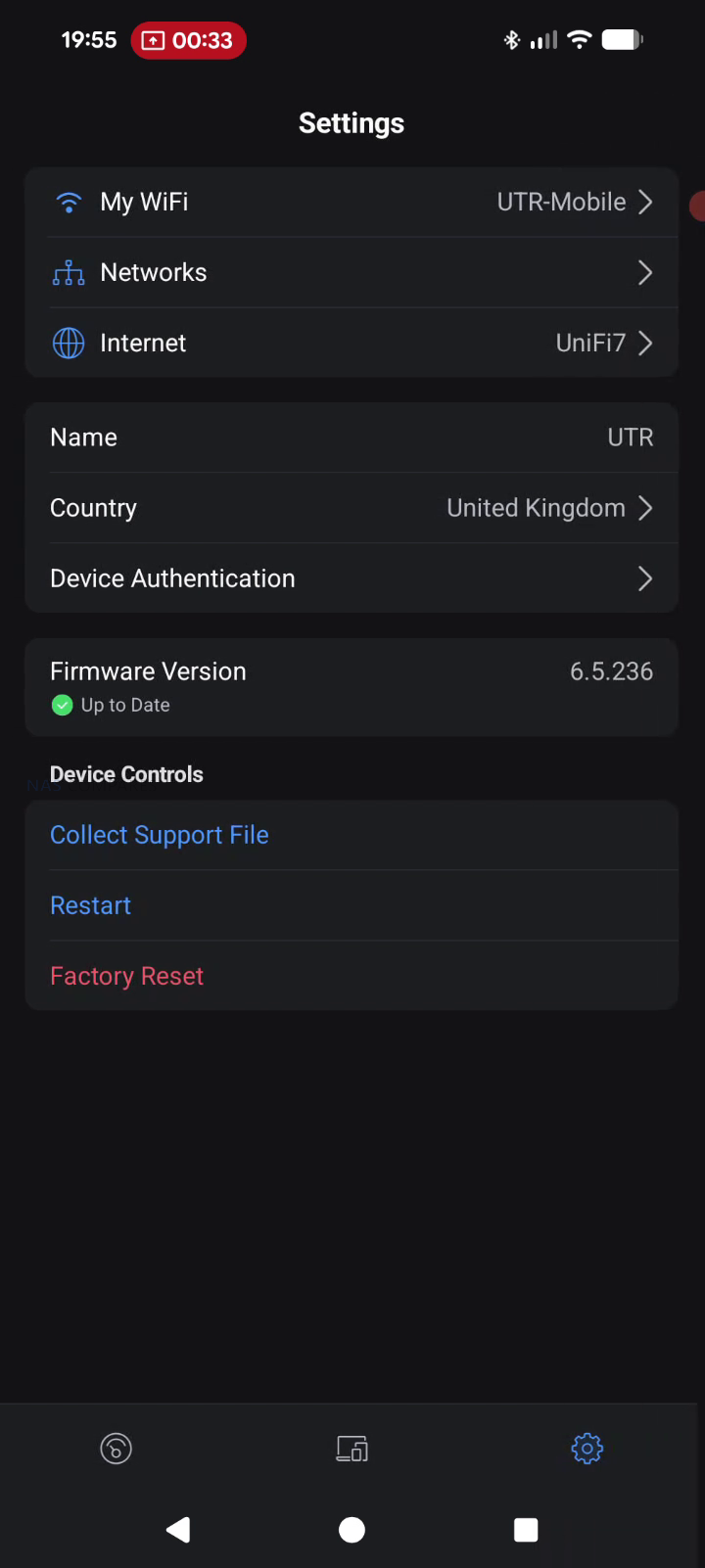
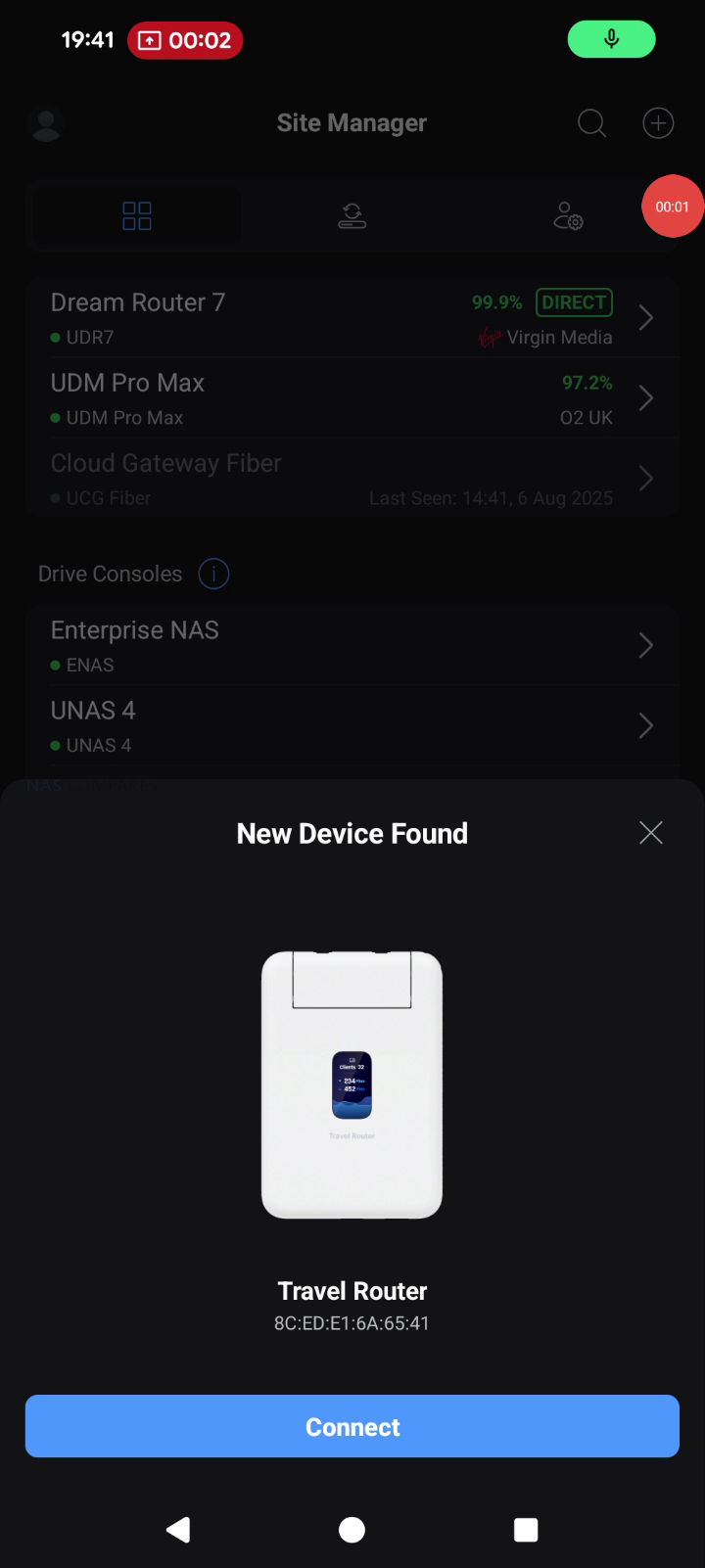
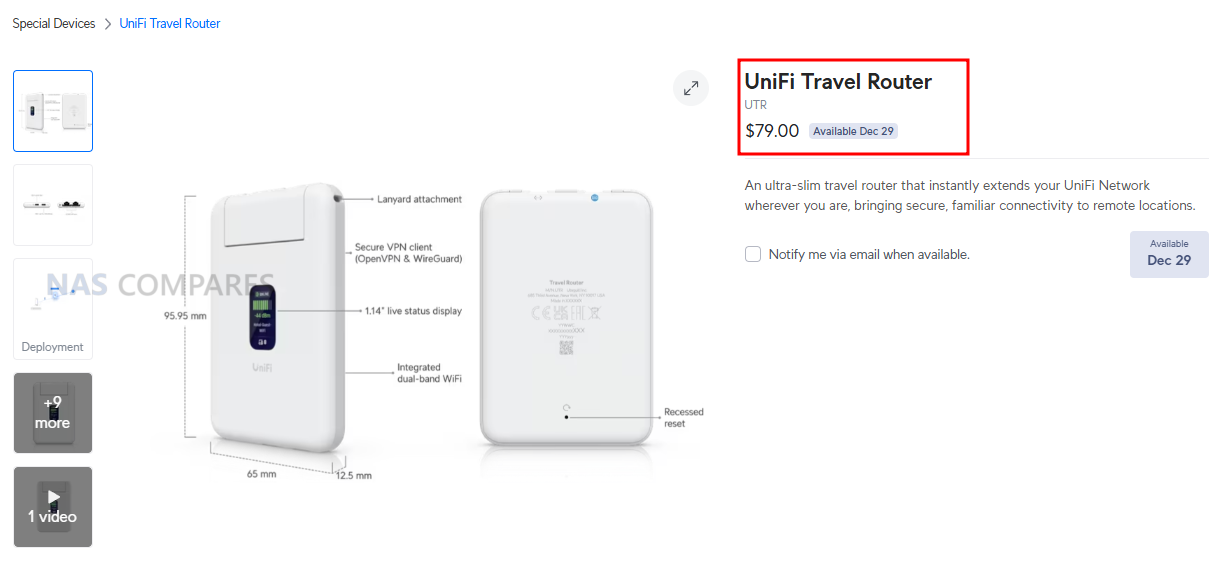
The UniFi Travel Router (UTR) is a compact router intended to extend an existing UniFi network to temporary locations such as hotels, offices, or public WiFi environments, with setup and changes handled through the UniFi Mobile App rather than on device controls. It is designed to bind to a UniFi site so that WiFi settings and Teleport can be applied automatically, allowing a familiar SSID and consistent LAN behavior to follow the user between locations without re adopting devices each time. In practical use, this positions it as a way to place multiple client devices behind a single controlled access point when working from shared networks, while still routing traffic through a VPN path back to a UniFi gateway if desired. The UTR also supports multiple uplink types, including Ethernet, WiFi, and USB tethering through a smartphone, with the ability to set uplink priority once an upstream connection has been established and any captive portal login has been completed via the phone.
Item
Detail
Product
UniFi Travel Router (UTR)
Price
$79.00
Dimensions
95.95 x 65 x 12.5 mm
Weight
89 g
WiFi standard
WiFi 5 (802.11ac)
Bands
2.4 GHz, 5 GHz
WiFi MIMO
2 x 2
Antennas
2 embedded WiFi antennas
Max TX power
2.4G: 13 dBm, 5G: 13 dBm
Ethernet ports
2 x GbE RJ45
VPN client support
OpenVPN, WireGuard
Power method
USB-C
Power input
5V / 2A (adapter not included)
Max power consumption
5W
Display
1.14″ status display
Button
Factory reset
Certifications
CE, FCC, IC
Compliance
NDAA compliant
Not supported (per docs)
WPA Enterprise, Passpoint
UniFi Travel Router Review – Quick Conclusion
The UniFi Travel Router looks like a genuinely handy tool for people already invested in UniFi: it gives you a small, light travel router with two gigabit ports (WAN and LAN), USB C power, separate USB tethering for using a phone as a 5G uplink, and a status screen that makes it easy to confirm what uplink you are using and whether Teleport is active, plus the big headline benefit that you can bind it to an existing UniFi setup and effectively carry your familiar SSID and behavior with you so your devices and even colleagues can connect without reconfiguring anything, while tunneling sensitive traffic back home through Teleport for safer use on hotel, office, or coffee shop networks and simplifying captive portal logins through the app. The tradeoffs are mostly about performance and features compared with newer rivals: it is WiFi 5 only with modest real world throughput expectations, the Ethernet ports are 1 GbE rather than 2.5 GbE, the screen is not touch so you still rely on the mobile app for changes, and there is no internal battery plus no built in SIM or eSIM option, which will disappoint anyone wanting an all in one, fully cellular travel router rather than a UniFi focused extender that leans on WiFi uplinks, wired WAN, or phone tethering.
BUILD QUALITY - 9/10
HARDWARE - 8/10
PERFORMANCE - 7/10
PRICE - 8/10
VALUE - 8/10
8.0
PROS
Deep UniFi ecosystem fit, can bind to an existing UniFi site for a familiar setup on the go Teleport support enables secure remote access back to your UniFi network on public WiFi Can clone an existing SSID so your devices connect without reconfiguring Multi uplink flexibility: WiFi uplink, wired WAN via Ethernet, and USB tethering via smartphone Captive portal logins are handled through the mobile app, simplifying hotel and guest WiFi access Two gigabit ports (WAN and LAN) allow simple wired integration when available Separate USB C power and separate USB tethering is practical for travel scenarios Pocket sized, lightweight design with a helpful status display for quick connection checks
CONS
WiFi 5 only, so performance and feature set trail newer WiFi 6 or WiFi 7 travel routers Ethernet is 1 GbE, not 2.5 GbE No internal battery and no built in SIM or eSIM option for standalone cellular use
UniFi Travel Router – Design
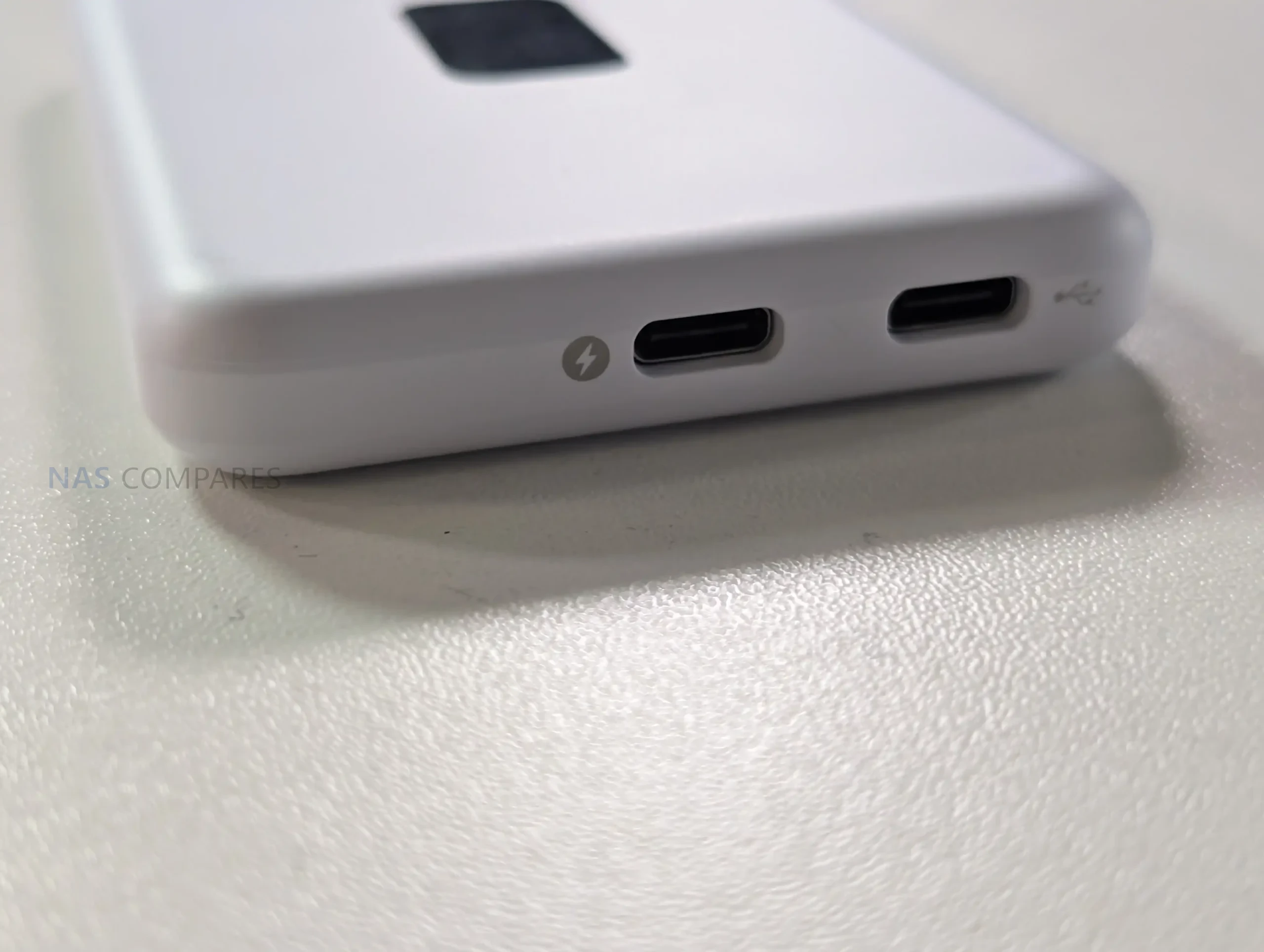
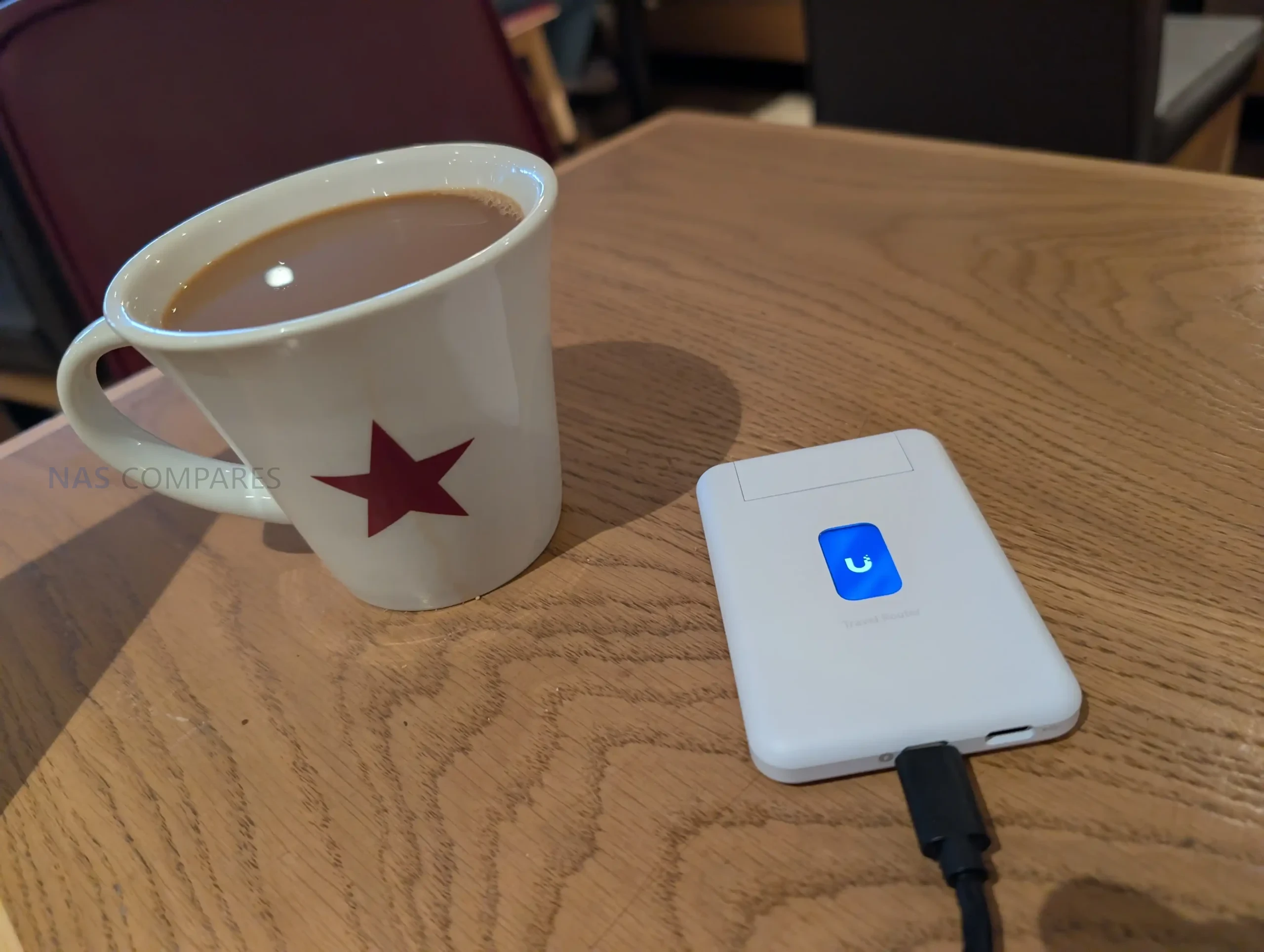
The UTR uses a slim, pocket oriented chassis that matches its intended role as a portable router rather than a fixed installation device. At 95.95 x 65 x 12.5 mm and 89 g, it is sized to carry alongside a phone, power bank, or small toolkit, and the enclosure is polycarbonate rather than metal. The design is built around external power, with no internal battery listed, so it is meant to be powered from common USB sources such as a charger, a power bank, or an available USB port in transit environments. UniFi specifies a USB-C 5V 2A input and up to 5W consumption, which places it within the output range of typical phone chargers and many shared USB outlets, but also means functionality depends on having a reliable external power source.
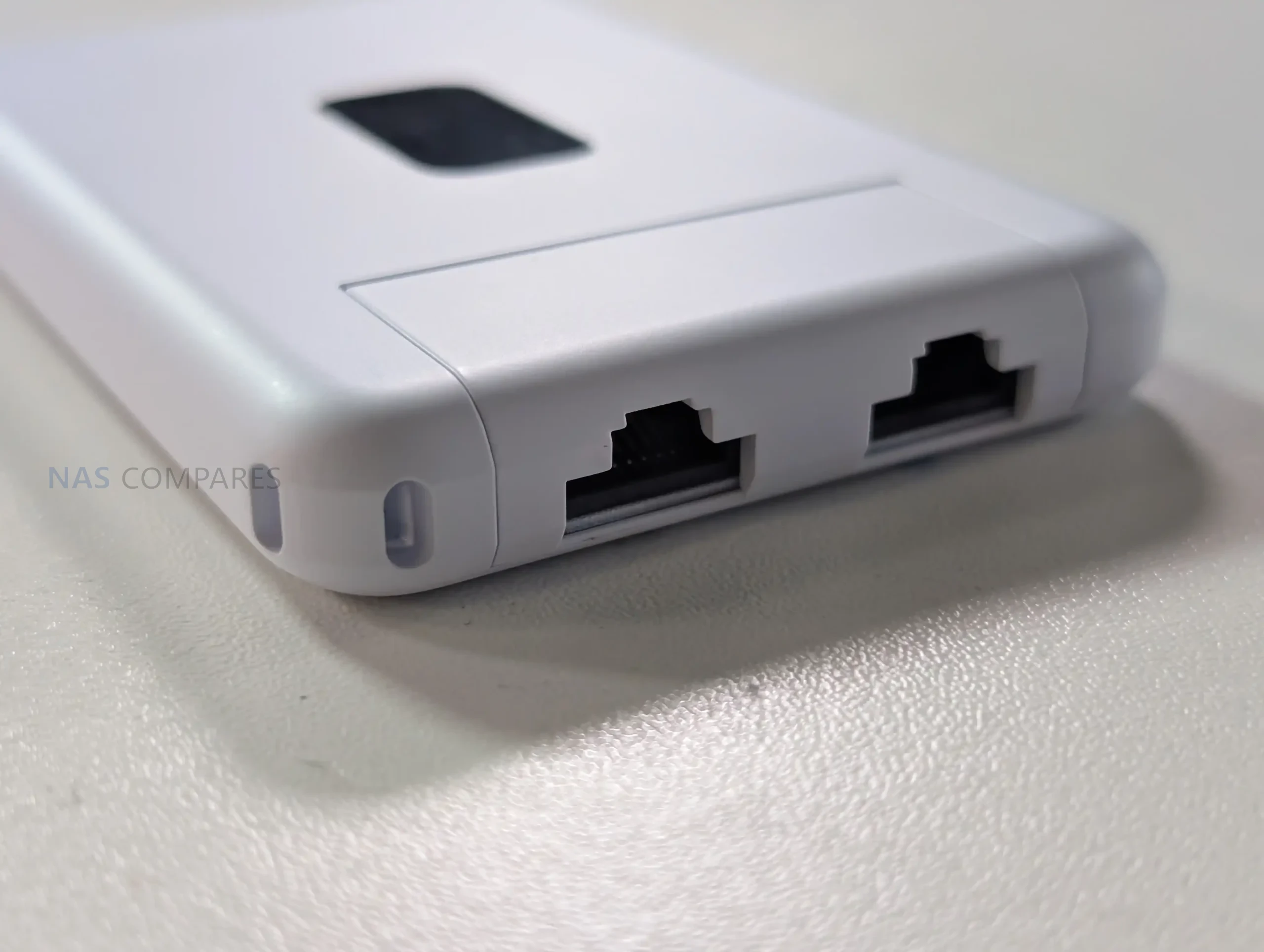
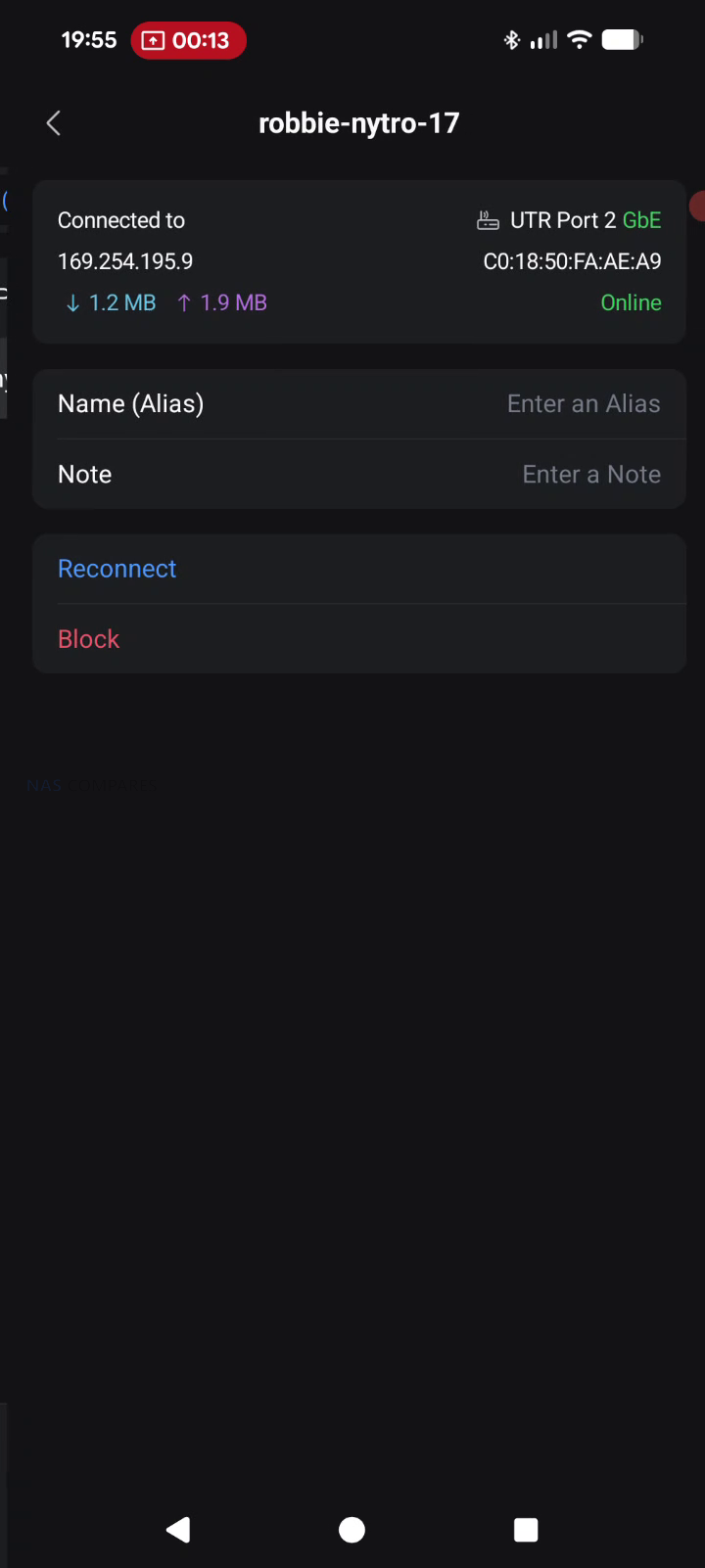
Physical I O is minimal and focused on travel use, with emphasis on flexibility rather than high port count. The unit provides 2 x GbE RJ45 ports for wired connectivity, typically used as WAN and LAN in practice, enabling either a wired upstream connection or a direct wired link to a local device when needed. It also includes a factory reset button but no other on device controls for configuration changes. In your usage notes, you highlighted that power and USB tethering are separated, allowing the device to stay powered from one source while using a different connection for phone tethering, which avoids the single port limitation found on some compact travel routers. You also noted that this layout suits scenarios where the most convenient power source might be a multi port power bank or a vehicle and public USB outlet, while the tether source remains the phone.
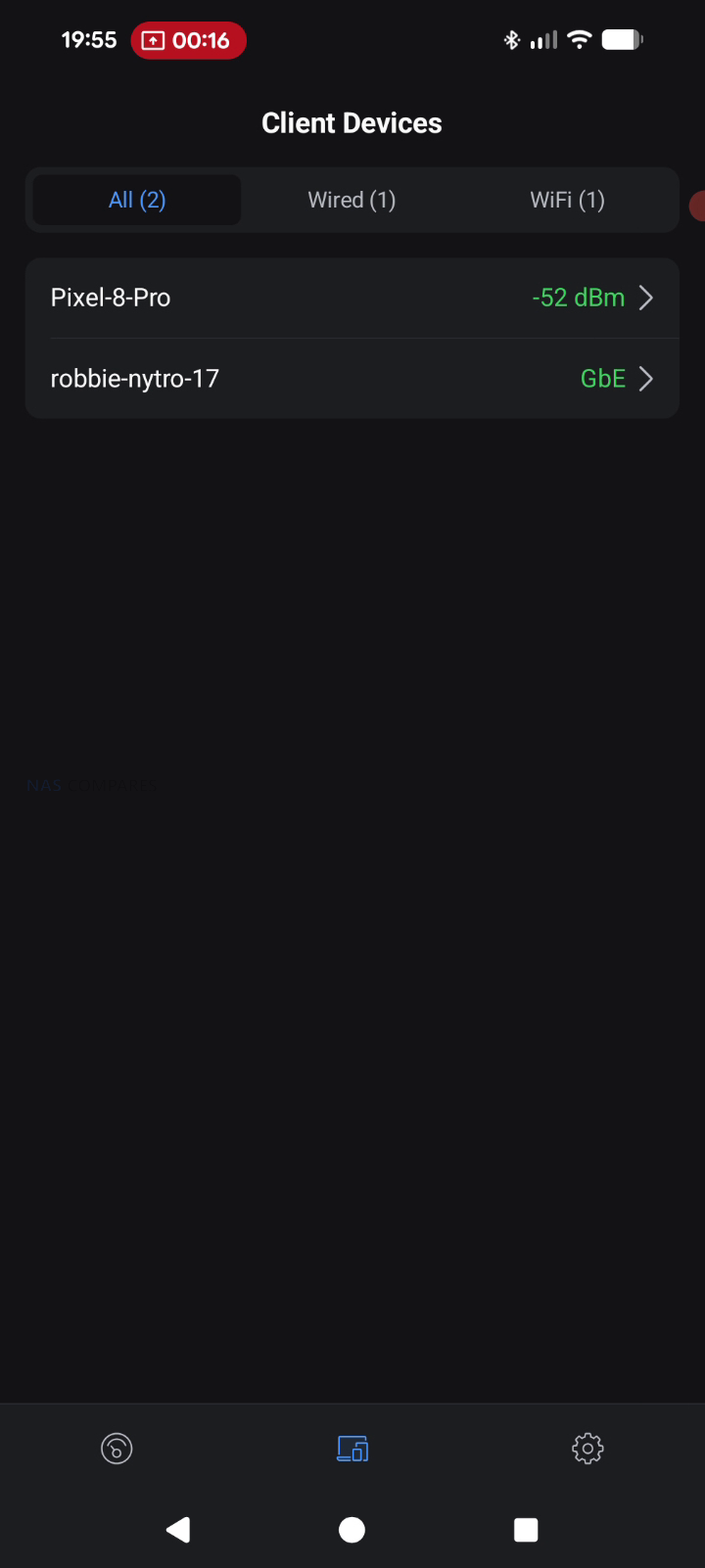
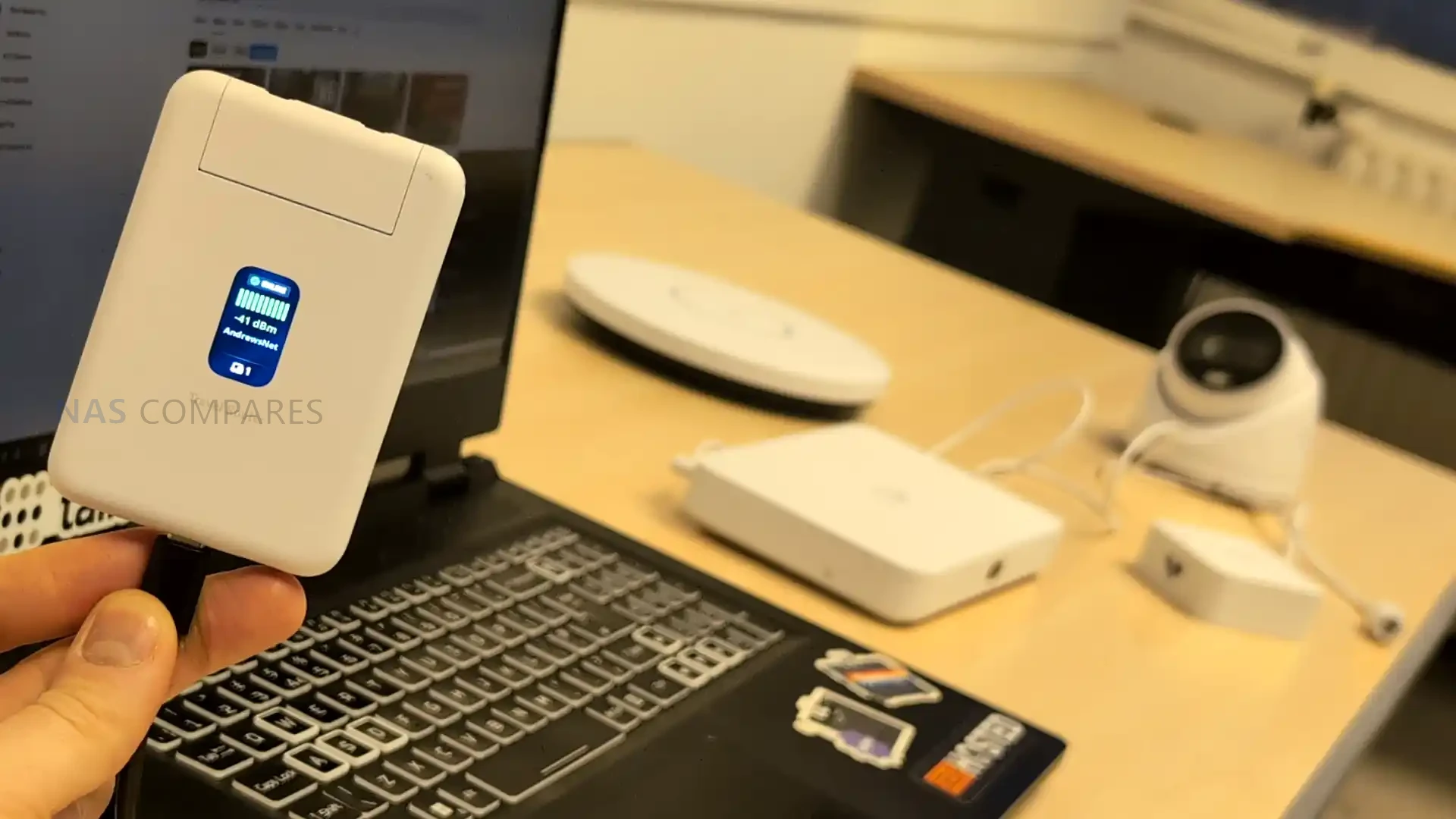
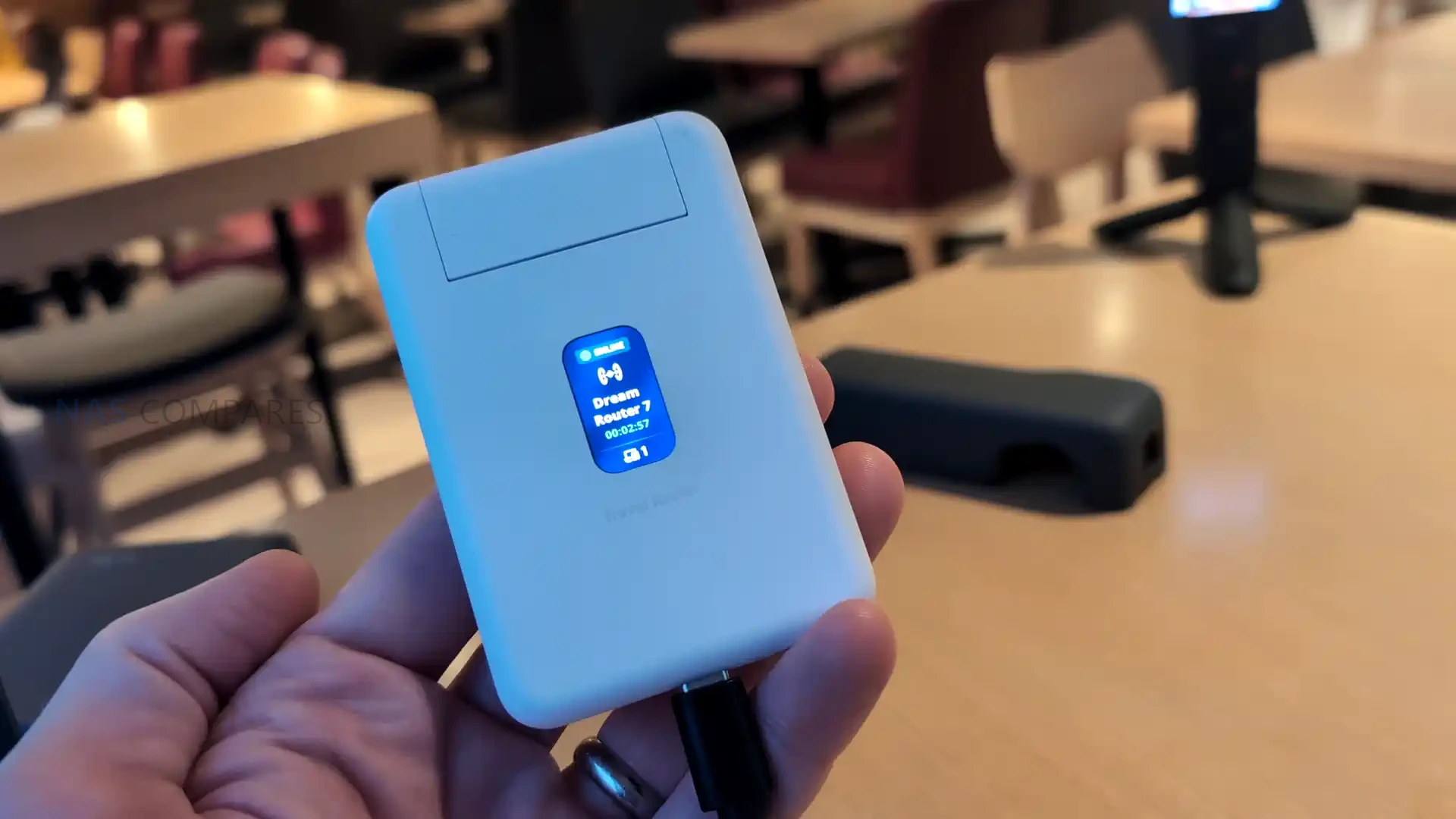
Status feedback is provided through a 1.14 inch display, but it is not a touchscreen, and configuration changes are handled in the UniFi Mobile App. This means the display functions as a quick reference for connection state and operational mode, such as whether it is using a particular uplink or whether Teleport is active, rather than a control surface for changing settings. Internally, WiFi is delivered via 2 embedded antennas with 2 x 2 MIMO and listed maximum transmit power of 13 dBm on both 2.4G and 5G, reflecting a design focused on compactness rather than external antenna placement. Operating limits are specified at -10 to 40 C and 5 to 95% noncondensing humidity, and the unit is listed as NDAA compliant with CE, FCC, and IC certifications, which may matter for users deploying it in regulated or corporate environments.
UniFi Travel Router – Connectivity
The UTR is built around 3 uplink paths: wired Ethernet, wireless WAN, and USB tethering through a smartphone, with the router acting as the single aggregation point for connected client devices. On the wired side, it provides 2 x GbE RJ45 ports, typically used as 1 WAN and 1 LAN, which allows a direct connection to an upstream network where a desk port or wall jack is available, while still offering a wired LAN handoff to a laptop, switch, or other local device. In your review, you also noted the practical advantage of using a wired uplink in temporary deployments, since it avoids relying entirely on building WiFi when you are on site for multiple days and want more predictable upstream stability.
For wireless connectivity, the UTR uses WiFi 5 (802.11ac) across 2.4 GHz and 5 GHz, with 2 x 2 MIMO and support for typical channel widths of 20, 40, and 80 MHz. UniFi lists a maximum 802.11ac data rate of up to 866.7 Mbps at VHT 80 and corresponding 802.11n rates up to 300 Mbps, with legacy 802.11a b g rates also supported for compatibility. In your video, you set expectations around real world throughput, noting that this class of WiFi 5 travel router can feel limited compared with newer WiFi 6 and WiFi 7 options, and you referenced typical observed uplink figures around 150 Mbps in the context of public WiFi and travel scenarios rather than sustained near gigabit speeds.
When connecting through hotel or venue WiFi, captive portal handling is part of the connectivity workflow rather than a separate feature layer. The documented process is to select the upstream network in the UniFi Mobile App, then complete any captive portal login on the phone when prompted, after which the router maintains that authenticated upstream session for the devices behind it. This approach can simplify group use, since multiple devices can share the same authenticated uplink without each device individually interacting with the portal. Connectivity limitations are also defined in the documentation, including lack of support for WPA Enterprise and Passpoint networks, which can affect compatibility in some corporate or managed public environments where those authentication methods are enforced.
UniFi Travel Router – Software & Services
The UTR is designed to integrate into an existing UniFi deployment rather than operate as a standalone router with its own separate management model. Once it is bound to a UniFi site, it can automatically apply WiFi configuration and bring up the same network identity used elsewhere, including expected SSIDs and routing behavior. UniFi positions this as a continuity feature, where location aware policies and routing rules can activate when the router connects at a new site, reducing the amount of manual setup typically needed when moving between venues.
Teleport is the primary UniFi service feature tied to remote access on the UTR. The documented workflow is to complete initial setup, open the UniFi Mobile App, select an available UniFi gateway or console, and then connect using Teleport, creating a private path back to the user’s UniFi network. Alongside Teleport, the UTR lists VPN client support for OpenVPN and WireGuard, allowing VPN enforcement at the router level so connected devices use the same tunnel without requiring separate VPN configuration per device. In your review use case, this was framed around keeping work traffic routed through a known UniFi environment while operating on public or untrusted networks during multi day on site work.
Beyond remote access, the feature set includes core router functions such as firewall and port forwarding, with UniFi management intended to keep LAN behavior consistent across locations. UniFi also describes plug and play pairing with existing UniFi devices, aiming to reduce friction when traveling with preconfigured hardware that is expected to reappear on a familiar network. The documentation also references Auto Link in the context of keeping wireless cameras and devices online automatically, positioning it as a continuity mechanism rather than a separate setup workflow. Operationally, configuration and connection selection are handled through the UniFi Mobile App, including joining upstream WiFi and completing captive portal authentication when present, while enterprise style WiFi authentication methods like WPA Enterprise and Passpoint are listed as unsupported.
UniFi Travel Router – Conclusion
The UniFi Travel Router makes the most sense as a “UniFi extender you can pocket” rather than a generic travel router trying to win on raw specs. The real value is how quickly it drops you back into a familiar environment: bind it to your UniFi setup, carry over the SSID you already use, and your devices can reconnect without you rebuilding a network from scratch each time you land somewhere new. For people who work on site, bounce between coffee shops, or travel with a small team, that convenience adds up fast: one upstream connection, one captive portal login handled through the app, and everything behind the UTR can ride through a secure Teleport tunnel back to your home or office UniFi gateway. Add the practical hardware touches, like two gigabit ports for wired WAN or LAN use, separate USB C power and USB tethering for pulling in a phone connection, and a status display that helps you confirm what is actually happening at a glance, and it is easy to see why this little box is appealing if you already live in the UniFi ecosystem.
The drawbacks are largely about what it is not trying to be. If you want a bleeding edge travel router, the UTR’s WiFi 5 radio and 1 GbE ports will feel conservative next to WiFi 6E or WiFi 7 options, and your top end wireless throughput is simply going to be capped by the platform. The screen is useful, but it is not touch, so you are still leaning on the mobile app for most changes, and there is no internal battery to make it a truly self contained travel companion. Just as importantly, there is no integrated SIM or eSIM, so anyone hoping for an all in one cellular travel router will be looking elsewhere or relying on phone tethering. Taken together, the UniFi Travel Router is a strong niche product: it is not the fastest, but for existing UniFi users who care most about consistency, security, and getting online quickly in messy real world networks, it is a smart and affordable addition to the kit bag.
PROS of the UniFI Travel Router
CONS of the UniFI Travel Router
Deep UniFi ecosystem fit, can bind to an existing UniFi site for a familiar setup on the go
Teleport support enables secure remote access back to your UniFi network on public WiFi
Can clone an existing SSID so your devices connect without reconfiguring
Multi uplink flexibility: WiFi uplink, wired WAN via Ethernet, and USB tethering via smartphone
Captive portal logins are handled through the mobile app, simplifying hotel and guest WiFi access
Two gigabit ports (WAN and LAN) allow simple wired integration when available
Separate USB C power and separate USB tethering is practical for travel scenarios
Pocket sized, lightweight design with a helpful status display for quick connection checks
WiFi 5 only, so performance and feature set trail newer WiFi 6 or WiFi 7 travel routers
Ethernet is 1 GbE, not 2.5 GbE
No internal battery and no built in SIM or eSIM option for standalone cellular use
This description contains links to Amazon. These links will take you to some of the products mentioned in today's content. As an Amazon Associate, I earn from qualifying purchases. Visit the NASCompares Deal Finder to find the best place to buy this device in your region, based on Service, Support and Reputation - Just Search for your NAS Drive in the Box Below
Need Advice on Data Storage from an Expert?
Finally, for free advice about your setup, just leave a message in the comments below here at NASCompares.com and we will get back to you.Need Help?
Where possible (and where appropriate) please provide as much information about your requirements, as then I can arrange the best answer and solution to your needs. Do not worry about your e-mail address being required, it will NOT be used in a mailing list and will NOT be used in any way other than to respond to your enquiry.
[contact-form-7]
TRY CHAT Terms and Conditions
If you like this service, please consider supporting us.
We use affiliate links on the blog allowing NAScompares information and advice service to be free of charge to you.Anything you purchase on the day you click on our links will generate a small commission which isused to run the website. Here is a link for Amazon and B&H.You can also get me a Ko-fi or old school Paypal. Thanks!To find out more about how to support this advice service checkHEREIf you need to fix or configure a NAS, check FiverHave you thought about helping others with your knowledge? Find Instructions Here
Or support us by using our affiliate links on Amazon UK and Amazon US
Alternatively, why not ask me on the ASK NASCompares forum, by clicking the button below. This is a community hub that serves as a place that I can answer your question, chew the fat, share new release information and even get corrections posted. I will always get around to answering ALL queries, but as a one-man operation, I cannot promise speed! So by sharing your query in the ASK NASCompares section below, you can get a better range of solutions and suggestions, alongside my own.
Les chercheurs en cybersécurité de l’entreprise KOI mettent en lumière un vaste et sournois réseau de revente de données. Ce système repose sur plusieurs extensions de navigateur, téléchargées des millions de fois et arborant les certifications les plus prestigieuses.
[Deal du jour] Si chaque connexion se transforme en enquête pour retrouver votre mot de passe, un gestionnaire de mots de passe est sûrement l’outil qu’il vous manque. NordPass propose en ce moment une remise exclusive via Numerama.
Cet article a été réalisé en collaboration avec Proton VPN
Le Cyber Monday est là et Proton a décidé de prolonger son offre du Black Friday pour encore quelques jours avec son abonnement à - 75 %.
Cet article a été réalisé en collaboration avec Proton VPN
Il s’agit d’un contenu créé par des rédacteurs indépendants au sein de l’entité Humanoid xp. L’équipe éditoriale de Numerama n’a pas participé à sa création. Nous nous engageons auprès de nos lecteurs pour que ces contenus soient intéressants, qualitatifs et correspondent à leurs intérêts.
Cet article a été réalisé en collaboration avec Bitdefender
Avant de faire le plein de bonnes affaires en ligne, quelques précautions s’imposent. Faisons le point sur ces petites actions pourtant incontournables à mettre en place avant de finaliser ses achats.
Cet article a été réalisé en collaboration avec Bitdefender
Il s’agit d’un contenu créé par des rédacteurs indépendants au sein de l’entité Humanoid xp. L’équipe éditoriale de Numerama n’a pas participé à sa création. Nous nous engageons auprès de nos lecteurs pour que ces contenus soient intéressants, qualitatifs et correspondent à leurs intérêts.
Cet article a été réalisé en collaboration avec Bitdefender
Localisation, mode de vie ou encore données de santé : les montres connectées abritent des informations sensibles vous concernant. Du pain bénit pour les hackers. Heureusement, quelques bonnes pratiques et un outil adapté suffisent à les protéger.
Cet article a été réalisé en collaboration avec Bitdefender
Il s’agit d’un contenu créé par des rédacteurs indépendants au sein de l’entité Humanoid xp. L’équipe éditoriale de Numerama n’a pas participé à sa création. Nous nous engageons auprès de nos lecteurs pour que ces contenus soient intéressants, qualitatifs et correspondent à leurs intérêts.

 Connexion



 SUBSCRIBE TO OUR NEWSLETTER


 TRY CHAT












 Deep UniFi ecosystem fit, can bind to an existing UniFi site for a familiar setup on the go
 WiFi 5 only, so performance and feature set trail newer WiFi 6 or WiFi 7 travel routers