Vue lecture

Il y a de nouveaux articles disponibles, cliquez pour rafraîchir la page.

Is the UniFi Dream Router Still Worth $279, 1 Year Later? Better, Worse, the Same?

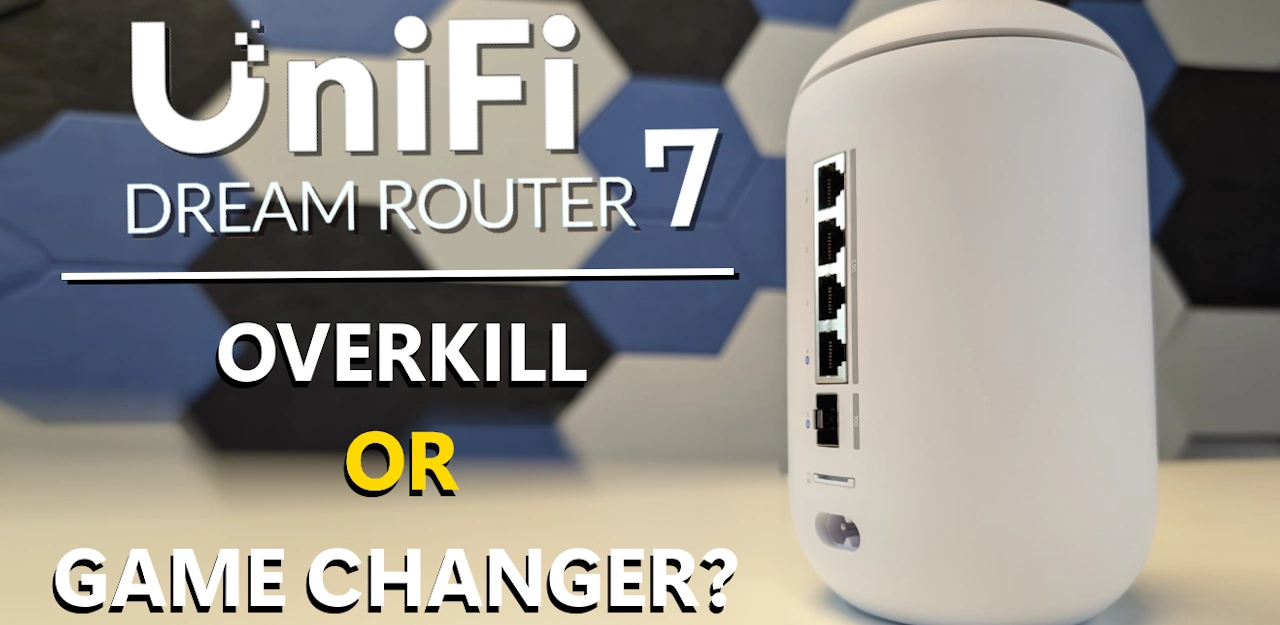
UniFi Dream Router 7 – ONE YEAR LATER
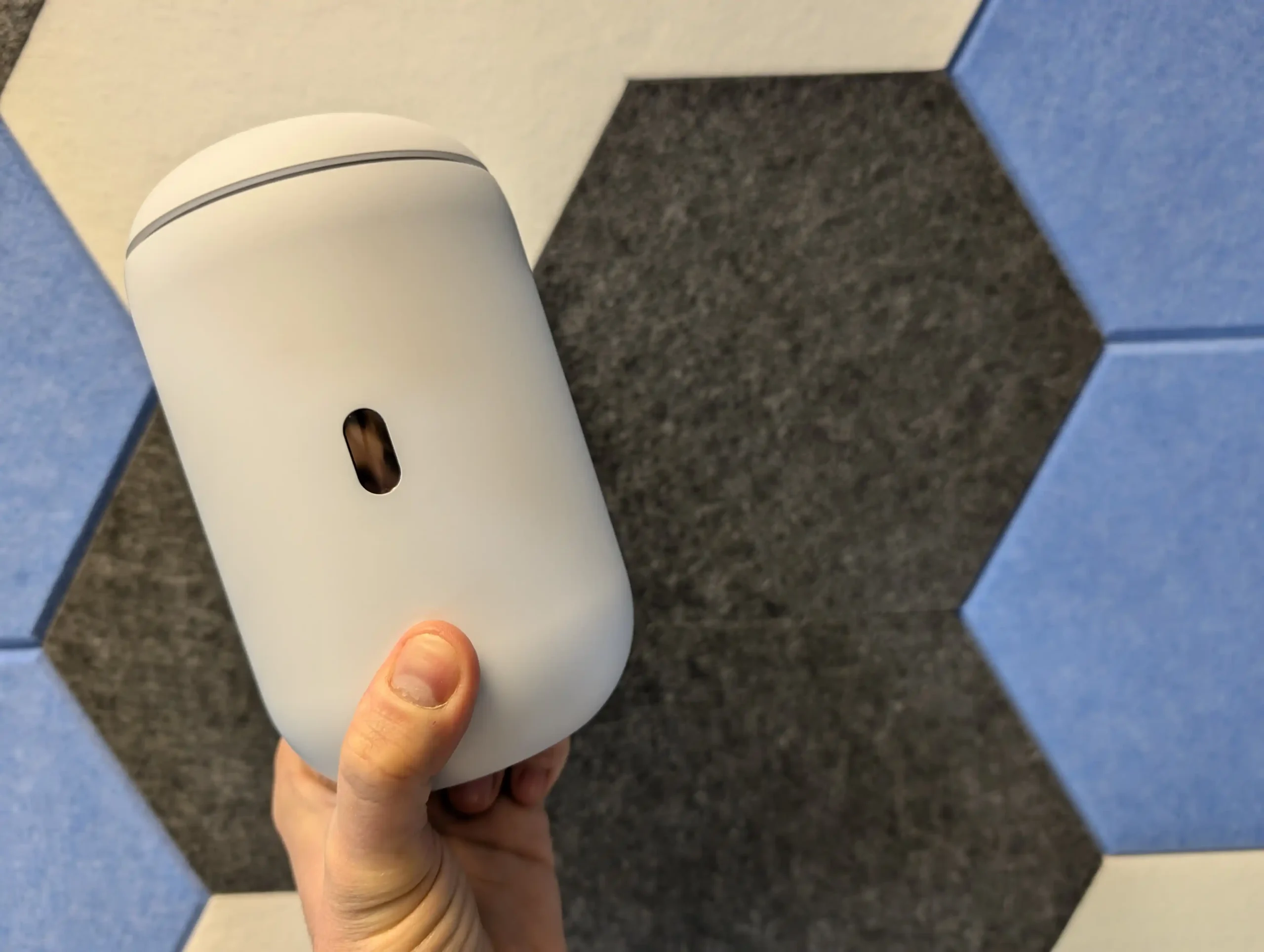
A lot can change in 12 months with a router, especially one that launched with strong hardware and a lot of software ambition behind it. The UniFi Dream Router 7 (UDR7) arrived in February 2025 at $279 and immediately stood out on paper, but a year later the more useful question is not what it promised at launch, it is what it actually delivers now: is it better, worse, or largely the same after a full year of real-world use and updates? In this 1 year later review, I am looking at that from 3 angles: my own experience of using the UDR7 in a live home setup over the last 12 months, the wider experience of other users in home and business environments, and how Ubiquiti has supported the platform through UniFi OS and router software updates since release. The goal is to move beyond launch-day specs and first impressions and answer the more practical question for anyone considering an upgrade today: in early 2026, is the UniFi Dream Router 7 still worth $279?


My Own 12 Month Experience of the UniFi Dream Router 7

My own experience with the UDR7 over 12 months is slightly different from a short test bench review because this unit stayed deployed in my home for most of that time. After the original review, I kept it and ran it in a real environment rather than treating it as a temporary test device.

It was not my only wireless setup, so there was some unavoidable radio overlap in the house, and I was also running the UDR7 with 4 additional access points placed across different rooms. It was positioned behind a TV rather than in an ideal open location, which is worth stating because that kind of placement can affect both wireless behavior and thermals.

In terms of reliability, my own results were stable across the year. The UDR7 was set to install updates automatically, so it received every update as it arrived, and outside of planned interruptions for filming, firmware reboots, and a reprofile/reset around October for remote access preparation, it remained in service continuously.

Across that period it handled a regular set of around 12 active devices, while interacting with roughly 20 to 25 devices over time.

I did not run UniFi Protect on this unit in my own setup, so my long-term comments are focused on routing, wireless management, and day to day network operation rather than surveillance recording. In that role, it was dependable and I did not encounter recurring crashes or operational failures.

Resource use and thermals were also within a reasonable range for the way I deployed it. Internally, the system generally sat around 61 to 67°C depending on load, with CPU utilization commonly around 20 to 25% and RAM usage often around 40 to 50% when more security features and logging were enabled.

External temperatures were warmer than ambient but not excessive for a compact desktop gateway placed in a less than ideal location: roughly 48 to 49°C on the outer body, around 51°C near the top ventilation strip at peak use, and around 43 to 45°C at the base.

The copper ports remained cooler, while the SFP side ran hotter when used. None of this pointed to a thermal problem in my deployment, but it does reinforce that placement and ventilation still matter.

Traffic volume across the test period also helps frame the result. I put roughly 1.25TB of internet traffic through the unit, with just over 1TB downloaded and around 204GB uploaded, while also testing PoE output with a few APs.

The only PoE limitation I ran into was with a higher draw AP that exceeded what the port is designed to provide, which matched the published power limits rather than indicating a fault.

Taken strictly from my own 1 year usage, the UDR7 did what it was supposed to do at $279 in a mixed home environment with multiple APs, automatic updates, and steady day to day load. My experience was not a stress test of every feature, but as a long-running gateway deployment it remained reliable.

The Community Feedback on the UniFi Dream Router 7 in 1 Year

Looking at wider user feedback over the last 12 months, the most consistent pattern is that early criticism focused less on the hardware itself and more on launch readiness. Across UniFi Community threads, Reddit posts, and ISP forum discussions, many users described the UDR7 as capable hardware paired with software that felt immature in the first weeks and months after release. The phrase “unfinished at launch” appears repeatedly in community discussions, particularly from users who deployed it as a primary gateway rather than a simple single room router.

The most widely reported issue was selective connectivity behavior, especially on PPPoE connections using the RJ45 WAN port. Users reported situations where speed tests looked normal but specific services failed or behaved unreliably, including video calls, social media video loading, live camera feeds, and some VPN apps. Multiple threads also repeated the same temporary workarounds: moving WAN to the SFP+ port or enabling Smart Queues, with users noting the tradeoff in cost, added hardware, or reduced throughput. This issue appears frequently enough across separate threads and forums to be treated as a recurring launch-period problem rather than isolated misconfiguration.

A second recurring theme was inconsistent WiFi behavior in more demanding or more complex deployments. Community reports described unstable wireless performance, intermittent disconnects, poor range relative to expectations, and in some cases daily reboots or loss of connectivity requiring a full restart. Not every report points to the same root cause, and some users specifically tied their issues to WAN mode, AP combinations, or feature settings, but the overall pattern is clear: setups with heavier tuning, multiple APs, or more demanding coverage expectations were more likely to expose weaknesses during the early firmware cycle. Also, there was the expensive testing of ‘REAL’ MLO support by RTINGS last month, where the marketing materials around WiFi 7 routers and the level of currently MLO abilities vs the reality of client and router support.

By early 2026, community sentiment appears more mixed than uniformly negative. The strongest complaints are still easy to find, but there are also repeated updates from users saying behavior improved after firmware updates, manual upgrades, or configuration changes, especially in threads that started during the launch period. The broad shift is not that all criticism disappeared, but that the conversation moved from “basic reliability concerns” toward “specific deployment and tuning limitations,” which is a materially different position for a product that had a rougher first impression for many early adopters.

Changes, Fixes, Improvements on the UDR7 over 1 Year

The clearest difference between the UDR7 at launch and the UDR7 after 12 months is software maturity. Over the March 2025 to February 2026 period, UniFi OS and the router platform received a substantial number of additions, improvements, and fixes that changed the practical experience of using the device. This was not just a case of minor UI clean-up. The update history shows ongoing work across setup flow, backup and restore behavior, WAN resiliency, WiFi stability, VPN reliability, logging, storage handling, and administrative tooling. In simple terms, the software stack was actively developed throughout the year, which supports the wider view that the product improved materially after release.

The additions also indicate that Ubiquiti treated the platform as something to expand, not only stabilize. Over that period, support was added for features such as custom certificates, custom SMTP, packet captures, Hotspot 2.0/PassPoint, IPv6 traffic identification and DNS Shield support, SIEM integration, advanced mDNS options, Alarm Manager, CNAME DNS records, and additional identity and directory integration options. Some of these are more relevant to business or managed environments than typical home users, but they still matter in the context of value because the UDR7 is sold as a UniFi cloud gateway, not just a domestic WiFi router. The result is that 1 year later, the software feature set is broader and more aligned with the hardware’s original positioning.

Just as important are the fixes that directly overlap with common launch-era complaints. These include a specific fix for wireless throughput issues when using PPPoE on the RJ45 WAN port, fixes for MLO and guest portal interaction, WiFi and RF scanning related issues, stability improvements when using MLO, improved 2.4GHz client resiliency, improved minimum RSSI stability, and a long list of VPN, routing, and policy-based routing fixes. There were also repeated improvements to backup/restore resiliency, web UI stability, speed test stability, and hardware offloading. Taken together, this update history does not prove every user issue is resolved in every deployment, but it does show a sustained effort to address exactly the types of faults and inconsistencies that shaped the early reputation of the UDR7.
Is the UniFi Dream Router Better, Worse or the Same Value at $279 1 Year Later? (Verdict)

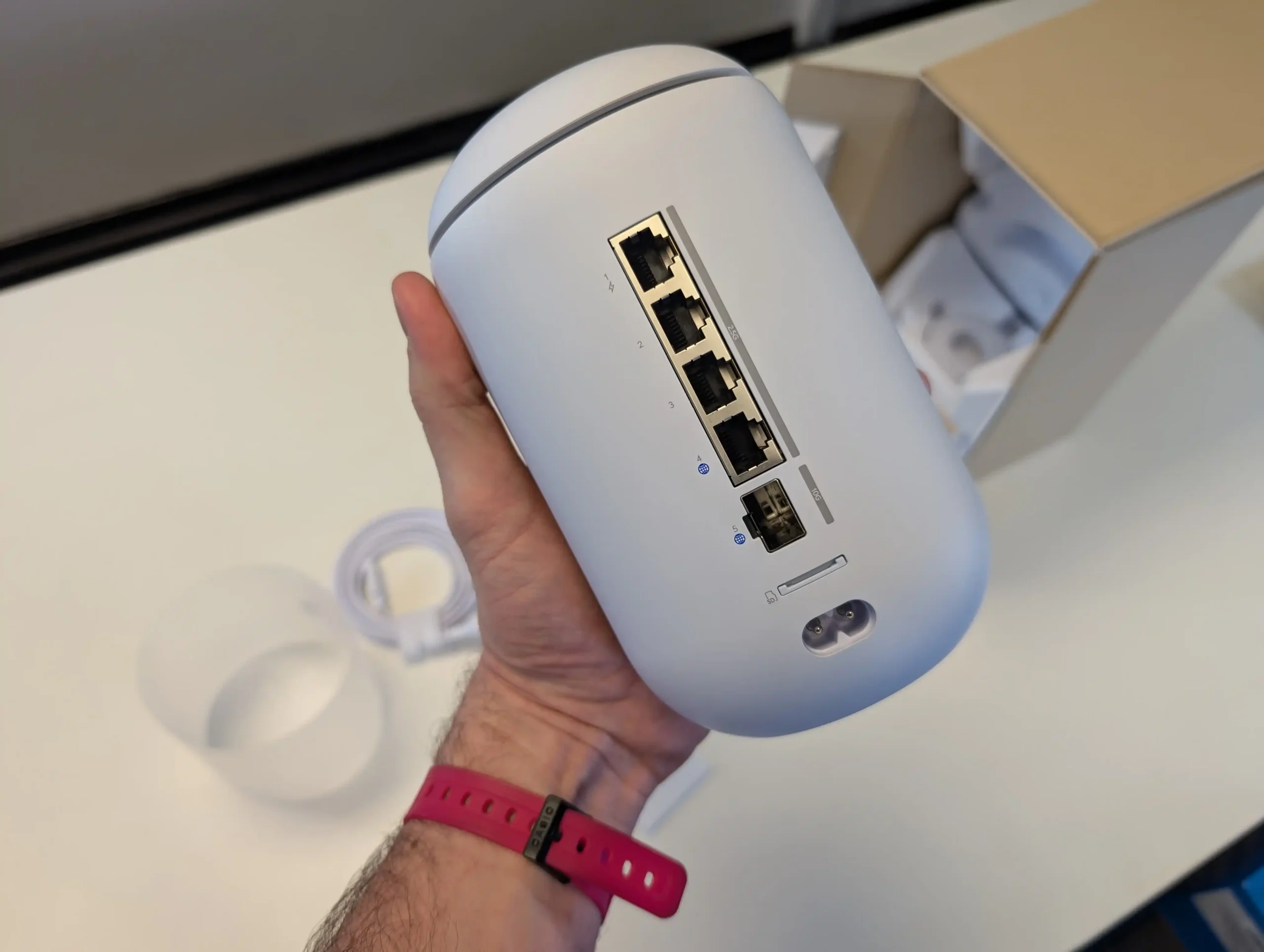
1 year on, the UniFi Dream Router 7 is easier to recommend than it was at launch, but for a different reason than the original review. The core hardware value proposition remains largely the same: at $279, it still offers an unusual combination of WiFi 7, multi-gig copper, 10G SFP+, 1 PoE output, UniFi application support, and a compact all-in-1 gateway design that many competing devices at this price either do not match or only match in narrower areas. What changed over the last 12 months is the software side. Early concerns around stability, selective connectivity, and inconsistent behavior in more demanding deployments were significant enough to affect the product’s reputation, and that criticism was not unreasonable. However, the volume and direction of updates over the year indicate that Ubiquiti has spent that time closing the gap between what the hardware promised and what the software delivered in practice.

The most accurate verdict in early 2026 is that the UDR7 is not a fundamentally different product than it was in February 2025, but it is a more complete one. In straightforward home and small business use, especially where the buyer wants a UniFi-managed gateway with room to scale, it now presents a stronger case than it did for early adopters. At the same time, buyers with more complex AP layouts, aggressive tuning requirements, or very specific expectations around WiFi 7 MLO behavior should still approach it with realistic expectations and pay attention to current firmware state and client compatibility. On balance, based on the hardware, the year of software support, my own long-term deployment experience, and the broader community trajectory, the UDR7 remains a valid purchase at $279 in 2026.


What I originally said about the UniFi Dream Router 7 in my Feb 2025 Review:

As appealing as the UniFi router and network software that this system is bundled with are, the main praise I have to give the UDR 7 is that everyone is going to feel the benefits of this router in their network at this price point. The small compromises it has compared to the previous UDR system (such as fewer PoE ports) are immediately outweighed by its versatility, which would be hard to find at a better price elsewhere. The fact that all LAN ports are 2.5G and that the two WAN/LAN ports are 2.5G and 10G SFP+ respectively puts this router massively ahead of most competitors in the sub-$300 market. Equally, support for the UniFi Protect surveillance software and the included WD Purple SD card storage are nice extras that you don’t commonly find elsewhere—let alone the inclusion of a PoE 2.5G port. The router and network management software is, of course, quintessentially UniFi in its presentation. Striking a balance between usability and information is a tough challenge, and the UniFi software almost succeeds. It excels in its presentation and management via the mobile app, though the desktop UI could be a touch more intuitive. How could you make wireless and wired network management truly user-friendly?
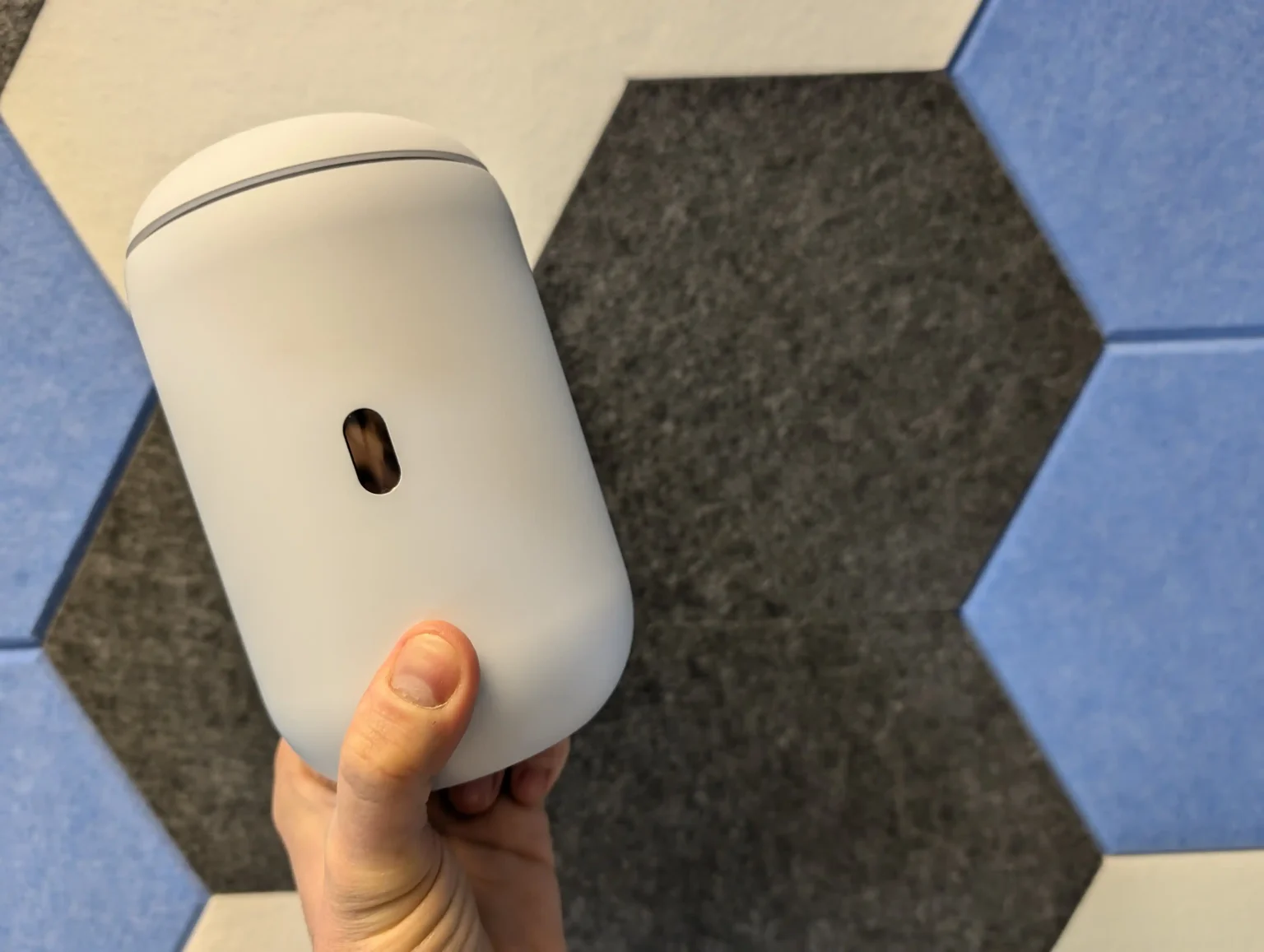
That said, the UDR 7 is a genuinely WiFi 7-ready router, offering 2×2 6GHz coverage and taking advantage of all the frequency and bandwidth benefits afforded to true WiFi 7 6GHz clients. Add a simple $20 USB WiFi 7 adapter to your system, and you can immediately enjoy base-level 2.8Gbps wireless connectivity, scaling this up substantially with the right WiFi 7 wireless NICs. Even if you’re not in love with the UniFi software platform or handing management of your services over to Ubiquiti’s remote services, you can still set up the device without a UI.com account. You do not need to deploy it with UniFi Network equipment, and VPN and encrypted protocol services can still be managed via popular third-party options if preferred. Buying a router for your home or business instead of relying on the one supplied by your ISP can often feel like an unnecessary expense. However, considering the price point and the network advantages the UDR 7 provides, I believe this system is worth it. Some of its services might require additional polish over time, and greater network capabilities on this router will be realized as technology progresses, but I wholeheartedly recommend the UDR 7 for the majority of setups.

BUILD QUALITY - 10/10
HARDWARE - 9/10
PERFORMANCE - 9/10
PRICE - 8/10
VALUE - 9/10


9.0
PROS
👍🏻WiFi 7 Support – Offers Genuine 6GHz connectivity with 320MHz channels, enabling faster speeds and lower latency.
👍🏻Multi-Gig Networking – Includes three 2.5GbE LAN ports and a 10GbE SFP+ WAN/LAN port, making it highly future-proof.
👍🏻Comprehensive UniFi Software – Provides robust network management features, including VLANs, QoS, IDS/IPS security, and VPN support.
👍🏻Integrated UniFi Protect Support – Comes with a pre-installed 64GB WD Purple SD card, allowing local video storage for security cameras.
👍🏻Flexible WAN/LAN Configurations – Supports dual WAN for failover or load balancing, or repurposing the 10GbE SFP+ port as LAN.
👍🏻High Customization & Security – Offers advanced firewall controls, application-aware filtering, and in-depth traffic analytics.
👍🏻User-Friendly Mobile App – Easy setup and management via the UniFi mobile app, with intuitive controls and real-time monitoring.
👍🏻No UI.com Account Required – Can be set up locally without requiring an online UniFi account, providing more control over network privacy.
CONS
👎🏻Limited PoE Support – Only includes one PoE-enabled 2.5GbE port, which may be a drawback for users looking to power multiple UniFi cameras or access points.
👎🏻6GHz Band Availability Varies by Region – While WiFi 7 delivers significant improvements, the 6GHz spectrum and 320MHz channels may not be fully available in all areas, limiting real-world performance.
👎🏻Not the Most Budget-Friendly Option – Although competitively priced for a WiFi 7 router, there are still more cost-effective alternatives on the market, especially for users who don’t need UniFi’s ecosystem.
👎🏻The MLO architecture is currently E-MLSR MLO (Enhanced Multi-Link Single Radio Operation Mode), which lacks the true aggregation of Sync MLMR (Synchronous Multi-Link Multi-Radio) MLO
Where to Buy

UniFi Dream Router 7 (UDR7) –  $279 HERE 

UniFi Express 7 (UX7) –$199 HERE 

UniFi Cloud Gateway Fiber (UCG-FIBER) – $249 HERE


📧 SUBSCRIBE TO OUR NEWSLETTER 🔔
[contact-form-7]
🔒 Join Inner Circle

Get an alert every time something gets added to this specific article!


Want to follow specific category? 📧 Subscribe

This description contains links to Amazon. These links will take you to some of the products mentioned in today's content. As an Amazon Associate, I earn from qualifying purchases. Visit the NASCompares Deal Finder to find the best place to buy this device in your region, based on Service, Support and Reputation - Just Search for your NAS Drive in the Box Below

Need Advice on Data Storage from an Expert?

Finally, for free advice about your setup, just leave a message in the comments below here at NASCompares.com and we will get back to you. Need Help? Where possible (and where appropriate) please provide as much information about your requirements, as then I can arrange the best answer and solution to your needs. Do not worry about your e-mail address being required, it will NOT be used in a mailing list and will NOT be used in any way other than to respond to your enquiry. [contact-form-7] TRY CHAT Terms and Conditions

If you like this service, please consider supporting us. We use affiliate links on the blog allowing NAScompares information and advice service to be free of charge to you.Anything you purchase on the day you click on our links will generate a small commission which isused to run the website. Here is a link for Amazon and B&H.You can also get me a ☕ Ko-fi or old school Paypal. Thanks!To find out more about how to support this advice service check HEREIf you need to fix or configure a NAS, check Fiver Have you thought about helping others with your knowledge? Find Instructions Here  

 
Or support us by using our affiliate links on Amazon UK and Amazon US
    
 
Alternatively, why not ask me on the ASK NASCompares forum, by clicking the button below. This is a community hub that serves as a place that I can answer your question, chew the fat, share new release information and even get corrections posted. I will always get around to answering ALL queries, but as a one-man operation, I cannot promise speed! So by sharing your query in the ASK NASCompares section below, you can get a better range of solutions and suggestions, alongside my own.

☕ WE LOVE COFFEE ☕


UniFi Cloud Gateway Industrial – Should You Buy One?

UniFi Cloud Gateway Industrial – Did Ubiquiti Go Too Hard Here?

The UniFi Cloud Gateway Industrial and UniFi Cloud Gateway Fiber are positioned as high throughput UniFi gateways that also act as the controller for UniFi Network and other UniFi applications, so the buying decision is less about basic compatibility and more about which hardware package better fits the environment and the deployment style. The Fiber model is typically the lower cost entry point and focuses on compact desktop placement, multiple high speed WAN options, and optional local storage via an NVMe SSD for UniFi Protect. The Industrial model costs more and its appeal is tied to practical deployment factors rather than raw routing numbers: a heavier, ruggedized, fanless chassis intended to tolerate harsher placement, integrated WiFi 7 for situations where local wireless is useful at the gateway, built in microSD storage for NVR use out of the box, and a much higher PoE output budget that can power downstream devices directly. Both are rated for similar IDS/IPS throughput and similar scale on paper, so the price gap tends to come down to whether you actually need the Industrial model’s power delivery, integrated wireless, and physical design features, or whether you would get more value by choosing the Fiber model and putting the savings into switches, access points, cameras, storage, or redundancy elsewhere in the network.

UniFi Cloud Gateway Industrial – Quick Conclusion

The UniFi Cloud Gateway Industrial only makes sense at $579 if you will actually use what drives that price. That primarily means the 270W PoE budget with multiple PoE+++ 90W ports, the integrated WiFi 7 radio, the included 128 GB microSD for immediate Protect recording, and the tougher deployment profile. That deployment profile includes a fanless design, heavier build, higher operating temperature rating, and more mounting options. Those features can replace a separate PoE switch, a basic access point, and some setup time. They are most relevant in locations that are not ideal for a small desktop gateway. If your network already has a PoE switch and dedicated access points, the value shifts quickly. The same is true if you mainly want a fast UniFi controller and gateway with flexible uplinks, or if you would rather put $300 into more switching, an AP, cameras, or more storage capacity.

In that case, the UniFi Cloud Gateway Fiber is generally the more rational buy. Both units share the same core platform traits that matter for routing and security workloads, including the 5 Gbps IDS/IPS rating. The Fiber’s higher WAN port count and 2x 10G SFP+ layout also fits conventional designs where WiFi and PoE are handled elsewhere. Put simply, the Industrial is a justified premium when it simplifies the overall bill of materials or solves placement constraints. It is hard to justify as an upgrade on performance alone. For typical indoor deployments, it usually makes more sense to buy the Fiber and allocate the difference to parts that materially expand the network.

Here are all the latest UniFi Gateway, Routing and PoE+++ Solutions & Prices:
  • UniFi Cloud Gateway Industrial ($579) – HERE
  • UniFi Cloud Gateway Fiber ($279) – HERE
  • UniFi Dream Router 7 ($249) – HERE

You can buy the UniFi UNAS Pro 4 NAS via the link below – doing so will result in a small commission coming to me and Eddie at NASCompares, and allows us to keep doing what we do! 


UniFi Cloud Gateway Industrial (vs Fiber) – Design & Storage

Physically, the UniFi Cloud Gateway Industrial is built around a larger, heavier enclosure that is meant to stay in place rather than sit lightly on a shelf. In informal handling, it feels closer to a small piece of infrastructure gear than a typical compact gateway, which is consistent with its stated intent for rugged or semi permanent installs. By contrast, the Cloud Gateway Fiber is a low profile compact desktop unit, and its design reads more like a traditional small office gateway that can be placed near an ISP handoff or a small network stack.

The materials reflect that difference in intent. The Industrial uses a polycarbonate and aluminium alloy enclosure, while the Fiber uses polycarbonate. In practical terms, the Industrial’s metal content is more aligned with durability and heat management expectations in a fanless box that may be mounted in less forgiving places, whereas the Fiber’s lighter build aligns with a device expected to live in normal indoor environments.

Mounting flexibility is also not equal. The Industrial is listed as supporting wall mounting, compact desktop placement, and rack mounting via an accessory sold separately. The hardware design includes elements intended to support reconfiguration and installation style changes without changing the device itself.

The Fiber is primarily framed as a compact desktop form factor, which is typically fine for small racks or structured cabling areas only if you are comfortable improvising placement, rather than using a purpose built mounting approach.

Environmental tolerances are one of the clearest design separators. The Industrial is rated for an ambient operating range of -30 to 50 C, with 5 to 95 percent noncondensing humidity. The Fiber is rated for 0 to 40 C, also with 5 to 95 percent noncondensing humidity. If the gateway will be placed in a garage, loft, workshop, cabinet with poor airflow, or any space that regularly drifts outside typical indoor office temperatures, the Industrial’s ratings are the more relevant detail than most headline performance numbers.

Storage is where the devices take opposite approaches. The Industrial includes pre installed storage for NVR use, listed as a 128 GB microSD, and also supports microSD expansion. The Fiber does not ship with built in NVR storage, but supports selectable NVMe SSD storage up to 2 TB. In practice, the Industrial’s included microSD makes Protect usable immediately for light camera retention without additional parts, while the Fiber’s NVMe approach is better aligned with longer retention targets and scaling camera storage without relying on removable flash media

UniFi Cloud Gateway Industrial (vs Fiber) – Internal Hardware

At the core, both gateways sit on a very similar compute platform: a quad core ARM Cortex A73 CPU clocked at 2.2 GHz with 3 GB of system memory. In practical terms, that means neither device has an inherent advantage in baseline controller duties like running UniFi Network alongside other UniFi applications, or handling typical gateway services such as stateful firewalling, VPN termination, and traffic analysis.

The key performance headline for security enabled routing is also aligned. The Cloud Gateway Fiber is rated at 5 Gbps IDS/IPS throughput, and the Industrial model is positioned at the same 5 Gbps figure in the specifications you provided. That sets a realistic expectation that the price difference is not being driven by faster IDS/IPS, and that either unit can be the bottleneck if the goal is to inspect traffic at speeds above that rating.

Where the internal design diverges is less about raw compute and more about what each device integrates around that shared platform. The Industrial model bundles additional subsystems into the chassis, including a built in WiFi 7 radio, PoE switching hardware with much higher total PoE delivery, and cellular related features such as SIM slots intended for use with UniFi cellular hardware. Those additions change the role of the device from a gateway plus controller into something closer to a gateway, small switch, and basic wireless node combined, which can simplify certain installations where power and connectivity need to be consolidated.

The Fiber model stays more focused on being a high speed gateway with multiple WAN options and scalable local storage via NVMe for Protect, rather than integrating WiFi and high power PoE into the same chassis. In a typical structured network design, that aligns with the approach of keeping wireless and switching as separate components. In a more compact or power constrained install, the Industrial’s integrated approach can reduce the number of separate devices, but it also means you are paying for features you might not use if you already have dedicated switches and access points.

UniFi Cloud Gateway Industrial (vs Fiber) – Ports and Connections

Both gateways are built around multi WAN capability and a mix of 10 GbE and 2.5 GbE connectivity, but they prioritize different things. The Fiber model pushes WAN flexibility and high speed uplinks, listing a max WAN port count of 6. The Industrial model lists a max WAN port count of 5 and instead leans into powering downstream equipment directly through multiple high wattage PoE ports.

On the Cloud Gateway Fiber, the physical layout is centered on high speed copper and fiber. It includes (2) 10G SFP+ ports, (1) 10 GbE RJ45 port, and (4) 2.5 GbE RJ45 ports. Its default WAN configuration is shown as (1) 10G SFP+ and (1) 10 GbE RJ45, which makes it straightforward to mix fiber and copper upstream, or to reserve additional ports for LAN and internal switching depending on how you assign roles inside UniFi.

On the Cloud Gateway Industrial, the port layout is more explicit about power delivery. It has (4) 2.5 GbE RJ45 ports split as (2) PoE+++ and (2) PoE+, plus (1) 10 GbE RJ45 port that is PoE+++, and (1) 10G SFP+ port. The default WAN ports are listed as (1) 10 GbE RJ45 and (1) 2.5 GbE RJ45. In other words, it gives up some of the Fiber model’s extra high speed uplink optionality in exchange for multiple powered Ethernet outputs, including 90W class ports intended for higher draw devices.

Power input design also differs because it sets limits on what the PoE side can realistically do. The Industrial lists a PoE budget of up to 270W on DC input, with a 54V 350W adapter included, and it also supports an ATX power input (48V) with a lower PoE budget listed at 75W. The Fiber lists a much smaller PoE budget of 30W and is powered via a 54V DC jack with a 1.1A adapter. Excluding PoE output, both are in the same general range for the gateway itself, listed at 28W max for the Industrial and 29.4W max for the Fiber, but the Industrial’s power system is sized for PoE heavy deployments.

The Industrial also adds non Ethernet connectivity that the Fiber does not include. It has integrated WiFi 7 on 2.4 GHz and 5 GHz with external antenna support, and it includes 2 SIM slots intended for use with UniFi cellular hardware. The Fiber does not integrate WiFi or SIM slots, so wireless and cellular failover are typically handled by separate UniFi devices rather than being built into the gateway.

UniFi Cloud Gateway Industrial vs Cloud Gateway Fiber – Where Has $300 Been Spent?

At $579 versus $279, the Industrial is asking you to pay about $300 extra for a different kind of gateway bundle rather than a higher routing ceiling. Both platforms align on the core controller and gateway capability, including the same general IDS/IPS rating, so the decision largely comes down to whether you will use the Industrial model’s integrated features and physical design enough to offset the price difference. The biggest measurable value add is PoE output. The Fiber’s PoE budget is 30W total, which covers a single low to moderate power device, but it does not change how you design a network. The Industrial can deliver up to 270W of PoE output on DC input, with multiple ports supporting PoE+++ up to 90W per port. If your plan includes powering higher draw devices directly from the gateway, or you want to avoid adding a separate PoE switch in a small installation, that difference can replace other hardware and simplify cabling.

The next set of value drivers are convenience and deployment constraints. The Industrial includes integrated WiFi 7 (2.4 GHz and 5 GHz) with external antennas, plus dual SIM slots intended for cellular related UniFi use, and it is built for harsher placement with a higher listed operating temperature range. Those are specific benefits when the gateway needs to live in less controlled spaces, when a basic local wireless link at the gateway is useful, or when you want those functions inside a single enclosure. If you already plan to deploy dedicated access points, dedicated switching, and a separate failover device, these integrated features are less likely to change the design. Storage is a smaller part of the $300, but it affects out of box readiness. The Industrial includes 128 GB microSD intended for NVR use, so Protect storage exists immediately with no additional parts. The Fiber can scale higher with an NVMe SSD up to 2 TB, but that storage is optional and adds cost. If Protect is a core requirement and you want higher retention, the Fiber can still end up costing more once storage is added, while the Industrial starts with basic capacity included.

UniFi Cloud Gateway Industrial – Verdict & Conclusion

The UniFi Cloud Gateway Industrial is primarily justified by what it combines into a single chassis, and by where it is intended to live. The unit pairs a fanless, ruggedized enclosure and higher temperature tolerance with integrated WiFi 7 (2.4 GHz and 5 GHz) using external antennas, multi port PoE output that includes PoE+++ at up to 90W per port, and a high total PoE budget when powered from its included 54V adapter. It also includes pre installed microSD storage aimed at NVR duties, plus SIM slots that are designed around supported UniFi cellular integrations. None of these features change the stated IDS/IPS ceiling compared with other similar gateways, but they do change what additional equipment is required in smaller or more constrained deployments.

The value case depends on whether those integrated functions replace other purchases. If you would otherwise buy a separate network gateway, a WiFi access point or router, and a PoE+++ capable switch to power downstream devices, the combined cost and installation complexity can narrow the apparent price gap and in some cases make the Industrial model the simpler, potentially cheaper route overall. If your design already assumes dedicated switching, dedicated wireless, and storage sized beyond what a microSD setup can reasonably provide, the Industrial model’s premium is more likely to be paying for capabilities you do not use. In that situation, the practical advantage of the Industrial is mainly its physical build and power delivery, not a different performance class for routing and security inspection.

Here are all the latest UniFi Gateway Network PoE Solutions & Prices:
  • UniFi Cloud Gateway Industrial ($579) – HERE
  • UniFi Cloud Gateway Fiber ($279) – HERE
  • UniFi Dream Router 7 ($249) – HERE

You can buy the UniFi UNAS Pro 4 NAS via the link below – doing so will result in a small commission coming to me and Eddie at NASCompares, and allows us to keep doing what we do! 

PROs of the UniFi Cloud Gateway Industrial PROs of the UniFi Cloud Gateway Industrial
  • High PoE capacity: up to 270W total PoE budget on DC input, with PoE+++ up to 90W per port AND Multiple powered ports: 3 PoE+++ ports and 2 PoE+ ports across the 2.5 GbE and 10 GbE RJ45 interfaces

  • Integrated WiFi 7 on 2.4 GHz and 5 GHz with external antennas, useful when wireless at the gateway is needed

  • Included Protect ready storage: 128 GB microSD pre installed for NVR use

  • Rugged, fanless build with a higher listed operating range (-30 to 50 C) than typical desktop gateways

  • Flexible deployment options: wall mount, compact desktop, rack mount via accessory

  • Multi WAN support up to 5 WAN ports for failover and load balancing designs

  • Full UniFi feature set without additional licensing: firewalling, IDS/IPS, SD WAN, and VPN options like WireGuard, OpenVPN, and IPsec

  • Works out cheaper than buying a separate business WiFi 7 Router and a higher-end PoE+++ Switch
  • $579 pricing, roughly $300 more than the Cloud Gateway Fiber, so the premium only pays off if you use the extra features

  • Less high speed uplink flexibility than the Fiber due to 1x 10G SFP+ versus the Fiber’s 2x 10G SFP+

  • microSD based storage model is less ideal than NVMe for higher retention Protect use cases or heavier write workloads


📧 SUBSCRIBE TO OUR NEWSLETTER 🔔
[contact-form-7]
🔒 Join Inner Circle

Get an alert every time something gets added to this specific article!


Want to follow specific category? 📧 Subscribe

This description contains links to Amazon. These links will take you to some of the products mentioned in today's content. As an Amazon Associate, I earn from qualifying purchases. Visit the NASCompares Deal Finder to find the best place to buy this device in your region, based on Service, Support and Reputation - Just Search for your NAS Drive in the Box Below

Need Advice on Data Storage from an Expert?

Finally, for free advice about your setup, just leave a message in the comments below here at NASCompares.com and we will get back to you. Need Help? Where possible (and where appropriate) please provide as much information about your requirements, as then I can arrange the best answer and solution to your needs. Do not worry about your e-mail address being required, it will NOT be used in a mailing list and will NOT be used in any way other than to respond to your enquiry. [contact-form-7] TRY CHAT Terms and Conditions
If you like this service, please consider supporting us. We use affiliate links on the blog allowing NAScompares information and advice service to be free of charge to you.Anything you purchase on the day you click on our links will generate a small commission which isused to run the website. Here is a link for Amazon and B&H.You can also get me a ☕ Ko-fi or old school Paypal. Thanks!To find out more about how to support this advice service check HEREIf you need to fix or configure a NAS, check Fiver Have you thought about helping others with your knowledge? Find Instructions Here  

 
Or support us by using our affiliate links on Amazon UK and Amazon US
    
 
Alternatively, why not ask me on the ASK NASCompares forum, by clicking the button below. This is a community hub that serves as a place that I can answer your question, chew the fat, share new release information and even get corrections posted. I will always get around to answering ALL queries, but as a one-man operation, I cannot promise speed! So by sharing your query in the ASK NASCompares section below, you can get a better range of solutions and suggestions, alongside my own.

☕ WE LOVE COFFEE ☕


UniFi Travel Router Early Review

UniFi’s New Travel Router – Pocket-Sized Perfection?

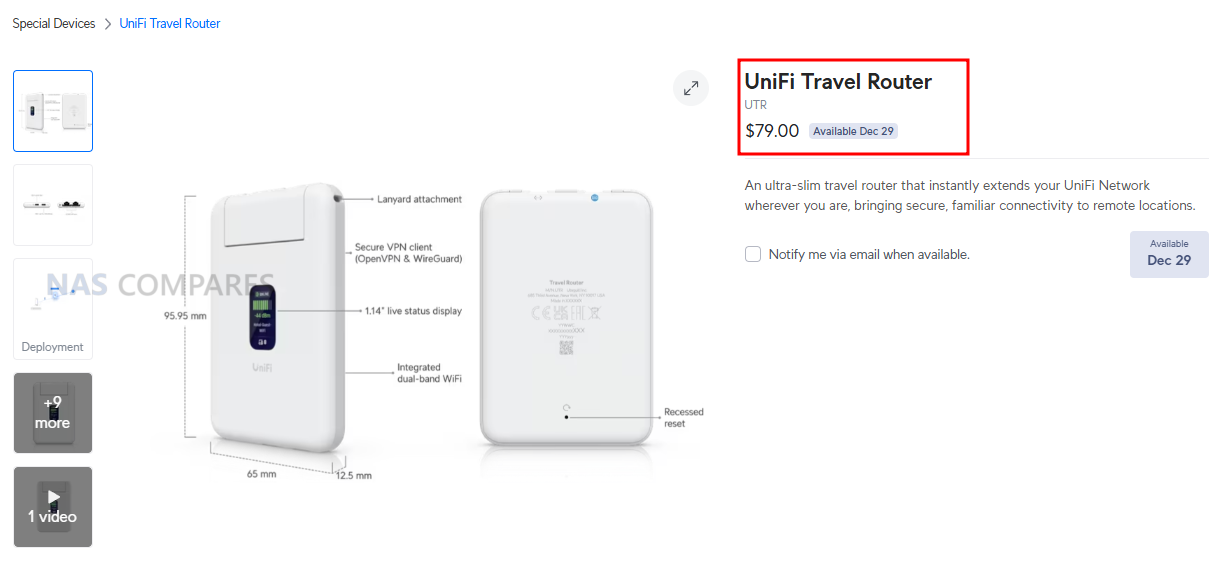
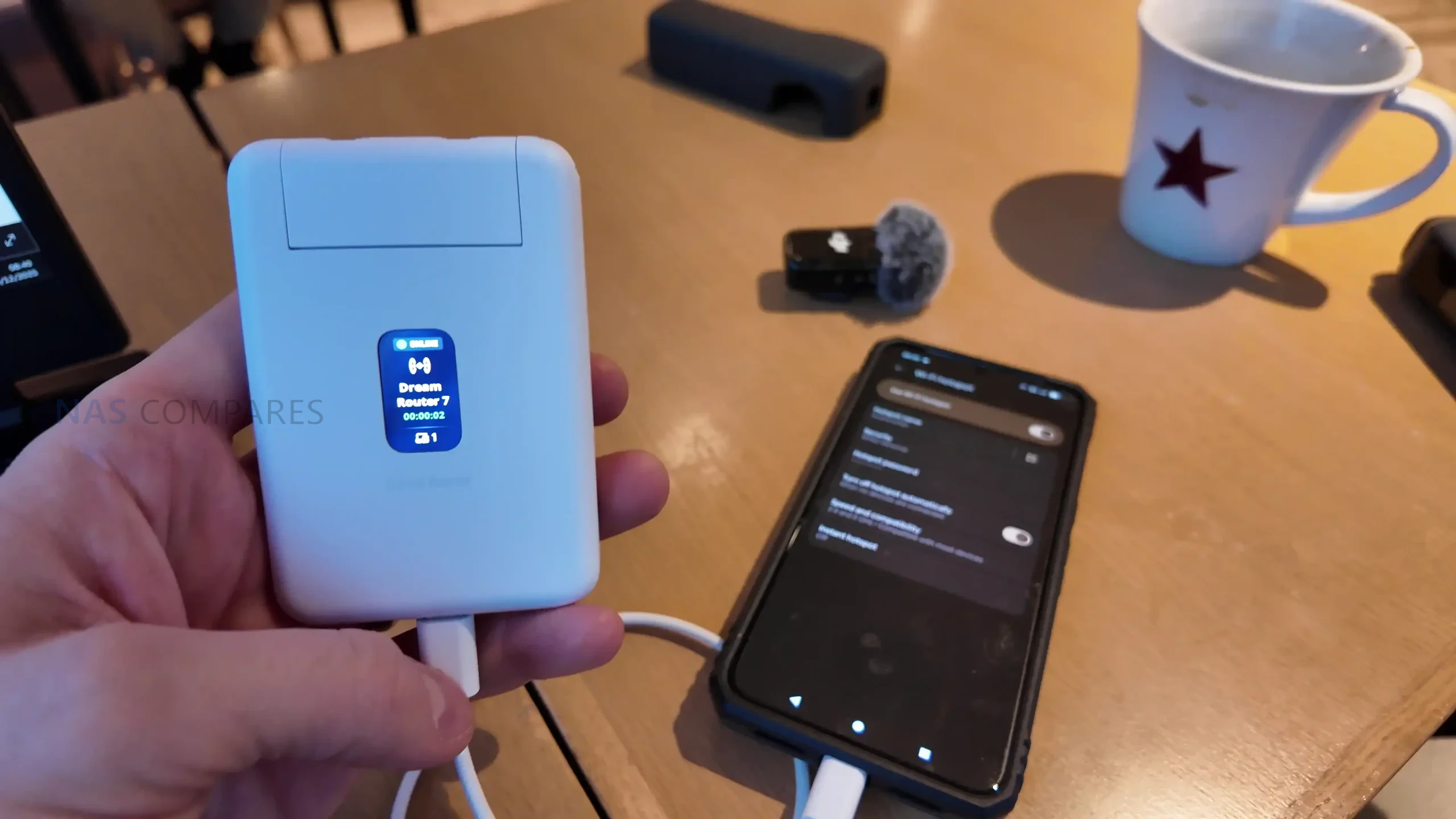
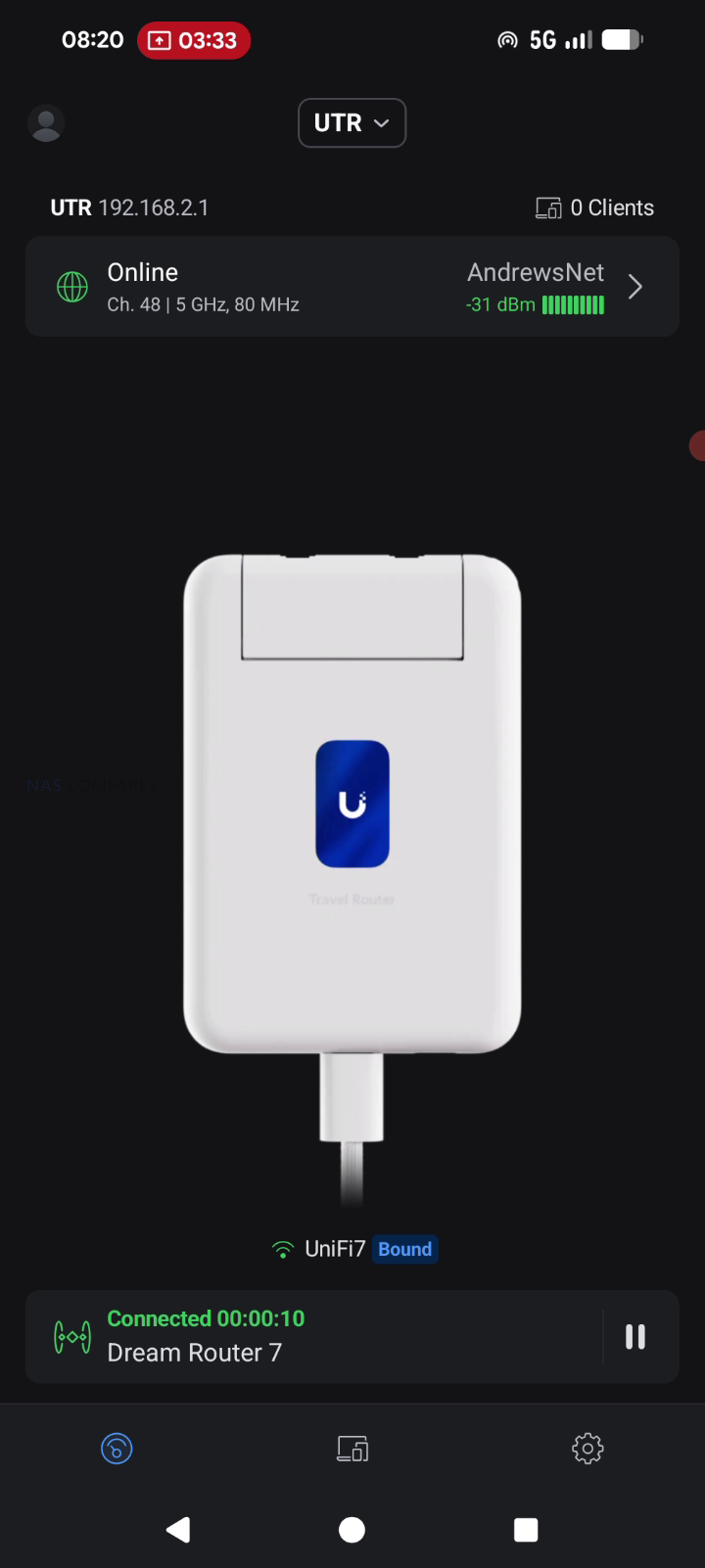
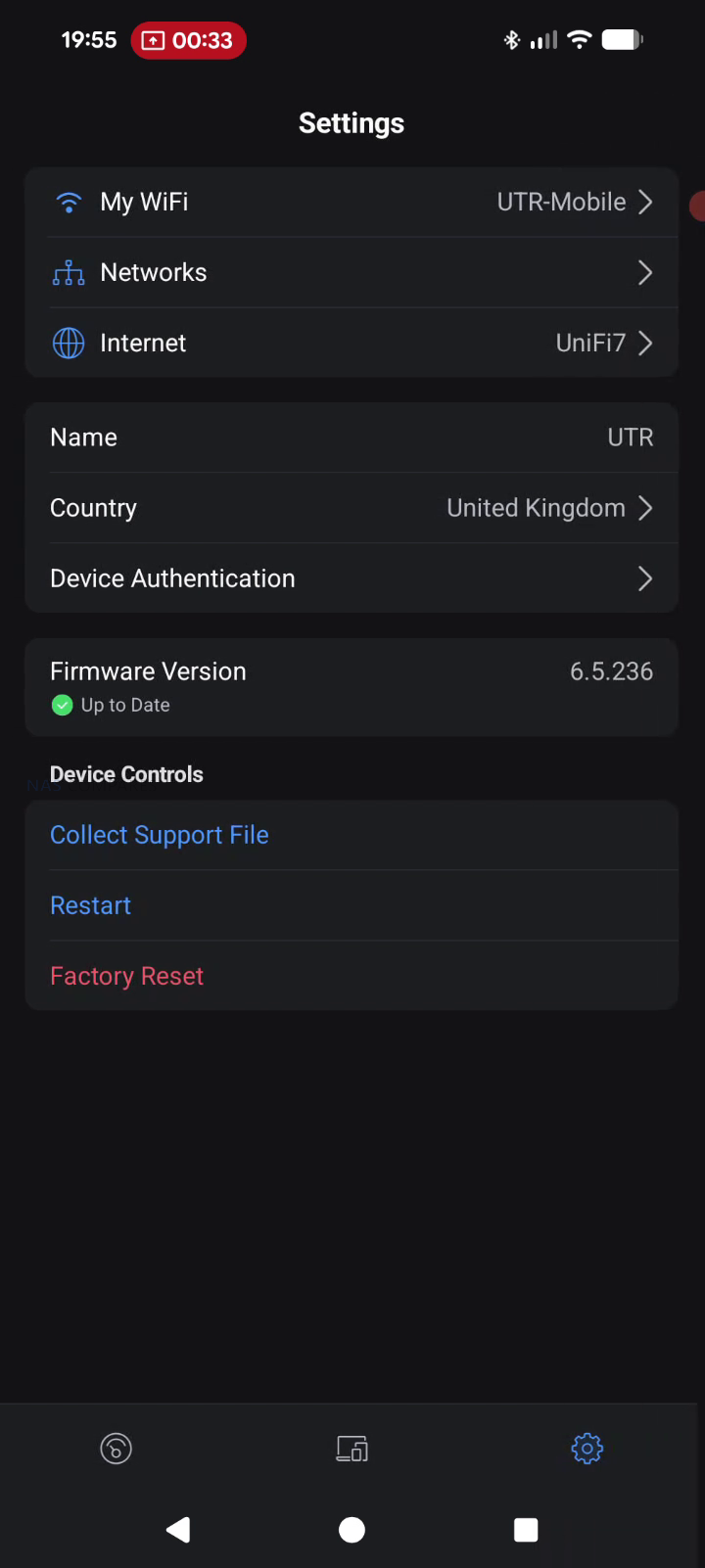
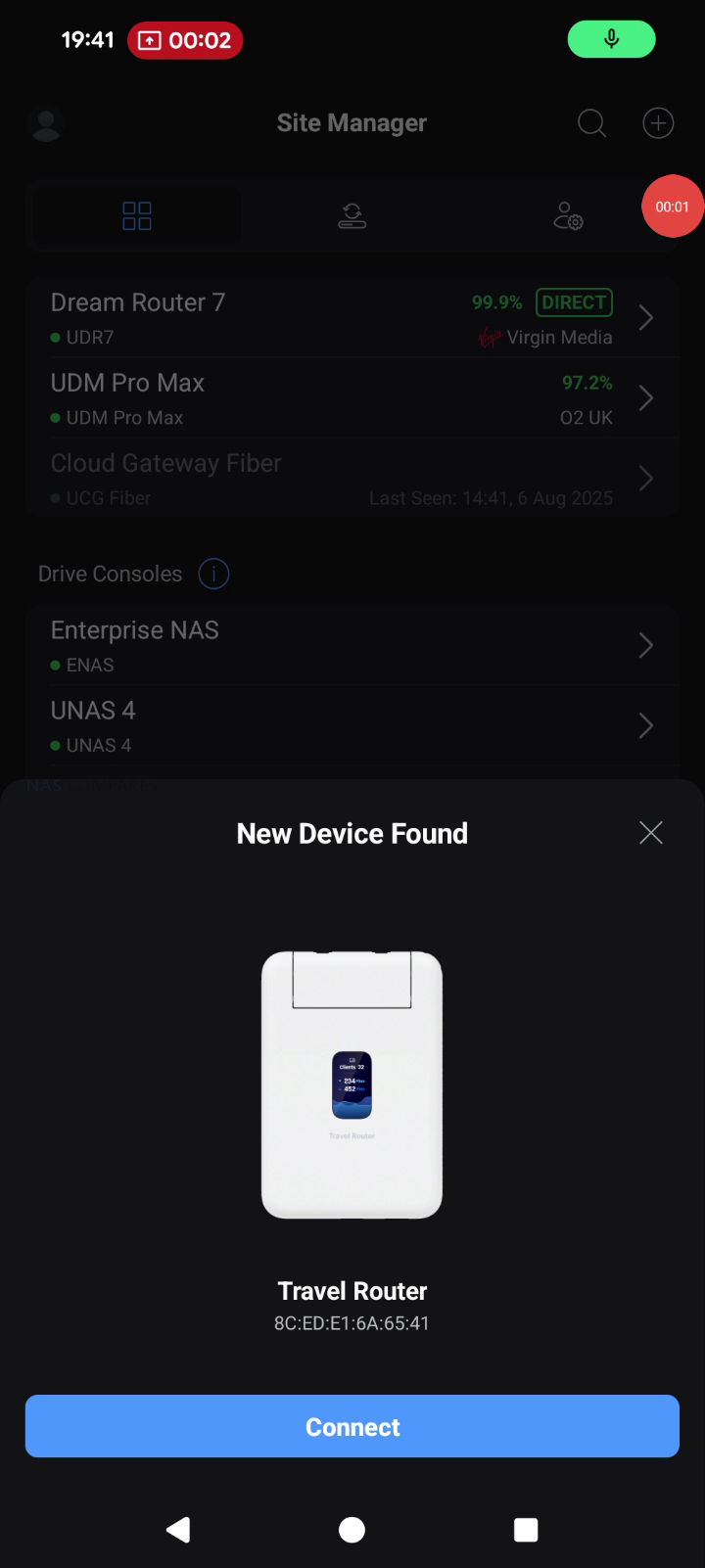
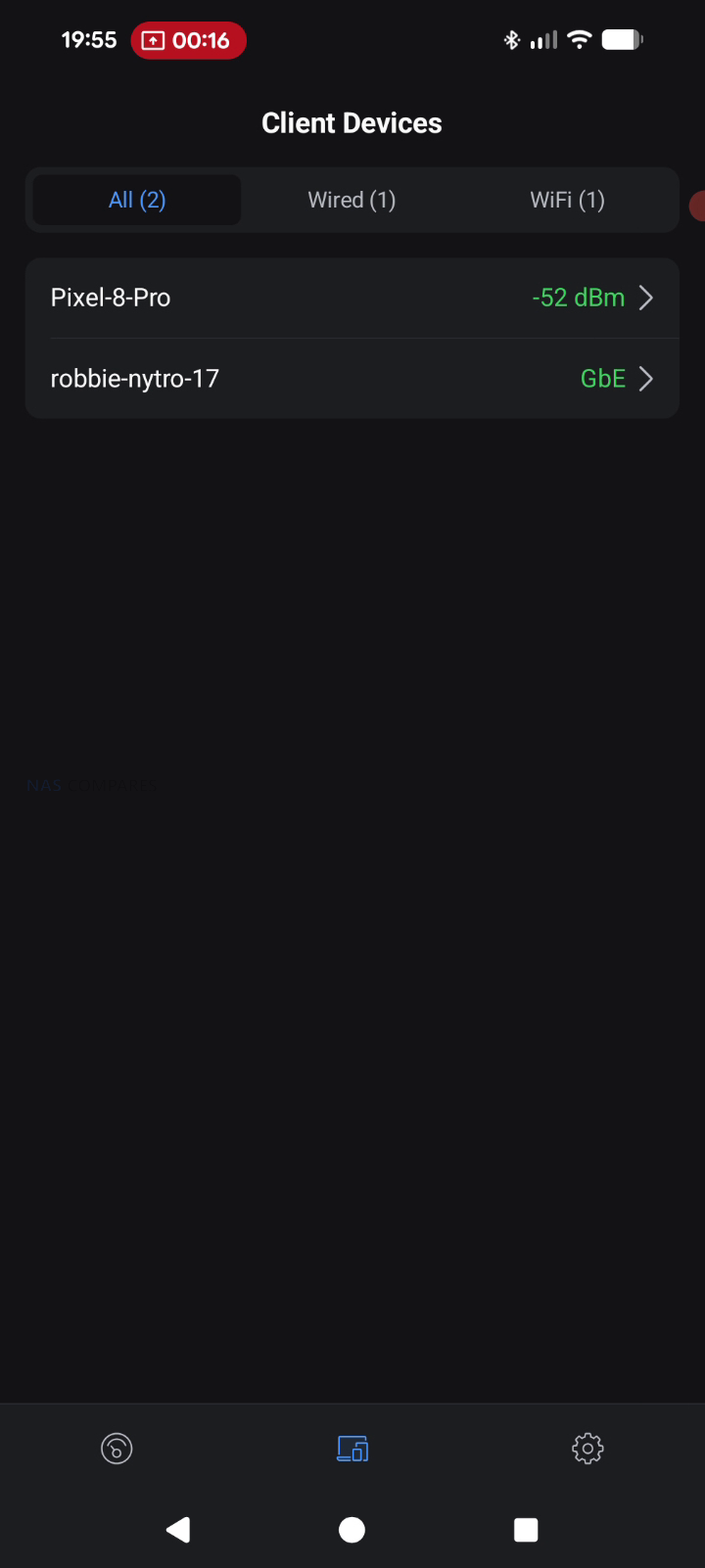
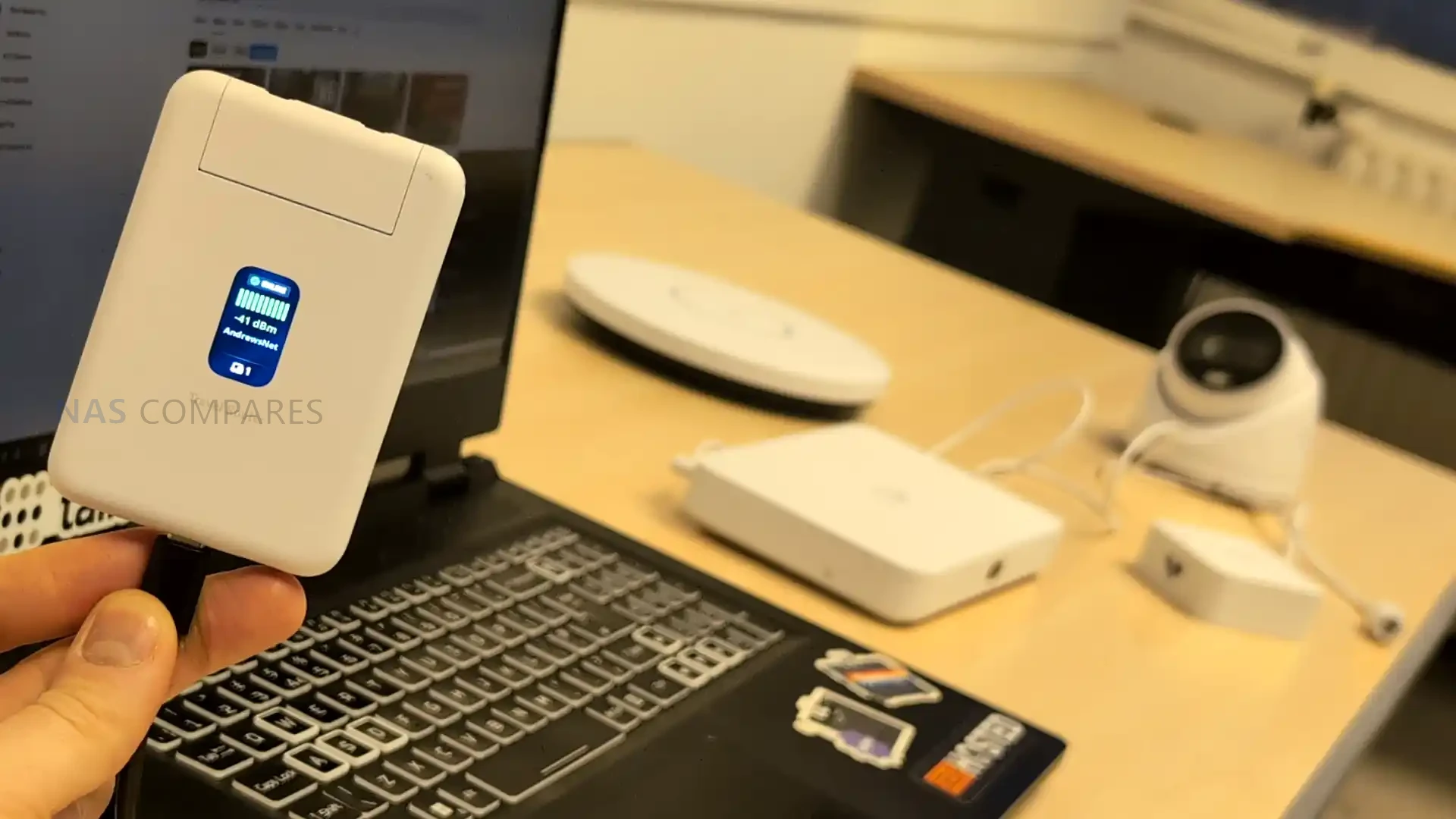
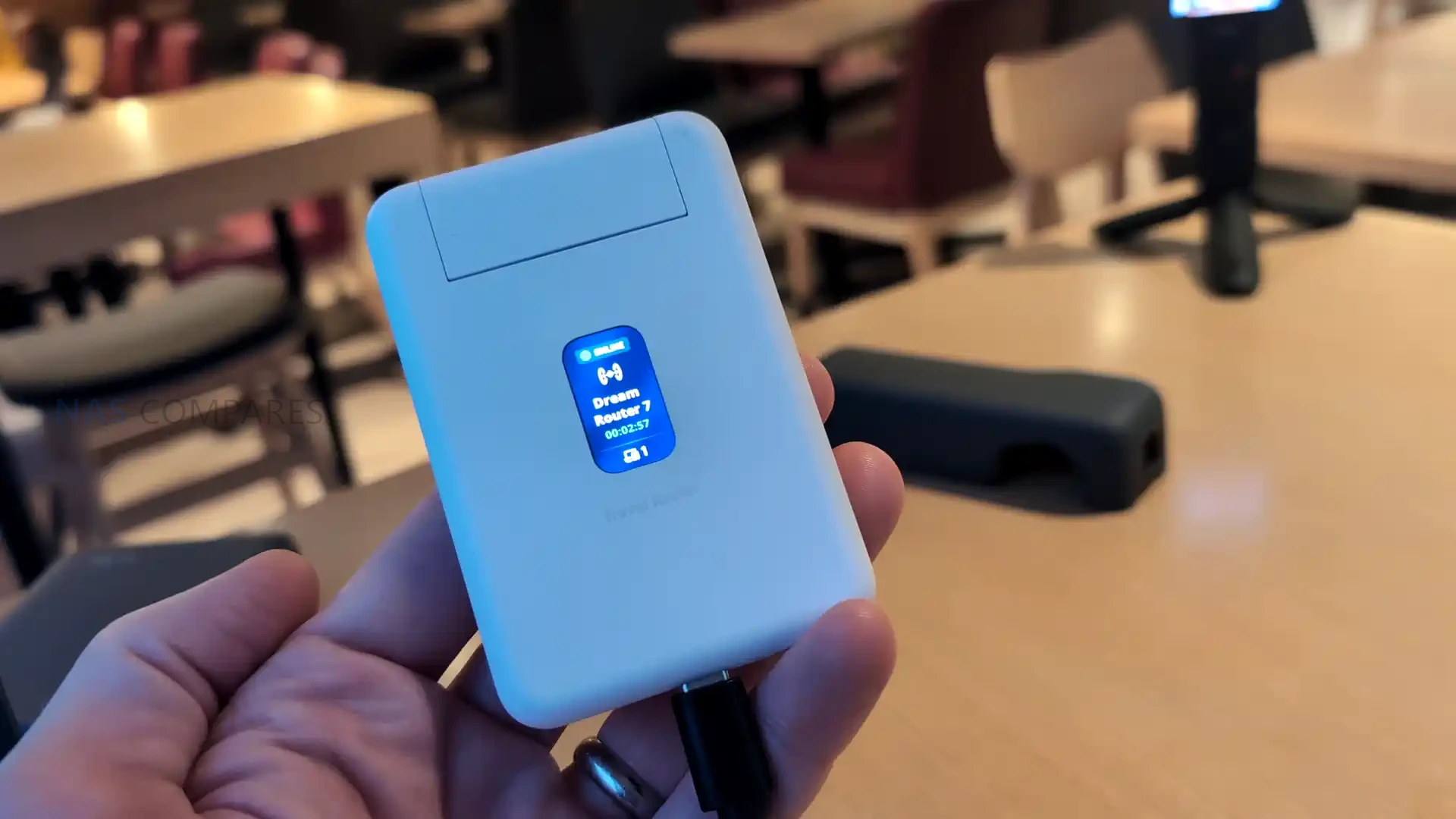
The UniFi Travel Router (UTR) is a compact router intended to extend an existing UniFi network to temporary locations such as hotels, offices, or public WiFi environments, with setup and changes handled through the UniFi Mobile App rather than on device controls. It is designed to bind to a UniFi site so that WiFi settings and Teleport can be applied automatically, allowing a familiar SSID and consistent LAN behavior to follow the user between locations without re adopting devices each time. In practical use, this positions it as a way to place multiple client devices behind a single controlled access point when working from shared networks, while still routing traffic through a VPN path back to a UniFi gateway if desired. The UTR also supports multiple uplink types, including Ethernet, WiFi, and USB tethering through a smartphone, with the ability to set uplink priority once an upstream connection has been established and any captive portal login has been completed via the phone.

Item Detail
Product UniFi Travel Router (UTR)
Price $79.00
Dimensions 95.95 x 65 x 12.5 mm
Weight 89 g
WiFi standard WiFi 5 (802.11ac)
Bands 2.4 GHz, 5 GHz
WiFi MIMO 2 x 2
Antennas 2 embedded WiFi antennas
Max TX power 2.4G: 13 dBm, 5G: 13 dBm
Ethernet ports 2 x GbE RJ45
VPN client support OpenVPN, WireGuard
Power method USB-C
Power input 5V / 2A (adapter not included)
Max power consumption 5W
Display 1.14″ status display
Button Factory reset
Certifications CE, FCC, IC
Compliance NDAA compliant
Not supported (per docs) WPA Enterprise, Passpoint

UniFi Travel Router Review – Quick Conclusion

The UniFi Travel Router looks like a genuinely handy tool for people already invested in UniFi: it gives you a small, light travel router with two gigabit ports (WAN and LAN), USB C power, separate USB tethering for using a phone as a 5G uplink, and a status screen that makes it easy to confirm what uplink you are using and whether Teleport is active, plus the big headline benefit that you can bind it to an existing UniFi setup and effectively carry your familiar SSID and behavior with you so your devices and even colleagues can connect without reconfiguring anything, while tunneling sensitive traffic back home through Teleport for safer use on hotel, office, or coffee shop networks and simplifying captive portal logins through the app. The tradeoffs are mostly about performance and features compared with newer rivals: it is WiFi 5 only with modest real world throughput expectations, the Ethernet ports are 1 GbE rather than 2.5 GbE, the screen is not touch so you still rely on the mobile app for changes, and there is no internal battery plus no built in SIM or eSIM option, which will disappoint anyone wanting an all in one, fully cellular travel router rather than a UniFi focused extender that leans on WiFi uplinks, wired WAN, or phone tethering.

BUILD QUALITY - 9/10
HARDWARE - 8/10
PERFORMANCE - 7/10
PRICE - 8/10
VALUE - 8/10


8.0
PROS
👍🏻Deep UniFi ecosystem fit, can bind to an existing UniFi site for a familiar setup on the go
👍🏻Teleport support enables secure remote access back to your UniFi network on public WiFi
👍🏻Can clone an existing SSID so your devices connect without reconfiguring
👍🏻Multi uplink flexibility: WiFi uplink, wired WAN via Ethernet, and USB tethering via smartphone
👍🏻Captive portal logins are handled through the mobile app, simplifying hotel and guest WiFi access
👍🏻Two gigabit ports (WAN and LAN) allow simple wired integration when available
👍🏻Separate USB C power and separate USB tethering is practical for travel scenarios
👍🏻Pocket sized, lightweight design with a helpful status display for quick connection checks
CONS
👎🏻WiFi 5 only, so performance and feature set trail newer WiFi 6 or WiFi 7 travel routers
👎🏻Ethernet is 1 GbE, not 2.5 GbE
👎🏻No internal battery and no built in SIM or eSIM option for standalone cellular use


UniFi Travel Router – Design

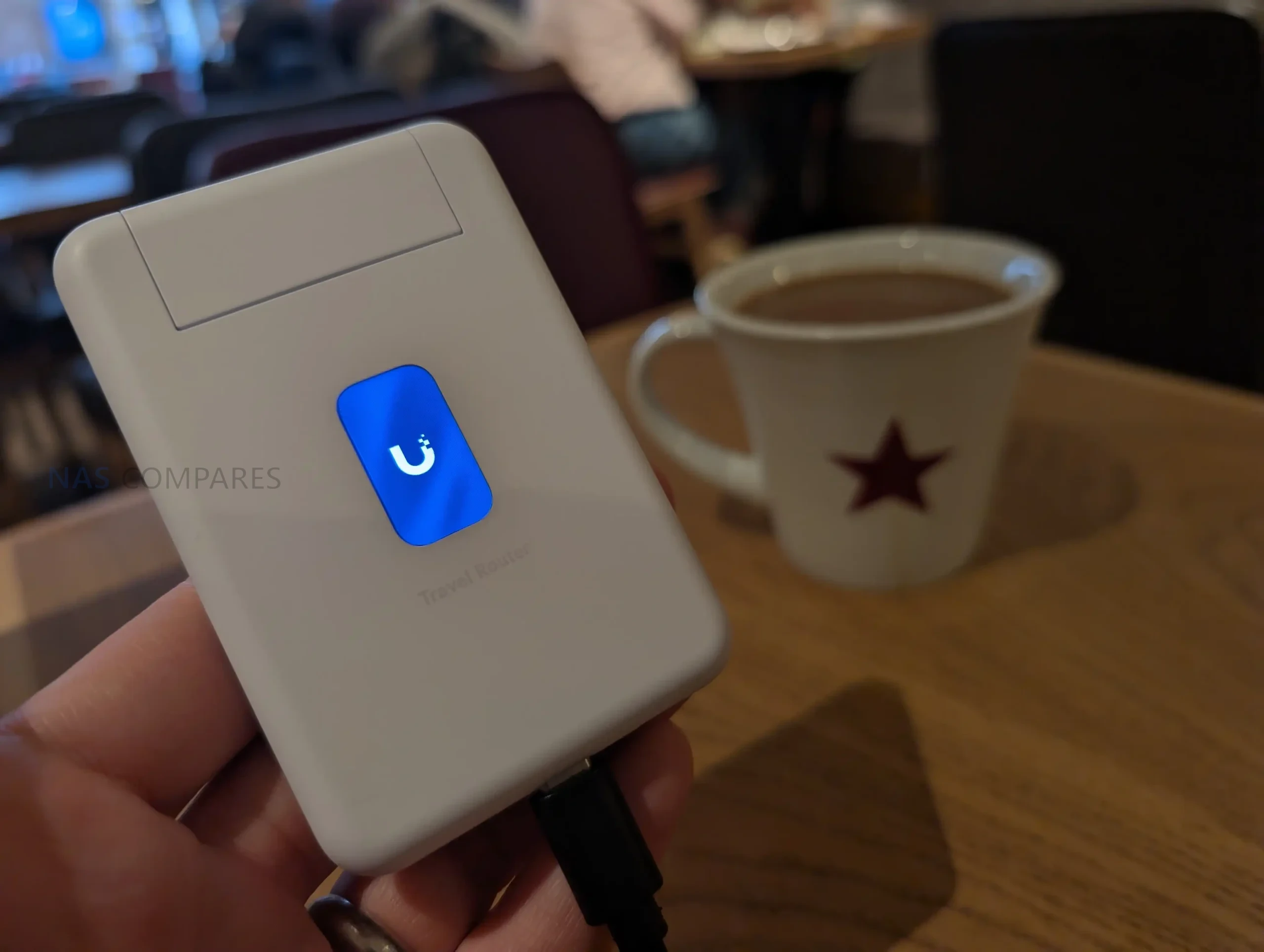
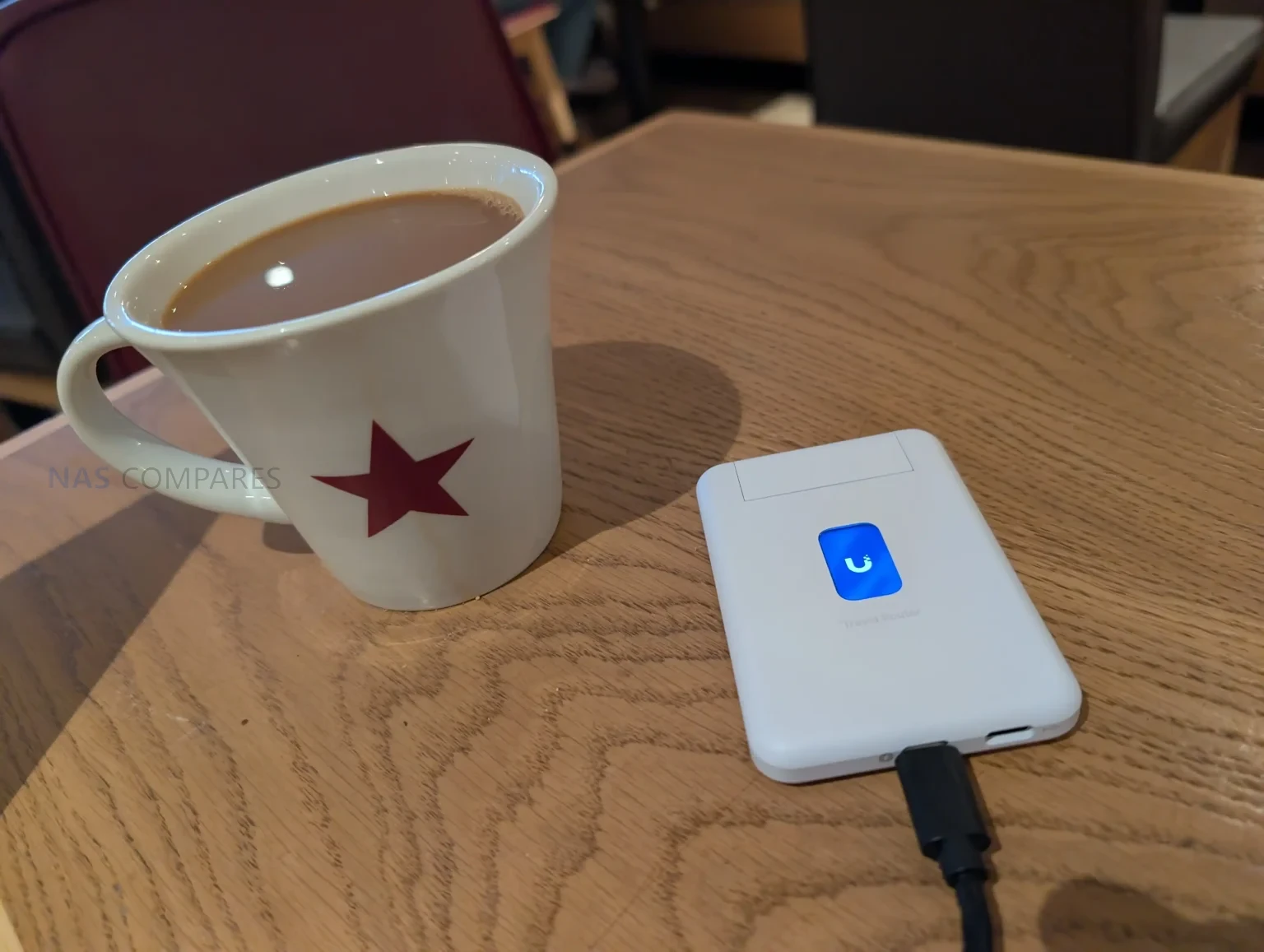
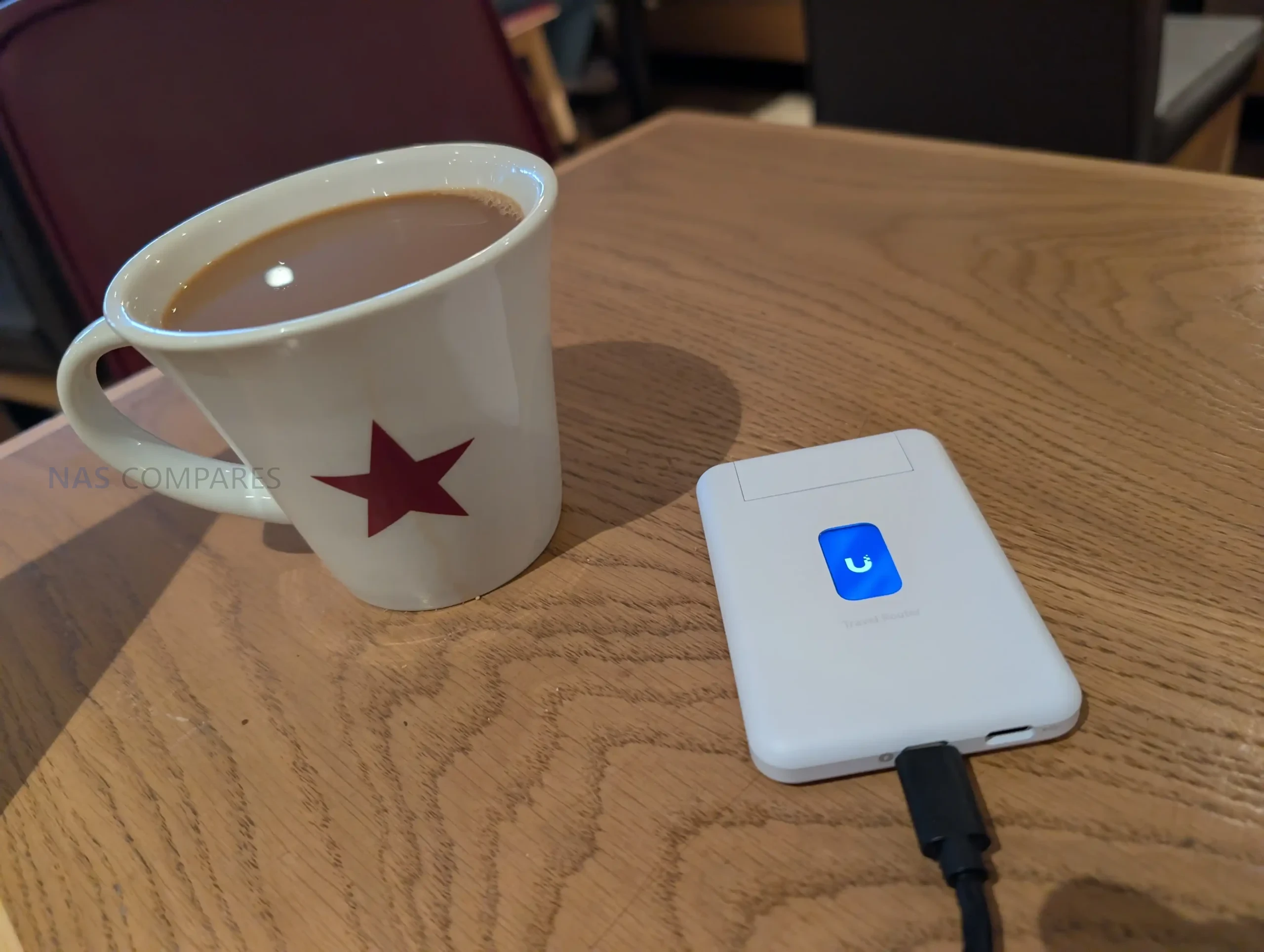
The UTR uses a slim, pocket oriented chassis that matches its intended role as a portable router rather than a fixed installation device. At 95.95 x 65 x 12.5 mm and 89 g, it is sized to carry alongside a phone, power bank, or small toolkit, and the enclosure is polycarbonate rather than metal. The design is built around external power, with no internal battery listed, so it is meant to be powered from common USB sources such as a charger, a power bank, or an available USB port in transit environments. UniFi specifies a USB-C 5V 2A input and up to 5W consumption, which places it within the output range of typical phone chargers and many shared USB outlets, but also means functionality depends on having a reliable external power source.

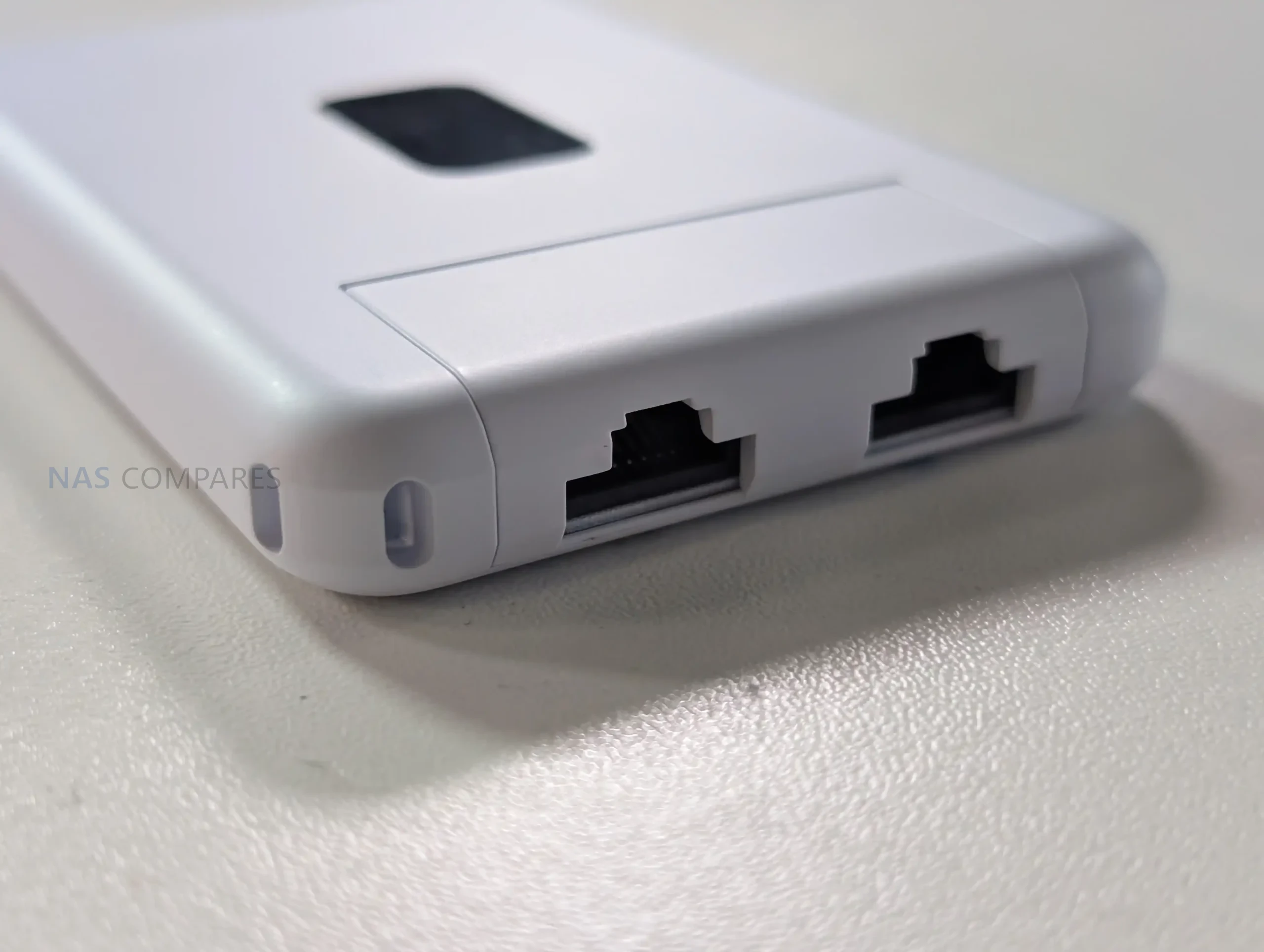
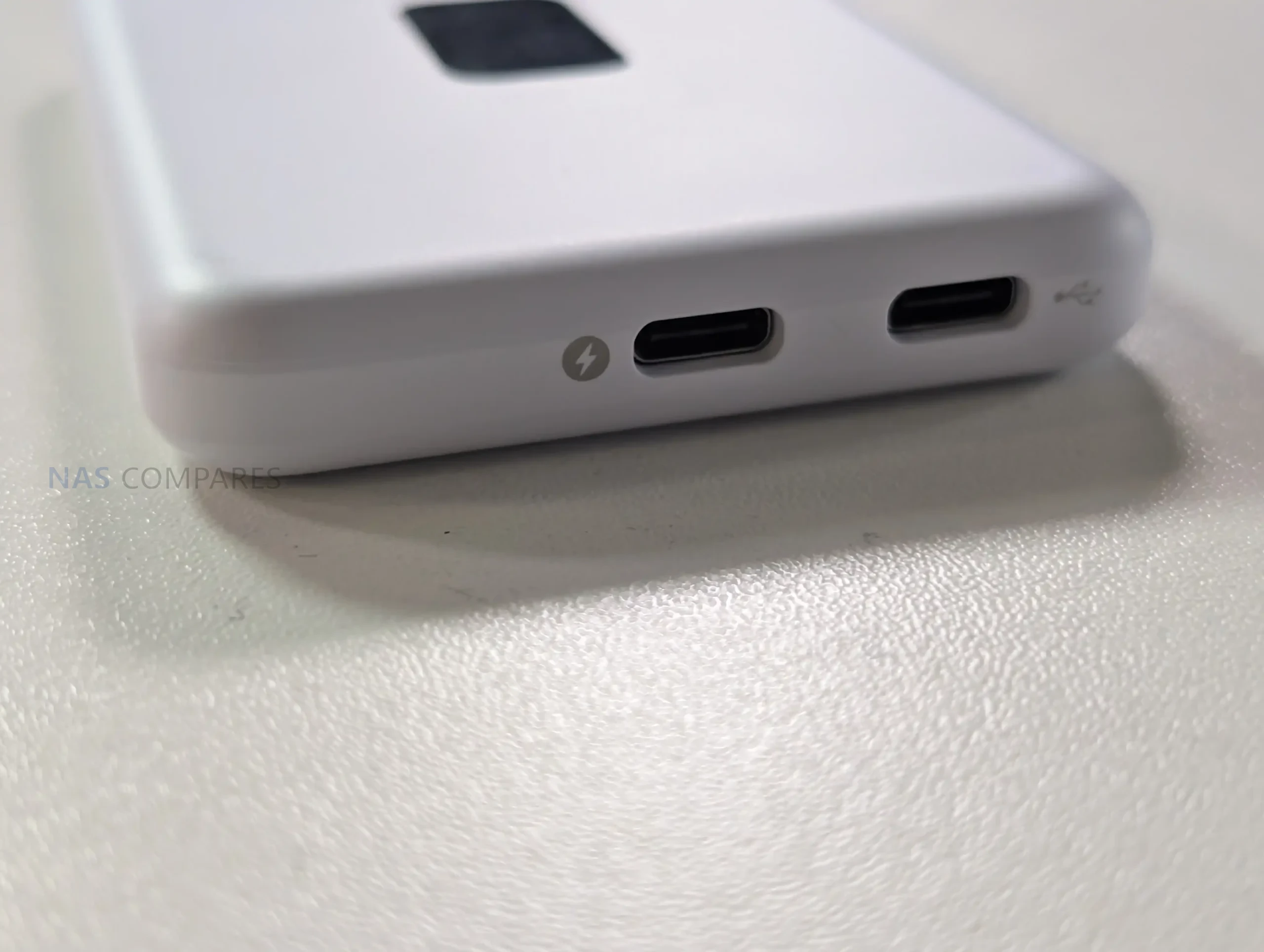
Physical I O is minimal and focused on travel use, with emphasis on flexibility rather than high port count. The unit provides 2 x GbE RJ45 ports for wired connectivity, typically used as WAN and LAN in practice, enabling either a wired upstream connection or a direct wired link to a local device when needed. It also includes a factory reset button but no other on device controls for configuration changes. In your usage notes, you highlighted that power and USB tethering are separated, allowing the device to stay powered from one source while using a different connection for phone tethering, which avoids the single port limitation found on some compact travel routers. You also noted that this layout suits scenarios where the most convenient power source might be a multi port power bank or a vehicle and public USB outlet, while the tether source remains the phone.

Status feedback is provided through a 1.14 inch display, but it is not a touchscreen, and configuration changes are handled in the UniFi Mobile App. This means the display functions as a quick reference for connection state and operational mode, such as whether it is using a particular uplink or whether Teleport is active, rather than a control surface for changing settings. Internally, WiFi is delivered via 2 embedded antennas with 2 x 2 MIMO and listed maximum transmit power of 13 dBm on both 2.4G and 5G, reflecting a design focused on compactness rather than external antenna placement. Operating limits are specified at -10 to 40 C and 5 to 95% noncondensing humidity, and the unit is listed as NDAA compliant with CE, FCC, and IC certifications, which may matter for users deploying it in regulated or corporate environments.

UniFi Travel Router – Connectivity

The UTR is built around 3 uplink paths: wired Ethernet, wireless WAN, and USB tethering through a smartphone, with the router acting as the single aggregation point for connected client devices. On the wired side, it provides 2 x GbE RJ45 ports, typically used as 1 WAN and 1 LAN, which allows a direct connection to an upstream network where a desk port or wall jack is available, while still offering a wired LAN handoff to a laptop, switch, or other local device. In your review, you also noted the practical advantage of using a wired uplink in temporary deployments, since it avoids relying entirely on building WiFi when you are on site for multiple days and want more predictable upstream stability.

For wireless connectivity, the UTR uses WiFi 5 (802.11ac) across 2.4 GHz and 5 GHz, with 2 x 2 MIMO and support for typical channel widths of 20, 40, and 80 MHz. UniFi lists a maximum 802.11ac data rate of up to 866.7 Mbps at VHT 80 and corresponding 802.11n rates up to 300 Mbps, with legacy 802.11a b g rates also supported for compatibility. In your video, you set expectations around real world throughput, noting that this class of WiFi 5 travel router can feel limited compared with newer WiFi 6 and WiFi 7 options, and you referenced typical observed uplink figures around 150 Mbps in the context of public WiFi and travel scenarios rather than sustained near gigabit speeds.

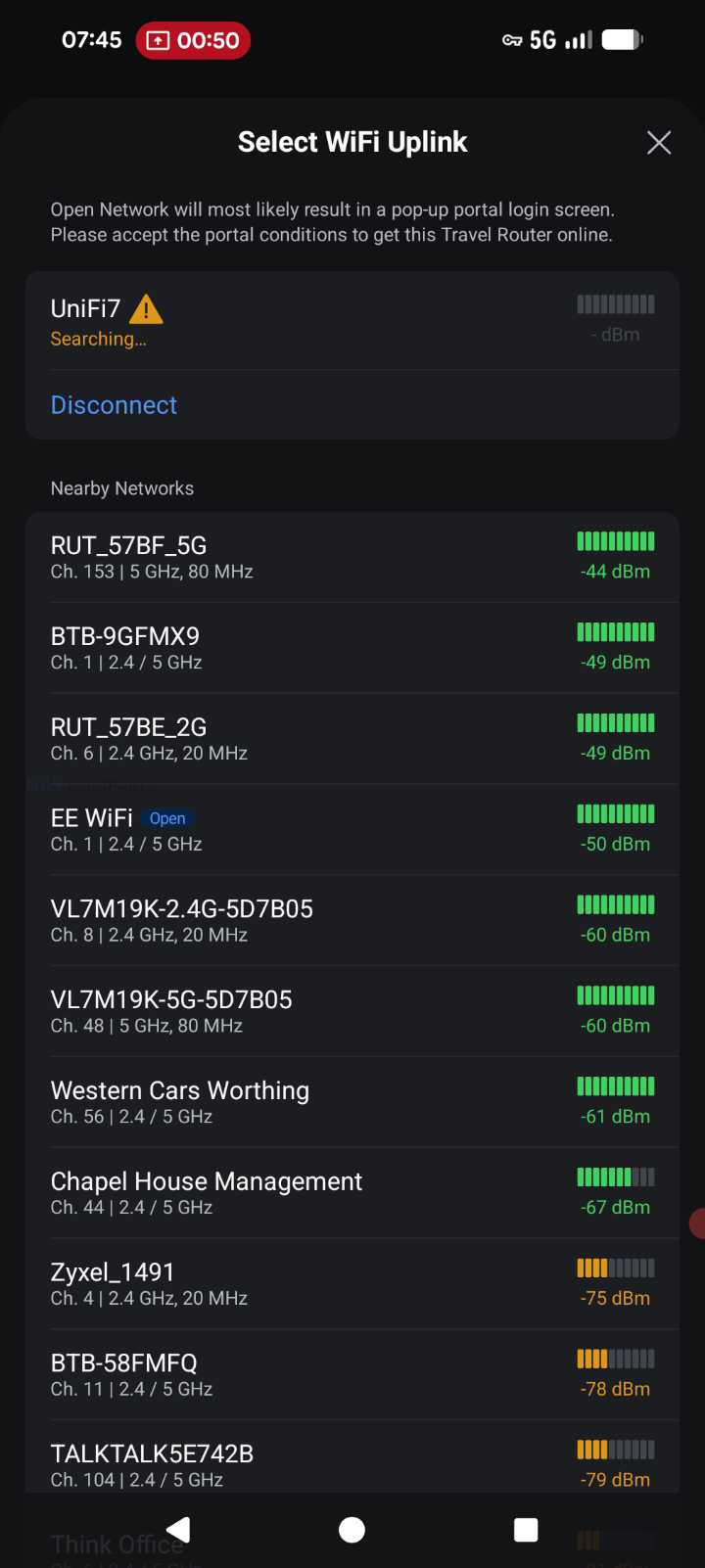
When connecting through hotel or venue WiFi, captive portal handling is part of the connectivity workflow rather than a separate feature layer. The documented process is to select the upstream network in the UniFi Mobile App, then complete any captive portal login on the phone when prompted, after which the router maintains that authenticated upstream session for the devices behind it. This approach can simplify group use, since multiple devices can share the same authenticated uplink without each device individually interacting with the portal. Connectivity limitations are also defined in the documentation, including lack of support for WPA Enterprise and Passpoint networks, which can affect compatibility in some corporate or managed public environments where those authentication methods are enforced.

UniFi Travel Router – Software & Services

The UTR is designed to integrate into an existing UniFi deployment rather than operate as a standalone router with its own separate management model. Once it is bound to a UniFi site, it can automatically apply WiFi configuration and bring up the same network identity used elsewhere, including expected SSIDs and routing behavior. UniFi positions this as a continuity feature, where location aware policies and routing rules can activate when the router connects at a new site, reducing the amount of manual setup typically needed when moving between venues.

Teleport is the primary UniFi service feature tied to remote access on the UTR. The documented workflow is to complete initial setup, open the UniFi Mobile App, select an available UniFi gateway or console, and then connect using Teleport, creating a private path back to the user’s UniFi network. Alongside Teleport, the UTR lists VPN client support for OpenVPN and WireGuard, allowing VPN enforcement at the router level so connected devices use the same tunnel without requiring separate VPN configuration per device. In your review use case, this was framed around keeping work traffic routed through a known UniFi environment while operating on public or untrusted networks during multi day on site work.

Beyond remote access, the feature set includes core router functions such as firewall and port forwarding, with UniFi management intended to keep LAN behavior consistent across locations. UniFi also describes plug and play pairing with existing UniFi devices, aiming to reduce friction when traveling with preconfigured hardware that is expected to reappear on a familiar network. The documentation also references Auto Link in the context of keeping wireless cameras and devices online automatically, positioning it as a continuity mechanism rather than a separate setup workflow. Operationally, configuration and connection selection are handled through the UniFi Mobile App, including joining upstream WiFi and completing captive portal authentication when present, while enterprise style WiFi authentication methods like WPA Enterprise and Passpoint are listed as unsupported.

UniFi Travel Router – Conclusion

The UniFi Travel Router makes the most sense as a “UniFi extender you can pocket” rather than a generic travel router trying to win on raw specs. The real value is how quickly it drops you back into a familiar environment: bind it to your UniFi setup, carry over the SSID you already use, and your devices can reconnect without you rebuilding a network from scratch each time you land somewhere new. For people who work on site, bounce between coffee shops, or travel with a small team, that convenience adds up fast: one upstream connection, one captive portal login handled through the app, and everything behind the UTR can ride through a secure Teleport tunnel back to your home or office UniFi gateway. Add the practical hardware touches, like two gigabit ports for wired WAN or LAN use, separate USB C power and USB tethering for pulling in a phone connection, and a status display that helps you confirm what is actually happening at a glance, and it is easy to see why this little box is appealing if you already live in the UniFi ecosystem.

The drawbacks are largely about what it is not trying to be. If you want a bleeding edge travel router, the UTR’s WiFi 5 radio and 1 GbE ports will feel conservative next to WiFi 6E or WiFi 7 options, and your top end wireless throughput is simply going to be capped by the platform. The screen is useful, but it is not touch, so you are still leaning on the mobile app for most changes, and there is no internal battery to make it a truly self contained travel companion. Just as importantly, there is no integrated SIM or eSIM, so anyone hoping for an all in one cellular travel router will be looking elsewhere or relying on phone tethering. Taken together, the UniFi Travel Router is a strong niche product: it is not the fastest, but for existing UniFi users who care most about consistency, security, and getting online quickly in messy real world networks, it is a smart and affordable addition to the kit bag.

PROS of the UniFI Travel Router CONS of the UniFI Travel Router
  • Deep UniFi ecosystem fit, can bind to an existing UniFi site for a familiar setup on the go

  • Teleport support enables secure remote access back to your UniFi network on public WiFi

  • Can clone an existing SSID so your devices connect without reconfiguring

  • Multi uplink flexibility: WiFi uplink, wired WAN via Ethernet, and USB tethering via smartphone

  • Captive portal logins are handled through the mobile app, simplifying hotel and guest WiFi access

  • Two gigabit ports (WAN and LAN) allow simple wired integration when available

  • Separate USB C power and separate USB tethering is practical for travel scenarios

  • Pocket sized, lightweight design with a helpful status display for quick connection checks

  • WiFi 5 only, so performance and feature set trail newer WiFi 6 or WiFi 7 travel routers

  • Ethernet is 1 GbE, not 2.5 GbE

  • No internal battery and no built in SIM or eSIM option for standalone cellular use

📧 SUBSCRIBE TO OUR NEWSLETTER 🔔
[contact-form-7]
🔒 Join Inner Circle

Get an alert every time something gets added to this specific article!


Want to follow specific category? 📧 Subscribe

This description contains links to Amazon. These links will take you to some of the products mentioned in today's content. As an Amazon Associate, I earn from qualifying purchases. Visit the NASCompares Deal Finder to find the best place to buy this device in your region, based on Service, Support and Reputation - Just Search for your NAS Drive in the Box Below

Need Advice on Data Storage from an Expert?

Finally, for free advice about your setup, just leave a message in the comments below here at NASCompares.com and we will get back to you. Need Help? Where possible (and where appropriate) please provide as much information about your requirements, as then I can arrange the best answer and solution to your needs. Do not worry about your e-mail address being required, it will NOT be used in a mailing list and will NOT be used in any way other than to respond to your enquiry. [contact-form-7] TRY CHAT Terms and Conditions
If you like this service, please consider supporting us. We use affiliate links on the blog allowing NAScompares information and advice service to be free of charge to you.Anything you purchase on the day you click on our links will generate a small commission which isused to run the website. Here is a link for Amazon and B&H.You can also get me a ☕ Ko-fi or old school Paypal. Thanks!To find out more about how to support this advice service check HEREIf you need to fix or configure a NAS, check Fiver Have you thought about helping others with your knowledge? Find Instructions Here  
 
Or support us by using our affiliate links on Amazon UK and Amazon US
    
 
Alternatively, why not ask me on the ASK NASCompares forum, by clicking the button below. This is a community hub that serves as a place that I can answer your question, chew the fat, share new release information and even get corrections posted. I will always get around to answering ALL queries, but as a one-man operation, I cannot promise speed! So by sharing your query in the ASK NASCompares section below, you can get a better range of solutions and suggestions, alongside my own.

☕ WE LOVE COFFEE ☕

 
❌