 Connexion
Microsoft Teams AI workflow templates in the Workflows app powered by Microsoft 365 Copilot
.png)

.png)
.png)
Microsoft a publié un correctif pour patcher une faille de sécurité zero-day dans Microsoft Office. Cette vulnérabilité (CVE-2026-21509) est déjà exploitée.
Le post Microsoft a patché en urgence une faille de sécurité zero-day dans Office : CVE-2026-21509 a été publié sur IT-Connect.
Microsoft a confirmé l’abandon de sa méthode historique d’activation par téléphone pour les licences Windows et Office. Un portail web remplace cette méthode.
Le post Microsoft a arrêté le service permettant d’activer Windows et Office par téléphone ! a été publié sur IT-Connect.

En 2026, le support s'arrêtera pour plusieurs produits et composants de chez Microsoft, dont Windows 11 24H2, Office 2021 et PowerShell 7.4 (LTS).
Le post Microsoft : quels sont les produits en fin de support en 2026 ? a été publié sur IT-Connect.
 L’authentification des courriers électroniques est très importante pour la sécurité de vos e-mails. Elle permet de vérifier que les courriers électroniques que vous envoyez sont bien légitimes et qu’ils n’ont pas été falsifiés ou altérés. Cela est particulièrement important pour les entreprises qui utilisent des services de courrier électronique tels que Microsoft 365 mais pas …
  La messagerie électronique est l’une des applications les plus anciennes d’Internet. Son développement a eu lieu à une époque où Internet n’était pas encore un réseau public. Cependant, à l’heure actuelle, les cas d’usurpation d’identité utilisant le courrier électronique se multiplient en raison de la possibilité de renseigner n’importe quelle adresse dans l’en-tête « De » d’un …
 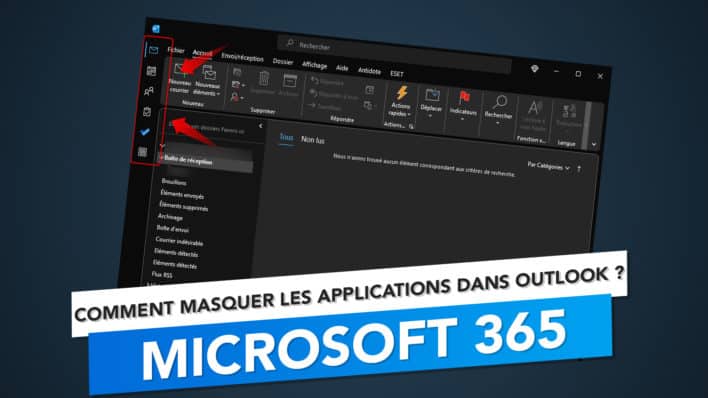 Hey ! Bonjour à toutes et à tous ! 🤙 Nous voici de nouveau ensemble pour un nouvel article et aujourd’hui, celui-ci va concerner notre application de messagerie favorite qui est Microsoft Outlook 365. En particulier, une petite option qui a fait son apparition dans les dernières mises à jour du logiciel et qui change …