Vue lecture

Il y a de nouveaux articles disponibles, cliquez pour rafraîchir la page.

Choosing Between WD Red and Seagate Ironwolf HDDs in Your NAS

Seagate Ironwolf vs WD Red (Which is Best in 2025/2026)?

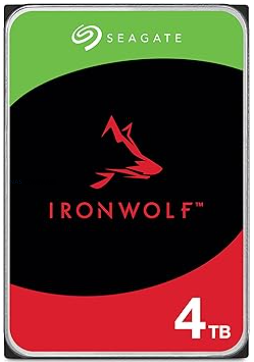
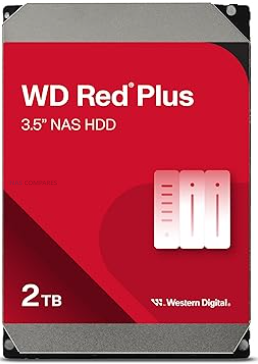
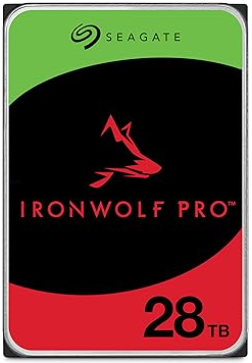
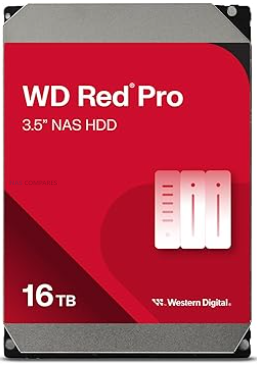
In late 2025, choosing between Seagate IronWolf and WD Red for a NAS is less about raw performance and more about secondary factors such as noise, power consumption, pricing, and ecosystem. Both brands now offer broadly similar SATA performance in their mainstream and Pro lines once you reach 7200 RPM, 256 MB cache, and CMR recording, and both quote comparable workload ratings and multi bay support for NAS use. Durability claims in MTBF, workload per year, and 24 by 7 operation are also effectively at parity on paper, and the underlying engineering around vibration control, error recovery, and NAS specific firmware has converged to a large extent. Where meaningful technical differences still exist is in the maximum capacities on offer and how they are positioned. Seagate currently leads on headline capacity in the NAS tier with IronWolf Pro drives up to 30 TB, while WD Red Pro tops out slightly lower but overlaps most of the mainstream size points that home and small business users are likely to deploy. As a result, the decision for many buyers is less about which brand is objectively better and more about how each behaves in real deployments in terms of acoustics, energy use, long term running costs, warranty extras such as bundled recovery services, and regional pricing patterns at specific capacities.

Seagate vs WD (and Toshiba!) Market Share in 2025/2026?

Across the HDD industry in 2024 and early 2025, Western Digital and Seagate remain closely matched, with Western Digital holding a slight lead by several common measures. Public breakdowns of exabytes shipped in 2024 put Western Digital at roughly 38.6 percent of HDD capacity shipped worldwide, Seagate at about 37 percent, and Toshiba at around 24.4 percent, confirming that the market is effectively a 2 vendor race with a smaller but still significant third player. Although the exact percentages vary depending on whether you look at units, capacity, or revenue, the pattern is consistent, with Western Digital marginally ahead and Seagate following closely behind.
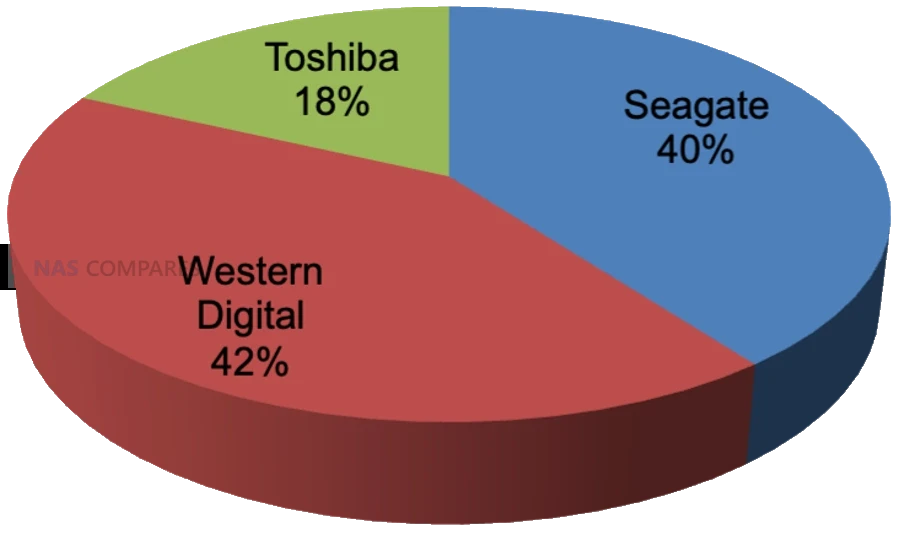
Source – https://www.forbes.com/sites/tomcoughlin/2025/05/03/c1q-2025-hdd-industry-update/?utm_source=chatgpt.com

Recent industry and financial reporting also shows Western Digital gaining momentum in high capacity nearline drives, particularly in data center and cloud deployments, with disk based revenue and shipped capacity outpacing Seagate in at least some recent quarters. At the same time, Seagate retains a leadership position in very large capacity models, including 30 TB HAMR based NAS and nearline drives that are already commercially available and aimed at the same high density markets.
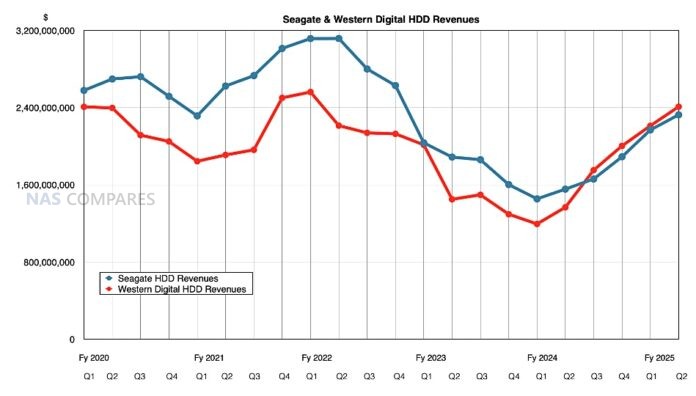
Source – https://blocksandfiles.com/2025/01/30/western-digitals-great-disk-driven-quarter/

Taken together, these data points indicate a tightly contested landscape where Western Digital currently leads in overall shipped capacity and revenue, while Seagate pushes the capacity envelope and remains highly competitive in large scale deployments.

Seagate Ironwolf vs WD Red NAS Hard Drives – Price

In late 2025 there is a clear pattern in how Seagate and WD position their HDDs on price, even if individual deals move around constantly. In general Seagate tends to be slightly cheaper per terabyte across many mainstream retailers and regions, particularly for larger 16 TB to 24 TB IronWolf and Exos capacities. WD pricing is often a little higher at like for like capacity in third party channels, especially for newer Red Plus and Red Pro models, although temporary sales can narrow or reverse this gap. Both brands are heavily discounted during seasonal events, so headline price screenshots are only ever a snapshot rather than a permanent rule.
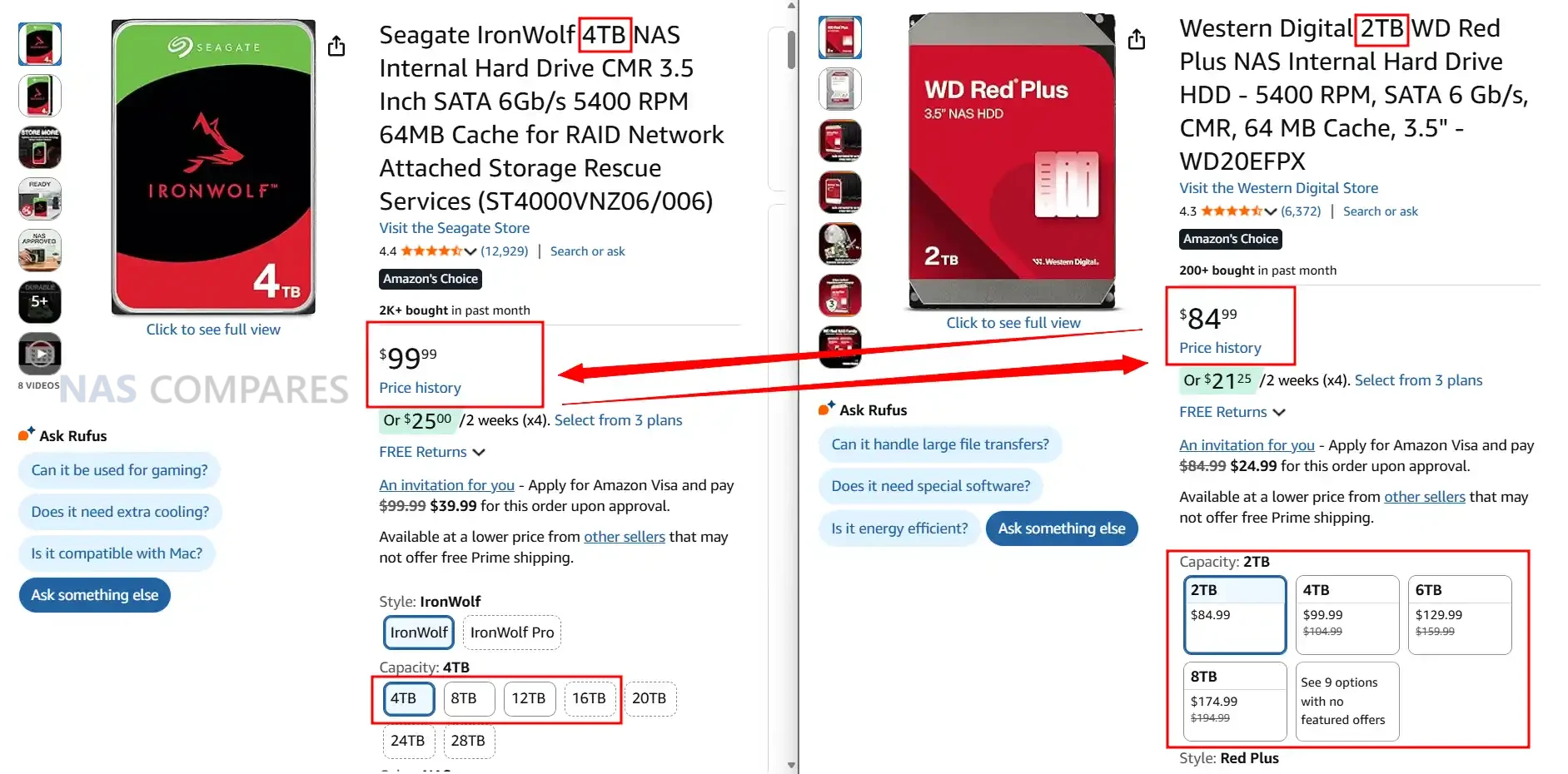
Where WD changes the picture is through its own direct store. WD sells Red, Red Plus and Red Pro drives through its retail site and often undercuts third party resellers by a noticeable margin, especially during promotions. That means in some regions the cheapest way to buy WD is directly from WD, while Seagate relies entirely on partner channels and keeps relatively steady discounting through Amazon and similar outlets. As a result it is common to see Seagate come out cheaper in most general marketplaces while WD can be the lowest price only on its own store, which is not available in every country.
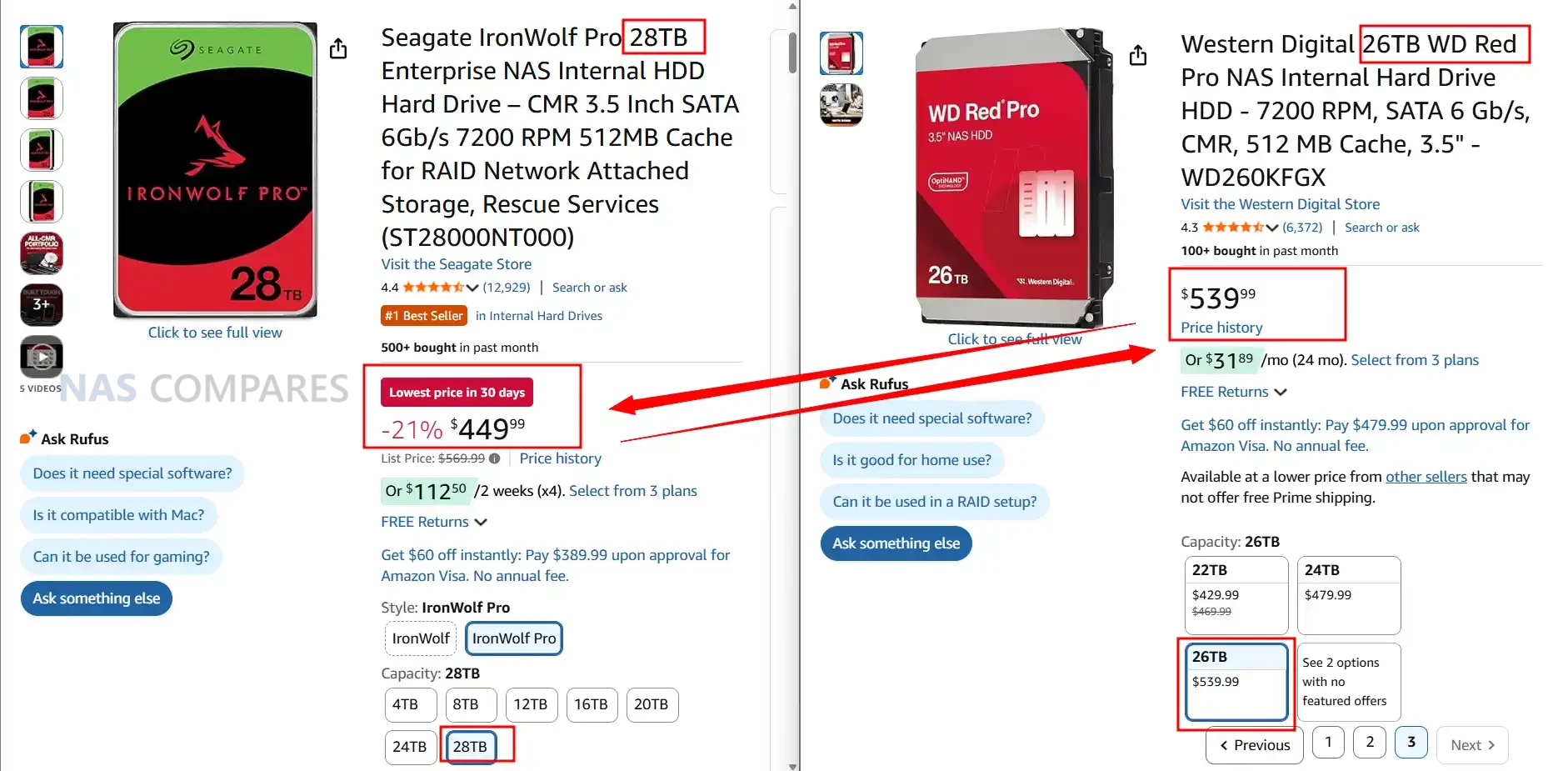
Once you move up into Pro and nearline class drives, such as IronWolf Pro versus WD Red Pro or WD Gold, pricing becomes more fragmented. Seagate keeps a fairly consistent capacity step pricing model where higher capacities scale in a relatively predictable way. WD on the other hand often runs multiple Red Pro and enterprise SKUs at the same capacity with different cache sizes or internal designs, which leads to overlapping prices and large swings between models that appear similar on paper. In practice this means that at the Pro tier Seagate is usually easier to price compare, while WD may offer good value on specific model IDs or capacities but requires more careful checking of part numbers and current discounts before purchase.
Seagate Ironwolf vs WD Red – Noise Level Comparison

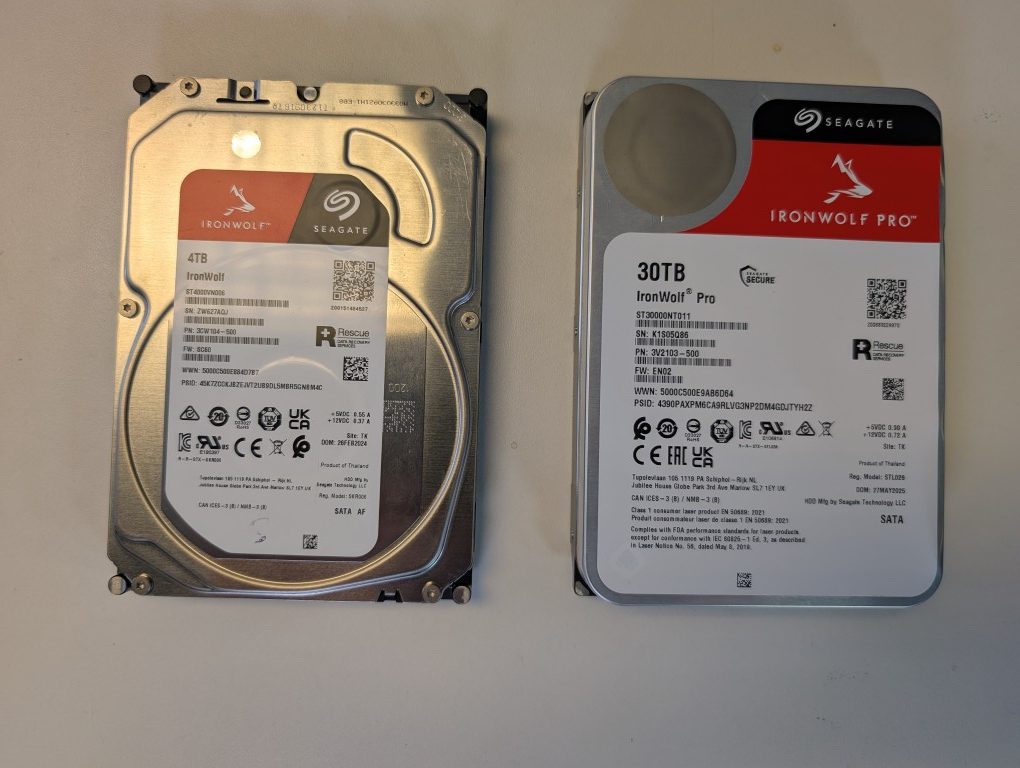
In terms of acoustic behaviour, Seagate IronWolf and IronWolf Pro drives are consistently a little louder than their WD Red Plus and Red Pro counterparts at like for like capacities. Manufacturer data sheets show most recent IronWolf and IronWolf Pro models idling in the mid to high 20 dBA range, with seek noise commonly around 30 to 32 dBA. WD Red Plus drives in the same capacities often idle in the low to mid 20 dBA range with typical seek levels in the mid to high 20 dBA band, while Red Pro models generally sit around 20 to 25 dBA idle and 31 to 36 dBA under seek depending on capacity and generation. In practical terms this means that in a quiet room or a small office, Seagate NAS drives tend to be more noticeable both at spin up and during sustained random activity.

Capacity Idle Seagate Ironwolf Idle WD Red Plus Idle Winner Seek Seagate Ironwolf Pro Seek WD Red Pro Seek Winner
 
   
30TB 28 dBA (ST30000NT011) no WD equivalent Seagate 32 dBA (ST30000NT011) no WD equivalent Seagate
28TB 28 dBA (ST28000NT000) 25 dBA (WD281KFGX) WD 32 dBA (ST28000NT000) 32 dBA (WD281KFGX) Tie
26TB no Seagate model 25 dBA (WD260KFGX) WD no Seagate model 32 dBA (WD260KFGX) WD
24TB 28 dBA (ST24000NT002) 25 dBA (WD241KFGX), 20 dBA (WD240KFGX) WD 26 dBA (ST24000NT002) 32 dBA (WD241KFGX), 32 dBA (WD240KFGX) Seagate
22TB 28 dBA (ST22000NT001) 32 dBA (WD221KFGX) WD 26 dBA (ST22000NT001) 32 dBA (WD221KFGX) Seagate
20TB 28 dBA (ST20000NT001) 20 dBA (WD202KFGX, WD201KFGX) WD 26 dBA (ST20000NT001) 32 dBA (WD202KFGX, WD201KFGX) Seagate
18TB 28 dBA (ST18000NT001) 20 dBA (WD181KFGX) WD 26 dBA (ST18000NT001) 36 dBA (WD181KFGX) Seagate
16TB 28 dBA (ST16000NT001) 20 dBA (WD161KFGX) WD 26 dBA (ST16000NT001) 36 dBA (WD161KFGX) Seagate
14TB 20 dBA (ST14000NT001) 20 dBA (WD142KFGX), 20 dBA (WD141KFGX) Tie 26 dBA (ST14000NT001) 36 dBA (WD142KFGX), 36 dBA (WD141KFGX) Seagate
12TB 28 dBA (ST12000NT001) 20 dBA (WD121KFBX), 34 dBA (WD122KFBX) WD 26 dBA (ST12000NT001) 36 dBA (WD121KFBX), 39 dBA (WD122KFBX) Seagate
10TB 28 dBA (ST10000NT001) 20 dBA (WD102KFBX), 34 dBA (WD103KFBX) WD 30 dBA (ST10000NT001) 36 dBA (WD102KFBX), 39 dBA (WD103KFBX) Seagate
8TB 28 dBA (ST8000NT001) 20 dBA (WD8003FFBX, WD8005FFBX) WD 30 dBA (ST8000NT001) 36 dBA (WD8003FFBX, WD8005FFBX) Seagate
6TB 28 dBA (ST6000NT001) 21 dBA (WD6003FFBX, WD6005FFBX) WD 30 dBA (ST6000NT001) 36 dBA (WD6003FFBX, WD6005FFBX) Seagate
4TB 28 dBA (ST4000NT001) 20 dBA (WD4003FFBX), 29 dBA (WD4005FFBX) WD 30 dBA (ST4000NT001) 36 dBA (WD4003FFBX, WD4005FFBX) Seagate
2TB 28 dBA (ST2000NT001) 21 dBA (WD2002FFSX) WD 30 dBA (ST2000NT001) 31 dBA (WD2002FFSX) Seagate

The difference becomes more apparent once you move beyond a simple 1 or 2 bay NAS and start populating 4, 6 or 8 bay chassis. Multiple Seagate drives running together produce a slightly harsher mechanical sound profile, with more pronounced click and clunk patterns during head movements, as well as higher cumulative vibration. WD drives, particularly Red Plus and most of the more recent Red Pro helium models, lean toward a smoother background hum with less sharp seek noise and lower ambient vibration. For users placing a NAS in a living room, bedroom or under a desk, this cumulative effect can be significant, even if each individual drive only differs by a couple of dBA on paper.

It is worth noting that not every capacity behaves identically. Lower capacities and some air filled WD Red Plus models idle very quietly and can be comparable with the quietest Seagate SKUs, while some high capacity Red Pro variants with 7200 RPM motors and larger caches approach IronWolf Pro levels of seek noise. However, when you average across the current CMR product stacks in late 2025, WD holds a small but consistent advantage in both idle and seek acoustics, especially in multi bay deployments where background noise and vibration build up over time.


Seagate Ironwolf vs WD Red – Power Consumption (Idle / Active)

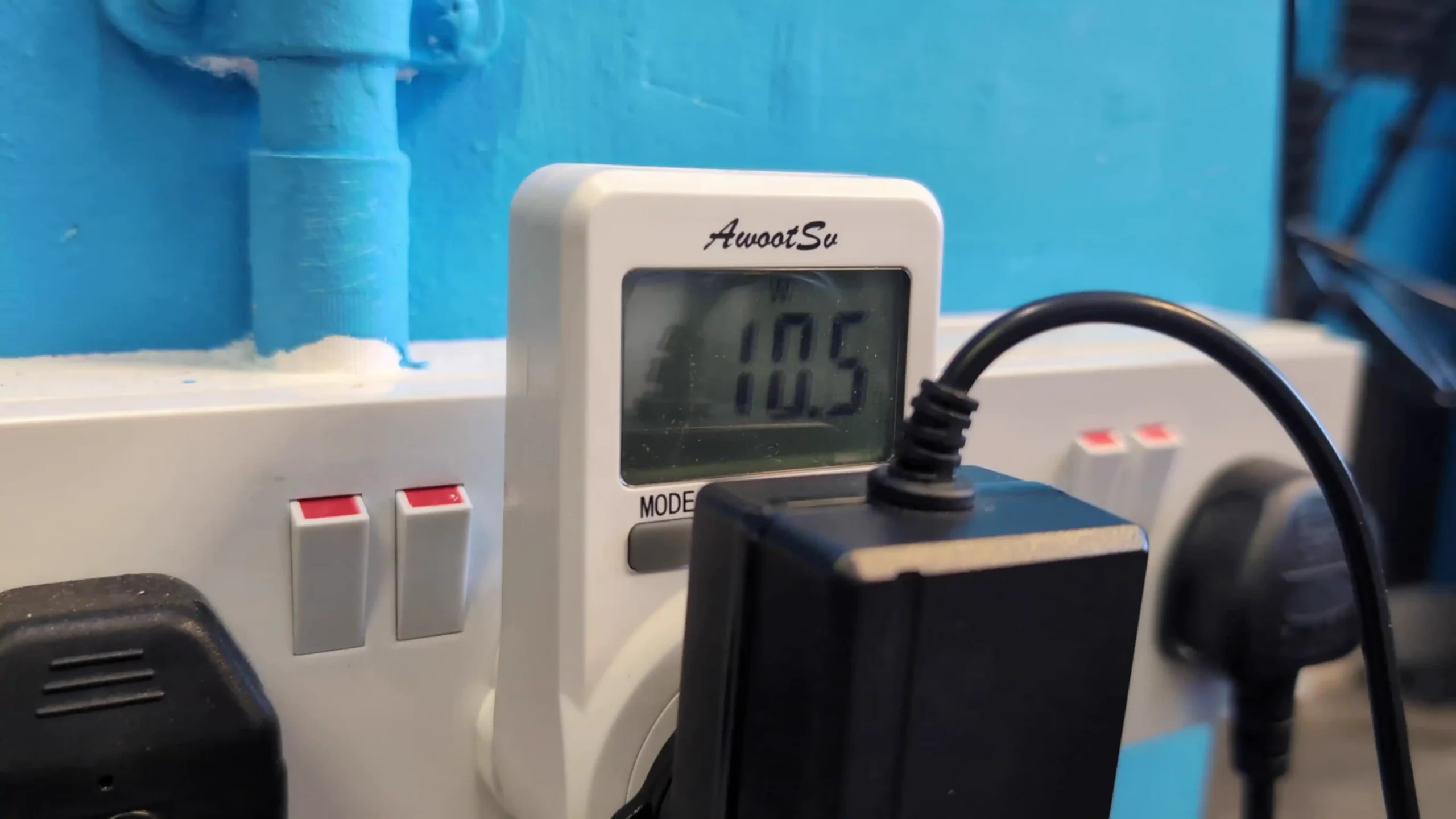
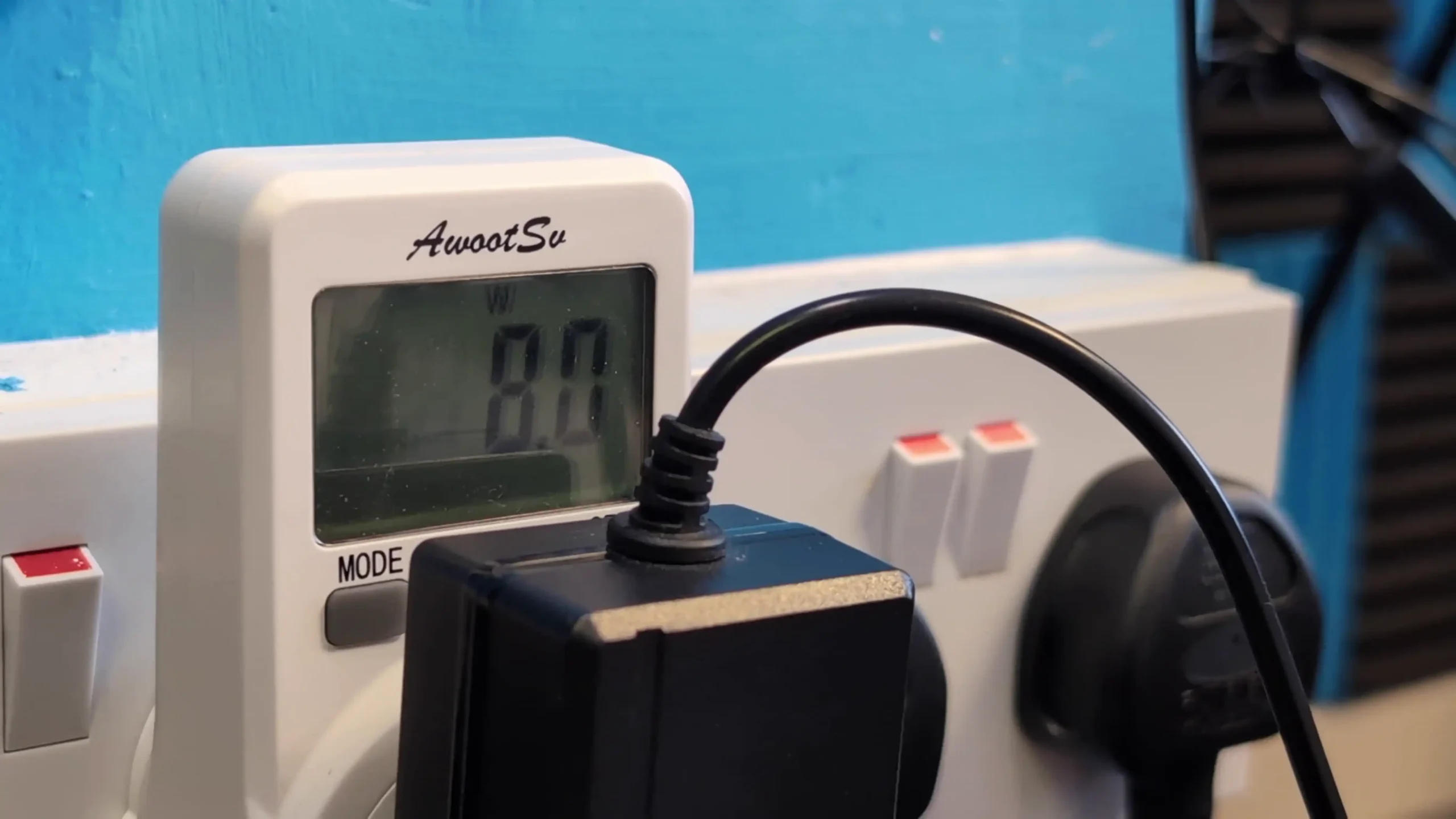
Looking purely at spec sheets, both Seagate and WD publish idle and seek values that cluster in similar bands, typically around the low 20 dBA range at idle and high 20 to mid 30 dBA under seek as capacities and spindle speeds rise. In practice though, the character of the noise differs between the brands. IronWolf and IronWolf Pro models tend to produce a sharper mechanical click pattern during head seeks and a more noticeable spin up profile, while WD Red Plus and Red Pro lines usually present as a smoother hum with less abrupt transitions between idle and active states. In a quiet room this difference in tone can matter as much as the numeric dBA rating itself.

Capacity Idle Seagate Ironwolf Idle WD Red Plus Idle Winner Active Seagate Ironwolf Pro Active WD Red Pro Active Winner
             
30TB 6.8W (ST30000NT011) no WD equivalent Seagate 8.3W (ST30000NT011) no WD equivalent Seagate
28TB 6.8W (ST28000NT000) 3.6W (WD281KFGX) WD 8.3W (ST28000NT000) 6.0W (WD281KFGX) WD
26TB no Seagate model 3.6W (WD260KFGX) WD no Seagate model 6.0W (WD260KFGX) WD
24TB 6.3W (ST24000NT002) 3.6W (WD241KFGX), 3.9W (WD240KFGX) WD 7.8W (ST24000NT002) 6.0W (WD241KFGX), 6.4W (WD240KFGX) WD
22TB 6.0W (ST22000NT001) 3.4W (WD221KFGX) WD 7.9W (ST22000NT001) 6.8W (WD221KFGX) WD
20TB 5.7W (ST20000NT001) 2.8W (WD202KFGX), 3.6W (WD201KFGX) WD 7.7W (ST20000NT001) 6.1W (WD202KFGX), 6.9W (WD201KFGX) WD
18TB 5.0W (ST18000NT001) 3.0W (WD181KFGX) WD 7.5W (ST18000NT001) 3.6W (WD181KFGX) WD
16TB 5.0W (ST16000NT001) 3.6W (WD161KFGX) WD 7.6W (ST16000NT001) 6.1W (WD161KFGX) WD
14TB 5.0W (ST14000NT001) 3.0W (WD141KFGX), 3.6W (WD142KFGX) WD 7.6W (ST14000NT001) 3.0W (WD141KFGX), 6.4W (WD142KFGX) WD
12TB 5.0W (ST12000NT001) 2.8W (WD121KFBX), 6.1W (WD122KFBX) WD 7.6W (ST12000NT001) 2.8W (WD121KFBX), 8.8W (WD122KFBX) WD
10TB 7.8W (ST10000NT001) 2.9W (WD102KFBX), 3.0W (WD103KFBX) WD 10.1W (ST10000NT001) 4.6W (WD101KFBX), 6.1W (WD103KFBX) WD
8TB 7.8W (ST8000NT001) 4.0W (WD8003FFBX), 4.9W (WD8005FFBX) WD 10.1W (ST8000NT001) 4.6W (WD8003FFBX), 6.9W (WD8005FFBX) WD
6TB 7.1W (ST6000NT001) 3.7W (WD6003FFBX), 4.0W (WD6005FFBX) WD 9.3W (ST6000NT001) 3.7W (WD6003FFBX), 6.9W (WD6005FFBX) WD
4TB 7.8W (ST4000NT001) 3.7W (WD4003FFBX), 4.0W (WD4005FFBX) WD 8.7W (ST4000NT001) 3.7W (WD4003FFBX), 5.8W (WD4005FFBX) WD
2TB 6.7W (ST2000NT001) 6.0W (WD2002FFSX) WD 6.7W (ST2000NT001) 7.8W (WD2002FFSX) Seagate

At lower capacities, especially in the 2 TB to 6 TB range where air filled designs and lower spindle speeds are common, WD Red Plus models are often among the quietest options, with idle noise figures that sit at the lower end of the published spectrum and relatively soft seek sounds. Seagate standard IronWolf drives in these capacities are not especially loud by absolute numbers, but they generally sit slightly higher at idle and under random activity. Once you move into high capacity Pro class drives, WD Red Pro and IronWolf Pro become more comparable, although WD still often maintains a small advantage in idle noise on the newest helium filled models, while seek noise can be quite close on some capacities.

Noise differences increase as you add more bays and drives. A 2 bay or 4 bay NAS with mixed workloads may only expose a modest gap in acoustic behaviour between the brands, but 8 bay and larger systems can amplify any small variations. Multiple Seagate drives seeking at once will create more noticeable cumulative chatter and vibration inside a metal chassis, which can transfer into desks or shelving if the NAS is not well isolated. WD units with otherwise similar specifications and workload ratings usually generate less overall vibration, so the aggregate sound from a populated chassis can be easier to live with in shared spaces.
For users planning deployments in noise sensitive environments, such as a living room media setup or a small office where the NAS will sit in the same room as desks, these differences can be a factor in the buying decision once capacity and performance requirements are defined. Seagate remains attractive where price per terabyte and maximum capacity are the main priorities, and users are able to position the NAS in a cupboard, loft or separate room. WD drives typically suit scenarios where the system will remain close to people for long periods, sacrificing a small amount of price advantage in favour of lower background noise and a slightly less intrusive acoustic profile at both idle and under sustained activity.

Seagate Ironwolf vs WD Red – Verdict & Conclusion

From a technical perspective Seagate and WD now sit very close to one another in most core HDD metrics, particularly in the NAS focused IronWolf, IronWolf Pro, Red Plus and Red Pro ranges. Both brands use CMR recording on their NAS lines, have comparable workload ratings in each class, and converge around similar sustained transfer rates once you reach 7200 RPM and larger cache sizes. The main structural differences are that Seagate currently pushes higher maximum capacities into the consumer and prosumer space and includes bundled rescue data recovery on many NAS models, while WD tends to retain a small advantage in power consumption and acoustic behaviour at equivalent capacities, especially in multi bay systems. Historical issues such as WD Red SMR drives and Seagate high failure rate models at specific points in time are still relevant for older stock, but the current generation NAS ranges for both vendors are broadly aligned in specification and intended workload.

In practical terms the choice between Seagate IronWolf and WD Red often comes down to priority order rather than any single clear winner. Users aiming for the lowest cost per terabyte and the highest capacities available in the near term will usually find Seagate more attractive, particularly in larger IronWolf Pro and Exos class drives, accepting higher power draw and a more noticeable acoustic profile. Users who are sensitive to noise, want marginally lower long term energy usage or prefer WD’s clearer product segmentation may gravitate toward Red Plus or Red Pro, taking care to select the correct CMR models and capacities. In all cases the decision should be made at model level using current datasheets and pricing, not just brand reputation, and should be paired with a sensible RAID plan and an independent backup strategy, since neither vendor can remove the fundamental risk that any individual hard drive can fail.

Idle Seagate Ironwolf Idle WD Red Plus Active Seagate Ironwolf Pro Active WD Red Pro


📧 SUBSCRIBE TO OUR NEWSLETTER 🔔
[contact-form-7]
🔒 Join Inner Circle


Get an alert every time something gets added to this specific article!


Want to follow specific category? 📧 Subscribe

This description contains links to Amazon. These links will take you to some of the products mentioned in today's content. As an Amazon Associate, I earn from qualifying purchases. Visit the NASCompares Deal Finder to find the best place to buy this device in your region, based on Service, Support and Reputation - Just Search for your NAS Drive in the Box Below

Need Advice on Data Storage from an Expert?

Finally, for free advice about your setup, just leave a message in the comments below here at NASCompares.com and we will get back to you. Need Help? Where possible (and where appropriate) please provide as much information about your requirements, as then I can arrange the best answer and solution to your needs. Do not worry about your e-mail address being required, it will NOT be used in a mailing list and will NOT be used in any way other than to respond to your enquiry. [contact-form-7] TRY CHAT Terms and Conditions

If you like this service, please consider supporting us. We use affiliate links on the blog allowing NAScompares information and advice service to be free of charge to you.Anything you purchase on the day you click on our links will generate a small commission which isused to run the website. Here is a link for Amazon and B&H.You can also get me a ☕ Ko-fi or old school Paypal. Thanks!To find out more about how to support this advice service check HEREIf you need to fix or configure a NAS, check Fiver Have you thought about helping others with your knowledge? Find Instructions Here  

 
Or support us by using our affiliate links on Amazon UK and Amazon US
    
 
Alternatively, why not ask me on the ASK NASCompares forum, by clicking the button below. This is a community hub that serves as a place that I can answer your question, chew the fat, share new release information and even get corrections posted. I will always get around to answering ALL queries, but as a one-man operation, I cannot promise speed! So by sharing your query in the ASK NASCompares section below, you can get a better range of solutions and suggestions, alongside my own.

☕ WE LOVE COFFEE ☕


Synology Solution Exhibition 2025 – What We Saw, What We Learned

The Synology Solution 2025/2026 Event – What Was There?

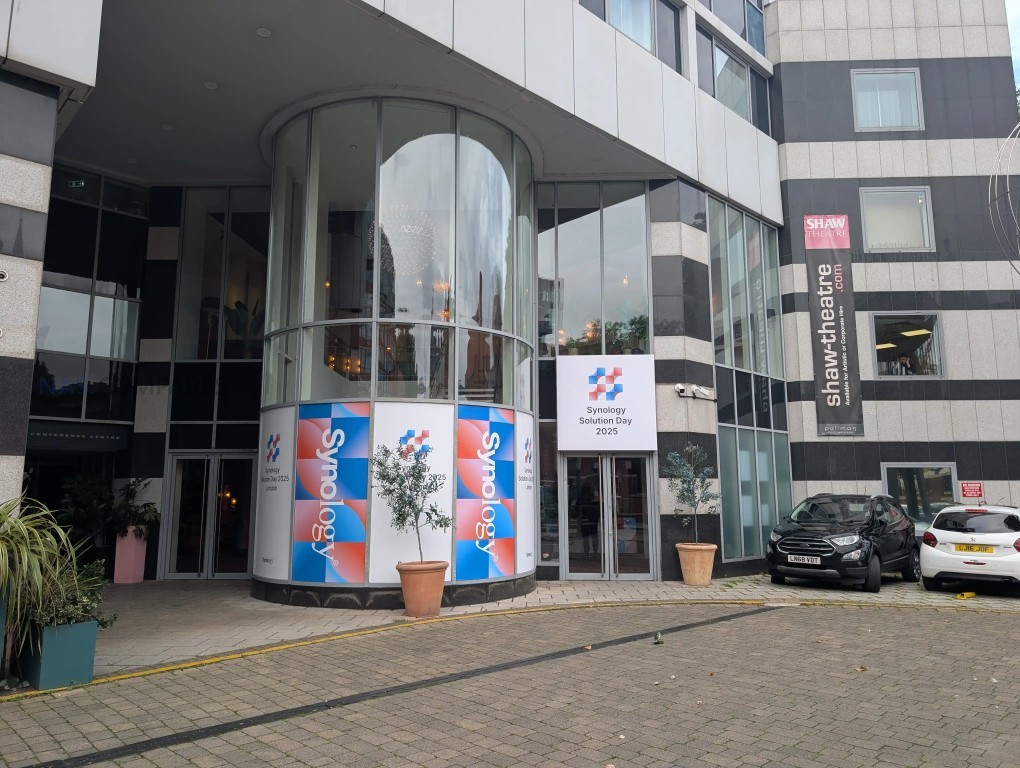
At Synology’s UK Solutions Exhibition 2025, the company marked its 25th anniversary with a detailed look at how it intends to position itself for the next phase of enterprise and private-cloud data management. The event covered a wide spectrum of topics, ranging from backup and storage architecture to surveillance, productivity platforms, and AI governance, with several new products and services scheduled for release in late 2025 and early 2026. Alongside technical presentations and case studies, Synology also addressed contentious issues such as its ongoing hard drive support policy and the balance between on-premises control and cloud services. This article brings together the key takeaways, product roadmaps, and policy updates from the event, supplemented with insights gathered through direct conversations with Synology staff across multiple sessions.

The TL;DR – Here is what’s NEW/Coming Soon

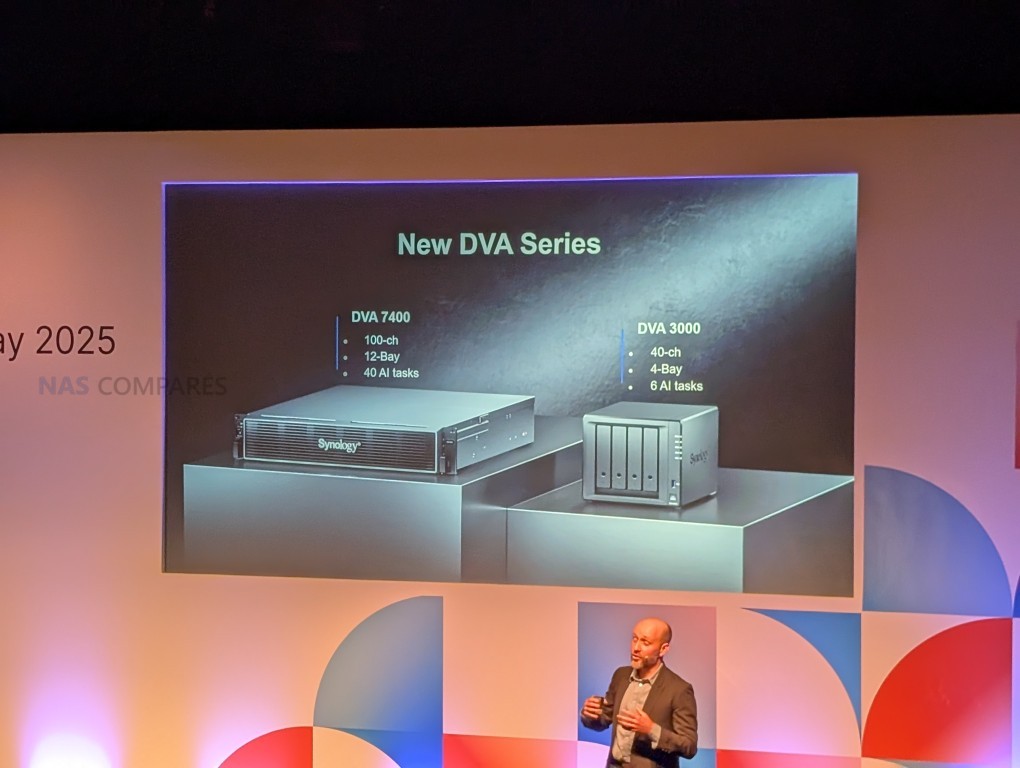
  • Synology DVA7400 12 Bay Rackmount (GFX Card, etc)
  • Synology DVA3000 4-Bay (seemed like somewhere between the DVA3221 and DVA1622
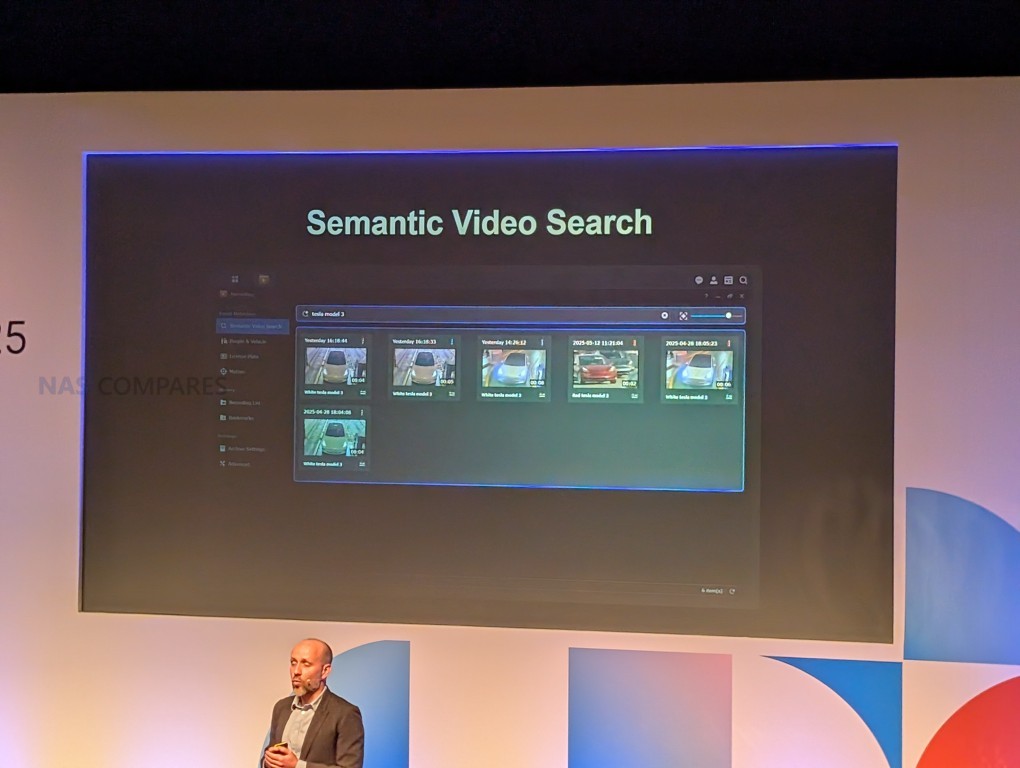
  • Semantic Video Search in Surveillance Station
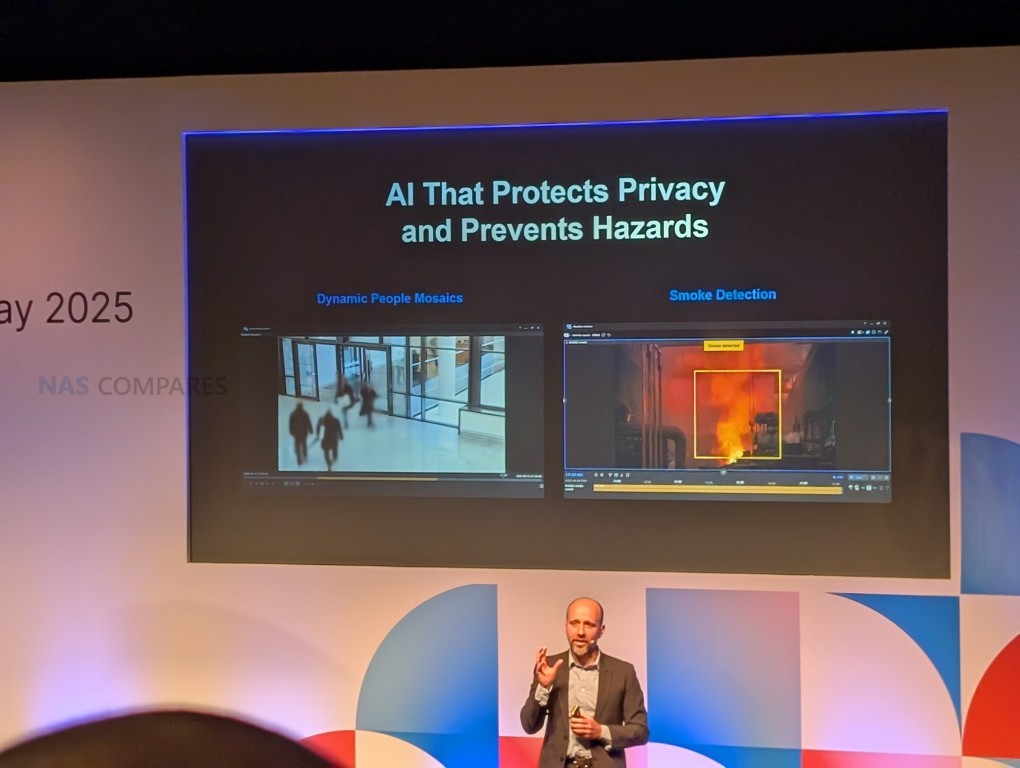
  • Dynamic Mosaic and Smoke Detection in Surveillance Station
  • Updates on info for the PAS and GS Systems (eg Cluster Manager)
  • More info and lite usage demo of the managed switches
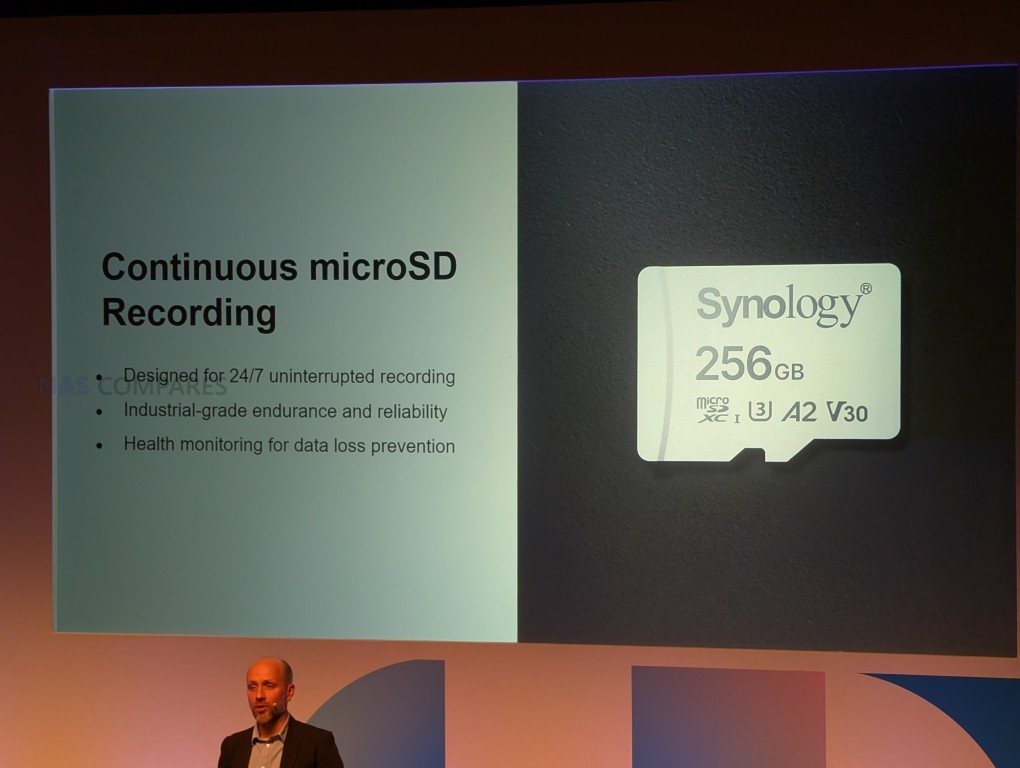
  • Same cameras shown from Computex event, but also a “Synology SD Card” (?!?)that is managed in Surveillance Station
  • Active Protect tweaks and improved comms with ABB
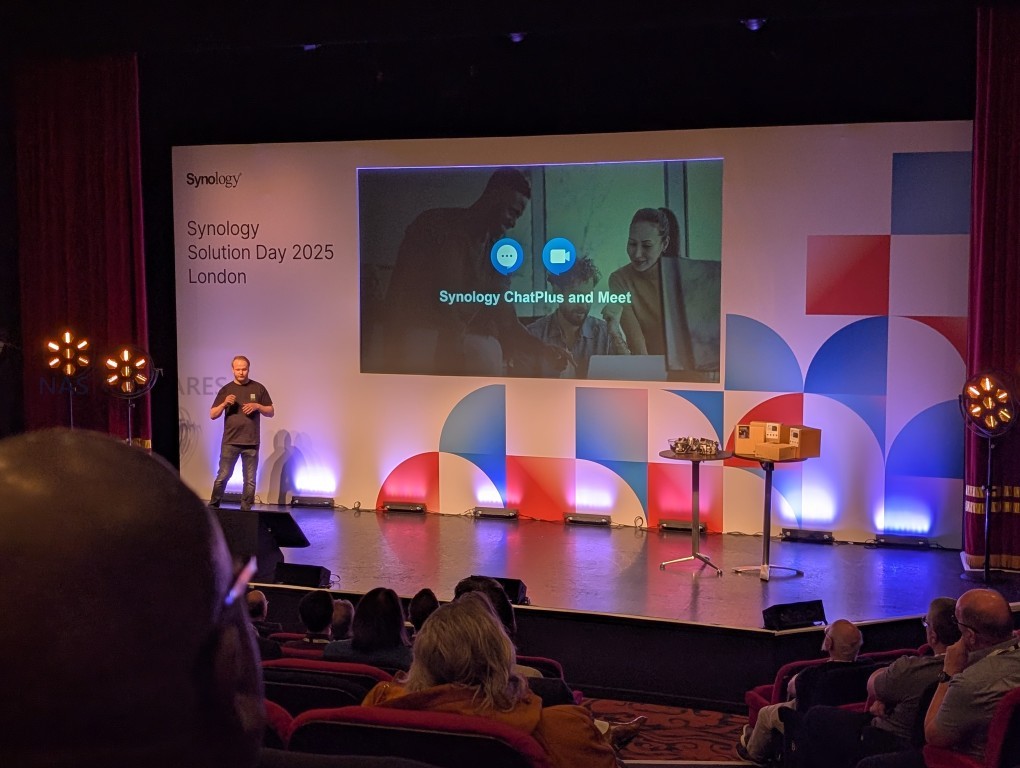
  • Synology Chat Plus and Meets (Video Conferencing software)
  • Synology NAS with GFX/GPU Card that can host local LLM
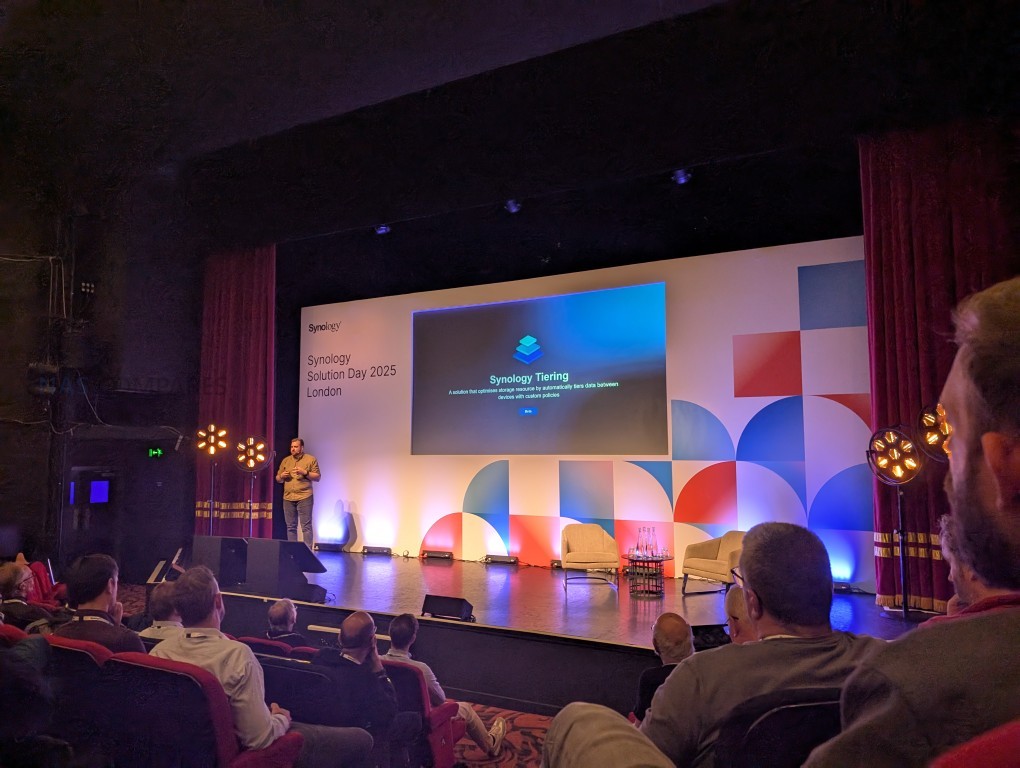
  • Synology Tiering

Before We Go Any Further – We STILL Have to Discuss Synology Hard Drive Compatibility!

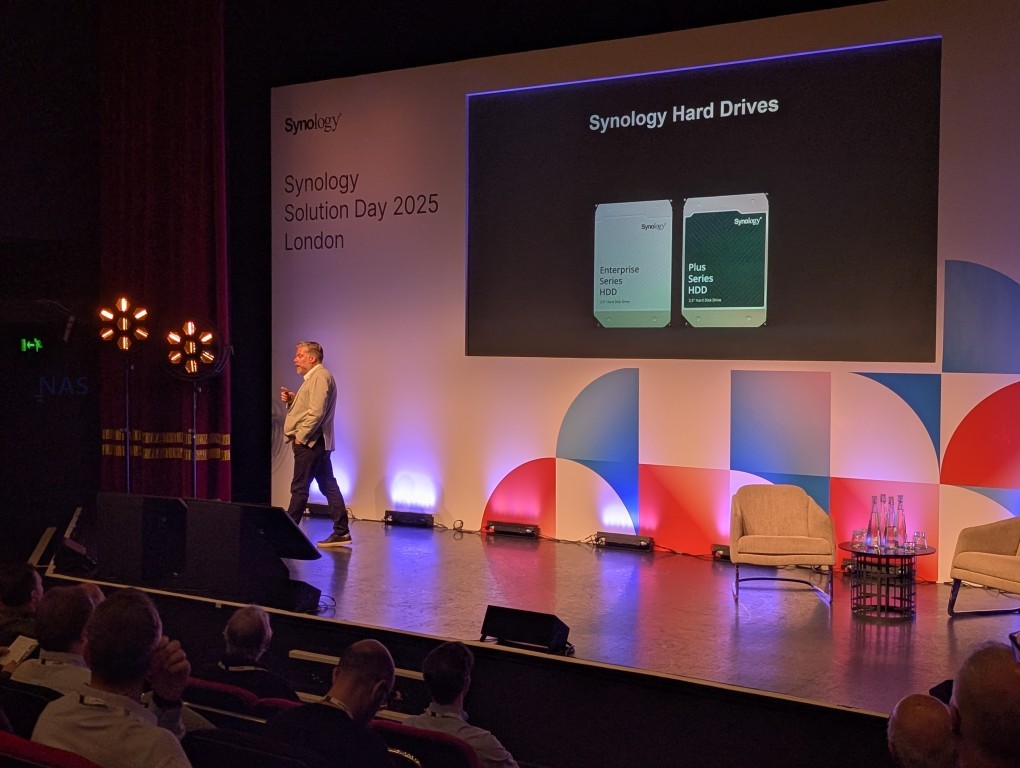
Synology’s hard drive support policy was a recurring topic throughout the event and in direct conversations with staff. The subject was formally addressed in the opening session, where the company framed its approach as a strategic decision to validate and support selected drives for reliability and lifecycle assurance. In a later Q&A with a large Synology customer, the policy came up again, though the exchange felt somewhat staged. Away from the stage, I spoke with almost a dozen Synology team members on and off the record. The consistent message was that verification of Seagate and Western Digital drives is still in progress, but I also received conflicting off-the-record remarks about how validation and support could be expanded in the future. A follow-up article and video from me on this subject will be published soon to explore the matter further.

“As workloads scale and data becomes even more critical. We’ve made the strategic decision to fully validate and support scenario drives in our solution.
This means that we take an end to end responsibility for performance, reliability and long-term availability by managing both hardware and the software stack.
We intend to show you that we can deliver deeper integration, such as real-time health monitoring, predictive risk analysis and seamless firmware updates, all designed to reduce risk and maximise uptime.

This change is not about limiting choice, it’s about accountability. When you deploy a Synology solution, you can be confident that we stand behind every component and that you’ll receive a system optimised for performance and reliability over its entire lifestyle. And for our partners, this also means fewer unknowns of deployment and support, greater predictability and stronger value for your customers. Together, we can focus less on troubleshooting and more on helping businesses innovate, securely.”

The official position is that tighter control of hardware compatibility will improve integration features like predictive monitoring and firmware management, while reducing deployment risks. However, Synology repeatedly stressed that the policy is not yet final, with feedback from customers and partners still under review. From my discussions, the messaging suggests that although Synology’s stance is rooted in system accountability, the practical implications for users—particularly regarding Seagate and WD models such as IronWolf and Red or surveillance-focused drives like SkyHawk and Purple—remain unsettled. The lack of clarity points to an ongoing process where official announcements may evolve, but for now customers are being told the policy is about creating a more reliable platform rather than restricting options.

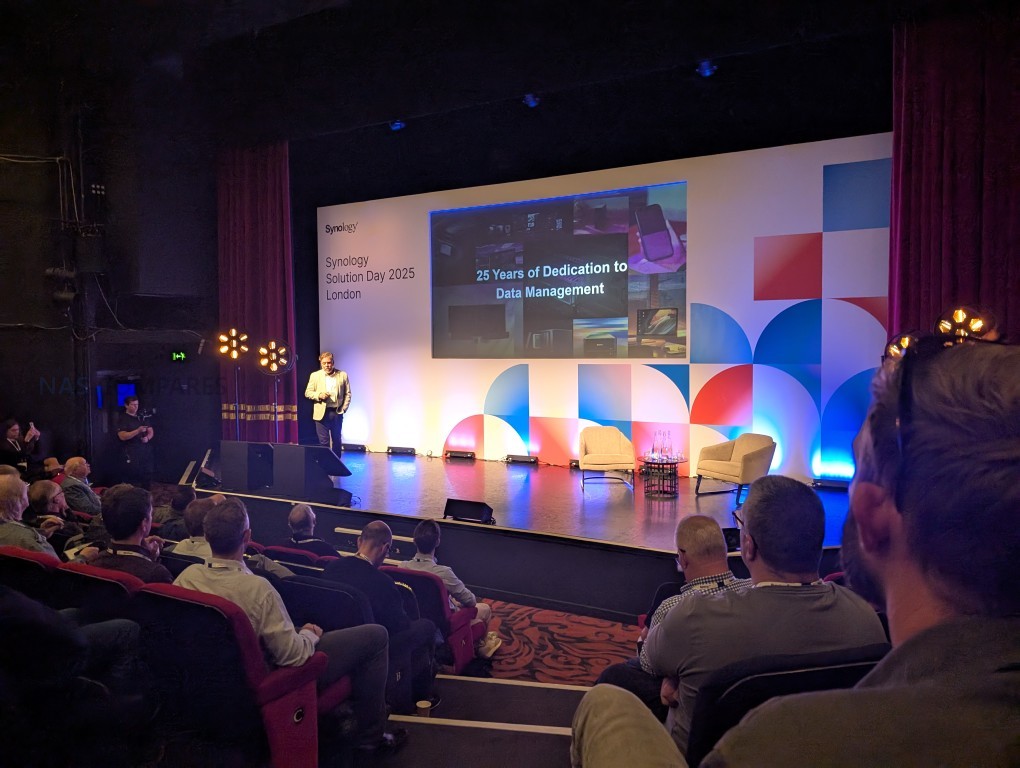
Introduction to Synology – 25 Years On

The opening session of Synology’s UK Solutions Exhibition marked the company’s 25th anniversary with a review of its history, current reach, and overall strategy. Synology reported that it has 14 million installations worldwide, is protecting around 25 million entities and servers, and manages more than 2 million accounts. Case examples were used to illustrate different applications, including the Imperial War Museum’s video archive workflows, Toyota’s use of scalable backup and disaster recovery, and surveillance and crowd management deployments using Synology cameras and DVA units. The presentation also provided background on the company’s origins in 2000 and the development of DSM as its Linux-based operating system. DSM was described as having grown from a small-business storage platform into a wider environment that spans file management, surveillance, backup, cloud services, and productivity, positioned between consumer-focused devices and enterprise systems.

The session also focused on the conditions in which these systems now operate. Trends highlighted included increasing architectural complexity from hybrid and cloud deployments, stricter compliance and regulatory requirements, persistent security threats, and ongoing budget constraints. Synology framed its approach around four design principles: integrating hardware and software into a single platform, embedding security features from the outset, simplifying management to reduce reliance on specialist expertise, and ensuring predictable long-term costs rather than shifting expenses over time. A notable point was the company’s drive compatibility and accountability policy. Synology stated that it will validate and support specific hard drives and SSDs to provide real-time monitoring, firmware updates, and lifecycle assurances. However, the company also acknowledged that it is still assessing customer and partner feedback on the subject of drive and SSD verification, indicating that its position may continue to evolve. The presentation ended with an invitation to engage with Synology staff during the event and a transition to the next session on data protection.

New / in-progress / future items mentioned:

  • Synology’s drive compatibility and accountability policy, with integrated monitoring, firmware management, and lifecycle support.

  • Synology confirmed it is still assessing customer and partner feedback on hard drive and SSD verification, leaving open the possibility of adjustments.

Synology and Data Storage Now/Future

Active Protect and the DP series was once again a heavy presence at this event and was more formally presented as Synology’s hardware-plus-software backup appliance family, structured around three guarantees: isolation, visibility, and auditability. It combines technologies such as high-rate deduplication (up to 80%), btrfs checksums with self-healing, immutability at the primary backup layer tied to retention policies, VM-based backup verification and sandboxing, and software-driven offline air-gap replication. These measures are positioned as protection against common and combined attack chains, including phishing, stolen credentials, ransomware, insider threats, and zero-day exploits. Large-scale management is enabled through clustering (tested with over 2,500 nodes and 150,000 endpoints), protection plans, and failover between backup servers to avoid single points of failure. Audit logs can be forwarded to external SIEMs and long-term retention is supported via Synology’s Secure Scalable Storage with WORM. Case studies included a Japanese bank with six appliances across DR sites, a Taiwanese logistics company consolidating over ten devices, and Toyota, which migrated away from tape to Active Protect in 2025, citing reduced costs and improved resilience.

The presentation framed the wider context as one where 70% of organisations have experienced data loss or attacks and 88% of those were unable to recover. The strategy was outlined as layered: employee education, least-privilege delegated administration, and backup as the final line of defence. Technical implementation details highlighted cloning instead of full copying, policy-driven immutability, VM-based verification, and software-controlled air-gap mechanisms as ways to achieve isolation and restore confidence. Visibility was addressed through centralized portals, cluster management, and protection plan broadcasting across sites, while auditability was achieved through extensive telemetry, monitoring, and immutable log storage. The brand also noted that it is working to further improve connectivity between Active Protect appliances and Active Backup for Business-equipped devices, aiming to strengthen multi-site operations and incremental migration paths. Deployment was described as end-to-end through Synology appliances, with hot spares and replacement hardware options to maintain recovery point objectives. The solution was positioned as an integrated alternative to mixed third-party systems, with the trade-off being a reliance on Synology’s single-vendor model for both hardware and software.

New / in-progress / future items mentioned:

  • Active Protect appliance family: integrated hardware-plus-software backup solution with isolation, visibility, and auditability features.

  • Protection plans and clustering: centralized policies for managing thousands of endpoints and enabling cross-site disaster recovery.

  • Software-based air-gap replication: offline replication without tape media, controlled through software and network port management.

  • VM-based backup verification and sandboxing: integrated hypervisor for validating and testing backups.

  • Planned improvements to connectivity between Active Protect and Active Backup devices to strengthen multi-site operations and integration.

Robust, Scalable and Fast Storage Now and the Future

This session focused on Synology’s enterprise storage portfolio and its positioning across security, efficiency, scalability, and performance requirements. The company reported that it currently manages around 350 exabytes across roughly 260,000 businesses and highlighted product families for flash, hybrid, and high-capacity storage. Security was presented as a three-stage process (protect, detect, recover), incorporating measures such as multi-factor sign-in, encryption, immutable snapshots, Active Insight monitoring, and replication. This was also where we saw a reference (2nd time this year) to the multi-site storage tiering service ‘Synology Tiering’ – catchy name, right? Sadly, this does not appear to be a deployment model that can be done inside a single system (ala QNAP QTier).

Efficiency claims included up to 5:1 data reduction, thin provisioning, automated tiering, and hybrid cloud integration with C2 and Hybrid Share. Hybrid Share adoption was noted at over 1,400 enterprises and 3,500 sites, with features such as edge caching and global file locking to support multi-site collaboration. The GS series (notably GS3400) was introduced as a scale-out solution for unstructured data, supporting up to 48 nodes, 11.5 PB per cluster, SMB and S3 protocols, and managed centrally with the GridStation Manager software and its dedicated Cluster Manager GUI.

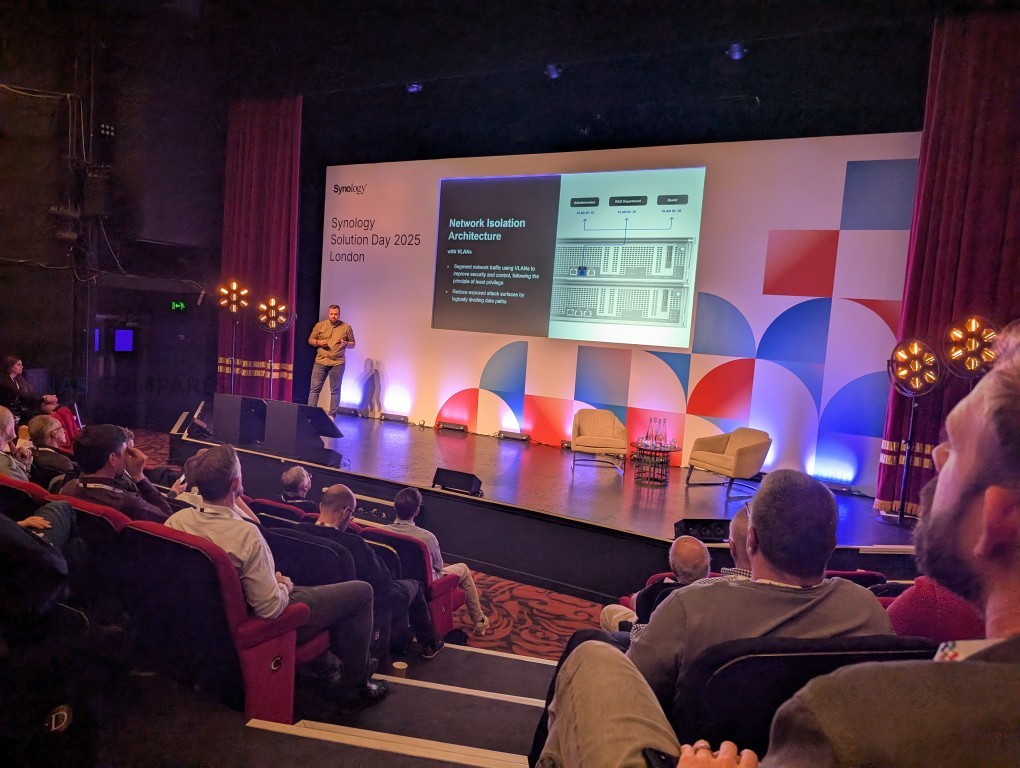
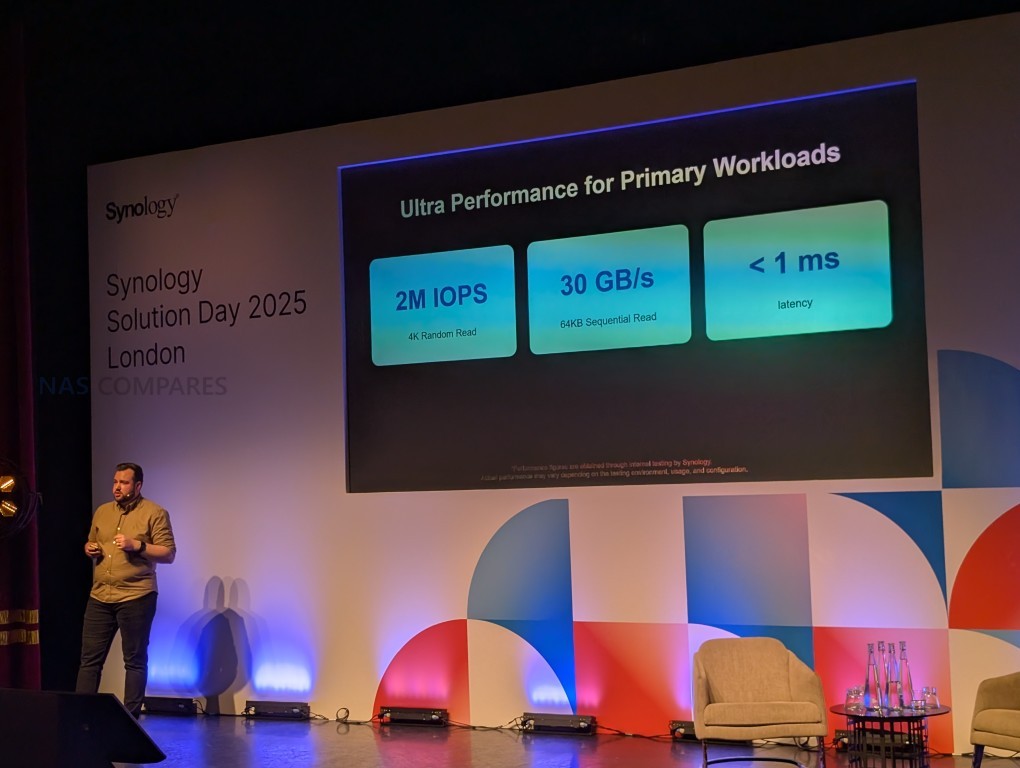
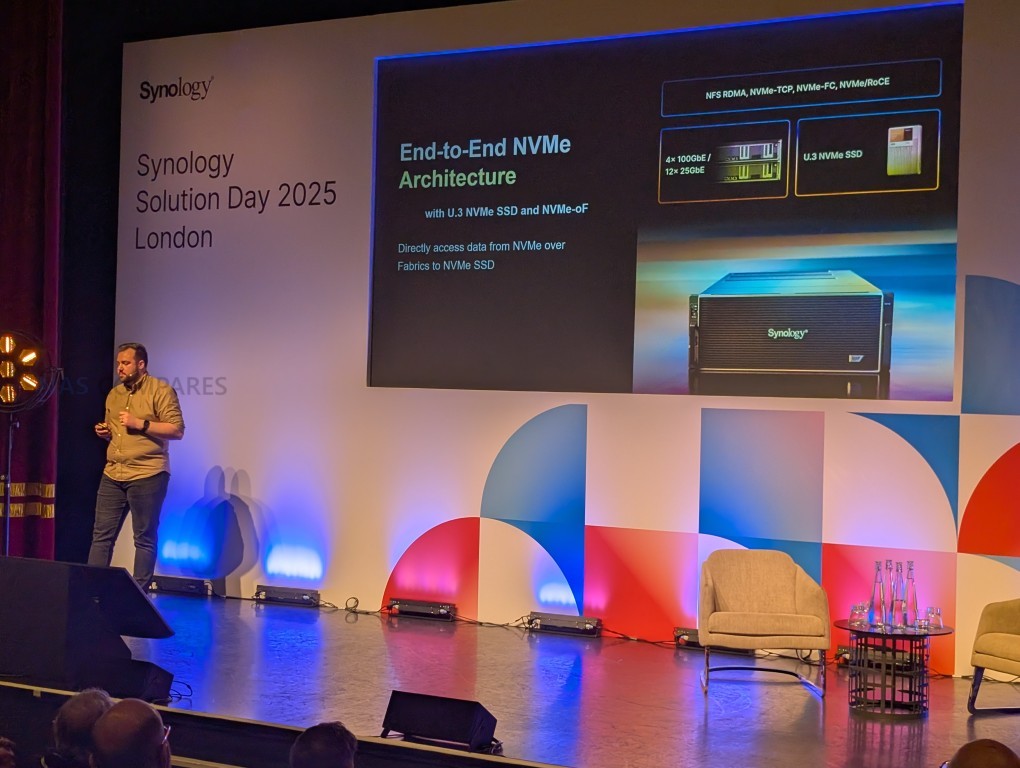
At the performance end, Synology presented the PAS series, including the PAS 7700 all-NVMe U.3 rackmount system and a 12-bay SATA SSD version. PAS systems run on new Parallel Active Manager software and feature active-active dual controllers, RAID TP (triple parity), rate bitmap rebuilds, and cache protection. Demonstrations covered VDI boot storms, large-scale SQL databases, and EDA simulations, with claims of sub-millisecond latency and throughput in the tens of gigabytes per second. Security measures include network isolation, VLANs, and self-encrypting drives. The GS and PAS series were described as extending Synology’s ecosystem from large-scale archival storage to ultra-low-latency mission-critical workloads, all linked through C2 cloud services, Active Insight monitoring, and policy-driven automation. The company also indicated that further improvements are underway to enhance connectivity between Active Protect appliances and Active Backup devices, enabling more integrated multi-site operations.

The demonstrations of the PAS 7700 system were used to illustrate performance under realistic enterprise workloads. In one scenario, a virtual desktop infrastructure with 1,000 desktops was booted simultaneously to highlight predictable behavior during “boot storm” events. A second demonstration focused on SQL database operations, where over 1,000 concurrent users generated mixed read/write activity, reportedly sustaining more than one million IOPS at approximately one millisecond latency. The third example involved an electronic design automation (EDA) simulation handling around 1,300 jobsets, used to demonstrate the system’s ability to maintain consistent throughput and ultra-low latency under computationally intensive conditions. These scenarios were intended to show how the all-NVMe architecture and active-active controller design could deliver stable, high-performance output across diverse mission-critical environments.

New / in-progress / future items mentioned:

  • GS series (GridStation): scale-out storage, GS3400 unit, up to 48-node clusters and 11.5 PB per cluster, managed by GridStation Manager with Cluster Manager GUI.

  • PAS series: new enterprise rackmount systems, including the PAS 7700 all-NVMe U.3 48-bay system and a 12-bay SATA SSD version, with active-active controllers.

  • Parallel Active Manager software: new management layer for PAS systems.

  • Planned improvements to connectivity between Active Protect and Active Backup devices for enhanced multi-site integration.

Synology Surveillance Station, New DVA3000, DVA7400, Synology SD Card, Switches and More

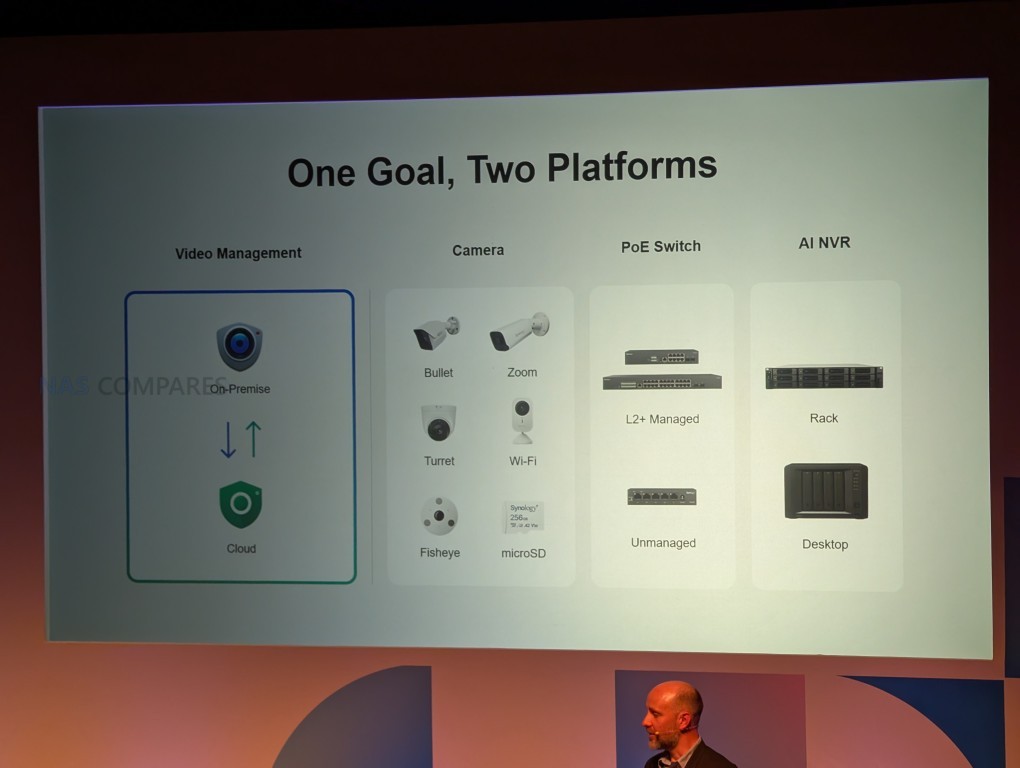
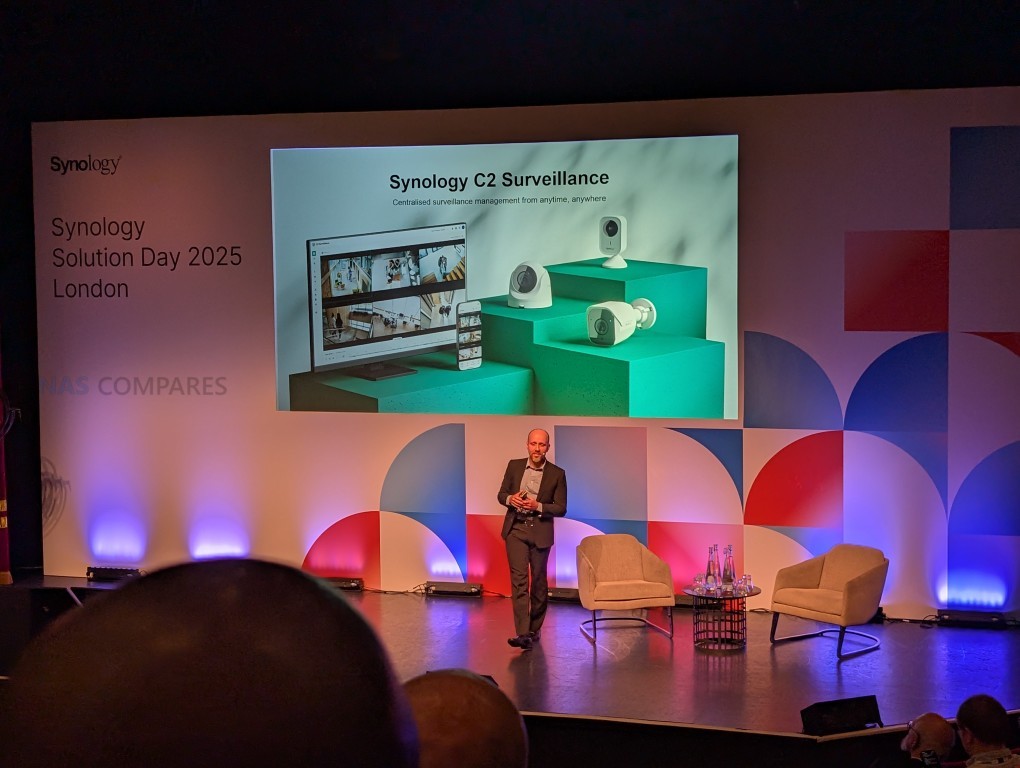
This section outlined Synology’s surveillance strategy, built on two platforms: the on-premises Surveillance Station VMS and the new cloud-based Synology C2 Cloud VSaaS. Both are designed to scale across large environments, with CMS central management tested at around 3,000 hosts and 30,000 cameras, and real-world deployments exceeding these figures. Features include open APIs for third-party integration, drag-and-drop monitoring, E-maps, and bulk provisioning tools for rapid deployment.

AI capabilities are available on-camera and on-appliance, with functions such as people/vehicle detection, face recognition, license plate recognition, dynamic mosaic (privacy blurring), and smoke detection. An upcoming semantic video search will enable natural-language style queries across historical footage, and is cited as one reason for higher-capacity DVA models.

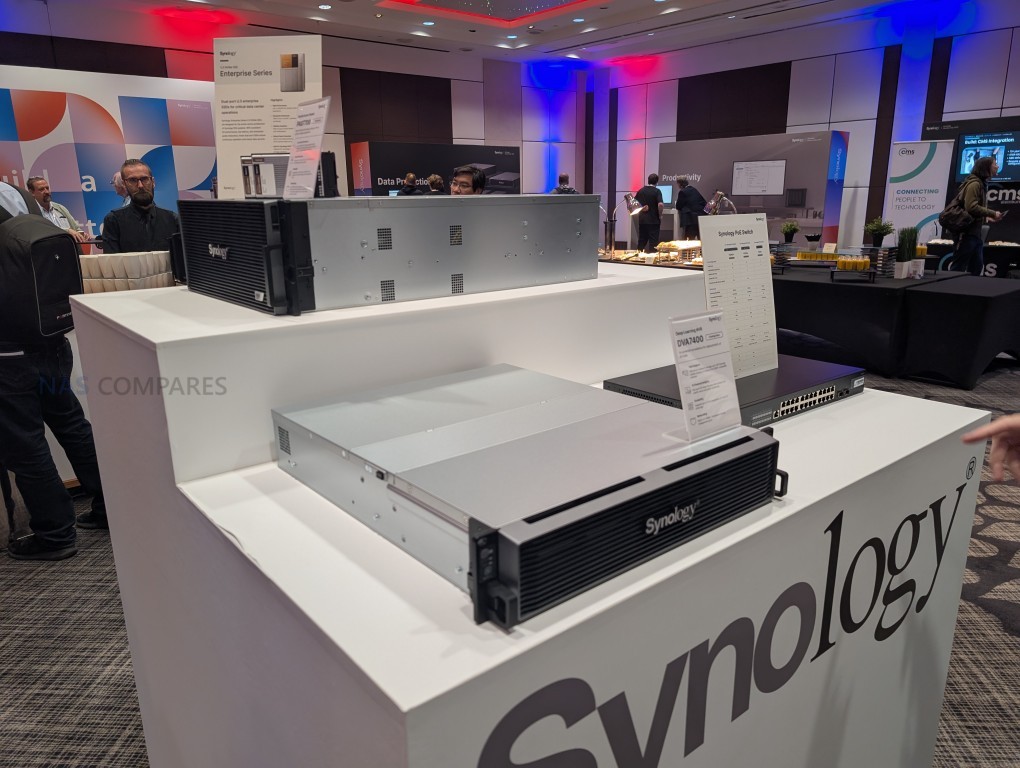
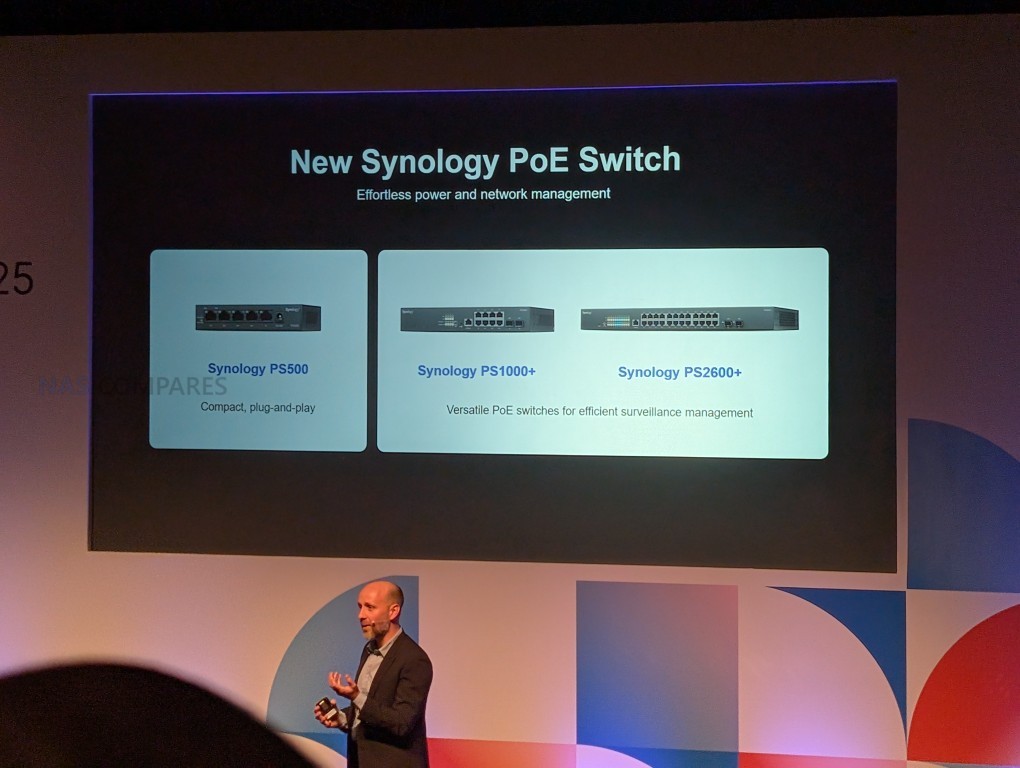
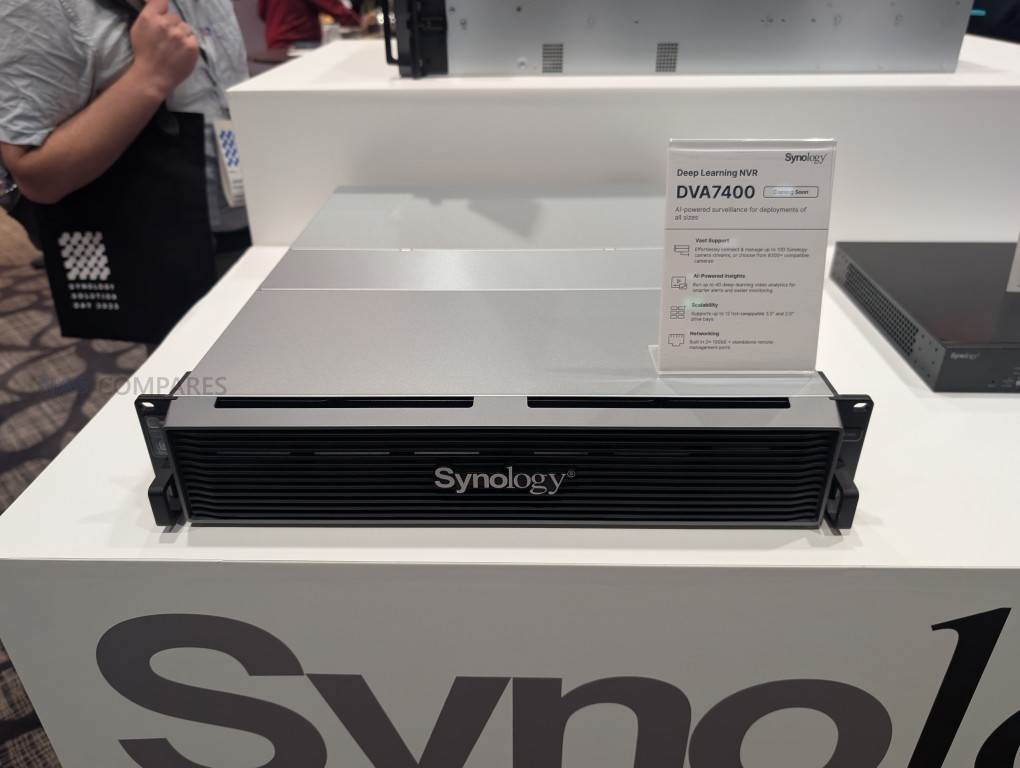
New hardware introduced includes the DVA3000 (4-bay, 40 cameras, 6 AI tasks) and the DVA7400 (12-bay rackmount, up to 100 cameras, 40 AI tasks, with a GPU included), both expected in early 2026. Additional components include three PoE switches and an industrial-grade microSD card designed for continuous edge recording and health monitoring, though final specifications such as SD card class remain unconfirmed.

C2 Cloud was described as a cloud-managed surveillance option requiring no local NAS or NVR, with built-in AI analytics, centralized access via browser or mobile, and failover to local peer-to-peer streaming when internet is down. The on-premises and cloud platforms are intended to remain separate at launch, though hybrid interoperability is planned in later updates to unify workflows. Security is built into both models, including encryption, MFA, granular access roles, privacy controls, and a product security incident response team supported by a bug bounty program.

Customer examples ranged from schools and stadiums to large government deployments, highlighting scalability, API-based third-party integration, and operational improvements such as automated crowd counting and smoke detection. Licensing continues to follow Synology’s low-overhead approach for on-prem setups, with cloud plans bundling AI features directly. The roadmap places new cameras in Q4 2025 and the DVA models in early 2026, with hybrid operation features to follow.

When asked directly about the status of hard drive compatibility in the new surveillance systems, including whether support would be limited to Synology-branded HDDs or extend to commonly used models such as WD Purple and Seagate SkyHawk, Synology was unable to provide a clear confirmation. The company indicated that final details on drive verification and supported models for these upcoming surveillance platforms remain under review.

New / in-progress / future items mentioned:

  • DVA3000: 4-bay surveillance appliance, 40 camera feeds, 6 AI operations, expected early 2026.

  • DVA7400: 12-bay rackmount model with GPU, up to 100 cameras and 40 AI tasks, expected early 2026.

  • Upcoming semantic video search: natural-language video query functionality.

  • Three new PoE switches for simplified deployment and management.

  • Industrial microSD card with edge recording and health reporting (specifications still unconfirmed).

  • Synology C2 Cloud(cloud VSaaS): cloud-managed surveillance platform, launching with AI features included.

  • Planned hybrid interoperability between Surveillance Station (on-prem) and C2 Cloud (cloud) in future updates.

Synology and AI – New GPU-Equipped Local AI NAS in Development and More Optional AI Integration in Synology NAS

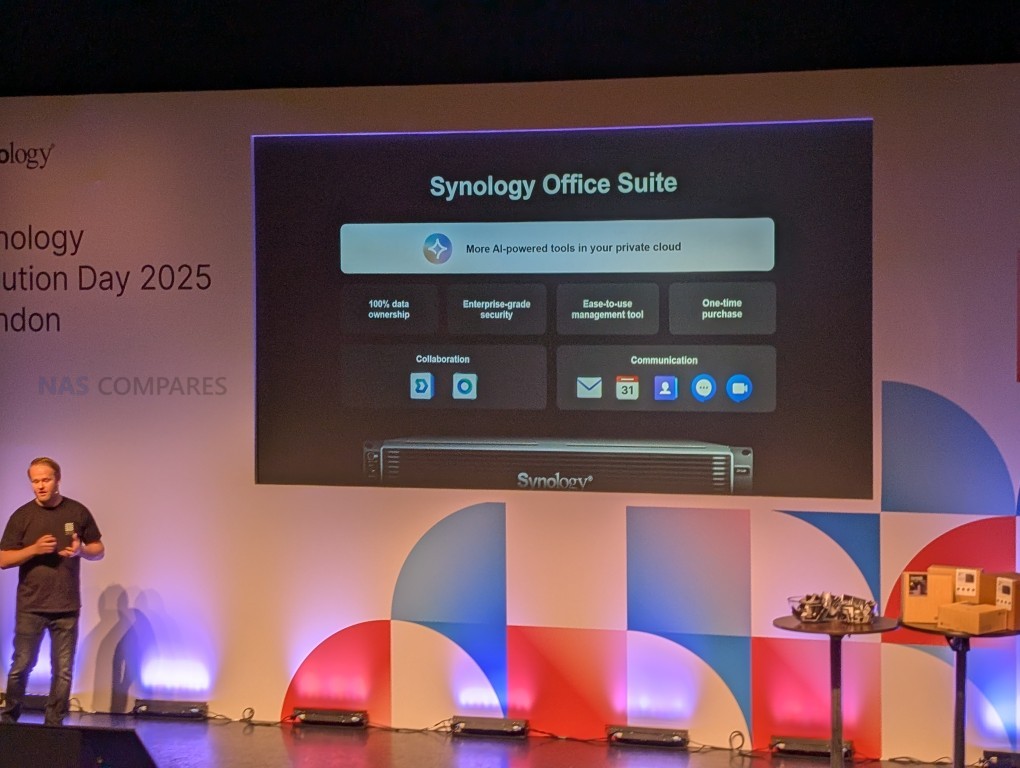
This session focused on Synology’s Office Suite, which is positioned as a private-cloud productivity and communication platform designed to offer enterprises 100% data ownership, on-premises deployment, and long-term cost control. Core services include Drive and Office for file storage and real-time collaboration, Mail Plus for enterprise email, and the upcoming Chat & Meet for messaging and video conferencing. A new AI Console was also introduced, intended to manage and audit AI usage within the suite. The platform targets organizations concerned about rising cloud subscription costs—especially with Microsoft’s announced October 2025 price increases—data sovereignty, and security risks introduced by unsanctioned use of generative AI. Adoption figures cited include over 600,000 businesses and 80 million users.

Synology Drive and Office were presented as tools for structured file management and collaborative editing of documents, spreadsheets, and presentations. Features include file requests, configurable link sharing, audit logs, watermarking, and remote wiping. A case study from Yonsei University Medical Center highlighted the replacement of a Windows-based file system with Synology Drive, enabling centralized permission management, endpoint oversight, and synchronization across 15,000 employee devices. Mail Plus adds enterprise-grade email features, such as domain sharing for multi-site deployments, active-active clustering for high availability, delegated role management, auditing, and moderation workflows. Together, these services are designed to offer core collaboration and communication functions while preserving organizational control of data and infrastructure.

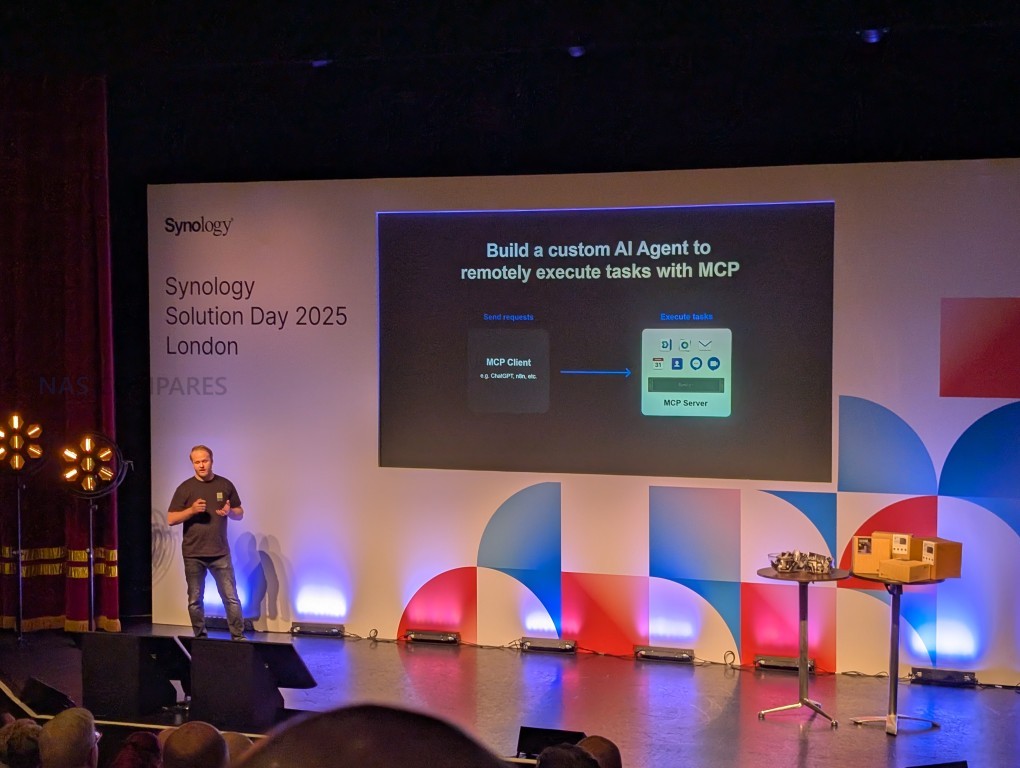
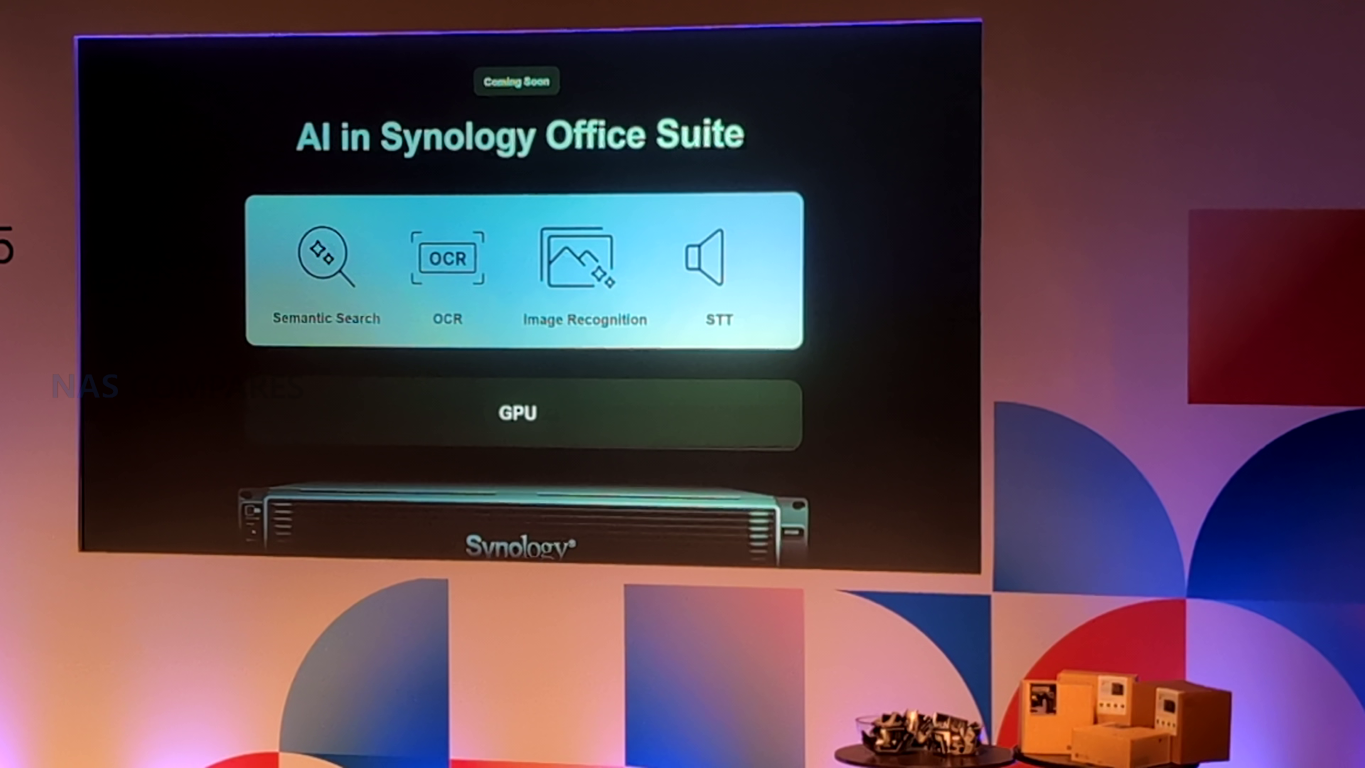
The roadmap extends the suite with Chat & Meet, an on-premises platform for real-time messaging and video conferencing. It is designed to support over 10,000 simultaneous chat users and 7,000 video participants, integrating channels, group messaging, and video sessions into a single interface. Administrative tools include permission management and migration utilities to ease transitions from existing platforms. Parallel to this, Synology is introducing the AI Console, which addresses risks such as content injection, jailbreaks, and data leakage by providing de-identification, provider management, permission settings, and auditing. The console will also support on-prem GPU-backed AI models for tasks such as semantic search, OCR, and speech-to-text, and is planned to integrate with OpenAI-compatible and self-hosted LLMs via MSCP.

The overarching message is that Synology is extending its productivity ecosystem to address enterprise concerns about cost, security, and compliance while enabling new collaboration and AI capabilities. The suite’s design emphasizes continuity through high-availability clustering, role-based administration, and unified consoles for policy enforcement and auditing. With the AI Console, Synology seeks to embed governance into AI usage, allowing enterprises to adopt advanced tools without exposing sensitive data to uncontrolled environments. Looking forward, further integration of GPU-enabled AI features and the addition of Chat & Meet mark key developments in Synology’s private-cloud strategy, aimed at providing alternatives to mainstream SaaS ecosystems while maintaining operational control.

New / in-progress / future items mentioned:

  • Chat & Meet: on-premises messaging and video conferencing platform, supporting large-scale deployments.

  • AI Console: centralized AI governance with de-identification, provider management, permissions, and auditing.

  • Planned GPU-backed AI models: semantic search, OCR, image recognition, and speech-to-text.

  • Integration with third-party and on-prem AI servers: OpenAI-compatible and self-hosted models via MSCP.


📧 SUBSCRIBE TO OUR NEWSLETTER 🔔
[contact-form-7]
🔒 Join Inner Circle

Get an alert every time something gets added to this specific article!


Want to follow specific category? 📧 Subscribe

This description contains links to Amazon. These links will take you to some of the products mentioned in today's content. As an Amazon Associate, I earn from qualifying purchases. Visit the NASCompares Deal Finder to find the best place to buy this device in your region, based on Service, Support and Reputation - Just Search for your NAS Drive in the Box Below

Need Advice on Data Storage from an Expert?

Finally, for free advice about your setup, just leave a message in the comments below here at NASCompares.com and we will get back to you. Need Help? Where possible (and where appropriate) please provide as much information about your requirements, as then I can arrange the best answer and solution to your needs. Do not worry about your e-mail address being required, it will NOT be used in a mailing list and will NOT be used in any way other than to respond to your enquiry. [contact-form-7] TRY CHAT Terms and Conditions
If you like this service, please consider supporting us. We use affiliate links on the blog allowing NAScompares information and advice service to be free of charge to you.Anything you purchase on the day you click on our links will generate a small commission which isused to run the website. Here is a link for Amazon and B&H.You can also get me a ☕ Ko-fi or old school Paypal. Thanks!To find out more about how to support this advice service check HEREIf you need to fix or configure a NAS, check Fiver Have you thought about helping others with your knowledge? Find Instructions Here  

 
Or support us by using our affiliate links on Amazon UK and Amazon US
    
 
Alternatively, why not ask me on the ASK NASCompares forum, by clicking the button below. This is a community hub that serves as a place that I can answer your question, chew the fat, share new release information and even get corrections posted. I will always get around to answering ALL queries, but as a one-man operation, I cannot promise speed! So by sharing your query in the ASK NASCompares section below, you can get a better range of solutions and suggestions, alongside my own.

☕ WE LOVE COFFEE ☕

 
Where to Buy a Product
amzamexmaestrovisamaster 24Hfree delreturn VISIT RETAILER ➤ 
amzamexmaestrovisamaster 24Hfree delreturn VISIT RETAILER ➤

If you like this service, please consider supporting us.
We use affiliate links on the blog allowing NAScompares information and advice service to be free of charge to you. Anything you purchase on the day you click on our links will generate a small commission which is used to run the website. Here is a link for Amazon and B&H. You can also get me a ☕ Ko-fi or old school Paypal. Thanks! To find out more about how to support this advice service check HERE   If you need to fix or configure a NAS, check Fiver   Have you thought about helping others with your knowledge? Find Instructions Here  

☕ WE LOVE COFFEE ☕

Or support us by using our affiliate links on Amazon UK and Amazon US
     

❌