Vue lecture

Il y a de nouveaux articles disponibles, cliquez pour rafraîchir la page.

UniFi Black Friday Deals – Switches, Gateways and Cameras

Black Friday 2025 UniFi Networking and Surveillance Deals

Black Friday 2025 has arrived and UniFi has rolled out some of its biggest price reductions in years across gateways, switches, access points, and cameras. Several flagship products have dropped far below their usual pricing, including the Dream Wall falling to $599, the Enterprise 48 PoE now $999, and the U6 Enterprise In Wall reduced to $199. Even the more affordable tiers see dramatic cuts, with models such as the FlexHD and nanoHD dropping to $69 and the G5 Pro camera slashed to $199. This year’s lineup mixes current generation hardware with discounted legacy units, giving buyers at every scale a clear upgrade path whether they are refreshing a home network or expanding a full UniFi deployment. The sections that follow break down each device category and highlight what you gain from the reduced pricing so you can decide which upgrades offer the strongest value during this short Black Friday window.


Best UniFi Black Friday Deals – The UniFi Dream Router 7 & Gateway Fiber

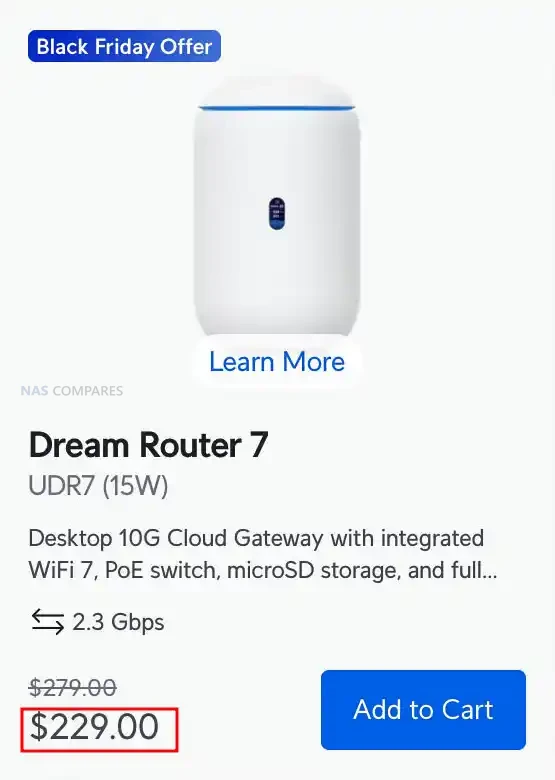
The Dream Router 7 and the Gateway Fiber stand out as UniFi’s strongest Black Friday 2025 offers, especially given their large price cuts. The Dream Router 7 drops to $229 from $279 and brings a full UniFi controller, WiFi 7, a 10G SFP+ WAN port, a 2.5GbE WAN port, four LAN ports with one PoE output, and integrated NVR storage via microSD. It supports the full UniFi application suite and can manage 30+ devices while handling 300+ clients on its 2.4GHz, 5GHz, and 6GHz radios. Security and routing features include a stateful firewall, L7 filtering, IDS and IPS with 20,000+ signatures through CyberSecure, advanced NAT, SD-WAN, and VPN support for WireGuard, Teleport, IPsec, and OpenVPN. With coverage up to 160 square metres and a compact desktop design, it offers a complete all in one gateway and controller at a much lower cost, making it an easy upgrade for homes or small offices moving to WiFi 7 or multigig internet.

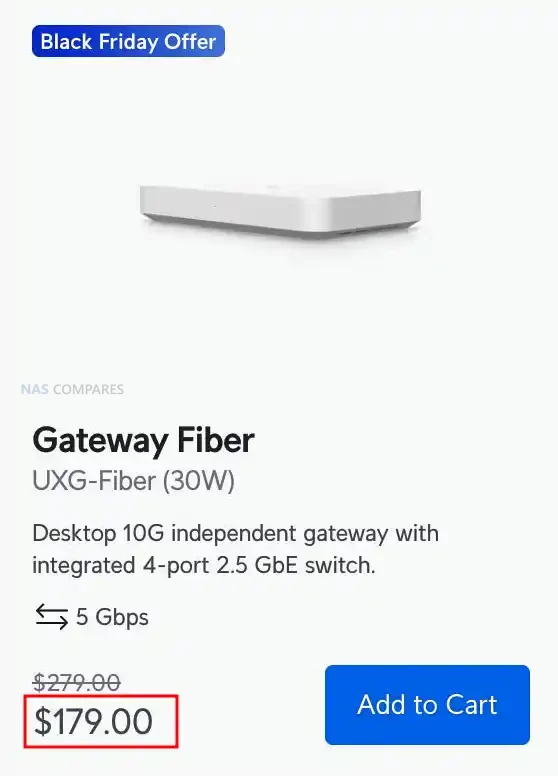
UniFi WiFi 7 2.5G+10G Dream Router UniFi Gateway Fiber 10G/2.5G Gateway

Buyers who want a pure routing device with maximum throughput will find the Gateway Fiber especially strong at its reduced Black Friday price of $179, down from $279. It is an independent 10G gateway designed to be managed through a CloudKey, UniFi Hosting, or a self hosted UniFi Network Server and offers 5Gbps IDS and IPS performance through a quad core Cortex A73 CPU and 2GB of memory. The port layout includes a 10G SFP+ WAN, a 10GbE RJ45 WAN, a 10G SFP+ LAN, and a 4 port 2.5GbE switch with one PoE+ output, which suits multigig fiber setups and high speed switching. Its feature set includes SD-WAN, dynamic routing with OSPF, advanced QoS, mDNS, content filtering, ad blocking, and more than 55,000 CyberSecure signatures. With LTE failover support and a compact footprint, the Gateway Fiber delivers flagship routing at one of the most aggressive price reductions UniFi has offered, making it a strong fit for users who prefer to keep WiFi, switching, and routing as separate modules.


UniFi Cloud Gateway Black Friday Deals

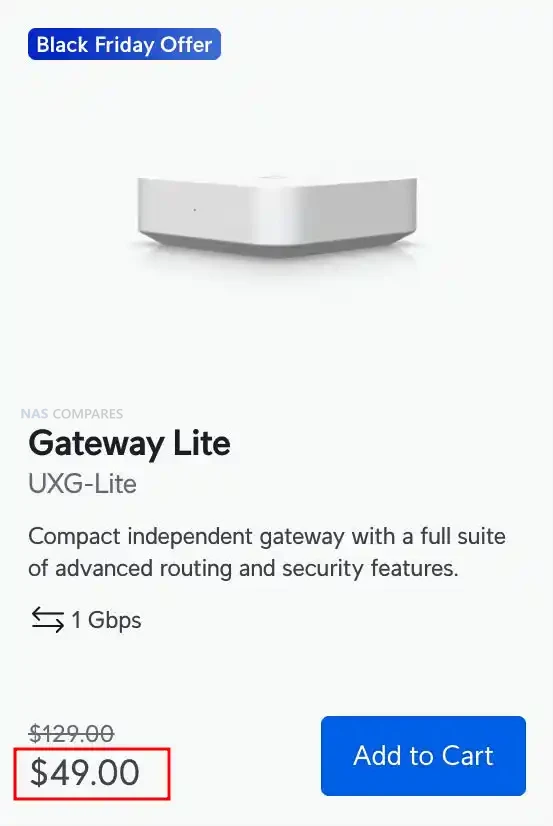
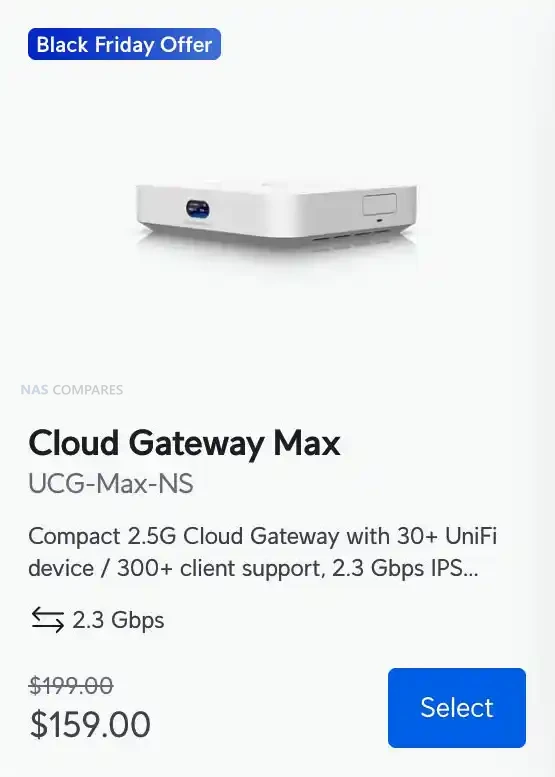
The Cloud Gateway Max, Cloud Gateway Max NS, and Gateway Lite form the most affordable cluster of UniFi Black Friday gateway offers this year. The Cloud Gateway Max drops from $279 to $179 and delivers full UniFi application support with 2.3Gbps IDS and IPS, 2.5GbE WAN, five 2.5GbE LAN ports, and selectable NVMe NVR storage up to 2TB. The NS model follows the same hardware blueprint but arrives at a lower $159 price while retaining 2.3Gbps inspection performance and 30 plus device management. The Gateway Lite stands out as the entry level option at an aggressive $49, down from $129. It offers 1Gbps IDS and IPS, a compact footprint, full UniFi security features, USB C power, and a simple 1GbE WAN plus 1GbE LAN layout, making it ideal for small networks or for replacing an ageing USG.
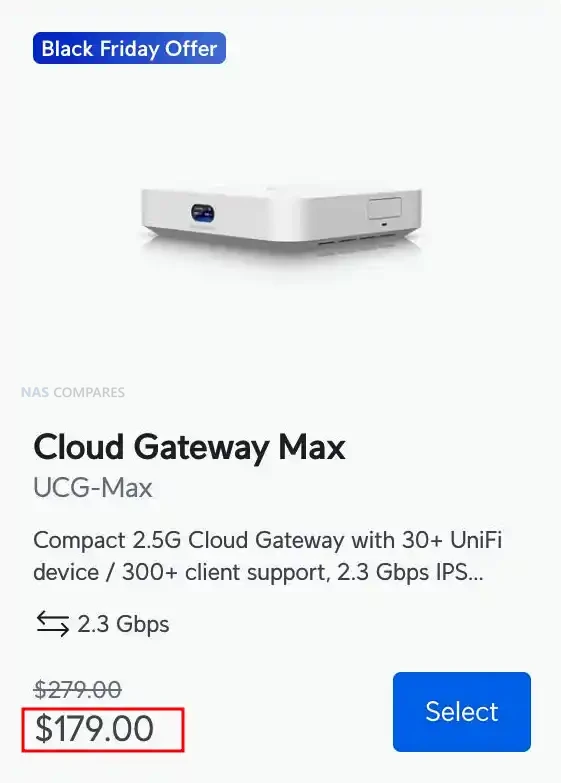
Moving up the stack, the Gateway Fiber and Dream Router 7 provide the strongest mid tier performance jumps in this Black Friday cycle. The Gateway Fiber drops from $279 to $179 and offers 5Gbps IDS and IPS, 10G SFP+ and 10GbE WAN ports, a 10G SFP+ LAN, and a built in 4 port 2.5GbE switch with one PoE+ output. It supports SD WAN, WireGuard, Site Magic, Teleport VPN, OSPF, advanced QoS, and more than 55,000 CyberSecure signatures. The Dream Router 7 falls to $229 from $279 and combines a full UniFi controller with integrated WiFi 7, 10G SFP+ WAN, 2.5GbE WAN, four LAN ports with PoE, and microSD NVR storage. It can manage 30 plus UniFi devices, runs Protect, Access, Talk, and Connect, and handles more than 300 clients with high throughput across 2.4GHz, 5GHz, and 6GHz bands.

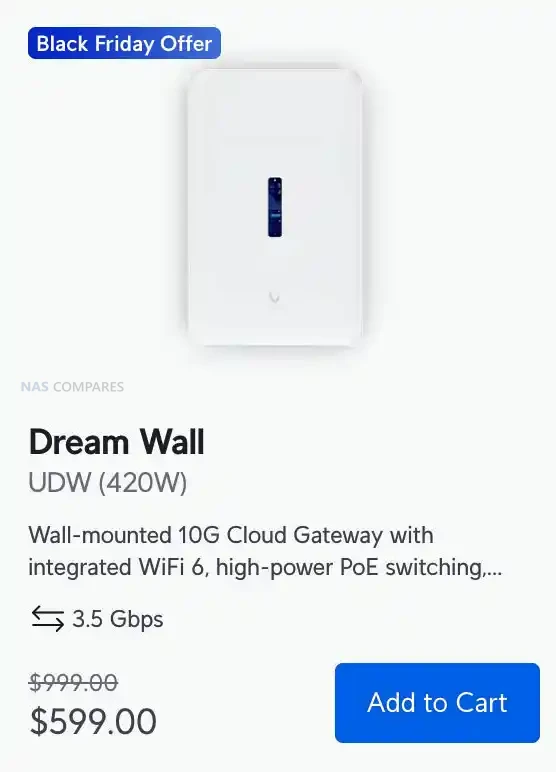
At the premium end, the Dream Wall delivers the largest discount with a drop from $999 to $599 and brings full UniFi application support, integrated WiFi 6, high power PoE switching, and 10G routing in a wall mounted design. It includes 17 1GbE ports, two 10G SFP+ ports, redundant hot swap PSUs, 420W PoE budget, and multiple layers of storage including a 128GB SSD and a 512GB microSD card for NVR use. With 3.5Gbps IDS and IPS, SD WAN, BGP, OSPF, WireGuard, Teleport VPN, and support for more than 100 UniFi devices, the Dream Wall is designed for larger deployments that want a single appliance to run switching, routing, WiFi, security, storage, and all UniFi apps. These six discounted models collectively cover every level of UniFi deployment and represent the strongest lineup of gateway price cuts UniFi has offered for Black Friday 2025.


UniFi WiFI APs for Mesh Black Friday Deals

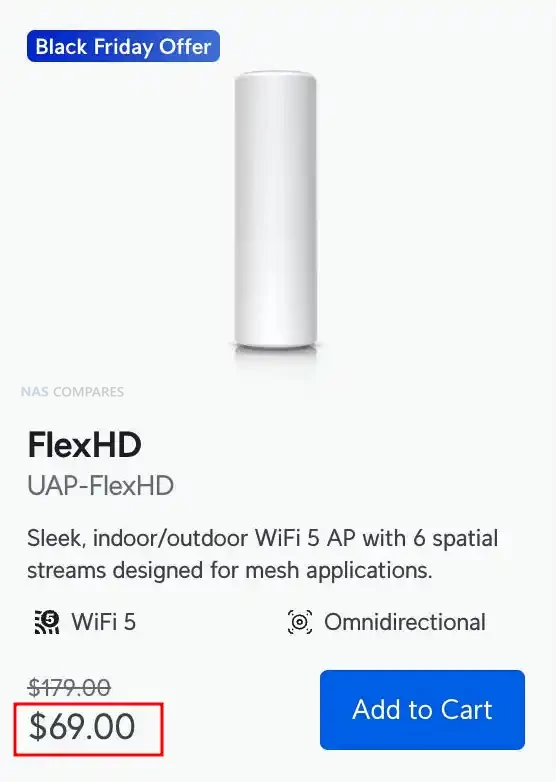
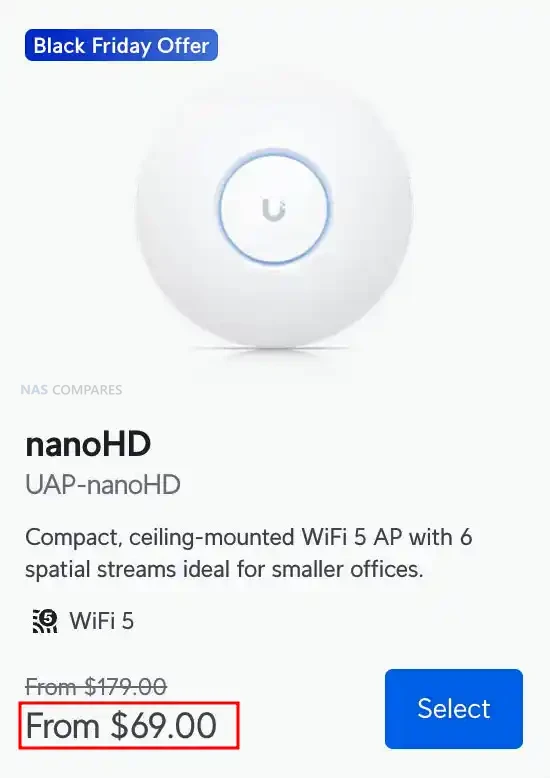
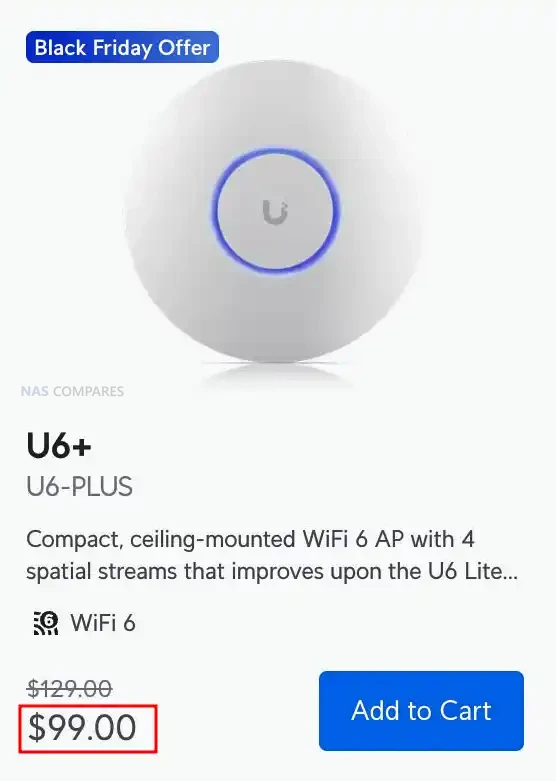
The U6 Plus, FlexHD, and nanoHD form the most affordable set of UniFi access point offers this Black Friday and each one targets a different type of upgrade. The U6 Plus drops to $99 and brings dual band WiFi 6, 4 spatial streams, 2.4Gbps 5GHz throughput, and a 300 plus client capacity in a compact ceiling or wall mounted design. It suits homes and small businesses looking for a modern AP with strong roaming support, PPSK, captive portal options, and full UniFi WiFi management features. The FlexHD falls to $69 and remains one of the most versatile indoor or outdoor mesh units, offering WiFi 5 with 6 spatial streams, 1.7Gbps 5GHz performance, and multiple mounting options that make it easy to extend coverage. The nanoHD also lands at $69 and provides a compact ceiling mounted WiFi 5 solution with 4×4 MU MIMO on 5GHz, up to 1.7Gbps throughput, and a design that blends into most environments, making it ideal for small offices and meeting rooms.
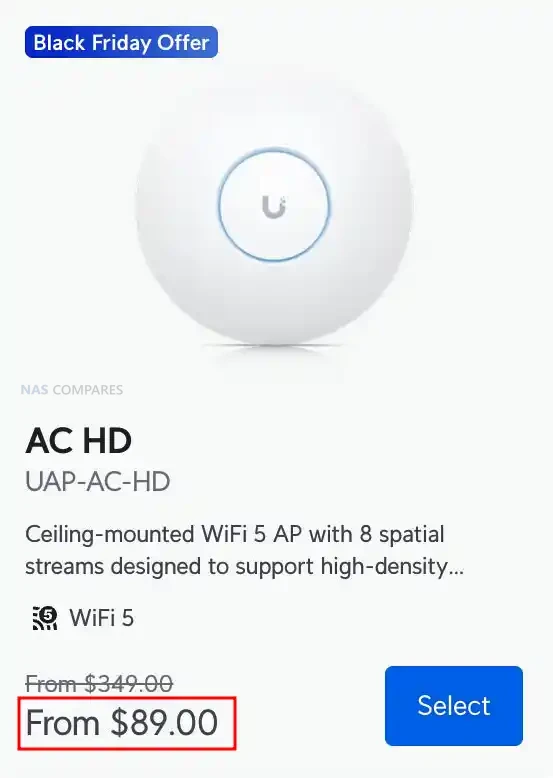
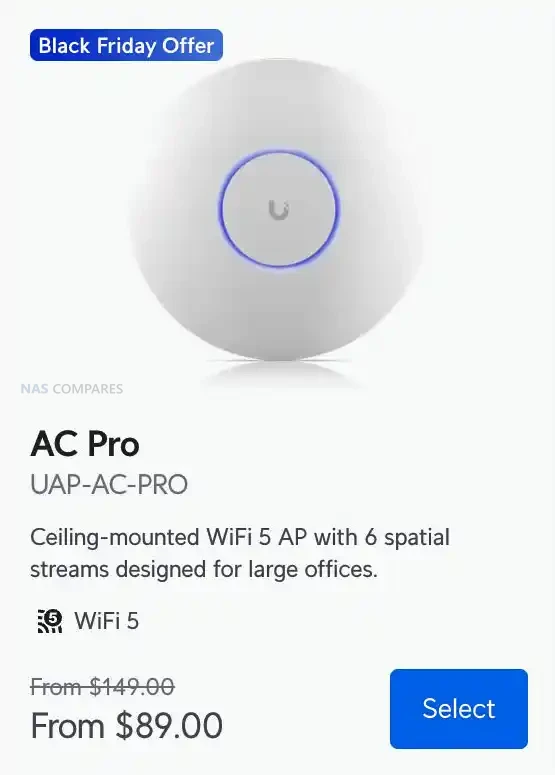
For mid tier deployments, the AC Pro and AC HD both receive strong discounts and remain popular for larger offices or mixed environments. The AC Pro is reduced to $89 and offers dual band WiFi 5, 3×3 MIMO on both radios, 1.3Gbps 5GHz performance, and a proven design that handles 250 plus clients. It includes PoE power, two GbE ports, and full UniFi WiFi features such as fast roaming, band steering, PPSK, and captive portal support. The AC HD now sits at $89 and delivers higher density handling with 8 spatial streams, 4×4 MU MIMO on both bands, 1.7Gbps 5GHz throughput, and support for 500 plus clients. It suits high traffic office floors, learning environments, and large public areas where stable throughput under load matters more than peak bandwidth.
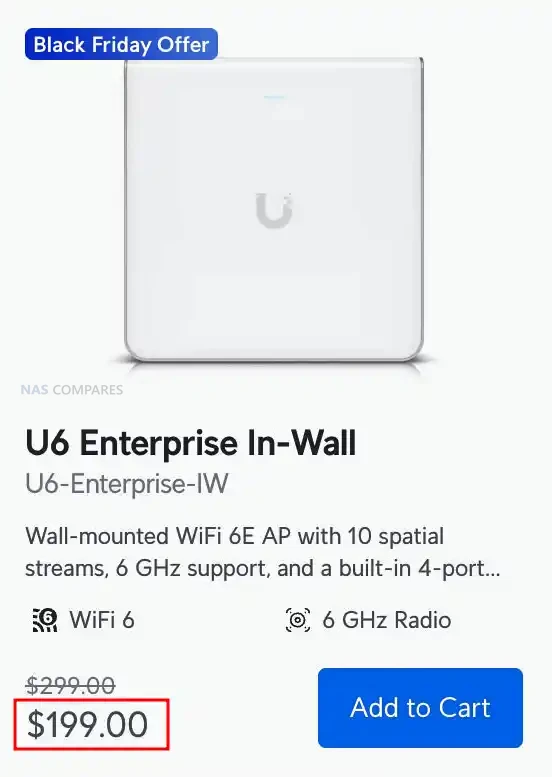
At the top of the lineup, the U6 Enterprise In Wall receives one of the most meaningful reductions with a new price of $199. This model offers WiFi 6E across the 6GHz, 5GHz, and 2.4GHz bands with 10 spatial streams, up to 4.8Gbps on both 6GHz and 5GHz, and support for more than 600 clients. Its built in 4 port GbE switch with PoE output makes it ideal for structured office installs where wall mounted APs double as room level network hubs for desks, phones, or small devices. Fast roaming, RRM, PPSK, RadSec, and advanced portal features place it firmly in the high density business category. Together, these six discounted APs span entry level to enterprise grade coverage and represent UniFi’s strongest Black Friday wireless lineup in several years.


UniFi Network Switch Black Friday Deals

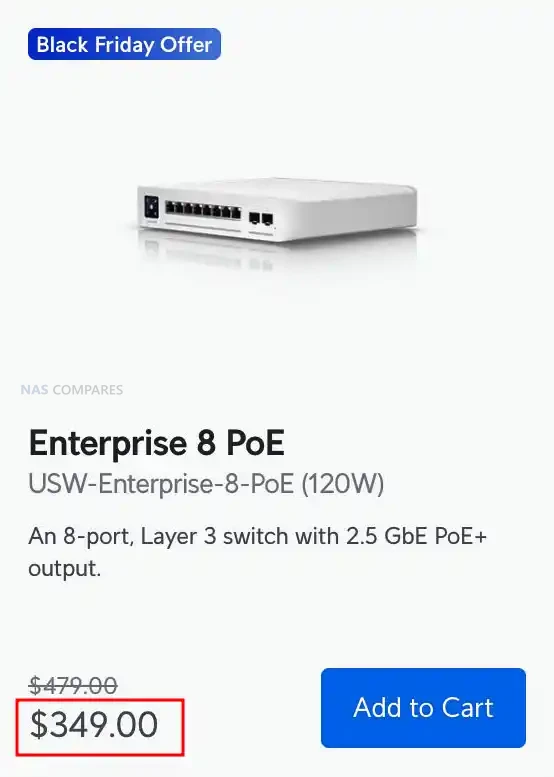
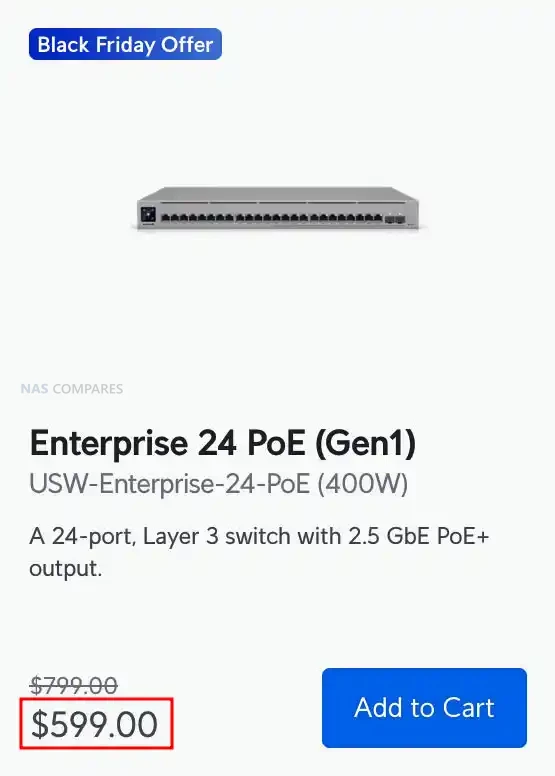
The Enterprise 24 PoE, Enterprise 8 PoE, and Enterprise 48 PoE make up UniFi’s discounted Layer 3 switching lineup for Black Friday 2025 and each model targets a different level of deployment. The Enterprise 24 PoE drops from $799 to $599 and delivers twelve 1GbE PoE+ ports, twelve 2.5GbE PoE+ ports, two 10G SFP+ uplinks, 400W of PoE power, and a 124Gbps switching fabric in a 1U rack chassis. It includes DHCP server and relay, inter VLAN routing, advanced IGMP controls, MAC based ACLs, QoS, and a touchscreen panel with USP RPS backup support. The Enterprise 8 PoE falls to $329 from $479 and provides eight 2.5GbE PoE+ ports with two 10G SFP+ uplinks, 120W of PoE power, and 80Gbps switching performance in a compact desktop form factor. It retains the full Layer 3 feature set including LACP, RSTP, DHCP snooping, port isolation, jumbo frames, and MAC or IP based ACLs, making it suitable for small offices, edge rooms, or multigig AP clusters.
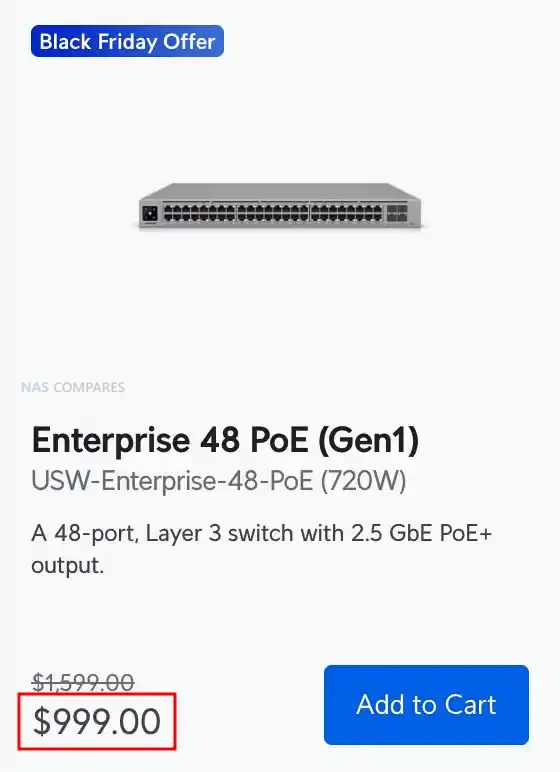
The largest reduction is on the Enterprise 48 PoE which now sits at $999 instead of $1,599 and offers forty eight 2.5GbE PoE+ ports, four 10G SFP+ uplinks, and a substantial 720W PoE budget built for dense AP and camera deployments. It supports a 160Gbps switching fabric, 238Mpps forwarding, LLDP MED, Pro AV profiles, advanced multicast handling, and large routing or MAC tables suitable for campus and high traffic networks. All three switches deliver strong value for Black Friday buyers upgrading to multigig infrastructure, although the two legacy models, the 24 port and 48 port versions, do not meet PoE++ requirements for the new U7 and E7 access points.


UniFi Cameras for Protect Black Friday Deals

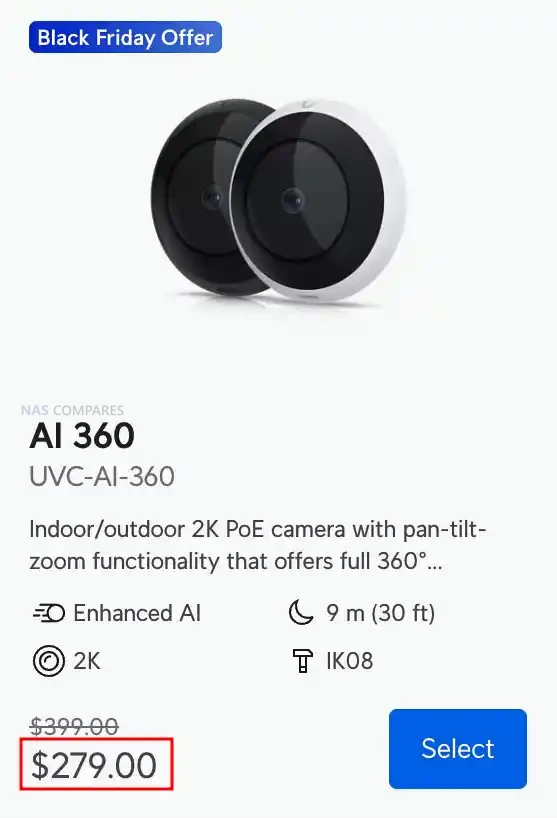
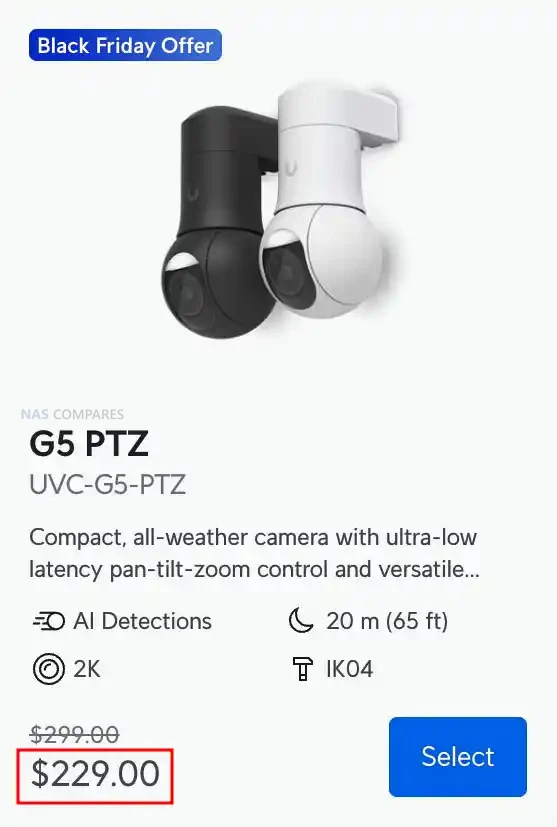
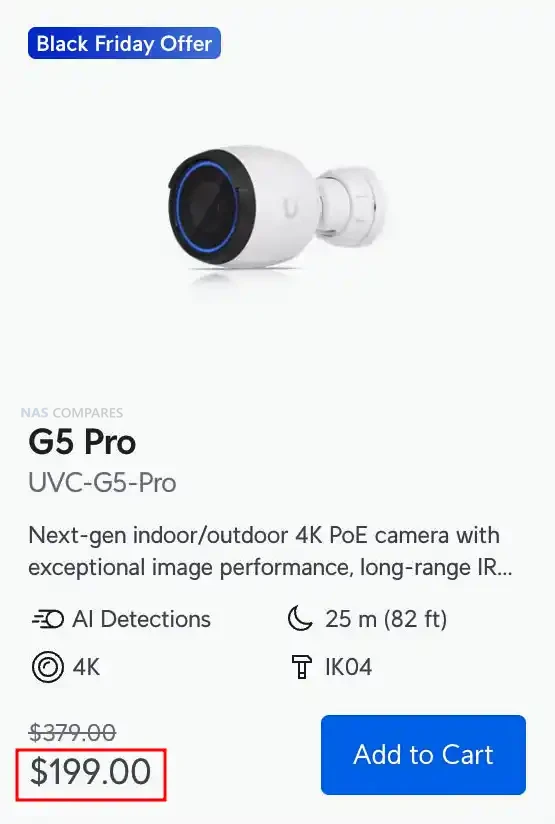
The G5 Pro, AI 360, and G5 PTZ form the front end of UniFi’s discounted camera lineup for Black Friday 2025 and each model targets a different style of coverage. The G5 Pro drops from $379 to $199 and delivers 4K recording with a 3x optical zoom lens, strong daytime clarity, and IR night vision that reaches 25 m or up to 40 m with the Vision Enhancer. It offers people, vehicle, and animal detection, IP65 weather resistance, IK04 impact resistance, and flexible mounting for walls, ceilings, and poles. The AI 360 is reduced from $399 to $249 and provides full 360 degree coverage through a 2K fisheye sensor with pan tilt zoom control handled digitally inside UniFi Protect. It includes two way audio, smart detections, IPX4 weather resistance when covered, and IK08 tamper protection, making it suitable for wide indoor areas, retail spaces, or open office floors. The G5 PTZ falls to $229 from $299 and adds low latency mechanical pan tilt with a 2x optical zoom lens, 20 m IR night vision, and IP66 weather protection, which makes it an option for entry points, driveways, or perimeter paths.
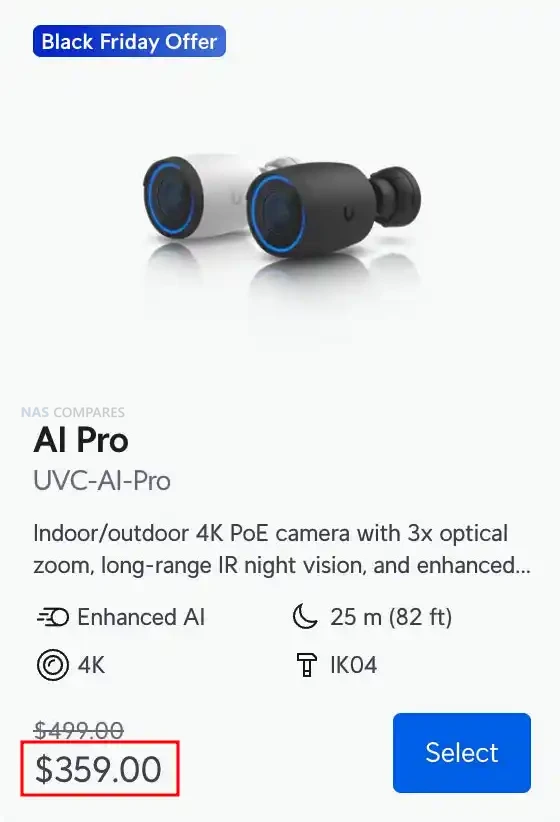
The AI Pro and AI Dome represent the next tier with stronger AI capability and extended detection performance. The AI Pro is discounted from $499 to $359 and delivers 4K resolution, 3x optical zoom, face recognition, license plate recognition, advanced object detection, and up to 40 m IR performance with the Vision Enhancer. It includes two way audio, HDR processing, IP65 weather resistance, and a flexible mounting system for ceilings, walls, and poles. Its 1/1.8 inch 8MP sensor provides higher accuracy in mixed lighting, which makes it suitable for entrances, car parks, or areas requiring reliable plate and face capture. The AI Dome is now $299 instead of $399 and features a vandal resistant IK10 enclosure paired with 4K recording, long range IR up to 40 m, and the same AI recognition capabilities found in the AI Pro. Its dome design suits indoor or sheltered outdoor locations where tamper protection and a clean profile matter.
Across the lineup, every model supports PoE power, onboard image adjustment controls, UniFi smart detections, and full Protect integration with consistent 30 FPS recording. The G5 series offers strong value for users upgrading older 1080p or 2K cameras, while the AI series adds more precise analytics and improved low light performance. The combination of significant price cuts and a wide range of coverage types means this group forms one of the strongest Black Friday camera selections UniFi has presented, covering everything from broad area surveillance to focused zoom capture and high security environments.

📧 SUBSCRIBE TO OUR NEWSLETTER 🔔
[contact-form-7]
🔒 Join Inner Circle

Get an alert every time something gets added to this specific article!


Want to follow specific category? 📧 Subscribe

This description contains links to Amazon. These links will take you to some of the products mentioned in today's content. As an Amazon Associate, I earn from qualifying purchases. Visit the NASCompares Deal Finder to find the best place to buy this device in your region, based on Service, Support and Reputation - Just Search for your NAS Drive in the Box Below

Need Advice on Data Storage from an Expert?

Finally, for free advice about your setup, just leave a message in the comments below here at NASCompares.com and we will get back to you. Need Help? Where possible (and where appropriate) please provide as much information about your requirements, as then I can arrange the best answer and solution to your needs. Do not worry about your e-mail address being required, it will NOT be used in a mailing list and will NOT be used in any way other than to respond to your enquiry. [contact-form-7] TRY CHAT Terms and Conditions

If you like this service, please consider supporting us. We use affiliate links on the blog allowing NAScompares information and advice service to be free of charge to you.Anything you purchase on the day you click on our links will generate a small commission which isused to run the website. Here is a link for Amazon and B&H.You can also get me a ☕ Ko-fi or old school Paypal. Thanks!To find out more about how to support this advice service check HEREIf you need to fix or configure a NAS, check Fiver Have you thought about helping others with your knowledge? Find Instructions Here  

 
Or support us by using our affiliate links on Amazon UK and Amazon US
    
 
Alternatively, why not ask me on the ASK NASCompares forum, by clicking the button below. This is a community hub that serves as a place that I can answer your question, chew the fat, share new release information and even get corrections posted. I will always get around to answering ALL queries, but as a one-man operation, I cannot promise speed! So by sharing your query in the ASK NASCompares section below, you can get a better range of solutions and suggestions, alongside my own.

☕ WE LOVE COFFEE ☕


Super Budget 6 Port 10GbE Managed Switch Review (Is AliExpress Worth it?)

Does this Budget $140 AliExpress 10GbE Switch Deserve Your Data?

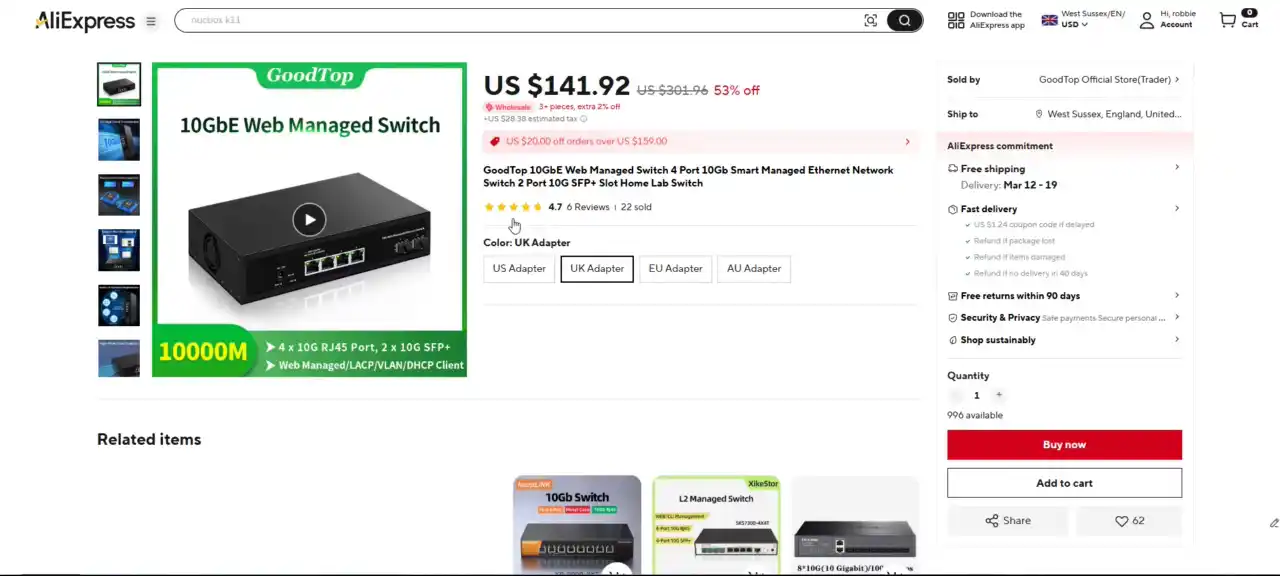
The landscape of 10 Gigabit Ethernet networking has a significant shift over the past few years, with hardware that was once considered enterprise-only gradually trickling down to the consumer and prosumer market. Affordable multi-gig switches, particularly those with 2.5G or SFP-only configurations, are now commonplace. However, the search becomes much more complicated when you’re looking for a compact, budget-friendly 10GbE switch that combines both RJ45 copper and SFP+ fiber ports — and adds basic managed features to the mix. This is precisely where the Goodtop 6-Port 10GbE Managed Switch positions itself, offering four 10GBase-T ports, two SFP+ ports, and a claimed 120Gbps backplane bandwidth, all for around $140 on AliExpress.

At this price point, it’s important to approach products like this with realistic expectations. The Goodtop switch is not aiming to compete with the likes of Cisco, Aruba, or even MikroTik in terms of long-term support or security posture. Like many white-label or lesser-known brands shipping out of China, concerns around firmware transparency, update frequency, and potential vulnerabilities are valid. This is particularly relevant for users planning to expose management interfaces to external networks or integrate these switches into larger, more sensitive environments. Still, for isolated use in lab setups, home networks, or behind firewall-protected infrastructure, devices like this can offer compelling value — if they deliver on core functionality. This review takes a closer look at the Goodtop switch’s physical design, port configuration, internal hardware, software interface, and performance characteristics. Rather than focusing on theoretical specs alone, this analysis is based on hands-on testing to determine where the unit succeeds, where it cuts corners, and what kind of buyer it’s realistically suited for.

Goodtop Budget 6 Port 10GbE Switch Review – Quick Conclusion

The Goodtop 6-Port 10GbE Managed Switch delivers impressive value by combining four 10GBase-T and two 10G SFP+ ports in a compact, low-cost form factor, making it one of the most affordable mixed-media 10GbE switches on the market. It performs reliably under load, supports a full set of essential Layer 2 features like VLANs, link aggregation, and QoS, and provides a practical way for home lab users or small setups to adopt 10G networking without overspending. However, the switch’s low price is reflected in its build quality, fixed-speed noisy fan, and a barebones, unintuitive web interface that may challenge less experienced users. Security features are minimal, with no HTTPS, 2FA, or multi-user support, making it best suited for isolated, firewall-protected environments rather than critical infrastructure. For technically confident users seeking affordable, high-speed connectivity in a controlled setting, the Goodtop switch is a capable and cost-effective option—as long as its limitations are clearly understood.

Need a Budget 10GbE Switch? RECOMMENDED TO BUY:

Goodtop Budget 6 Port 10GbE Switch Review – Design

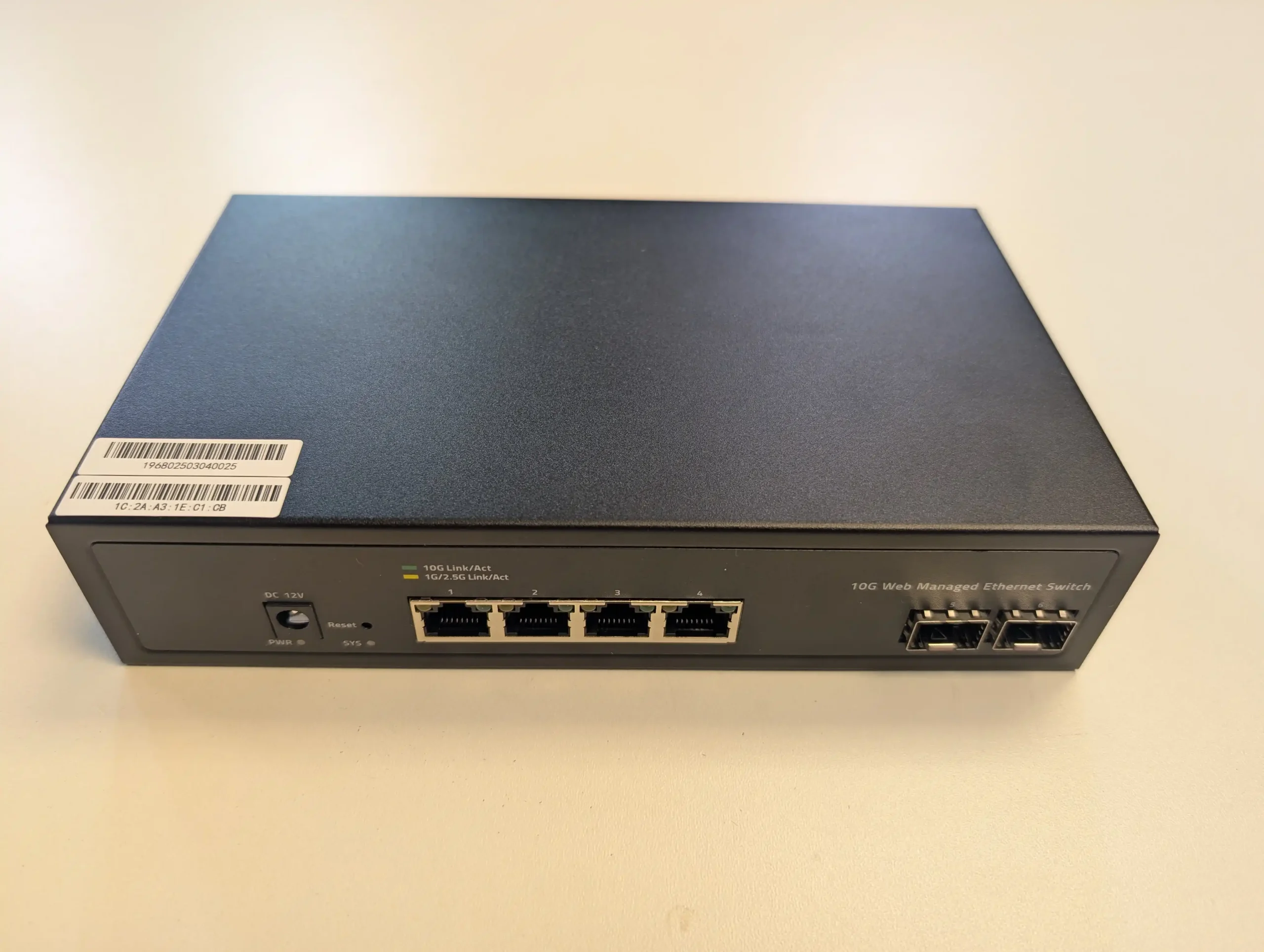
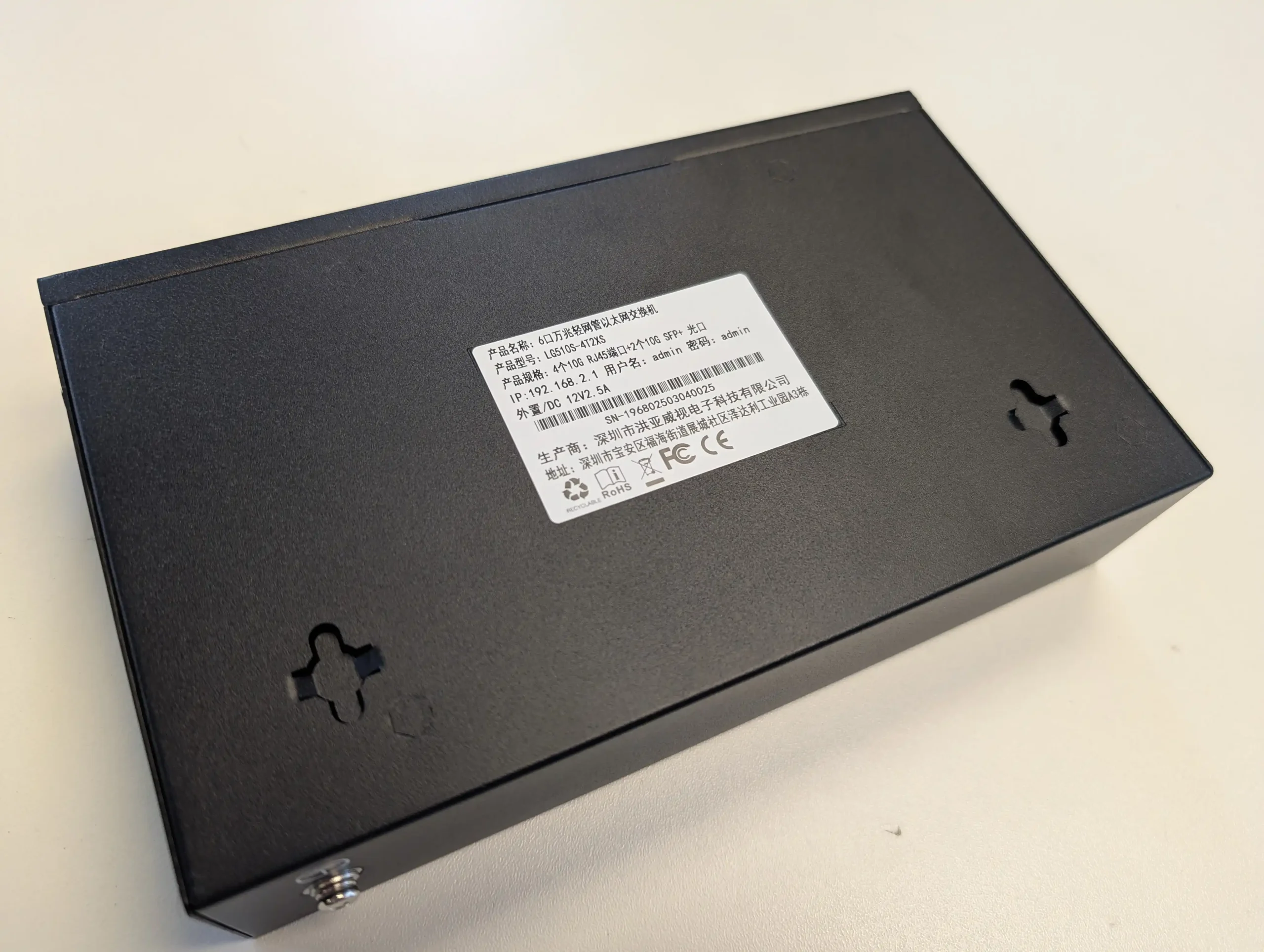
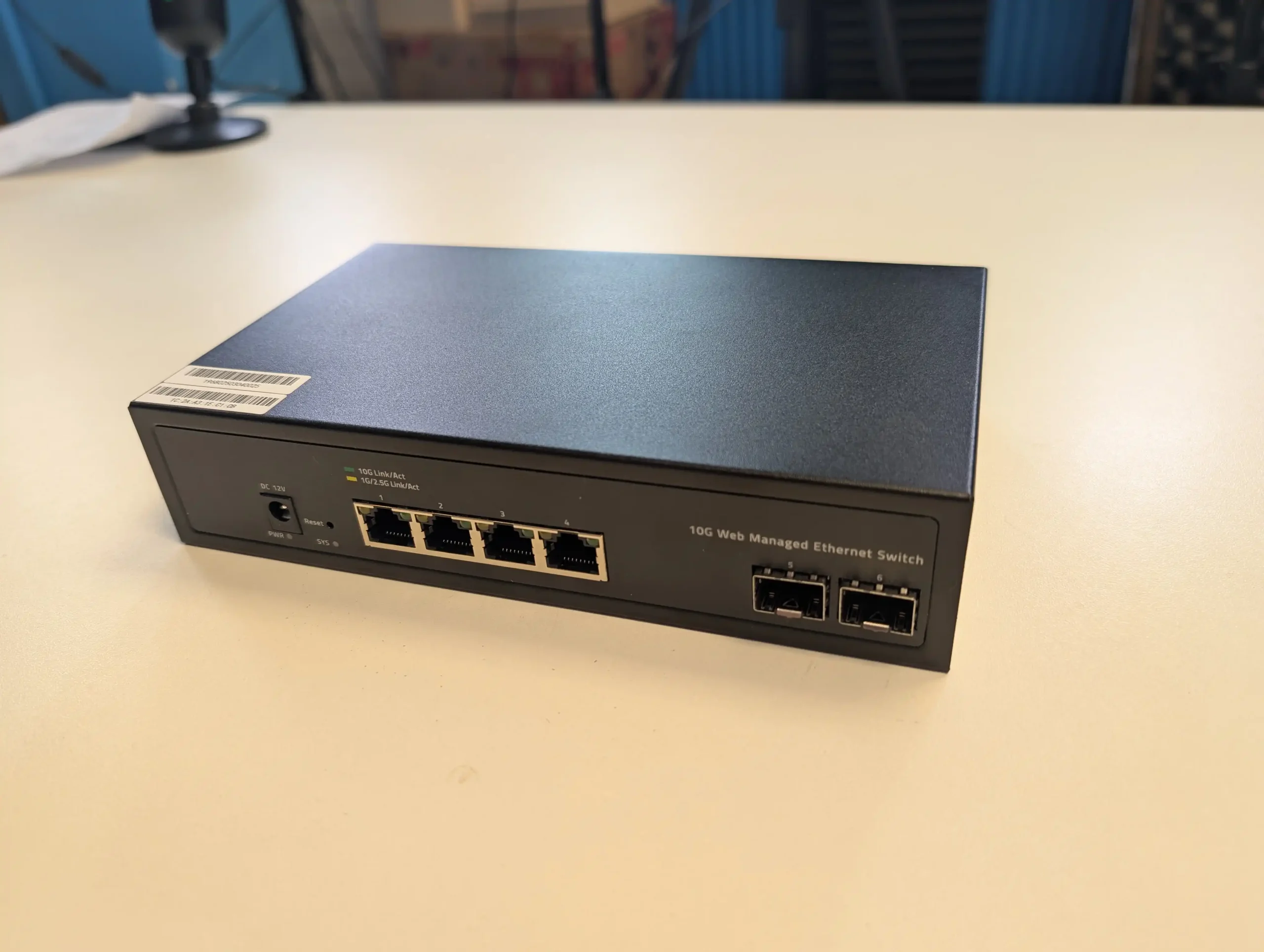
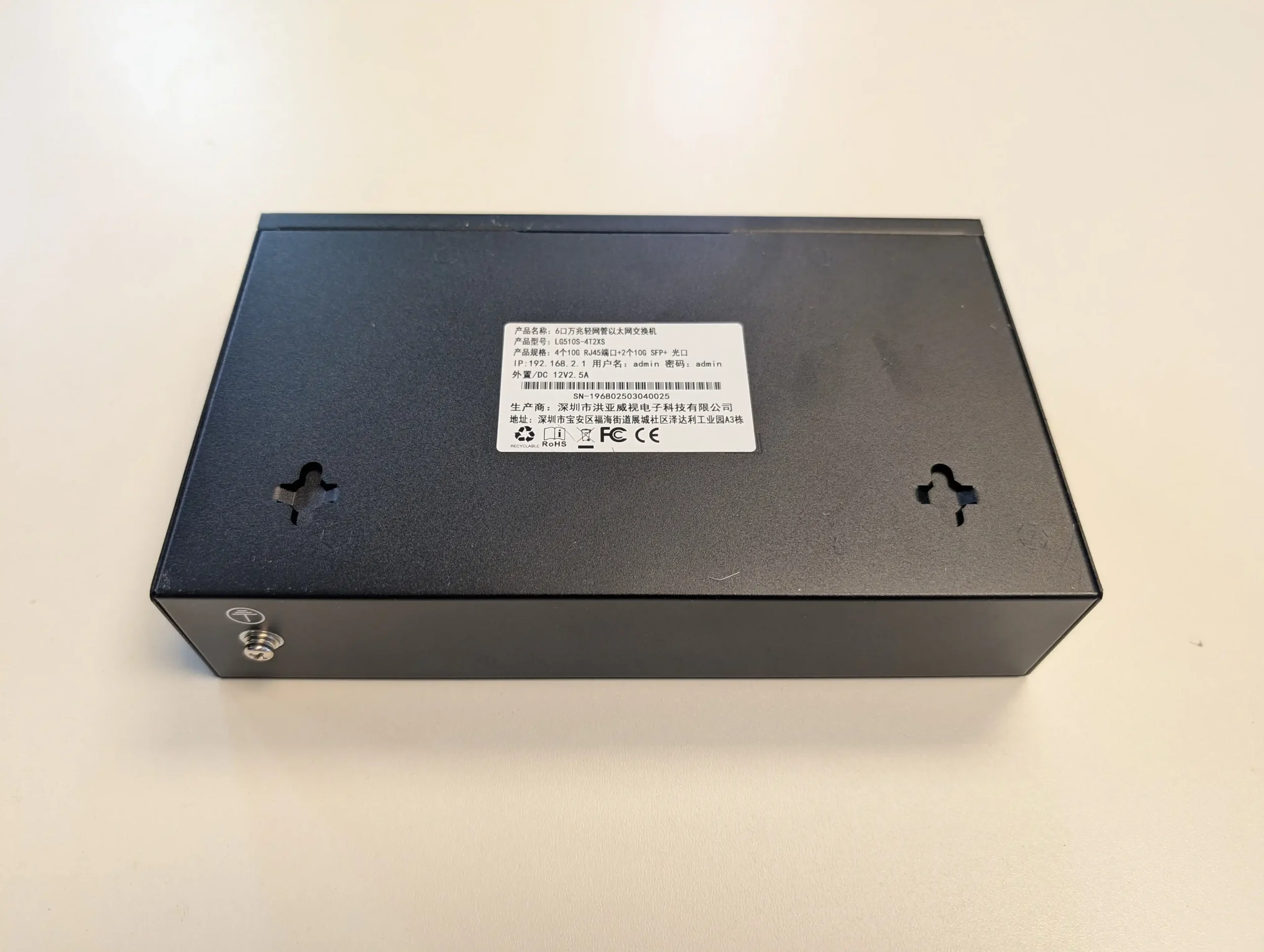
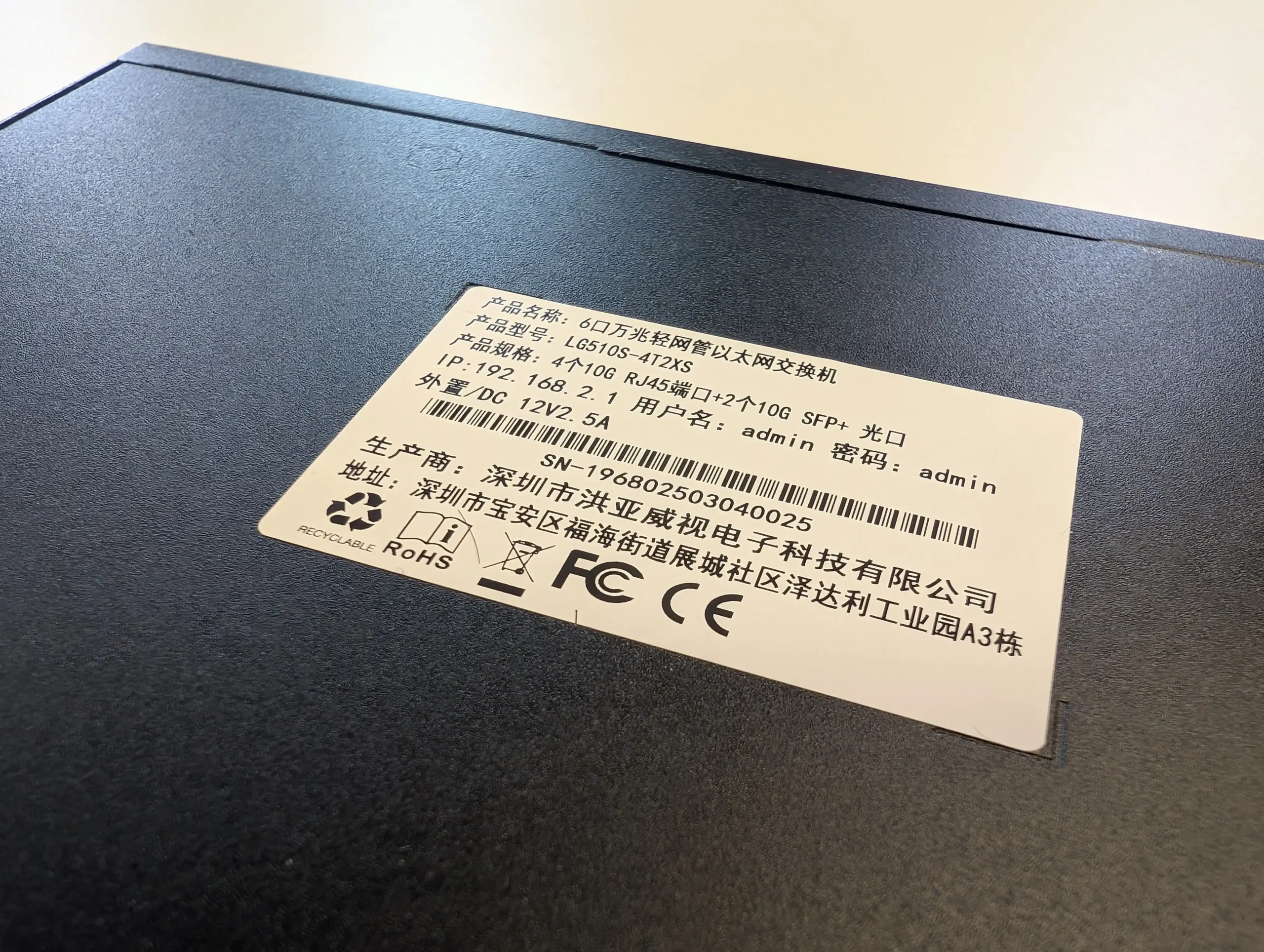
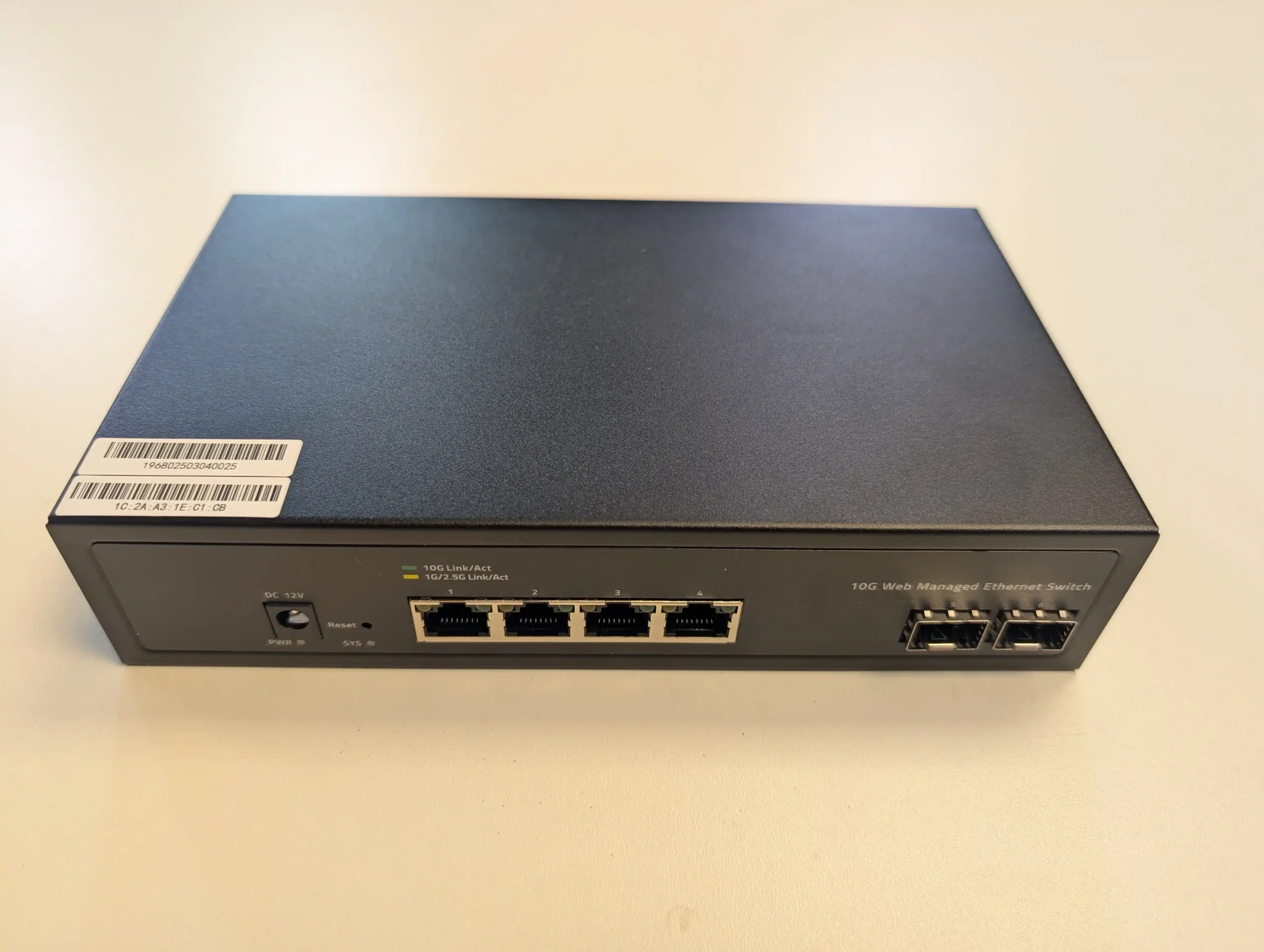
The Goodtop 6-Port 10GbE switch adopts a compact footprint and minimalist industrial design that aligns with many of the budget-friendly networking products emerging from OEMs in the Chinese market. Its chassis measures 200mm x 118mm x 44mm and is constructed from a thin, painted sheet metal. At just under 700 grams, the device is easy to handle and unobtrusive on a desk or shelf. It supports both desktop placement and wall mounting, the latter made possible by a pair of hook points integrated into the casing. While the construction is adequate for light to moderate use, it doesn’t offer the heft or rigidity seen in more enterprise-leaning gear.

There are no rubber feet to reduce surface vibration, nor any rack-mounting ears included by default. The paint finish is clean but basic, and minor flexing of the panels is possible under moderate pressure. These design choices reflect an emphasis on affordability rather than robustness, and users intending to deploy this switch in harsher physical environments may want to consider added enclosure or structural reinforcement. Still, for indoor use where vibration and temperature control are consistent, the physical form is entirely serviceable.

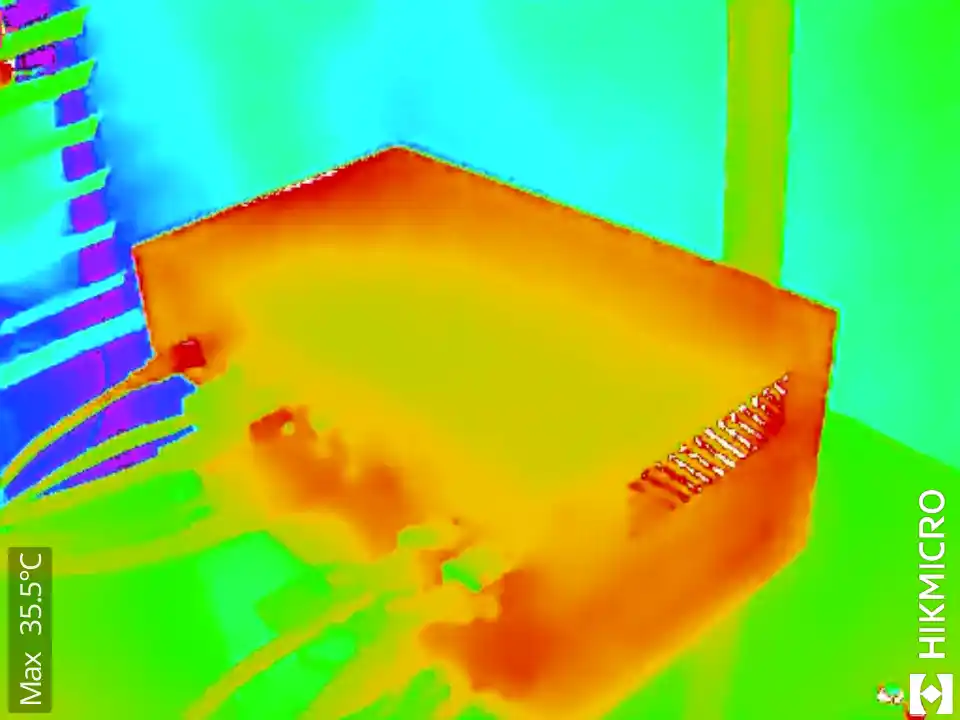
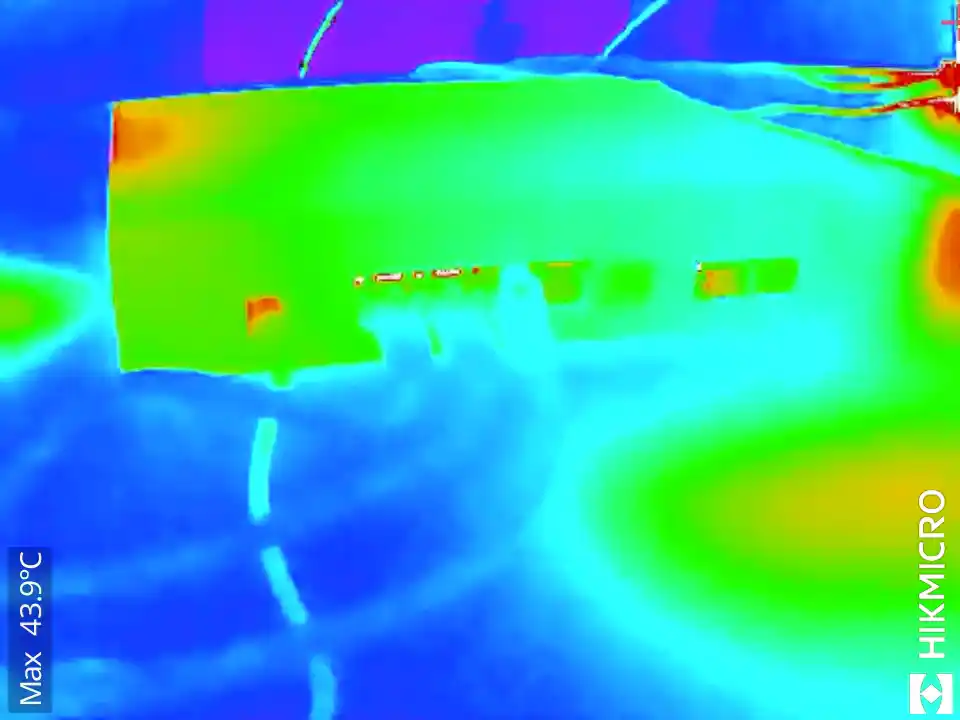
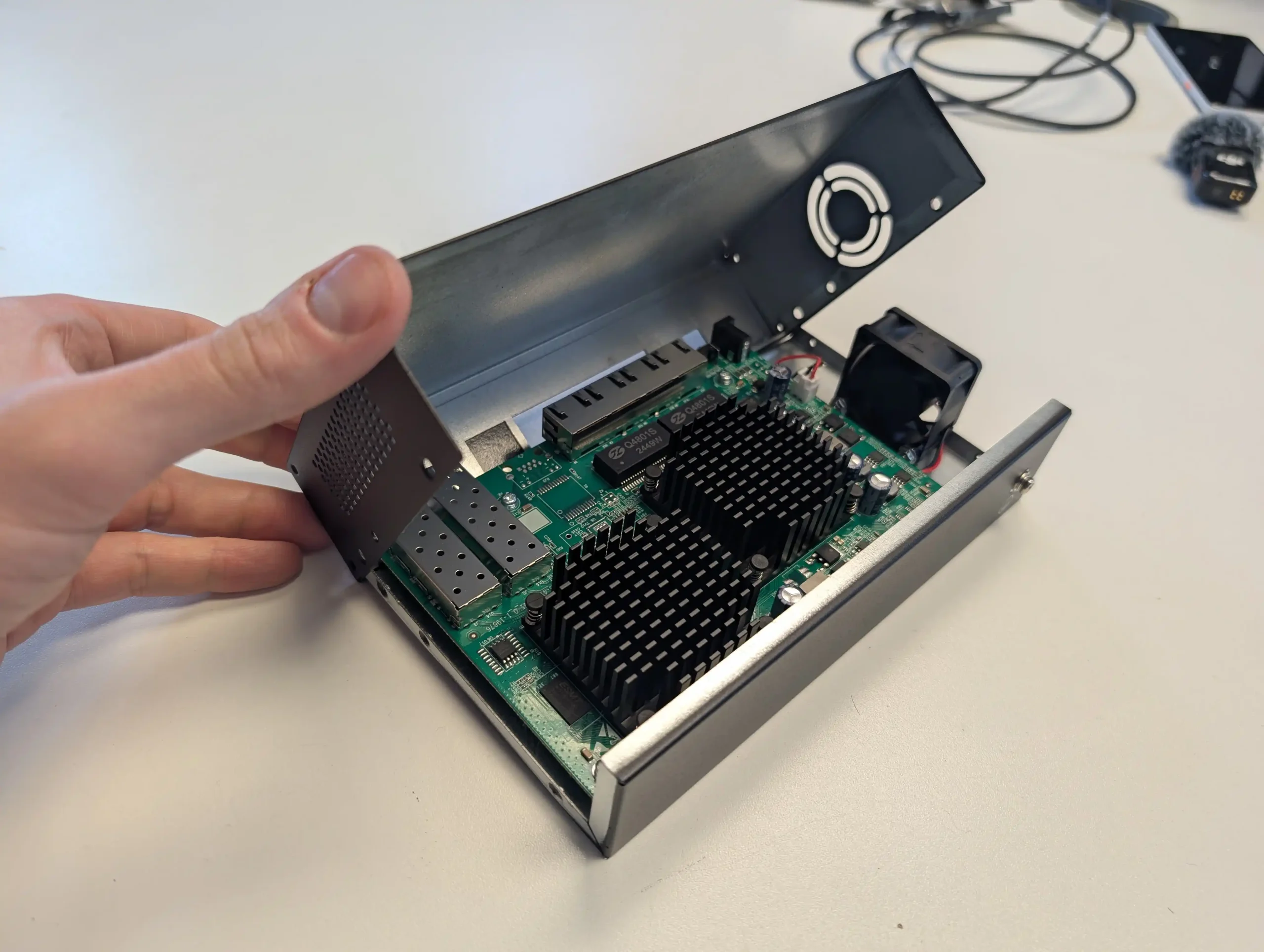
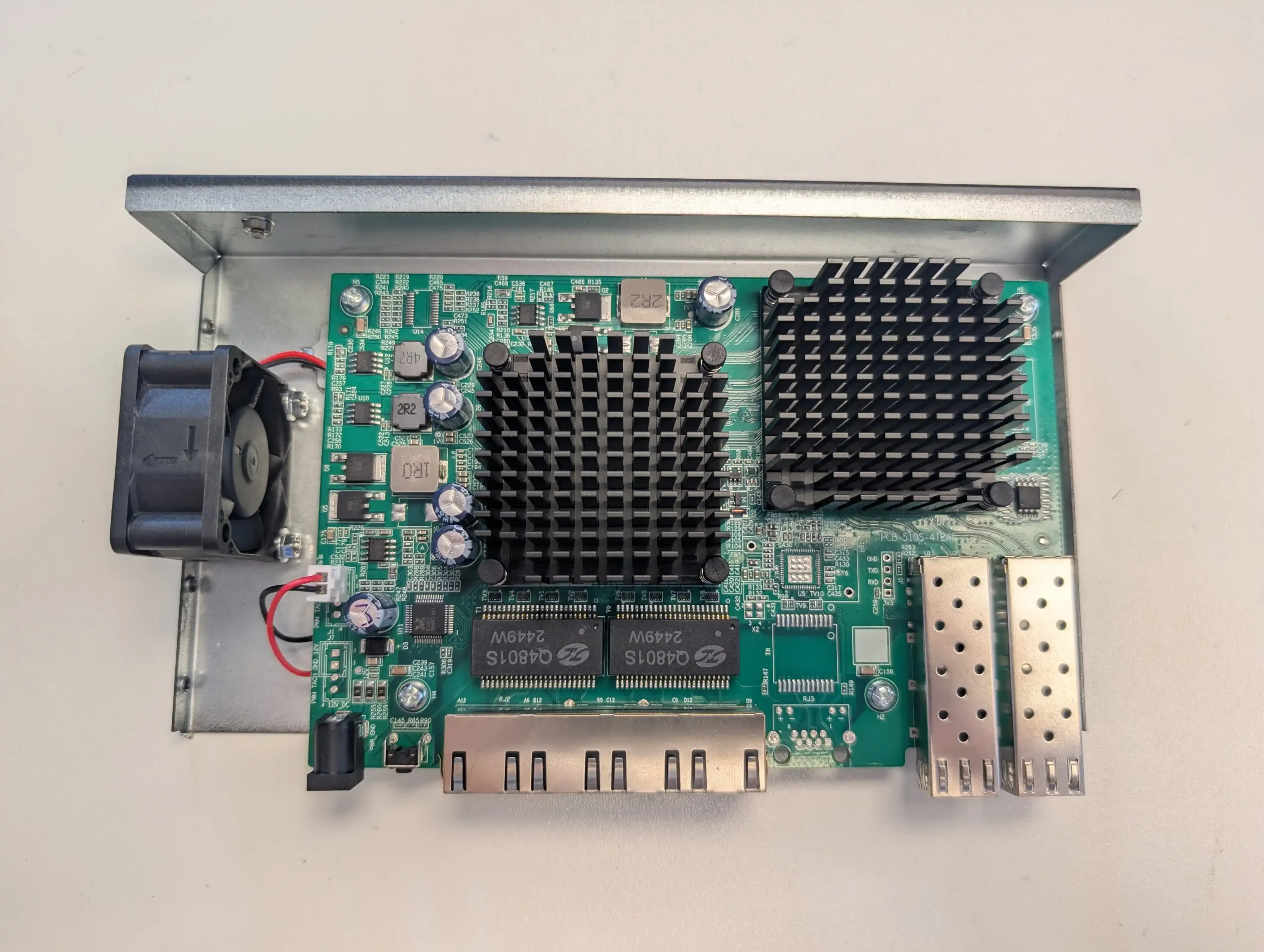
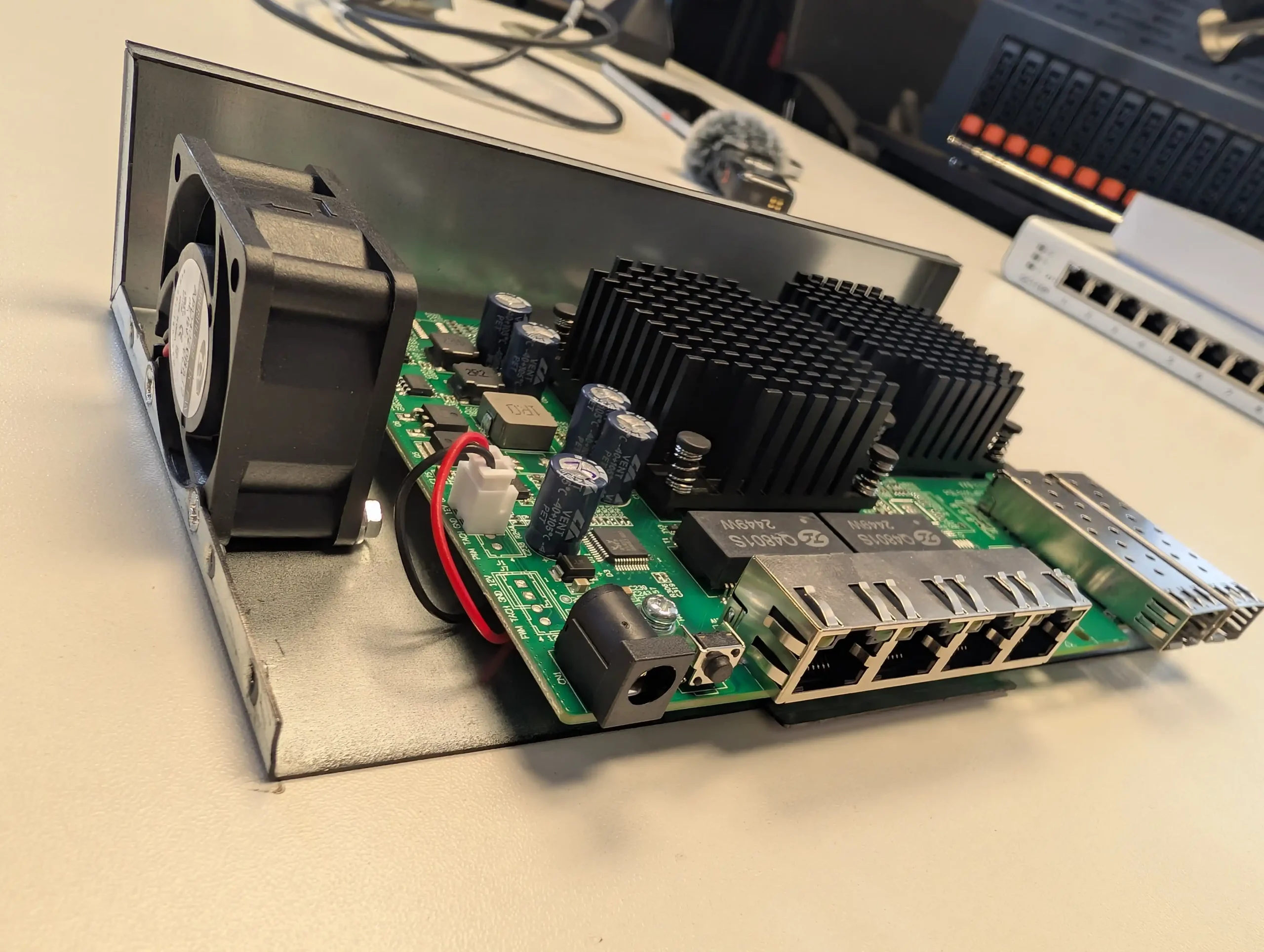
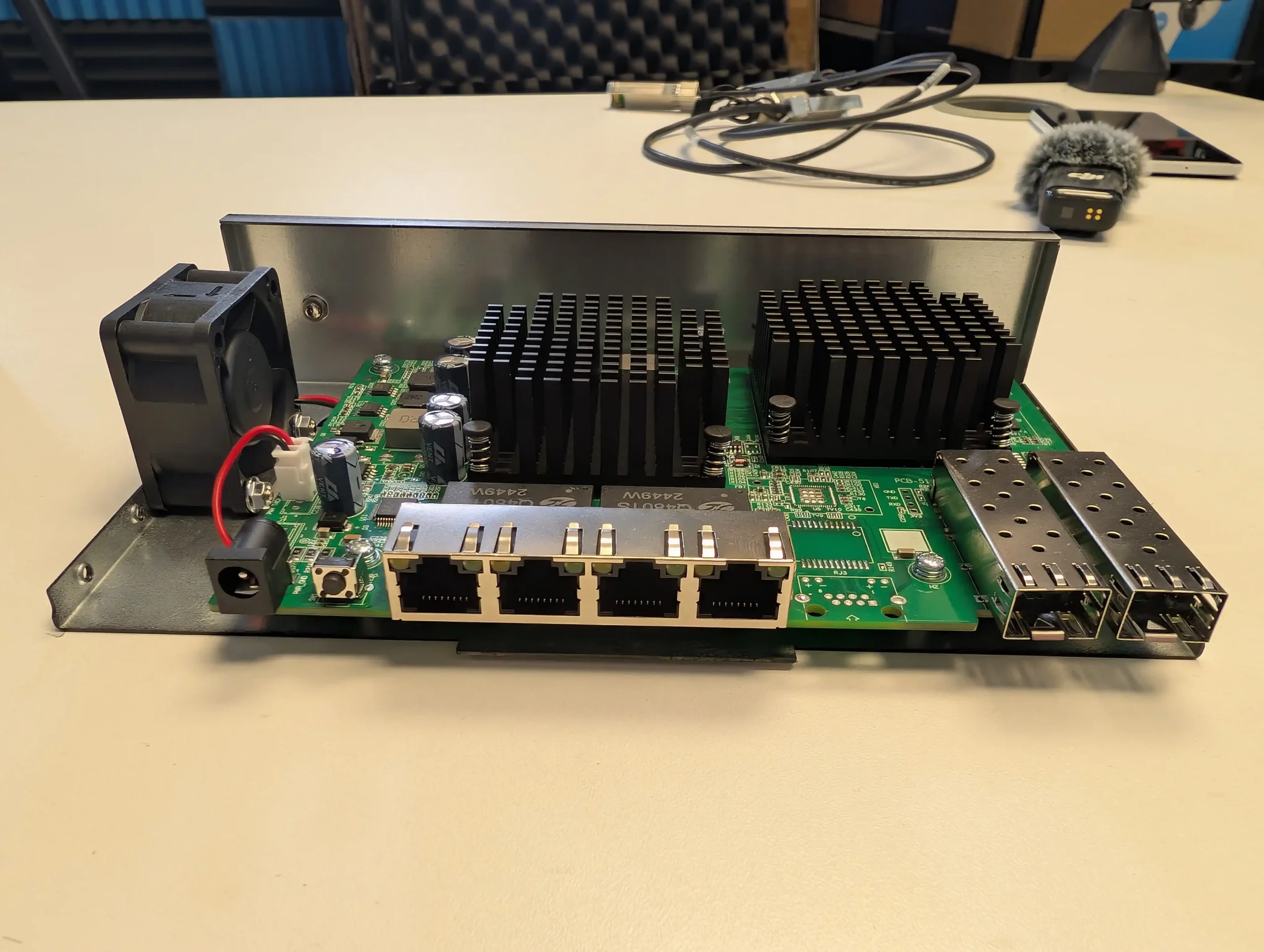
Thermal management is handled by a single small-diameter fan mounted laterally inside the chassis, supported by perforated ventilation cutouts on the opposing side. This active cooling setup is necessary given the heat output of the internal 10GbE components, particularly when all ports are under load.

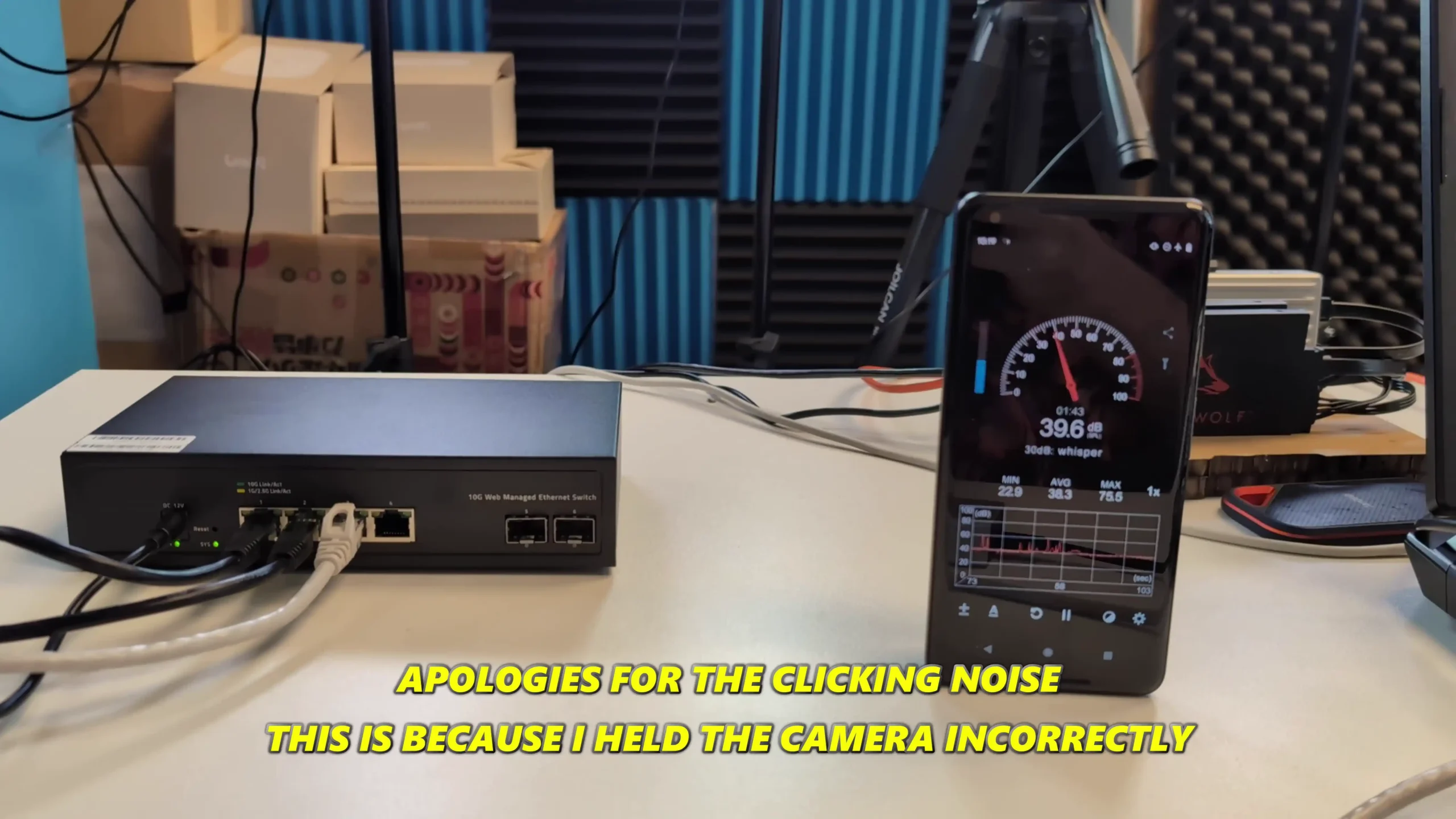
During testing, the fan proved effective in maintaining safe thermal levels across typical workloads, with internal temperature readings ranging between 31°C and 36°C depending on ambient conditions and port usage. However, the fan’s acoustic characteristics are worth noting: it operates at a fixed RPM, regardless of system temperature or network activity.

This results in a constant hum that registers between 38 and 41 dBA — not excessive, but certainly noticeable in quiet environments. There are no accessible fan speed controls in the management interface, and the unit lacks thermal sensors or thresholds that would allow for adaptive fan curves.

For users operating this switch in a studio, home office, or any acoustically sensitive environment, the persistent fan noise could be a drawback. Modifications, such as third-party silent fan replacements, may be feasible but would require disassembly and some DIY effort. Overall, the cooling solution works, but its implementation is clearly a compromise between function and cost.

Goodtop Budget 6 Port 10GbE Switch Review – Hardware & Connections

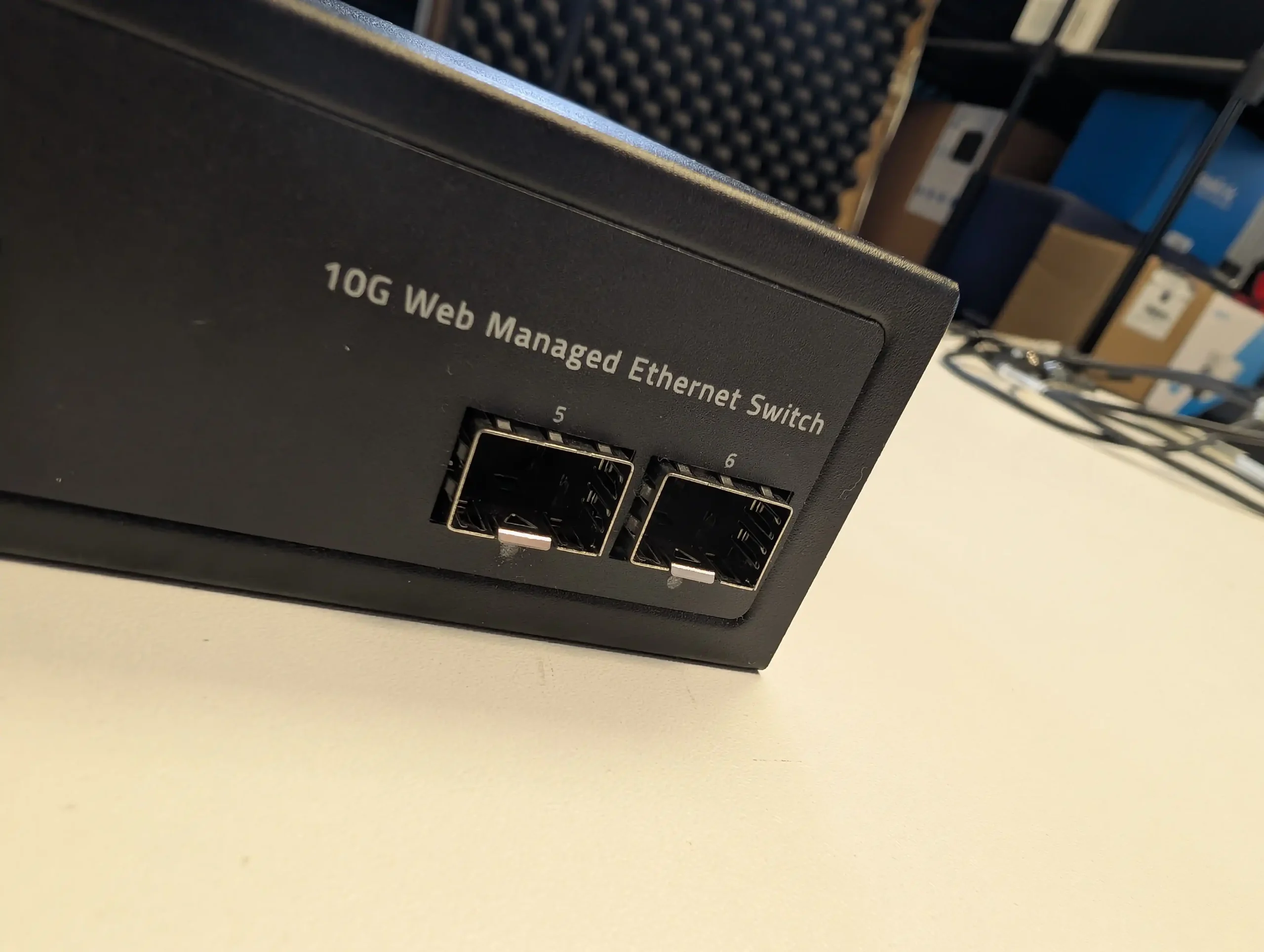
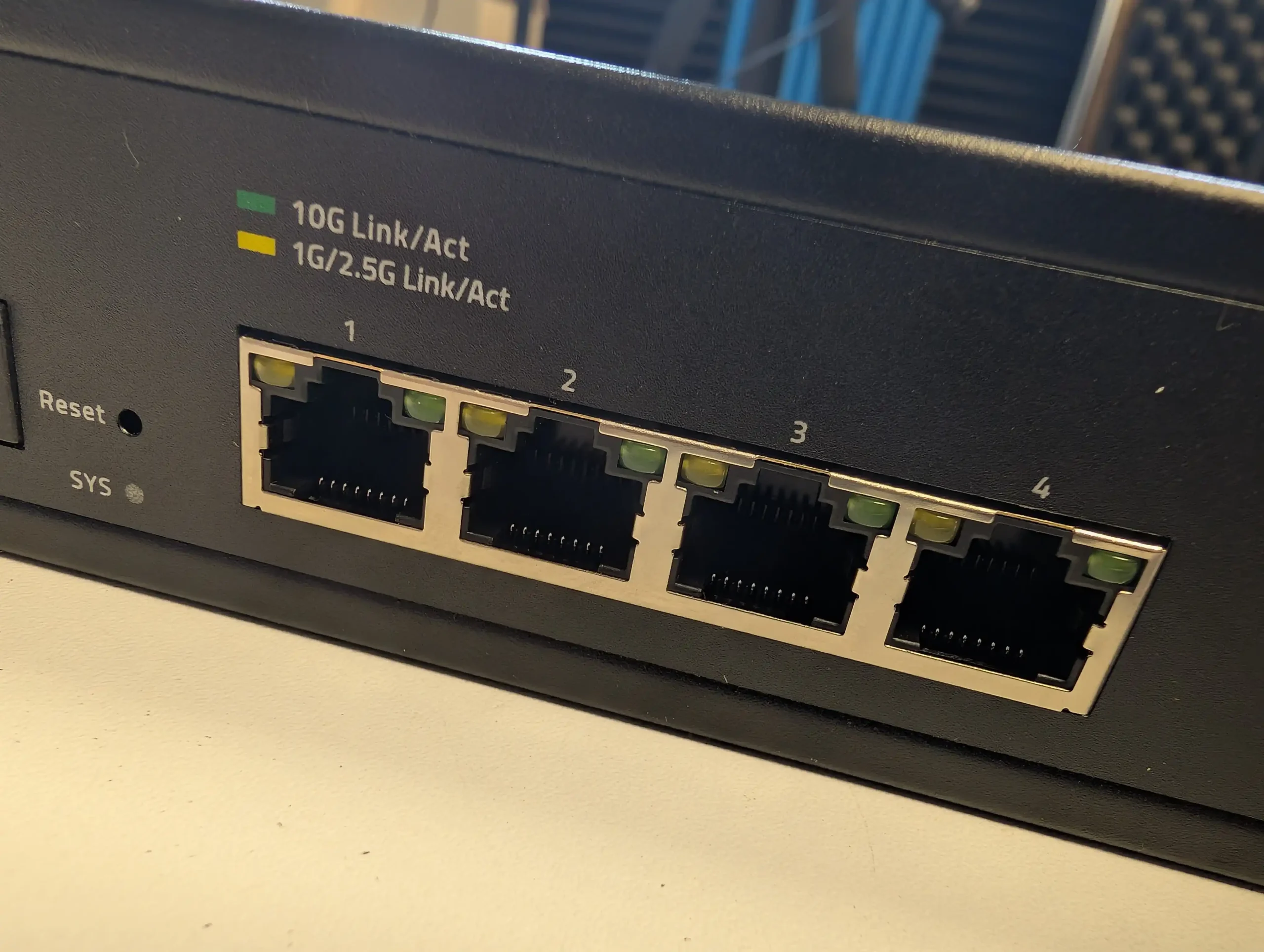
The Goodtop switch is equipped with a total of six 10-Gigabit-capable ports, split between four RJ45 (10GBase-T) and two SFP+ slots. This particular configuration is uncommon at this price tier, especially among switches that offer web-based management. The inclusion of both copper and fiber interfaces in one device provides flexibility for mixed network environments — ideal for users bridging legacy copper infrastructure with newer fiber deployments or integrating NAS devices and uplinks with varying interface standards. All six ports are located on the front panel, clearly labeled and spaced far enough apart to accommodate bulkier cables and transceivers without interference.

The RJ45 ports support standard multi-gig Ethernet protocols, with backward compatibility for 100Mb, 1G, 2.5G, and 5GBase-T connections, depending on cabling. According to the manufacturer’s specs, Cat6 or better is recommended for full 10GBase-T performance up to 100 meters.

The SFP+ ports accept a wide range of 10G transceivers, including DACs (Direct Attach Copper), SR/LR fiber modules, and media converters, offering strong compatibility with third-party optics and hardware.

Despite its low cost, the switch claims a 120Gbps backplane switching capacity and a non-blocking architecture capable of 89.28 million packets per second. While exact benchmarking under full simultaneous port saturation wasn’t possible due to hardware limitations during testing, four concurrent 10GBase-T connections were tested successfully with sustained bidirectional transfers.

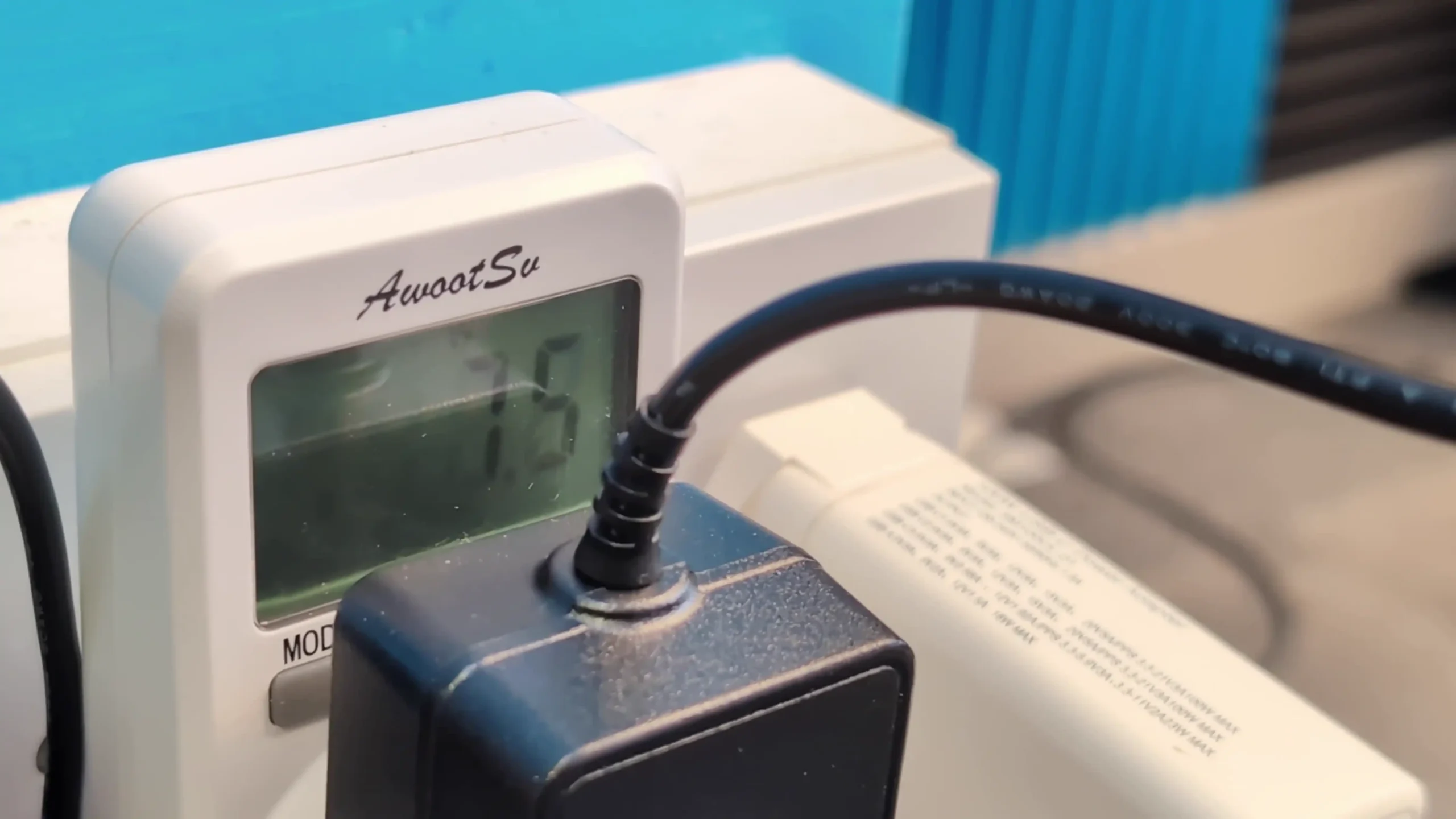
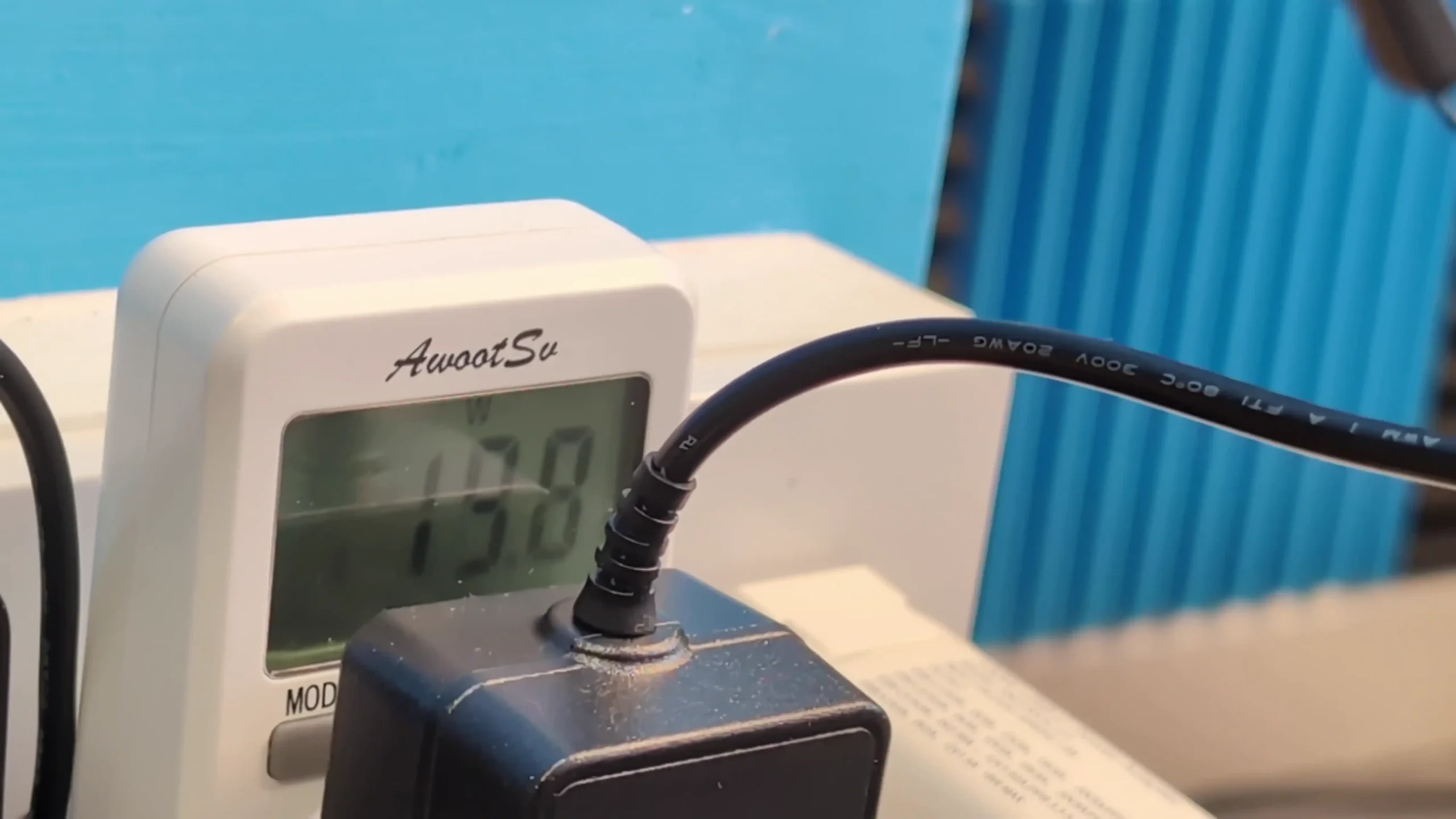
Under load, the unit handled transmission reliably without packet loss or obvious performance degradation. Power consumption scales with usage: idle draw sits at approximately 7.5 watts with no connected clients, while active use with four 10G copper links under sustained read/write activity peaked around 19.8 watts.

These values are in line with expectations for a full-10G switch operating with active cooling, and while not low, they are acceptable for most desktop or lab environments. It’s worth noting that due to heat generation and airflow limitations, users may experience rising internal temperatures if all six ports are driven continuously, especially in poorly ventilated setups. However, the flexibility to use either media type and the stable throughput on tested ports suggest that the internal switching logic and port handling are effectively implemented, given the device’s pricing and market position.

Internally, the Goodtop 6-Port 10GbE switch is built around a Realtek chipset configuration comprising the RTL9303 switch controller and RTL8264B PHYs, a pairing commonly found in recent budget and white-label 10G networking products. These components are designed to deliver basic Layer 2 managed functionality with support for VLAN tagging, link aggregation, and other expected switching features. Two medium-sized aluminum heatsinks cover the main chips, with thermal paste applied to ensure contact and heat dissipation, albeit passively reliant on the unit’s single fan for airflow. There is no internal battery backup, surge suppression beyond nominal protection, or modular power regulation — design choices consistent with its low cost.

The unit includes a modest 12Mbit of packet buffer memory and supports a MAC address table size of up to 16K entries, which should be sufficient for most small-to-medium environments. There are no removable components or visible debugging headers, and the board layout is straightforward with no major thermal bottlenecks observed during operation. Overall, the hardware design is minimal but appropriate for the target use case: non-critical environments requiring inexpensive multi-gig connectivity without expectations of advanced redundancy or hardware resilience. While it doesn’t compete with enterprise-class internals in terms of engineering quality or extensibility, it does reflect a competent implementation of entry-level switching silicon with functional thermal management.

Goodtop Budget 6 Port 10GbE Switch Review – Software

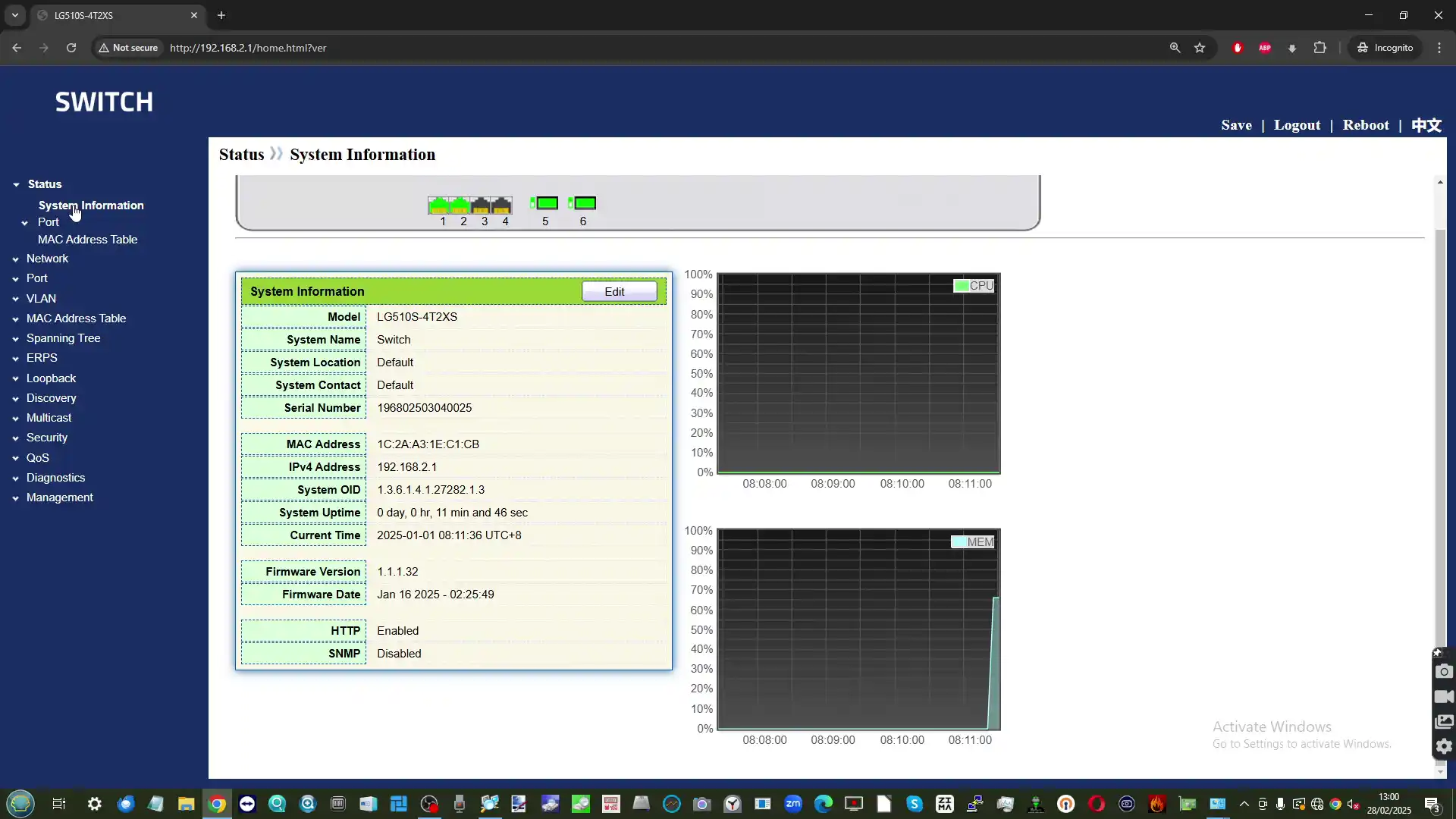
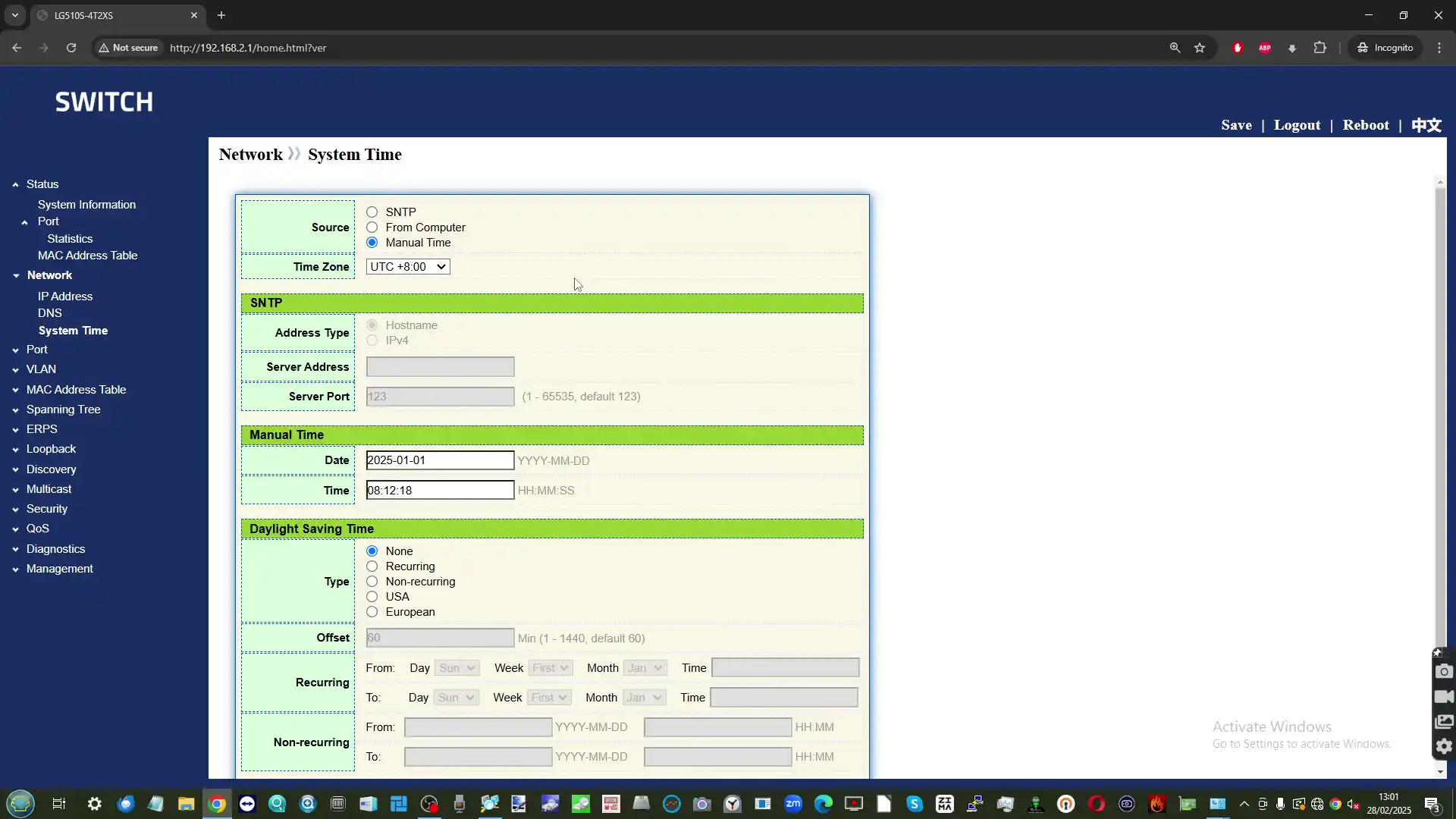
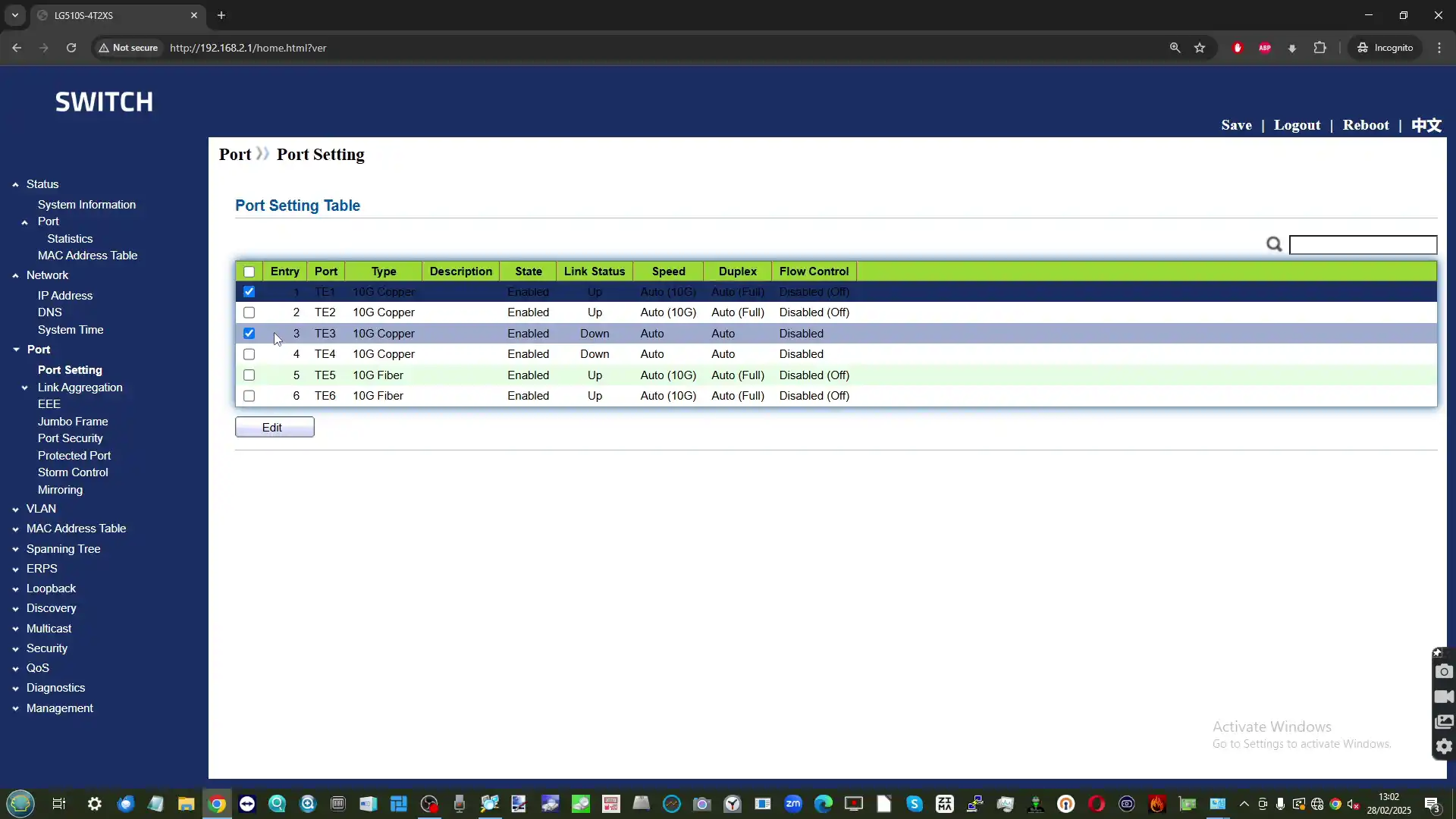
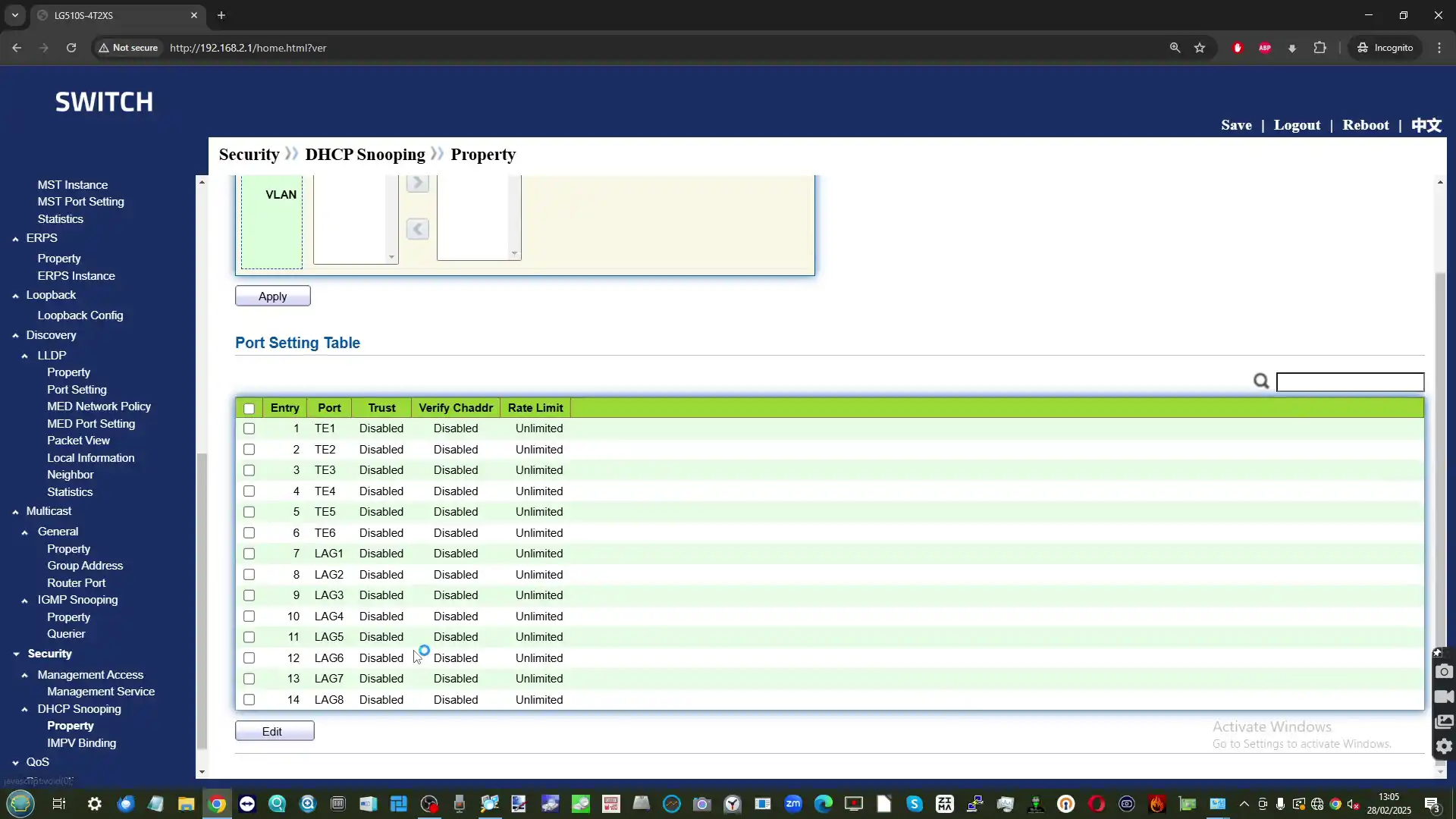
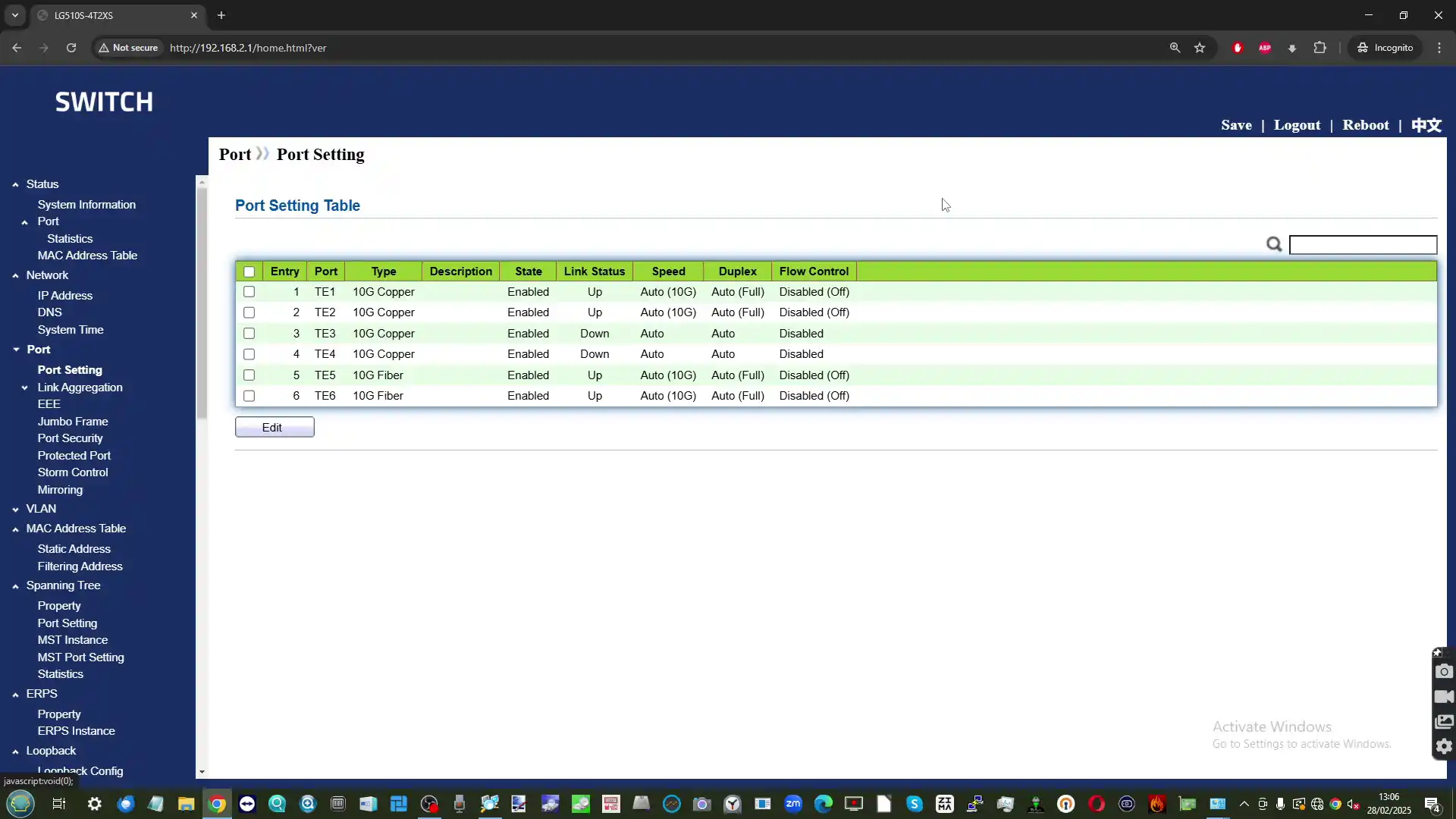
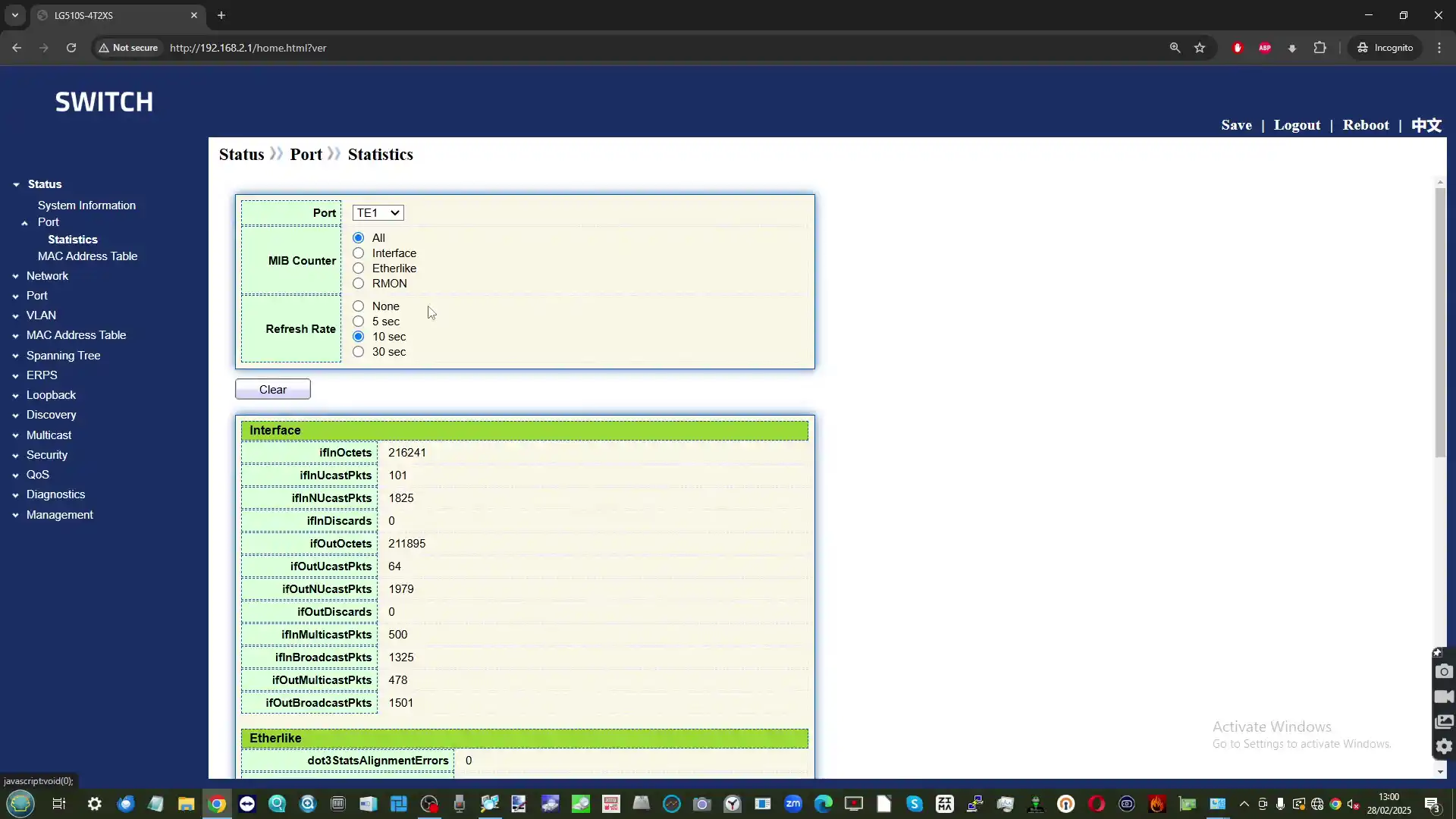
The Goodtop switch ships with a built-in web-based management interface that allows users to configure a range of Layer 2 features typical of entry-level managed switches. The interface is accessible via a browser once an IP address is assigned, and no additional software is required. However, the overall presentation and usability of the software are quite basic. The UI lacks visual polish, contextual help, or guided configuration tools. Navigation is functional but unintuitive, with much of the terminology and layout appearing generic and unbranded — a likely result of the firmware being repurposed from a reference design or OEM platform.

There are no wizards or safety prompts to prevent misconfiguration, which could make the switch challenging for less experienced users to manage safely. Additionally, there is no mobile optimization or official companion app, and the interface does not support HTTPS out of the box. Firmware updates are possible via the web console, though update channels or changelogs are not provided, and documentation is sparse.

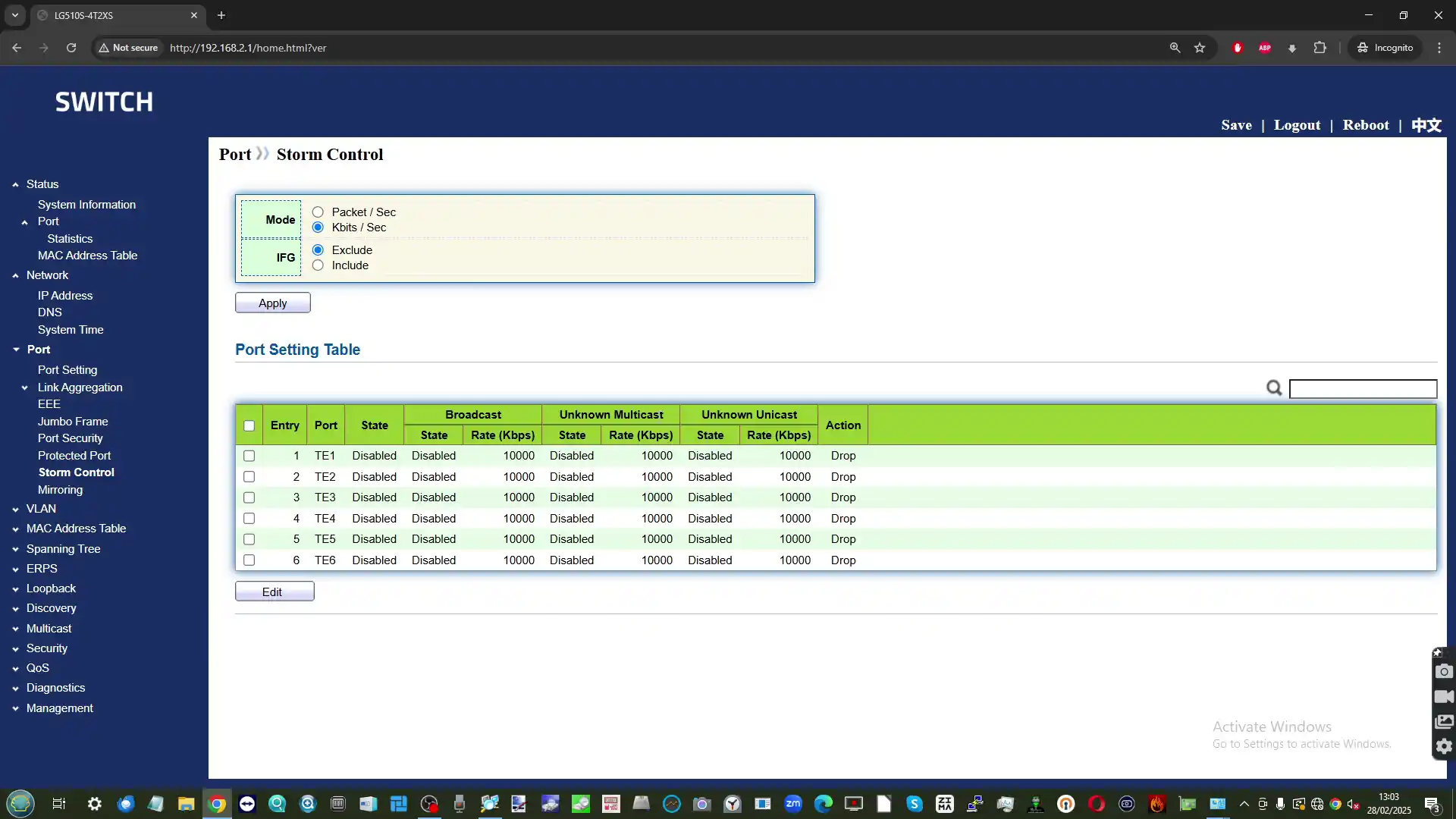
Despite its limited interface design, the switch includes a solid range of features that are normally found in more expensive units. These include core Layer 2 controls and essential traffic management capabilities, offering flexibility for VLAN segmentation, link aggregation, and network troubleshooting. While these features are mostly geared toward technical users, they cover a surprisingly broad spectrum of functionality for a switch in this price bracket. However, it’s worth noting that the interface offers no access controls beyond a single user account, no two-factor authentication, and no role-based access — all of which may concern users deploying this switch in sensitive or multi-user environments. Fan speed control, system logs, or SNMP monitoring are also absent, limiting the unit’s viability for more advanced administrative needs. Key supported features include:

  • VLAN support (802.1Q, VLAN IDs 1–4094)

  • Port-based VLAN assignment

  • Link Aggregation (LACP)

  • Loop detection

  • Jumbo frame support (up to 9K bytes)

  • MAC address filtering

  • Port mirroring

  • Broadcast storm control

  • QoS / Port-based priority settings

  • Traffic statistics monitoring

  • Basic firmware upgrade support

These tools are adequate for static network environments or those with fixed segmentation needs, but administrators seeking dynamic configuration, remote logging, or integration with monitoring platforms will find the software lacking in depth.

Goodtop Budget 6 Port 10GbE Switch Review – Verdict and Conclusion

The Goodtop 6-Port 10GbE Managed Switch offers an appealing combination of features that are rarely found together in a product at this price point. With four 10GBase-T copper ports and two 10G SFP+ fiber slots, it caters to users who need to bridge different media types without investing in multiple specialized devices. The unit delivers consistent throughput, a practical management interface, and baseline Layer 2 capabilities suitable for most small-scale, static deployments. For those building or expanding home labs, adding high-speed links between servers and NAS devices, or testing 10GbE equipment without committing to enterprise-level budgets, this switch is a very practical and accessible option. The price tag — typically hovering between $130 and $140 — is particularly compelling when compared with similar switches from established brands, which often cost two to three times as much while offering fewer ports or omitting management functionality.

However, it’s important to understand what trade-offs make that low cost possible. Physically, the unit is built with budget-grade materials, and although the compact design is functional, the thin metal chassis lacks the rigidity and passive cooling features seen in more expensive models. The inclusion of active cooling is necessary given the switch’s full 10GbE capability, but the fixed-speed fan results in a persistent acoustic presence that may not be acceptable in quiet workspaces. In terms of power usage and thermal output, the switch performs within expectations, though it naturally draws more power than multi-gig or 1G devices — something to consider if operating in environments sensitive to power efficiency or heat buildup.

On the software side, the web-based management interface includes a reasonably full feature set for configuring VLANs, link aggregation, QoS, and port monitoring, but the UI is visually dated, lacking intuitive navigation, helpful prompts, or contextual explanations. For seasoned users comfortable with networking terminology and manual configuration, this isn’t a major obstacle. However, newcomers may find the software overwhelming or difficult to use without external guidance. Security is another area where the switch shows its limitations. The absence of HTTPS access, multi-user management, or basic features like two-factor authentication limits its suitability for exposed or multi-tenant environments. Firmware updates are possible, but no public update path or official support channels are offered, making long-term update viability uncertain.

Ultimately, this is a product built around value — and that value is real, as long as buyers know what they’re getting into. The Goodtop switch does not pretend to be a polished enterprise-grade solution, nor does it offer the ecosystem integration or long-term support found in more expensive alternatives. Instead, it provides raw functionality: six full-speed 10GbE ports, a working management layer, and compatibility with a wide range of copper and optical transceivers. For environments that are self-contained, technically managed, and not security-critical, this device offers performance that aligns well with its low cost. For those willing to make small compromises on build quality and user experience, it’s an excellent option for extending 10G connectivity without overspending.


Need a Budget 10GbE Switch? RECOMMENDED TO BUY:
PROS CONS
  • Affordable price point (~$140) for a full 10GbE managed switch

  • Mixed media support with 4 x 10GBase-T and 2 x 10G SFP+ ports

  • Compact, wall-mountable design suitable for home labs or tight setups

  • Functional web-based management with core Layer 2 features

  • Reliable throughput under multi-port 10G load without packet loss

  • Active cooling maintains safe temperatures during sustained use

  • Broad compatibility with copper and fiber transceivers and cables

  • Constant 38–41 dBA fan noise; no fan speed control

  • Basic, unrefined software UI with a steep learning curve

  • No HTTPS, user roles, or 2FA; lacks advanced security controls. Overall security concerns.

  • Thin metal casing and lightweight construction feel budget-grade


📧 SUBSCRIBE TO OUR NEWSLETTER 🔔
[contact-form-7]
🔒 Join Inner Circle

Get an alert every time something gets added to this specific article!


Want to follow specific category? 📧 Subscribe

This description contains links to Amazon. These links will take you to some of the products mentioned in today's content. As an Amazon Associate, I earn from qualifying purchases. Visit the NASCompares Deal Finder to find the best place to buy this device in your region, based on Service, Support and Reputation - Just Search for your NAS Drive in the Box Below

Need Advice on Data Storage from an Expert?

Finally, for free advice about your setup, just leave a message in the comments below here at NASCompares.com and we will get back to you. Need Help? Where possible (and where appropriate) please provide as much information about your requirements, as then I can arrange the best answer and solution to your needs. Do not worry about your e-mail address being required, it will NOT be used in a mailing list and will NOT be used in any way other than to respond to your enquiry. [contact-form-7] TRY CHAT Terms and Conditions
If you like this service, please consider supporting us. We use affiliate links on the blog allowing NAScompares information and advice service to be free of charge to you.Anything you purchase on the day you click on our links will generate a small commission which isused to run the website. Here is a link for Amazon and B&H.You can also get me a ☕ Ko-fi or old school Paypal. Thanks!To find out more about how to support this advice service check HEREIf you need to fix or configure a NAS, check Fiver Have you thought about helping others with your knowledge? Find Instructions Here  

 
Or support us by using our affiliate links on Amazon UK and Amazon US
    
 
Alternatively, why not ask me on the ASK NASCompares forum, by clicking the button below. This is a community hub that serves as a place that I can answer your question, chew the fat, share new release information and even get corrections posted. I will always get around to answering ALL queries, but as a one-man operation, I cannot promise speed! So by sharing your query in the ASK NASCompares section below, you can get a better range of solutions and suggestions, alongside my own.

☕ WE LOVE COFFEE ☕


UniFi USB4/TB4 to 10GbE Adapter Review (UACC-Adapter-RJ45-USBC-10GE)

UniFi USB4/TB4 to 10GbE Adapter Review

Given the preponderance of 10 Gb Ethernet solutions available in the UniFi portfolio, it’s actually kind of weird that the brand has waited until almost halfway through 2025 to launch a convenient USB to 10G NIC adapter. To put it into perspective, the first generation of Thunderbolt to 10 GbE adapters arrived way back in 2018 from brands such as QNAP, StarTech, and Akitio. Despite this, however, there is still increasing demand for these convenient 10G upgrade alternatives to desktop PCIe card options, due to the growing support of USB4 client hardware, as well as its backwards compatibility with Thunderbolt 3 and Thunderbolt 4. This means that even particularly modest mini PCs and laptops now have the opportunity to scale up towards 10G easily. So, what exactly sets this new adapter from UniFi apart from the already quite oversaturated market of Thunderbolt/USB to 10 GbE adapters? Is it just the same thing with their own badge on top? Does it deserve your money and your data?

Feature Specification / Details
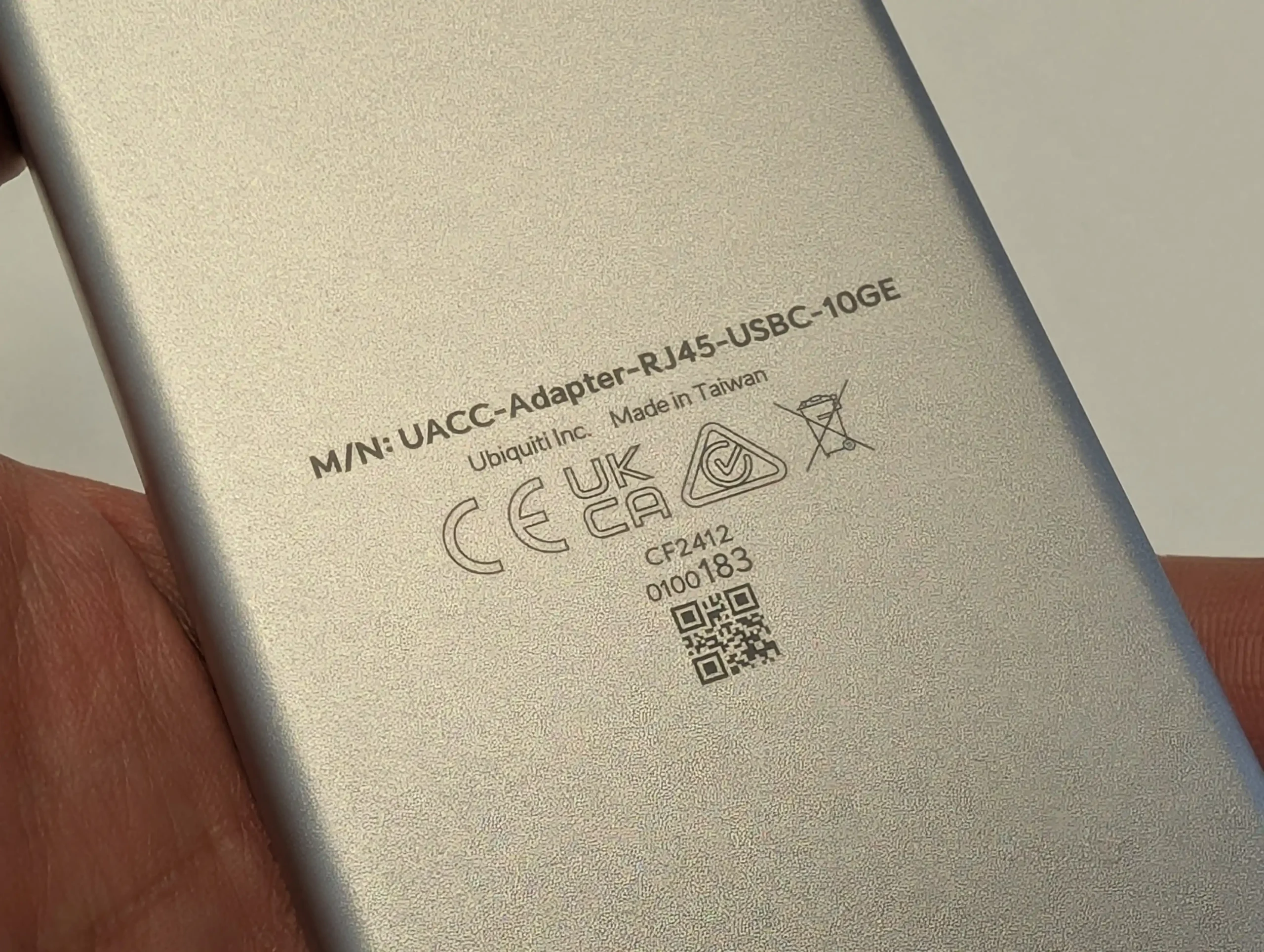
Model UACC-Adapter-RJ45-USBC-10GE
Price $199 USD
Interface (Input) USB-C (Compatible with USB4, Thunderbolt 3, Thunderbolt 4)
Interface (Output) 10GBASE-T Copper Ethernet (RJ45)
Controller Marvell AQC113 (PCIe Gen 3/4 x1, x2, x4 support)
Compatibility Windows, macOS, Linux (limited support on open-source NAS software)
Backward Compatibility USB4, Thunderbolt 4, Thunderbolt 3 (No support for USB 3.2 Gen 1/Gen 2)
Power Source Bus-powered via USB-C
Cooling Passive (thermal pad + internal heatsink, no active fan)
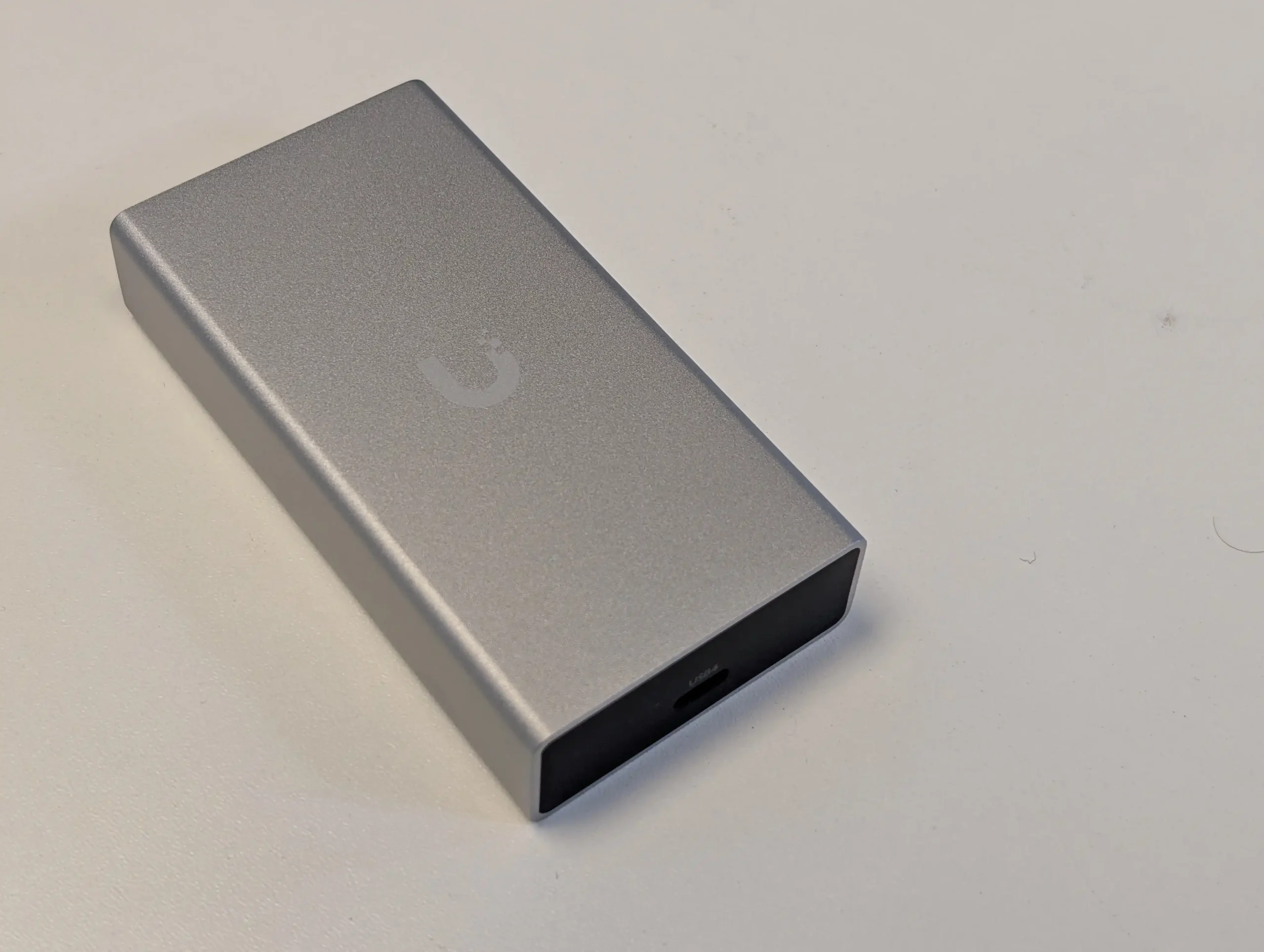
Build All-metal chassis, compact and lightweight design
Performance Full 10GbE saturation possible; tested with CrystalDisk/AJA for sustained transfer
Thermals ~44–45°C under full load, ~40°C idle
Auto-Negotiation Supported (2.5G / 5G / 10G)
Distance (10GBASE-T) Up to 20 meters (longer possible, but performance may degrade)
Notable Limitations No USB 3.x support; slower heat dissipation due to compact, passive-only design
Best Use Case Portable 10G upgrade for laptops, mini-PCs, and client devices without PCIe expansion slots

UniFi USB4 and TB4 to 10GbE Adapter Review – Quick Conclusion

UniFi have not really reinvented the wheel here. They were not the first to roll out Thunderbolt/USB 10G network adapters, and they certainly won’t be the last. It’s still a little confusing why it took the brand this long to roll out its own convenient accessory, but at least they’ve launched it with the latest controller on board—leading to a great deal more flexibility in its deployment on different client hardware, as well as reduced power consumption compared with the first generation of such adapters. The price of $199 lands pretty squarely between more cost-effective options in the market right now that use the previous generation controller, and the new generation of adapters arriving from brands like QNAP that feature the same hardware architecture as the UniFi option but are around $50 to $100 more. The design of this adapter is smaller and lighter than other options in the market by quite some margin, and as it is bus-powered and has no active cooling, the device is eminently portable and low-impact. All that said, it lacks the ridging and venting of other options in the market. Equally, we are on the cusp of just how big the evolution of USB4 network controllers is soon to become, and later this year we are likely to see the first generation of USB4 to 25G or 2x10GbE adapters arrive—clearly, these will scale in cost and won’t arrive for a great deal of time, but for those looking at this adapter as a means of future-proofing, you may well see the benefits in holding out a little bit longer. Nevertheless, UniFi have again released a great, solid network adapter here that does nothing wrong, and although they’ve arrived a little late to the party on this one, it’s still a very solid offering.


UniFi USB4 and TB4 to 10GbE Adapter Review – Design

As I’ve already mentioned, there are already a decent number of USB-C to 10 GbE network adapter options in the market, and given UniFi’s unique design choices, I’m always interested to see how Ubiquiti goes about designing their own version of something that the market already has—but more importantly, what exactly are they bringing to it that doesn’t already exist in the marketplace.

In the case of this adapter, the main three things that this adapter seemingly introduces over the status quo are:

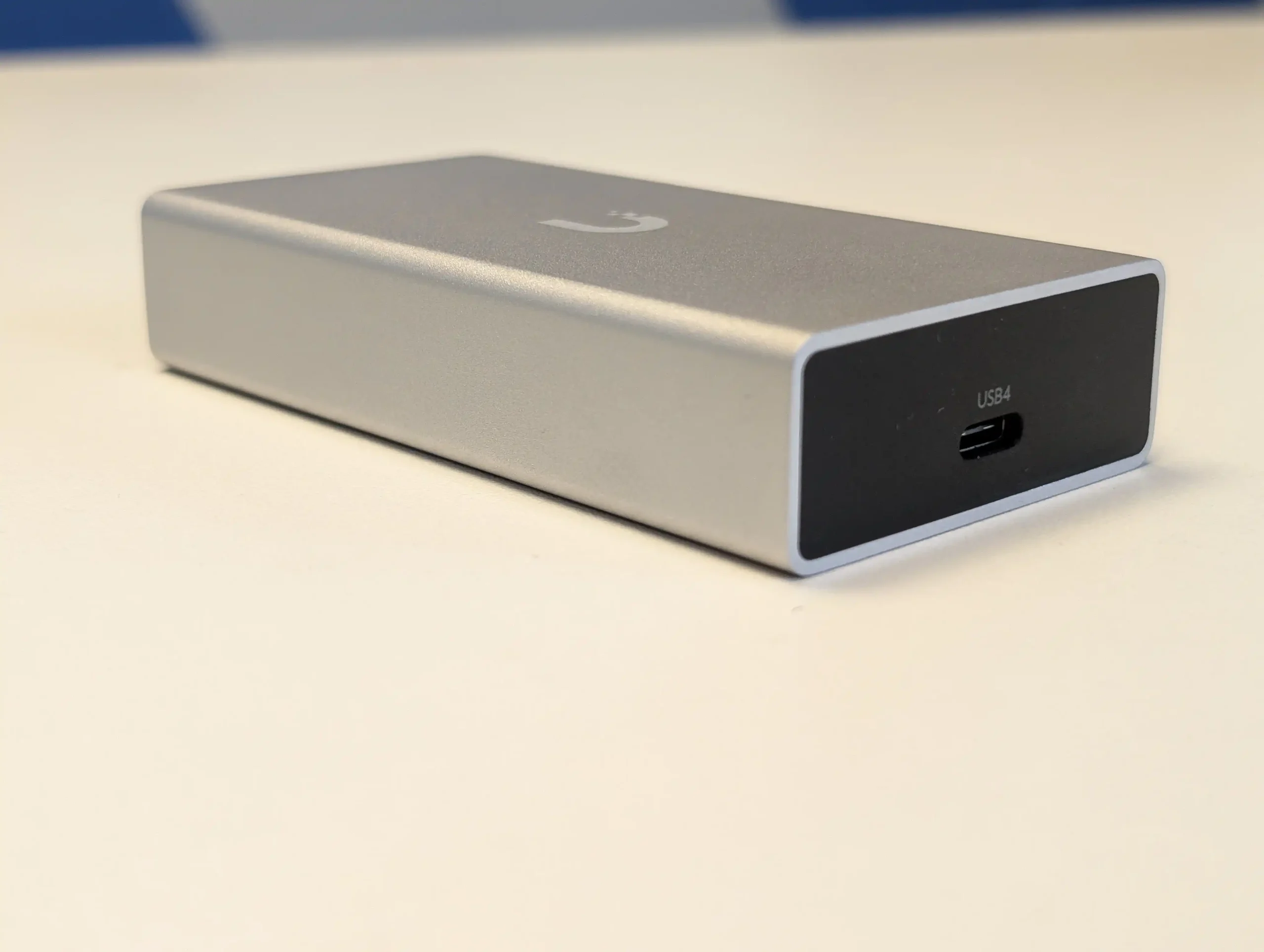
  • Their adapter is smaller in size and lighter in weight than pretty much every other adapter in the market for 10 GbE via USB-C.

  • Their adapter has a lower power consumption than practically all other USB-C to 10 GbE Ethernet adapters.

  • Their adapter uses a much more up-to-date and recent controller than any other Thunderbolt to 10G adapter released before 2025.

Those first two points are going to be very attractive to users who have been weighing up the need to buy an adapter over the last few years that connects via USB-C, but we are going to have to drill down a little bit later into why that third point is quite important to users with older generation equipment. But we’ll get back to that later.

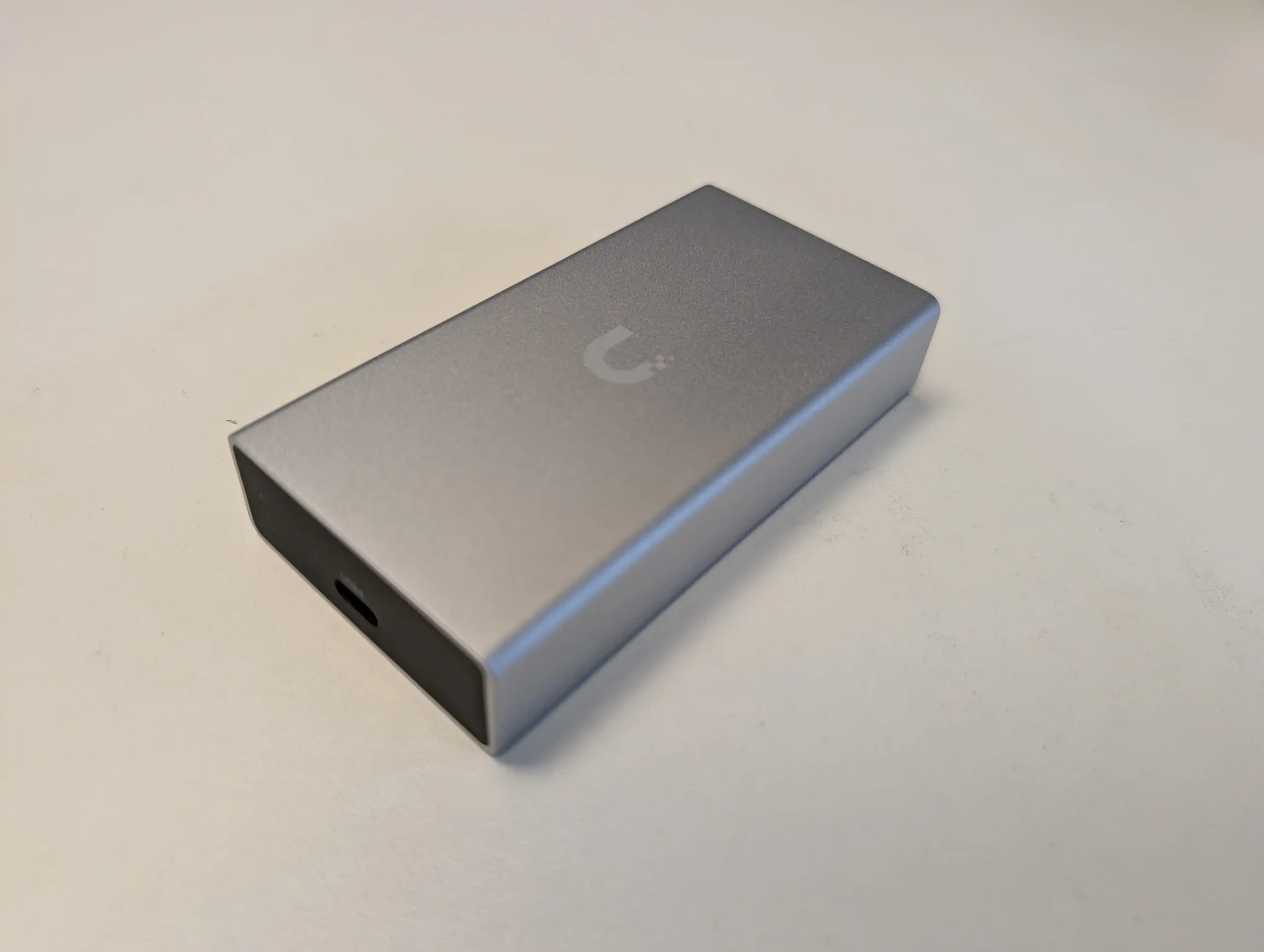
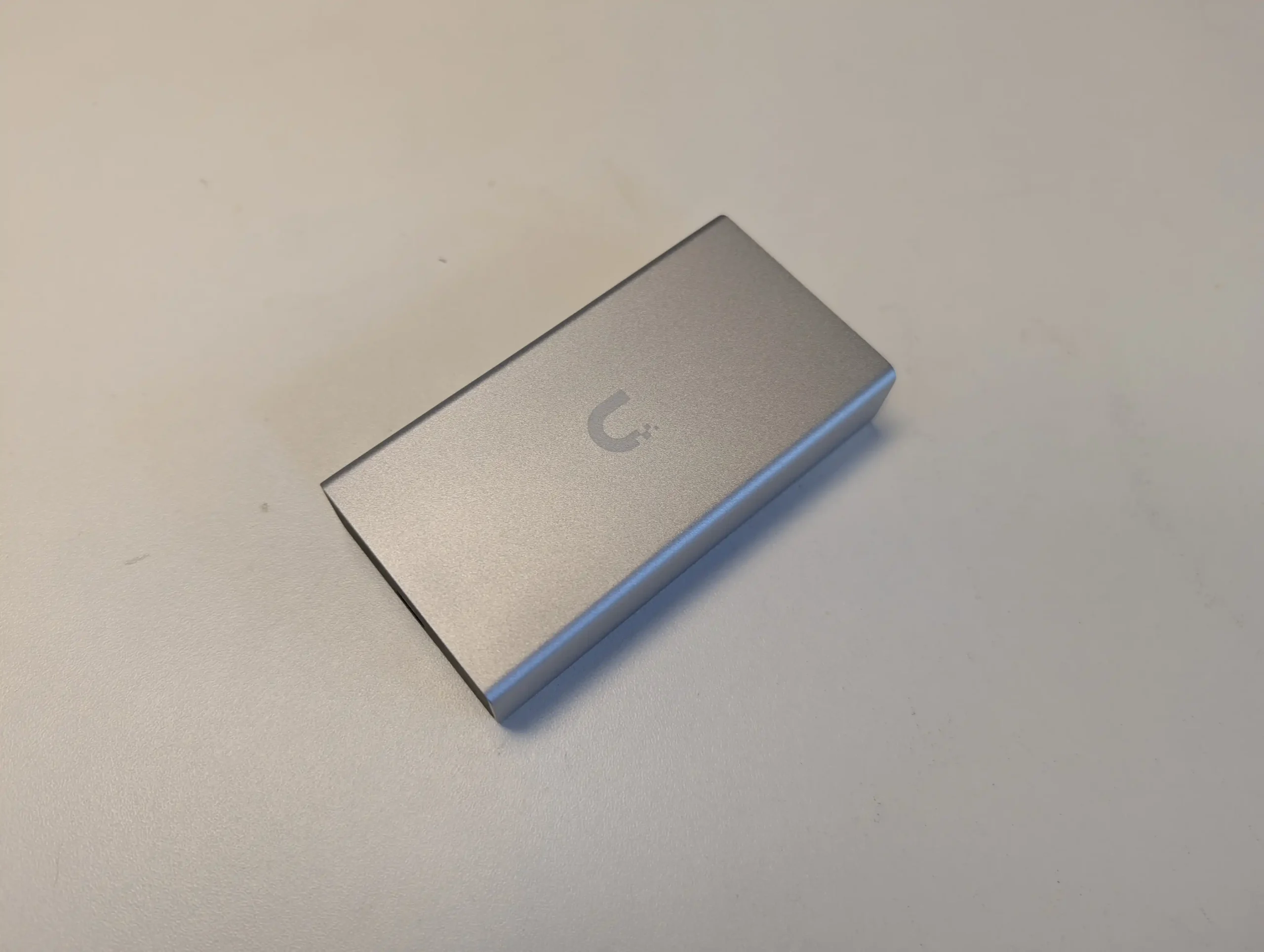
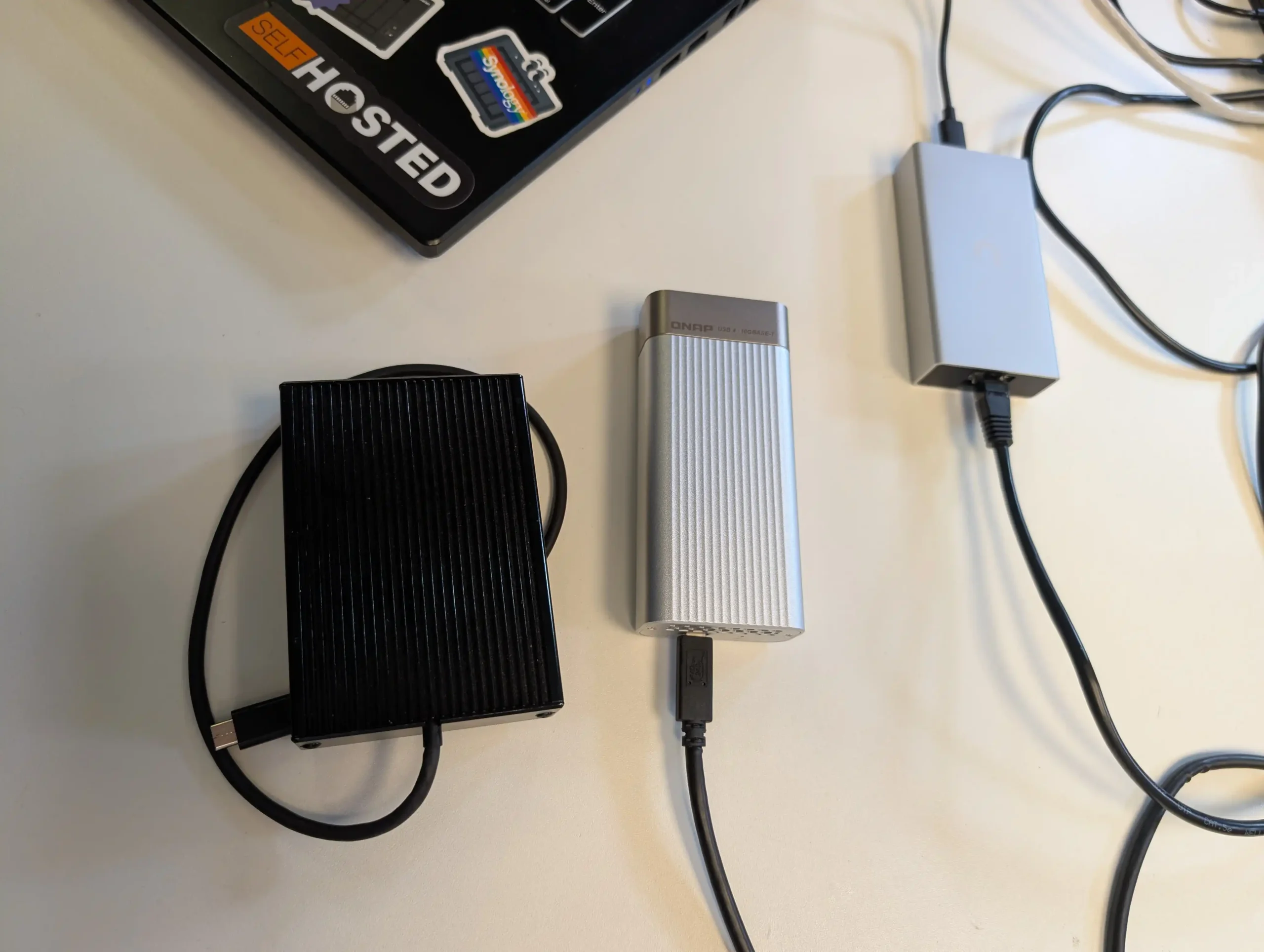
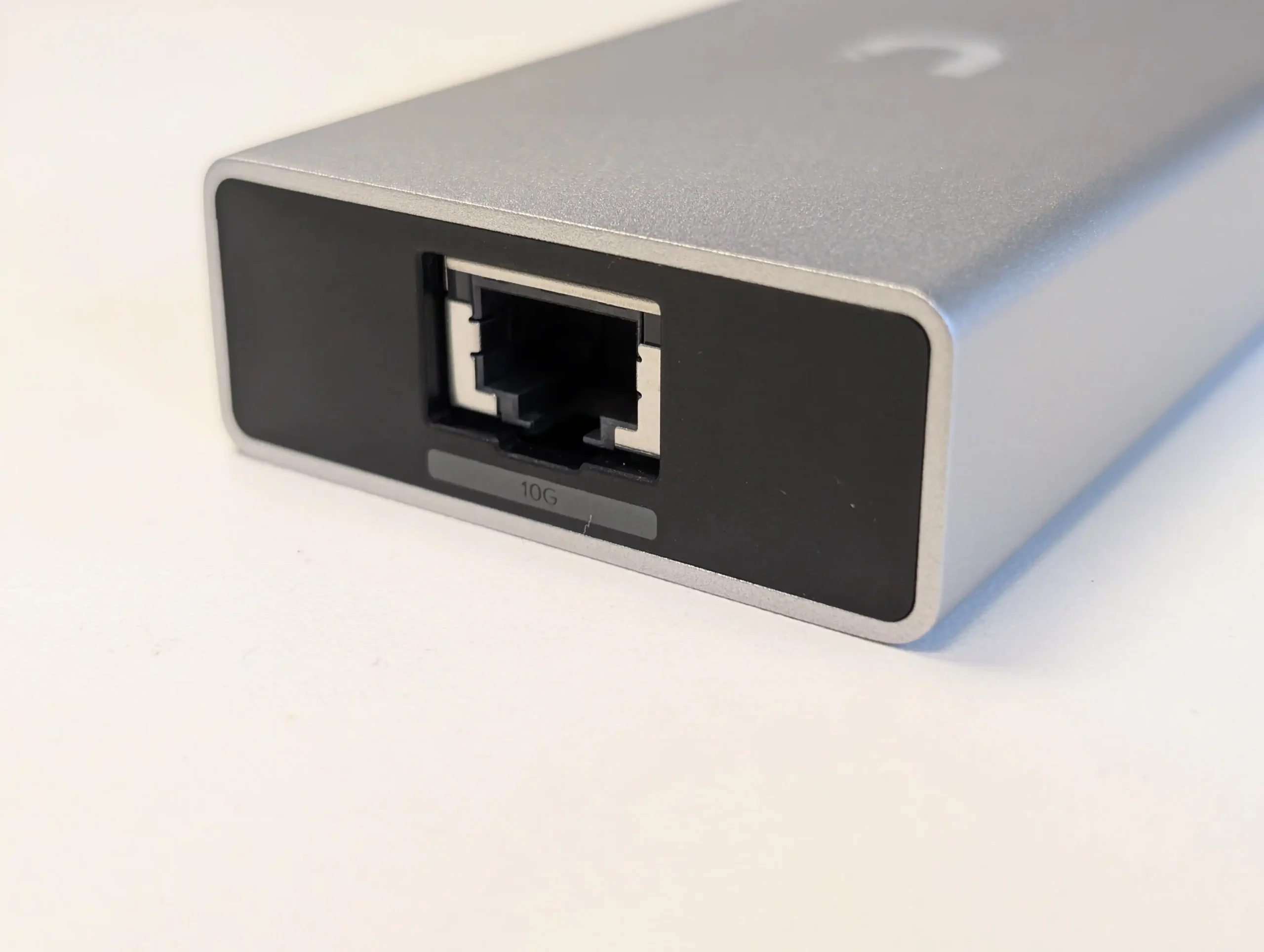
The adapter is pretty damn small, as its completely metal external chassis is fanless. The adapter relies heavily on a controller-mounted heatsink internally that is connected to a thermal pad attached to the external metal casing. The USB Type-C input provides both data and power via a single interface, and this adapter supports Thunderbolt 3, Thunderbolt 4, and USB4. That also means that it will most certainly work with future generations of USB and the slowly rolling-out Thunderbolt 5 protocol. Crucially though, it’s worth noting that this adapter does not support USB 3.2 Gen 1 or Gen 2—domestic USB that a lot more value devices either exclusively have or the port that is more commonly found on everything else. So, despite the 5 to 7-year release difference between this adapter and the first generation of Thunderbolt to 10 Gb Ethernet USB bus-powered adapters, compatibility on especially legacy equipment is not guaranteed.

It is also worth touching on that adapters like this are chiefly designed for users that have client hardware that cannot support a traditional PCIe upgrade card for adding improved network interfaces. If you have the facility to add 10 Gb Ethernet via a PCIe slot, I would always recommend that instead of an adapter like this. It will end up being far more power efficient and considerably lower in price. But for those in a pinch that need a portable and easy-to-adopt network upgrade on their system, this is a great choice.

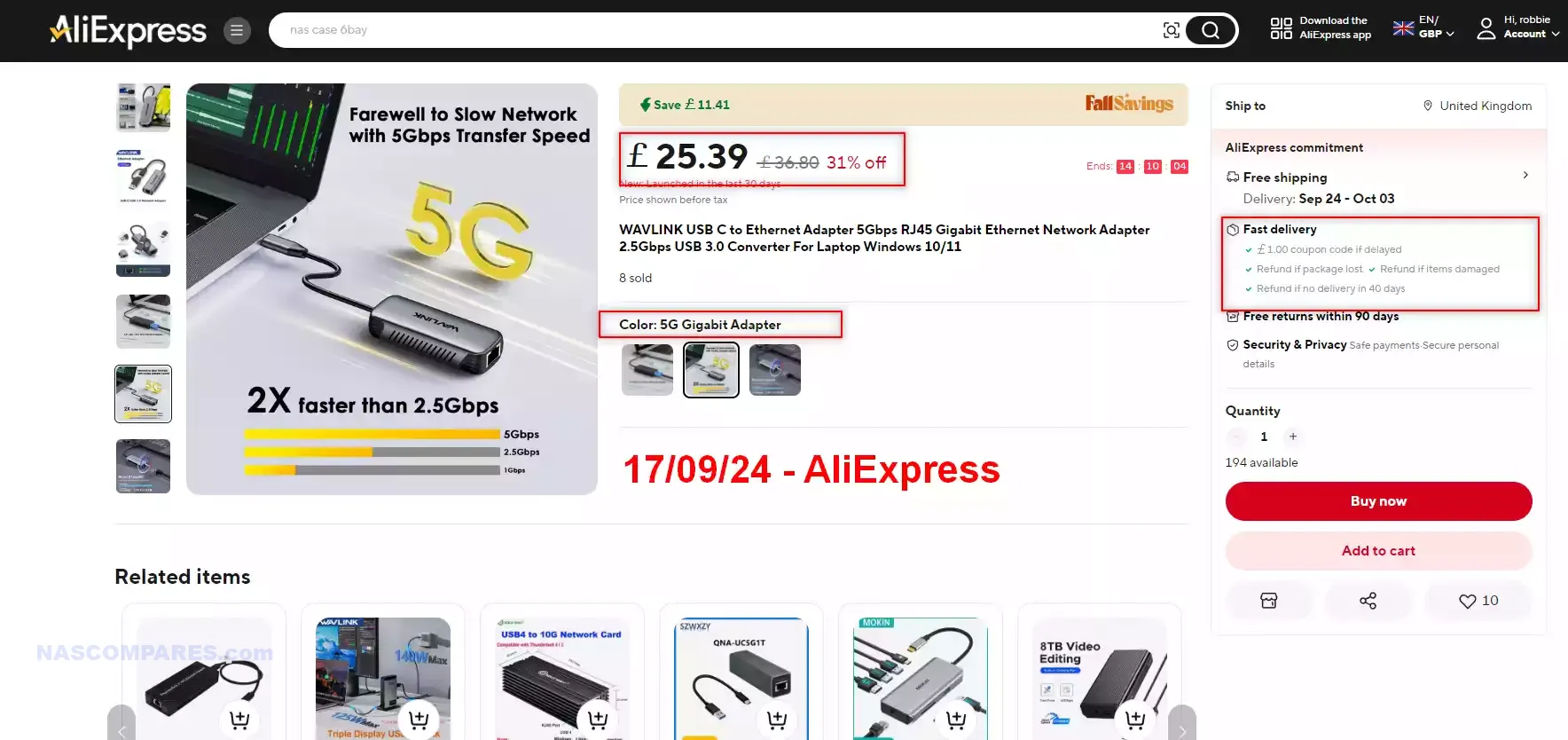
If you are in the market for improved network connectivity and 10 GbE is a bit too rich for your blood or your needs, you can still get hold of incredibly cost-effective USB to 5 Gb Ethernet adapters for as little as $30 right now. They also allow connectivity with legacy USB 3.2 connections as well. So, if you don’t actually need full 10 GbE, and your switch supports auto-negotiation with 5 GbE, you could save a bunch of money.

Check Amazon for a $30 USB to 5GbE Adapter HERECheck AliExpress for $30 USB-to-5GbE Adapter HERE

Do keep in mind that there are affordable USB to 5 GbE adapters in the market. I’m actually kind of surprised that UniFi haven’t integrated a USB to 5 Gb Ethernet adapter into their lineup already, as there is definitely a growing demand for this middle choice in network connectivity at the home and prosumer level—especially as more routers and network switches roll out with both 2.5 GbE and 5 GbE support.

UniFi USB4 and TB4 to 10GbE Adapter Review – Hardware

The physical connection on the other side of this UniFi adapter is a 10GBASE-T copper connection. This is generally perfect up to about 20 meters, and although you can use it over longer distances, at that point you tend to experience some resistance and a drop in latency. A fiber SFP option would have been great, but if they were only going to launch one version—now or ever—almost certainly the one users would want for convenience is going to be the copper option. The adapter also supports auto-negotiation as you’d expect, and although some client hardware will require you to install the AQC113 driver, it is broadly available for the majority of platforms ranging from Windows to Mac and custom Linux builds. That said, support in most open-source NAS software is still a little patchy.

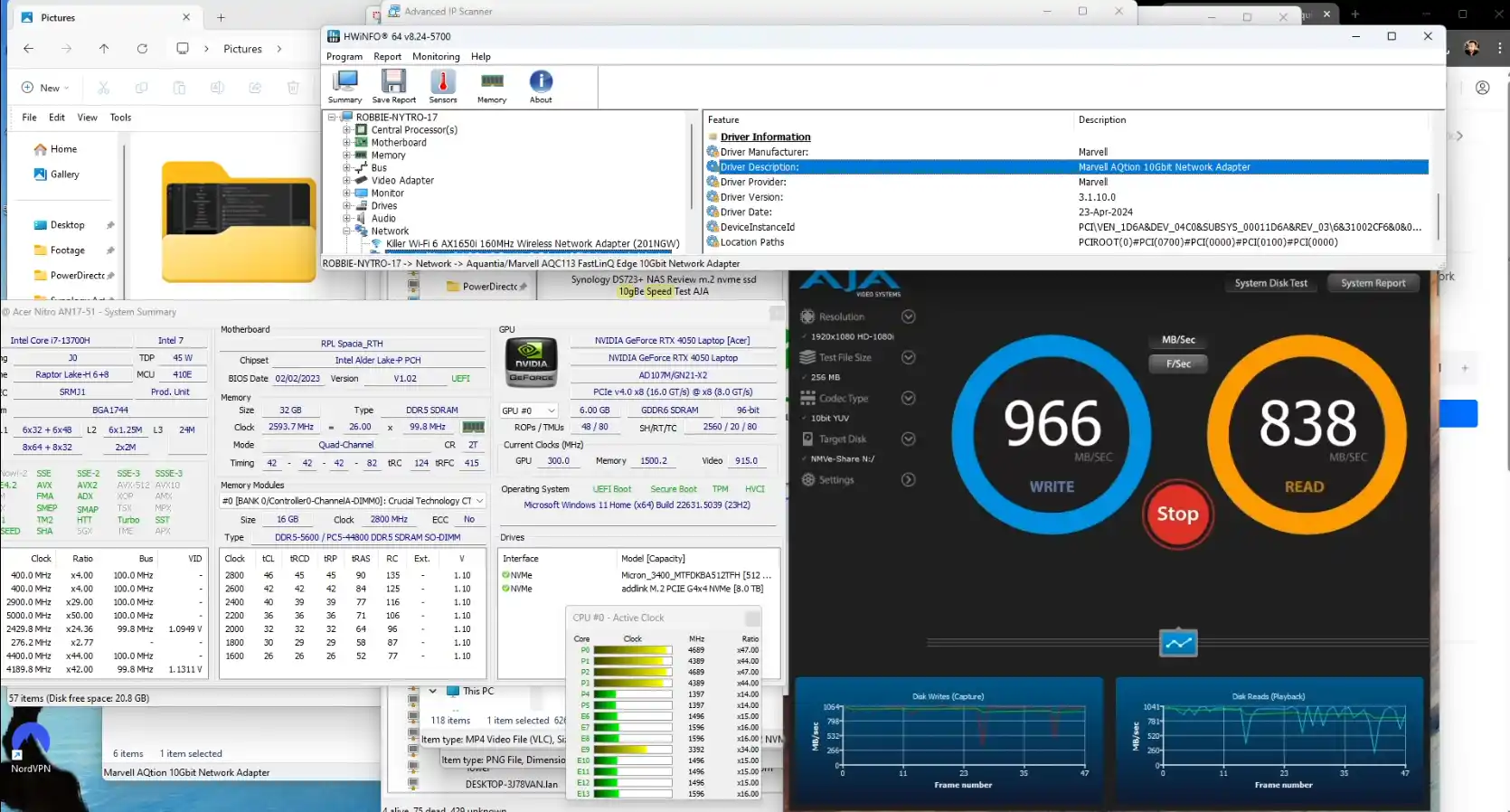
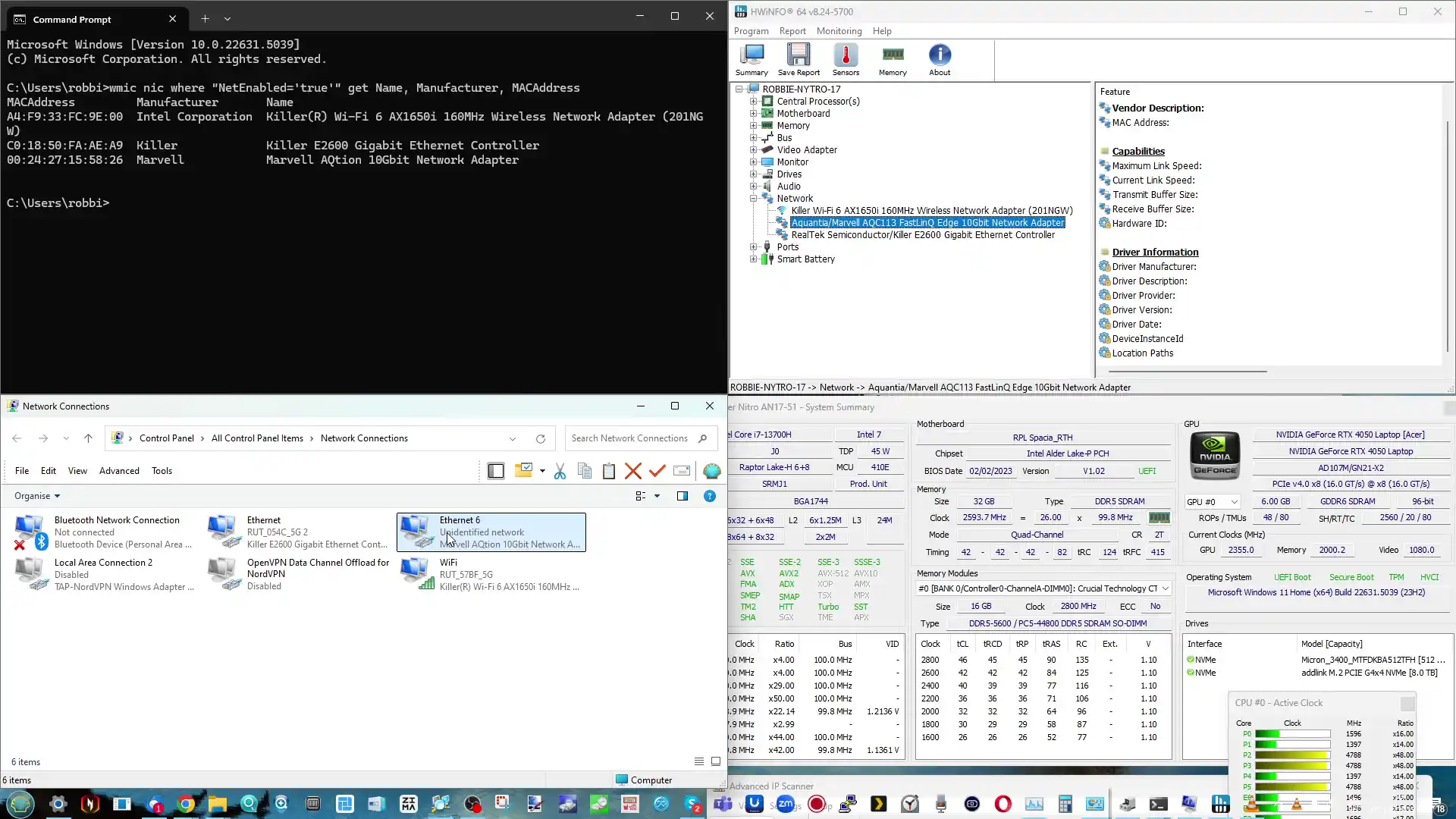
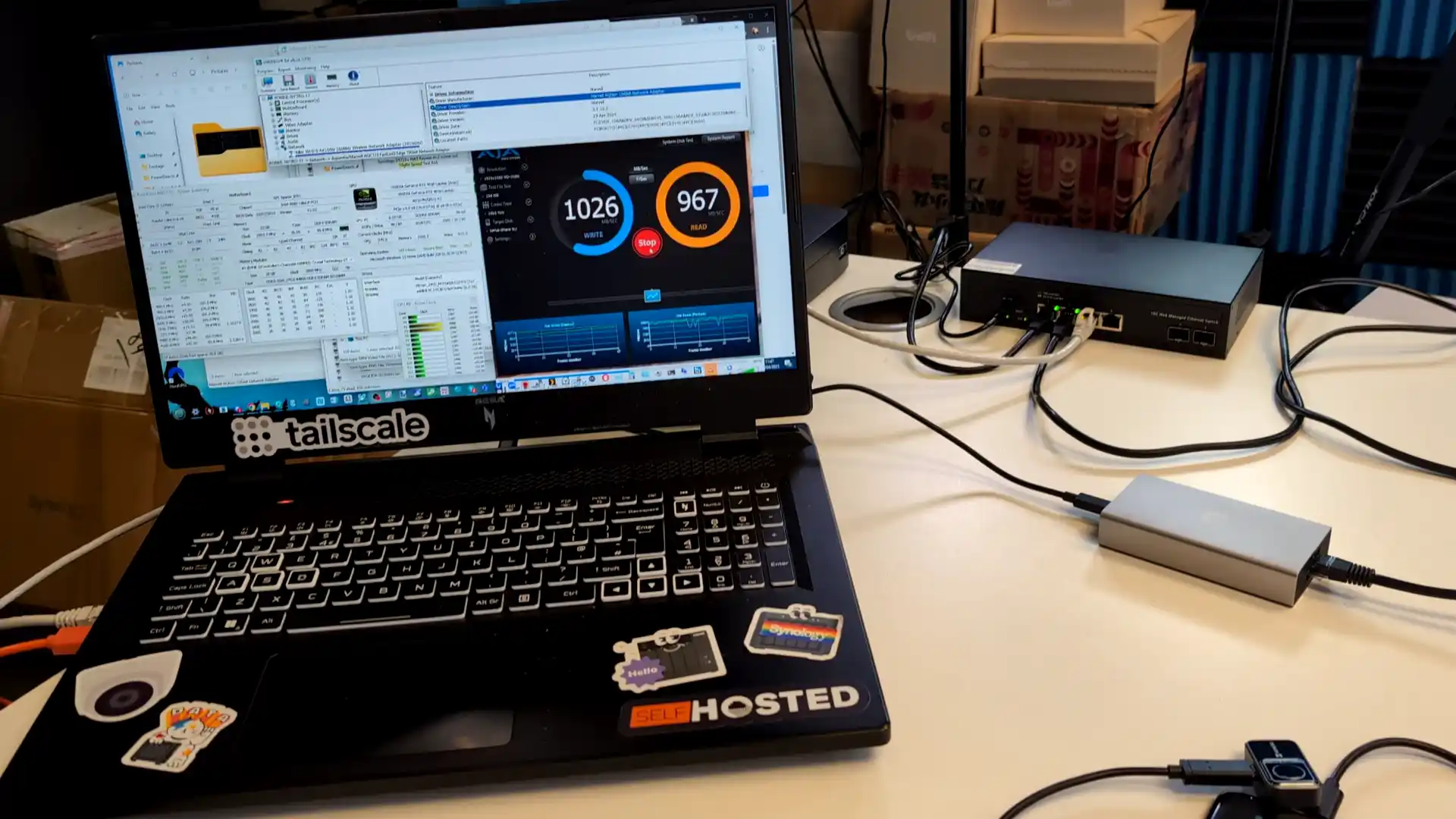
In terms of performance, I’m pleased to say that when connecting with a 10 GbE NAS system via a 10G copper switch, this adapter comfortably hit 10 GbE saturation very easily. Consistent testing by CrystalDisk and AJA using a NAS equipped with a 10 GbE port and SSDs allowed this adapter to run consistently with repeated 1 GB tests over 10 GbE for 15 minutes with sustained performance. Clearly, the performance you’re going to achieve with an adapter like this will be heavily based on both the network activity and the target IP device, but even this limited testing showed that this adapter is more than capable of hitting those performance numbers.

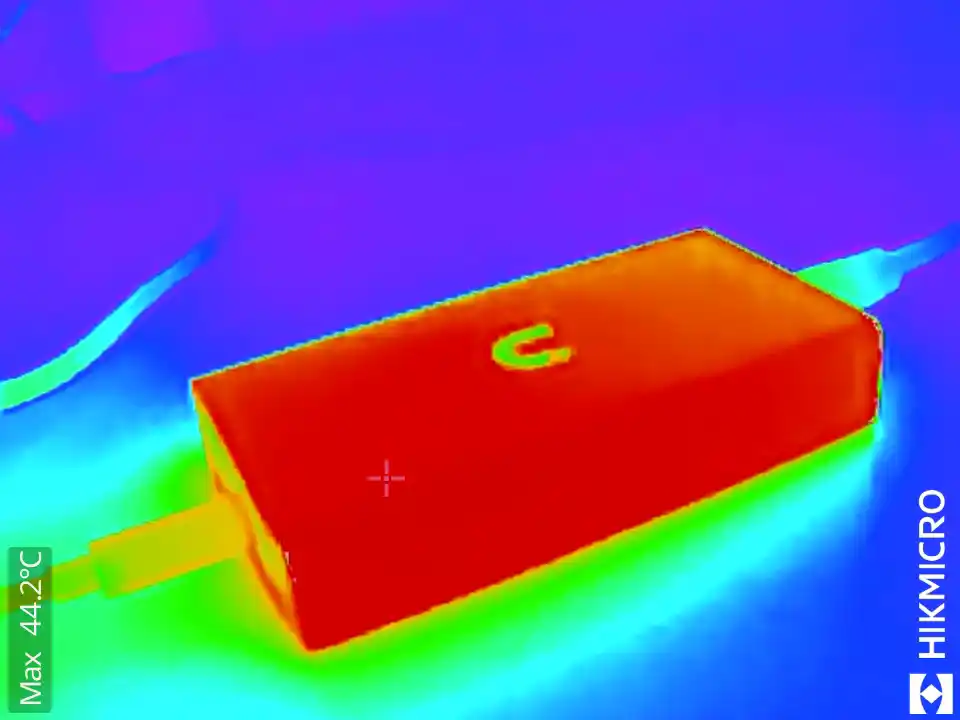
When the adapter was running full-flow, and after 10 minutes of sustained use, it was hitting around 44 to 45°C. When idle, the adapter rested at around 40°C when not in use. One slight complaint I had was that the adapter did not especially quickly dissipate the gathered heat during testing—and that didn’t come as a huge surprise. As this adapter lacks any active cooling system internally, lacks the ridged heatsink design of a lot of other USB-to-10G adapters on the market, and is notably more compact than other options, it was inevitable that temperatures might get a little spicy. Nevertheless, I am a little disappointed at how slowly heat was dissipated between uses, and that is sadly a price many users who want a compact adapter like this are going to have to pay.

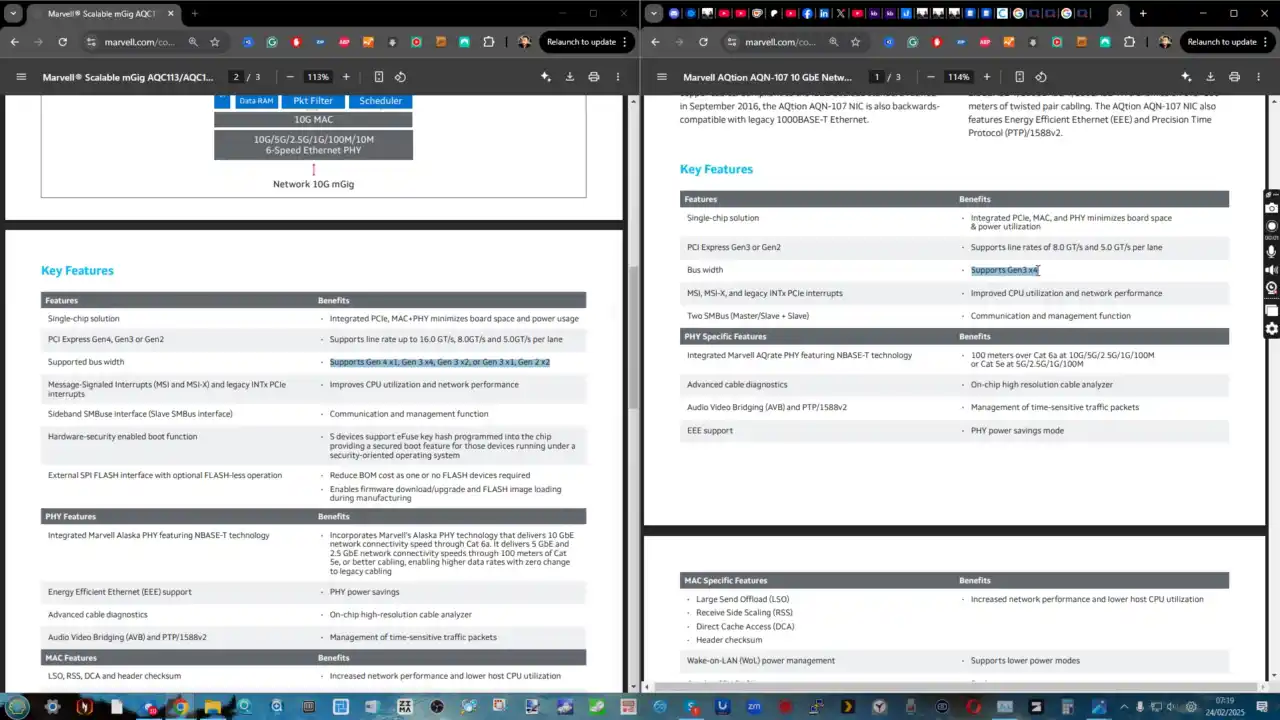
Now I want to discuss the network controller inside this UniFi USB4-to-10G adapter, as I think it’s going to be an important area of distinction for buyers considering this new $200 10G adapter versus cheaper or more expensive alternatives that have been in the market for more than 5 years. The first generation of Thunderbolt-to-10G adapters that arrived way back in 2018/2019 featured the AQN-107 controller. This was designed exclusively for Thunderbolt connections and was a controller running on a PCIe Gen 3 x4 mounted connection in those adapters. This more modern controller is the AQC113, and alongside arriving in a smaller physical size with lower power consumption, it crucially runs on a flexible PCIe Gen 3/4 x1, x2, or x4 architecture as needed.

The reason this is important is that when Thunderbolt 4 and USB4 arrived on client hardware as more flexible and affordable alternatives to Thunderbolt 3, it also allowed client hardware creators to be a little bit more flexible on the allocated PCIe lanes that they would dedicate to USB4/Thunderbolt 3. As good as all this sounds, that meant that more modern hardware with USB4/TB4 (which is backwards compatible with TB3) often had much poorer or inconsistent performance when using the older generation TB3 10G adapters—because the adapter wasn’t flexible enough to adapt to the more dynamic deployment of USB4/TB4 on modern hardware. That is why the new controller and its flexibility may well run consistently better and more efficiently on modern hardware, as both the client and the adapter are more flexibly positioned to adapt to the unique deployments they may encounter.

Several of the existing USB-C to 10G network adapters in the market released over the last 5 years are soon to be updated with newer controllers (with QNAP recently upgrading their existing adapter with the new controller and increasing the price from $199 to $249 already). This is why I touched on earlier the importance of UniFi choosing the newer-gen controller for their adapter. It ensures far greater compatibility with modern USB4/TB3 architecture, as well as better flexibility for users on older-generation devices.


UniFi USB4 and TB4 to 10GbE Adapter Review – Verdict & Conclusion

Unless you properly dig down into just why both the internal hardware and the necessity for a device like this exist, chances are there are a lot of traditional 10G users who are going to question why you’d spend $200 on a USB adapter when there are cheaper and more power-efficient PCIe options on the market. Equally, there are going to be those who’ll point at UniFi releasing this adapter in 2025 and—without looking into how the hardware in these adapters has changed—will question why it took UniFi so long to jump on this bandwagon. To both of those kinds of users, I think they are either missing the point or need to spend a little bit more time looking at how this kind of technology has both changed and evolved for the better in the last few years. The original hurdles for users to scale up their network connectivity have evolved rapidly, and now even the most basic low-powered and low-priced Chromebook is not incapable of scaling up towards 2.5G and 5G network connections. Equally, as Thunderbolt and USB continue their tit-for-tat upgrades periodically, the network peripherals available to most users are evolving just as quickly. This new adapter takes advantage of the continued miniaturization of a lot of those components—and their growing comparative affordability.

I genuinely and wholeheartedly recommend the UniFi USB4 to 10 Gb Ethernet adapter. I also want to add that there are cheap alternatives in the market—if you’re a Thunderbolt 3 user, there are much cheaper alternatives for 2.5G and 5G. If you only have USB 3.2, those are also options to consider. And finally, keep your eyes on the end of 2025, as the controllers that made this adapter possible are going to start rolling out towards dual 10G and 2.5G solutions in due course. They will, of course, scale up in price too, but if you’re looking at this adapter for the sake of future-proofing rather than immediate deployment, you might want to hold off a little while longer. For everyone else, this is a fantastic and convenient network upgrade for content creators and prosumers alike.

Pros of the UniFi 10GbE / USB-C Adapter Cons of the UniFi 10GbE / USB-C Adapters
  • Compact & Lightweight: Smaller and lighter than most 10GbE USB adapters on the market.
  • Modern Controller (AQC113): Improved compatibility, power efficiency, and flexible PCIe lane support.
  • Full USB4/TB3/TB4 Compatibility: Supports the latest connection standards with future-proof design.
  • Passive Cooling: Silent, fanless design with metal chassis and internal heatsink.
  • Bus Powered: No external power supply required, making it ultra-portable.
  • Achieves Full 10GbE Saturation: Delivers consistent high-speed performance in testing.
  • Auto-Negotiation Support: Easily scales down to 2.5G or 5G when supported by the switch.
  • Cross-Platform Support: Compatible with Windows, macOS, and Linux (with some limitations).
  • No USB 3.2 Support: Incompatible with many legacy USB ports found on budget or older devices.
  • Limited Thermal Dissipation: Gets warm under load and dissipates heat slowly due to compact, fanless design.
  • Price Point: At $199, it sits higher than 2.5G/5G alternatives and may be overkill for non-10G users.


📧 SUBSCRIBE TO OUR NEWSLETTER 🔔
[contact-form-7]
🔒 Join Inner Circle

Get an alert every time something gets added to this specific article!


Want to follow specific category? 📧 Subscribe

This description contains links to Amazon. These links will take you to some of the products mentioned in today's content. As an Amazon Associate, I earn from qualifying purchases. Visit the NASCompares Deal Finder to find the best place to buy this device in your region, based on Service, Support and Reputation - Just Search for your NAS Drive in the Box Below

Need Advice on Data Storage from an Expert?

Finally, for free advice about your setup, just leave a message in the comments below here at NASCompares.com and we will get back to you. Need Help? Where possible (and where appropriate) please provide as much information about your requirements, as then I can arrange the best answer and solution to your needs. Do not worry about your e-mail address being required, it will NOT be used in a mailing list and will NOT be used in any way other than to respond to your enquiry. [contact-form-7] TRY CHAT Terms and Conditions
If you like this service, please consider supporting us. We use affiliate links on the blog allowing NAScompares information and advice service to be free of charge to you.Anything you purchase on the day you click on our links will generate a small commission which isused to run the website. Here is a link for Amazon and B&H.You can also get me a ☕ Ko-fi or old school Paypal. Thanks!To find out more about how to support this advice service check HEREIf you need to fix or configure a NAS, check Fiver Have you thought about helping others with your knowledge? Find Instructions Here  
 
Or support us by using our affiliate links on Amazon UK and Amazon US
    
 
Alternatively, why not ask me on the ASK NASCompares forum, by clicking the button below. This is a community hub that serves as a place that I can answer your question, chew the fat, share new release information and even get corrections posted. I will always get around to answering ALL queries, but as a one-man operation, I cannot promise speed! So by sharing your query in the ASK NASCompares section below, you can get a better range of solutions and suggestions, alongside my own.

☕ WE LOVE COFFEE ☕

 
❌