Vue lecture

Il y a de nouveaux articles disponibles, cliquez pour rafraîchir la page.

Are Synology Routers Being Quietly Abandoned

Is Synology Moving Away From Routers?

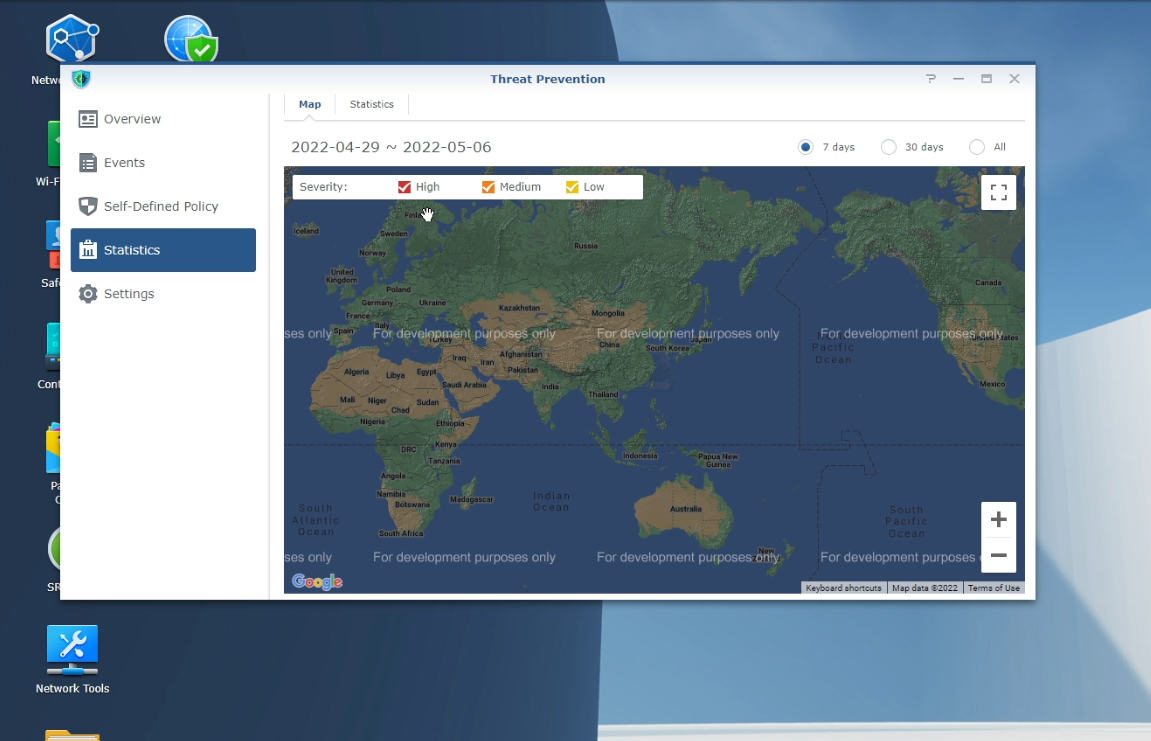
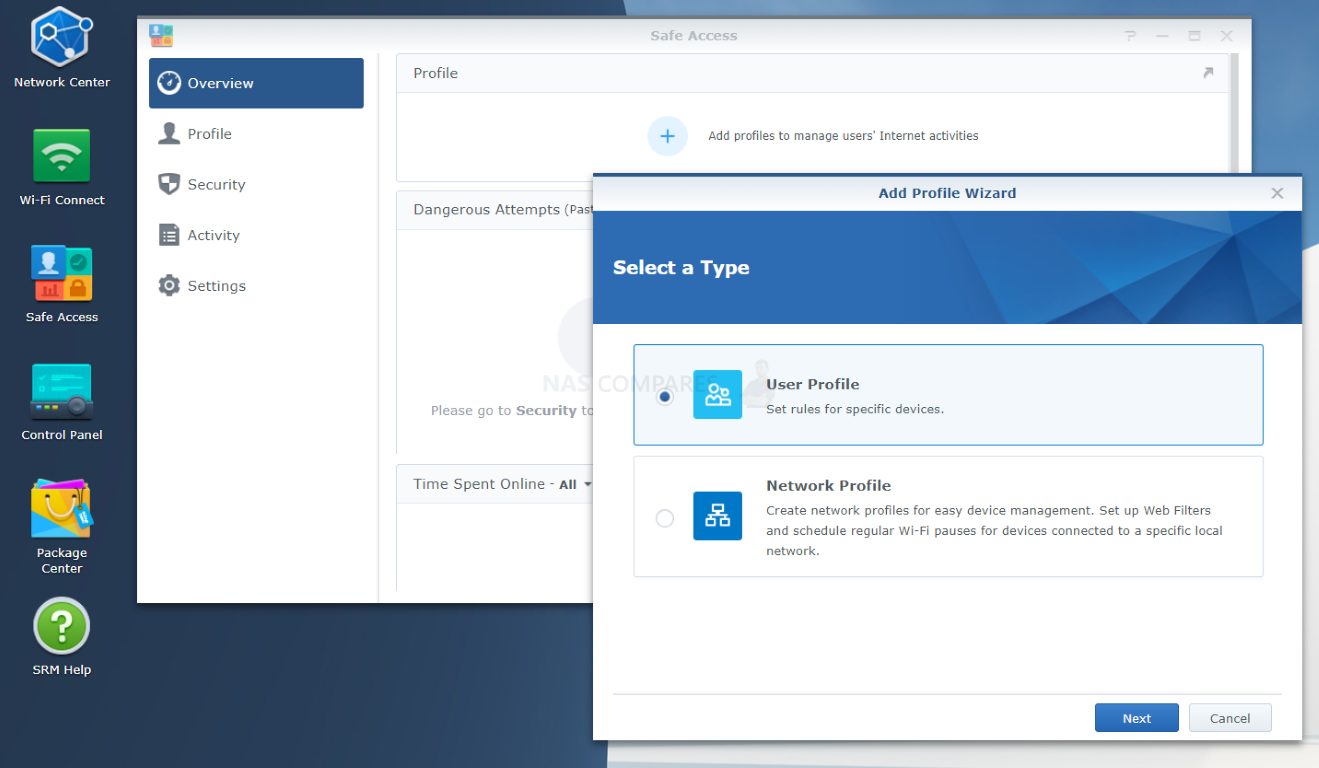
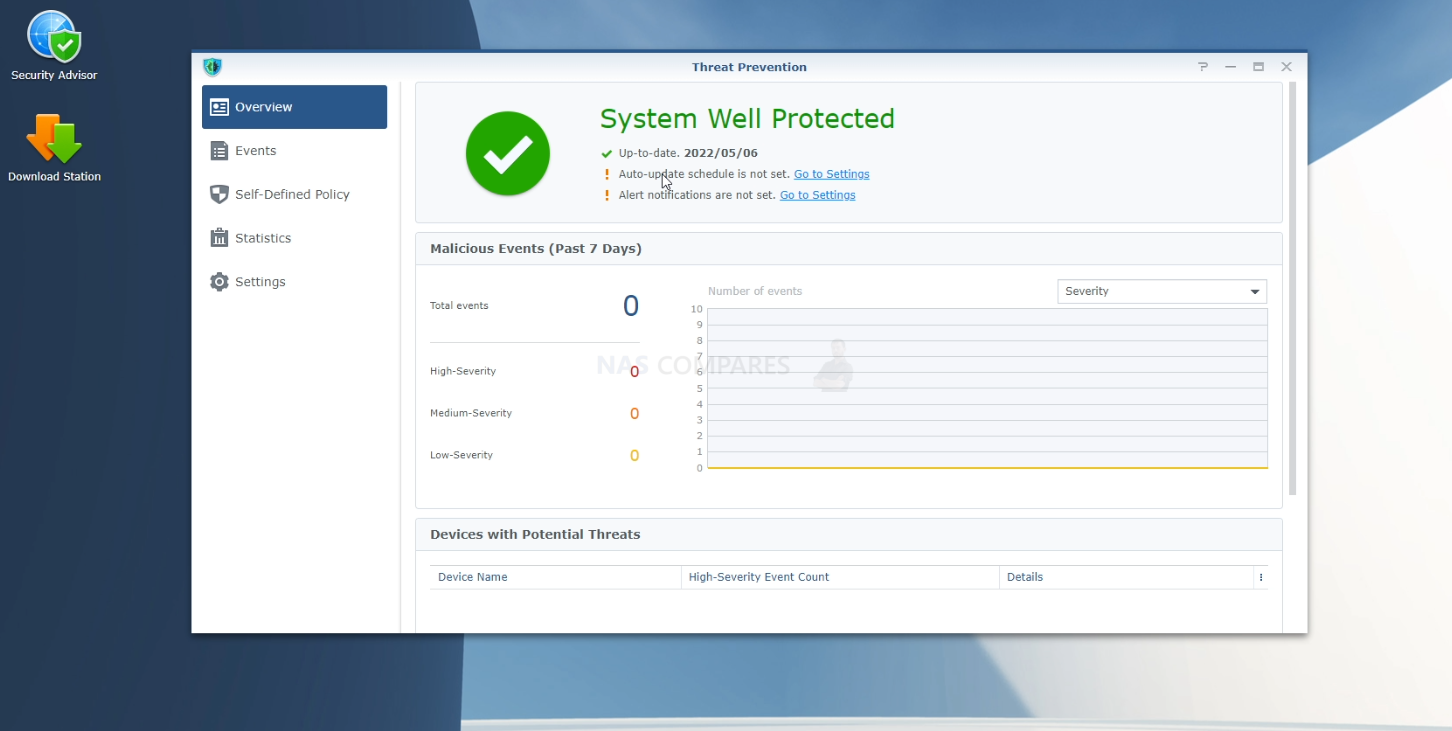
Synology is still best known for NAS hardware, DSM, backup software, private cloud storage, surveillance, and business data management, but its router range has always been an interesting side branch of the wider ecosystem and one that I have genuinely enjoyed reviewing. Products such as the RT2600ac, MR2200ac, WRX560 and RT6600ax appealed to users who liked the Synology software experience and wanted a router interface that felt closer to DSM than the usual consumer router web panel. SRM, or Synology Router Manager, gave users features such as Safe Access, Threat Prevention, VPN tools, mesh support, VLANs, firewall controls and relatively clean network management. For a while, that made Synology routers a sensible option for home users, families, home offices and smaller businesses that wanted more control without stepping fully into UniFi, MikroTik, pfSense or enterprise networking territory. However, with rising competitive options from UniFi that also raise the bar for hardware/software expectations AND troubling performance/stability reports appearing online by users, multiple times I have been asked by users “are Synology giving up on routers?”.
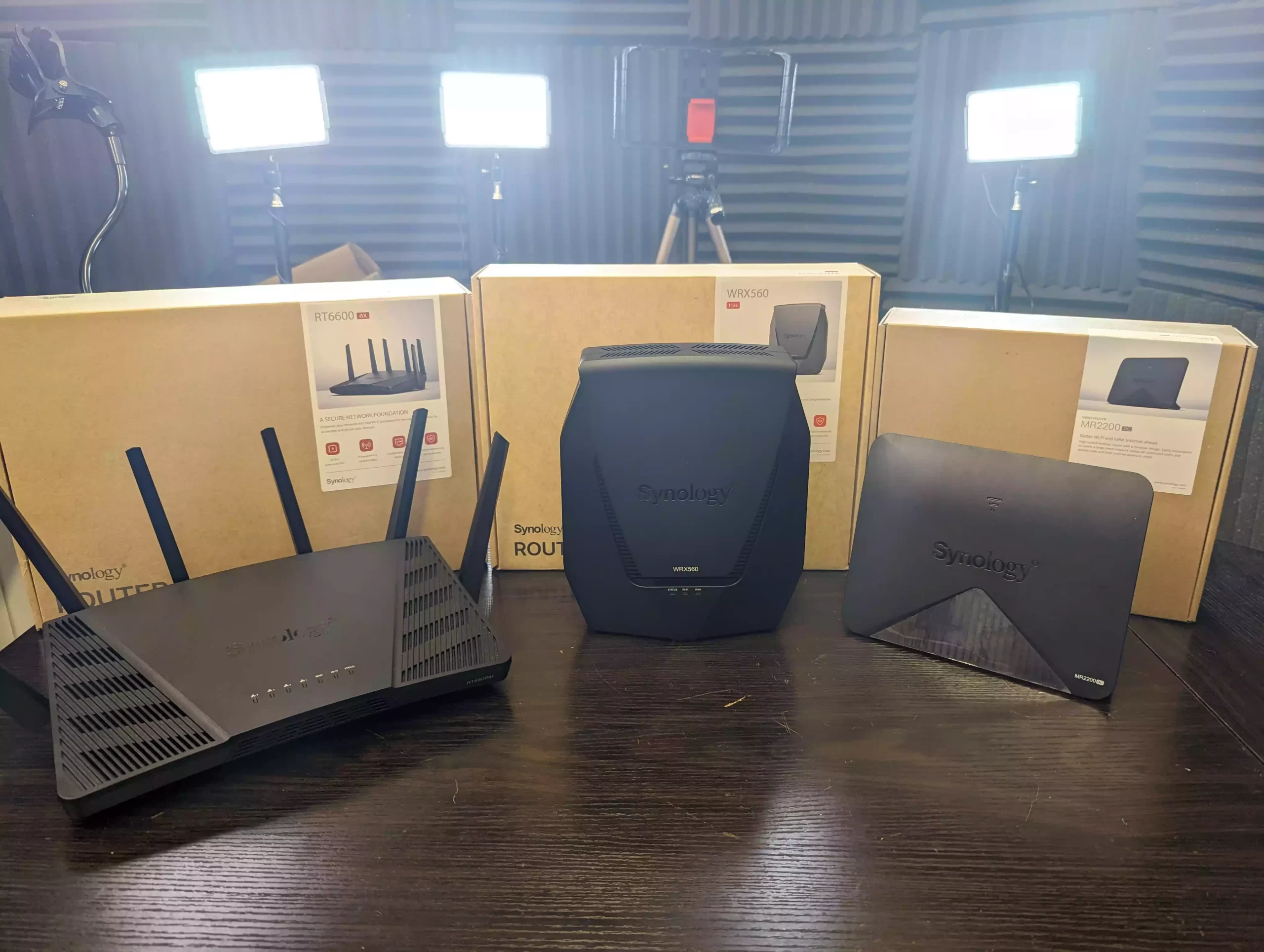
If it were just my own idle thoughts on the subject, I would not have made this article, but recently there has been a spate of posts online (several linked below) on this subject that range from references to unconfirmed conversations with Synology saying the router range is canned, to deeper discussions online about the performance of SRM (Synology router Manager) on the modestly powered current range of routers the brand offers:

Recent Synology Reddit Posts for Example:
  • Some questions about switching to a Synology router HERE

  • Synology WRX560 — 75-day formal complaint, RAM deficit confirmed by Synology’s own data. Full timeline, evidence, and statutory route taken – HERE

  • Synology Router family? – HERE

  • Synology Exiting Router Market… Now What – HERE

In 2026, the question being asked by parts of the Synology community is whether the router range still has a meaningful future. This does not come from an official Synology statement saying the range is discontinued (and I can confirm that no-one at Synology has ever stated this to me – though the amount of Synology router hardware at tech events has diminished rapidly and stock levels outside of their official stores seems patchy). The concern is instead based on what users are seeing around the product line: older hardware, no WiFi 7 model, limited visible roadmap, and mesh products that feel increasingly dated compared with newer alternatives. Synology still publicly lists the RT6600ax and WRX560, and both remain WiFi 6/6e products rather than WiFi 7 replacements. The RT6600ax is listed as a tri-band WiFi 6 router with a 2.5GbE port, while the WRX560 is listed as a dual-band WiFi 6 router with a configurable 2.5GbE WAN/LAN port. It does seem oddly quiet when you consider the extent of availability of WiFi 7 routers in the market right now.
Why Users Are Asking Questions About the Router Roadmap

The recent discussion on Reddit shows the problem clearly: users are not only asking whether Synology routers are still good today, but whether buying into the range now is sensible if there is no obvious next step. One user asked directly whether Synology is “sunsetting” its router family, pointing out that the RT6600ax is from 2022, that the MR2200ac mesh extender has become hard to find in some places, and that there has been no public sign of WiFi 7 hardware. That is the core issue. A router can continue to work well for existing owners, but new buyers are usually looking for some confidence that the platform will still be developed over the next few years.
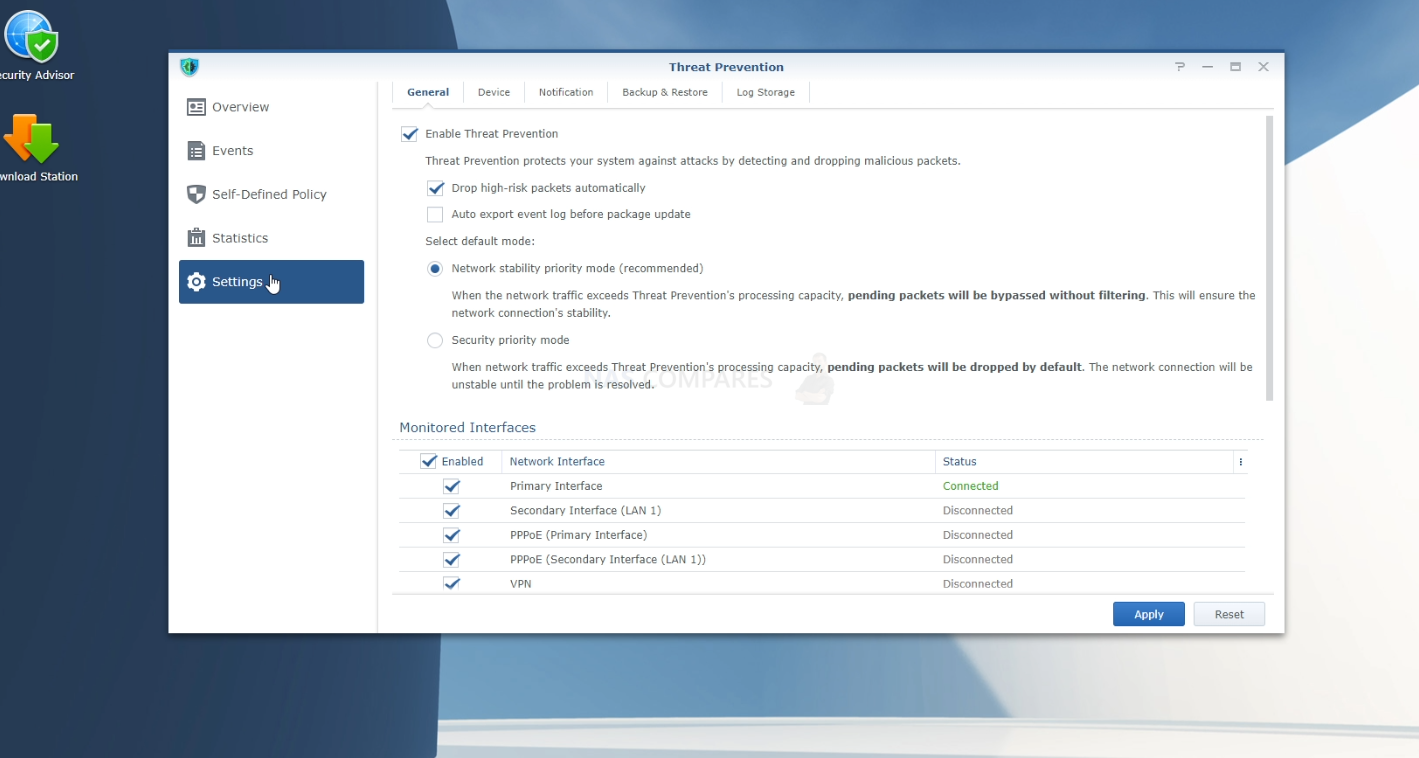
The discussion is also not entirely one-sided. Some users are still happy with Synology routers, especially those who value the firewall tools, Threat Prevention, Safe Access, VPN features and the familiar SRM interface. One user in the same Reddit discussion said their RT6600ax and older RT2600ac wired mesh setup had been “100% stable” with more than 50 devices, which shows that not every owner is unhappy or affected by the same problems. Others, however, are already recommending UniFi, MikroTik, Firewalla, ASUS or other alternatives, not always because Synology routers have stopped working, but because the range feels static. This is an important distinction for the article: the community concern is real, but it is still a mixture of user experience, market comparison and speculation rather than a confirmed end-of-life announcement.

Hardware Age, WiFi 7 and the Competitive Gap

The larger market has moved quickly since the RT6600ax and WRX560 arrived. WiFi 7 routers and access points are now widely available from several consumer and prosumer brands, and multi-gig networking is becoming more common in home and small business internet connections. That puts Synology in a slightly awkward position. The RT6600ax does include a 2.5GbE port, and the WRX560 also has a configurable 2.5GbE WAN/LAN port, but neither product provides the broader WiFi 7 and multi-gig direction that buyers may expect in 2026. For users with 1Gb internet and modest LAN needs, this may not matter much. For users with faster fibre, 2.5GbE switches, 10GbE NAS systems, or WiFi 7 client devices, it becomes much harder to justify investing in older WiFi 6 router hardware unless the price or software experience is especially compelling.

This is where Synology’s router range starts to look more exposed than its NAS range. In NAS, Synology can still lean heavily on DSM, Synology Drive, Hyper Backup, Active Backup, Surveillance Station, Snapshot Replication and long-term software familiarity. In routers, SRM is still a strength, but the hardware competition is more aggressive and refresh cycles matter more visibly. UniFi, ASUS, TP-Link, Netgear and others are fighting hard around WiFi 7, 2.5GbE, 10GbE, mesh, gateway appliances and app-based management. Synology does not need to match every one of those brands feature-for-feature, but the absence of any announced WiFi 7 router or updated mesh range makes the product family feel less active. That is not the same as proof of abandonment, but for buyers spending money today, perception matters.

SRM Support, Security Features and Reported WRX560 Problems

The software side is more complicated. Synology has not simply stopped updating SRM. Its official SRM release notes show SRM 1.3.2-9366 in 2026, and Synology’s Download Center for the RT6600ax still lists SRM 1.3 Series for the product. That matters, because it means “abandoned” would be too strong as a factual description. There is a big difference between a product line that is no longer moving quickly and a product line that has stopped receiving maintenance. Synology also still markets router features such as parental controls, web filtering, traffic control, threat prevention, VPN tools and network segmentation on current product pages.

At the same time, several user reports raise questions about whether the hardware resources in some Synology routers are enough for the full SRM feature set under real-world conditions. One detailed Reddit post from a WRX560 owner claimed that 2 WRX560 routers became unstable when running Safe Access and Threat Prevention, with diagnostic evidence pointing to RAM exhaustion and swap usage rather than CPU saturation. The post claims that CPU idle remained high, while available RAM dropped heavily and swap use increased, causing network instability and local device dropouts. The same user also stated that Synology Support confirmed there was no confirmed firmware fix or patch available to fully resolve the described behaviour, and that the suggested remedy was to disable marketed security features or reduce the number of connected devices. This remains a user report, not an independent lab test, but it is detailed enough that it should not simply be dismissed as a vague complaint.

No Official Discontinuation, But Confidence Is Clearly Being Tested

The strongest counterpoint is that there is still no public Synology announcement saying the router family has been retired. In fact, one Reddit thread discussing the topic was removed by moderators, with comments asking for proof and warning against unsupported claims. Several users in the discussion specifically asked where Synology had officially announced an exit from routers, and others pointed out that no such announcement had been found. That is why the wording here matters. It is fair to say that Synology’s router roadmap looks unclear. It is fair to say that users are questioning the future of the range. It is fair to say that the lack of WiFi 7 hardware is becoming harder to ignore. But it would not be fair to state that Synology has officially discontinued routers unless Synology confirms it.

There is also the SRM life cycle angle. Synology’s Software Life Cycle Policy lists SRM 1.3 as having reached general availability in April 2022, with the End of Maintenance Phase listed as December 2026 and the End of Extended Life Phase still “to be announced.” This does not automatically mean SRM is ending, because policies can be extended and new SRM versions can appear. However, in the absence of new router hardware or a clearly communicated SRM 1.4 direction, it adds to the uncertainty. For existing owners, this means the practical advice is not to panic if the router is stable and still receiving updates. For new buyers, the calculation is different. Buying into a router ecosystem is not just about whether the current product works today, but whether the platform looks active enough to support future devices, faster internet connections, newer WiFi standards and ongoing security expectations.

Overall, Synology’s router range appears to be in a holding pattern rather than an officially abandoned state. Existing RT6600ax, WRX560, RT2600ac and MR2200ac owners may still have stable, useful systems, especially if they are not pushing the routers hard with advanced traffic inspection and larger mesh environments. But for new buyers in 2026, the case is less comfortable than it used to be. The lack of WiFi 7 hardware, no clear public roadmap, ageing mesh options, user complaints around advanced SRM features, and stronger competition from UniFi, ASUS, MikroTik, Firewalla and others all make Synology networking harder to recommend without caveats. Until Synology either releases new router hardware or clearly explains where SRM and its router ecosystem are going next, the question is not whether Synology routers still work, but whether the company is still treating routers as an active long-term product line.


📧 SUBSCRIBE TO OUR NEWSLETTER 🔔
[contact-form-7]
🔒 Join Inner Circle

Get an alert every time something gets added to this specific article!


Want to follow specific category? 📧 Subscribe

This description contains links to Amazon. These links will take you to some of the products mentioned in today's content. As an Amazon Associate, I earn from qualifying purchases. Visit the NASCompares Deal Finder to find the best place to buy this device in your region, based on Service, Support and Reputation - Just Search for your NAS Drive in the Box Below

Need Advice on Data Storage from an Expert?

Finally, for free advice about your setup, just leave a message in the comments below here at NASCompares.com and we will get back to you. Need Help? Where possible (and where appropriate) please provide as much information about your requirements, as then I can arrange the best answer and solution to your needs. Do not worry about your e-mail address being required, it will NOT be used in a mailing list and will NOT be used in any way other than to respond to your enquiry. [contact-form-7] TRY CHAT Terms and Conditions

If you like this service, please consider supporting us. We use affiliate links on the blog allowing NAScompares information and advice service to be free of charge to you.Anything you purchase on the day you click on our links will generate a small commission which isused to run the website. Here is a link for Amazon and B&H.You can also get me a ☕ Ko-fi or old school Paypal. Thanks!To find out more about how to support this advice service check HEREIf you need to fix or configure a NAS, check Fiver Have you thought about helping others with your knowledge? Find Instructions Here  

 
Or support us by using our affiliate links on Amazon UK and Amazon US
    
 
Alternatively, why not ask me on the ASK NASCompares forum, by clicking the button below. This is a community hub that serves as a place that I can answer your question, chew the fat, share new release information and even get corrections posted. I will always get around to answering ALL queries, but as a one-man operation, I cannot promise speed! So by sharing your query in the ASK NASCompares section below, you can get a better range of solutions and suggestions, alongside my own.

☕ WE LOVE COFFEE ☕


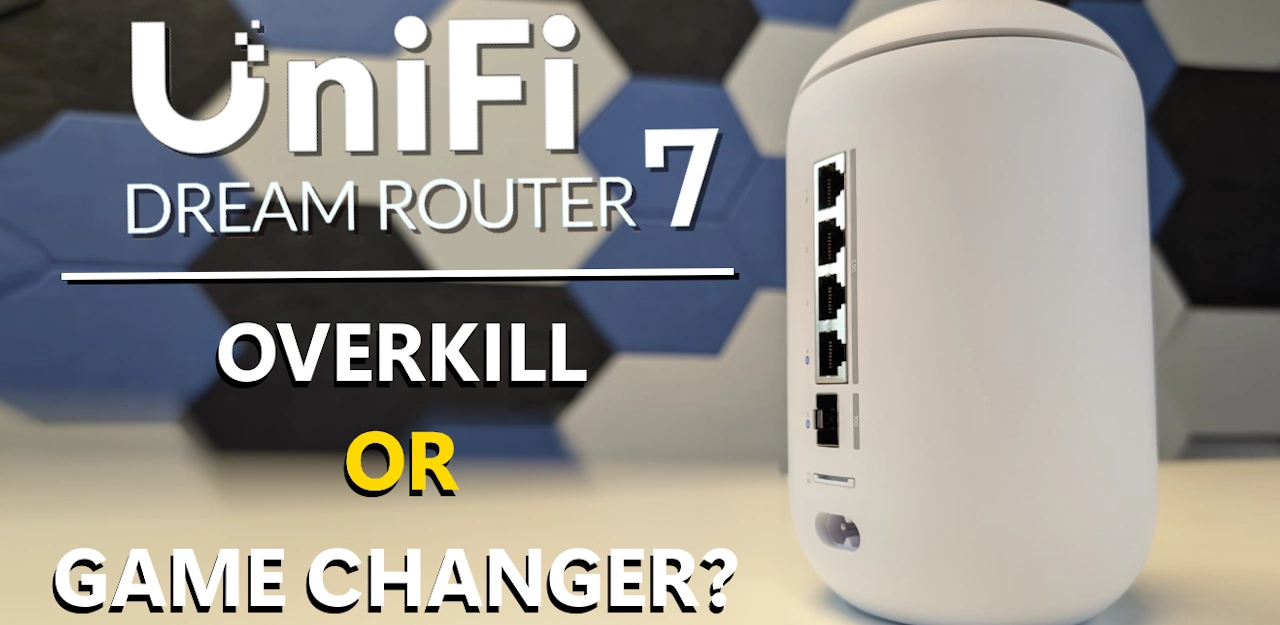
Is the UniFi Dream Router Still Worth $279, 1 Year Later? Better, Worse, the Same?

UniFi Dream Router 7 – ONE YEAR LATER

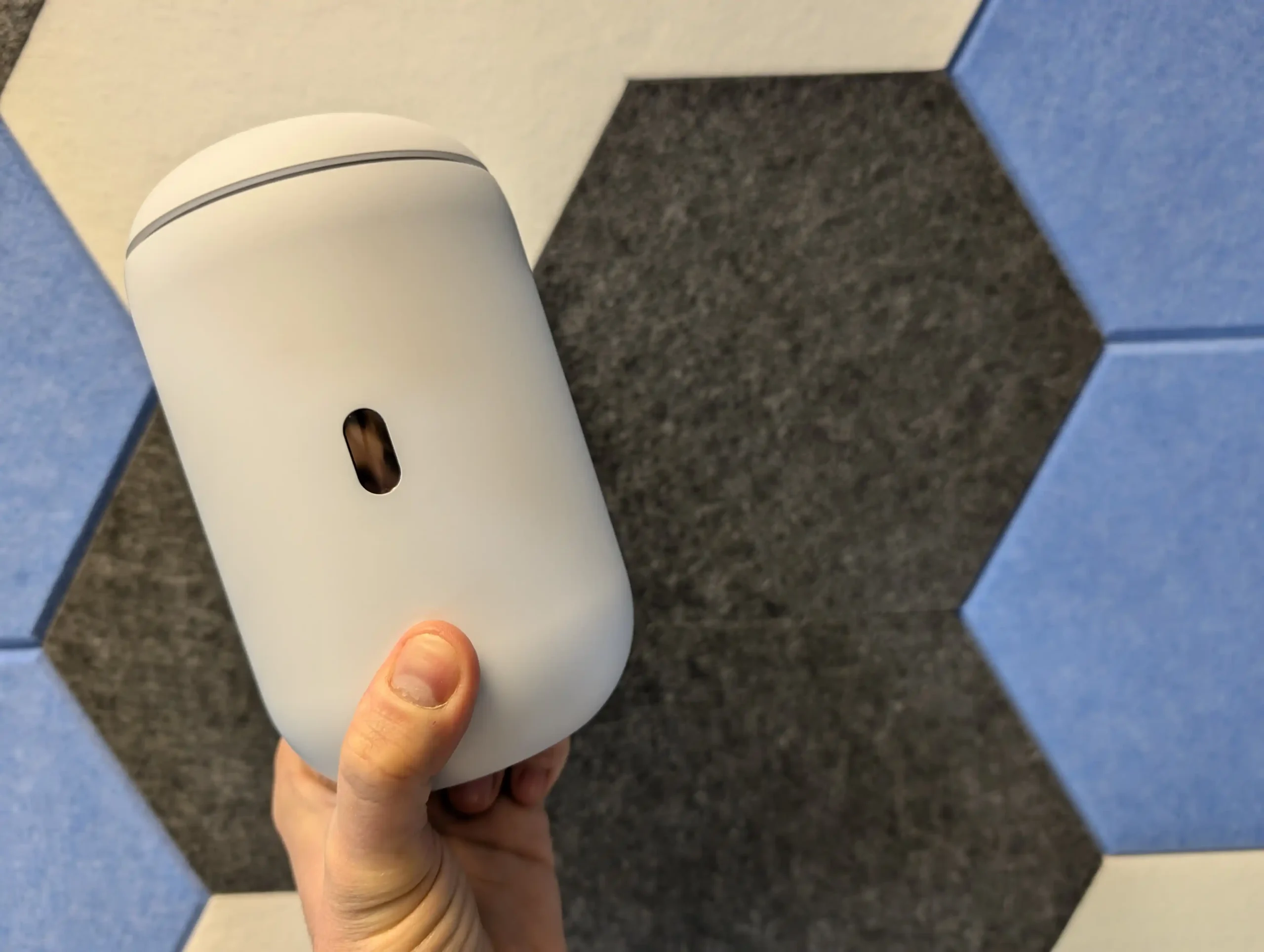
A lot can change in 12 months with a router, especially one that launched with strong hardware and a lot of software ambition behind it. The UniFi Dream Router 7 (UDR7) arrived in February 2025 at $279 and immediately stood out on paper, but a year later the more useful question is not what it promised at launch, it is what it actually delivers now: is it better, worse, or largely the same after a full year of real-world use and updates? In this 1 year later review, I am looking at that from 3 angles: my own experience of using the UDR7 in a live home setup over the last 12 months, the wider experience of other users in home and business environments, and how Ubiquiti has supported the platform through UniFi OS and router software updates since release. The goal is to move beyond launch-day specs and first impressions and answer the more practical question for anyone considering an upgrade today: in early 2026, is the UniFi Dream Router 7 still worth $279?

My Own 12 Month Experience of the UniFi Dream Router 7

My own experience with the UDR7 over 12 months is slightly different from a short test bench review because this unit stayed deployed in my home for most of that time. After the original review, I kept it and ran it in a real environment rather than treating it as a temporary test device.

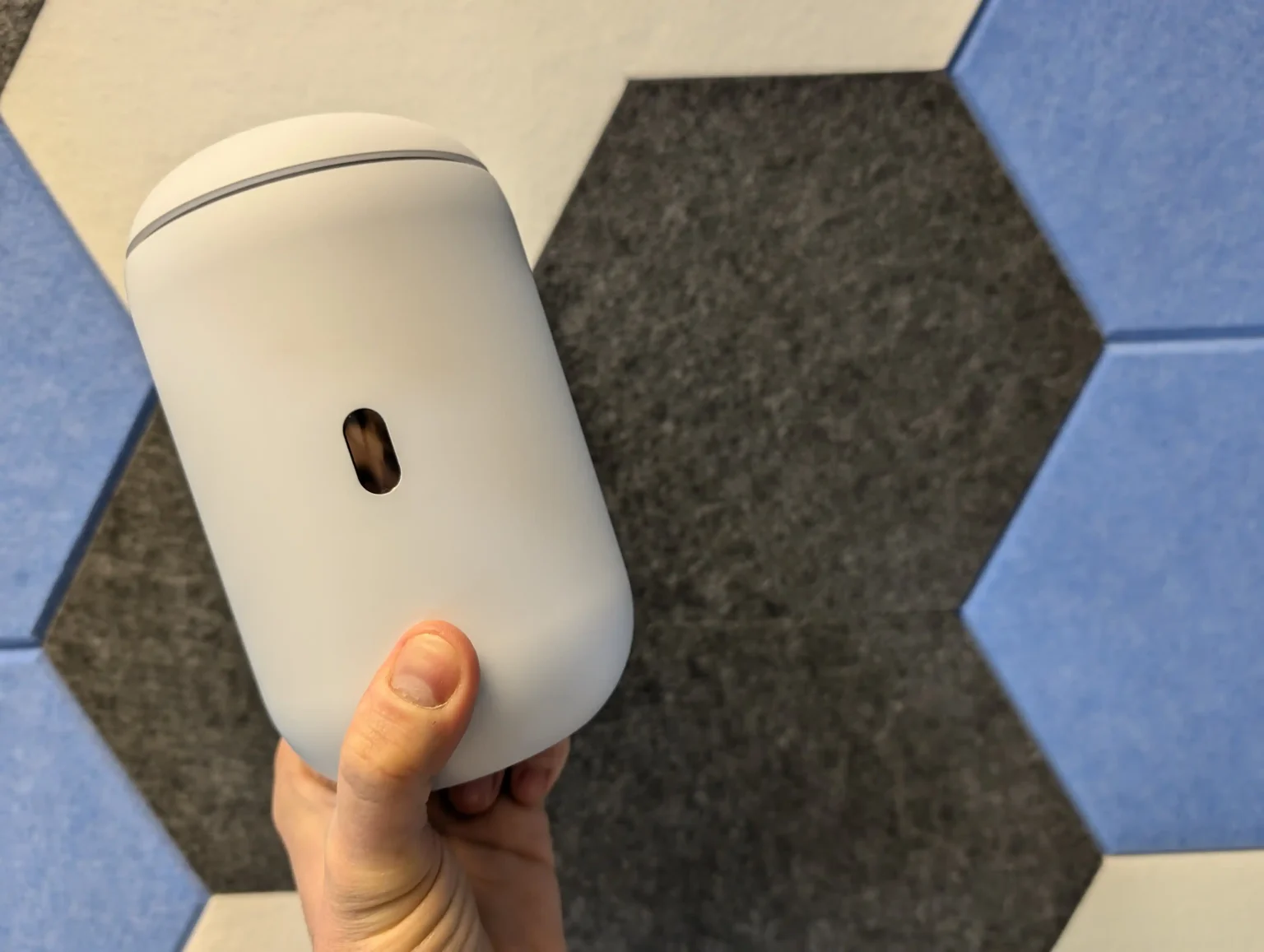
It was not my only wireless setup, so there was some unavoidable radio overlap in the house, and I was also running the UDR7 with 4 additional access points placed across different rooms. It was positioned behind a TV rather than in an ideal open location, which is worth stating because that kind of placement can affect both wireless behavior and thermals.

In terms of reliability, my own results were stable across the year. The UDR7 was set to install updates automatically, so it received every update as it arrived, and outside of planned interruptions for filming, firmware reboots, and a reprofile/reset around October for remote access preparation, it remained in service continuously.

Across that period it handled a regular set of around 12 active devices, while interacting with roughly 20 to 25 devices over time.

I did not run UniFi Protect on this unit in my own setup, so my long-term comments are focused on routing, wireless management, and day to day network operation rather than surveillance recording. In that role, it was dependable and I did not encounter recurring crashes or operational failures.

Resource use and thermals were also within a reasonable range for the way I deployed it. Internally, the system generally sat around 61 to 67°C depending on load, with CPU utilization commonly around 20 to 25% and RAM usage often around 40 to 50% when more security features and logging were enabled.

External temperatures were warmer than ambient but not excessive for a compact desktop gateway placed in a less than ideal location: roughly 48 to 49°C on the outer body, around 51°C near the top ventilation strip at peak use, and around 43 to 45°C at the base.

The copper ports remained cooler, while the SFP side ran hotter when used. None of this pointed to a thermal problem in my deployment, but it does reinforce that placement and ventilation still matter.

Traffic volume across the test period also helps frame the result. I put roughly 1.25TB of internet traffic through the unit, with just over 1TB downloaded and around 204GB uploaded, while also testing PoE output with a few APs.

The only PoE limitation I ran into was with a higher draw AP that exceeded what the port is designed to provide, which matched the published power limits rather than indicating a fault.

Taken strictly from my own 1 year usage, the UDR7 did what it was supposed to do at $279 in a mixed home environment with multiple APs, automatic updates, and steady day to day load. My experience was not a stress test of every feature, but as a long-running gateway deployment it remained reliable.

The Community Feedback on the UniFi Dream Router 7 in 1 Year

Looking at wider user feedback over the last 12 months, the most consistent pattern is that early criticism focused less on the hardware itself and more on launch readiness. Across UniFi Community threads, Reddit posts, and ISP forum discussions, many users described the UDR7 as capable hardware paired with software that felt immature in the first weeks and months after release. The phrase “unfinished at launch” appears repeatedly in community discussions, particularly from users who deployed it as a primary gateway rather than a simple single room router.

The most widely reported issue was selective connectivity behavior, especially on PPPoE connections using the RJ45 WAN port. Users reported situations where speed tests looked normal but specific services failed or behaved unreliably, including video calls, social media video loading, live camera feeds, and some VPN apps. Multiple threads also repeated the same temporary workarounds: moving WAN to the SFP+ port or enabling Smart Queues, with users noting the tradeoff in cost, added hardware, or reduced throughput. This issue appears frequently enough across separate threads and forums to be treated as a recurring launch-period problem rather than isolated misconfiguration.

A second recurring theme was inconsistent WiFi behavior in more demanding or more complex deployments. Community reports described unstable wireless performance, intermittent disconnects, poor range relative to expectations, and in some cases daily reboots or loss of connectivity requiring a full restart. Not every report points to the same root cause, and some users specifically tied their issues to WAN mode, AP combinations, or feature settings, but the overall pattern is clear: setups with heavier tuning, multiple APs, or more demanding coverage expectations were more likely to expose weaknesses during the early firmware cycle. Also, there was the expensive testing of ‘REAL’ MLO support by RTINGS last month, where the marketing materials around WiFi 7 routers and the level of currently MLO abilities vs the reality of client and router support.

By early 2026, community sentiment appears more mixed than uniformly negative. The strongest complaints are still easy to find, but there are also repeated updates from users saying behavior improved after firmware updates, manual upgrades, or configuration changes, especially in threads that started during the launch period. The broad shift is not that all criticism disappeared, but that the conversation moved from “basic reliability concerns” toward “specific deployment and tuning limitations,” which is a materially different position for a product that had a rougher first impression for many early adopters.

Changes, Fixes, Improvements on the UDR7 over 1 Year

The clearest difference between the UDR7 at launch and the UDR7 after 12 months is software maturity. Over the March 2025 to February 2026 period, UniFi OS and the router platform received a substantial number of additions, improvements, and fixes that changed the practical experience of using the device. This was not just a case of minor UI clean-up. The update history shows ongoing work across setup flow, backup and restore behavior, WAN resiliency, WiFi stability, VPN reliability, logging, storage handling, and administrative tooling. In simple terms, the software stack was actively developed throughout the year, which supports the wider view that the product improved materially after release.

The additions also indicate that Ubiquiti treated the platform as something to expand, not only stabilize. Over that period, support was added for features such as custom certificates, custom SMTP, packet captures, Hotspot 2.0/PassPoint, IPv6 traffic identification and DNS Shield support, SIEM integration, advanced mDNS options, Alarm Manager, CNAME DNS records, and additional identity and directory integration options. Some of these are more relevant to business or managed environments than typical home users, but they still matter in the context of value because the UDR7 is sold as a UniFi cloud gateway, not just a domestic WiFi router. The result is that 1 year later, the software feature set is broader and more aligned with the hardware’s original positioning.

Just as important are the fixes that directly overlap with common launch-era complaints. These include a specific fix for wireless throughput issues when using PPPoE on the RJ45 WAN port, fixes for MLO and guest portal interaction, WiFi and RF scanning related issues, stability improvements when using MLO, improved 2.4GHz client resiliency, improved minimum RSSI stability, and a long list of VPN, routing, and policy-based routing fixes. There were also repeated improvements to backup/restore resiliency, web UI stability, speed test stability, and hardware offloading. Taken together, this update history does not prove every user issue is resolved in every deployment, but it does show a sustained effort to address exactly the types of faults and inconsistencies that shaped the early reputation of the UDR7.

Is the UniFi Dream Router Better, Worse or the Same Value at $279 1 Year Later? (Verdict)

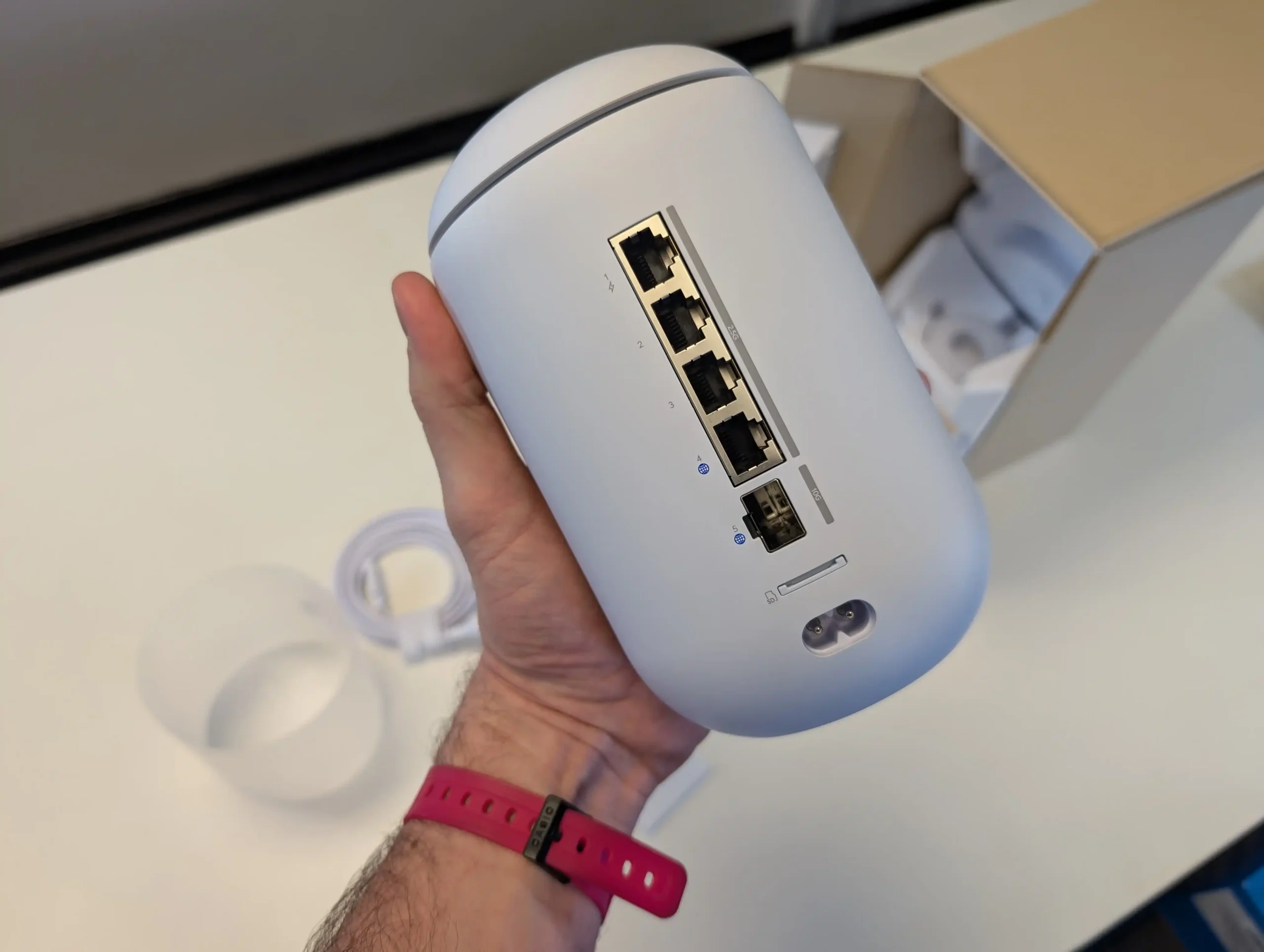
1 year on, the UniFi Dream Router 7 is easier to recommend than it was at launch, but for a different reason than the original review. The core hardware value proposition remains largely the same: at $279, it still offers an unusual combination of WiFi 7, multi-gig copper, 10G SFP+, 1 PoE output, UniFi application support, and a compact all-in-1 gateway design that many competing devices at this price either do not match or only match in narrower areas. What changed over the last 12 months is the software side. Early concerns around stability, selective connectivity, and inconsistent behavior in more demanding deployments were significant enough to affect the product’s reputation, and that criticism was not unreasonable. However, the volume and direction of updates over the year indicate that Ubiquiti has spent that time closing the gap between what the hardware promised and what the software delivered in practice.

The most accurate verdict in early 2026 is that the UDR7 is not a fundamentally different product than it was in February 2025, but it is a more complete one. In straightforward home and small business use, especially where the buyer wants a UniFi-managed gateway with room to scale, it now presents a stronger case than it did for early adopters. At the same time, buyers with more complex AP layouts, aggressive tuning requirements, or very specific expectations around WiFi 7 MLO behavior should still approach it with realistic expectations and pay attention to current firmware state and client compatibility. On balance, based on the hardware, the year of software support, my own long-term deployment experience, and the broader community trajectory, the UDR7 remains a valid purchase at $279 in 2026.


What I originally said about the UniFi Dream Router 7 in my Feb 2025 Review:

As appealing as the UniFi router and network software that this system is bundled with are, the main praise I have to give the UDR 7 is that everyone is going to feel the benefits of this router in their network at this price point. The small compromises it has compared to the previous UDR system (such as fewer PoE ports) are immediately outweighed by its versatility, which would be hard to find at a better price elsewhere. The fact that all LAN ports are 2.5G and that the two WAN/LAN ports are 2.5G and 10G SFP+ respectively puts this router massively ahead of most competitors in the sub-$300 market. Equally, support for the UniFi Protect surveillance software and the included WD Purple SD card storage are nice extras that you don’t commonly find elsewhere—let alone the inclusion of a PoE 2.5G port. The router and network management software is, of course, quintessentially UniFi in its presentation. Striking a balance between usability and information is a tough challenge, and the UniFi software almost succeeds. It excels in its presentation and management via the mobile app, though the desktop UI could be a touch more intuitive. How could you make wireless and wired network management truly user-friendly?

That said, the UDR 7 is a genuinely WiFi 7-ready router, offering 2×2 6GHz coverage and taking advantage of all the frequency and bandwidth benefits afforded to true WiFi 7 6GHz clients. Add a simple $20 USB WiFi 7 adapter to your system, and you can immediately enjoy base-level 2.8Gbps wireless connectivity, scaling this up substantially with the right WiFi 7 wireless NICs. Even if you’re not in love with the UniFi software platform or handing management of your services over to Ubiquiti’s remote services, you can still set up the device without a UI.com account. You do not need to deploy it with UniFi Network equipment, and VPN and encrypted protocol services can still be managed via popular third-party options if preferred. Buying a router for your home or business instead of relying on the one supplied by your ISP can often feel like an unnecessary expense. However, considering the price point and the network advantages the UDR 7 provides, I believe this system is worth it. Some of its services might require additional polish over time, and greater network capabilities on this router will be realized as technology progresses, but I wholeheartedly recommend the UDR 7 for the majority of setups.

BUILD QUALITY - 10/10
HARDWARE - 9/10
PERFORMANCE - 9/10
PRICE - 8/10
VALUE - 9/10


9.0
PROS
👍🏻WiFi 7 Support – Offers Genuine 6GHz connectivity with 320MHz channels, enabling faster speeds and lower latency.
👍🏻Multi-Gig Networking – Includes three 2.5GbE LAN ports and a 10GbE SFP+ WAN/LAN port, making it highly future-proof.
👍🏻Comprehensive UniFi Software – Provides robust network management features, including VLANs, QoS, IDS/IPS security, and VPN support.
👍🏻Integrated UniFi Protect Support – Comes with a pre-installed 64GB WD Purple SD card, allowing local video storage for security cameras.
👍🏻Flexible WAN/LAN Configurations – Supports dual WAN for failover or load balancing, or repurposing the 10GbE SFP+ port as LAN.
👍🏻High Customization & Security – Offers advanced firewall controls, application-aware filtering, and in-depth traffic analytics.
👍🏻User-Friendly Mobile App – Easy setup and management via the UniFi mobile app, with intuitive controls and real-time monitoring.
👍🏻No UI.com Account Required – Can be set up locally without requiring an online UniFi account, providing more control over network privacy.
CONS
👎🏻Limited PoE Support – Only includes one PoE-enabled 2.5GbE port, which may be a drawback for users looking to power multiple UniFi cameras or access points.
👎🏻6GHz Band Availability Varies by Region – While WiFi 7 delivers significant improvements, the 6GHz spectrum and 320MHz channels may not be fully available in all areas, limiting real-world performance.
👎🏻Not the Most Budget-Friendly Option – Although competitively priced for a WiFi 7 router, there are still more cost-effective alternatives on the market, especially for users who don’t need UniFi’s ecosystem.
👎🏻The MLO architecture is currently E-MLSR MLO (Enhanced Multi-Link Single Radio Operation Mode), which lacks the true aggregation of Sync MLMR (Synchronous Multi-Link Multi-Radio) MLO
Where to Buy

UniFi Dream Router 7 (UDR7) –  $279 HERE 

UniFi Express 7 (UX7) –$199 HERE 

UniFi Cloud Gateway Fiber (UCG-FIBER) – $249 HERE


📧 SUBSCRIBE TO OUR NEWSLETTER 🔔
[contact-form-7]
🔒 Join Inner Circle

Get an alert every time something gets added to this specific article!


Want to follow specific category? 📧 Subscribe

This description contains links to Amazon. These links will take you to some of the products mentioned in today's content. As an Amazon Associate, I earn from qualifying purchases. Visit the NASCompares Deal Finder to find the best place to buy this device in your region, based on Service, Support and Reputation - Just Search for your NAS Drive in the Box Below

Need Advice on Data Storage from an Expert?

Finally, for free advice about your setup, just leave a message in the comments below here at NASCompares.com and we will get back to you. Need Help? Where possible (and where appropriate) please provide as much information about your requirements, as then I can arrange the best answer and solution to your needs. Do not worry about your e-mail address being required, it will NOT be used in a mailing list and will NOT be used in any way other than to respond to your enquiry. [contact-form-7] TRY CHAT Terms and Conditions
If you like this service, please consider supporting us. We use affiliate links on the blog allowing NAScompares information and advice service to be free of charge to you.Anything you purchase on the day you click on our links will generate a small commission which isused to run the website. Here is a link for Amazon and B&H.You can also get me a ☕ Ko-fi or old school Paypal. Thanks!To find out more about how to support this advice service check HEREIf you need to fix or configure a NAS, check Fiver Have you thought about helping others with your knowledge? Find Instructions Here  

 
Or support us by using our affiliate links on Amazon UK and Amazon US
    
 
Alternatively, why not ask me on the ASK NASCompares forum, by clicking the button below. This is a community hub that serves as a place that I can answer your question, chew the fat, share new release information and even get corrections posted. I will always get around to answering ALL queries, but as a one-man operation, I cannot promise speed! So by sharing your query in the ASK NASCompares section below, you can get a better range of solutions and suggestions, alongside my own.

☕ WE LOVE COFFEE ☕

 
❌