Vue lecture

Il y a de nouveaux articles disponibles, cliquez pour rafraîchir la page.

The FOMO is real as PC storage units are running dry thanks to the RAM Crisis — but this SSD with 14,900MB/s Read Speeds is still in stock and on sale

The RAM Crisis has PC users gripped in fear as they're scrambling to buy as much storage space for their PCs as they can before their costs become too unaffordable for the average person, leaving many stores deprived of SSDs.

However, some SSDs have managed to slip through this shopping rush with their stock untouched, like the WD_Black SN8100 PCIe 5.0 NVMe SSD.

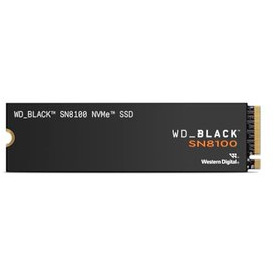
This internal storage unit, boasting insanely fast read speeds for work and gaming, is currently on sale at Best Buy for $269.99 for its 1TB model (listing price was $528.99), $399.99 for its 2TB model (listing price was $1,057.99), and $999.00 for its 4TB model (listing price was $2,069.99).

Alternate models on sale:
2TB Model - $399.99 (listing price on Best Buy was $1,057.99)
4TB Model - $999.00 (listing price on Best Buy was $2,069.99)

"Technology moves on, and SanDisk is ready to double the read speeds of my current champion at a higher price for file storage space. Yes, you'll pay more per terabyte with PCIe 5.0, but the WD_BLACK SN8100 actually delivers better value on its read speeds for those who regularly create/render/transfer gigantic files." — Ben Wilson, Senior Editor

Windows Central review: ⭐⭐⭐⭐½View Deal

Why buy the WD_Black SN8100 SSD?
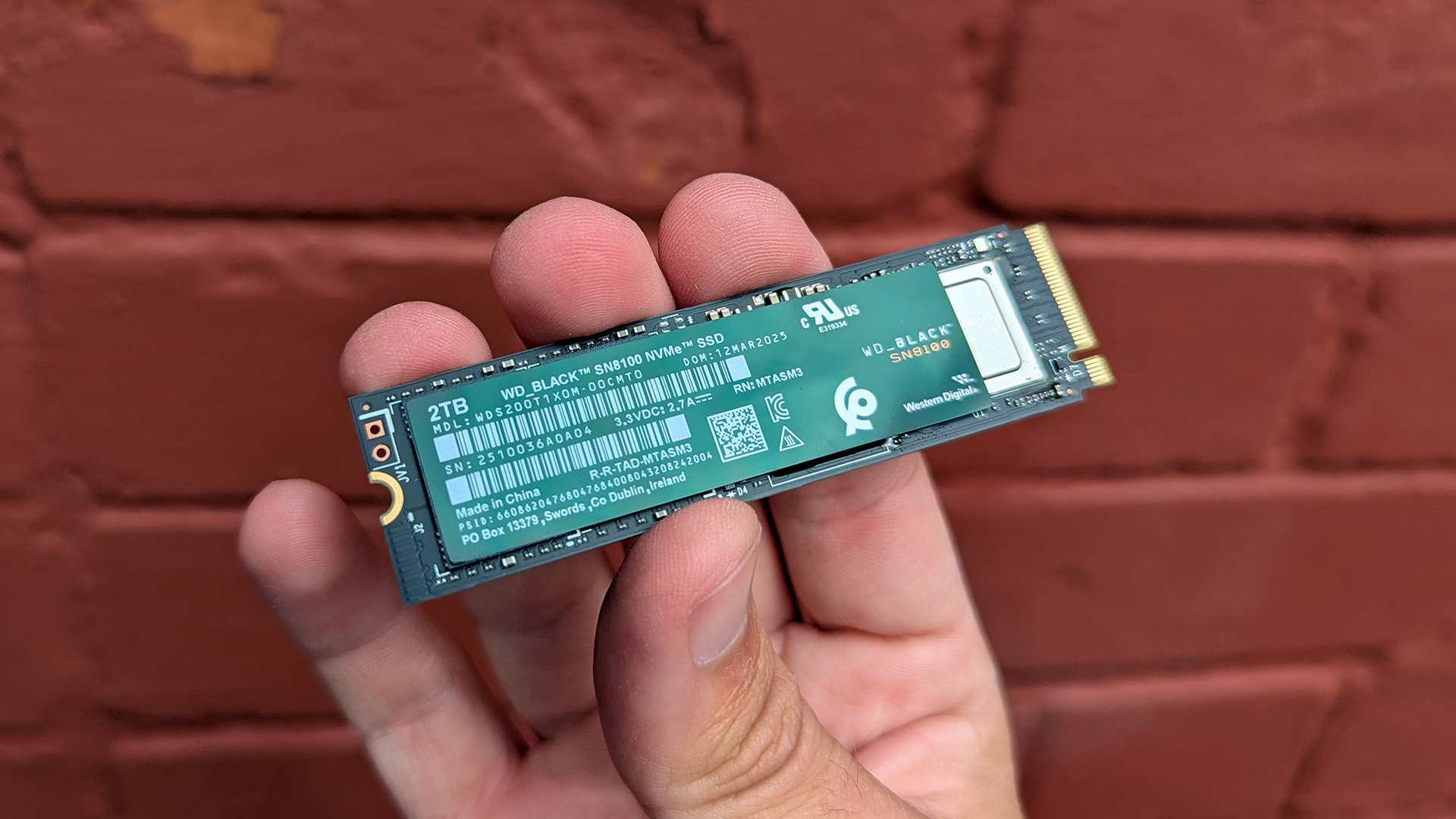
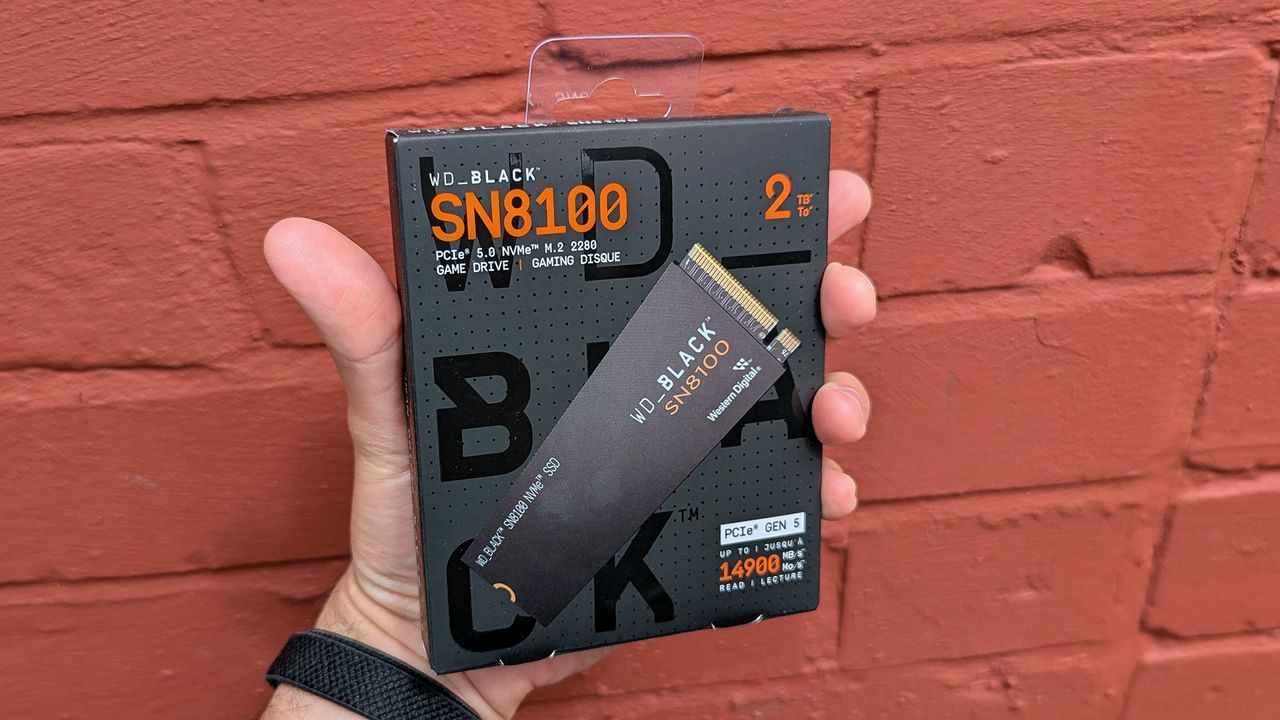
A hand holding a 2TB WD_Black SN850 M.2 SSD against a red brick background. The SSD features detailed labeling and a sleek, compact design.

The WD_Black SN850 SSD in hand. (Image credit: Windows Central (Ben Wilson) | WD_ Black)

In an age where files for games, documents, 4K videos, and other pieces of media are taking up hundreds of gigabytes' worth of space, you're going to need a massive SSD to store them in while having high read/write speeds so transferring files won't be slower than snails.

SanDisk's WD_Black SN8100 SSD is one such storage unit, as it comes with 1TB, 2TB, 4TB, and 8TB models, each one being equipped with high Read Speeds up to 14,900MB/s and Write Speeds up to 11,000MB/s.

This makes the WD_Black SN8100 SSD one of the best SSDs for gaming as these models will have plenty of space to fit your precious games in while cutting down on load times for rendering graphical assets and reducing lag so they feel smoother to play.
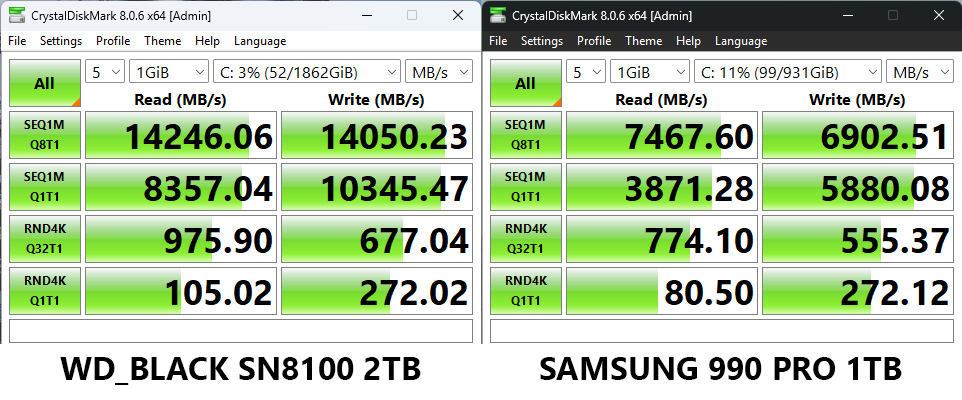
WD_BLACK SN8100 PCIe 5.0 SSD speed test in CrystalDiskMark compared to Samsung 990 PRO PCIe 4.0 SSD

WD_BLACK SN8100 PCIe 5.0 SSD speed test in CrystalDiskMark compared to Samsung 990 PRO PCIe 4.0 SSD (Image credit: Windows Central (Ben Wilson))

These read and write speeds are also good for productivity tasks, as the SSD can help your PC transfer files in mere seconds, which can be handy when you need to send work documents, videos, and other important data from one machine to another.

Just make sure your computer has a heatsink attached to its motherboard before installing the WD_Black SN8100, as it can get extremely hot when taking on heavy-duty workflows.

FAQ

Does this SSD require a heatsink?

The WD_Black SN8100 SSD doesn't need a heatsink in order to function, but it's highly recommended you get one, as it can get hot without one when performing heavy workloads.

Can I install it on gaming consoles?

No, the WD_Black SN8100 SSD was built for PCs with PCIe Gen 5 slots, not home gaming consoles.

Can I use it on older PCs with PCIe Gen 4 slots?

The WD_Black SN8100 SSD is backward compatible with PCs using PCIe Gen 4 slots, but the motherboards using these slots won't be able to achieve the same 14,900MB/s Read Speeds and 11,000MB/s Write Speeds a PC using PCIe Gen 5 slots can.

Click to join us on r/WindowsCentral

Join us on Reddit at r/WindowsCentral to share your insights and discuss our latest news, reviews, and more.
This more affordable Xbox expansion card beats Amazon's Prime Day discount with a 1TB SSD matching Seagate's performance [UPDATE]

Update (06/29/2026, 4:20am EST): The WD_Black C50 1TB Expansion Card for Xbox Series X|S is no longer in stock at Best Buy. ~ Alexander Cope, Staff Writer

Original article (06/29/2026):

Seagate's Storage Expansion Cards are one of the most popular plug-and-play SSDs for Xbox Series X|S for their increased install space and high read speeds. However, their high listing prices make them somewhat undesirable for the average player, especially during the ongoing memory crisis that has made tech so unaffordable.

Fortunately, Western Digital's WD_Black C50 Expansion Cards offer a cheaper means of adding storage while maintaining similar read speeds, and its 1TB model is now on sale with a 58% discount for $149.99 at Best Buy.


"The WD_BLACK C50 is a great expansion card for Xbox Series X|S, with a new lower price point, a fantastic design, and impeccable performance." — Zachary Boddy, former Staff Writer

Windows Central review: ⭐⭐⭐⭐View Deal

Why buy the WD_Black C50 Storage Expansion Card for Xbox?

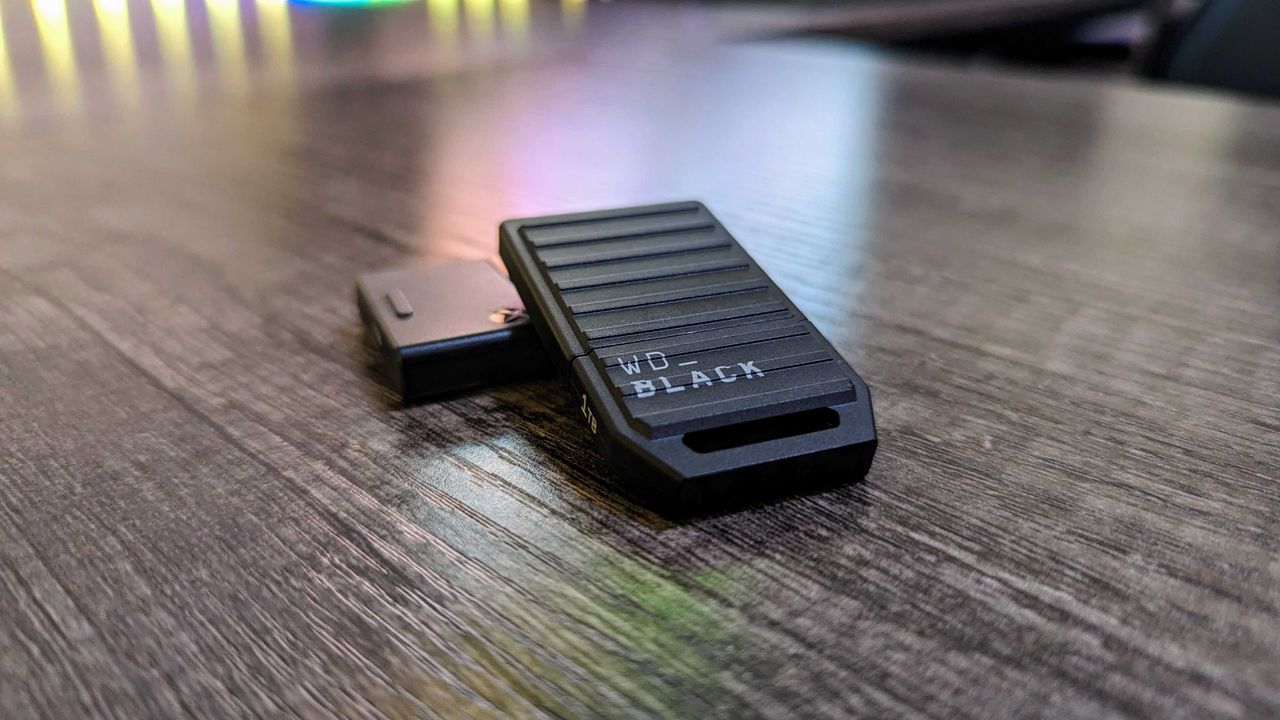
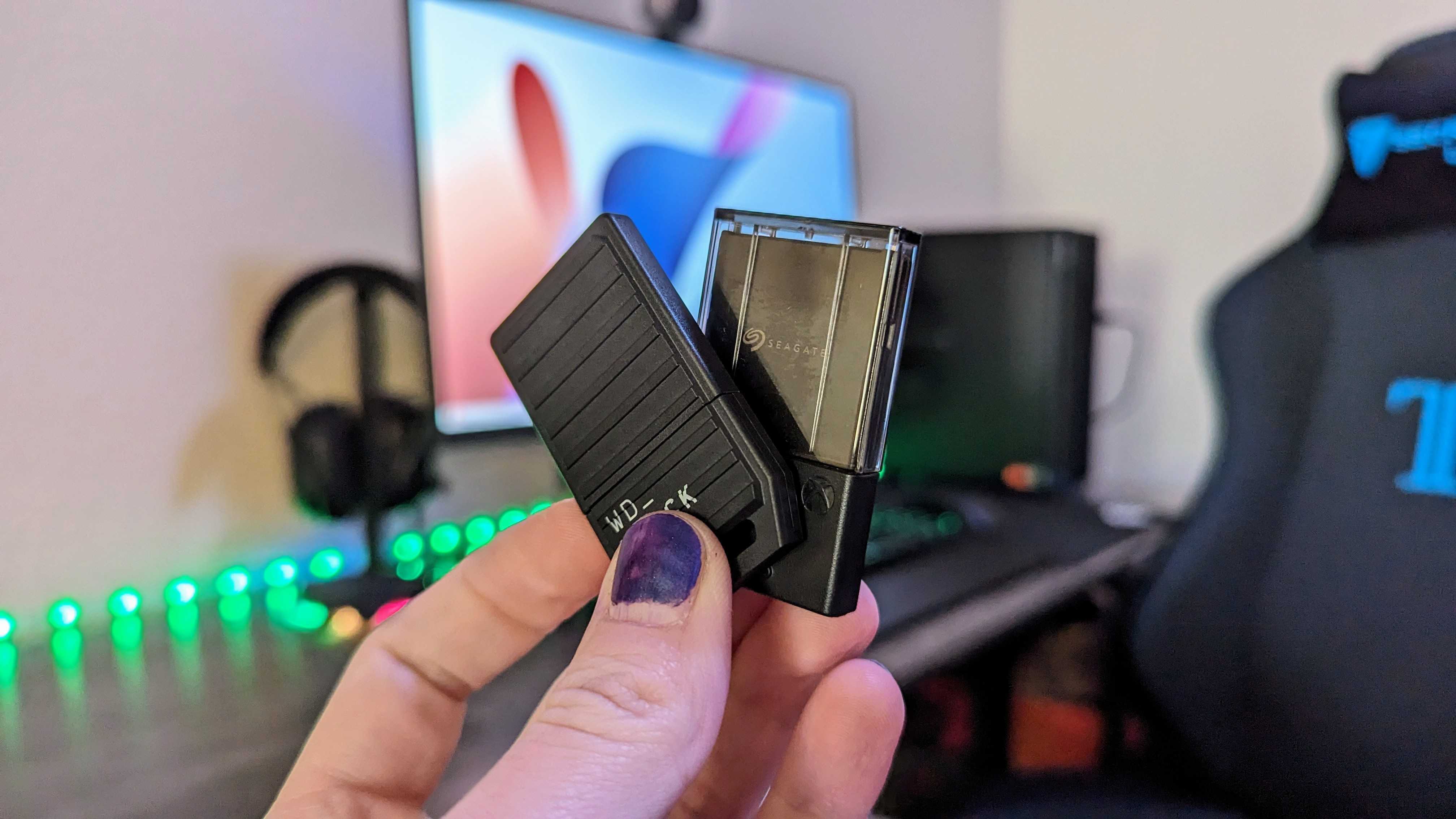
A hand holding a small, black electronic device in a gaming setup, with a colorful, blurred monitor and gaming chair in the background.

The WD_Black C50 Expansion Card next to a Seagate Expansion Card. (Image credit: Windows Central (Zachary Boddy) | Western Digital)

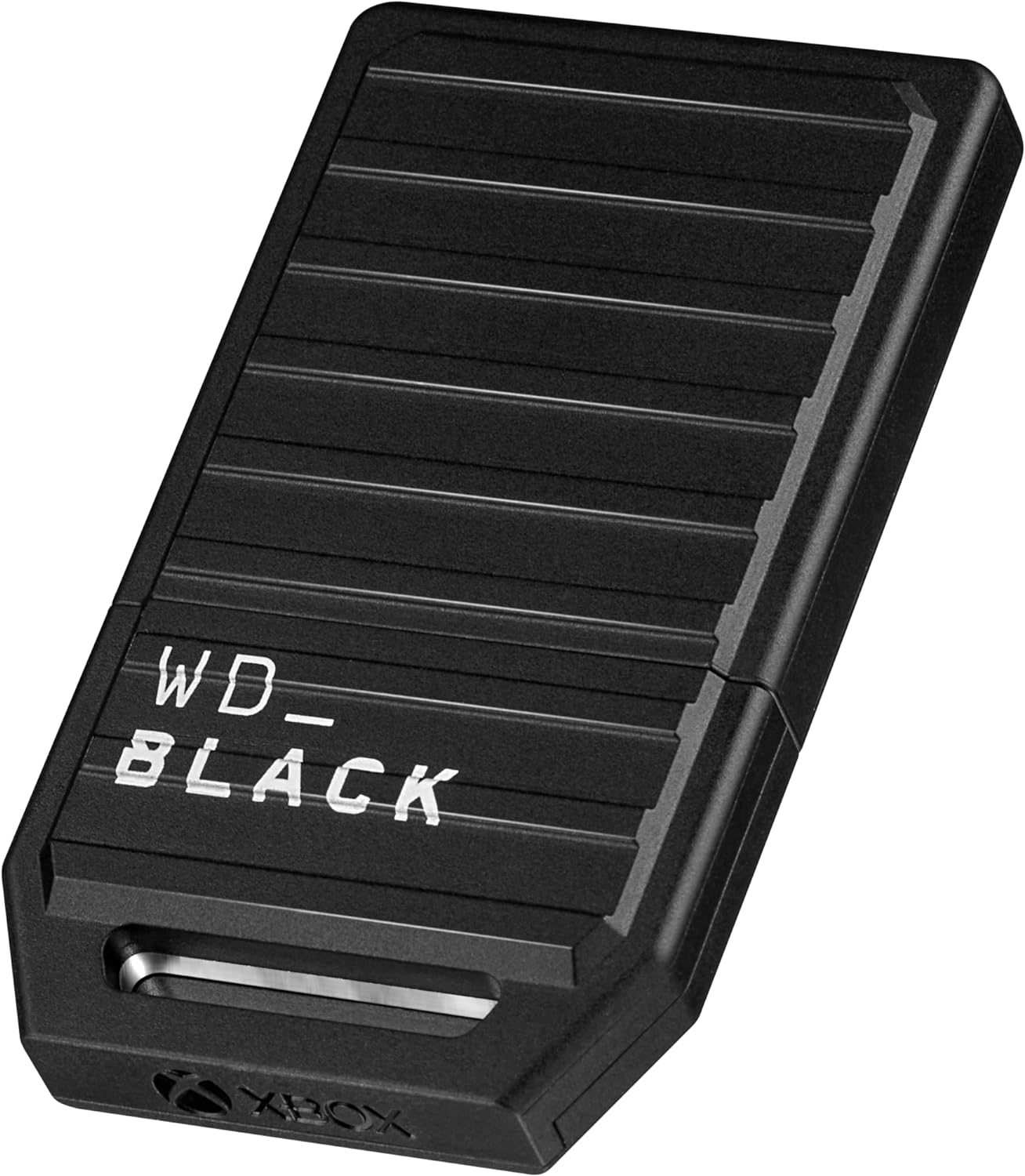
The biggest draw for Western Digital's WD_Black C50 Storage Expansion Cards for Xbox, aside from having chunky install spaces (which include 512GB, 1TB, or 2TB models), is that they allow a player to play games directly installed on the card without having to move them into an Xbox's internal SSD, saving them from tedious game file shuffling and deletion.

Of course, being able to play games directly from the card won't mean much if they don't run well. However, with the power of Xbox Velocity Architecture, the WD_Black C50 Storage Expansion Cards can deliver fast and seamless performance rates for games installed inside them while improving load times and input detection speeds using a Superspeed NVMe Core.

Other notable features include Quick Resume Support so it can suspend a game and let you pick up exactly where you left off, and ease-of-use as you only need to plug the card into Xbox Series X|S's dedicated expansion card slot for it to work - no wires needed.

So, if you're hungry for more space for your Xbox, especially as newer games like Call of Duty: Black Ops 7 require over 161GB (and that's just for the base game alone without DLC add-ons), then the WD_Black C50 1TB Expansion Card will satiate it for a good while.

FAQ

Will this expansion card require any software installation?

No, WD_Black C50 Storage Expansion Cards are plug-and-play devices that don't require any software installations to function.

Is it compatible with PC?

Can I use it on multiple Xbox consoles?

The WD_Black C50 Storage Expansion Cards are hot-swappable, which means you can unplug them from your Xbox Series X|S and plug them into another one to access your games and save files if you're playing on a friend's Xbox.

Click to join us on r/WindowsCentral

Join us on Reddit at r/WindowsCentral to share your insights and discuss our latest news, reviews, and more.
Clear DirectX Shader Cache in Windows 11: Top Ways

Windows 11 is a robust operating system with a host of features, especially optimization features. In this guide, we explore one of them, the DirectX Shader Cache in Windows 11, and show you all the different ways to clear it when needed.

What is DirectX Shader Cache in Windows 11?

On Windows 11, the DirectX Shader is the optimization feature for storing pre-compiled versions of special instructions, which are called shaders.

Shaders are tiny programs that your graphics card understands. These programs direct the graphics card’s handling of various graphical effects.

Compiling these shaders may be time-consuming, so the cache increases optimization because pre-compiled versions are easier and faster to access.

Should I Clear the DirectX Shader Cache?

Your decision to clear the cache will depend on you. However, below are some reasons why you may want to do so.

  • To resolve performance issues – A cleared DirectX Shader cache may resolve some performance issues, including graphical glitches and stuttering.
  • Freeing up disk space – Even though the cache may not take up much space, clearing it will still free up some extra space on your computer.
  • To update the cache – If you have just updated your graphics card or installed new games, you may clear the DirectX Shader cache to fill it with new information.

How do I Clear the DirectX Shader Cache?

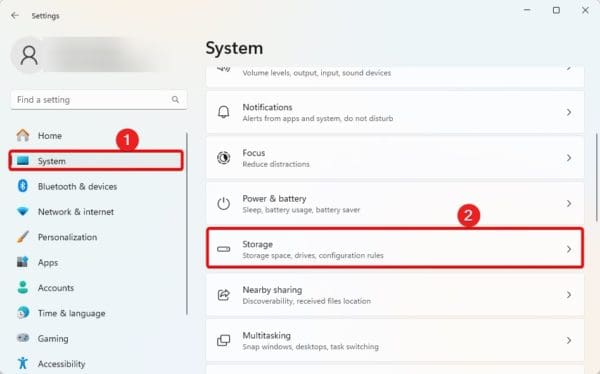
1. Using the Settings App

1. Lunch the Settings app by clicking Windows + I.

2. Navigate System, then Storage.

Storage Settings on Windows - Clear DirectX Shader Cache Windows 11

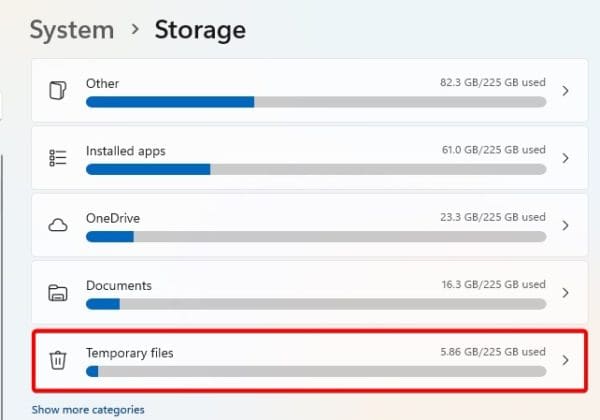
3. Select Temporary files.

4. Select DirectX Shader cache and click the Remove Files option at the top.

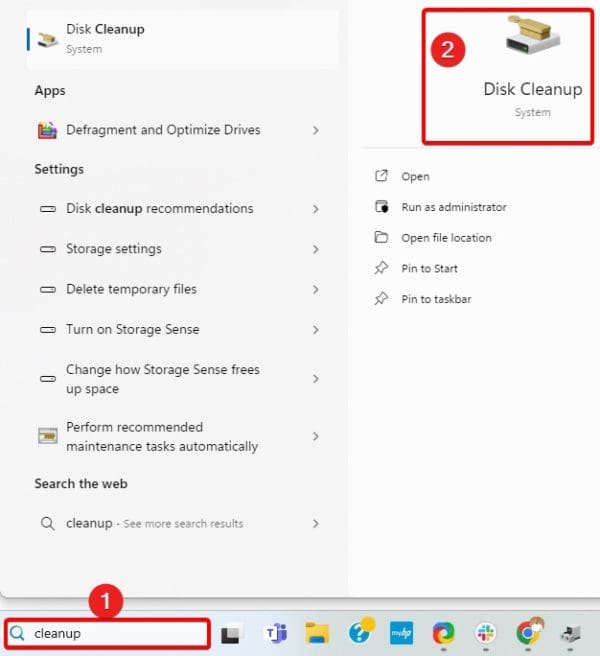
2. Clear DirectX Shader Cache Using Disk Cleanup

1. Click the Taskbar’s magnifying lens type cleanup, and click Disk Cleanup.

Opening Disk Cleanup - Clear DirectX Shader Cache Windows 11

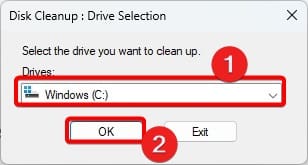
2. Select your C drive, then click the OK button.

Selecting the C drive

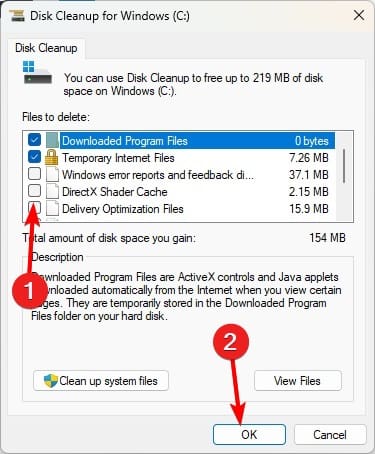
3. Tick the DirectX Shader cache option and click OK.

DirectX shader cache option - Clear DirectX Shader Cache Windows 11

Do I Have to Replace the DirectX Shader Cache After Deleting It?

No, you do not have to replace it. After this cache is deleted, your operating system will automatically fill it with all the needed information.

You should also note that clearing the cache is not something you must do often. It is mainly a troubleshooting step when you face some graphical issues.

A New DirectX Shader Cache

This is all we share in this guide. If you have followed from the beginning, you already know all there is to know about the cache, and you probably already have a new DirectX Shader cache.

Were you able to clear the DirectX Shader Cache in Windows 11? Ask your questions in the comment section below.

FAQs

Does clearing the cache affect system stability?

No, this procedure will not negatively affect your system. This is because the cache is isolated storage with no permanent information.

Is it possible to disable or prevent the creation of the DirectX Shader Cache?

Windows 11 has no official way of disabling this optimization feature.

The post Clear DirectX Shader Cache in Windows 11: Top Ways appeared first on Next of Windows.

❌