Vue lecture

Il y a de nouveaux articles disponibles, cliquez pour rafraîchir la page.

I checked GOG's most popular games and found shocking gaps in updates, DLC, languages, soundtracks, and more — 1,140 games are affected with 1,531 issues

GOG (formerly known as Good Old Games) is one of the most popular spots to buy, download, and curate PC game collections. It competes directly against the behemoth Steam, the oft-maligned Epic Games, and plenty of other PC game storefronts, and over the years it has garnered quite a positive reputation among gamers.

Why? It's all about GOG's focus on consumer rights and actual game ownership, which in 2026 is becoming increasingly rare.

GOG's games don't come with DRM. Older titles are often fixed, patched, and updated to run on new hardware. There's a rather generous 30-day return policy, and there are frequent sales with massive discounts.

Yeah, it all looks great, and I'm a huge fan of GOG.

So where is this going? I recently came across a user-maintained catalog of "Games that treat GOG customers as 2nd Class." It was just updated on August 11, 2026, and I'm shocked at how many titles are listed as having some sort of disparity compared to other digital storefronts.

GOG's game version disparity is a lot worse than I ever expected
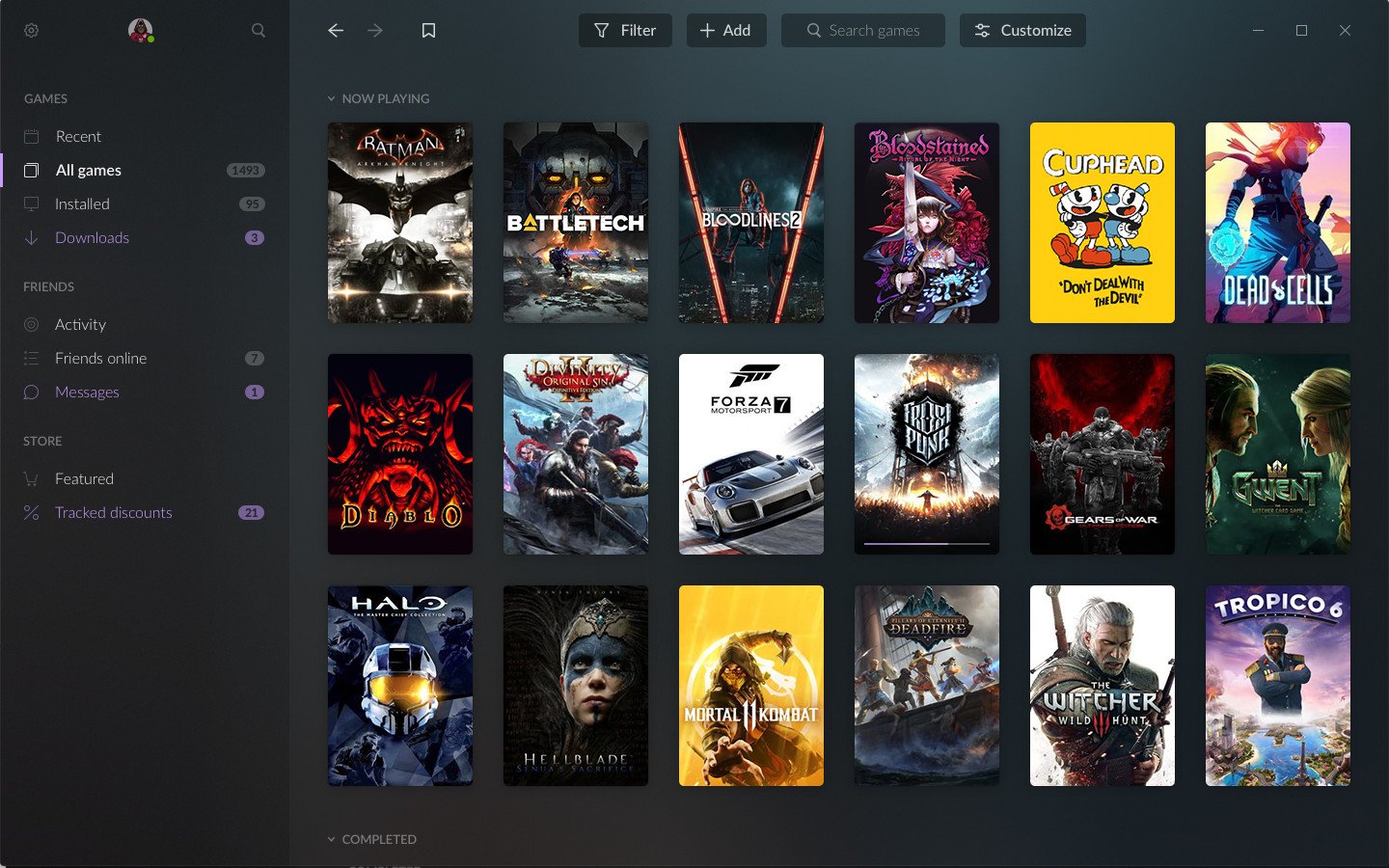
A GOG game launcher interface showcasing various video game covers in a grid layout, with a menu on the left for game management and friend features.

There are 1,140 games that have at least one issue on GOG compared to other storefronts. (Image credit: GOG)

I was aware that some GOG games weren't the same as the versions found in other stores, but I never knew the problem was this widespread.

This effort to track issues with GOG versions of games actually got started in 2018 in a GOG forum thread that's still alive today, now reaching 400+ pages with thousands of replies.

The spreadsheet catalog contains a list of 1,140 games with at least one issue. There are 1,531 issues in total. Those numbers are not typos. Sure, some of the issues are less severe than others, but that doesn't mean GOG customers should receive an inferior product.

The catalog tracks the following issues:

  • Missing updates (308 total issues)
  • Missing languages (100 total issues)
  • Missing free DLC (51 total issues)
  • Missing paid DLC (200 total issues)
  • Missing features (111 total issues)
  • Missing soundtrack (439 total issues)
  • Missing builds (278 total issues)
  • Region locking (12 total issues)

Sources are provided for many of the games listed as having issues, and others are sourced directly from first-hand experiences.

Out of all the 1,140 games on the list, there are 17 special mentions. The game The Messenger from Devolver Digital, one of my favorite publishers, is flagged as special. Why? The GOG version is missing a Unity security update, and the soundtrack files are of a "lower quality than on Steam."

A pixel art scene from The Messenger featuring a ninja in blue facing a green armored enemy with a bow, under a bright blue moon, surrounded by mountains and stylized trees.

Devolver Digital's The Messenger is on of the games that received a special mention for missing features and issues. (Image credit: Devolver Digital | Sabotage)

Another special mention is given to the game Nuclear Throne for its five issues, including a missing 10-year anniversary update, missing languages, missing challenges, missing soundtrack, and missing Linux version.

I could go on with plenty more examples, but I'm sure you get the idea. Missing soundtracks seem to be the most frequent offender with 439 total issues, while missing updates place second with 308 total issues.

Why do some developers seem to give GOG less attention?

A Nuclear Throne character in a green outfit wields a weapon in a chaotic, top-down battle scene filled with explosions and various enemies on a dark, textured ground.

Nuclear Throne is one of the games flagged as having the most issues on GOG. (Image credit: Vlambeer)

GOG's disparity with other storefronts isn't really GOG's fault. It's ultimately up to the developers and publishers what to include in their games when they're sent to GOG, and what to update thereafter.

Devolver Digital and THQ Nordic GmbH are both at the top of the list with 29 issues each in total across their published games.

Correct me in the comments section below if I'm wrong, but Steam's far larger user base and its savvy workshop integration make it the go-to spot for most game companies. Much more attention is paid to Steam, and GOG seems often to be treated as "we'll get to it when we can."

And because GOG requires games to be DRM-free, there's definitely extra work to be done in many scenarios. For older games that may or may not have a dedicated development team, this is especially painful.

GOG is a great place to shop if you care about game preservation and proper functioning of classic titles, but you're still paying for the games. There's a certain irony here in buying a game to preserve it properly, only to find out that it's missing one or several features that you could have received if you'd purchased it, say, on Steam.

My advice for the next time you're buying a game on GOG

Like I said, I support GOG and its mission to deliver DRM-free games. However, I was not aware of how many titles have issues.

From now on, I'll be checking the spreadsheet carefully any time I head over to GOG and pick up a new game. I suggest you do the same, lest you end up with a DRM-free version that's missing the content you bought it for in the first place.

Were you aware of how many games on GOG have missing content and issues compared to other storefronts? Has it tainted your opinion of GOG? Is there any hope to solve the major issues that some of these games have? Let me know in the comments section below!

Click to join us on r/WindowsCentral

Join us on Reddit at r/WindowsCentral to share your insights and discuss our latest news, reviews, and more.

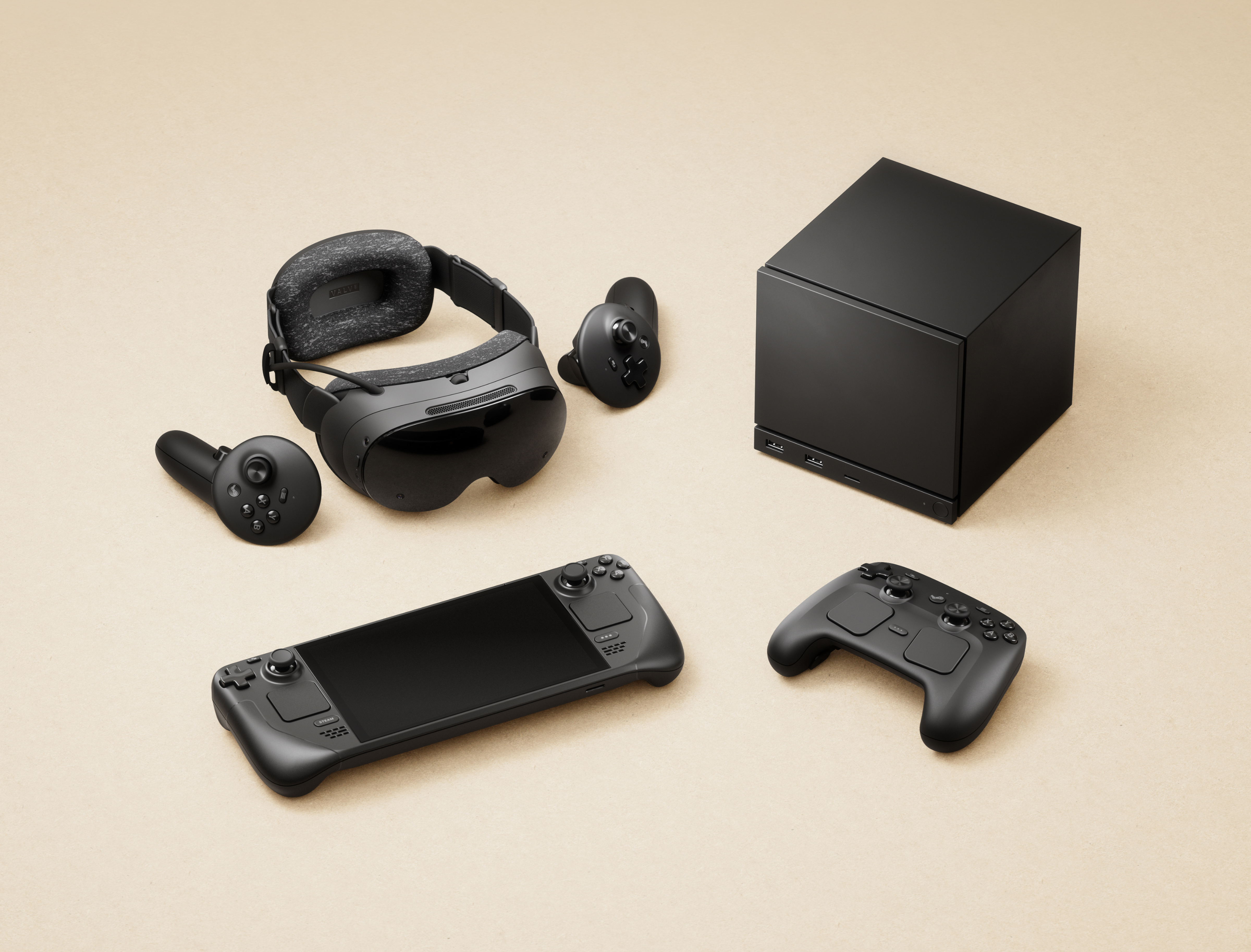
Valve's shipping partner leaks shipping data in a cyberattack — including the names, addresses, and phone numbers of Steam Machine and Steam Controller buyers

If you ordered any of Valve's products within Europe, such as its Steam Machine gaming PC or the modern Steam Controller, there's a chance your private information may have been compromised. This morning, an email detailed "a note about a security incident at our shipping partner in Europe" involving a cyberattack on Valve's EU shipping partner, CEVA Logistics, on August 7.

Expect fake messages - email, SMS or phone - that mention your hardware order and appear to come from Steam, Valve or a delivery company.

Valve

I bought the Steam Controller in May, though I skipped the Steam Machine pre-order queue, and still received the notice as a customer in the United Kingdom. Crucially, Valve clarifies that this attack on CEVA and its subsequent data breach does not affect "your payment information, passwords, Steam Guard codes or other information."

Your Steam account should remain safe, and right now, there's no reason to change your password or change any account settings. However, Valve warns that customers could "expect fake messages" from bad actors asking for money or other information. Personal details that "may have been compromised" include:

  • Your name
  • Your street address, postal code and city
  • Your country
  • Your phone number
  • Your email address — the same one your Steam account uses
  • The type and price of the ordered product

How did the CEVA Logistics breach happen?

Steam Machine for 2026

Steam Machine buyers report receiving the same email, presumably affecting all European hardware shipments. (Image credit: Valve)

Valve says that it is "pressing CEVA for the full scope of what was taken and how, and we are in the process of notifying the data protection authorities in the countries affected", and clarifies that the affected system has been taken offline and isolated from further leaks, but there is currently no confirmation on which customers have been affected or exactly how this happened.

For now, Valve invites anyone with concerns or questions to reach out to its support team at help.steampowered.com or to write to its contact point at Artana Digital GmbH, Alstertwiete 3, 20099 Hamburg, Germany.

Fake messages from convincing impersonators are unfortunately common, and bad actors will go through extreme lengths to make their text messages, emails, and phone calls appear genuine. If you're new to Steam, remain vigilant but remember that Valve only handles account issues via its dedicated support site, and "never by email, Steam Chat, or Discord — Anyone who contacts you elsewhere claiming to be Steam Support is not."

Comment
 from r/steammachine

I'd also caution anyone who might be at risk that, while Valve implies that your credit card information is safe, bad actors can use other personal information to attempt various identity fraud and access accounts elsewhere. It's important to stay vigilant as data breaches like this happen, and scrutinize every message you receive from delivery companies asking for money: "Treat all of them as fake", Valve says.

Customers based in the United States and, in turn, anywhere outside CEVA Logistics' operating area in Europe shouldn't be affected by this breach. Nevertheless, it should come as an important lesson in customer privacy and data security. Keep using strong passwords that are unique to each platform, and protect yourself as much as possible.

Click to join us on r/WindowsCentral

Join us on Reddit at r/WindowsCentral to share your insights and discuss our latest news, reviews, and more.

I went hands-on with this portable and compact gaming PC case — and now I'm planning my first mini ITX build

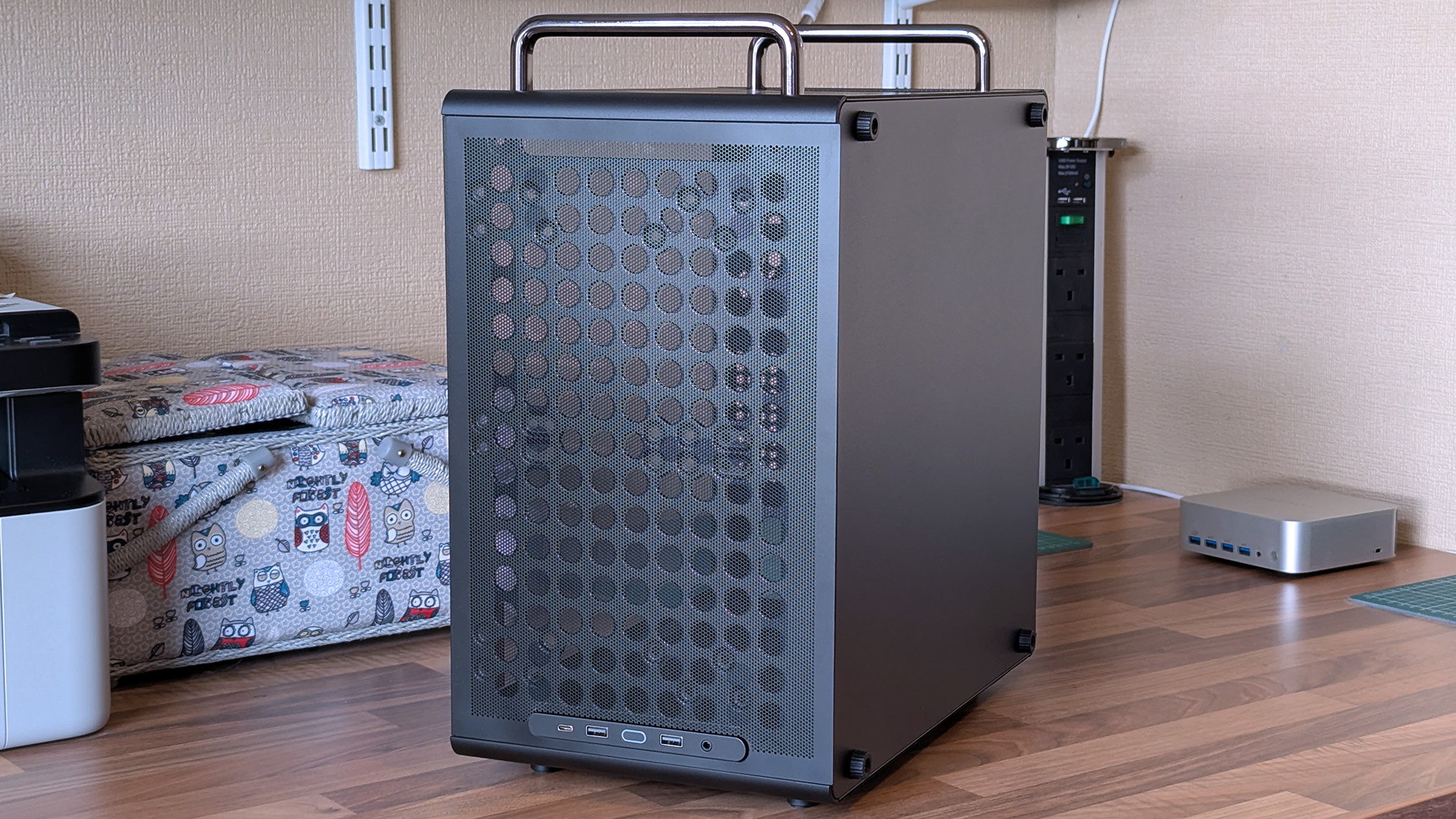
Desktop gaming PCs have a reputation for being huge, and, to be honest, a lot of them are. However, if you're confident enough to dive into the twisted world of cable management, then a compact build could be a fantastic challenge that pays off as a space-saving monster rig. When the Cooler Master Qube 340 case appeared at Computex earlier this year, I was immediately intrigued, even if I can't afford the full gamut of parts to build inside of it just yet.

Cooler Master provided a sample but did not see the contents of my article before publishing. I'm also refraining from assigning a traditional review score to this case until I can complete a build with a full set of components.

How much does the Qube 340 cost?

The front of a Cooler Master Qube 340 case features a large mesh panel, visible internal components, and top handles, with front I/O ports along the upper edge.

I wouldn't say it looks exactly like that infamous Apple Mac Pro, but there's definitely a resemblance. (Image credit: Ben Wilson | Windows Central)

For now, the best place to buy the Cooler Master Qube 340 is Newegg at $54.99. It's currently listed by Newegg itself, rather than any third-party sellers, and is in stock at the time of writing. A listing for the Qube 340 in black on Amazon US lists "Newegg Business" as a reseller at $59.49, which isn't worth the extra money. At the time of writing, the white variant of this case is "currently unavailable" on Amazon and is outright missing from Newegg.

Qube 340 sample specifications

Component

Spec

Motherboard support

Mini-ITX
Micro-ATX

Power supply support

ATX

Fan support

2x 120mm / 2x 140mm (top/front)
1x 120mm / 1x 140mm (rear/bottom)

Radiator support

240mm/120mm (top/front)
120mm (rear)
N/A (bottom/side)

I/O

2x USB-A 3.2 Gen1
1x USB-C 3.2 Gen2x2
1x 3.5mm combo audio

Clearances

CPU cooler: 178mm
GPU: 365mm (without front fan)
PSU: 200mm/100mm (with/without bottom fan)

Dimensions

386.1 x 230 x 429.4 mm (including handles, feet)


The exact model I tested is available on Newegg at its intended price, with good availability and options for free shipping, depending on your location.View Deal

What I like about the Qube 340

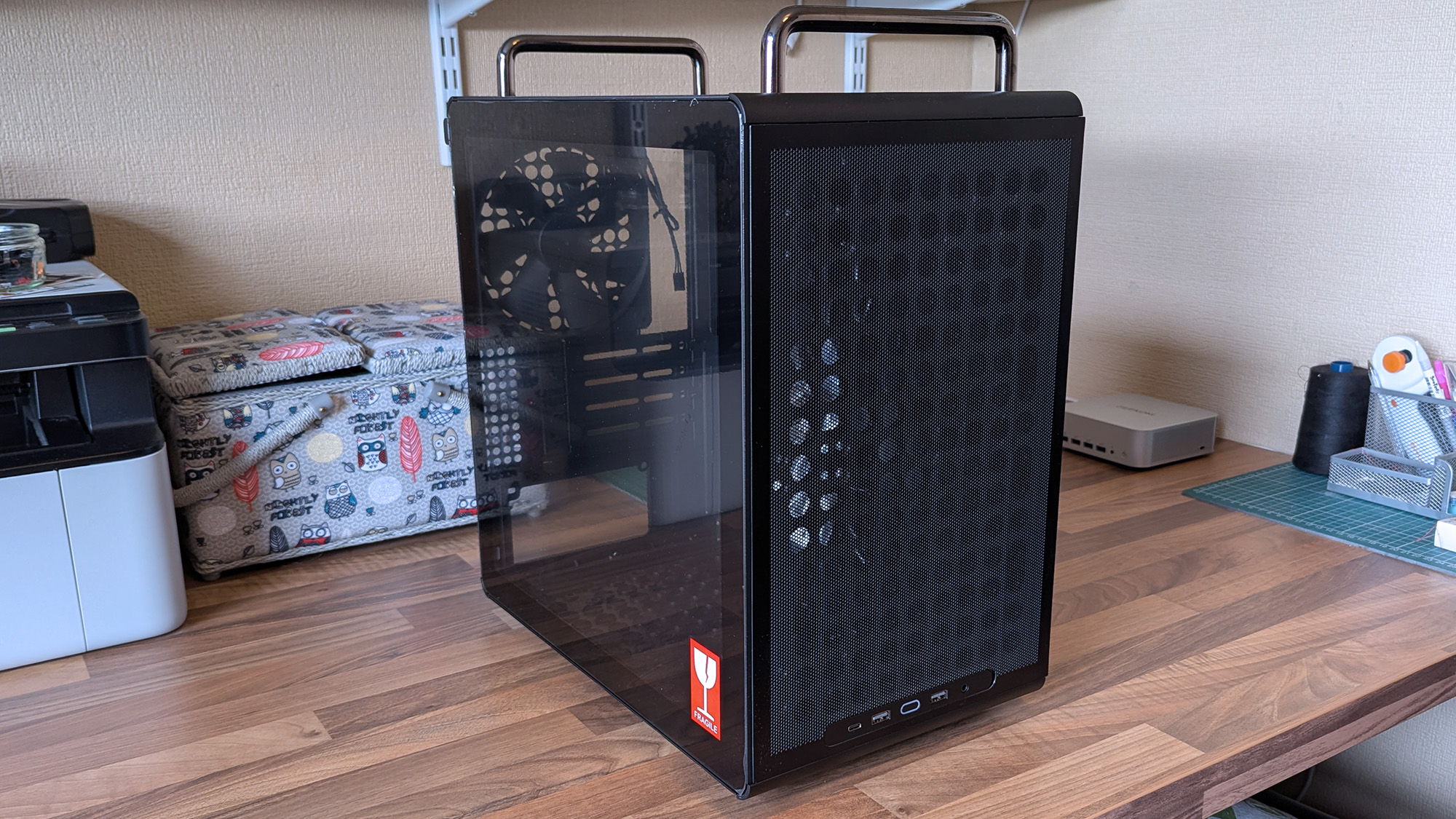
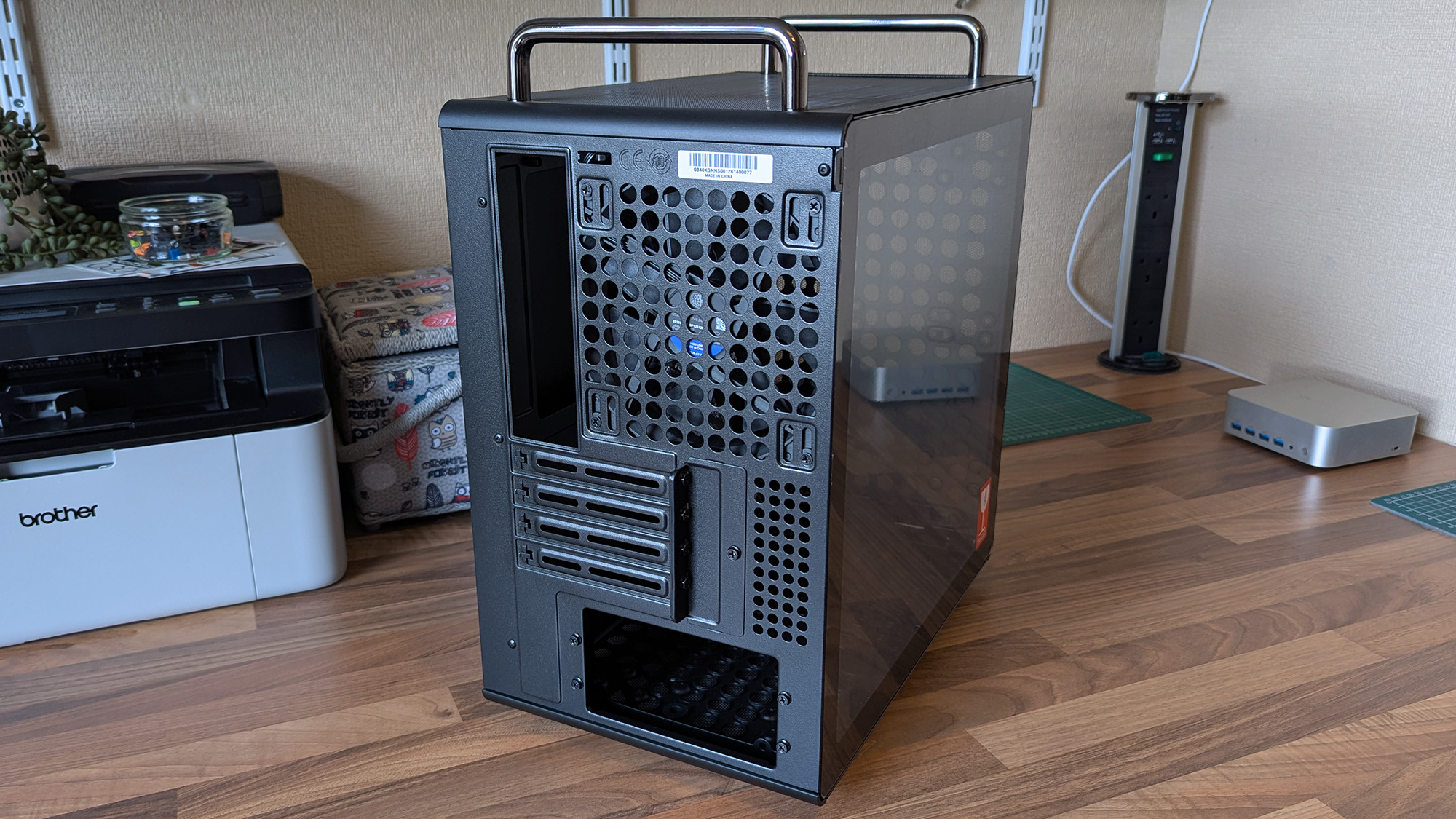
A Cooler Master Qube 340 case rests on a desk with its tempered glass side panel attached, revealing the empty interior and rear cooling fan behind the transparent panel.
Compact and portable, the Qube 340 instantly had me planning a build.Ben Wilson | Windows Central
The rear of a Cooler Master Qube 340 case shows ventilation holes, expansion slots, and top carry handles, with a tempered glass side panel.
Micro ATX or Mini ITX, you have enough expansion slots to choose from.Ben Wilson | Windows Central
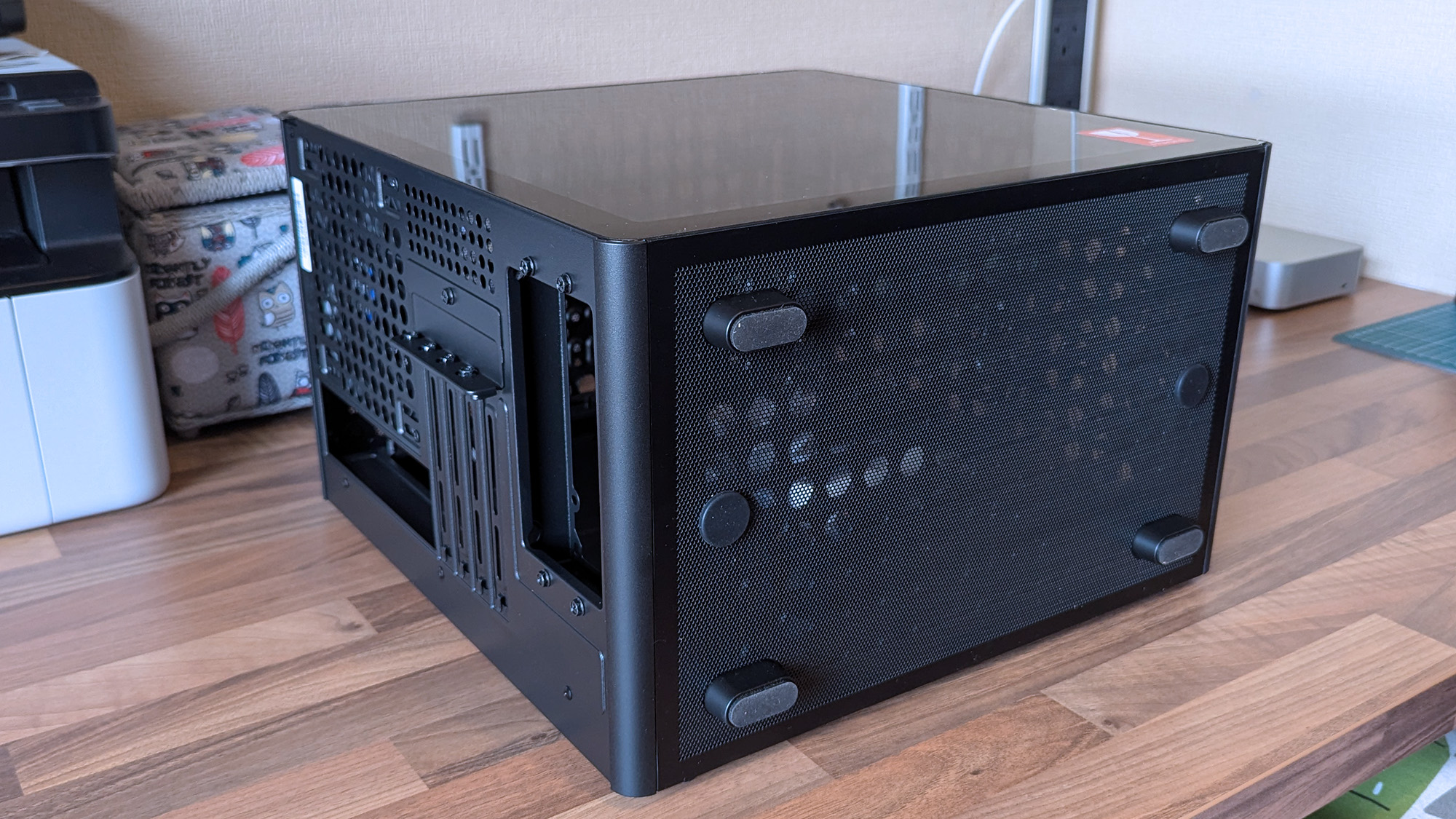
A compact Cooler Master Qube 340 case sits on a desk with a mesh bottom and tempered glass side, showing the rear expansion slots and ventilation layout.
Dust shields cover the whole case, but they can all be removed easily.Ben Wilson | Windows Central

Ever since the RAM crisis ruined any prospect of affording Valve's Steam Machine gaming PC, I've thought about how I could repurpose some of the spare components I have in storage — and even then, it isn't a huge pile. Still, I knew I'd never manage anything quite as purposefully tiny, but I could come close with a mini ITX build, and the Qube 340 looked perfect on paper.

The removable handles (are) ideal for what I've planned: A desktop that I can set up and take away at a moment's notice.

It came in a huge box, but it feels as compact in person as I'd hoped. The removable handles are also ideal for what I've planned: A desktop that I can set up and take away at a moment's notice, rather than leaving something permanently underneath our TV. Sure, I'll need to buy some more niche parts, like a compatible motherboard, but Cooler Master impressed me out of the box.

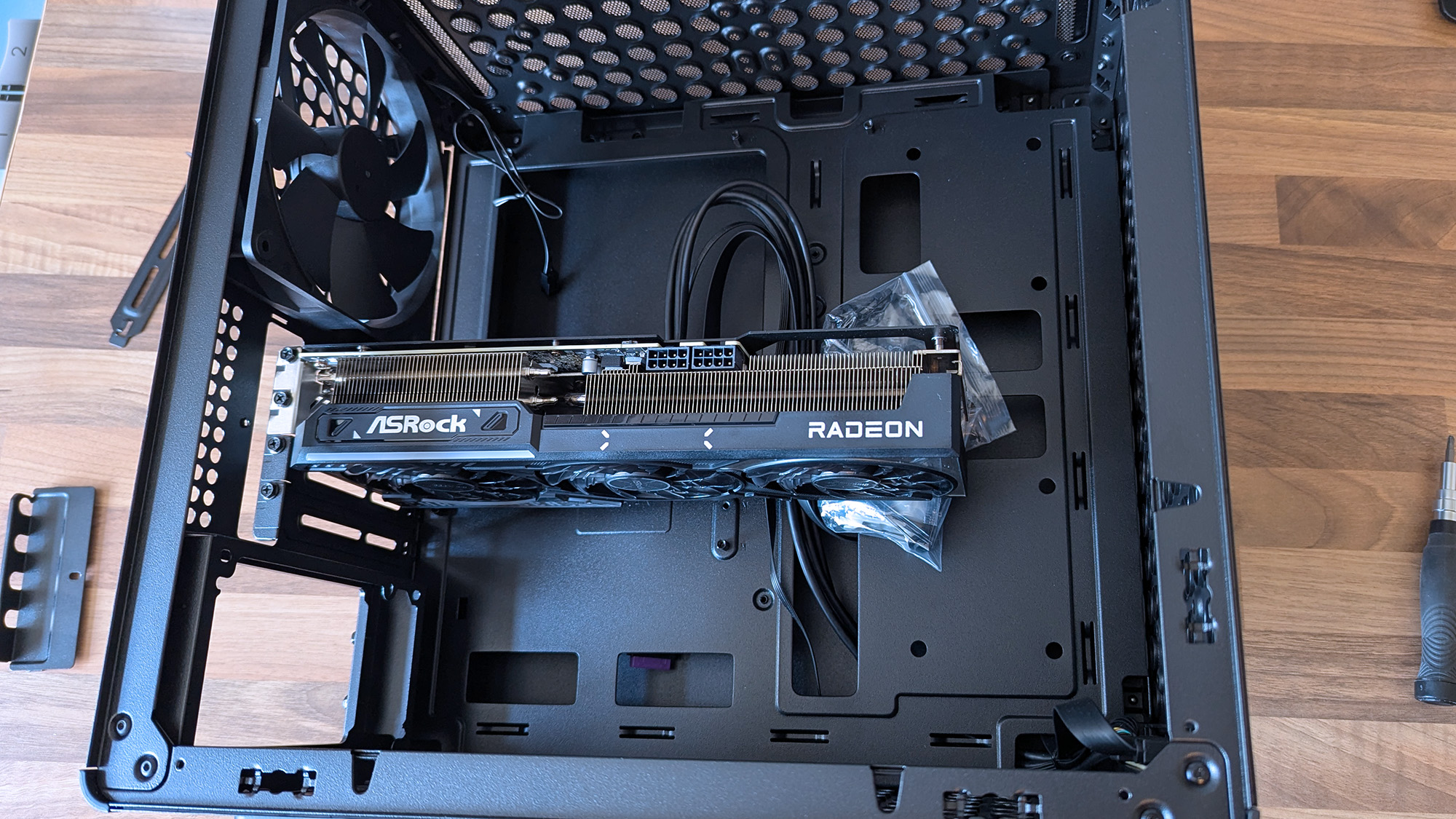
Cooler Master Qube 340 PC case with an ASRock Radeon graphics card inserted without other components

A 290mm ASRock Challenger Radeon RX 9070 XT GPU fits with room to spare for front-mounted fans. (Image credit: Ben Wilson | Windows Central)

My most important consideration was whether the ASRock Challenger Radeon RX 9070 XT graphics card I have would fit, depending on my front-fan decisions. I could also use an AIO radiator, but the cheesegrater-esque design of the Qube 340 feels better suited to a traditional air cooler — even if only in aesthetics — plus there's a 140mm 'DF1402512RFLN' fan pre-installed at the rear.

At a glance, there's nothing to worry about, as the 290mm GPU fits with around 78mm to spare. My immediate idea is to have a single 140mm intake fan mounted at the top, pulling cool air into the case and pushing it through a CPU air cooler before exhausting it out the back. Still, I have options, including adding an even longer card, as long as everything is measured correctly.

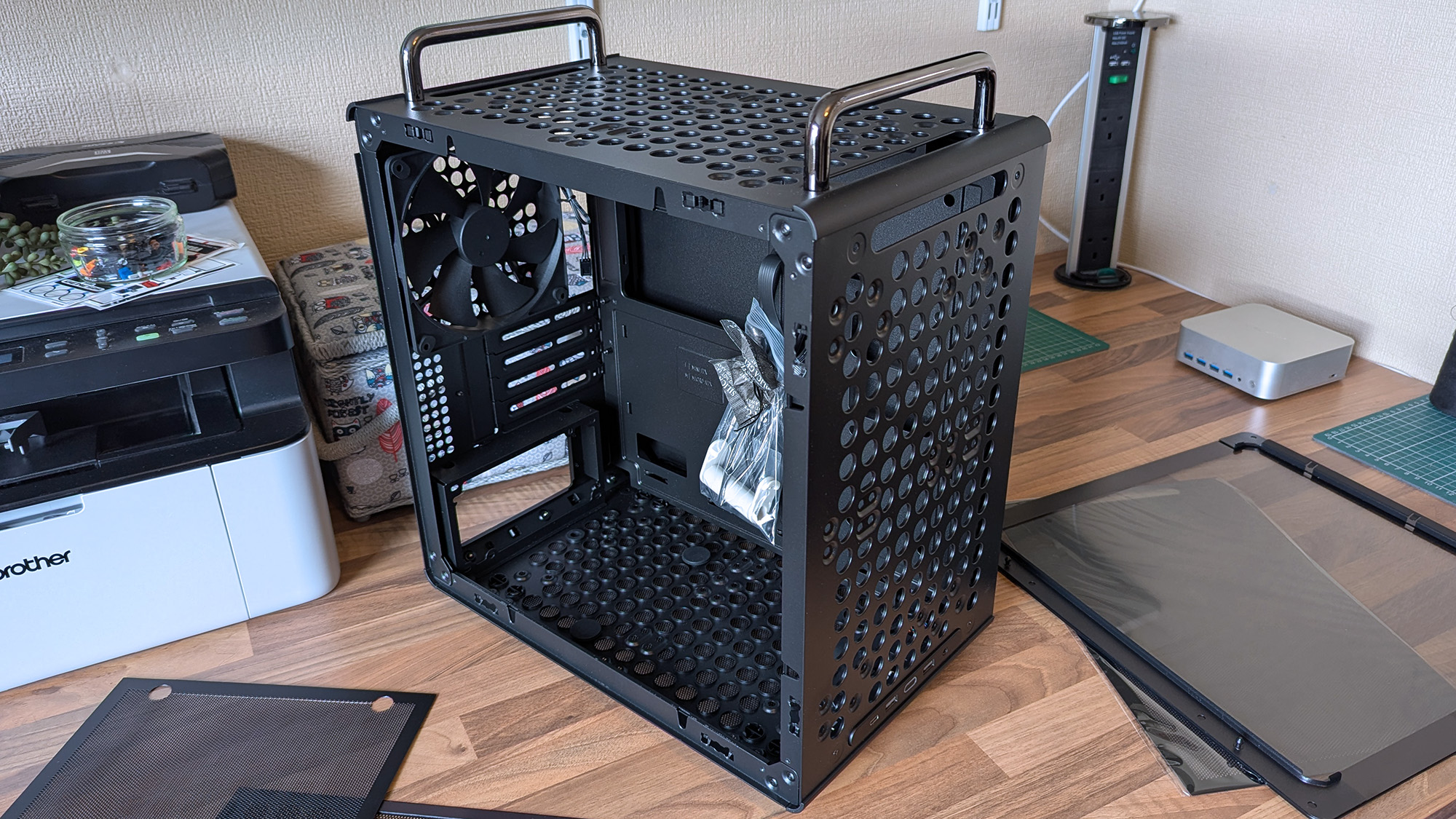
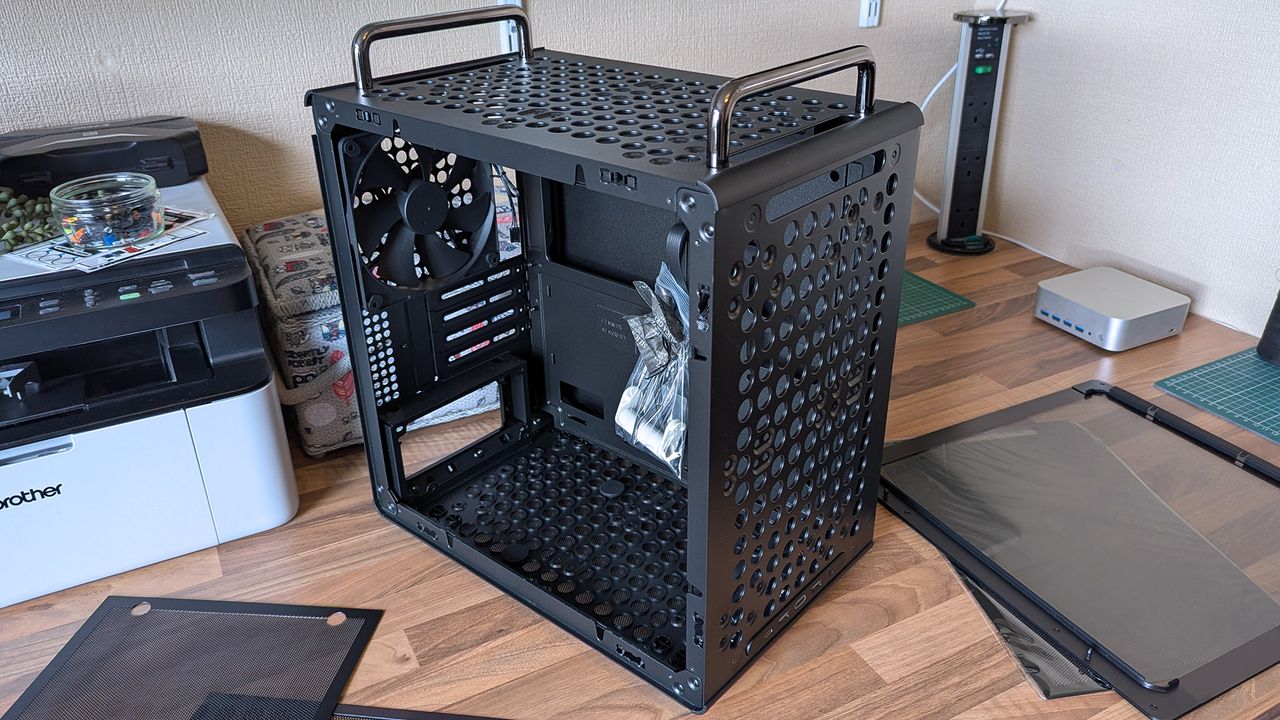
A Cooler Master Qube 340 case sits on a desk with its side panels removed, showing the empty interior, rear fan, and a small bag of screws inside the chassis.
Undoubtedly geared towards airflow, the Qube 340 is absolutely covered in holes.Ben Wilson | Windows Central
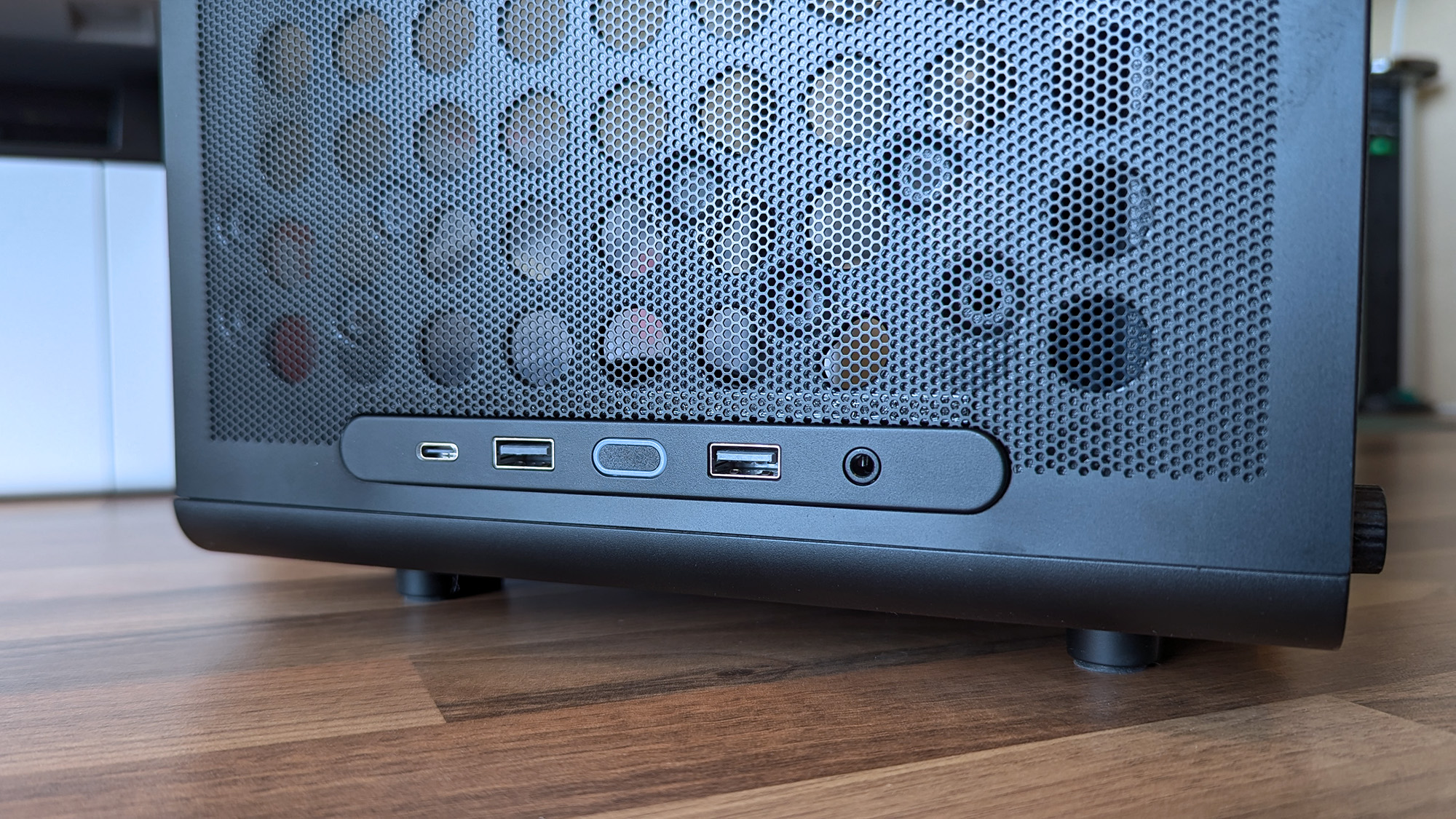
Cooler Master Qube 340 PC case front I/O panel showing USB-C, USB-A, and headphone port with power button
The front I/O panel can be moved, which is ideal because I prefer a top-mounted power button.Ben Wilson | Windows Central

Next up are cable management and routing options. Like most hobbyists, I prefer to take my time with my own builds and get everything as clean as possible, which is more of a mandatory requirement in a compact case than a preference. While there aren't any dedicated trunking channels, there are a few mounting points for zip ties, so I just need to plan everything carefully.

The front-mounted I/O plate is also removable, so I can move it to the top of the case for easier access and re-route the attached cables from the start. It all depends on my motherboard of choice and how it determines the shortest route for each component, but it's fantastic to have the option. I'll always prefer my power button and front ports to be at the top of the case.

What I don't like about the Qube 340

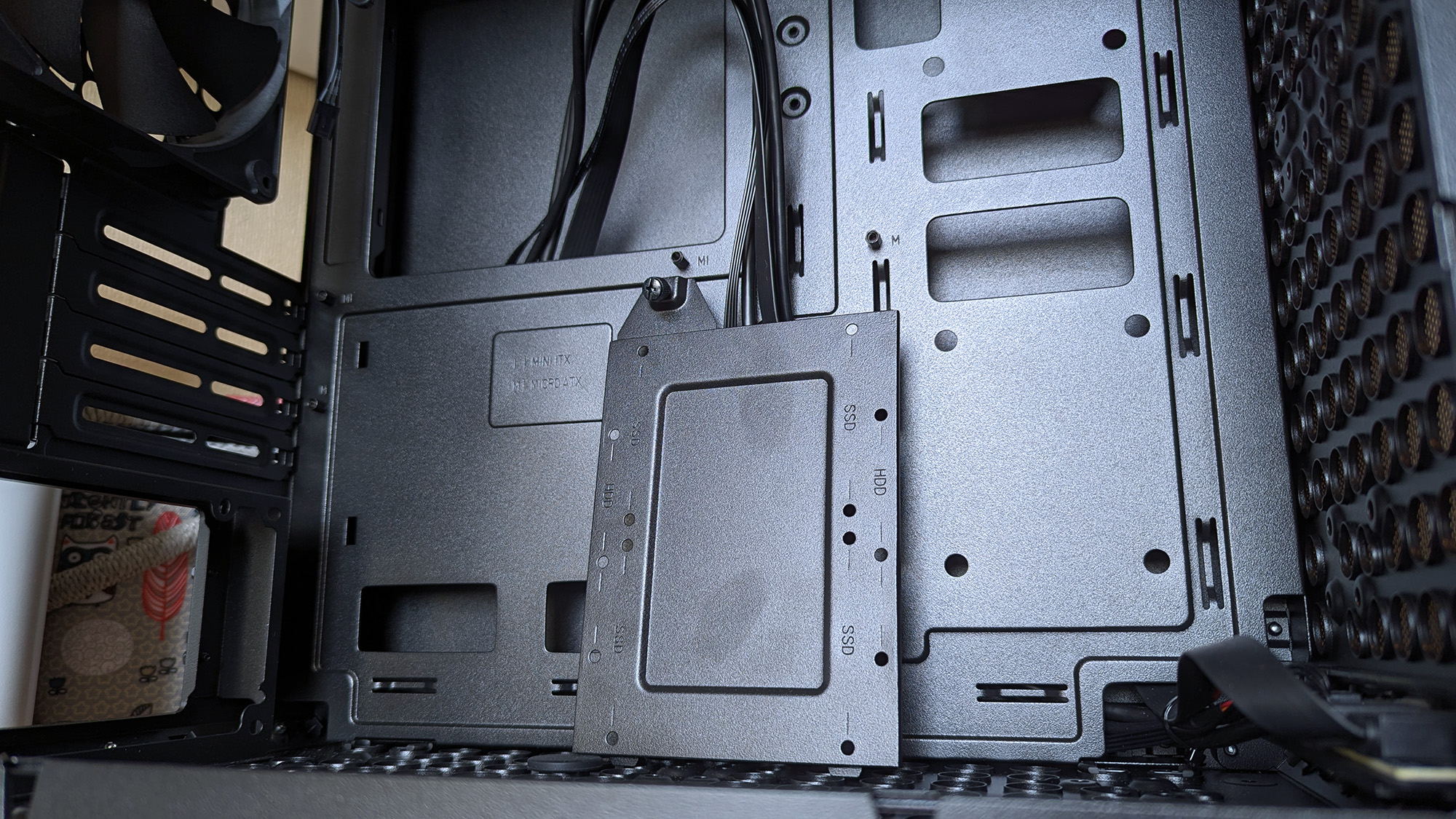
Cooler Master Qube 340 PC case internals showing motherboard tray with standoffs and a detached SSD mounting tray
Internally, some of the metal is thin and somewhat flexible.Ben Wilson | Windows Central
Cooler Master Qube 340 PC case glass side panel tab photographed close up with a triple-fan graphics card in the background
The glass side panel is held in place by a protruding tab, which could pose an issue during transit if it were accidentally released.Ben Wilson | Windows Central

The build quality is generally great on the outside, with those sturdy carry handles and rubberized feet keeping it steady in a vertical position and similarly when laid flat for construction and upgrades. However, the metal on the inside — particularly around the motherboard tray — is quite thin with some flex, but I doubt I'd ever accidentally bend it in any permanent way.

Being mostly toolless also raises some concern about the glass side panel, which holds well but is secured only by a single protruding tab.

I found the removable 2.5/3.5-inch drive tray similarly skinny and flexible, but it hardly has to do anything beyond holding my storage in place, and it at least removes with a single thumbscrew. It would likely take a heavy dent from an accidental drop to twist this case out of shape, and though it's well padded in its box, it's still worth checking everything over as soon as you buy one.

Concerns about missing rubber grommets are tempered by the fact that this is a $55 PC case. Not to excuse any internal mishaps that might happen, but again, it feels unlikely given how solid the outer shell is overall. Otherwise, being mostly toolless also raises some concern about the glass side panel, which holds well but is secured only by a single protruding tab.

Should you buy the Qube 340?

Cooler Master Qube 340 PC case in cardboard shipping box on a wooden desk

Thankfully, the shipping box for the Qube 340 is so huge, it helps protects it against concerns of bent metal. (Image credit: Ben Wilson | Windows Central)

You should buy this if ...

✅ You want to build a portable mini ITX gaming PC

✅ You're prioritizing airflow with dust protection

You should not buy this if ...

❌ This is your first-ever rig; compact builds are tricky

You can go smaller, but for my first planned adventure into a mini-ITX build, the Qube 340 is exactly what I wanted it to be. If, like me, you're toying with the idea of a compact gaming PC that's easier to move around than a full-sized desktop, I think you'll be quite happy with this incredibly affordable case. Some of my opinions might change once I have enough parts to build inside it, but that won't affect the overall praise I have for Cooler Master on this occasion.

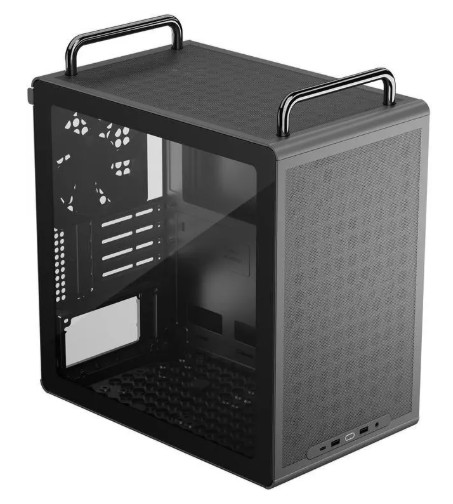
Cooler Master Qube 340 render

Cooler Master
Qube 340

Compact and cool with a design built entirely around airflow, this portable case is a bargain.

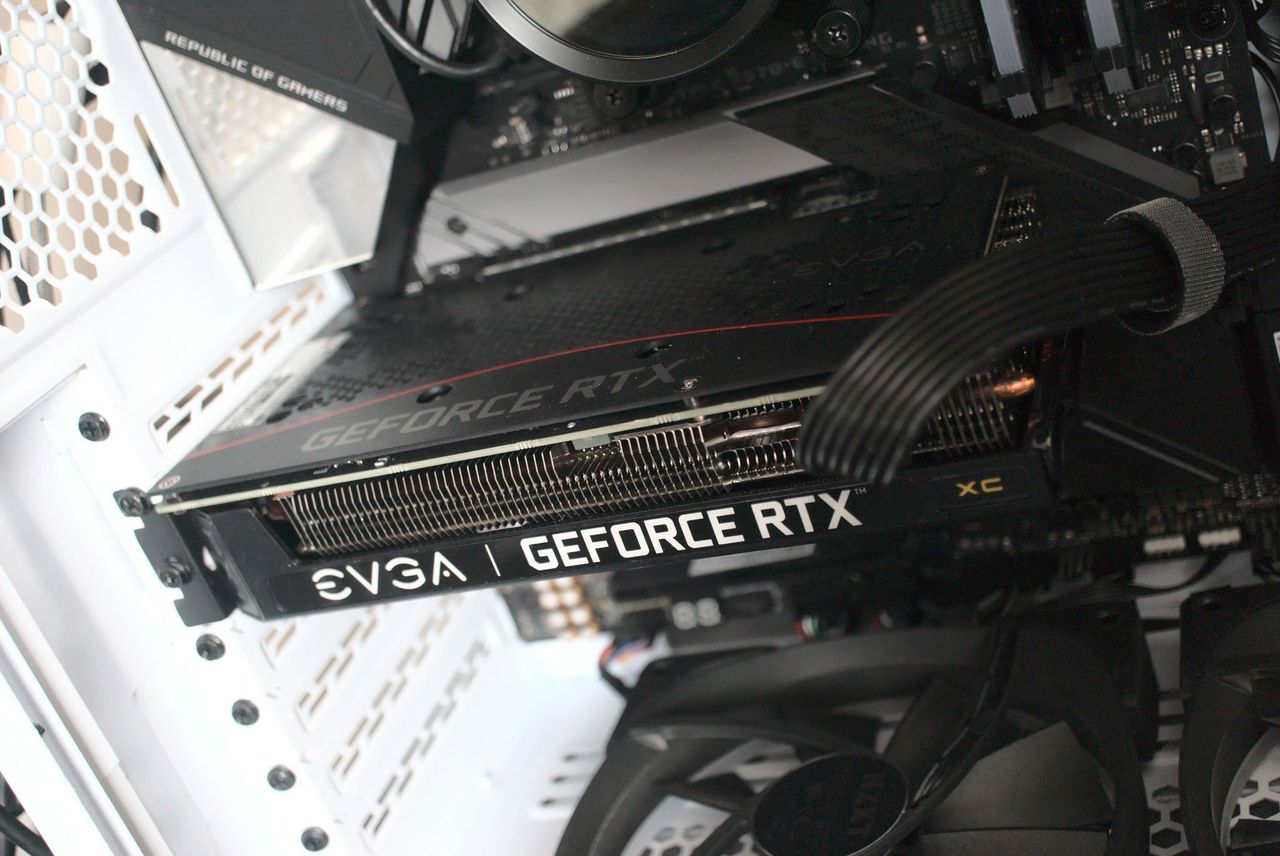
Lucky PC builder beats the graphics card price rises and snags an NVIDIA RTX for just $5 and leaves the rest of us jealous as hell

As price rises hit everything thanks to the RAMpocalypse, with SSDs, memory, graphics cards, PCs, handhelds, consoles, and literally everything getting more expensive, let's celebrate when someone beats the system.

Sure, it's only one person, but at this point, I'm so utterly depressed with the state of things that I'm ready to buy this person a beer and shake their hand.

You see the doom and gloom everywhere, so when I was browsing Reddit this morning and came across a post where someone had secured an NVIDIA RTX 3050 graphics card for just FIVE DOLLARS, I have to shout it out.

Greatest deal of all time
 from r/computers

Is it the greatest deal of all time? Honestly, even before the price rises, I'd have grabbed this, thrown down a $5 bill, and run out of the store before anyone realized what they'd done putting that price tag on it.

Is the RTX 3050 a particularly good graphics card? I mean, it depends what you want to do with it. It'd be pretty good as a budget video encoding card for streaming; it'll play games at 1080p fairly well, too. Hell, I'd have absolutely put it into a machine and given it to my son.

For five bucks I would have found something to use it for. Maybe slap it inside the home server I've been wanting to build again for years to handle video transcoding. I don't care; I'd have found something to do with it.

That's assuming it works properly, of course. The post does show a Windows boot screen, so it would appear it at least gives video output, so that's a start. With a used, mystery GPU like this, you'd have to test it properly, and most definitely you'd want to strip it down, clean it up, and give it some new thermal paste.

But for $5, who cares? Worth a go, right? It's just nice to see someone have a win right now. If you were to buy a brand new RTX 3050 right now, you're looking at paying at least $250 if you went to somewhere like Best Buy. Nobody should pay $250 for a two-generation-old budget graphics card.

It also gets me thinking: What's the absolute craziest deal you've ever found on a piece of hardware? I think I've only ever been so lucky once, managing to get a Surface Go 2 LTE with a price mistake once and securing it for essentially free with an inexpensive data SIM contract.

It should have been a couple of hundred British pounds, and I got it for £8. And even though it was a mistake, it was still honored, and I got my Surface Go 2.

So jump into the comments below and let me know your personal craziest deal. Meanwhile, I'm definitely raising a glass to this person. Hopefully it all works well, and if so, you've definitely beaten the system right now.

Click to join us on r/WindowsCentral

Join us on Reddit at r/WindowsCentral to share your insights and discuss our latest news, reviews, and more.
A Lenovo Legion Go BIOS update is bricking handhelds, and out-of-warranty repairs aren't cheap

Lenovo Legion Go gaming handhelds are reportedly being bricked by a BIOS update. According to reports, installing the N3CN42WW update results in a black screen and systems not booting correctly.

It's not clear how widespread this issue is, but I suggest holding off on installing a BIOS update on your Legion Go until Lenovo has clarified the situation.

The problem affects the original Legion Go (often called the Legion Go 1 by fans), including both the Z1 and Z1 Extreme models.

In some cases, the Legion Go failed to boot immediately after the BIOS update was installed. In other cases, the failure occurred later.

Some users have said the performance of their Legion Go has gotten worse over time, such as the controllers not working.

Several Legion Go owners have reported issues on Reddit. The mods at the LegionGo subreddit shared the following:

"It has come to our attention that some of the Z1E and Z1 versions are being bricked when updating to the latest BIOS that was released on June 17th, 2026.

Please do not update your devices unless you are willing to assume all risks. We the mod team are trying our best to understand and get help on this."

They also asked people to share if they've run into the same issue.

Reddit user mherold11 said they reached out to Lenovo support to have their Legion Go repaired. They were told that fixing the gaming handheld would be a chargeable repair since the device was out of warranty. The quote for repair was €237.16 (roughly $273.81).

Other people in that same Reddit thread said their Legion Go gaming handhelds were repaired at no cost when still in warranty.

One Reddit user had luck performing their own repair, but that fix was complicated and is not recommended for general users.

This is a developing story and we do not know the extent of the issue. If you have a Legion Go and have been affected by the issue (or have upgraded and not run into the problem), please share with us through the comments below and reach out to Lenovo and the mods of the LegionGo subreddit.

Blank Pixel

Click to join us on r/WindowsCentral

Join us on Reddit at r/WindowsCentral to share your insights and discuss our latest news, reviews, and more.
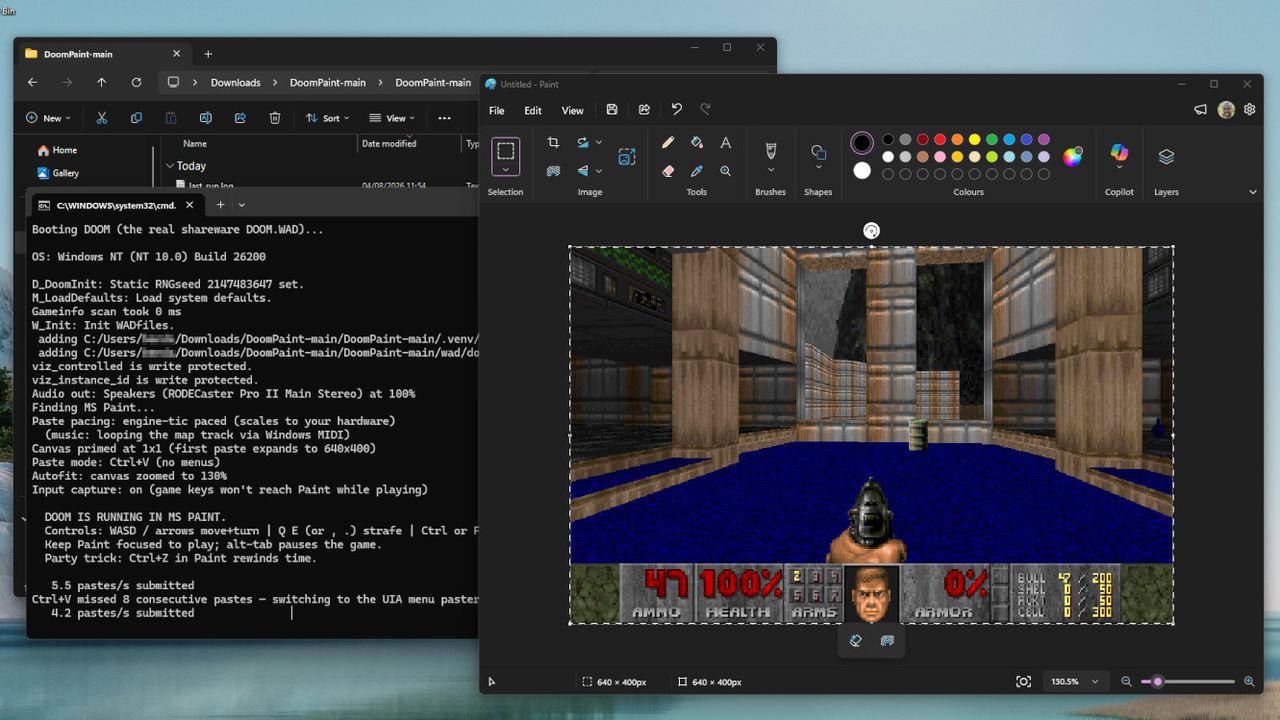
DOOM runs inside Paint on Windows, built by a Microsoft executive: "The spreadsheet-tier framerate is part of the charm."

Mark Russinovich is the CTO of Microsoft Azure, and as it seems, a big fan of id Software's classic 1993 FPS, DOOM. I've seen the game running on practically every imaginable piece of hardware with a screen and any semblance of buttons, but I hadn't expected it to be playable inside Paint — until I installed it on my own PC earlier this morning.

"Playable" is being generous, because as Russinovich explains in his documentation for DoomPaint on GitHub: "Every frame is placed on the Windows clipboard and pasted into Paint's canvas as a genuine document edit", so Microsoft Paint is acting like more of a monitor than anything else, but it's still a sight to behold.

Performance ranges from quite smooth to snail's pace, but "the spreadsheet-tier framerate is part of the charm", and this is hardly the kind of medium I'd expect anyone to beat the entire game in. Nevertheless, it's real, and stands as the latest example of DOOM running in weird places. You'll need to install Python to run it, but that's all — alternatively, you could just watch my video.

It's a particularly bizarre crossover featuring two of my special interests, retro boomer shooters and classic Windows apps, with the icing on the cake being its creator. Sure, looking at the contributors section of DoomPaint shows generous commits from Anthropic's Claude and Microsoft's GitHub Copilot, so we're definitely dealing with a vibe-coded project here, but this is still a fascinating look into the downtime of a Microsoft executive.

Paint renders the game but does not compute it. Paint computes nothing. Paint has never computed anything. That's the joke.

Mark Russinovich, CTO and Technical Fellow for Microsoft Azure

Plus, there's working sound and music in this oddity, which is a step beyond what I expected from using Paint as a DOOM renderer. Again, though, this is more of a visual trick than an engine conversion, as Russinovich reiterates, "Paint renders the game but does not compute it. Paint computes nothing. Paint has never computed anything. That's the joke."

I've spent plenty of hours replaying the classics with source ports like UZDoom, and pulling a legitimate copy of its internal ".WAD" file will make variants like this playable with the complete selection of levels and weapons. If, somehow, you still haven't played DOOM in 2026, this could be one of the strangest ways to get started — but it's probably better to appreciate it from a distance.

— via Tom's Hardware


"The definitive, newly enhanced versions of DOOM + DOOM II are now available as a combined product."View Deal

Click to join us on r/WindowsCentral

Join us on Reddit at r/WindowsCentral to share your insights and discuss our latest news, reviews, and more.
I've played over 50 hours of Euro Truck Simulator 2 and American Truck Simulator this month, and it's cured my gaming burnout

Earlier this week, my colleague, Alex Cope, wrote a piece detailing how a surprise game had turned around his growing ill feelings towards gaming. It resonated with me because it mirrors a lot of the same feelings I've been having myself.

There's a huge selection of great games out there, don't get me wrong, but the whole state of the industry weighs heavy. Not to mention I'm really burned out on live service gaming and the constant grift.

Thanks to another of my colleagues, Ben Wilson, I finally opened up a couple of games I've had sitting in my Steam backlog for actual years: American Truck Simulator and Euro Truck Simulator 2.

I. Am. Hooked.

I've always known how popular these games are, but I finally get it. You're given an enormous sandbox to play in, and you can make of it what you wish. Play the game, make your own game, change it with add-ons, or play with others on community servers.

These are old games but still get new content regularly and, at some point, will finally arrive on console, too. If you look at them and think it might be a tedious gameplay loop, you couldn't be more wrong.

For me, it's all about the drive

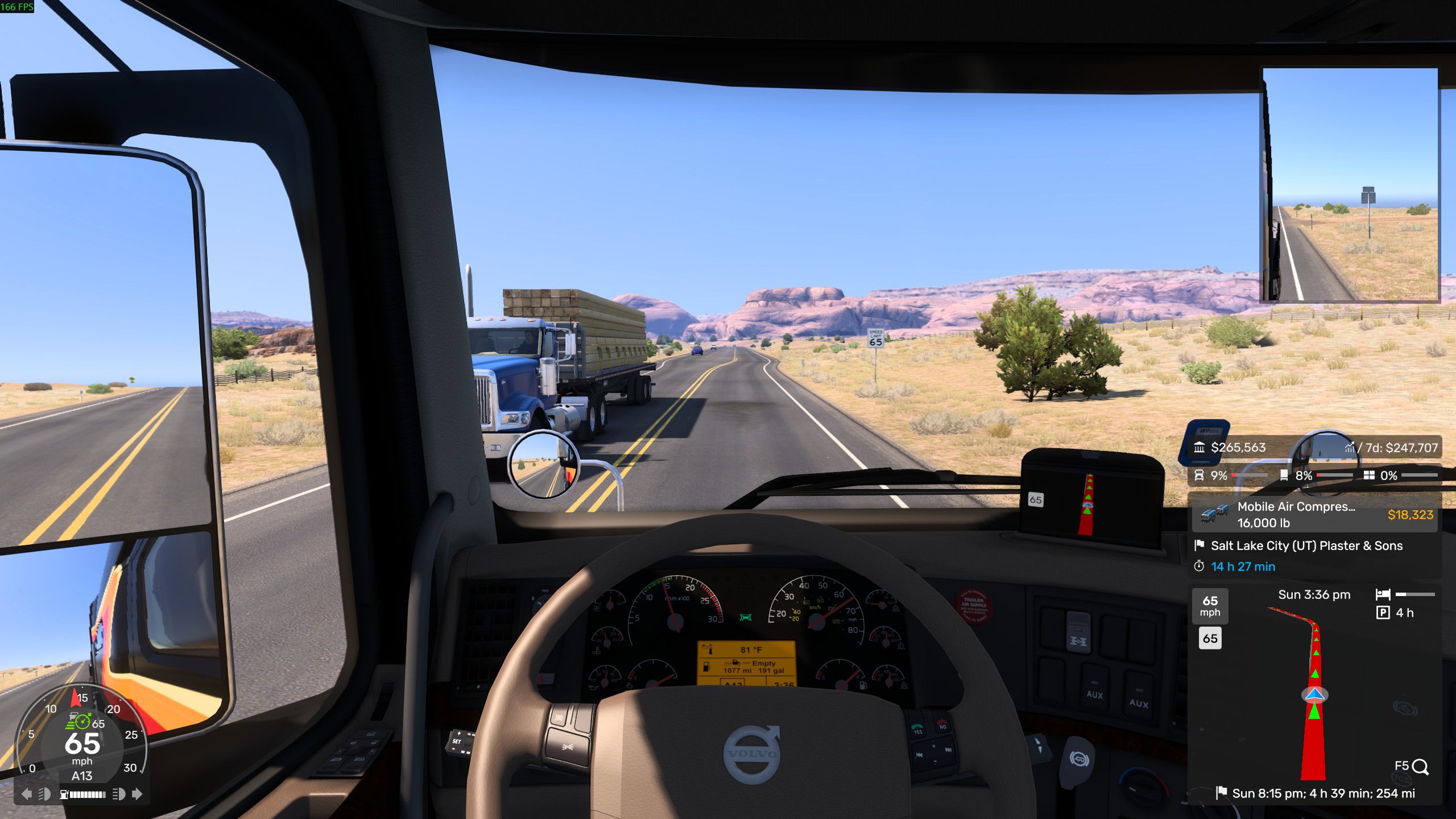
A screenshot from American Truck Simulator inside the cab of a 2014 Volvo VNL 730 driving along a road in Utah.

It's just you, your trailer, and the open road. (Image credit: Windows Central)

You can pretty much make of Euro Truck Simulator 2 and American Truck Simulator what you want. There's no campaign to speak of, and from the off you're able to drive anywhere on any of the maps you own.

For me, it's the driving that's completely sucked me in. I could easily be making money faster, buying more trucks, hiring more drivers, and building my own virtual empire, but I'm not really driven that way.

It's all about the road trips. Leveling up to open up bigger, more valuable cargo earns more monetary reward, but it also opens up longer drives. It's one of the most relaxing video games I've ever played.

Sure, AI traffic at times acts dumb and produces a bit of the old virtual road rage, but mostly it's me, my trailer, and the open road. Stick on some music from the selection of in-game but still real-world radio stations, settle in, and admire the surroundings.

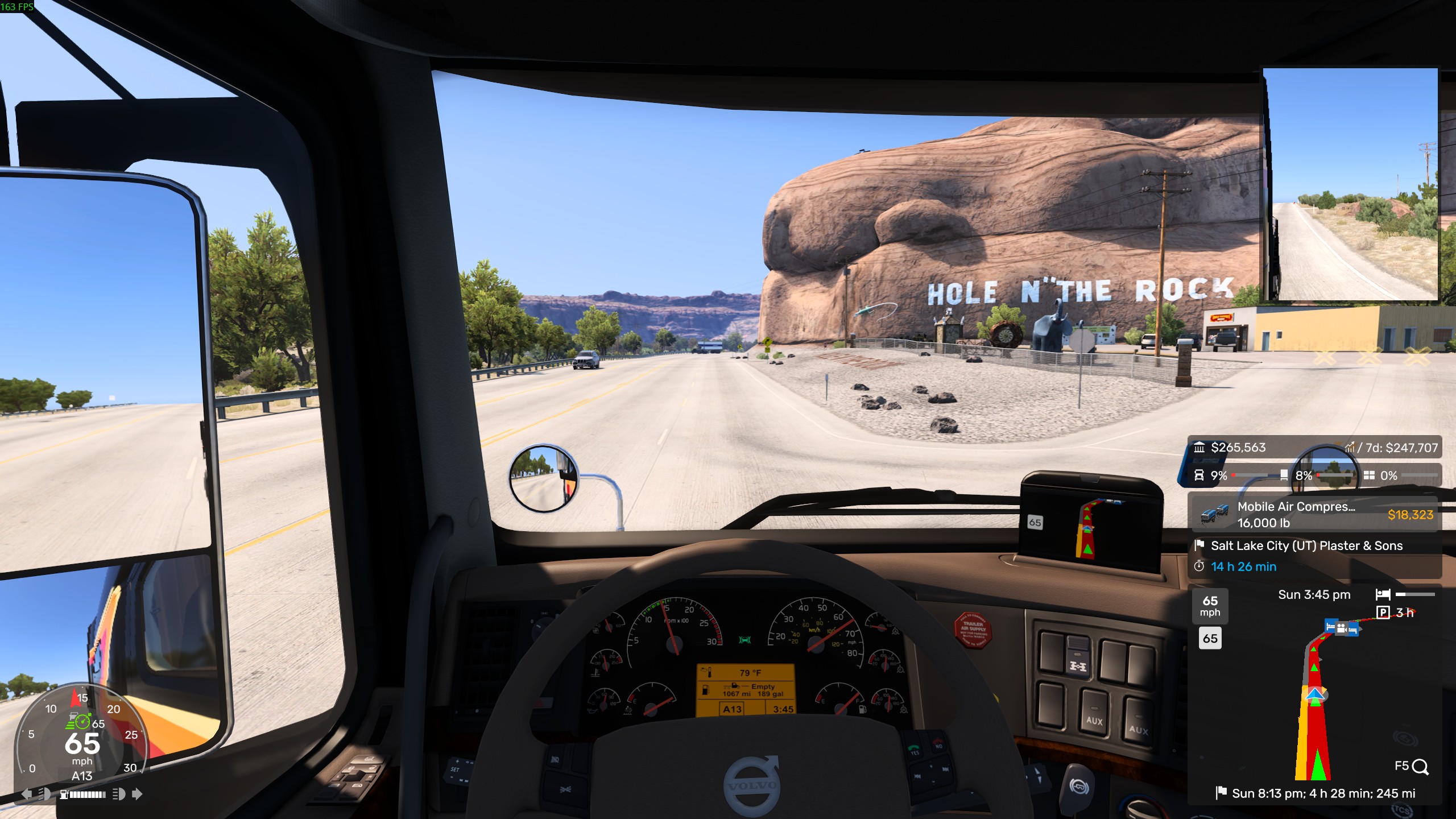
A screenshot from American Truck Simulator inside the cab of a 2014 Volvo VNL 230 driving past Hole N' The Rock in Utah.

There's plenty of sightseeing to be done without ever havign to go outside. (Image credit: Windows Central)

It can be challenging, too. Navigating tight roads gets the brain matter working, and I'm still not very good at reversing a trailer, but it also never feels frustrating. There's a real sense of satisfaction when you do it right and don't crash into everything around you.

Hours just fly past. Thinking, "Oh, I'll just jump on and do a few short deliveries," suddenly becomes driving across the entire map. I don't even have all the DLCs for either of the games, but without consciously thinking about it, I'm accepting a 1,000-mile+ drive from New Mexico up to Oregon.

I've spent more time in American Truck Simulator than I have in Euro Truck Simulator 2 purely because I think the drives are better. I've seen plenty of real-life Europe in my years on the planet, and it's nice, but it's not quite the same as some of the spectacular scenery in the U.S.

It feels more like a real road adventure to me.

Both games have limitless potential for customization

A screenshot from Euro Truck Simulator 2 driving a green DAG XG towing a DLH trailer in front of a DHL depot.

A simple mod to add some immersion is to add real-life companies to replace the fake standard ones. (Image credit: Windows Central)

Besides the quantity of official DLCs, both American Truck Simulator and Euro Truck Simulator 2 have quite ridiculous mod support. Both from the Steam Workshop and external sources.

I've barely scratched the surface of this yet, but it's mindboggling how far you can go. You can add real-life companies to replace the standard, fake ones. You can download new vehicles, including those not officially in the game. There are graphics mods, physics mods, weather mods, mods to customize your trucks, and mods to change the traffic.

If you can think of it, there's probably already a mod for it.

A screenshot of the Steam Workshop most subscribed to mods for Euro Truck Simulator 2.

There are a ridiculous number of mods available for both games. (Image credit: Windows Central)

There are also ways to play with others. Inside the game, there are convoys that you can join in with, but there are also external options, with the most well-known being TruckersMP.

This is a mod that allows you to drive on dedicated servers alongside other real people rather than AI traffic, and there's a whole community built around it. I haven't yet dipped a toe in the multiplayer waters, so I can't speak with any authority, but the option is there.

Ultimately, you can make the experience your own. If you want to go down the hyper-realism route, you can. If you're happy just trucking by yourself using the official content, you can do that too. Or any step in between.

Both Euro Truck Simulator 2 and American Truck Simulator play great on handhelds

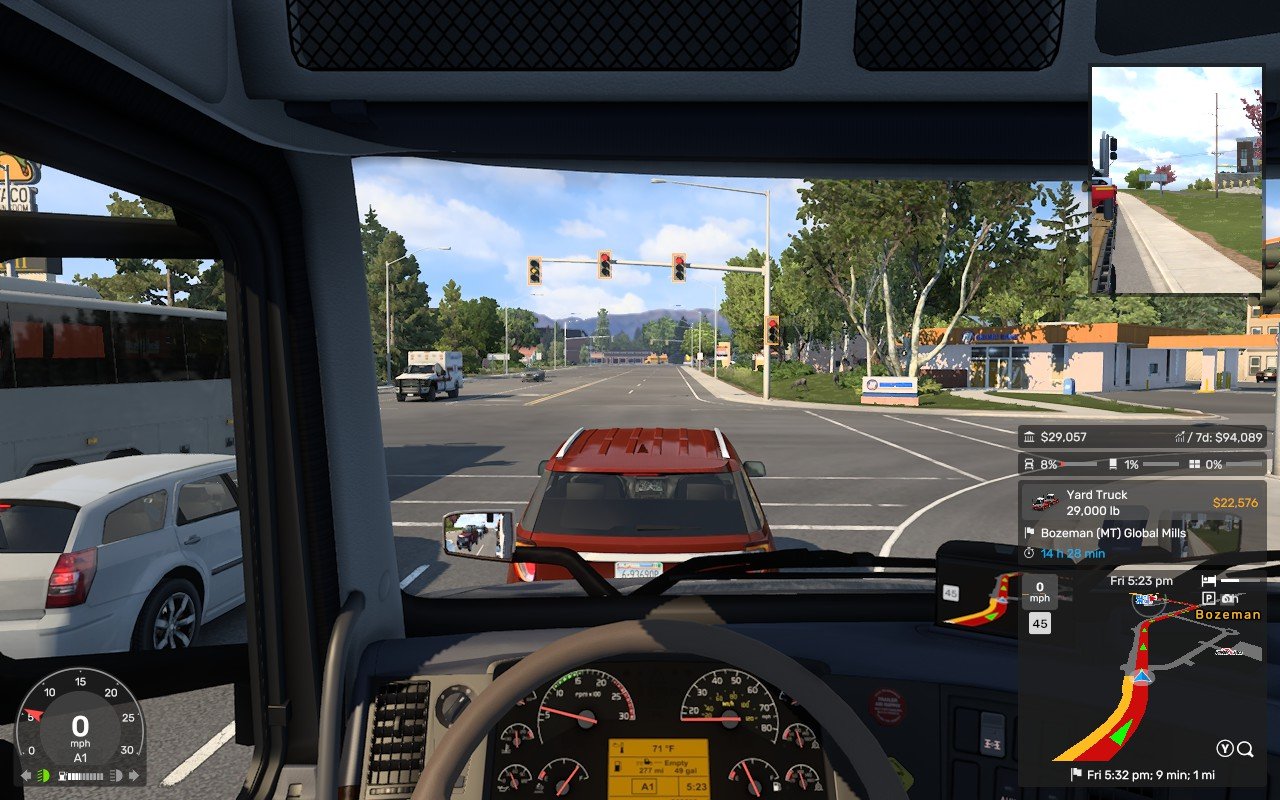
A screenshot from American Truck Simulator played on a Steam Deck showing an in-cab view from a 2014 Volvo VNL truck at a set of traffic lights.

This is American Truck Simulator on the Steam Deck and it still looks pretty good. (Image credit: Windows Central)

Most of my time trucking so far has actually been spent on my Steam Deck, feet up on the sofa. One day I'm going to get more serious with a wheel and probably a button box, but it's perfectly enjoyable with a controller and a handheld.

Both games actually have a native Linux version you can enjoy on the Steam Deck, and both are still being kept up to date with the Windows equivalent. I've been playing it through Proton instead, and I do think it's a little better overall. But you don't have to. They're as pick-up-and-play as it can be on SteamOS.

There are limitations, and frame rate will drop in some of the newer DLCs and the bigger cities, but overall, it's superb. I'm not even playing on the lowest settings, either. Some are set to low, but most are on medium, and it's working just fine. It looks good enough to still feel impressive on those long drives through the countryside.

Both are perfect games to play on a handheld, and for me at least, I get added relaxation from moving away from my gaming PC. The one I spend all day in front of while I'm working. These two truck sims plus the Steam Deck are a perfect antidote.

Mostly, I'm wondering why I waited so long. I said the same about Microsoft Flight Simulator 2024, too.

I've always loved games where you can explore, and what's better than a huge open map to drive across as you please?

If you've ever been even curious, I definitely recommend checking out at least one of them. The base games are cheap, and while there's a lot of DLC map add-ons, there's enough road in each of the base maps to help you get a feel for it.


"Experience legendary American trucks and deliver various cargoes across sunny California, sandy Nevada, and the Grand Canyon State of Arizona"

✅ Steam Deck VerifiedView Deal


"Travel across Europe as king of the road, a trucker who delivers important cargo across impressive distances! With dozens of cities to explore, your endurance, skill and speed will all be pushed to their limits."

✅ Steam Deck VerifiedView Deal

Click to join us on r/WindowsCentral

Join us on Reddit at r/WindowsCentral to share your insights and discuss our latest news, reviews, and more.
After years of PC-building snobbery, I'm ready to admit pre-builts are no longer taboo — Here's why I'm rethinking my DIY stance

For many years, "pre-built PC" almost felt like a slur in some gaming circles, and I'll admit that I used to consider myself above the pre-built market.

Cale Hunt

Cale Hunt

(Image credit: Future | Edited with Gemini)

What I'm working on this week: I'm in the process of testing the HP OMEN 45L pre-built gaming PC, and outside of work, I'm catching up on garden care when it's not too hot to breathe.

Who would buy a system built by someone else? That might not have proper airflow? That might have a ton of bloatware installed out of the box? That might use proprietary parts you can't upgrade yourself? That charges a premium price compared to building your own? To put it bluntly, pre-built gaming PCs had a poor reputation.

These things used to cross my mind before I regularly started testing pre-built PCs here at Windows Central, before I had a ton of experience with the pre-built market, and before the PC market's recent changes.

I won't pretend that I don't still prefer building my own gaming PC. Watching it power on and run my favorite games is a small joy that I love to repeat. But the time when building your own PC was cheaper and better than picking up a pre-built is coming to an end.

I've spent the past several months testing a wave of new pre-built gaming PCs here at Windows Central, and I can no longer pretend that they're inferior. Some of these machines are genuinely good. Not just "good for a prebuilt" — genuinely good and bordering on better than I could do myself.

The proof is in the pre-built PC

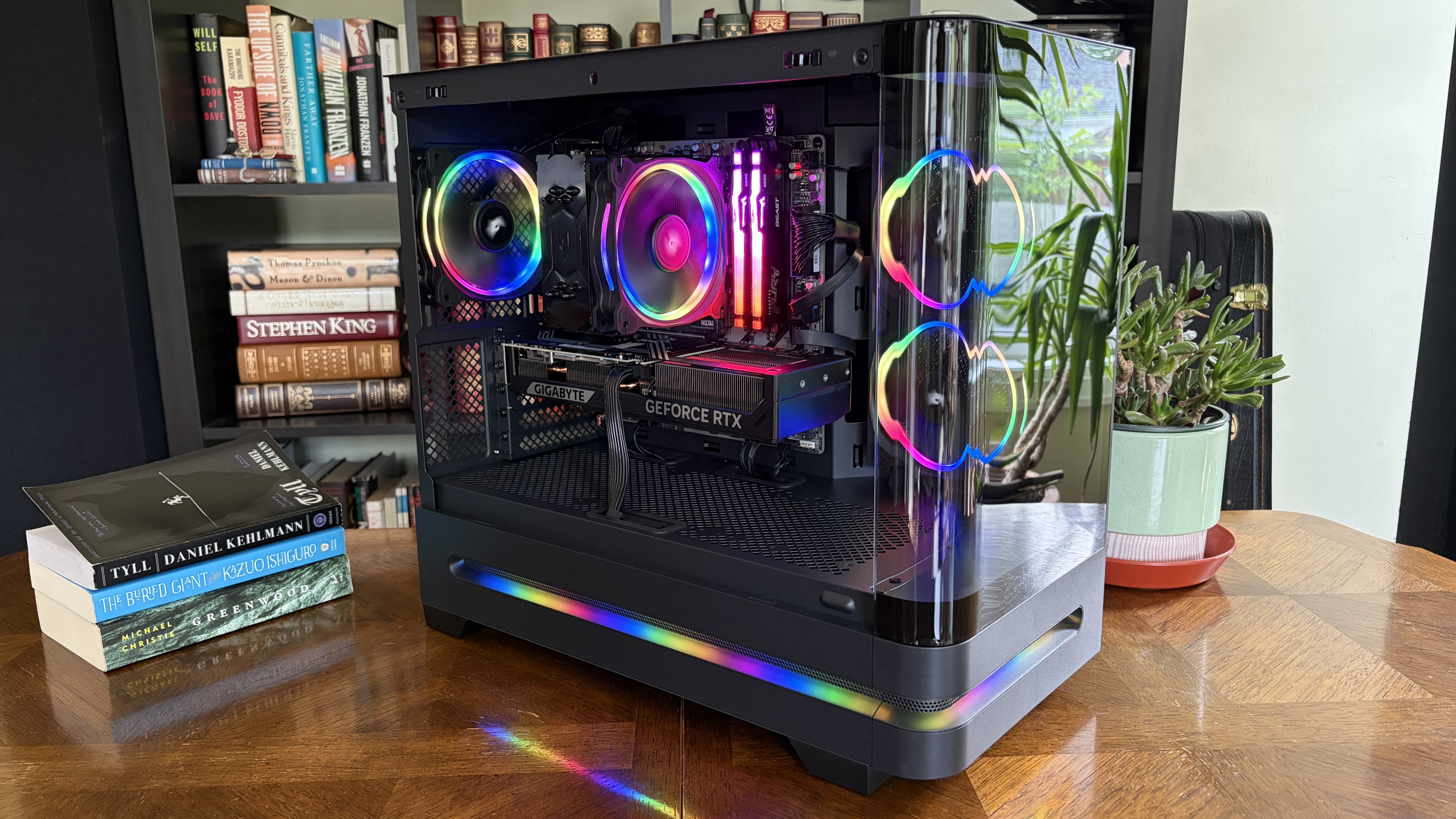
A modern Acer Nitro 65 desktop computer in a glass case with RGB lighting, showcasing internal components like a graphics card and cooling fans, alongside a bookshelf and a potted plant.

Acer's Nitro 65 pre-built gaming PC impressed me more than I expected. (Image credit: Future)

It was Acer's Nitro 65 pre-built gaming PC that finally spurred me to write this article. It's the most recent pre-built I reviewed — I'm also testing the HP Omen 45L right now — and I went in expecting the usual compromises often found in big-brand pre-built systems.

It turns out that, aside from a non-modular PSU tucked away out of sight, the PC is something I'd easily recommend to anyone looking for an upgrade.

Acer's Nitro 65 surprises with a clean build, a gorgeous case (mostly), regular components, and a competitive price compared to building your own similar system. It has some quirks, but they don't keep me from recommending it as an above-average pre-built option.

Acer Nitro 65 review

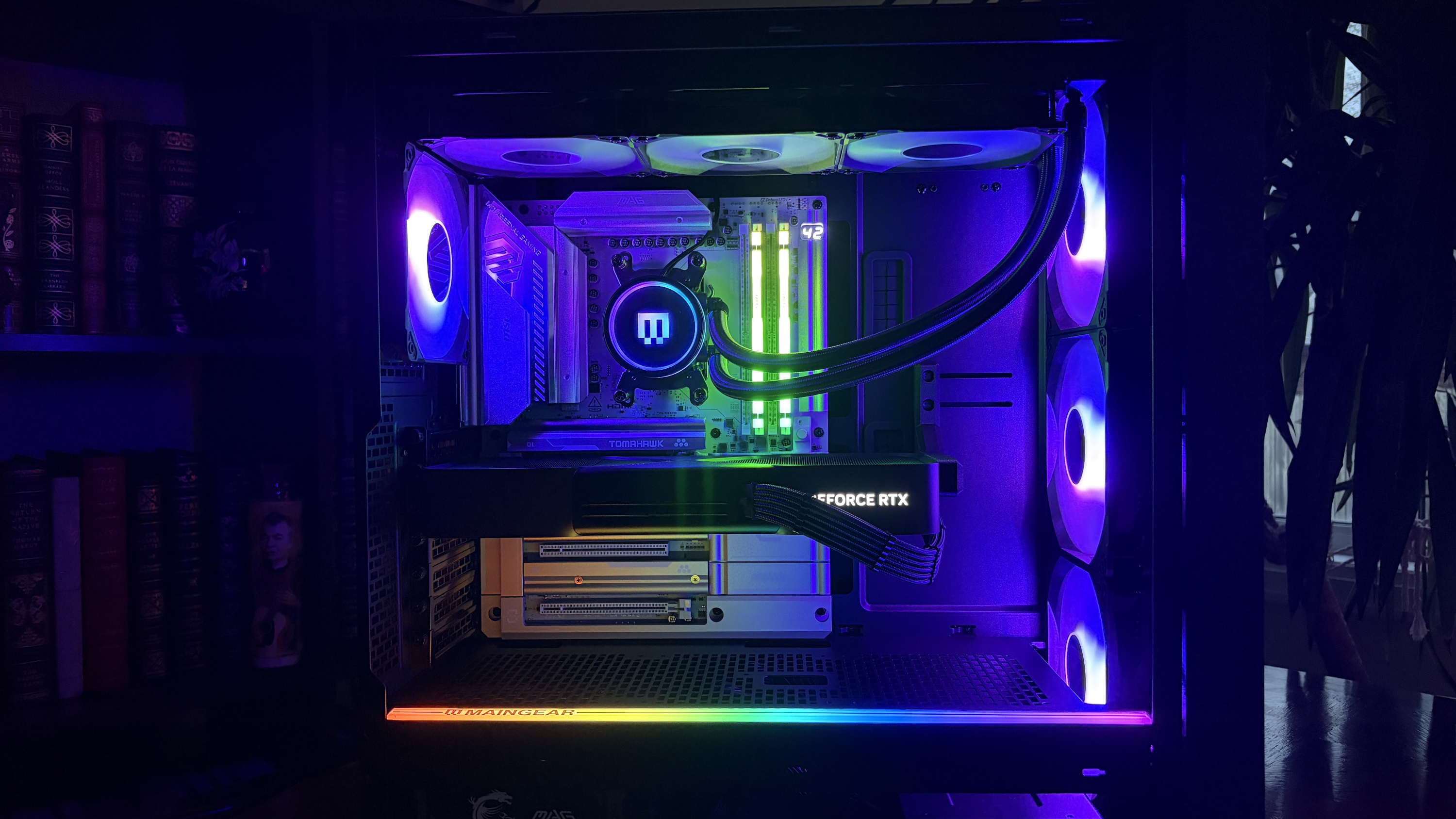
I saw a similar story play out on the boutique end. I tested Maingear's MG-1 MK.II earlier this year, handing it five stars and a Windows Central Editor's Choice award.

A Maingear MG-1 MK.II gaming PC with RGB lighting illuminates the interior. It features a GeForce RTX graphics card and vibrant cooling fans, creating a futuristic vibe.

Maingear's MG-1 MK.II is an incredible pre-built gaming PC. (Image credit: Future)

It's an expensive PC to be sure, but not much more than putting your own system together with everything considered. These PCs are assembled by hand by people who clearly have a passion for this type of thing, and I don't think I've ever paid as much attention to cable management and RGB lighting as what's found in Maingear's flagship.

Maingear took customer feedback from the original MG-1 and fed it into the development of the MG-1 MK.II. The result? An outstanding gaming pre-built that I have a hard time knocking for anything other than minor infractions.

Maingear MG1 MK.II review

The iBuyPower Slate 8 Mesh that I reviewed last year is another relatively affordable gaming PC that balances power and price quite well, and it regularly costs less than $1,500.

iBuyPower RDY Slate 8MP 004

iBuyPower's Slate 8 Mesh pre-built PC is still available for a great price. (Image credit: Future)

This leads me to the Steam Machine's launch, when I went looking for prebuilts that could best it on price and performance. This was during Amazon's Prime Day event, but it quickly became clear that the five PCs I chose could outperform Valve's box while also costing less.

This is really where I imagine PC purists are having a hard time: pre-builts are increasingly upping build quality, maintaining convenience, and winning on value.

Not every pre-built gaming PC is a winner

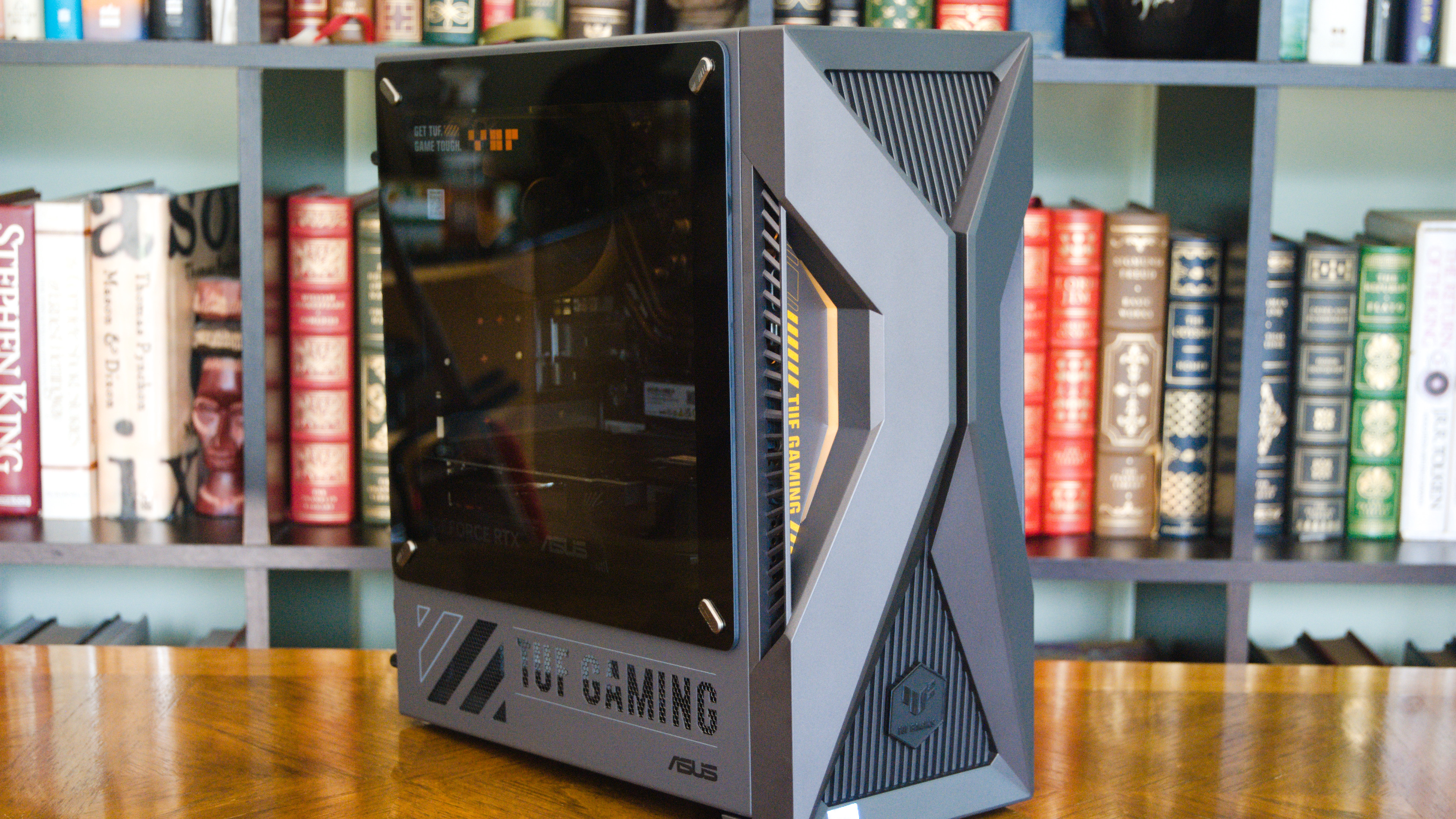
ASUS TUF Gaming T500

The ASUS TUF Gaming T500 is an interesting idea that I don't think landed. (Image credit: Future)

As I said, I'd still recommend anyone with the time and inspiration to put together their own system. If hardware prices weren't being completely skewed by the ongoing RAM and storage crisis, I might not be writing this piece.

And although I've had some positive experiences of late, I don't want to oversell pre-built PCs. There are certainly still a lot of oddities to be found in the market.

Take the ASUS TUF Gaming T500 that I reviewed as an example. It's built around a laptop-class mobile CPU stuffed into a desktop chassis, and, in my opinion, the mash-up didn't work.

It took the worst pre-built habits, including poor upgradeability, and added new problems on top. It's ultimately proof that pre-builts still aren't guaranteed to be winners, and that the ceiling has risen without the floor following.

A hybrid mobile/desktop pre-built gaming PC is an interesting idea, but the execution fails to impress. A desktop-class GPU doesn't make up for throttled mobile CPU performance and poor upgradeability. I recommend building your own PC or checking out a pre-built with a true desktop CPU inside.

ASUS TUF Gaming T500 review

That's the distinction that matters. Just a few years ago, the odds of landing a quality pre-built PC that was upgradeable and assembled properly weren't great. Enough so that using a blanket "just build your own PC" response was reasonable.

Those odds have shifted. More and more companies are shipping systems that hold up against self-assembled PCs in terms of price, component quality, and thermals.

My advice to gamers shopping for a new pre-built PC

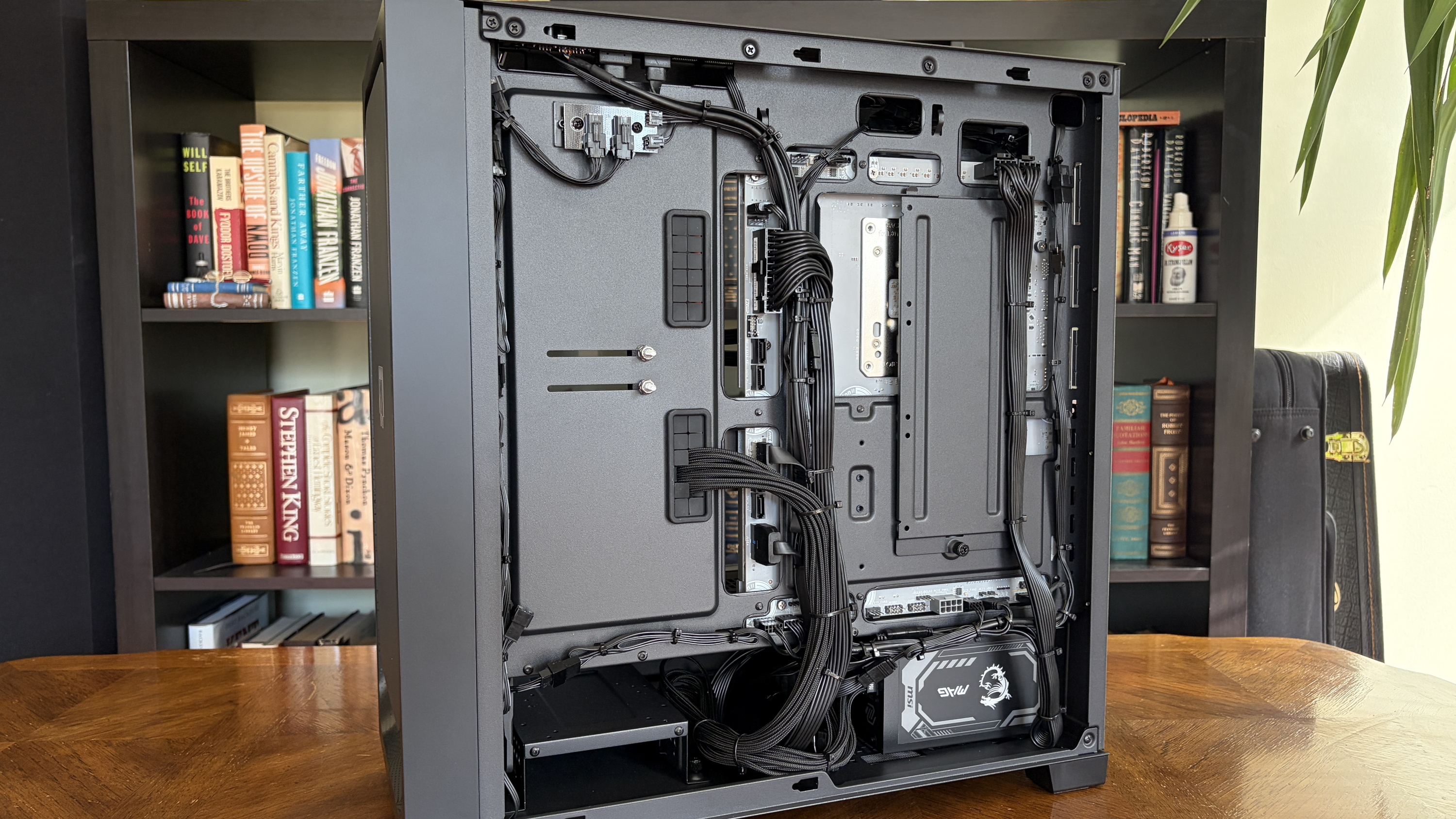
The image shows an open MG-1 MK.II computer case on a wooden table, revealing neatly organized cables and components. Bookshelves with books appear in the background.

Cable management on the Maingear MG-1 MK.II is nearly perfect. (Image credit: Future)

Those shopping for a pre-built gaming PC shouldn't trust the entire category. Instead, trust specific reviews. Check what PSU is inside and whether an upgrade is necessary. Check what parts the case can fit inside. Check how much bloatware you're dealing with on day one.

Just a few years ago, I would have told a friend building their first gaming PC to skip pre-builts entirely. Now, I'd tell them to read a few reviews first, because there's a real chance the better deal is already sitting on a store shelf.

Click to join us on r/WindowsCentral

Join us on Reddit at r/WindowsCentral to share your insights and discuss our latest news, reviews, and more.
I went back to a regular gaming monitor after 10 years of ultrawides — Here's what I forgot I was missing

I thought I was locked into ultrawide monitors for good. It had been 10 years of an expanded 21:9 aspect ratio and 3440x1440 resolution on my desk, after all.

But that all changed a couple of months ago when I got my hands on a "regular" widescreen 16:9 gaming monitor from Alienware.

The screen in question, the AW2726DM, came my way temporarily as a review unit, and it reintroduced me to several display perks I'd forgotten I was missing.

I saw an improvement to my first-person shooter skills with a 16:9 monitor

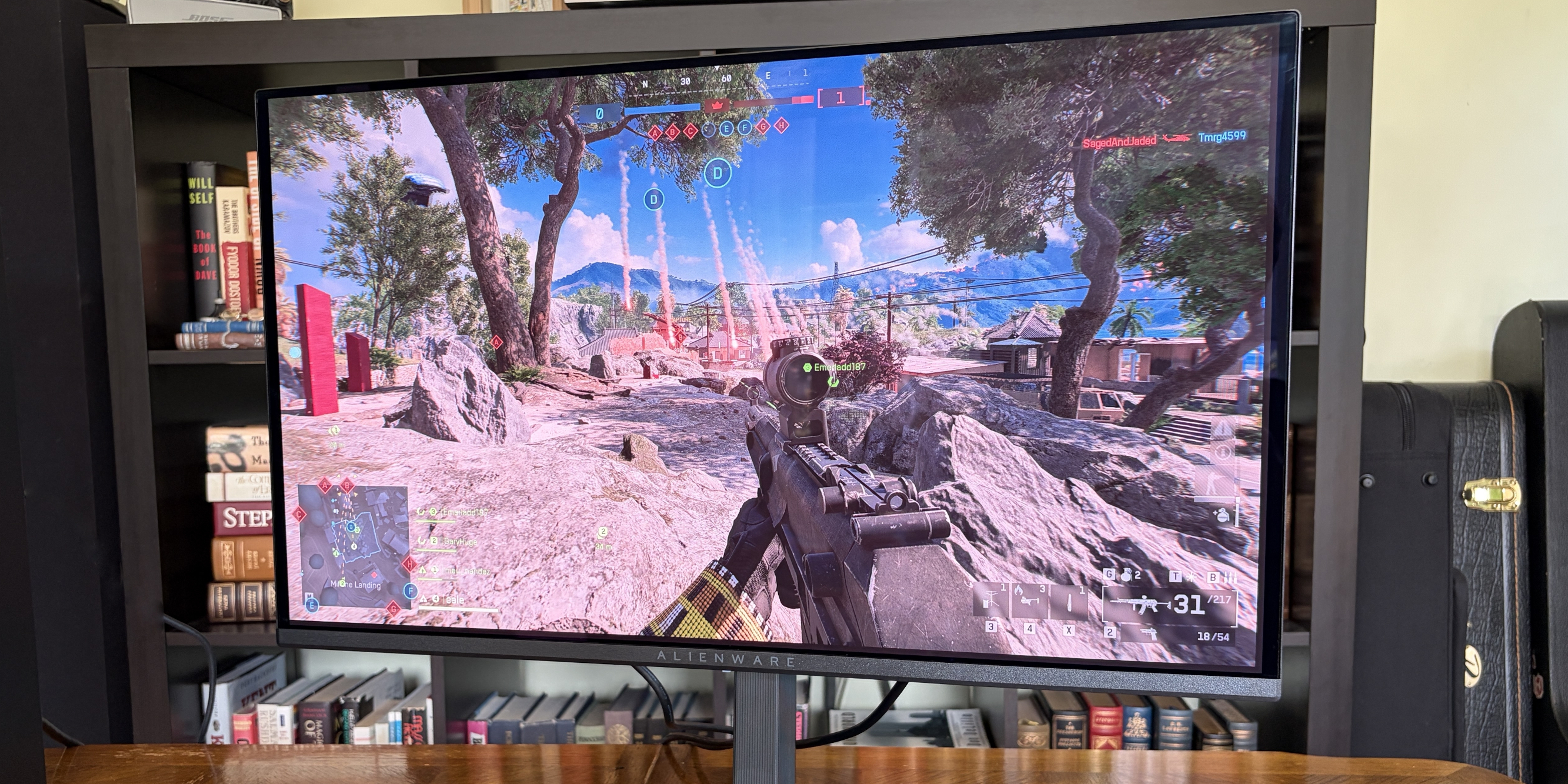
A gaming monitor shows a character aiming a rifle in a vibrant outdoor scene with rocky terrain and trees, under a blue sky.

Battlefield 6 is so much easier to play on a widescreen compared to an ultrawide. (Image credit: Future)

OK, yeah, I totally forgot that playing first-person shooter (FPS) games on a 16:9 monitor is way different than playing on an ultrawide. I've always said there's a reason that pros don't go for extra pixels on the sides, but I guess I forgot why I was saying it.

Switching back to a regular monitor while playing games like Battlefield 6, Escape From Tarkov, Hell Let Loose, and a few others made a noticeable difference to my scoreboard.

With fewer pixels to watch, especially outside of my main area of focus, I found that I was able to do a lot more shooting and a lot less dying. It largely has to do with a tighter HUD and a smaller window of focus — in any case, when I'm on a first-person shooter jag where I care at all about my performance, I'll be using a 16:9 display.

Indie games and singleplayer gems usually fit better on a 16:9 monitor

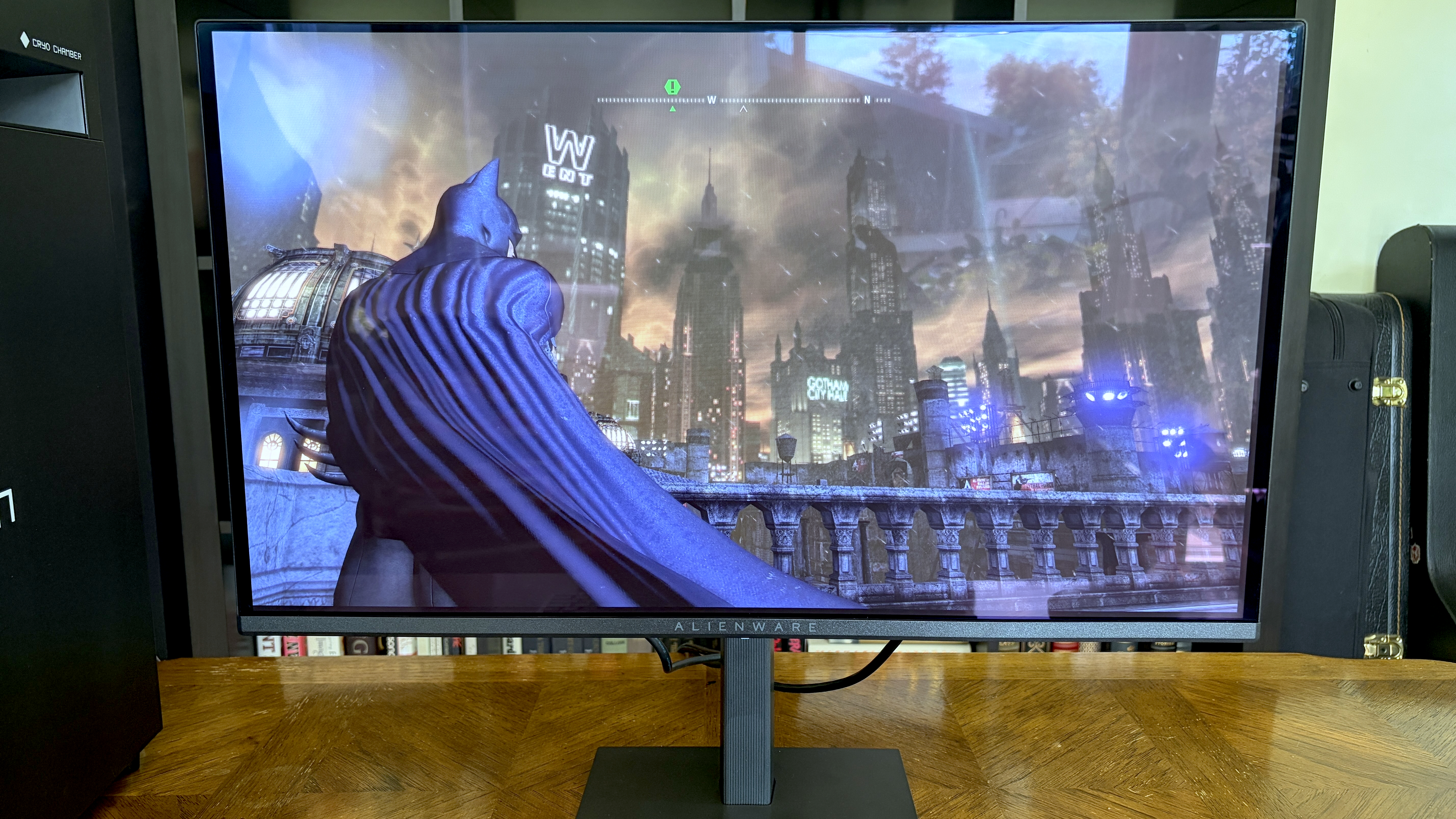
A close-up of a monitor displaying a dark, atmospheric video game scene featuring a superhero character overlooking a cityscape with skyscrapers and a stormy sky.

Arkham City does not natively support ultrawide monitors, meaning you get black bars on either side. (Image credit: Future)

When I'm not enjoying first-person shooters, I spend a lot of time with indie and single-player games, many from decades ago before ultrawide screens were even an option.

While some of them offer ultrawide support, there are plenty that fill the space with black bars instead. It's not the worst look, but it's certainly not as clean as gaming on a 16:9 monitor where the graphics fill the screen from bezel to bezel. Worse, some games struggle with a 21:9 aspect ratio in terms of UI functionality.

Even some high-profile games lack native ultrawide support. Elden Ring is a good (bad?) example, requiring me to download a mod or a third-party tool to get rid of black bars on an ultrawide monitor.

My PC doesn't work as hard ... and that's especially important in the summer

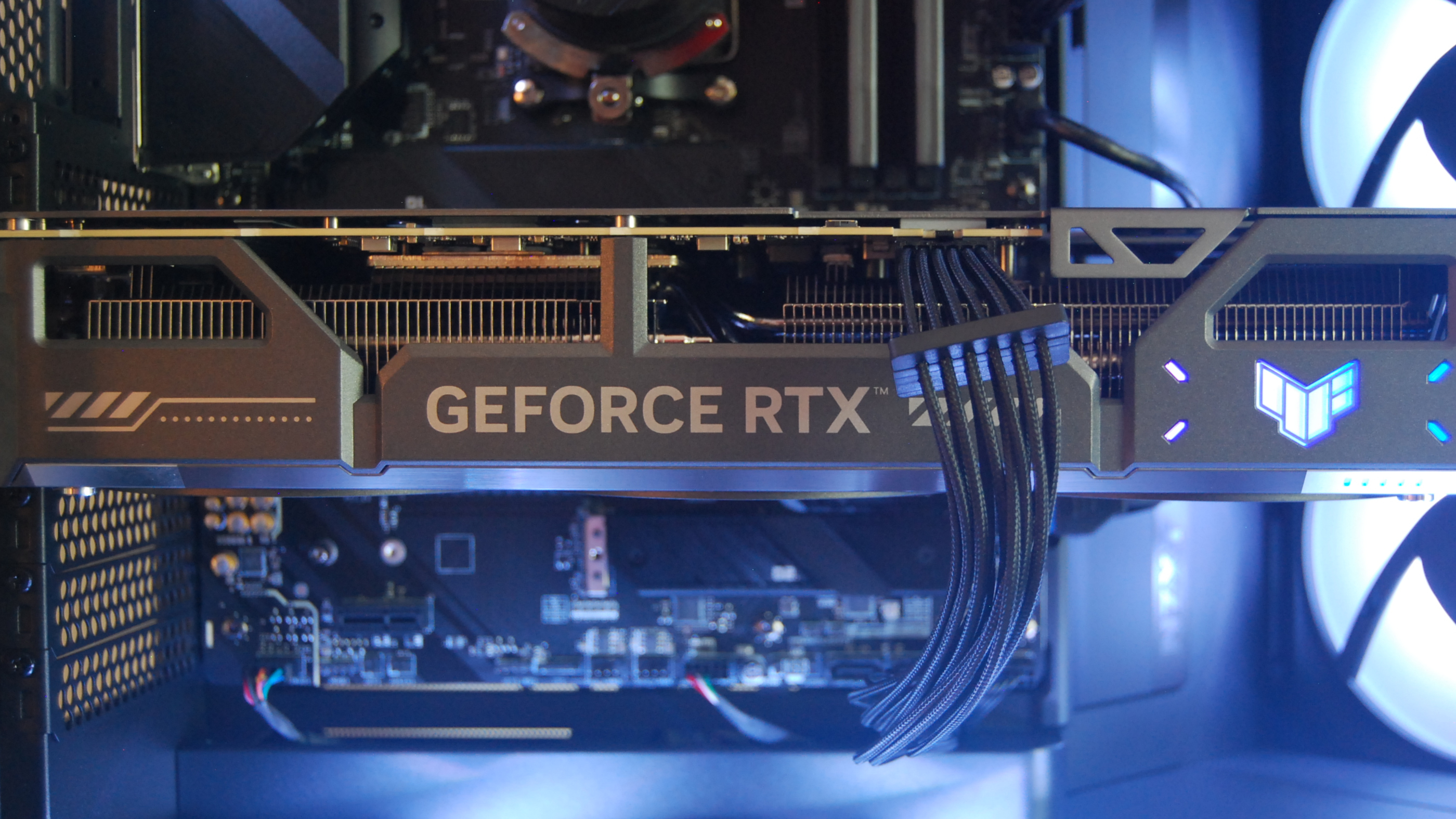
NVIDIA RTX 5070 Ti (ASUS TUF Gaming)

My RTX 5070 Ti doesn't have to work as hard when I'm gaming on a non-ultrawide monitor. (Image credit: Future)

PC gaming in the summer usually finds me with a Steam Deck in hand near the air conditioning. But, as we all know, a gaming handheld just isn't the way to play a lot of demanding titles.

It's a coincidence, but my switch to a 16:9 monitor lines up nicely with hot summer weather. Because my GPU isn't having to produce extra pixels for a 3440x1440 ultrawide monitor (compared to 2560x1440), it's not running as hot, and I'm seeing similar (or better) frame rates.

Blank Pixel

Forgetting ambient temperatures for a moment, giving my RTX 5070 Ti some extra headroom for advanced stuff like ray tracing is always nice. A 16:9 monitor doesn't have to be any less crisp than an ultrawide, and it doesn't take long to stop noticing the lack of extra space on either side of the picture.

My desk isn't being dominated by one screen anymore

MSI MAG MT201D

The widescreen/ultrawide setup I was using until recently look nice, but it didn't leave much space (or work as well with two screens). (Image credit: Future)

I have a dual-monitor mounting arm attached to my desk, and I found that with an ultrawide connected to one fork, there was always one screen taking over my setup.

That's not necessarily a bad thing. My secondary monitor is an old 16:9 screen I use for running Discord and other secondary apps while I game, so it can easily be pushed to the side to make space for the ultrawide.

With two 16:9 monitors back in play, the setup feels a lot more balanced. There's just more space to work with, and I don't feel like I'm turning my head nearly as much when I'm looking at the secondary screen.

I want to be honest about the 16:9 monitor trade-offs

BenQ Mobiuz EX3415R

Ultrawide monitors do some things way better than 16:0 widescreens.

I truly thought I was an ultrawide lover for life, and I spent a considerable amount of time trying to nail down the best high-performance QD-OLED option for gaming.

But my time with a 16:9 monitor has convinced me that a regular aspect ratio is more than enough for my needs. That should also help soften the blow to my wallet when I finally upgrade once and for all.

Regardless, there are a few things I know that I'll miss without a 21:9 screen. The biggest impact is felt when I'm working. Sure, it's easy to drop a couple of windows side-by-side on a 16:9 display, but on an ultrawide, I had a lot more room to play with. Enough that I could fit three windows if I really needed to.

RPGs and racing games don't feel the same

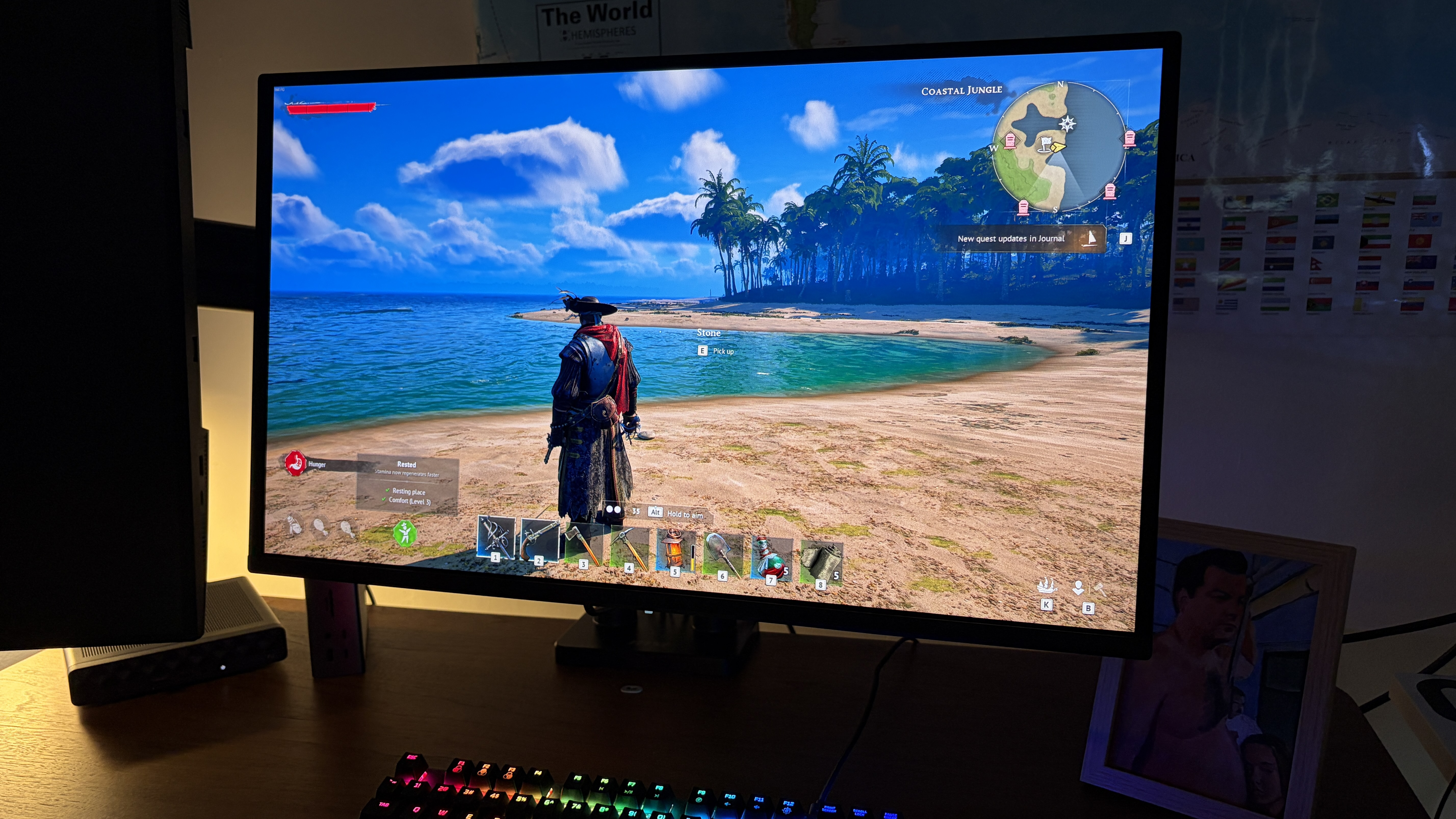
A computer screen displays a pirate-themed video game, showing a pirate on a tropical beach. A rainbow-lit keyboard is in front, creating a gaming atmosphere.

A third-person RPG like Windrose is more immersive on an ultrawide, but, hey, this doesn't look too bad. (Image credit: Future)

I'm certainly not a gamer who only plays first-person shooters. I enjoy plenty of roleplaying games (RPGs) and racing titles, too, and I won't pretend that they don't look better on an ultrawide display. The extra pixels add a lot of immersion.

In an ideal world, I'd have an ultrawide to swap to when enjoying these genres. Alas, that's a lot of dough to drop on screens, and I'm convinced I'd be better off with 16:9.

The switch back to a 16:9 display went way different than I expected

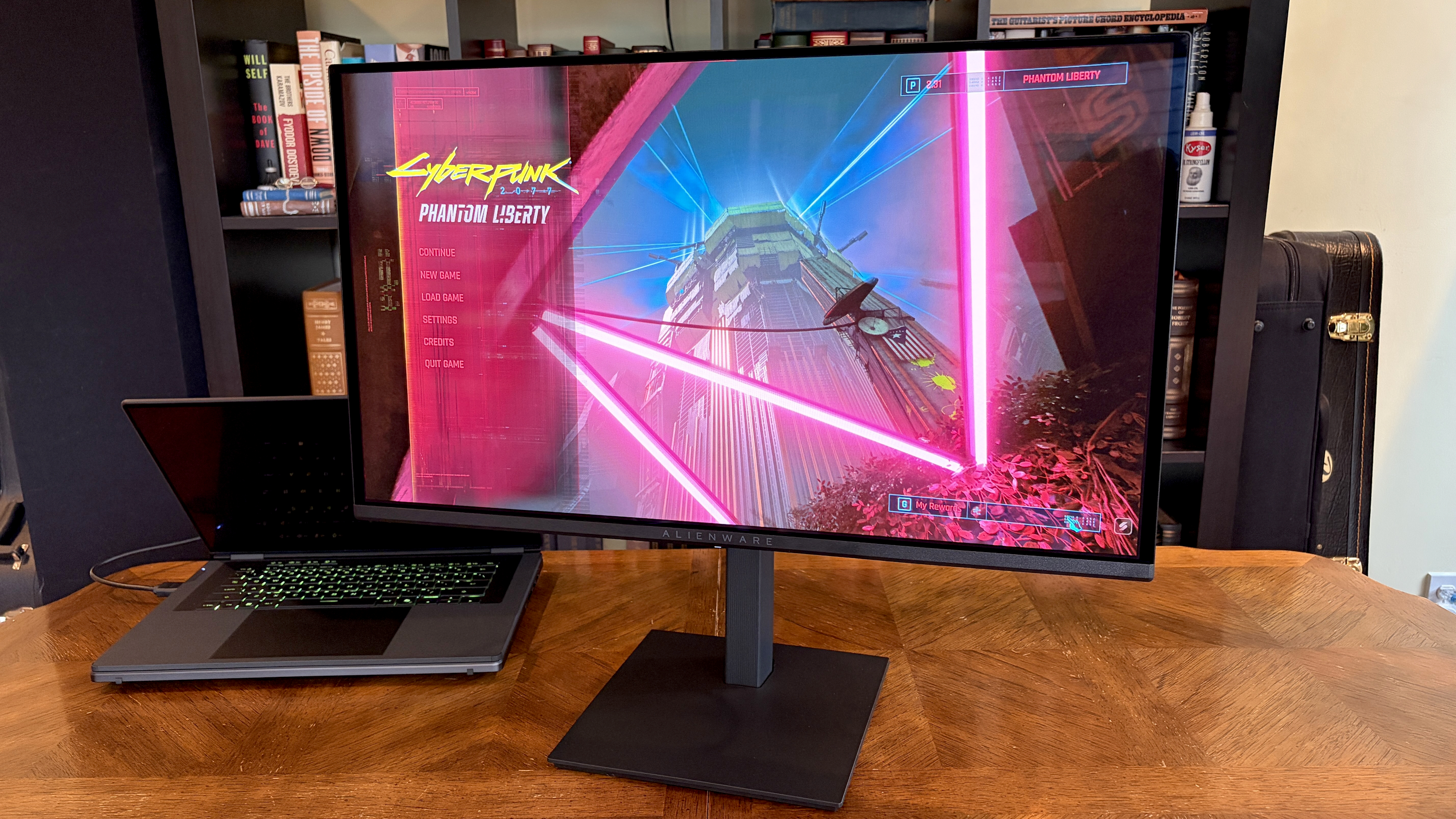
A widescreen monitor on a wooden desk displays the vibrant

Cyberpunk 2077 runs a lot better when it's not pushing extra pixels for a 21:9 ultrawide display. (Image credit: Future)

If you've been mulling over your next gaming monitor's aspect ratio, I'm here to tell you, as a long-term 21:9 enjoyer, that the ultrawide prophets might not always be right.

My experiment with a regular 16:9 gaming monitor certainly didn't feel like a downgrade (especially thanks to a QD-OLED panel and a high refresh rate), and I'm extra happy that I won't have to spend as much on new hardware.

Are you gaming on an ultrawide monitor, or are you sticking with 16:9? Any plans to make a change in the near future? Do you agree with my opinions? Let me know in the comments section below!

Click to join us on r/WindowsCentral

Join us on Reddit at r/WindowsCentral to share your insights and discuss our latest news, reviews, and more.
❌