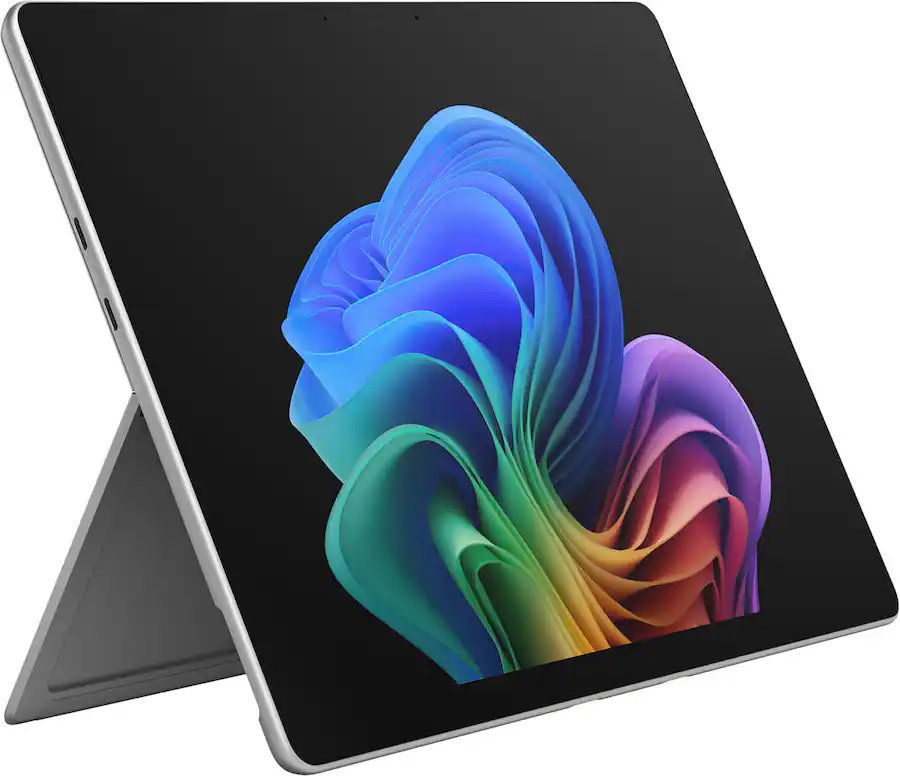
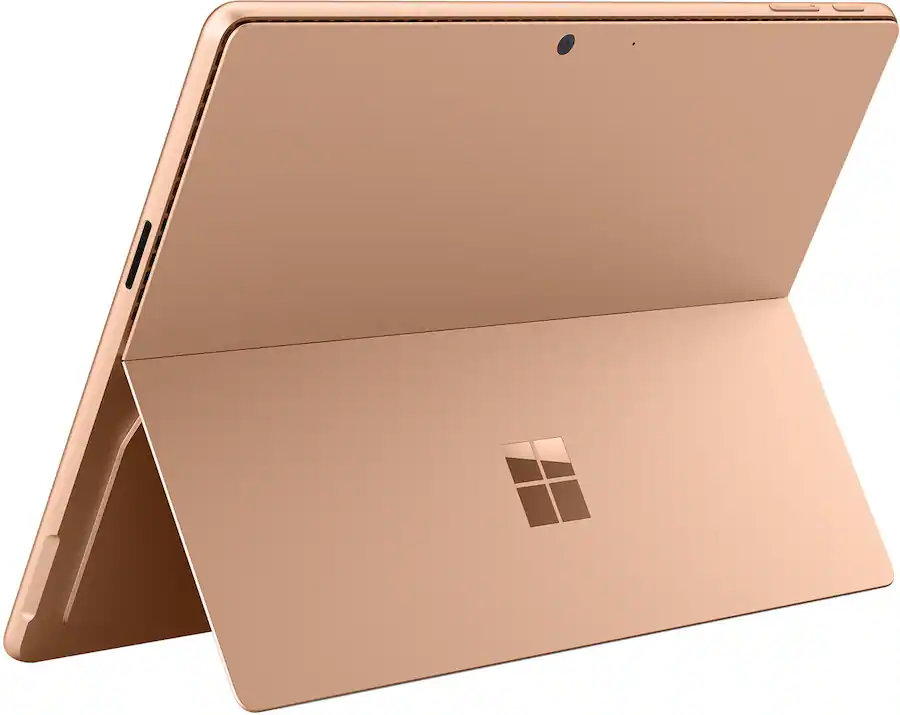
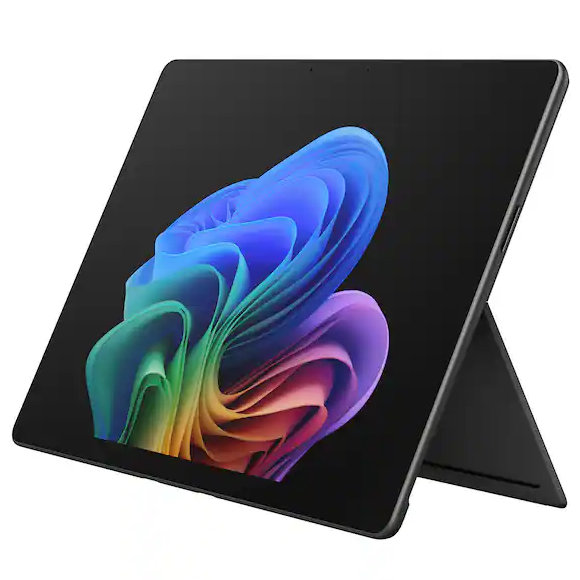
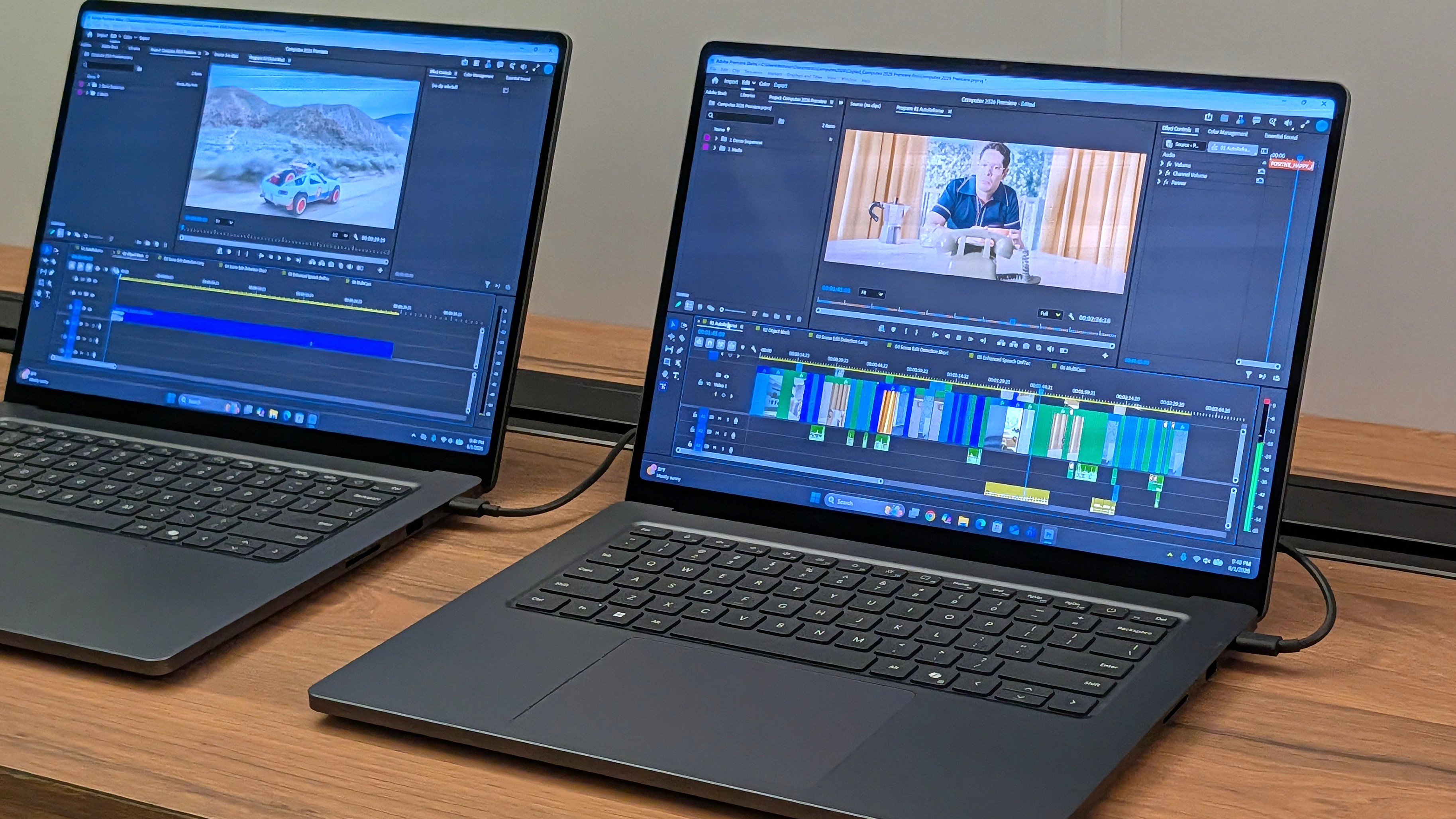
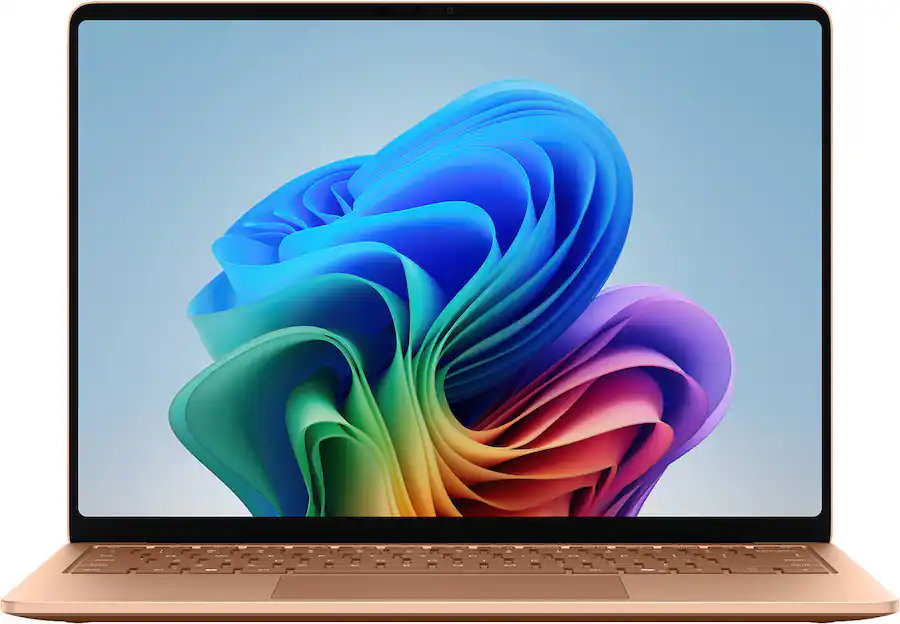
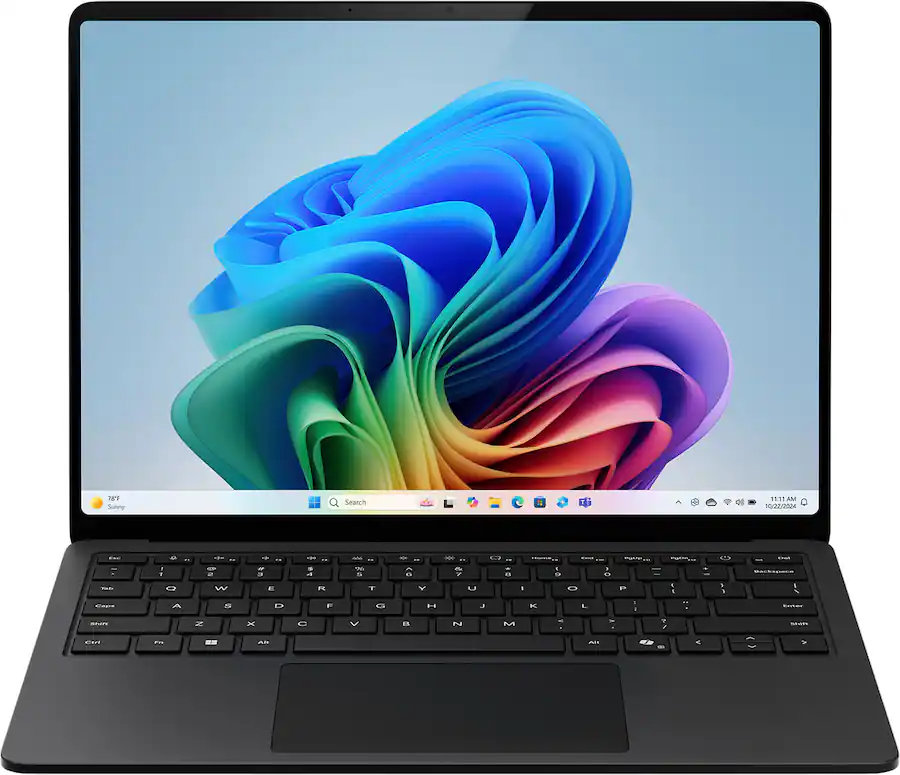
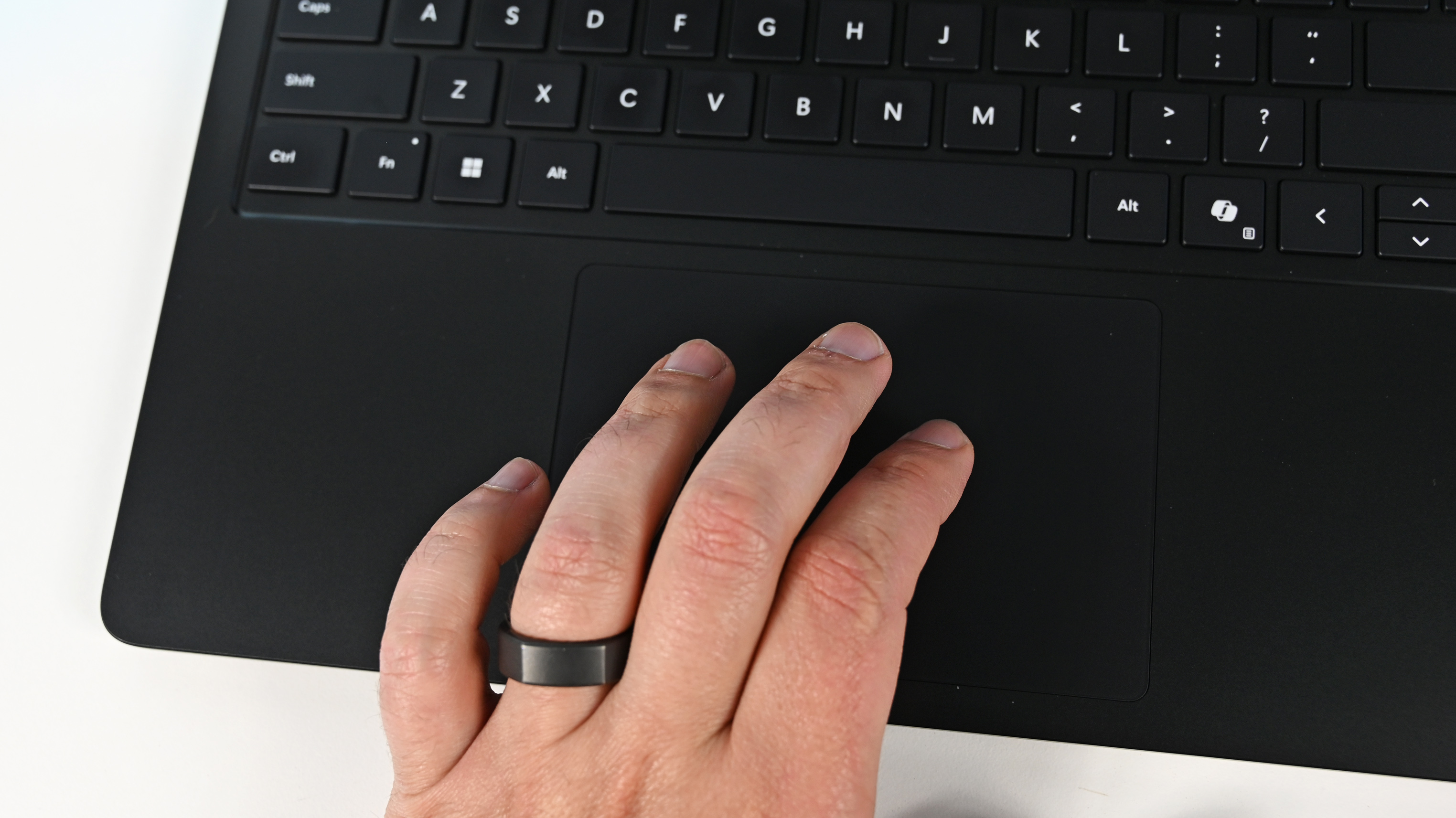
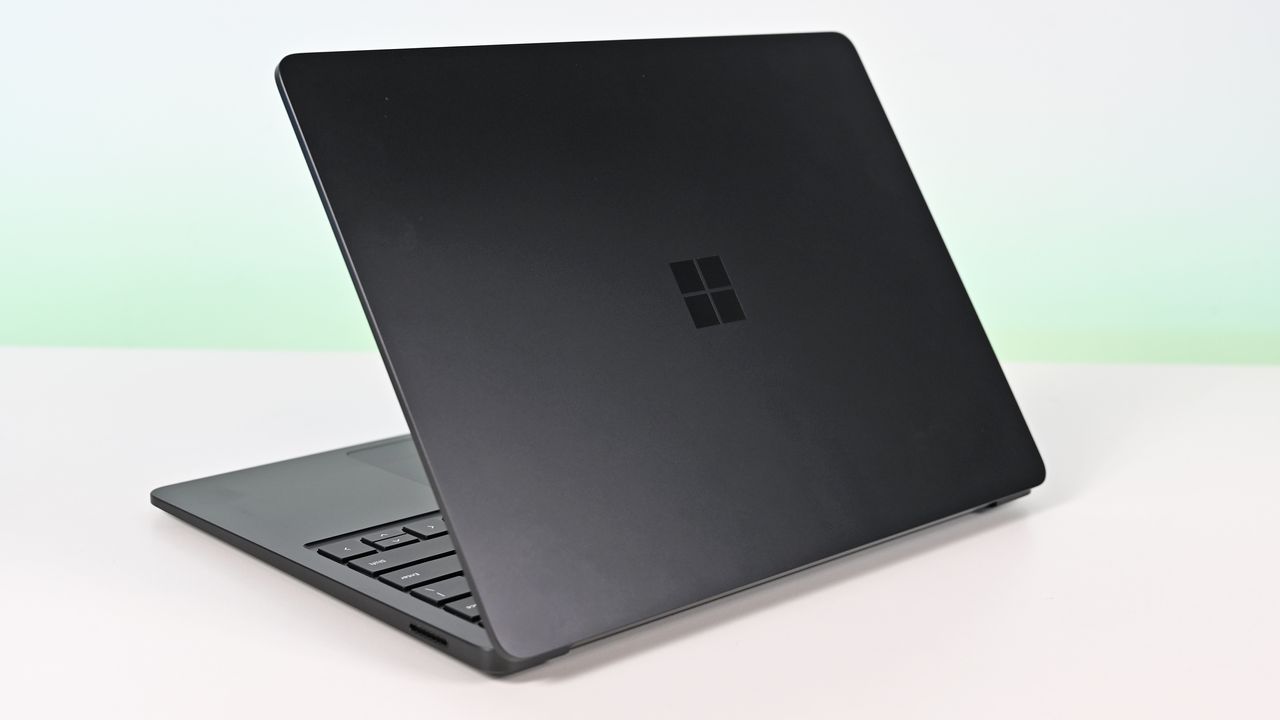
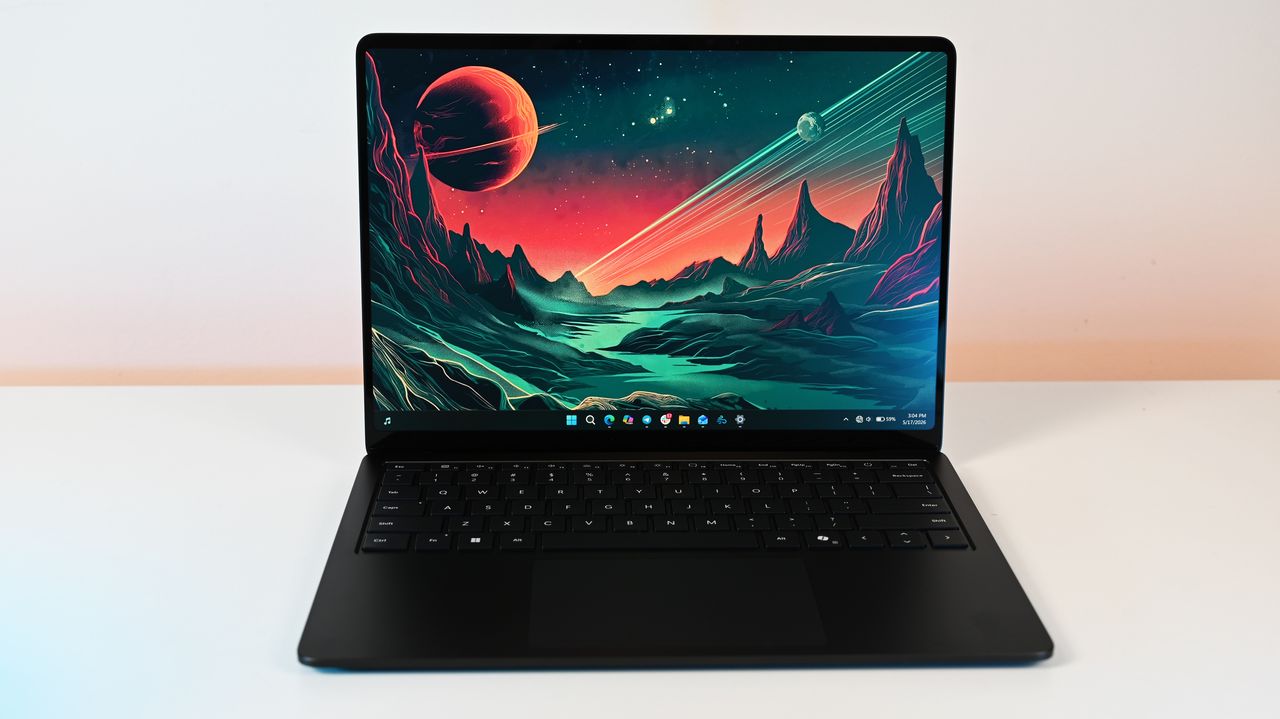
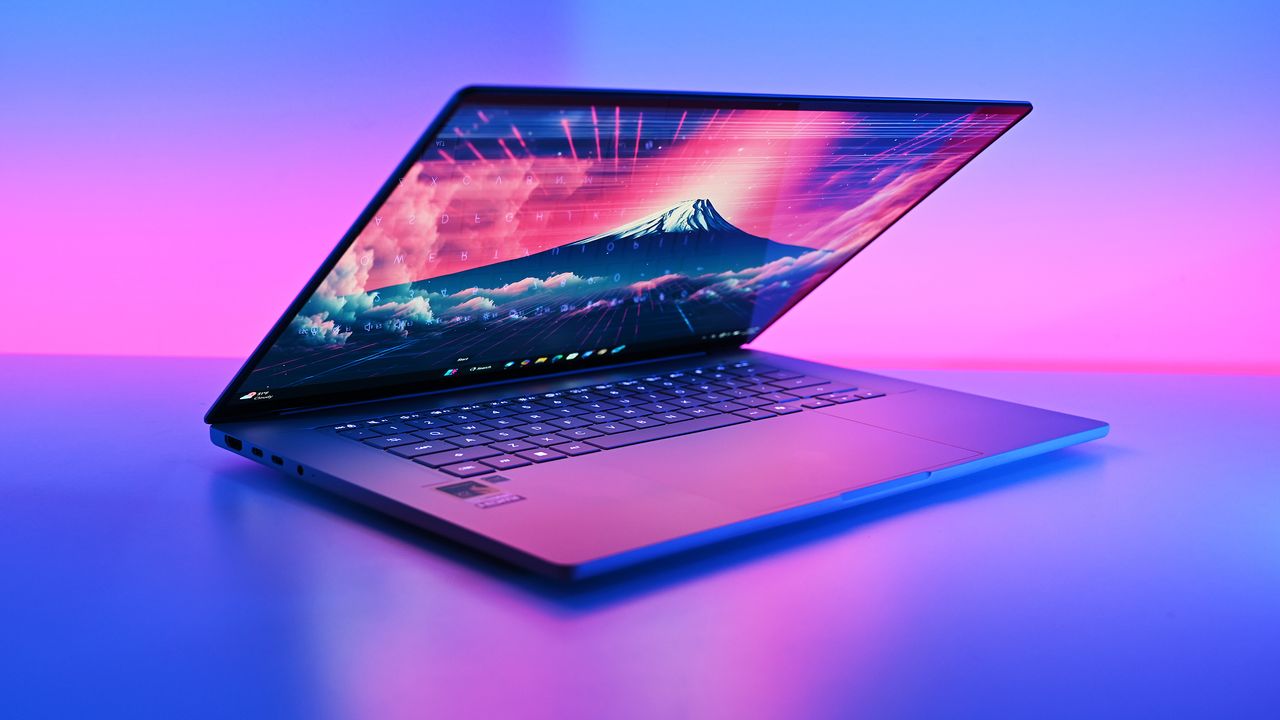
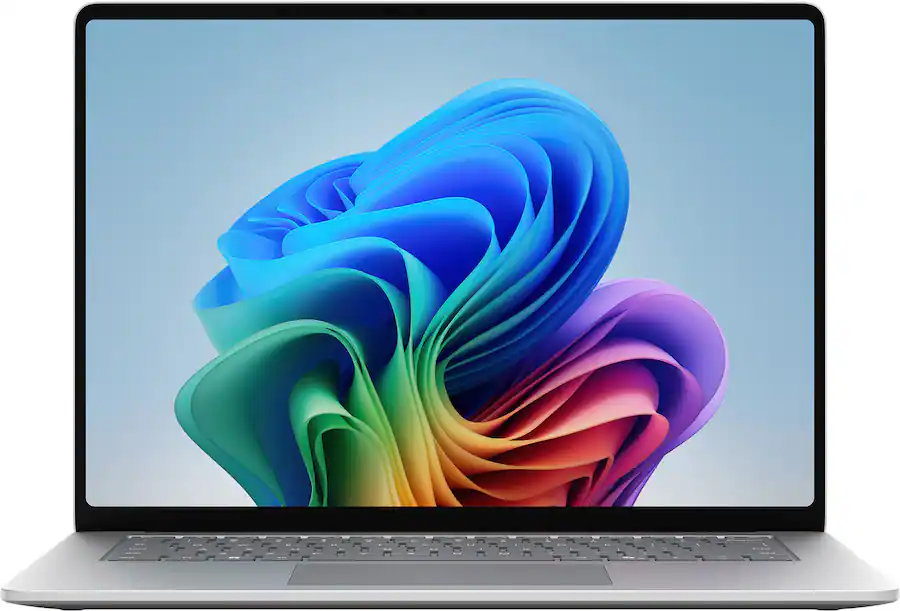
Microsoft's new Surface Pro pairs Snapdragon X2 processors with a 2-in-1 design that set the standard for the form factor. The new Surface Pro launched this summer, and it comes with some serious graphical improvements.
You'll see some people refer to the device as the Surface Pro 12, though it's officially known as the Surface Pro 13-inch. Pricing starts at $1,499.99 and scales up depending on the processor you want and how much RAM and storage you need.
The most affordable way into the new hardware lineup. This model swaps the top-tier chip for the Snapdragon X2 Plus and uses an LCD screen, giving you excellent battery life and solid everyday performance while keeping the price in check.
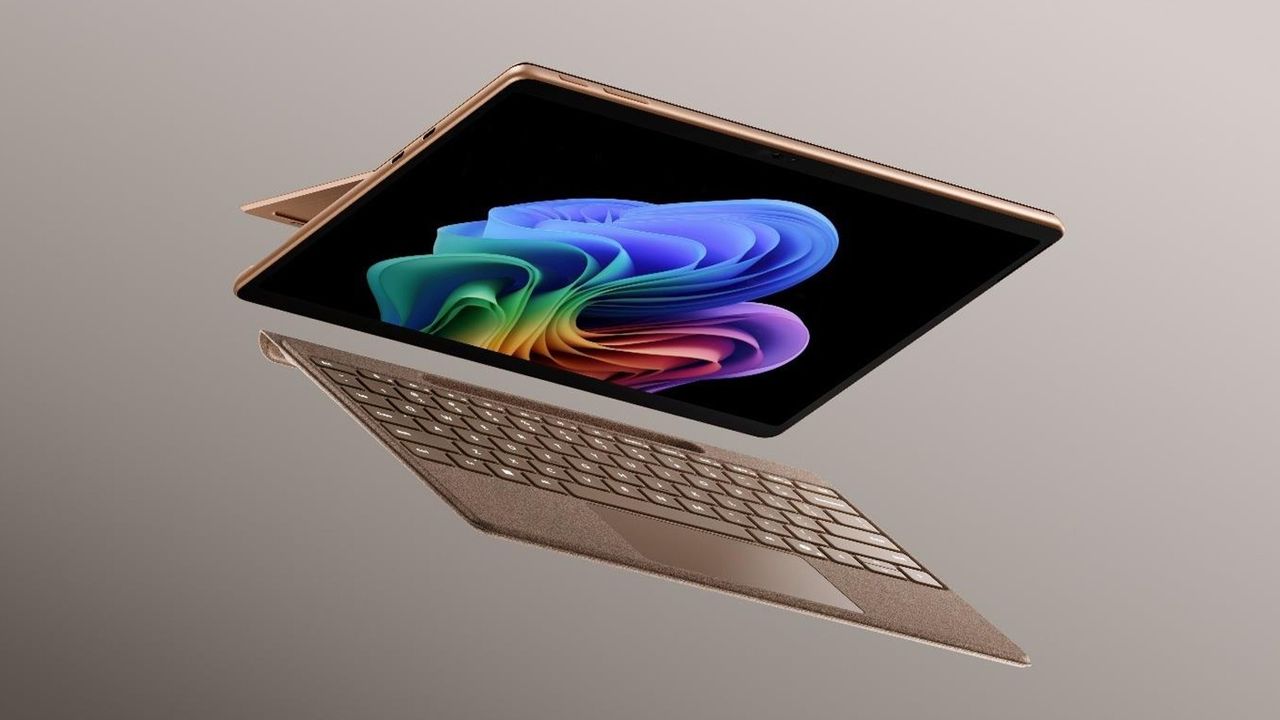
This configuration hits the sweet spot for power and visual quality. The Snapdragon X2 Elite delivers a noticeable GPU boost, while the OLED panel brings deep contrast and accurate colors for media work. Plus the Dune color pops.
This model combines the Snapdragon X2 Elite processor, a vibrant OLED display, and 512GB of storage. It's the go-to setup if you need extra headroom for heavy multitasking and larger files.
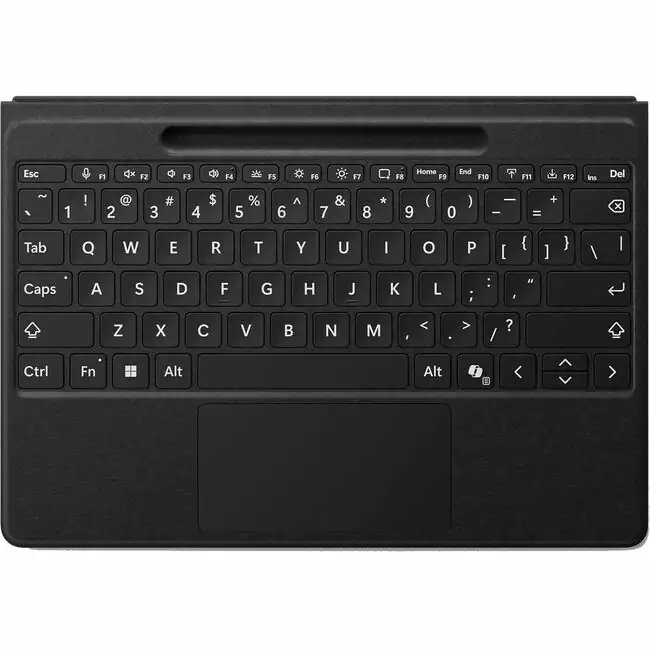
The biggest perk here is wireless functionality. You can detach the keyboard and type comfortably while keeping the tablet propped up at eye level, which is a lifesaver on cramped desks or airplane trays.
Built-in haptics deliver subtle tactile feedback that mimics the feel of pen on paper in supported apps. It's an essential add-on if you regularly sketch, mark up PDFs, or take handwritten notes.
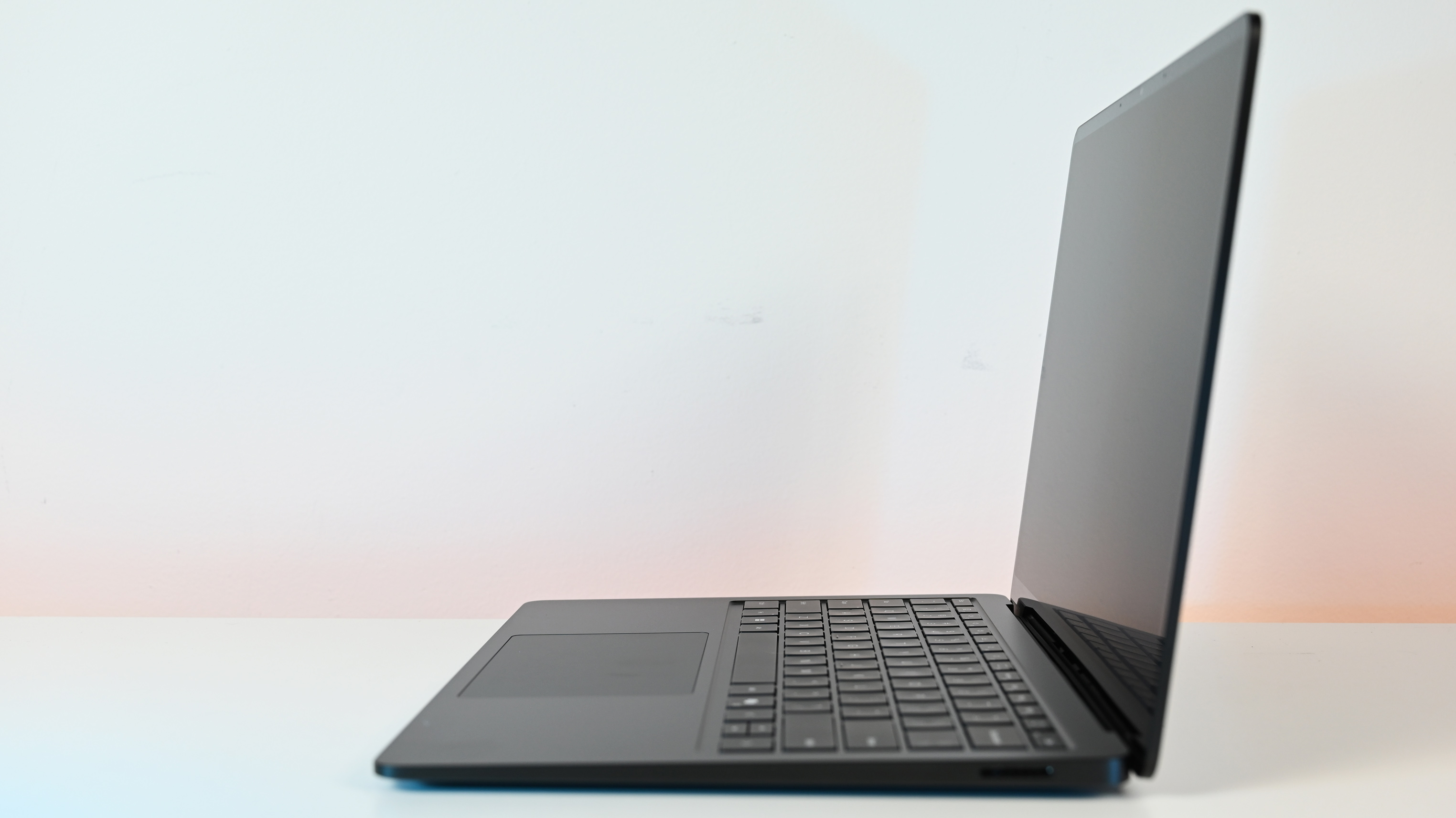
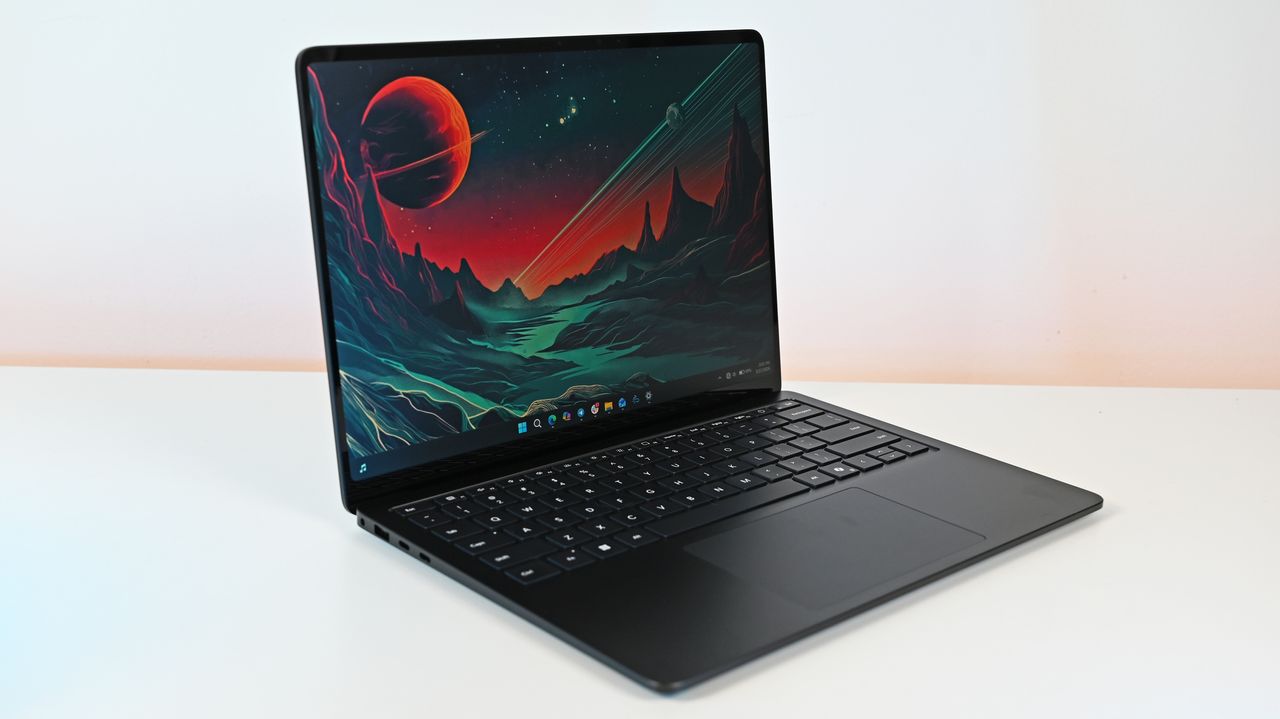
The latest Surface Pro looks a lot like its predecessor, and that's a good thing. This form factor matured through over a decade of refinements and innovation, so there's not much Microsoft could do to revamp the design.
Our Editor-in-Chief called the Surface Pro 11 a "stunning achievement" and "one of the best Windows PCs of 2024." The same design that earned a five-star review from Rubino is here in the new Surface Pro, but with a noticeable spec bump.
The Snapdragon X2 Plus and Snapdragon X2 Elite that are available in the Surface Pro promise significant graphics improvements (up to a 53% increase depending on the model you choose).
When you hear about a graphics bump in a PC, you may think about games. But in the Surface Pro it's more about productivity. Better graphics means smoother scrubbing through timelines, better video editing, and smoother performance when handling demanding tasks.
The new Surface Pro has more affordable options with LCD screens or premium-priced offerings with OLED panels. Creators should lean toward the OLED display for its pitch blacks, better HDR, and higher contrast. If you're on a budget, the LCD options are the better choice.
As is always the case, I recommend grabbing a keyboard to go with your Surface Pro. The Surface Pro Flex Keyboard provides the best experience, since it can be used wirelessly or when physically connected. It's currently on sale, which reduces sticker shock ever so slightly.
The new Surface Pro only started shipping recently, so reviews are scarce and few customers have had a chance to share their thoughts. Early buzz around the web says the Surface Pro powered by Snapdragon X2 is faster and gets better battery life than its predecessor.
If you already have a Surface Pro 11 that's holding its own and aging well, I'd suggest holding onto it. But if you want a new flagship 2-in-1 that can tackle productivity workloads all day when plugged in or unplugged, the new Surface Pro with a Snapdragon X2 chip is the way to go.
Join us on Reddit at r/WindowsCentral to share your insights and discuss our latest news, reviews, and more.
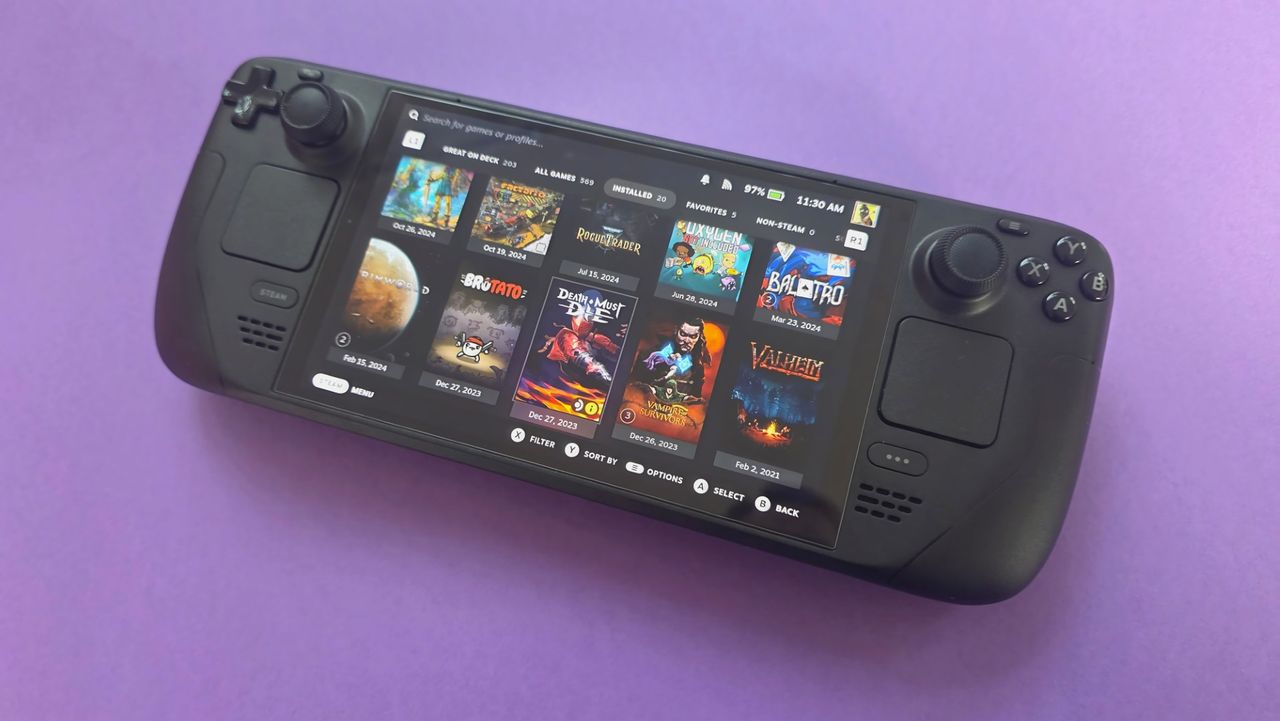
There's a story doing the rounds about how Steam Deck sales have cratered in recent times, courtesy of the team at Boiling Steam looking at data and crunching numbers.
There's plenty of reaction out there, but honestly, what did anyone expect? I love my Steam Deck and I will defend it to the hilt, but at this point in time, nobody should be buying one anyway. And no, this isn't some thin attempt at selling the virtues of a Windows 11 handheld gaming PC instead.
Just look at where we are. The Steam Deck is nearly four and a half years old, it hasn't had any performance upgrades despite a newer version of its APU and an OLED display, and the AI-induced RAMpocalypse means it's more expensive than it ever was.
Speaking with a sensible head, the same applies to the Steam Deck as it does to the PS5 and Xbox Series X|S consoles, each of which is also more expensive towards the end of their product cycles than when they begin. Don't buy one, definitely not at full price.
As such, it's no surprise to see Steam Deck sales are slowing. The cheapest model available is now $789/£649, a significant increase on the launch prices. Admittedly, there is now only the upgraded OLED model, and the base storage is 512GB, but it's still substantially more expensive than it once was.
I was lucky to get my 256GB Steam Deck LCD in the first few batches back in 2022 and paid £459. For a device that doesn't perform any better in games, which is ultimately what matters most, the new prices just don't make any sense.
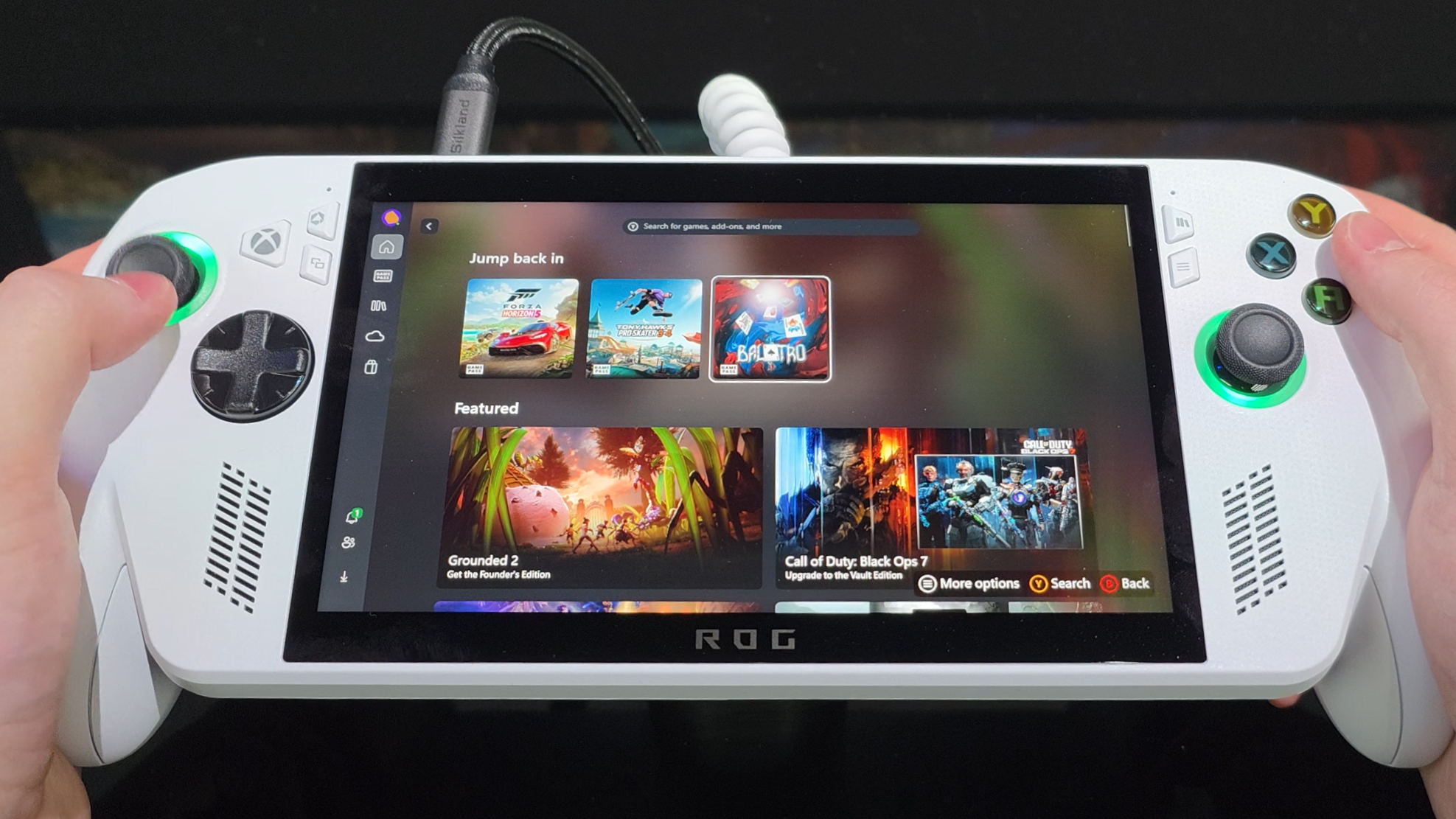
The base Xbox Ally is a far better purchase right now than the Steam Deck, and you can still use SteamOS if you wish. (Image credit: Windows Central / Zac Bowden)
It makes even less sense when you consider that Valve has opened up SteamOS to be installed on other handhelds. The base Xbox Ally is currently $599, with a better APU, a higher refresh rate display, and the same storage/RAM combination, while costing almost $200 less. If you were eying up a 1TB Steam Deck, you'd be better off getting the Xbox Ally X, which is far more powerful and only $50 more expensive.
I appreciate what Valve has done with the Steam Deck; after all, it really kicked off the handheld gaming PC category as we know it today. It's a phenomenal device, and I've had zero regrets. I think SteamOS is still a superior handheld experience, too, with only anticheat holding it back.
But we can't look at the situation right now and lament falling sales, because it should be happening. It's four years into its cycle, it's been usurped handily by others in the performance stakes, and it's just too expensive.
We should appreciate it for what it is and what it's done. But if you want a somewhat affordable handheld gaming PC right now, the Xbox Ally is the smart choice. Then throw SteamOS on it if you want; I know I'd be tempted to.
Join us on Reddit at r/WindowsCentral to share your insights and discuss our latest news, reviews, and more.
NVIDIA CEO Jensen Huang seems to be everywhere these days, and there's often an interesting tidbit of history that gets revealed during his appearances.
The latest comes from last week's GiGO Akihabara arcade gaming event, where Huang made an appearance to help celebrate the institution's historic relationship with Sega.
At the event, which was also attended by Sega's current CEO, COO, and former president, Huang expressed his gratitude toward Sega (via Automaton Media) for helping make NVIDIA the tech giant that it is today.
I certainly never knew this, but Huang pins NVIDIA's success today largely on an early investment from the Japanese gaming giant.
One of NVIDIA's earliest mistakes nearly killed the company
NVIDIA began its run in 1993 with Huang at the helm, with a focus on creating GPUs to power 3D games. Unfortunately, at the time, the only 3D games to be found were in arcades.
Daytona USA, one of Sega's smash hits, arrived in North American arcades in 1994, and Huang explains that the NVIDIA team was addicted to the "beautiful 3D graphics and incredible sound."
The game was so perfect that I started doubting whether it was actually rendered in 3D. But it really was a 3D game, and the texture mapping was flawless. It may well have been the first game in history to achieve that, and it ran at a smooth 60 fps. We were so inspired by Daytona USA that we knew we wanted to work with Sega.
Jensen Huang, NVIDIA CEO (via Automaton Media)
With a clear goal in mind, Huang's NVIDIA received a stroke of good luck when it was asked by then Sega President Shoichiro Irimajiri to help create the Dreamcast console's GPU.
This isn't what saved NVIDIA. If anything, it nearly killed the company. After about nine months of collaboration, both sides of the partnership realized NVIDIA's tech wasn't going to be a good match for the Dreamcast.
As Huang explains, NVIDIA had been working on "forward texture mapping and curved surfaces," but the Dreamcast needed "inverse texture mapping and polygons.
While we made the wrong technical decisions, I believe Irimajiri recognized that we were the right people for the job.
Jensen Huang, NVIDIA CEO (via Automaton Media)
Huang says he explained the predicament to Irimajiri plainly, and the two companies agreed to part ways. At least on the Dreamcast project.
Here's where history could have gone two ways. Realizing his company was in dire need of funding, Huang asked Irimajiri and Sega for an investment package. It was approved, and Huang says without it, "the company likely wouldn't exist today."
Where would video games be without NVIDIA ... and Sega?
NVIDIA CEO Jensen Huang pegs his company's early resilience on an investment from Sega. (Image credit: Getty Images | Chesnot)
Following Huang's history lesson, he revealed the real reason for his visit to Japan. It appears that the Japanese government and NVIDIA are prepping an announcement for a major partnership involving AI and robotics.
As NVIDIA continues to print money with its AI sector, its gaming division has come under fire recently for its AI-soaked DLSS 5 upscaling technique.
I've been saying for years that AI in games isn't going anywhere, but that doesn't really make it a pill that's any easier to swallow. No matter what you think about NVIDIA, the video game landscape probably wouldn't look anything like it does today without the company that created CUDA and drove the ray tracing revolution with its RTX hardware.
And for that, we can thank an investment from Sega more than 30 years ago.
Join us on Reddit at r/WindowsCentral to share your insights and discuss our latest news, reviews, and more.
Best Buy's Back to School is still ongoing and providing healthy discounts on our favorite laptops we've personally tested and confirmed will help you smash your exams and homework with no effort.
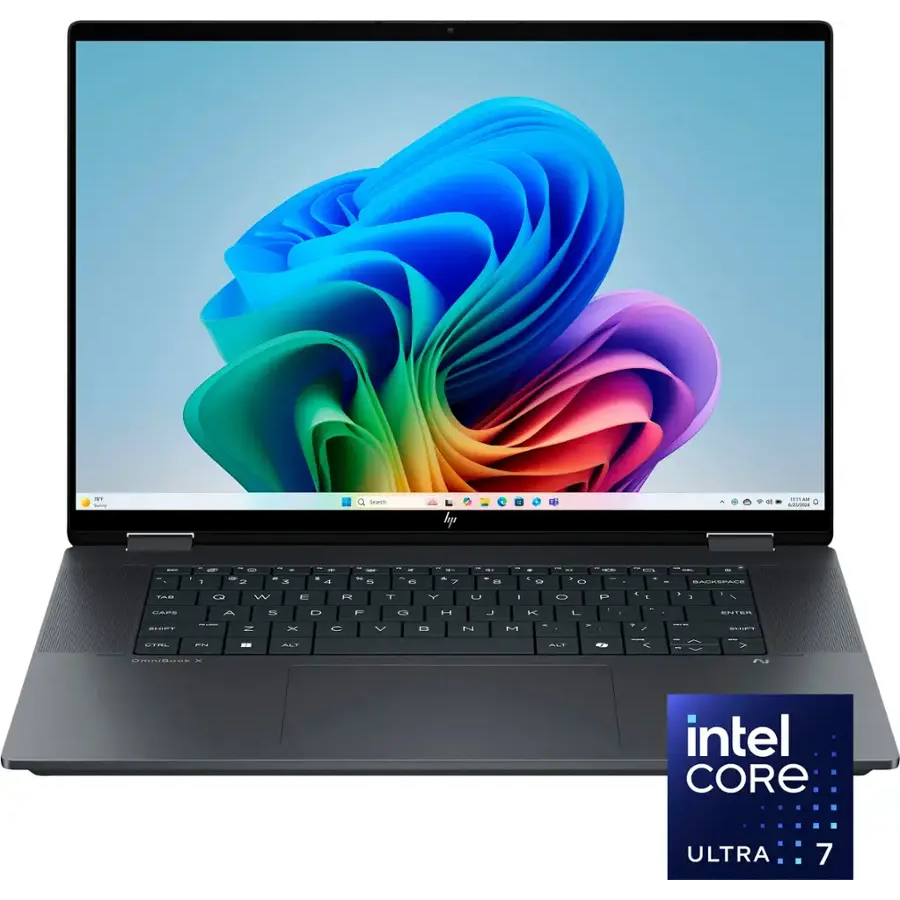
One such device that will be invaluable to your schoolwork is the HP Omnibook X Flip 16-inch laptop with an Intel Core Ultra 7 CPU, 16GB RAM, and a 1TB SSD that's now on sale for $749.99 at Best Buy (cut down by 38% from its listing price of $1,199.99).
"The HP OmniBook X Flip 14 (2025) isn't an exciting laptop, but it does tick a lot of boxes for a capable and reliable mid-range 2-in-1 PC." — Zachary Boddy, Former Staff Writer
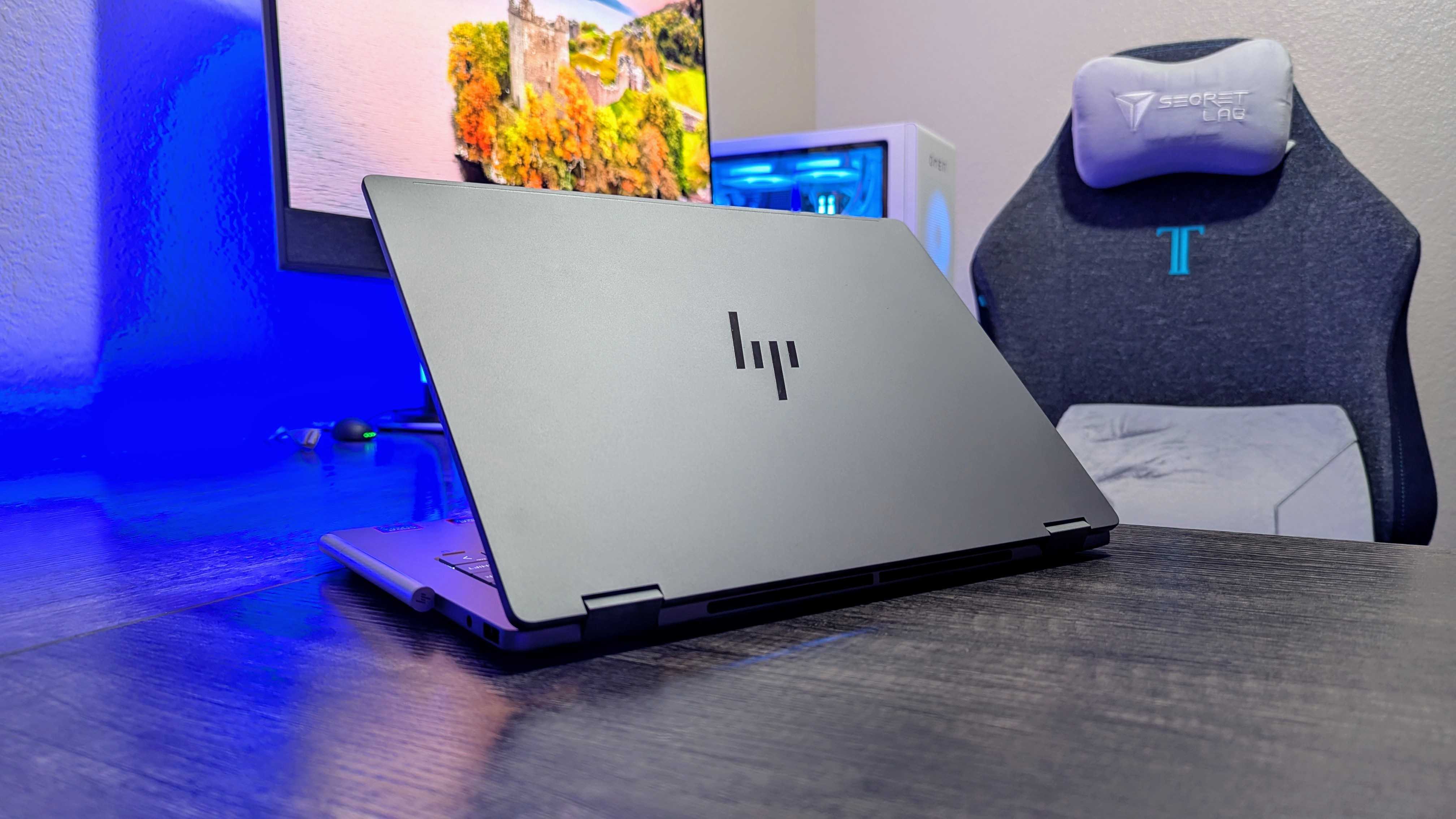
The back of the HP OmniBook X Flip laptop (Image credit: Windows Central (Zachary Boddy) | HP)
We've reviewed the 14-inch configuration of the HP OmniBook X Flip laptop, and aside from having a larger screen, a slightly larger battery life of 23 hours (as opposed to 22 hours), and a larger NPU with 47 TOPS (as opposed to 40 TOPS), the 16-inch version of the HP OmniBook X Flip is conceptually the same machine with the same generation processor selections.
This means that the 16-inch version we're spotlighting features all the great draws that made the 14-inch version earn 4/5 Stars from us.
These features include strong performance rates when tackling productivity tasks thanks to its Intel Core Ultra 7 (Lunar Lake) 256V 2024 CPU and 16GB of RAM, vast amounts of space to store valuable homework within a 1TB SSD, and the aforementioned NPU with 47 TOPS to run through AI programs with great speed and stability.
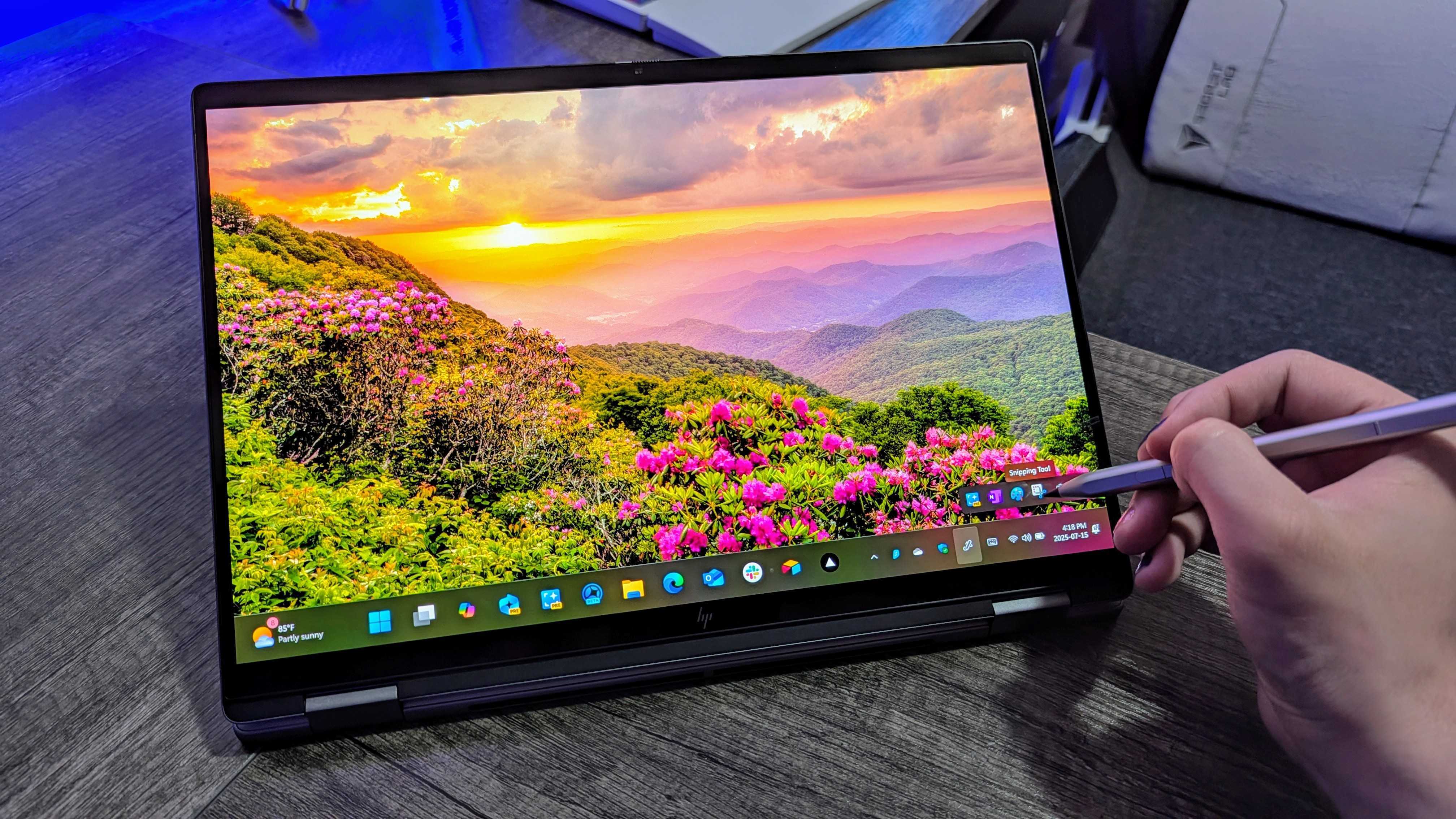
The HP OmniBook X Flip in action. (Image credit: Windows Central | Zachary Boddy)
It also includes a practical 2-in-1 design with a sturdy build to help it withstand bumps and occasional falls off desks (it's happened to the best of us), and stylus compatibility so you can draw digital art on its touchscreen, rather than use a mouse if you prefer.
So, if you're fretting over schoolwork and need a reliable and fast-performing laptop to help you get work done, and if you don't mind if it has a plain design with no RGB lighting, then the 16-inch HP OmniBook X Flip that's now $749.99 at Best Buy will save your day.
FAQ
How long will Best Buy's Back to School Sale last?
Best Buy's Back to School sale will last from mid-July to early September.
Will I need Best Buy Membership for this deal?
No, Best Buy's Back to School discounted products are available for everyone to purchase, regardless of whether they have a Best Buy Membership.
Does it come with a stylus pen?
No. You will need to buy a stylus pen sold separately if you want to draw on the 16-inch HP OmniBook X laptop.
Join us on Reddit at r/WindowsCentral to share your insights and discuss our latest news, reviews, and more.
There's not many active Meta Quest users out there these days, but the Facebook firm isn't going quietly into the night it seems.
The so-called "Metaverse" might've amounted to a gigantic dud, but Zuckerberg's VR outlet isn't giving up, and it's leveraging Xbox to help it out.
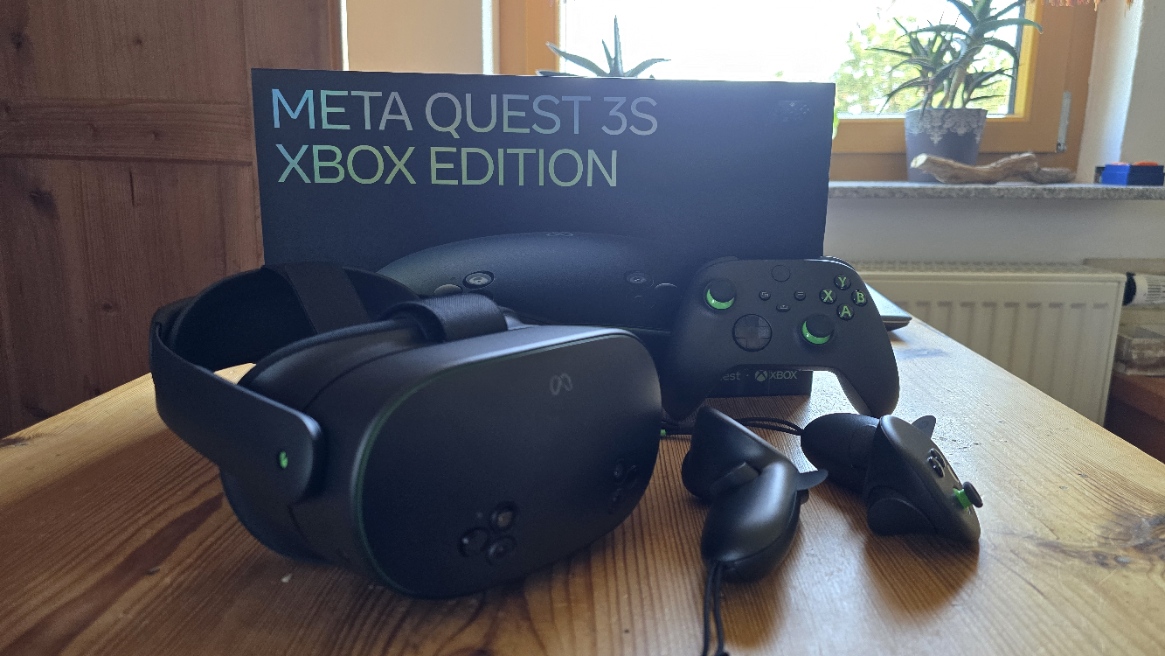
Microsoft and Meta partnered on the Xbox edition Meta Quest last year, offering a special Xbox-branded style headset that came with Xbox Cloud Gaming in the box, and a special pre-connected controller. Meta and Microsoft are taking the partnership a bit further today, announced via Xbox Wire.
"For years, XBOX and Meta have teamed up to make it easier to play the games you love across more devices.
Today, we’re building on that with a new benefit connected to the Meta Horizon+ subscription, giving you another way to discover and play with Game Pass, alongside the existing access to XBOX and Game Pass on Meta Quest devices."
You can't actually buy the Xbox Edition Meta Quest 3S anymore, but that isn't stopping Meta from teaming up with team green. (Image credit: Windows Central | Jez Corden)
Meta and Microsoft will now offer Xbox Game Pass Starter subscriptions for users with Horizon+, which costs $59.99 USD per year, or $7.99 USD per month. Horizon+ offers over 150 VR games to play immediately, with new games entering the service on a monthly rotating basis, similarly to Xbox Game Pass.
Xbox Game Pass' starter edition offers 50 additional games on top of that, playable for up to 10 hours a month via Xbox Cloud Gaming. The package includes games like Fallout 4, Fallout 76, Grounded, DayZ, Snowrunner, and many more. The games on Xbox Game Pass are not native, of course, and require high-speed internet and an Xbox Bluetooth controller to experience via a virtual cloud screen. At least, for now.
Meta and Microsoft say that they're working on bringing native Xbox controller support to the Quest VR touch controllers. This will map the functions of an Xbox controller natively to the Quest handsets, making it far easier to jump into a game without having to reach and pair an additional Xbox controller. Frankly, I'm wondering why this wasn't already a thing, but better late than never, ey?
You can already pair an Xbox controller via Bluetooth with Meta Quest headsets and use Xbox Cloud Gaming via a web app. It works rather well, and the Meta Quest can detect the Xbox controller functionality flawlessly. I reviewed the Meta Quest 3S Xbox Edition last year, and thought it was an impressive experience. Having a massive VR screen to play Xbox Cloud Gaming on is fantastic, and I completed W40K Space Marine start to finish that way. Of course, whether or not you actually want to wear a foggy computer on your head really depends on the user. My Meta Quest headset has sadly been gathering dust for many months.
As a glasses wearer, the last thing I really want to do is wear additional glasses when TVs and laptops exist, which are just far more comfortable to game on in my view. But some people love it, and all the more power to them. I think VR and AR have some kind of role to play in the future of tech, but makers will have to figure out a way to make them far more comfortable than they already are. And it seems we're probably still far away from that in my view. I could be wrong, though.
Given the fact Xbox Helix is meant to be a Windows PC of sorts, it makes me wonder if Microsoft won't eventually offer VR games directly via the Xbox PC Store, similarly to Steam. It's also true that Meta is the only big player left in the VR space, though, and it makes me wonder how much longer they'll try to tough it out.
Join us on Reddit at r/WindowsCentral to share your insights and discuss our latest news, reviews, and more.
Microsoft Surface will appear prominently in front of football fans, and I don't mean "American football." Manchester United and Qualcomm have expanded their partnership, which will continue to promote Surface hardware.
Surface PCs are now available with Snapdragon X2 processors and are among the flagship devices that showcase the new generation of chips. The partnership between Qualcomm and Manchester United raises awareness of Snapdragon by attaching it to the well-known Surface family of devices.
“Seeing Microsoft Surface join the shirt is a natural next step in the collaboration we’ve built together—bringing Snapdragon-powered innovation to one of the world’s most iconic sports platforms and creating new ways for fans to engage with the club," said Qualcomm EVP and Chief Marketing Officer Don McGuire.
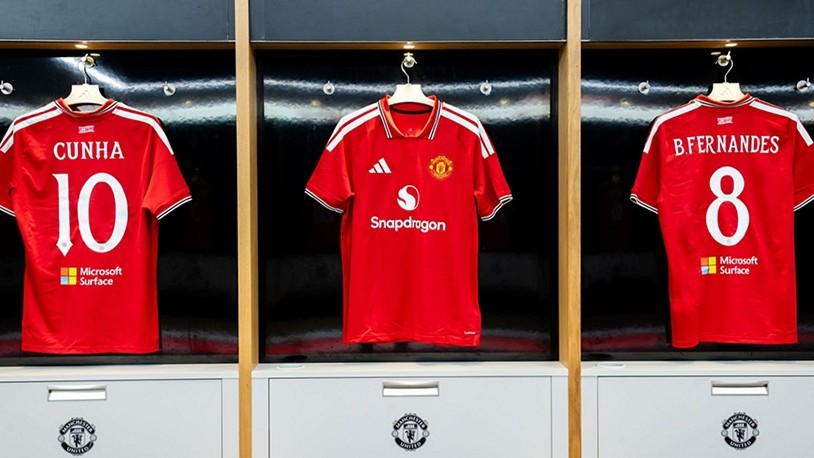
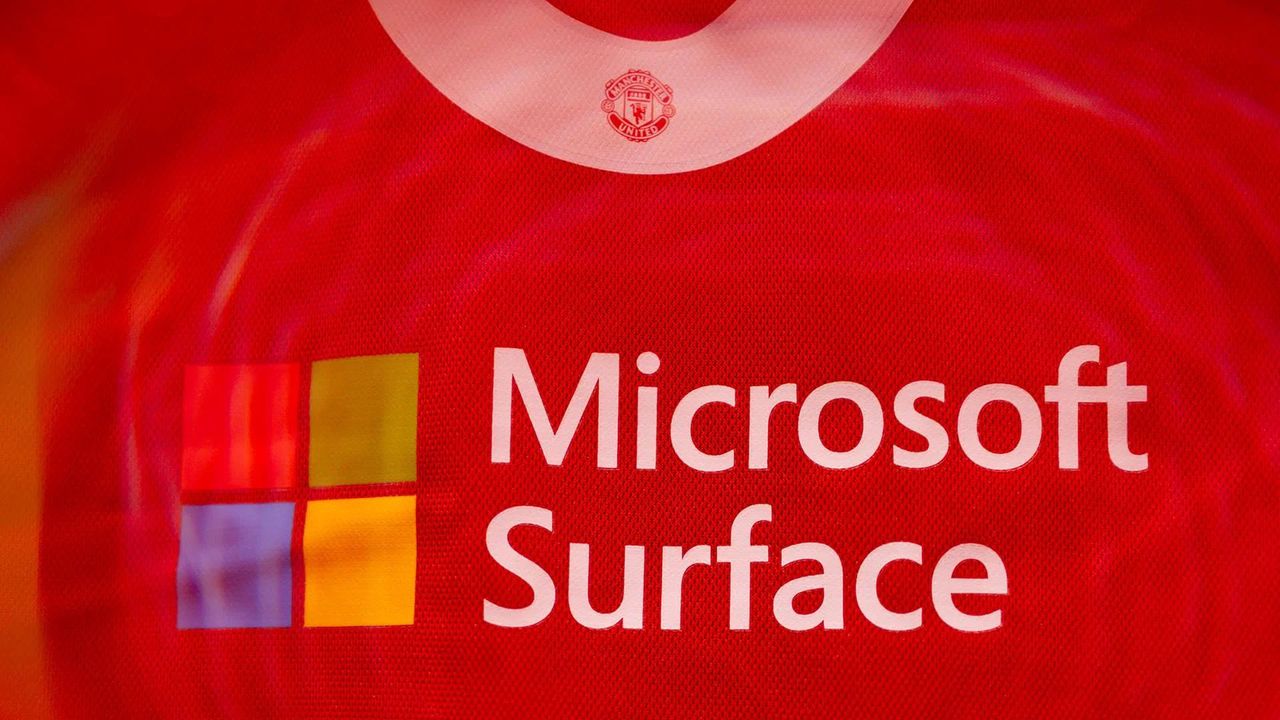
Throughout the 2026/27 season, Microsoft Surface will appear on the back of Manchester United kit. Specifically, the logo will appear on the shirts of the men's first team during the preseason and domestic cup games. Surface will also be featured in all Manchester United women's matches outside of European competition.
While Surface fans may be excited to see the brand appear on Manchester United kit, I imagine they're more interested in the limited-edition Surface PCs that are part of the partnership. Microsoft and Manchester United worked together to create special Surface PCs that feature Manchester United branding.
A fan program will be launched to make sure the devices end up in the hands of supporters rather than scalpers.
Manchester United's jerseys will feature Surface branding for many games in the 2026/27 season. (Image credit: Qualcomm)
Unfortunately, photos of the limited-edition Surface PCs were not shared by Qualcomm or Manchester United. I think it's safe to assume the Surface PCs will feature Manchester United's shade of red alongside white and black accents.
If the special Surface PCs need to be repaired for any reason, I hope Microsoft does not lose them. When a 50th Anniversary Surface Laptop was sent in for repairs, Microsoft lost the device and initially could not return the PC to its owner.
Eventually, Microsoft higher-ups intervened and sorted things out. The 50th Anniversary Surface Laptop was repaired and returned.
That saga happened because there was a gap in Microsoft's handling of Surface devices. The special edition laptop was created for the US market, so it was not flagged in the service workflow outside the US.
Assuming Microsoft has learned from the past, its service department will have flagged the Manchester United Surface PCs in other markets in case a user outside the UK gets one.
Join us on Reddit at r/WindowsCentral to share your insights and discuss our latest news, reviews, and more.
I was away from my desk dealing with disastrous flooding for the past two weeks, and during that time, a lot happened in the world of AMD processors.
The Ryzen 7 7700X3D desktop gaming CPU that the company announced at Computex 2026 finally went live on July 16 with an introductory $329 price. Just a couple of days later, the price dropped to $279.99 with a promo code atexclusive retailer Newegg.
Reviews for the Ryzen 7 7700X3D are positive enough that it makes the new chip a reasonable alternative to the Ryzen 7 7800X3D, which I'm seeing for as low as $361.99 at Newegg.
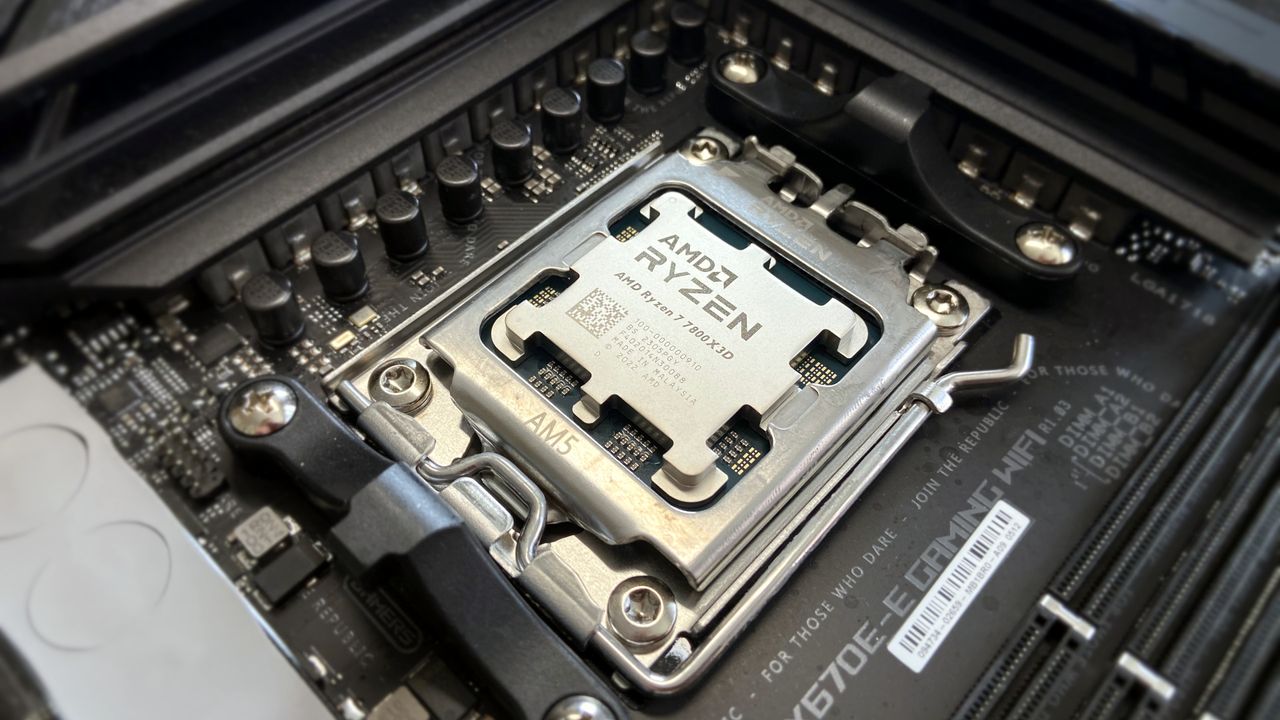
That's essentially $100 less for a clocked-down 7800X3D with the same 96MB of 3D V-Cache, the same eight Zen 4 cores, and the same 120W TDP. Not bad at all if you're only looking at the CPU.
Unfortunately, the numbers that matter most aren't on the CPU's page, and it goes to show that no matter how good a deal a new CPU is, memory prices continue to crush PC builds.
What did DDR5 RAM prices look like when the 7800X3D launched?
AMD's Ryzen 7 7800X3D remains a top gaming CPU in 2026. (Image credit: Ben Wilson | Windows Central)
AMD's Ryzen 7 7800X3D launched in April 2023 with an MSRP of $449. As a gaming CPU, it was best paired with at least 16GB of RAM, better yet if you could get hold of 32GB or 64GB.
In 2023, DDR5 RAM was experiencing a supply glut, forcing prices down as manufacturers attempted to offload stock. Believe it or not, you could find DDR5-6000 kits with two 16GB sticks for anywhere between $80 and $130. I know; it's hard to believe, and it feels like the ongoing RAM crisis has been underway for a lot longer than that.
Using the top $130 end of that memory range and adding $200 for a motherboard, the cost just a couple years ago for the trio came out to about $780.
Take the $279.99 Ryzen 7 7700X3D CPU, add a conservative $400 for 32GB of DDR5-6000 RAM, and toss in a $200 motherboard, and you're looking at about $900. With memory prices so volatile these days, that number could easily climb to $1,000 or more, especially once Newegg's promotion expires.
Use promo code "PKC337" to get the full Ryzen 7 7700X3D discount at Newegg.View Deal
What everyone is getting wrong about the Ryzen 7 7700X3D
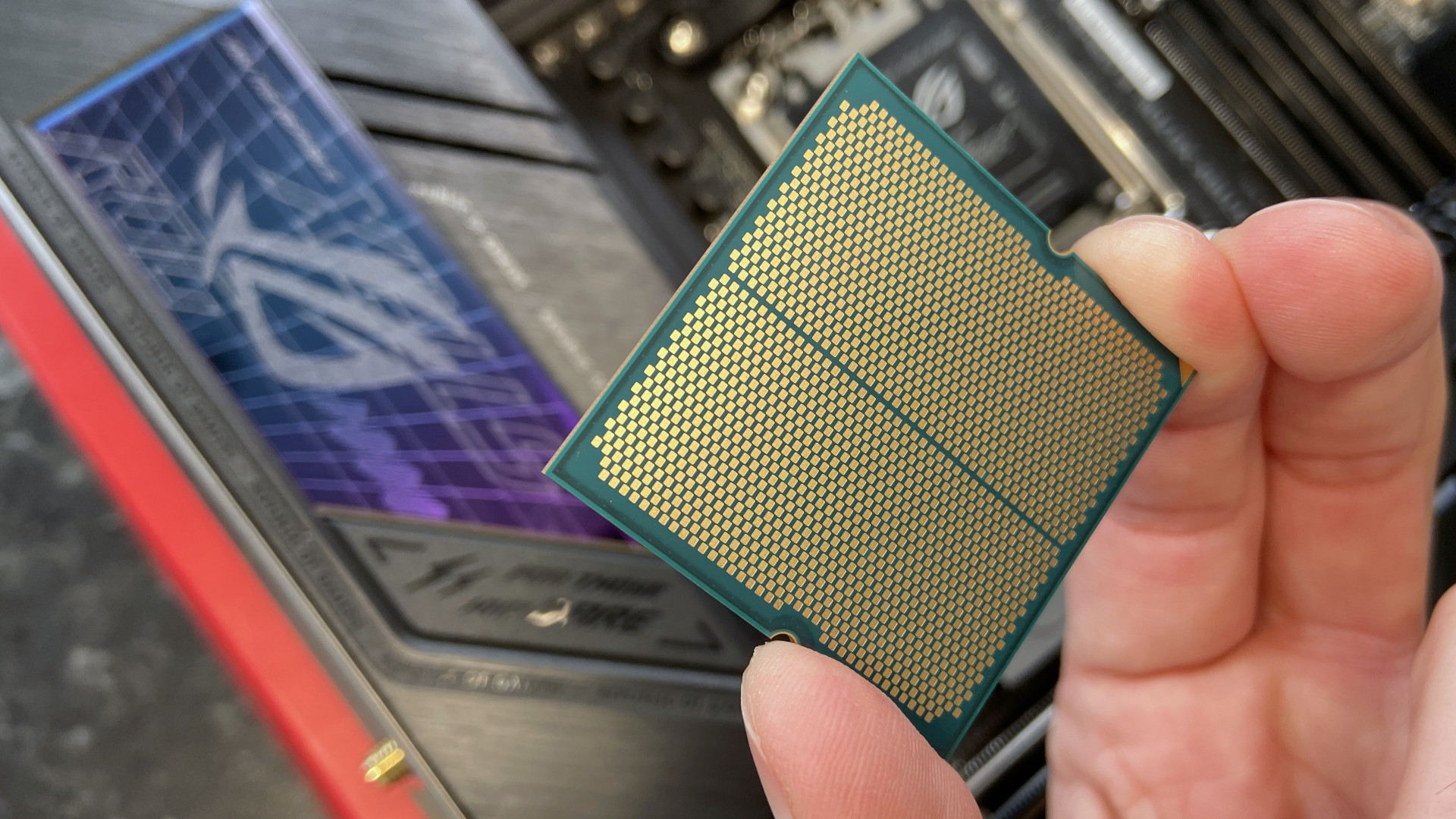
That's a 7800X3D flipped over, but would you be able to tell the difference? (Image credit: Ben Wilson | Windows Central)
The Ryzen 7 7700X3D, as a drop-in upgrade to an existing AM5 system with something like a Ryzen 5 7600, remains a great deal. That's assuming you already have a compatible motherboard with compatible DDR5 RAM.
But the part I think a lot of people are missing is that the Ryzen 7 7700X3D as the foundation of an entirely new build is still a terrible value. The number that should influence your next build has to do with memory, no matter what sort of discount is being offered on a CPU.
I appreciate AMD's expanding X3D selection considering they're the chips that almost every PC gamer wants in their build, but AMD could launch five other alternatives and still arrive at the same result: a situation where CPU sales suffer because supporting components are way too expensive.
This is simply a reminder that there's a lot more going on behind the scenes than just sticker prices, no matter how attractive they appear. You might be swayed to grab the newest CPU because it's admittedly a great price, but don't forget to pay attention to the variables that really matter when building PCs in 2026.
Join us on Reddit at r/WindowsCentral to share your insights and discuss our latest news, reviews, and more.
NVIDIA's bombshell RTX Spark announcement at Computex 2026 gave us a glimpse at new competition for Intel, AMD, and Qualcomm silicon in Windows PCs, and now Samsung is reportedly getting in on the fun with its own custom silicon designed for AI PCs.
This is the first PC-centric silicon that I can recall Samsung producing since its 2012 Exynos 5 Dual, which was created for Chromebooks. GAIA is reportedly being designed by Samsung's System LSI business unit, so I'm not expecting it to be a simple experiment.
Before getting too excited, it's well worth pointing out that the new silicon, which Samsung is calling GAIA, isn't a full System-on-Chip (SoC) in the general sense. Rather than incorporating a CPU and GPU, Samsung GAIA is a companion Neural Processing Unit (NPU)that can be added to other hardware to offload AI tasks.
As first reported by Chosun (via Tom's Hardware), GAIA is expected to use a 4nm process "that places computational functions close to memory." Samsung is also believed to be working on processing-in-memory (PIM) functions with specialized DRAM "capable of processing stored information."
The new standalone GAIA NPU is already making appearances outside the lab, with Lenovo China and HP USA receiving samples for testing.
It's not a comeback, but it could be the end of Copilot+
(Image credit: Windows Central)
I'm seeing some news reports of the Samsung GAIA chip as a sort of comeback story after more than a decade of silence from Samsung's PC silicon department. However, that's not quite the case.
GAIA appears to be a bolt-on addition for silicon that otherwise lacks an NPU, enabling language models, translation, image generation, and much more without reaching out to the AI cloud.
Rather than asking Lenovo and HP to build new hardware around the chip, which we saw with NVIDIA's RTX Spark, Samsung seems to be going after blind spots in the AI PC race, allowing PC makers to add an NPU to an otherwise lacking CPU/GPU combination.
The Surface Laptop Ultra is a completely new device featuring NVIDIA's RTX Spark SoC. (Image credit: Windows Central / Zac Bowden)
I view a new specialized NPU that can be added to a CPU/GPU combination as opening up a lot of possibilities for PC and silicon manufacturers.
Microsoft's Copilot+ PC certification program was built on the assumption that local AI has to live inside the main SoC. Chips like Snapdragon X/X2,Intel Core Ultra, and AMD Ryzen AI have all followed the requirement with an NPU capable of at least 40 TOPS baked into the design.
But even Microsoft hasn't exactly committed fully to this integrated approach. In June, it was reported that Microsoft is testing Copilot+ AI workloads on discrete GPUs. If this approach pans out, it could be the end of the Copilot+ PC program as we know it now. No NPU? No problem ... just as long as you have a discrete GPU to handle the AI workloads.
Samsung's GAIA, if it actually works out as intended, would functionally be another reason to scrap the rather strict Copilot+ certifications and instead focus on raw AI power, no matter where it comes from.
Many questions about Samsung GAIA remain unanswered
Samsung's GAIA silicon isn't official. There's no information about TOPS, power draw, or pricing. Microsoft hasn't publicly talked about it because there's really nothing yet to discuss.
Microsoft's Copilot+ 40 TOPS minimum threshold was set years ago for integrated NPUs as a way to measure the chip's entire throughput. Whether or not a GAIA chip working alongside an Intel or AMD CPU would be measured the same way remains to be seen.
Join us on Reddit at r/WindowsCentral to share your insights and discuss our latest news, reviews, and more.
Microsoft's Surface Laptop 8 launched this summer, sporting new Snapdragon X2 chips. The flagship laptops promise a premium experience, better battery life than the previous generation, and improved graphics performance.
The bump in performance is expected considering the Surface Laptop 8 has a brand-new chip inside, so a different improvement is more noteworthy. The Surface Laptop 8 is one of the only devices to support Windows 11's new advanced haptics feature. It's the only laptop to support the feature.
Advanced haptics sends a subtle bump through a touchpad, mouse, or stylus to let you feel Windows 11. For example, rearranging windows on your screen through Snap Layouts gives a clear indication of when you've hovered over a different layout.
Our Senior Editor Zac Bowden said "Windows 11's new 'Haptic Signals' feature is a quality of life upgrade [he] didn't realize the OS needed until [he] tried it." Now, you can experience the same thing since the Surface Laptop 8 is available for purchase.
The haptic touchpad of the Surface Laptop 8 sends subtle vibrations when you perform certain actions, such as moving a file within File Explorer. (Image credit: Daniel Rubino)
As a quick point of clarity, the Surface Laptop 8 with Snapdragon X2 is what recently became available. Microsoft launched the Surface Laptop 8 for Business earlier this year. The business model runs on an Intel processor and comes with features you likely do not need as a general user.
Both the consumer and business versions of the Surface Laptop 8 support advanced haptics, but I recommend the consumer model to most people.
Advanced haptics is one of those small touches that makes Windows 11 feel polished. I appreciate UI changes and other Windows 11 improvements, but I'm more interested in features like advanced haptics because it changes the hands-on experience with a PC — quite literally.
"The new advanced haptic touchpad is a joy to use. It provides subtle tactile cues that confirm your actions," said our Editor-in-Chief Daniel Rubino in our Surface Laptop 8 review.
Our friends at Tom's Guide came away similarly impressed when reviewing the Surface Laptop 8:
"I’m also fond of the touchpad, which delivers satisfying haptic feedback when pressed. With some apps, you will even feel haptics when hovering over the X button on a window, which is quite fun and intuitive."
Right now, Windows 11 is the main way that you'll experience advanced haptics. But there's an API for the feature, so third-party developers can leverage it. Filmora, Affinity, and other third-party apps either already support the feature or will soon.
The only other way to use Windows 11's advanced haptics feature is to have a Logitech MX Master 4 or a supported stylus like the Surface Slim Pen 2. Over time, more devices should support the feature, but the Surface Laptop 8 beat everything else to the punch.
Join us on Reddit at r/WindowsCentral to share your insights and discuss our latest news, reviews, and more.
Best Buy is hosting a Back to School sale, giving major discounts on various gadgets and gizmos to help aspiring students get through their summer semester.
One of the more lucrative products on offer through this event is the fast-performing, long-lasting Samsung Galaxy Book6 laptop, which is currently having its steep $1,449.99 listing price cut down to $899.99 at Best Buy.
"I’ve been using the Samsung Book 6 for a while now and honestly it’s been solid. It’s lightweight, looks premium, and the battery easily gets me through most of the day. Performance is smooth for studying, browsing, videos, and everyday work." ~ VALENTIN, customer review
4.8 out of 5 Stars (based on 40 Best Buy customer reviews)View Deal
Why buy the Samsung Galaxy Book6?
Major spec highlights of the Samsung Galaxy Book6 laptop. (Image credit: Samsung)
Samsung produces some of the best laptops in the business, boasting gorgeous screens and solid hardware that can tackle any workloads thrown at them, and the Samsung Galaxy Book6 is no exception.
It can handle running multiple browser tabs; it can launch and run heavy-duty programs like Adobe Photoshop or multiple lightweight programs from Microsoft Office, and multitask these activities and more without a hint of slowdown thanks to its solid Intel Core Ultra 7 processor, 16GB of RAM, and 512GB SSD storage unit.
It also features a 16-inch 2K LED touchscreen that displays images with bright, vibrant colors and rich details for viewing documents and videos with clear HD definition while allowing you to tap and swipe app windows in an instant compared to using a mouse.
Other notable features of the Samsung Galaxy Book6 include a slim, lightweight design that's also sturdy enough to withstand some punishiment, a plethora of USB, HDMI and microSD ports, a long battery life up to 24 hours, Copilot+ integration for AI tasks, and the ability to wirelessly connect your phone via Galaxy Book6 Touch so you can respond to phone calls and text messages directly from your PC while turning it into a monitor so you can multitask more easily.
How long will Best Buy's Back to School Sale last?
Best Buy's Back to School sale will last from mid-July to early September.
Is its RAM and storage upgradeable?
The Samsung Galaxy Book6's RAM is soldered into the motherboard, so it can't be replaced with a different one. You can, however, upgrade its storage capacity by fitting an SSD into its second M.2 slot.
Is it good for gaming?
Due to its Integrated graphics card for productivity rather than gaming, the Samsung Galaxy Book6 can't handle playing mid to high-end PC games compared to its Samsung Galaxy Book6 Ultra counterpart.
Join us on Reddit at r/WindowsCentral to share your insights and discuss our latest news, reviews, and more.
AI continues to wreak havoc on the tech industry, driving up the prices of processors, RAM, motherboards, and more PC hardware so companies can keep up with its hunger for more power (and RAM).
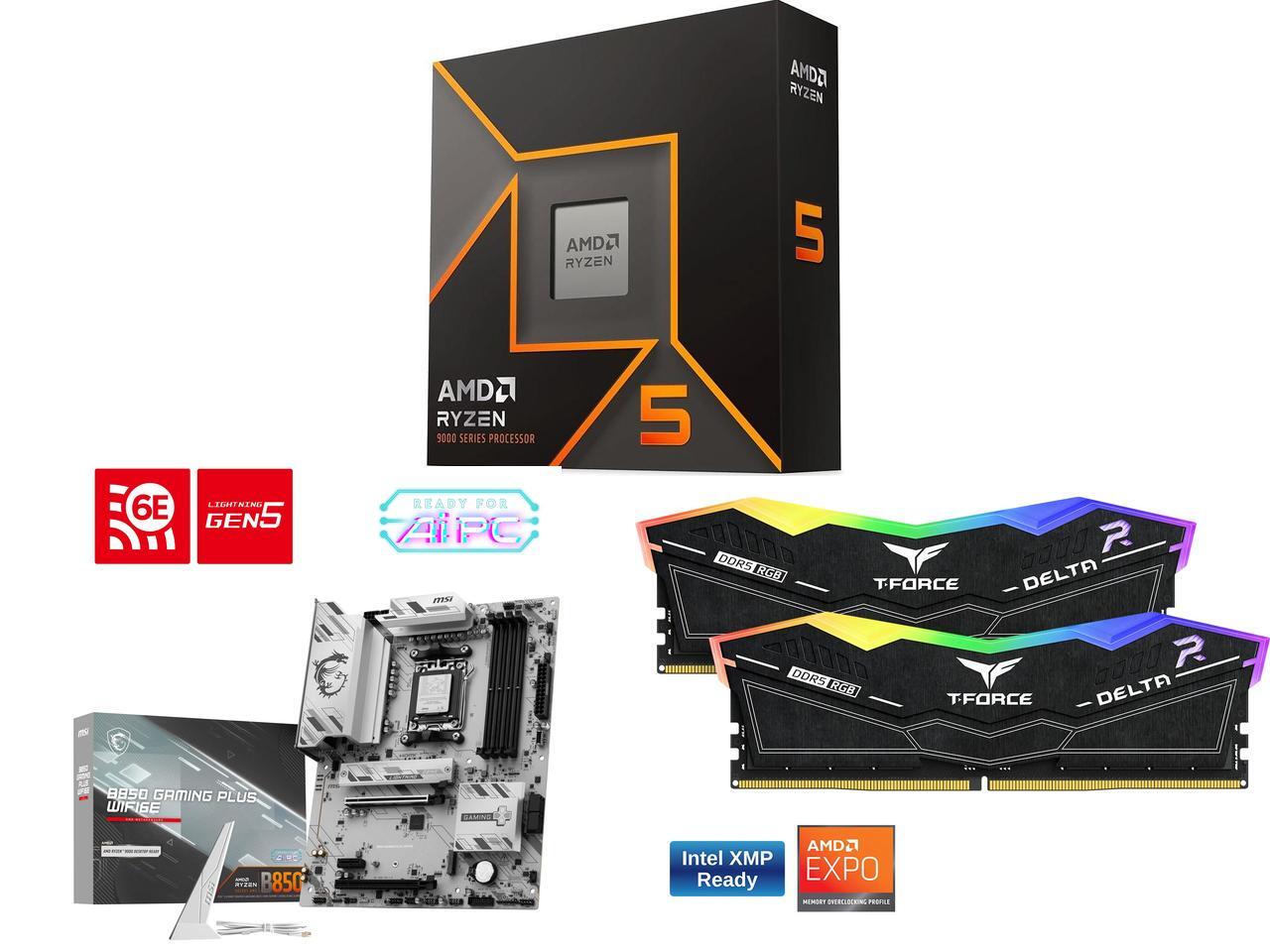
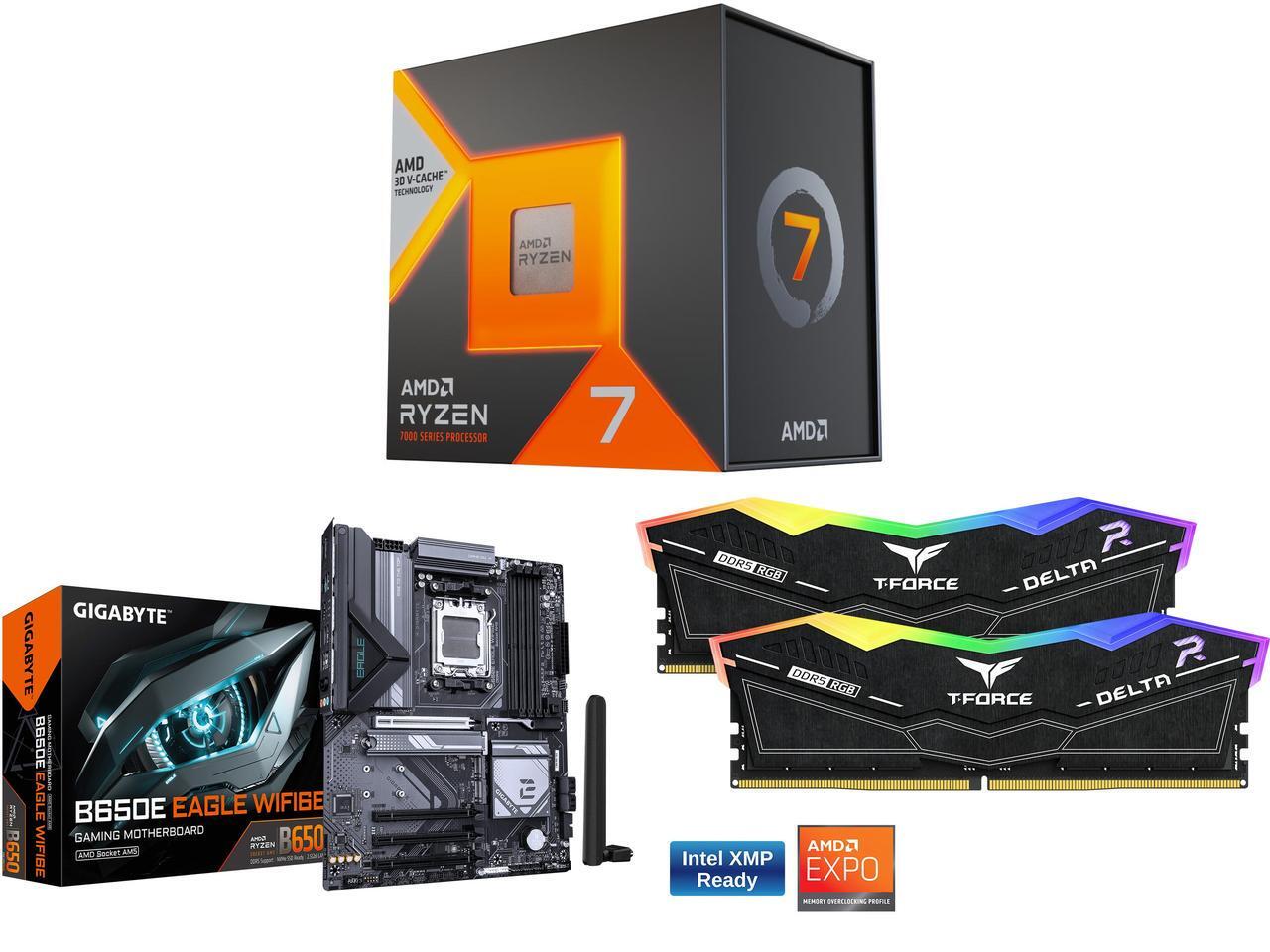
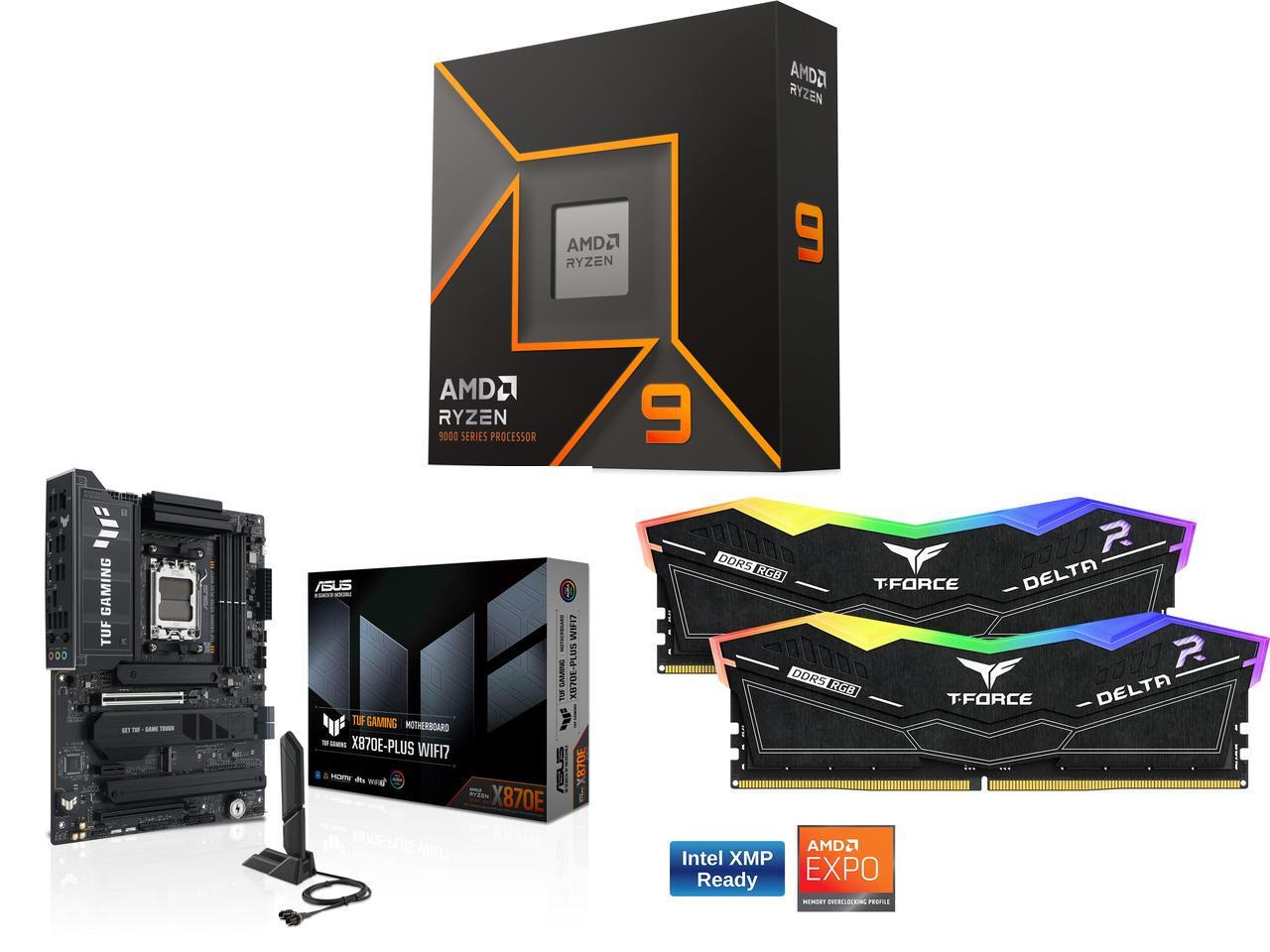
Fortunately, Newegg is offering a limited sale on several discounted bundles containing AMD processors we've tested and rated highly for their solid performance, alongside compatible motherboards and 16GB RAM modules to help these CPUs reach their full potential.
So, if you're looking to upgrade your PC with some of the best CPUs for gaming or productivity content creation, along with the best motherboards and precious RAM to maintain their stability, this round-up could be your next best solution.
"True to its word, AMD has specifically targeted gamers with this affordable powerhouse, and I expect my upcoming tests only to cement its place in your next rig." — Ben Wilson, Senior Editor
"In a masterclass of performance-per-watt efficiency, AMD offers incredible single-core performance scores that beat its intended 14600K rival and even challenge the 14700K." — Ben Wilson, Senior Editor
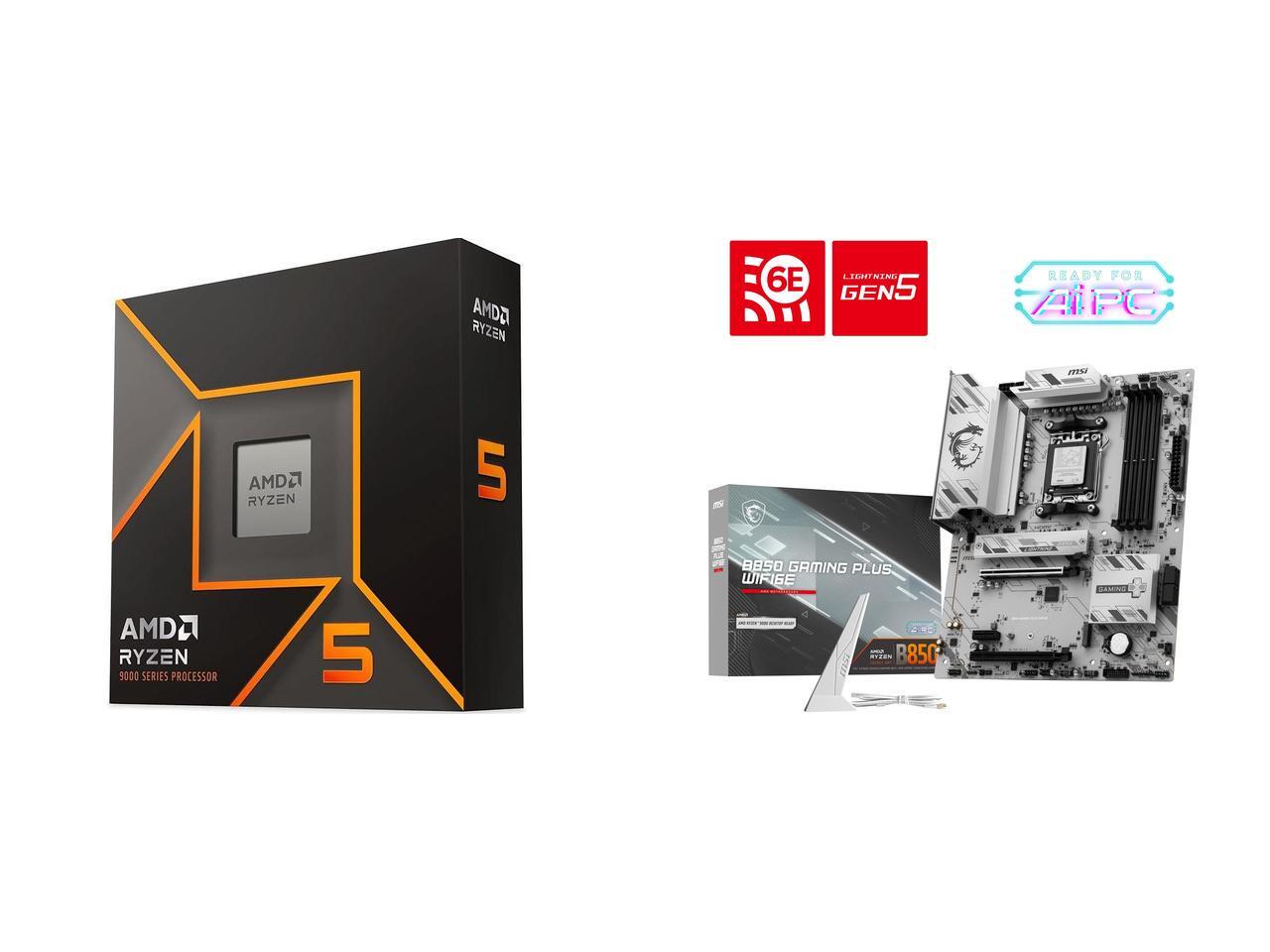
This bundle contains an AMD Ryzen 5 9600X processor along with a compatible MSI B850 GAMING PLUS WIFI6E motherboard with fast WiFi 7 wireless connectivity and two 8GB RAM sticks.View Deal
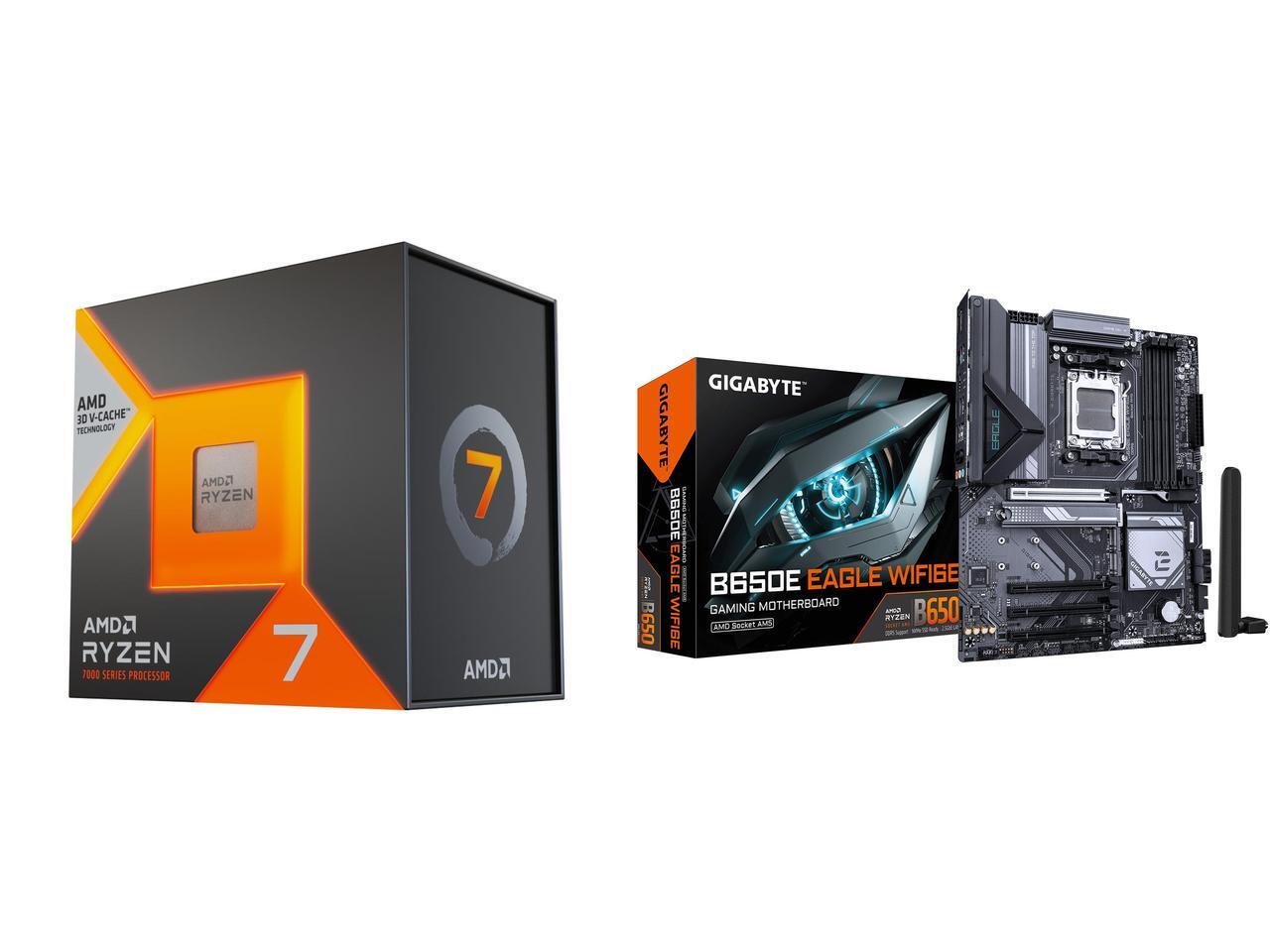
This gaming-focused bundle contains an AMD Ryzen 7 7800X3D processor, a GIGABYTE B650E EAGLE WF6E motherboard that offers PCIe 5.0 and Wi-Fi 6E, and two 8GB RAM sticksView Deal
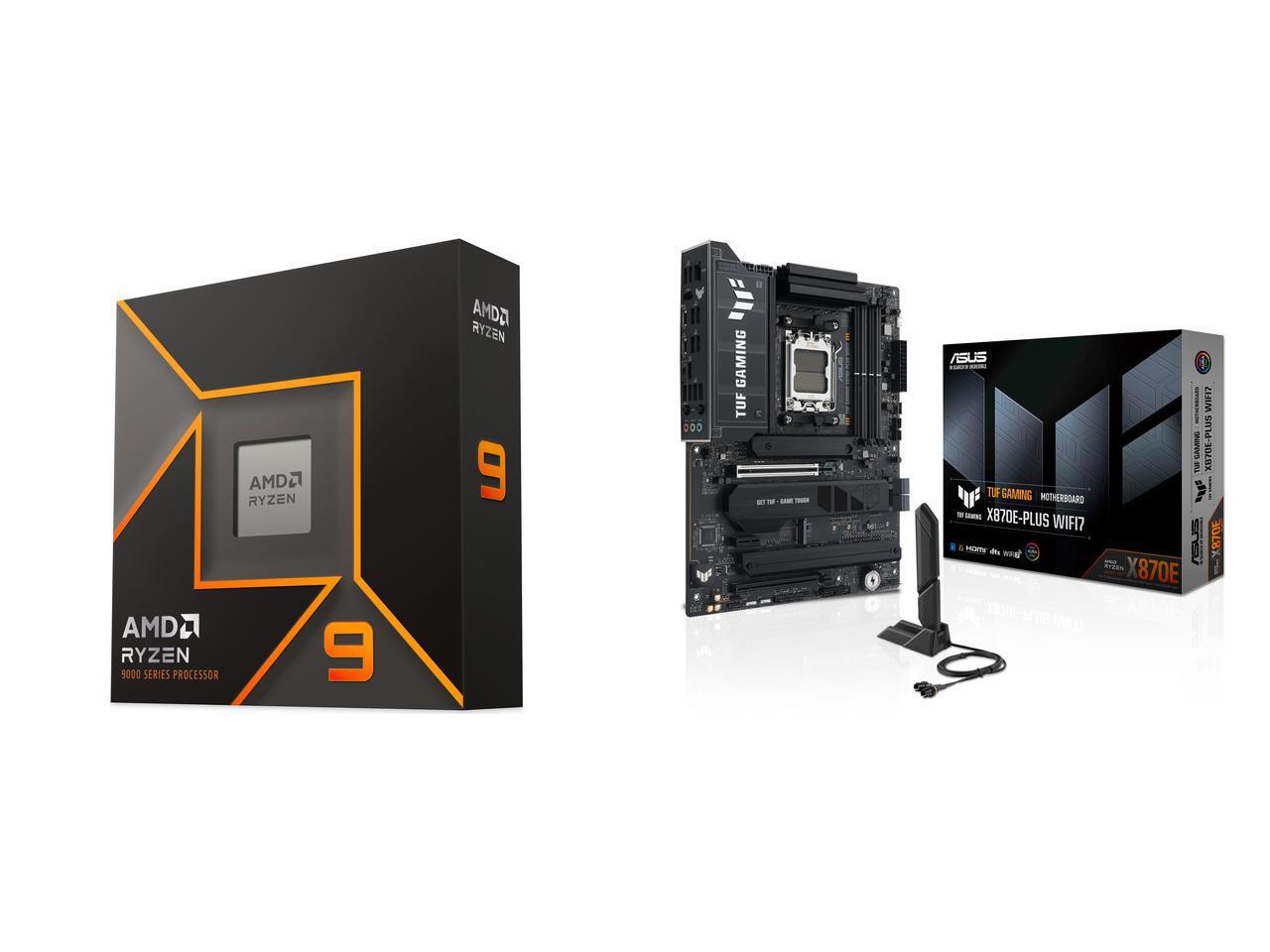
This bundle contains an AMD Ryzen 9 9900X processor with an ASUS TUF GAMING X870E-PLUS WIFI7 motherboard that features two onboard PCIe 5.0 M.2 slots with fast Wi-Fi 7 and two 8GB DDR5 RAM sticks.View Deal
FAQ
How long will these discounts last?
These discount deals will last from July 14, 2026 to July 31, 2026.
Are these AMD processors good for gaming?
Indeed, they are. AMD's Ryzen 9 9900X, Ryzen 7 7800X3D, and Ryzen 5 9600X processors all offer good to exceptional performance for boosting frame rates and smoothness, particularly the -X3D chips.
Which of these processors is good for productivity?
The Ryzen 7 7800X3D productivity performance is somewhat underwhelming, while the Ryzen 9600X fares much better with creative apps and solid single-core performance.
Join us on Reddit at r/WindowsCentral to share your insights and discuss our latest news, reviews, and more.
An entry-level Alienware PC almost sounds like a contradiction; it's long been the all-out brand you could choose when money isn't a concern, and you'd rather have a guarantee your games will run. So, does the Alienware 15 need to exist, or is it just competing with the tantalizingly new category of high-end gaming handhelds?
Including NVIDIA's RTX 5050 graphics certainly piqued my interest, because until now, I've never seen what this low-end laptop GPU can actually do. Is it worth picking the 50 Series chip for the benefit of cutting-edge DLSS upscaling, or is it too weak to be worth your time? I had so many questions, and these are the conclusions I reached from my testing for this review.
How much does the Alienware 15 cost?
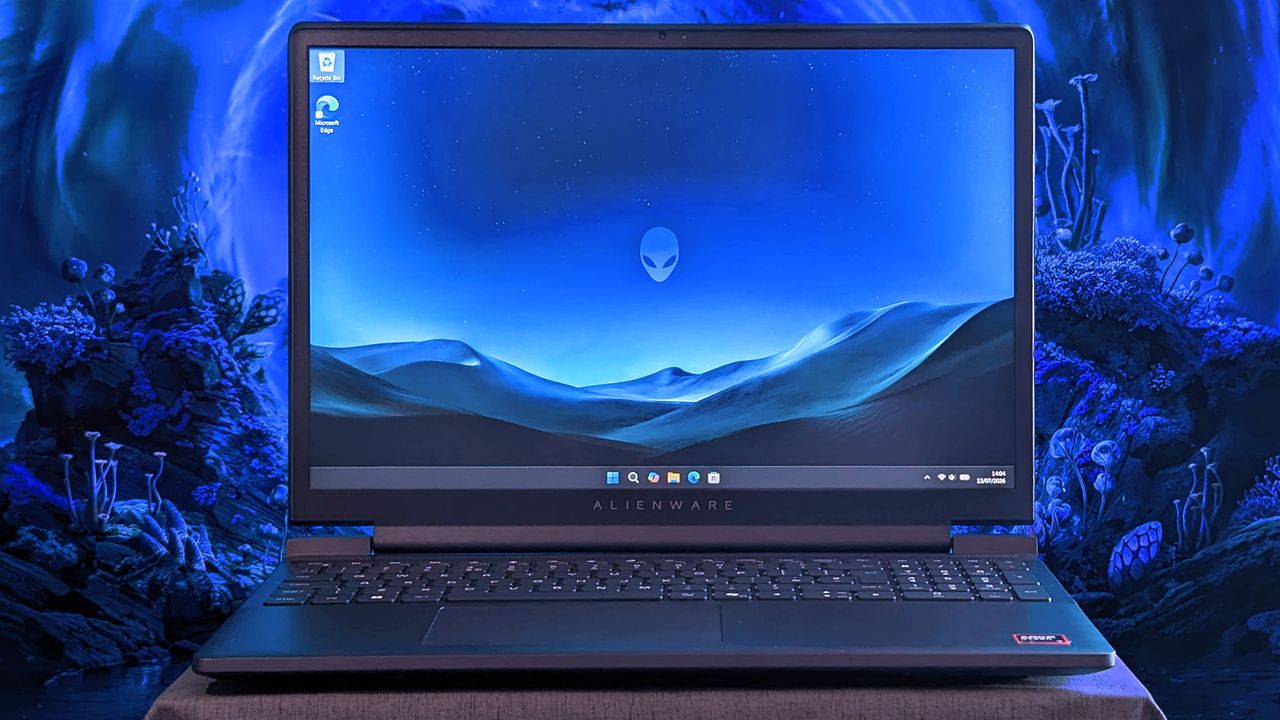
Alienware's modern design language still peeks through in parts of this entry-level laptop. (Image credit: Ben Wilson | Windows Central)
The Alienware 15 starts at $1,399.99 on Dell.com, featuring the same AMD Ryzen 7 260 processor as my sample but with a previous-generation NVIDIA GeForce RTX 4050 discrete graphics card. Memory and storage remain at 16GB of RAM and a 512GB SSD, but upgrading to an RTX 5050 GPU increases the price to $1,459.99.
A third and final variant of the AMD model increases storage to 1TB with an RTX 5060 GPU for $1,849.99, but the CPU remains the Ryzen 7 260. Alternatively, an Intel-based Alienware 15 starts at $1,499.99 on Dell.com with a Core 7-240H CPU, RTX 5050 GPU, and 16GB/512GB of memory and storage, though you can upgrade to RTX 5060 graphics and a 32GB/1TB RAM and SSD combo.
In the United Kingdom, the AMD-based Alienware 15 starts at £829.00 with a less powerful Ryzen 5 220 processor, RTX 3050 graphics, and 8GB of RAM and 512GB of storage. At the time of writing, an Intel-based Alienware 15 starts at £849.01 with a Core 5-210H CPU, RTX 3050 GPU, and the same 8GB/512GB RAM/SSD.
This gets you exactly what I tested, or an upgrade to a more powerful RTX 5060 GPU and 1TB SSD will cost you $1,849.99. If you aren't confident in self-installed upgrades, you should strongly consider it.View Deal
Is the Alienware 15 well made?
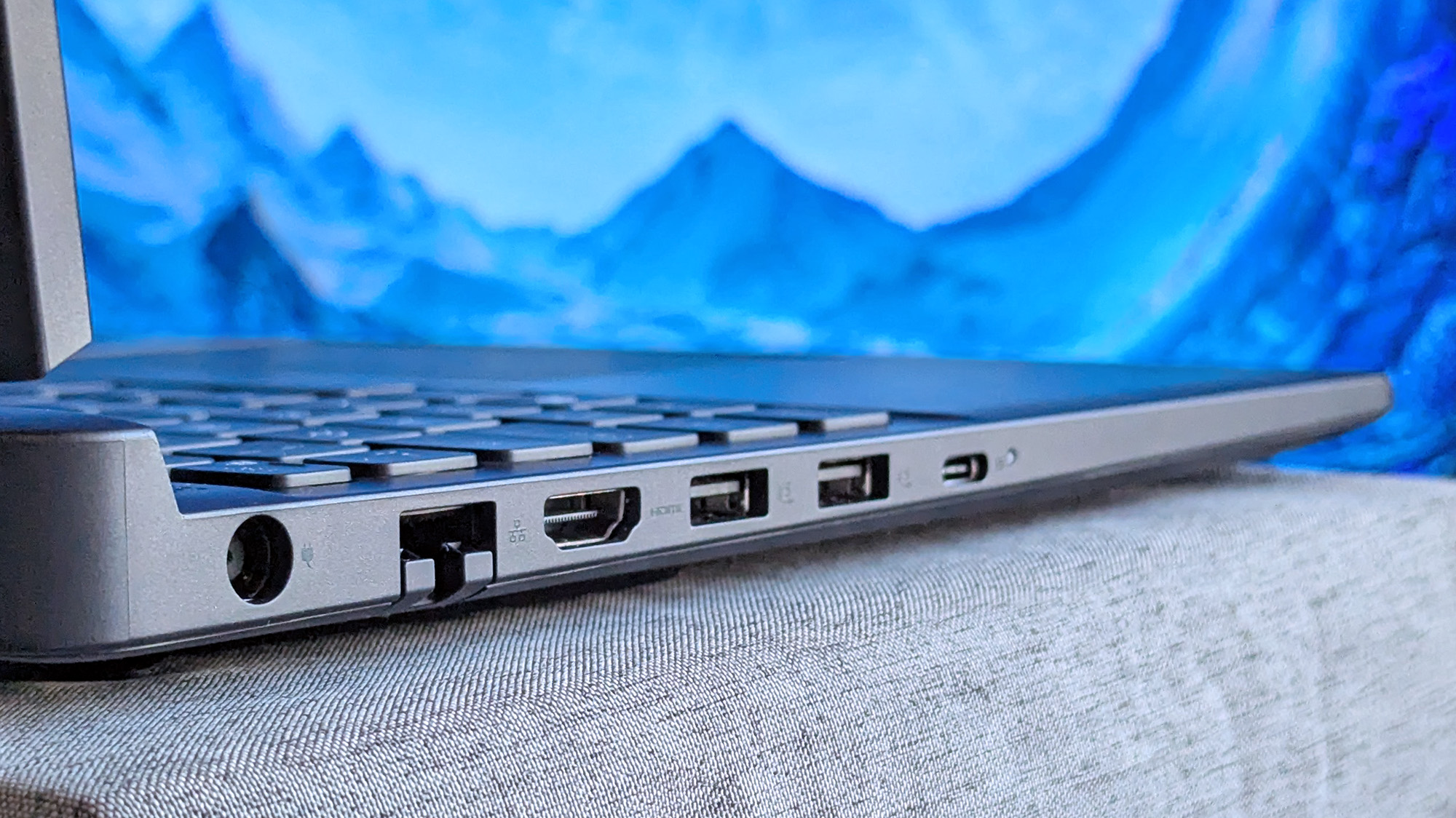
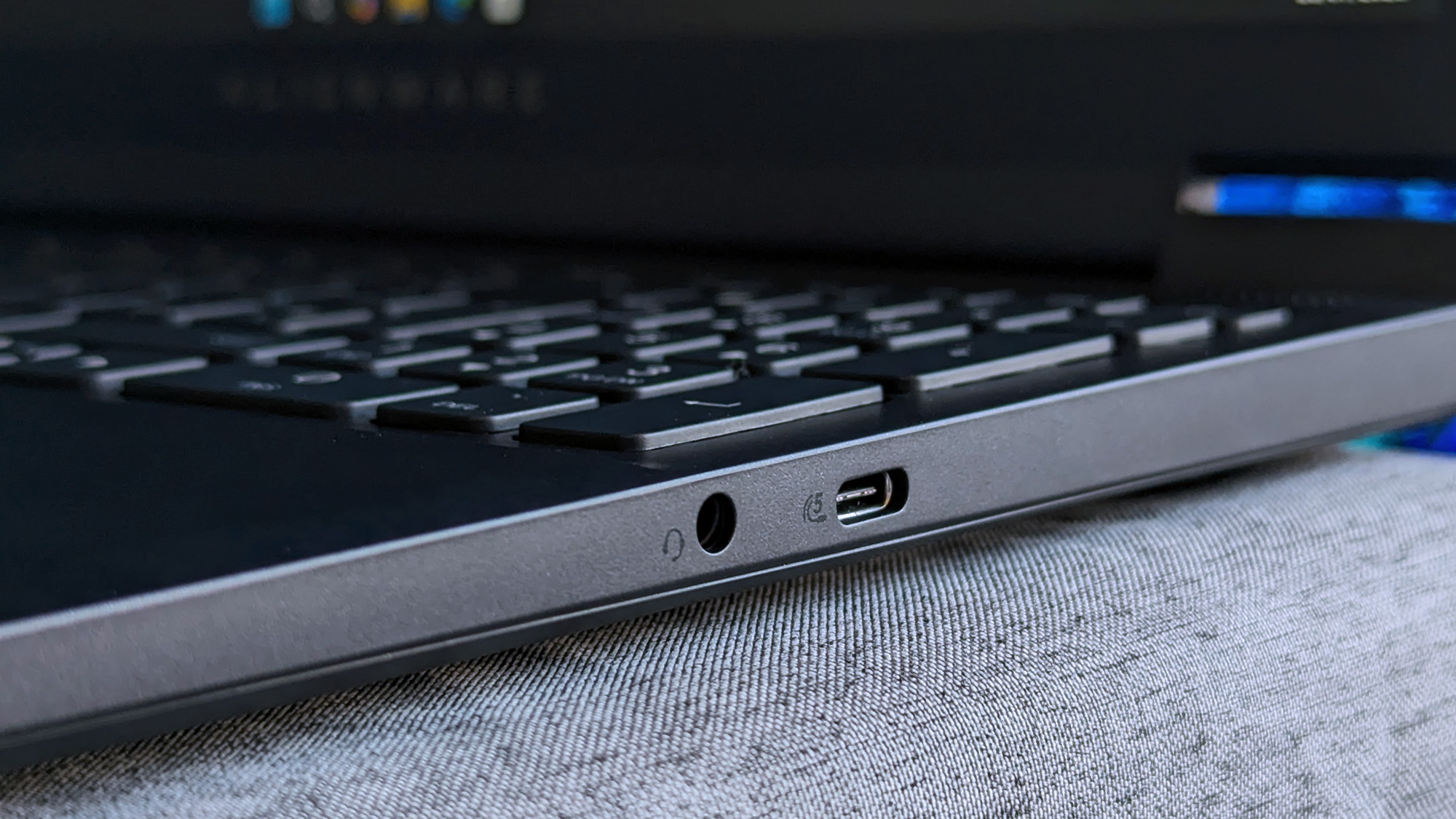
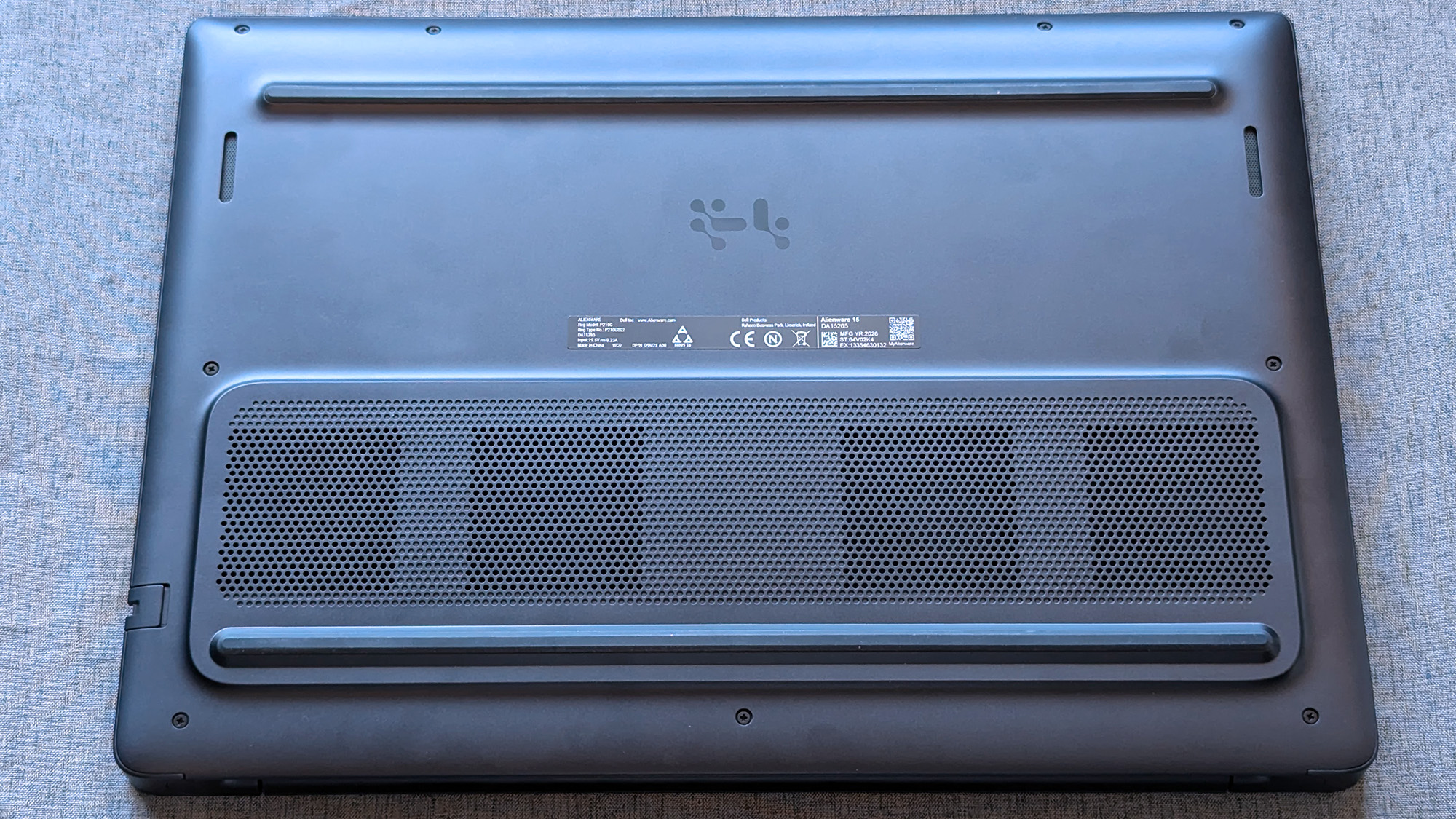
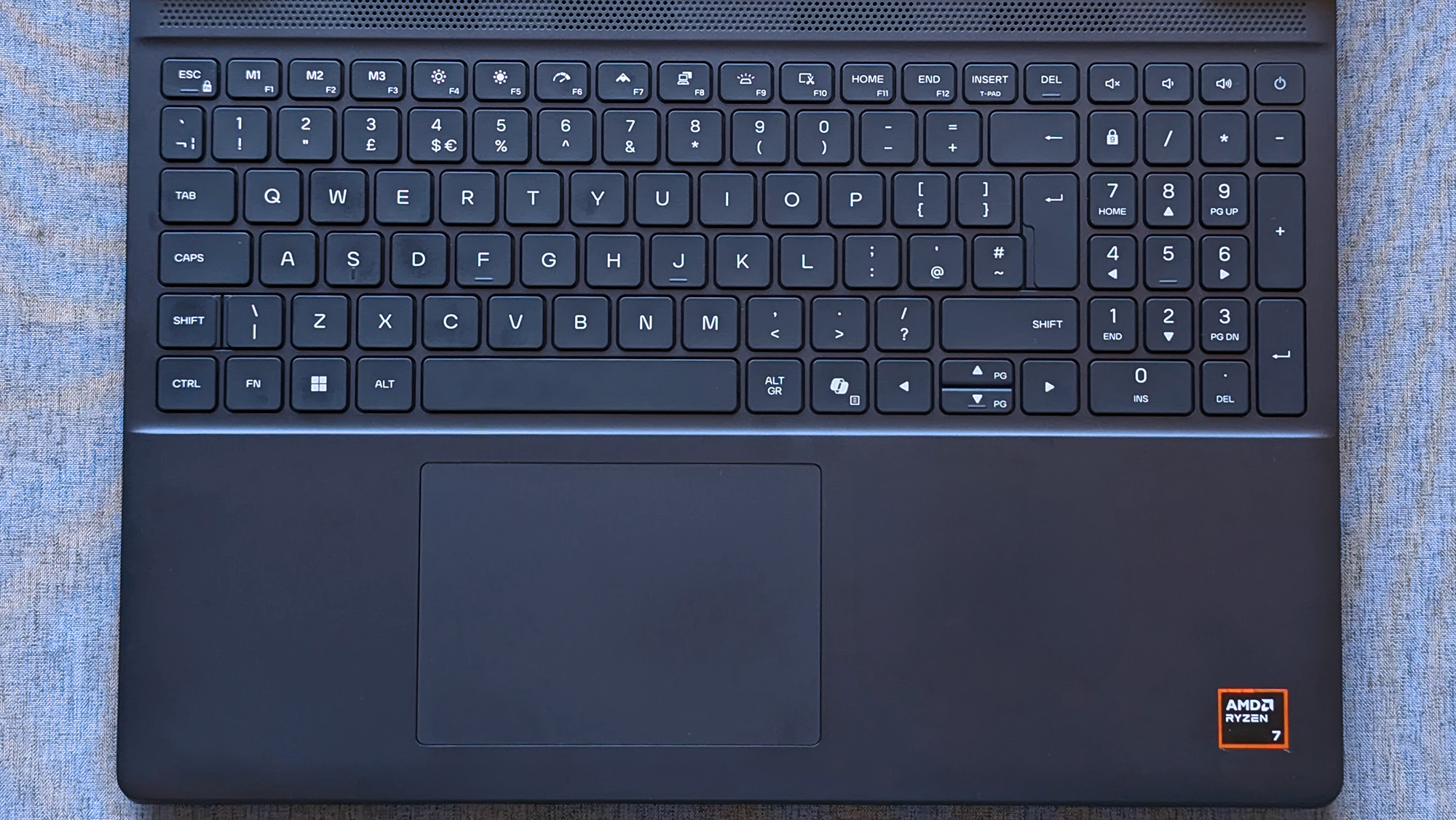
180W AC power requires an outdated barrel jack, but Ethernet, HDMI, and USB-A/C are all welcome.Ben Wilson | Windows CentralWired headphones and another USB-C port on the right side will likely be well used.Ben Wilson | Windows CentralAn elevated portion of the underside holds the cooling fans, and they work hard.Ben Wilson | Windows CentralThe touchpad feels small, but it's good enough to navigate Windows 11.Ben Wilson | Windows Central
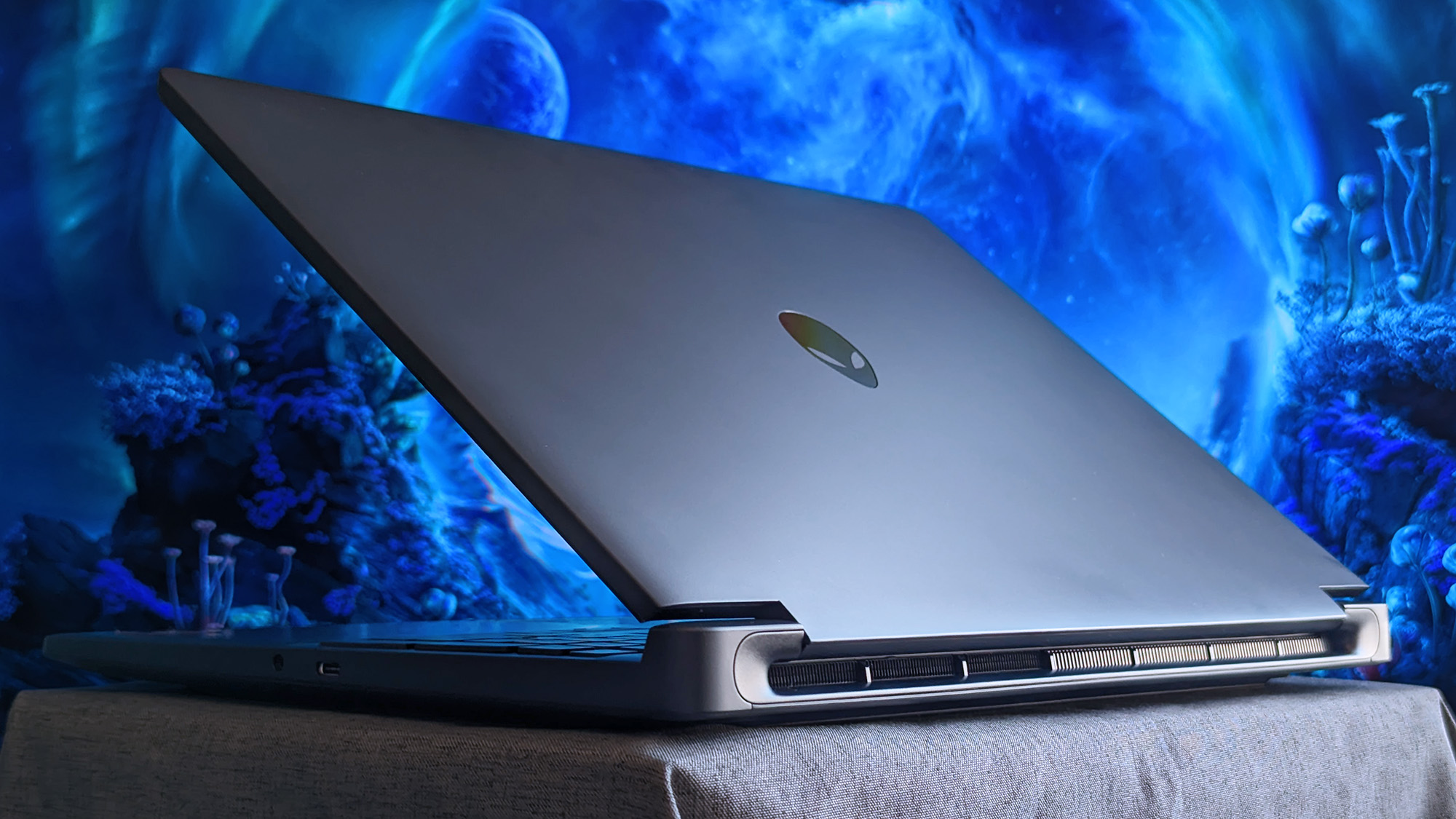
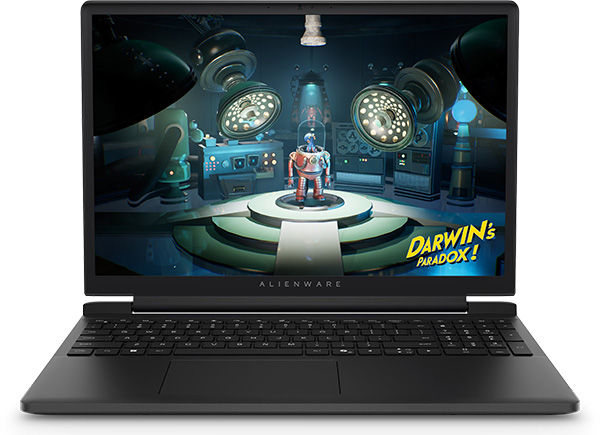
The Alienware 15 is a bit of a mixed bag, starting with a relatively plain exterior design featuring an iridescent alien head logo and thick air vent panels underneath, synonymous with the capable cooling you'll see in this category. And while its most striking first impression is how heavy it is — at 4.89 lbs (2.22 kg) — it still isn't much different from its rivals. Gaming laptops are just heavy.
Its 15.3-inch screen sits on a gapped hinge, which looks strange at first glance, but I can feel airflow around the gap while it's in use, so it makes sense. The backlit keyboard is unremarkable, sticking to a single color and including a number pad that I'm sure most gamers will never use, and, as usual, I wish the space had been saved for larger speakers.
The 180W AC adapter needs an old-school barrel jack, but you can charge up to 100W with USB-C.
Admittedly, despite my gripes with the lack of any significant bass response, the sheer volume of the fans during games likely nullifies the appeal of its speakers anyway. As with all gaming laptops, I'm recommending you use headphones here. A small 5.5-inch mechanical touchpad only clicks properly in the bottom half, but you'll probably use a dedicated mouse for most games.
A 3.5mm audio jack pairs with a USB-C 3.2 Gen 1 port on the right side, while a single USB-C 3.2 Gen 2 is available on the left side, along with two traditional USB-A 3.2 Gen 1 ports for dongles, HDMI-out 2.1 for external monitors, and gigabit Ethernet for wired networking. The 180W AC adapter needs an old-school barrel jack, but you can charge up to 100W with USB-C.
How fast is the Alienware 15?
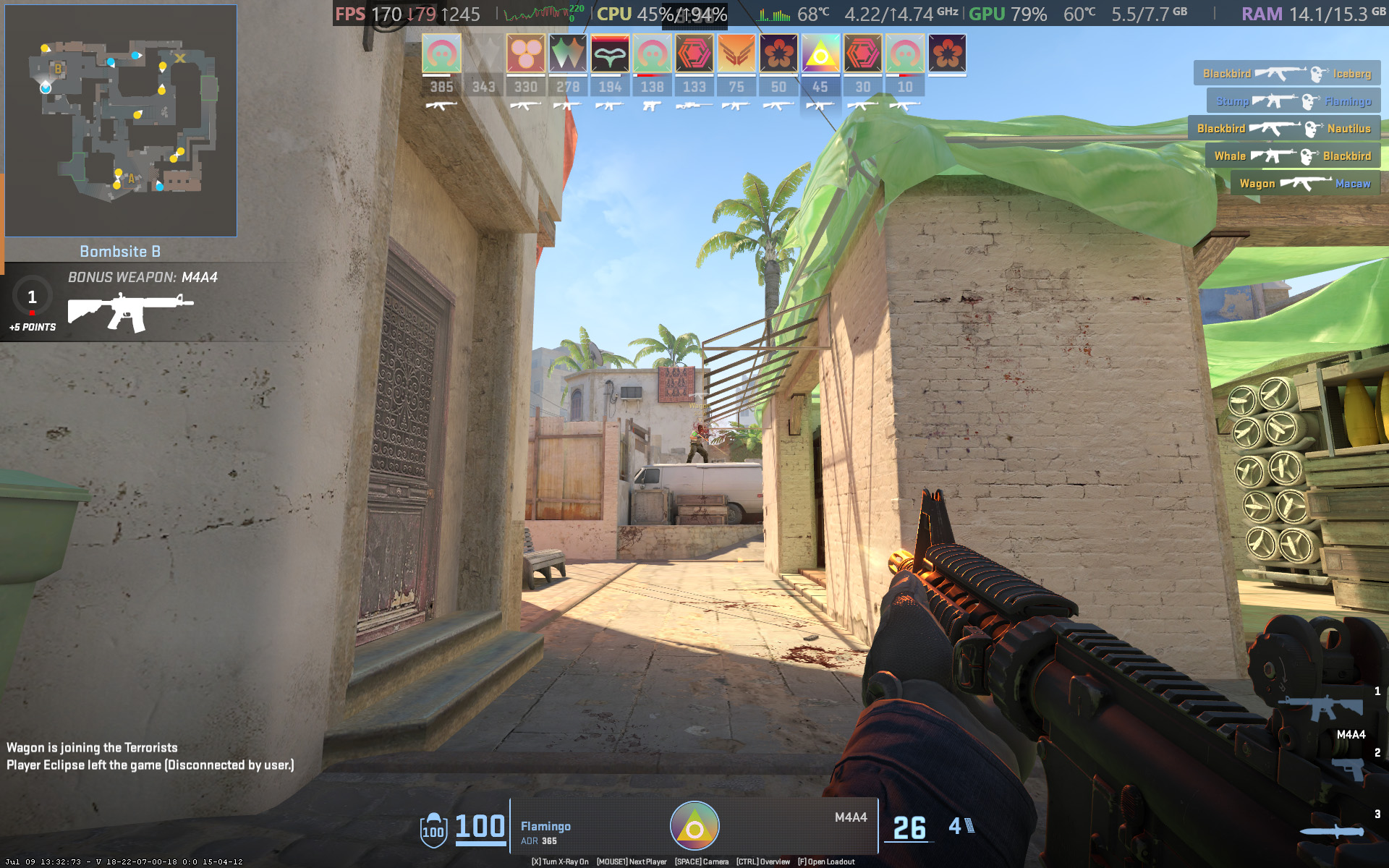
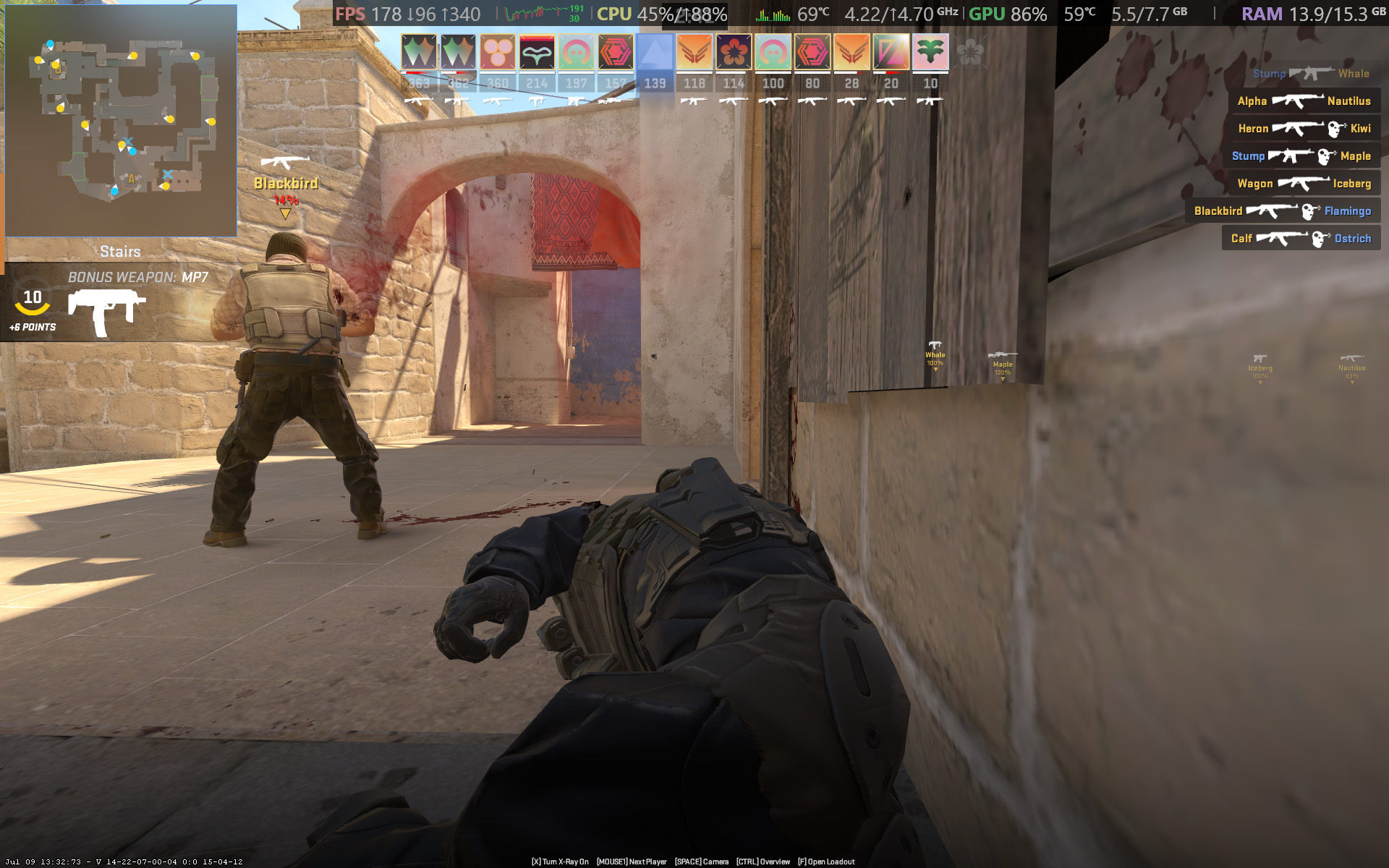
Counter-Strike 2 demands a smooth frame rate, and 165 FPS is attainable with the RTX 5050.Ben Wilson | Windows CentralYou barely have to tweak the settings in CS2 to keep the FPS high enough.Ben Wilson | Windows Central
Starting with Counter-Strike 2, the game recommends 'High' settings with AMD FidelityFX Super Resolution and vsync disabled for native, uncapped rendering at 1920 x 1200. While spectating a few rounds on Dust II, I saw the frame rate remain around the 165 FPS target when I was connected to AC power and Alienware's 'Performance' mode was active.
However, the laptop's fans were extremely loud throughout, keeping the CPU and GPU temperatures at around 68 °C and 60 °C, respectively. Switching to 'Stealth' mode reduced the fan speed, but no amount of graphical tweaks brought them down to a comfortable, more inconspicuous level. This is a loud laptop, and you'll have to get used to wearing headphones when you're gaming.
Cyberpunk 2077 is quickly becoming the poster child for DLSS because it works so well.Ben Wilson | Windows CentralCertain visuals will look better than others, but upscaling certainly helps the game run smoothly.Ben Wilson | Windows Central
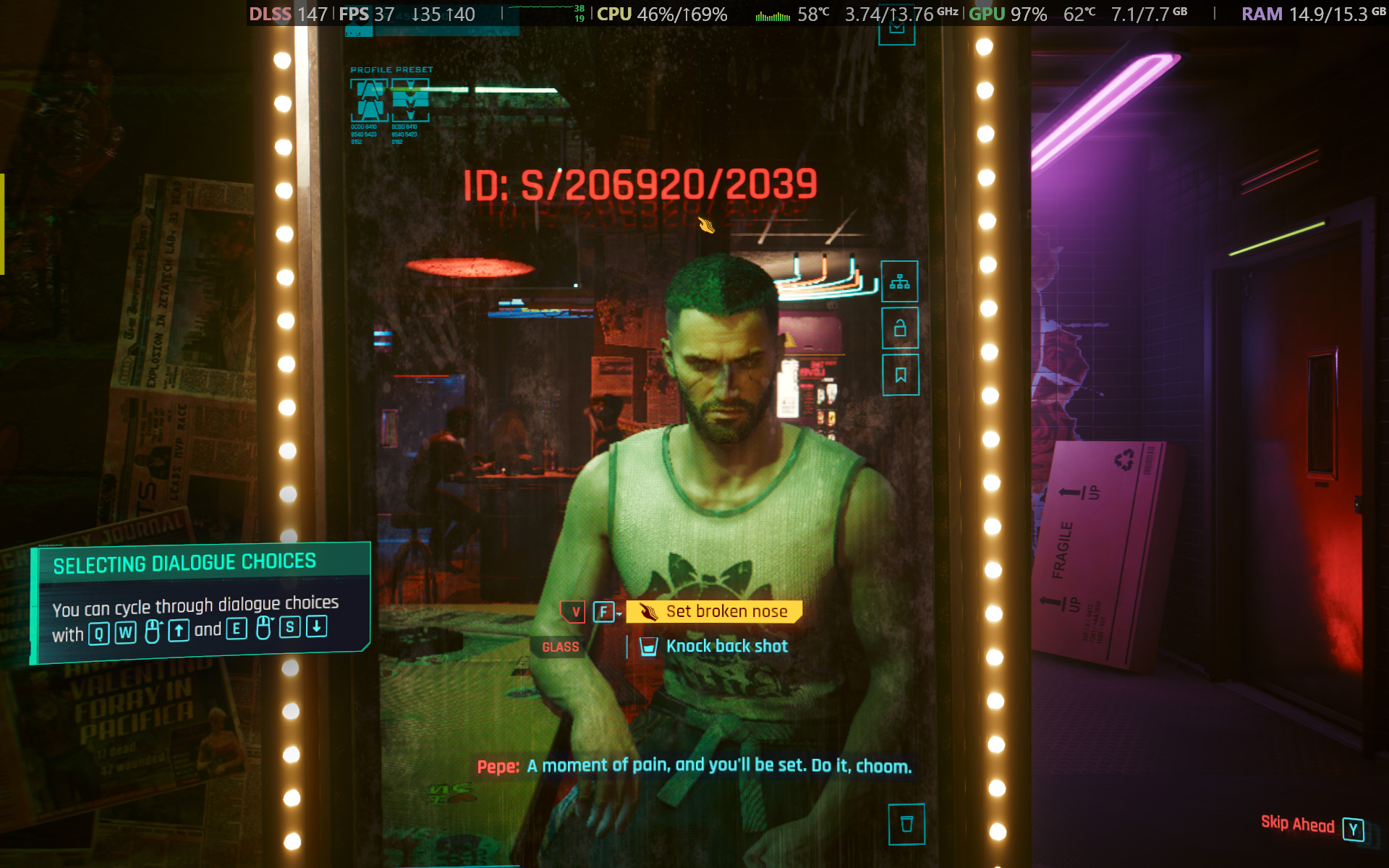
In Cyberpunk 2077, I found that the 'High' preset with ray tracing and upscaling disabled most consistently achieved a native 60 FPS baseline in the game's built-in benchmark. Of course, the game supports DLSS 4.5, so setting Super Resolution to 'Balanced' and Multi Frame Generation (MFG) to 4X in the 'Ray Tracing: Low' preset has the Alienware 15 scaling to 171 FPS, up from ~42 FPS.
I have to assume you're considering a gaming laptop with NVIDIA's RTX 50 Series graphics to take advantage of realistic, ray-traced lighting. Luckily, that is quite possible with the RTX 5050 in the Alienware 15, depending on your feelings around MFG and "fake frames". If, on the other hand, you don't care so much about those visual luxuries, then it runs quite smoothly without ray tracing.
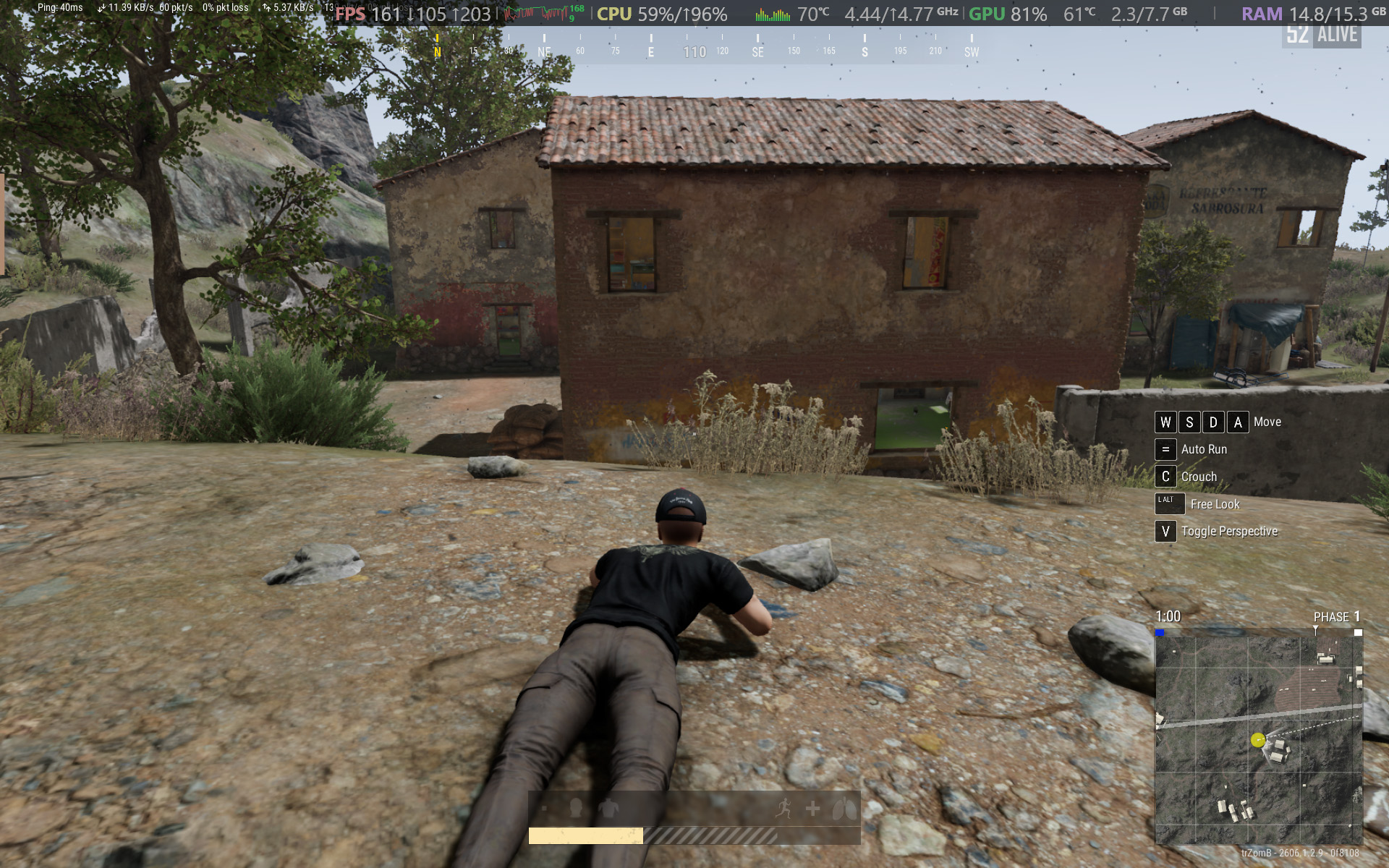
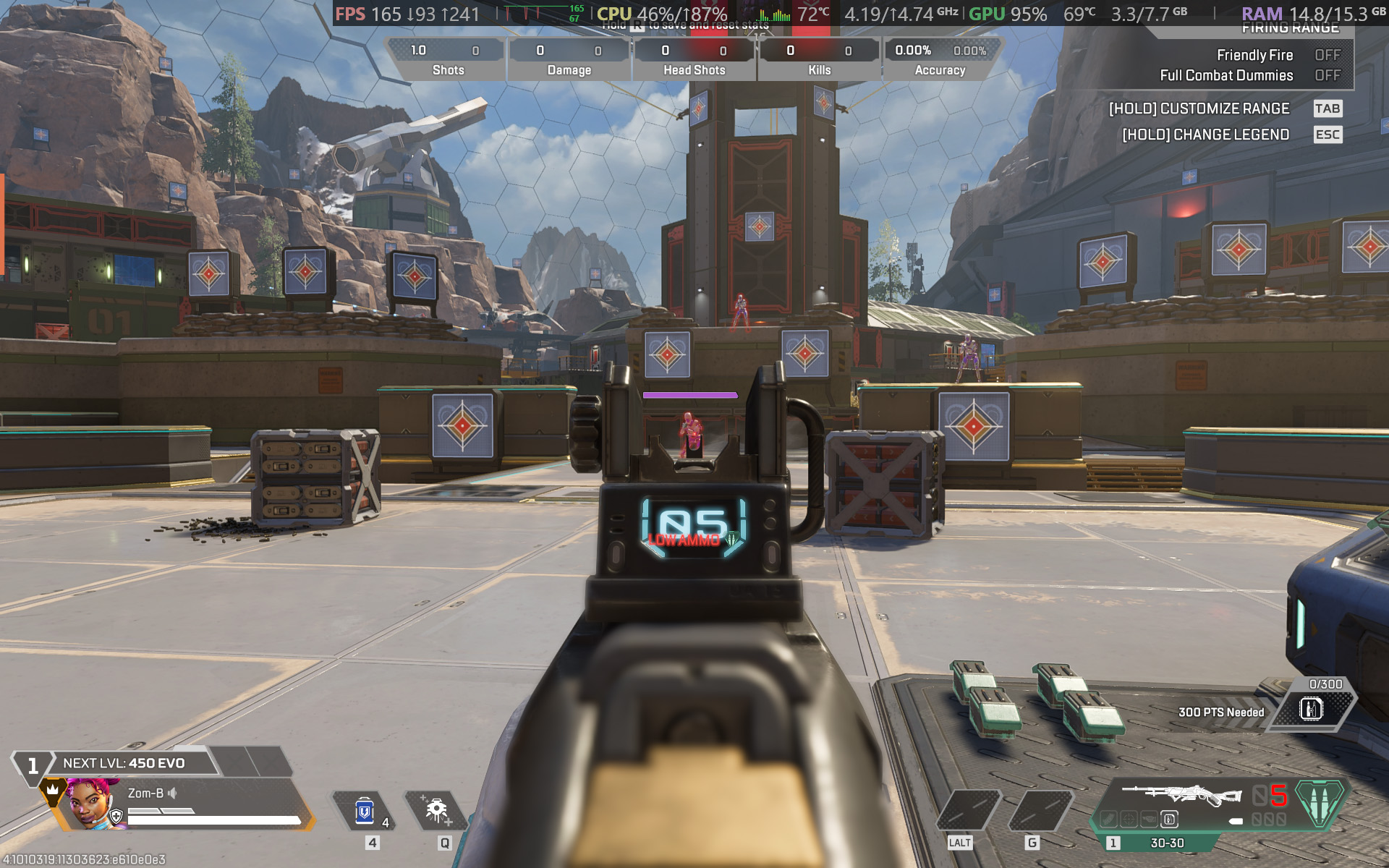
PUBG: BATTLEGROUNDS dips in busy areas, but I was able to stay above 100 FPS.Ben Wilson | Windows CentralApex Legends fared better with frame pacing, though it needed more fine-tuning in the settings.Ben Wilson | Windows Central
For other popular multiplayer titles, PUBG: BATTLEGROUNDS generally runs above 60 FPS with the 'High' preset at render scale 100, but you can push it to 165 FPS or higher by switching to the 'Medium' preset and further lowering some settings. Similarly, Apex Legends can reach 165 FPS and beyond with a little time spent in the settings, but the laptop's fans will be loud.
Performance benchmarks
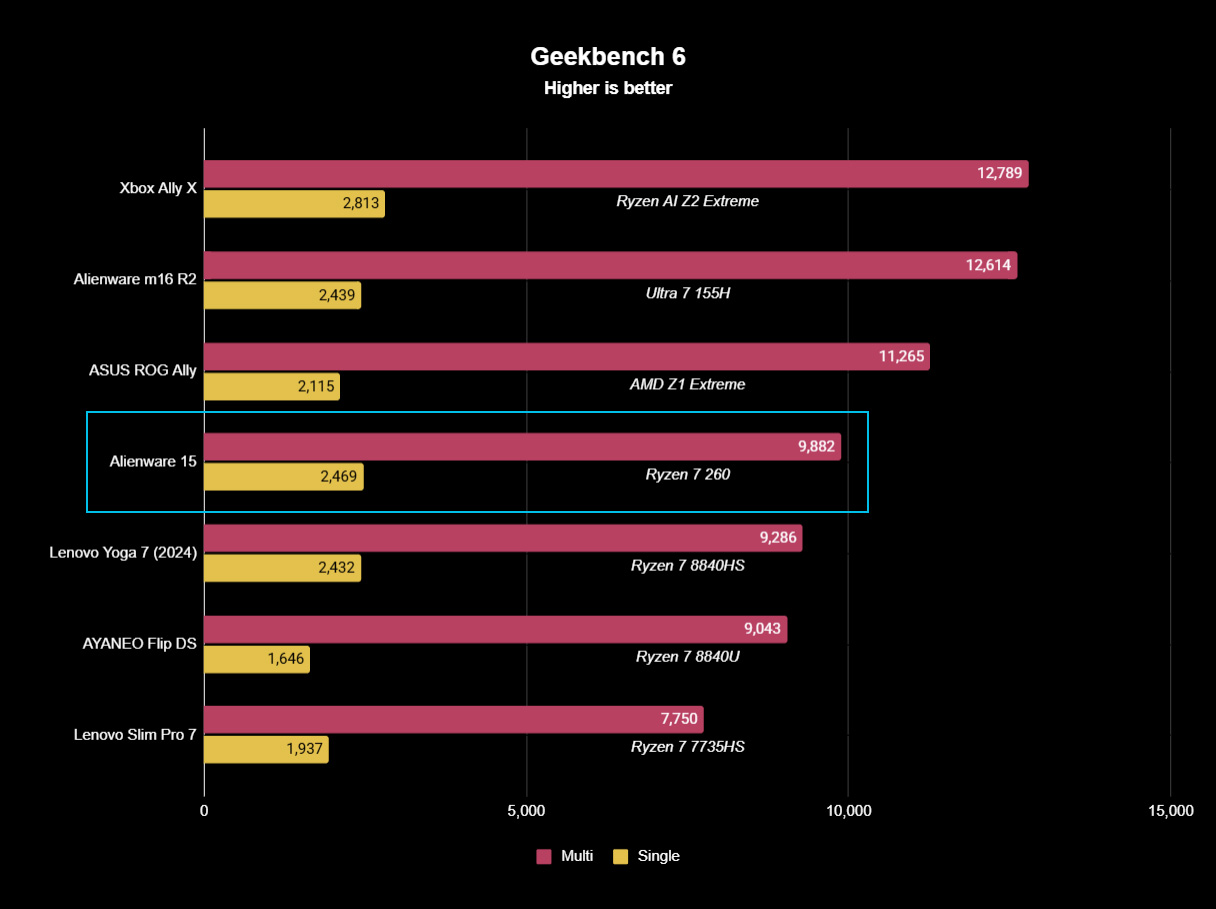
Geekbench 6 CPU benchmarking shows the Ryzen 7 260 being beaten by years-old handheld chips.Ben Wilson | Windows CentralWhile the 512GB SSD is limited in capacity, it reads just as fast as the SSDs in Alienware's high-end laptops.Ben Wilson | Windows CentralYou'll see the RTX 5050 suitably appearing in plenty of entry-level gaming laptops like this.Ben Wilson | Windows Central
To put the specs of Alienware's cheapest laptop into perspective, the Ryzen 7 260 is a "Hawk Point" processor built on AMD's previous-generation Zen 4 architecture and ranks as the second-fastest CPU in the Ryzen 200 Series mobile range. That 8-core, 16-thread chip pairs with NVIDIA's entry-level RTX 50 Series mobile GPU, the GeForce RTX 5050.
However, benchmarking the Alienware 15's CPU in Geekbench 6 burst performance tests placed the Ryzen 7 260 even lower than I perhaps expected, even falling below the original ASUS ROG Ally gaming handheld from 2024. Cinebench 2024 failed to run any extended CPU stress tests after complaints of insufficient memory, so there's sadly no reprieve for this processor.
(The RTX 5050 is) faster than the last-gen RTX 4050, but of course, it still falls behind the 4060.
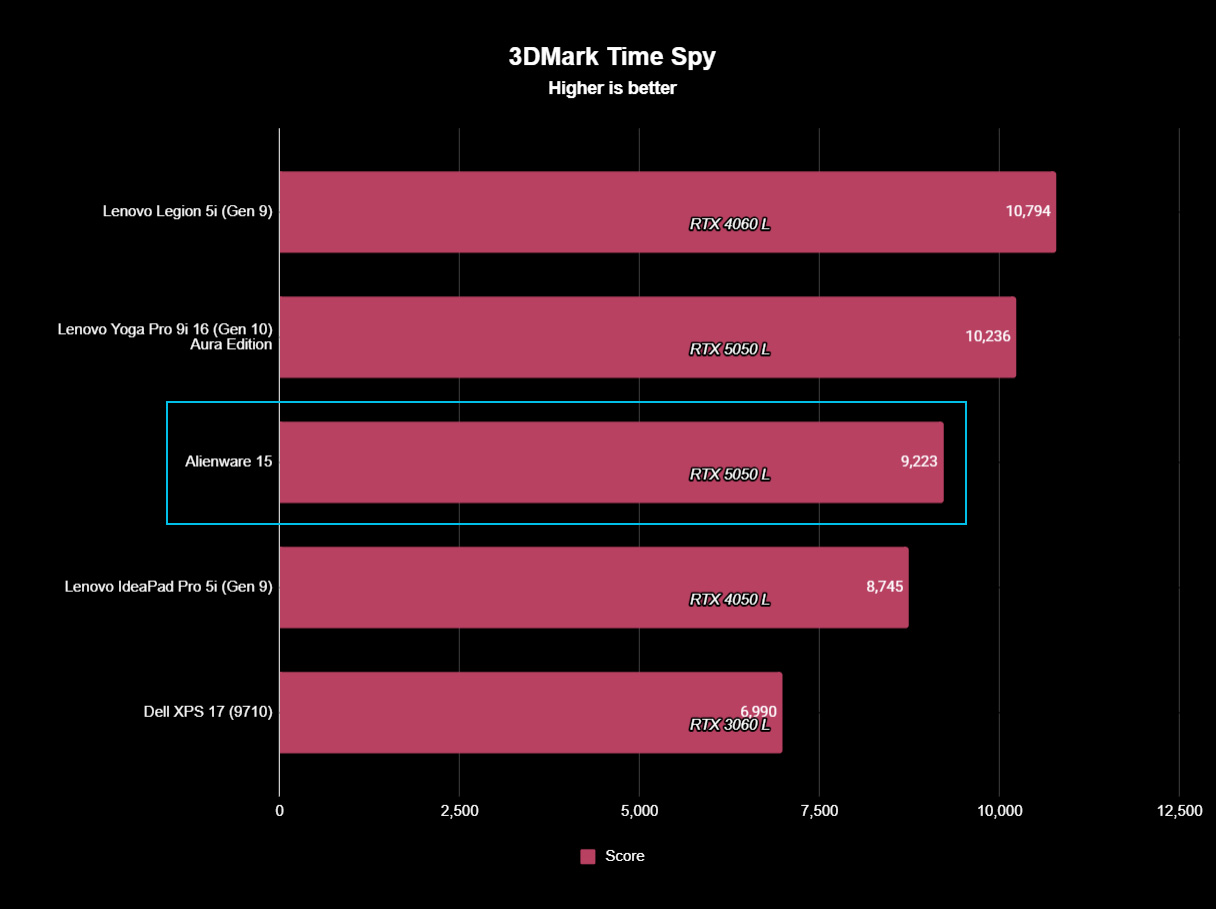
Testing the RTX 5050 across 3DMark's full gamut of GPU-centric tests yields a reasonably consistent and unsurprising conclusion: it's faster than the last-gen RTX 4050, but of course, it still falls behind the 4060. If you were choosing between a gaming laptop with an older GPU, such as an RTX 3060, and the 5050 in this Alienware 15, you'd choose the Alienware.
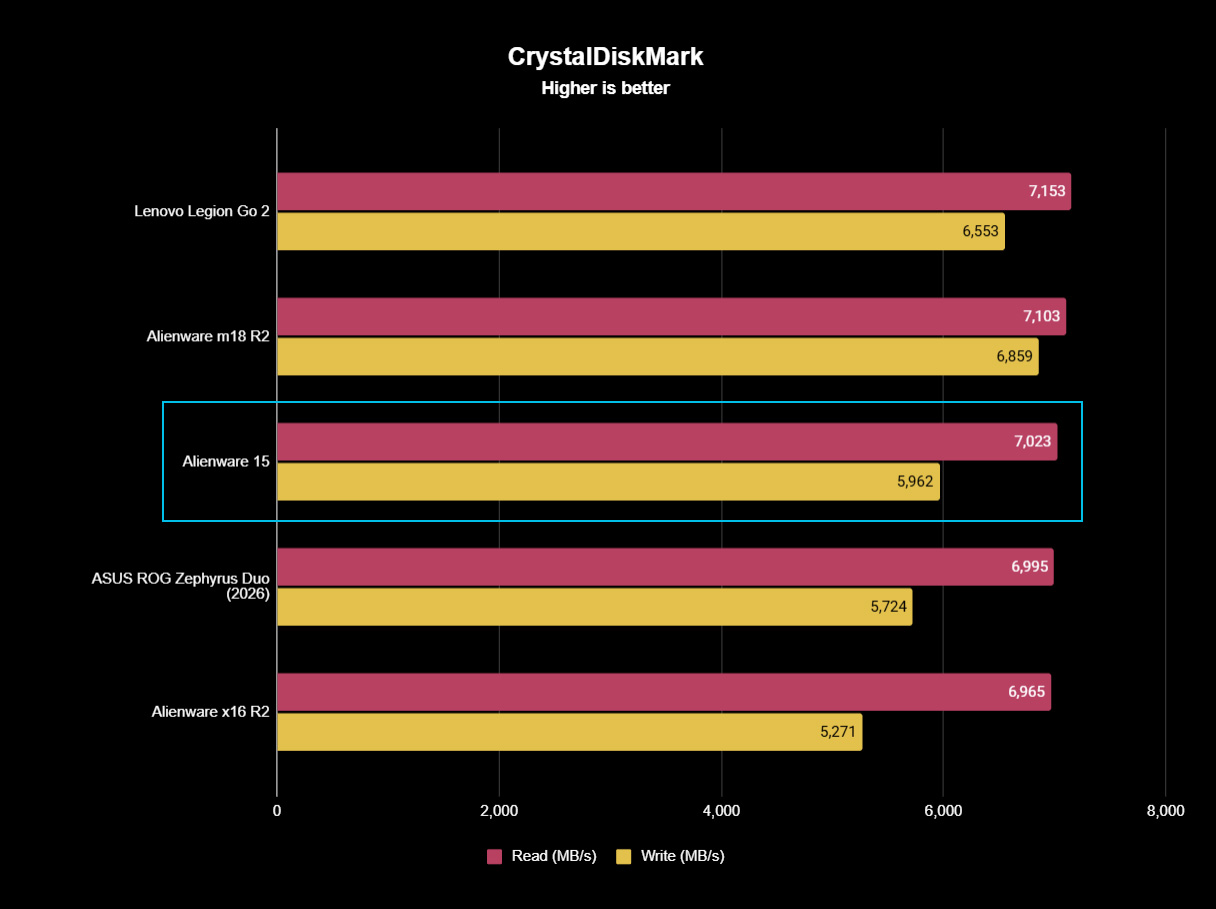
Finally, the PCIe Gen 4 SSD hits around 7,023 MB/s read speeds in CrystalDiskMark, while write speeds drop closer to 5,962 MB/s. It's a fast drive, and one that sees the Alienware 15 running neck-and-neck with the high-end Alienware m18 R2 from 2024. The 512 GB SSD has limited storage capacity, but it performs as expected.
Does the Alienware 15 have any issues?
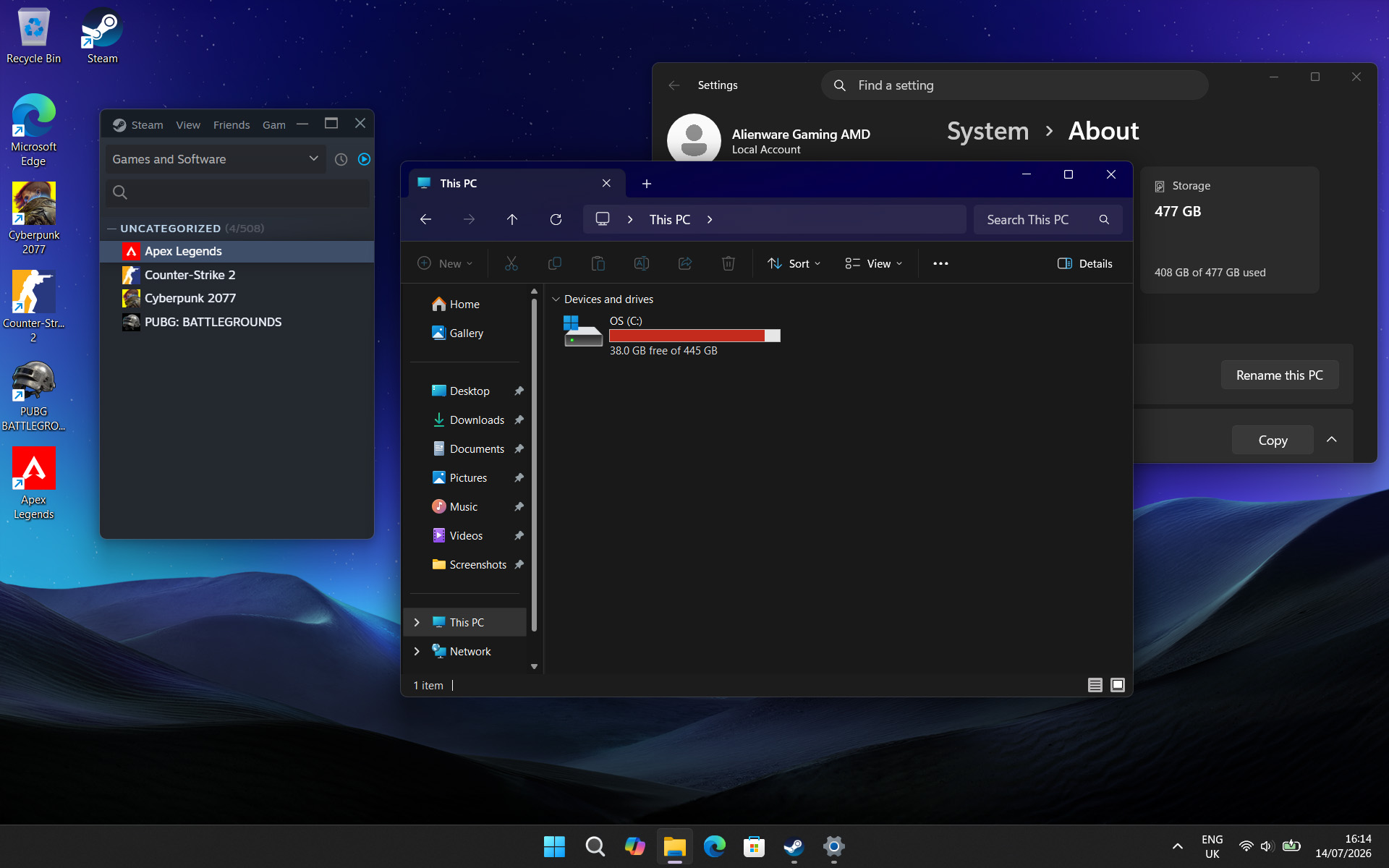
After installing only four PC games, I started seeing warnings about low storage space. (Image credit: Ben Wilson | Windows Central)
Above all, the most significant issue I had during my time with the Alienware 15 was its limited 512 GB SSD, reporting a usable 477 GB with only 332 GB of free space on its first boot into Windows 11. It simply isn't enough, and no amount of optimizations offered by the pre-installed 'SupportAssist' app can help that. After installing only four games, I was out of space.
Alienware advertises"user-upgradeable options" for "up to 1TB PCIe SSD (Gen4) storage", promoting "the flexibility to adapt for whatever comes next", but the ongoing memory crisis stunts that notion. It isn't Alienware's (or Dell's) fault, but I quickly learned that 512 GB isn't good enough in a gaming laptop, and upgrades are extremely expensive in 2026.
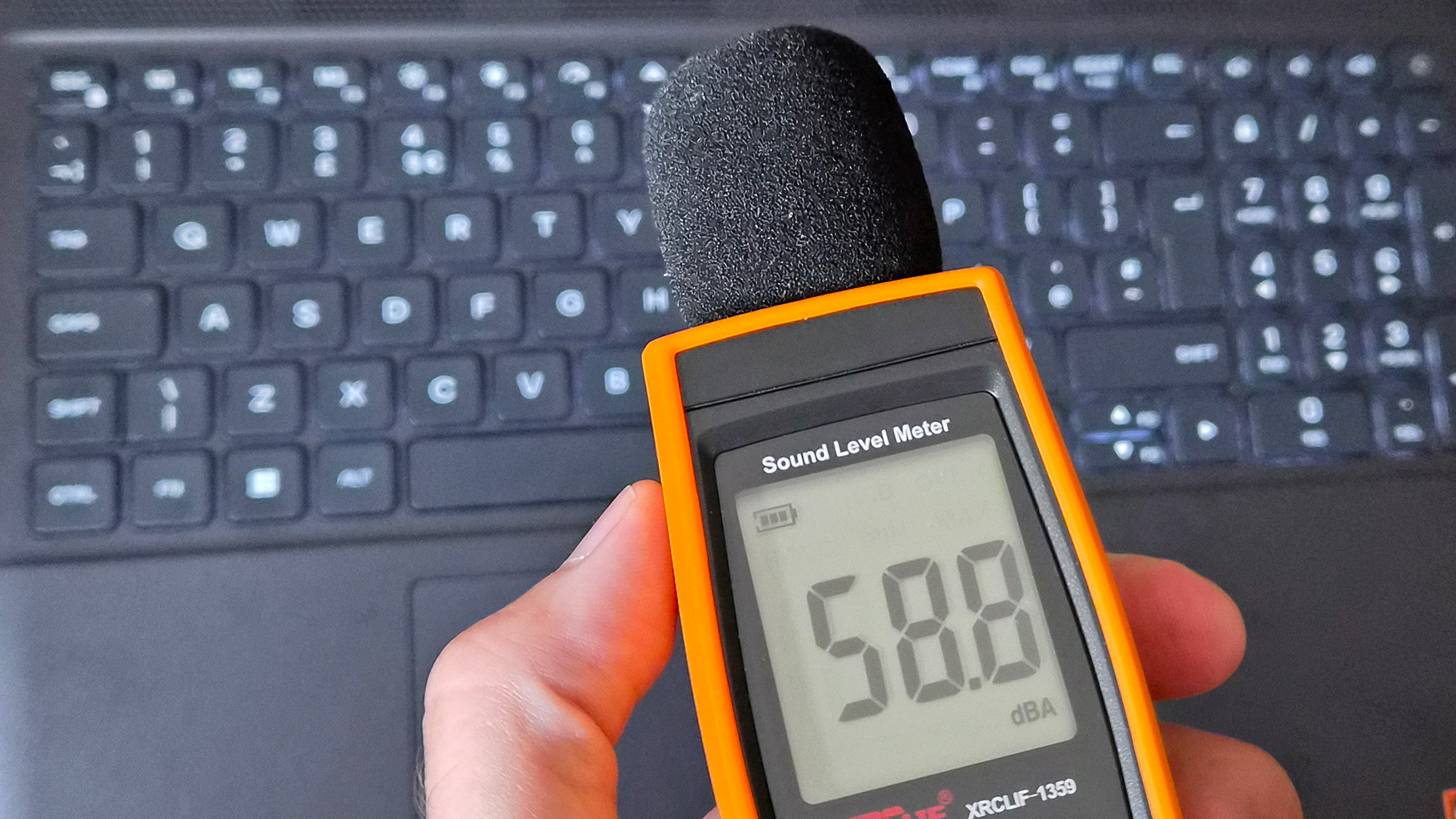
Holding up a decibel meter during gameplay demonstrates how loud the fans really are.Ben Wilson | Windows CentralThe keyboard gets warm during gameplay, which eventually made my fingers uncomfortable.Ben Wilson | Windows Central
Otherwise, the loud fans (~58 dBA) are difficult to ignore and will likely annoy anyone around you. Booting into a game switches the Alienware 15 into 'Performance' mode via the Alienware Command Center companion app, which quickly ramps up the fan speed. Profiles like 'Stealth' mode advertise the laptop as "ideal for any environment", but it's only true if you aren't gaming.
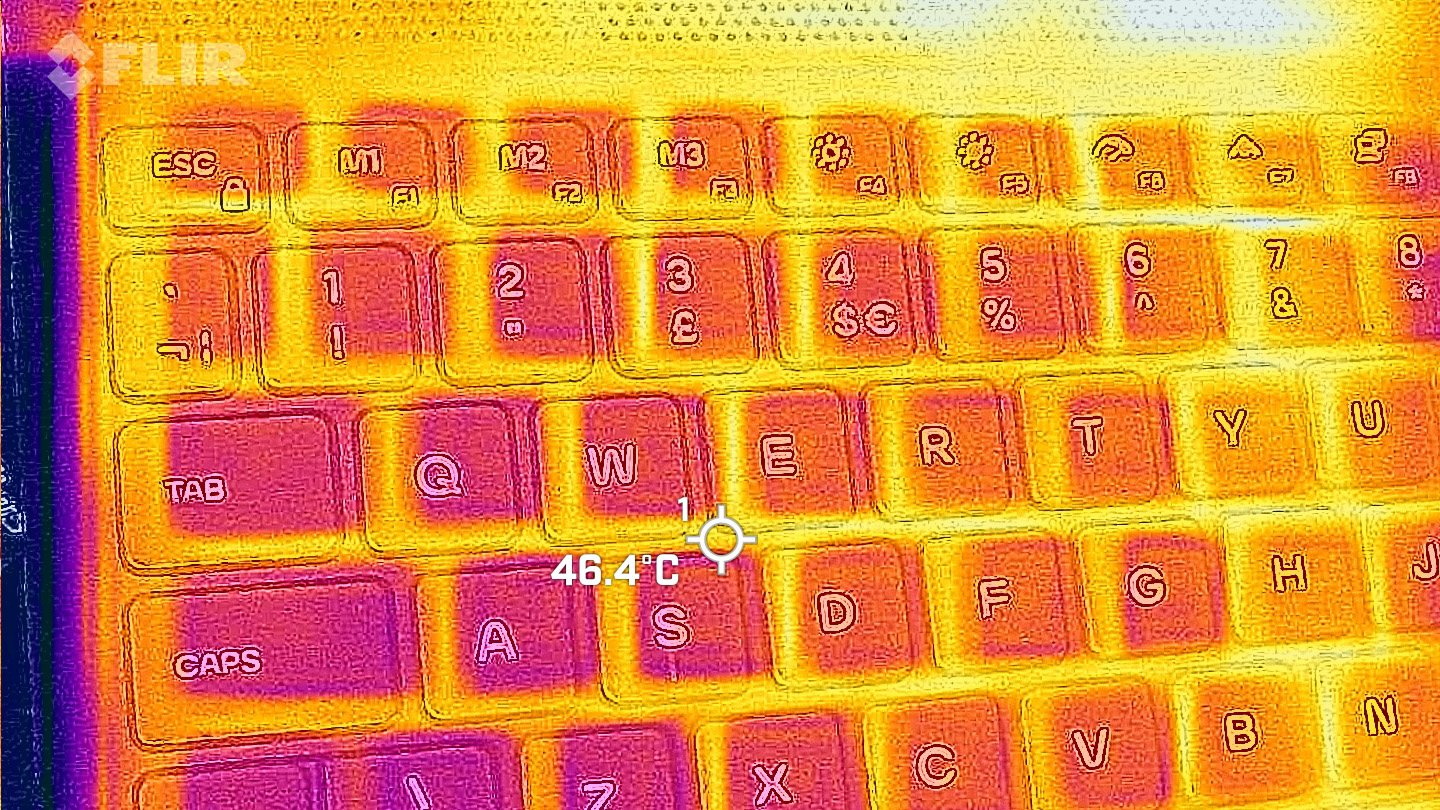
Despite the fans working as hard as they can, the keyboard still gets quite warm during gaming, and it felt a little uncomfortable after a while. I could solve it by plugging in my Steam Controller or by using an external keyboard and mouse, but at that point it feels like I'm hardly using the laptop. Using a thermal camera, I detected a temperature of 46°C around the WASD keys — not abnormal for a gaming laptop, but not exactly ideal either.
Should you buy the Alienware 15?
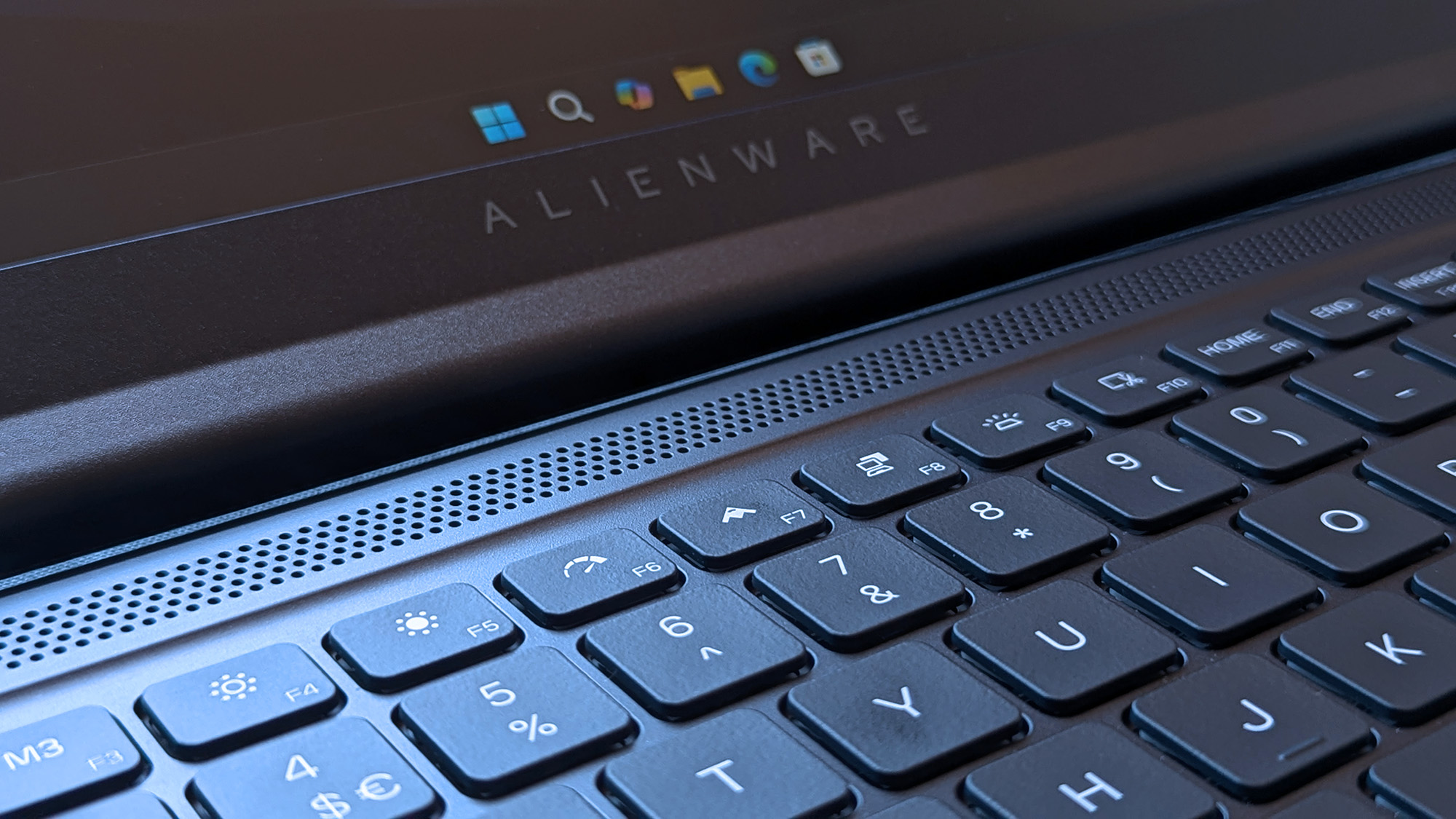
Switching power modes with F6 and F7 wrangles the fans a little, but it doesn't stop the overall roar. (Image credit: Ben Wilson | Windows Central)
You should buy this if ...
✅ You want a modern, entry-level NVIDIA gaming laptop
✅ You don't have space for a full-sized desktop PC
You should not buy this if ...
❌ You're looking for quiet, portable AAA gaming
The biggest problem with entry-level gaming laptops is that they immediately compete with high-end gaming handhelds, like the Xbox Ally X, which will be more tempting for its versatility alone. However, if you're looking for a stay-at-home gaming machine that occasionally travels with you — with an 180W AC adapter included — the Alienware 15 keeps up with modern gaming by leaning heavily on NVIDIA's RTX 5050 GPU.
Its 512 GB of storage will fill up fast, so you'll either have to be happy with regularly switching between installed games from your library, or rely on an external hard drive to transfer backups. This laptop is loud, restrained, and heavy, but it will play your games, particularly so if they support NVIDIA's latest DLSS upscaling technology. If you're pondering the Alienware 15 on a budget because it's on sale, then I say go for it.
Alienware
15 (Ryzen 7 260, RTX 5050)
NVIDIA's GPU does all the heavy lifting, with DLSS upscaling helping this entry-level gaming laptop to keep up.
Join us on Reddit at r/WindowsCentral to share your insights and discuss our latest news, reviews, and more.
The most exciting new Surface features in years are now available on a PC with a Snapdragon X processor. The Surface Laptop 8 for Business can now be purchased with a Snapdragon X2 Plus or Snapdragon X2 Elite.
For those who prefer a 2-in-1 over a traditional laptop, the Surface Pro 12 for Business (13-inch) is also available with a Snapdragon X2 chip. Like its clamshell sibling, the Surface Pro for Business also had an Intel model launch earlier this year.
The official names of the new PCs are "Surface Pro for Business 12th Edition" and "Surface Laptop for Business 8th Edition" but I've referred to them as the Surface Pro 12 for Business and Surface Laptop 8 for Business in this piece for ease of reading.
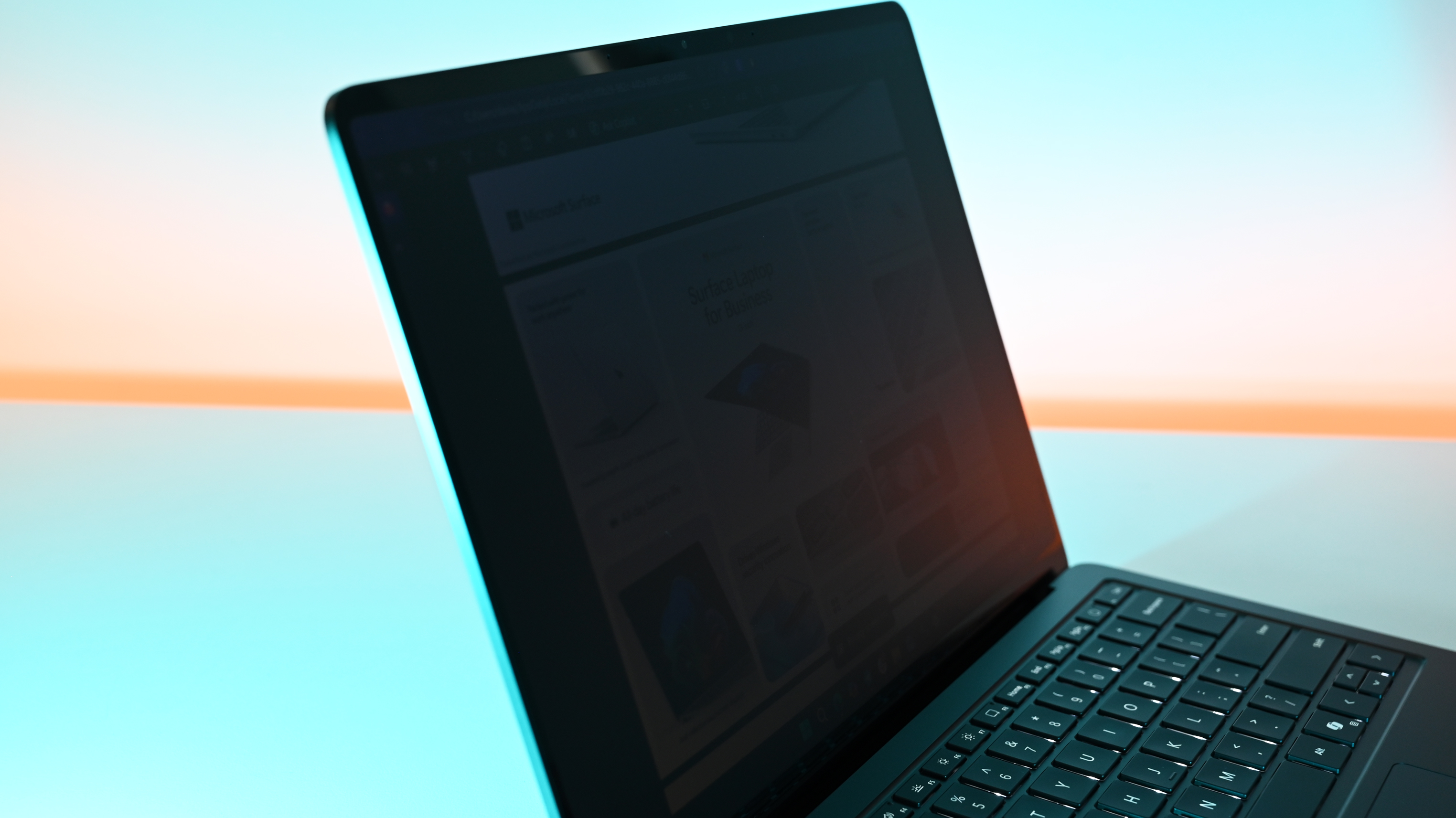
The standout feature of this year's Surface lineup is the privacy screen seen in the Surface Laptop 8 for Business. That display can be set to obscure content on your screen when people try to view it at an angle. It's similar to Samsung's screen on the Galaxy S26 Ultra.
The built-in privacy screen of the Surface Laptop 8 for Business combats creeping eyes from all angles, as opposed to third-party privacy screen protectors that only work from the sides.
The Intel version of the Surface Laptop 8 for Business launched earlier this year and received high marks from our Editor-in-Chief. The vast majority of what makes that laptop great extends to the Surface Laptop 8 for Business with Snapdragon X2, which are now available to order.
The Surface Laptop 8 for Business is the only version with the built-in privacy screen. (Image credit: Daniel Rubino)
The haptic trackpad of the Surface Laptop 8 for Business is also a key addition. Thanks to a recent update to Windows 11, you can now feel the operating system and supported apps as you interact with them. Haptic buzzes occur when you drag files in File Explorer or perform certain actions.
The Surface Laptop 8 for Business is one of few devices to support the new haptic experience.
The new Surface Pro 12 for Business is largely a spec bump when compared to its predecessor. The Snapdragon X2 chip inside delivers better graphics performance than the first-gen Snapdragon X.
The Surface Pro has matured over more than a decade of refinement, so it's hard to complain about Microsoft sticking with what works.
What's special about Surface for Business PCs?
When Microsoft first introduced Snapdragon X chips to its Surface hardware, a split was formed that saw Intel on business PCs and Snapdragon X on consumer hardware. That's no longer the case, since you can order Snapdragon X processors in consumer or business PCs.
Notably, there are no new Intel-powered Surface PCs for consumers in 2026.
Access to the cloud-based Surface Management Portal
Native corporate domain onboarding pathways during initial setup
Intel models available
Most of the features seen in the Surface for Business PCs are options general consumers would never use. The exception being the privacy screen that I wish was available on consumer versions of the Surface Laptop.
One key difference between the Snapdragon X2-powered Surface Pro 12 for Business and its Intel counterpart is that you can only get 5G connectivity with the Intel model.
Anyone can purchase a Surface for Business device. You don't need to own a business or have some sort of special account. But again, you're likely paying for unneeded features compared to the consumer Surface PCs unless you really need a privacy screen.
Join us on Reddit at r/WindowsCentral to share your insights and discuss our latest news, reviews, and more.
This RAMpocalypse is getting worse by the day, making vital components for PCs like SSD units for storage and RAM chips for boosting performance cost hundreds of dollars by themselves.
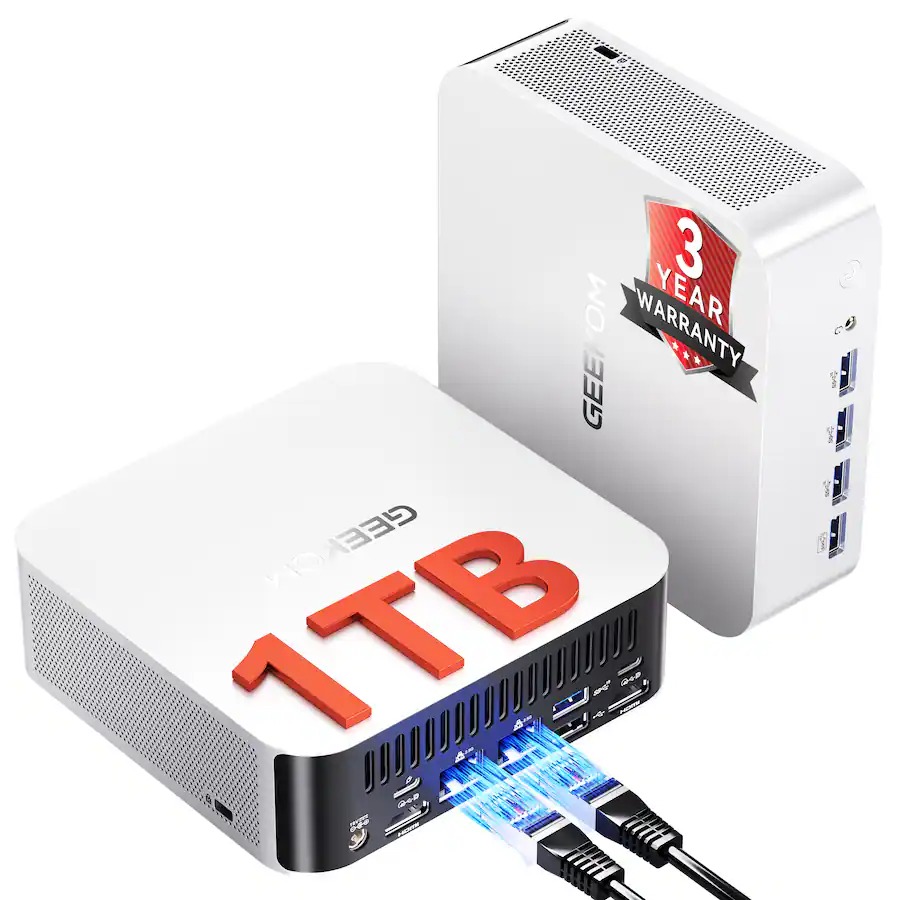
During such a crisis, it's easier to find essential parts built into pre-made desktops. One such example is the Geekom A7 Max AI Mini-PC, a compact form-factor desktop built for crushing heavy workloads while being capable of light to mid-level gaming thanks to its 1TB SSD and 16GB of RAM.
Fortunately for workers and gamers alike, the Geekom A7 Max AI Mini-PC is now on a limited-time 29% discount for$594.00 at Best Buy (which is nearly half the price of a Steam Machine) just for today.
"The quality of Geekom’s build quality is exceptional, and right from the box the largely metal construction of the A7 Max is a delight." ~ Mark Pickavance, Writer at TechRadar
Why buy the the Geekom A7 MAX AI Mini-PC over the Steam Machine?
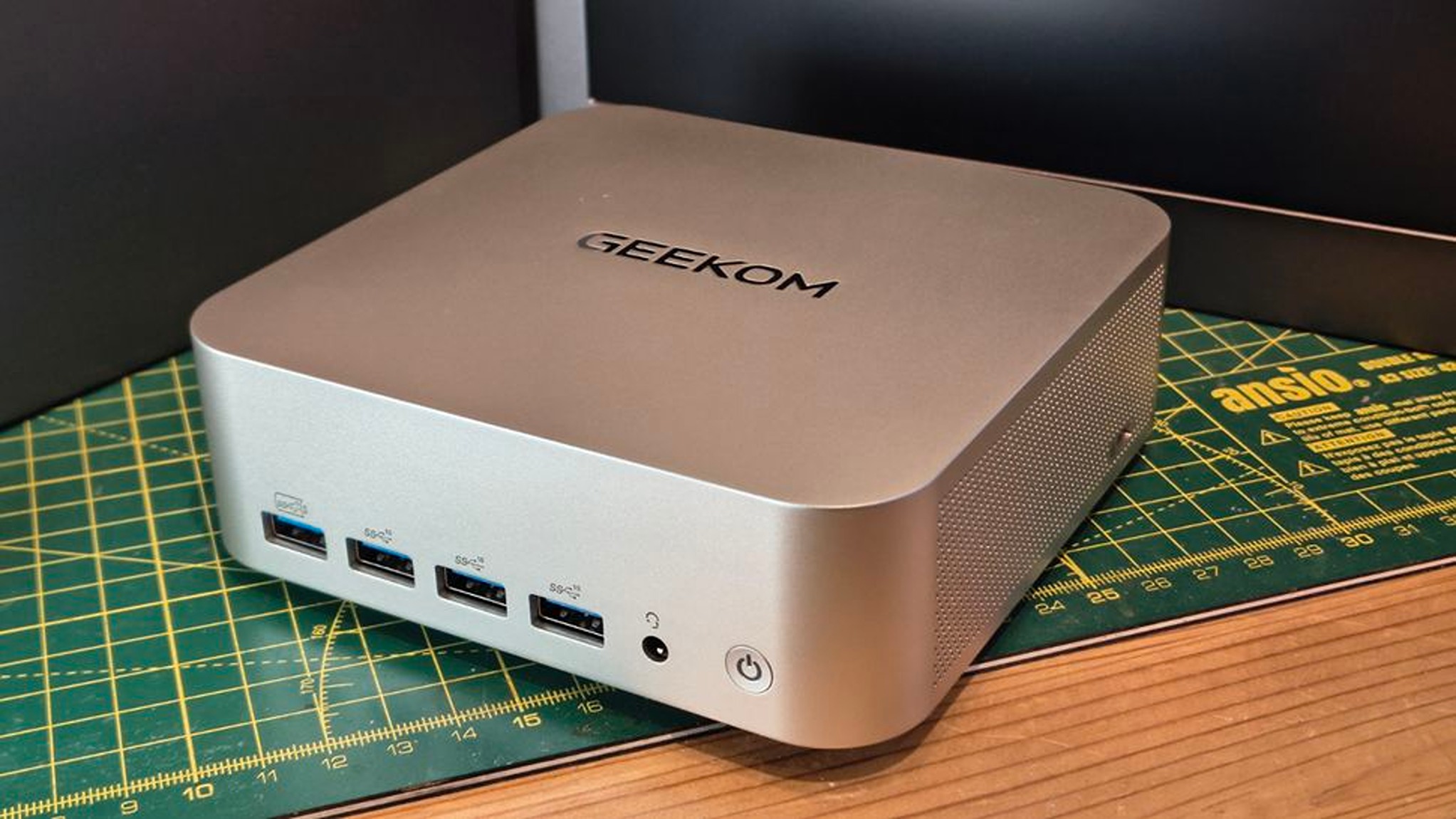
The Geekom A7 Max AI mini-PC on display. (Image credit: Tech Radar (Mark Pickavance) | Geekom)
The Geekom A7 MAX AI Mini-PC is a handy desktop for work and 1080p gaming on the side. It's equipped with an AMD Ryzen 9 7940HS CPU, an AMD Radeon 780M GPU, 16GB of RAM, and a 1TB SSD (the latter two of which can be upgraded to 64GB RAM and a 2TB SSD, respectively).
With these specs, the Geekom A7 MAX Mini-PC will suffer little to no lag performing productivity duties like typing or opening internet browser tabs while being capable of running light indie games at 60fps and even some AAA games at 1080p resolutions/30fps (with FSR enabled) at medium settings.
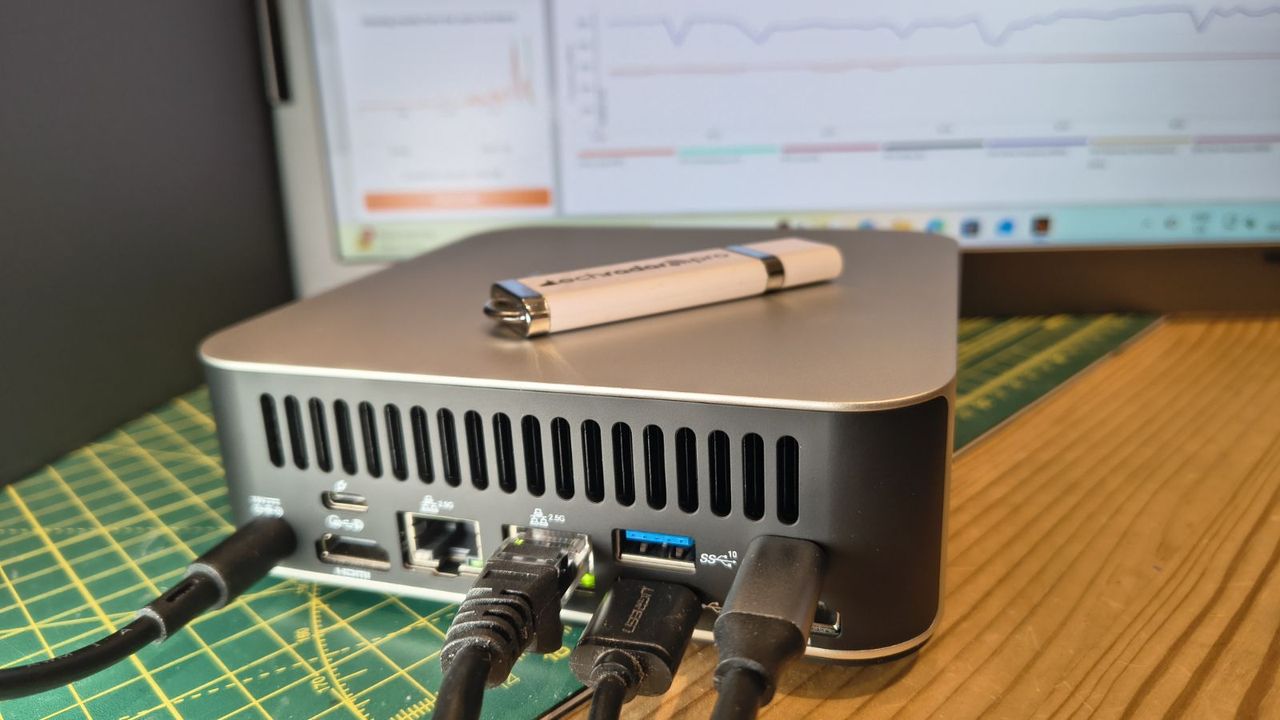
Another notable feature of this mini-PC is its large number of USB and HDMI ports, which allow it to connect to four monitors simultaneously, making it incredibly useful for those who want to open multiple programs at once without having to juggle their positioning on a single screen.
So, if you want a compact-sized, desk-space-saving mini-PC to play light games like Minecraft or indie games like Mina the Hollower on the side while tackling never-ending paperwork at the office, the Geekom A7 MAX that's now$594.00 at Best Buy could be your next best workplace buddy.
Just be aware that this deal is only available until July 15, 2026, so think fast if you want to get it.
FAQ
Can it be upgraded?
Yes. The Geekom A7 MAX AI Mini-PC's RAM can be upgraded up to 64GB via two SODIMM slots supporting dual DDR5 RAM and its storage space can be upgraded to 2TB max via inserting SSDs into its M.2 2280 PCIe Gen 4 SSD slot.
Is it good for productivity?
Indeed it is, the Geekom A7 MAX AI Mini-PC was primarily designed as productivity desktop that chew through heavy office workloads like typing reports, creating spreadsheets, editing videos, researching information on the internet.
How many ports does it have?
The Geekom A7 Max AI Mini-PC features 15 ports which includes two USB4 and two HDMI ports so it can support multiple monitors at once, two ethernet ports, six USB-A ports for accessories, an SD carder and a 3.5mm headset audio jack.
Join us on Reddit at r/WindowsCentral to share your insights and discuss our latest news, reviews, and more.
Qualcomm continues to flirt with gaming on its Snapdragon X processors. The latest update to Snapdragon Control Panel redesigns game library navigation, improves the software update experience, and helps you get the latest Hexagon NPU drivers.
The overall gaming experience on Snapdragon X PCs will be better following the update, though you won't see a graphics boost.
Snapdragon Control Panel is a piece of software that helps you optimize your gaming experience on PCs powered by Snapdragon X chips.
Redesigned Game Library navigation to be more consistent and intuitive, including clearer favorites add/remove behavior.
Redesigned the Software Update page with a consistent experience for Snapdragon Control Panel, Adreno GPU drivers, and Hexagon NPU drivers.
Improved update status feedback so users can more easily understand available updates and current installation state.
Removed the top-level back button to simplify navigation.
Expanded the clickable areas for items in the Help dialog.
Added support for saving and restoring the navigation sidebar state.
🧠 Hexagon NPU driver updates
Get access to the latest Hexagon NPU driver releases directly from Snapdragon Control Panel.
🎮 One-Click Game Optimization robustness improvements
Improved the reliability of One-Click Game Optimization workflows, including optimization, revert, and refresh behavior.
Note: One-Click Game Optimization is currently supported only on first generation Snapdragon® X Series devices.
🛠️ General improvements and bug fixes
Includes additional reliability, usability, and maintenance fixes across Snapdragon Control Panel.
Gaming on Snapdragon X PCs is in an interesting spot in 2026. It's very clear that Qualcomm aims for its Snapdragon X chips to power gaming PCs eventually, but most mentions of gaming on the processors feel reserved.
"Best Commuter Laptop: extreme performance for multitasking, gaming, and creation," reads the ASUS listing for the Zenbook A16 (emphasis added).
Just two months after unveiling the Snapdragon X2 Elite Extreme and Snapdragon X2 Elite, Qualcomm announced Snapdragon Control Panel. That program lets users optimize game settings and update game drivers.
At some point, Qualcomm may fully embrace the gaming capabilities of Snapdragon X chips and make that a major part of its marketing. Until or unless that happens, the company will continue to work with partners to optimize gaming on Snapdragon X.
Join us on Reddit at r/WindowsCentral to share your insights and discuss our latest news, reviews, and more.
The highly anticipated upgrades to the Surface Pro and Surface Laptop just launched. Both PCs pack the latest Snapdragon X2 processors from Qualcomm, promising better performance while still delivering great battery life.
The biggest upgrade in the lineup is performance. Microsoft promises up to 53% faster graphics performance on the Surface Pro than the previous generation. The Surface Laptop sees an even larger bump of up to 58% when compared to the last generation.
Those improvements are thanks to the Snapdragon X2 processors inside the Surface Laptop and Surface Pro.
Now, Best Buy has a wide range of configurations available for the Surface Laptop and Surface Pro. I've included a mix of various colors, storage options, and processors. But there are plenty of other configurations up for grabs if you want to mix and match.
The new chips from Qualcomm perform well and let your PC last all day. Exact performance will vary based on the full specs of a PC, but the Snapdragon X2 Elite competes with Apple's M4 Pro. The Snapdragon X2 Plus stands toe-to-toe with Apple's M3 Pro.
Benchmarks and spec sheets aside, any Surface with a Snapdragon X2 chip will handle a wide range of workloads and tackle productivity tasks easily.
While the Snapdragon X2 chips are the stars of the show, they're not the only upgrades worth checking out in the new Surface Laptop and Surface Pro.
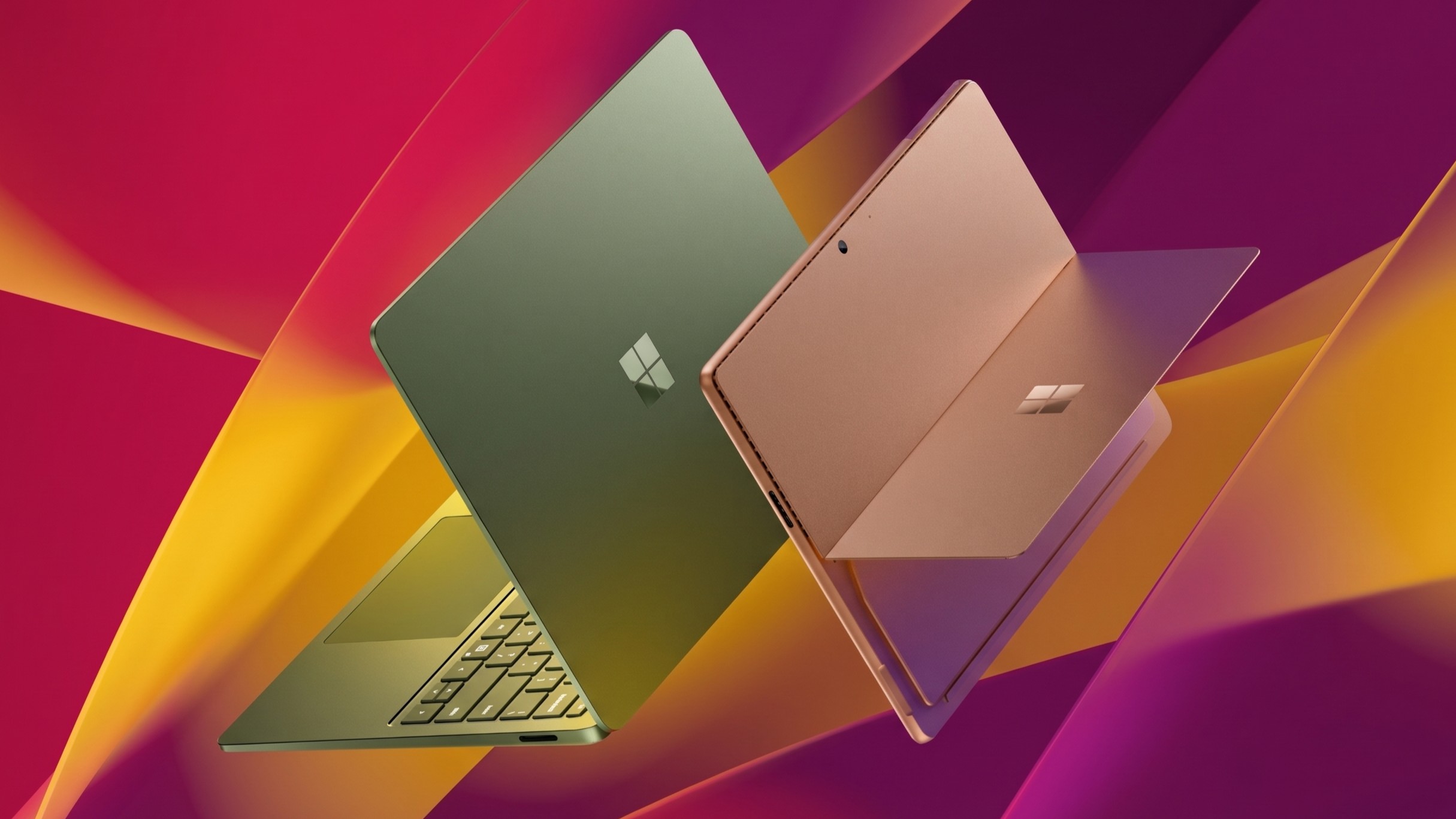
This Dune-colored Surface Laptop stands out in a sea of black and silver laptops. It does not come with Dave Bautista, but it does feature a Snapdragon X2 Plus.
This Surface Laptop has a 15-inch, 3K display with the 3:2 aspect ratio Surface is known for. It provides an excellent space to work without taking up too much space in your bag.
This is the best choice for those who love the Surface Pro form factor but don't need the most expensive processor or a massive amount of storage. It's the most affordable way to get the latest Surface Pro.
The first Surface Pro Flex Keyboard launched alongside the Surface Pro 11. The accessory is still the best way to use your Surface Pro like a laptop, and it can also be used when detached for even more flexibility.
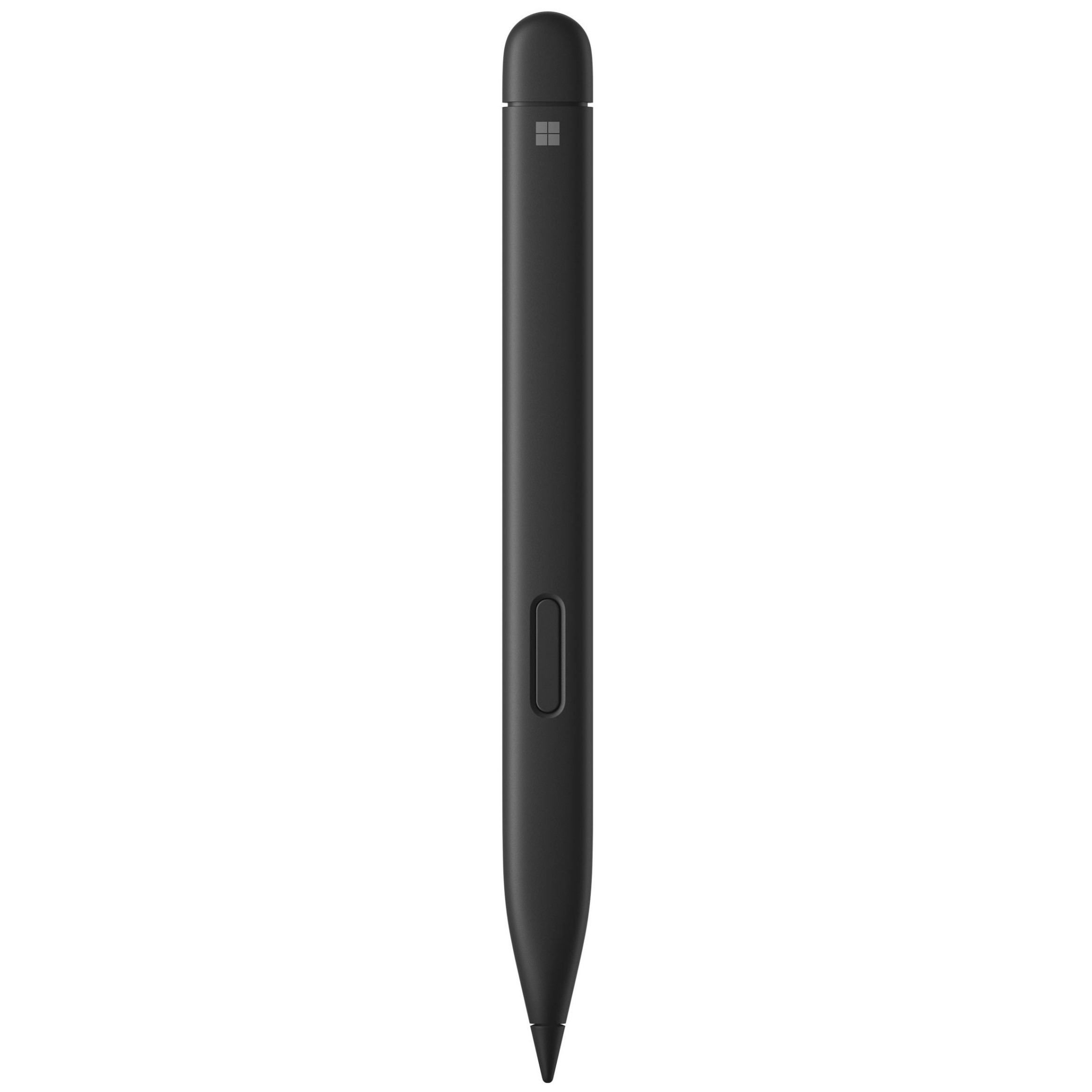
The Surface Slim Pen 2 is excellent for natural note-taking and drawing, and it now supports Windows 11's updated haptic feedback experience to give you tactile cues while you navigate.
What's new with the latest Surface Pro and Surface Laptop?
(Image credit: Daniel Rubino)
There are more display options than ever across the Surface lineup. The new Surface Pro is available with either an OLED display or an LCD screen. The new Surface Laptop 15-inch has a screen with 262 PPI, which is much higher than the last generation offered.
But the new Surface Pro and Surface Laptop are more than a spec bump. While they share much of their designs with the last generation, both offer a new way to use haptics.
The Surface Laptop now features a haptic trackpad that allows you to feel Windows 11 and supported apps. The Surface Pro delivers a similar experience when paired with the latest Surface Slim Pen.
The new experience comes courtesy of Windows 11's new haptic feedback system. That system sends subtle vibrations when you perform certain tasks, such as dragging files in File Explorer or snapping windows.
The new Surface Laptop and Surface Pro build on over a decade of refinement by Microsoft. The overall form factor has matured, but Microsoft has figured out how to squeeze innovation from designs that were already almost perfect.
Join us on Reddit at r/WindowsCentral to share your insights and discuss our latest news, reviews, and more.
When it comes to productivity in the classroom, in the office, or even at home, HP's Omnibook laptops are among the best value-for-your-money Windows laptops.
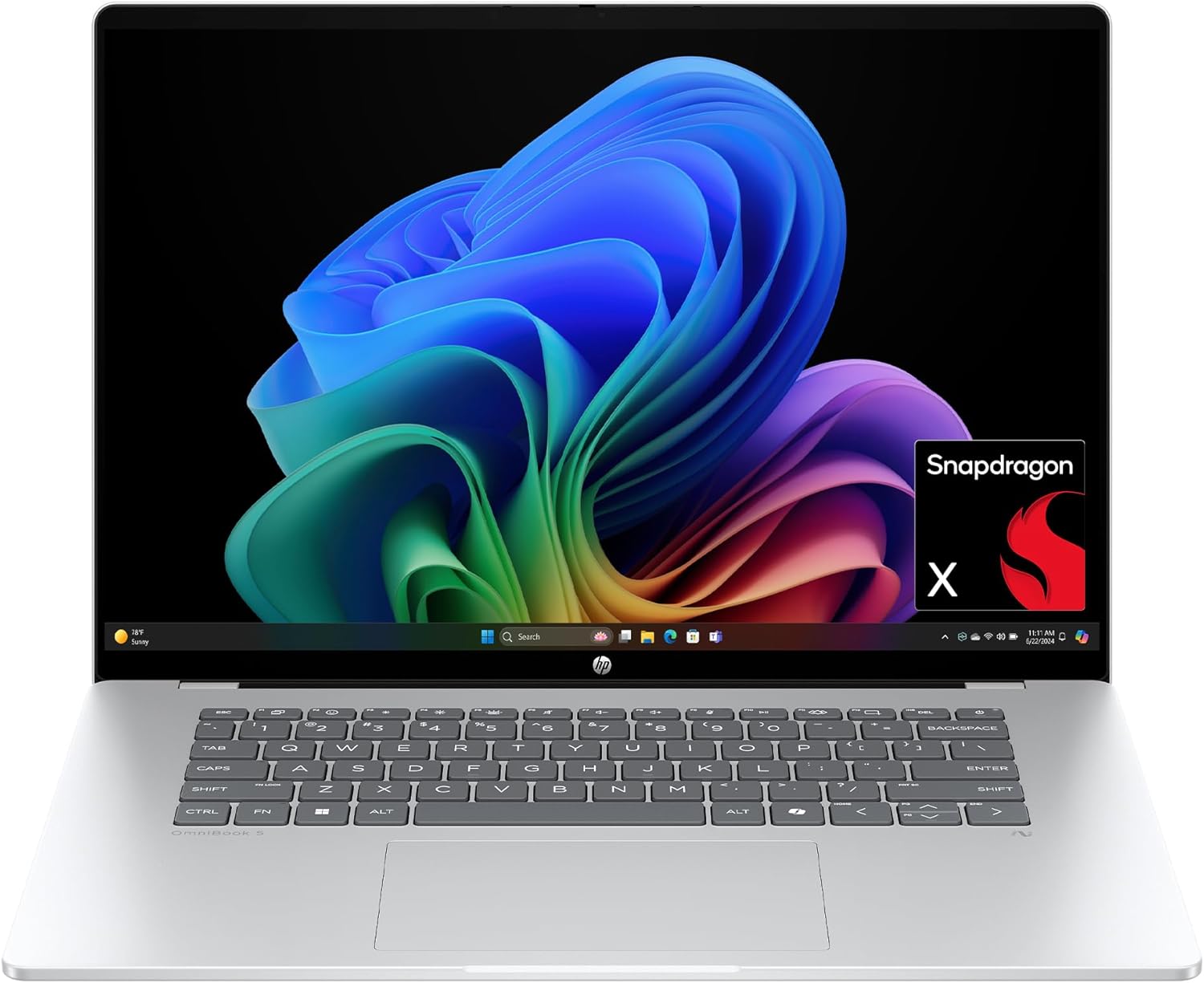
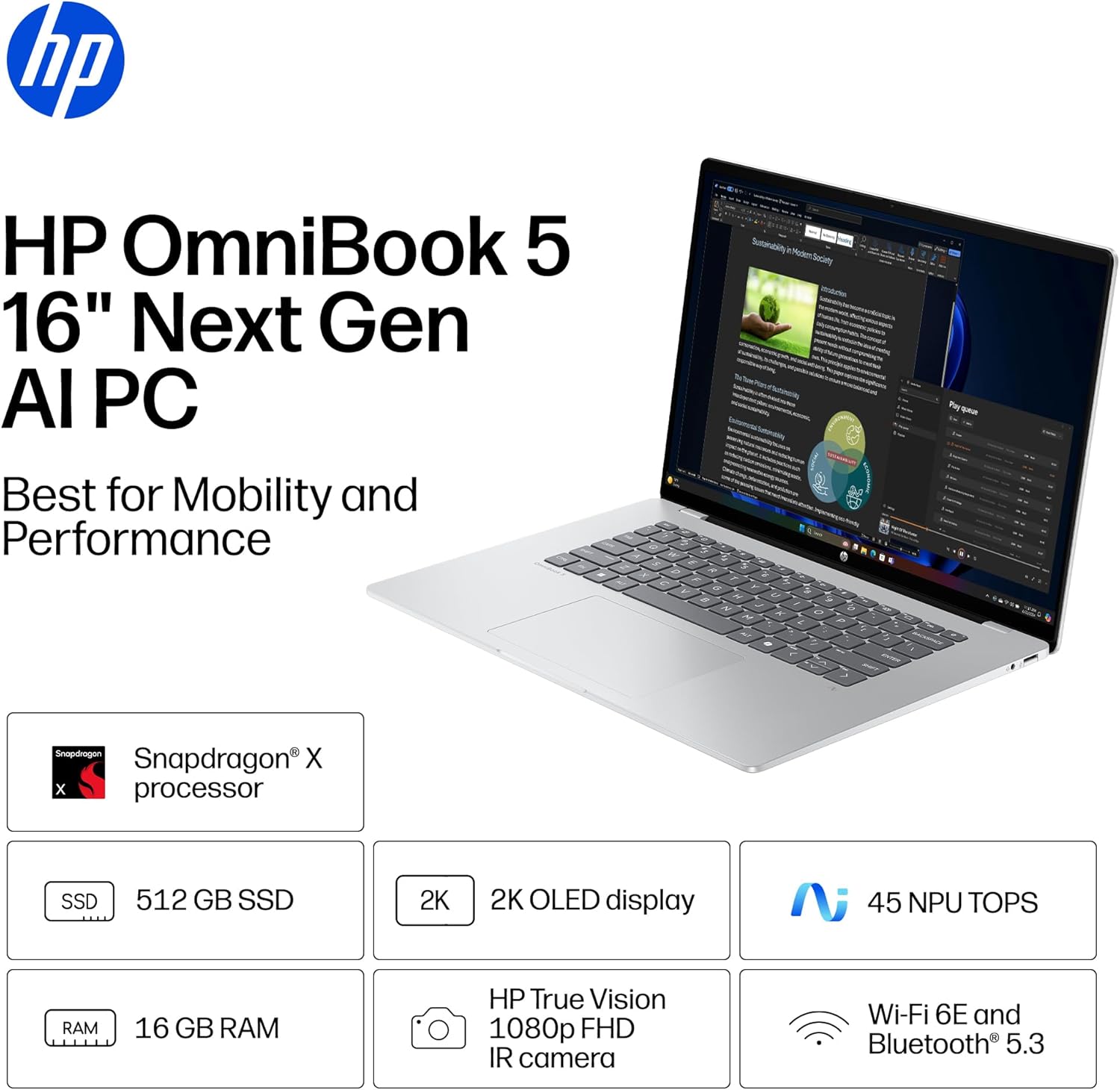
The Omnibook 5 features an OLED 2K display, solid performance, a long-lasting battery, a sturdy build, and other useful features that help justify its cost, even amid a memory crisis.
And now, the 16-inch OmniBook 5 AI PC is on sale with a 26% discount for only $809.99 at Amazon.
With the power of Qualcomm's Snapdragon X processor, 16GB RAM, 512GB of storage, and Copilot+ PC certification, this 16-inch 2K laptop makes for an effective and reliable tool for handling daily workload tasks such as typing documents, hosting meetings, researching, and more.View Deal
Why buy the HP Omni 6 16" Next Gen AI PC?
The specs of the HP OmniBook 5 16" Next Gen AI PC. (Image credit: HP)
The 16" version that's on sale today features similar levels of computing horsepower but with a larger 2K OLED display capable of rendering images and videos with strong contrast.
This configuration of the HP OmniBook 5 is equipped with a Snapdragon X processor, 16GB RAM, a 512GB SSD, and an NPU with 40-60 TOPS to support its built-in Copilot+ AI feature.
With these specs, this laptop will reliably and effectively run productivity tasks like reports or spreadsheets in Office, perform AI-related tasks like researching and compiling information online, open multiple browser tabs without lag, host video meetings, and more.
Other notable features of this laptop include a gargantuan estimated battery life of 34+ hours, a lightweight yet sturdy thin build that makes it easy to carry or store for long-distance travel, a built-in FHD IR camera, and pre-installed Otter.AI to automatically take notes during meetings (which I personally love as I'm regularly forgetting to take notes during fast-paced or long-winded conversations).
So, if you're looking for a dependable workhorse laptop, you can't go wrong with the HP OmniBook 5, especially now that it's on offer for $809.99 at Amazon instead of its usual listing price of $1,099.99.
FAQ
Is its RAM and SSD upgradeable?
The RAM is not replaceable and upgradeable due to being soldered into the laptop's motherboard. It's factory-installed SSD however, can be replaced with a larger one (up to 2TB) should you need more space for files.
Is it good for gaming?
No, not really, as the HP OmniBook 5 was built for productivity workflows, meaning it will struggle to run most PC games.
Join us on Reddit at r/WindowsCentral to share your insights and discuss our latest news, reviews, and more.
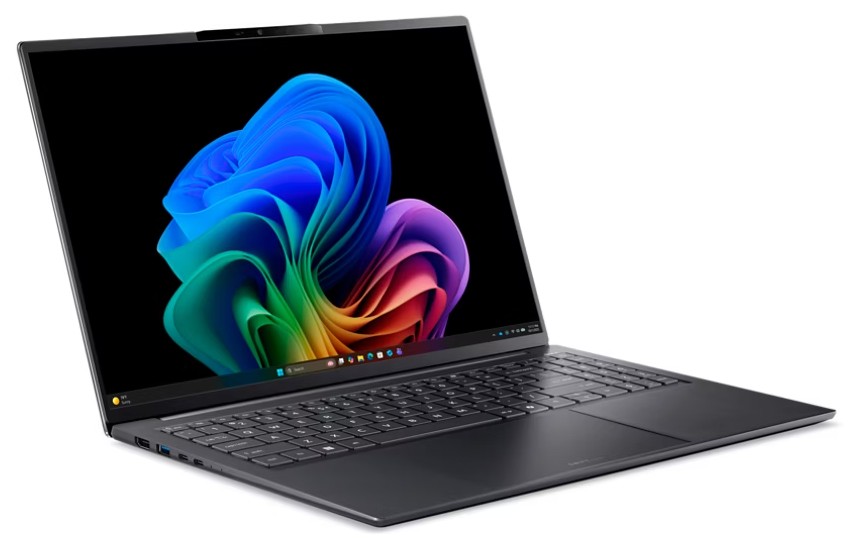
I'm a big fan of Intel's laptop-centric mobile processors, and I'll jump at the chance to test more of its modern Core Ultra Series 3 "Panther Lake" range. Acer isn't my usual go-to manufacturer for Windows laptops, but it's one that has pleasantly surprised me in the past. So, is the Swift Go 16 AI worth your money? Here's what I thought after a week of testing.
How much does the Swift Go 16 AI cost?
That color-accurate OLED panel maxes out at 60Hz, but it looks gorgeous for everyday productivity. (Image credit: Ben Wilson | Windows Central)
You can buy the Swift Go 16 AI for $1,599.99 from Acer.com with the same specs as my sample and in the same color. However, at the time of writing, a cheaper listing at Best Buy for $1,399 offers a lighter-colored "Vapor Silver" variant with the same CPU, RAM, and storage components.
In the United Kingdom, a listing on Acer.co.uk for £1,299.99 cuts the RAM and storage to 16GB and 512GB — half of the US equivalent — and is not currently listed at any other major retailer. Importantly, the UK variant does not include an AC power adapter (charger), due to Acer's sustainability pledge.
Swift Go 16 AI sample specifications
Component
Spec
CPU
Intel Core Ultra 7 355
RAM
32GB LPDDR5X-7467MT/s
GPU
Intel Graphics (Integrated)
Display
16" 16:10 WUXGA (1920 x 1200) non-touch 60Hz OLED
Storage
1TB M.2 NVMe PCIe 4.0 SSD
Battery / Charger
71WHrs / 100W USB-C
Weight
2.95 lbs (1.34 kg)
Recommended model
Pick up the same model from my testing, with only a different color on its chassis, and save your cash. You'll still get 32GB of RAM and a 1TB SSD.View Deal
Is the Swift Go 16 AI a good laptop?
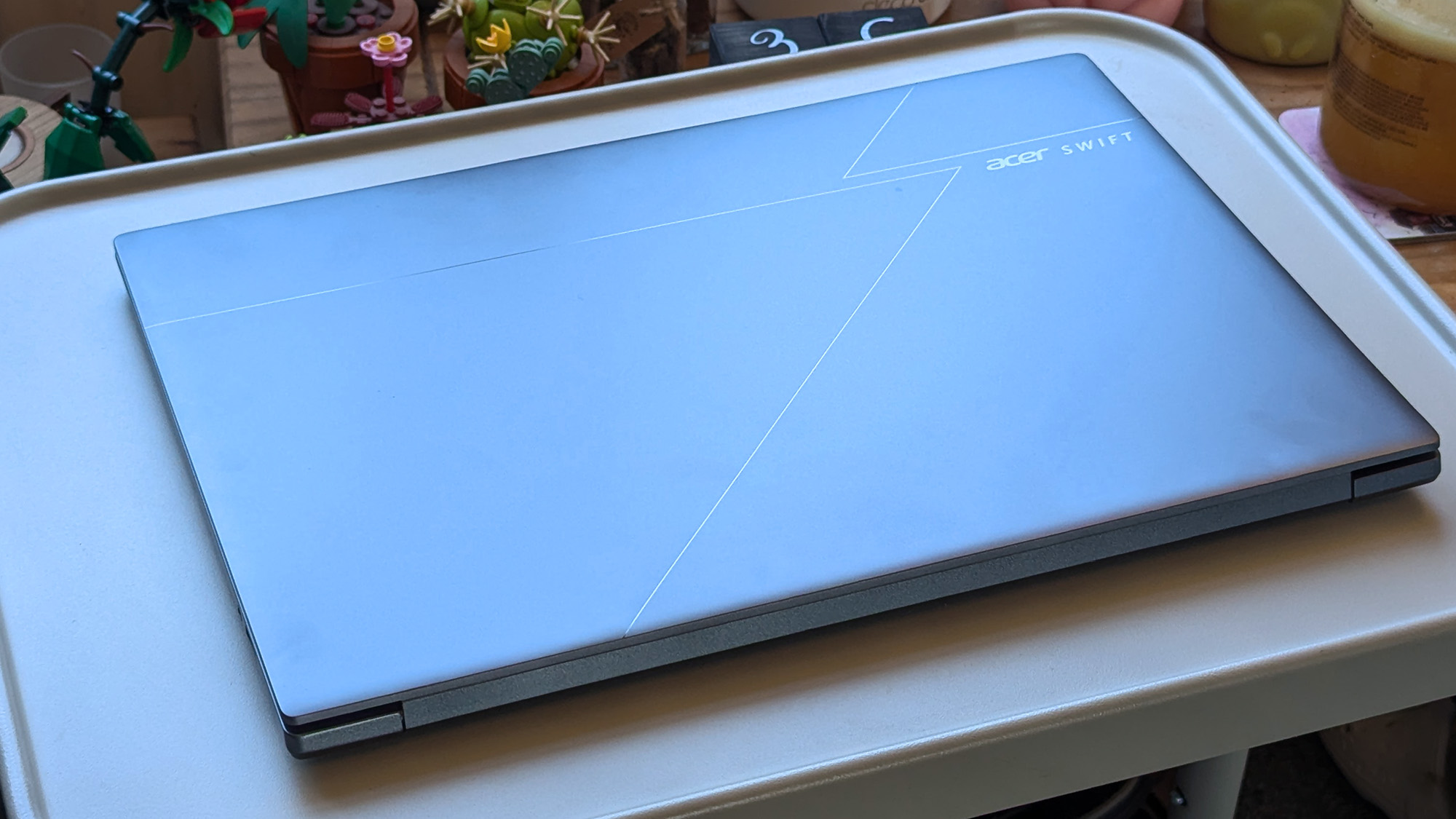
A relatively subtle pattern covers the lid, giving the Swift Go 16 AI a sense of identity.Ben Wilson | Windows CentralI strongly recommend removing the stickers, but the rest looks clean.Ben Wilson | Windows Central
My first impressions of the Swift Go 16 AI were quite positive, as the 16-inch laptop weighs around 2.95 lbs (1.34 kg) and is quite thin at 150mm (200mm with the rubber feet). That's lighter and thinner than a 16-inch MacBook Pro, presuming Apple doesn't include rubber feet in its own measurements. The chassis lid is also reasonably subtle, with a dark, reflective 'Acer' logo alongside geometric lines in its design.
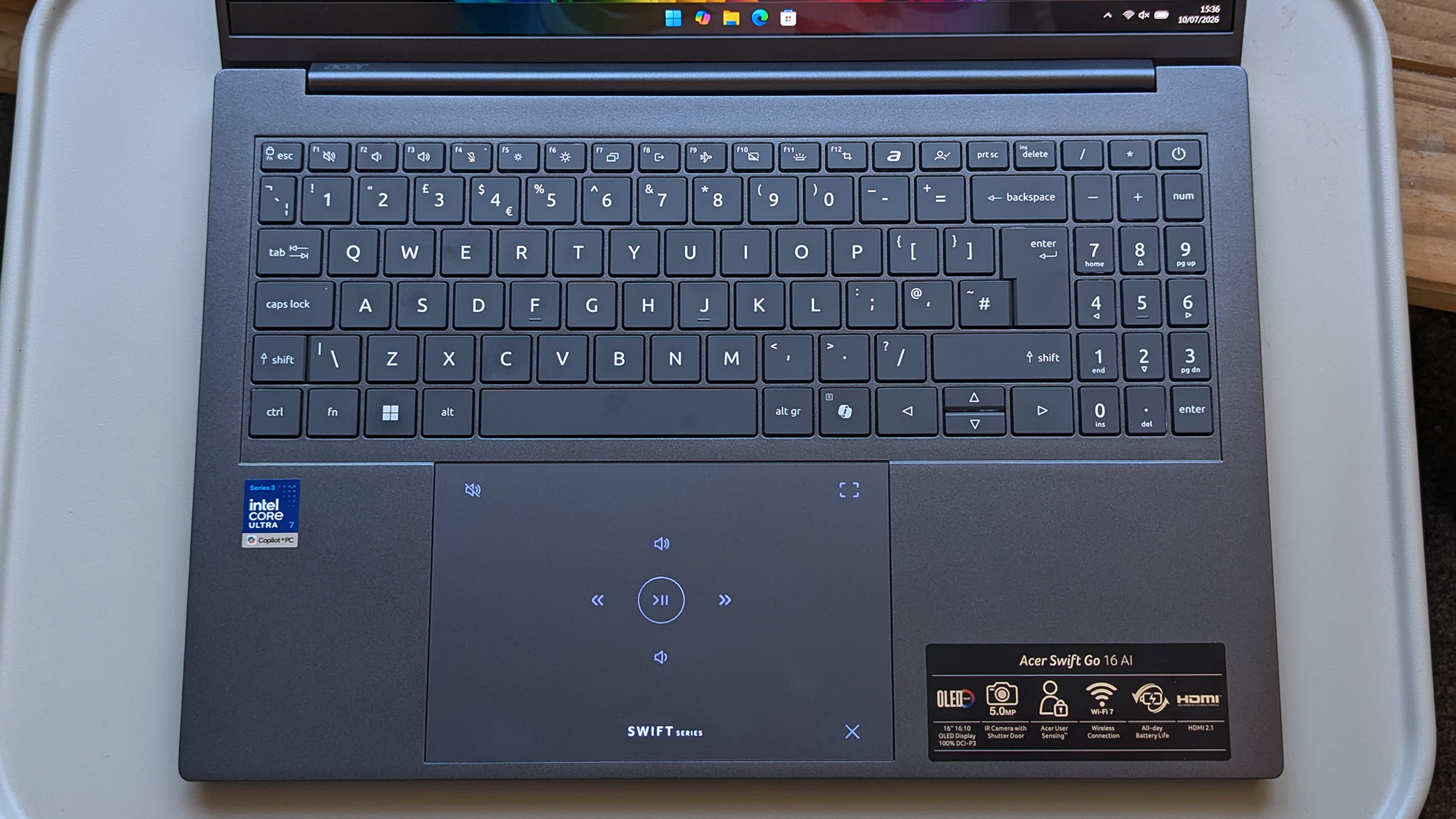
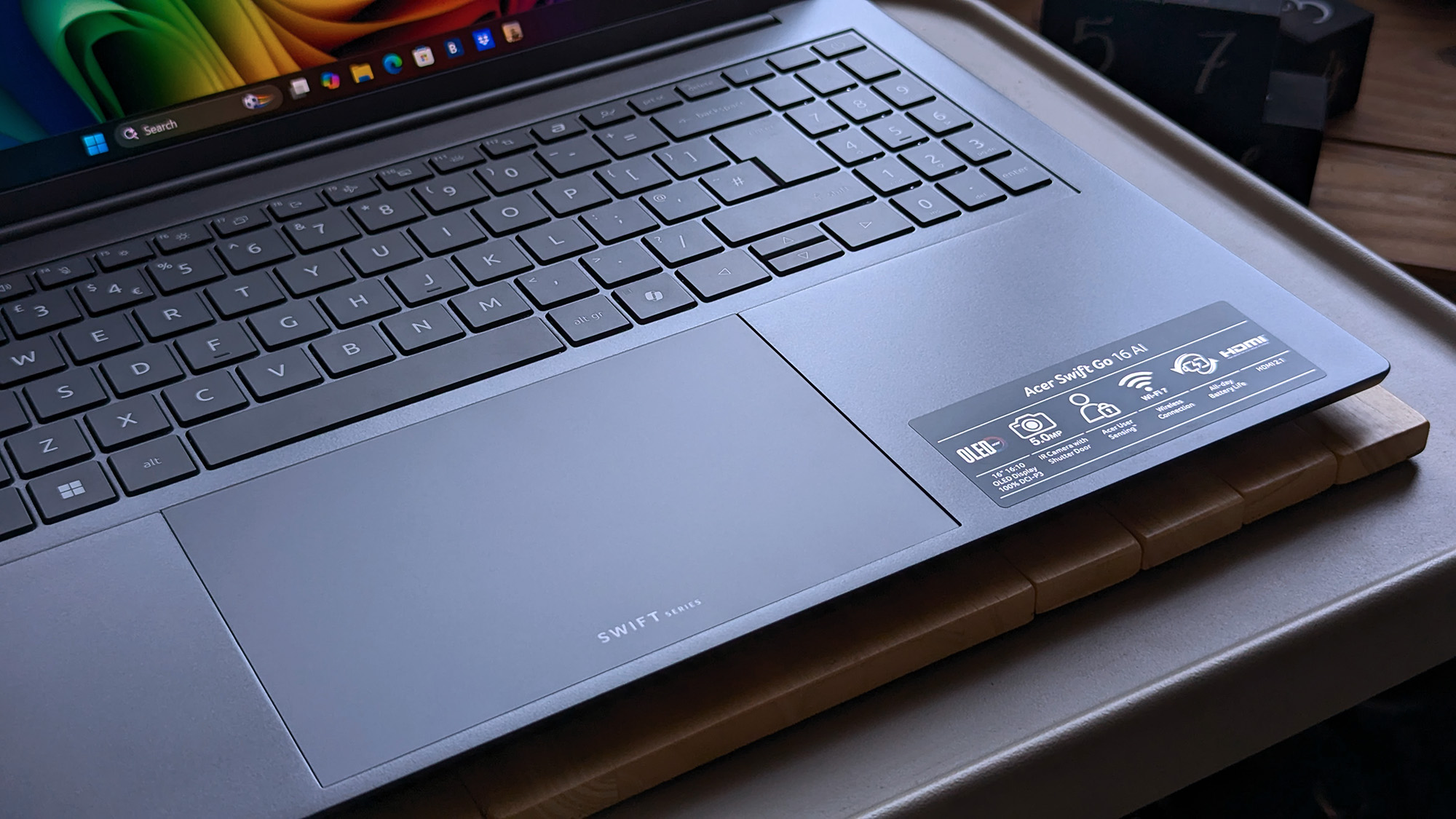
The illuminated 'Swift Series' logo is actually a mode switcher that changes the touchpad to tappable media buttons and video meeting controls when you swipe a finger over it.
So, despite being larger than the 14-inch laptops I'm used to, it's off to a good start as the lid opens with a single finger to reveal a vibrant OLED panel and a backlit keyboard with a number pad. Plus, the 0.68 in (175 cm) mechanical trackpad has a clever quirk in that the illuminated 'Swift Series' logo is actually a mode switcher that changes the touchpad to tappable media buttons and video meeting controls when you swipe a finger over it.
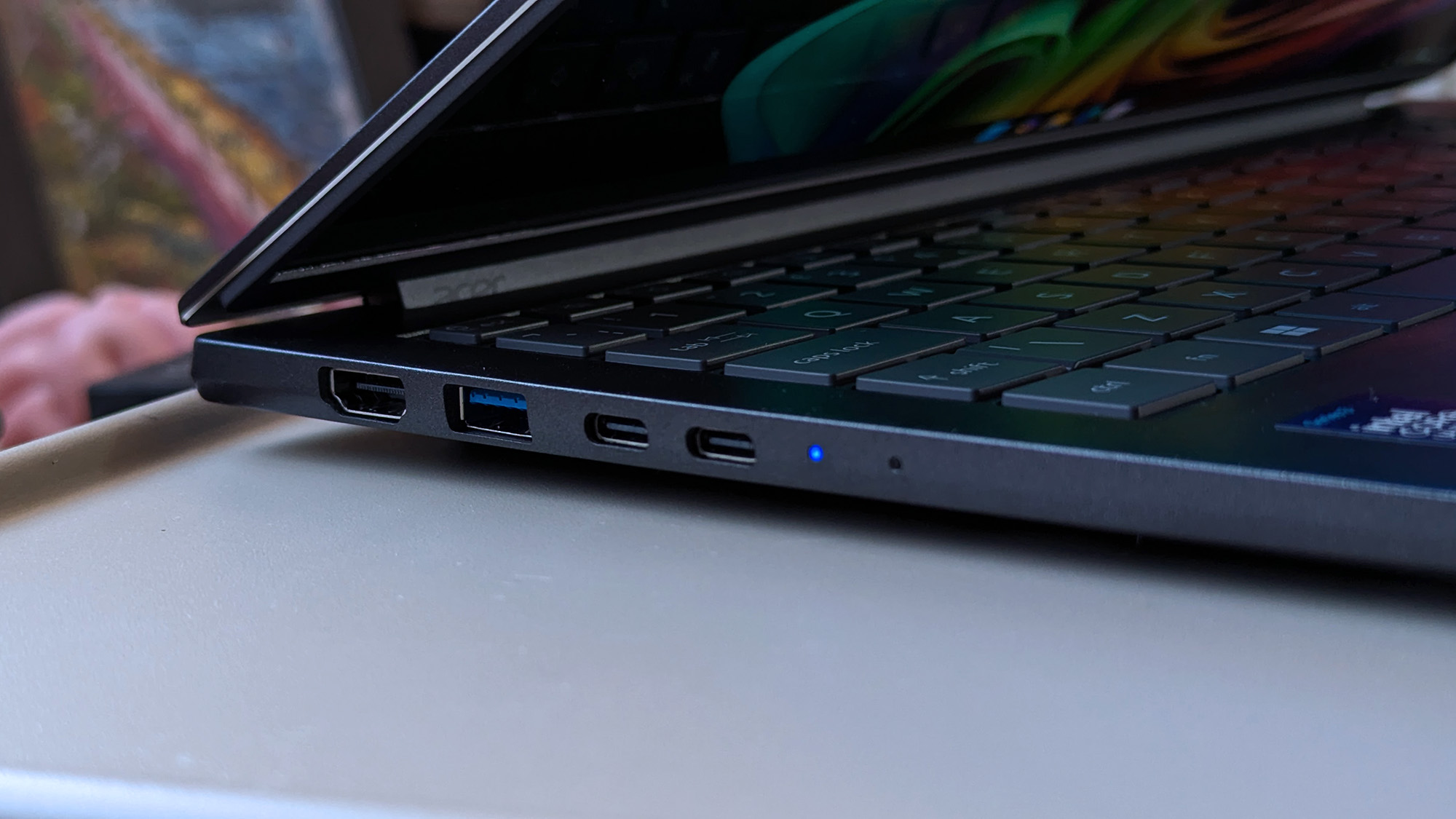
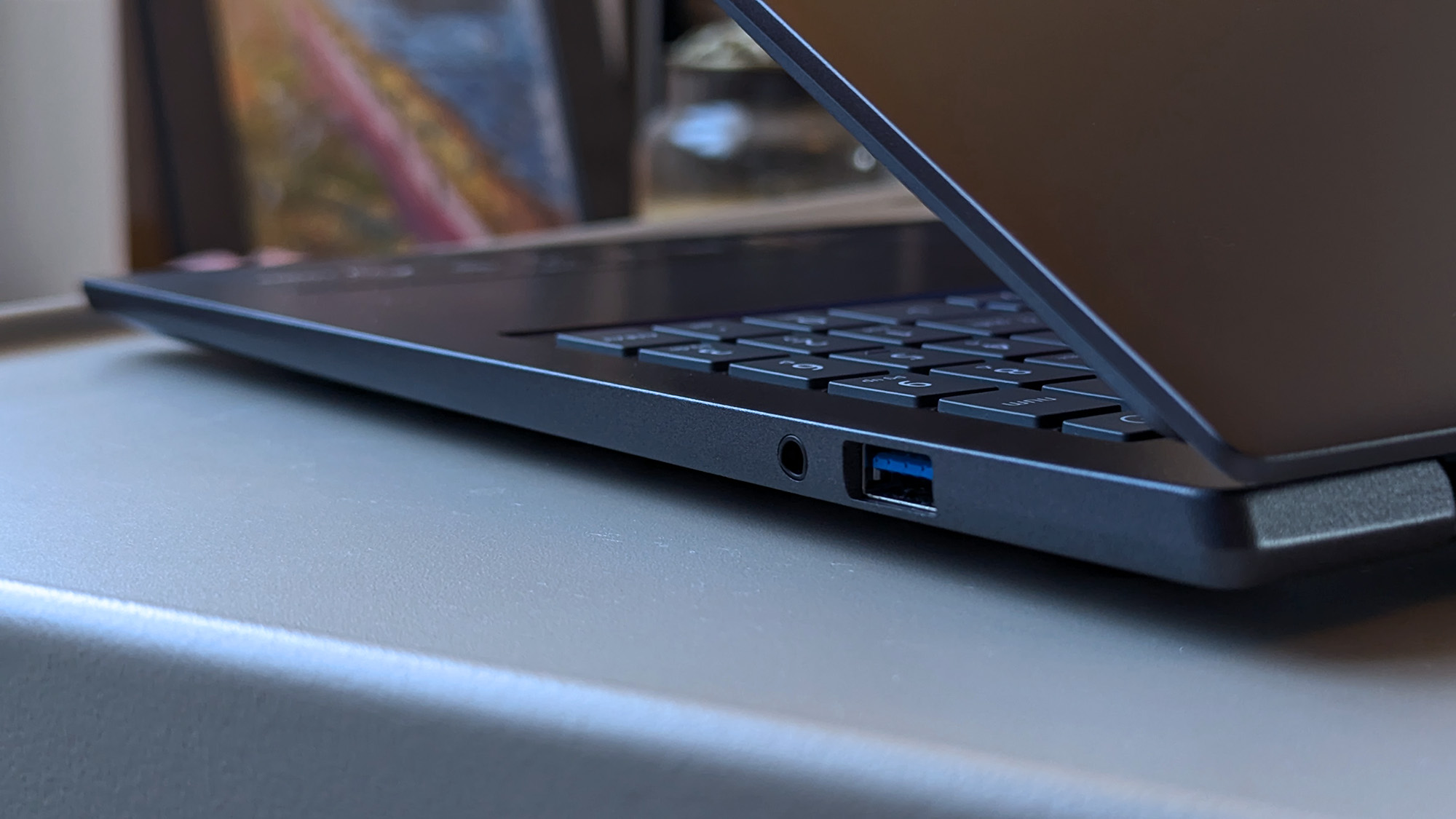
Traditional ports galore; I'm happy to see USB-A in particular for my mouse dongle.Ben Wilson | Windows CentralA physical 3.5 mm audio jack supports wired headphones, and I'd strongly recommend using it.Ben Wilson | Windows Central
It's entirely optional, and you can disable the touchpad mode switching in the pre-installed AcerSense companion app if you want to, along with the specific logo backlight. There's a key beside F12 dedicated to that specific app, and then another, configurable 'My Key' that can launch just about anything, including apps, Windows commands, or a direct web link to Windows Central. Otherwise, the Copilot key lights up when it detects NPU activity — clever.
The webcam is impressive for a built-in option, with Windows Hello compatibility for facial-recognition logins and Human Presence Detection (HPD) to optionally lock the screen if I walk away or even dim the brightness when I look away. A multi-microphone array pairs well with the camera, making me sound remarkably good in meetings, to the point where I wouldn't bother traveling with a plug-in alternative.
Does the Swift Go 16 AI have any issues?
A disappointing array of pre-installed adds and third-party bloatware junk will need manually removing. (Image credit: Ben Wilson | Windows Central)
My list of downsides is quite short, but it splits into hardware and software gripes for the Swift Go 16 AI. The former is the smallest, as some chassis flex around the keyboard and screen is a byproduct of making such a thin laptop, but the lackluster speaker performance is disappointing for a 16-inch model. Audio isn't terrible, but the slight hint of bass response doesn't hold up to music or cinematic videos.
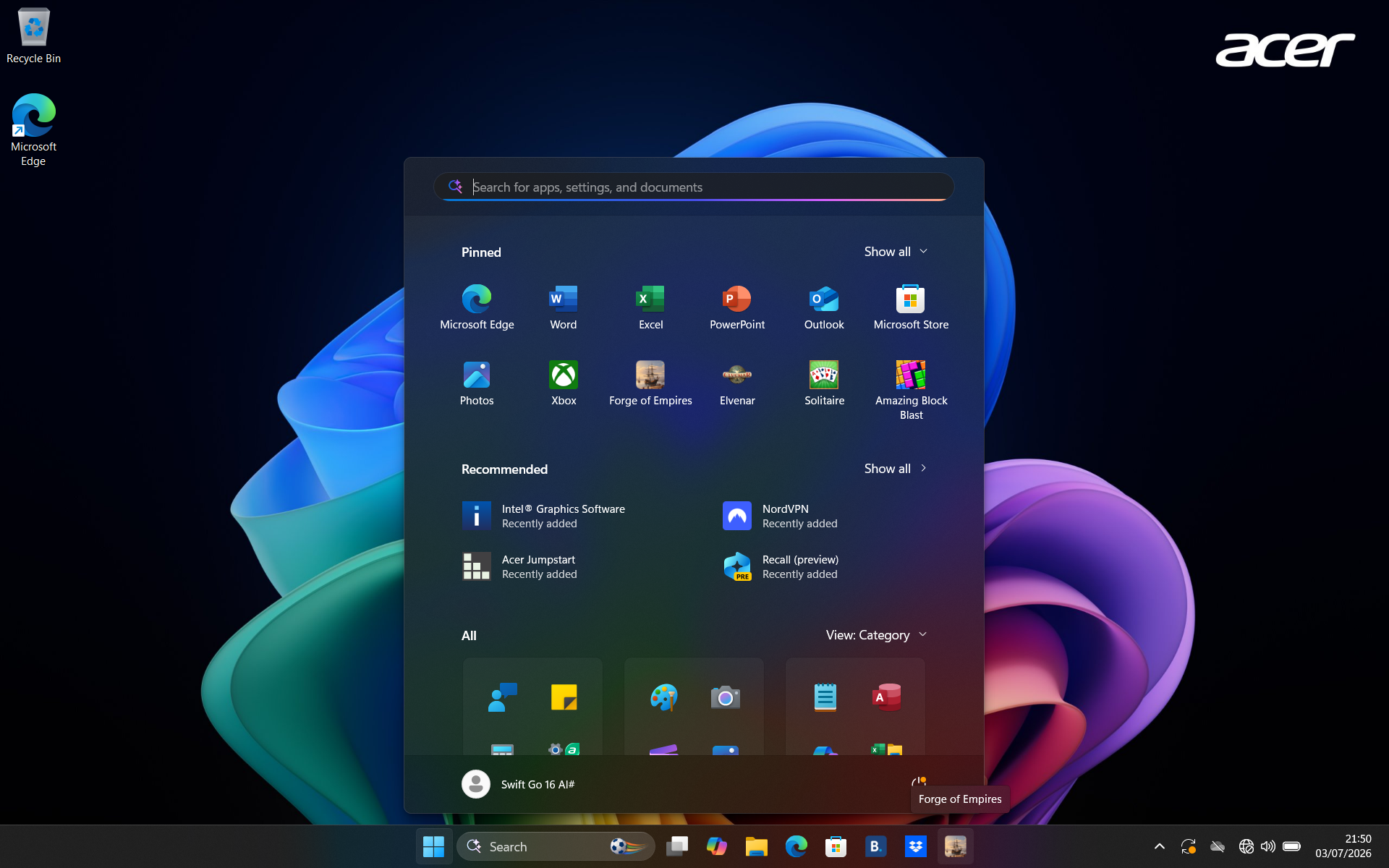
The software experience suffers from heavy bloatware — advertisements are pinned to the taskbar while the Start menu includes more.
For the latter, the software experience suffers from heavy bloatware. Advertisements for Booking.com, Dropbox, and a mobile game, Forge of Empires, are all pinned to the taskbar upon first boot, while the Start menu includes more games like Elvenar, a third-party Solitaire, Amazing Block Blast, Google Play Games beta, and McAfee. I'd recommend uninstalling it all, leaving only Acer's self-made apps.
Finally, the touchpad exhibits a subtle delay in cursor movement, which feels stranger the more I use it. While it won't be obvious to everyone, I noticed this "mouse lag" from the start, and switching from my Surface Laptop Go 2 to the Swift Go 16 AI makes it even more apparent. It's not the end of the world, but it's enough to deter me from making this my primary laptop. Again, its impact will vary between users, but it's worth highlighting.
How fast is the Swift Go 16 AI?
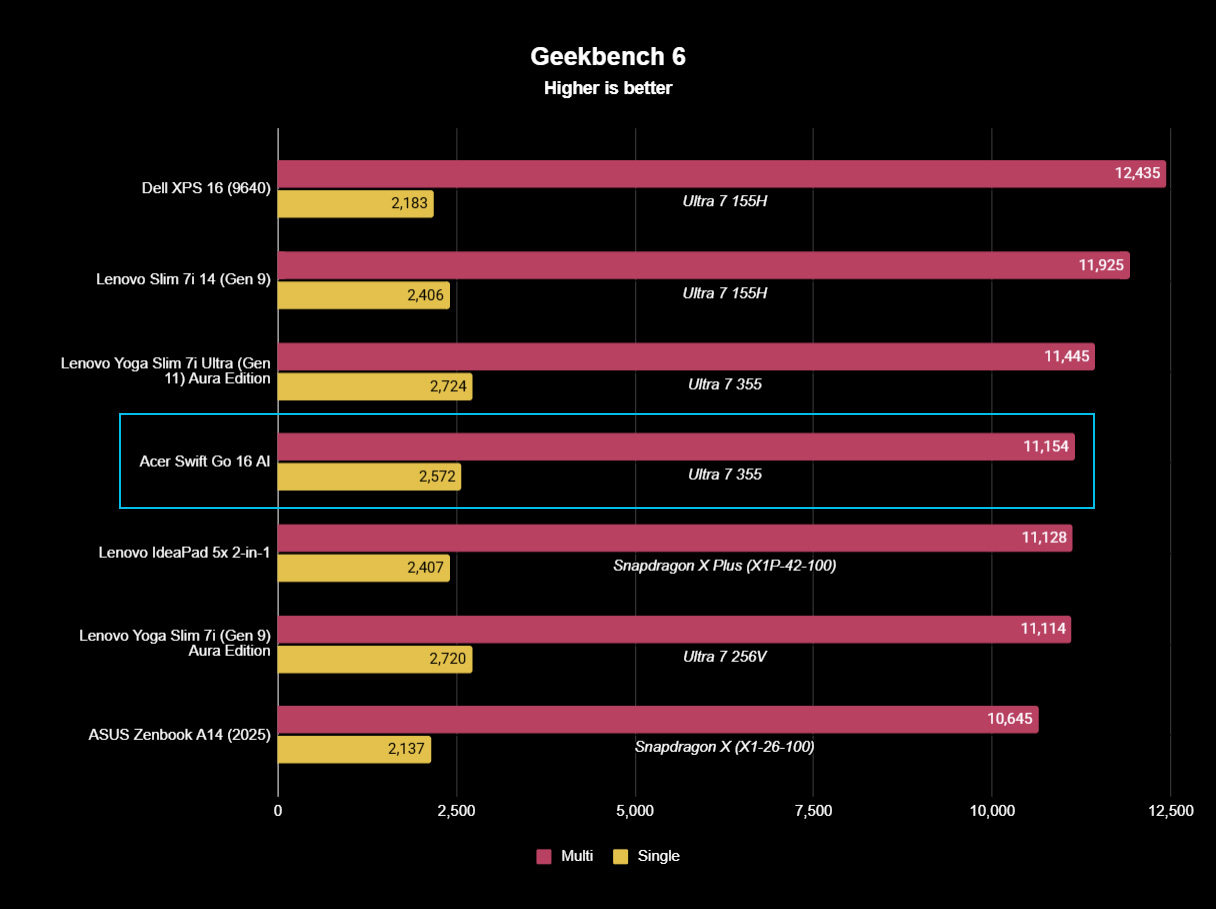
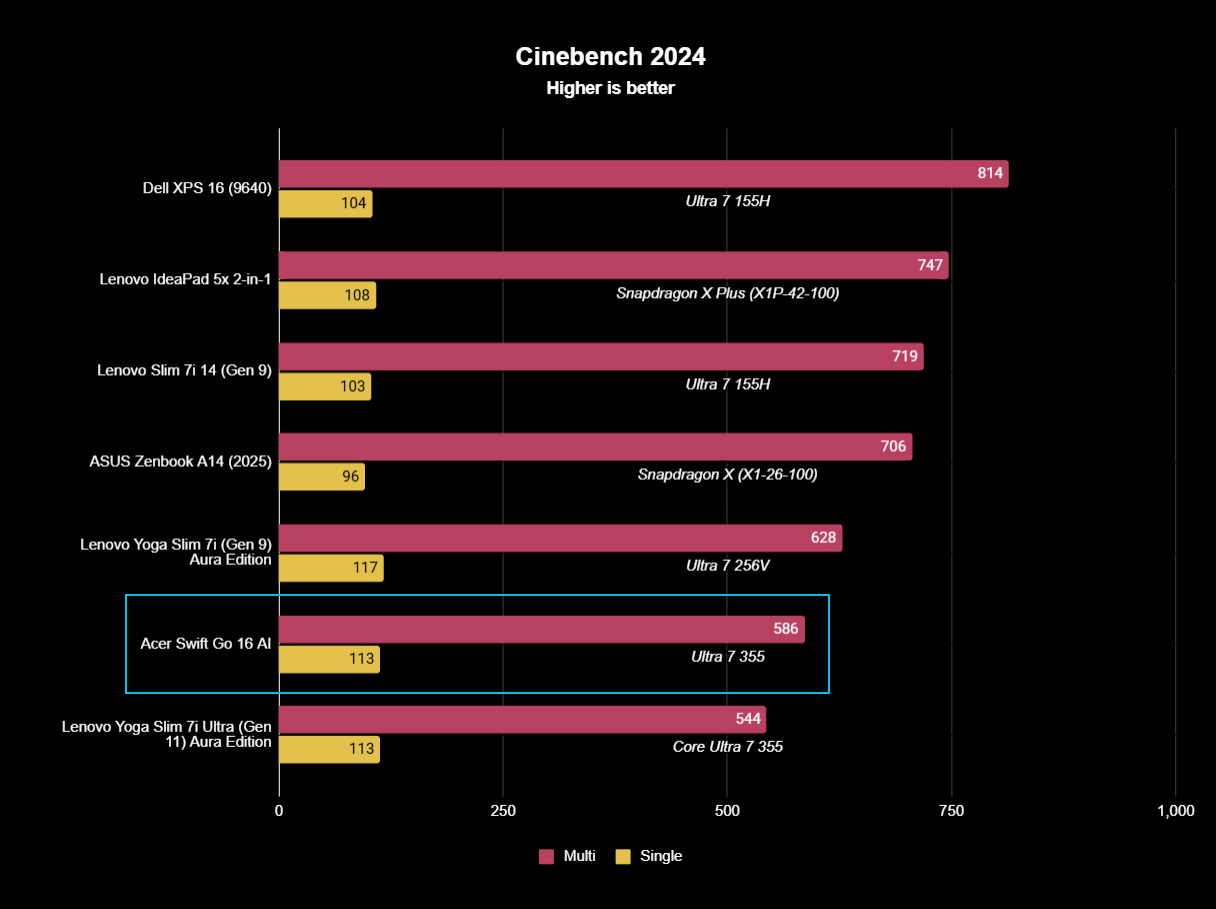
Panther Lake does offer high-performance "H" CPUs, but the standard Ultra 7 355 is still strong.Ben Wilson | Windows CentralUnder extended CPU stress, others move ahead, but the Ultra 7 355 performs well enough.Ben Wilson | Windows CentralAcer is generous with a particularly speedy SSD in the Swift Go 16 AI. Great storage.Ben Wilson | Windows Central
Cinebench results show Acer moves slightly ahead of Lenovo in extended multi-core stress testing, presumably owing to its larger chassis and more substantial CPU cooling solution. The opposite is true in burst performance benchmarks in Geekbench 6, but the single- and multi-core scores are within a comparable window.
If you buy the Swift Go 16 AI, you'll get a capable laptop that boots quickly and performs well.
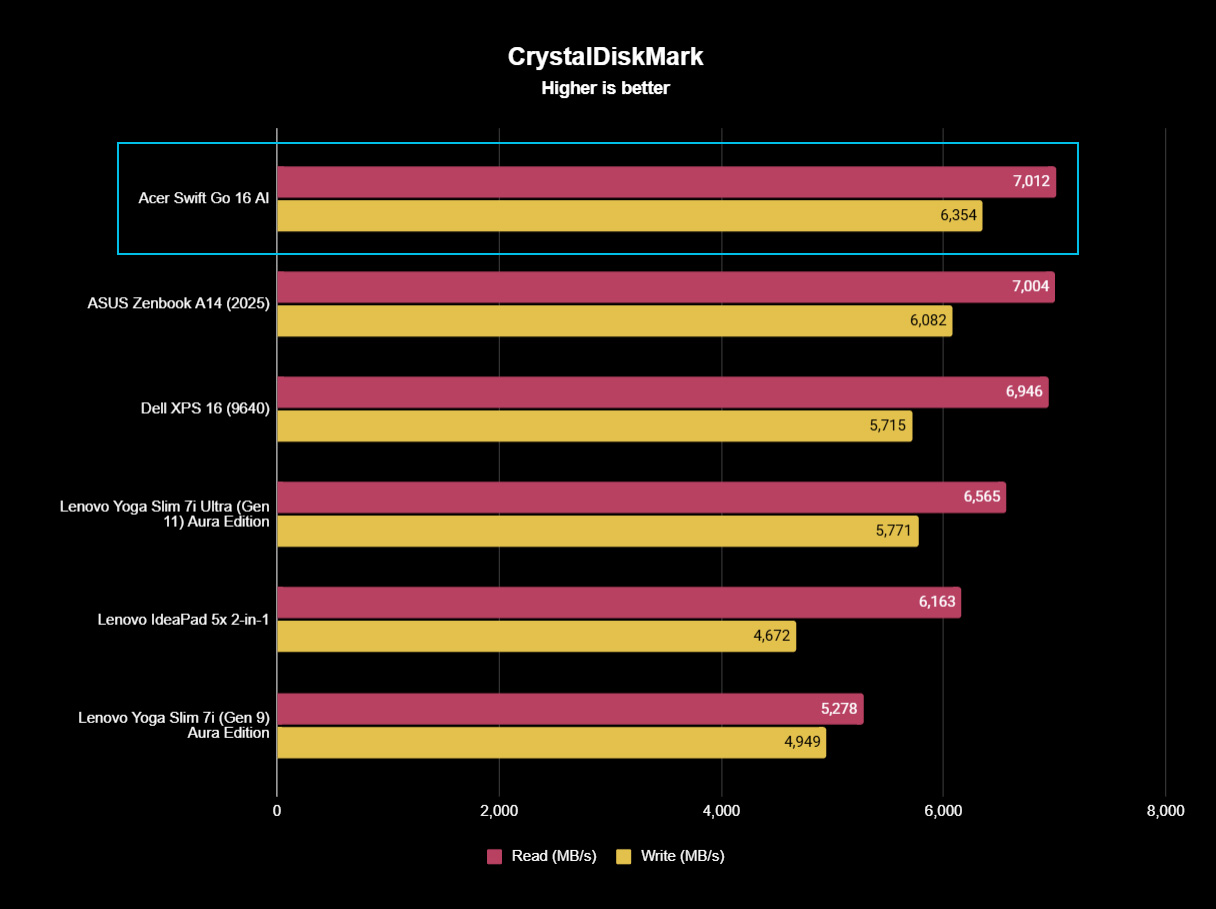
It's a decent effort, and it places where it should. On top of that, Acer includes an NVMe PCIe 4.0 solid-state drive that hits over 7,000 MB/s read speeds, putting it firmly in my self-appointed "fast" category that helps simplify the numbers for anyone who doesn't care to know about SSD speeds. If you buy the Swift Go 16 AI, you'll get a capable laptop that boots quickly and performs well.
Battery life
The 71 Whr battery in the Swift Go AI (detected as 71,031 mWh) delivers what I would call "all-day" performance, even if it slightly underperformed compared to my expectations for another Intel Panther Lake-based laptop. PCMark 10 tests repeatedly failed, so generating a battery report in Windows 11 was my best indicator, showing estimates ranging from 8 to 14 hours on a full charge.
I kept the display at around 82% brightness as I worked on the Swift Go 16 AI, a value that targeted 250 nits based on my colorimeter tests. The OLED panel maxed out at 300 nits and achieved 100% sRGB color accuracy, plus 100% of the P3 and 91% of the Adobe RGB gamuts. So, the Swift Go 16 AI has a beautifully color-accurate panel, but not an especially bright screen.
Should you buy the Swift Go 16 AI?
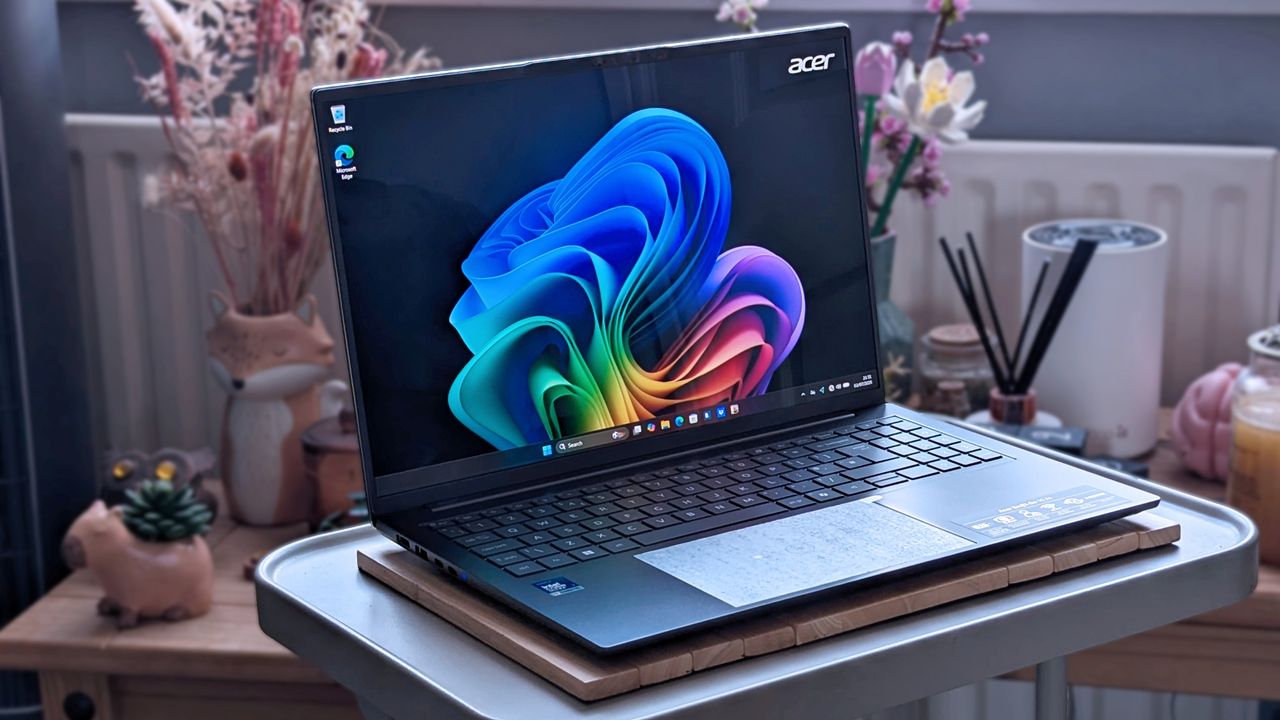
It might look plain at a glance, but this Acer offering is actually quite impressive under the hood, despite some minor gripes. (Image credit: Ben Wilson | Windows Central)
You should buy this if ...
✅ You want an affordable but modern OLED laptop
✅ You're a hybrid worker with regular video meetings
You should not buy this if ...
❌ You're looking for a dedicated content creation or gaming PC
Acer offers a great range of modern features in the Swift Go 16 AI, including one of Intel's latest Core Ultra Series 3 processors with fantastic power efficiency, 32GB of plentiful RAM, a vibrant OLED display, and a great webcam with presence detection. That alone makes it an attractive option, but extras like its huge, quirky touchpad also help offset its downsides.
There are strong competitors in the current Windows laptop landscape, but Acer has pleasantly surprised me with what otherwise seemed like yet another AI-centric Copilot+ PC. You get a fast CPU, fast RAM, fast storage, and even fast Wi-Fi 7 — extremely capable components inside an otherwise pedestrian chassis. It's already tempting, but future discounts will make this one irresistible.
Acer
Swift Go 16 AI
It's better suited for indoor work than for outdoor use, but ultimately, it's a quality laptop with strong performance for a good price.
Join us on Reddit at r/WindowsCentral to share your insights and discuss our latest news, reviews, and more.
Summer is taking a heavy toll on us all. Not just because of the heat, but also because of rising tech prices across the board, driven by RAM-hungry AI and other economic factors.
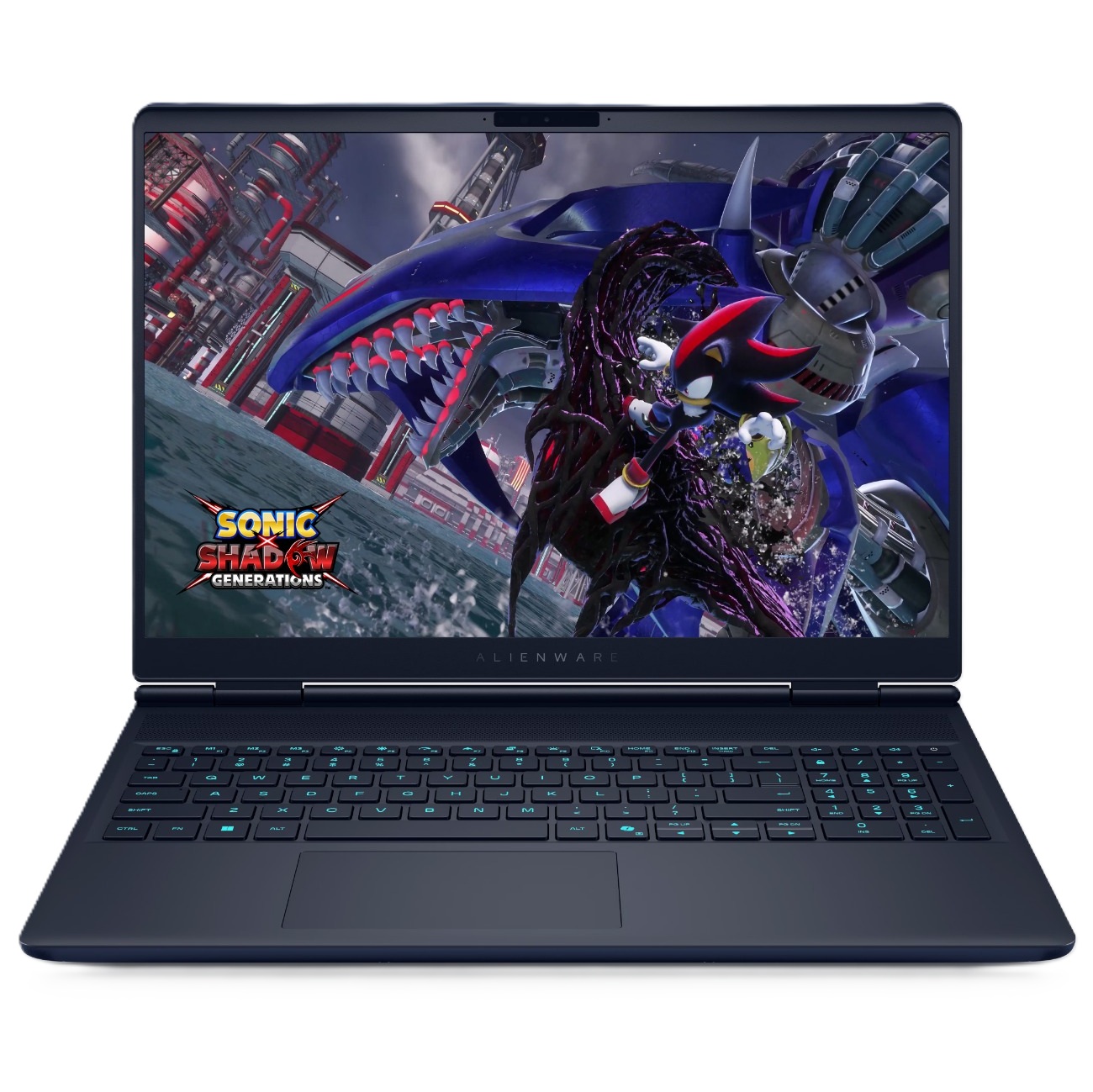
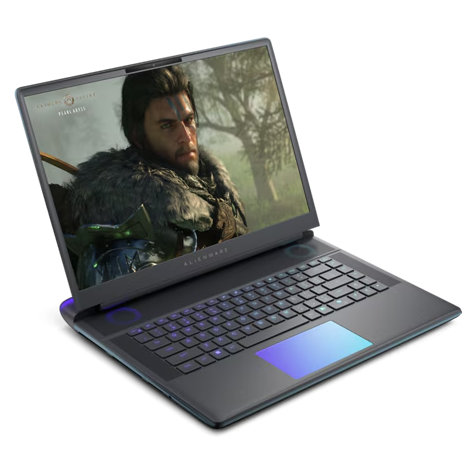
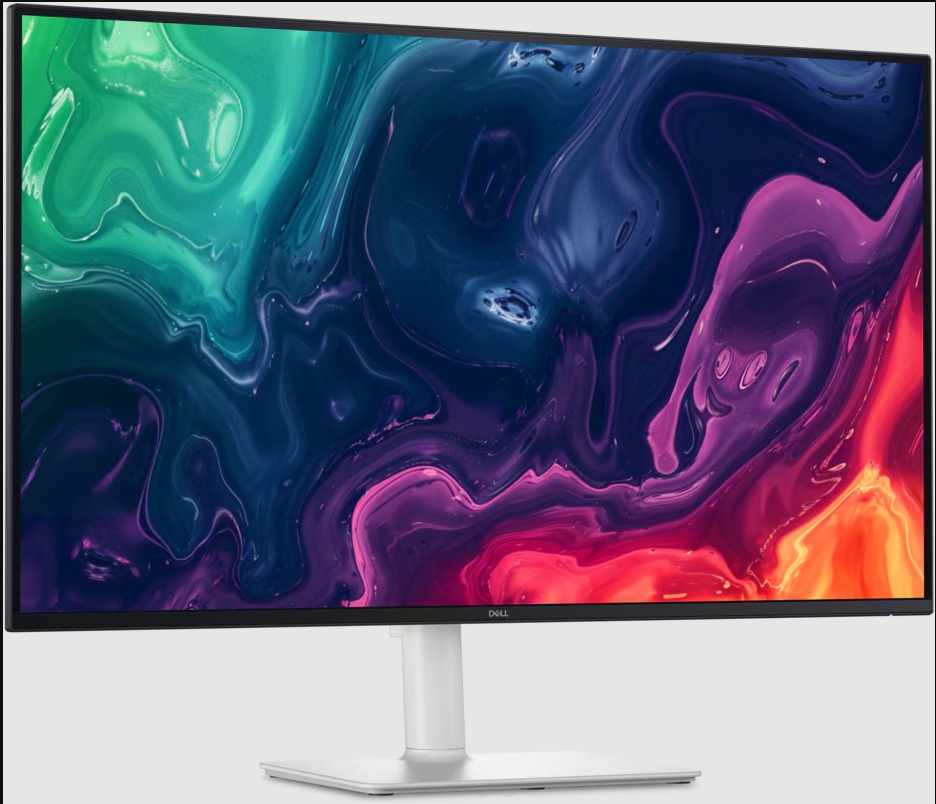
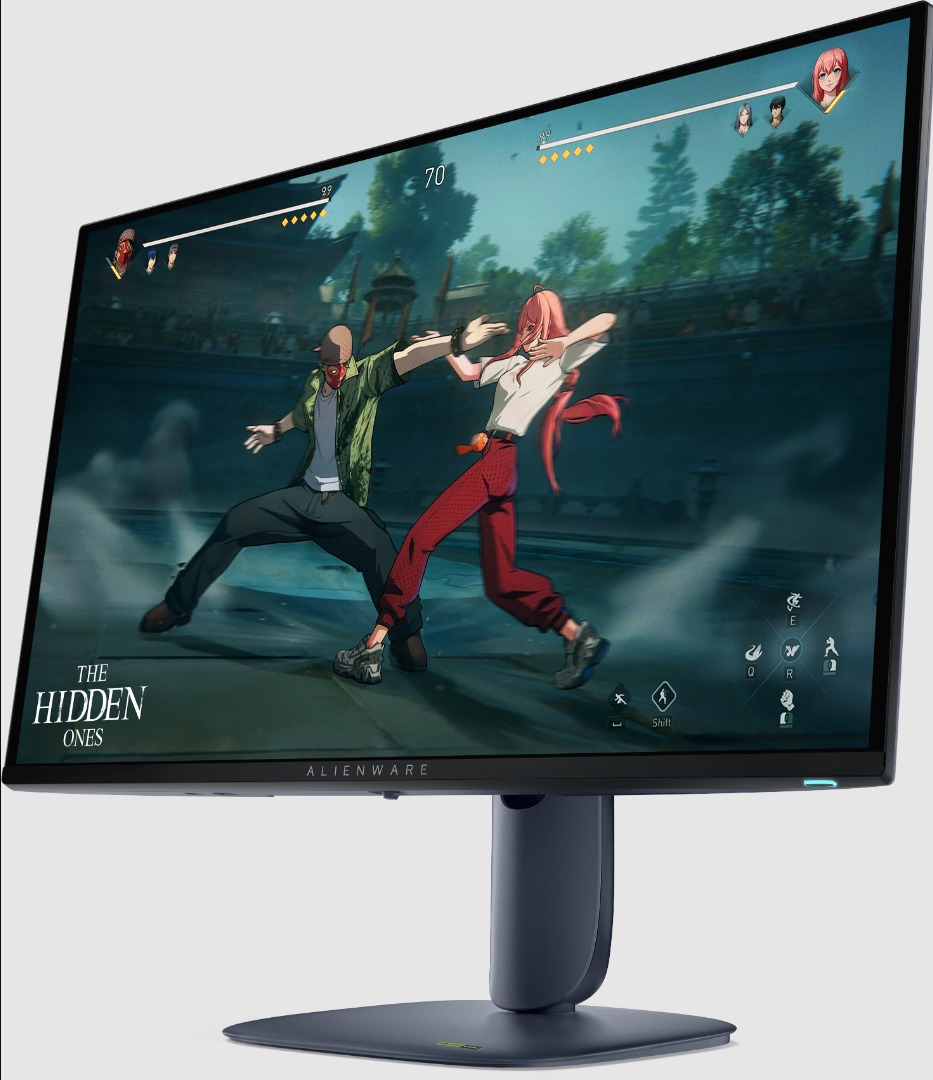
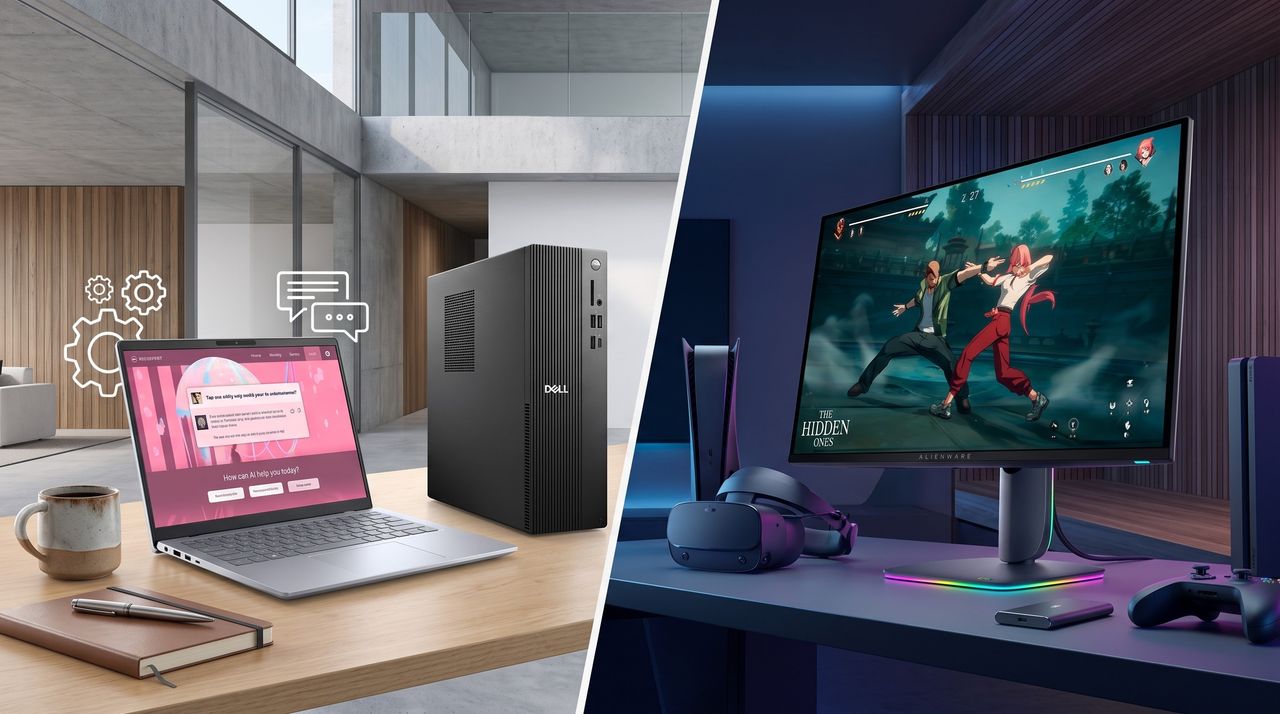
Fortunately, Dell has come to cool off the frustrations of PC gamers and desk workers alike with a collection of advanced laptops, desktops, and monitors now on sale for a limited time, such as a 46% discount on the Alienware 16X Aurora Gaming laptop for $1,729.99 at Dell and a 38% discount on the Dell 14 Plus Laptop for $859.99 at Dell, to name just a couple.
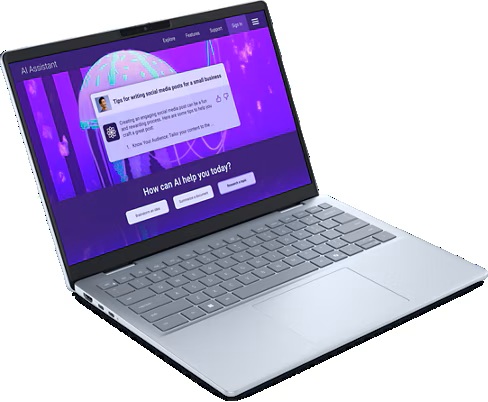
The Dell 15 Laptop is simple yet effective for tackling light workloads, whether it's searching for info online or writing up documents, thanks to its Intel Core i5-1334U CPU, 16GB DDR5 RAM, and 512GB SSD.View Deal
"It’s not perfect... but for the price and the performance on offer the [Dell] 14 Plus is easily one of the best Windows laptops going, and should be at the top of the list for students, remote workers, and just about anyone else who needs a solid notebook PC without breaking the bank." ~ John Loeffler, Components Editor at TechRadar
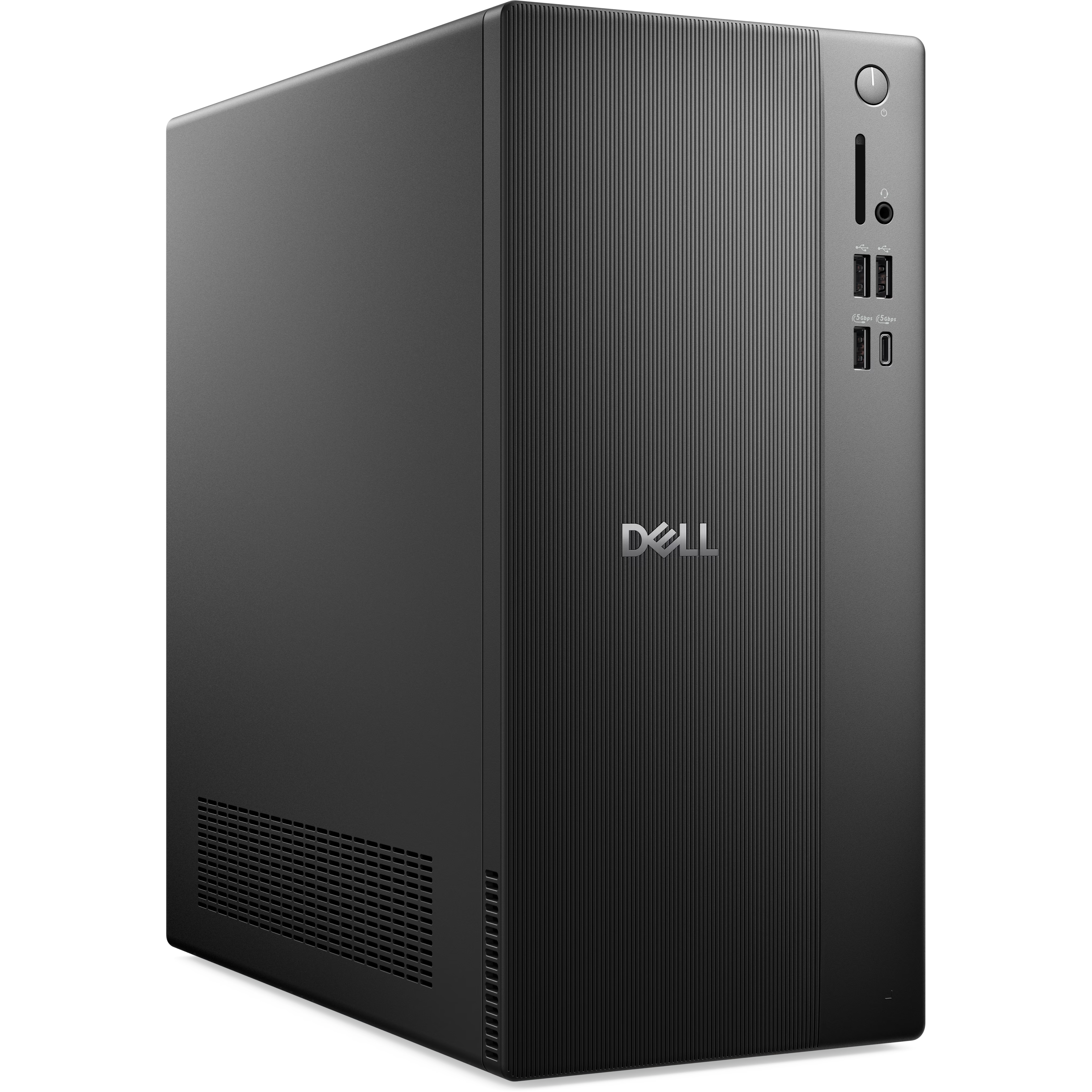
The Dell Tower Desktop is a mighty PC that will plow through intensive workloads thanks to its Intel Core Ultra 7 265 processor, 32GB DDR5 RAM, and 1TB SSD, making it an ideal companion for office workers or those at home.View Deal
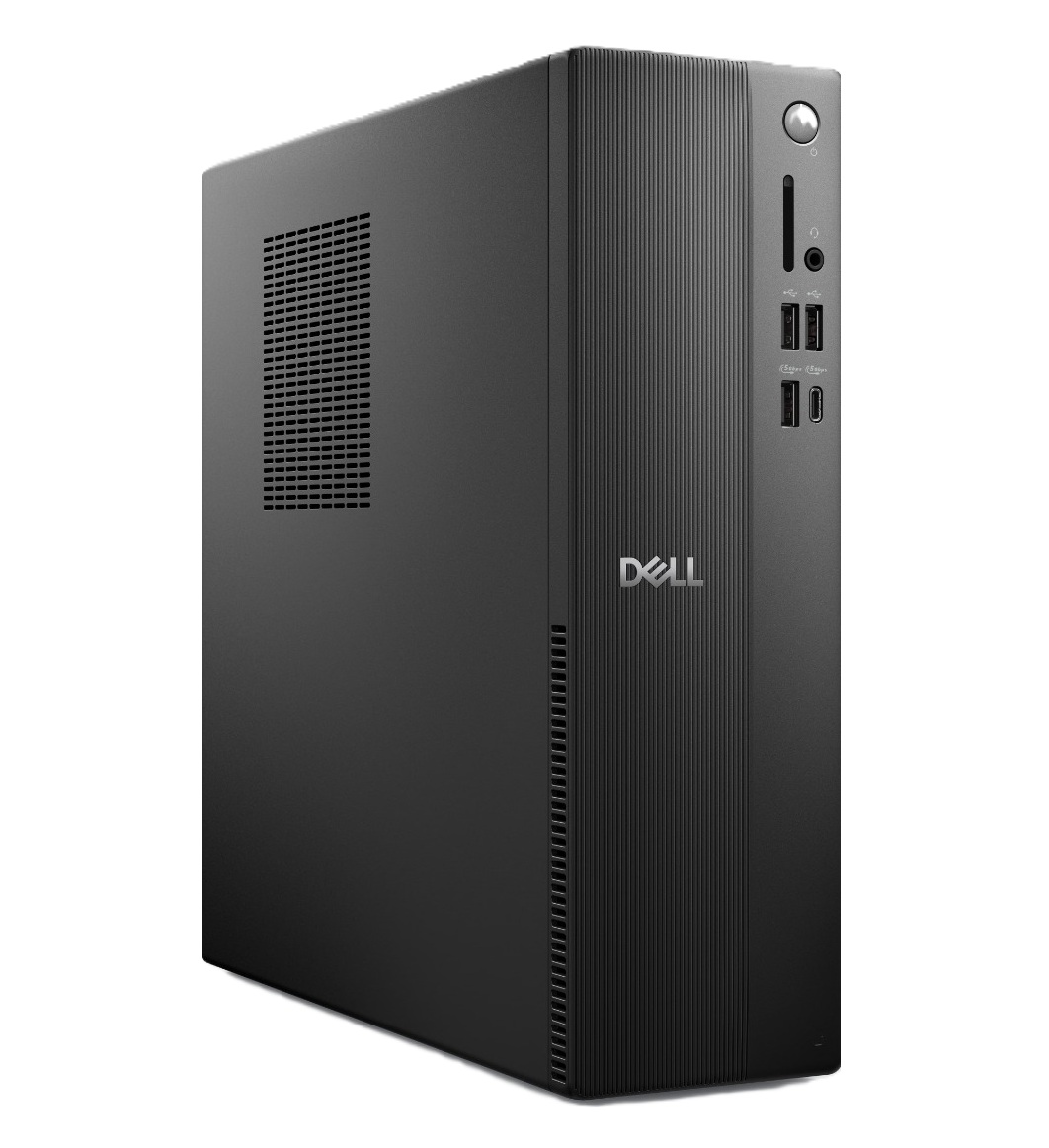
The Dell Slim Desktop offers similar high performance and install space as the Dell Tower Desktop, but with a more compact design, so it doesn't take too much space on your desk.View Deal
"The Alienware Aurora laptops target the mid-range with great all-around performance and a practical design, and the more powerful 16X makes some smart upgrades to justify its added cost." ~ Zachary Boddy, former Staff Writer,
"The Alienware 16 Area-51 stands out with an eye-catching design that sets a tough standard for competitors. Underneath, it delivers impressive gaming performance, an excellent keyboard, and capable speakers." ~ Ural Garrett, Staff Writer at TechRadar
"Designed to keep up with any task you throw at it, the S3225QC has brilliant contrasting and picture quality, and is perfectly suitable for design tasks, casual use and even as a multi-purpose display with its integrated speakers and AI spatial audio calibration." ~ Zachariah Kelly, Staff Writer at Tech Radar
"The Alienware AW2725D is everything an OLED gaming monitor should be for less money than the competition. With tons of color and premium performance, it will satisfy all players from casual to professional." ~ Christian Eberle, Contributing Editor at Tom's Hardware.
The Dell 14 Plus Laptop, Dell 15 Laptop, Dell Tower Desktop, Dell Slim Desktop, and Dell 32 Plus 4K Monitor are best suited for productivity tasks as they were built specifically for rendering images with crisp detail, typing words and spreadsheets fast, and opening multiple browsers while researching info online without suffering performance hiccups.
Which are good for gaming?
The Alienware 16X Aurora and Alienware 16 Area-51 laptops, along with the Alienware 27 Gaming Monitor, are the best devices for PC games, as they are designed to help them run at high graphical settings while boosting frame rates for smoother gameplay.
Join us on Reddit at r/WindowsCentral to share your insights and discuss our latest news, reviews, and more.

 Connexion