Un conducteur texan a délibérément conduit son Tesla Cybertruck dans le lac Grapevine, près de Dallas au Texas, pour tester une fonction de franchissement en eau peu profonde. Problème : le pick-up s'est immobilisé et a pris l'eau, nécessitant l'intervention des secours.
The Gl.iNet Comet Q is a compact KVM-over-IP device built around a different kind of deployment than most existing entries in this category. Instead of focusing on HDMI-connected desktops, servers, or rack hardware, the Comet Q is designed around a direct USB-C connection, allowing it to interface with smartphones, tablets, laptops, and other compatible host devices through a single pre-attached cable. Alongside local access, it also integrates WiFi-based networking, remote internet control, a built-in touchscreen, and USB-C pass-through for power delivery to the connected device. Based on the early demonstration shown during a visit to Gl.iNet in Shenzhen, the Comet Q appears to be aimed at portable remote access, field support, and off-site troubleshooting, while also expanding the wider Comet KVM range into a more mobile and lower-power form factor.
Interested in Gl.iNet KVM Devices? Here are some great options available NOW:
The Gl.iNet Comet Q is built around a notably smaller hardware platform than the rest of the Comet KVM family. According to the specification sheet provided, it uses a dual-core ARM Cortex-A53 processor, paired with 512MB of LPDDR4 memory and 64GB of onboard storage. This places it below the Comet, Comet PoE, Comet Pro, and Comet 5G in raw system resources, but that appears consistent with its intended role as a highly compact USB-C based access device rather than a more traditional full-size KVM endpoint.
In terms of connectivity, the Comet Q differs significantly from the rest of the range. Rather than relying on HDMI input, it uses a USB-C connection with DisplayPort Alt Mode support for video input. This is the key functional distinction in the lineup, as it allows the device to connect directly to supported modern phones, tablets, and laptops without requiring a separate HDMI capture path. The copied specifications also indicate USB 2.0 Type-A and Type-C connectivity, alongside 1 x RJ45 Gigabit Ethernet port.
Wireless support is also listed as part of the Comet Q feature set. The specification sheet references 802.11a/b/g/n/ac/ax support, with 2.4GHz and 5GHz operation included across the lineup. Although the pasted table is clearly the result of OCR and contains some formatting inconsistencies, the Comet Q is positioned as a wireless-enabled KVM device rather than a purely wired one, which aligns with the functionality shown in the demonstration. This is important because the device is intended to support both local network access and wider remote access scenarios.
Power and physical design are clearly central to the Comet Q hardware profile. It is rated for Type-C power input at 5V/2A, with listed power consumption of less than 2.5W, making it the lowest-power device in the copied Comet family specifications. It also includes a 1.8-inch touchscreen, which is smaller than the displays used on some of the larger Comet models, but appropriate for quick status checks, local configuration, and access control on a device intended for portable use.
Environmental and physical figures place the Comet Q firmly in the compact end of the lineup. The operating temperature is listed as 0°C to 40°C, consistent with the rest of the family. The OCR copy of the table does not clearly preserve the final dimensions and weight entry for the Comet Q in the same way as the other models, but the wider specification set still makes clear that this is intended to be a lighter, lower-power, more travel-friendly device than the HDMI-based Comet units already in the range.
Specification
Gl.iNet Comet Q
Model
GL-RMQ1
CPU
Dual-core ARM Cortex-A53
Memory
512MB LPDDR4
Storage
64GB
Wireless Protocol
802.11a/b/g/n/ac/ax
Wireless Bands
2.4GHz, 5GHz
Ethernet Port
1 x RJ45 10/100/1000Mbps
USB Ports
USB 2.0 Type-A, USB 2.0 Type-C
Power Input
Type-C (5V/2A)
Power Consumption
<2.5W
Screen
1.8-inch touchscreen
Video Input
1 x USB-C (DP Alt supported)
Operating Temperature
0°C to 40°C
Notes
USB-C based KVM design intended for compatible mobile and computing devices
What is the Comet Q KVM bringing to the market that is new?
The main distinction of the Gl.iNet Comet Q is its physical design and target use case. Most KVM-over-IP devices are built around HDMI capture and are designed for desktops, servers, mini PCs, or rack-mounted hardware. The Comet Q instead shifts the concept toward a much smaller USB-C based form factor, with a pre-attached cable and integrated display in a body that is intended to be carried and deployed quickly. That makes it structurally different from the more static, cabling-heavy approach seen in much of the current KVM market.
Portability is another clear differentiator. The Comet Q is designed to operate from USB-C power at under 2.5W, which creates a very different deployment model from larger KVM appliances that often assume fixed placement, dedicated power, and a more permanent network setup. In practical terms, this makes the device easier to use in travel scenarios, temporary support jobs, meeting environments, mobile workstations, and short-term remote access situations where carrying a larger HDMI-based KVM would be less practical.
Its support for USB-C connected client devices also broadens the type of hardware that can be managed. The Comet Q is positioned not only for laptops and compact computers, but also for phones and tablets that support the necessary USB-C display and data standards. That gives it a role that is uncommon in the KVM-over-IP space, where Android phones, tablets, and similarly compact devices are not usually the primary focus. In that respect, the Comet Q is not just reducing size, but also changing the class of device a KVM can be attached to.
The single-cable approach is also important. Based on the demonstration and the listed hardware details, the Comet Q is intended to combine connection, control, and power handling through USB-C, while also supporting network access over LAN, WiFi, and remote internet connectivity. That creates a simpler deployment path than a conventional KVM setup that may require separate video, USB, power, and networking connections. The result is a product that appears to reduce setup complexity while extending KVM access to devices and environments that are not well served by existing HDMI-first designs.
How Does the Comet Q Compare with the Rest of the Gl.iNet KVM Lineup?
Within the wider Gl.iNet Comet series, the Comet Q sits as the most specialised and least traditional model in the range. The RM1 Comet, RM1PE Comet PoE, RM10 Comet Pro, and RM10RC Comet 5G are all built around a more conventional KVM design, using HDMI input and, in some cases, HDMI output for passthrough or expanded deployment. The Comet Q moves away from that approach by replacing HDMI capture with USB-C video input via DP Alt Mode, which changes both the kind of device it can connect to and the environments where it is likely to be used.
In hardware terms, the Comet Q is also the most lightweight system in the lineup. Its dual-core ARM Cortex-A53 processor and 512MB of LPDDR4 memory place it below the other Comet devices, which generally use quad-core ARM processors and 1GB of DDR3L memory. Its sub-2.5W power draw is also the lowest figure listed across the range. That lower hardware ceiling makes sense in context, as the Comet Q appears to prioritise mobility, compact deployment, and low power operation over the broader feature scope of the higher-end HDMI-based models.
The other Comet devices are more clearly structured for fixed installations or more complex remote management roles. The Comet PoE adds Power over Ethernet support for simpler networked deployment, the Comet Pro adds both HDMI input and output, and the Comet 5G extends this further with cellular connectivity through 4G LTE and 5G RedCap support. Compared with those, the Comet Q is not trying to be the most feature-rich model. Instead, it fills a separate position by targeting USB-C connected client hardware and a more portable usage model than the rest of the lineup.
This makes the Comet Q less of a direct replacement for the other Comet units and more of a complementary product. The HDMI-based models remain better suited to desktops, servers, fixed workstations, and network infrastructure where traditional video capture and broader connectivity options matter more. The Comet Q, by contrast, is better understood as a compact access tool for modern mobile and USB-C centric devices, where physical size, single-cable deployment, and lower power use are more important than maximum processing resources or infrastructure-oriented connectivity.
Interested in Gl.iNet KVM Devices? Here are some great options available NOW:
At the time of filming, Gl.iNet had not confirmed a final release schedule for the Comet Q, and availability was still being discussed internally. The device shown in Shenzhen appeared to be relatively close to completion from a hardware and interface perspective, but it was still clearly in a pre-release state, with software behaviour, feature scope, and final implementation details still being adjusted. Gl.iNet also indicated that the launch route under consideration could involve Kickstarter, which suggests the company is still assessing demand and market positioning for this particular model.
Pricing was also not final at the time of the demonstration. The only estimate provided was a broad target range of around $100 to $200, with the expectation that the final retail position would likely sit closer to the lower end of that range than the upper end. Until Gl.iNet confirms official launch pricing, regional availability, and a release timetable, the Comet Q remains a revealed but not yet fully commercialised addition to the wider Comet KVM lineup.
This description contains links to Amazon. These links will take you to some of the products mentioned in today's content. As an Amazon Associate, I earn from qualifying purchases. Visit the NASCompares Deal Finder to find the best place to buy this device in your region, based on Service, Support and Reputation - Just Search for your NAS Drive in the Box Below
Need Advice on Data Storage from an Expert?
Finally, for free advice about your setup, just leave a message in the comments below here at NASCompares.com and we will get back to you.Need Help?
Where possible (and where appropriate) please provide as much information about your requirements, as then I can arrange the best answer and solution to your needs. Do not worry about your e-mail address being required, it will NOT be used in a mailing list and will NOT be used in any way other than to respond to your enquiry.
[contact-form-7]
TRY CHAT Terms and Conditions
If you like this service, please consider supporting us.
We use affiliate links on the blog allowing NAScompares information and advice service to be free of charge to you.Anything you purchase on the day you click on our links will generate a small commission which isused to run the website. Here is a link for Amazon and B&H.You can also get me a Ko-fi or old school Paypal. Thanks!To find out more about how to support this advice service checkHEREIf you need to fix or configure a NAS, check FiverHave you thought about helping others with your knowledge? Find Instructions Here
Or support us by using our affiliate links on Amazon UK and Amazon US
Alternatively, why not ask me on the ASK NASCompares forum, by clicking the button below. This is a community hub that serves as a place that I can answer your question, chew the fat, share new release information and even get corrections posted. I will always get around to answering ALL queries, but as a one-man operation, I cannot promise speed! So by sharing your query in the ASK NASCompares section below, you can get a better range of solutions and suggestions, alongside my own.
Coup de théâtre dans le duel judiciaire de l'année. Le jury a balayé la plainte du milliardaire contre Sam Altman pour une simple question de prescription légale. Elon Musk s'est réveillé beaucoup trop tard, mais il annonce déjà sa riposte en appel.
Coup de théâtre dans le duel judiciaire de l'année. Le jury a balayé la plainte du milliardaire contre Sam Altman pour une simple question de prescription légale. Elon Musk s'est réveillé beaucoup trop tard, mais il annonce déjà sa riposte en appel.
Microsoft announced two significant updates: Agent 365 reached general availability as a management tool for AI agents in the Microsoft 365 admin center, and Copilot Cowork — a feature that runs multi-step tasks on your behalf in the background — gained mobile support, reusable task templates called skills, and new third-party integrations. Agent 365 is licensed separately per user at $15/month or is included with Microsoft 365 E7; Copilot Cowork requires a Microsoft 365 Copilot license and is currently limited to participants in the Frontier early-access program.
Microsoft is standardizing Copilot access across Windows, Mac, and Web by replacing varied app triggers with a single floating UI and the Alt + C shortcut.
Le Fisher Price Pixter, ce jouet éducatif à écran tactile que Mattel vendait entre 2000 et 2002, vient de se faire passer au scanner par
Dmitry Grinberg
.
Alors ce truc n'est pas le truc le plus répandu qui soit, surtout par chez nous, mais on en a trouvé quand même quelques uns à l'époque, et si ça se trouve vous en avez eu un.
C'est un appareil cartouches que les gosses utilisaient pour dessiner et écouter de la musique. Personne ne l'avait jamais documenté correctement. Aucune doc officielle, des cartouches un peu obscures, et un écosystème abandonné depuis 2007.
Et le plus drôle, c'est ce qu'il a trouvé dedans. La version Pixter Color, deuxième génération, embarque un SoC ARM Sharp LH75411. Pour un jouet destiné à un gamin de cinq ans, c'est franchement impressionnant. La version Classic, plus ancienne, tourne sur un 6502, le même processeur que le Commodore 64 ou la NES.
Sauf que par-dessus ce hardware, les ingénieurs avaient ajouté une couche logicielle qui faisait croire au programme qu'il tournait sur une machine totalement différente, en pratique une sorte de processeur virtuel 16 bits pour la Color, 8 bits pour la Classic. Probablement parce qu'à la base ils visaient une autre puce et qu'ils ont dû pivoter en cours de route.
Dmitry a tout passé au crible. Hardware, implémentation audio (qu'il qualifie lui-même de "sauvage"), dump des cartouches une par une, écriture d'émulateurs pour préserver le truc. Il a même rajouté le support du LH75411 dans uARM, son émulateur ARM maison. En quelques semaines. Et au passage, il a porté PalmOS 5 sur le Pixter Color, ce qui n'a strictement aucune utilité mais c'est quand même drôle.
Le pourquoi de tout ça, c'est de la conservation. Ces appareils disparaissent, leurs cartouches se fissurent, leurs piles fuient, et dans dix ans il ne restera plus rien à étudier. Sans des bricoleurs comme Dmitry, des pans entiers de la culture jouet électronique des années 2000 s'effacent doucement.
Je viens de pousser en prod une fonctionnalité sur laquelle je bosse depuis quelques temps et comme je suis content du résultat, c'est le moment de partager ça avec vous.
En haut à gauche du site, juste à côté de l'icône qui change le thème, vous trouverez un petit bouton "abc" qui jusqu'à présent ne servait qu'à appliquer
une police spéciale dyslexique
à mon contenu. Mais j'ai amélioré un peu tout ça pour que maintenant niveau "Confort de lecture" vous soyez refait !
En cliquant donc sur cette icône, s'ouvre un petit panneau de config avec dedans de quoi configurer votre expérience de lecture aux petits oignons. Police adaptée pour la dyslexie, espacement variable, fond couleur crème, mode audio TTS, lignes colorées pour guider l'œil...etc tout ça sans dépendre d'un service tiers.
Ensuite, vos réglages sont conservés dans le localStorage de votre navigateur pour les retrouver à chaque visite et il y a un petit lien en bas de la fenêtre pour réinitialiser tout ça.
Maintenant, l'histoire derrière cette feature, parce qu'elle est intéressante. À la base j'étais parti pour recoder un équivalent du "
Bionic Reading
", vous savez ce truc à la mode qui met en gras le début de chaque mot pour soi-disant accélérer la lecture. J'avais déjà bien avancé quand je suis tombé sur une
étude scientifique de 2024
qui démontait complètement le concept. En gros, les chercheurs ont mesuré que cela ne produisait aucun effet positif sur la vitesse de lecture ni sur la compréhension. Que dalle...
Du coup, pivot complet... J'ai tout repris pour bâtir un système basé sur ce qui marche vraiment, avec un principe simple : Chaque option du panneau affiche un badge "Sci ✓" si elle est soutenue par la recherche, ou "Pref" si c'est une préférence subjective documentée. Comme ça vous savez sur quoi vous cliquez et on évite le marketing déguisé en science.
Côté polices donc, vous avez 4 choix. La police par défaut du site,
Lexend
qui est une "variable font" développée par la Dr. Bonnie Shaver-Troup avec des résultats publiés montrant une amélioration significative de la fluidité de lecture,
Atkinson Hyperlegible
créée par le Braille Institute spécifiquement pour les personnes malvoyantes, et enfin OpenDyslexic que j'avais déjà. Pour cette dernière, je l'ai mise avec un badge "Pref" parce que la communauté dyslexique l'apprécie mais les études sont moins solides scientifiquement.
Les sliders d'espacement permettent également de jouer sur trois axes : espace entre les lettres, hauteur de ligne, largeur de la colonne de texte. Tout est calibré pour être utile sans casser le rendu. Vous pouvez aussi activer un fond crème qui utilise la couleur Solarized base3 (c'est #FDF6E3, reconnue dans la communauté des dev pour son confort de lecture sur une longue durée), et le texte non-justifié qui évite les "rivières" blanches entre mots qui posent problème notamment aux dyslexiques.
Pour le guide visuel, je vous ai mis 2 options. "Lignes colorées" qui applique un gradient cosinus caractère par caractère sur chaque ligne, avec une palette noir-bleu-noir-rouge qui alterne et permet à l'œil de suivre naturellement la progression du texte.
Et ce que j'ai appelé Saccade que j'ai gardé en option, marqué d'un badge orange "Pref ⚠" parce que la science dit que ça sert pas à grand chose, mais que si vous aimez visuellement, bah au moins c'est dispo !
Et puis il y a le mode audio (TTS) qui dépend de la qualité des voix installées sur votre système. Y'a pas d'IA là dedans, donc ça peut donner une lecture robotique sur certains OS. Une fois activé, ça apparaît en haut des articles avec une estimation de durée. Ça utilise la Web Speech API native de votre navigateur, donc zéro service externe une fois encore et ça respecte la voix système que vous avez configurée.
À ma connaissance, je suis le seul à proposer ce niveau de personnalisation pour l'accessibilité. N'oubliez pas qu'au delà de la démarche, l'accessibilité numérique est devenu une obligation légale en Europe avec l'
European Accessibility Act
qui s'applique depuis juin 2025 (Qui en a entendu parlé ? Pas grand monde je pense).
En tout cas, si je peux me permettre ce luxe de bosser sur des trucs qui ne rapportent pas un kopeck mais qui rendent le site plus agréable et plus accessible, c'est uniquement grâce à
mes Patreons
.
Microsoft is rolling out a long-overdue change to the browser-based versions of Word, Excel, and PowerPoint: you can now apply sensitivity labels with user-defined permissions directly in the web apps without switching to the desktop client. Sensitivity labels are classification tags you attach to a file to control who can read, edit, or print it. They are configured centrally in Microsoft Purview (Microsoft's compliance and information protection platform) and enforced by the Rights Management Service (RMS), which is the encryption engine built into Microsoft 365. This update started rolling out in mid-April 2026 and is expected to be completed worldwide by early May 2026. It requires enabling coauthoring on encrypted files in your tenant beforehand.
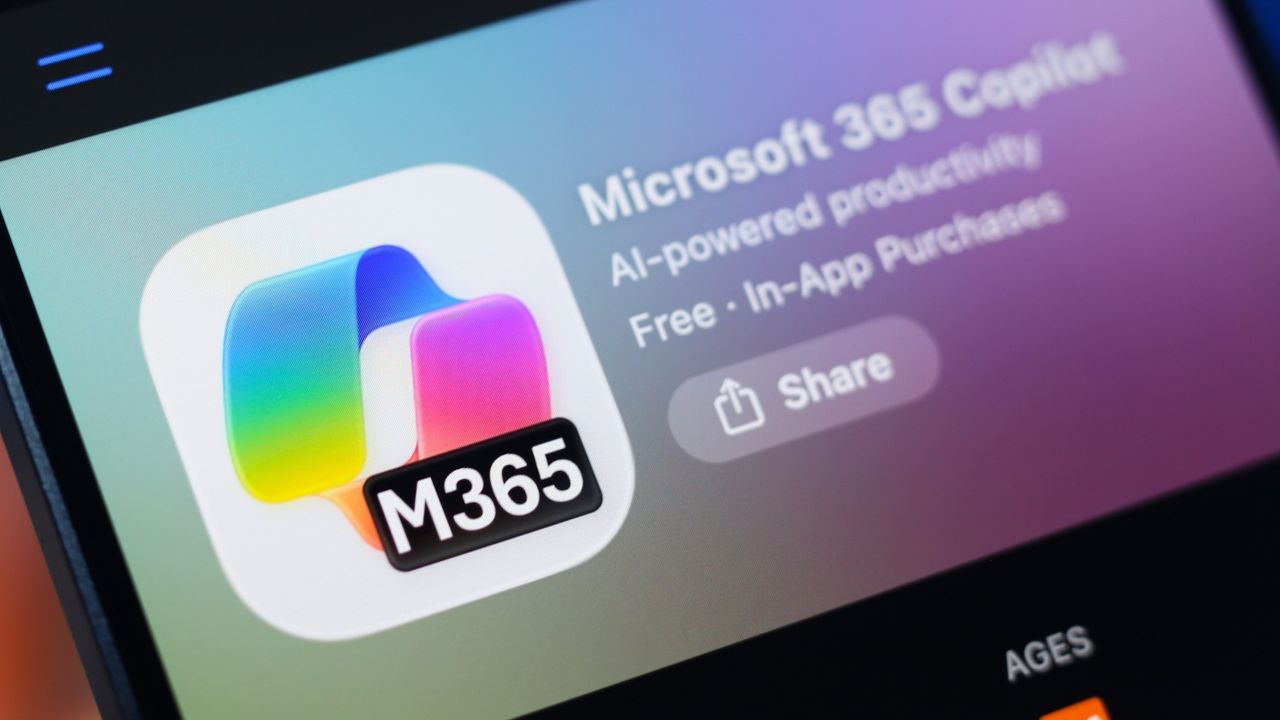
Microsoft 365 Copilot Cowork moves beyond chat-based AI responses by acting as an autonomous agent—an AI that can perform multi-step tasks on your behalf across Outlook, Teams, Word, Excel, and other Microsoft 365 services. Cowork is built on top of Work IQ, Microsoft's intelligence layer that reads your emails, meetings, files, and organizational data to provide context for actions. As of May 2026, Cowork is available through the Frontier preview program and has expanded to include mobile support, custom skills, plugins, and integration with Agent 365. Access requires a Microsoft 365 Copilot license and enrollment in the Frontier early-access program.
Microsoft announced agentic features for Copilot in Outlook, expanding from single-task assistance to continuous, multi-step automation of email and calendar work. These features let Copilot act independently on your behalf — prioritizing messages, drafting follow-ups, responding to meeting invites, and resolving scheduling conflicts. Access is currently limited to Microsoft's Frontier early-access program and requires a Microsoft 365 Copilot license. This article explains what the new features do, what your infrastructure must look like, and how you enable access as an administrator.
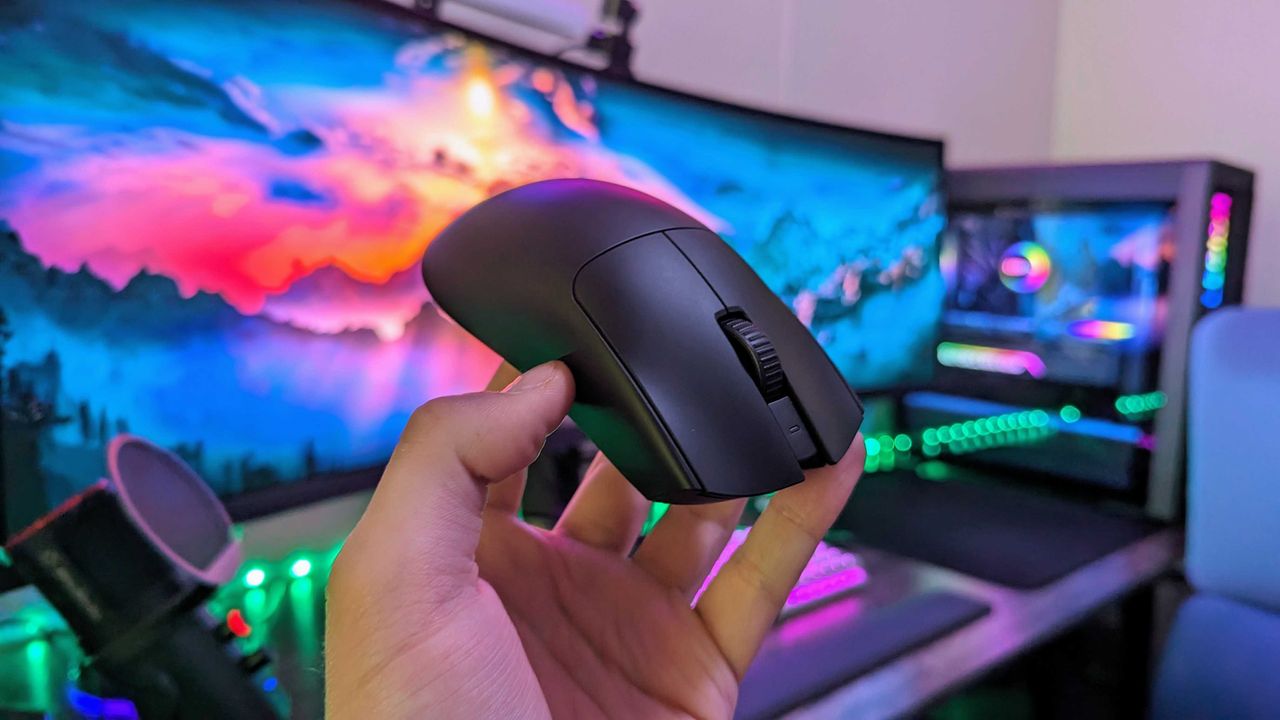
Amazon Gaming Week has a PC gamer's special discount for the Razer Viper V3 Pro gaming mouse. For just this week, you will be able to get your hands on this stellar accessory with 8K polling, 35,000 DPI, and comfy ergonomics at a 31% discount.
Coup dur pour DNS4EU. Le résolveur DNS public co-financé par la Commission européenne, présenté il y a moins d'un an comme l'alternative souveraine à Google et Cloudflare, doit désormais bloquer une trentaine de domaines de streaming pirate, sur ordre du tribunal judiciaire de Paris.
La décision date du 17 avril, après deux ordonnances réclamées par Canal+ et restées sans réponse côté défense.
Concrètement, l'ordonnance vise 37 domaines au total, répartis entre 16 sites qui diffusaient illégalement le MotoGP et 21 autres qui faisaient pareil avec la Formule 1. On y retrouve des grands classiques de l'IPTV pirate comme daddylive3.com, iptvsupra.com ou king365tv.me.
Whalebone, la société tchèque qui opère DNS4EU pour le compte de l'Union européenne, doit donc rentrer ces noms de domaine dans son moteur de blocage et empêcher leur résolution depuis la France.
Sauf que la mesure déborde déjà du territoire français. Le blocage est appliqué même pour des utilisateurs basés hors de France, ce qui pose une vraie question de juridiction et de portée extraterritoriale d'une décision parisienne sur un service censé desservir 450 millions d'Européens.
Bref, le DNS public européen finit par être plus restrictif que prévu, et pas vraiment dans le sens où Bruxelles l'avait vendu.
L'autre détail gênant : Whalebone n'a même pas comparu à l'audience du 19 février. Le tribunal a donc statué par défaut, en faveur de Canal+, sans le moindre argument contradictoire. Difficile de mieux perdre un procès.
La société tchèque, qui s'est vendue auprès de Bruxelles comme un acteur clé de la souveraineté numérique européenne, va devoir s'expliquer sur cette absence.
En pratique, ce genre de blocage DNS reste contournable en quelques minutes par n'importe quel utilisateur un peu débrouillard, qui n'a qu'à changer son résolveur dans les paramètres système pour pointer ailleurs. Mais la portée symbolique est assez moche, parce qu'elle inscrit DNS4EU dans la même logique de contrôle que les services qu'il prétendait justement remplacer.
Et ce n'est pas la première fois que la justice française élargit le périmètre. Depuis 2024, les ordonnances de blocage anti-piratage ont visé successivement les FAI, puis les résolveurs DNS de Google, Cloudflare et Cisco, puis les VPN comme NordVPN ou ExpressVPN, et désormais le DNS souverain européen lui-même.
Canal+ s'appuie à chaque fois sur l'article L.333-10 du Code du sport, qui permet de viser "toute personne susceptible de contribuer" à remédier au piratage.
Bref, un DNS public financé par l'UE pour protéger les Européens, qui finit forcé de filtrer hors de ses frontières par un tribunal national. C'est un peu n'importe quoi.
Si vous voyagez avec un Macbook qui contient des trucs trèèèès sensibles, faut absolument que vous alliez tester cet outil.
PanicLock
est le bouton "panique" qu'Apple n'a jamais voulu faire. Grâce à cela, en un clic, Touch ID se désactive totalement.
Plus de biométrie, et retour au mot de passe obligatoire pour rouvrir la session. Parce que oui, Touch ID, c'est ultra pratique au quotidien, sauf quand un agent à la frontière ou un flic un peu trop curieux vous demande gentiment (ou de force) de poser votre doigt sur le capteur de votre machine.
Sur iPhone, Apple a prévu quand même une astuce (5 pressions sur le bouton latéral et la biométrie se désactive). Mais sur Mac, rien !
Le principe de PanicLock, c'est tout simplement de cliquer sur l'icône dans la barre de menu ou d'appeler un raccourci clavier de votre choix et voilà ! Votre Mac se verrouille alors en désactivant Touch ID au passage.
Les devs ont aussi prévu une option "Lock on Close" qui déclenche le panic mode automatiquement lorsqu'on referme l'écran du Macbook, ce qui est la fonctionnalité la plus utile de tout le pack ! Vous fermez l'écran, et c'est mort, faut le mot de passe !
Sous le capot, ça fonctionne grâce à des fonctions natives de macOS qui sont tout simplement détournées pour permettre de désactiver la biométrie en 2 secondes. Notez que le code de PanicLock est sous licence MIT, et fonctionne 100% en offline.
Alors pourquoi c'est utile au-delà de la paranoïa que vous vous trimballez depuis que vos parents vous ont appris que vous aviez un frère adoptif secret ?
Hé bien y'a une vraie distinction juridique en jeu que j'évoquais d'ailleurs récemment dans mon article
sur les cartes bancaires biométriques
. En effet, aux États-Unis, la justice est divisée car en janvier 2025, la cour d'appel fédérale du District of Columbia a tranché dans US v. Brown que forcer quelqu'un à déverrouiller son téléphone violait le 5e amendement, parce que ça revient à témoigner contre soi-même.
Alors que la cour d'appel fédérale de l'Ouest Américain, elle, considère qu'un déverrouillage biométrique reste un acte physique qui n'est pas un témoignage, donc forçable. Et là, désactiver Touch ID avant un contrôle change donc tout puisque grâce à ça, on bascule dans le cas "mot de passe obligatoire", qui est mieux protégé légalement dans plusieurs juridictions. C'est exactement la même logique que
la fonction iOS 18 qui affole la police
, transposée côté Mac.
Je ne suis pas expert, mais je crois qu'en France, c'est un petit peu la même chose avec notre droit à ne pas nous auto-incriminer.
Côté limites, PanicLock désactive Touch ID, et c'est tout, donc si vous avez l'unlock par Apple Watch ou via une clé de sécurité, votre Mac restera quand même "ouvrable" autrement. Il faut donc penser à désactiver ces méthodes en parallèle si vous êtes vraiment dans une situation à risque.
Pour l'installer, c'est:
brew install paniclock/tap/paniclock
ou téléchargement du DMG depuis la page releases.
Et sur iPhone, la même philosophie existe via
le pair locking
qui bloque les ports USB, si vous voulez aller encore plus loin.
Bref, c'est petit, c'est simple, et c'est gratuit !!
Seagate Shows Off It’s 44TB Hard Drive at NAB 2026
At the 2026 NAB Show 2026, Seagate Technology formally introduced its latest generation of high-capacity enterprise hard drives built on the Mozaic 4+ platform. These drives, (model ID ST4400NM002M) reaching up to 44TB, represent the current peak of commercially deployed hard disk capacity and are already being shipped to select hyperscale cloud providers. The announcement reflects ongoing demand for higher-density storage as data generation continues to accelerate, particularly in artificial intelligence and large-scale cloud environments.
Rather than targeting general consumers, these drives are designed specifically for hyperscale data centres where efficiency, density, and cost per terabyte are critical considerations. The Mozaic 4+ platform is also notable for its reliance on heat-assisted magnetic recording (HAMR), a technology that has moved from experimental development into production-scale deployment. With broader qualification underway, the 44TB model serves as both a milestone in current storage capabilities and a step toward projected capacities approaching 100TB in future generations.
Everything we know about the Seagate 44TB Hard Drives
The 44TB drives are built on Seagate’s Mozaic 4+ platform, which represents the company’s production-ready implementation of heat-assisted magnetic recording (HAMR). Unlike earlier perpendicular magnetic recording approaches, HAMR uses localized heating via a nanophotonic laser to temporarily reduce the coercivity of the disk surface, allowing data to be written at much higher densities. This enables significantly greater areal density without requiring a complete redesign of the underlying hard drive architecture, allowing Seagate to scale capacity incrementally across generations.
At a physical level, the drives use a multi-platter design, widely understood to consist of 10 platters, each delivering over 4TB of capacity. This results in the total 44TB figure within a standard 3.5-inch enterprise form factor. The spindle speed is expected to remain at 7200 RPM, consistent with other enterprise-capacity drives, balancing throughput, reliability, and power consumption. Early estimates suggest sustained transfer rates in the region of 300 MB/s, though final performance characteristics depend on deployment conditions and firmware tuning. I think we are likely much more liekly to hit 280MB/s or so, such as you find in the 30TBs.
A key aspect of the Mozaic 4+ design is its vertically integrated photonics system. Seagate has developed its own laser components in-house, embedding them directly into the recording head. This allows precise, nanosecond-scale heating during write operations, which is critical for maintaining data integrity at such high densities. Vertical integration also gives Seagate tighter control over manufacturing consistency, yield, and long-term reliability, all of which are essential when deploying drives at hyperscale volumes.
The recording stack itself incorporates several advanced components. These include a Gen 2 superlattice platinum-alloy media designed for improved magnetic stability, a Gen 2 plasmonic writer responsible for delivering the heat-assisted write process, and a Gen 8 spintronic reader that improves read accuracy from increasingly smaller data bits. Together, these components enable higher density while maintaining error rates and durability within enterprise requirements.
Supporting these physical advancements is a 7nm integrated controller, which manages drive operations with improved precision. This controller enhances servo control, allowing the read/write heads to maintain accurate positioning over narrower tracks. It also contributes to improved power efficiency, reducing watts per terabyte and helping data centres optimize energy usage at scale. These gains are particularly relevant in large deployments where power and cooling costs scale with capacity.
From a manufacturing perspective, the Mozaic platform is designed to scale without requiring disruptive architectural changes between generations. Each iteration builds on existing processes, allowing Seagate to increase per-platter capacity over time. The company has indicated a roadmap toward 10TB per platter, which would enable drives approaching 100TB within a similar physical footprint. This approach prioritizes continuity in deployment while steadily increasing storage density.
Specification
Details
Platform
Mozaic 4+
Recording Technology
HAMR (Heat-Assisted Magnetic Recording)
Maximum Capacity
44TB
Form Factor
3.5-inch
Number of Platters
10
Capacity per Platter
4TB+
Spindle Speed
7200 RPM (expected)
Recording Method
CMR
Estimated Throughput
~300 MB/s (speculative)
Target Market
Hyperscale data centres
Controller
7nm integrated SoC
Seagate 44TB HDDs – SMR or CMR?
Despite the push toward higher capacities, the 44TB drives based on the Mozaic 4+ platform use conventional magnetic recording (CMR) rather than shingled magnetic recording (SMR). This distinction is relevant because SMR typically achieves higher capacities by overlapping data tracks, which can negatively impact rewrite performance and latency in certain workloads. By retaining CMR, Seagate is prioritising predictable performance characteristics, particularly for enterprise environments where consistent throughput and low latency are required.
This approach also differentiates Seagate’s offering from competing high-capacity drives, such as those being developed by Western Digital, which have explored SMR and related technologies like UltraSMR to reach similar capacity points. While SMR can be effective for archival or sequential workloads, CMR remains better suited to mixed or write-intensive applications commonly found in hyperscale deployments. In this context, the use of HAMR allows Seagate to increase density without relying on SMR trade-offs, maintaining compatibility with existing data centre workloads and software stacks.
The introduction of 44TB hard drives based on the Mozaic 4+ platform reflects a continued focus on increasing storage density within the constraints of existing data centre infrastructure. By combining HAMR with incremental architectural improvements, Seagate Technology has demonstrated that higher capacities can be achieved without fundamental changes to form factor or deployment models. The emphasis remains on scaling capacity per rack and per watt, which aligns with the operational priorities of hyperscale environments.
At the same time, these drives remain firmly positioned within enterprise and cloud use cases, with limited relevance to consumer or small-scale storage in the near term. Factors such as cost, workload requirements, and integration complexity restrict their adoption outside large data centres. However, as with previous generations, advancements at this level are likely to influence broader storage markets over time, particularly as manufacturing scales and newer technologies mature.
This description contains links to Amazon. These links will take you to some of the products mentioned in today's content. As an Amazon Associate, I earn from qualifying purchases. Visit the NASCompares Deal Finder to find the best place to buy this device in your region, based on Service, Support and Reputation - Just Search for your NAS Drive in the Box Below
Need Advice on Data Storage from an Expert?
Finally, for free advice about your setup, just leave a message in the comments below here at NASCompares.com and we will get back to you.Need Help?
Where possible (and where appropriate) please provide as much information about your requirements, as then I can arrange the best answer and solution to your needs. Do not worry about your e-mail address being required, it will NOT be used in a mailing list and will NOT be used in any way other than to respond to your enquiry.
[contact-form-7]
TRY CHAT Terms and Conditions
If you like this service, please consider supporting us.
We use affiliate links on the blog allowing NAScompares information and advice service to be free of charge to you.Anything you purchase on the day you click on our links will generate a small commission which isused to run the website. Here is a link for Amazon and B&H.You can also get me a Ko-fi or old school Paypal. Thanks!To find out more about how to support this advice service checkHEREIf you need to fix or configure a NAS, check FiverHave you thought about helping others with your knowledge? Find Instructions Here
Or support us by using our affiliate links on Amazon UK and Amazon US
Alternatively, why not ask me on the ASK NASCompares forum, by clicking the button below. This is a community hub that serves as a place that I can answer your question, chew the fat, share new release information and even get corrections posted. I will always get around to answering ALL queries, but as a one-man operation, I cannot promise speed! So by sharing your query in the ASK NASCompares section below, you can get a better range of solutions and suggestions, alongside my own.
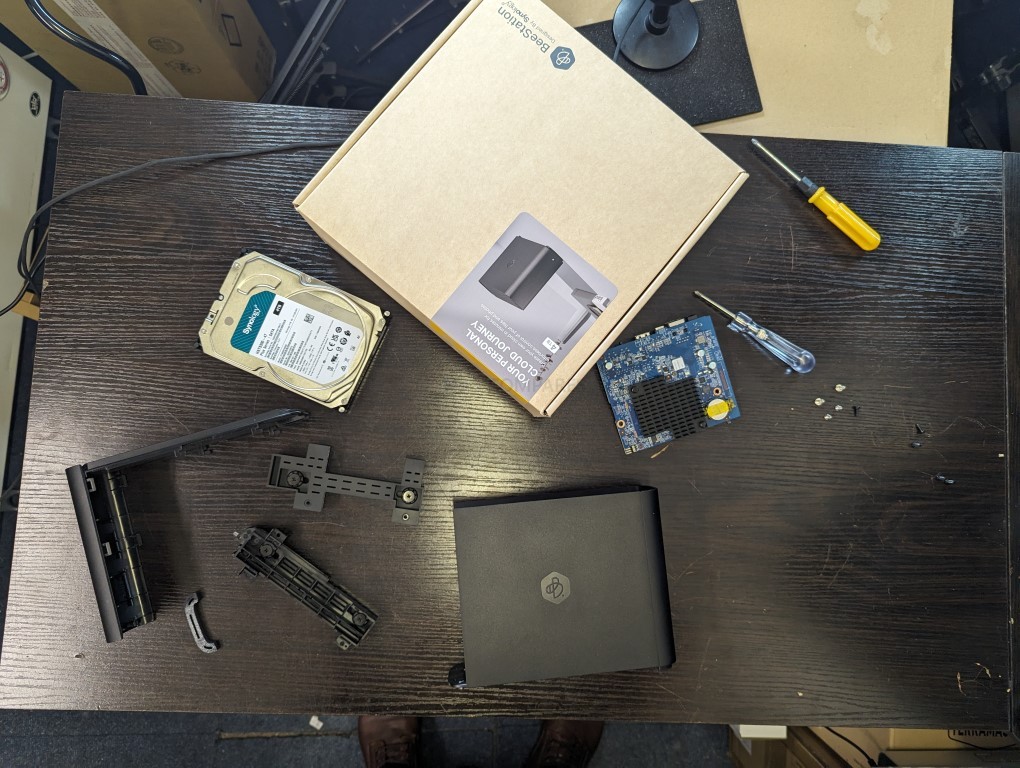
The Synology BeeStation BST151-4T is a 4 TB single drive personal cloud device that sits somewhere between an external hard drive and a traditional NAS, targeting users who want centralized storage, photo backup, file syncing, and remote access without dealing with a conventional multi bay server setup. It follows the original BST150-4T BeeStation, first released in February 2024, and appears to be a light refresh of that earlier model rather than a full redesign. As with the first version, the focus is on quick deployment, simple management, and a more consumer friendly software experience, using Synology’s BeeStation platform instead of the broader and more configurable DSM system found on the company’s standard NAS lineup.
At a hardware level, the BST151-4T remains a very compact single bay network storage appliance with a fixed 4 TB hard drive, built around the Realtek RTD1619B platform and a 1GbE network connection. Physical connectivity is unchanged from the earlier BeeStation, with 1 x USB-A 3.2 Gen 1 port, 1 x USB-C 3.2 Gen 1 port, and 1 x RJ-45 LAN port, all housed in the same 148.0 x 62.6 x 196.3 mm enclosure weighing 820 g.
That hardware profile makes clear where the BeeStation sits in Synology’s lineup. This is not a flexible NAS chassis with room for drive upgrades, SSD cache, multi bay expansion, or faster networking. The internal disk is part of the appliance design, so there is no meaningful path to RAID redundancy, easier drive level recovery, or long term capacity scaling in the way there is on a conventional 2 bay or 4 bay NAS.
Power and thermals are also modest, which is consistent with a low power, always on personal cloud device. Synology lists power consumption at about 7.85 W during access and 1.65 W in HDD hibernation, with a 36 W external power adapter. The system continues to use a single HAT3300-4T drive, and Synology’s current 4 TB HAT3300 model is a 5400 RPM class disk rather than a faster 7200 RPM unit.
The one specification that requires care is memory. Synology’s March 30, 2026 product specification PDF and the current BeeStation comparison page both list the BST151-4T with 1 GB DDR4, but Synology’s newer BST151-4T datasheet, published later in March 2026 and mirrored across multiple regional versions, lists 2 GB DDR4 instead. On balance, the later datasheet appears to reflect the intended refresh specification, but Synology’s own published material is not yet fully consistent. (UPDATE – RAM on the BST151-4T is CONFIRMED as 2GB)
Assuming the 2 GB figure in the later datasheet is the correct final spec, the BST151-4T is best understood as a minimal revision of the BST150-4T rather than a new hardware generation. The enclosure, CPU, ports, networking, and drive class are effectively the same, while the main change is the move from the predecessor’s 1 GB memory configuration to 2 GB. That could simply reflect practical component economics as much as performance tuning, since lower density memory packages can become less cost effective over time as supply shifts. In either case, this still appears to be fixed onboard memory, not a user upgradeable SO-DIMM arrangement, so the platform remains closed in the same way as the original model.
Specification
Synology BeeStation BST151-4T
Capacity
4 TB
Drive type
Synology HAT3300-4T
Processor
Realtek RTD1619B
Memory
2 GB DDR4 listed in the newer datasheet; 1 GB DDR4 still appears on some Synology product spec pages
LAN
1 x 1GbE RJ-45
USB
1 x USB-A 3.2 Gen 1, 1 x USB-C 3.2 Gen 1
Dimensions
148.0 x 62.6 x 196.3 mm
Weight
820 g
Power adapter
36 W
Power consumption
7.85 W access, 1.65 W HDD hibernation
Operating temperature
0°C to 35°C
Warranty
3 years
Synology BeeStation in 2026 – What can it do?
In 2026, the BeeStation platform is no longer limited to basic remote file access. Synology positions it as a consumer focused private cloud for storing, syncing, and sharing files and photos, with web, desktop, and mobile access, support for sign in via Google Account, Apple ID, or Synology Account, and shared access for up to 8 users on a single device. It is designed to pull together data from phones, computers, external drives, and selected cloud services into one managed location rather than acting only as a simple networked hard drive.
Photo handling is one of the more developed parts of the platform. Synology states that BeeStation can back up mobile photos, import content from sources such as Google Photos and iCloud Photos, and organize images with local AI based recognition for people, subjects, and places. The software also supports timeline and map based browsing, album creation, and controlled photo sharing, which places the BST151-4T closer to a private cloud photo hub than to a basic USB backup box.
Its data protection features have also expanded since launch. BeeStation now supports internal restore points based on snapshots, backups to BeeProtect, Synology NAS, and external drives, plus a 3 year Acronis True Image Essentials license for 1 computer. BeeStation OS 1.5 also added BeeCamera support, but Synology limits that feature to BeeStation Plus models rather than the standard 4 TB unit, so the BST151-4T does not currently gain the surveillance role that the higher tier model has started to take on.
Where the BeeStation still differs from a DSM based NAS such as the DS124 or DS223 is in breadth and flexibility. Synology’s DS124 and DS223 product pages explicitly advertise broader DSM functions including Synology Drive based private cloud workflows, Btrfs snapshot features, ShareSync between Synology systems, full Surveillance Station support, and the wider DSM application platform. By contrast, BeeStation remains a curated appliance with a narrower software stack, no general DSM Package Center environment, no broad package driven expansion path, and on the standard 4 TB model no BeeCamera surveillance support either. In other words, it can cover the main personal cloud tasks, but it still does not replace the wider role of even Synology’s entry level DSM NAS systems.
The BST151-4T looks like a modest revision of the original BeeStation rather than a substantially new product. Its appeal remains the same: a preconfigured, low friction private cloud for users who want basic file storage, photo backup, syncing, sharing, and remote access without moving into a full DSM based NAS environment. The hardware envelope is still narrow, with a fixed internal 4 TB drive, 1GbE networking, and no real upgrade path for storage expansion or RAID style redundancy, but that is consistent with its role as an entry level turnkey appliance rather than a general purpose NAS. Synology’s own later datasheet points to 2 GB of RAM on the new model, which would make the BST151-4T a small but practical refresh of the BST150-4T rather than a platform shift. Pricing is the main unknown at the time of writing. Synology’s support status page already lists the BST151-4T as generally available, but public retail pricing is still not clearly established. On that basis, the safest expectation is that it will land close to the earlier 4 TB BeeStation, which launched around $199 in the US and about £209 in the UK, while more recent BST150-4T retail listings have also appeared higher depending on seller and region, sat around $309 without TAX. That likely places the BST151-4T will land in excess of $300 and maybe closer to $350 when factoring the RAM increase.
This description contains links to Amazon. These links will take you to some of the products mentioned in today's content. As an Amazon Associate, I earn from qualifying purchases. Visit the NASCompares Deal Finder to find the best place to buy this device in your region, based on Service, Support and Reputation - Just Search for your NAS Drive in the Box Below
Need Advice on Data Storage from an Expert?
Finally, for free advice about your setup, just leave a message in the comments below here at NASCompares.com and we will get back to you.Need Help?
Where possible (and where appropriate) please provide as much information about your requirements, as then I can arrange the best answer and solution to your needs. Do not worry about your e-mail address being required, it will NOT be used in a mailing list and will NOT be used in any way other than to respond to your enquiry.
[contact-form-7]
TRY CHAT Terms and Conditions
If you like this service, please consider supporting us.
We use affiliate links on the blog allowing NAScompares information and advice service to be free of charge to you.Anything you purchase on the day you click on our links will generate a small commission which isused to run the website. Here is a link for Amazon and B&H.You can also get me a Ko-fi or old school Paypal. Thanks!To find out more about how to support this advice service checkHEREIf you need to fix or configure a NAS, check FiverHave you thought about helping others with your knowledge? Find Instructions Here
Or support us by using our affiliate links on Amazon UK and Amazon US
Alternatively, why not ask me on the ASK NASCompares forum, by clicking the button below. This is a community hub that serves as a place that I can answer your question, chew the fat, share new release information and even get corrections posted. I will always get around to answering ALL queries, but as a one-man operation, I cannot promise speed! So by sharing your query in the ASK NASCompares section below, you can get a better range of solutions and suggestions, alongside my own.
Update on the ZimaCube 2 NAS + Your Questions Answered
Following the original ZimaCube and ZimaCube Pro, IceWhale is now preparing the ZimaCube 2 range as a more mature follow-up to its first desktop NAS platform, combining the same broad idea of a compact, open, software-defined personal cloud with clearer attention paid to refinement, validation, and retail readiness. Based on the specifications revealed so far, the standard $799 ZimaCube 2, the $1,299 ZimaCube 2 Pro, and the $2,499 Creator Pack continue to target users who want a turnkey system that still leaves room for alternative operating systems, PCIe expansion, direct Thunderbolt 4 or USB4 connectivity, and mixed storage workloads, but the second generation also arrives in the shadow of the first model’s early issues around cooling, power handling, and hardware compatibility, all of which IceWhale now says informed the redesign. Rather than presenting the ZimaCube 2 as a radically different product category, the company appears to be positioning it as a more stable and better validated version of the same formula, with a stronger base model, revised cooling, closer hardware and software integration, and a retail launch path instead of another crowdfunding campaign.
Remember to use the NASCompares Channel Discount Code: ‘NASCOMPARES50’
Zimacube 2 First Look at the Design
In physical terms, the ZimaCube 2 remains very close to the original system. The listed chassis dimensions are still 240 x 221 x 220 mm, and the overall layout continues to center on a compact desktop enclosure with 6 front-facing drive bays, a removable front panel, and a secondary internal sled for the 7th-bay M.2 storage section. That means this is not a major departure in footprint or format, but rather a continuation of the same small-tower NAS concept that IceWhale introduced with the first ZimaCube generation.
The external build also keeps the same broad industrial approach, with an all-metal enclosure and a design that is intended to be visible on a desk rather than hidden away. Based on the Shenzhen hands-on material, the finish has been revised to a silver tone rather than the darker look associated with earlier models, and there are still decorative touches such as copper-coloured screws and RGB lighting. The magnetic front cover also remains part of the design language, although the hands-on notes suggest that removability is still not especially refined, with no obvious front handle to make access easier.
Internally, the most significant design revision appears to be in thermals rather than structure. The original ZimaCube family drew recurring criticism over cooling behaviour and fan noise, and IceWhale itself later issued optimisation guidance and revised cooling components for early units. On the ZimaCube 2, the cooling assembly appears to have been reworked substantially, with a much larger vapor-chamber style module, extended heatpipe routing, and a direct airflow path toward a rear-mounted fan. In practical terms, this is one of the clearest visible signs that the company is treating thermal control as a first-order design issue rather than a secondary adjustment.
The storage layout remains one of the most recognisable elements of the platform. At the front are 6 SATA bays for 3.5-inch and 2.5-inch drives, while the separate 7th-bay board carries 4 M.2 slots. What has changed is the clarification around performance tiers. Following the post-video corrections, both the standard and Pro use PCIe Gen 4 for the 7th-bay architecture, but the actual throughput differs because of the ASMedia bridge hardware: the standard model is rated for 800MB/s R/W, while the Pro and Creator Pack are rated for 3200MB/s R/W. So although the physical design remains familiar, the storage subsystem is now segmented more clearly by model.
Taken together, the ZimaCube 2’s design changes are best understood as a revision rather than a clean-sheet rethink. The enclosure, bay structure, general scale, and visual concept are all recognisably derived from the earlier ZimaCube, but the thermal hardware, finish, and some of the internal implementation details suggest a product that has been adjusted in response to first-generation feedback. From a design perspective, the main story is not reinvention. It is that IceWhale appears to have revisited the same chassis idea with greater emphasis on cooling headroom, validation, and long-term use as a retail product rather than a first-wave crowdfunded device.
Zimacube 2 Internal Hardware Confirmation
The internal hardware changes are more substantial than the exterior suggests, particularly at the lower end of the range. The standard ZimaCube 2 now moves from the original ZimaCube’s Intel N100 to a 12th Gen Intel Core i3-1215U, giving the base model 6 cores, 8 threads, and a much stronger starting point for mixed storage and application workloads.
The ZimaCube 2 Pro and Creator Pack both use the 12th Gen Intel Core i5-1235U with 10 cores and 12 threads, which keeps the Pro class in the same broad processor tier as the earlier ZimaCube Pro, but still gives the second-generation lineup a more balanced split between entry and higher-tier models. Memory has also shifted upward in platform terms, with DDR5 SODIMM support and upgradeable slots rather than fixed memory, allowing the standard model to start at 8GB, the Pro at 16GB, and the Creator Pack at 64GB.
One of the more important details here is that IceWhale is not presenting the hardware purely as a NAS board with attached storage, but as a compact compute platform that also happens to handle large-scale local storage. The system still uses an internal NVMe SSD for the operating system, with 256GB on the standard and Pro and 1TB on the Creator Pack, while retaining dual PCIe slots on a Mini-ITX based custom board. That means the core platform is still built around expandability, and not just in a theoretical sense. IceWhale continues to point toward GPU cards, AI accelerators, network cards, and SSD-focused upgrades as intended use cases, which places the ZimaCube 2 somewhere between a traditional NAS, a compact home server, and a turnkey prosumer workstation-style storage appliance.
At the same time, the scale of the internal upgrade depends on which earlier model is being used as the reference point. Against the original non-Pro ZimaCube, the jump is obvious: newer CPU class, higher memory ceiling, improved internal segmentation, and a platform that appears better prepared for virtualization, media handling, and direct-attached workloads. Against the original ZimaCube Pro, however, the advance is more limited, because the Pro remains on the same Core i5-1235U family and much of the underlying capability was already present in some form. So while the internal hardware is clearly stronger overall, especially in the standard model, this still reads more as a focused revision of the existing architecture than a complete hardware reset.
Zimacube 2 Final Ports and Connectivity
Externally, the ZimaCube 2 continues to position itself as something broader than a conventional NAS, and the port layout reflects that. On the rear, the standard model includes 2 x 2.5GbE network ports alongside 2 x Thunderbolt 4 or USB4-capable USB-C connections, which gives it both networked and direct-attached workflow options. That matters because IceWhale is still treating direct host connection as one of the platform’s defining features, particularly for users who want local high-speed access without routing everything through standard Ethernet alone. It also keeps the ZimaCube 2 distinct from many turnkey NAS systems that rely almost entirely on network connectivity as the primary access path.
The separation between the standard and Pro models is more visible in networking than in external appearance. The standard ZimaCube 2 is limited to 2 x 2.5GbE, while the ZimaCube 2 Pro adds an additional 10GbE port. That makes the Pro the more complete option for users intending to deploy the system as shared high-speed network storage, while the standard model leans more heavily on its direct-connect Thunderbolt 4 or USB4 story to offset the absence of 10GbE. In practical terms, this is an important distinction, because although both systems look closely related on paper, the network capabilities create a clear difference in how they are likely to be used in creative or multi-user environments.
The rest of the I/O remains relatively conventional but still useful for a system of this class. IceWhale lists 4 x USB-A 3.0 ports, 1 x USB-C 3.0 port, DisplayPort 1.4, HDMI 2.0, and a 3.5mm audio jack, while the internal platform also keeps 2 PCIe expansion slots available for broader configuration. None of these ports alone are unusual, but taken together they reinforce the same point as the rest of the hardware: this is not being framed as a sealed appliance. It is being framed as a turnkey system with room for local expansion, direct attachment, and mixed workload deployment, even if the actual value of that depends on whether the buyer is choosing the standard model’s lower-cost balance or the Pro model’s more complete network specification.
Next, I spent some time with the founder of Icewhale (the company behind the Zimacube and ZimaOS, as well as the popular Zimaboard and Zimablade) and put forward a few questions about the current development of Zimacube 2 and their recent pricing changes to ZimaOS.
What is the ZimaCube 2 bringing to the market that your previous ZimaCube/ZimaCube Pro does not?
Based on the hands-on session and Lauren Pan’s comments, IceWhale is not presenting the ZimaCube 2 as a completely new product category, but rather as a more refined and better balanced version of the same idea. The biggest practical difference is that the standard model is no longer a clearly compromised entry point in the way the original N100-based ZimaCube often appeared next to the first Pro. The move to a Core i3-1215U, DDR5 memory, dual Thunderbolt 4 or USB4, 6 SATA bays, 4 M.2 slots, 2 PCIe slots, and upgradeable SODIMM memory means the base model now looks much closer to the wider prosumer NAS and compact server market, instead of acting mainly as the cheaper route into the ecosystem. That gives the range a stronger starting point and makes the standard unit a more serious option in its own right.
The second major difference is maturity rather than raw specification. IceWhale is tying the ZimaCube 2 more directly to the lessons learned from the first generation, especially around cooling, stability, hardware validation, and closer coordination between hardware and software development. The revised thermal module, the stronger emphasis on compatibility testing, the claim of more OS-level control over system parameters such as fans, and the move away from crowdfunding toward direct retail all suggest that the ZimaCube 2 is intended to arrive as a more settled product. So while the overall concept remains familiar, what IceWhale appears to be bringing to market this time is a more fully developed turnkey platform, not just in hardware terms, but in how the product is being prepared, sold, and supported.
What lessons were learnt in the development of the original ZimaCube that are going to be applied in the development of ZimaCube 2?
The clearest lesson appears to have been that the original ZimaCube needed tighter coordination between hardware and software from the outset. According to Lauren Pan, one of the main internal changes for the second generation is that both teams now work far more closely together, discussing hardware and software details in the same development cycle rather than treating them as separate tracks. In practical terms, that matters because the first-generation platform showed that a NAS or personal cloud product is not defined by hardware alone. It also depends heavily on how well thermals, fan control, storage behaviour, connectivity, and OS-level management are integrated into a single system.
A second lesson concerns validation and first-batch readiness. The original ZimaCube attracted feedback around cooling, fan behaviour, drive compatibility, and power-related issues, and IceWhale now appears to be treating those areas much more seriously in the ZimaCube 2. Pan specifically pointed to a redesigned thermal module, more extensive compatibility testing, and additional work with drive manufacturers such as Seagate and Western Digital after earlier issues emerged. The broader implication is that ZimaCube 2 is being developed less like an experimental first-generation product and more like a revision intended to reduce the kind of early hardware and integration problems that affected the first release.
What was the biggest challenge that you have faced in the development of ZimaCube 2?
According to Lauren Pan, the biggest challenge in developing the ZimaCube 2 was production cost. That answer fits the wider context of the current hardware market, where CPU, memory, SSD, and other component pricing has remained a significant pressure on system builders. In the case of the ZimaCube 2, IceWhale appears to have been trying to hold onto several features that are often reduced or removed in competing products at this price level, including upgradeable SODIMM memory, bundled system storage, dual Thunderbolt 4 or USB4 connectivity, PCIe expansion, and a more substantial cooling solution. So the challenge was not simply making a new box, but doing so while keeping the product within a price band that still looked competitive against other turnkey and semi-DIY NAS systems in 2026.
That issue appears especially relevant to the standard model. IceWhale is trying to position the $799 ZimaCube 2 as a stronger base platform than the original non-Pro unit, while still including a Core i3-1215U, 8GB of DDR5, 256GB of NVMe storage, 6 SATA bays, 4 M.2 slots, and full ZimaOS licensing as part of the package. In that respect, the development challenge seems to have been balancing specification, manufacturability, and margin without moving the product out of reach of the same buyers it is trying to attract. The result is that cost control appears to have shaped not just pricing, but also the way IceWhale talks about the ZimaCube 2 as a price versus performance compromise rather than an attempt to maximise specifications at any cost.
What has the user response been to your switch towards a free/paid $29 model of your ZimaOS software since the announcement?
According to Lauren Pan, the response to the move from a fully free model to the current free tier plus $29 lifetime ZimaOS+ model has been mixed, but not unexpected. Some community members were confused by the change or felt the software should have remained fully free, while others accepted that the platform needed a sustainable business model if development was going to continue over the long term.
That split is fairly typical for software that begins as a no-cost offering and later introduces paid licensing, particularly when it has built much of its reputation through community use, testing, and feedback. In IceWhale’s case, the company’s position is that the low-cost lifetime fee is intended to make the software commercially sustainable without undermining its accessibility.
IceWhale has also tried to frame the pricing change as part of a broader community model rather than just a revenue switch. Pan said the company had explained the reasoning publicly in late 2025 and described a plan under which 33% of license revenue would be directed back toward community contributors, including moderators, app maintainers, and users helping support the wider ZimaOS and CasaOS ecosystem.
Whether that model proves sustainable over time remains to be seen, but the immediate point is that IceWhale does not appear to be treating the $29 fee as a traditional software upsell. Instead, it is presenting it as a low-cost, lifetime contribution intended to keep development active while maintaining a relatively low barrier to entry compared with other paid NAS software platforms.
Will ZimaCube 2 be headed for crowdfunding, or direct to traditional retail?
IceWhale says the ZimaCube 2 is going direct to traditional retail rather than returning to crowdfunding. In Lauren Pan’s explanation, Kickstarter is something the company now sees as useful in 2 specific cases: either when a product concept still needs market validation, or when production costs are high enough that outside funding is needed to get the first batch built. IceWhale’s position is that the original ZimaCube fit that earlier stage of the company, when the product was more expensive to bring to market and the business itself was still proving demand for this kind of home server and personal cloud hardware. With the ZimaCube 2, the company appears to believe it no longer needs crowdfunding for either of those reasons.
That change is also part of the wider message around the second generation. Moving straight to store-based pre-orders gives the impression that IceWhale wants the ZimaCube 2 to be seen less as an experimental or community-funded device and more as a normal retail product. Pan also described the early response as active, with roughly 200 to 300 community applications tied to testing and usage scenarios, suggesting that demand discovery is now happening around a product that already exists, rather than one still needing crowdfunding to justify its creation. In practical terms, the retail-first approach supports IceWhale’s broader attempt to position the ZimaCube 2 as a more mature follow-up to the first generation.
The NASCompares Conclusion and Verdict so Far on ZimaCube 2
Taken as a whole, the ZimaCube 2 looks less like a dramatic reinvention of the original platform and more like a deliberate correction and refinement of it. The overall chassis concept, storage layout, and broader product identity remain familiar, but IceWhale appears to have focused this second generation on the areas that mattered most after the first release: a stronger base model, revised thermals, closer hardware and software coordination, more validation around compatibility, and a direct retail launch rather than another crowdfunding cycle. That means the scale of change is uneven depending on which earlier model it is compared against, but the direction is clear enough. The ZimaCube 2 does not appear to be trying to replace the original with a wholly different vision. Instead, it looks like IceWhale is trying to turn the ZimaCube formula into a more complete and commercially mature turnkey platform, with ZimaOS, direct Thunderbolt 4 or USB4 connectivity, PCIe expansion, and hybrid storage still forming the core of its appeal.
Remember to use the NASCompares Channel Discount Code: ‘NASCOMPARES50’
This description contains links to Amazon. These links will take you to some of the products mentioned in today's content. As an Amazon Associate, I earn from qualifying purchases. Visit the NASCompares Deal Finder to find the best place to buy this device in your region, based on Service, Support and Reputation - Just Search for your NAS Drive in the Box Below
Need Advice on Data Storage from an Expert?
Finally, for free advice about your setup, just leave a message in the comments below here at NASCompares.com and we will get back to you.Need Help?
Where possible (and where appropriate) please provide as much information about your requirements, as then I can arrange the best answer and solution to your needs. Do not worry about your e-mail address being required, it will NOT be used in a mailing list and will NOT be used in any way other than to respond to your enquiry.
[contact-form-7]
TRY CHAT Terms and Conditions
If you like this service, please consider supporting us.
We use affiliate links on the blog allowing NAScompares information and advice service to be free of charge to you.Anything you purchase on the day you click on our links will generate a small commission which isused to run the website. Here is a link for Amazon and B&H.You can also get me a Ko-fi or old school Paypal. Thanks!To find out more about how to support this advice service checkHEREIf you need to fix or configure a NAS, check FiverHave you thought about helping others with your knowledge? Find Instructions Here
Or support us by using our affiliate links on Amazon UK and Amazon US
Alternatively, why not ask me on the ASK NASCompares forum, by clicking the button below. This is a community hub that serves as a place that I can answer your question, chew the fat, share new release information and even get corrections posted. I will always get around to answering ALL queries, but as a one-man operation, I cannot promise speed! So by sharing your query in the ASK NASCompares section below, you can get a better range of solutions and suggestions, alongside my own.

 Connexion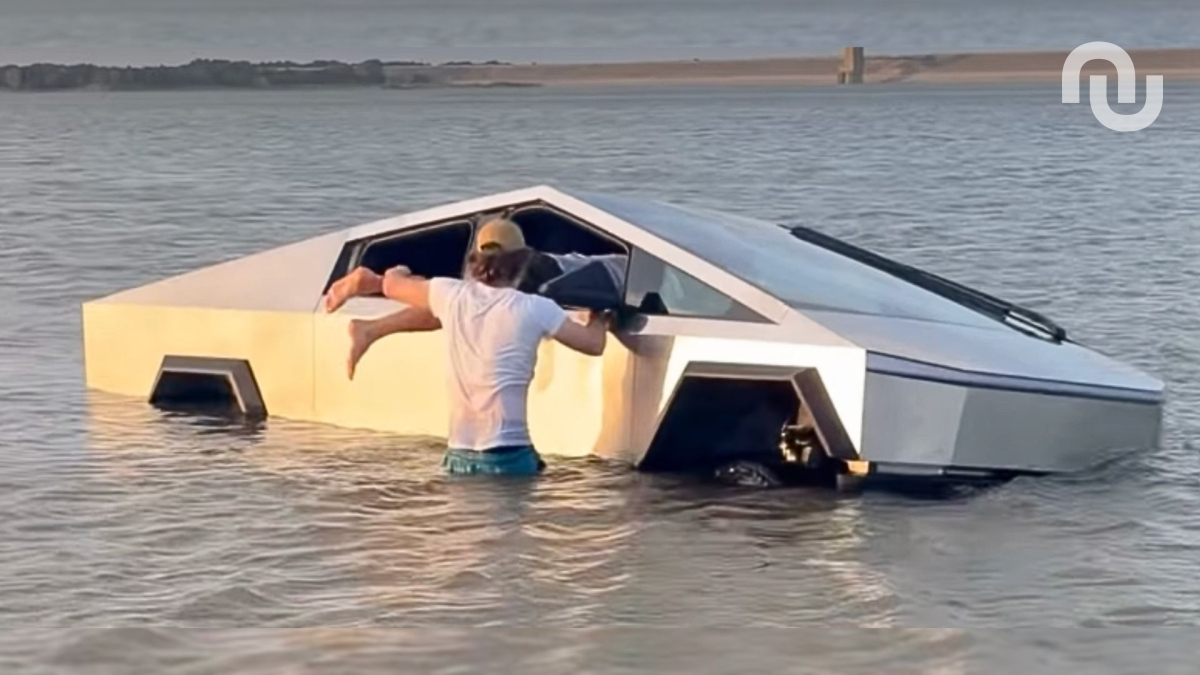


 SUBSCRIBE TO OUR NEWSLETTER


 TRY CHAT










.webp)
.webp)
.png)