Vue lecture

Il y a de nouveaux articles disponibles, cliquez pour rafraîchir la page.

Minisforum MS-02 Ultra – Early Impressions (Quick Review)

The Minisforum MS-02 Ultra – The First 48 Hours

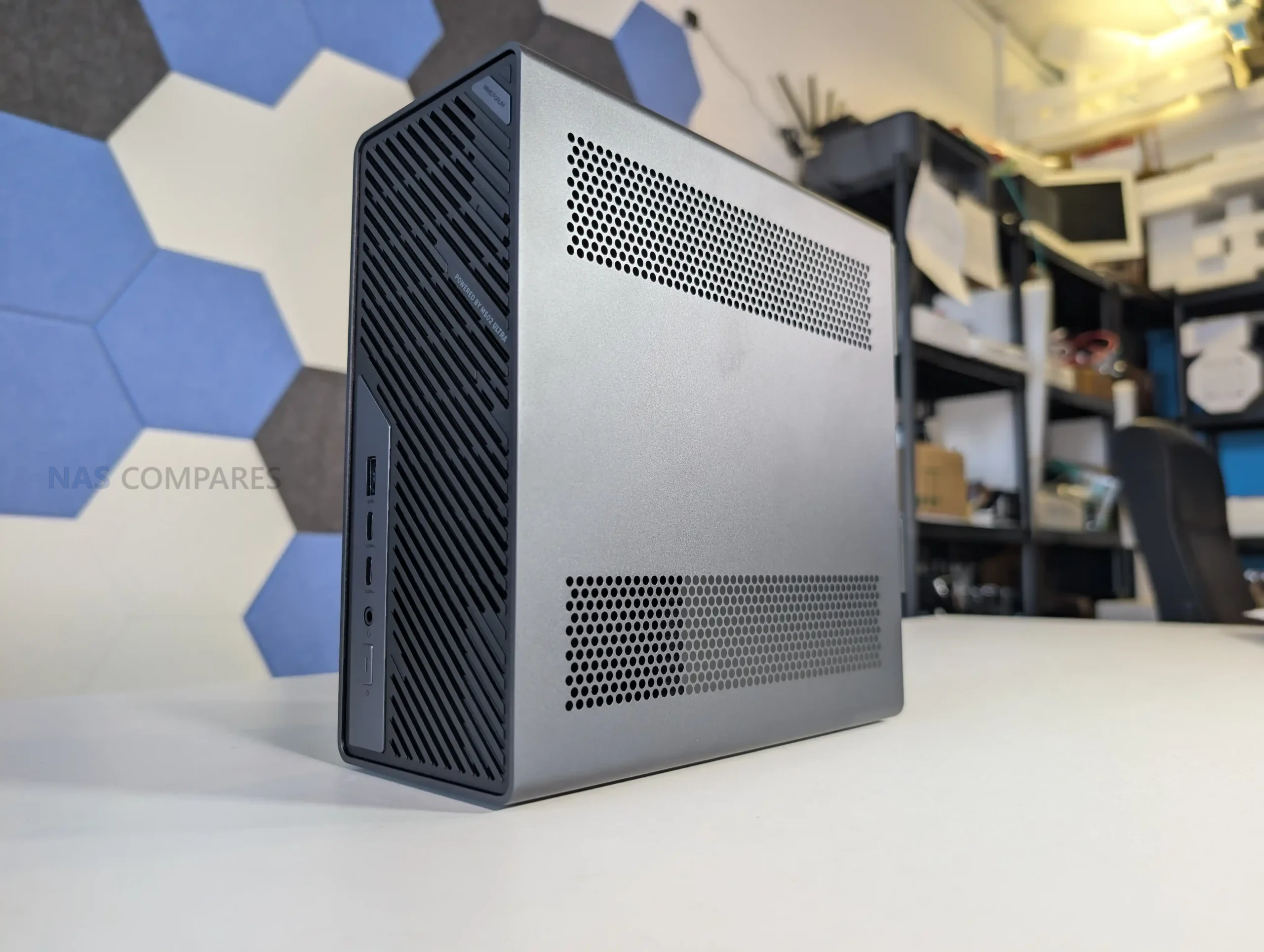
The MS-02 Ultra is the latest workstation from Minisforum, and is currently undergoing testing and review here at NASCompares. However, even after just 48 hours, a whole bunch of interesting design choices and unique qwerks to the arcitecture have emerged that I wanted to cover in the meantime before the full review is complete. The MS-02 Ultra essentially trying to recapture the magic and impact of the incredibly popular MS-01 – and it is attempting this by doubling, trippling and (in some cases) quadrupling the base specifications! The Minisforum MS-02 Ultra arrives as a compact workstation that incorporates a 24-core Intel Core Ultra 9 285HX processor, up to 256 GB of ECC DDR5 memory, internal 350 W power delivery, multiple PCIe expansion options, and a network configuration that includes dual 25GbE, 10GbE, and 2.5GbE. After 48 hours of initial testing, several hardware behaviors have emerged regarding thermals, acoustics, lane distribution, storage configuration, and chassis layout. The following sections outline these early observations, supported by confirmed specifications and hands-on inspection. Stay tuned for the full review, but at least for now, let’s discuss the early highlights and low lights!
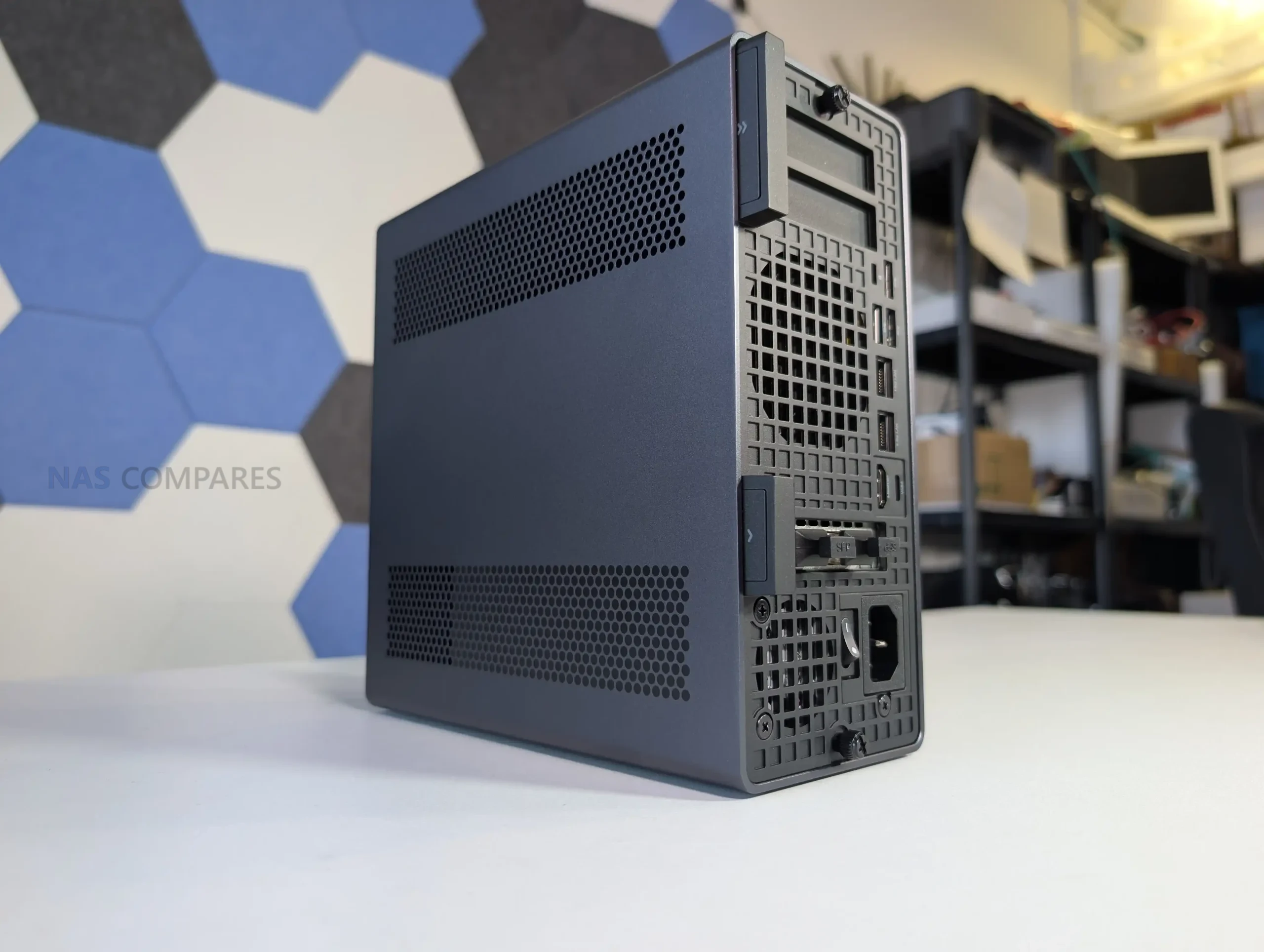
Category Specification
CPU Intel Core Ultra 9 285HX, 24C/24T, up to 5.5 GHz
TDP 100 W PL1 and 140 W PL2 (without dGPU)
Memory 4x DDR5 SODIMM, up to 256 GB, ECC supported on 285HX
Storage 2x M.2 PCIe 4.0 x4 on board, 2x M.2 PCIe 3.0 x4 or 4.0 x4 on NIC combo card
Networking 2x 25GbE SFP+, 1x 10GbE RJ45, 1x 2.5GbE RJ45 (vPro)
Wireless WiFi 7 and Bluetooth 5.4
PCIe Slots 1x PCIe 5.0 x16, 1x PCIe 4.0 x16, 1x PCIe 4.0 x4
USB Ports 2x USB4 v2 Type-C, 1x USB4 Type-C, 3x USB-A 10Gbps
Video Output HDMI 2.1 and USB4 DP Alt Mode
Cooling Six heatpipe radiator with PCM and dual-fan chamber
Power Internal 350 W PSU
Dimensions 221.5 x 225 x 97 mm
Weight 3.45 kg

Design of the MS-02 Ultra

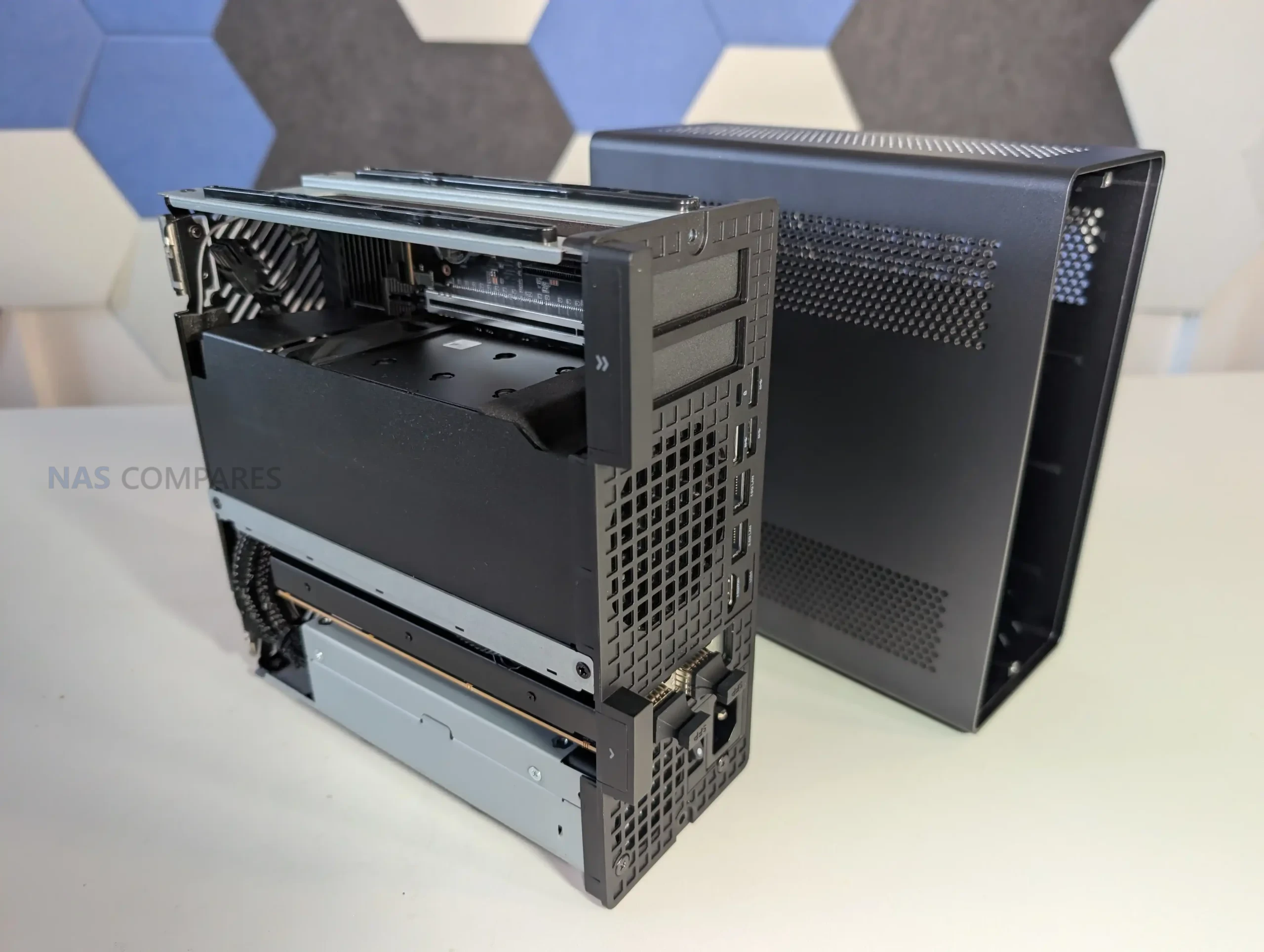
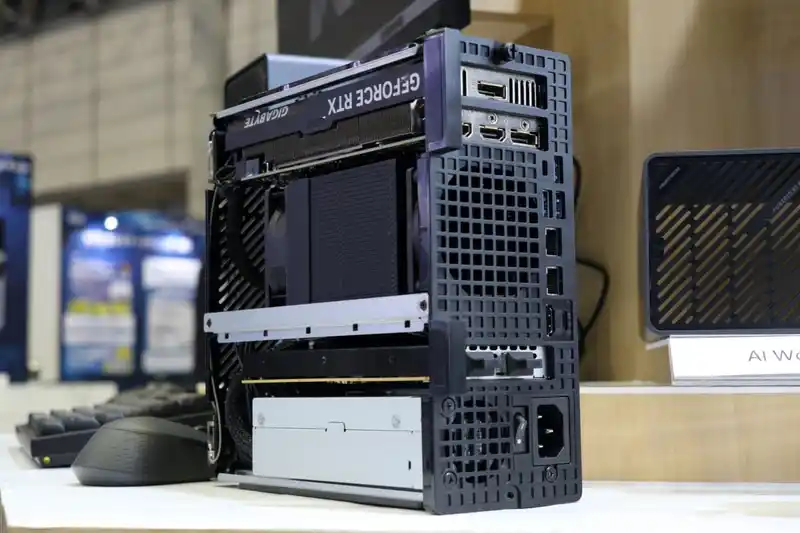
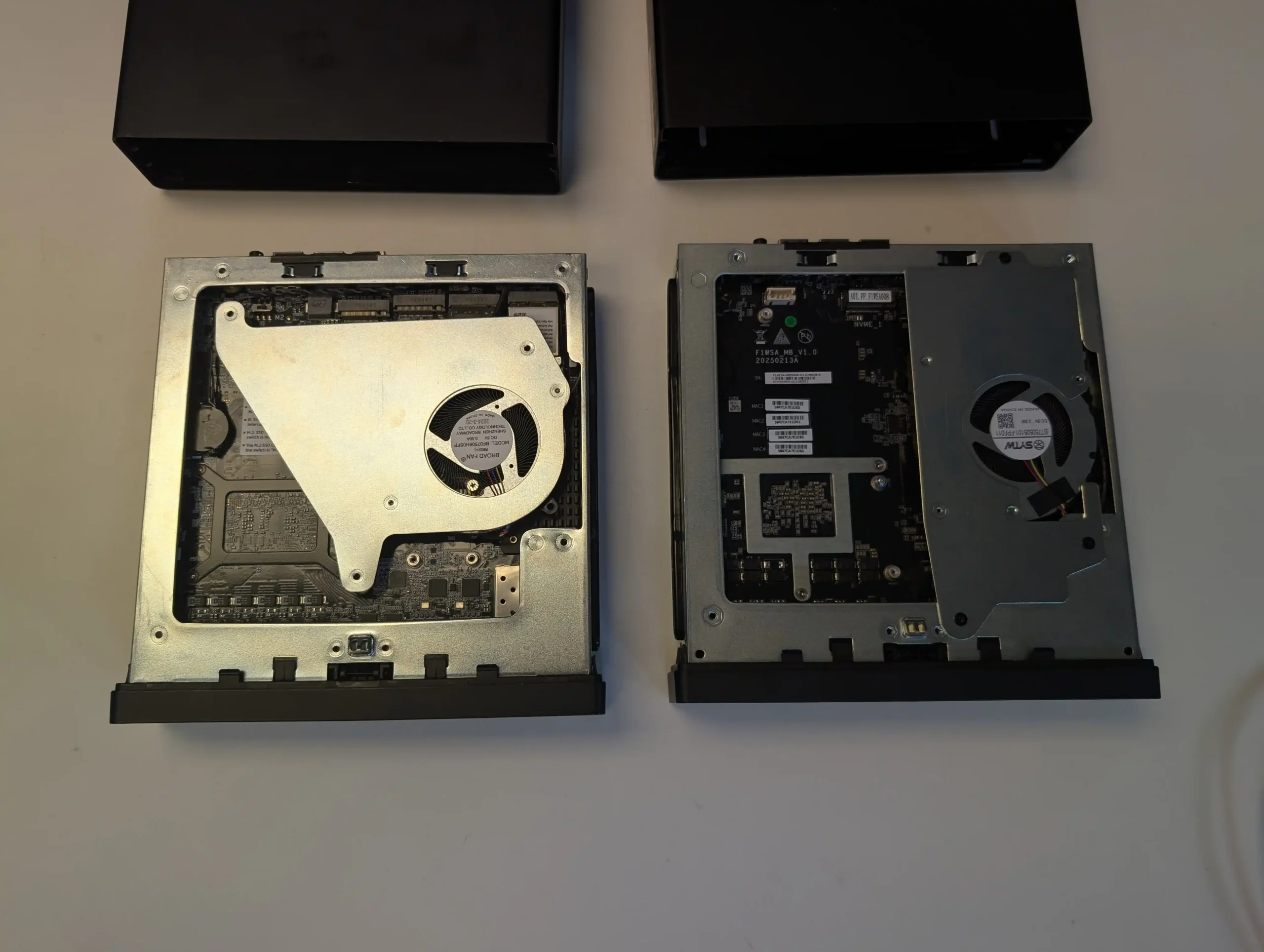
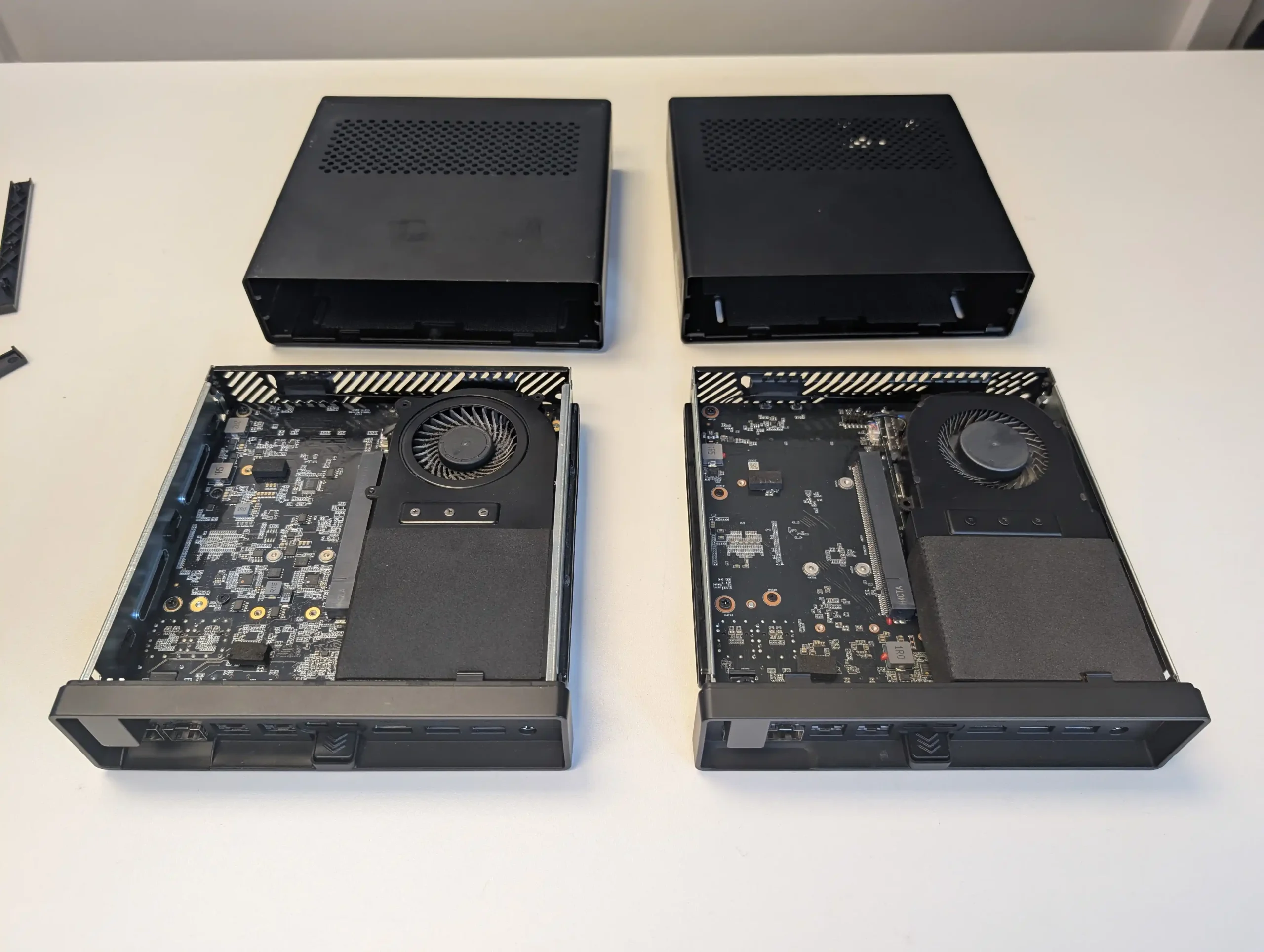
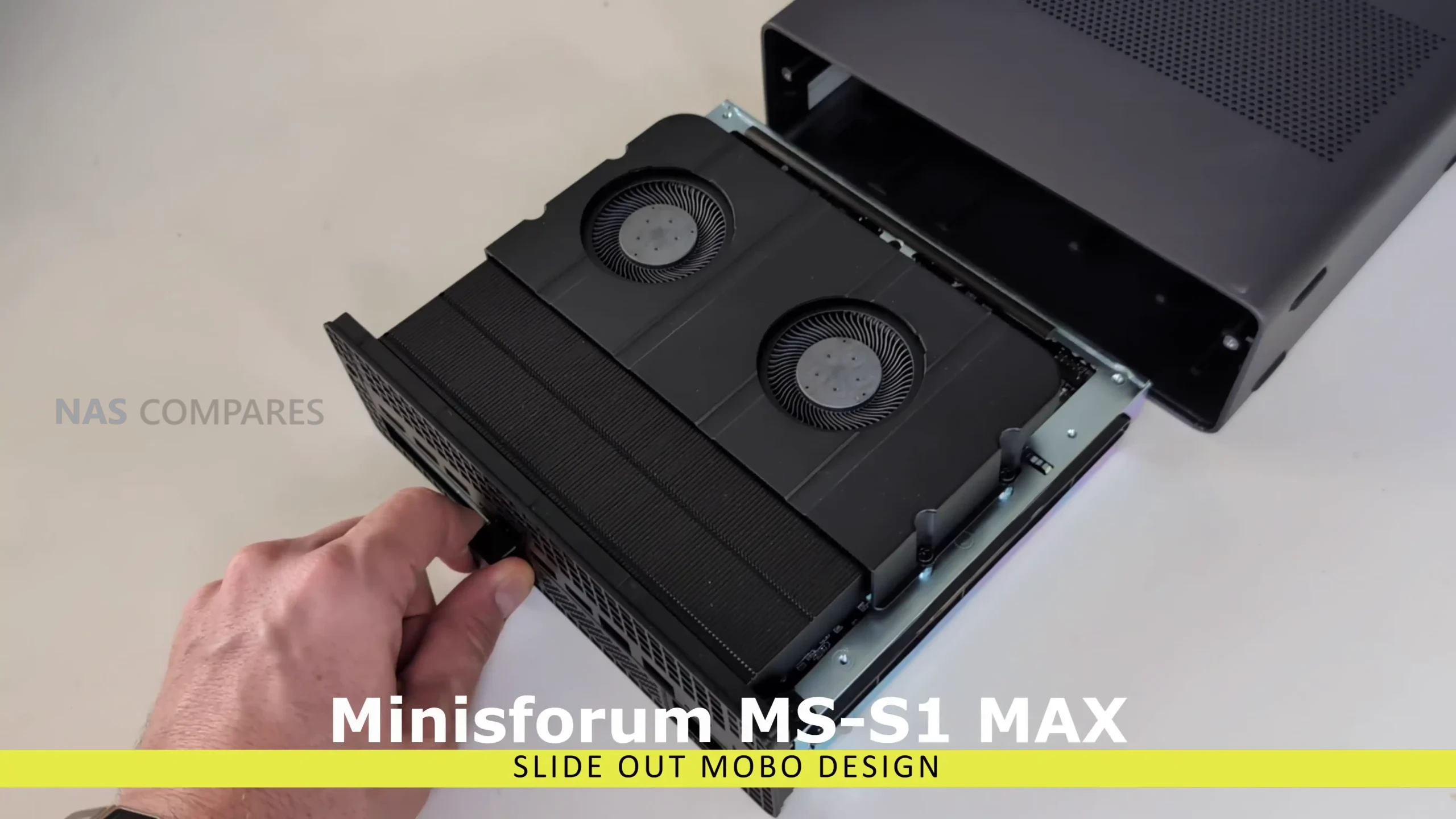
The internal design of the MS-02 Ultra differs considerably from earlier Minisforum workstation models and moves away from the layout used in the MS-S1 Max. Although the system retains a slide-out internal frame, the mechanism is less streamlined than the earlier S-series implementation because of how densely the components are arranged.
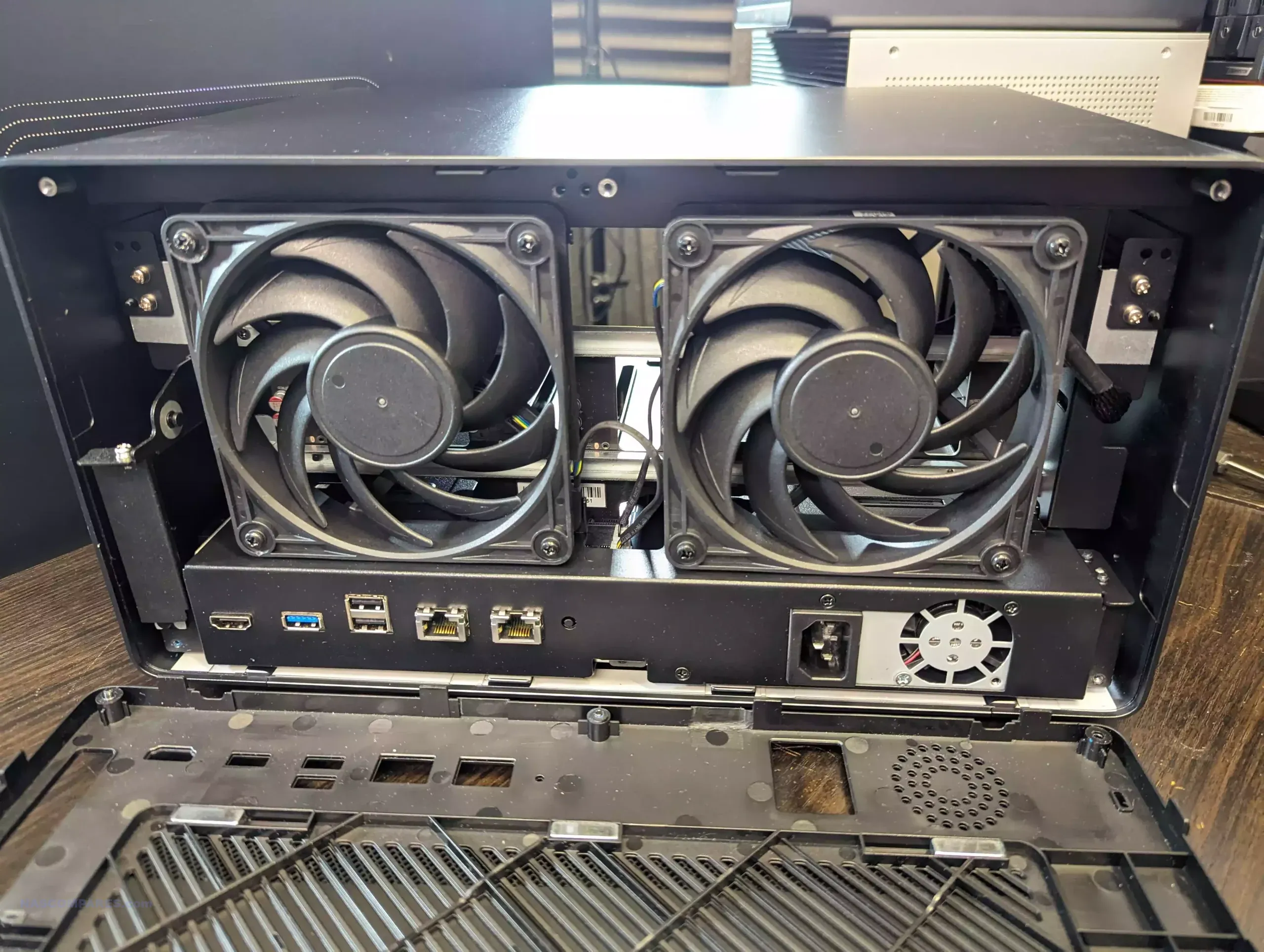
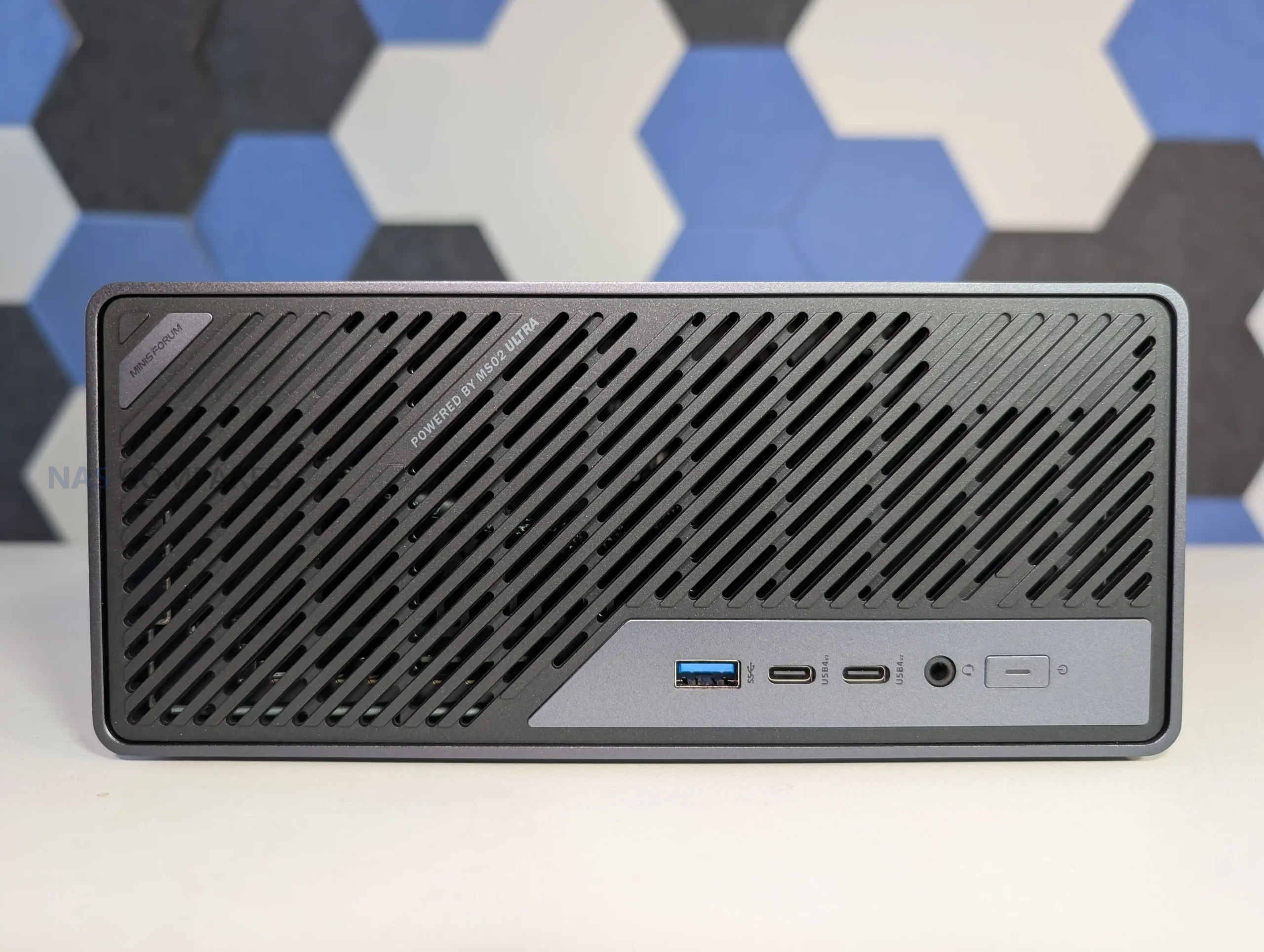
The interior resembles a compressed micro-tower layout, with the CPU cooling assembly, PSU, PCIe risers, and storage positions layered closely together. A dual-fan ventilation chamber spans the frontal section of the chassis, pulling air through a vented intake and directing it across the primary cooling hardware before forcing it out the rear. This arrangement appears to be a necessary response to the higher thermal output of the Ultra 9 285HX and the inclusion of multiple expansion slots, both of which require more directed airflow than Minisforum’s previous compact workstation designs.
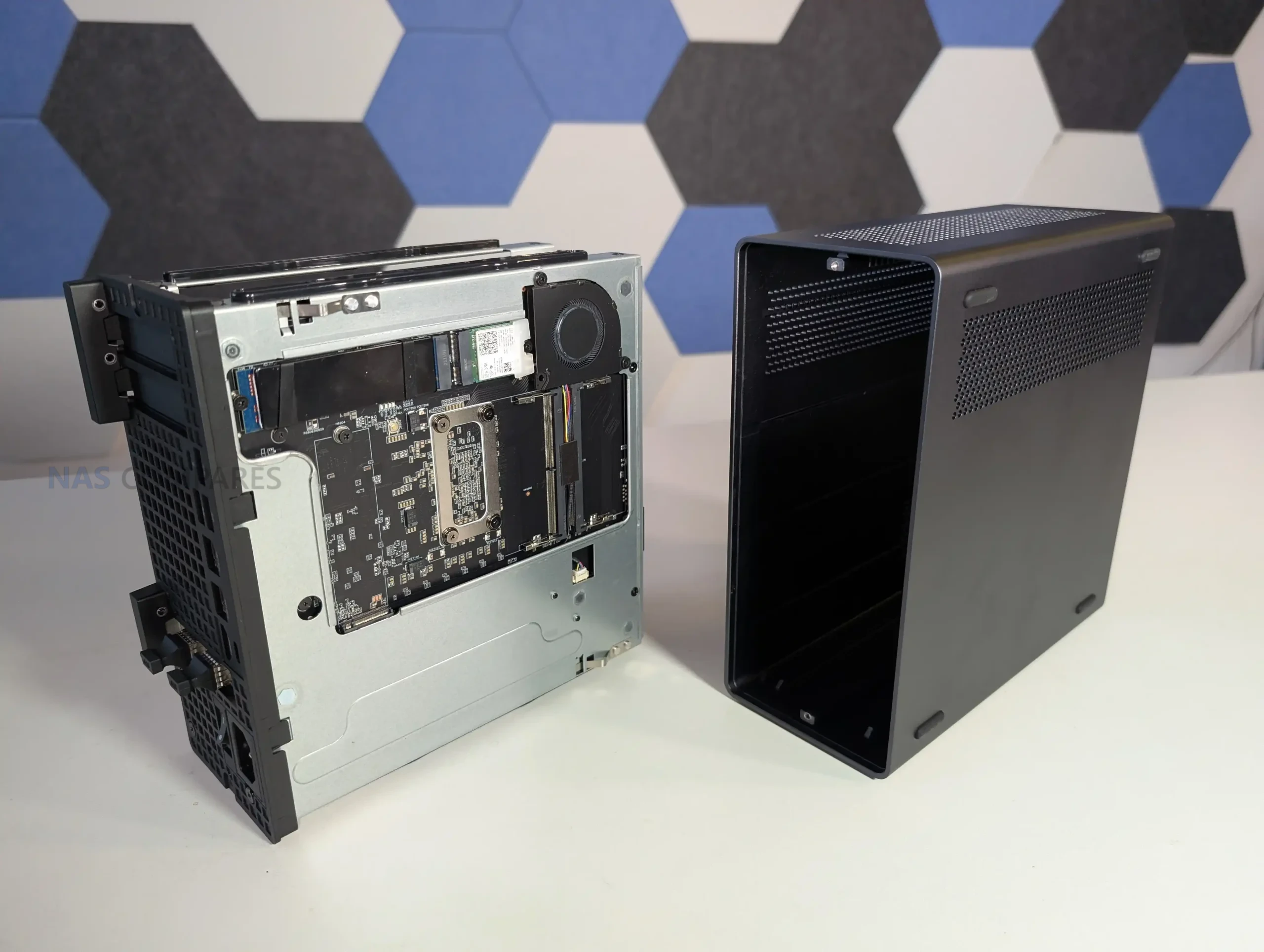
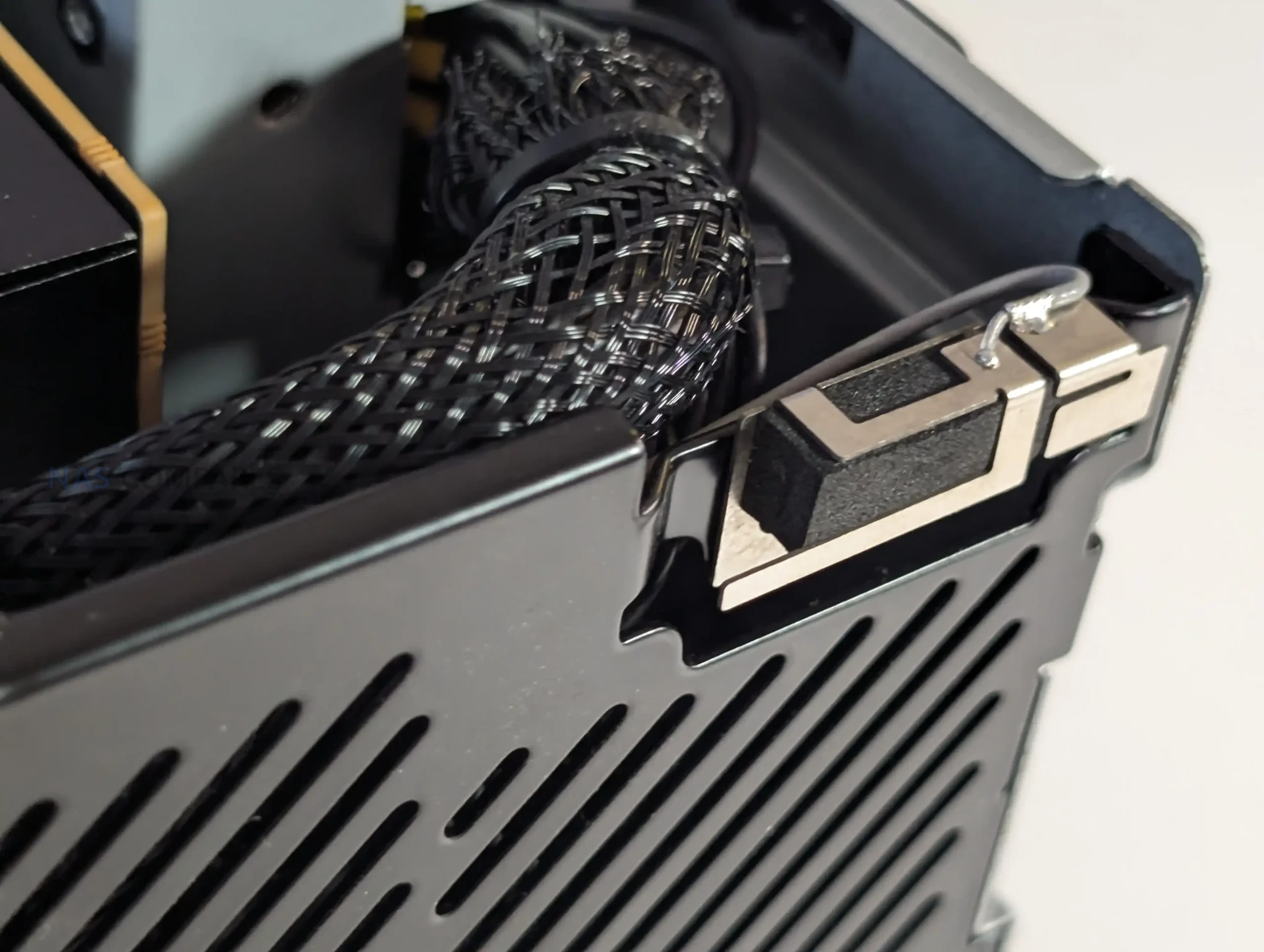
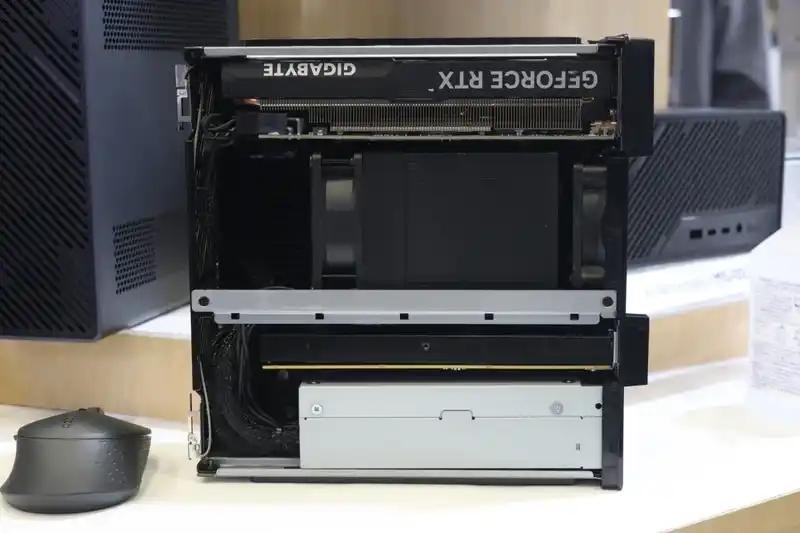
The placement of internal components reflects the limited spatial tolerance of the 4.8-liter enclosure. The internal 350 W PSU occupies a significant section of the lower frame and includes additional power leads intended for low-profile GPU or accelerator cards, something rarely present in machines of this size. The motherboard runs across most of the horizontal section and positions the CPU vapor-chamber cooler toward the middle, while memory slots, NVMe connectors, and the PCIe riser for the combo NIC occupy the remaining pockets of available space.
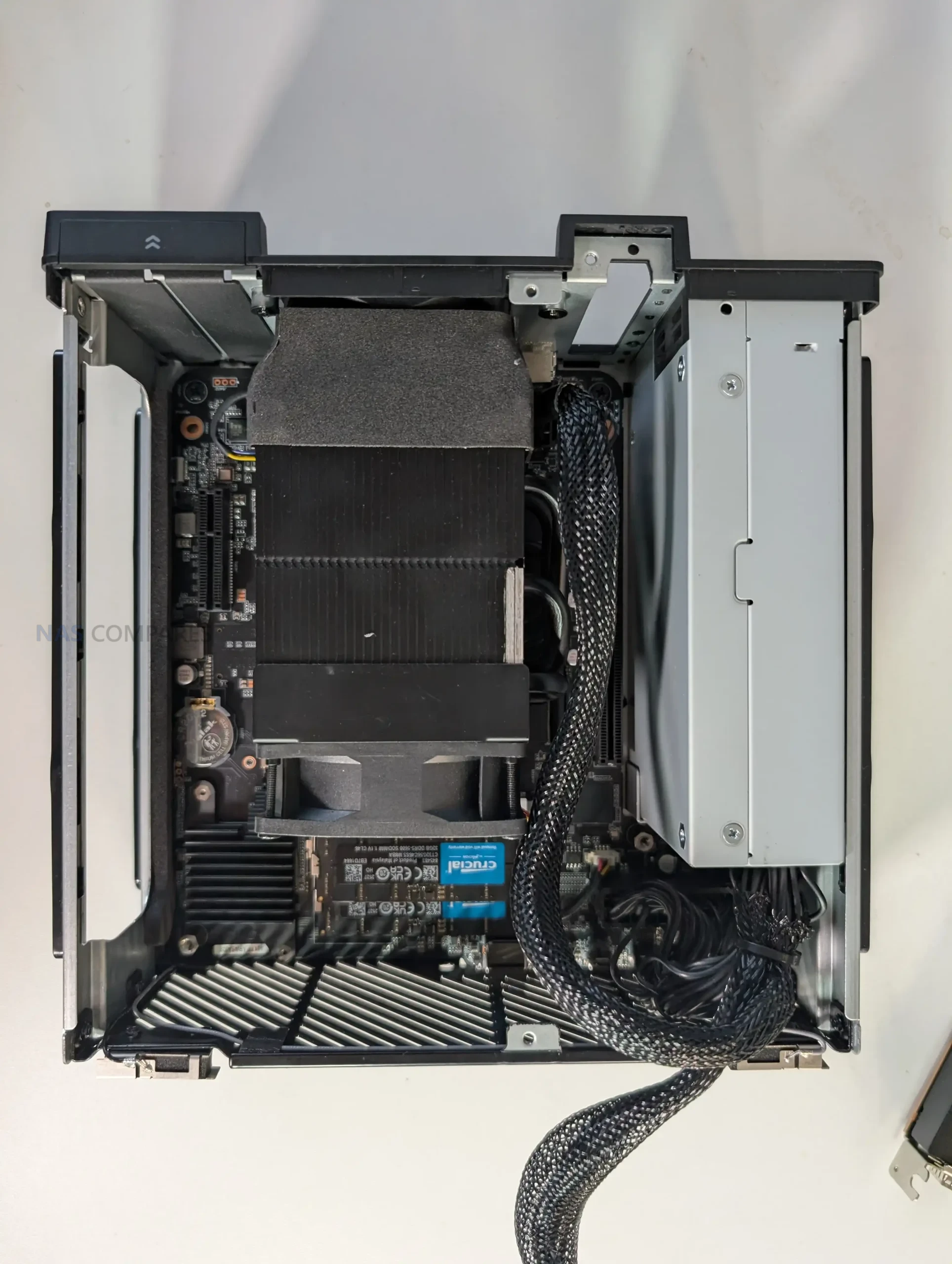
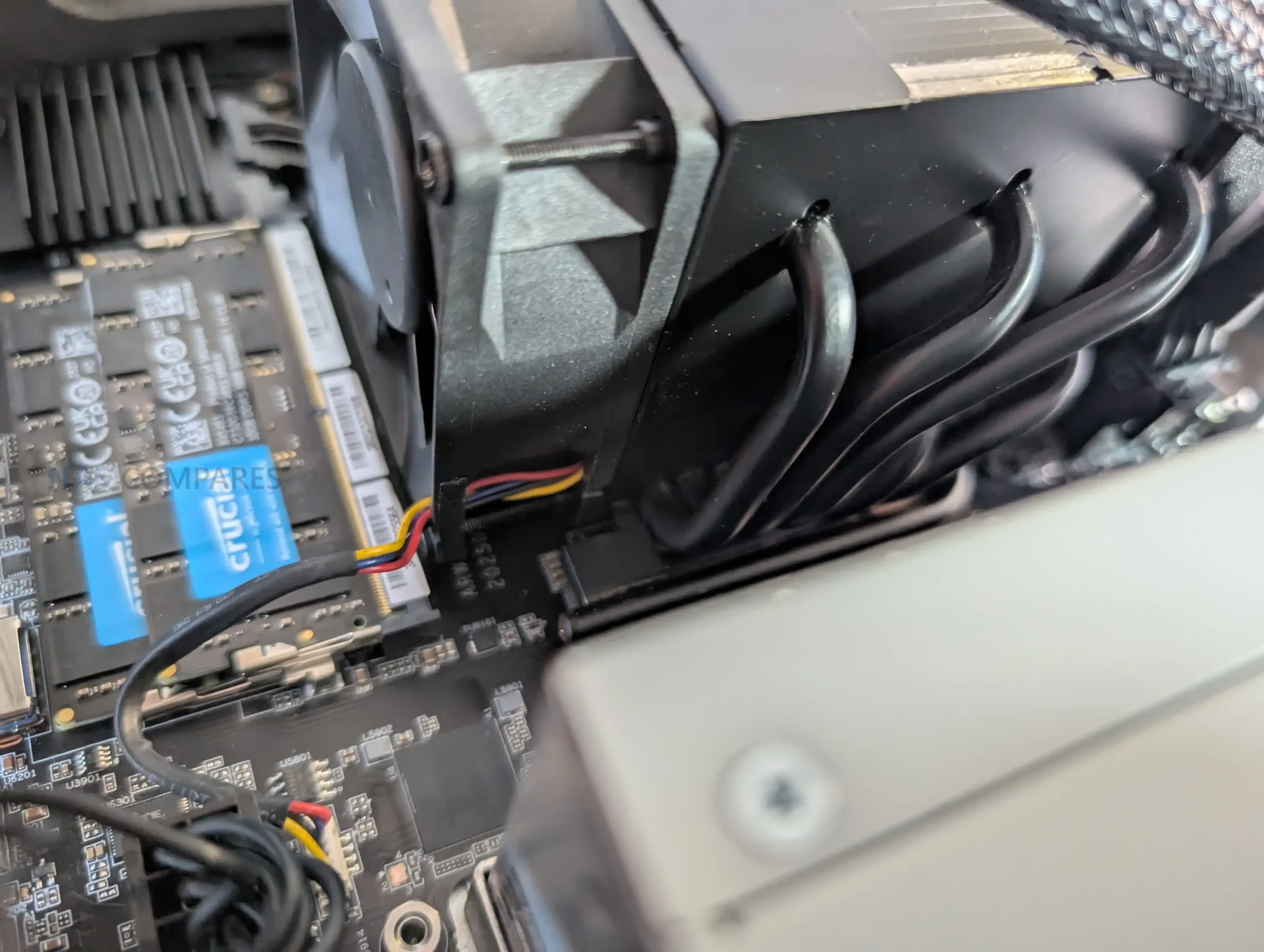
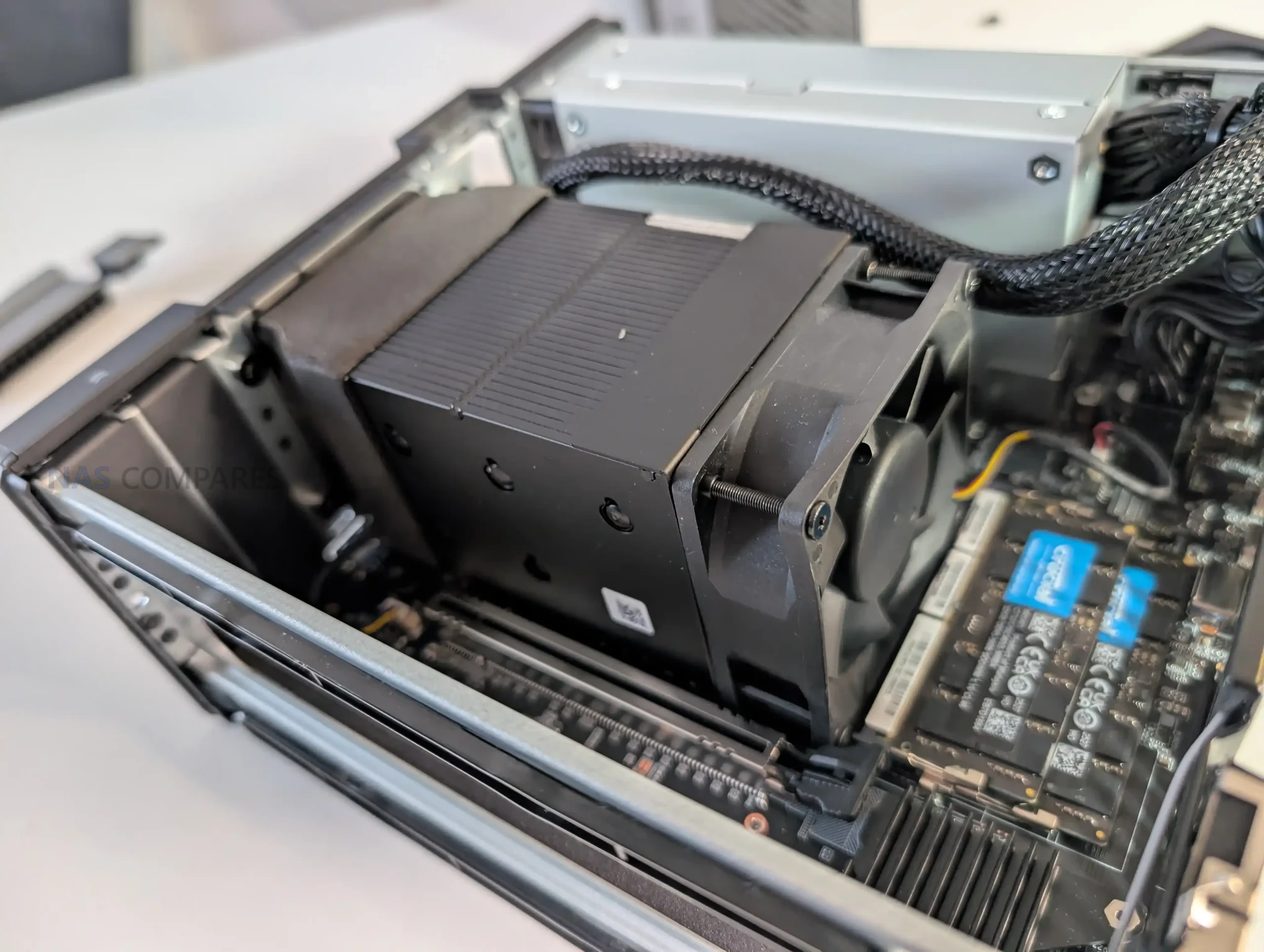
Because cooling pipes and the ventilation housing sit directly above the CPU-side memory slots, Minisforum added a custom angled heatsink to ensure airflow reaches these modules. This results in a serviceable layout but one that requires more deliberate disassembly, as the compact structure prioritizes component density and thermal guidance over ease of access or open internal spacing.
Early Heat, Noise and Power Use of the MS-02 Ultra

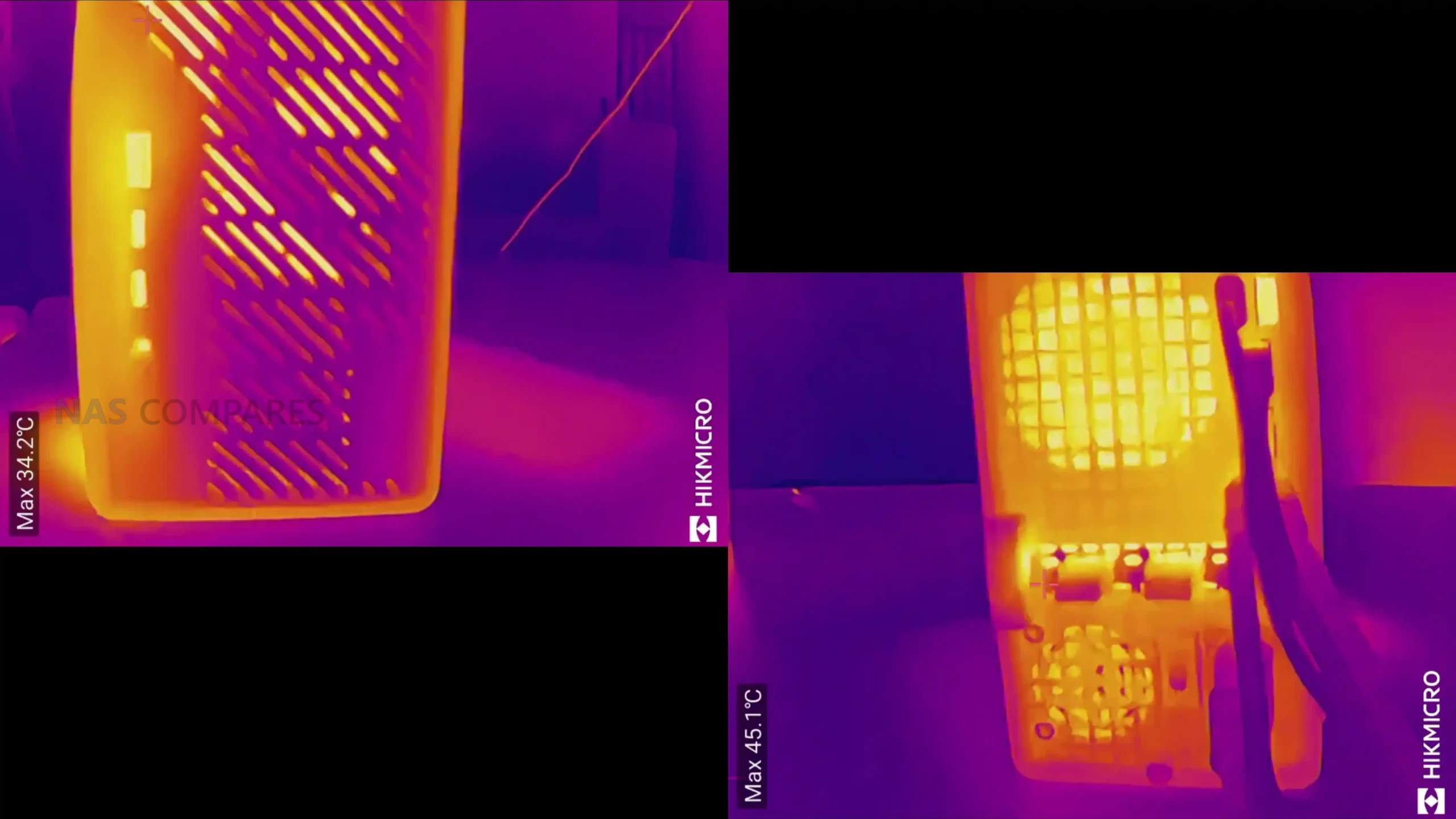
Initial thermal behavior suggests the MS-02 Ultra is managing its compact layout with a cooling strategy built around a dual-fan chamber and a six-heatpipe radiator assisted by phase-change material. During the first setup period, surface temperatures around the chassis varied, with readings near the side ventilation panels and case edges settling around the low-to-mid 40s, while the front intake area measured lower due to the direct airflow path.
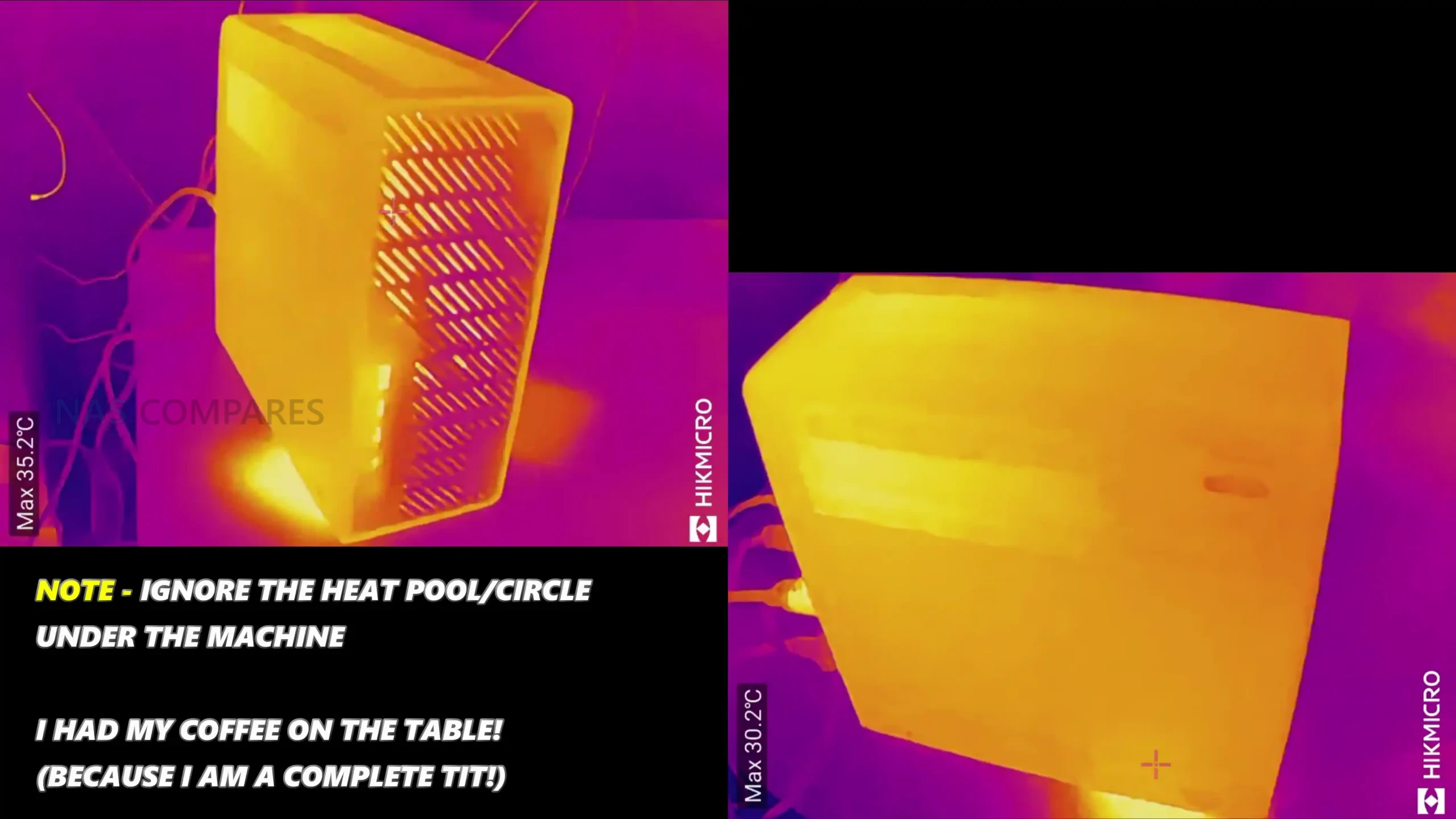
Early internal temperature checks, taken before any sustained workloads were applied, showed values consistent with a system that is heavily packed but actively cooled across multiple zones. These readings align with Minisforum’s stated 5000 RPM maximum fan speed and the intention to maintain a 100 W to 140 W CPU power envelope depending on configuration. However, because these measurements were taken during routine preparation rather than stress testing, they provide only a preliminary indication of how the system will manage long-duration loads.
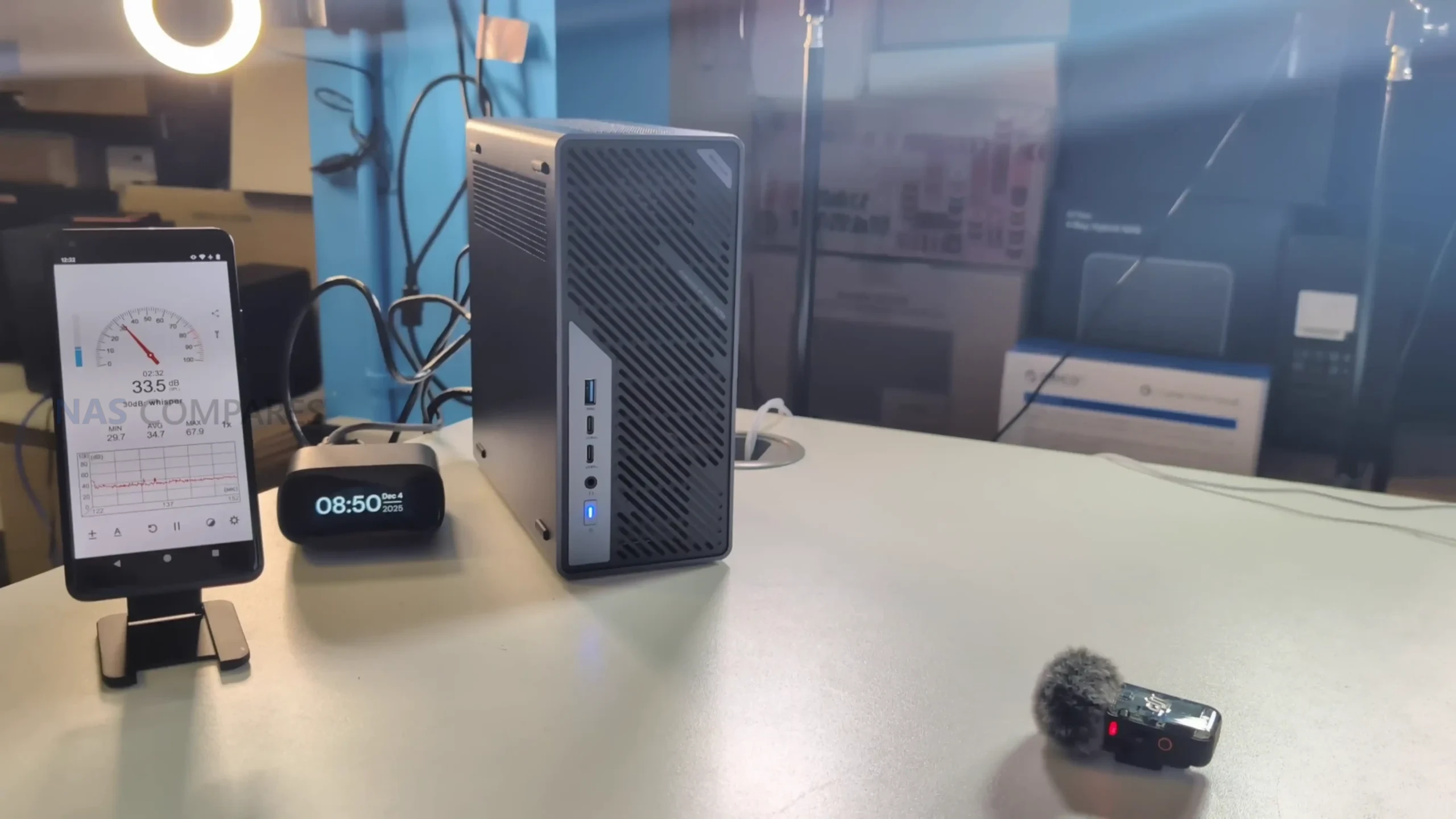
Noise levels during this early period ranged from the low 30s dBA while performing software installations and background operations, with no significant fluctuations unless brief bursts of activity occurred. This behavior suggests fan control may be tied primarily to BIOS-level thermal triggers rather than granular OS-side control, something that will require further testing.
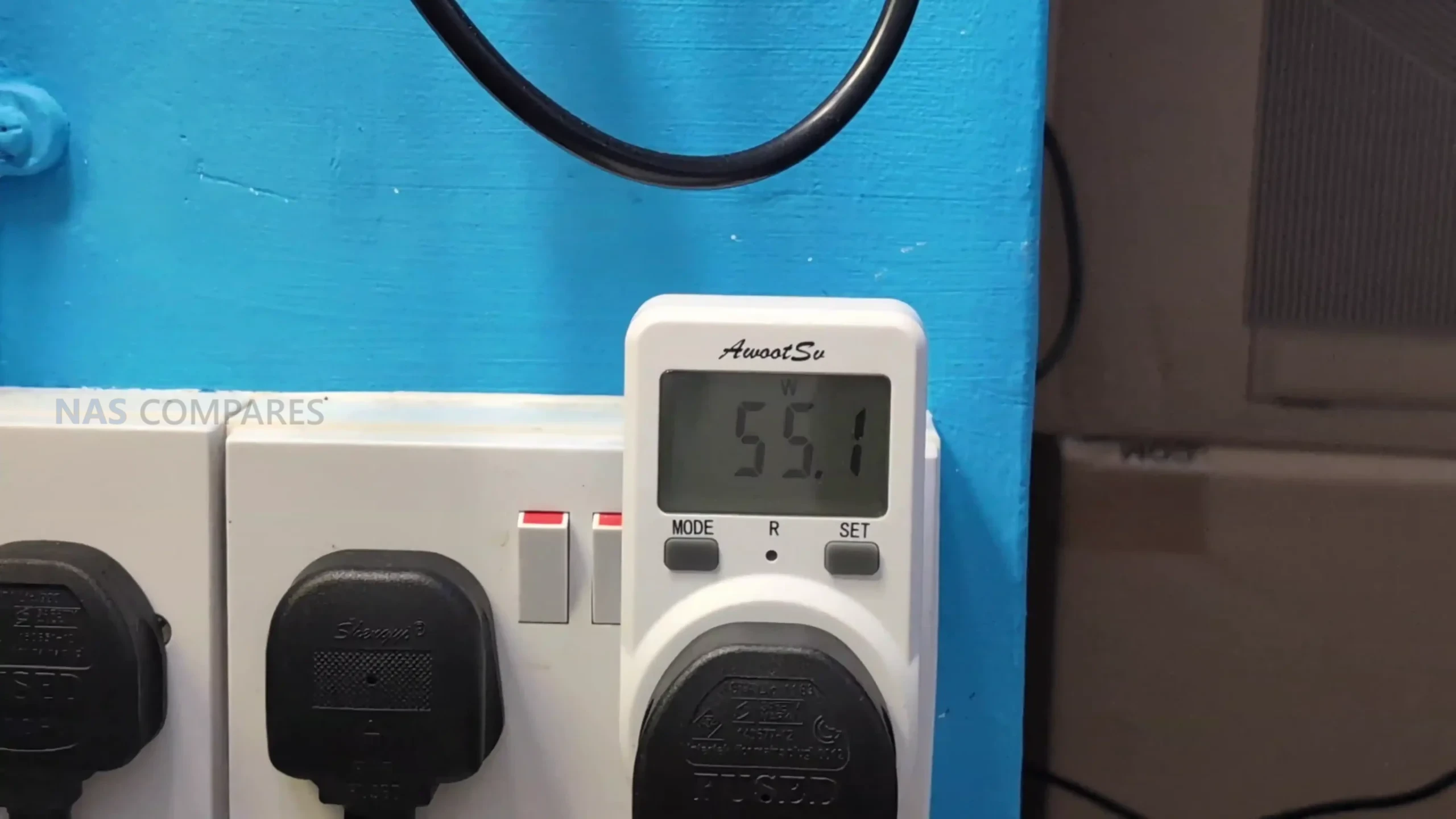
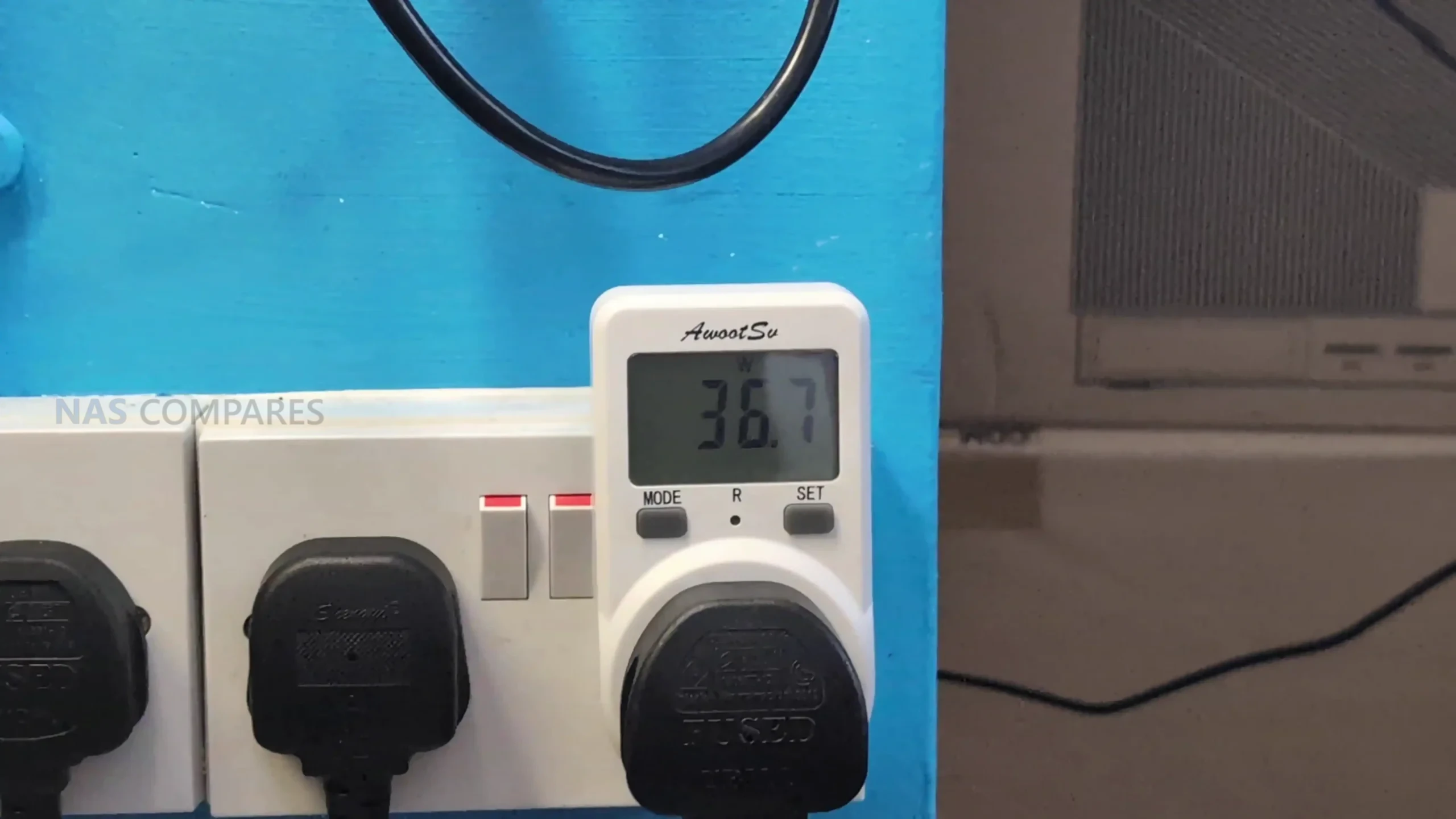
Power consumption during light activity remained in the 50 to 60 W range, which is consistent with a workstation-class system running the Ultra 9 285HX while idle or handling moderate foreground tasks. Removing the dual-25GbE combo card or disabling its slot reduced power draw by roughly 10 to 11 W, highlighting the overhead associated with multi-lane NICs and onboard controllers. These early figures provide a baseline for comparison against heavier benchmarks that will be performed in the full review.
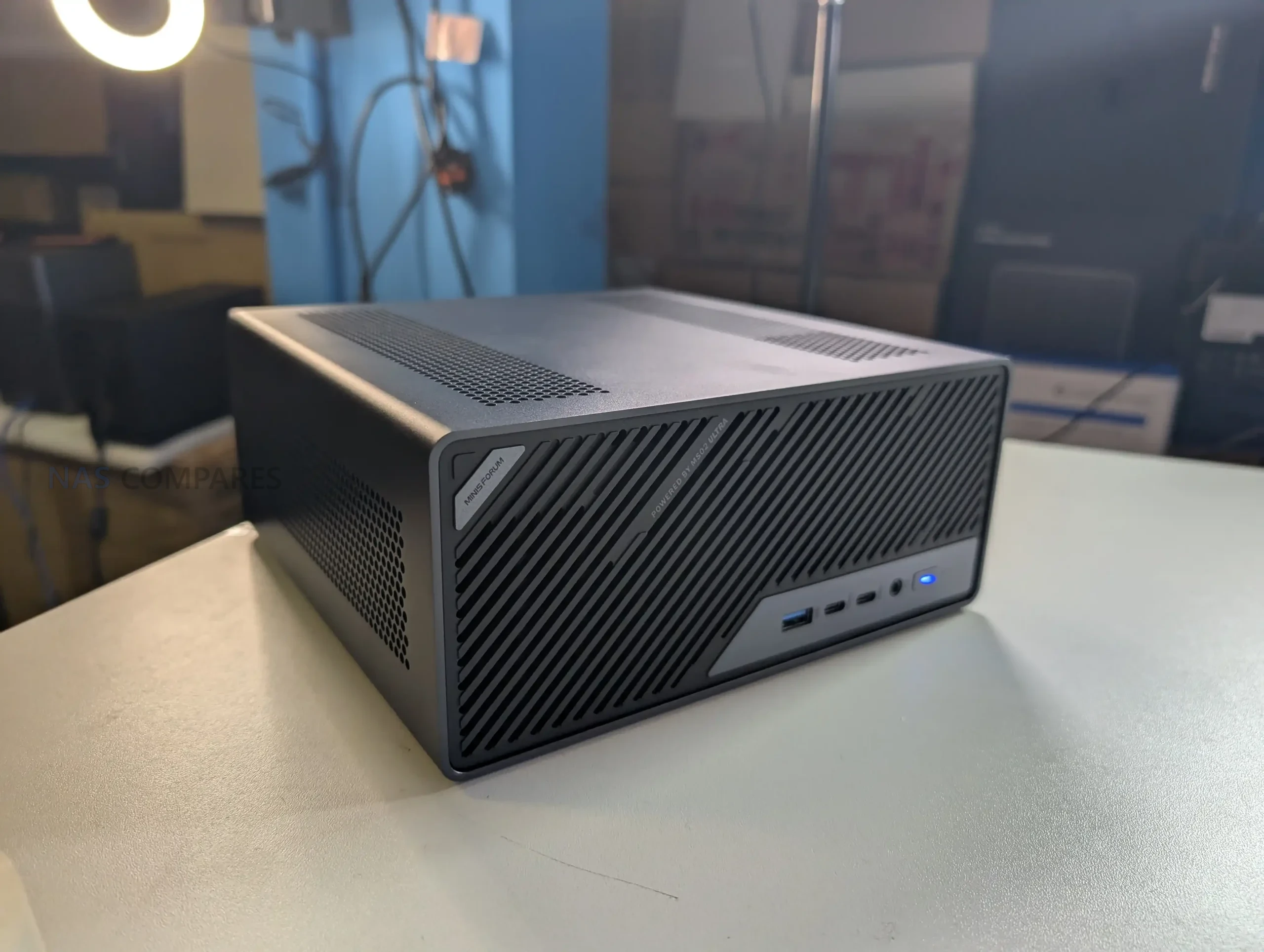
The 25GbE, 10GbE and WiFi 7 Network Card in the MS-02 Ultra

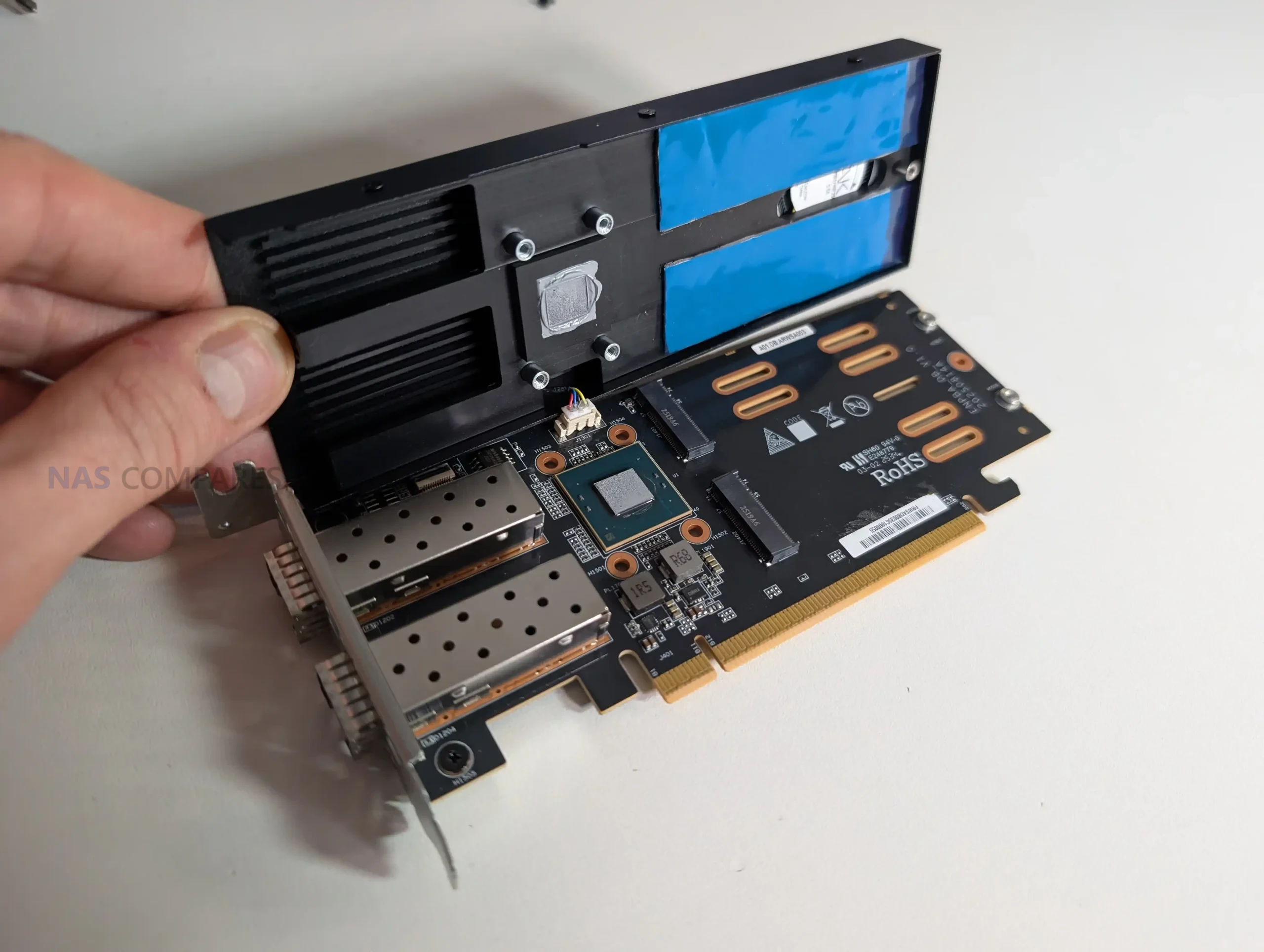
The MS-02 Ultra’s networking implementation is centered around a PCIe-based combo card that integrates dual 25GbE SFP+ ports with two additional M.2 NVMe slots. This card is installed in the PCIe 4.0 x16 position rather than the PCIe 5.0 slot, and it includes a dedicated controller with active cooling and heatsinks that cover both the networking and storage components.
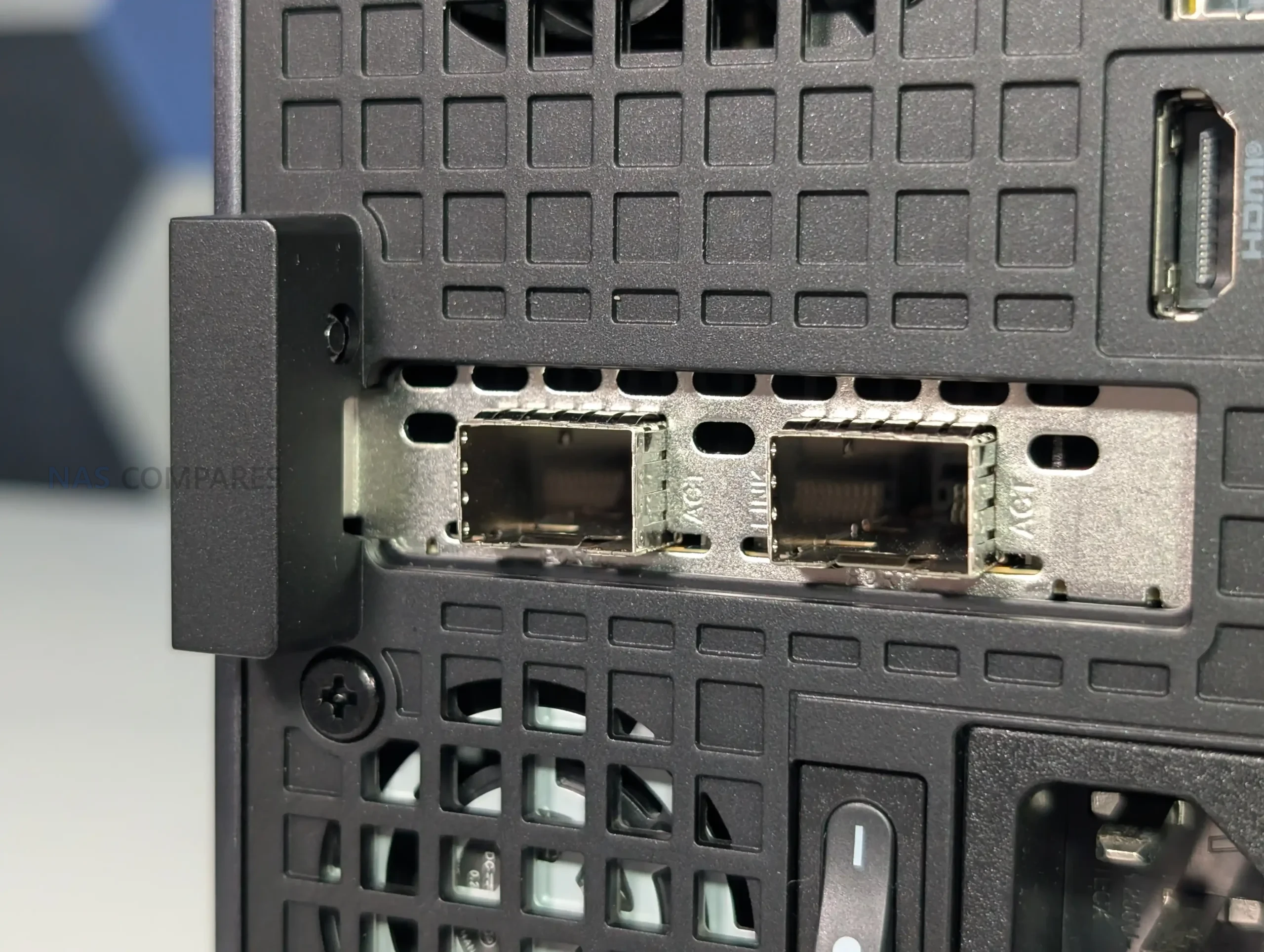
Early inspection shows the card draws a notable amount of power, which corresponds with the increased thermal and electrical requirements of Intel’s E810-class 25GbE controllers. Because of this, Minisforum’s inclusion of dedicated airflow and structural reinforcement around the card is necessary within the constrained 4.8-liter chassis. The presence of this dual-purpose add-in card also means the MS-02 Ultra’s total NVMe count depends on whether the system is configured with the 285HX version, as the lower-tier CPUs remove the combo module entirely.
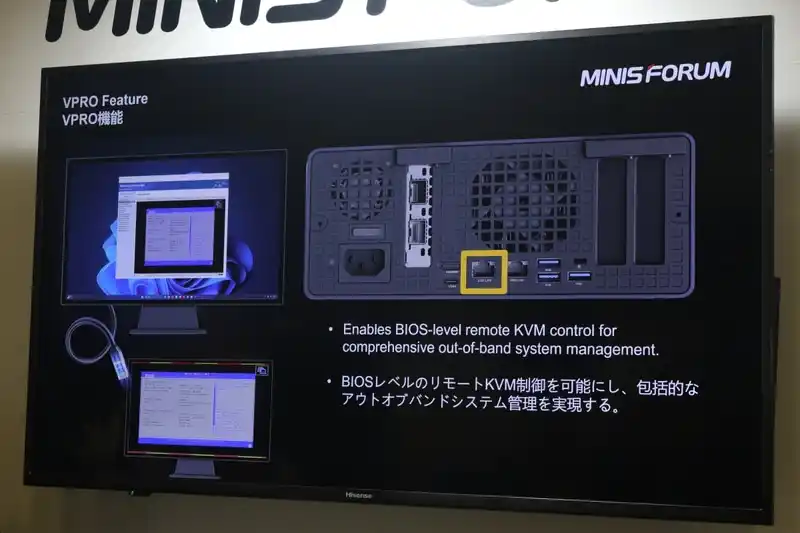
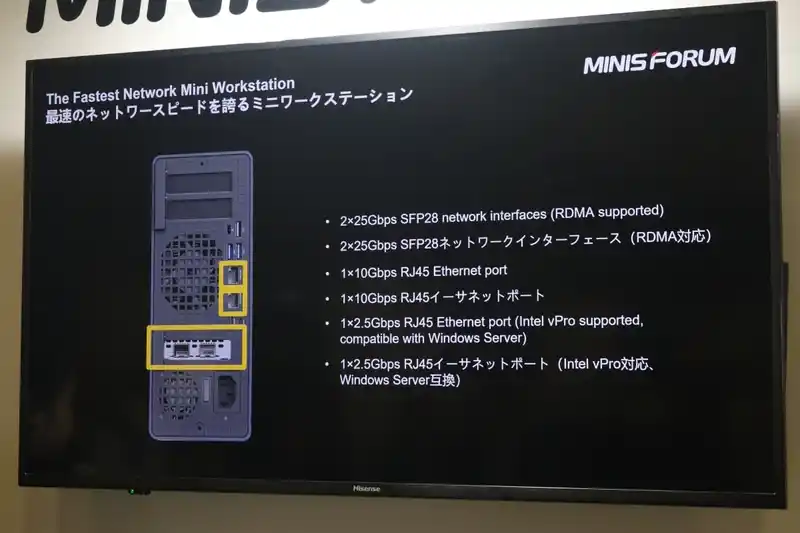
Beyond the 25GbE configuration, the system includes onboard 10GbE and 2.5GbE RJ45 ports, the latter supported by Intel’s i226-LM with vPro capabilities, allowing BIOS-level remote management. The combination of high-speed SFP+, copper-based multi-gigabit ports, and embedded management options positions the system for lab, server, or virtualization roles rather than conventional desktop use.
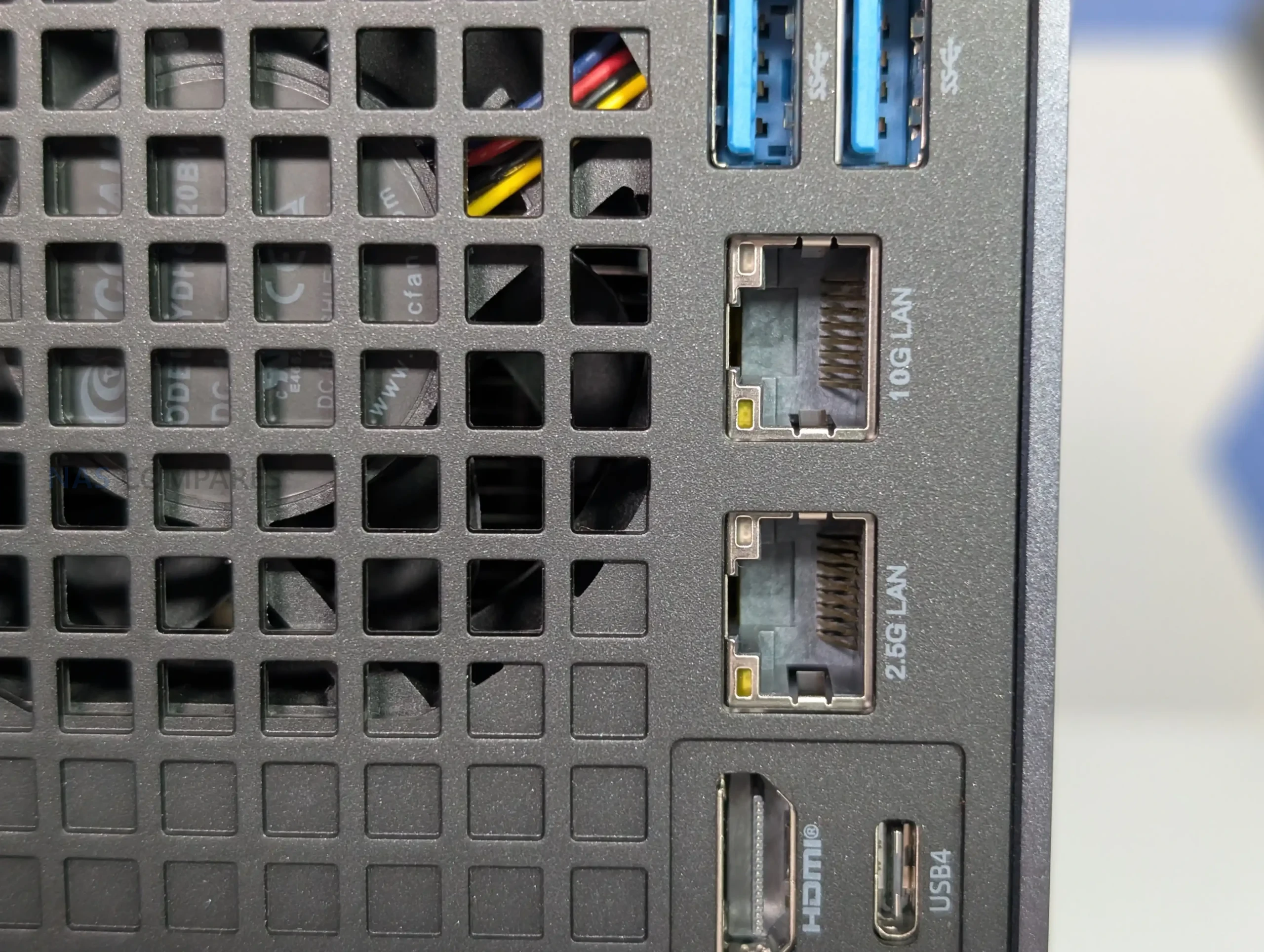
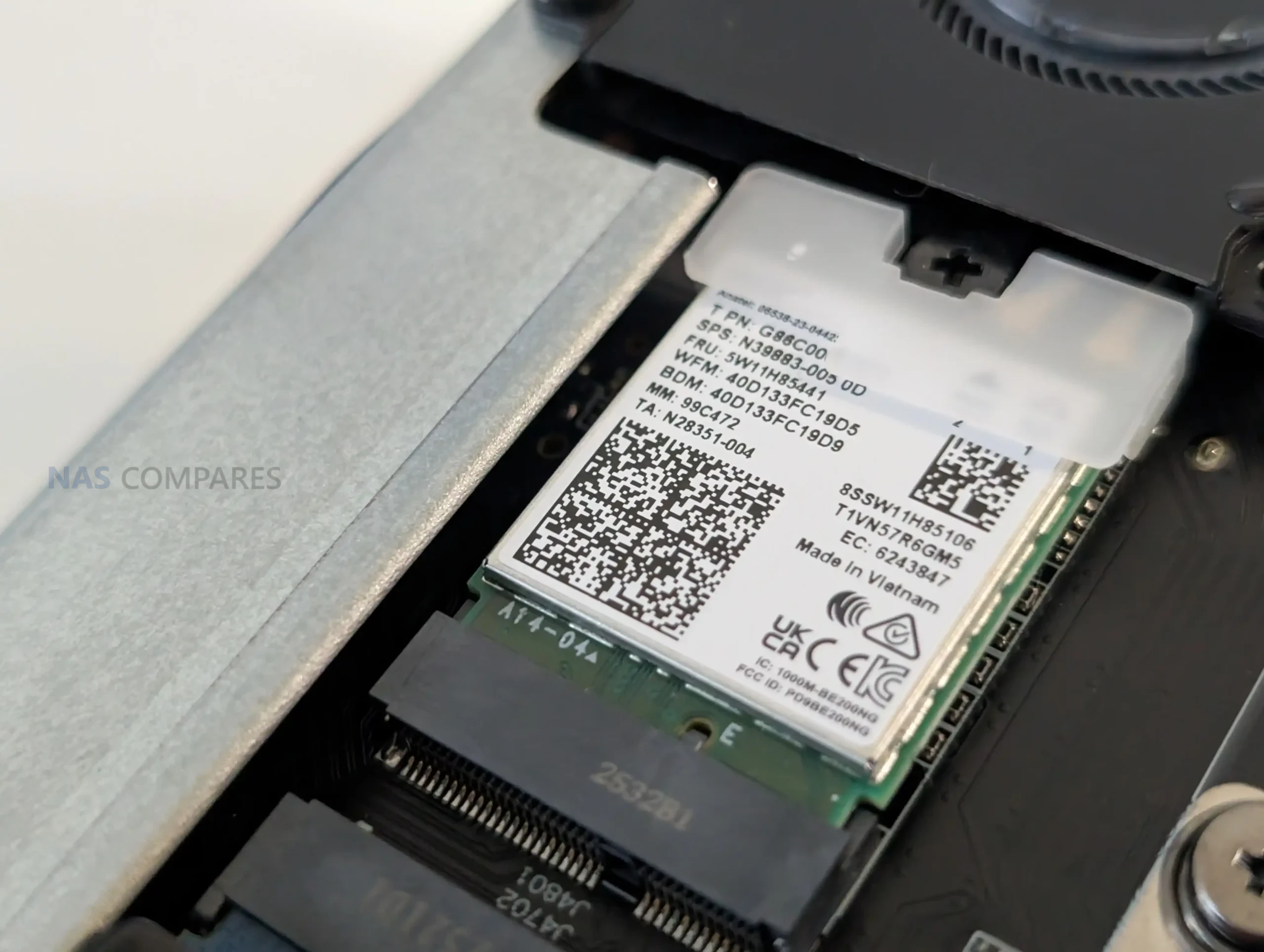
Wireless capability is supplied via a WiFi 7 and Bluetooth 5.4 module connected through an M.2 E-Key slot, providing high-throughput wireless performance alongside its wired interfaces. Together, these connectivity features expand the system’s potential use cases, particularly for users planning to deploy virtualized environments or bandwidth-intensive tasks such as shared storage testing or multi-system clustering.
How m.2 Storage on the MS-02 Ultra is Done

The MS-02 Ultra distributes its four NVMe slots across two different locations, with two mounted on the mainboard and two integrated into the dual-25GbE combo card. The pair located on the system board are positioned on the underside, near the memory and CPU assembly, and both are listed as PCIe 4.0 x4 according to Minisforum’s documentation.
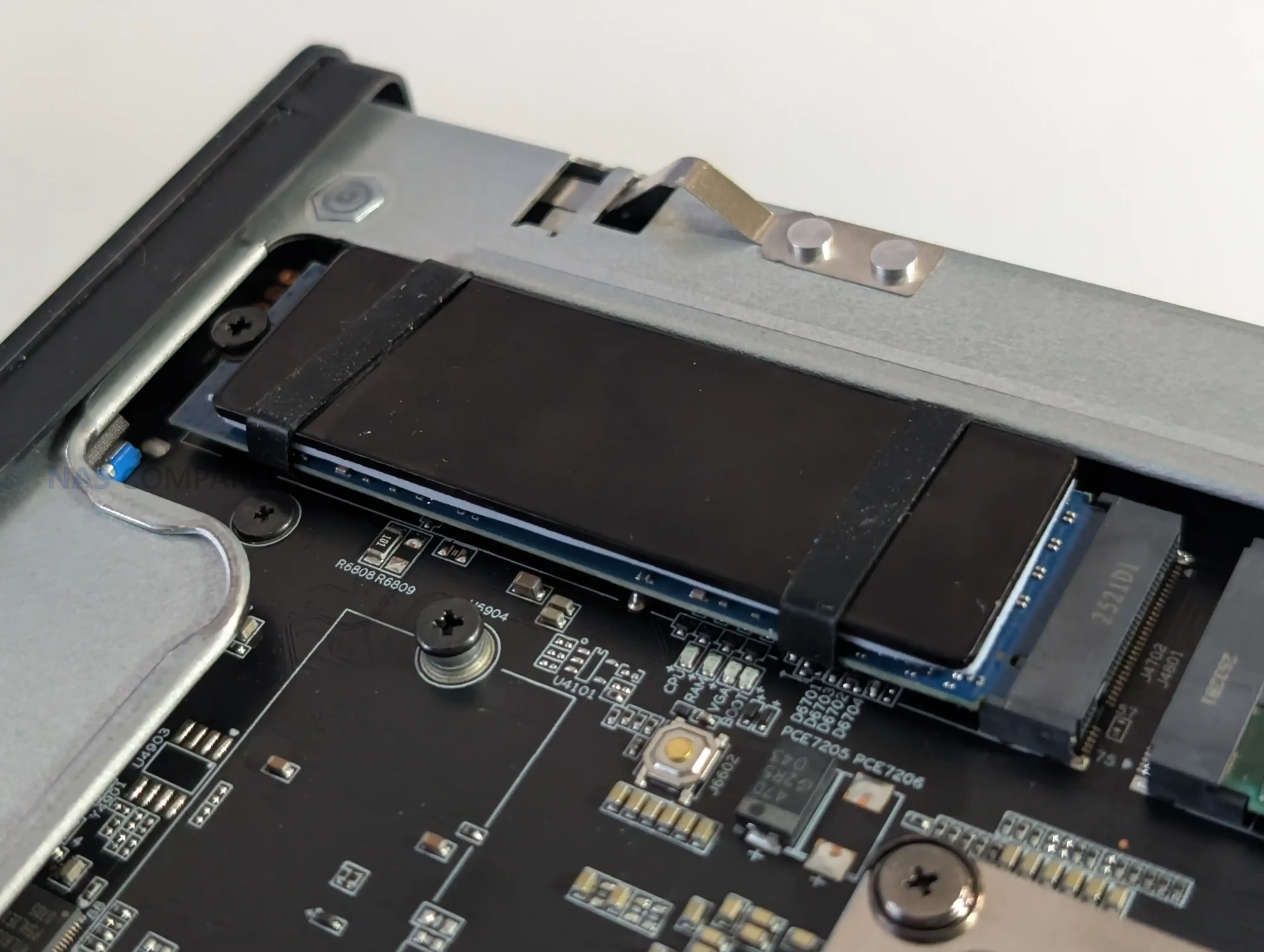
Early inspection suggests that one of these may have a PCIe 5.0 lane path available at the hardware level, though software restrictions or lane bifurcation rules may currently limit it to Gen 4 behavior. This is an area that requires further validation using a Gen 5 SSD, as the lane layout on the 285HX platform allows various allocation possibilities depending on how Minisforum assigned bandwidth between CPU, chipset, and expansion slots. These internal slots have modest vertical clearance, meaning SSDs with tall heatsinks cannot be used without removing or replacing the pre-fitted cooling structures.
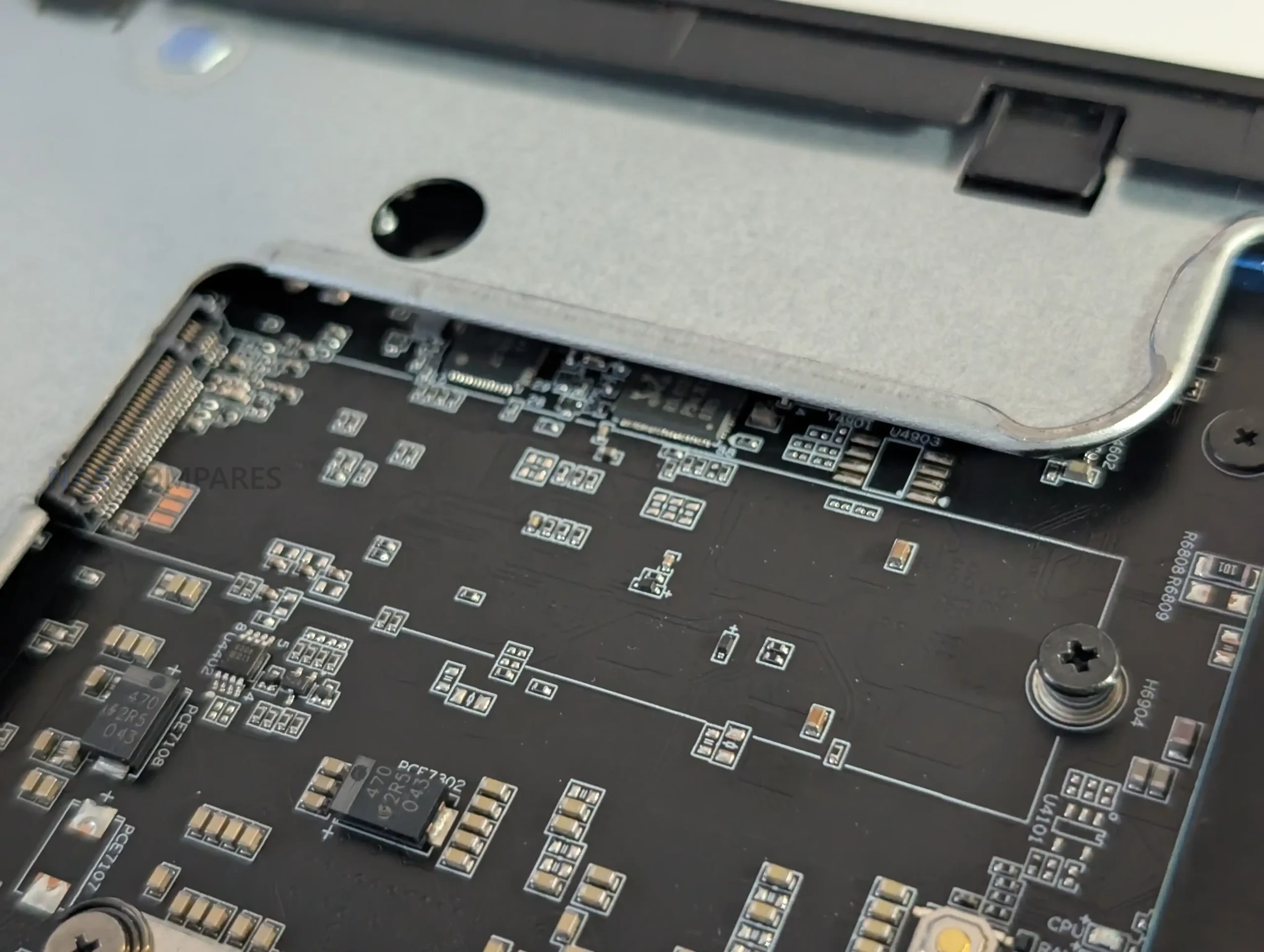
The remaining two NVMe slots reside on the network combo card alongside the 25GbE controllers. These operate under different bandwidth rules depending on SSD capacity: drives up to 4 TB operate at PCIe 4.0 x4, while larger 8 TB models shift down to PCIe 3.0 x4. This behavior appears to be related to the card’s onboard controller and how its internal bifurcation splits resources between the NIC and storage lanes.
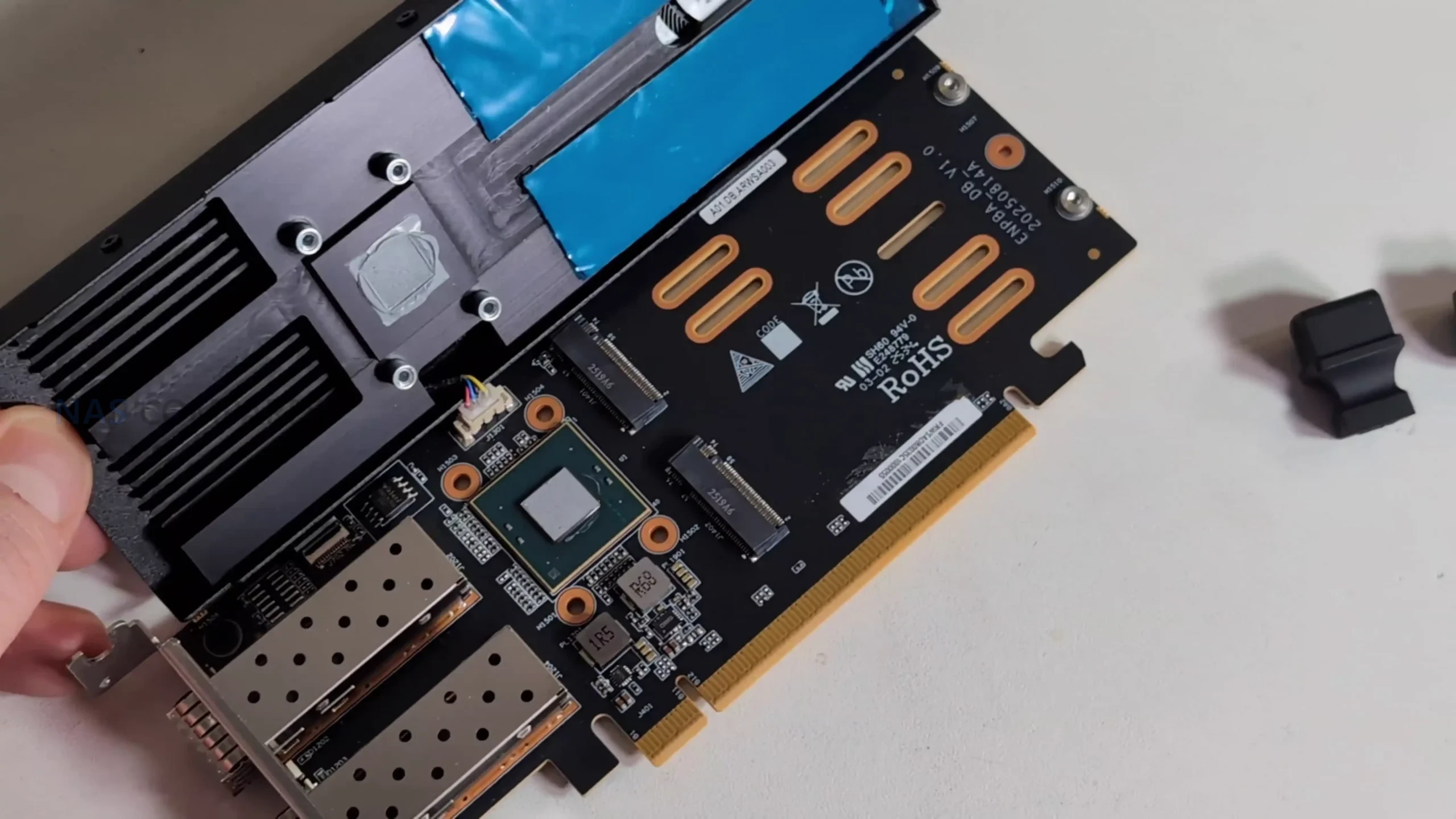
Physical space is also restricted on the card, requiring low-profile SSDs in certain positions to avoid obstruction of the cooling shroud and airflow channel. Minisforum includes an additional heatsink in the package for users installing their own drives, but using SSDs with taller factory heatsinks may be impractical. Altogether, storage layout on the MS-02 Ultra is functional and high-capacity, but with lane behaviors and physical constraints that require attention during configuration.
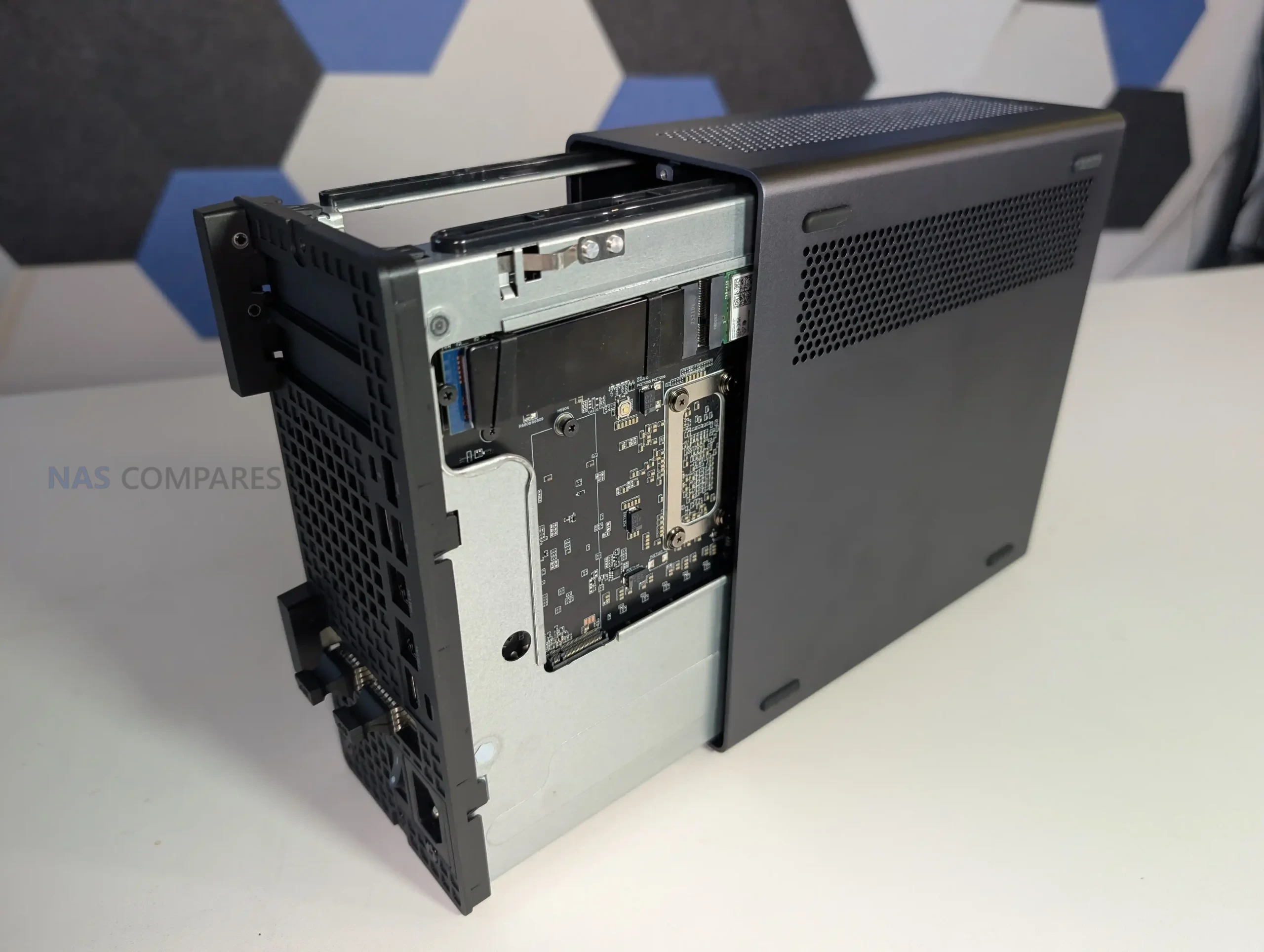
Memory on the MS-02 Ultra

The MS-02 Ultra provides four DDR5 SODIMM slots, but their distribution within the chassis is unconventional due to the system’s compact thermal layout. Two slots sit on the mainboard near the CPU-side M.2 positions, placed directly in the airflow path of the vapor-chamber cooler and its dual-fan assembly. Because of this, Minisforum has added a custom angled heatsink that draws air from the primary cooling channel across the modules and nearby components.
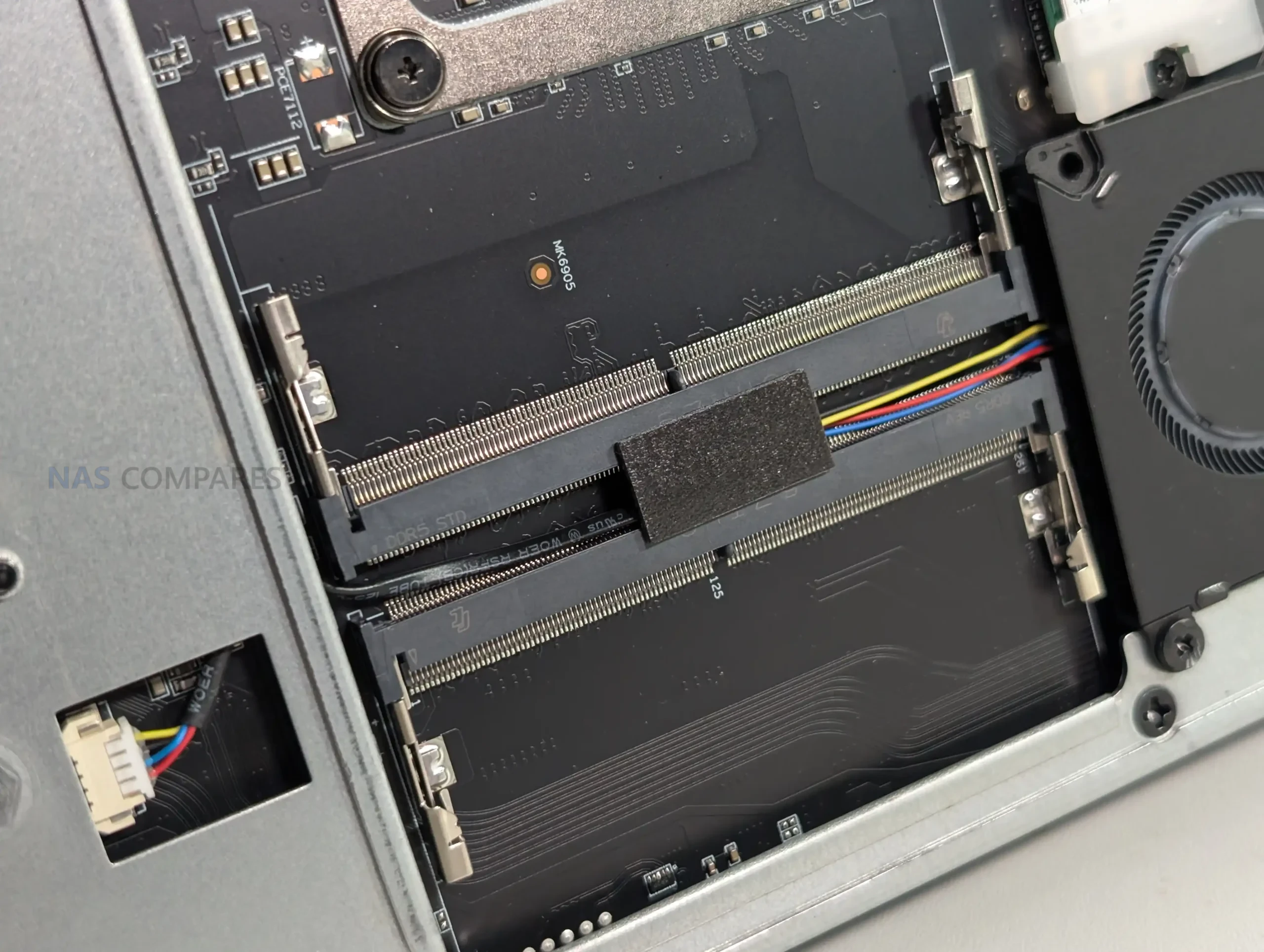
This arrangement is intended to compensate for the thermal density around the CPU area, where heat buildup would otherwise be more likely. These two slots support both ECC and non-ECC memory, though ECC functionality is active only on the 285HX model. Their placement suggests Minisforum prioritized consistent airflow over ease of access, making upgrades possible but less straightforward than on more open workstation layouts.
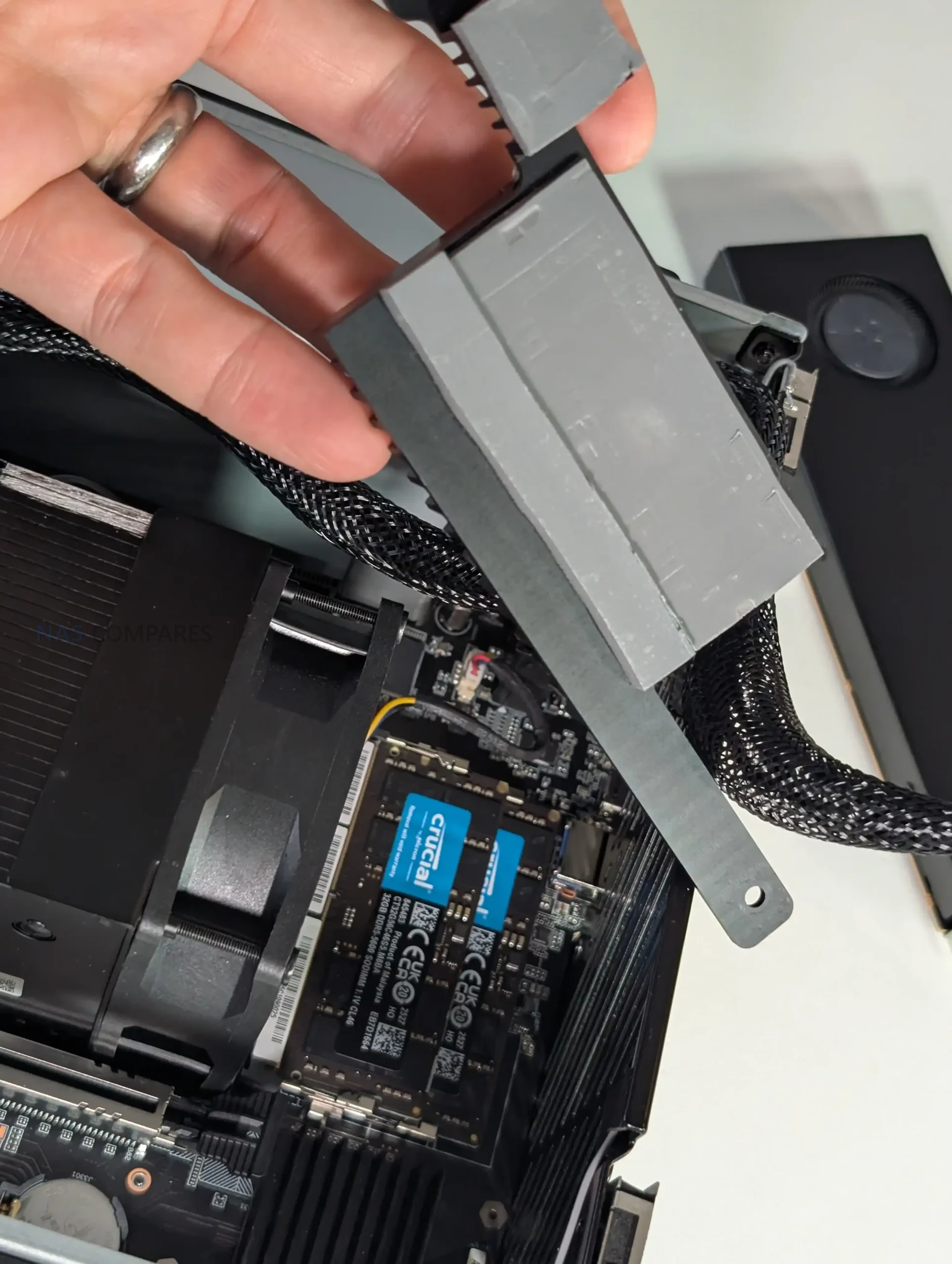
The remaining pair of SODIMM slots is located on the opposite side of the board, positioned away from the CPU cooling assembly and closer to the chassis frame. These modules have more breathing room but rely on passive airflow from the system’s general ventilation rather than a focused cooling path. All four slots support speeds up to 4800 MHz, with XMP profiles unavailable due to Minisforum’s implementation and Intel’s platform limitations.
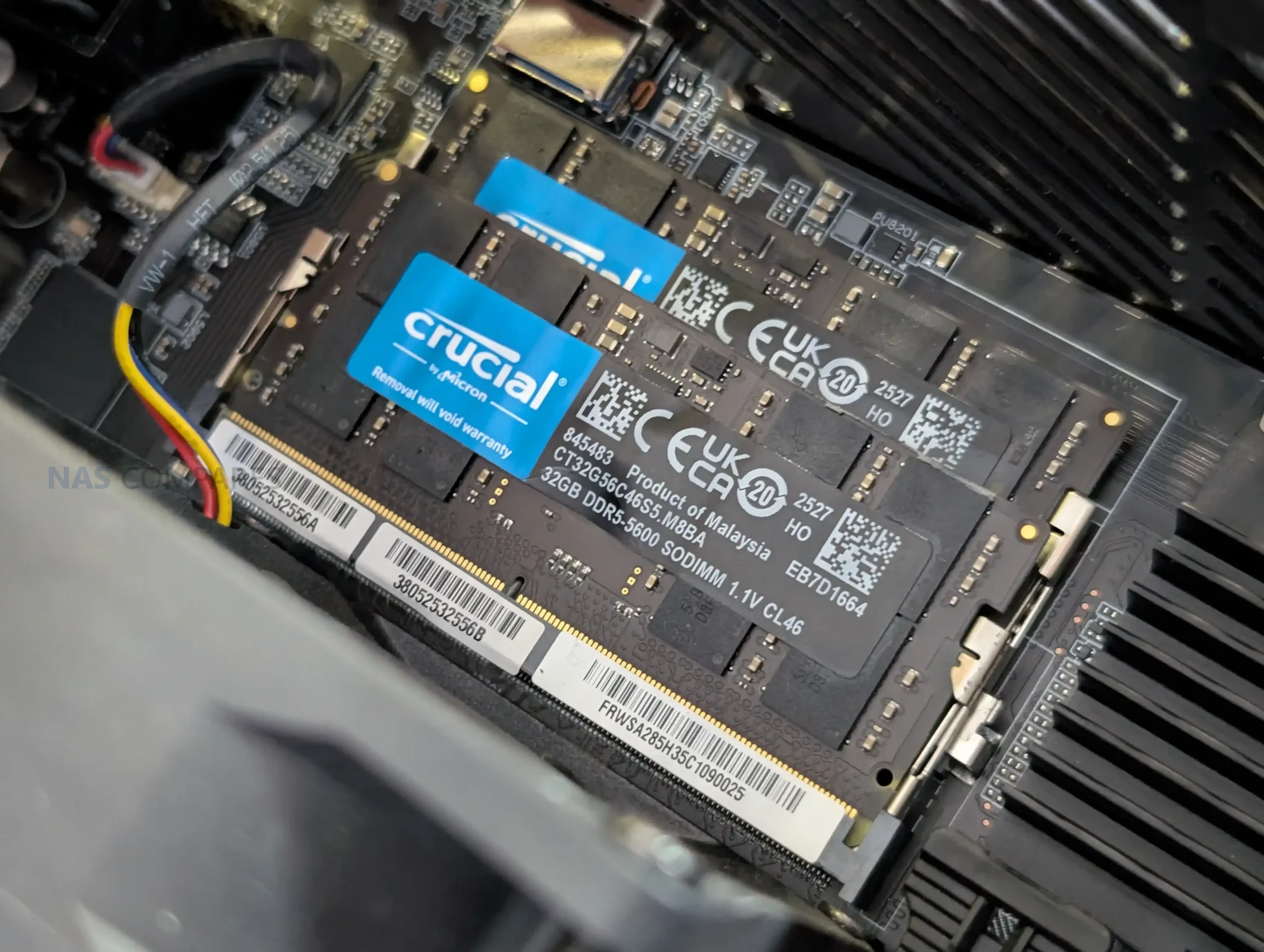
During early testing, memory installation worked as expected, though the arrangement of these slots means users planning maximum 256 GB configurations will need to work within the physical constraints of the layout. Overall, the memory design reflects a tradeoff between supporting high-capacity ECC configurations and fitting the necessary cooling infrastructure into a small volume.
PCIe Card Support on the MS-02 Ultra

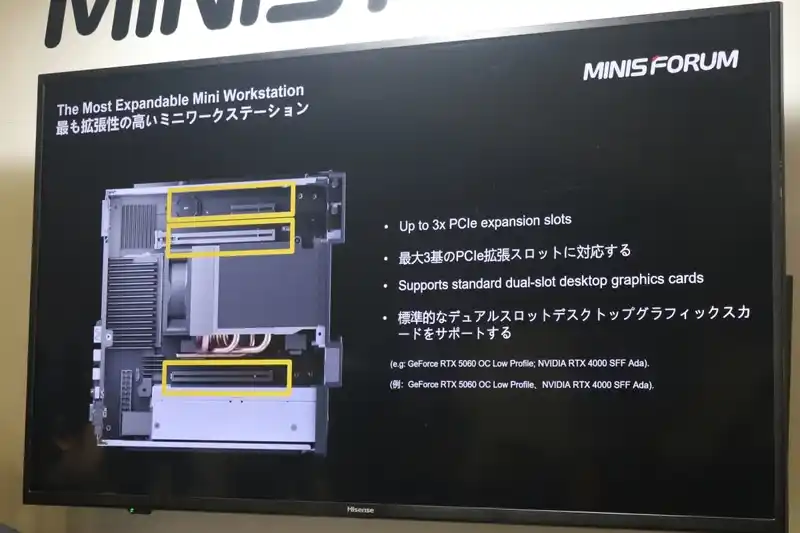
The MS-02 Ultra incorporates three PCIe slots arranged to maximize flexibility within its compact chassis: a PCIe 5.0 x16 slot, a PCIe 4.0 x16 slot, and a PCIe 4.0 x4 slot. The PCIe 5.0 slot is left unoccupied by default, allowing users to install a low-profile GPU or accelerator card that fits within the airflow and power constraints of the 350 W internal PSU.
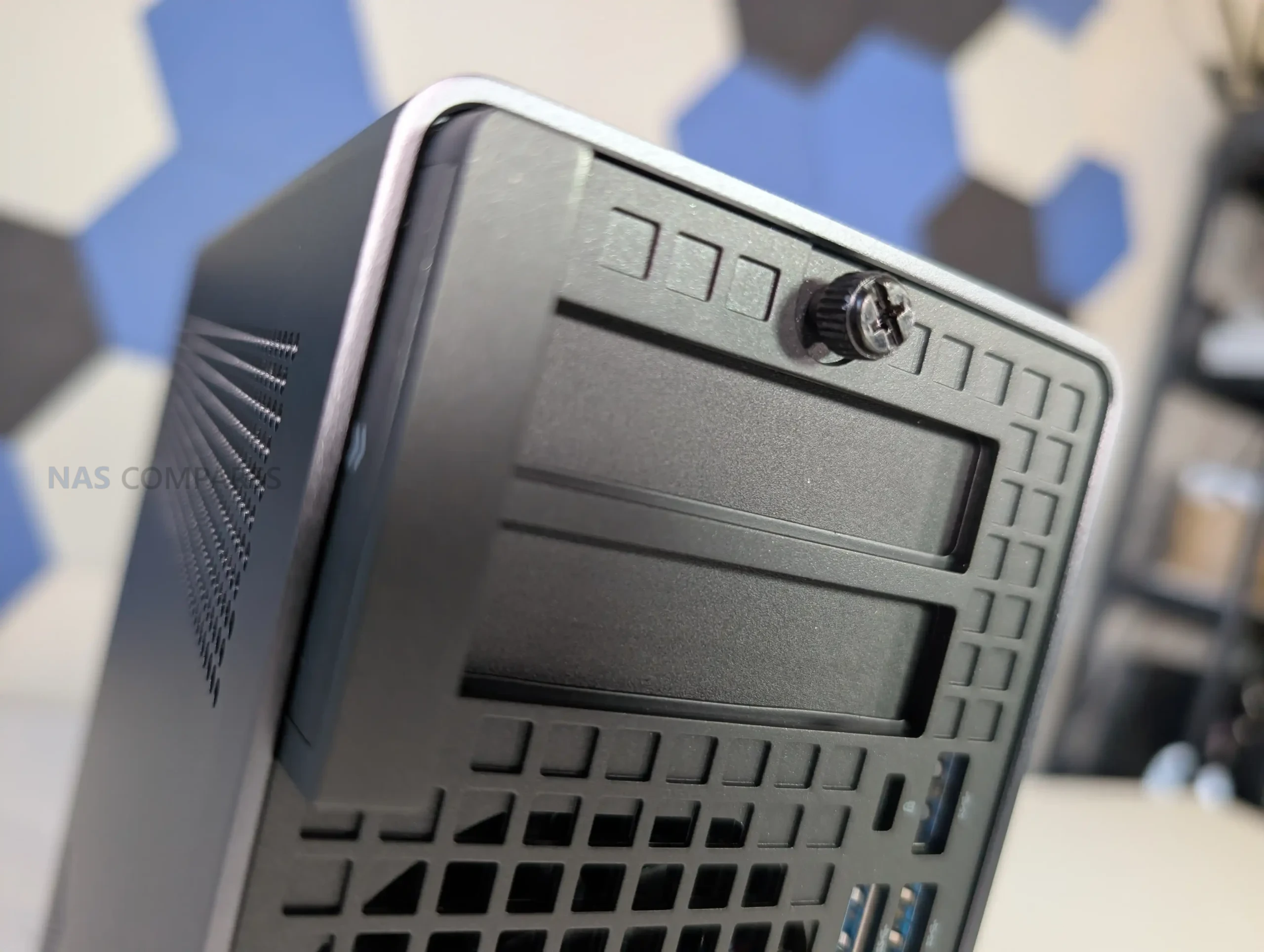
Minisforum includes auxiliary power cables within the system, which is uncommon for small-form-factor workstations and indicates that the chassis is intended to support cards that require supplemental power. Because of the chassis height and width, only dual-slot, low-profile cards with modest cooling requirements are viable, but this still introduces options for compute or media workloads that benefit from hardware acceleration.
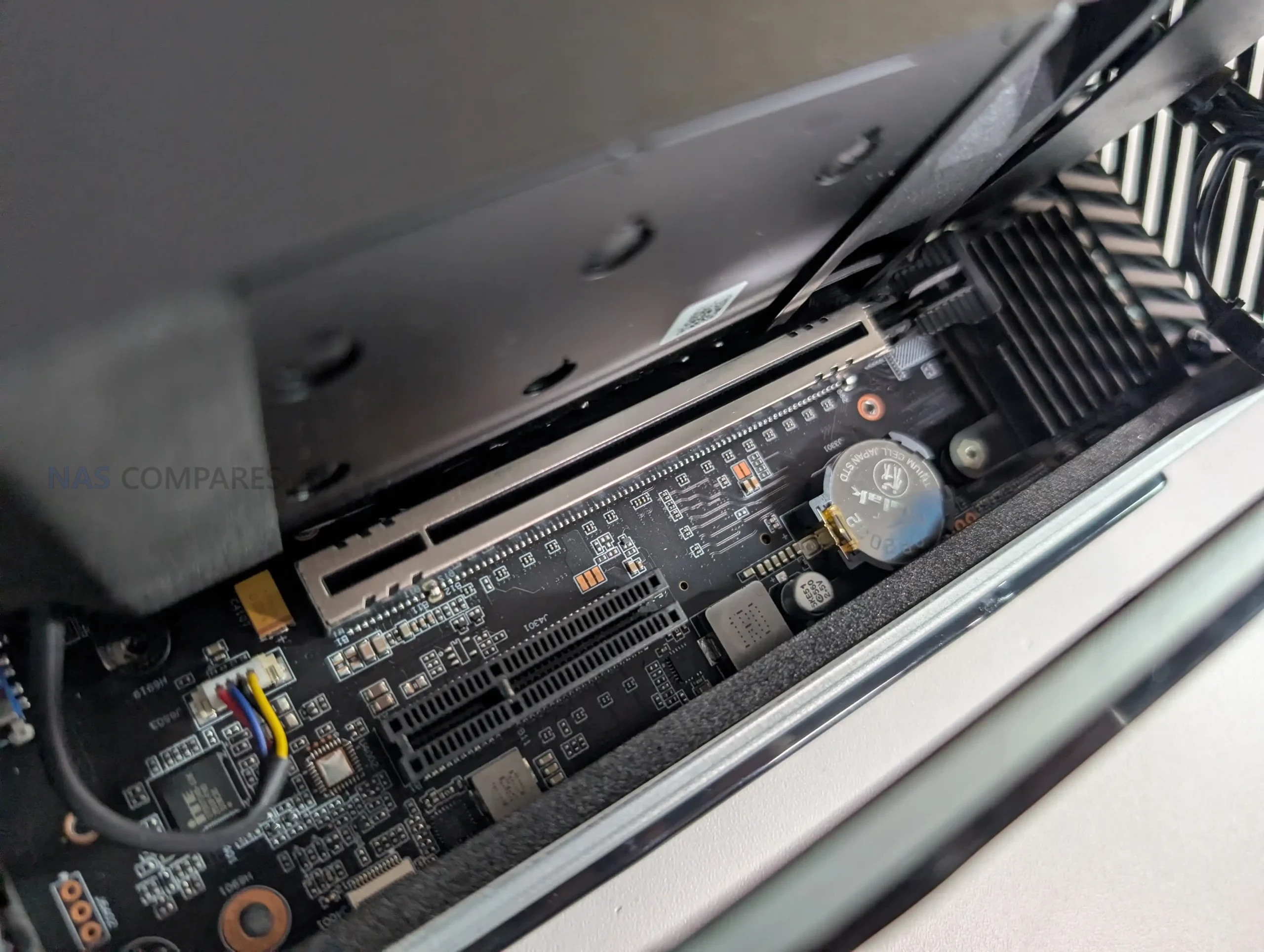
The PCIe 4.0 x16 slot is occupied in the 285HX configuration by the dual-25GbE plus dual-M.2 combo card, which introduces additional thermal and power considerations. This leaves the PCIe 4.0 x4 slot available for further expansion, provided the card used meets the system’s spatial limitations. The layout demonstrates Minisforum’s approach to balancing lane allocation between CPU, storage, and networking, especially given the 24 available PCIe lanes on the Ultra 9 platform.
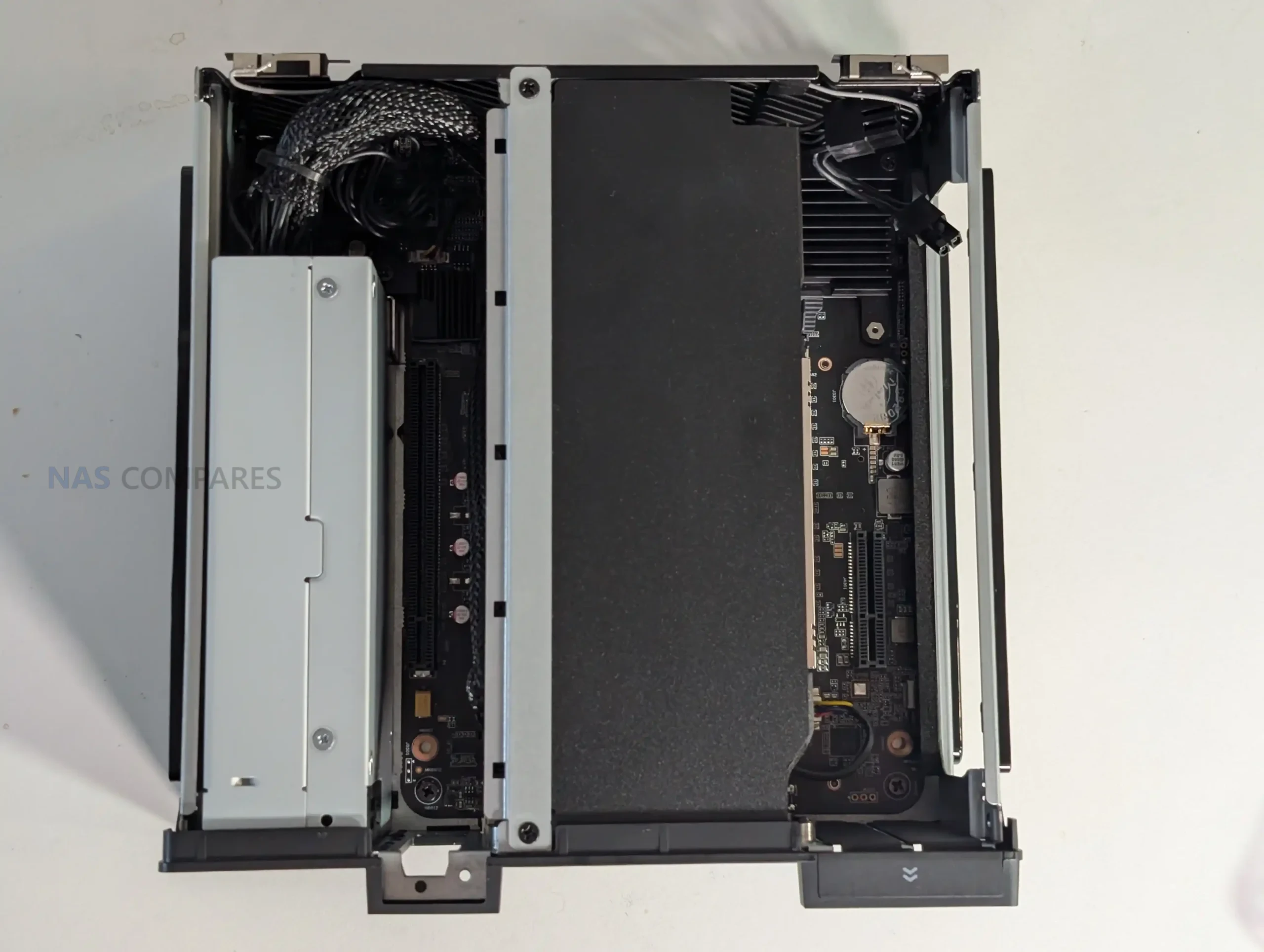
Although the physical presence of three slots in such a compact volume is unusual, the arrangement is functional, and power delivery from the internal PSU supports moderate add-in card configurations. Users will need to consider airflow direction, card length, and slot occupation carefully to avoid restricting internal ventilation.
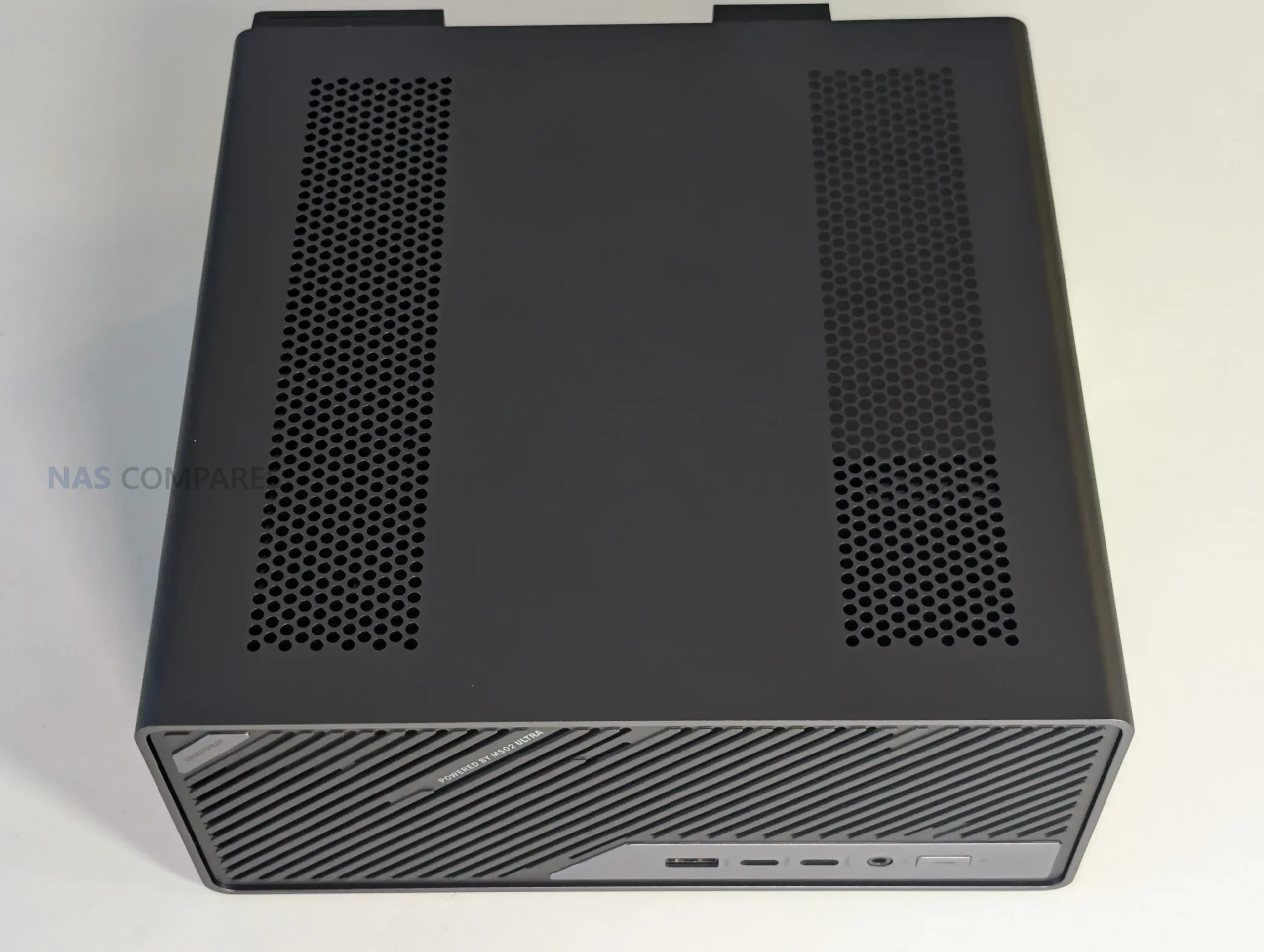
Conclusion and Verdict on the Minisforum MS-02 Ultra (So Far…)

The MS-02 Ultra presents a compact workstation design that integrates a high-core-count CPU, multiple NVMe storage options, high-speed networking, and an internal PSU within a tightly arranged chassis. Early testing indicates that the system’s thermal behavior, noise profile, and power draw are consistent with its component density, though the long-term performance of its cooling strategy requires extended benchmarking before reaching definitive conclusions. The design choices, such as the split placement of memory slots, the use of a large dual-fan cooling chamber, and the reliance on a densely packed internal layout, all reflect Minisforum’s effort to fit workstation-grade hardware into a constrained volume.
In terms of features, the dual-25GbE plus dual-M.2 combo card remains the most distinctive element, expanding the system’s potential for virtualized environments, NAS roles, and bandwidth-heavy workflows. PCIe allocation, memory configuration, and storage behavior introduce several considerations for users planning upgrades or specialized deployments. While these early observations indicate a capable and flexible platform, further testing is necessary to determine sustained thermal performance, PCIe stability under load, and real-world throughput of the networking and storage subsystems. The forthcoming full review will provide those extended results, but for now, the system presents a feature-rich design with several areas that merit deeper evaluation.

Where to Buy the Minisforum MS-02 Ultra?

Check Amazon in Your Region for the Minisforum MS-02 Ultra

Check AliExpress for the Minisforum MS-02 Ultra

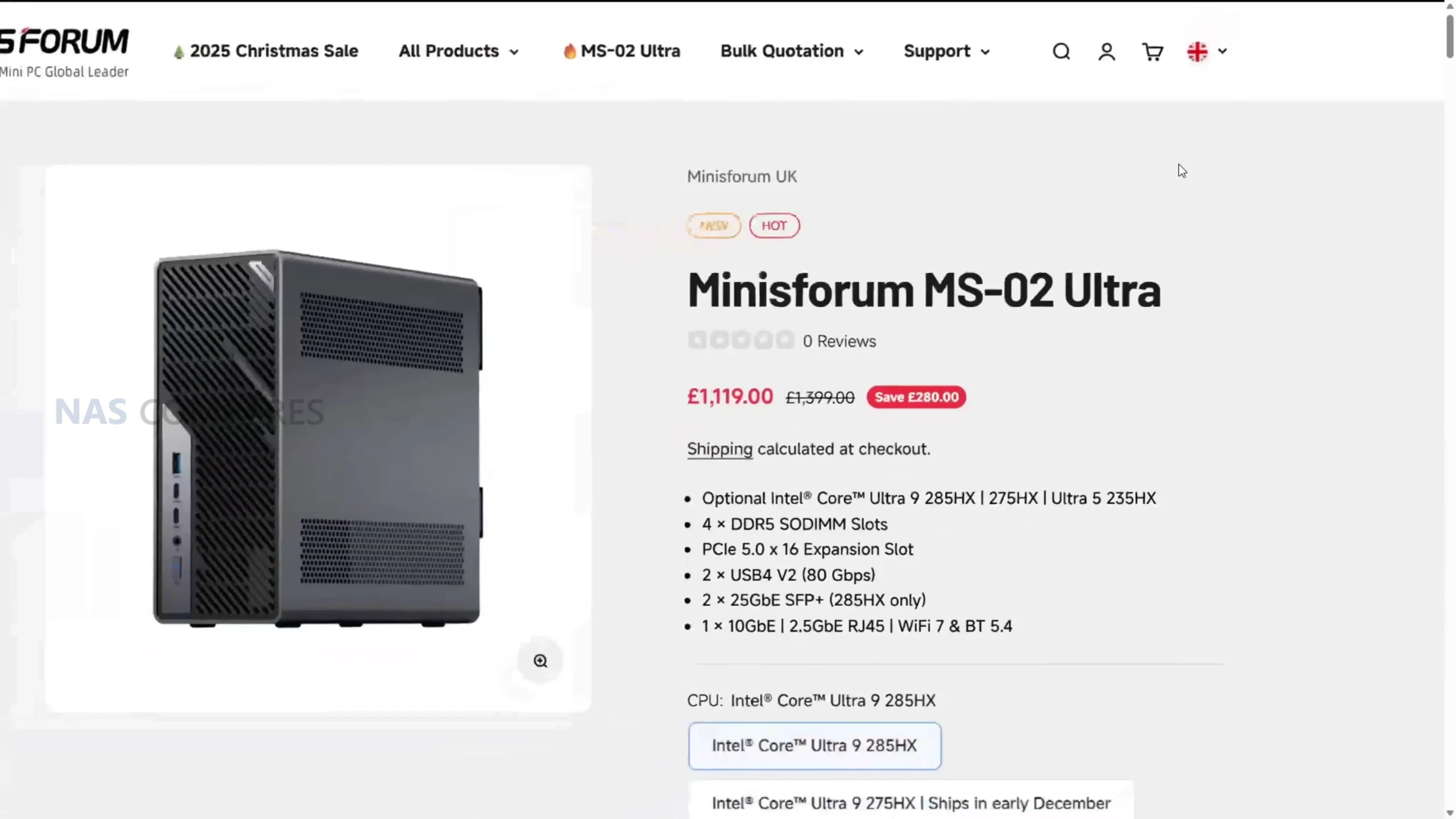
Check the Official Site for the Minisforum MS-02 Ultra


📧 SUBSCRIBE TO OUR NEWSLETTER 🔔
[contact-form-7]
🔒 Join Inner Circle

Get an alert every time something gets added to this specific article!


Want to follow specific category? 📧 Subscribe

This description contains links to Amazon. These links will take you to some of the products mentioned in today's content. As an Amazon Associate, I earn from qualifying purchases. Visit the NASCompares Deal Finder to find the best place to buy this device in your region, based on Service, Support and Reputation - Just Search for your NAS Drive in the Box Below

Need Advice on Data Storage from an Expert?

Finally, for free advice about your setup, just leave a message in the comments below here at NASCompares.com and we will get back to you. Need Help? Where possible (and where appropriate) please provide as much information about your requirements, as then I can arrange the best answer and solution to your needs. Do not worry about your e-mail address being required, it will NOT be used in a mailing list and will NOT be used in any way other than to respond to your enquiry. [contact-form-7] TRY CHAT Terms and Conditions

If you like this service, please consider supporting us. We use affiliate links on the blog allowing NAScompares information and advice service to be free of charge to you.Anything you purchase on the day you click on our links will generate a small commission which isused to run the website. Here is a link for Amazon and B&H.You can also get me a ☕ Ko-fi or old school Paypal. Thanks!To find out more about how to support this advice service check HEREIf you need to fix or configure a NAS, check Fiver Have you thought about helping others with your knowledge? Find Instructions Here  

 
Or support us by using our affiliate links on Amazon UK and Amazon US
    
 
Alternatively, why not ask me on the ASK NASCompares forum, by clicking the button below. This is a community hub that serves as a place that I can answer your question, chew the fat, share new release information and even get corrections posted. I will always get around to answering ALL queries, but as a one-man operation, I cannot promise speed! So by sharing your query in the ASK NASCompares section below, you can get a better range of solutions and suggestions, alongside my own.

☕ WE LOVE COFFEE ☕


Minsforum MS-02 Revealed – 25GbE, Intel i9, ECC, 4x M.2, Gen5 PCIe

The Minisforum MS-02 Workstation – FINALLY A MS-01 KILLER?

Note – Massive thanks to PCWatch for their coverage of the Japan IT Week 2025 Event. They made an excellent article on the Minisforum MS-02 HERE and was the source for today’s article. Check them out!

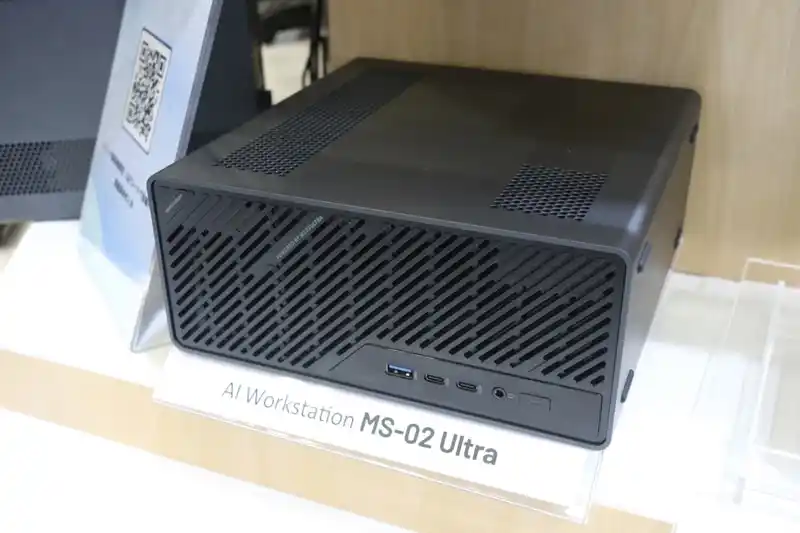
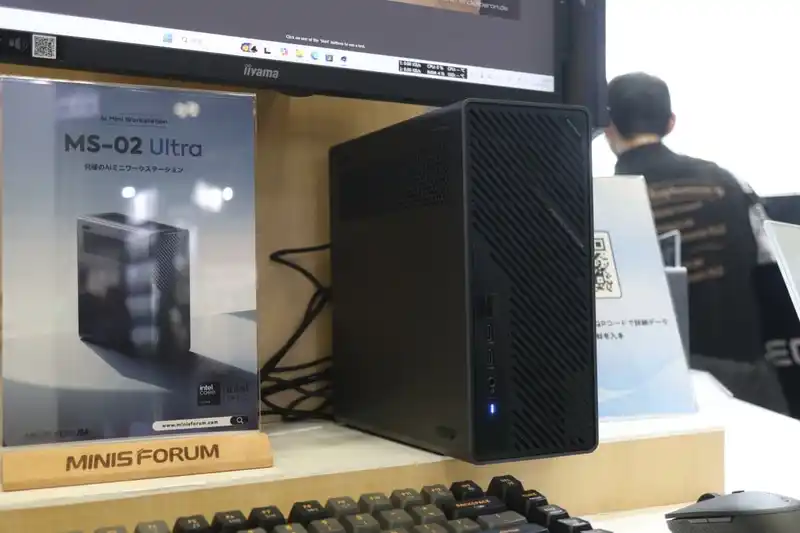
The Minisforum MS-02 Ultra is a compact 4.8-liter workstation revealed at Japan IT Week Autumn 2025, marking a major upgrade over the earlier MS-01 model. Built around Intel’s 24-core Core Ultra 9 285HX processor, it merges high-end mobile CPU performance with features traditionally reserved for full-size desktops. The system includes support for up to 256 GB of ECC DDR5 memory, four PCIe 4.0 NVMe slots, and three PCIe expansion slots, one of which supports PCIe 5.0 ×16. Network connectivity options extend up to dual 25 GbE SFP28 ports, alongside 10 GbE and 2.5 GbE (vPro) Ethernet. Designed to serve as a workstation or mini-server, the MS-02 Ultra incorporates an internal 350 W Flex PSU, a slide-out chassis for maintenance, and advanced front-to-rear cooling architecture.

Credit to Liu Yao @ PC Watch
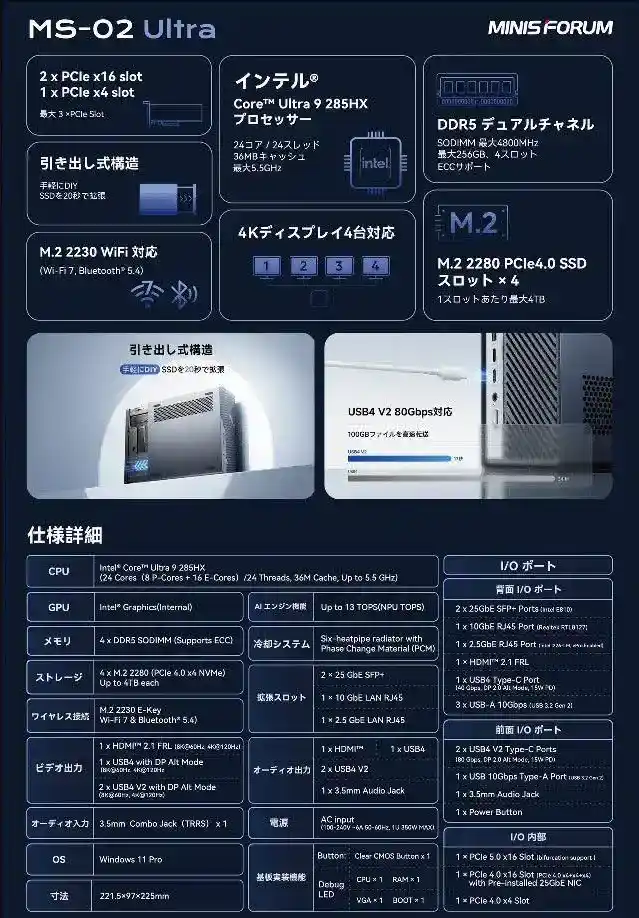
Category Brief Specification
Processor Intel Core Ultra 9 285HX (24 cores 8P + 16E, 36 MB cache, up to 5.5 GHz)
Memory 4 × DDR5 SO-DIMM slots (up to 256 GB 4800 MHz, ECC supported)
Storage 4 × M.2 2280 PCIe 4.0 ×4 slots (up to 16 TB total)
Expansion 1 × PCIe 5.0 ×16, 1 × PCIe 4.0 ×16 (25 GbE NIC installed by default), 1 × PCIe 4.0 ×4
Networking 2 × 25 GbE SFP28, 1 × 10 GbE RJ-45 (Realtek RTL8127), 1 × 2.5 GbE (vPro Intel i226-LM)
USB Ports 2 × USB4 v2 Type-C (80 Gbps), 1 × USB4 Type-C (40 Gbps), 3 × USB 3.2 Gen 2 Type-A (10 Gbps)
Display Output 1 × HDMI 2.1 (up to 8K 60 Hz / 4K 120 Hz support)
Audio 1 × 3.5 mm combo jack (TRRS)
Wireless M.2 2230 E-Key slot (Wi-Fi 7 and Bluetooth 5.4 support)
Power Supply 350 W internal Flex PSU (100–240 V AC input)
Dimensions 221.5 × 225 × 97 mm (≈ 4.8 liters)
Credit to Liu Yao @ PC Watch

Minisforum MS-02 – Internal Hardware

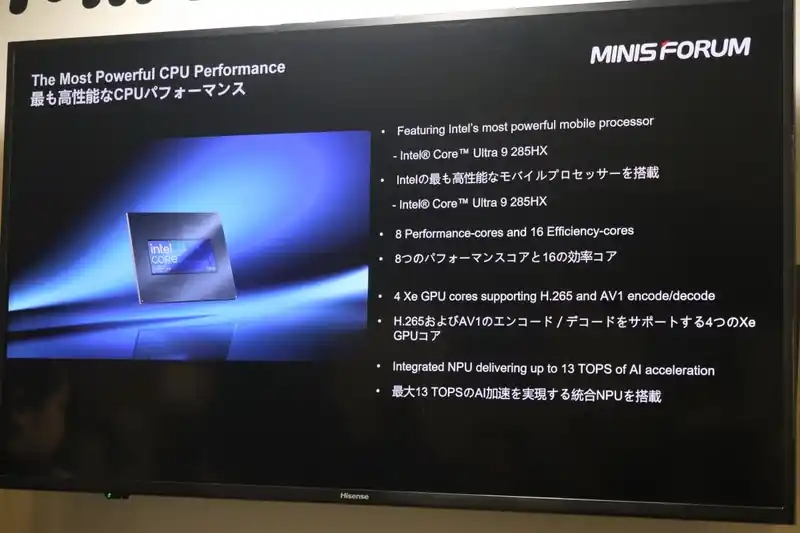
The Minisforum MS-02 Ultra is built around Intel’s Arrow Lake-HX platform, with the Core Ultra 9 285HX serving as its central processor. This 24-core CPU combines eight performance cores and sixteen efficiency cores, reaching up to 5.5 GHz while maintaining a 140 W thermal design power. It incorporates an integrated Intel Arc GPU with four Xe cores and an NPU capable of up to 13 TOPS for AI acceleration. The CPU provides 24 PCIe lanes in total, which are distributed among the system’s multiple expansion and storage options.

Credit to Liu Yao @ PC Watch

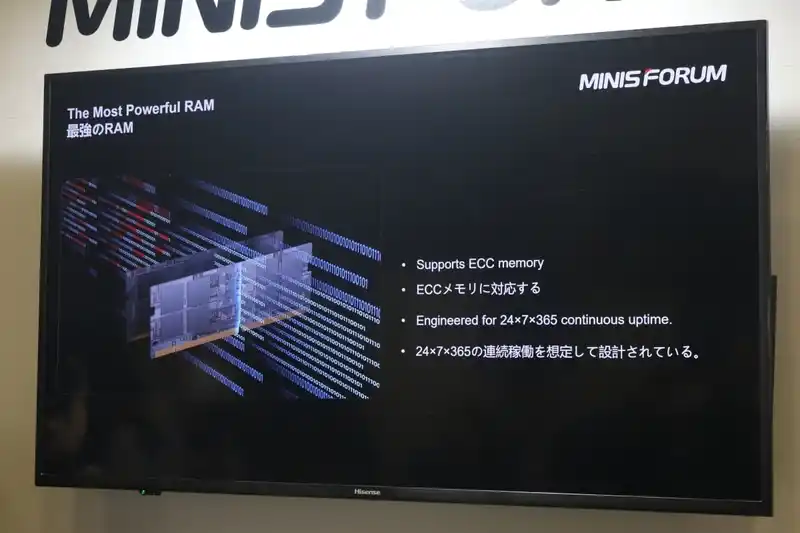
Memory capacity is one of the most notable upgrades over its predecessor. The MS-02 Ultra offers four DDR5 SO-DIMM slots, supporting up to 256 GB of 4800 MHz memory, with full ECC functionality for stability in continuous workloads. Two modules are located on the CPU side of the board, and two on the reverse, optimizing thermal spacing and service access. This capacity places it closer to entry-level server configurations than typical mini PCs, reinforcing its suitability for virtualization or compute-heavy tasks.

Credit to Liu Yao @ PC Watch

Storage expansion is handled through four M.2 2280 NVMe slots, each supporting PCIe 4.0 ×4 bandwidth. Combined, these slots can accommodate up to 16 TB of SSD storage. The system’s slide-out chassis design allows quick installation or replacement of drives, simplifying maintenance. Minisforum has also introduced a small debug LED and clear CMOS button on the board, indicating that the model is targeted toward users familiar with system-level configuration and troubleshooting.

Expansion flexibility extends far beyond most small form factor workstations. The system includes three PCIe slots: one PCIe 5.0 ×16, one PCIe 4.0 ×16 (often occupied by a 25 GbE NIC in standard configurations), and one PCIe 4.0 ×4. The top slot can host dual-slot desktop graphics cards, drawing up to 140 W through an included 8-pin auxiliary connector. This allows for the addition of mid-range GPUs such as the NVIDIA RTX 4000 SFF Ada or workstation accelerators, while still retaining physical compactness.

Credit to Liu Yao @ PC Watch

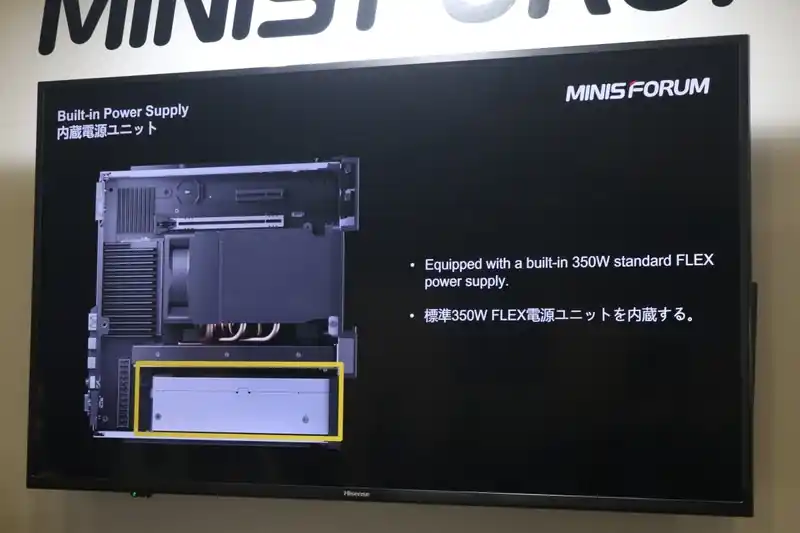
Power delivery is managed through a built-in 350 W Flex PSU that eliminates the need for an external brick. This internal supply was a deliberate shift from the MS-01’s external adapter and helps sustain higher CPU and GPU draw without additional clutter. The unit supports 100–240 V AC input, giving it universal deployment flexibility for both workstation and light server scenarios.


Credit to Liu Yao @ PC Watch

Minisforum MS-02 – Ports and Connections

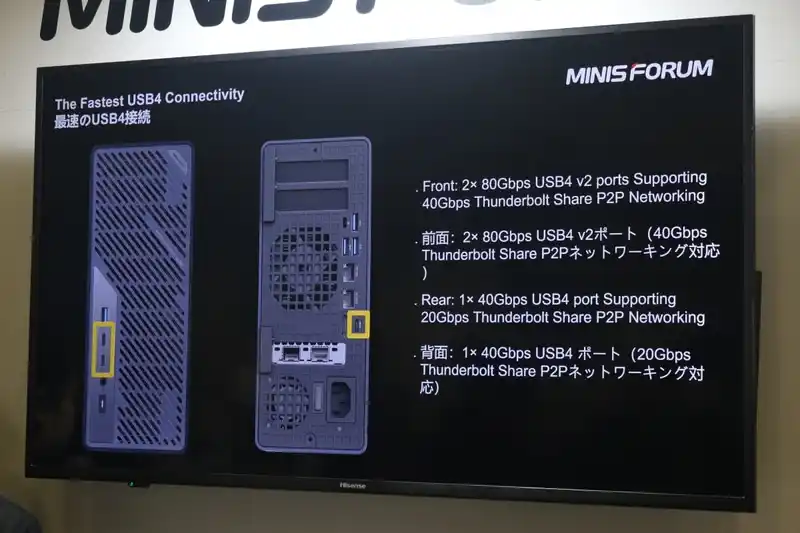
The Minisforum MS-02 Ultra includes a broad range of connectivity options intended to support both workstation and server workloads. Front access is optimized for frequent use, featuring two USB4 Version 2.0 Type-C ports offering 80 Gbps bandwidth each, a 10 Gbps USB Type-A port, a 3.5 mm audio combo jack, and the system power button. These front USB4 v2 ports also support DisplayPort Alternate Mode and Power Delivery up to 15 W per port, making them suitable for high-speed data transfer or direct monitor output without additional adapters.

Credit to Liu Yao @ PC Watch

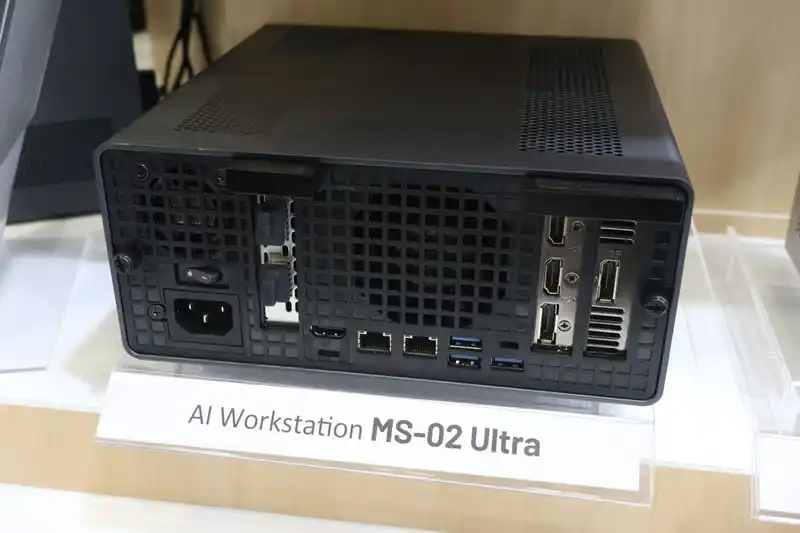
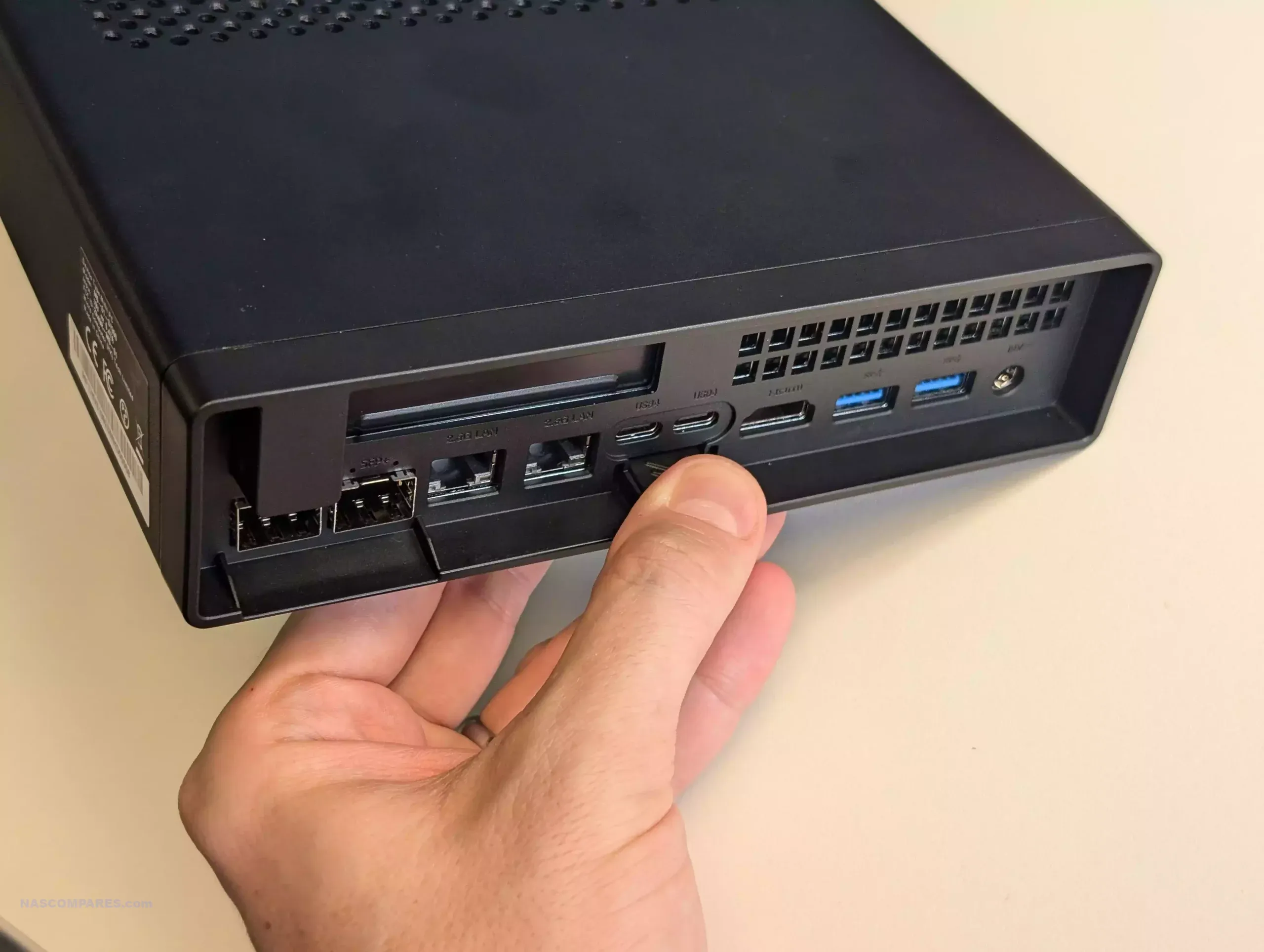
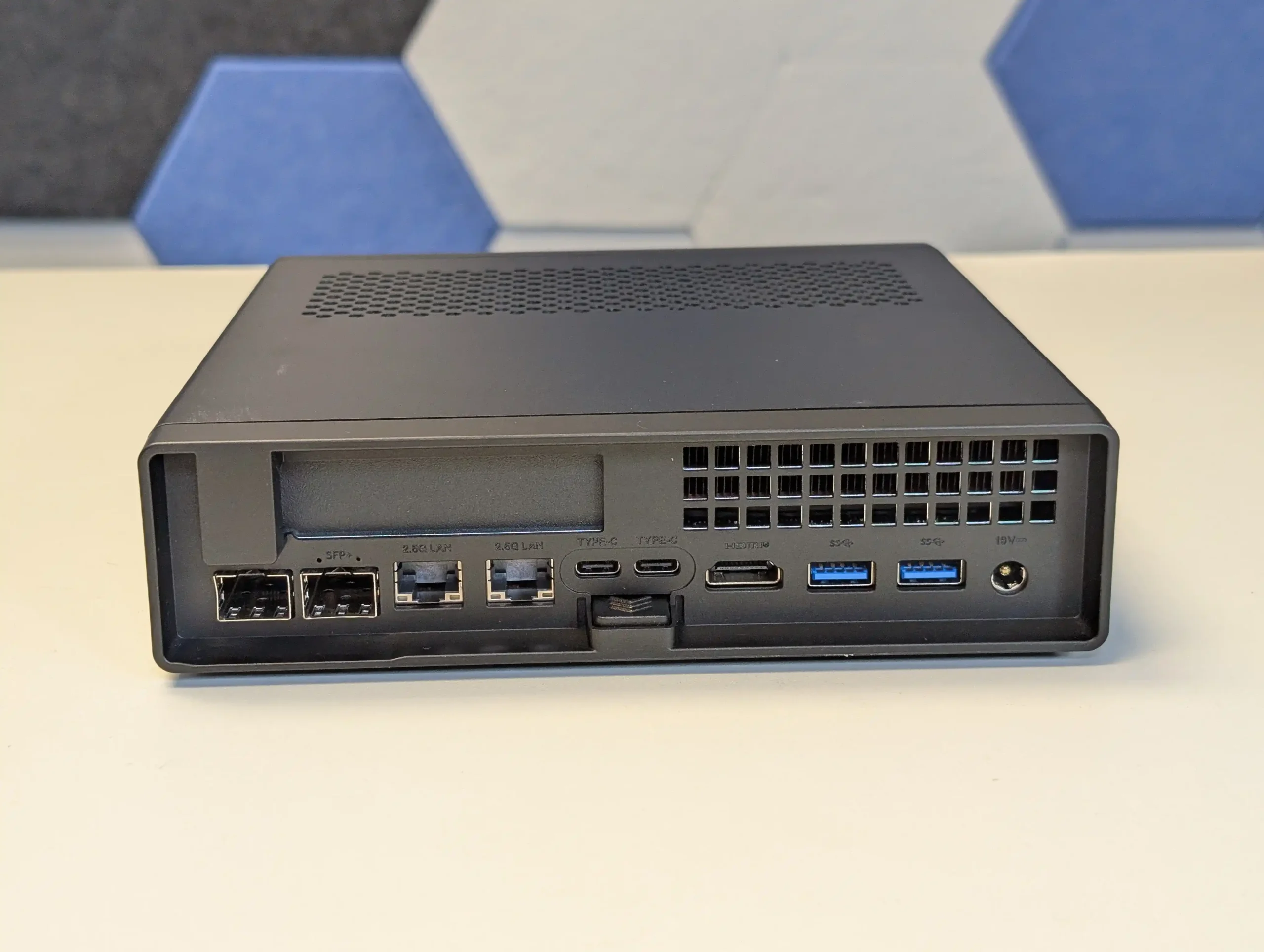
The rear I/O layout is designed for permanent peripheral and network connections. It includes a third USB4 Type-C port rated at 40 Gbps, three USB 3.2 Gen 2 Type-A ports at 10 Gbps each, and a single HDMI 2.1 output supporting up to 8K at 60 Hz or 4K at 120 Hz. For network communication, the MS-02 Ultra integrates four ports in total: two 25 GbE SFP28, one 10 GbE RJ-45, and one 2.5 GbE RJ-45. The 2.5 GbE interface uses Intel’s i226-LM controller and supports vPro remote management for BIOS-level administration, which is beneficial for enterprise or headless operation.

Credit to Liu Yao @ PC Watch

Wireless connectivity is provided by an M.2 2230 E-Key slot supporting Wi-Fi 7 and Bluetooth 5.4 modules, enabling flexible configuration for wireless networks or peripheral pairing. The combination of USB4 v2, multiple Ethernet options, and RDMA capability positions the MS-02 Ultra as a system ready for both high-performance workstation setups and compact server deployments. Its port layout, with both front and rear accessibility, ensures straightforward use in horizontal or vertical orientations.

Credit to Liu Yao @ PC Watch

Minisforum MS-02 – Cooling and Temperature Management

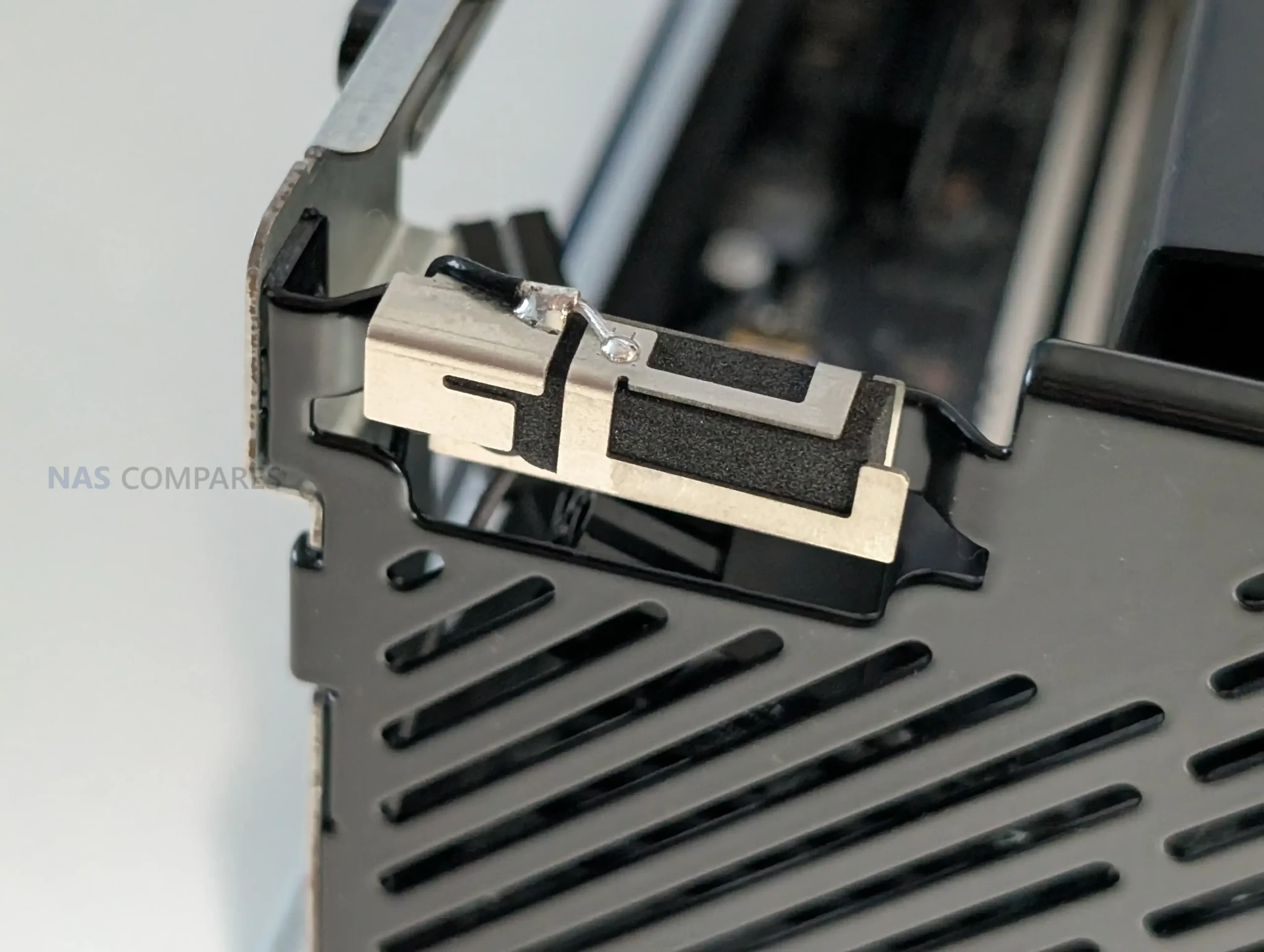
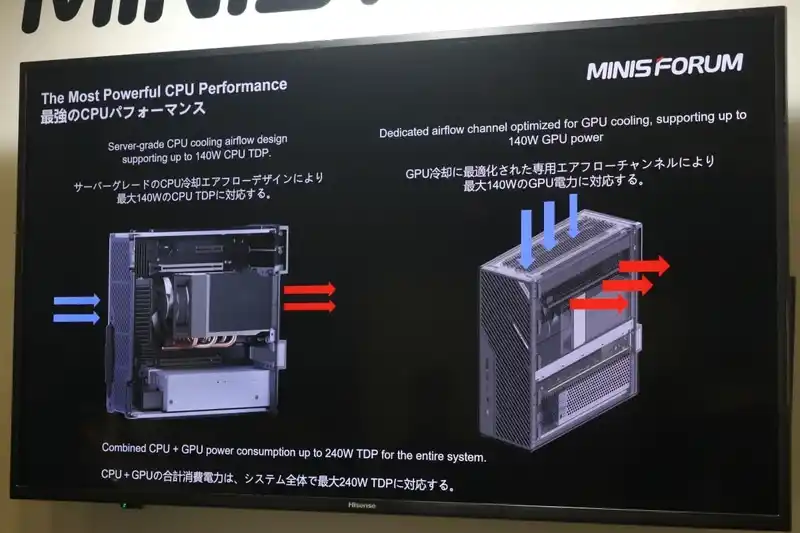
The cooling system of the Minisforum MS-02 Ultra is designed to manage sustained high thermal loads while maintaining compact dimensions. The chassis follows a front-intake and rear-exhaust airflow pattern, similar to rackmount servers. A six-heatpipe radiator combined with phase-change material (PCM) ensures efficient heat dissipation from both the CPU and expansion slots. This design enables the system to maintain stable operation at a 140 W CPU TDP, even when fully populated with PCIe cards and NVMe storage. Airflow direction also varies depending on the unit’s orientation, with side-mounted intakes feeding the expansion slots and rear vents handling exhaust when the unit is placed horizontally or vertically.

Credit to Liu Yao @ PC Watch

The internal layout is structured to prevent thermal overlap between major components. The CPU and memory modules are cooled through a direct-contact heat spreader, while GPU and add-in cards draw intake air from the left side and expel it from the right or top, depending on placement. The inclusion of an internal 350 W Flex PSU was balanced with this design, ensuring sufficient clearance and airflow. This approach allows the MS-02 Ultra to sustain continuous high-load performance without external cooling solutions or the noise levels typical of larger tower workstations.

Credit to Liu Yao @ PC Watch

Minisforum MS-02 Ultra Workstation – Worth waiting for?

The Minisforum MS-02 Ultra represents a substantial progression from the original MS-01 workstation, addressing nearly every limitation of its predecessor. The earlier model, released in 2023, gained attention for integrating desktop-class performance into a small form factor but was constrained by its single-slot PCIe design, limited memory capacity, and reliance on an external power brick. The MS-02 Ultra resolves these issues with four DDR5 SO-DIMM slots supporting up to 256 GB ECC memory, a dual-slot PCIe 5.0 ×16 slot for graphics or accelerator cards, and a fully internal 350 W Flex PSU. These refinements, along with the addition of 25 GbE networking and USB4 v2 connectivity, elevate the system into a new category that bridges high-end workstation and compact enterprise server design.

Credit to Liu Yao @ PC Watch

Performance and versatility are at the center of this system’s concept. The inclusion of a 24-core Intel Core Ultra 9 285HX CPU and up to four PCIe 4.0 NVMe drives positions it for continuous workloads such as virtualization, software development, or AI inference without the thermal or structural compromises typical of small PCs. Minisforum’s decision to adopt ECC memory and RDMA-capable networking also underlines a shift toward reliability and professional usage scenarios rather than enthusiast or gaming audiences.

Credit to Liu Yao @ PC Watch

In terms of market placement, pricing has yet to be confirmed, but early indications suggest the MS-02 Ultra will likely start around $1,500, with higher configurations approaching or exceeding $2,000 depending on memory, storage, and NIC options. This aligns it with compact workstations like the ASRock DeskMeet X600 and high-end mini servers from OEM integrators, though the Minisforum model’s density and component flexibility set it apart. Overall, the MS-02 Ultra shows how far the brand’s SFF engineering has advanced since the MS-01, turning a well-liked prototype concept into a fully realized professional-grade workstation built for sustained heavy use.

Note – Massive thanks to PCWatch for their coverage of the Japan IT Week 2025 Event. They made an excellent article on the Minisforum MS-02 HERE and was the source for today’s article. Check them out!

📧 SUBSCRIBE TO OUR NEWSLETTER 🔔
[contact-form-7]
🔒 Join Inner Circle

Get an alert every time something gets added to this specific article!


Want to follow specific category? 📧 Subscribe

This description contains links to Amazon. These links will take you to some of the products mentioned in today's content. As an Amazon Associate, I earn from qualifying purchases. Visit the NASCompares Deal Finder to find the best place to buy this device in your region, based on Service, Support and Reputation - Just Search for your NAS Drive in the Box Below

Need Advice on Data Storage from an Expert?

Finally, for free advice about your setup, just leave a message in the comments below here at NASCompares.com and we will get back to you. Need Help? Where possible (and where appropriate) please provide as much information about your requirements, as then I can arrange the best answer and solution to your needs. Do not worry about your e-mail address being required, it will NOT be used in a mailing list and will NOT be used in any way other than to respond to your enquiry. [contact-form-7] TRY CHAT Terms and Conditions
If you like this service, please consider supporting us. We use affiliate links on the blog allowing NAScompares information and advice service to be free of charge to you.Anything you purchase on the day you click on our links will generate a small commission which isused to run the website. Here is a link for Amazon and B&H.You can also get me a ☕ Ko-fi or old school Paypal. Thanks!To find out more about how to support this advice service check HEREIf you need to fix or configure a NAS, check Fiver Have you thought about helping others with your knowledge? Find Instructions Here  

 
Or support us by using our affiliate links on Amazon UK and Amazon US
    
 
Alternatively, why not ask me on the ASK NASCompares forum, by clicking the button below. This is a community hub that serves as a place that I can answer your question, chew the fat, share new release information and even get corrections posted. I will always get around to answering ALL queries, but as a one-man operation, I cannot promise speed! So by sharing your query in the ASK NASCompares section below, you can get a better range of solutions and suggestions, alongside my own.

☕ WE LOVE COFFEE ☕


Minisforum MS-01 vs MS-A2 – Which Is Better?

Minisforum MS-01 vs MS-A2 – Which Should You Buy?

Minisforum has steadily earned recognition in the compact workstation space, and the MS-01 stands as one of its most prominent entries. Released with a focus on balancing high-performance hardware in a small chassis, the MS-01 quickly found popularity among professionals needing powerful networking and scalable internals without the bulk of a full-sized desktop. It supports CPUs up to the Intel Core i9-13900H, includes dual 10GbE SFP+ ports, and provides expansion via a PCIe 4.0 x16 slot (operating at x8 speed), giving users access to discrete graphics or high-performance cards if needed. With three internal M.2 slots and support for up to 64GB of DDR5 memory, the MS-01 became a go-to mini workstation for users who value connectivity and component flexibility at a relatively modest price point.

In early 2025, Minisforum introduced the MS-A2 — a system clearly designed as a next-generation counterpart to the MS-01, but one that leans into AMD’s latest advancements. Featuring the Ryzen 9 9955HX processor based on the Zen 5 architecture, the MS-A2 offers more cores, more threads, faster base and boost clocks, and higher supported memory capacity, reaching up to 96GB DDR5 at 5600MHz. It also brings upgrades in memory bandwidth, M.2 storage speed (with all three slots supporting PCIe 4.0 x4), and internal thermal design. From a feature standpoint, the MS-A2 is positioned to meet or exceed the MS-01 in most categories — but it does so with a noticeable bump in price. Still, for users prioritizing top-end performance and storage throughput, the MS-A2 might justify the premium. The sections below break down how these systems stack up in real-world terms — not just on paper, but in actual deployment.

Minisforum MS-A2 vs MS-01 – Hardware Specifications Compared

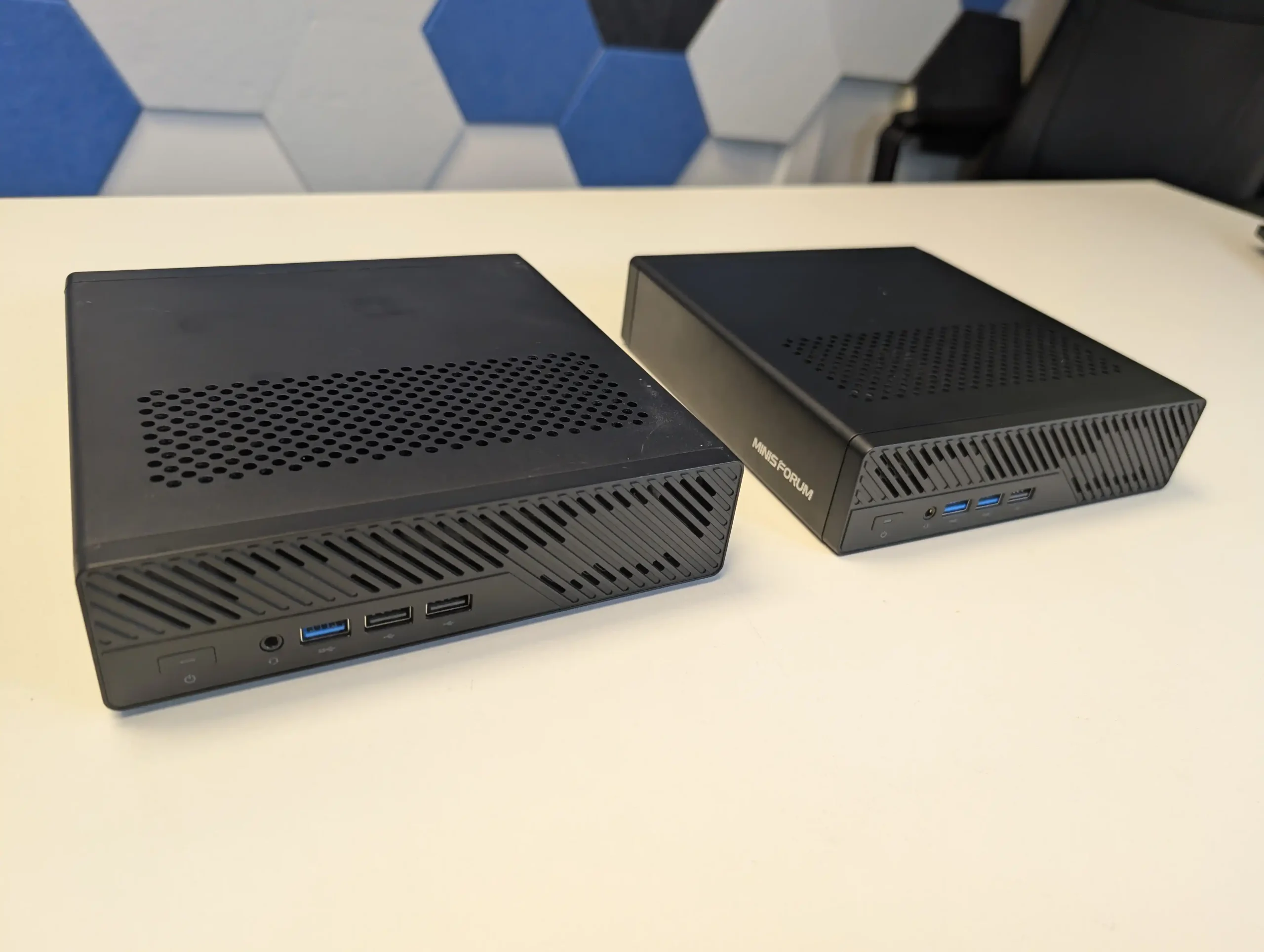
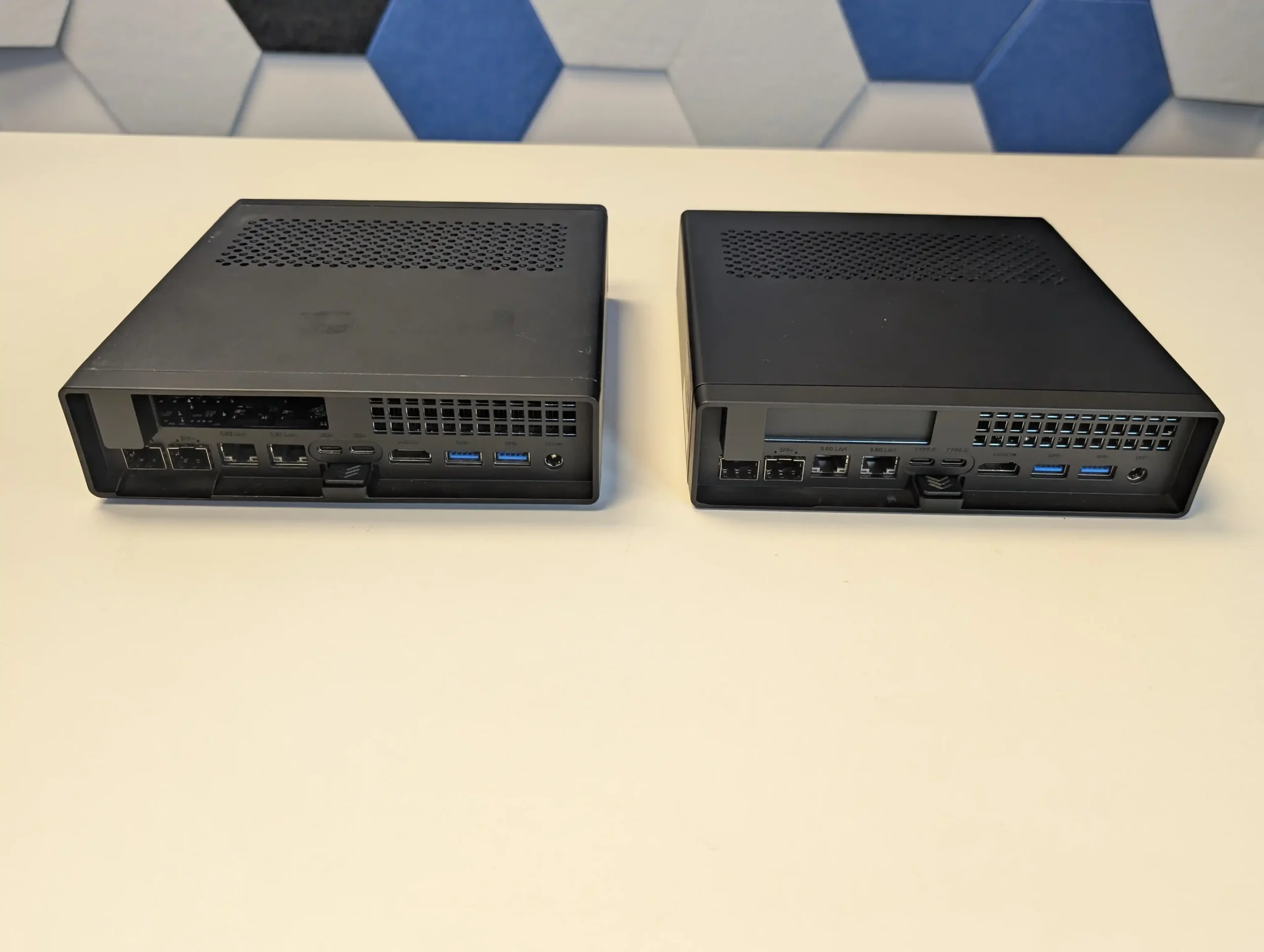
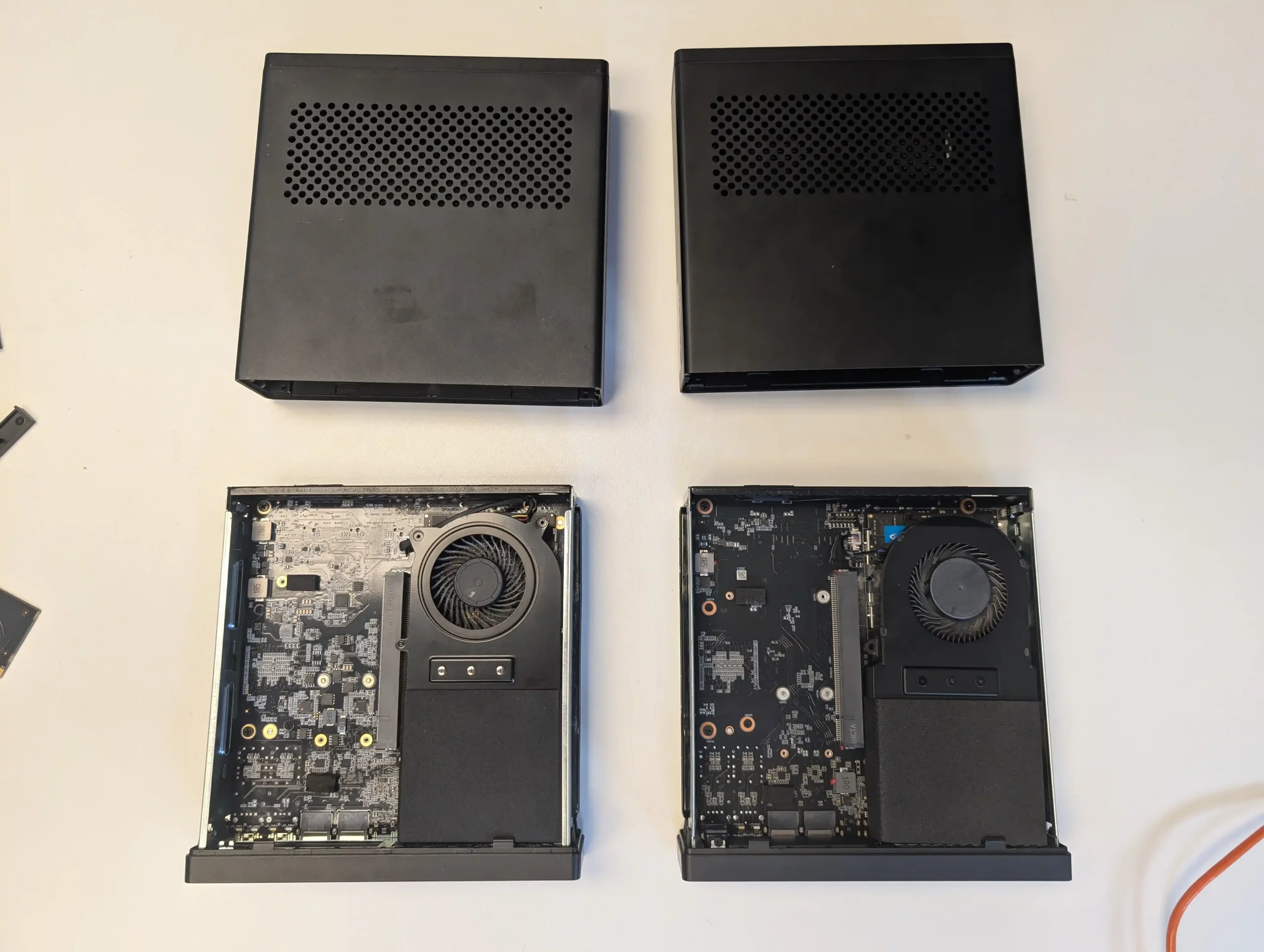
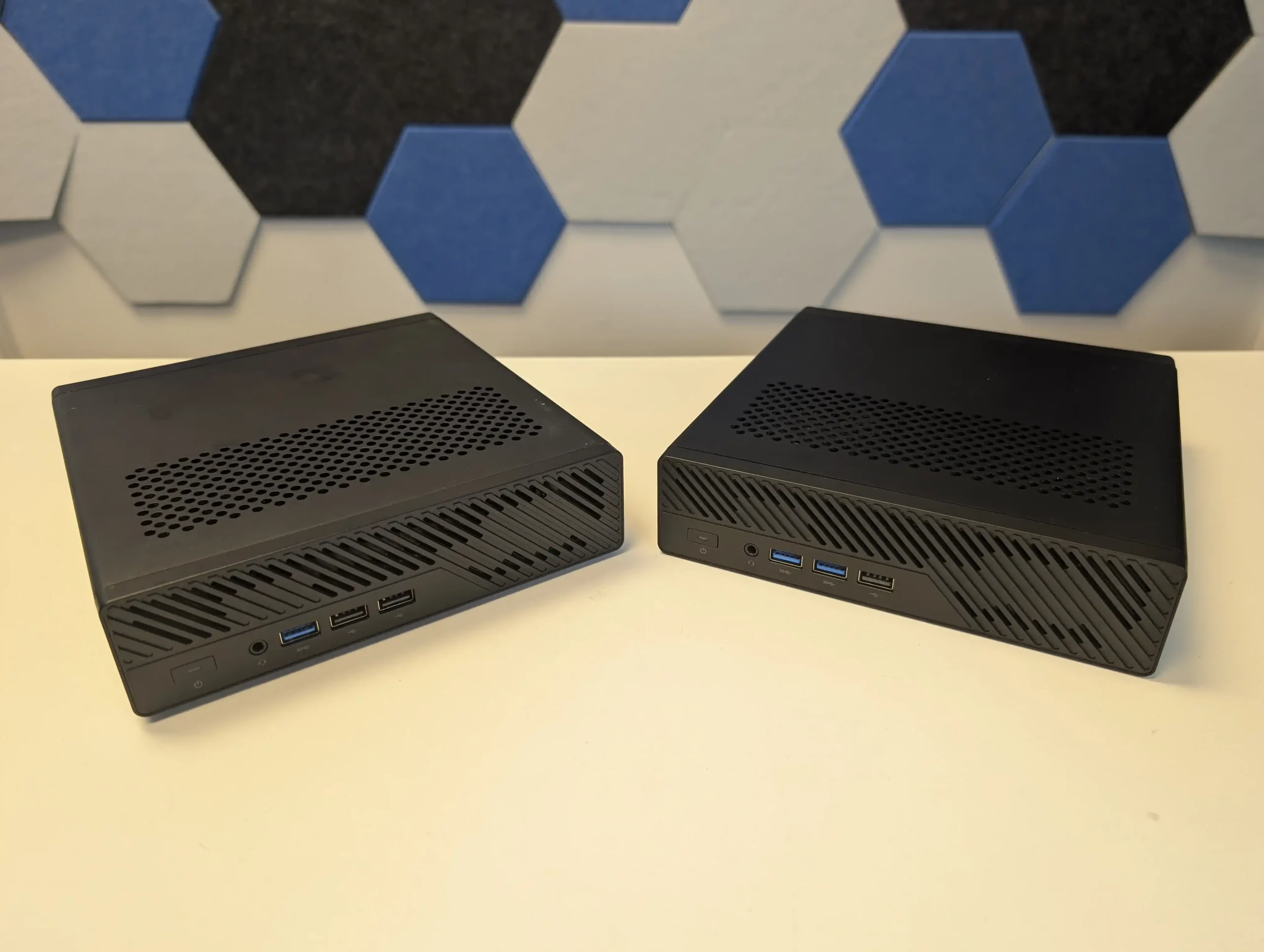
At a glance, both the MS-01 and MS-A2 share a near-identical chassis, measuring 196×189×48mm and following Minisforum’s signature small form factor aesthetic. Internally, however, there are several notable differences that affect both systems’ expandability and long-term utility. Both devices feature three M.2 slots for high-speed NVMe SSDs, but only the MS-A2 supports full PCIe 4.0 x4 lanes on all three slots. By contrast, the MS-01 includes a single PCIe 4.0 x4 slot, one PCIe 3.0 x4 slot, and one limited PCIe 3.0 x2 slot. This directly impacts storage performance, especially for users aiming to run multiple high-throughput drives in parallel. In real terms, the MS-A2 allows up to three SSDs each capable of saturating 7,000MB/s read speeds, whereas the MS-01 will bottleneck in its second and third storage bays.

Specification MS-01 (Intel Core i9-13900H) MS-A2 (AMD Ryzen 9 9955HX)
CPU Intel Core i9-13900H (14C/20T, up to 5.4GHz) AMD Ryzen 9 9955HX (16C/32T, Zen 5, up to 5.4GHz)
GPU Intel Iris Xe (96 EUs @ 1.5GHz) AMD Radeon 610M (2 CUs @ 2.2GHz)
RAM Support DDR5-5200MHz, up to 64GB (2x SO-DIMM) DDR5-5600MHz, up to 96GB (2x SO-DIMM)
M.2 Storage 1x PCIe 4.0 x4 (2280), 1x PCIe 3.0 x4 (22110), 1x PCIe 3.0 x2 1x PCIe 4.0 x4 (U.2/2280), 2x PCIe 4.0 x4 (2280/22110)
Max Storage Capacity Up to 15TB (U.2), 4TB (each 2280/22110 slot) Up to 15TB (U.2), 4TB (each 2280/22110 slot)
PCIe Expansion 1x PCIe 4.0 x16 slot (x8 speed, half-height) 1x PCIe 4.0 x16 slot (x8 speed, split support)
Ethernet Ports 2x 10Gbps SFP+, 2x 2.5GbE RJ45 2x 10Gbps SFP+, 2x 2.5GbE RJ45
Wi-Fi & Bluetooth Wi-Fi 6, Bluetooth 5.2 Wi-Fi 6E, Bluetooth 5.3
Display Output 1x HDMI 2.0, 2x USB4 (Alt DisplayPort 1.4a) 1x HDMI 2.1, 2x USB-C (Alt DisplayPort 2.0, up to 8K@60Hz)
USB Ports (Front) 2x USB 3.2 Gen2 Type-A, 1x USB 3.2 Gen1, 2x USB 2.0 2x USB 3.2 Gen1 Type-A, 1x USB 2.0 Type-A, 1x Audio Jack
USB Ports (Rear) 2x USB4 (40Gbps), 1x USB 3.2 Gen2 Type-A, 1x USB 3.2 Gen1 2x USB 3.2 Gen2 Type-C, 1x USB 3.2 Gen2 Type-A, 1x USB 3.2 Gen1
Audio I/O HDMI audio + 3.5mm combo jack HDMI audio + 3.5mm 4-in-1 combo jack (input/output)
Cooling 1x CPU fan (12V), 1x SSD fans (5V) 1x CPU fan (12V), 1x SSD fans (5V)
Power Supply 19V DC input (external adapter) 19V / 12.63A (external adapter)
OS Support Windows 11 Pro Windows 11 / Linux
Chassis Dimensions 196 × 189 × 48 mm 196 × 189 × 48 mm
Additional Accessories U.2 adapter, SSD heatsink, mounting hardware Not specified

Both systems include a PCIe 4.0 expansion slot, which is a rare and welcome inclusion in mini PCs. On the MS-01, this slot is x16 physically but electrically operates at x8 speed and is suitable for half-height, single-slot PCIe cards. The MS-A2 retains this format but introduces PCIe bifurcation support, enabling more advanced setups with compatible cards — a notable advantage for developers or users building niche use cases like NVMe RAID or multi-GPU compute tasks in an edge environment. Additionally, memory support is slightly more capable on the AMD model, with the MS-A2 supporting up to 96GB of DDR5-5600 via two SO-DIMM slots, compared to the MS-01’s 64GB ceiling at DDR5-5200. This can make a tangible difference in virtualization or memory-intensive creative workflows.

In terms of connectivity, both units are very well equipped: dual 10GbE SFP+ ports, dual 2.5GbE RJ45, HDMI output, USB 3.2 Gen1/Gen2 Type-A ports, and USB4 (or USB-C with DisplayPort alt mode). The MS-A2 takes a slight lead in display output capabilities, supporting HDMI 2.1 and DisplayPort 2.0 over USB-C, compared to HDMI 2.0 and DisplayPort 1.4a on the MS-01. This means the AMD system supports 8K60 and 4K144 video streams natively. Wireless capability is also a step ahead on the MS-A2 with Wi-Fi 6E and Bluetooth 5.3, compared to the MS-01’s Wi-Fi 6 and Bluetooth 5.2. Altogether, while the MS-01 still holds up well a year after release, the MS-A2 offers clearly improved throughput, higher bandwidth components, and better display and wireless standards.

Minisforum MS-01 vs MS-A2 – CPUs Compared

The defining difference between the Minisforum MS-01 and MS-A2 lies in their processor choices: the Intel Core i9-13900H and the AMD Ryzen 9 9955HX, respectively. While both CPUs are built for high-end mobile performance and boast identical peak boost clocks of up to 5.4GHz, the underlying architecture and core configurations are markedly different. The i9-13900H uses a hybrid architecture with 6 performance cores and 8 efficiency cores, totaling 14 cores and 20 threads. In contrast, the Ryzen 9 9955HX employs 16 full-fledged performance cores and 32 threads based on AMD’s latest Zen 5 architecture. For users engaged in parallel processing tasks—such as 3D rendering, large-scale compilation, or virtualization—the extra cores and threads in the AMD chip deliver a tangible performance uplift.

Specification


AMD Ryzen 9 9955HX

Intel Core i9-13900H

Better Performer


Architecture Zen 5 (TSMC 4nm) Raptor Lake (Intel 7) AMD (newer architecture, denser node)
Cores / Threads 16C / 32T 14C (6P+8E) / 20T AMD (more cores and threads)
Base Clock 2.5 GHz ~3.1 GHz (P-cores, estimated) Intel (higher base for performance cores)
Boost Clock 5.4 GHz 5.4 GHz Tie
L2 Cache 16 MB Part of total cache (not separated) AMD (clearly larger L2 cache)
L3 Cache 64 MB 24 MB AMD (much larger L3 cache)
TDP (Base / Max) 55W / 75W 45W / 115W Depends (Intel boosts higher, AMD more efficient)
Integrated GPU Radeon 610M (2 CUs @ 2.2GHz) Iris Xe (96 EUs @ 1.5GHz) Intel (much better GPU performance)
Memory Support DDR5-5600, up to 96 GB DDR5-5200, LPDDR5x-6400, DDR4/LPDDR4x Intel (more flexible memory support)
PCIe Support PCIe 5.0 (28 lanes) PCIe 5.0 (CPU) + PCIe 3.0 (Chipset) AMD (uniform PCIe 5.0 support)
Overclocking Yes (Unlocked, PBO, Curve Optimizer) No AMD
Memory Overclocking AMD EXPO Intel XMP Tie
Instruction Set x86-64, AVX512, SSE4A 64-bit, AVX2, SSE4.2 AMD (supports AVX512)
Multithreading Yes (SMT) Yes (Hyper-Threading) Tie
AI Acceleration None DL Boost, GNA 3.0 Intel (dedicated AI features)
Virtualization AMD-V VT-x, VT-d, VT-rp Intel (more granular features)
Security Features SHA, AES, SEV TME, Boot Guard, Control-Flow Enforcement Intel (broader security set)
Display Output DP 2.0, HDMI 2.1 DP 1.4a, HDMI 2.1 AMD (newer DisplayPort version)
Graphics API Support DirectX 12, HDMI 2.1, DP 2.0 DirectX 12.1, HDMI 2.1, DP 1.4a Tie
USB Support USB 3.2 Gen 2 (4), USB 2.0 (1) Thunderbolt 4 (USB4), USB 3.2 Intel (Thunderbolt included)
RAID/NVMe Support Boot, RAID0/1/10 Likely supported via chipset AMD (more explicitly documented)
Thermal Headroom (TjMax) 100°C 100°C Tie
Software Ecosystem Windows/Linux, no vPro Windows/Linux, vPro supported Intel (enterprise-ready)
Smart Platform Features SmartShift MAX, SmartAccess Memory Thread Director, Adaptix, Speed Shift Intel (broader platform-wide optimization)
Max Memory Speed (Type) DDR5-5600 LPDDR5x-6400 Intel (higher speed supported)
ECC Support Not specified No Tie (consumer chips)
Max Displays Supported 4 4 Tie
Target Segment Gaming, Content Creation AI Tasks, Office/Enterprise Depends on use case

Zen 5 is a notable advancement over its predecessors, built on TSMC’s 4nm process and optimized for both performance and power efficiency. This gives the Ryzen 9 9955HX a structural advantage in multithreaded scenarios, with improved instruction throughput, cache handling, and memory bandwidth. The Intel Core i9-13900H, based on Raptor Lake and fabricated using Intel’s “7” process (a refinement of their 10nm SuperFin node), holds its own with mature thread management and strong single-thread performance. Its support for Intel’s Thread Director technology ensures efficient scheduling across its mixed-core layout, which can be beneficial in workloads like content creation and lightly-threaded business apps. However, the Ryzen chip’s unified core design tends to yield more predictable and consistent scaling when all threads are pushed simultaneously, reducing thermal spikes and improving overall sustained performance.

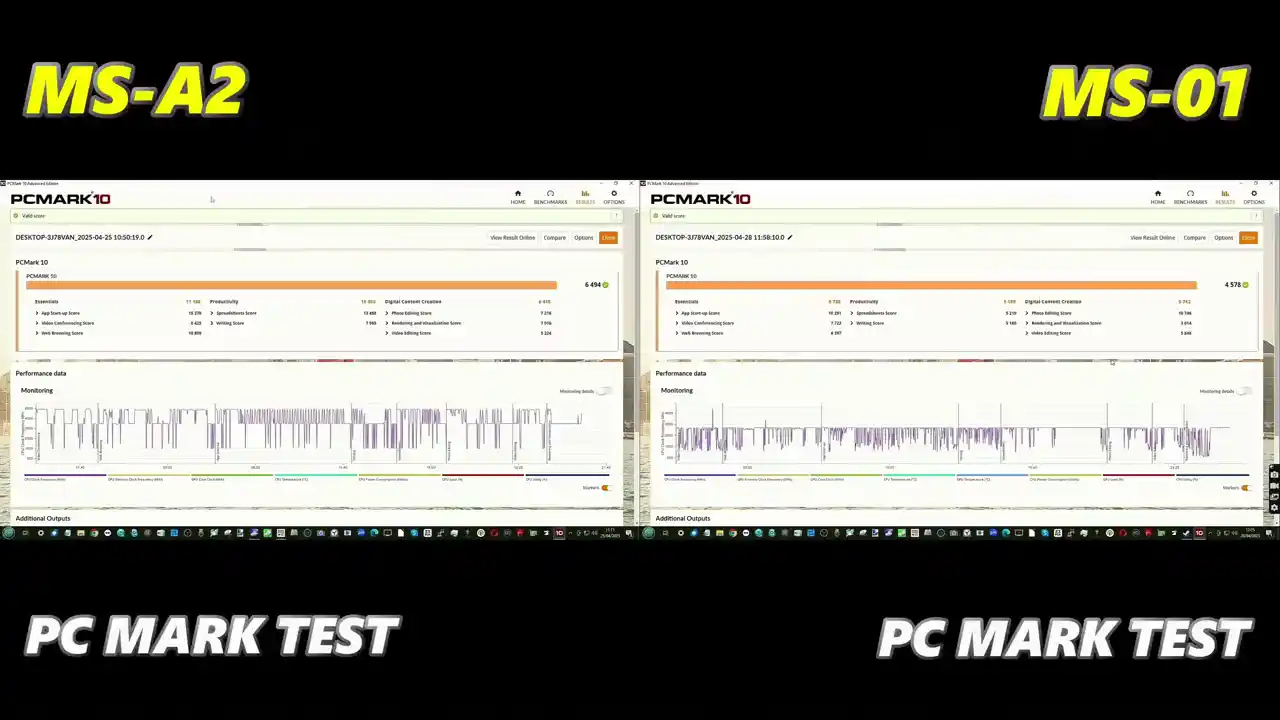
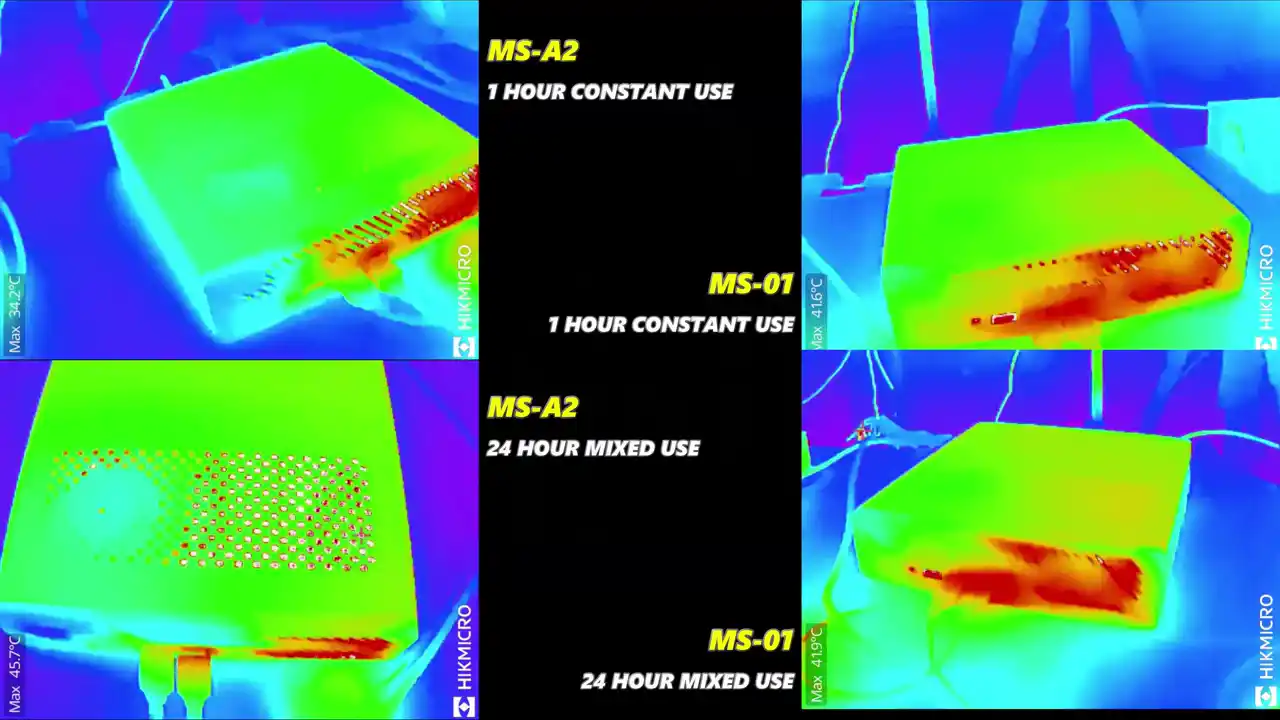
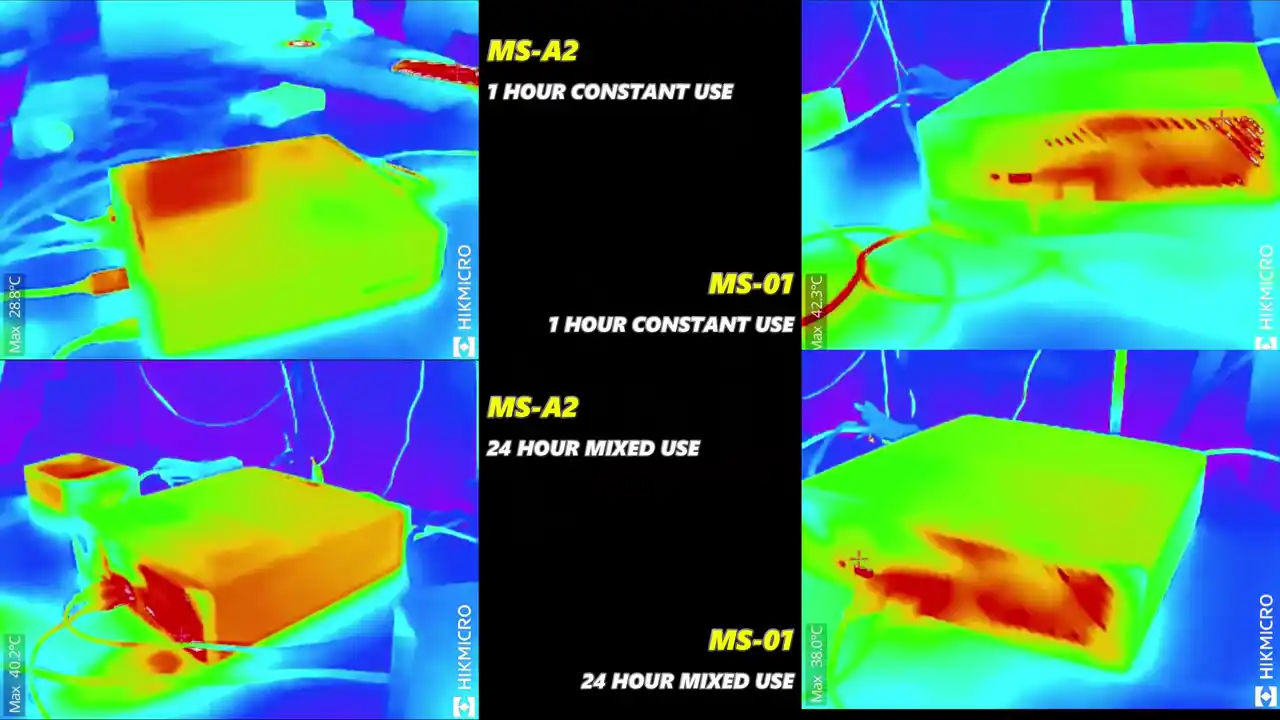
Thermal and power characteristics further highlight the gap between the two systems. Intel’s i9-13900H has a base power of 45W but can boost up to 115W under load, while AMD’s Ryzen 9 9955HX has a configurable TDP ranging from 55W to 75W. Although the Intel chip has a higher upper limit, in practice it tends to spike power draw during short workloads and then throttle back. In comparison, the Ryzen CPU maintains a steadier thermal and power profile over longer tasks. This behavior was reflected in sustained tests over one-hour and 24-hour windows under mixed network and compute usage: the MS-A2’s CPU performed more consistently, with lower long-term thermal build-up, aided by its upgraded internal fan design. Combined with support for up to 96GB of DDR5 memory versus 64GB on the MS-01, the MS-A2’s CPU configuration offers better overall headroom for demanding, sustained workstation use.

Minisforum MS-A2 vs MS-01 – Graphics and Processing Power Compared

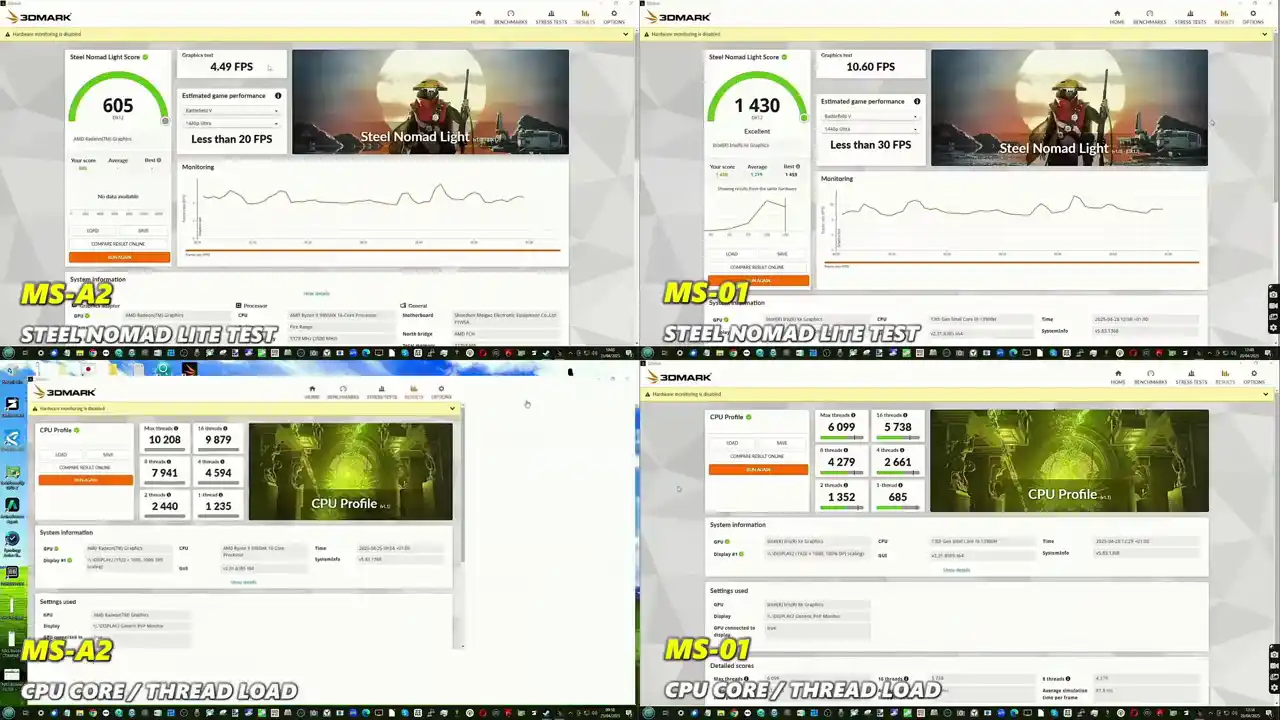
Although the Minisforum MS-01 and MS-A2 are positioned as compact workstations rather than gaming rigs, integrated graphics performance still plays a role in determining their suitability for visual workloads, media playback, and GPU-accelerated tasks. The MS-01 leverages Intel’s Iris Xe graphics, which includes 96 execution units running at up to 1.5GHz. The MS-A2, on the other hand, features AMD’s Radeon 610M — a lightweight RDNA2-based iGPU with 2 compute units operating at 2.2GHz. While the AMD GPU has a higher clock speed on paper, the significantly larger number of execution units in the Iris Xe gives the Intel system a considerable edge in real-world performance. In benchmarks such as the Steel Nomad Light test, the MS-01 consistently delivered higher frame rates and better render completion times, particularly during prolonged sequences that tax the GPU.

This performance advantage was also evident in media encoding and general GPU-accelerated workloads. Intel’s integrated graphics tend to benefit from better driver maturity, wider codec support (particularly for Quick Sync Video), and improved handling in professional apps with Intel-optimized pipelines. Users working in environments involving light 3D rendering, accelerated video encoding, or virtual display compositing are more likely to see stable and consistent results from the MS-01’s iGPU. However, it’s important to note that neither device is intended to replace a discrete GPU for high-end graphical workflows. Their iGPUs are best suited for media playback, multi-monitor output, light rendering tasks, and as fallback units for headless server use.

That said, the MS-A2 reclaims ground when it comes to video output capabilities. While the MS-01 supports HDMI 2.0 and DisplayPort 1.4a via USB4, the MS-A2 steps forward with HDMI 2.1 and DisplayPort 2.0 over Type-C. This enables support for up to 8K at 60Hz and 4K at 144Hz, offering tangible benefits for users who rely on ultra-high-resolution displays or high refresh rate monitors in productivity setups. Professionals in video editing, CAD work, or photography may find that this broader standard support gives the AMD model a longer shelf life as display technologies advance. In broader processing terms, the MS-A2’s superior CPU — the Ryzen 9 9955HX — delivers more overall compute performance, particularly in multi-threaded applications. But for users with GPU-reliant workloads or who value stability across legacy software environments, the MS-01’s Iris Xe graphics make a compelling case. Ultimately, choosing between the two comes down to workload distribution: CPU-heavy environments favor the MS-A2, while mixed or GPU-skewed tasks lean toward the MS-01.

Minisforum MS-01 vs MS-A2 – Conclusion and Verdict

After evaluating both systems across CPU architecture, internal connectivity, storage bandwidth, and thermal performance, it becomes clear that the Minisforum MS-01 and MS-A2 cater to slightly different segments of the same professional user base. The MS-01, despite being over a year old, still offers a well-balanced configuration with mature Intel performance, reliable thermal behavior, and excellent compatibility with existing Intel-optimized software. Its Intel Core i9-13900H processor delivers solid single-core performance and responsive handling in mixed-load scenarios, particularly when combined with Iris Xe graphics that outperform AMD’s 610M in general GPU-accelerated tasks. When paired with dual 10GbE SFP+ ports, 2.5GbE RJ45, and PCIe expansion, the MS-01 provides considerable functionality in a highly compact chassis — all at a more affordable starting price than its AMD counterpart.

However, the MS-A2’s specification gains are more than just incremental. It introduces a newer CPU platform with significantly higher multi-threaded performance, better storage throughput via triple PCIe 4.0 x4 M.2 slots, and wider memory support scaling up to 96GB at 5600MHz. These improvements position the A2 as a clear upgrade in raw compute potential. Enhanced display output support, including HDMI 2.1 and DP 2.0 over USB-C, adds flexibility for users deploying ultra-high-resolution or high-refresh-rate monitors in content creation, design, or data visualization environments. Furthermore, the updated internal cooling system — subtle in layout but effective in long-term thermal consistency — ensures the AMD-based system maintains sustained performance under extended workloads. While the MS-A2 demands a higher upfront investment, it delivers longer-term value for users running multi-threaded software stacks, high-speed storage arrays, or heavy virtual machine workloads. In essence, the MS-01 is still a dependable and well-priced workstation that meets the needs of a wide user base. But the MS-A2 redefines Minisforum’s performance ceiling with broader bandwidth, more compute power, and enhanced scalability. For users focused on future-proofing, heavier workloads, or maximizing hardware capability within a small form factor, the MS-A2 is the more capable — if more expensive — option. Your choice ultimately comes down to whether cost or capability is the higher priority in your deployment.

Minisforum MS-01 Pros and Cons Minisforum MS-A2 Pros and Cons
  • Lower Price Point
    The MS-01 is considerably more affordable than the MS-A2, making it a better value for users with lighter or mixed workloads.
    The MS-A2 demands a premium due to its higher-end specs, which may not be fully utilized in typical home or office deployments.

  • Superior Integrated Graphics (Intel Iris Xe)
    With 96 execution units, the Iris Xe GPU in the MS-01 outperforms the Radeon 610M in the MS-A2 for media encoding, driver stability, and general GPU-accelerated workloads.
    The MS-A2’s Radeon 610M has only 2 compute units and is weaker in rendering, encoding, and professional visual tasks.

  • Thunderbolt 4 and Mature USB4 Support
    The MS-01 offers USB4 with DisplayPort 1.4a and Thunderbolt compatibility, which ensures greater peripheral compatibility and broader bandwidth for external devices.
    The MS-A2 lacks Thunderbolt and uses USB-C ports with DisplayPort 2.0, which are better for displays but more limited in external expansion options.

  • More Established Intel Software Ecosystem
    Features like Intel vPro, Thread Director, and DL Boost make the MS-01 better suited to enterprise, AI inference, and compatibility with legacy Intel-tuned workloads.
    The MS-A2 is newer but lacks mature support for certain enterprise features like vPro or AI-specific instructions.

  • Limited Storage Bandwidth
    Only one of the three M.2 slots runs at PCIe 4.0 x4; the others run at PCIe 3.0 x4 and x2. This bottlenecks multi-drive setups or RAID configurations.
    The MS-A2 supports PCIe 4.0 x4 on all three M.2 slots, enabling full-speed NVMe performance on every drive.

  • Lower Memory Capacity and Speed
    Supports up to 64GB DDR5 at 5200MHz. This limits RAM-heavy workloads like virtualization or large dataset handling.
    The MS-A2 supports up to 96GB DDR5 at 5600MHz, giving it better headroom for demanding memory scenarios.

  • Solid GPU Performance Stability
    The MS-01 performs better under GPU-accelerated tasks due to more mature graphics drivers and better software integration (Quick Sync, Adobe, etc.).
    MS-A2 may suffer compatibility or driver limitations in older applications or video pipelines.

  • Much Higher CPU Performance
    The Ryzen 9 9955HX delivers 16 cores and 32 threads, far exceeding the MS-01’s i9-13900H with 14 cores (6P+8E) and 20 threads. This gives the MS-A2 a major edge in rendering, VMs, and parallel workloads.
    The MS-01 holds its own in lightly threaded or bursty workloads but falls behind in sustained multi-core tasks.

  • Full-Speed NVMe Across All Storage Bays
    All three M.2 slots run at PCIe 4.0 x4 speeds, which is ideal for users building high-speed RAID arrays or multi-disk configurations.
    The MS-01’s mixed PCIe generation slots limit throughput and performance scaling with multiple drives.

  • Higher RAM Capacity and Bandwidth
    The MS-A2 supports up to 96GB DDR5-5600, making it more suitable for VM clusters, code compilation, or large creative project workflows.
    The MS-01 tops out at 64GB DDR5-5200, which may become a limiting factor in future-proofing.

  • Advanced Display Output Support
    The MS-A2 features HDMI 2.1 and DisplayPort 2.0, allowing up to 8K60 or 4K144Hz. Ideal for users with high-res displays or multi-monitor setups.
    The MS-01 is limited to HDMI 2.0 and DP 1.4a, which caps out at 4K60 in most scenarios.

  • Weaker Integrated GPU (Radeon 610M)
    The 2CU RDNA2 iGPU in the MS-A2 underperforms compared to the Iris Xe in the MS-01 in encoding tasks, graphical acceleration, and some professional media pipelines.
    The MS-01 offers better iGPU performance and is more compatible with widely used software stacks.

  • Higher Price for the Same Chassis
    While offering better specs, the MS-A2 comes at a significantly higher price for a similar form factor and port layout, making it less cost-efficient for users not needing its full capabilities.
    The MS-01 delivers solid value for money and remains a competitive mini workstation despite being a generation older.

  • Improved Thermal Efficiency and Sustained Load Performance
    A redesigned internal cooling layout in the MS-A2 provides better performance consistency under long-term stress compared to the MS-01, which can throttle during extended workloads.
    The MS-01’s cooling is competent but may experience more thermal spikes under 24/7 heavy use.

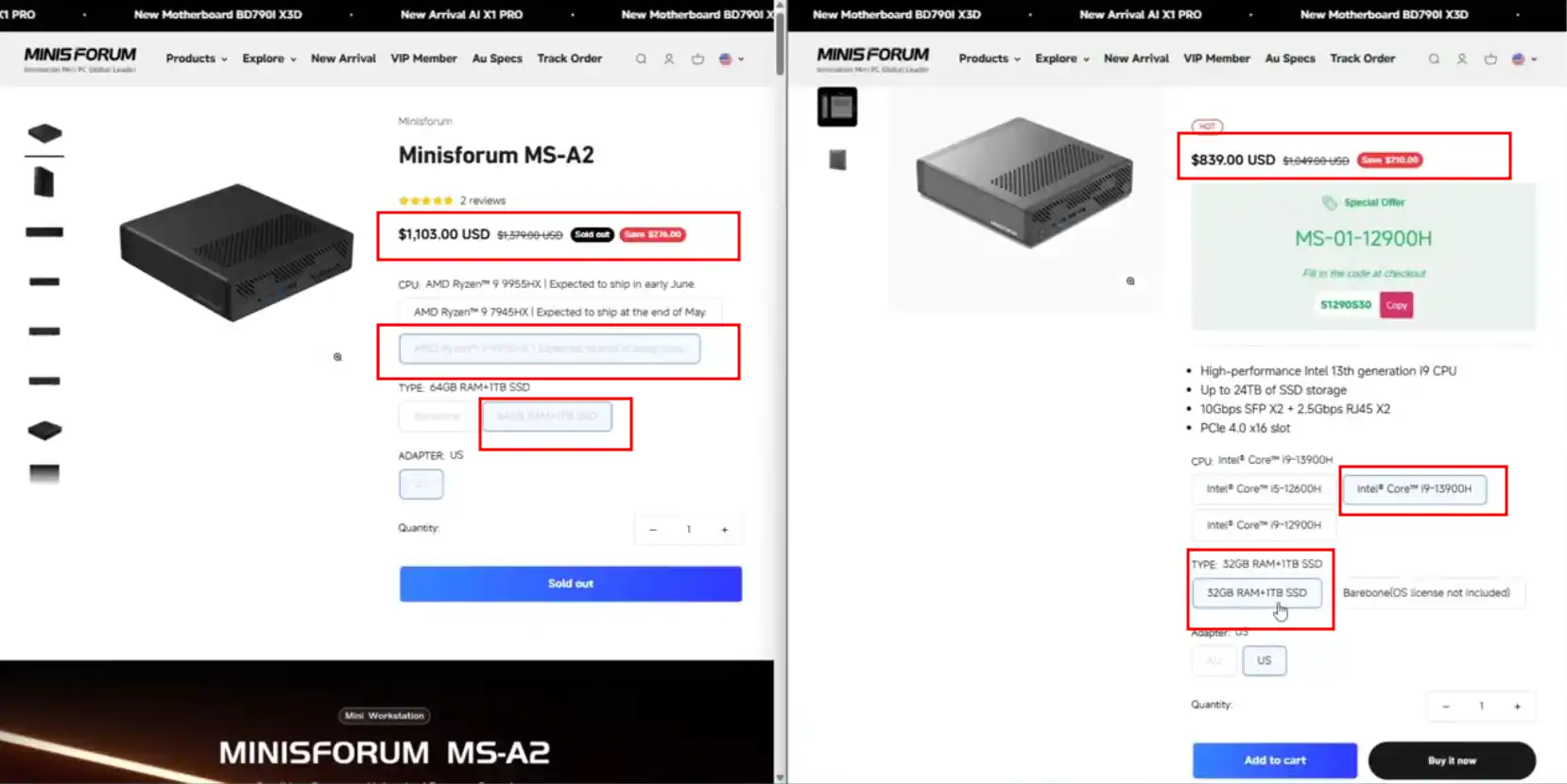
Check Amazon for the Minisforum MS-A2 ($639-899 ) or MS-01 ($599-879) Below:

Check AliExpress for the Minisforum MS-A2 ($799 ) or MS-01 ($599) Below:


📧 SUBSCRIBE TO OUR NEWSLETTER 🔔
[contact-form-7]
🔒 Join Inner Circle

Get an alert every time something gets added to this specific article!


Want to follow specific category? 📧 Subscribe

This description contains links to Amazon. These links will take you to some of the products mentioned in today's content. As an Amazon Associate, I earn from qualifying purchases. Visit the NASCompares Deal Finder to find the best place to buy this device in your region, based on Service, Support and Reputation - Just Search for your NAS Drive in the Box Below

Need Advice on Data Storage from an Expert?

Finally, for free advice about your setup, just leave a message in the comments below here at NASCompares.com and we will get back to you. Need Help? Where possible (and where appropriate) please provide as much information about your requirements, as then I can arrange the best answer and solution to your needs. Do not worry about your e-mail address being required, it will NOT be used in a mailing list and will NOT be used in any way other than to respond to your enquiry. [contact-form-7] TRY CHAT Terms and Conditions
If you like this service, please consider supporting us. We use affiliate links on the blog allowing NAScompares information and advice service to be free of charge to you.Anything you purchase on the day you click on our links will generate a small commission which isused to run the website. Here is a link for Amazon and B&H.You can also get me a ☕ Ko-fi or old school Paypal. Thanks!To find out more about how to support this advice service check HEREIf you need to fix or configure a NAS, check Fiver Have you thought about helping others with your knowledge? Find Instructions Here  
 
Or support us by using our affiliate links on Amazon UK and Amazon US
    
 
Alternatively, why not ask me on the ASK NASCompares forum, by clicking the button below. This is a community hub that serves as a place that I can answer your question, chew the fat, share new release information and even get corrections posted. I will always get around to answering ALL queries, but as a one-man operation, I cannot promise speed! So by sharing your query in the ASK NASCompares section below, you can get a better range of solutions and suggestions, alongside my own.

☕ WE LOVE COFFEE ☕


Are Chinese NAS Devices Safe? Let’s Discuss…

Are Chinese DIY NAS Devices Worth Your Time, Money, and Data?

Over the last 2 years, I have discussed at length multiple different Chinese-built NAS solutions in one form or another. From DIY NAS motherboards from brands like Topton and CWWK to pre-built solutions arriving both with and without NAS software from brands like Ugreen, Terramaster, Aoostar, and more. Thanks to the miniaturisation and power efficiency improvements in a multitude of different kinds of PC hardware, a lot of brands originally developing mini PCs, tablets, and laptops have started including developments towards NAS systems in their portfolios. Some brands, like Ugreen and Terramaster, have gone into this with significantly more energy than others, including and further developing their very own NAS software that is included with the hardware. But regardless of whether you are looking at a Chinese DIY NAS that does or does not include its software, it still raises the question of whether these solutions are worth your time and money. Are they as reliable as some of the long-established players providing solutions from Taiwan or the US? Can you trust it with your data? Let’s discuss.

Chinese NAS Brands That I Recommend

These are the brands I would personally recommend if you are considering a China-based NAS brand. These are 6 brands that I have used many of their products (NAS and others) that I have found the best experiences with, as well as, on balance,e the best online support and communication. No brand is perfect, and look hard enough and you will find good and bad on any brand, really, but these are six examples of brands that stand out from the others.

Buy Here on AmazonVisit Their Own Store

Buy Here on AmazonVisit Their AliExpress Store

Buy Here on AmazonVisit Their AliExpress Store

Buy Here on AmazonVisit Their AliExpress Store

Buy Here on AmazonVisit Their AliExpress Store

Buy Here on Amazon


The TL;DR – Are Chinese DIY NAS Devices Worth It?

  • Chinese NAS popularity is rising due to affordability, broader hardware variety, and greater accessibility in Asia.

  • Brands like Ugreen and Terramaster have built their own NAS software, adding credibility to their name in the eyes of consumers and long-term support potential that a lot of other options seem to tangebly lack.

  • Mini PC brands (e.g., Minisforum, GMKTec) are repurposing their platforms into NAS devices, leveraging existing consumer trust.

  • Many Chinese NAS systems are hardware-only, allowing users to install platforms like TrueNAS or UnRAID.

  • DIY-friendly: Chinese NAS devices often support third-party OS installs without voiding warranty—unlike many Western brands.

  • Hardware value: You can expect up to 25–30% lower prices compared to similar US/Taiwan/Japan-made systems.

  • Tech culture: China has a more tech-literate consumer market, visible in high street and airport advertising.

  • Security concerns exist, largely due to past incidents of spyware or malware embedded in hardware from some Chinese vendors.

  • Using trusted open-source OS platforms can reduce risks—but can’t fully eliminate them if vulnerabilities are in firmware/hardware.

  • Not all Chinese brands are equal—research brand background, online presence, and operational transparency.

  • Some no-name brands just rebrand OEM hardware (e.g., from CWWK), but offer poor support and minimal warranty backing.

Support issues include:

  • No regional presence

  • Language/cultural barriers

  • Long RMA turnaround

  • Tax/import delays for returns

Brands with better reputations for support include: CWWK, Jonsbo, and Terramaster.
Be wary of AliExpress-only brands with no official website or global support—these often lack accountability.

Ultimately: Yes, you can buy a NAS from China—just stick to reputable brands, do your research, and stay security-conscious.

$169 n150 4x M.2 NVMe SSD NAS – The GMKTek G9


Why Have Chinese NAS Systems Rapidly Grown in Popularity?

The easy answer to this would be to say that they tend to be a lot cheaper than NAS products that are built in the US, Europe, or surrounding Eastern countries like Taiwan or Japan. Indeed, that is true, and you tend to find that NAS systems made in China are typically offered at great value price points and hardware value compared to anywhere else in the world. However, the popularity of Chinese NAS systems is actually a little bit more nuanced and about a lot more than simply money.

The UGREEN DXP NASync Series Now Globally Available

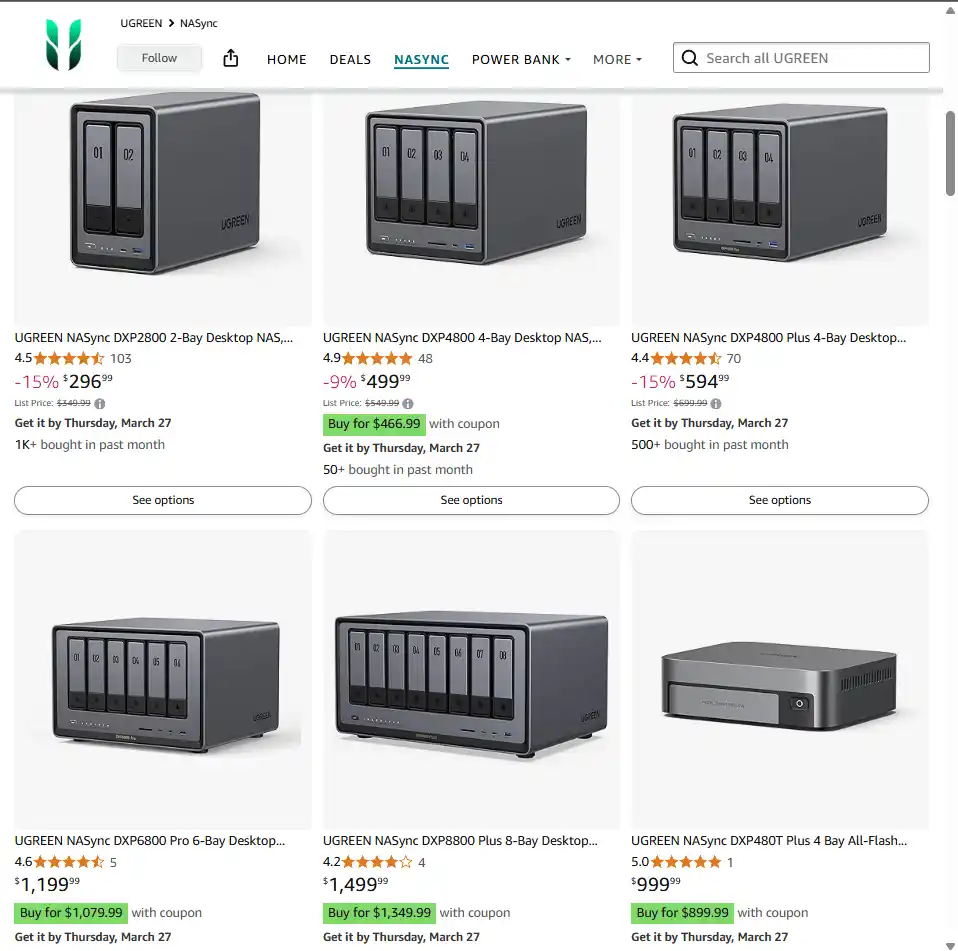
For a start, some of the brands that are currently moving into providing their own network-attached storage solutions are brands that already had a well-established presence in homes and offices around the globe for other peripherals. A great example of this would be Ugreen. Ugreen has provided accessories for PCs, power adaptors, and portable docking stations for quite a few years and is probably one of the most recognisable names for this kind of technology from China around the world.

The Aoostar WTR N305 4 Bay NAS Drive

Therefore, in early 2024, when the brand announced it was entering the world of NAS in the Western world, the brand already had a fairly solid and well-documented audience in place. That is likely why the brand, although still pretty good value, is actually slightly more expensive than the majority of other Chinese NAS brands.

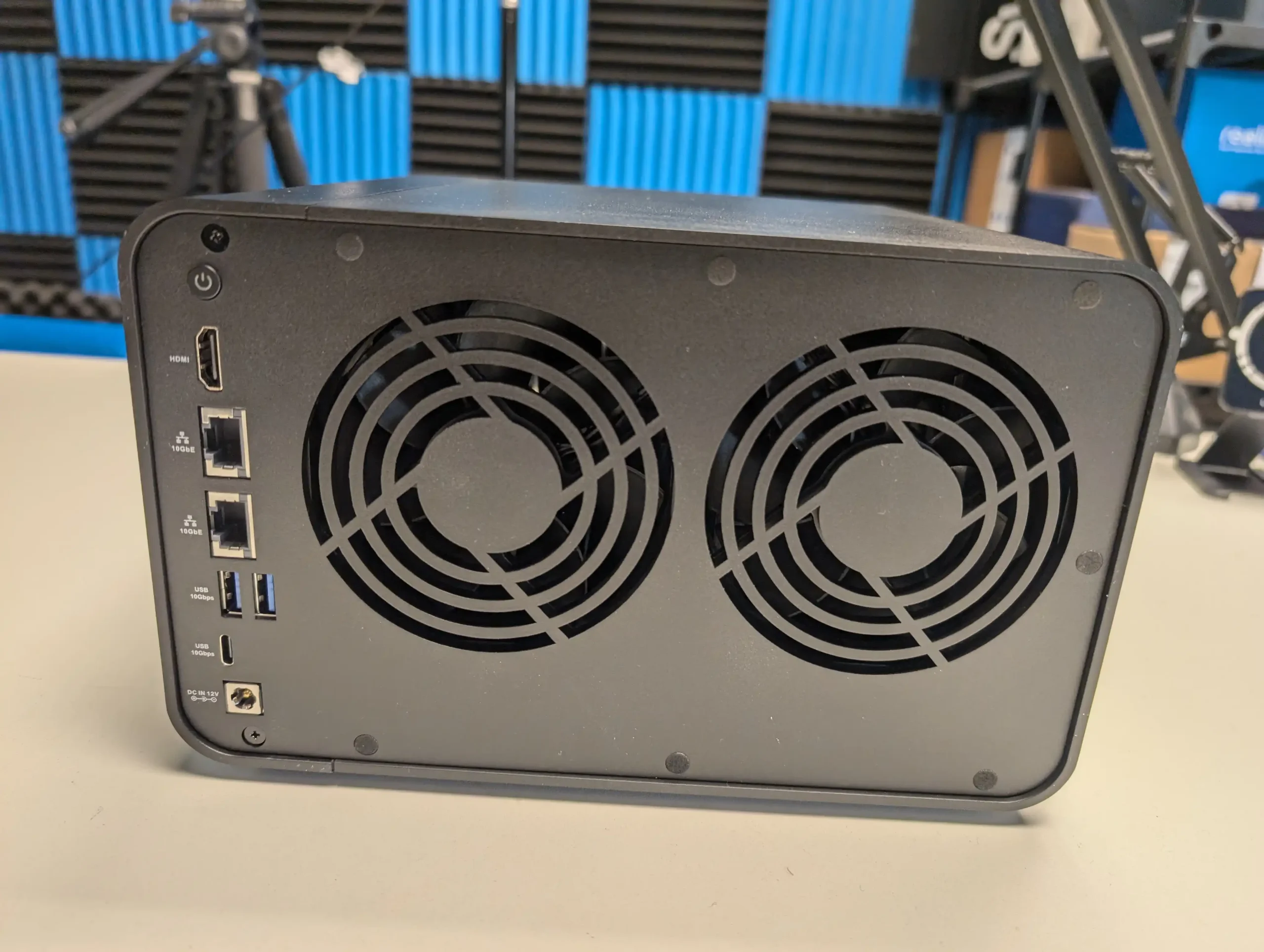
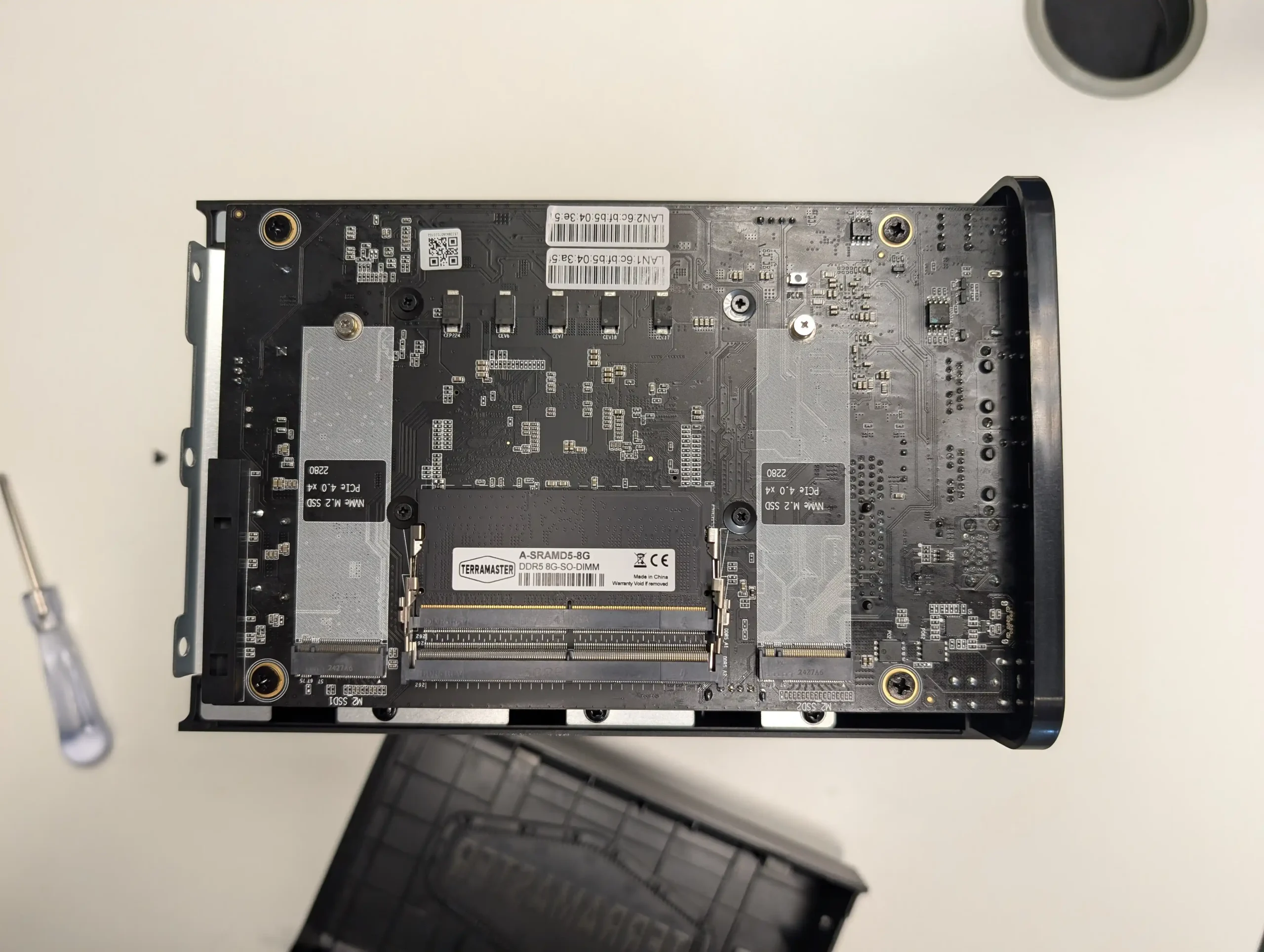
The Terramaster F6-424 Max NAS – 2x 10GbE, 2x Gen 4×4 M.2 NVMe & Intel i5 CPU

Alternatively, you have brands like Terramaster, who have been in the network-attached storage industry for over half as long as the likes of QNAP and Synology, and during that time have built up a fairly solid audience base long before the arguably heavy influx of smaller, lesser-known brands entering the world of NAS from China.

The Terramaster F6-424 Max NAS – 2x 10GbE, 2x Gen 4×4 M.2 NVMe & Intel i5 CPU

Chiefly purchased for its hardware until now, Terramaster is a brand that has a fairly comprehensive and well-detailed software platform in TOS. Of course, both of these brands provide much better value for money than alternatives in the market from other countries, but in a lot of cases, people are purchasing these solutions for more than just the bottom-line price.

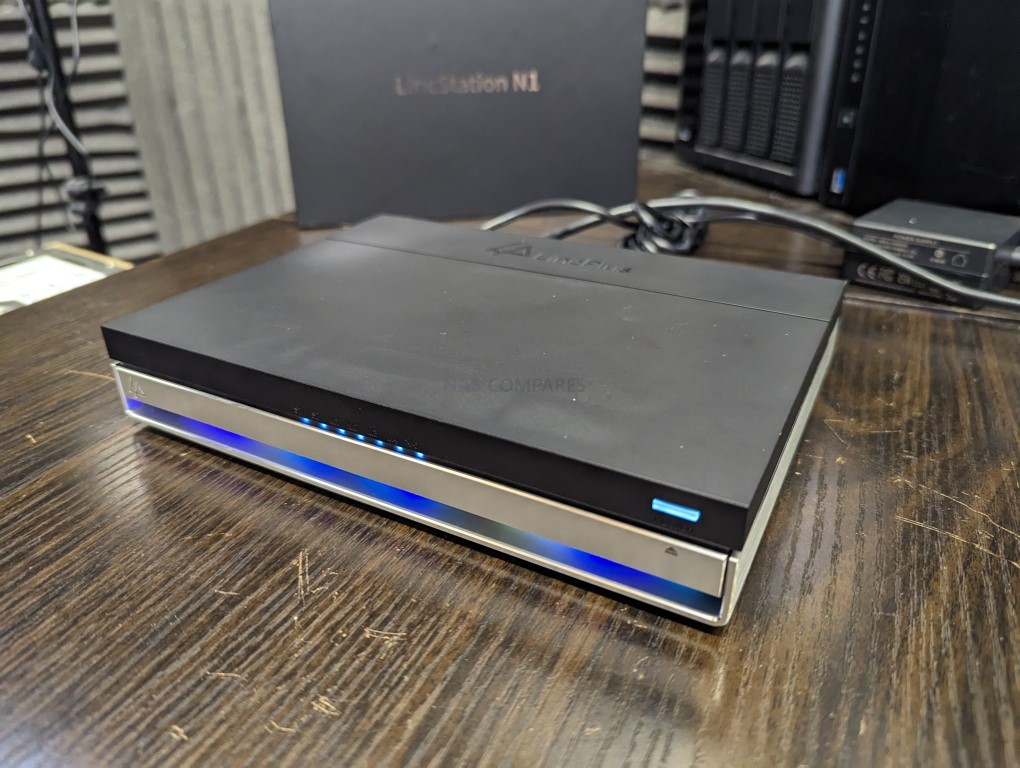
The Lincplus Lincstation N1 & N2 4x M.2 and 10GbE NAS

Alternatively, there is the now heavily saturated market of mini PC vendors who have modified a lot of their existing production and systems to now leverage towards storage. In many cases, some of these brands—such as Minisforum and GMKTec—already have a healthy relationship with consumers thanks to their mini PCs, and that brand awareness has clearly transferred over to NAS products.

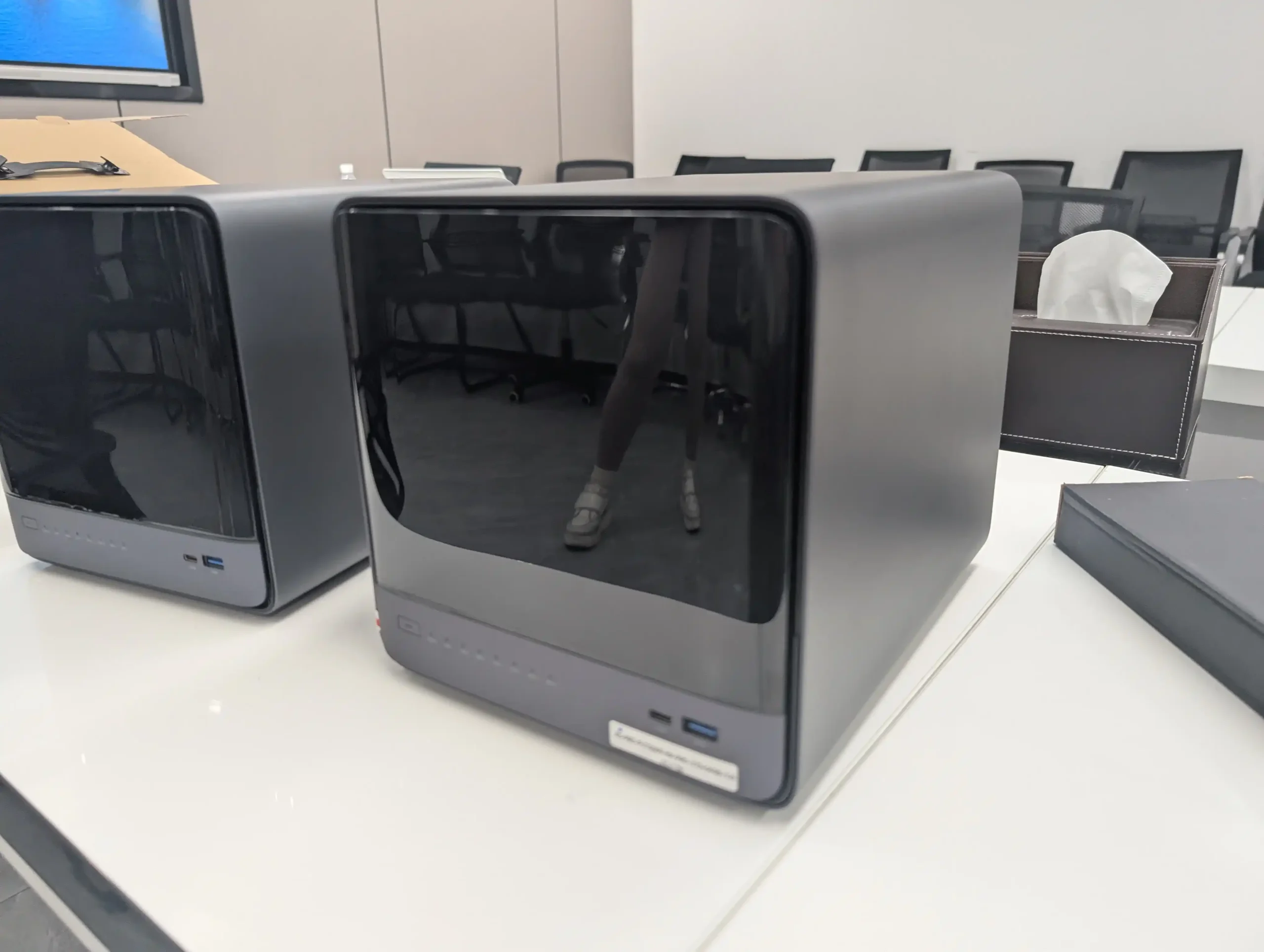
The Minisforum N5 Pro NAS – AMD i9 HX370 / ECC Memory / 10+5GbE / 5 SATA and 3 M.2 NVMe

The other thing that makes these Chinese NAS products very appealing to new and even old NAS buyers is that a lot of them arrive without software included. This allows users to get just the hardware at a lower price and then go ahead and install software such as TrueNAS or UnRAID, because they want to take advantage of those more flexible (if slightly more intimidating) platforms. The majority of NAS products that arrive from other countries tend to arrive with their own NAS software included and, more often than not, do not allow the warranty to continue being supported if you install a third-party operating system. Whereas practically all NAS products that are developed in China tend to allow you to use third-party operating systems—even when they include their own OS (again, see Terramaster and Ugreen).


What Are the Benefits of Chinese NAS Systems?

Ultimately—and it’s kind of a shame that this is the headline here—but it is, of course, that NAS systems from China will generally give you much better hardware at a lower price tag. That isn’t to say that these systems are always going to be universally the lowest price, but it is simply that the average price tag of the system configuration and hardware, compared across multiple regions, will generally always end in the product being cheaper when it is manufactured in China.

UGREEN DXP8800 PLUS NAS – 10GbEx2, Intel i5 CPU, Gen 4×4 NVMe

More often than not, whether you’re looking at a fairly modest entry-level Intel Celeron / Intel Alder Lake / Intel Twin Lake-based NAS system or scaling it up all the way towards Intel Core and AMD Ryzen systems, you will tend to find that NAS solutions built in China are as much as 25 to 30% lower in price than those made in the rest of the world.

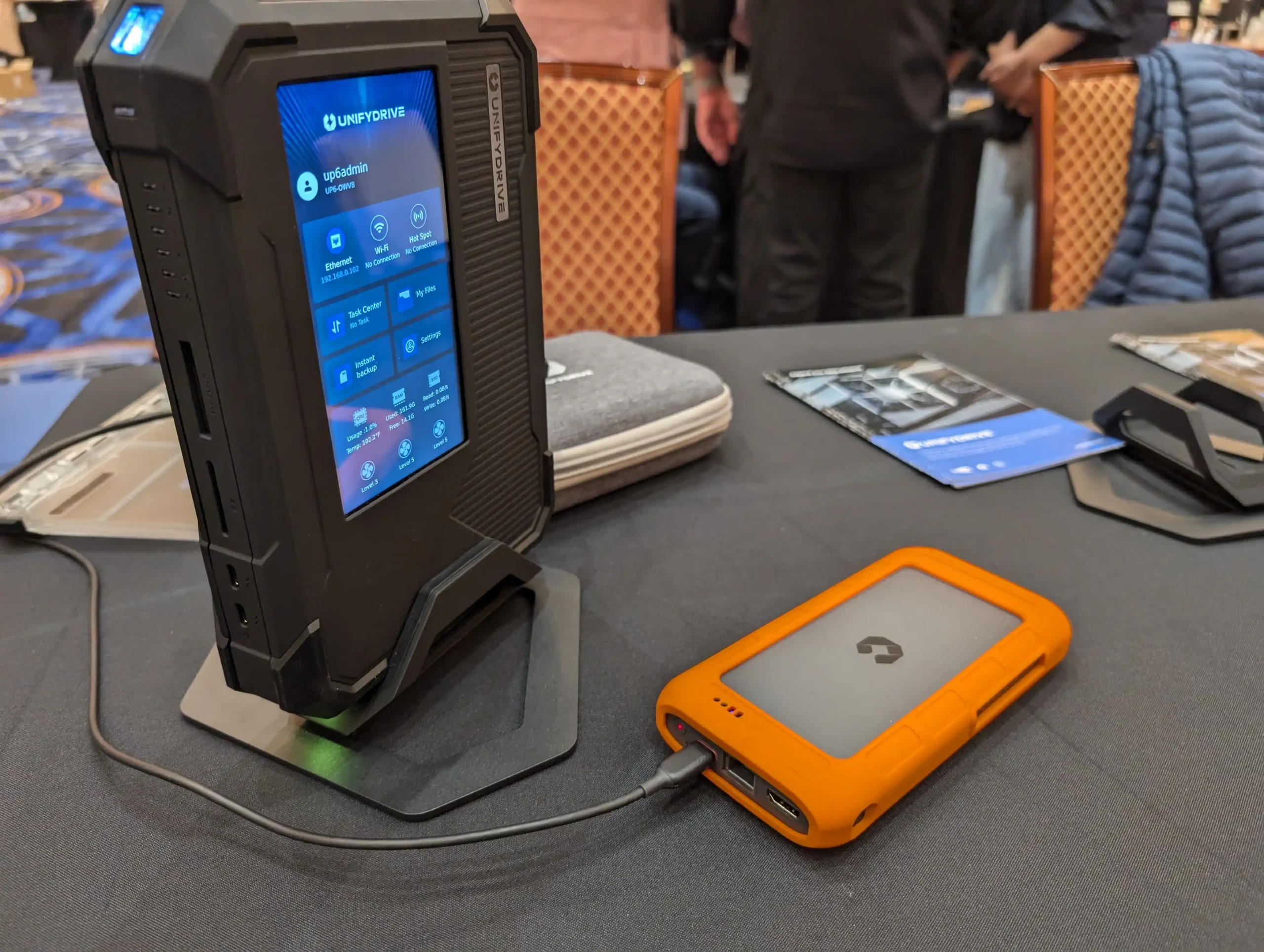
The UnifyDrive UP6 6x NM.2 NVMe SSD Portable NAS

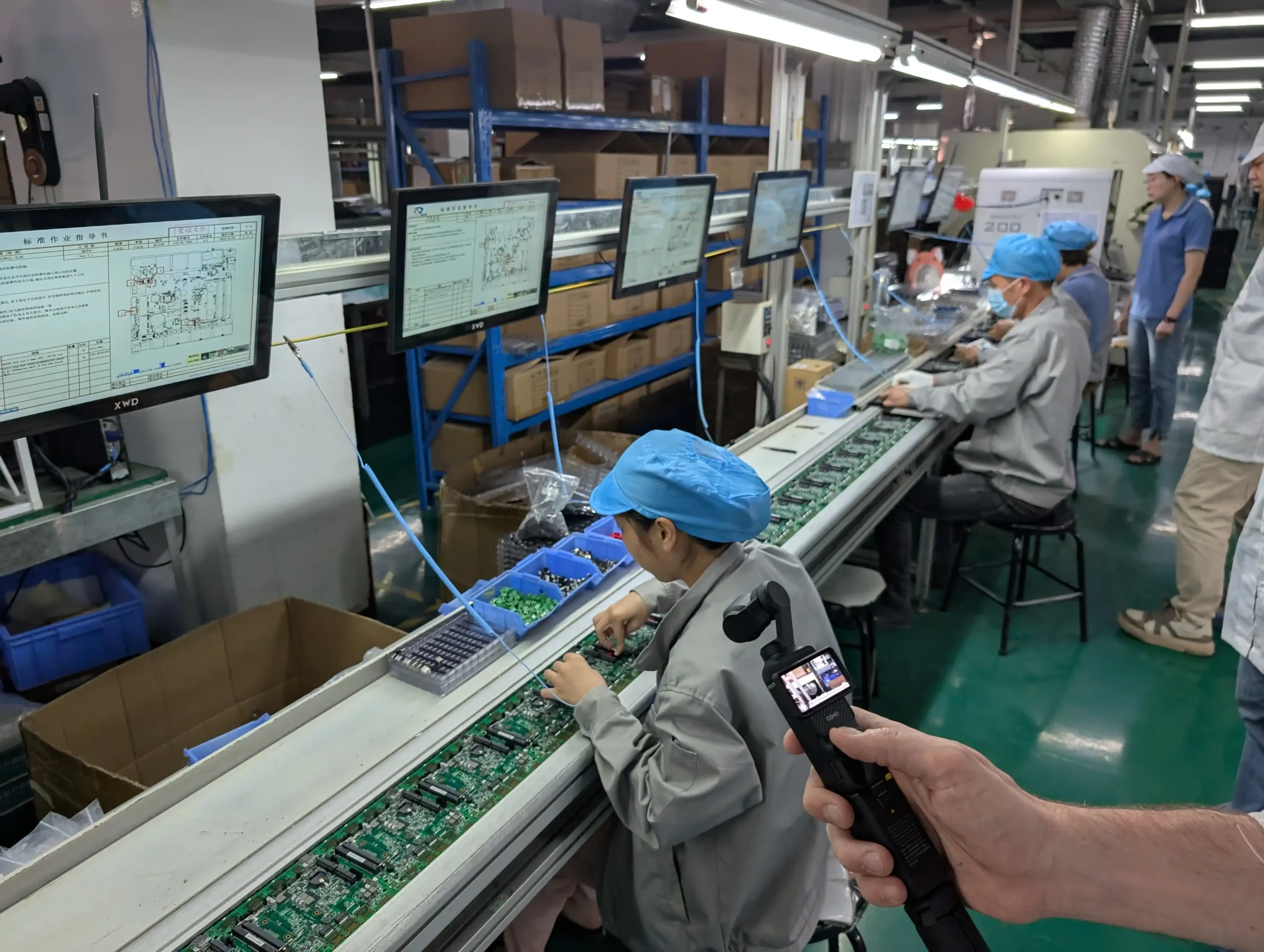
I guess you could also add that if you are based in the Eastern part of the world, there are also tremendous benefits to these solutions being so readily available and accessible. Indeed, on a recent trip to Shenzhen, I noticed how there were significantly more DIY NAS solutions available on the high street and in the tech malls than anywhere else in the world. A big part of this is that the general average standard understanding of tech hardware is higher out there than in a lot of Western regions. That isn’t to say that we don’t have a tremendously high volume of users who understand this kind of technology in the US and Europe, but the way it is framed to the consumer is notably different.

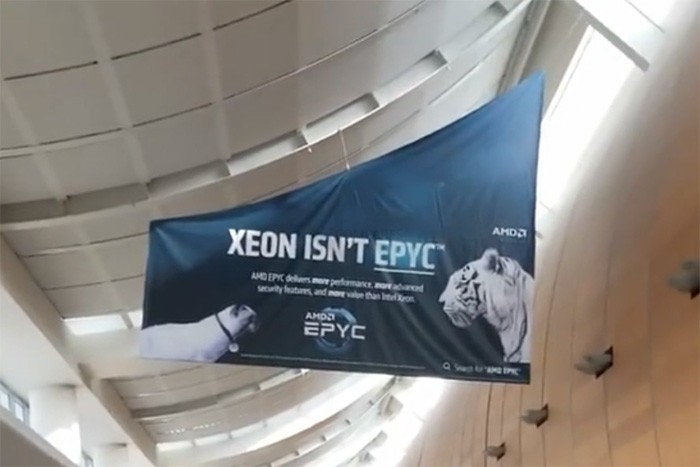
So, for example, if you walk around an airport in China, Hong Kong, or Taiwan, you will often see advertisements of a pretty technical nature with regard to CPUs and graphics cards on the back of trolleys, billboards, and on the sides of public vehicles. Whereas in America and Europe—although this is still not completely absent—adverts are much more focused on the end product, such as phones, tablets, laptops, and domestic client hardware.


Why Are People So Concerned About Chinese NAS System Security?

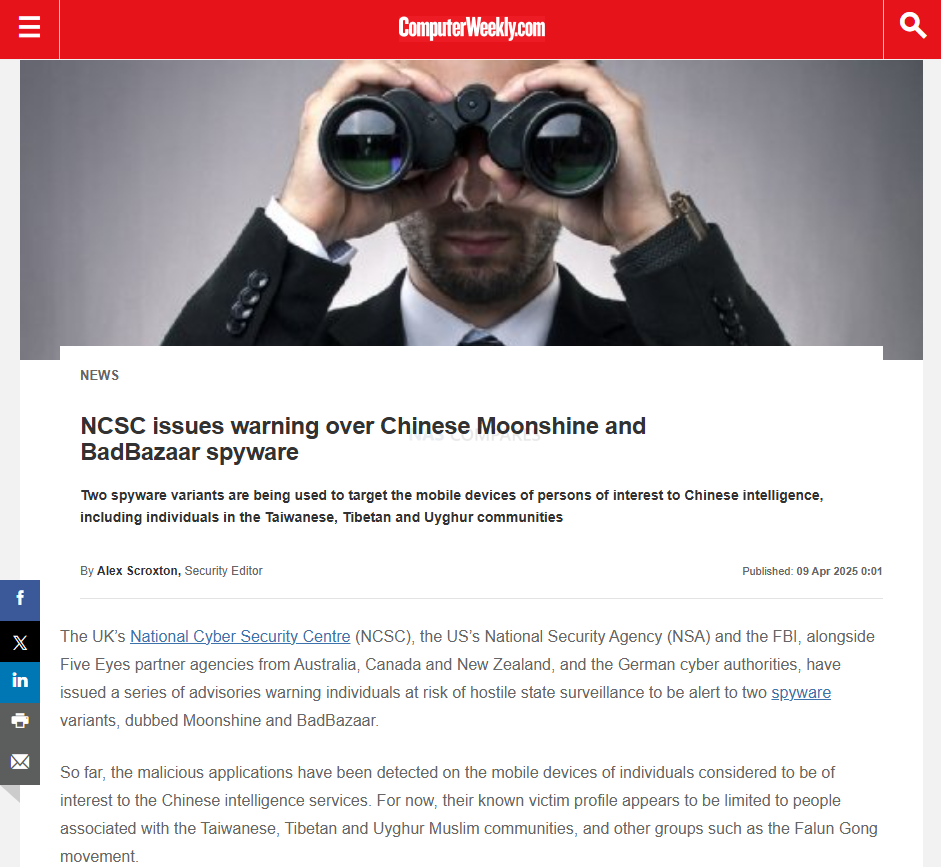
It is a pretty bloody valid concern! In recent years, tensions between large countries with regards to trade have been on the rise—one of the biggest being the US–China trade war, which, although it has ebbed and flowed over the last seven or eight years, is actually something that has existed for a few decades now. It largely boils down to the import and export of this kind of technology. However, the breaking point came when several Chinese products were found to contain spyware and malware that was hard-baked into the hardware and allowed for remote collection of user data. Numerous brands were implicated, and the fact that there is a degree of ambiguity between numerous Chinese brands in the eyes of the world—regarding how many of them cross over at the point of manufacture and how many of them are on the same production line filtering toward various brands—all added up to increased tensions and, eventually, several companies and organisations being barred from sale in the US.

Sourcehttps://www.computerweekly.com/news/366622023/NCSC-issues-warning-over-Chinese-Moonshine-and-BadBazaar-spyware/

How much this has been respected by certain Chinese players in the past—I am not going to blanket-tarnish all Chinese brands with this, as that would be both unfair and hugely incorrect. Nevertheless, a small group of bad apples has certainly soured the mood for many when it comes to purchasing Chinese NAS products in terms of security, especially when it is noted that these systems will be on 24/7, contain all of your data, and, in many cases, are directly or indirectly connected to the internet depending on your own personal setup.

Source: https://www.security.com/threat-intelligence/us-china-espionage/

This is one of the main reasons why a lot of users will purchase a Chinese NAS product specifically if it does not arrive with any kind of included operating system. A lot of users would rather trust established and Western-orientated NAS brands such as TrueNAS and UnRAID, as these have a proven track record of firmware updates and security tools, but also have recognised vulnerability and security disclosure programs that they work with to be held accountable in the event of any security incident being recognised. Nevertheless, on numerous occasions, it has been noted that security vulnerabilities—and the aforementioned spyware, when it has been recognised—have been hard-baked into the hardware components and physical controllers, which means that regardless of the NAS software you use, some of these devices still have the potential to contain security vulnerabilities.

Now, playing devil’s advocate, it could actually be possible for any hardware manufacturer in any country in the world to implement these kinds of security breach methodologies into their hardware. When you really break it down, the architecture of a NAS device—regardless of where it is built in the world—is going to be largely similar to that of a standard PC, and therefore the opportunities for exploitation and manipulation are still going to be on the table. Nevertheless, although it has been recognised that different regions of the world have had their own bad actors who have introduced vulnerable devices into the market unbeknownst to end users, there is still no avoiding that the lion’s share of the manufacturers found culpable for this have been based in China.

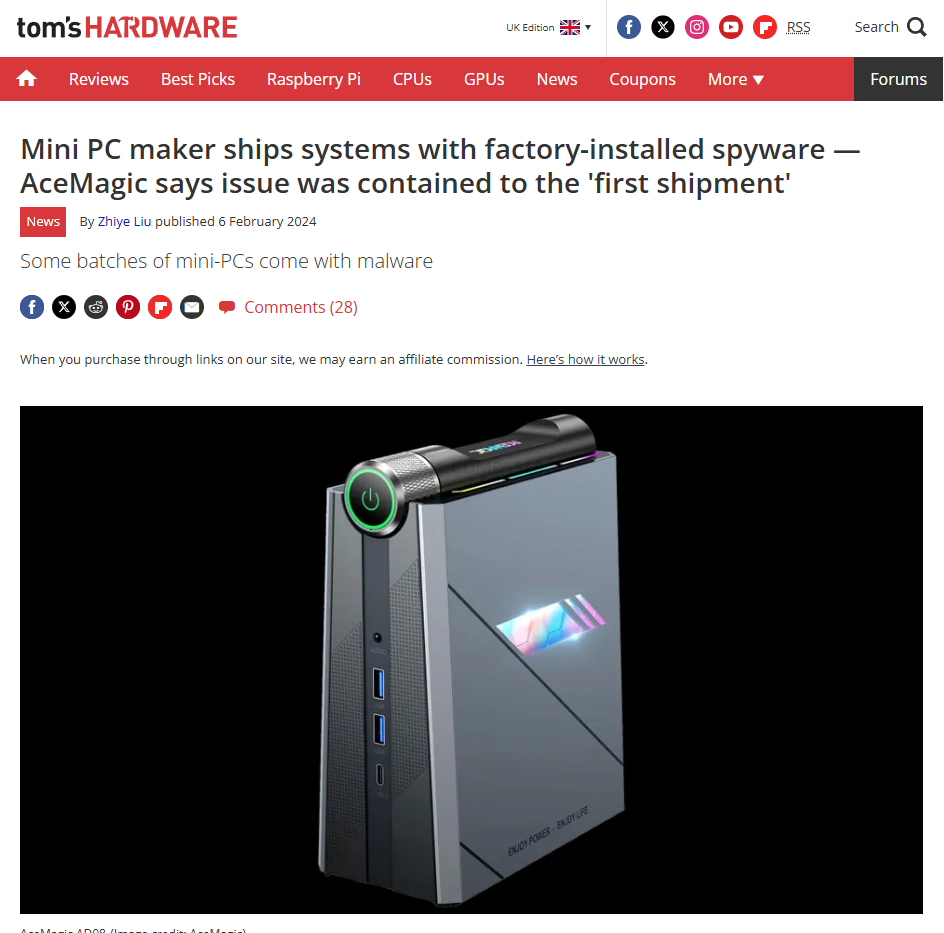
However, we also have to be slightly reasonable in that, given the larger share of hardware that is manufactured and distributed from China, then statistically, they are always going to have the larger number of incidents. The propaganda machine of numerous nations will always be at play to present a particular picture of the safety of imported devices, but all that aside, it does still seem that—despite instances of systems with inbuilt vulnerabilities decreasing all the time—they do crop up more frequently in products made in China than anywhere else in the world.

Herehttps://www.tomshardware.com/desktops/mini-pcs/mini-pc-maker-ships-systems-with-factory-installed-spyware-acemagic-says-issue-was-contained-to-the-first-shipment/

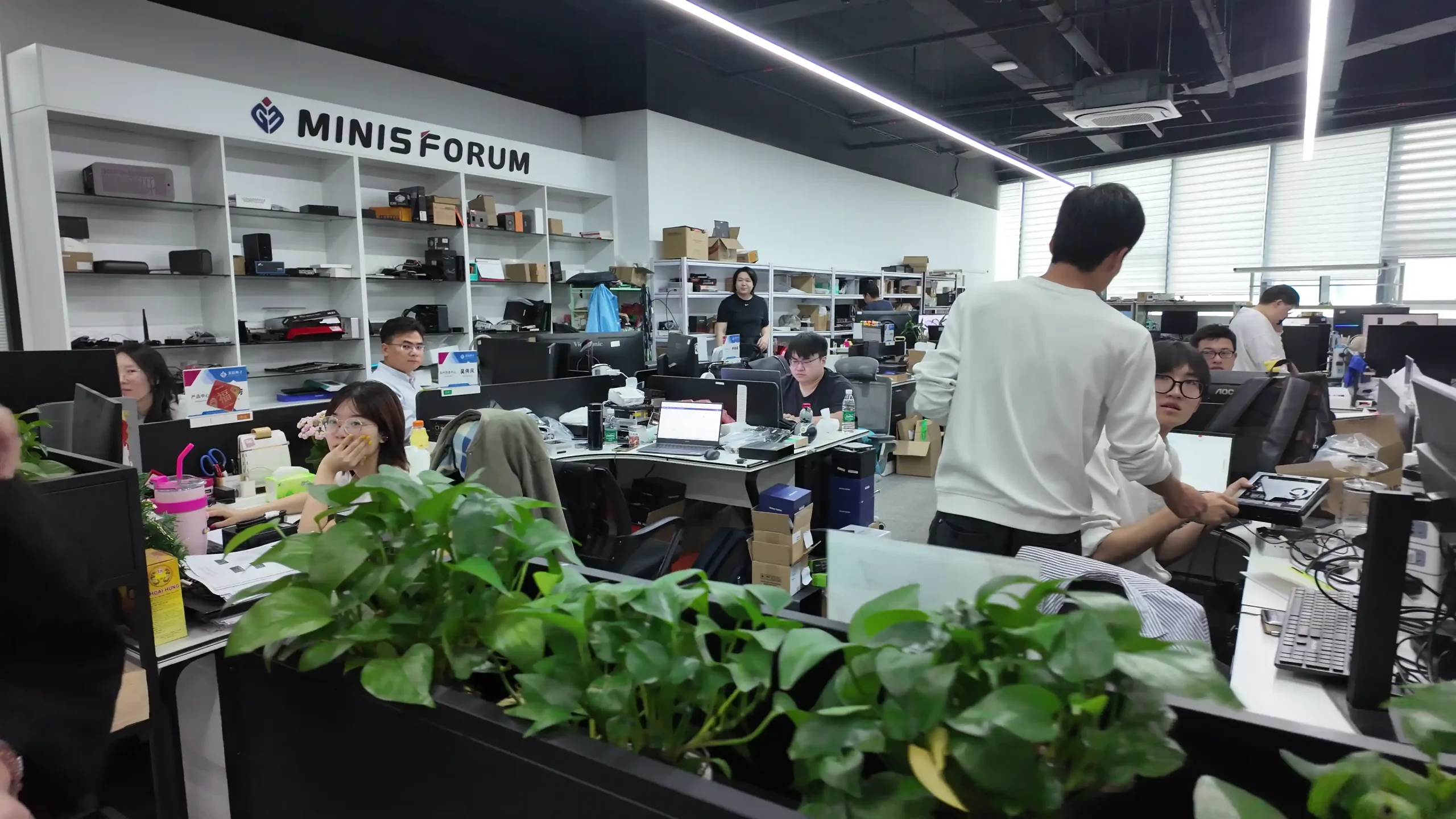
Should this be a reason to completely disregard purchasing a NAS solution from China? No, I don’t think so. I think it is a good reason to investigate the brand or organisation that you’re choosing to purchase from. I think it is a good reason to investigate how long a company has been in operation and to find out more about their offices and operations before making a purchase. And I do think it is all the more reason why organisations should not automatically assume that any piece of hardware from anywhere in the world is automatically the most secure out of the box, and should be implementing their own firewalls, VPNs, authentication methods, and security protocols regardless.


Remote Accessing My Chinese NAS – Alternatives to the Host OS

If you’re hesitant to use the default remote access features provided by your Chinese-made NAS due to privacy, transparency, or security concerns, you’re not alone—and thankfully, there are much safer and more trusted options available.

One of the most popular and user-friendly tools in this space is Tailscale, a modern mesh VPN built on WireGuard. Tailscale allows you to securely access your NAS (or any other device on your network) from anywhere in the world—without the need for risky port forwarding, dynamic DNS, or vendor cloud logins. With just a few clicks, you can create a private, end-to-end encrypted network between your NAS, phone, tablet, and computers, all managed via a clean web dashboard. It works across firewalls, NAT, and even CGNAT (carrier-grade NAT), which makes it ideal for less technical users looking for peace of mind when accessing their files remotely.

For those who want more customization or are working in slightly more advanced environments, there are other powerful self-hosted or cloud-assisted VPN solutions worth considering. Tools like ZeroTier allow for flexible, programmable virtual networks with global peer-to-peer routing. Meanwhile, OpenVPN and WireGuard (standalone) offer rock-solid, time-tested security for users comfortable with deploying and managing their own VPN servers. These services can be installed directly on your NAS or hosted on another home server or Raspberry Pi on the same network, offering complete control over who gets access and how. If you’re running TrueNAS, UnRAID, or even Debian/Ubuntu-based DIY NAS software, many of these can be installed natively or through Docker containers. This means you can completely bypass the vendor-supplied cloud services, eliminating a major attack surface while retaining secure access from anywhere.

Here are some of the most reliable and widely recommended remote access alternatives:

  • 🔒 Tailscale – Simple, secure mesh VPN using WireGuard; ideal for non-technical users

  • 🌐 ZeroTier – Virtual network overlay with programmable access control and P2P routing

  • 🔐 WireGuard (standalone) – Lightweight, fast, and secure VPN for advanced users

  • 🧰 OpenVPN – A well-established, highly configurable VPN solution

  • 🐳 Dockerized Access Tools – Solutions like Headscale (Tailscale self-hosted), PiVPN, or Cloudflare Tunnel

  • ☁ Cloudflare Tunnel (Argo Tunnel) – Secure reverse proxy with public access protection

  • 🧠 FRP (Fast Reverse Proxy) – Lightweight self-hosted tunnel service often used in Chinese networks

  • 📱 Syncthing – Peer-to-peer file sync tool for remote file access without VPN (for specific folders)

Using any of these tools, you can confidently disable or ignore the default remote access features provided by your NAS vendor and instead implement a hardened, trusted, and fully auditable solution. In doing so, you’re minimizing potential exposure, maintaining privacy, and ensuring that your remote access setup is under your control—not in the hands of a third-party vendor.


Should Users Be Concerned About Support?

Alongside the ever-present concerns around security, the other big issue that users tend to mention about purchasing Chinese NAS products is to do with support. It’s not unusual for a product or solution that you purchase in the market to not have a local or regional office that you can talk to in the event of hardware faults or software difficulties. Just because a product is manufactured in China doesn’t mean it’s the only one that suffers from the geographical hurdles of purchasing a system built in a completely different country than your own.

For example, there are plenty of American manufacturers that do not have any regional offices in Europe, and most support is provided remotely. In those cases, what puts support for products made in China into a different category for many is:

  1. Language and cultural differences in communication between end users and the brand, and

  2. The logistical difficulties of replacing a malfunctioning device with a replacement or repair.

Most of us are quite familiar with—and are happy to accept—that issues occur in the day-to-day operations of most large-scale mass manufacturing production lines. Even high production lines with a 0.01% failure rate, once you break into the million units, are still going to result in a handful of users who might receive a unit that is less than fully operational. But alongside the delays of swapping a bad device for a good one, other hurdles such as time zone differences and potential tax issues upon devices travelling internationally need to be considered. Many of these issues are not any one country’s fault and are just part and parcel of global trade that’s ever-present in any technology. However, it is how certain Chinese brands negotiate these many hurdles when selling goods to the US and Europe that very quickly sets apart the good organisations from the bad ones.

In my years reviewing and installing different Chinese NAS solutions, some brands have definitely stood out more than others in terms of their support. For example, in the past 2 years, I have heard significantly more positive warranty/repair threads for CWWK, Jonsbo, and Terramaster than I have for brands like GMKtec, B-Link, or pretty much any brand that only seems to exist on AliExpress and Alibaba but has practically no in-house website or Western presence. That isn’t to say that those first few companies I mentioned have a 100% success rate—definitely not. Some simple Googling will always find you both good and bad instances. However, broadly, I’ve had better feedback from people I have provided support for and from numerous NAS subreddits for those brands than I have for some of the lesser-known and far more isolated organisations.

Another point to highlight is that some of the lesser-known brands are simply reusing existing designs and hardware architecture provided by an original manufacturer and relabelling it as their own. For example, CWWK manufactures a large amount of the hardware solutions you may see in the market, but it just so happens that they are sold to contractors and lesser-known providers who then apply their own manufacturer’s badge.

Where this becomes a problem with support is that if you encounter an issue with your hardware, the relabelled and rebadged name that’s been applied to that CWWK product can only provide limited support and even weaker hardware repair, as they are heavily reliant on the original manufacturer and their own production lines.

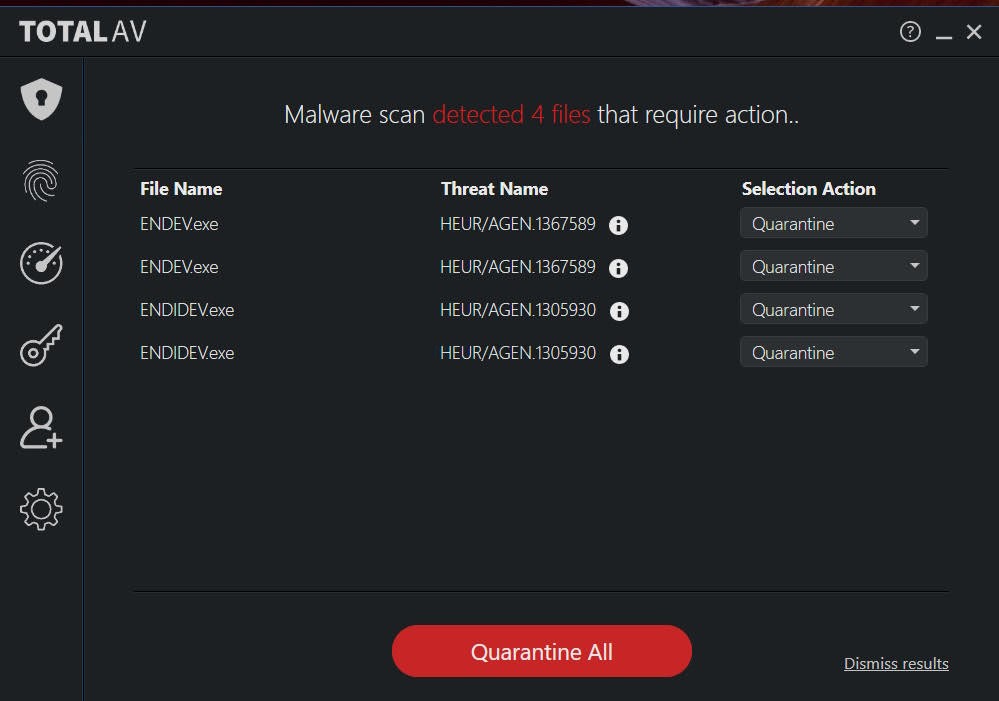
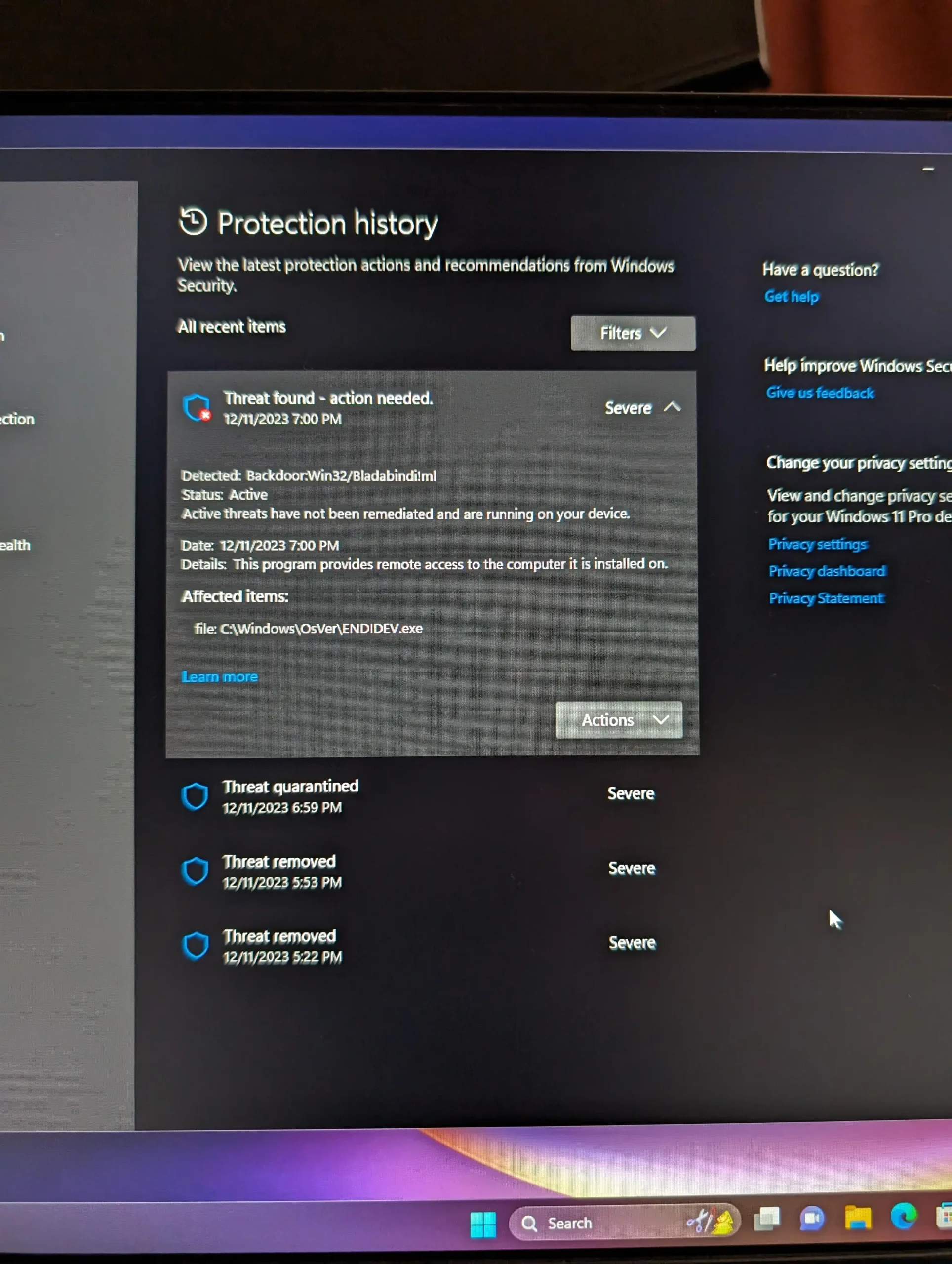
In these cases, I once again heavily recommend that if you are going to purchase any Chinese NAS product, that you go to the source. And circling back to the issue of security I mentioned earlier on, you tend to find that when spyware has been found on some hardware systems, it has been due to software that was applied to the hardware after it left the original manufacturer—more often than not, applied within an .exe found autoloading in the included copy of Windows.

So once again, double-check that the brand you’re talking to is the original manufacturer before you purchase a Chinese NAS solution, and double-check that they have some kind of Western presence first. It may seem almost obvious and naïve to say this, but ultimately, a lot of these organisations operate on tremendously thin profit margins. This means that the cost of manpower and hiring sufficiently skilled people to create these Western websites and English-understood points of sale is often left by the wayside by the less scrupulous organisations, as they simply do not have a clear enough print-to-profit or long-term strategy to provide solutions they can trust in order to engage with this.

Should I Buy a NAS from China?

The short answer? Yes, I think you can. You should be as security-aware as (frankly) you should be with any NAS product—as any 24/7 data storage solution is only one vulnerability away from being compromised. But as long as you know the risks and understand that support is not going to be as “next day” as it would be if you purchased a local product, I do genuinely think that you are okay to buy a Chinese NAS solution from the more well-known and reputable brands in the market. If the brand doesn’t have much of an online presence outside of China—even doesn’t really have much of its own website outside of AliExpress, Amazon, or Alibabaavoid them like the plague! Because those brands that aren’t prepared to make even the token effort to have much of an online presence outside of a retail website have certainly not got the profit margin to provide any kind of meaningful support and are more likely to cut corners. Worse still, it is those organisations that have such slim profit margins that are almost certainly going to be the ones that may be more susceptible to influence in installing exploitative or malware software components on their systems for an additional backhand payment.

Chinese NAS Brands That I Recommend

These are the brands I would personally recommend if you are considering a China-based NAS brand. These are 6 brands that I have used many of their products (NAS and others) that I have found the best experiences with, as well as, on balance,e the best online support and communication. No brand is perfect, and look hard enough and you will find good and bad on any brand, really, but these are six examples of brands that stand out from the others.

Buy Here on AmazonVisit Their Own Store

Buy Here on AmazonVisit Their AliExpress Store

Buy Here on AmazonVisit Their AliExpress Store

Buy Here on AmazonVisit Their AliExpress Store

Buy Here on AmazonVisit Their AliExpress Store

Buy Here on Amazon

📧 SUBSCRIBE TO OUR NEWSLETTER 🔔
[contact-form-7]
🔒 Join Inner Circle


Get an alert every time something gets added to this specific article!


Want to follow specific category? 📧 Subscribe

This description contains links to Amazon. These links will take you to some of the products mentioned in today's content. As an Amazon Associate, I earn from qualifying purchases. Visit the NASCompares Deal Finder to find the best place to buy this device in your region, based on Service, Support and Reputation - Just Search for your NAS Drive in the Box Below

Need Advice on Data Storage from an Expert?

Finally, for free advice about your setup, just leave a message in the comments below here at NASCompares.com and we will get back to you. Need Help? Where possible (and where appropriate) please provide as much information about your requirements, as then I can arrange the best answer and solution to your needs. Do not worry about your e-mail address being required, it will NOT be used in a mailing list and will NOT be used in any way other than to respond to your enquiry. [contact-form-7] TRY CHAT Terms and Conditions
If you like this service, please consider supporting us. We use affiliate links on the blog allowing NAScompares information and advice service to be free of charge to you.Anything you purchase on the day you click on our links will generate a small commission which isused to run the website. Here is a link for Amazon and B&H.You can also get me a ☕ Ko-fi or old school Paypal. Thanks!To find out more about how to support this advice service check HEREIf you need to fix or configure a NAS, check Fiver Have you thought about helping others with your knowledge? Find Instructions Here  
 
Or support us by using our affiliate links on Amazon UK and Amazon US
    
 
Alternatively, why not ask me on the ASK NASCompares forum, by clicking the button below. This is a community hub that serves as a place that I can answer your question, chew the fat, share new release information and even get corrections posted. I will always get around to answering ALL queries, but as a one-man operation, I cannot promise speed! So by sharing your query in the ASK NASCompares section below, you can get a better range of solutions and suggestions, alongside my own.

☕ WE LOVE COFFEE ☕

 
❌